www.yealink.com
UVC30-Desktop
Ultra HD 4K Webcam for PC
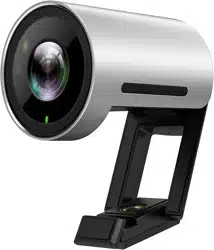
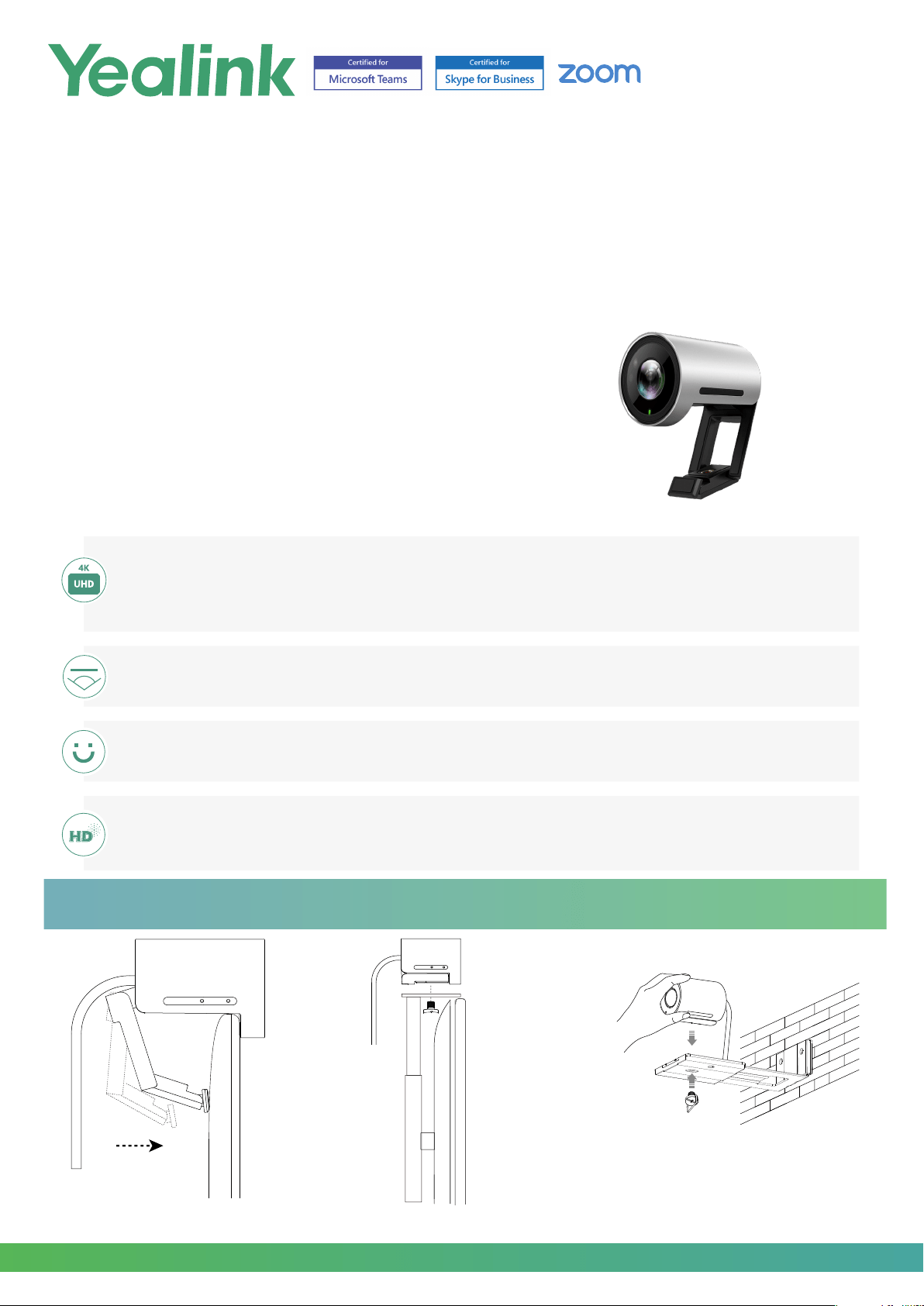
Yealink UVC30 Desktop is a new USB Camera with 4K UHD and 3x digital zoom for vivid and excellent experience. Equipped with built-
in infrared sensor and face recognition, UVC30 Desktop supports Windows Hello feature to enhance your login security. Thanks to the
sharp image and accurate color reproduction, it provides a vivid face-to-face video meeting experience in ultra HD 4K resolution and
high frame rates. Through Yealink USB Connect, users can adjust the FOV of UVC30 Desktop as needed. Moreover, the feature of facial
detection allows UVC30 Desktop always to frame people smoothly and precisely to accomplish a much more intelligent experience.
Key Features and Benets
Superb Image Quality
UVC30 Desktop not only delivers a the best-class image quality with natural color reproduction, but also the smooth
video and details, endeavoring to optimize the meeting experience for users. UVC30 Desktop also supports multiple
resolutions, including 4K/30FPS, 1080P/30FPS and 720P/30FPS to adapt to different displays and applications.
Windows Hello Feature
Certied by Microsoft, UVC30 Desktop is capable of Windows Hello feature to enhance your PC login security.
HD Voice Quality
The embedded microphone helps UVC30 Desktop to achieve a voice pickup range of up to 150°/ 6.6 feet and deliver a
clear and optimal sound.
Adjustable Field of View
UVC30 Desktop supports three FOV adjustments (70°/90°/120°) to meet different user demands.
UVC30 Installation
TV
TV Stand
1/4”-20 UNC screw
1/4”-20 UNC screw
Mount on top of a TV Mount on a WallMount onto a TV Stand or a Tripod
www.yealink.com
UVC30-Desktop
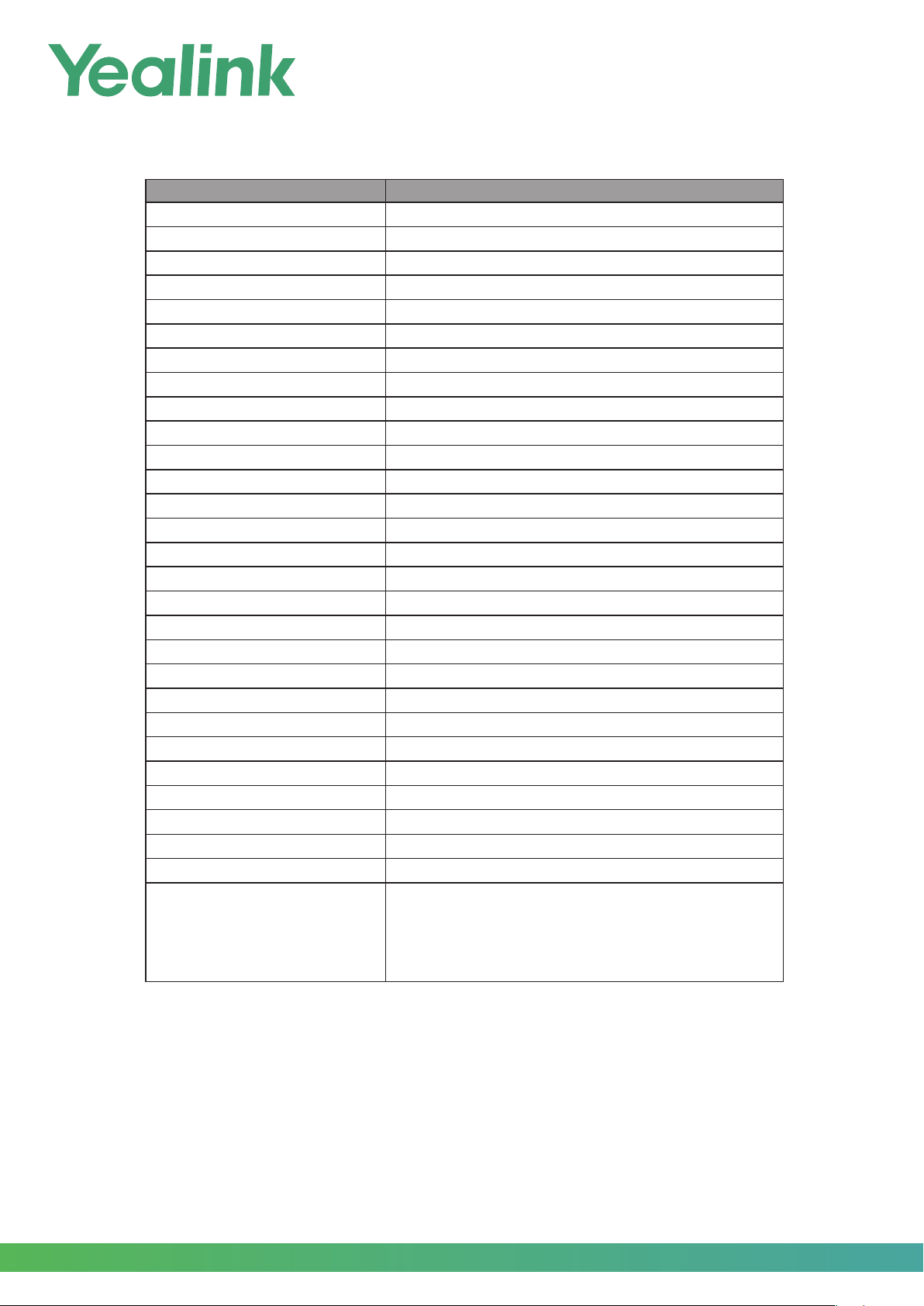
UVC30 Specifications
Model UVC30 Desktop
Positioning Personal computer
Camera 1/2.5” CMOS, 8.51M pixel
UVC Protocol UVC 1.5/UVC1.0
USB Cable 1 x 1.6m USB 3.0
Infrared Camera √
Built-in Microphone √
Depth of View (meter) 0.5m~3m
Field of view 70°/90°/120°
Auto Framing √
PTZ EPTZ
Zoom 3x digital
Video Output 4K30, 1080p30, 720p30
Maximum Resolution 4K
Wide Dynamic Range √
Exposure Auto
White Balance (WB) ATW/Auto/Manual
Shutter Speed 1/60 ~ 1/10000 seconds
Exposure Auto
White Balance (WB) ATW/Auto/Manual
Shutter Speed 1/60~1/10000 seconds
Signal Noise Ratio(SNR) 63dB
LED Indicator √
Effective Focus Length f=2.22mm
Aperture (F#) F/2.4
Min, Illumination 0.5 lux (in daylight), 0.1 lux (at night)
Dimensions 59 mm x
φ
45 mm
System Requirement Windows7, Windows10, Mac OS 10.10 or higher
Certication Windows Hello Certied
Package Features
• Giftbox size
:
151 mm*85 mm*95 mm
• Qty/CTN: 20
• Carton Meas: 435 mm*200mm*312mm
• N.W/CTN: 4.790 kg
• G.W/CTN: 5.250 kg

YEALINK NETWORK TECHNOLOGY CO., LTD.
Email:
Web: www.yealink.com
About Yealink
Yealink (Stock Code: 300628) is a global brand that specializes in video conferencing, voice communications and collaboration solutions
with best-in-class quality, innovative technology and user-friendly experience. As one of the best providers in more than 140 countries
and regions, Yealink ranks No.1 in the global market share of SIP phone shipments (Global IP Desktop Phone Growth Excellence
Leadership Award Report, Frost & Sullivan, 2019).
Copyright
Copyright © 2021 YEALINK(XIAMEN) NETWORK TECHNOLOGY CO., LTD.
Copyright © 2021 Yealink(Xiamen) Network Technology CO., LTD. All rights reserved. No parts of this publication may be reproduced
or transmitted in any form or by any means, electronic or mechanical, photocopying, recording, or otherwise, for any purpose, without
the express written permission of Yealink(Xiamen) Network Technology CO., LTD.
Technical Support Email : [email protected]
Visit Yealink WIKI (http://support.yealink.com/) for firmware downloads, product documents, FAQ, and more. For better service, we
sincerely recommend you to use Yealink Ticketing system (https://ticket.yealink.com) to submit all your technical issues.
YEALINK(XIAMEN) NETWORK TECHNOLOGY CO.,L
TD.
Web: www.yealink.com