User manual
SV12 JN.00000 PN.000000-00-00
00.00.00 VERSION NO.01
In the box
Getting started
Charging your machine
Emptying your bin
Cleaning your bin
Washing your filter
Cleaning your tools
Clearing blockages
Looking after your machine
clik
clik
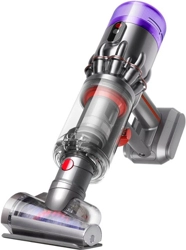
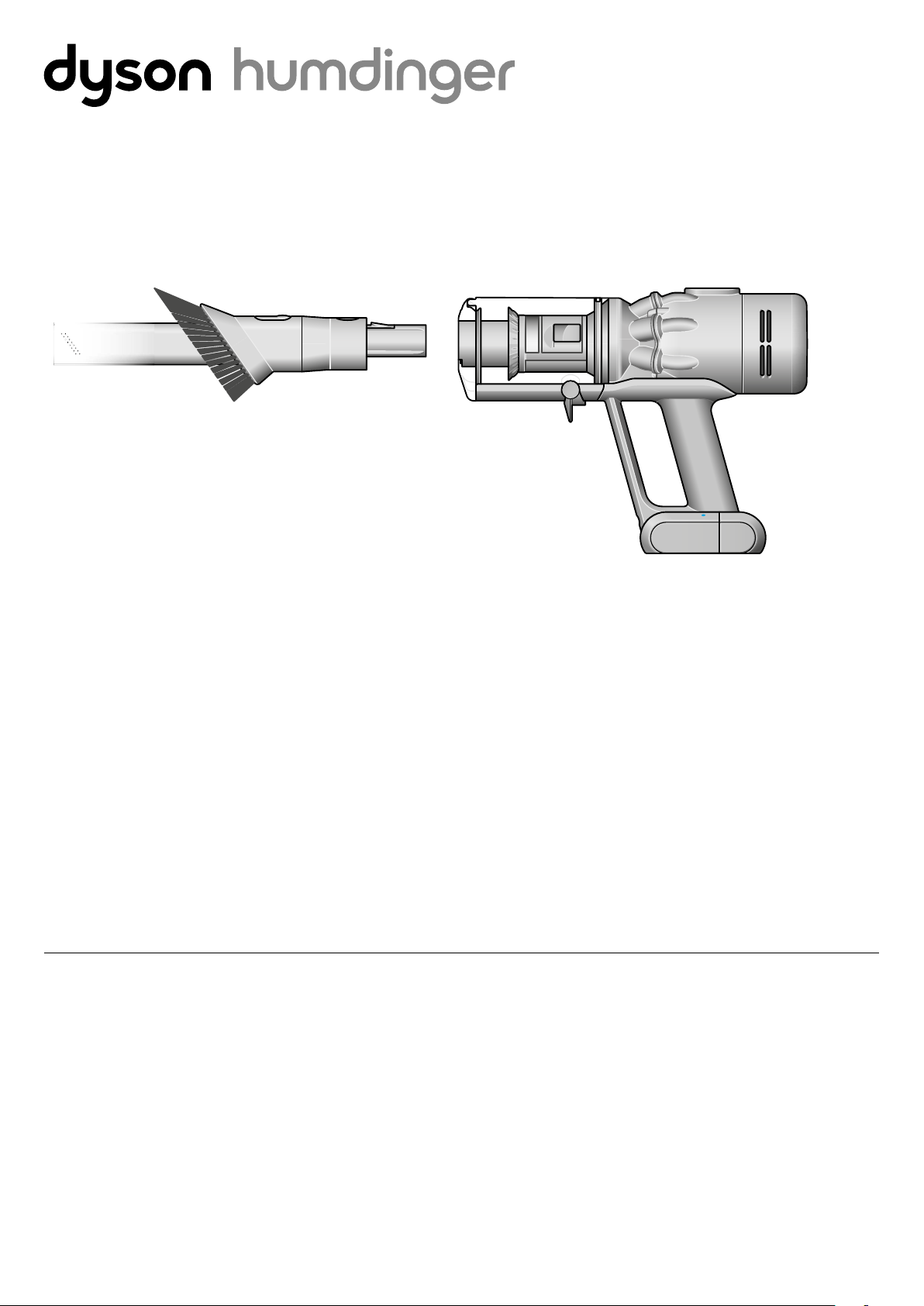
Dyson Humdinger
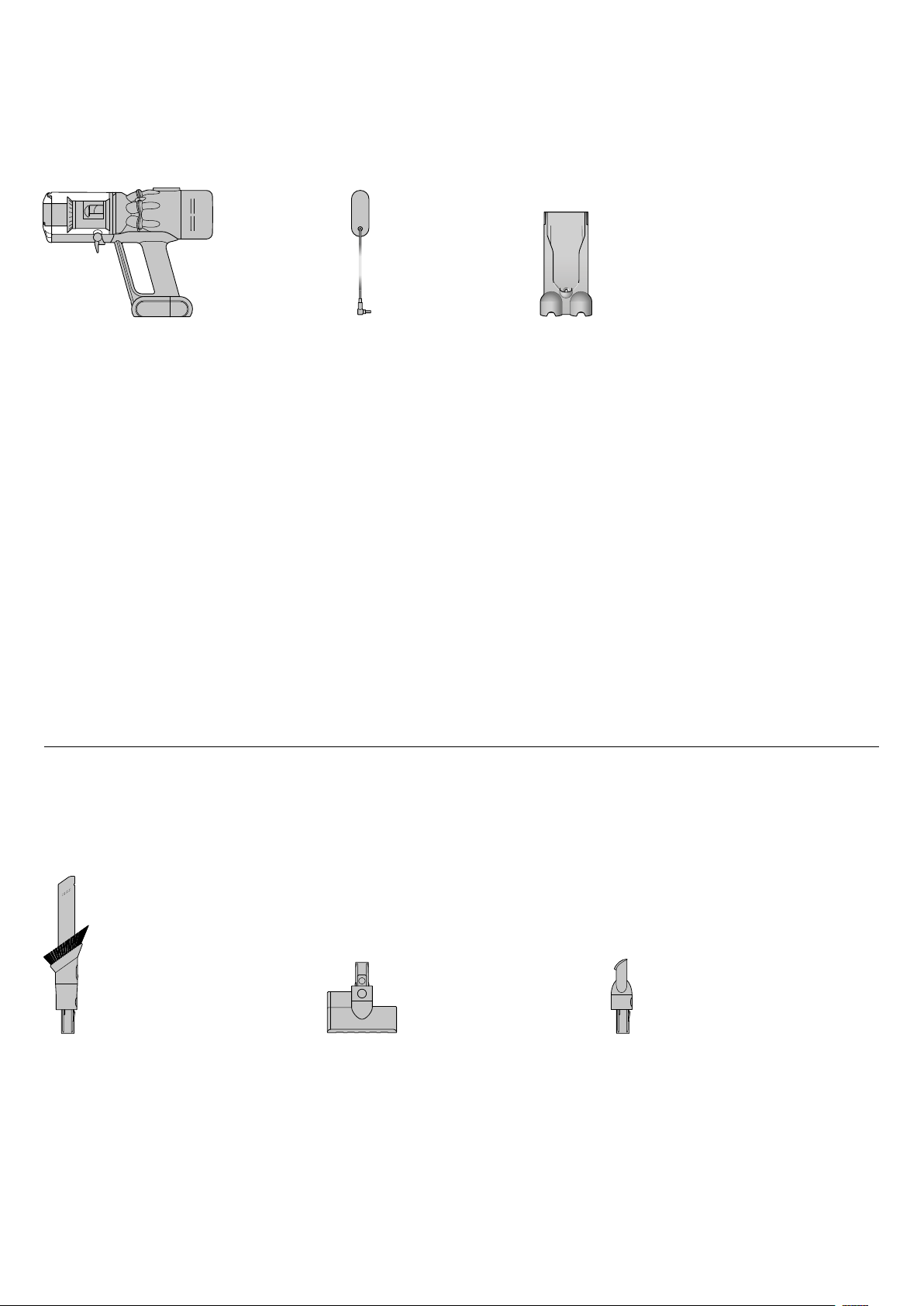
In the box
Vacuum cleaner Charger
Combi-crevice tool
Charges your vacuum with
or without a dock.
Worktop tool
Engineered for cleaning kitchen
worktops, tables and hard surfaces.
Two tools in one – narrow nozzle and
brush, for quick switching between
cleaning and dusting tasks.
Mini motorised tool
Motorised brush bar, concentrated in a
smaller head to remove stubborn dirt
from mattresses, upholstery and stairs.
Some tools may not be included.
Your Dyson vacuum
drops into the wall-
mounted charging
dock, ready for your
next clean.
Wall dock
Main body
showing the
handle and
bin attached.
The charger is a one
piece unit with the
plug, connector end
and cable.
This tool has a combina-
tion of brush head and
crevice tool together in
one unit. The brush head
slides down the crevice
tool when needed.
A small cleaner head
with a body housing the
motor and an electrical
connector to attach to
the wand or directly to
the machine.
This tool is angled and
has a nozzle end.
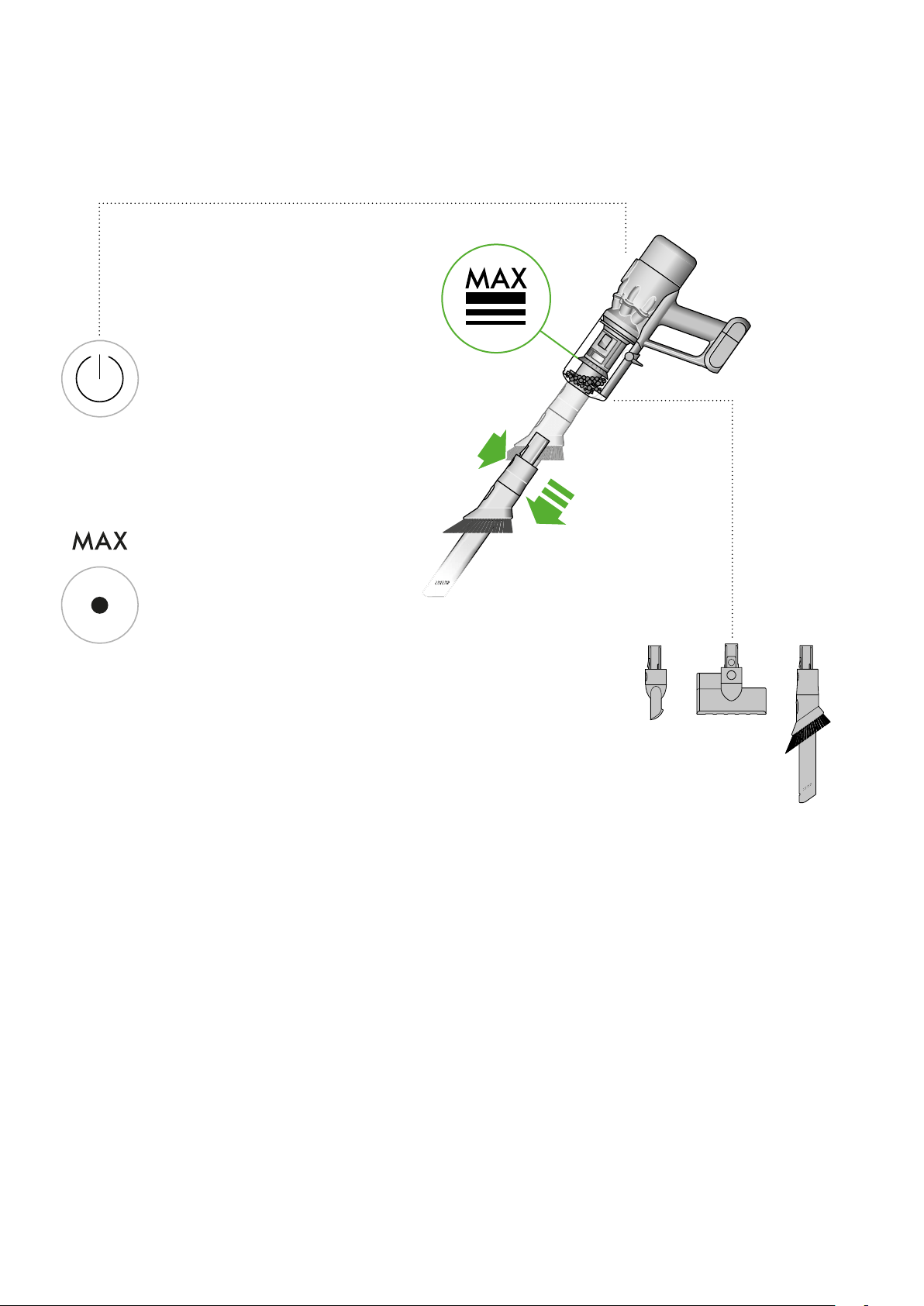
Power button
Press the Power button
once for comfortable,
continuous cleaning.
Getting started
Press the button to change
power modes.
Power modes
Eco mode
Max mode
The optimum balance of
power and run time
Delivers maximum power.
For intensive cleaning of
ground-in dirt.
clik
Location of the
power button
on the top of
the machine.
The main body with the
power button and mode
button at the base of the
handle and bin with the
bin base closed.
Charging your machine
For the best experience, we recommend fully charging your machine, and
any additional batteries, as soon as you open the box and after every clean.
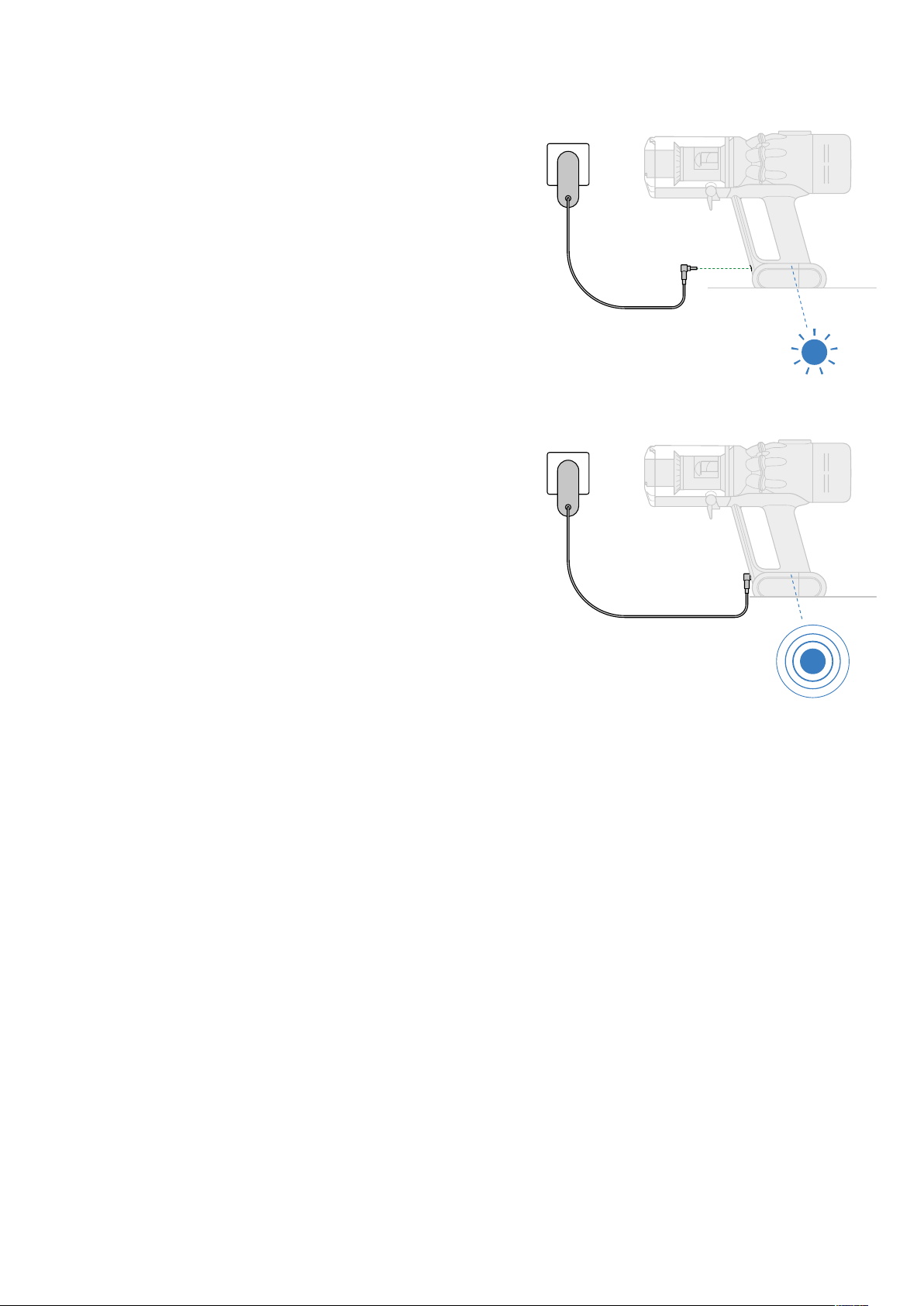
The LED light on the end of the handle will flash when the power is running
low and you need to put your battery on to charge.
Connect the charger directly to the charging point on the base of the
handle of your machine. You can also connect to your dock as shown in the
installation instructions supplied with your dock.
The LED light on the end of the handle will pulse with a blue LED light when
charging, and the light will go out when fully charged.
It can take up to 3.5 hours to fully charge your battery. Your battery has been
designed to be left on charge.
Your machine won’t operate or charge if the ambient temperature is below
5°C (41°F). This is designed to protect both the motor and battery.
You can help prolong the battery life by leaving your machine to cool down
before recharging.
The charger connected from
the power supply directly into
the front of the battery.
Emptying your bin
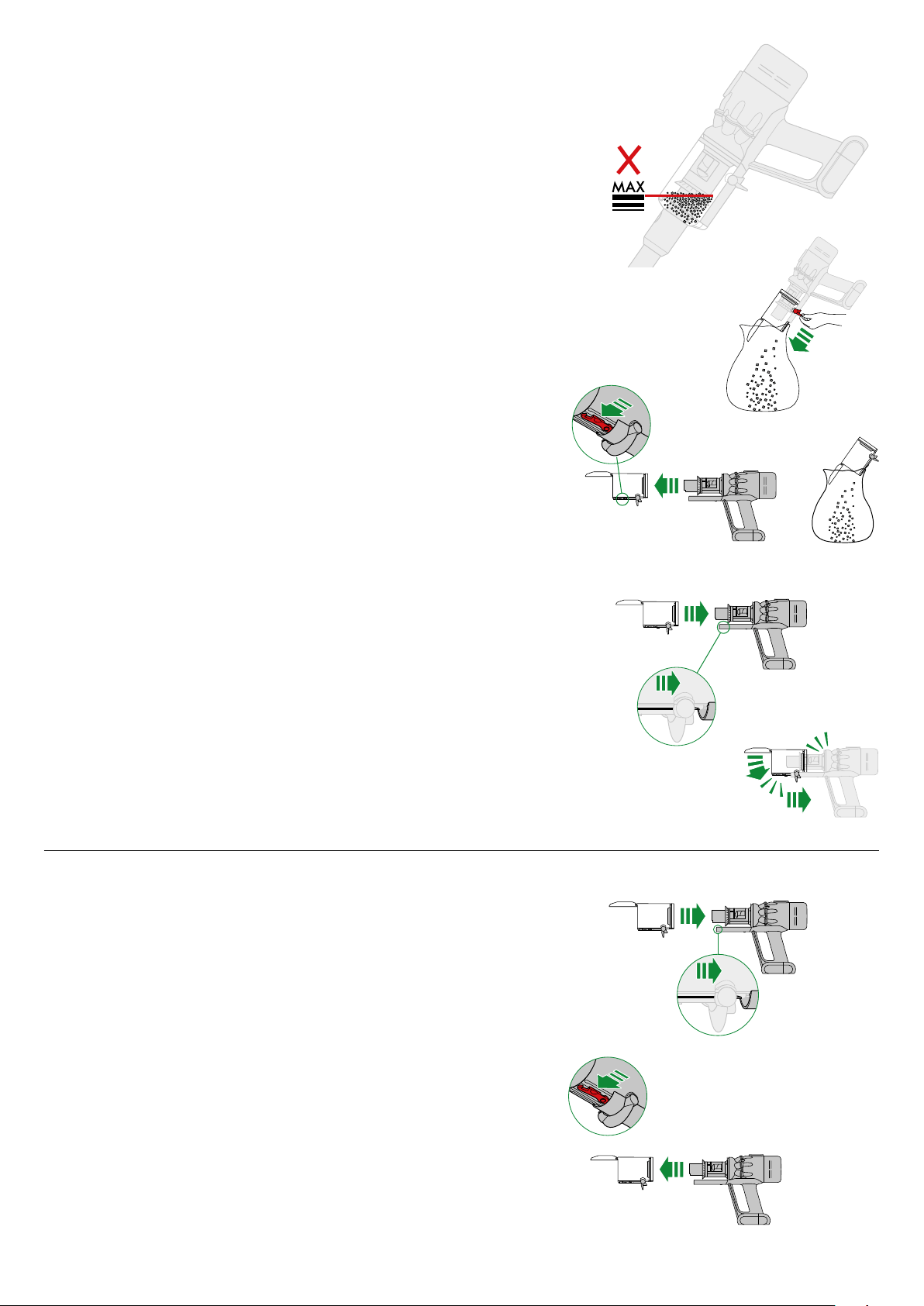
Empty your bin as soon as the dirt reaches the MAX mark.
You may need to clean the filter more often if you use your machine with a full bin.
Cleaning your bin
Release the dirt
To remove the bin for emptying:
Minimise dust contact
Reassemble your machine
Don’t put any part of your machine in a dishwasher or use detergents,
polishes or air fresheners.
Hold your vacuum over a bin.
Push the red bin release button, taking care not to press the power button.
The bottom of the bin will open and the shroud will slide down inside the bin,
wiping away any dirt.
If the bin doesn’t open, check the bin release button is pushed down fully.
If the bin doesn't empty fully, remove the bin and empty the dirt.
Press the red button located on the bin runner to release the bin and slide
your bin off the runner.
Cover your bin tightly in a dust proof bag while you empty. Remove the bin
carefully, seal the bag tightly and dispose.
If you have removed your bin, slide it back on to the runner. Make sure that
the bin and lid are both securely in position.
Push the bin base upwards until the bin and lid both click into place.
Reconnect the wand.
2
1
1
clik
clik
2
2
1
1
clik
clik
2
2
1
2
1
1
clik
clik
2
2
1
1
clik
clik
2
2
1
1
clik
clik
2
2
1
1
clik
clik
2
2
1
1
clik
clik
2
2
1
1
clik
clik
2
2
1
1
clik
clik
2
Replace your bin
Clean your bin
If it is necessary to clean your bin, empty it as shown in the ‘Emptying your
bin’ section.
Press the red button located on the bin runner to release the bin and slide
your bin off the runner.
Only clean your bin with a damp cloth.
Make sure that the bin and seals are completely dry before replacing.
Insert the spine on to the bin runner.
Close your bin by pushing the bin base upwards until the bin and bin base
click into place.
2
1
1
clik
clik
2
The MAX mark on the bin of the
machine, showing that the dirt
should not be filled over the Max
mark when the machine is at the
angle of normal use.
Illustration of
the bin being
emptied into
a bag.
Two images of the bin with arrows
showing the bin lid closing and
a click symbol and the bin being
pushed upwards with another
click symbol.
The bin lid
closing with an
audible click and
the bin being
pushed upwards
with another
click once it is
fully in place.
The bin being
removed and the
location of the bin
release lever on the
underside of the
bin runner.
The bin being pushed
back into position on
the bin runner.
Washing your filter
Wash your filter at least once a month to maintain the best performance.
Make sure the filter is completely dry before refitting.
Twist off your filter
Wash your filter
Shake and dry
Refit your filter
Don’t put any part of your machine in a dishwasher or use detergents,
polishes or air fresheners.
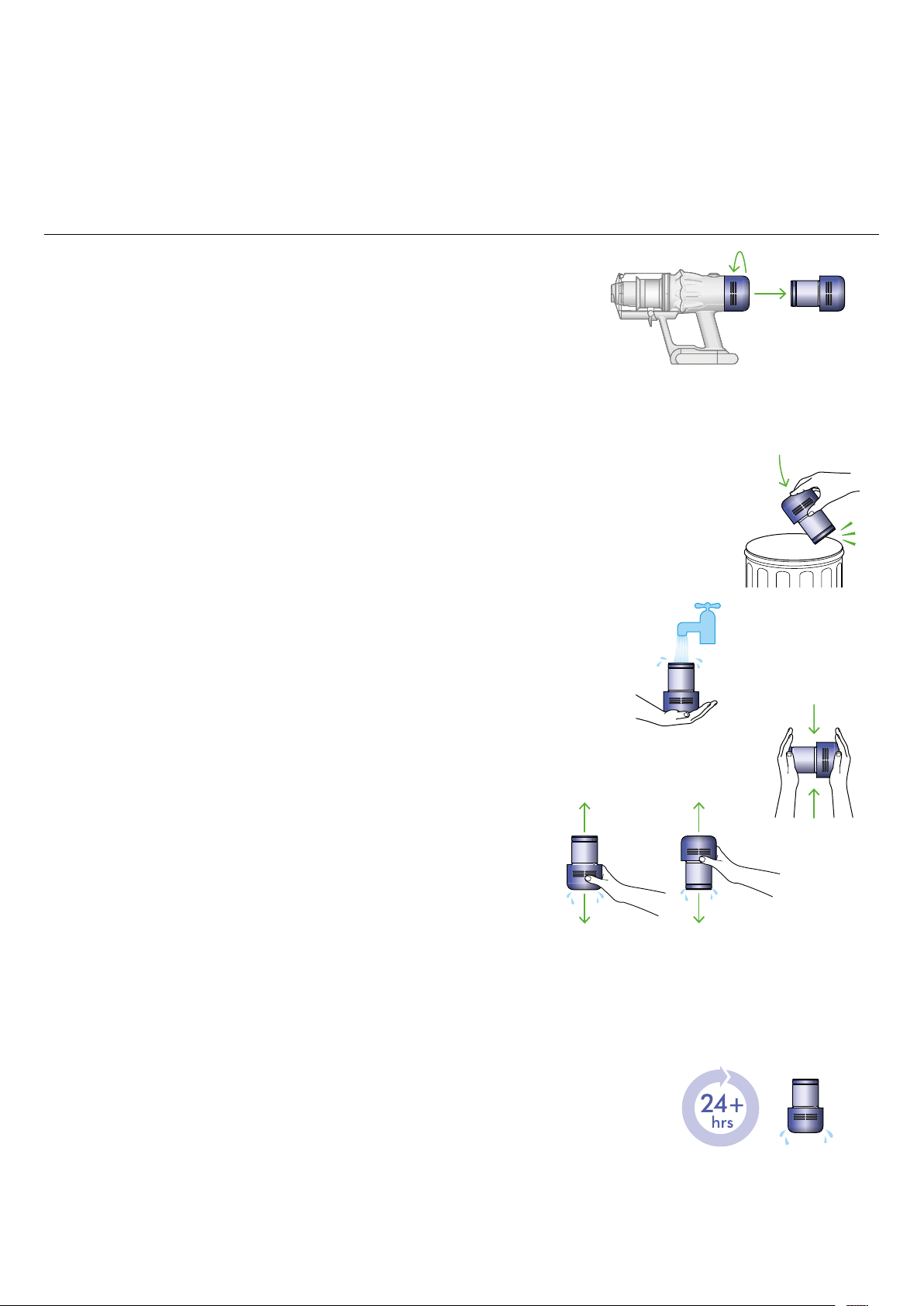
Turn your filter anti-clockwise and pull it away from your machine.
Before washing your filter, tap it gently over a bin to remove any loose dust
and debris.
Wash the outside of the filter, rubbing with your fingers to remove the dirt.
Carefully rinse the inside filter, without allowing water to fill the filter.
Repeat these steps until the water runs clear.
Empty the filter and shake firmly to remove excess water.
Keep shaking until there’s no water coming from the filter.
Place your filter end up, as shown.
Leave your filter to dry for at least 24 hours in a well-ventilated, warm place.
Don’t dry your filter in a tumble dryer, microwave or near a naked flame.
Important: your filter must be completely dry before you put it back into the
machine. Your machine could be damaged if used with a damp filter.
To refit your filter, slide it onto the handle and turn it clockwise until it clicks
into place.
Your filter may need more frequent washing if you vacuum fine dust,
use Max mode frequently or use with the bin full.
A hand holding the filter with the
narrow end pointing downwards with
droplets of water being shaken from the
filter and again, with the end pointing
downwards shaking water out.
The filter is left to dry
with the pleated filter
end facing upwards.
Filter with hand over
the open end with
arrows showing a
shaking motion.
Filter held in upright
position, with the wider
end in the palm of a
hand. Water running
from a tap into the
narrower end.
The filter is located at the
rear of your machine.
Holding the filter
by the hard, plastic
end, tap the other
end over the bin.
Cleaning your tools
Don’t put any part of your machine in a dishwasher or use detergents,
polishes or air fresheners.
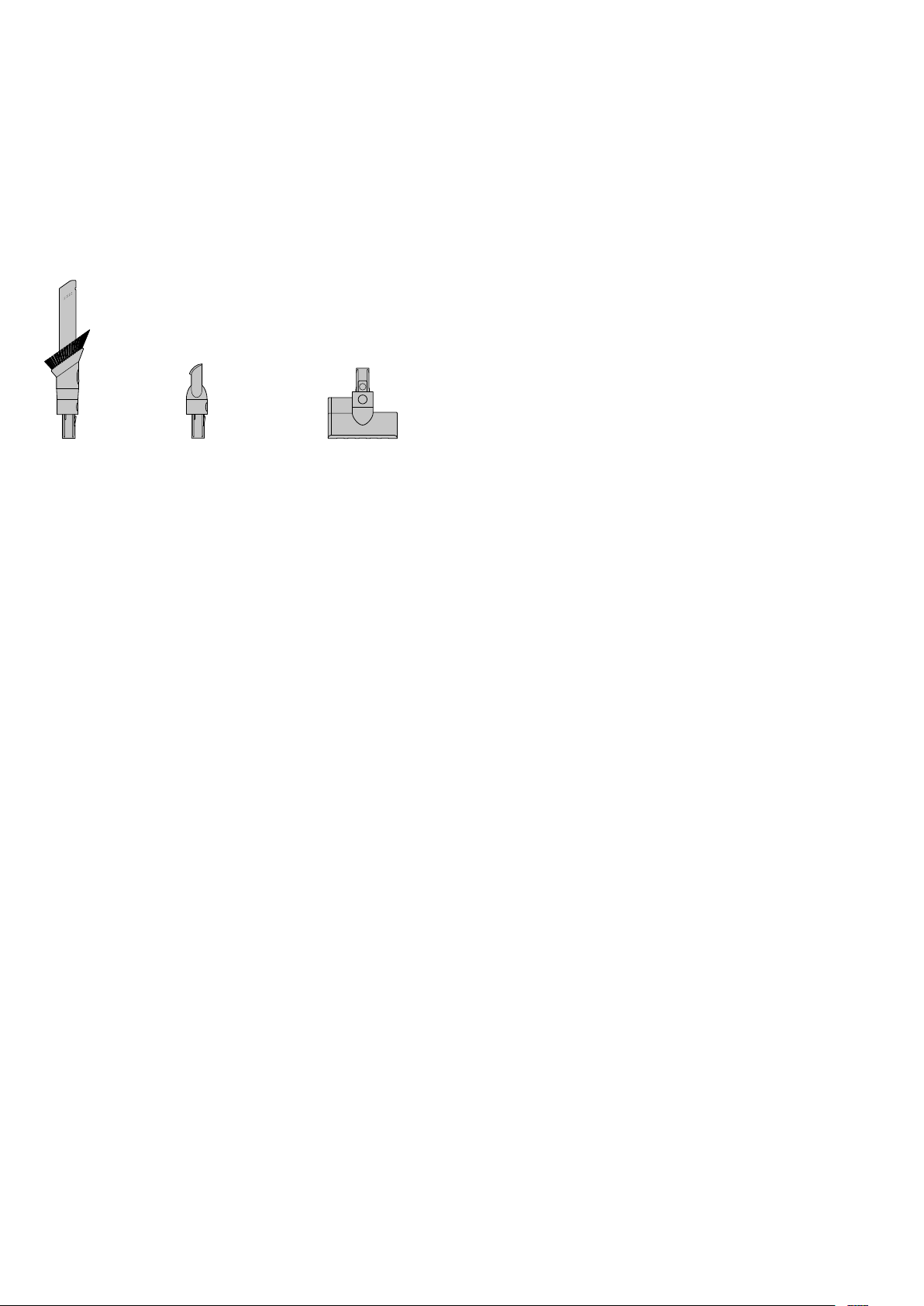
Wipe with a damp, lint-free cloth, without touching the connector end.
Make sure your tools are completely dry before using.
Combi-crevice tool Worktop tool
Mini motorised tool
Clearing blockages
If your machine detects a blockage, the motor will pulse six times. You won’t
be able to use your machine until the blockage has been cleared.
If you try to use your machine when the motor is pulsing, it will automatically
cut out.
Leave your machine to cool down before looking for blockages and,
for your safety, take care not to touch the power button.
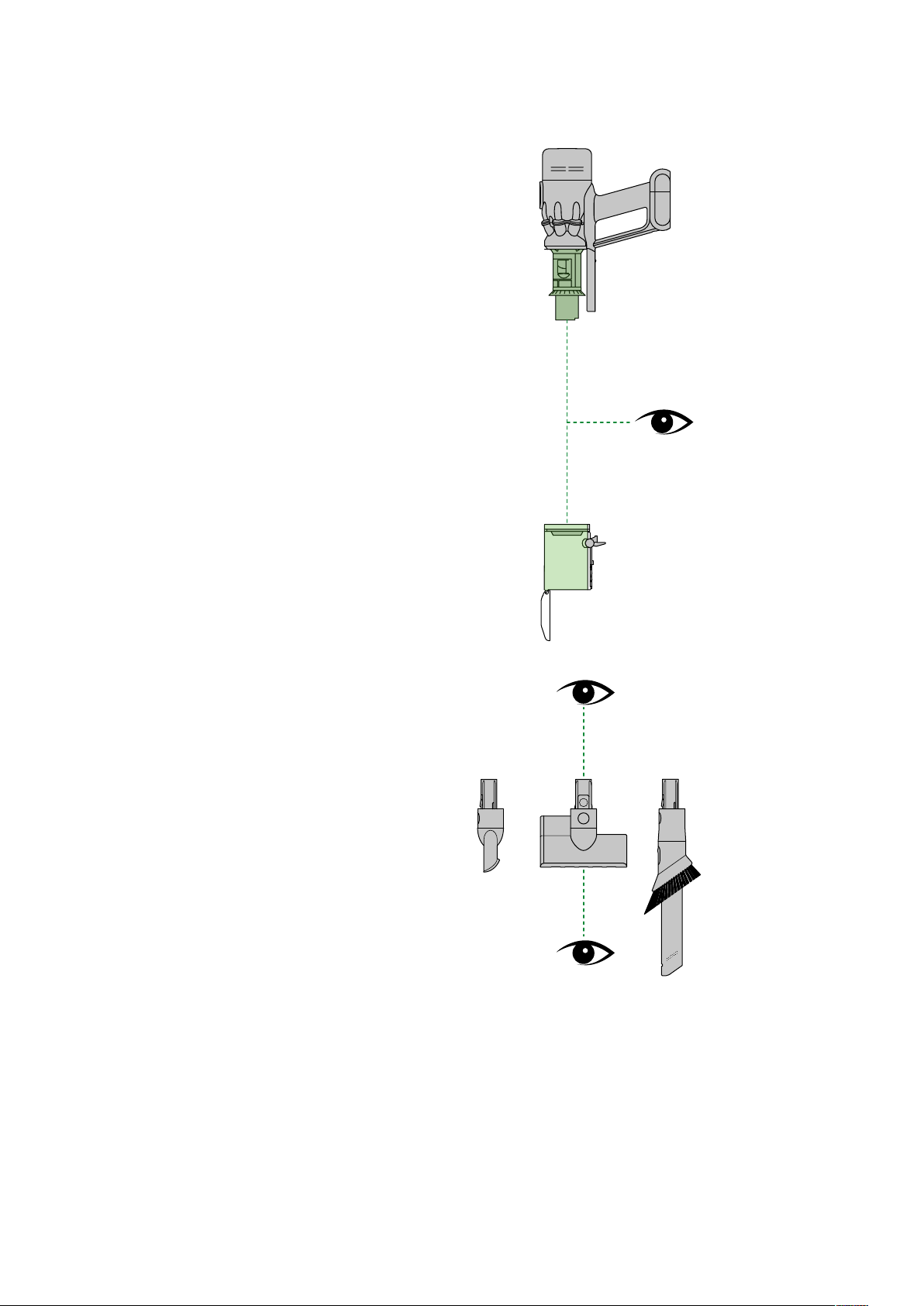
Check for blockages in
the filter end and bin
ends of the machine.
The bin being removed
and the location of the
bin release lever on the
underside of the bin
runner.

Looking after your machine
To always get the best performance from your machine, it’s important to
clean it regularly and check for blockages.
Look after your machine
Look after your battery
Your serial numbers
You can register your machine using the serial number found on the bottom
of your machine.
If your machine is dusty, wipe with a damp lint-free cloth.
Check for blockages in the cleaner head and tools of your machine.
Wash your filter regularly and leave to dry completely.
Don’t use detergents or polishes to clean your machine.
To get the best performance and life from your battery, use Eco mode.
Your machine won’t operate or charge if the ambient temperature is below
5°C (41°F). This is designed to protect both the motor and battery.
You can find your serial numbers on your machine, battery and charger.
Use your serial number to register.