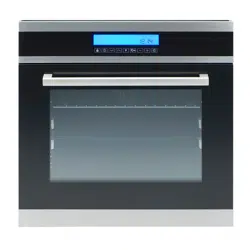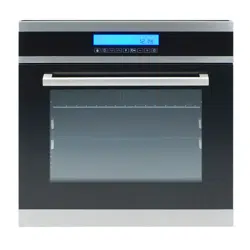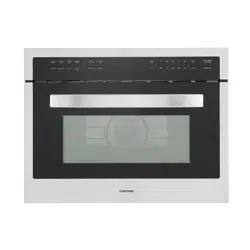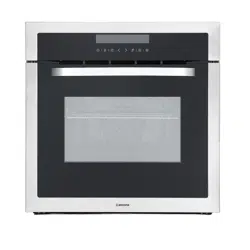

USER MANUAL
&
INSTALLATION INSTRUCTIONS
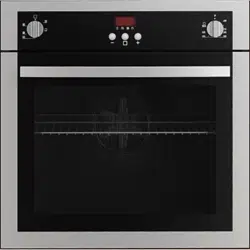
BUILT-IN OVEN 24”
5-FUNCTIONS
IMPORTANT SAFETY INSTRUCTIONS
Carefully read the following important information regarding
installation safety and maintenance.
Keep these instructions for future reference.
2014-09-05 MAAN2300-4

Contents
Safety Requirements .......................................................................................................................... 3
Proper installation and maintenance ............................................................................................... 3
Fire safety ....................................................................................................................................... 4
Burn prevention .............................................................................................................................. 5
Child safety ..................................................................................................................................... 6
Cleaning safety ............................................................................................................................... 6
Cookware safety ............................................................................................................................. 6
Electrical Requirements ...................................................................................................................... 7
Installation Instructions ....................................................................................................................... 8
Installation of built-in ovens ............................................................................................................. 8
Electrical installation ..................................................................................................................... 10
How To Use Your Oven .................................................................................................................... 12
Close-up view ............................................................................................................................... 12
Before using your oven for the first time ........................................................................................ 12
Operating the oven ....................................................................................................................... 13
Clock functions ............................................................................................................................. 14
Timer functions ............................................................................................................................. 14
Oven functions .............................................................................................................................. 17
Practical Cooking Advice .................................................................................................................. 18
Practical cooking advice table ....................................................................................................... 21
How To Maintain Your Oven ............................................................................................................. 22
How to remove the oven door ....................................................................................................... 23
Replacing the oven lamp ............................................................................................................... 24
Transport .......................................................................................................................................... 25
Technical Specifications ................................................................................................................... 25
Warranty ........................................................................................................................................... 26
2

Safety Requirements
IMPORTANT SAFETY INSTRUCTIONS
READ AND SAVE THESE INSTRUCTIONS
These precautions will reduce the risk of burns, electric shock, fire and injury to persons. When using
kitchen appliance, basic safety precautions must be followed, including those in the following pages.
Proper installation and maintenance
• IMPORTANT - SAVE FOR THE LOCAL INSPECTOR'S USE
• Have the installer show you the location of the circuit breaker or fuse. Mark it for easy reference.
• Be sure your appliance is properly installed and grounded by a qualified technician. Connect
only to a properly grounded outlet. Refer to the Installation Instructions for details.
• This appliance is intended for normal family household use only. It is not approved for outdoor
use. See the Warranty. If you have any questions, contact the manufacturer.
• Do not store or use corrosive chemicals, vapors, flammables or nonfood products in or near this
appliance. It is specifically designed for use when heating or cooking food. The use of corrosive
chemicals in heating or cleaning will damage the appliance and could result in injury.
• Do not operate this appliance if it is not working properly, or if it has been damaged. Contact an
authorized servicer.
• Do not obstruct oven vents.
• Do not repair or replace any part of the appliance unless specifically recommended in this
manual. Refer all servicing to a factory authorized service center.
When properly cared for, your new appliance has been designed to be safe and reliable. Read all
instructions carefully before use.
3

• In the event of an error the display flashes and beeps continuously. Disconnect appliance from
the power supply and call a qualified technician.
• Do not repair or replace any part of the appliance unless specifically recommended in the
manual. All other servicing should be referred to a qualified technician.
Fire safety
• Do not use aluminum foil or protective liners to line any part of the appliance, especially the oven
bottom. Installing these liners may result in risk of electric shock or fire.
• If materials inside an oven should ignite, keep door closed. Turn off the appliance and
disconnect the circuit at the circuit breaker box.
• Use this appliance only for its intended purpose as described in this manual. For example, never
use the appliance for warming or heating the room. Never use the appliance for storage.
• Always have a working smoke detector near the kitchen.
• In the event that personal clothing or hair catches fire, drop and roll immediately to extinguish
flames.
• Smother flames from food fires other than grease fires with baking soda. Never use water on
cooking fires.
• Have an appropriate fire extinguisher available, nearby, highly visible and easily accessible near
the oven.
• Never Leave Surface Units Unattended at High Heat Settings.
4

TO REDUCE THE RISK OF PERSONAL INJURY IN THE EVENT OF A GREASE FIRE, OBSERVE
THE FOLLOWING:
SMOTHER FLAMES with a close-fitting lid, cookie sheet, or metal tray, then turn off the burner.
EXERCISE CAUTION TO PREVENT BURNS. If the flames do not go out immediately,
EVACUATE AND CALL THE FIRE DEPARTMENT.
NEVER PICK UP A FLAMING PAN―You may be burned.
Do Not Use Water on Grease Fires, Smother fire or flame or use dry chemical or foam-type
extinguisher.
Use an extinguisher ONLY if:
1) You know you have a CLASS ABC extinguisher, and you already know how to operate it.
2) The fire is small and contained in the area where it started.
3) The fire department is being called.
4) You can fight the fire with your back to an exit.
Burn prevention
• DO NOT TOUCH HEATING
ELEMENTS OR INTERIOR SURFACE OF
OVEN
• Heating elements may be hot even
though they are dark in color. Interior surfaces
of an oven become hot enough to cause burns.
During and after use, do not touch, or let
clothing, potholders, or other flammable
materials contact heating elements or interior
surfaces of oven until they have had sufficient
time to cool. Other surfaces of the appliance
may become hot enough to cause burns.
Among these surfaces are oven vent openings,
surfaces near these openings and oven doors.
• Exercise caution when opening the
appliance. Standing to the side, open the door
slowly and slightly to let hot air and/or steam
escape. Keep your face clear of the opening
and make sure there are no children or pets
near the unit. After the release of hot air and/or
steam, proceed with your cooking. Keep doors
shut unless necessary for cooking or cleaning
purposes. Do not leave open doors unattended.
• Do not heat or warm unopened food
containers. Build-up of pressure may cause
the container to burst and cause injury.
• Always place oven racks in desired
location while oven is cool. If a rack must be
moved while oven is hot, do not let potholder
contact the heating elements.
• Always use dry potholders. Moist or damp
potholders on hot surfaces may result in burns
from steam. Do not let potholder touch hot
heating elements. Do not use a towel or other
bulky cloth.
• Secure all loose garments, etc. before
beginning. Tie long hair so that it does not
hang loose, and do not wear loose fitting
clothing or hanging garments, such as ties,
scarves, jewelry, or dangling sleeves.
5

Child safety
• Secure all loose garments, etc. before beginning. Tie long hair so that it does not hang loose,
and do not wear loose fitting clothing or hanging garments, such as ties, scarves, jewelry, or dangling
sleeves.
• When children become old enough to use the appliance, it is the legal responsibility of the
parents or legal guardians to ensure that they are instructed in safe operation of the appliance by
qualified persons.
• Do not allow anyone to climb, stand, lean, sit, or hang on any part of an appliance, especially a
door, warming drawer or storage drawer. This can damage the appliance, and the unit may tip over,
potentially causing severe injury.
• Do not allow children to use this appliance unless closely supervised by an adult. Children and
pets should not be left alone or unattended in the area where the appliance is in use. They should
never be allowed to play in its vicinity, whether or not the appliance is in use.
• Items of interest to children should not be stored in an appliance, in cabinets above an appliance
or on the backsplash. Children climbing on an appliance to reach items could be seriously injured.
Cleaning safety
• CAUTION: Do not clean the appliance while it is still hot. Some cleaners produce noxious
fumes when applied to a hot surface. Wet clothes or sponges can cause burns from steam.
• Do Not Use Oven Cleaners – No commercial oven cleaner or oven liner protective coating of
any kind should be used in or around any part of the oven.
Cookware safety
• Birds have very sensitive respiratory systems. Keep pet birds out of the kitchen or other rooms
where kitchen fumes could reach them. During self-clean, fumes are released that may be harmful to
birds. Other kitchen fumes such as overheating margarines and cooking oils may also be harmful.
• Keep oven free from grease build up.
• Do not place food directly on oven bottom.
• Follow the manufacturer’s directions when using cooking or roasting bags.
6

Electrical Requirements
Electrical Shock Hazard
Do not use an extension cord.
Failure to follow these instructions can
result in death, fire, or electrical shock.
• Any additions, changes or conversions
required in order for this appliance to
satisfactorily meet the application needs must
be made by a qualified service technician in
accordance with the manufacturer’s
instructions and all codes and requirements of
the authority having jurisdiction. Failure to
follow the instructions could result in serious
injury or property damage. The qualified
agency performing this work assumes
responsibility for the conversion.
• This appliance needs to be installed
directly to the main (without a plug). To do so,
follow instructions in the “Electrical
Connection” section. If you wish to install this
appliance directly to the main (without a plug),
it must be installed by a qualified service
technician.
• DO NOT operate this appliance using a
2-prong adapter or an extension cord. If a 2-
prong wall receptacle is the only available
outlet, it is the personal responsibility of the
consumer to have it replaced with a properly
grounded 4-prong wall receptacle installed by
a qualified electrician.
• Severe shock, or damage to the range
may occur if the range is not installed by a
qualified installer or electrician.
• This appliance features a pilotless
electric ignition for energy savings and
reliability. It operates on a 208-240V/50-60Hz
12-15 Amp power supply.
• A separate circuit, protected by a 15 amp
time delay fuse or circuit breaker, is required.
• For personal safety, the appliance must
be properly grounded.
• See the “Installation Instructions” for
complete installation and grounding
instructions.
7

Installation Instructions
Electrical Shock Hazard
Do not use an extension cord.
Failure to follow these instructions can result in death, fire, or electrical shock
Only a qualified person in compliance with the instructions provided must install the
appliance. The manufacturer declines all responsibility for improper installation, which may harm
persons and animals and damage property.
Important:
The power supply to the appliance must be cut off before any adjustments or maintenance
work is done on it.
Air duct is supposed to use in ventilation.
Installation of built-in ovens
In order to ensure that the built-in appliance functions properly, the cabinet containing it must be
appropriate. The figure below gives the dimensions of the cut-out for installation under the counter or
in a wall cabinet unit. (See Figure 1)
Oven door structures 2 or 3
Figure 1
8

45 mm
.
560 mm
.
IMPORTANT:
Installation must be in compliance with the consumption declaration.
In order to ensure adequate ventilation, the back panel of the cabinet unit must be removed. Installing
the oven so that it rests on two strips of wood is preferable. If the oven rests on a continuous, flat
surface, there must be an aperture of at least 1 ¾” x 22” (45 x 560mm). (See Figure 2)
The panels of the adjacent cabinets must be made of heat-resistant material. In particular, cabinets
with a veneer exterior must be assembled with glues which can withstand temperatures of up to 210°
F (100 degrees Celsius)
In compliance with current safety standards, contact with the electrical parts of the oven must not be
possible once it has been installed.
All parts, which ensure the safe operation of the appliance, must be removable only with the aid of a
tool.
To fasten the oven to the cabinet, open the door of the oven and attach it by inserting the 4 wooden
screws into the 4 holes located on the perimeter of the frame.
Figure 2
9

Electrical installation
Electrical Shock Hazard
Do not use an extension cord.
Failure to follow these instructions can result in death, fire, or electrical shock
Only a qualified person in compliance with the instructions provided must install the
appliance. The manufacturer declines all responsibility for improper installation, which may harm
persons and animals and damage property.
Important:
The power supply to the appliance must be cut off before any adjustments or maintenance
work is done on it.
Air duct is supposed to use in ventilation.
IMPORTANT:
Local Codes may vary; installation, electrical connections and grounding must comply with all
applicable local codes.
lf local codes permit grounding through the electrical supply neutral, connect both the white neutral
wire and the bare ground wire from the oven to the white neutral electrical supply wire.
All model ovens on the front cover are dual rated, designed to be connected to either 208/240V AC,
60Hz, 3 wire, two-phase power supply. (See Figure 3)
The electrical supply should be 3-wire two-phase AC. Install a suitable conduit box (not furnished).
An appropriately-sized, U-listed conduit connector must be used to correctly attach the conduit to the
junction box.
CIRCUIT REQUIRED
208V,60Hz
240V,60Hz
12 AMP
15 AMP
Figure 3
10

Three-Wire Connection
· Connect red wire from oven to red wire in junction box.
· Connect black wire from oven to black wire in junction box.
· Connect green ground wire from oven to gray neutral wire in junction box.
The conduit cable, where connected at the oven, swivels. Rotate conduit cable upward (or downward)
and direct through hole prepared in cabinet to attach to J-Box.
To maintain serviceability, the flex conduit must not be shortened and should be routed to permit
temporary removal of the oven. (See Figure 4)
Figure 4
11

How To Use Your Oven
Close-up view
A. Control panel
G. Oven rack
H. Guides for sliding the racks or dripping in and out
Before using your oven for the first time
This multi-function oven combines the advantages of traditional convection ovens with those of the
more modern fan assisted models in a single appliance.
It is an extremely versatile appliance that allows you to choose easily and safely between different
cooking modes.
IMPORTANT:
The first time you use your appliance, we recommend that set the thermostat to the highest setting
and leave the oven on for about half an hour with nothing in it, with the oven door shut. Then open the
oven door and let the room air in. The odor that is often detected during this initial use is due to the
evaporation of substances used to protect the oven during storage and until it is installed.
Figure 5
12

IMPORTANT:
Place the dripping pan provided (only available on certain models) on the bottom shelf of the oven to
prevent any sauce and/or grease from dripping onto the bottom of the oven only when grilling food or
when using the rotisserie (only available on certain models).
For all other types of cooking, never use the bottom shelf and never place anything on the bottom of
the oven when it is in operation because this could damage the enamel.
Always place your cookware (dishes, aluminum foil, etc.) on the grid provided with the appliance
inserted especially along the oven guides.
Operating the oven
It is an extremely versatile appliance that allows you to choose easily and safely between different
cooking modes.
B. Cooking mode selection knob
C. Cooking temperature selection knob
D. Function button to select cooking time and set timer
E. Oven indicator light (only available on certain models)
Push-in control knob (only available on certain models)
Control knob can be pushed in, and you can push the control knob lightly to release it or lock it.
IMPORTANT: To use the oven in manual mode (not using the end cooking time programmer); the
symbol must be aligned with the reference mark on the control panel.
Figure 6
13

Clock functions
Once the oven is connected to electrical power, the clock display will show “12:00” with the
square symbol above “ ” (See Figure 7)
Press the “+” or “-” button will increase or decrease the number until it reaches the right
time
After 5 seconds the clock will start automatically or you can press the function button to make
it work.
Timer functions
1. Timer
2. Start cooking time set
3. End cooking time set
4. Clock
Timer
The longest cooking time that can be set is 23 hours and 59 minutes.
For setting time:
1. Press the function button repeatedly until the square symbol above “ ” flashes,
2. Press “+” or “-” button until the time you wish shows on the display.
3. After setting, the proper time (hour/minute), the square symbol above the “ ” begins
to flash.
4. The time countdown begins.
When it reaches the set time, the square symbol above the “ ” flashes, and the alarm will
ring.
To stop the ringing press any button.
Figure 7
14

IMPORTANT:
The setting must be carried out in 5 seconds.
If electricity fails suddenly, all the set procedure and the proper clock time (hour, minute) will
disappear.
After electrical power is on again, “12:00” and the square symbol above “ ” will show on
the display, you will need to set it again.
Full Automatic Timer Setting (Set the time for full automatic starting and finishing)
1. Press the function button (See Figure 6) repeatedly until the square symbol above the “ ”
flashes, and press “+” or “-” button to set how long oven needs to cook.
2. Press the function button repeatedly until the square symbol above the “ ” flashes, and
press “+” or “-” button to set the time for oven to stop cooking and switch off.
3. Adjust Knob B and C (See Figure 6) to select cooking mode and temperature mode.
4. The symbols above the “ ” and “ ” will flash, it indicates the cooking timer has been
set. The cooking will start and finish as per programmed into the timer.
For example:
If the food is required to bake for 45 minutes, and it is supposed to stop at 14:00
Press the function button repeatedly until the square symbol above “ ” flashes, and set the
time of baking to 45 minutes.
Press the function button repeatedly until the square symbol above “ ” flashed, and set the
finish of baking at 14:00.
The proper clock (hour/ minute) and the square symbol will show on the display, it indicates
the setting of cooking timer has been remembered automatically.
When the clock shows13:15, the oven will switch on automatically and cooking will start.
During the cooking time, the square symbol will keep flashing.
When the clock shows14:00, cooking will stop and the oven will switch off automatically, the
alarm will ring, and the square symbol will flash.
To stop the ringing press any button.
15

Semi-Automatic Timer Setting
A. Setting timer for how long to cook
1. Longest time that can be set is10 hours maximum.
2. Press the function button (See Figure 6) repeatedly until the square symbol above “ ”
is flashing, press “+” or “-” button and set the timer for how long the oven needs to
cook.
3. Switch on the oven immediately, the square symbol above “ ” begins to flash.
4. Adjust Knob B and C (See Figure 6) to select cooking mode and temperature mode.
5. When the full amount of time set has passed, the cooking will stop and the oven will switch
off automatically.
6. The square symbol above “ ” will flash and the alarm will ring.
7. To stop the ringing press any button.
B. Setting timer with the end time of cooking
1. Longest time that can be set is 23 hours and 59 minutes.
2. Press the function button (See Figure 6) repeatedly until the square symbol above “ ”
flashes, press “+” or “-” button and set the time for oven to stop cooking.
3. Switch on the oven immediately, the square symbol above “ ” begins to flash.
4. Adjust Knob B and C (See Figure 6) to select cooking mode and temperature mode.
5. When it reaches the time set, cooking will stop and the oven will switch off automatically.
6. The square symbol above “ ” flashes, and the alarm will ring.
7. To stop the ringing press any button.
IMPORTANT:
The set timer procedure could be seen by pressing any function button repeatedly at any time.
By adjusting the end time of cooking to the current time, the set timer procedure can be cancelled.
16

Oven functions
Grill 2131W
Position Knob C to MAX. (See Figure 6)
Cook food in the ‘Grill Mode’ with the oven door ajar.
The top central heating elements come on.
The extremely high and direct temperature of the grill makes it possible to brown the surface
of meats and roasts while locking the juices in to keep them tender.
The grill is also highly recommended for dishes that require a high temperature on the surface
like beef steaks, veal, rib steak, filets, hamburgers.
Some grilling examples are included in the “Practical Cooking Advice Table” on Page 21.
Fan Assisted Grill 2161W
Position Knob C between 140° F and 390° F (60℃ and 200℃) (See Figure 6)
Cook food in “Fan Assisted Grill Mode” with the oven door shut.
The top central heating elements and the fan come on.
This combination of features increases the effectiveness of the unidirectional thermal radiation
of the heating elements through forced circulation of the air throughout the oven.
This helps prevent food from burning on the surface, allowing the heat to penetrate right into
the food.
Excellent results are achieved with kebabs made with meats and vegetables, sausages, ribs
lamb chops, chicken in a spicy sauce, quail, and pork chops.
This mode is also ideal for cooking fish steaks, like swordfish, stuffed cuttlefish.
Baking Mode 2015W
Position Knob C between 140° F and 480° F (60℃ and 250℃) (See Figure 6)
The rear heating element and the fan come on, guaranteeing delicate heat distributed
uniformly throughout the oven.
This mode is ideal for baking and cooking delicate foods, especially cakes that need to rise-
and for the preparation of certain tartlets on 3 shelves at the same time.
Here are a few examples: cream puffs, sweet and savory biscuits, savory puffs, Swiss rolls
and small portions of vegetables au gratin.
Defrosting Mode 55W
Position Knob C to any temperature. (See Figure 6)
The fan located on the bottom of the oven makes the air circulate at room temperature around
the food.
17

This is recommended for the defrosting of all types of food, but in particular for delicate types
of food which do not require heat, such as ice cream cakes, cream or custard desserts, and
fruitcakes.
By using the fan, the defrosting time is approximately halved .In the case of meat, fish and
bread, it is possible to accelerate the process using the “Baking Mode” and setting the
temperature to 175° F-210° F (80℃-100℃)
Turnspit (only available on certain models)
To start the turnspit, proceed as follows:
1. Position Knob B to select . (See Figure 6)
2. Place the oven tray on the 1st rack
3. Insert the special turnspit support on the 2nd rack and position the spit by inserting it
through the special hole into the turnspit at the back of the oven
Cooling Ventilation
In order to cool down the exterior of the appliance, this model is equipped with a cooling fan,
which comes on automatically when the oven is hot.
When the fan is on, a normal flow of air can be heard exiting between the oven door and the
control panel.
Note: When cooking is done, the fan stays on until the oven cools down sufficiently.
Oven Light
1. Position Knob B to select (See Figure 6)
2. It lights the oven and stays on when any of the electrical heating elements in the oven
come on.
Practical Cooking Advice
The oven offers a wide range of alternatives which allow you to cook any type of food in the best
possible way. With time you will learn to make the best use of this versatile cooking appliance and the
following directions are only a guideline which may be varied according to your own personal
experience.
Cooking on more than one rack
If you have to cook food using several racks, use the “Baking Mode”.
When cooking delicate food on more than one rack, use the “Baking Mode”, which allows you
to cook on three (3) racks at the same time (the1st, 3
rd
, and 5th from the bottom). Some
examples are included in the “Practical Cooking Advice Table” on Page 21.
When cooking other food on several racks, keep the following suggestions in mind:
18

The oven is fitted with 5 racks. During fan assisted cooking, use two of the three central
racks; the lowest and highest racks receive the hot air directly and therefore delicate
foodstuffs could be burnt on these racks.
As a general rule, use the 2nd and 4th rack from the bottom, placing the foodstuffs that
require greater heat on the 2nd rack from the bottom. For example, when cooking meat
roasts together with other food, place the roast on the 2nd rack from the bottom and the
more delicate food on the 4th rack from the bottom.
When cooking foodstuffs that require differing times and temperatures, set a
temperature that is somewhere between the two temperatures required, place the more
delicate food on the 4th rack from the bottom and take the food requiring less time out of
the oven first.
Use the dripping pan on the lower rack and the grid on the upper rack.
Using the grill
This multi-function oven offers you 2 different grilling modes.
Use the “grill” mode with the oven door ajar
1. Placing the food under the center of the grill (situated on the 3rd or 4th rack form the bottom)
because only the central part of the top heating element is turned on.
2. Use the bottom rack (1st from the bottom), placing the dripping pan provided to collect any
sauce and /or grease and prevent the same from dripping onto the oven bottom.
3. When using this mode, we recommend you set the thermostat to the highest setting. However,
this does not mean you cannot use lower temperatures, simply by adjusting the thermostat
knob to the desired temperature.
Use the “fan assisted grill” , ONLY with the oven door shut
1. It is extremely useful for grilling foods rapidly, as the distribution of heat makes it possible not
only to brown the surface, but also to cook the bottom part.
2. Moreover, it can also be used for browning foods at the end of the cooking process, such as
adding that gratin finish to pasta bakes.
3. When using this mode, place the grid on the 2nd or 3rd oven rack from the bottom. (See
“Practical Cooking Advice Table” on Page 21). To prevent fat and grease from dripping onto
the bottom of the oven and thus smoke from forming, place a dripping-pan on the 1st rack
from the bottom.
Important: Always use the “fan assisted grill” with the oven door shut. This will allow
you to obtain excellent results and to save on energy.
When using this mode, we advise you to set the thermostat to 390° F (200℃), as it is the most
efficient way to use the grill, which is based on the use of infrared rays. However, this does
not mean you cannot use lower temperatures, simply by adjusting the thermostat knob to the
desired temperature.
19

Therefore the best results when using the grill modes are obtained by placing the grid
on the lower racks (See “Practical Cooking Advice Table” on Page 21), then, to prevent fat
and grease from dripping onto the bottom of the oven and smoke from forming, place a
dripping-pan on the 1st oven rack from the bottom.
Baking cakes
When baking cakes, always place them in a preheated oven.
Make sure you wait until the oven has been preheated thoroughly. The oven indicator light
will turn off. (See Figure 6)
Do not open the oven door during baking to prevent the cake from dropping.
In general if:
Pastry is too dry
Increase the temperature by 50° F (10℃) and reduce the cooking time.
Pastry dropped
Use less liquid or lower the temperature by 50° F (10℃)
Pastry is too dark on top
Place it on a lower rack, lower the temperature, and increase the cooking time.
Cooked well on the inside but sticky on the outside
Use less liquid, lower the temperature, and increase the cooking time.
The pastry sticks to the pan
Grease the pan well and sprinkle it with a dusting of flour or use greaseproof paper.
I used more than one level (in the function “ventilated oven”) and they are not all at the same
cooking point
Use a lower temperature setting. It is not necessary to remove the food from all the racks at the
same time.
Cooking fish and meat
When cooking white meat, fowl and fish, use temperature setting from 355° F to 390° F (180℃ à
200℃).
For red meat that should be well done on the outside while tender and juicy in the inside, it is a
good idea to start with a high temperature setting 390° F à 430° F (200℃ à 220℃) for a short time,
then turn the oven down afterwards.
In general, the larger the roast, the lower the temperature setting. Place the meat on the center of
the grid and place the dripping pan beneath it to catch the fat. Make sure that the grid is inserted
so that it is in the center of the oven.
If you would like to increase the amount of heat from below, use the low rack heights. For savory
roasts (especially duck and wild game), dress the meat with lard or bacon on the top.
20

Practical cooking advice table
Selector knob
setting
Food to be cooked
Weight
(in kg )
Cooking
rack
position
from
bottom
Preheating
time
(Minutes)
Thermostat
knob
setting
Cooking
time
(Minutes)
1. Defrosting
All frozen food
2.Grill
Soles and cuttlefish
Squid and prawn kebabs
Cod filet
Grilled vegetables
Veal steal
Cutlets
Hamburgers
Mackerels
Toasted sandwiches
1
1
1
1
1
1
1
1
-
4
4
4
3/4
4
4
4
4
4
5
5
5
5
5
5
5
5
5
Max
Max
Max
Max
Max
Max
Max
Max
Max
8-10
6-8
10
10-15
15-20
15-20
7-10
15-20
2-3
With rotisserie (where
prevent)
Veal on the spit
Chicken on the spit
Lamb on the spit
1.0
1.5
1.0
-
-
-
5
5
5
Max
Max
Max
80-90
70-80
70-80
3. Fan
Assisted
Grill
Grilled chicken
Cuttlefish
1.5
1.5
3
3
5
5
390° F(200°c)
390° F(200°c)
55-60
30-35
With rotisserie (where
prevent)
Veal on the spit
Chicken on the spit
Chicken (on the
spit)+potatoes (roasted)
Lamb on the spit
1.5
2.0
1.5
-
1.5
-
-
-
2
-
5
5
5
5
5
390° F(200°c)
390° F(200°c)
390° F(200°c)
390° F(200°c)
390° F(200°c)
70-80
70-80
70-75
70-75
70-80
4. Baking
Tarts
Fruit cakes
Fruitcake
Sponge cake
Stuffed pancakes) on 2
racks)
Small cakes (0n 2 racks)
Cheese puffs (on 2 racks)
Cream puffs (on 3 racks)
Biscuits (0n 3 racks)
Meringues (0n 3 racks)
0.5
1
0.7
0.5
1.2
0.6
0.4
0.7
0.7
0.5
3
2/3
3
3
2-4
2-4
2-4
1-3-5
1-3-5
1-3-5
15
15
15
15
15
15
15
15
15
15
355° F(180°c)
355° F(180°c)
355° F(180°c)
160° F(320°c)
390° F(200°c)
375° F(190°c)
410° F(210°c)
355° F(180°c)
355° F(180°c)
90° F(195°c)
20-30
40-45
40-50
25-30
30-35
20-25
15-20
20-25
20-25
180
21

NOTE: Cooking times are approximate and may vary according to personal taste. When
cooking using the grill or fan assisted grill, the dripping pan must always be placed on the 1st
oven rack from the bottom.
How To Maintain Your Oven
Electrical Shock Hazard
Failure to follow these instructions can result in death, fire, or electrical shock.
Before cleaning your oven, or performing maintenance, disconnect it from the power supply.
To extend the life of your oven, it must be cleaned frequently, keeping in mind that:
The enameled or stainless steel parts should be washed with lukewarm water without using
any abrasive powders or corrosive substances which could ruin them
Stainless steel could get stained. If these stains are difficult to remove, use special products
available on the market. After cleaning, it is advisable to rinse thoroughly and dry.
The inside of the oven should preferably be cleaned immediately after use, when it is still
warm, with hot water and soap.
The soap should be rinsed away and the interior dried thoroughly. Avoid using abrasive
detergents (for example cleaning powders, etc) and abrasive sponges for dishes or acids
(such as lime scale – remover, etc) as these could damage the enamel.
If the grease spots and dirt are particularly tough to remove, use a special product for oven
cleaning, following the instructions provided on the packet. Never use a steam cleaner for
cleaning inside of oven.
If you use your oven for an extended period of time, condensation may form. Dry it using a
soft cloth.
There is a rubber seal surrounding the oven opening which guarantees its perfect functioning.
Check the condition of this seal on a regular basis. If necessary, clean it and avoid using
abrasive products or objects to do so. Should it become damaged, please contact the vendor.
We recommend you avoid using the oven until it has been repaired.
Never line the oven bottom with aluminum foil, as the consequent accumulation of heat could
compromise the cooking and even damage the enamel.
Clean the glass door using non-abrasive products or sponges and dry it with a soft cloth.
22

How to remove the oven door
For ease of installation, some oven doors may be removed to reduce the weight of the oven by 30 lbs
(14kg) per door, before installing into the cabinet.
When removing the door:
Make sure oven is cool and power to the oven has been turned off before removing the door.
Failure to do so could result in electrical shock or burns.
The oven door is heavy and fragile. Use both hands to remove the oven door. The door front
is glass. Handle carefully to avoid breaking.
Grasp only the sides of the oven door. Do not grasp the handle as it may swing in your hand
and cause damage or injury.
Failure to grasp the oven door firmly and properly could result is personal injury or product
damage.
To avoid injury from hinge bracket snapping closed, be sure that both levers are securely in
place before removing the door. Also, do not force door open or closed - the hinge could be
damaged and injury could result.
Removing oven door to clean
For a more thorough clean, you can remove the oven door.
The glass panels on the door can be removed to assist in cleaning.
Proceed as follows:
1. Open the door fully (See Figure 8)
2. Lift up and turn the small levers situated on the two hinges (See Figure 9)
3. Grip the door on the two external sides, shut it slowly but not completely (See Figure 10)
4. Pull the door towards you, pulling it out of its seat (See Figure 10)
5. Reassemble the door by following the above procedures backwards.
Figure 8
Figure 9
Figure 10
23

Replacing the oven lamp
Electrical Shock Hazard
Failure to follow these instructions can result in death, fire, or electrical shock.
1. Disconnect the oven from the power
supply by means of the omni-polar
switch used to connect the appliance to
the electrical mains, or unplug the
appliance if the plug is accessible.
2. Remove the glass cover of the lamp-
holder, turning counter-clockwise. (See
Figure 11)
3. Remove the lamp and replace with a
lamp resistant to high temperatures
570° F (300℃) with the following
characteristics:
Voltage: 208-240V
Wattage: 25W
Type: E 14
4. Replace the glass cover and
reconnect the oven to the mains power
supply.
Figure 11
24

Transport
Electrical Shock Hazard
Failure to follow these instructions can result in death, fire, or electrical shock.
Before moving your oven, or performing maintenance, disconnect it from the power supply.
To avoid damage to the oven vent, use the transport method shown in Figure 12.
Technical Specifications
Model
· AN-2300
Power Source
· 240V /60Hz
Volume (usable capacity)
· 56 L
Output Power
· 2300 W
Weight
· Net
· Weight - Shipping
· 32.5 kg approx
· 37 kg approx
Dimensions (W x H x D)
· Outside
· Cutout
· 594 x 590 x 543 mm
· 558 x 583 x 560 mm
Brand Name
· Ancona
Company Name
· AMS Inc.
Figure 12
25

Warranty
Subject to the limitations, exclusions and disclaimers hereof, AMS warrants exclusively to the original
purchaser (the “Purchaser”) of this Ancona product (the “Product”) that it shall be free from defects
in material or workmanship (the “Limited Product Warranty”). The duration of the Limited Product
Warranty is 12 months from the date of original purchase (the “Warranty Period”).
The Limited Product Warranty does not extend to commercial or institutional use or installation and to
residential or domestic use or installation outside of Canada and the USA. It is not transferable or
assignable to any person.
Any failure of the Product that is not traceable to a defect in material or workmanship is not covered
by the Limited Product Warranty. These non-warrantable items include, but are not limited to: (i)
consumable and accessory parts; such as light bulbs; (ii) service outside of Canada and the USA; (iii)
damage caused during shipping, handling or installation; (iv) labour costs related to installation,
removal, reinstallation costs or other contingent expense; or (v) routine replacement of parts due to
normal wear and tear of the Product.
If the Purchaser discovers within the Warranty Period a defect in material or workmanship, the
Purchaser shall promptly notify AMS in accordance with the Warranty Claim Procedure set forth
below. Within a reasonable time after such notification, AMS shall, at no charge to the Purchaser: (i)
perform any repair or replacement of parts that it determines is necessary or useful to correct any
defect in material or workmanship; or (ii) replace the original Product with a new Product, the whole at
AMS’ sole and absolute discretion. The remedy provided above shall be the Purchaser’s sole and
exclusive remedy and AMS' sole and exclusive obligation under the Limited Product Warranty.
Products or parts that are new or reconditioned to perform as new, shall be exchanged by AMS upon
receipt of the original Product or parts from the Purchaser and, upon the completion of such
exchange, the original Product or parts shall become AMS’ property. The Warranty Period shall not
be extended due to suspension of the use of the Product because of repair, replacement,
examination or for any other reason.
Subject to the Purchaser’s compliance with the Warranty Claim Procedure set forth below,
transportation and installation of warranty replacements shall be performed at AMS’ cost, and AMS
shall bear the risk of loss or damage to returned Product or parts while in transit.
AMS’ Limited Product Warranty shall be automatically void if: (i) any repair, alteration, modification,
customization, disassembling, addition or any other work is performed on the Product by any person
not authorized by AMS to do so; (ii) any alleged material defect, including deterioration or wear, is a
result of failure to observe the manufacturer’s instructions or guidelines, abuse, misuse, improper
operation, care or maintenance, unusual physical or electrical stress and/or power surges, brown-out,
chemical abrasion or improper chemical or environmental conditions, leaking, fire, lightning, force
majeure or superior force, accident, error, negligence, or is a result of use for non-domestic or non-
residential purposes or for any purpose other than the Product’s intended purpose; (iii) the Product is
operated in conjunction with accessories, other products, ancillaries or peripheral equipments or
substances that have not been previously approved in writing or validated by AMS; or (iv) Purchaser
fails to comply with the Warranty Claim Procedure set forth below.
THE LIMITED PRODUCT WARRANTY IS EXCLUSIVE AND IN LIEU OF ALL OTHER
WARRANTIES OR CONDITIONS INCLUDING, BUT NOT LIMITED TO, IMPLIED WARRANTIES OR
CONDITIONS OF MERCHANTABILITY, FITNESS FOR A PARTICULAR PURPOSE AND NON-
INFRINGEMENT OF THIRD PARTY RIGHTS OF ANY KIND, MADE OR INTENDED BY AMS OR
ITS AUTHORIZED DISTRIBUTORS.
26

IN NO EVENT SHALL AMS BE LIABLE FOR DAMAGES IN EXCESS OF THE PURCHASE PRICE
PAID BY THE PURCHASER FOR THE PRODUCT, OR FOR ANY INDIRECT, INCIDENTAL,
SPECIAL, CONSEQUENTIAL, PUNITIVE, EXEMPLARY OR OTHER SIMILAR DAMAGES,
WHETHER FORESEEABLE OR UNFORESEEABLE, ARISING OUT OF OR IN CONNECTION
WITH THE USE OF THE PRODUCT, INCLUDING THE ABILITY OR THE INABILITY TO USE THE
PRODUCT.
The terms hereof and any action in connection therewith, regardless of form, shall be interpreted and
construed in accordance with the laws of the Province of Québec and the laws of Canada applicable
therein, without giving effect to principles of conflicts of laws. If a provision of this Limited Product
Warranty is determined to be invalid, illegal or unenforceable, all other provisions will remain in full
force and effect.
WARRANTY CLAIM PROCEDURE
In the event a claimable defect occurs, the Purchaser shall call AMS’ customer service department at
1-800-350-4562 in order to obtain a return authorization number and shipping instructions (the
“Authorized Shipping Instructions”).
The Purchaser shall then promptly ship the Product, in accordance with the Authorized Shipping
Instructions with the following documentation/information:
the name and address of the Purchaser;
the Product model number;
the date and location of the purchase of the Product;
the original sales receipt of the Product;
the complete description of the problem;
the name and address of the installer of the Product.
Claims must be filled out in writing and received by AMS within six months of the appearance of the
claimable defect.
For service and assistance, please call: 1-800-350-4562, or email us at:
info@anconahoods.com
27