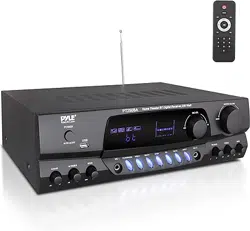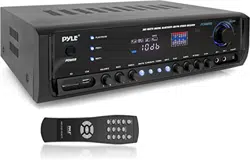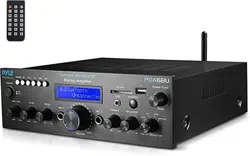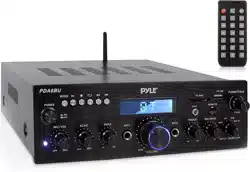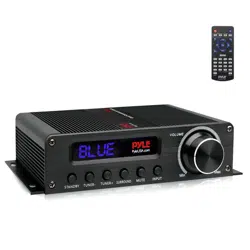

Compact 5.1 - Channel Wireless BT Amplifier
PFA560BT
Hi-Fi AV Audio Amp Receiver with HDMI Output,
FM Radio w/ Digital LED Display (100 Watt)

www.PyleUSA.com
TABLE OF CONTENTS
Important Safety Information
Owner’s Record
For Customers
Caution
Note to Soundbar Installer
INSTALLATION
Front Panel Function
Rear Panel Connection
Using the Remote Control
BASIC OPERATIONS
Power Up the System
Select Sleep Mode
Master Volume Control
How to Adjust Treble
How to Adjust Bass
How to Adjust Subwoofer
How to Play Wireless BT
How to Play Tuner
Select FM Input Mode
Listen to the Preset Program
Select Program
Memory Program
How to Mute
How to pair Wireless BT Receiver
TROUBLESHOOTING
Troubleshooting
1
1
1
2
2
3
4
4
4
4
4
4
4
4
5
6
6
www.PyleUSA.com
1
Important Safety Information
OWNER'S RECORD
The model and serial numbers are located on the rear of the unit. Record the serial
number in the space provided below. Refer to themwhenever you call upon your
PyleUSA regarding this product.
Model no.
Serial no.
FOR CUSTOMERS
CAUTION
You are cautioned that changes or modications not expressly approved in this
manual could void your authority to operate this equipment.
• To reduce the risk of re or electric shock, do not expose this apparatus to rain or
moisture.
• To prevent re, do not cover the ventilation of the apparatus withnewspapers,
table-cloths, curtains and etc. Do not place lighted candles on the apparatus.
• To prevent re or shock hazard, do not place objects lled with liquid, such as
vases, on the apparatus.
• Do not install the appliance in a conned space, such as a bookcase or built-in
cabinet.
• Install this system so that the power cord can be unplugged from the wall socket
immediately in the event of trouble.
• Batteries or batteries installed apparatus shall not be exposed to excessive heat
such as sunlight or re.
Note to Soundbar Installer:
This reminder is provided to call Soundbar installer's attention to Article 820-40 of
the NEC that provides guidelines for proper grounding, in particular, species that
the cable ground shall be connected to the grounding system of the building as
close to the point of cable entry as possible.
This symbol is intended to
alert the user to the presence
of un-insulated "dangerous
voltage" within the product's
enclosure, it may be of
sucient magnitude to
constitute a risk of electric
shock to persons.
CAUTION: TO REDUCE THE
RISK OF ELECTRIC SHOCK.
DO NOT REMOVE COVER
(OR BACK). REFER SERVICING
TO QUALIFIED SERVICE
PERSONNEL.
This symbol is intended to
alert the user to the presence
of important operating and
maintenance (servicing)
instructions in the literature
accompanying the appliance.
CAUTION
RISK OF ELECTRIC SHOCK
DO NOT OPEN
www.PyleUSA.com
2
INSTALLATION
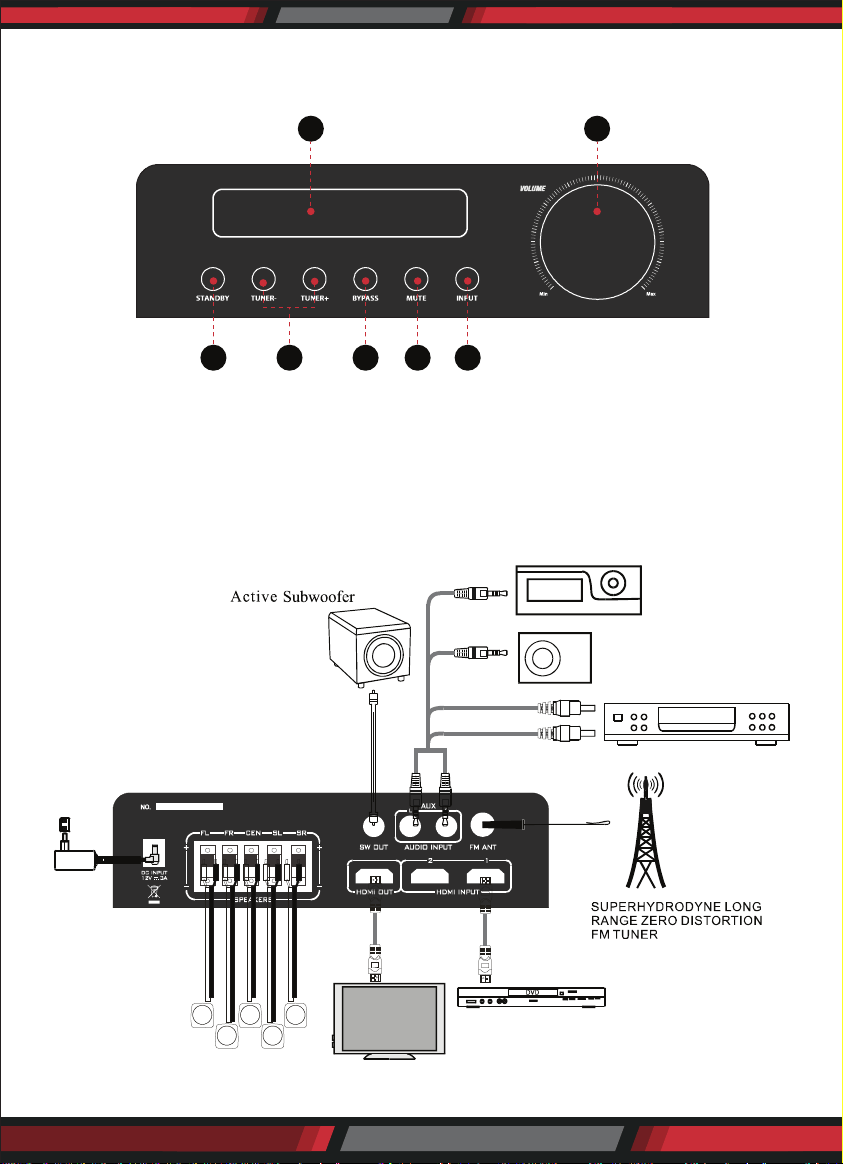
Front Panel Function
1. LED Display WIndow
2. Volume Control Knob
3. Stand By Adjustment Knob
4. Tuner Adjustment Knob
REAR PANEL CONNECTION
1 2
3 4
5
6 7
FL
FR
CEN
SL
SR
5. Bypass Adjustment Knob
6. Mute Adjustment Knob
7. Input Adjustment Knob
www.PyleUSA.com
3
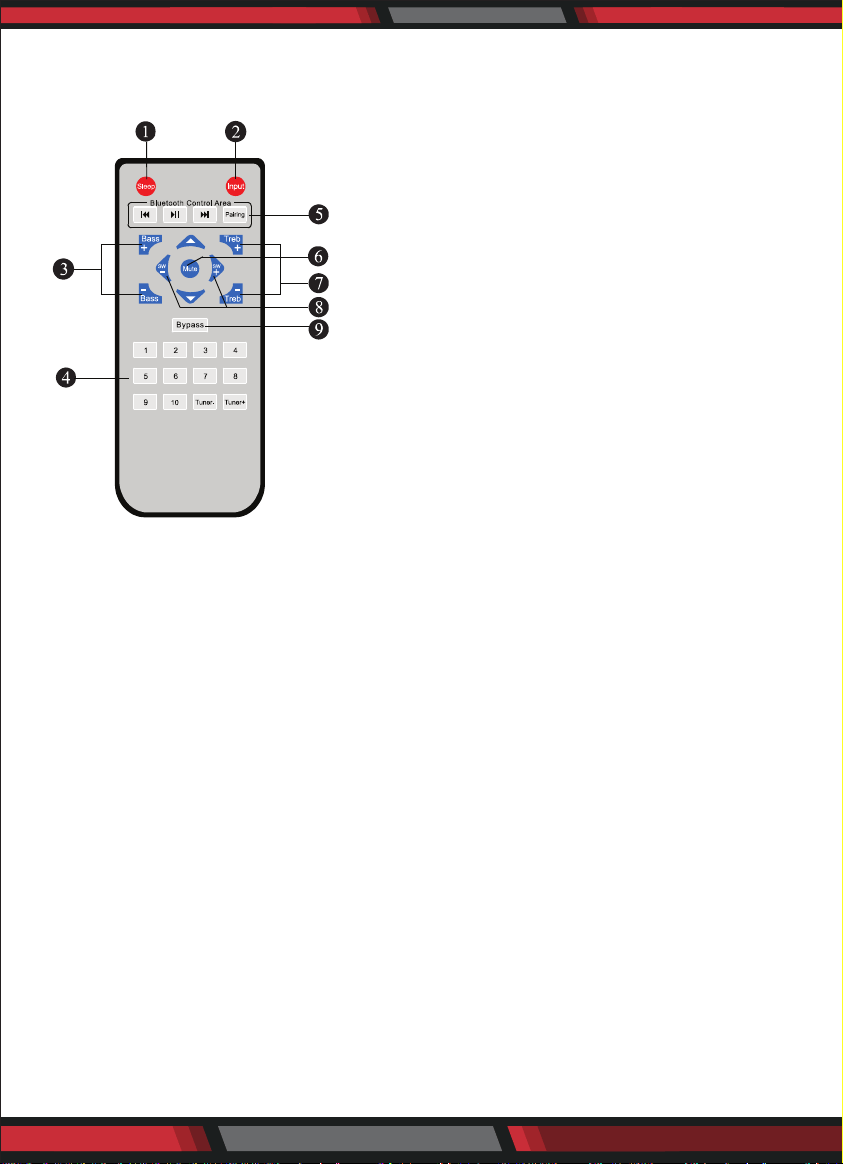
USING THE REMOTE CONTROL
Remote Control System
BATTERY INSTALLATION
Since the remote control will be used for many units to control operations, you
should begin by installing the supplied battery:
1. Turn the remote control over and pull out the battery compartment cover.
2. Insert the battery according to the battery compartment.
3. Close the battery compartment cover.
4. Test the unit by pressing Mute or any mode key. If the battery is inserted
correctly, the system will response to the instruction.
Note
• Do not leave the remote control in an extremely hot or humid place.
• Do not expose the remote sensor to direct sunlight or lighting apparatus that
may cause malfunction.
• If you do not intend to use the remote control for an extended period of time,
remove the batteries to avoid possible damage from battery leakage and corrosion.
• If you nd that the remote control can’t be used at a normal distance to the main
unit, then the battery could be weak, so you need to replace the battery with a
new one.
• If battery leaks, remove it immediately, and properly dispose it. Avoid touching
the leaked material and splashing it to clothing, etc.
Clean the battery compartment thoroughly before installing new battery.
1. SLEEP MODE SELECTOR
2. 1NPUT MODE SELECTOR
3. BASS VOLUME ADJUST SELECTOR
4. TUNER CONTROL AREA
5. BLUETOOTH CONTROL AREA SELECTOR
6. MUTE CONTROL SELECTOR
7. TREBLE VOLUME ADJUST SELECTOR
8. SUBWOOFER VOLUME ADJUST SELECTOR
FOR ACTIVE SUBWOOFER
9. BYPASS CONTROL SELECTOR

www.PyleUSA.com
4
BASIC OPERATION
Power Up the System
Connect the AC adaptor and turn on the "POWER" in the back panel, the system
will open automatically.
Select Sleep Mode
Sleep mode allows you to make the system sleep at a selected time.
1. Press " '' key or press the sleep button on the front panel to select sleep mode
2. Wake up the system by pressing the same key when the system in the sleep
mode.
Master Volume Control
Press the " " Key on the front panel to adjust the main channel volume.
How to Adjust Treble
Press the " " to adjust the treble volume.
How to Adjust Bass
Press the " " to adjust the bass volume.
How to Adjust Subwoofer
Press the to adjust the bass volume.
How to Play Wireless BT Streaming
Select Wireless BT on remote control
: Pair up your Wireless BT device with audio
: Wireless BT play and pause
: Wireless BT skip track

www.PyleUSA.com
5
How to Play Tuner
1. Select FM Input Mode
Press the " " key to choose the FM input mode. The LED will display the last
turner frequency, for example: 87.5.
2. Listen to the Preset Program
Press the number keys " " to select the radio program that you already
saved. Once selected, screen will display the radio program's frequency in the
memory area.
3. Select Program
Press the key to adjust the band of tuner. Press the key for 2 seconds,
the FM will search automatically. Then you can press the key once to stop
the function.
4. Memory Program
When you receive a clear radio program and want to save the channel, press
one of the 10 number key for 2 seconds to assign that number key to that
channel.
How to Mute
Press " " key to turn sound off/on. Press again to restore the audio to the original
level.
How to adjust bypass
Under HDMI mode, press the to control quantity of speakers
1. "ON": All ve Satellite speakers work.
2. "OFF": IF the sound source has two channels, only two(FL/FR) speakers work.
IF the sound source has ve channels, all ve Satellite speakers work.
Except under HDMI mode, press the Bypass key to control quantity of speakers
1."ON": All ve Satellite speakers work.
2."OFF": Only two(FL/FR)speakers work.
www.PyleUSA.com
6
PROBLEM POSSIBLE REASONS / SOLUTIONS
The system has no power
No sound at all
Either of the main channels
has no sound
Abnormal LED screen display
~The AC adapter is connected incorrectly.
~ The socket has no power
~Incorrect selection of input signal.
~ If mute state is turned on.
~ Sound source machine is not powered.
~The signal plug is connected incorrectly or
lines had short-circuit.
~It may be affected by exterior strong disturbance,
turn off rst and turn on again
~ Avoid direct sunlight/heat.
This product can expose you to a chemical or group of chemicals, which
may include ”Nickel Carbonate” which is known in the state of California to
cause cancer, birth defects, or other reproductive harm. For more info, go to
https://www.p65warnings.ca.gov/.
HOW TO PAIR WIRELESS BT RECEIVER
The system has built in Wireless BT receiver.
If you are pairing the Wireless BT from a mobile phone for the rst time, Open the
system and press the key on the remote and the LED will show “pair”. Then
search for the Wireless BT sender (Device ID: PyleUSA) by your own Wireless BT
sender (mobile phone).
If the system have been paired already with the Wireless BT sender, the next time
you pair will be automatic.
After that you can enjoy music by the Wireless BT receiver. The system will turn to
normal working state if theres no pairing in 10 minutes.
TROUBLESHOOTING

www.PyleUSA.com
7
Features:
• 5.1 Channel Powered Amp Design
• Lightweight & Compact Size
• Hassle-Free Wireless BT
• Wireless Music Streaming Receiver-Free Connection
• FM Radio with Digital LED Display
• Front Panel Button Control Center
• HDMI Output + (2) HDMI Inputs
• Spring Loaded Speaker Terminal Connectors
• Full Range Stereo Sound Reproduction
• RCA Subwoofer Output
• Includes Remote Control
Wireless BT Connectivity:
• Built-in Wireless Music Streaming Receiver
• Compatible with All of Your Favorite BT Devices
• Smartphones, Tablets, Computers, Laptops, etc.
• Wireless BT Version: 4.0
• Wireless BT Network Name: ‘PyleUSA’
What's in the Box:
• Compact Amplier
• Remote Control
• 12V Power Adapter
Technical Specs:
• Remote Control Battery Operated, Requires (2) x 'AAA' Batteries
• Battery Type: 14.8V Lithium-ion 1500mAh
• Power Output: 100 Watt MAX (5x20W)
• HDMI 2160p Support
• Wireless BT Protocol Support: AVRCP V1.4
• Construction Material: Metal, Aluminum Alloy
• Power: 110/220V (12V Power Adapter)
• Dimensions: 8.0’’ x 5.8’’ x 2.0’’ -inches