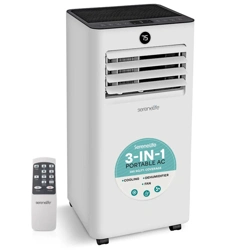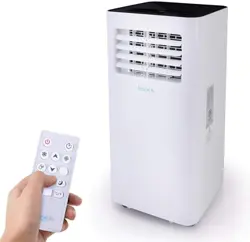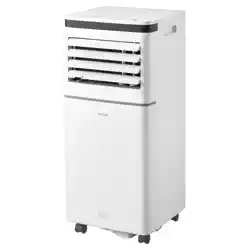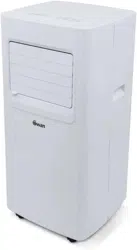
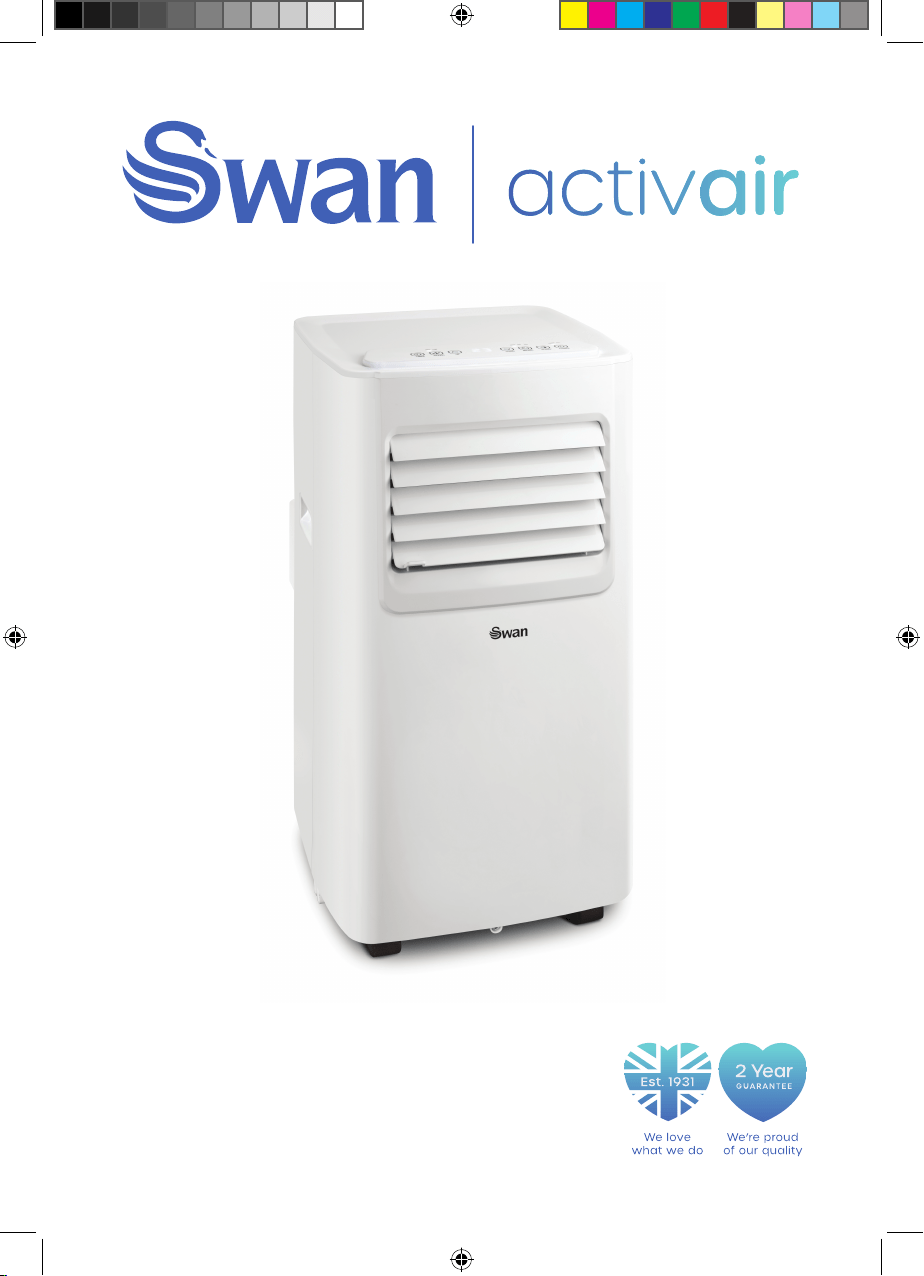
Portable Air Conditioner
M
odel: SAC16870N
Help line
0333 220 6050
SAC16870N_IM.indd 1 27/03/2020 11:11
2
We encourage you to read this user guide carefully and
completely before installing and using your device.
It is important that this user guide is kept with the device
for any new consultation. If this unit is to be transferred to
another person, make sure that the user guide accompanies
it.
1. Use the appliance in a room of a size corresponding to
its cooling / ventilation capacity (see section on heat gain
below).
2. Do not operate the air conditioner near flammable gas
appliances, fireplaces, or liquids.
3. Do not tilt your device more than 35 ° when moving it.
4. Handle the device with care.
5. Keep your air conditioner at least 1 meter away from other
electronic devices to avoid the risk of electromagnetic
interference.
6. To avoid overheating the unit, we recommend that you
move it about 50 cm away from any wall.
7. Do not expose the unit to direct or indirect heat sources
- including sunlight.
8. Do not use this device in humid places, and do not put it in
contact with water.
9. If the power cable is damaged, it must be replaced by
the manufacturer, its after-sales service or a similarly
qualified person.
10. Do not use in a full room.
11. Do not subject the unit to shock or vibration.
IMPORTANT INFORMATION - RETAIN FOR FUTURE USE
SAC16870N_IM.indd 2 27/03/2020 11:11
3
IMPORTANT INFORMATION - RETAIN FOR FUTURE USE
12. Check the mains voltage. The air conditioner is only
intended for a grounded power outlet with a 220-240
Volt (50 Hz) connection voltage.
13. The appliance must always be connected to a grounded
outlet. If your electrical installation is not connected to
earth, you must not connect the appliance.
14. The plug must always be easily accessible when the
appliance is plugged in.
15. Before connecting the device, check whether the
connection voltage is the same as that of the nameplate,
the plug and the power supply are adapted to the device,
the cable plug is suitable for the socket.
16. Always remove the plug from the outlet when not in
use.
17. A thermal magnetic breaker or 16 amp safety fuse
must be installed upstream of the main switch of your
appliance.
18. The product must be installed in accordance with the
national installation rules in your country.
19. This device may be used by children 8 years of age or
older and by persons with reduced physical, sensory or
mental abilities or lack of experience or knowledge, if they
are properly supervised if instructions for the safe use
of the apparatus have been given to them and the risks
involved have been apprehended. Children should not play
with the device. Cleaning and maintenance by the user
should not be done by unattended children.
20. Children should be supervised to make sure they do
not play with the device.
SAC16870N_IM.indd 3 27/03/2020 11:11
4
IMPORTANT INFORMATION - RETAIN FOR FUTURE USE
2
1. This appliance is intended for home and domestic use
only.
WARNING
• Do not use any means to speed up the defrosting process
or to clean, other than those recommended by the
manufacturer.
• The device must be placed in a zone without a continuous
source of ignition (for example: open flames, gas or electric
appliances in operation).
• Do not pierce or burn.
• Be aware that refrigerant gases may be odorless.
• The appliance must be installed, used and stored in an
area of more than 7m².
• This appliance contains 130g of R290 refrigerant gas.
• R290 is a refrigerant gas that complies with European
environmental directives. Do not pierce any part of the
refrigerant circuit.
• If the appliance is installed, used, or stored in a non-
ventilated area, the room must be designed to prevent
the accumulation of refrigerant leaks that could result in a
fire or explosion hazard due to refrigerant ignition, caused
by electric heaters, stoves, or other sources of ignition.
• The device must be stored in such a way as to prevent
mechanical failure.
• Those who operate or work on the refrigerant circuit must
have the appropriate certification issued by an accredited
body that guarantees proficiency in the handling of
refrigerants according to a specific assessment
SAC16870N_IM.indd 4 27/03/2020 11:11
5
IMPORTANT INFORMATION - RETAIN FOR FUTURE USE
recognized by industry associations.
• Repairs must be made according to the manufacturer’s
recommendations.
• Maintenance and repairs that require the assistance of
other qualified personnel must be performed under the
supervision of a person specified in the use of flammable
refrigerants.
WARNING
Before putting your air conditioner into operation, it must
have been kept upright for at least 2 hours.
Description: Portable Air Conditioner
Model: SAC16870N
Input Voltage: 220-240V ~ 50Hz
Input power: 780 Watts
Cooling capacity: 7000BTU (2060W)
Refrigerant/charge: R290 / 130g
Discharge pressure: 1.8MPa
Suction pressure: 0.6MPa
Battery type (remote control): AAA 1.5V x 2 (included)
TECHNICAL DATA
SAC16870N_IM.indd 5 27/03/2020 11:11
6
IMPORTANT INFORMATION - RETAIN FOR FUTURE USE
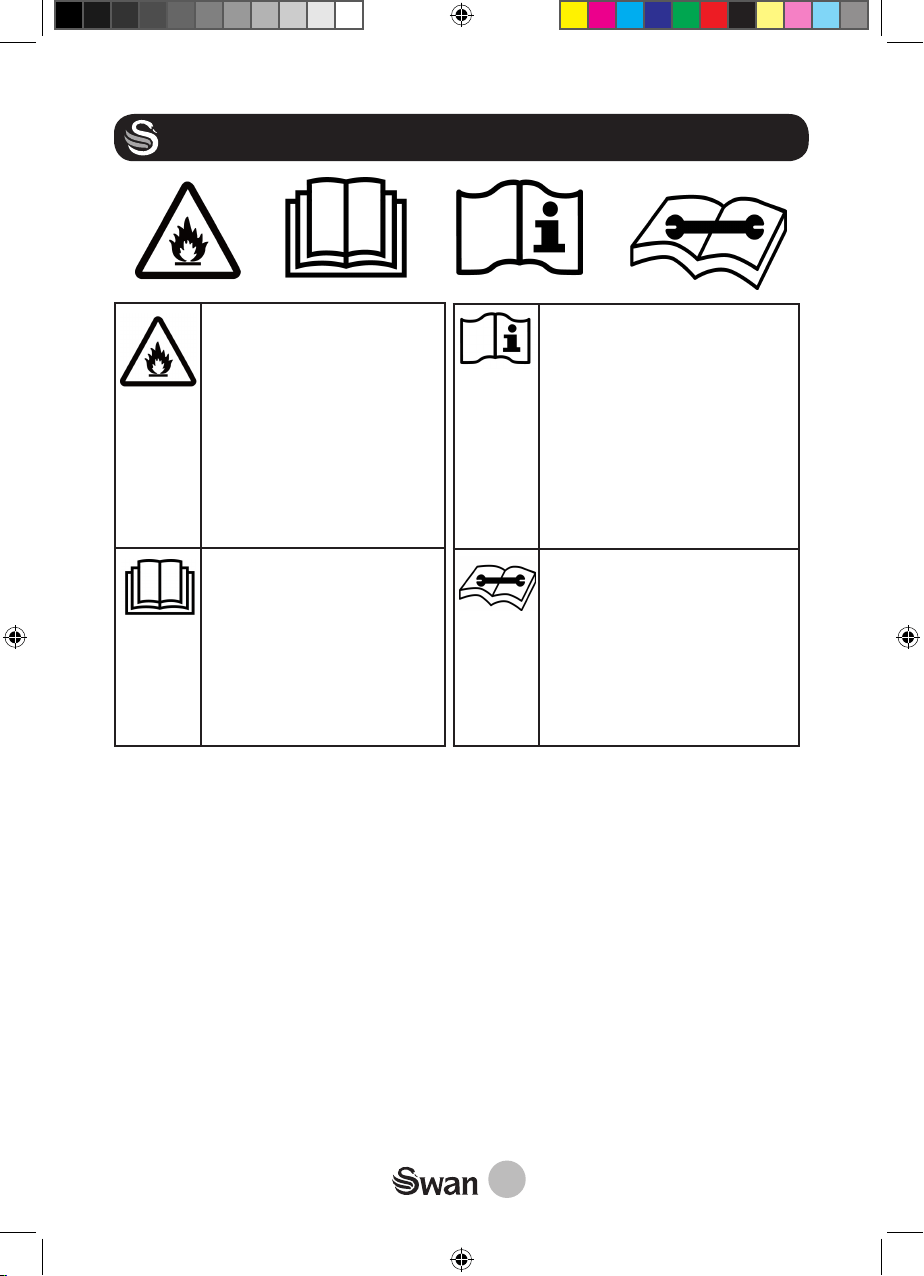
The refrigerant gas
contained in the circuit of
this device is isopropane
(R290), low pollutant but
flammable gas.
When transporting and
installing the unit, take care
not to damage any part of
the refrigerant circuit.
Read the instructions for
use:
Read and observe the
safety instructions before
using the device. Keep this
leaflet and inform potential
users as it contains impor-
tant information.
User Manual. Identify the
location where the user
manual is stored or iden-
tify information about the
instructions for use. Indicate
that the operating instruc-
tions must be taken into ac-
count when using the device
or control near the location
of the symbol
Service manual; Read the
technical manual: To indicate
that a machine or equipment
requires service. To indicate
that the service manual
should be consulted. To iden-
tify the location where the
service manual is stored.
Caution: Risk of fire
Caution: Risk
of fire
SAC16870N_IM.indd 6 27/03/2020 11:11
7
GET TO KNOW YOUR PRODUCT
1
4
6
5
2
7
9
3
8
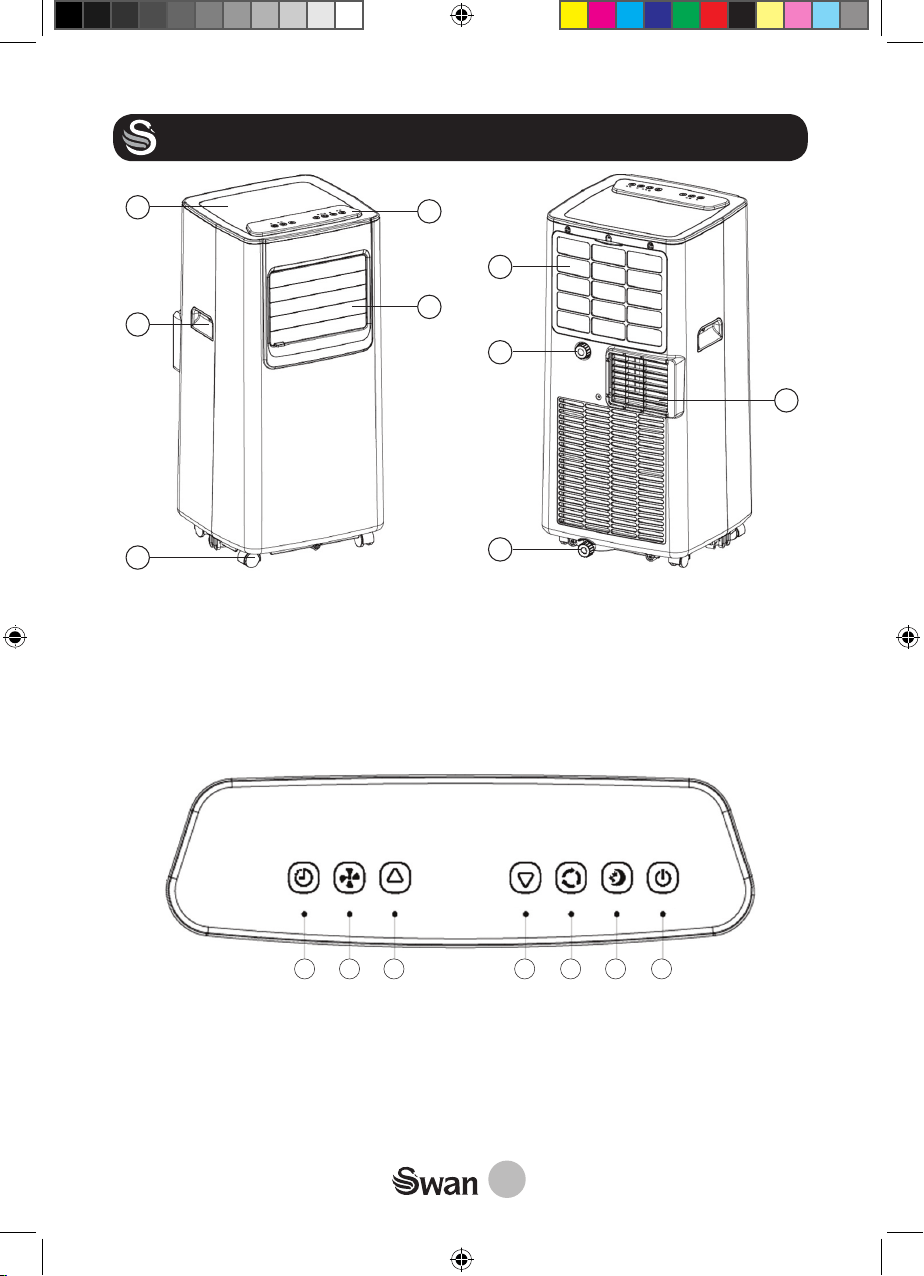
1.
Top Cover
2.
Handle
3.
Caster
4.
Control Panel
5.
Cold Air Outlet
CONTROL PANEL
HIGH LOW COOL DRY FAN POWER FULL
TIMER SPEED UP DOWN MODE SLEEP POWER
7 6 5 4 3 2 1
SAC16870N_IM.indd 7 27/03/2020 11:11
6. EVA Filter
7. Continuous Drainage Hole
8. Drainage Hole
9. Hot Air Outlet
1. Power 2. Sleep 3. Mode 4. Down
5. Up 6. Speed 7. Timer
8
GET TO KNOW YOUR PRODUCT
REMOTE CONTROL
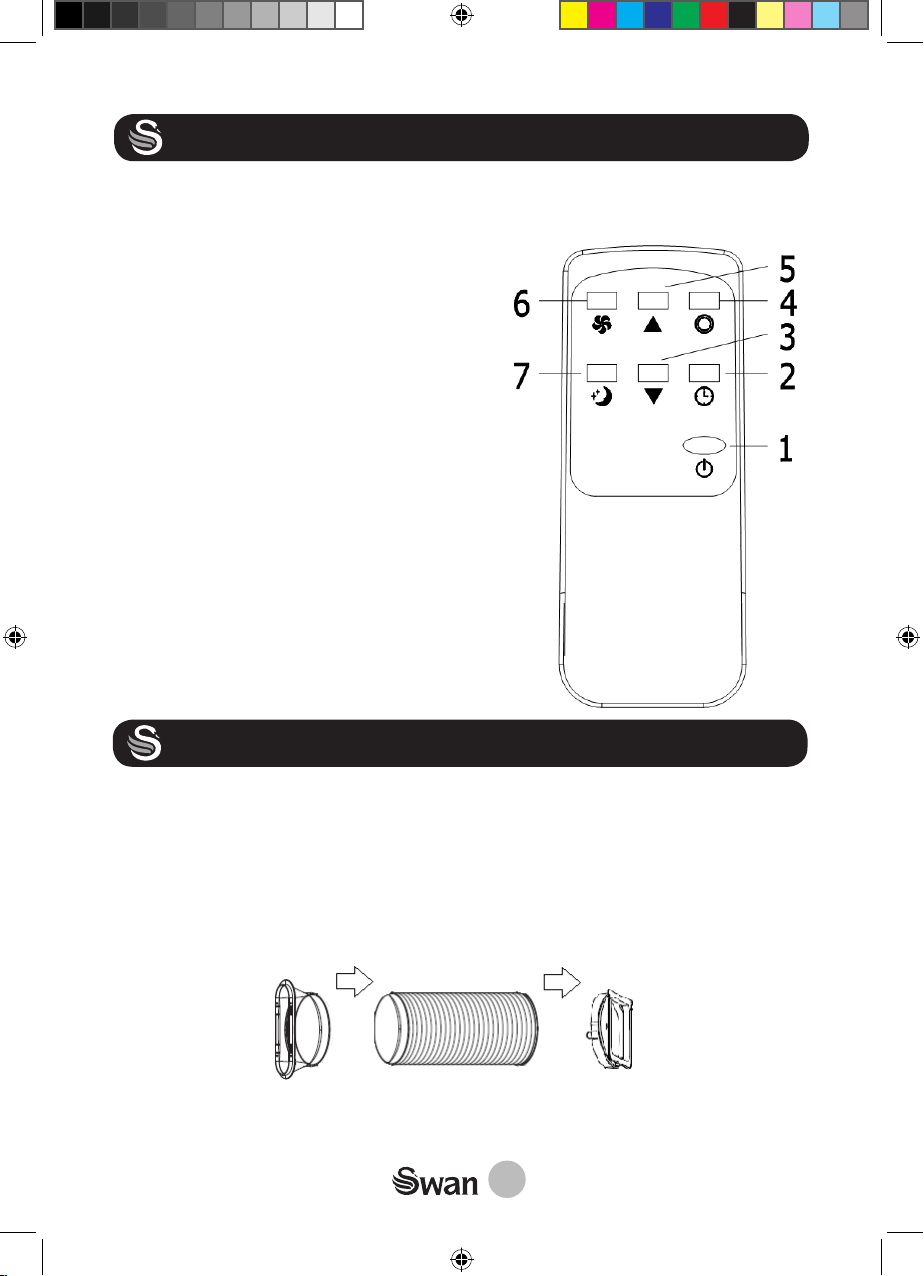
1. On/off
2. Timer
3. Down button (to lower the temperature
or the timer)
4. Mode button to select: COOLING, DEHU-
MIDIFYING or FAN mode
5. Up button (to increase temperature or
timer).
6. Speed button to adjust fan speed (slow
or fast).
7. Sleep button to select sleep function.
Use only 2 x AAA batteries, 1.5 volts (in-
cluded). Used batteries must be disposed
of safely. Dispose them in collection bins pro-
vided (check with your dealer) to protect the
environment. Respect the polarities (+) and
(-) when inserting them.
INSTALLATION
Your mobile air conditioner can be installed and moved easily to the desired loca-
tion. Connect the hot air exhaust hose to the back of the unit.
• Secure the end of the hose in the gear head connector by turning it clockwise
until it stops.
• Insert the other end of the hose into the connector. (Figure 1)
Figure 1
SAC16870N_IM.indd 8 27/03/2020 11:11
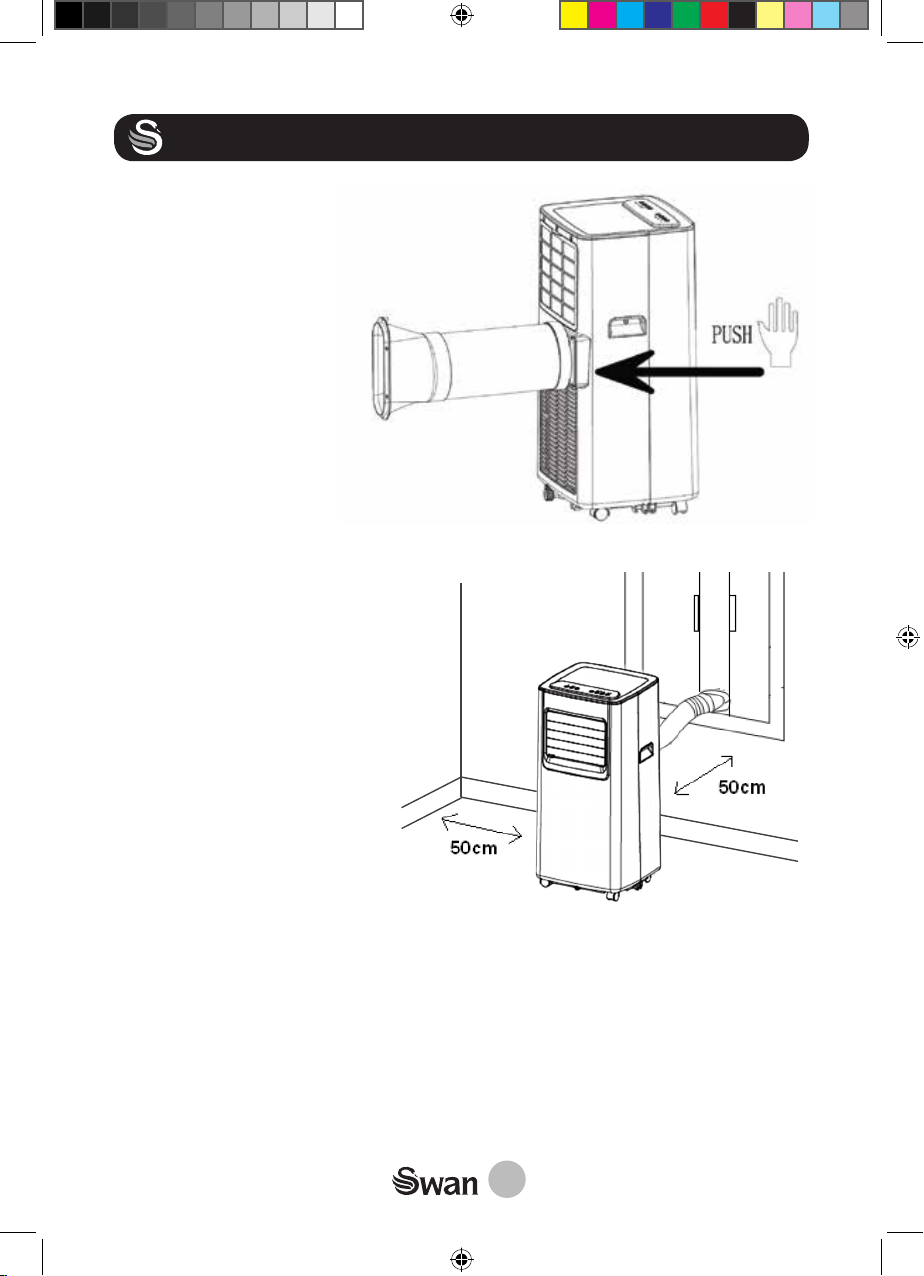
Connect the connector to the unit
by sliding it into the slot on the
back of the unit.
9
INSTALLATION
IMPORTANT
To maintain good air circulation and to avoid overheating the appliance, a minimum
distance of 50 cm between the appliance and the wall (or any other obstacle) must
be respected. Also make sure the hot air vents are not obstructed and the hose is
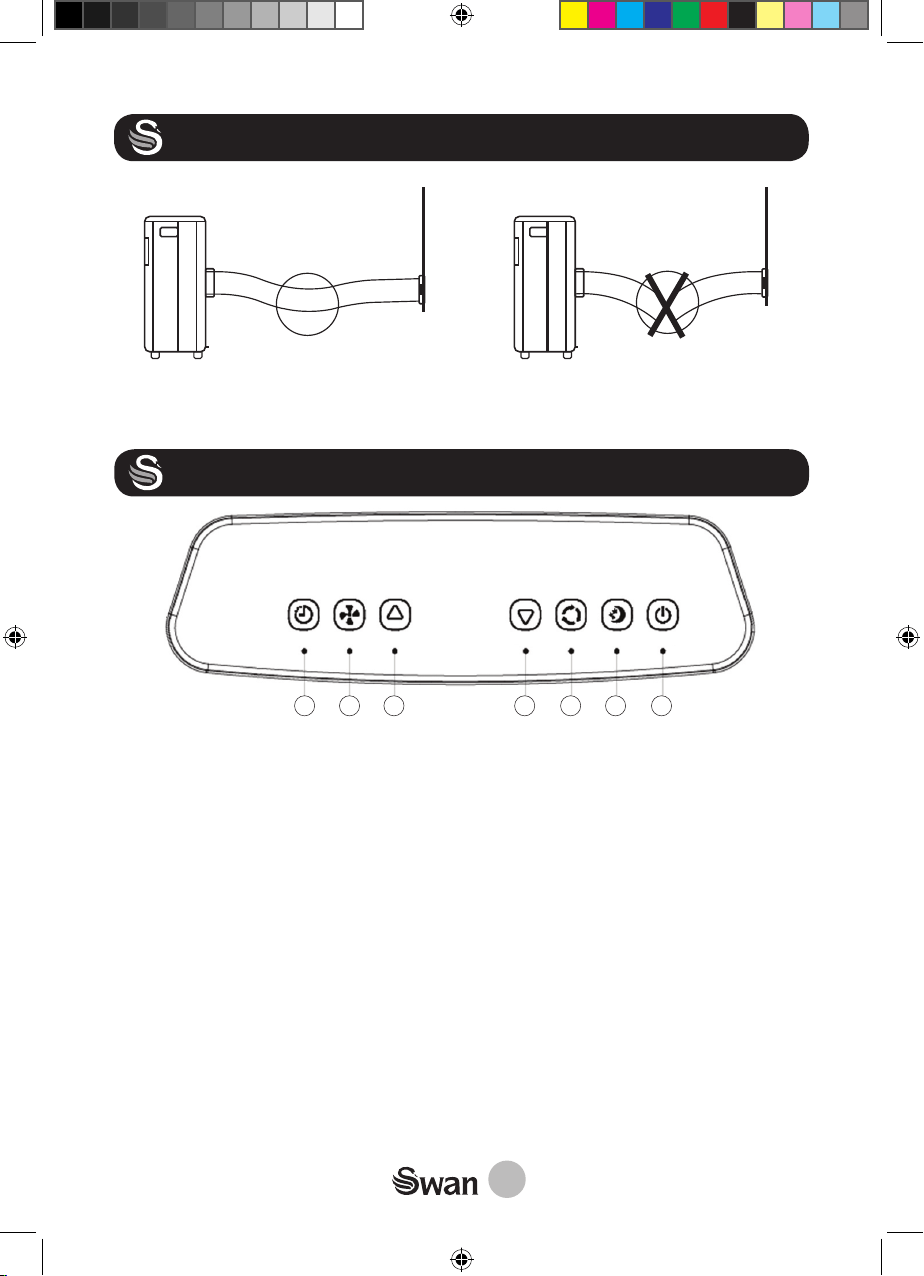
properly installed as shown below. The supplied hose has been specifically manu-
factured for this air conditioner. Do not use another type of hose as this may affect
the proper operation of the unit. The hose length is adjustable and is between 30 to
150cm.
SAC16870N_IM.indd 9 27/03/2020 11:11
Unfold the hose to the desired
length and then pass the other
end of the hose through the win-
dow to allow the hot air to escape
to the outside.
10
INSTALLATION
This length of the hose has been taken into account in the technical specications of
the air conditioner. Therefore, never use an extension hose.
OPERATION
SAC16870N_IM.indd 10 27/03/2020 11:11
HIGH LOW COOL DRY FAN POWER FULL
TIMER SPEED UP DOWN MODE SLEEP POWER
7 6 5 4 3 2 1
1. POWER:
The button "POWER" on the control panel or on the remote control can be used
to turn the unit on or put it to standby. In standby mode, the display shows the
room temperature. When the unit is switch on, the display shows the target tem-
perature.
2. “SLEEP”
To activate sleep mode while the unit is in COOLING mode, press the Sleep button
on the control panel or remote control. The fan speed will automatically be set to
the lowest speed. The temperature will increase by 1C after the first hour of opera-
tion, then by 1C after the 2nd hour. This temperature will be maintained during the
hours of operation of the appliance.
Note :
The Sleep mode setting is only available in cooling mode.
11
OPERATION
SAC16870N_IM.indd 11 27/03/2020 11:11
Select the desired mode Cooling, Dehumidification or Ventilation, by successively
pressing the MODE button on the unit or the corresponding button on the remote
control. The indicator corresponding to the selected mode lights up.
a. COOLING Mode:
The air is cooled and the hot air is exhausted to the outside through the exhaust
hose. Adjust the fan speed and the temperature set point according to the ambient
temperature.
The cooling function turns off when the room temperature is below the set temper-
ature. Ventilation, however, continues to operate at the set level. The cooling func-
tion starts again as soon as the room temperature exceeds the set temperature.
The set temperature can be set between 16 ° C and 31 ° C
b. DRY Mode (DEHUMIDIFICATION):
When the DRY mode is selected, the fan speed can not be adjusted. By default, this
will be set to the slowest speed. The « Sleep » function can not be adjusted. Only
the timer function can be configured.
Note :
• It is not necessary to use the exhaust hose in the DRY mode
• Windows and doors must be kept closed.
• Continuous drainage can be achieved by connecting a drain hose to the back of
the unit.
c. FAN Mode:
When the VENTILATION mode is selected, the air circulates in the room without
be-ing cooled. Only the timer function and the fan speed can be configured.
Note :
• It is not necessary to use the exhaust hose in FAN mode.
• The temperature and « Sleep » function can not be adjusted and selected
3. MODE SELECTION:
The buttons on the control panel or on the remote control allow you to select one
of the 3 modes:
• Cool (Cooling)
• Dry (Dehumidification)
• Fan
12
OPERATION
SAC16870N_IM.indd 12 27/03/2020 11:11
4 - 5. TEMPERATURE ADJUSTMENT:
The UP/DOWN keys are used to adjust the target temperature. This setting is
configurable only in cooling mode. By pressing the “UP” or “DOWN” button, the
target temperature is displayed on the screen.
6. VENTILATION SPEED:
The speed can only be adjusted in COOLING and FAN mode. The button on the
control panel or on the remote control can be used to select the desired speed by
successive presses): There are two speed: LOW and HIGH
7. TIMER:
To set the timer, press the button on the control panel of the unit or on the remote
control. Pressing the “+” or “-” buttons increases or decreases the time by one
hour. (1 hour at a time).
a) PROGRAMMING THE AUTOMATIC SWITCH OFF :
• When the device is turned on, press the button . The timer indicator lights up.
• Select the number of hours you want the unit to operate in COOLING mode. The
unit will stop automatically once the set time has elapsed.
b) PROGRAMMING THE AUTOMATIC SWITCH ON :
• When the unit is in standby, press the button to program an automatic start of
the unit in COOLING mode.
• If the timer is programmed (even when the unit is off), the display shows the
number of hours remaining before the unit turns on automatically.
8. WATER TANK FULL “FULL”:
The alarm light indicates that the water tank inside the unit must be drained. The
appliance will not operate until the water has been drained (see Cleaning and care
section).
13
CLEANING AND MAINTENANCE
A. MAINTENANCE OF THE APPLIANCE:
• Before any maintenance and cleaning operation, it is ESSENTIAL to disconnect
the power cable from the mains for safety reasons.
• Do not use chemicals or detergents for cleaning or maintenance of the appli-
ance. This could damage your device.
• The outside of the air conditioner can be cleaned with a slightly damp cloth.
B. DRAIN THE APPLIANCE:
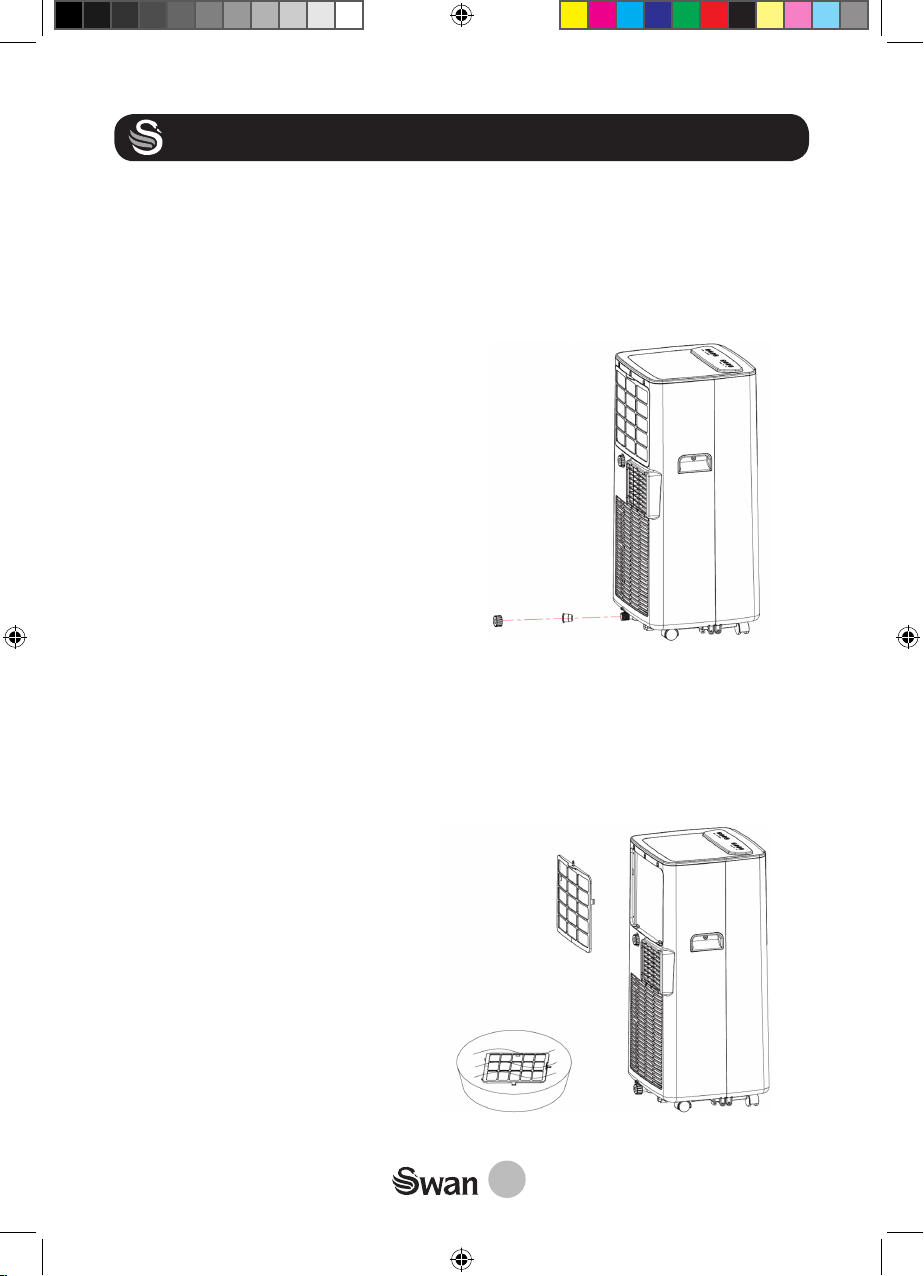
• To empty your device, put a container under the
cap to collect water.
• Unscrew the drainage cover and unplug the
water plug to let the water out.
• Once all the water has drained, stuff the plug
and tighten the drainage cover.
C. MAINTENANCE OF THE AIR FILTER:
For best efficiency, the air filter should be cleaned after 100 hours of use.
• Turn off the device and unplug the power cable
• Unscrew the middle screw and remove the air filter.
• Clean and reinstall the air filter. If the filter is very dirty, wash the filter in warm,
soapy water, then rinse and dry before putting it back in place.
• Tighten the middle screw.
SAC16870N_IM.indd 13 27/03/2020 11:11
• Note : When using the air conditioner
in an extremely dusty environment,
clean the air filter every 2 weeks.
14
CLEANING AND MAINTENANCE
D. IN CASE OF LONG PERIOD OF NON-USE:
If you do not plan to use the device for a long time:
• Drain the appliance by removing the drainage cover and rubber plug located in
the lower part of the appliance (at the back).
• Operate the unit in fan mode for few hours to dry the inside of the unit and
prevent the formation of mold.
• Stop and unplug the unit.
• Clean the air filter and re-fit it.
• Remove the air exhaust hose.
OPERATION TIPS
Unlike other cooling devices, air conditioners require that doors and windows in the
room remain closed.
The level of cooling from air conditioners depends on the following factors:
• The size of the room. If the room is too large, the air conditioner may not be as
effective.
• Heat gain. Sources of heat in the room, including windows, sunlight, heat from
walls, radiators, computers and people! All of these heat sources cause the
air conditioner to work harder. This unit is rated at 7000BTU. If the number of
heat sources in the room exceeds that, then the air conditioner will not cool the
room.
• Caravans and other mobile dwellings usually get more heat gain from sunlight
than other dwellings.
SAC16870N_IM.indd 14 27/03/2020 11:11
15
TROUBLE SHOOTING
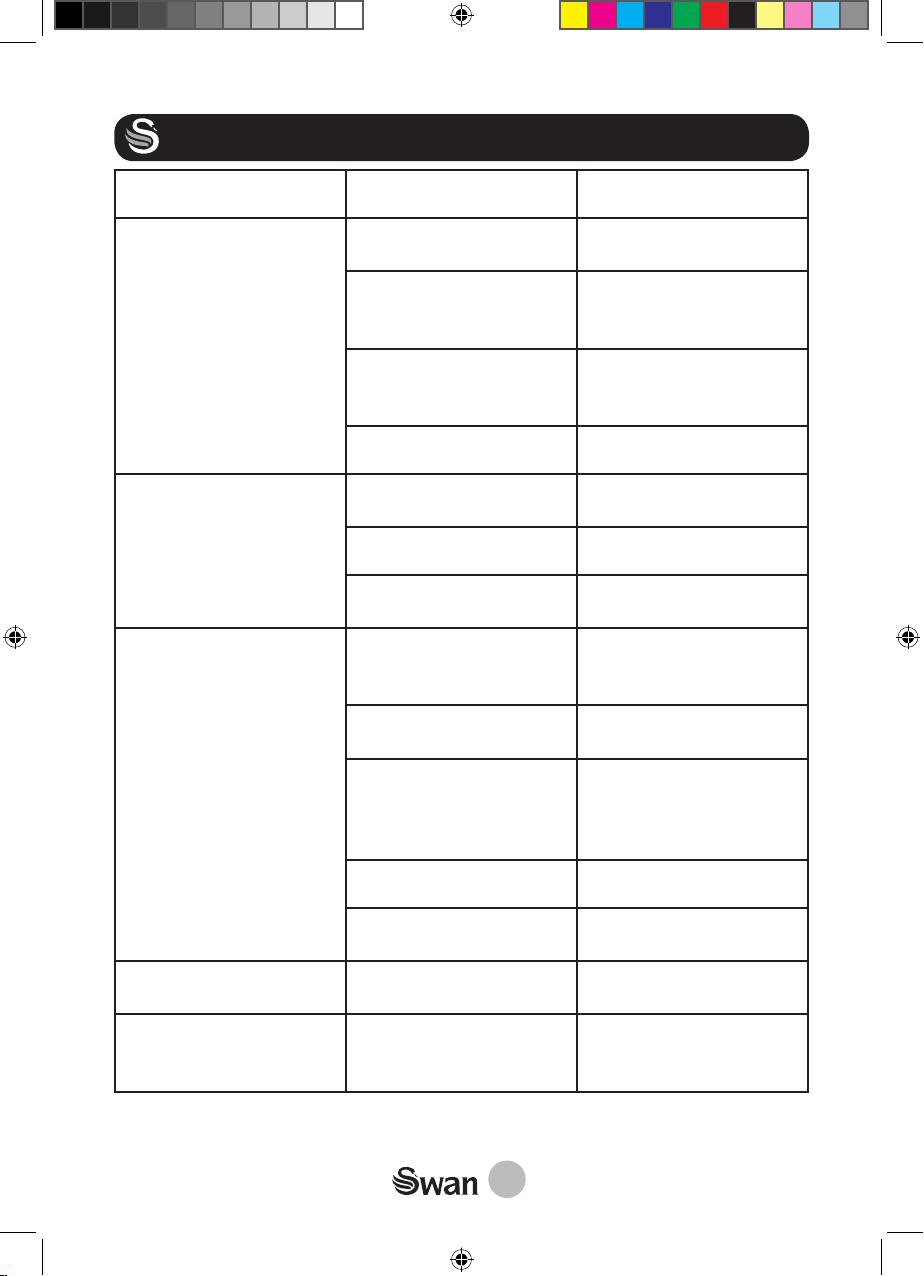
Problem Possible cause Solution
The unit doesn’t operate Check power cord and
fuse
Replace fuse if necessary.
Connect power cord.
The device has entered
security mode
Wait 3 minutes before
pressing the On/Off but-
ton.
If using remote control,
check that batteries are
not discharged
Replace batteries
Water tank is full Drain the tank
The device runs for a
short time but stops auto-
matically
Check air outlet is not
obstructed
Remove obstacle
Timer has been activated Reset the timer
Room has reached target
temperature
Lower target tempera-
ture if required.
The device works but
doesn’t produce cold air
Check target tempera-
ture is not higher than
room temperature
Lower target tempera-
ture
Check if a door or window
is not open
Close doors and windows
Check if another heat
generating device is not
working (radiator or lamp
for example)
Turn off these devices
Check air filter is dirty Clean air filter
Check if outlet or air inlet
are not obstructed
Remove obstacles
LED display shows error
code: E1
Room temperature sen-
sor is not working
Call service. Number on
front page of this manual
LED display shows error
code: E2
The temperature sensor
on the evaporator is not
working.
Call service. Number on
front page of this manual
SAC16870N_IM.indd 15 27/03/2020 11:11
16
SPARES
The following spares are available via our web site:
SAC16870N01 - air filter
SAC16870N02 - outlet hose
www.swan-brand.co.uk
WARRANTY
This product is guaranteed for 2 years from the date of original purchase. If any defect arises due to faulty
materials of workmanship the faulty products must be returned to the place of purchase. Refunds or
replacement is at the discretion of the store.
The following conditions apply:
• The product must be returned to the retailer with proof of purchase.
• The product must be installed and used in accordance with the instructions contained in this
instruction guide.
• It must be used only for domestic purposes.
• It does not cover wear and tear, damage, misuse or consumable parts.
• Swan Products Ltd has limited liability for incidental or consequential loss or damage.
• This guarantee is valid in the UK and Eire Only.
DISPOSAL OF UNIT
Appliances bearing the symbol shown here may not be disposed of in domestic rubbish. You
are required to dispose of old electrical and electronic appliances like this separately.
Please visit www.recycle-more.co.uk or www.recyclenow.co.uk for access to information
about the recycling of electrical items. Please visit www.weeeireland.ie for access to information
about the recycling of electrical items purchased in Ireland. The WEEE directive, introduced in
August 2006, states that all electrical items must be recycled, rather than taken to landfill. Please arrange
to take this appliance to your local Civic Amenity site for recycling, once it has reached the end of its life.
SAC16870N_IM.indd 16 27/03/2020 11:11
17
NOTES
SAC16870N_IM.indd 17 27/03/2020 11:11
18
NOTES
SAC16870N_IM.indd 18 27/03/2020 11:11
19
NOTES
SAC16870N_IM.indd 19 27/03/2020 11:11
www.swan-brand.co.uk
Copyright © Swan Products Ltd.
PO Box 3117, Stoke-on-Trent ST4 9GD
Est.1931
We love
what we do
s
2 year
GUARANTEE
we’re proud
of our quality
Scan this QR code
to hear about
our story
Find us on Facebook
*
* on selected products
SAC16870N_IM.indd 20 27/03/2020 11:11