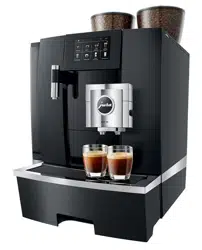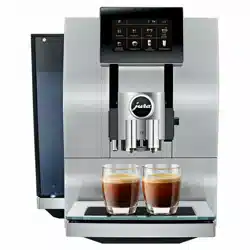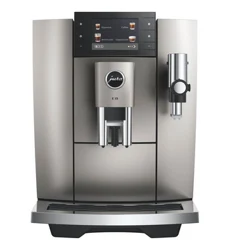
Z10 (EA/SA/INTA)
Instructions for Use

2
Table of contents
Your Z10
1 Control elements ����������������������������������������������������������������������������������������������������4
2 For your safety �������������������������������������������������������������������������������������������������������6
Comply with the instructions for use ���������������������������������������������������������������������������6
Proper use �������������������������������������������������������������������������������������������������������������6
User limitations ������������������������������������������������������������������������������������������������������6
Use by children ������������������������������������������������������������������������������������������������������� 7
What to do in the event of damage ����������������������������������������������������������������������������� 7
Preventing damage ������������������������������������������������������������������������������������������������� 7
Danger of electric shock ��������������������������������������������������������������������������������������������9
Danger of burns, scalding and injury ���������������������������������������������������������������������������9
3 Preparing and using for the first time ����������������������������������������������������������������������� 10
Operation with touchscreen display and Rotary Switch ��������������������������������������������������� 10
Setting up the machine ������������������������������������������������������������������������������������������� 10
Filling the bean container �����������������������������������������������������������������������������������������10
Determining the water hardness ���������������������������������������������������������������������������������11
First-time use ���������������������������������������������������������������������������������������������������������11
Managing your Z10 – the JURA Cockpit ����������������������������������������������������������������������� 13
Connecting milk ����������������������������������������������������������������������������������������������������� 13
Connecting the Cool Control milk cooler wirelessly �������������������������������������������������������� 14
Establishing a WiFi connection ���������������������������������������������������������������������������������� 14
4 Preparation ���������������������������������������������������������������������������������������������������������� 15
Aroma Selection �����������������������������������������������������������������������������������������������������16
Preparation with preselection (Speciality Selection) ��������������������������������������������������������16
Cold Brew ������������������������������������������������������������������������������������������������������������� 17
Espresso and coffee ������������������������������������������������������������������������������������������������ 17
Latte macchiato, cappuccino and other speciality coffees with milk ����������������������������������� 17
Milk and milk foam ������������������������������������������������������������������������������������������������� 18
Espresso doppio ����������������������������������������������������������������������������������������������������� 18
Caffè Barista and lungo Barista ���������������������������������������������������������������������������������� 18
Pot of coffee ����������������������������������������������������������������������������������������������������������18
Ground coffee ��������������������������������������������������������������������������������������������������������19
Hot water ������������������������������������������������������������������������������������������������������������ 20
Adjusting the product settings ��������������������������������������������������������������������������������� 20
5 Daily operation �����������������������������������������������������������������������������������������������������21
Switching the machine on and off ������������������������������������������������������������������������������ 21
Filling the water tank ����������������������������������������������������������������������������������������������� 21
Maintenance actions ���������������������������������������������������������������������������������������������� 22

3
Table of contents
6 Machine settings �������������������������������������������������������������������������������������������������� 23
7 Maintenance �������������������������������������������������������������������������������������������������������� 24
Rinsing the machine ���������������������������������������������������������������������������������������������� 24
Automatic milk system rinsing ��������������������������������������������������������������������������������� 24
Cleaning the milk system ���������������������������������������������������������������������������������������� 24
Dismantling and rinsing the dual spout ���������������������������������������������������������������������� 25
Inserting/changing the filter ������������������������������������������������������������������������������������� 27
Cleaning the machine �������������������������������������������������������������������������������������������� 28
Descaling the machine ������������������������������������������������������������������������������������������ 29
Descaling the water tank ������������������������������������������������������������������������������������������ 31
Cleaning the bean container ������������������������������������������������������������������������������������� 31
8 Display messages ������������������������������������������������������������������������������������������������� 32
9 Troubleshooting ��������������������������������������������������������������������������������������������������� 33
10 Transport and environmentally friendly disposal �������������������������������������������������������� 35
Transport/ Emptying the system ������������������������������������������������������������������������������ 35
Disposal �������������������������������������������������������������������������������������������������������������� 35
11 Technical data ������������������������������������������������������������������������������������������������������� 36
12 Index ������������������������������������������������������������������������������������������������������������������ 37
13 JURA contact details/ Legal information ������������������������������������������������������������������� 40
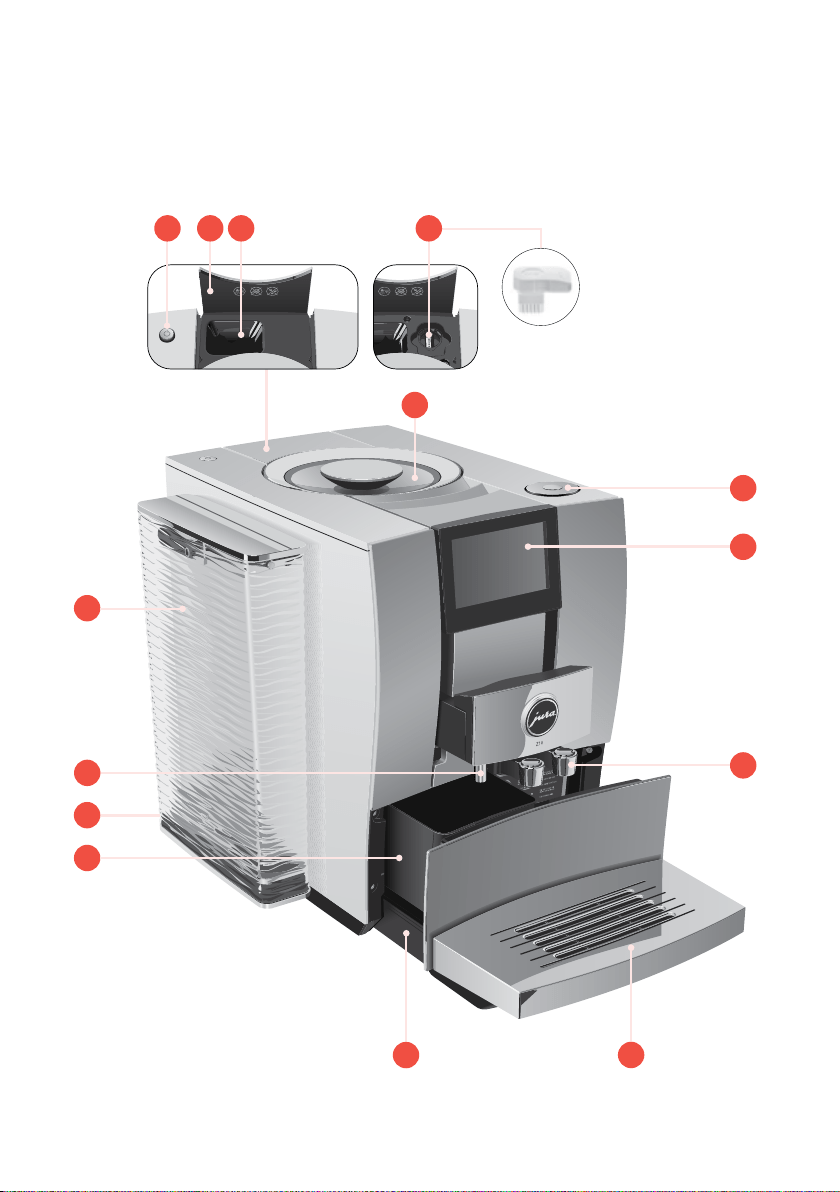
1 Control elements
4
1 Control elements
11
12
14
8
6
7
1
2
3
5
9
10
13
4
q
On/Off button
Q
w
Cover for powder chute for ground coffee
e
Powder chute for ground coffee
r
Service socket with JURA WiFi Connect
(under cover)
t
Bean container with aroma preservation
cover
z
Rotary Switch
u
Touchscreen display
i
Height- and width-adjustable dual spout
o
Cup grille
p
Drip tray
a
Coffee grounds container
s
Mains cable (permanently connected
or plug-in)
d
Hot-water spout
f
Water tank
g
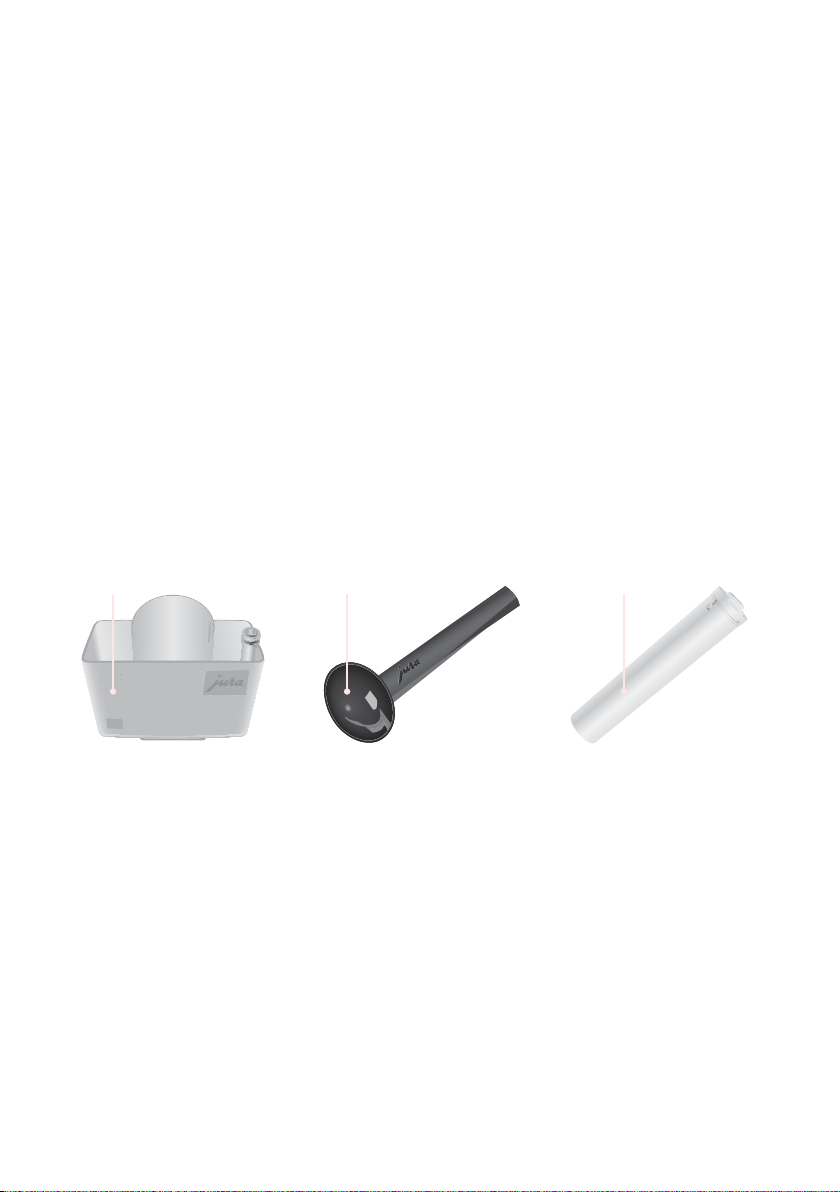
Container for milk system cleaning
h
Measuring spoon for ground coffee
j
Filter casing
6
hg
j

2 For your safety
6
2 For your safety
Before using the machine, read these instructions
for use thoroughly and completely and comply
with the instructions they contain� Keep these
instructions for use close to the machine and pass
them on to the next user�
Failure to observe the instructions for use may
result in serious injuries or damage to property�
Safety information is therefore indicated as fol-
lows:
J
WARNING
Indicates circumstances that
may result in serious injuries or
death�
J
CAUTION
Indicates circumstances that
may result in minor injuries�
CAUTION Indicates circumstances that may
result in damage to property�
The machine is intended for private domestic use�
It should only be used for coffee preparation and to
heat milk and water� Use for any other purpose will
be deemed improper�
People, including children, who
U
do not have the physical, sensory or mental
capabilities to use the machine safely or
U
are inexperienced or lack knowledge
must be supervised by a responsible person when
using it, or must be instructed in how to use it cor-
rectly�
When using the CLARIS Smart filter cartridge or a
JURA WiFi Connect, wireless connections are estab-
Comply with the
instructions for use
Proper use
User limitations

2 For your safety
7
lished� Specific details on the frequency band used
and the maximum transmission power can be
found in the ‘Technical data’ section�
Children must be able to recognise and under-
stand the potential dangers arising from incor-
rect use:
U
Keep children under the age of 8 away from
the machine, or supervise them constantly�
U
Children aged eight and over may only oper-
ate the machine without supervision if they
have been instructed in how to use it safely�
U
Children may not clean or service the machine
unless supervised by a responsible person�
U
Do not allow children to play with the machine�
Never use a damaged machine or mains cable.
This could result in fatal electric shock.
U
In the event of signs of damage, disconnect the
machine from the mains� To do this, first switch
the Z10 off with the On/Off button
Q
� Only then
should you remove the mains plug from the
power socket�
U
Replace a damaged plug-in mains cable with
an original JURA mains cable� Unsuitable mains
cables may result in consequential damage�
U
Only permit authorised JURA service centres to
carry out repairs to the machine and the
permanently connected mains cable.
Unsuitable repairs may result in consequential
damage�
To avoid damage to the machine and the mains
cable:
U
Do not use the Z10 and the mains cable near
hot surfaces�
Use by children
What to do in the
event of damage
Preventing damage

2 For your safety
8
U
Do not allow the mains cable to rub against
sharp edges and ensure that it does not
become trapped�
U
Never allow the mains cable to loosely hang
down� The mains cable could pose a tripping
hazard or become damaged�
U
Protect the Z10 from weather and direct
sunlight�
U
Only connect the Z10 to a mains voltage
corresponding to that stated on the rating
plate� The rating plate is located on the
underside�
U
Connect the Z10 directly to a domestic power
socket� Using multi-socket adapters or
extension cords may cause overheating�
U
Do not use alkaline or alcohol-based cleaning
agents; only use mild cleaning agents and a
soft cloth�
U
Do not use any coffee beans treated with
additives or caramelised coffee beans�
U
Only fill the water tank with fresh, cold,
non-carbonated water�
U
Switch the machine off with the On/Off button
Q
if you are going to be absent for a longer
period of time and remove the mains plug
from the power socket�
U
Only use original JURA maintenance products�
Use of products that are not explicitly recom-
mended by JURA could damage your Z10�

2 For your safety
9
Water conducts electricity. Do not bring water
and electricity into contact with one another:
U
Never touch the mains plug with wet hands�
U
Do not immerse the Z10 and/or mains cable in
water�
U
Do not put the Z10 or any individual parts in
the dishwasher�
U
Before cleaning, switch the Z10 off with the On/
Off button
Q
� Always wipe the Z10 with a damp
cloth rather than a wet one, and protect it from
prolonged exposure to water splash� The Z10
must not be cleaned with a jet of water�
U
The Z10 is not suitable for installation on a
surface where a jet of water can be used�
U
Do not touch the spouts during operation� Use
the handles provided�
U
Optionally, your Z10 can be remotely operated
using mobile devices� When preparing a product
or initiating a maintenance programme, make
sure that other people are not put at risk – for
example, through contact with the spouts�
U
Be careful to ensure that the dual spout is
correctly installed and clean� Otherwise parts
may come loose� There is a danger of parts
being swallowed�
Danger of electric
shock
Danger of burns,
scalding and injury
3 Preparing and using for the first time
10
3 Preparing and using for the first time
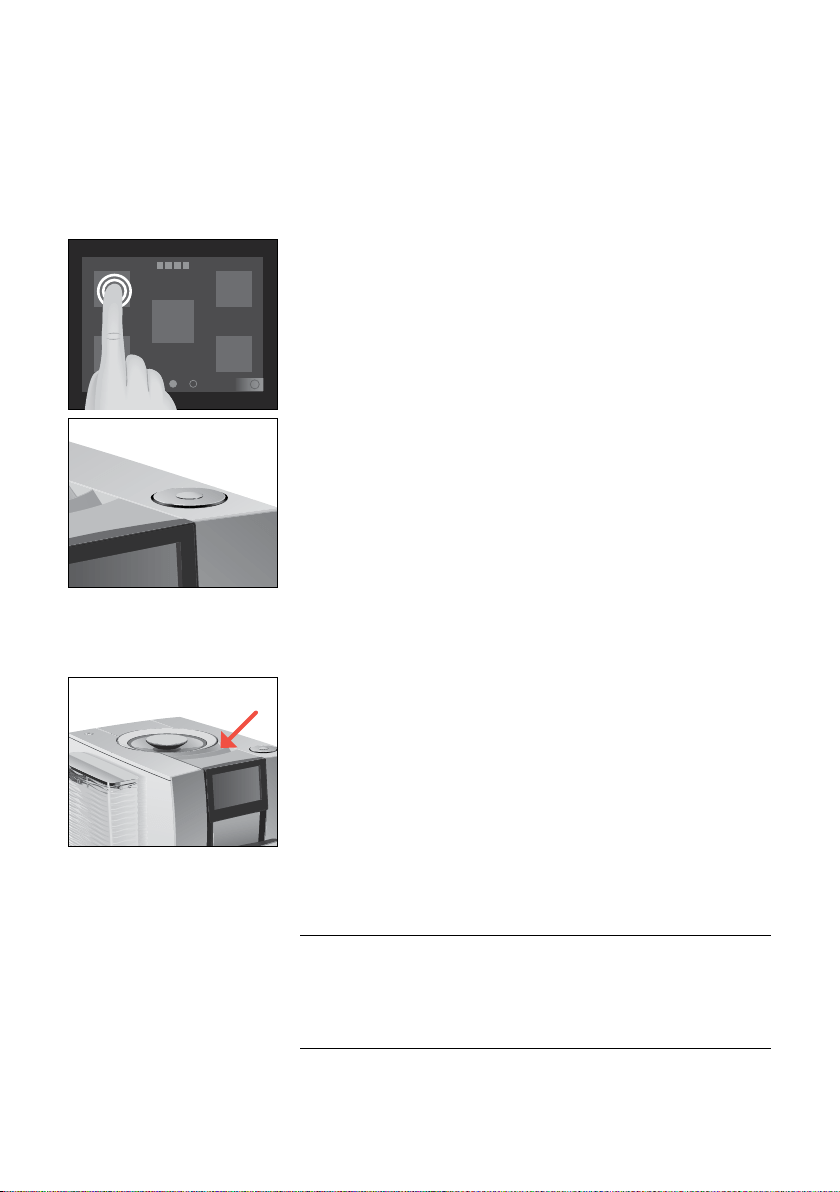
You can operate your Z10 in two ways:
U
Your Z10 has a touchscreen display� Tap or swipe the display to
trigger an action�
U
Use the Rotary Switch, which can be turned or pressed�
When setting up your Z10, please note the following:
U
Choose a spot for your Z10 which protects the machine against
overheating� Ensure that the ventilation slots are not covered�
U
Place the Z10 on a horizontal surface that is not sensitive to
water�
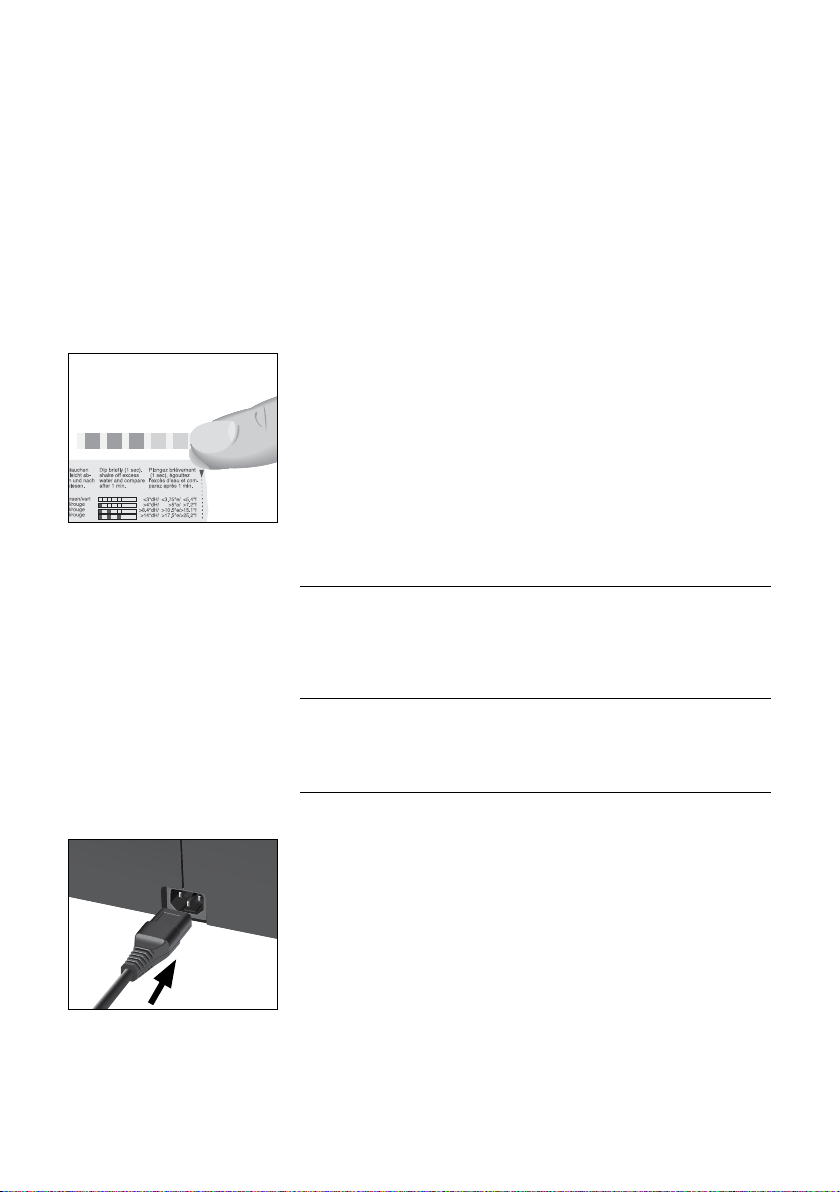
The bean container has an aroma preservation cover� This will ensure
that your coffee beans retain their aroma for longer�
Coffee beans which have been treated with additives (e�g� sugar),
ground coffee or freeze-dried coffee will damage the grinder�
T
Only use roasted, untreated coffee beans to fill the bean
container�
T
Remove the aroma preservation cover�
T
Remove any dirt or foreign objects from inside the bean
container�
Operation with touchscreen
display and Rotary Switch
s
Setting up the machine
Filling the bean container
CAUTION
3 Preparing and using for the first time
11
T
Fill the bean container with coffee beans and close the aroma
preservation cover�
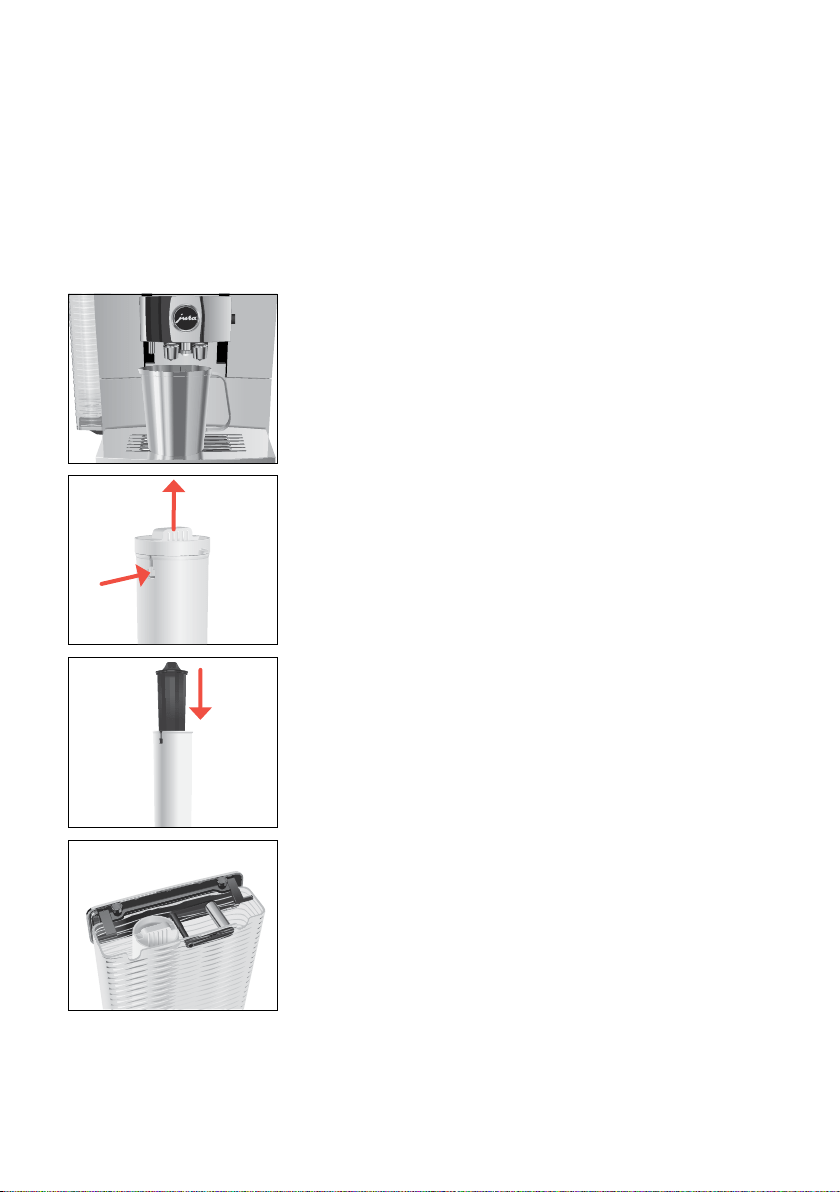
When you use the machine for the first time, you must set the water
hardness� If you do not know the hardness of your water, you can
find this out first� Use the Aquadur® test strips supplied with the
machine�
T
Hold the test strip under flowing water for one second� Shake
off the water�
T
Wait for about 1minute�
T
You will then be able to read the degree of water hardness from
the discolouration of the Aquadur® test strip and the descrip-
tion on the packaging�
If the machine is operated with a defective mains cable, there is a
danger of potentially fatal electric shock�
T
Never use a machine which is damaged or has a defective mains
cable�
Milk, sparkling mineral water or other liquids can damage the
water tank or the machine�
T
Only fill the water tank with fresh, cold water�
Precondition:The bean container has been filled�
T
For machines with a plug-in mains cable: Connect the mains
cable to the machine�
T
Insert the mains plug into a power socket�
T
Press the On/Off button
Q
to switch the Z10 on�
‘Sprachauswahl’
E To display more languages, touch 9 or 0 until the desired
language comes into focus (e�g� ‘English’)�
T
Touch ‘Save’�
‘Saved’ appears briefly on the display�
‘Water hardness’
Determining the water
hardness
First-time use
J
WARNING
CAUTION
3 Preparing and using for the first time
12
E If you do not know the hardness of your water, you must
find this out first (see chapter 3 ‘Preparing and using for the
first time – Determining the water hardness’)�
T
Touch 9 or 0 to change the water hardness setting�
T
Touch ‘Save’�
‘Saved’ appears briefly on the display�
‘Insert filter’
T
Place a receptacle under the hot-water spout and dual spout�
T
Remove the water tank and rinse it with cold water�
T
Open the filter casing�
T
Insert the CLARIS Smart filter cartridge�
T
Close the filter casing�
T
Insert the filter casing into the water tank�
T
Turn the filter casing clockwise until it audibly clicks into place�
T
Fill the water tank with fresh, cold water and reinsert the tank�
E The machine automatically detects that you have just
inserted the filter cartridge�
‘Saved’
‘Filter is being rinsed’
‘System is filling’
‘Empty drip tray’
T
Empty the drip tray and put it back into the machine�
‘Accessory’
q
w

3 Preparing and using for the first time
13
T
Touch ‘Connect’ to connect your Z10 to your network�
T
If necessary, scan the QR code with your mobile device to down-
load the JURA app (J�O�E�
®
)�
T
Touch ‘Connect’�
T
Place a receptacle under the dual spout�
‘Machine is rinsing’
The start screen is displayed� Your Z10 is ready for use�
You can manage your Z10 with the JURA Cockpit. Press the Rotary
Switch to open the JURA Cockpit�
Symbol Meaning
c
‘Maintenance’ section (blue)
f
‘Machine setting’ section (green)
h
‘Smart mode’ active
4 (white)
Your Z10 is connected with the network and/or
Cool Control via JURA WiFi Connect�
4 (red)
No connection to the WiFi network
$
Filter mode
Your Z10 creates fine, creamy, feather-light milk foam with a perfect
consistency� The most important requirement for frothing milk is a
milk temperature of 4–8°C� We would therefore recommend using
a milk cooler or a milk container�
T
Connect the milk pipe to the dual spout�
T
Connect the other end of the milk pipe to a milk container or a
milk cooler�
Managing your Z10 – the
JURA Cockpit
c
4
$
Connecting milk

3 Preparing and using for the first time
14
Your Z10 can be connected with your Cool Control milk cooler�
Precondition:The JURA WiFi Connect is inserted into the service
socket of your Z10�
T
Press the Rotary Switch�
T
Touch the ‘Machine setting’ f symbol�
T
Touch ‘1/2’ to go to the next page�
T
Touch ‘Connect accessory’�
T
Touch ‘Connect’�
‘Saved’
Your Z10 can be connected with your JURA app (J�O�E�
®
)�
Precondition:J�O�E�
®
is installed on your mobile end device and
you have logged into your home network� The JURA WiFi Connect
is inserted into the service socket of your Z10�
T
Press the Rotary Switch�
T
Touch the ‘Machine setting’ f symbol�
T
Touch ‘Wi-Fi connection’�
T
Touch ‘Connect’�
T
Add a new network in your JURA app (J�O�E�
®
) and follow the
instructions�
Connecting the Cool Control
milk cooler wirelessly
Establishing a WiFi
connection

4 Preparation
15
4 Preparation
Basic information about preparing drinks:
Aim What to do
Change the coffee
strength of a single
product
During the grinding operation,
move your finger across the display
or turn the Rotary Switch
Change the amount for a
single product
During preparation, move your
finger across the display or turn the
Rotary Switch
Change the consistency
of grind, coffee strength,
quantity and temperature
for any given product
Tap and hold a product for around
2 seconds and configure the
settings under ‘Product settings’
Display more products Turn the Rotary Switch to access
the product selector view or move
your finger across the display
Stop preparation Touch ‘Cancel’ or press the Rotary
Switch
Place a product on the
start screen as a favourite
Tap and hold a product for around
2 seconds and place another
product under ‘Replace product’
E If no actions are performed on the machine for 9 minutes,
your ‘Z10’ will switch to standby mode� Touch the display or
press or turn the Rotary Switch to take it out of standby
mode�
E Coffee tastes best served hot� A cold porcelain cup cools the
beverage – and impairs the taste� We therefore recommend
prewarming the cups� You can purchase a JURA cup warmer
from your specialised dealer�
4 Preparation
16
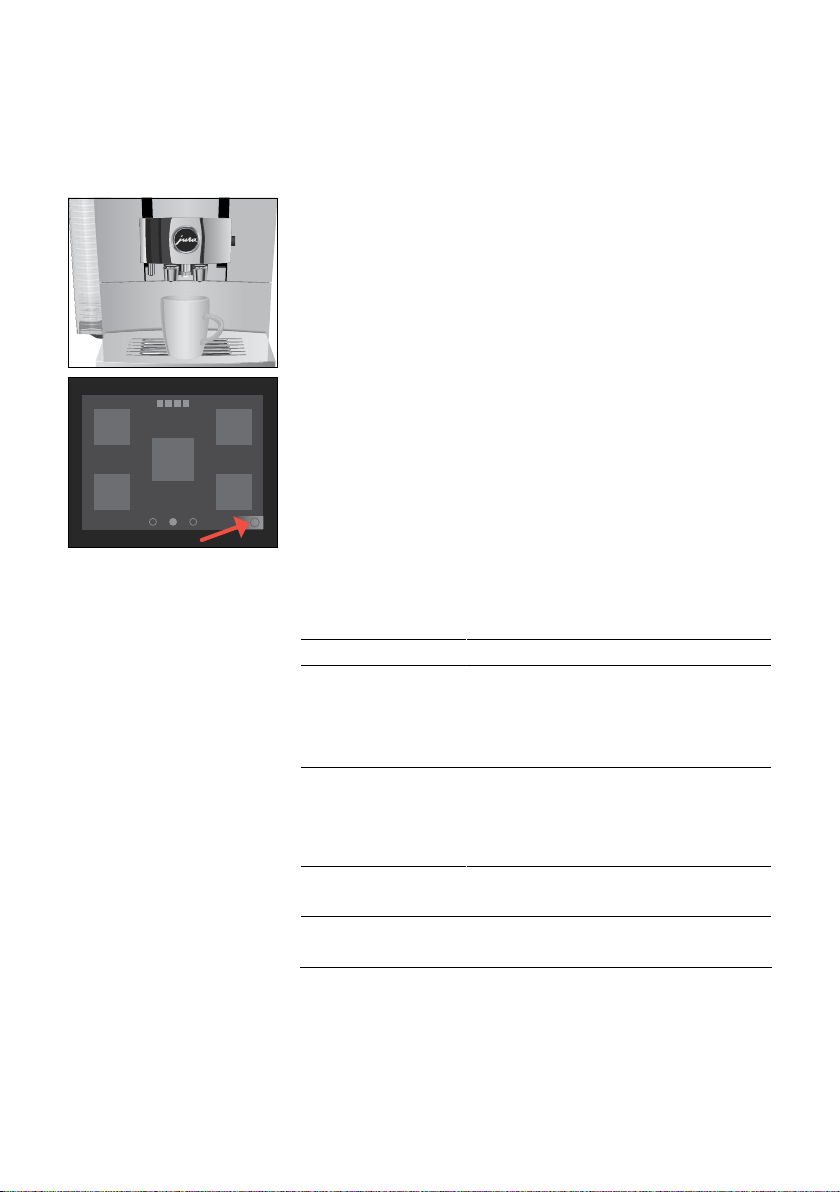
You can use Aroma Selection on your Z10 to change the consistency
of grind and coffee strength of any product:
Example:Espresso with higher coffee strength
T
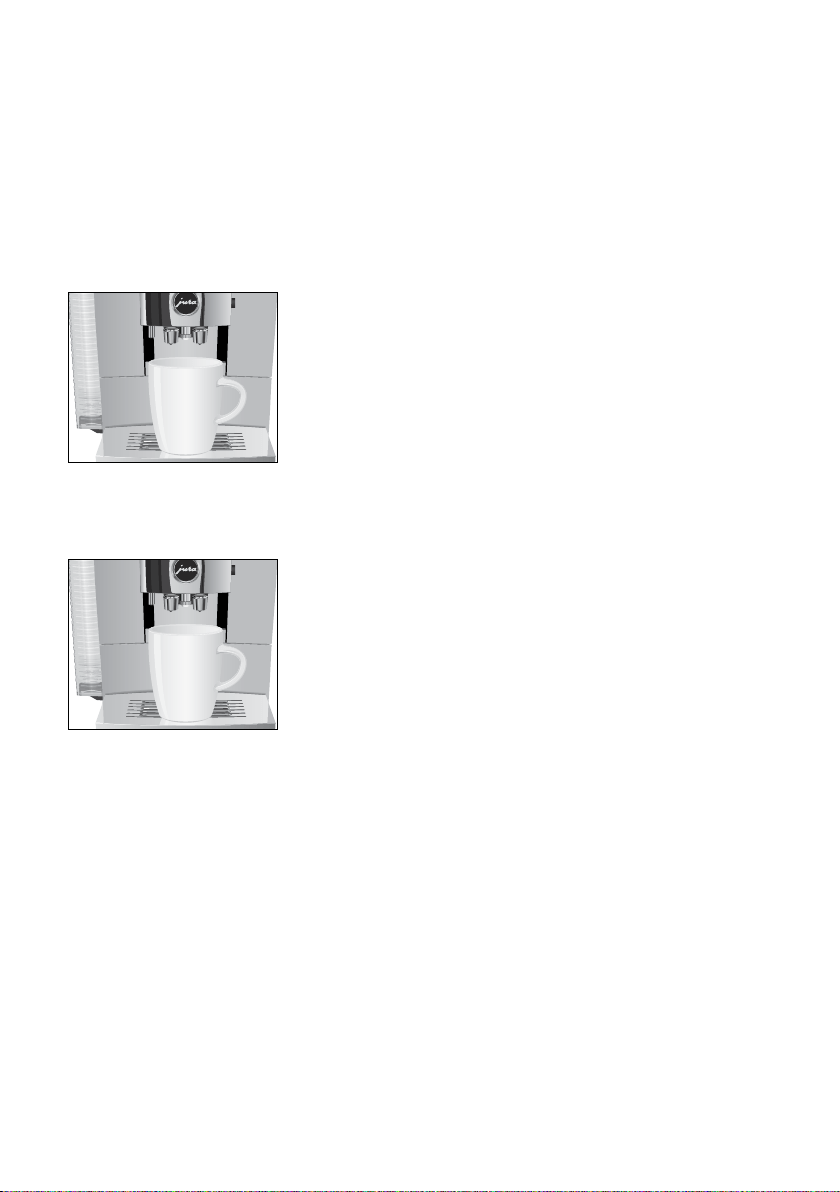
Place a cup under the dual spout�
T
Touch the ‘Aroma Selection’ symbol (bottom right)�
T
Touch ‘Espresso’�
T
Touch s to increase the coffee strength�
T
Touch ‘Start’�
The preset amount of water for coffee flows into the cup�
Touch ‘Z Z Z Z’ to call up the Speciality Selection and activate the
desired preselection for your next product:
Speciality Selection Meaning
‘Cold Brew’ d
(espresso, coffee,
caffè Barista, lungo
Barista)
The product is prepared as a cold
beverage�
‘Extra Shot’ s (all
speciality coffees)
The product is prepared with two
brewing operations, each with half the
amount of water – for a speciality coffee
with a particularly intense taste�
Double product e
The product is prepared 2x in succession
(2 strokes)�
‘Ground coffee’ £
The product is prepared with ground
coffee�
E The Speciality Selection closes after 10 seconds�
E If you press your preselection briefly, the next product will
be prepared according to your preselection�
E If you press and hold your preselection (for 2 seconds), the
preselection will be active until you switch off your Z10�
Aroma Selection
s
Preparation with
preselection (Speciality
Selection)
4 Preparation
17
The ‘Cold Brew’ preselection is used to prepare a cold speciality cof-
fee�
Example:Coffee with ‘Cold Brew’ preselection
T
Fill the water tank with cold water�
E You can influence the brewing result: The colder the water in
the water tank, the colder the brewed beverage will be�
T
Place a cup under the dual spout�
T
Add ice cubes to the cup according to your own preferences�
T
Touch ‘Z Z Z Z’ to call up the Speciality Selection�
E The Speciality Selection closes after 10 seconds�
T
Touch d to activate the ‘Cold Brew’ preselection�
T
Touch ‘Coffee’�
The preset amount of water for coffee flows into the cup�
Example:Coffee
T
Place a cup under the dual spout�
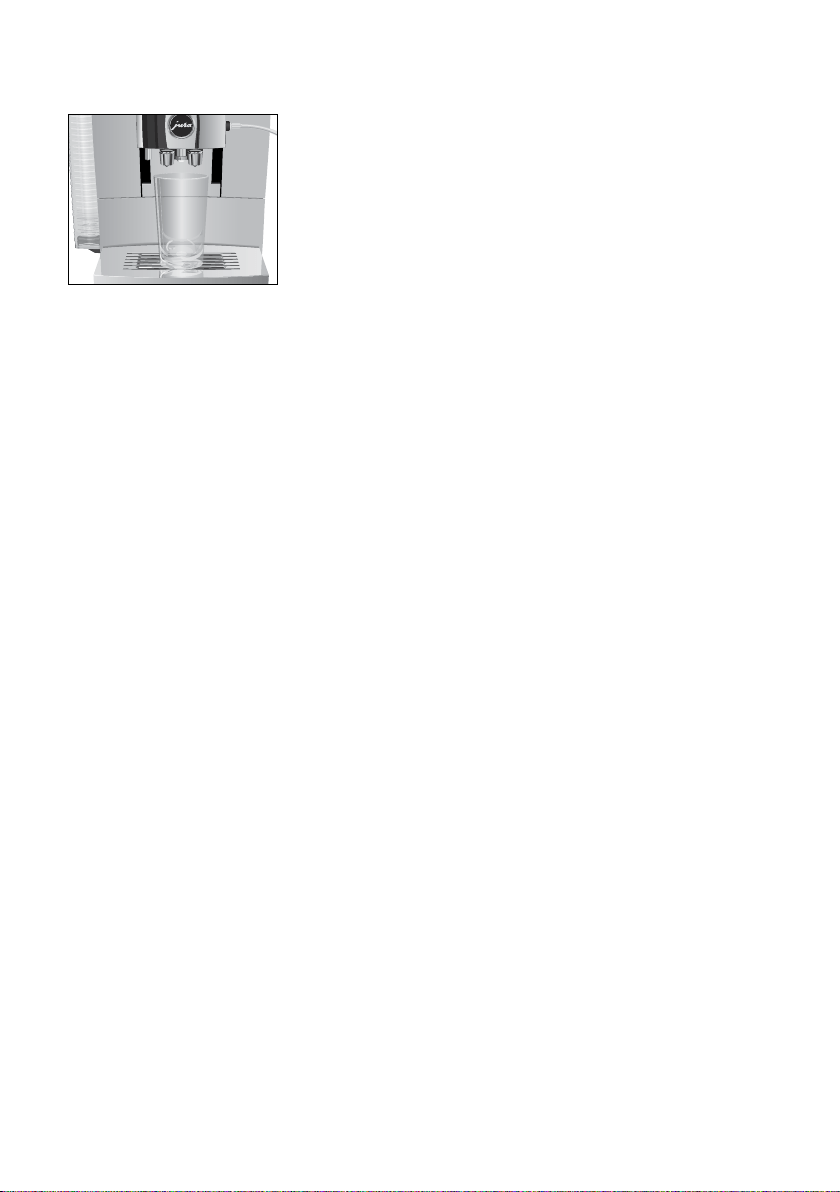
T
Touch ‘Coffee’�
The preset amount of water for coffee flows into the cup�
Your Z10 prepares the following speciality coffees with milk at the
touch of a button:
U
Cortado
U
Latte macchiato
U
Macchiato
U
Flat white
U
Cappuccino
U
Café au lait
Example:Latte macchiato
Precondition:Milk is connected to the dual spout�
Cold Brew
Espresso and coffee
Latte macchiato, cappuccino
and other speciality coffees
with milk
4 Preparation
18
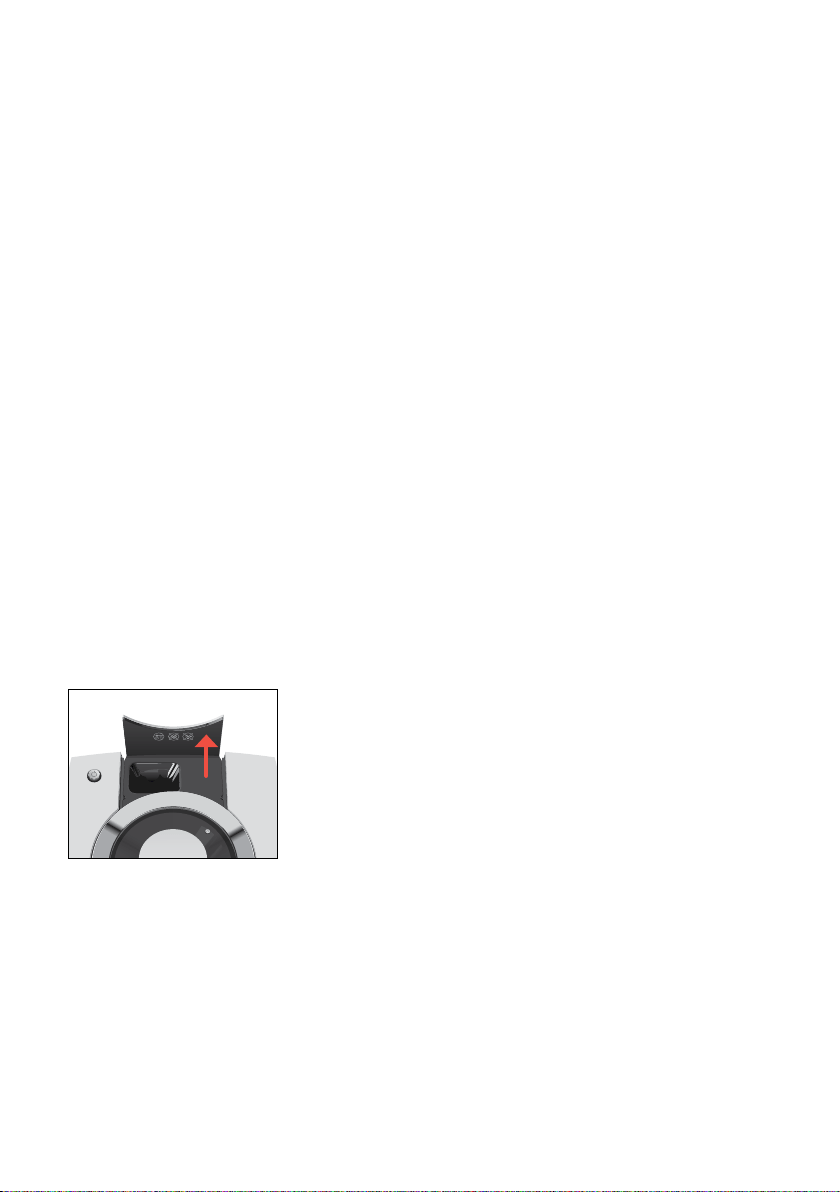
T
Place a glass under the dual spout�
T
Touch ‘Latte macchiato’�
The preset amounts of milk and milk foam flow into the glass�
E There is a short interval while the hot milk separates from
the milk foam� This allows the typical layers of a latte
macchiato to form�
The preset amount of water for espresso flows into the glass�
E 8 minutes after preparation, the milk system is automati-
cally rinsed� Therefore always place a receptacle under the
dual spout after preparing milk�
To ensure that the milk system in the dual spout always works prop-
erly, you must clean it daily (see chapter 7 ‘Maintenance – Cleaning
the milk system’)�
Your Z10 prepares hot milk and milk foam�
E 8 minutes after milk preparation, the milk system is
automatically rinsed� Therefore always place a receptacle
under the dual spout after preparing milk�
‘Doppio’ is Italian for ‘double’� When you select Espresso doppio,
two espressi are prepared one after the other� The result is an extra
full-bodied and aromatic speciality coffee�
For the ‘caffè Barista’ and ‘lungo Barista’, the Z10 blends the coffee
with hot water using a special preparation method� This results in a
full-bodied speciality coffee which is particularly easy to digest� You
can change the amount of this additional water (see chapter 4
‘Preparation – Adjusting the product settings’)�
Relive the good old days – a ‘pot of coffee’, traditionally made from
porcelain, is perfect when you want to slow things down and catch
up with friends or family� The ‘pot of coffee’ function provides a large
portion of black coffee which is generally served at breakfast or to
accompany a piece of cake� Fill the pot with 1–5 strokes of black cof-
fee�
Milk and milk foam
Espresso doppio
Caffè Barista and lungo
Barista
Pot of coffee
4 Preparation
19
You can choose to use a second coffee variety, for example decaf-
feinated coffee, with the filter funnel for ground coffee�
U
Never add more than two level measuring spoons of ground
coffee�
U
Use ground coffee which is not ground too finely� Very fine
coffee can block up the system so that the coffee only comes
out in drips�
U
If you did not fill the machine with a sufficient amount of
ground coffee, ‘Not enough ground coffee’ is displayed and the
Z10 stops the operation�
U
The desired speciality coffee must be prepared within approxi-
mately one minute after filling with the ground coffee�
Otherwise the Z10 stops the operation and is once more ready
for use�
All speciality coffees with ground coffee are always prepared follow-
ing the same model�
Example:Proceed as follows to prepare one espresso using ground
coffee�
T
Place an espresso cup under the dual spout�
T
Touch ‘Z Z Z Z’ to call up the Speciality Selection�
T
Touch £�
T
Touch ‘Espresso’�
‘Please add ground coffee’
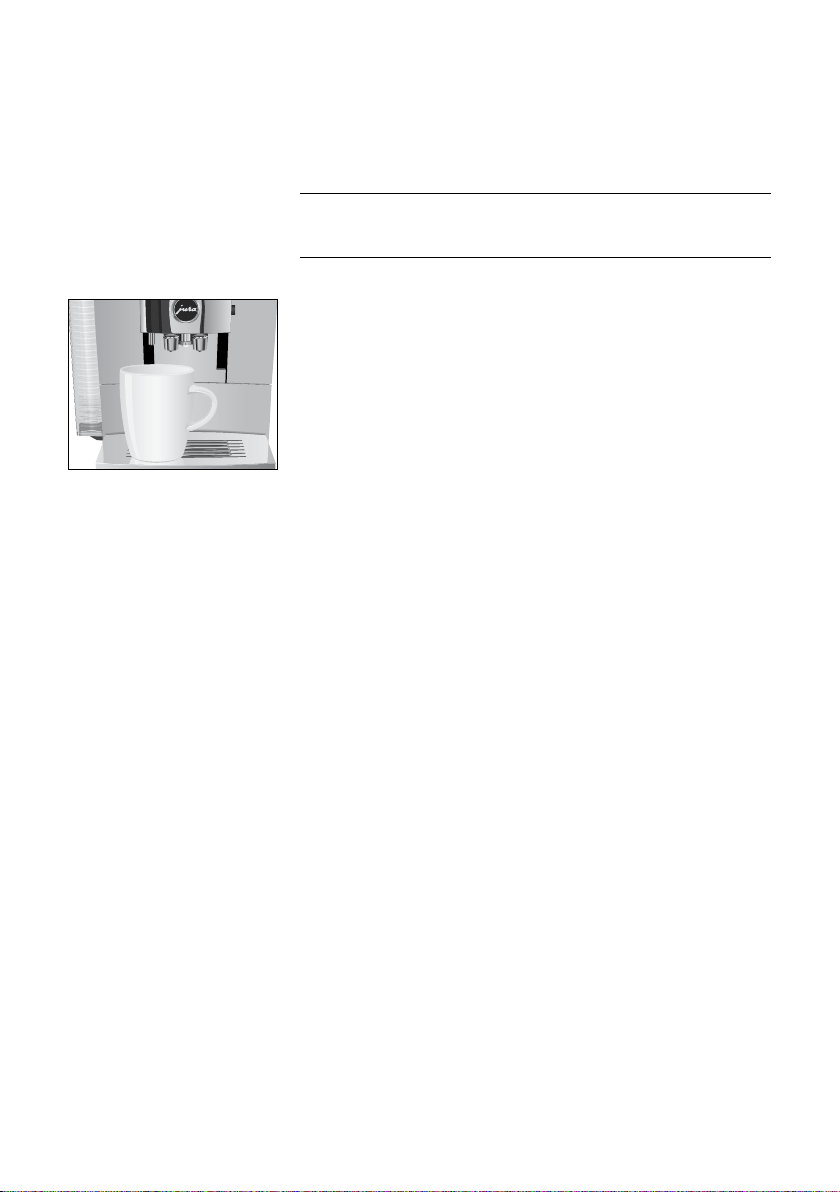
T
Open the powder chute cover�
T
Place one level measuring spoon of ground coffee into the filler
funnel�
T
Close the cover of the powder chute�
T
Touch ‘Next’�
T
Touch ‘Espresso’�
The preset amount of water for espresso flows into the cup�
Ground coffee
4 Preparation
20
The Z10 allows you to prepare different variants of hot water:
U
‘Hot water’
U
‘Hot water for green tea’
There is a danger of scalding from hot water splashes�
T
Avoid direct contact with the skin�
Example:Hot water
T
Place a cup under the dual spout�
T
Touch ‘Hot water’�
The preset amount of water flows into the cup�
Touch a product for approximately 2 seconds to access the settings:
U
‘Product settings’: Specify individual settings such as coffee
strength, amount of water, etc�
U
‘Initials’: Change the name of the product�
U
‘Permanent preselection’: Specify a permanent preselection
(Speciality Selection)�
U
‘Replace product’: Replace the products on the start screen
with your favourites�
The settings always follow the same model�
Example:Proceed as follows to change the coffee strength for one
coffee�
T
Touch ‘Coffee’ for approximately 2 seconds.
T
Touch ‘Product settings’�
E Depending on the selected product, there will be different
settings available which are represented by symbols on your
display�
T
Touch the _ symbol�
The _ symbol appears in white�
T
Turn the Rotary Switch to change the setting�
T
Touch ‘Save’�
T
Touch ‘Back’ to return to the start screen�
Hot water
J
CAUTION
Adjusting the product
settings
5 Daily operation
21
5 Daily operation
T
Place a receptacle under the dual spout�
T
Press the On/Off button
Q
�
‘Machine is rinsing’
Your Z10 is switched on or off�
E When the machine is switched off, the system is only rinsed
if a speciality coffee has been prepared�
E If milk has been prepared before switching off, you will be
prompted to carry out milk system cleaning (‘Clean the milk
system’)� After 30 seconds the switch-off process continues
automatically�
Daily maintenance of the machine and hygiene when handling milk,
coffee and water are key to a perfect coffee result in the cup every
time� You should therefore change the water daily.
Milk, sparkling mineral water or other liquids can damage the
water tank or the machine�
T
Only fill the water tank with fresh, cold water�
T
Remove the water tank and rinse it with cold water�
T
Fill the water tank with fresh, cold water and reinsert the tank�
Switching the machine on
and off
Filling the water tank
CAUTION
5 Daily operation
22
Optimal coffee quality depends on many factors� One important
prerequisite is regular maintenance of your Z10� Carry out the fol-
lowing steps:
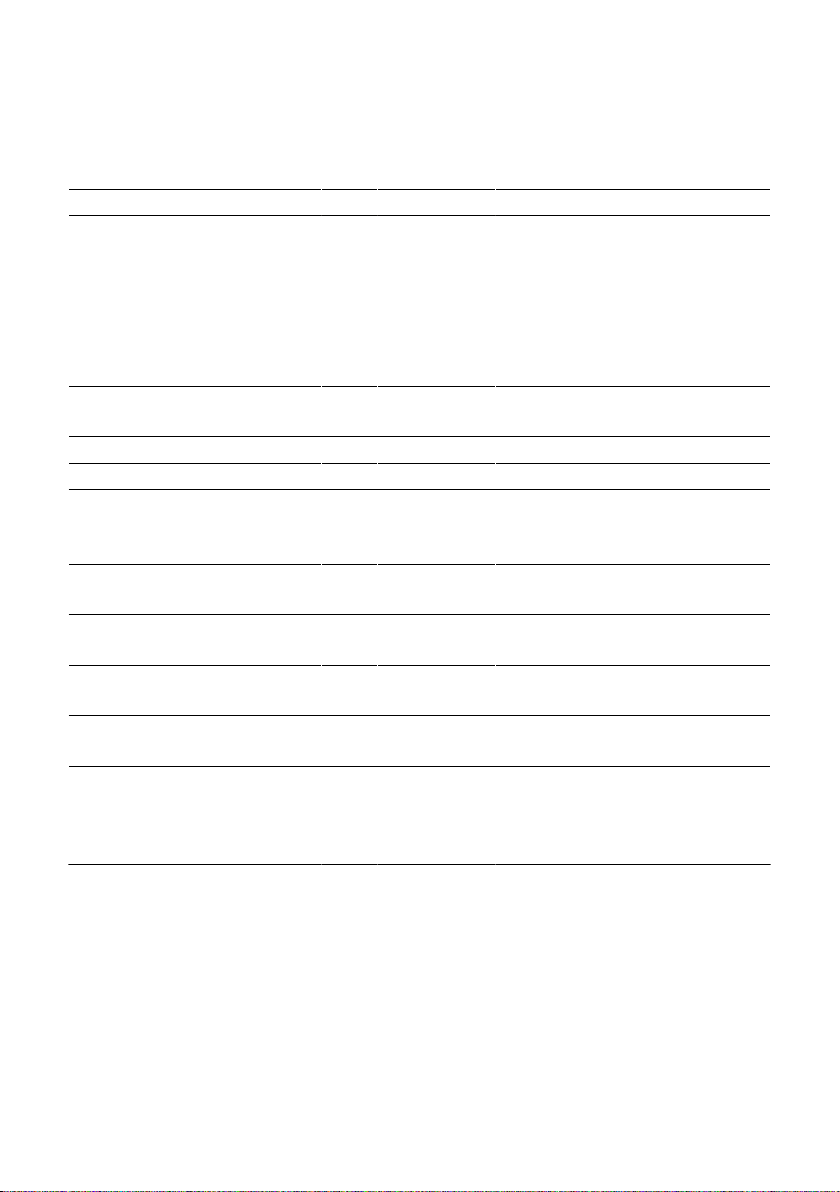
Maintenance action Daily If necessary Note
Empty the drip tray and coffee
grounds container and rinse with
warm water
(The insert for the drip tray,
including the drip tray itself, and
the coffee grounds container are
dishwasher-safe)
x Always empty the coffee grounds
container when the machine is
switched on� This is the only way of
resetting the coffee grounds
counter�
Clean the milk system (if heavily
soiled, also dismantle it)
x (see chapter 7 ‘Maintenance – Dis-
mantling and rinsing the dual spout’)
Rinse the milk pipe x –
Rinse the water tank x –
Wipe the surface of the machine
with a clean, soft, damp cloth
(e�g� microfibre cloth)
x –
Change the milk pipe HP3 approx� every
3 months
–
Change the interchangeable milk
spout CX3
approx� every
3 months
–
Clean the inside of the water tank
with a brush
x –
Clean the top and bottom of the
cup grille
x –
Clean the drip tray and coffee
grounds container
x The message ‘Maintenance
information’ appears in the
‘Maintenance’ section c within
the Cockpit�
E You will find more information about maintenance of your
Z10 in the ‘Maintenance’ c section in the programme item
‘Maintenance information’
Maintenance actions
6 Machine settings
23
6 Machine settings
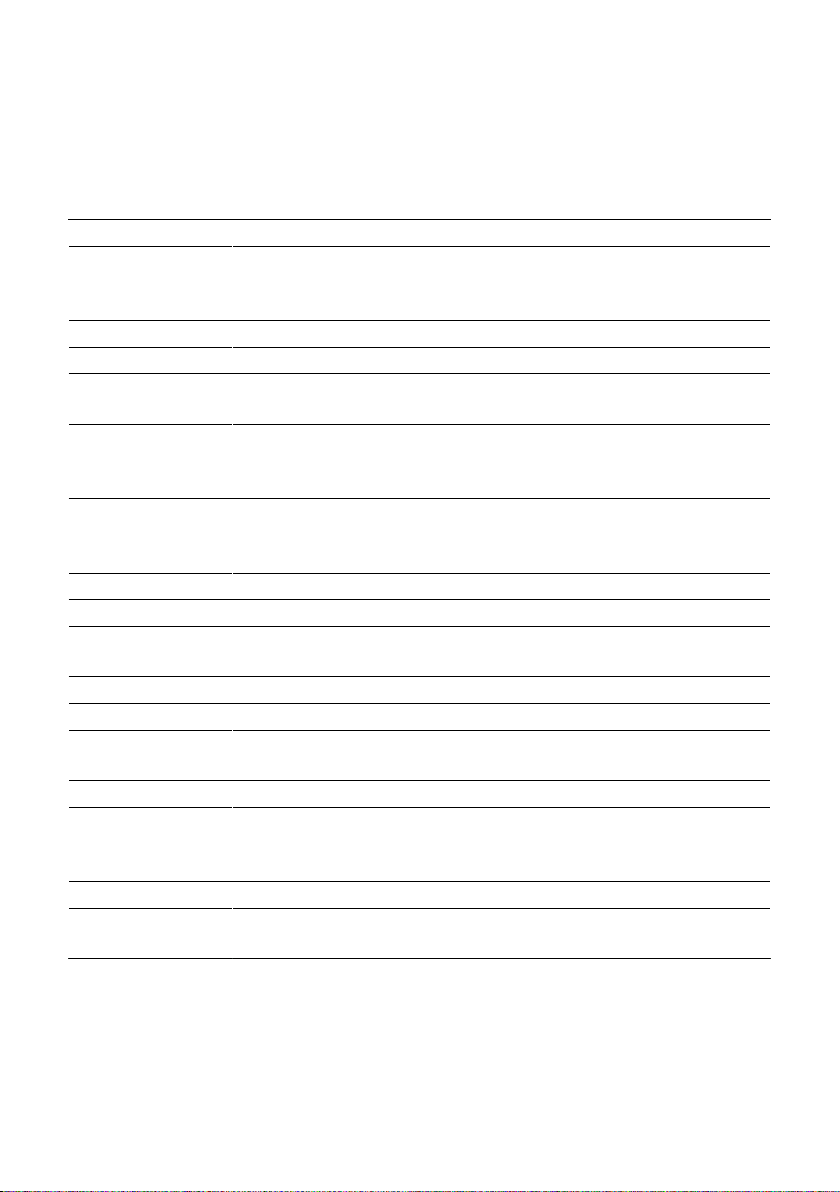
Press the Rotary Switch to open the Cockpit� In the ‘Machine
setting’ f section, you can make the following settings:
Programme item Explanation
‘Smart mode’ Arrange products by preparation frequency on the start screen after a
certain amount of time (the h symbol in the Cockpit shows that ‘Smart
mode’ is activated)
‘Product name’ Display product images with/without product names on the start screen
‘Add start screen’ Define number of start screens (1–4)
‘Number of
products’
Set the number of products on the start screen: 2 products, 5 products or
automatic (‘Smart mode’)
‘Wi-Fi connection’ Z10 connect wirelessly with the JURA app (J�O�E�
®
) or disconnect again (see
chapter 3 ‘Preparing and using for the first time – Establishing a WiFi
connection’)
‘Switch off after’ Set the automatic switch-off time to save energy (switch-off after
15minutes, 30minutes or 1 – 9 hours after the last action on the
machine)
‘Choose language’ Set language
‘Factory setting’ Z10 Restore factory settings (your Z10 will switch off after this)
‘Water hardness’ Set the hardness of the water used (1°dH to 30°dH) to prevent
calcification of your machine�
‘Units’ Set the unit for the amount of water (ml or oz)
‘Information’ View software version
‘Connect accessory’ Wirelessly connect your Z10 with your JURA app (J�O�E�
®
) or with the Cool
Control milk cooler, or disconnect again
‘Display’ Change display brightness (in 10% increments)
‘Empty system’ Empty the system to protect the Z10 from frost during transport (see
chapter 10 ‘Transport and environmentally friendly disposal – Transport/
Emptying the system’)
‘Product counter’ View product counter
‘Maintenance
counter’
View the maintenance counter
7 Maintenance
24
7 Maintenance
Basic information about maintenance:
U
Press the Rotary Switch to open the Cockpit� This area consists
of a ‘Maintenance status’ c section and a ‘Machine setting’ f
section� You can manage the maintenance of your Z10 in
the c section�
U
If a maintenance programme needs to be initiated, the
c symbol appears with a red background� Press the Rotary
Switch to open the Cockpit� The Cockpit shows maintenance
programmes that need to be carried out in the form of
messages with red backgrounds� Press the button that
corresponds to the message to go straight to the maintenance
programme� Maintenance programmes that are due
imminently are indicated on your Z10 by means of a bar
display within the message�
U
Carry out each maintenance programme when you are
prompted to do so�
You can start coffee system rinsing manually at any time�
Precondition:The start screen is displayed�
T
Place a receptacle under the dual spout�
T
Press the Rotary Switch�
T
Touch c�
T
Touch ‘Rinse’ to start the rinse operation�
The operation stops automatically�
8 minutes after milk preparation, the milk system is automatically
rinsed� Therefore always place a receptacle under the dual spout
after preparing milk�
To ensure that the milk system in the dual spout always works
properly, you must clean it daily when you have been preparing
milk�
If the wrong cleaning agent is used, the machine could be
damaged and/or traces could be left behind in the water�
T
Use only original JURA maintenance products�
Rinsing the machine
Automatic milk system
rinsing
Cleaning the milk system
CAUTION
7 Maintenance
25
E JURA milk system cleaner is available from specialised
dealers�
E To clean the milk system, use the container supplied�
Precondition:The start screen is displayed�
T
Press the Rotary Switch�
T
Touch c�
T
Touch ‘Clean the milk system’�
T
Touch ‘Next’�
‘Cleaning agent for milk system’ / ‘Connect the milk tube’
T
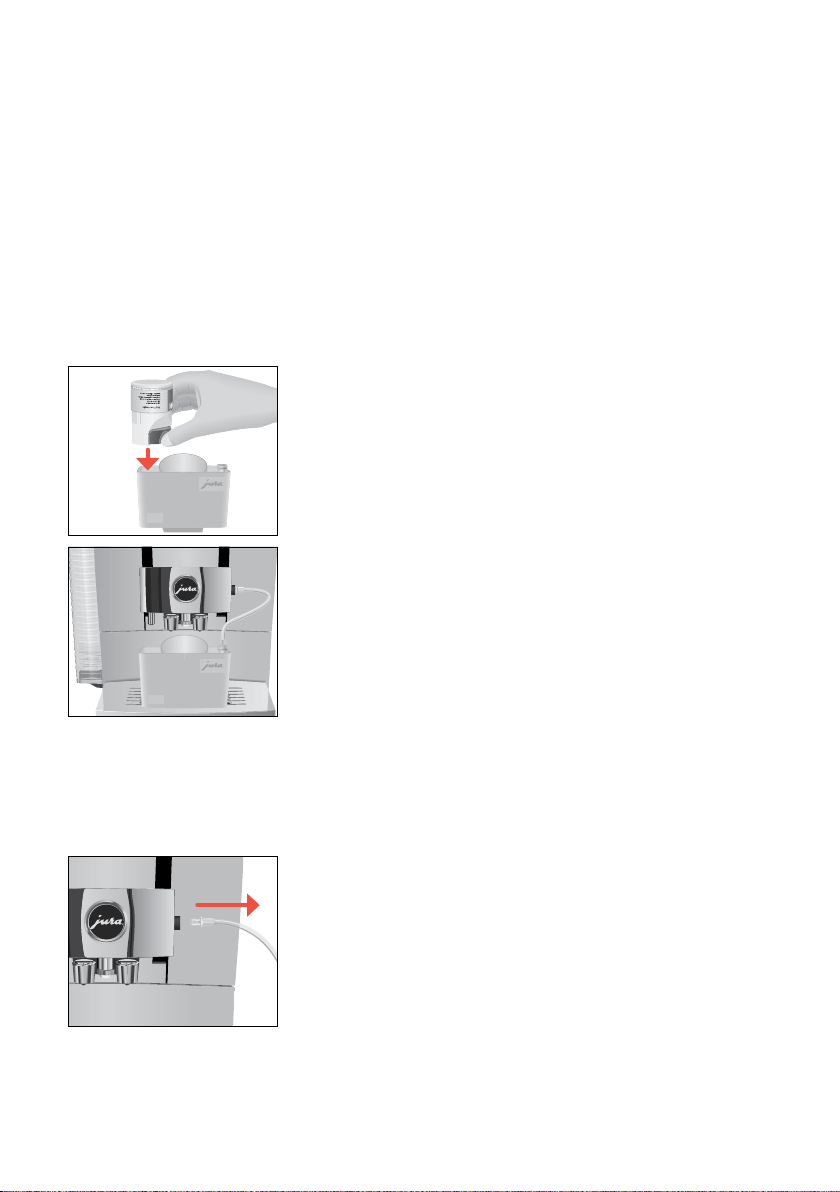
Remove the milk pipe from the milk container or milk cooler�
T
Pour one dosing unit of milk system cleaner into the container
for milk system cleaning�
T
Place the container under the dual spout and connect the milk
pipe with the container�
E To connect the milk pipe to the container correctly, the pipe
must be fitted with a connector�
T
Slide the dual spout down to fix the container in place�
T
Touch ‘Start’�
The dual spout and the milk pipe are cleaned�
The operation stops automatically�
If insufficient foam is produced when the milk is frothed or milk
sprays out of the dual spout, the spout may be dirty� If this happens,
dismantle and rinse the dual spout�
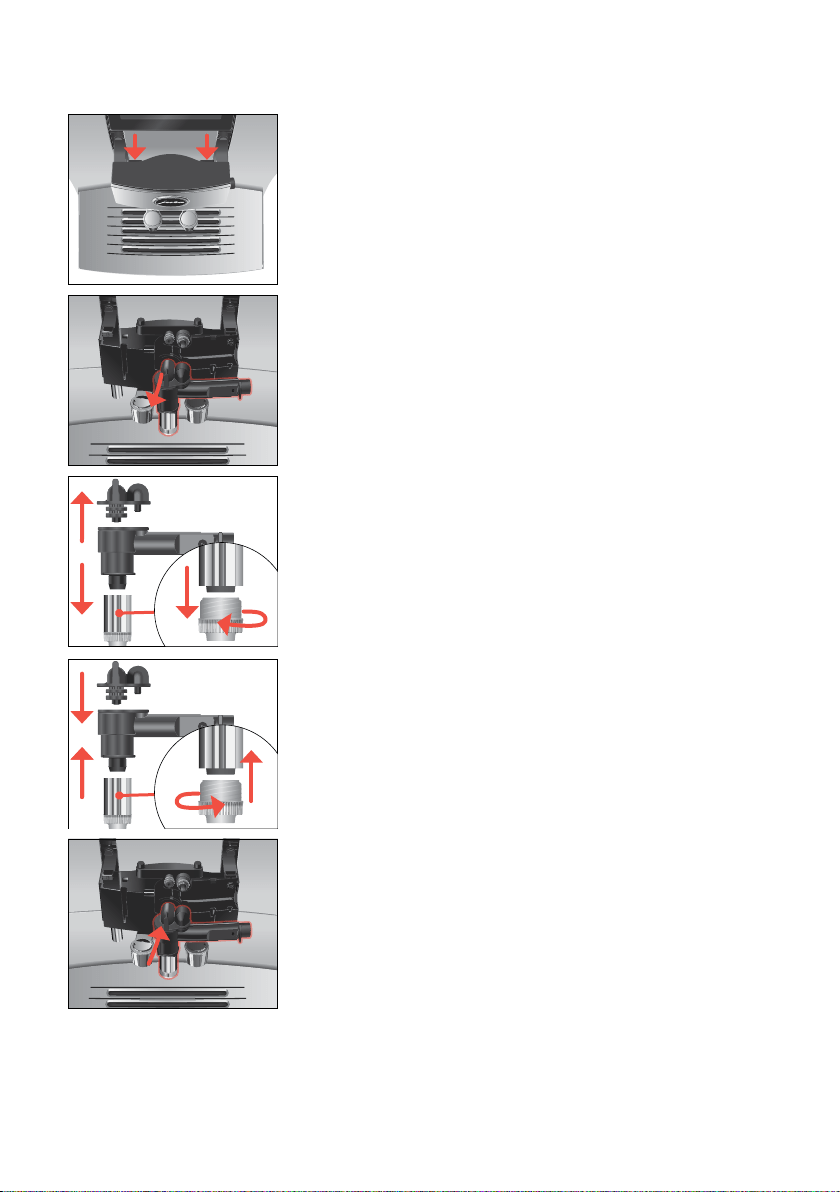
T
Remove the milk pipe and rinse it thoroughly under running
water�
6
6
Dismantling and rinsing the
dual spout
7 Maintenance
26
T
Press the releasing devices and pull the cover of the dual spout
up and off�
T
Remove the milk system from the dual spout�
E Do not lever the milk system back and forth to disconnect it
from the milk pipe connection� Remove the milk system
firmly to prevent it from tilting�
T
Dismantle the milk system into its individual parts�
T
Rinse all the parts under running water� If there are severely
dried-on milk residues, firstly immerse the individual parts in a
solution of 250ml water and one dosing unit of JURA milk
system cleaner� Then rinse the individual parts thoroughly�
T
Reassemble the milk system�
T
Fit the assembled individual parts back in the dual spout and
press it firmly�
7 Maintenance
27
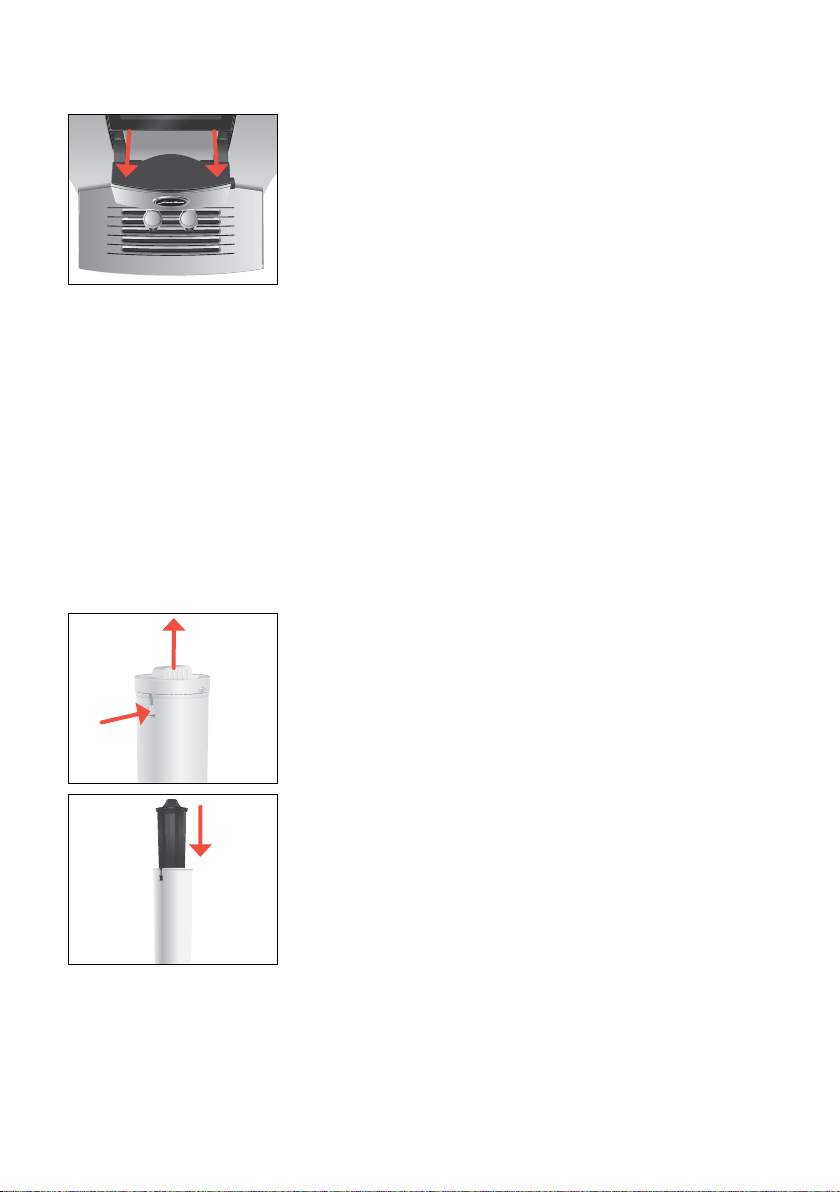
T
Fit the cover of the dual spout� Make sure the cover of the dual
spout is correctly engaged�
Once the filter cartridge stops working (depending on the water
hardness setting), the Z10 will prompt you to change the filter�
E Your Z10 no longer has to be descaled if you are using the
CLARIS Smart filter cartridge�
E CLARIS Smart filter cartridges are available from specialised
dealers�
Precondition:The start screen is displayed� (Or ‘Change the filter’
is displayed in the Cockpit if you are already using a filter�)
T
Remove and empty the water tank�
T
Turn the filter casing anti-clockwise and remove it from the
water tank�
T
Open the filter casing�
T
Remove the old CLARIS Smart filter cartridge�
T
Insert a new CLARIS Smart filter cartridge�
T
Close the filter casing�
T
Insert the filter casing into the water tank�
Inserting/changing the filter
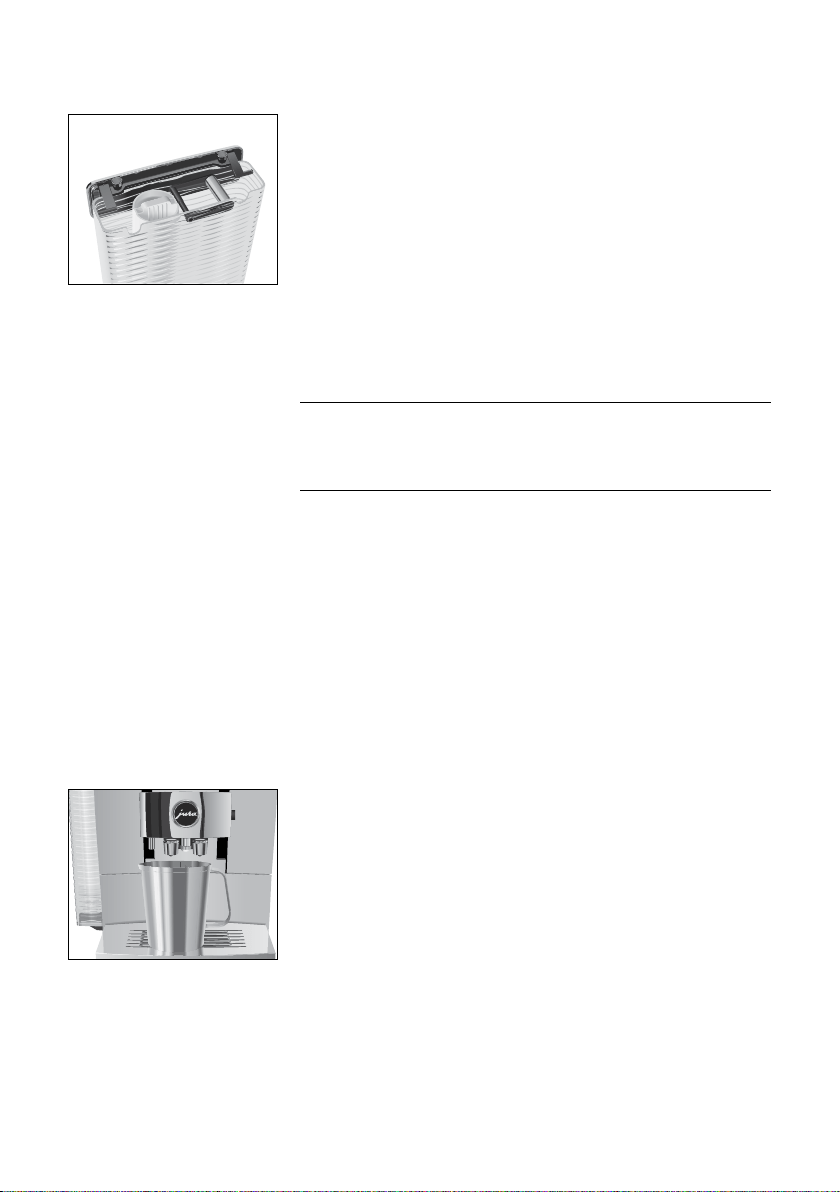
q
w
7 Maintenance
28
T
Turn the filter casing clockwise until it audibly clicks into place�
T
Fill the water tank with fresh, cold water and reinsert the tank�
The machine automatically detects that you have just inserted/
changed the filter cartridge�
‘Filter is being rinsed’
‘Empty drip tray’
T
Empty the drip tray and coffee grounds container and put them
back into the machine�
The start screen is displayed�
After 180preparations or 80switch-on rinses, the Z10 will prompt
you to clean it�
If the wrong cleaning agent is used, the machine could be
damaged and/or traces could be left behind in the water�
T
Use only original JURA maintenance products�
E The cleaning programme lasts approximately 20 minutes�
E Do not interrupt the cleaning programme� The quality of
cleaning will be impaired if you do so�
E JURA cleaning tablets are available from specialised dealers�
Precondition:‘Clean’ is displayed in the Cockpit�
T
Touch ‘Clean’�
T
Touch ‘Start’�
‘Empty coffee grounds container’
T
Empty the drip tray and coffee grounds container and put them
back into the machine�
‘Press the Rotary Switch’
T
Place a receptacle under the dual spout�
T
Press the Rotary Switch�
‘Machine is being cleaned’, water flows out of the dual spout�
The operation is interrupted, ‘Add cleaning tablet’�
T
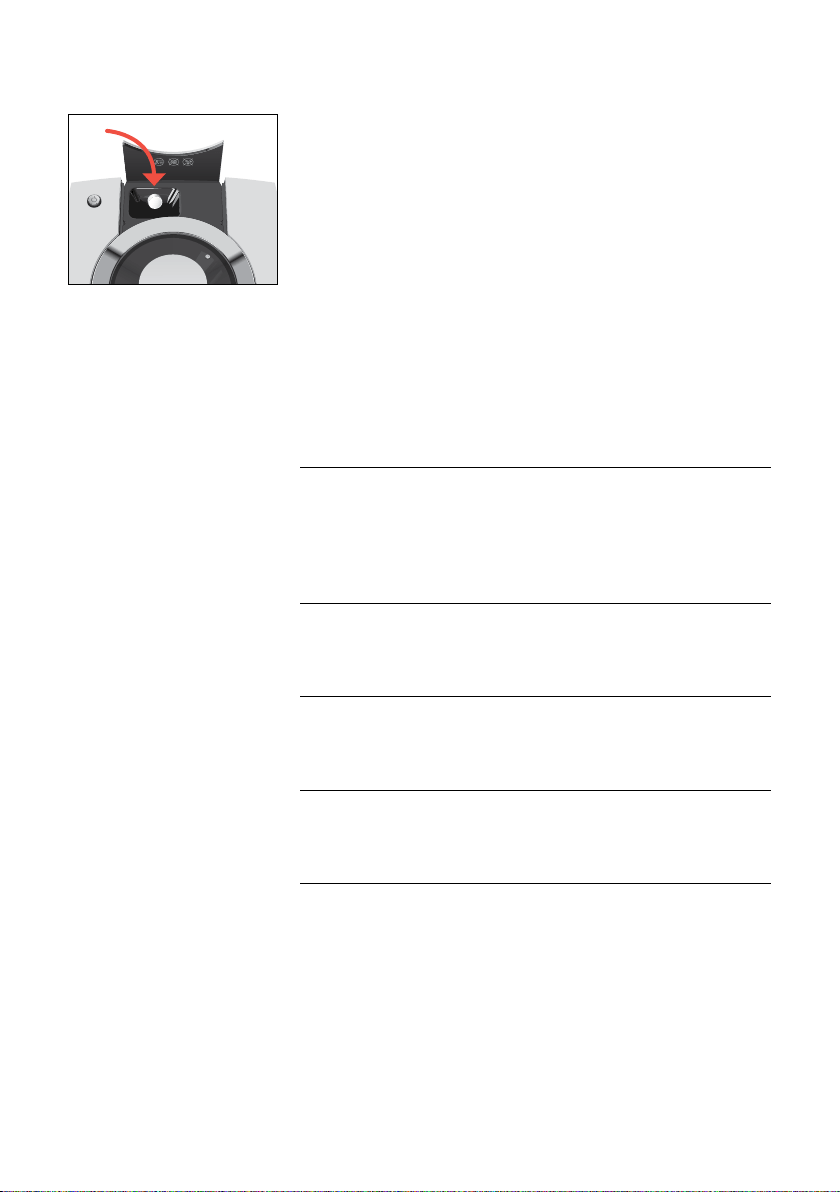
Open the cover of the filler funnel for ground coffee�
Cleaning the machine
CAUTION
7 Maintenance
29
T
Insert a JURA cleaning tablet into the filler funnel�
T
Close the cover of the filler funnel�
T
Touch ‘Next’�
‘Machine is being cleaned’, water flows out of the dual spout
repeatedly�
‘Empty coffee grounds container’
T
Empty the drip tray and coffee grounds container and put them
back into the machine�
The Z10 builds up deposits of limescale over time and automatically
prompts you to descale it when necessary� The degree of calcifica-
tion depends on the hardness of your water�
E If you are using a CLARIS Smart filter cartridge, you will not
be prompted to descale�
If the descaling agent comes into contact with the skin or eyes,
this can cause irritation�
T
Avoid contact with the skin or eyes�
T
Rinse off the descaling agent with clean water� Should you get
any descaling agent in your eye, see a doctor�
If the wrong descaling agent is used, the machine could be
damaged and/or traces could be left behind in the water�
T
Use only original JURA maintenance products�
If the descaling operation is interrupted, there may be damage to
the machine�
T
Allow the descaling programme to run to the end�
If the descaling agent comes into contact with sensitive surfaces
(e�g� marble), damage cannot be ruled out�
T
Clean up any splashes immediately�
E The descaling programme lasts approximately 45minutes�
E JURA descaling tablets are available from specialised dealers�
Precondition:‘Descale’ is displayed in the Cockpit�
T
Touch ‘Descale’�
T
Touch ‘Start’�
‘Empty drip tray’
T
Empty the drip tray and coffee grounds container and put them
back into the machine�
‘Pour descaling agent into water tank’
Descaling the machine
J
CAUTION
CAUTION
CAUTION
CAUTION
7 Maintenance
30
T
Remove and empty the water tank�
T
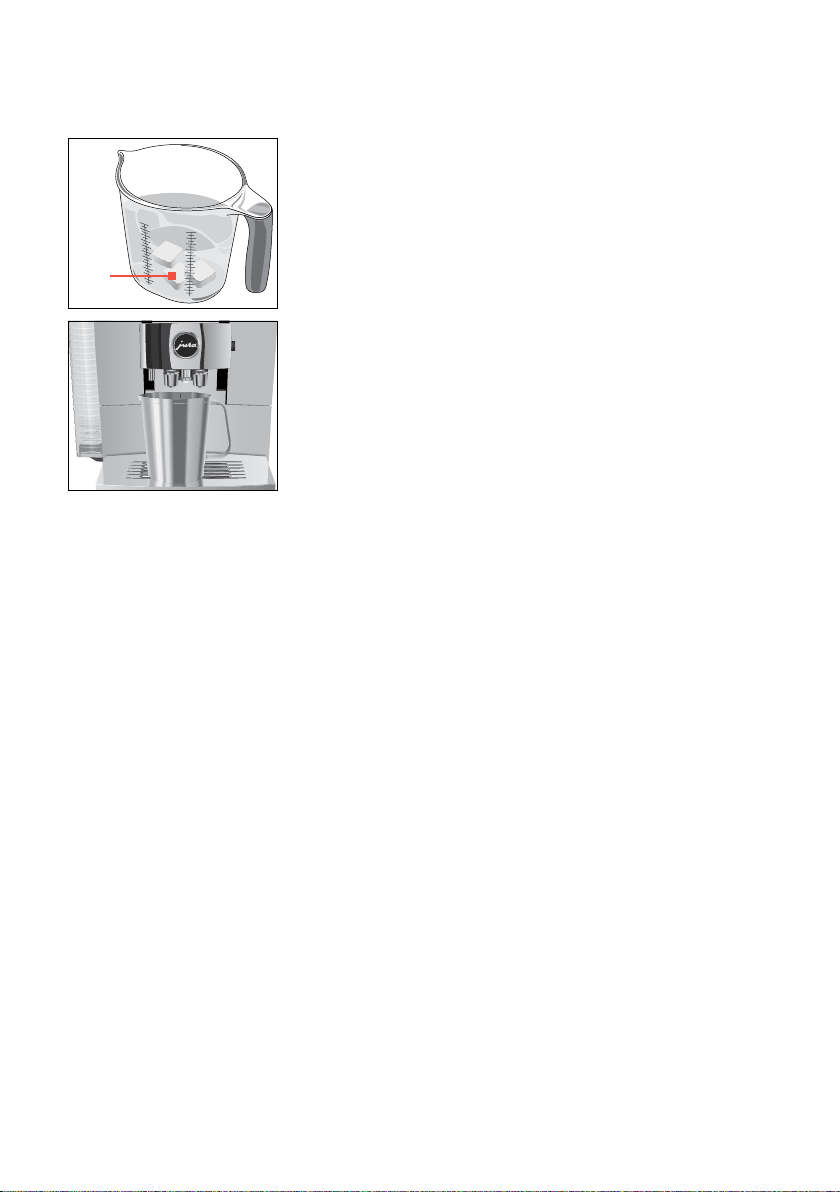
Completely dissolve 3JURA descaling tablets in a receptacle
holding 600ml of water� This may take several minutes�
T
Pour the solution into the empty water tank and insert it into
the machine�
‘Press the Rotary Switch’
T
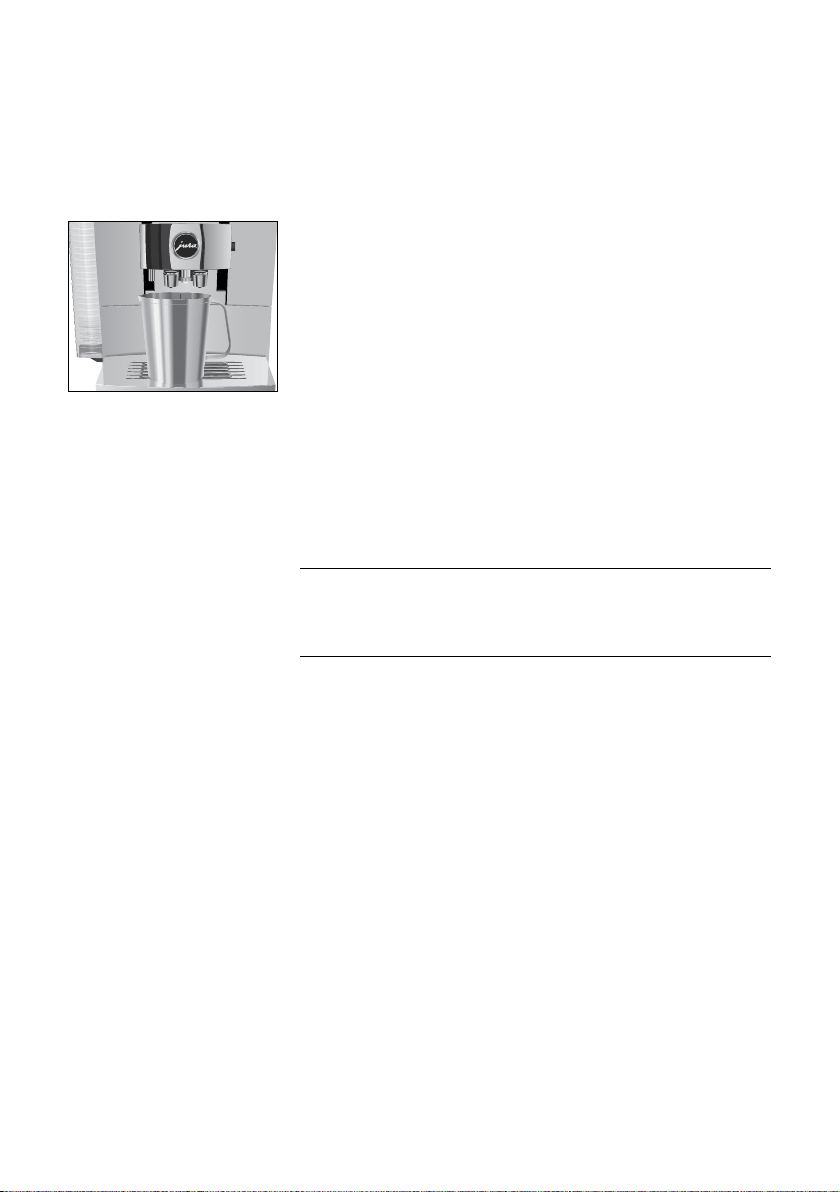
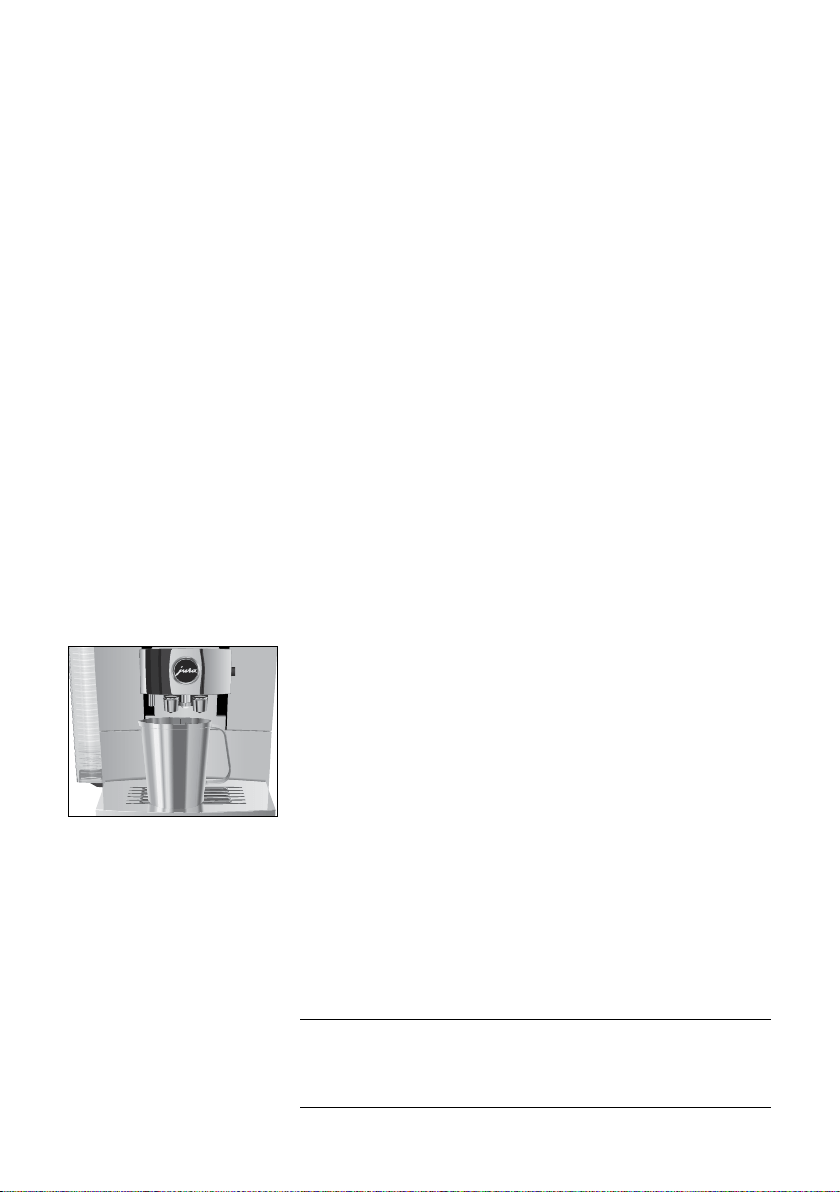
Place a receptacle under the hot-water spout and dual spout�
T
Press the Rotary Switch�
‘Machine is being descaled’, water flows straight into the drip
tray and out of the hot-water spout and dual spout repeatedly�
‘Empty drip tray’�
T
Empty the drip tray and coffee grounds container and put them
back into the machine�
‘Fill water tank’
T
Empty the receptacle and place it under the hot-water and dual
spouts�
T
Remove the water tank and rinse it thoroughly�
T
Fill the water tank with fresh, cold water and reinsert the tank�
‘Press the Rotary Switch’
T
Press the Rotary Switch�
Water flows straight into the drip tray and out of the hot-water
spout and dual spout repeatedly�
‘Empty drip tray’
T
Empty the drip tray and coffee grounds container and put them
back into the machine�
E If the descaling operation stops unexpectedly, rinse the
water tank thoroughly�
3x

7 Maintenance
31
Limescale deposits may form in the water tank� To ensure correct
function of the machine, descale the water tank from time to time�
T
Remove the water tank�
T
If you use a CLARIS Smart filter cartridge, remove this�
T
Completely fill the water tank and dissolve 3 JURA descaling tab-
lets in it�
T
Leave the water tank with the descaling solution for several
hours (e�g� overnight)�
T
Empty the water tank and rinse it thoroughly�
T
If you use a CLARIS Smart filter cartridge, insert this again�
T
Fill the water tank with fresh, cold water and reinsert the tank�
Coffee beans may be covered with a slight oil film which remains on
the walls of the bean container� These traces may negatively affect
the coffee result� For this reason clean the bean container from time
to time�
Precondition:‘Fill bean container’ is displayed�
T
Switch the machine off with the On/Off button
Q
�
T
Remove the aroma preservation cover�
T
Clean the bean container with a soft, dry cloth�
T
Fill the bean container with coffee beans and close the aroma
preservation cover�
Descaling the water tank
Cleaning the bean container
8 Display messages
32
8 Display messages
Messages on the start screen
Message Cause/Result Action
‘Fill water tank’ The water tank is empty� You cannot
prepare any products�
T
Fill the water tank (see chapter 5
‘Daily operation – Filling the water
tank’)�
‘Empty coffee
grounds
container’ /
‘Empty drip
tray’
The coffee grounds container is full� /
The drip tray is full� You cannot
prepare any products�
T
Empty the coffee grounds container
and the drip tray (see chapter 5 ‘Daily
operation – Maintenance actions’)�
‘Drip tray not
fitted’
The drip tray is not inserted correctly
or is not inserted at all� You cannot
prepare any products�
T
Fit the drip tray�
‘Fill bean
container’
The bean container is empty� You
cannot prepare any speciality coffees,
but you can prepare hot water and
milk�
T
Fill the bean container (see chapter 3
‘Preparing and using for the first
time – Filling the bean container’)�
‘Not enough
ground coffee’
There is insufficient ground coffee in
the machine; the Z10 stops the
operation�
T
The next time you prepare a
beverage, add more ground coffee
(see chapter 4 ‘Preparation –
Ground coffee’)�
‘Spout is not
fitted’
The cover of the dual spout has not
been fitted�
T
Correctly fit the cover of the dual
spout�
Messages in the Cockpit
Message Cause/Result Action
The filter
symbol $ lights
up red�
‘Change the
filter’
The filter cartridge no longer
works�
T
Replace the CLARIS Smart filter cartridge (see
chapter 7 ‘Maintenance – Inserting/changing
the filter’)�
‘Clean’ The Z10 is prompting you to
clean it�
T
Perform cleaning (see chapter 7
‘Maintenance – Cleaning the machine’)�
‘Descale’ The Z10 is prompting you to
descale it�
T
Perform descaling (see chapter 7
‘Maintenance – Descaling the machine ’)�
‘Clean the milk
system’
The Z10 prompts you to
clean the milk system�
T
Perform milk system cleaning (see chapter 7
‘Maintenance – Cleaning the milk system’)�
9 Troubleshooting
33
9 Troubleshooting
Problem Cause/Result Action
Insufficient foam is
produced when the
milk is frothed or milk
sprays from the dual
spout�
The dual spout is dirty�
T
Make sure the cover of the dual spout is
correctly fitted�
T
Clean the milk system in the dual spout
(see chapter 7 ‘Maintenance – Cleaning the
milk system’)�
T
Dismantle and rinse the dual spout (see
chapter 7 ‘Maintenance – Dismantling and
rinsing the dual spout’)�
The milk and milk foam
temperature is set too
high�
T
Set a lower milk and milk foam tempera-
ture for the product�
With speciality coffees
with a finer grinder
setting, the coffee
only flows in drips�
The coffee has been
ground too finely and is
blocking the system�
T
If possible, set the consistency of grind for
the speciality coffee 1–2 levels coarser (see
chapter 4 ‘Preparation – Adjusting the
product settings’)�
Coffee only comes out
in drips when it is
being prepared�
The coffee has been
ground too finely and is
blocking the system�
T
Use more coarsely ground coffee (see
chapter 4 ‘Preparation – Ground coffee’)�
The water hardness may
not have been correctly
set�
T
Perform descaling (see chapter 7 ‘Mainte-
nance – Descaling the machine ’)�
There is dry ground
coffee behind the
coffee grounds
container�
The beans used are
resulting in an above-
average volume of
ground coffee�
T
Reduce the coffee strength or choose a
finer grinder setting (see chapter 4 ‘Prepara-
tion – Adjusting the product settings’)�
‘Fill water tank’ is not
displayed although
the water tank is
empty�
There is a lot of limescale
in the water tank�
T
Descale the water tank (see chapter 7
‘Maintenance – Descaling the water tank’)�
Grinder is making a
very loud noise�
There are foreign objects
in the grinder�
T
Contact customer support in your country
(see chapter 13 ‘JURA contact details/ Legal
information’)�
‘Error2’ or ‘Error5’ is
displayed�
If the machine has been
exposed to the cold for a
long period of time,
heating may be disabled
for safety reasons�
T
Warm the machine at room temperature�

9 Troubleshooting
34
Problem Cause/Result Action
Other ‘Error’ messages
are displayed�
–
T
Switch the Z10 off with the On/Off button
Q
�
Contact customer support in your country
(see chapter 13 ‘JURA contact details/ Legal
information’)�
Little or no steam
comes out of the dual
spout� The pump is
very quiet�
The connector of the
milk system in the dual
spout may be blocked by
milk residues or
limescale fragments
loosened during
descaling�
T
Press the releasing devices and pull the
cover of the dual spout up and off�
T
Remove the milk system from the dual
spout�
T
Unscrew the black connector with the aid
of the hexagonal hole on the measuring
spoon for ground coffee�
T
Clean the connector thoroughly�
T
Screw the connector back on by hand�
T
Carefully tighten it using the hexagonal
hole on the measuring spoon, turning by no
more than a quarter of a rotation�
E If you were unable to solve the problem, contact customer
support in your country (see chapter 13 ‘JURA contact
details/ Legal information’)�
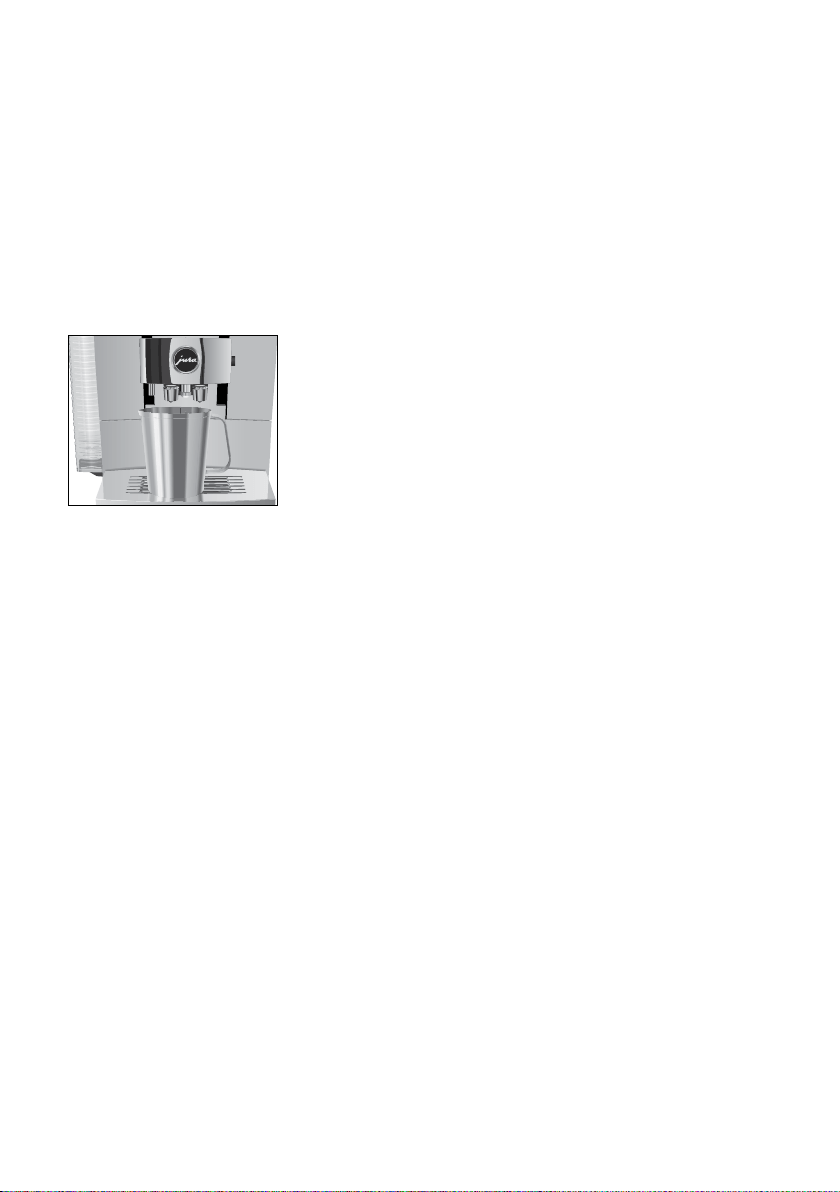
10 Transport and environmentally friendly disposal
35
10 Transport and environmentally friendly disposal
Keep the packaging for your Z10� It should be used to protect the
machine during transport�
In order to protect the Z10 from frost during transport, the system
must be emptied�
Precondition:The start screen is displayed�
T
Remove the milk pipe from the dual spout�
T
Place a receptacle under the dual spout�
T
Press the Rotary Switch�
T
Touch the ‘Machine setting’ f symbol�
T
Switch to the ‘2/2’ page�
T
Touch ‘Empty system’�
T
Remove and empty the water tank�
T
Press the Rotary Switch�
Steam will continue to be discharged from the dual spout and
the hot-water nozzle until the system is empty�
Your Z10 is switched off�
Please dispose of old machines in an environmentally neutral way�
H
Old machines contain valuable, recyclable materials which should
be recycled� Please therefore dispose of old machines via suitable
collection systems�
Transport/ Emptying the
system
Disposal

11 Technical data
36
11 Technical data
Voltage 220–240V~, 50Hz
Power 1450W
Conformity mark
A
Energy consumption approx� 6Wh
Pump pressure static, max� 15bar
Holding capacity of
water tank
2�4l
Holding capacity of
bean container
280g
Holding capacity of
coffee grounds container
max� 20 portions
Cable length approx� 1�1m
Weight 12–13 kg (depending on machine
version)
Dimensions (W×H×D) 32 × 36 × 47cm
Milk system HP3
Interchangeable milk spout CX3
CLARIS filter cartridge Smart
(RFID technology)
Frequency band 13�56 MHz
Max� transmission power < 1 mW
JURA WiFi Connect
(Bluetooth connection)
Frequency band 2�4 GHz
Max� transmission power < 1 mW
JURA WiFi Connect Frequency band 2�4 GHz
Max� transmission power < 100 mW
JURA type 759
Information for testers (repeat test in accordance with DIN VDE
0701-0702): The central grounding point (CGP) is located on the back
of the machine, right next to the mains cable's connection point�

12 Index
37
12 Index
A
Addresses 40
Adjusting the product settings 20
Aroma preservation cover
Bean container with aroma preservation
cover 5
Aroma Selection 16
B
Bean container
Bean container with aroma preservation
cover 5
Cleaning 31
Filling 10
Bluetooth 36
Bus bar
Technical data 36
Button
On/Off button 5
Bypass amount of water 18
C
Caffè Barista 18
Caffè latte 17
Cappuccino 17
Central grounding point 36
Children 7
CLARIS Smart filter cartridge
Changing 27
Inserting 27
Cleaning
Bean container 31
Machine 28
Cockpit 13, 23, 24
Coffee 17
Coffee grounds container 5
Cold Brew 17
Connecting an accessory 14
Connecting the Cool Control milk cooler 14
Contact details 40
Cup grille 5
Customer support 40
D
Damage
Preventing damage 7
What to do in the event of damage 7
Declaration of Conformity 40
Descaling
Machine 29
Water tank 31
Display
Cockpit 13
Touchscreen display 5, 10
Display messages 32
Disposal 35
Drip tray 5
Dual spout
Dismantling and cleaning 25
Height- and width-adjustable dual
spout 5
E
Emptying the system 35
Errors
Troubleshooting 33
Espresso 17
Espresso doppio 18
EU Declaration of Conformity 40
F
Filling
Bean container 10
Water tank 21
Filter
Changing 27
Inserting 27
Filter casing 5
First-time use 11
Flat white 17
G
Ground coffee 19
Measuring spoon for ground coffee 5
Powder chute for ground coffee 5
Grounding point 36

12 Index
38
H
Hotline 40
Hot water 20
Hot-water spout 5
I
Instant coffee
Ground coffee 19
Interchangeable milk spout 36
J
JURA
Contact details 40
L
Latte macchiato 17
M
Macchiato 17
Machine
Cleaning 28
Descaling 29
Rinsing 24
Setting up 10
Machine settings 23
Mains cable 5
Maintenance 24
Maintenance actions 22
Measuring spoon for ground coffee 5
Messages, display 32
Milk 18
Connecting milk 13
Milk foam 18
Milk system 36
Clean 24
Milk system rinsing 24
P
Pot of coffee 18
Powder chute
Powder chute for ground coffee 5
Preparation 15, 17
Aroma Selection 16
Caffè latte 17
Cappuccino 17
Coffee 17
Cold Brew 17
Espresso 17
Espresso doppio 18
Flat white 17
Ground coffee 19
Hot water 20
Latte macchiato 17
Lungo Barista 18
Macchiato 17
Milk 18
Milk foam 18
Pot of coffee 18
Speciality Selection 16
Problems
Troubleshooting 33
Product settings
Adjusting 20
Proper use 6
R
RFID 36
Rinsing
Machine 24
Rotary Switch 5, 10
S
Safety information 6
Service socket 5
Setting up
Setting up the machine 10
Smart Connect 14
Speciality Selection
Extra Shot 16
Ground coffee 16
Spout
Height- and width-adjustable dual
spout 5
Hot-water spout 5
Switching off 21
Switching on 21
Symbol description 6
T
Technical data 36
Interchangeable milk spout 36
Milk system 36
Tel 40
Touchscreen display 5, 10
Transport 35
Troubleshooting 33

12 Index
39
U
Use, First-time 11
Users 6
W
Water hardness
Determining the water hardness 11
Water tank 5
Descaling 31
Filling 21
WiFi 36
WiFi Connect 5, 14
WiFi connection 14
Wireless connection 14, 27, 36

13 JURA contact details/ Legal information
40
13 JURA contact details/ Legal information
JURA Elektroapparate AG
Kaffeeweltstrasse 10
CH-4626 Niederbuchsiten
Tel� +41 (0)62 38 98 233
E You can find additional contact details for your country at
jura.com.
E If you need assistance with using your machine, you can find
this at jura.com/service.
E Your opinion is important to us! Use the contact details at
jura.com.
The machine complies with the following directives:
U
2014/35/EU– Low Voltage Directive
U
2014/30/EU– Electromagnetic Compatibility
U
2009/125/EC– Ecodesign Directive
U
2011/65/EU– RoHS Directive
U
2014/53/EU – Wireless Voltage Directive
A detailed EU Declaration of Conformity for your Z10 can be found
at jura.com/conformity.
We reserve the right to make technical changes� The diagrams used
in these instructions for use are for illustration purposes only and do
not represent the original colours of the machine� Some details of
your Z10 may vary�
Directives
Technical changes
J74488/Z10
(EA/SA/INTA)
/en/202012