TM
Owner’s Manual
Music10 Owner’s Manual 2/25/09 3:45 PM Page 7
TThhaannkkss
for choosing the SoundEffects
MMuussiicc1100
system for your home.
SoundEffects products are designed to fit the way you live. Combine them any way you
like to achieve the sound effects you envision. This guide will help you get started.
FFiirrsstt..
Please read this instruction guide carefully
before installing this system.
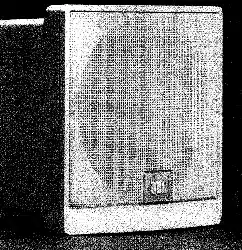
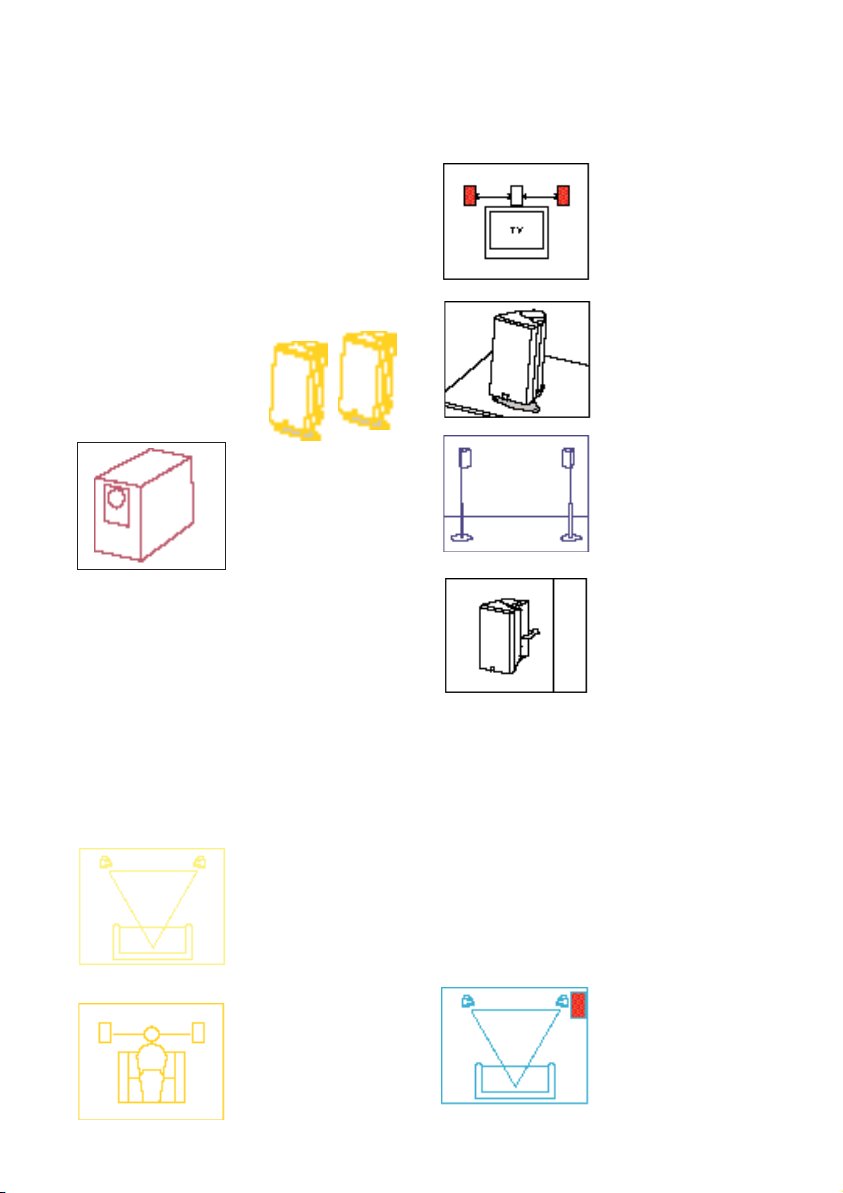
TTwwoo ssaatteelllliittee ssppeeaakkeerrss
(with shelf stands attached)
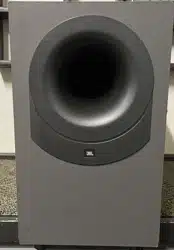
OOnnee ssuubbwwoooo ff eerr
NNeexxtt..
Determine where to position each product
in the room.
WWhhiillee SSoouunnddEEffffeeccttss lloouuddssppeeaakkeerrss
ssoouunndd ggoooodd aannyywwhheerree,, tthhee ppoossiittiioonnss
ssuuggggeesstteedd hheerree wwiillll eennhhaannccee yyoou
urr
lliisstteenniinngg eennjjooyymmeenntt..
Satellites.
PPoossiittiioonn yyoouurr
ssaatteelllliittee ssppeeaakkeerrss aass
cclloossee ttoo eeaarr lleevveell aass
ppoossssiibbllee..
PPllaann aahheeaadd..
If you
intend to use the speak-
ers in a home theater
application, they should
be equidistant from the
center of the TV and at
the same height as the
center channel speaker.
OOnn sshheellvveess..
With the
accompanying shelf
stand (removable
for use in other
applications).
OOnn ssttaannddss..
Optional
floor stands (grey only)
are available separately
as Part No. STAND.
OOnn tthhee wwaallll ..
Optional
brackets are available
separately as Part No.
SFX10BKT, or
SFX10BKTWHT (white).
Accessories such as the optional stands
and brackets are available through your
JBL/SoundEffects dealer or in the USA
call 1-800-336-4JBL.
AAllll SSoouunnddEE ffffeeccttss ss aatteelllliittee ssppeeaakkeerrss aarree
vviiddeeoo--sshhiieellddeedd,, ssoo tthhaatt tthheeyy ccaann bbee ppllaacceedd
ddii rreecc ttllyy aalloonnggssiid
dee tthhee TTVV ssccrreeeenn wwiitthhoouutt
iinntteerrffeerreennccee ..
The center channel speaker in the SoundEffects
Movies10 system shares identical voicing with
the satellites in your Music10 system and is
an ideal next step toward complete home
theater sound.
Subwoofer.
FFoorr mmaaxxiimmuumm bbaassss
oouuttppuutt,, ppoossiittiioonn
tthhee ssuubbwwooooffeerr iinn aa
ccoorrnneerr ooff tthhee rroooomm..
IIddeeaallllyy,, tthhee ssuubb--
wwooooffeerr s
shhoouulldd bbee
ppllaacceedd aaggaaiinnsstt tthhee
ssaammee wwaallll aass tthhee
ssaatteelllliittee ssppeeaakkeerrss..
TThh ee ddiissttaanncc ee
bbeettwweeeenn tthhee ttwwoo
ssaa ttee lllliittee ss pp eeaakkeerrss
aanndd tthhee ddiisstt aann ccee
ff rroomm ssppee aakkee rrss ttoo
lliisstteenneerrss sshhoouulldd
bbee
tthhee ssaammee..
FFoorr ssppeecciiffiicc qquueessttiioonnss nnoott aannsswweerreedd
hheerree,, pplleeaassee ccoonnttaacctt yyoouurr JJBBLL
SSoouunndd EEffff eeccttss ddeeaall eerr oorr,, iinn tthhee UUS
SAA
ccaall ll uuss aa tt 880000--3333 66-- 44JJBBLL..
Music10 Owner’s Manual 2/25/09 3:45 PM Page 2
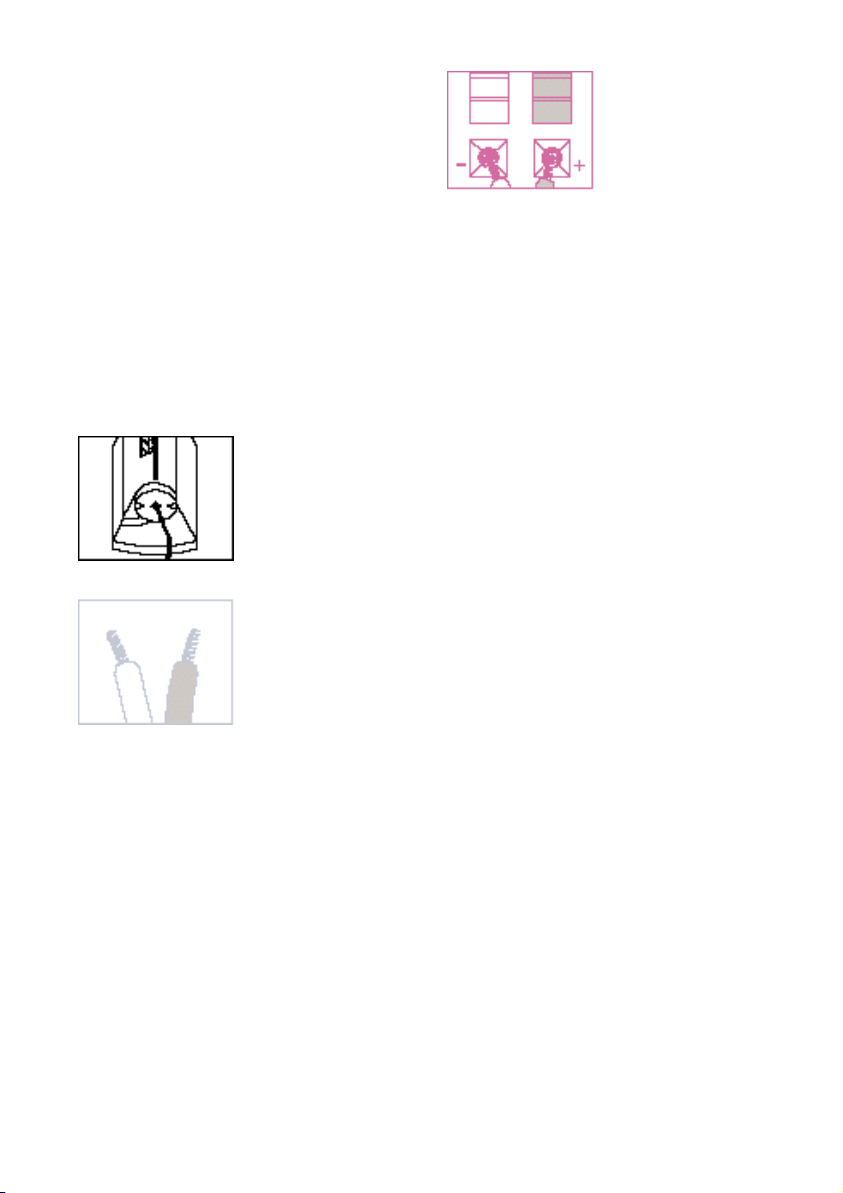
TThheenn..
Connect and install your Music10
speakers.
Before attaching any wires always make sure
that your receiver or other power source is
turned off.
Connection tips.
Carefully plan your wire paths. Remember that
speaker wires go to the subwoofer before going
to satellite speakers. Be sure to allow plenty of
extra wire to hide wires in corners, along base-
boards, etc. Wait until you test the system to
conceal wires.
CCuutt ssppeeaakkeerr wwiirree ttoo mmaattcchh yyoouurr
wwiirree pp aatthhss..
FFoorr ssaatteelllliitteess,, tt hhrreeaadd
ssppeeaakkeerr wwiirree
tthhrroouugghh tthhee hhoollee iinn
tt hhee bboottttoomm ooff tthhee
ssppee aakkee rr,, tthheenn ffeeeedd iitt
tthhrr o
ouu gghh tthhee rreecceesssseedd
wwiirree cchhaannnneell..
Speakers and electronics terminals have corre-
sponding (+) and (–) terminals. It is important
to connect both speakers identically: (+) red
speaker to (+) red amplifier and (–) black
speaker to (–) black amplifier. Wiring “out of
phase” results in thin sound, weak bass and
poor stereo effect.
The two wires in any speaker cable are typically
differentiated in one of the following ways: one
wire is copper and the other silver, or one has a
raised rib or a thin colored line on its insulated
cover and the other doesn’t. Either wire can
attach to (+) or (–) as long as all components are
connected identically.
Assure that no strands from either wire cross
between terminals and touch the opposite con-
nection. The “short circuit” that results may
damage components in your system.
Be careful not to insert the stripped end of the
wire too far into the terminal, which may cause
you to prevent contact of wire to the connection.
SS uu bbww oo ooffeerr CCoonn nn ee cc ttii oo nn ..
The Bass10 subwoofer
has been designed to simplify connection of
your Music10 system to your amplifier/
receiver. Connect the left and right speaker
outputs of your amplifier to the appropriate
“Amplifier Inputs” on the Bass10. Then connect
the Satellite outputs to the left and right Sat10s.
SSoommee rreecceeiivveerrss//aammpplliiffiieerrss hhaavvee aa sseeppaarraattee
ccoonnnneecc ttiioo nn ffoorr aa ssuubbwwoo ooffeerr.. DDOO NNOOTT
ccoonnnneecctt tt hhee ssuubbwwoo ooffeerr
ttoo tthheessee tt eerrmmiinn aallss..
NNoottiiccee ttoo PP uurrcchhaasseerr.. JJBBLL aassssuummeess nnoo
rreessppoonnssiibbiilliittyy oorr lliiaabbiilliittyy ffoorr iinnjjuurriieess oor
r
pprrooppeerrttyy ddaammaaggee –– ddiirreecctt,, iinnddiirreecctt,, oorr
ccoonnsseeqquueennttiiaall –– rreessuullttiinngg ffrroomm tthhee
iimmpprrooppeerr iinnssttaallllaattiioonn o
off SSoouunnddEEffffeecc ttss
lloouuddssppeeaakkeerrss..
SSeeppaarraattee aanndd ssttrriipp
tt hhee eenn ddss ooff tthhee
ssppeeaakkeerr wwiirree aass
sshhoowwnn..
PPrreessss ddoowwnn oon
n tthhee
tteerrmmiinnaall bbuuttttoonn aanndd
iinn sseerrtt oonnee ooff tthhee
ssttrriippppeedd wwiirree eennddss;;
tthheenn rreelleeaassee tthhee
bbuutt ttoonn tt oo sseecc uu rree tth
hee
wwiirree iinn ppllaaccee..
Music10 Owner’s Manual 2/25/09 3:45 PM Page 3

FFiinnaallllyy..
Take a “test drive” with some favorite music.
11
With the receiver/amplifier still turned off,
confirm that its volume control is turned all the
way down. Next, center the balance control. If
the receiver/amplifier has an A/B speaker switch,
set it to correspond to the speaker terminals
connected to the Music10 system.
22
Now, turn on your receiver/amplifier and
select a music source such as a CD player,
cassette deck or FM tuner.
33
Turn up the volume control gently until you
hear sound from the speakers.
44
Rotate the balance control all the way to the
left. Sound should come only from the left
speaker. If the sound comes from the right
speaker with the balance control to the left, the
speaker wires have been reversed during hook-
up. Turn the receiver/amplifier “off” and switch
both sets of speaker wires.
Troubleshooting.
NNoo ssoo uunndd aatt aallll ffrroo mm aannyy oo ff tthhee ssppeeaakkeerr ss ..
• The tape monitor button on your receiver/
amplifier may be pushed in, preventing use of
the CD player, FM tuner or other input. Check
button position.
• If your receiver/amplifier has both “A” and “B”
sets of speaker outputs, the wrong set of
speakers may be selected. Select the other set
or switch the wires to the preferred set.
• The sound source (CD player, cassette deck,
etc.) may not be turned “on,” not activated, or
not selected on front panel of the receiver/
amplifier. Check settings.
NNoo ssoouunn dd ffrroomm tthhee lleefftt sspp eeaakkeerr oo rr nnoo ssoouunndd
ffrroomm tt hhee rriigghhtt ssppeeaakkeerr..
• The balance control may be turned all the way
to the left or right. Check balance.
• One of the connections between the sound
source and the receiver/ amplifier is faulty or
has become disconnected. Check connections.
• Speaker wire to these speakers has become
disconnected at the speaker, or the receiver/
amplifier. Check connections.
SS ppeeaakkeerrss ppllaayy aatt llooww vvoolluummeess bbuu tt sshhuutt oo ff ff aass
vvoolluummee iiss iinnccrreeaasseedd oo rr ssoouunndd iiss iinntteerrmmiitttteenntt..
• There may be a short circuit in one of the
connections. Check all connections.
BB aassss iiss vveerr yy wweeaakk..
• The polarity (+ and –) of one speaker is
reversed. Check connections.
• Subwoofer is not connected. Check
connections.
SoundEffects products were made for
each other. No matter what SoundEffects
components you start with, it’s easy to
add complementary products that will
increase the performance and value of
your home audio system. SoundEffects
MMoovviieess1100
will help you get even more
value from your
MMuussiicc1100
system. For
information about these and other
SoundEffects products, visit your JBL
dealer or, in the USA call
880000--333366--44JJBBLL..
For more ideas about uses for these and other
SoundEffects products in your home, see the
SoundEffects brochure. Need an additional
copy? Call JBL.
Music10 Owner’s Manual 2/25/09 3:45 PM Page 4
SSppeeccii ffiiccaattiioonnss
Music10 System
PPoowweerr HHaannddll iinngg
10 – 200 watts
FFrreeqquueennccyy RReessppoonnssee
40Hz – 20kHz (±3dB)
Sat10
PPoowweerr HHaannddll iinngg
10 – 80 watts
FFrreeqquueennccyy RReessppoonnssee
150Hz – 20kHz (±3dB)
IImmppeeddaannccee
8 ohms nominal
SSee nnssiittiivviittyy
88dB @ 1 watt / 1 meter
CCrroossssoovveerr FFrreeqquueennccyy
3.5kHz (midrange to tweeter)
TTwwee ee tteerr
One 3/4" titanium composite dome
Video-shielded
MMiiddrraannggee
One 3-1/2" neodymium driver
Video-shielded
DDiimmeennssiioonnss ((HHxxWWxxDD))
Inches 6 -1/2 x 3 -3/4 x 4 -1/4
Millimeters 165 x 95 x 108
WWeeiigghhtt
1.5 lbs / .7 kg
Bass10
PPoowweerr HHaannddll iinngg
10 – 120 watts
FFrreeqquueennccyy RReessppoonnssee
40Hz – 150Hz (±3dB)
IImmppeeddaannccee
8 ohms nominal
SSee nnssiittiivviittyy
88dB @ 1 watt / 1 meter
CCrroossssoovveerr FFrreeqquueennccyy
150Hz (subwoofer to satellite)
BBaassss
Two 5-1/4" woofers
Triple chamber band-pass subwoofer
DDiimmeennssiioonnss ((HHxxWWxxDD))
Inches 14-3/4 x 8-1/2 x 19
Millimeters 375 x 216 x 465
WWeeiigghhtt
28 lbs / 12.7 kg
FFeeaattuurreess
••
22--WWaayy ssaatteelllliittee ssppeeaakkeerrss wwiitthh 33//44””
ttiittaanniiuumm ccoommpp oossiittee ddoommee hhii gghh
ffrreeqquueennccyy ddrriivveerrss
••
TTrriippllee cchhaammbbeerr bbaanndd--ppaassss ssuubbwwooooffeerr
••
AAddjjuussttaabbll ee ssaatteelllliitteess wwiitthh sshheellff ss ttaannddss
iinncclluu ddeedd
••
VViiddeeoo--sshhiieellddeedd ssaatteelllliitteess
••
RReecceesssseedd wwiirree cchhaannnneellss
oonn bbootthh ssaa tteelllliitteess
••
DDiiffffrr aaccttiioo nn--llii mmiittiinngg ffooaamm
ssaa ttee lllliittee bbaafffflleess
Refinements may be made on occasion to
existing products without notice, but will
always meet or exceed original specifications
unless otherwise stated.
Music10 Owner’s Manual 2/25/09 3:45 PM Page 5

TM
JBL Consumer Products, Inc., 80 Crossways Park West, Woodbury, NY 11797. 8500 Balboa Boulevard, Northridge, CA 91329 800 645-7484. (USA Only)
A Harman International Company
. JBL and SoundEffects are registered trademarks of JBL, Incorporated. Dolby is a registered trademark of Dolby
Licensing Corporation. ©Copyright 1993 JBL, Incorporated. Part No. MU10OM.
Music10 Owner’s Manual 2/25/09 3:45 PM Page 6