


Content
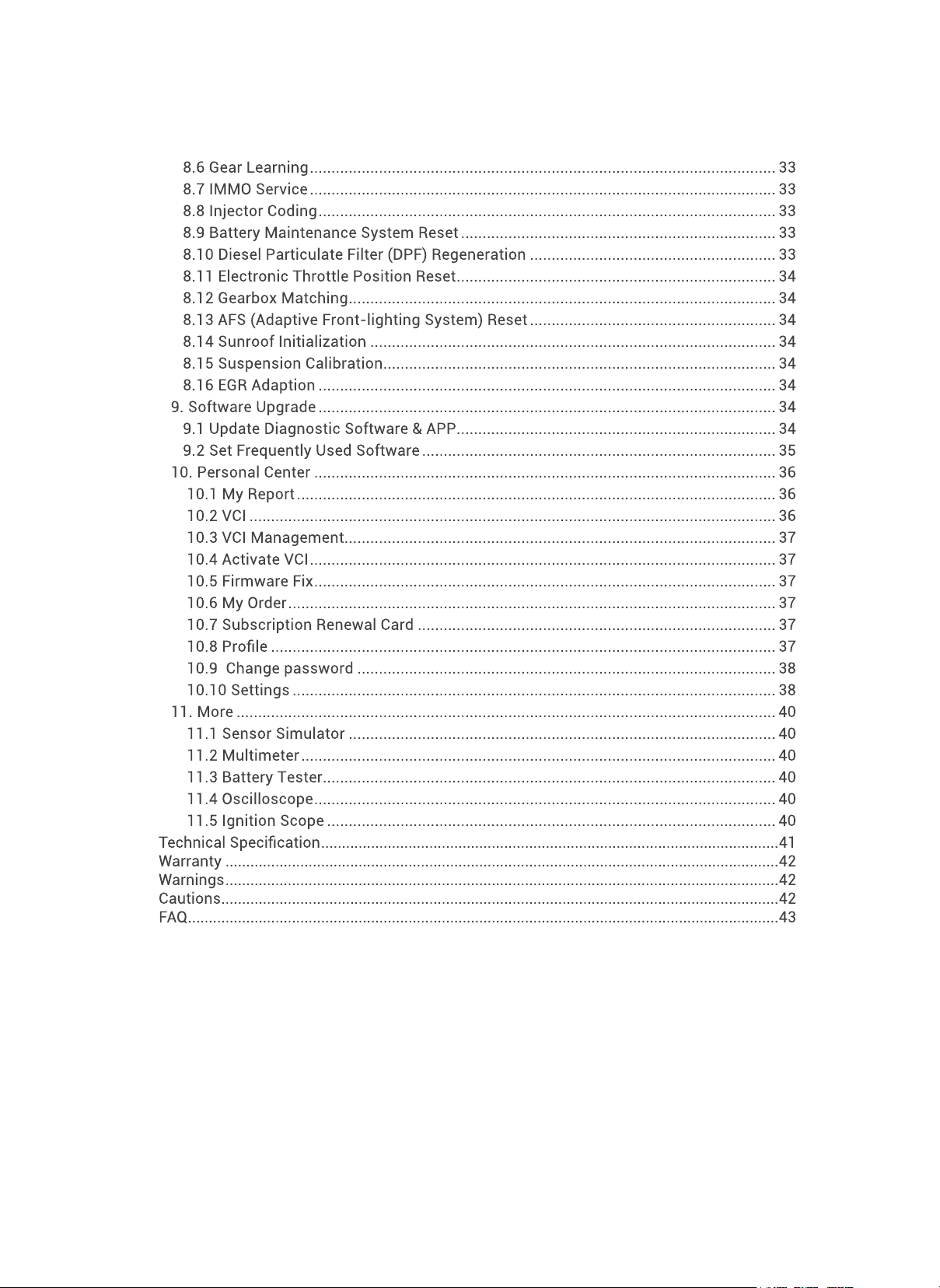
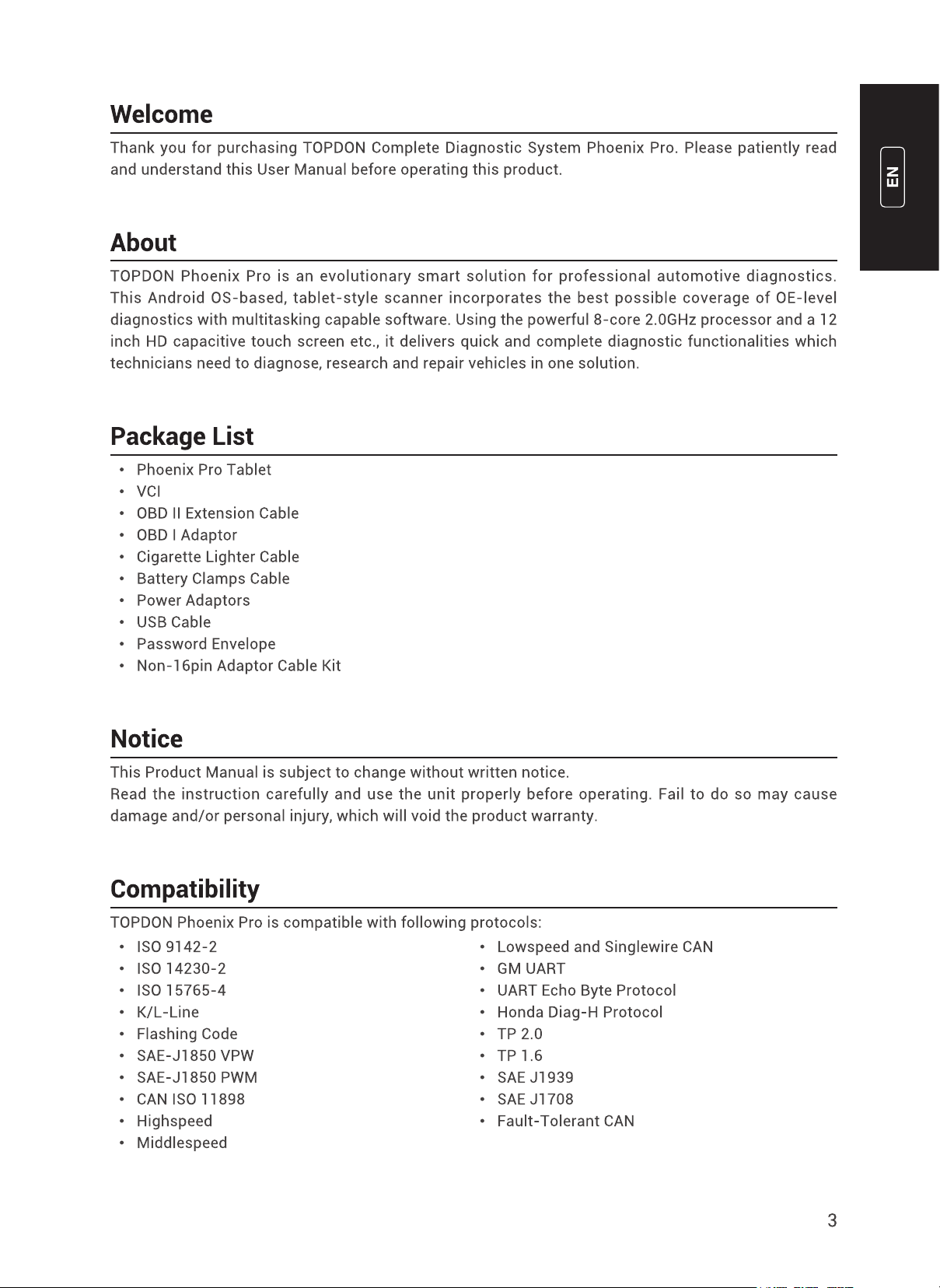
Welcome .......................................................................................................................................3
About .............................................................................................................................................3
Package List .................................................................................................................................3
Notice ............................................................................................................................................3
Compatibility ................................................................................................................................3
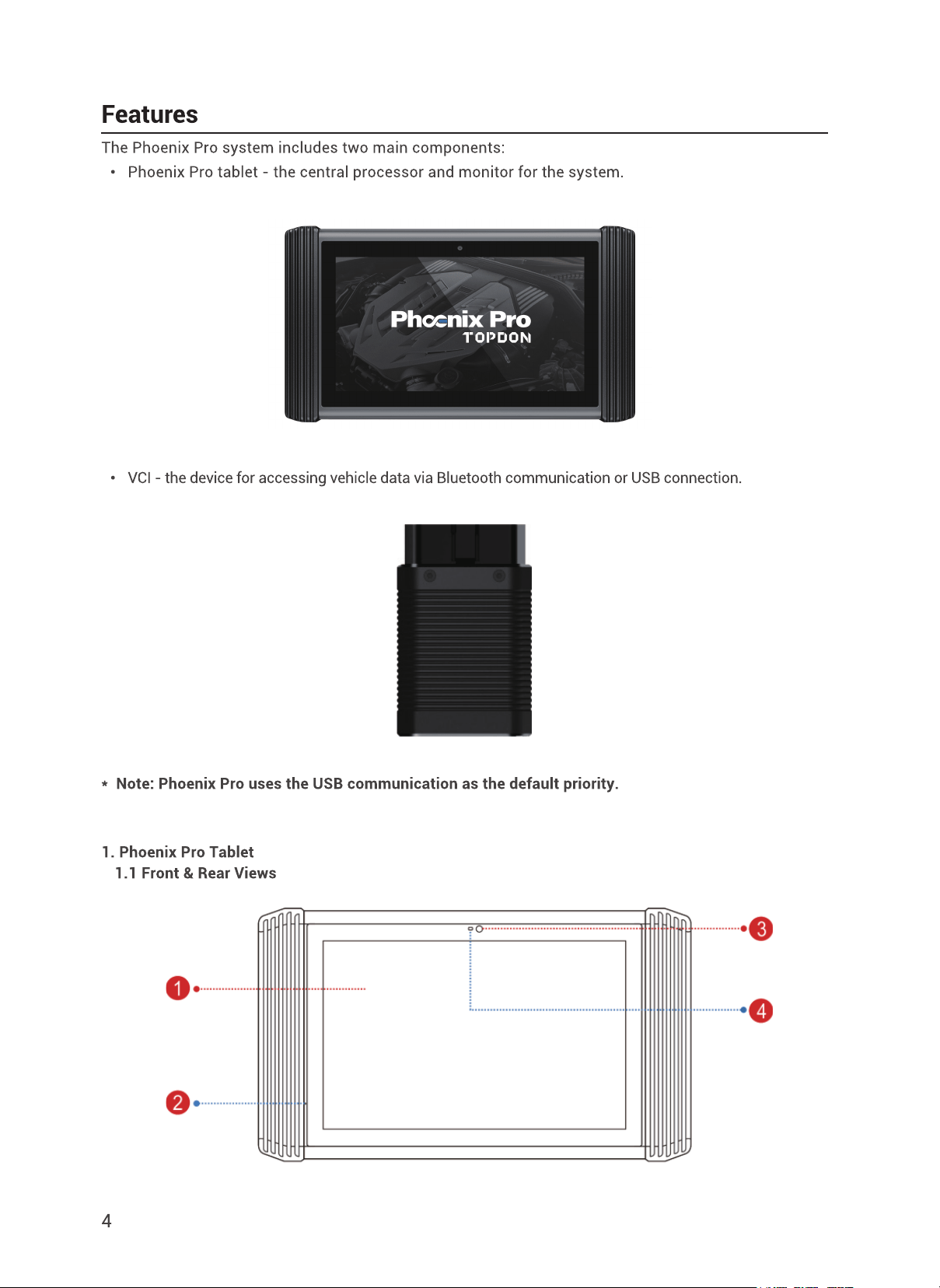
Features .......................................................................................................................................4
1. Phoenix Pro Tablet .......................................................................................................... 4
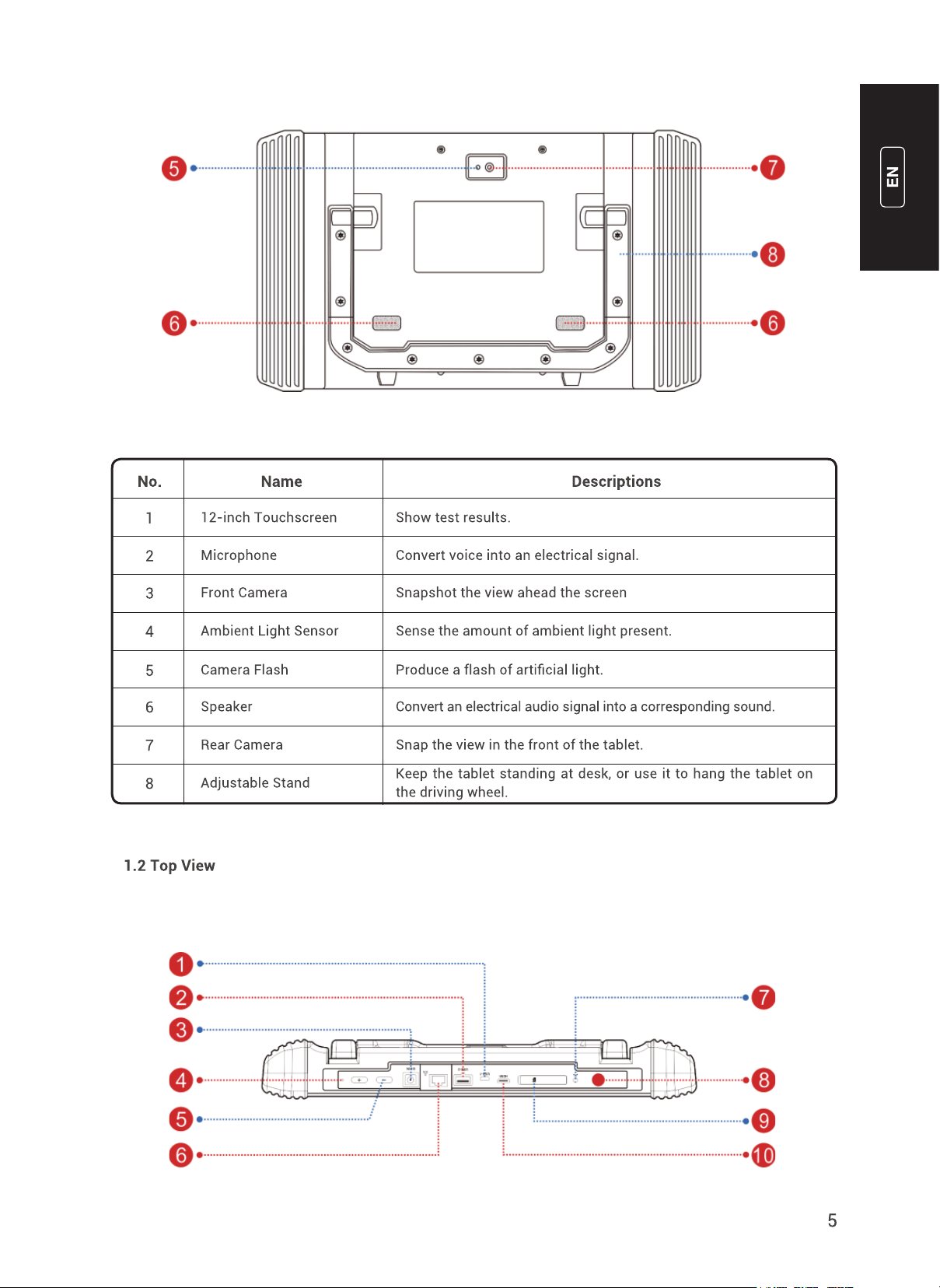
1.1 Front & Rear Views ..................................................................................................... 4
1.2 Top View .....................................................................................................................5
2. VCI Connector (for 12V cars only) ................................................................................... 6
Operation Introduction .................................................................................................................7
1. Network Setting ............................................................................................................... 7
1.1 Wi-Fi Connection ........................................................................................................ 7
1.2 Wired Connection ....................................................................................................... 7
2. Registration ......................................................................................................................7
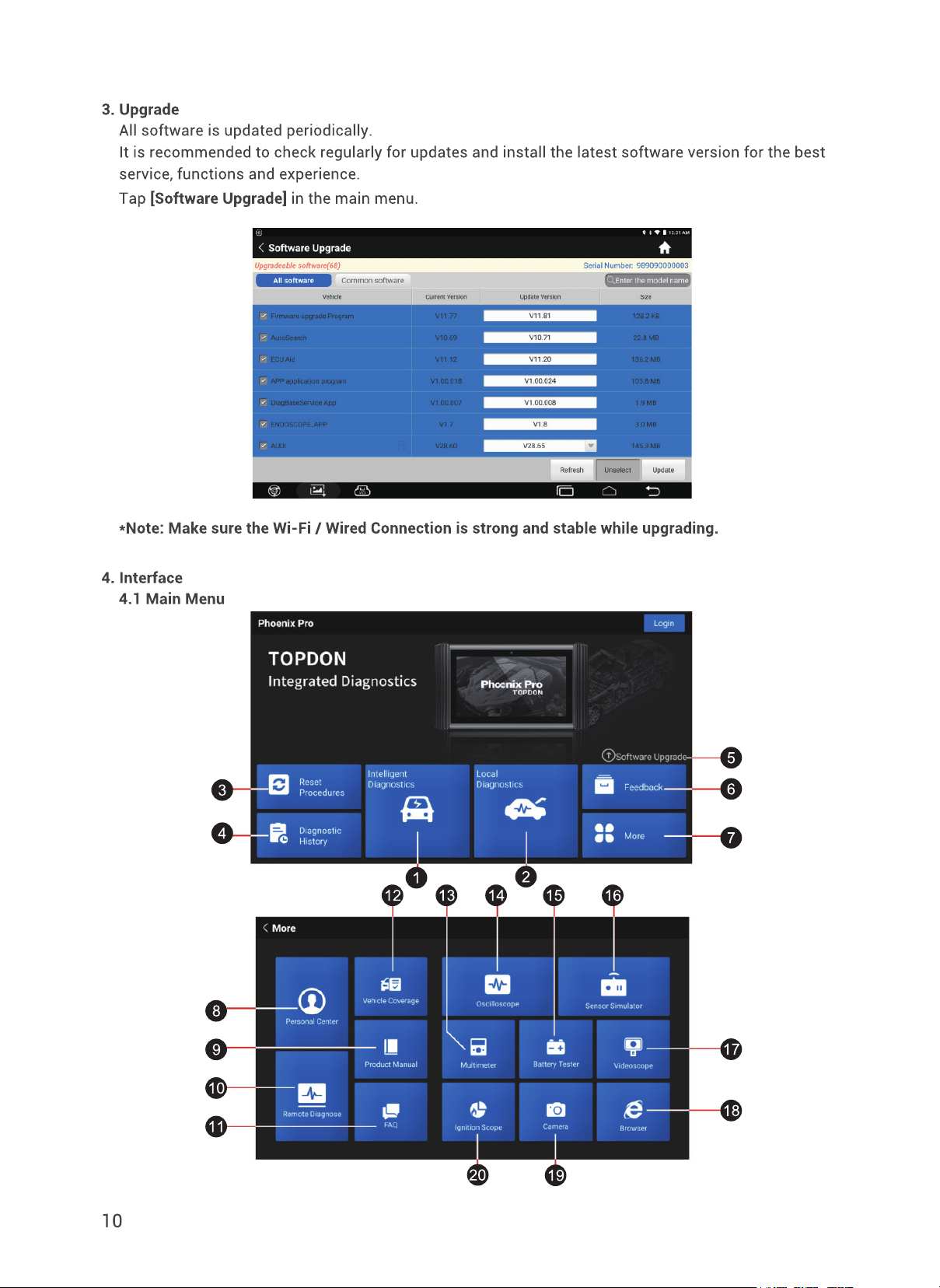
3. Upgrade ..........................................................................................................................10
4. Interface .........................................................................................................................10
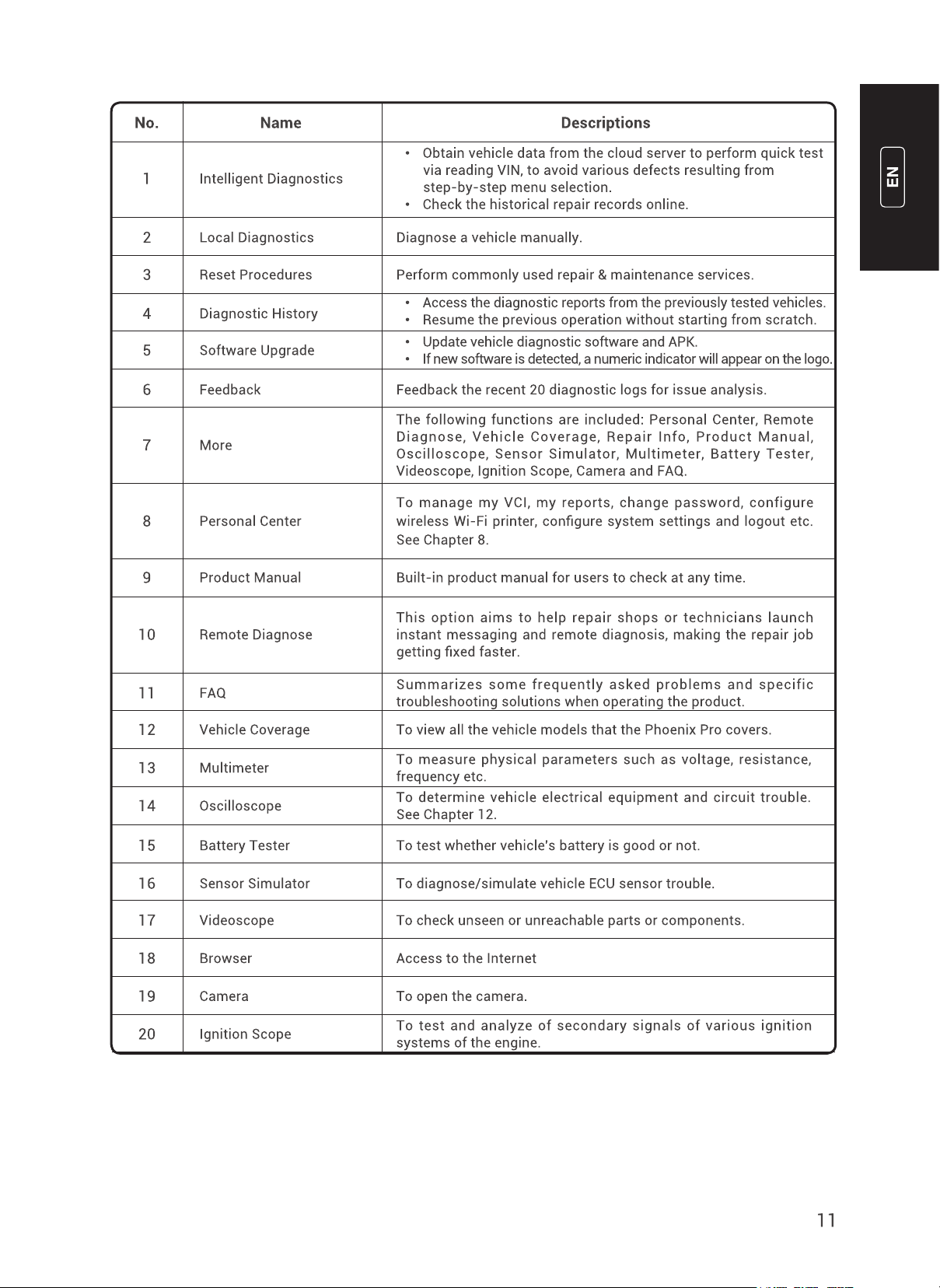
4.1 Main Menu ................................................................................................................10
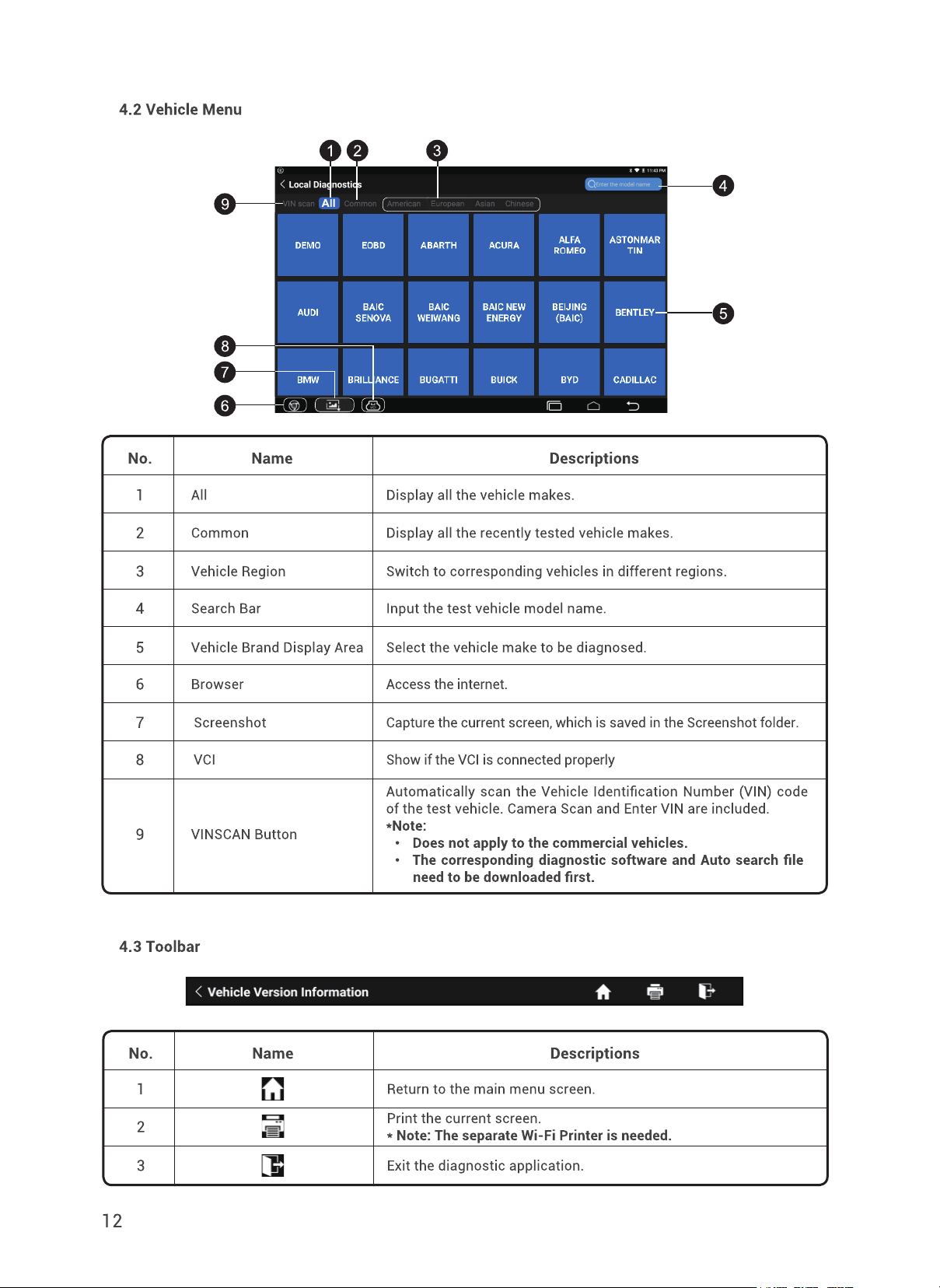
4.2 Vehicle Menu ............................................................................................................12
4.3 Toolbar .....................................................................................................................12
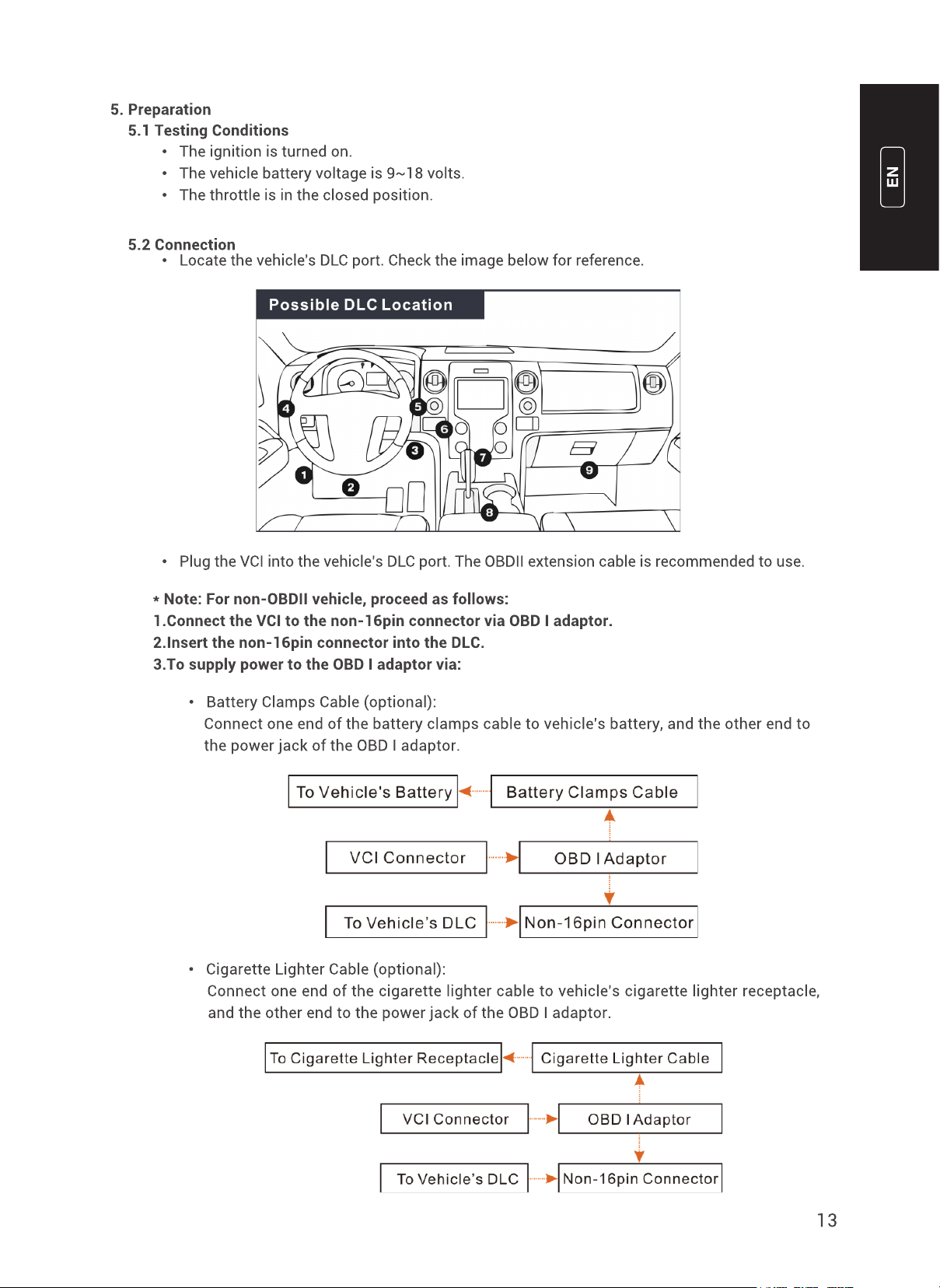
5. Preparation ....................................................................................................................13
5.1 Testing Conditions ...................................................................................................13
5.2 Connection ...............................................................................................................13
5.3 Bluetooth Setting .....................................................................................................14
6. Methods of Diagnostics ................................................................................................14
6.1 Intelligent Diagnostics ............................................................................................. 15
6.2 Local Diagnostics ....................................................................................................17
6.3 Remote Diagnostics .................................................................................................20
7. Diagnose ........................................................................................................................24
7.1 Quick Test (Health Report) ......................................................................................24
7.2 System Scan ............................................................................................................25
7.3 System Selection .....................................................................................................25
7.4 Actuation Test ..........................................................................................................29
7.5 Diagnostic History ...................................................................................................30
7.6 Feedback ..................................................................................................................31
8. Reset Procedures ...........................................................................................................31
8.1 Oil Reset Service ......................................................................................................32
8.2 Electronic Parking Brake Reset ...............................................................................32
8.3 Steering Angle Calibration ....................................................................................... 32
8.4 ABS Bleeding ............................................................................................................32
8.5 Tire Pressure Monitor System Reset .......................................................................33