QUICK START GUIDE
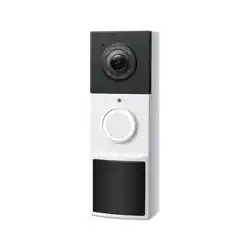
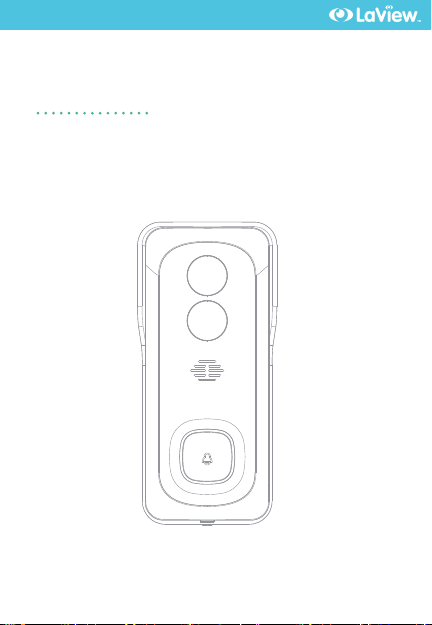
DB6 Doorbell Camera
1
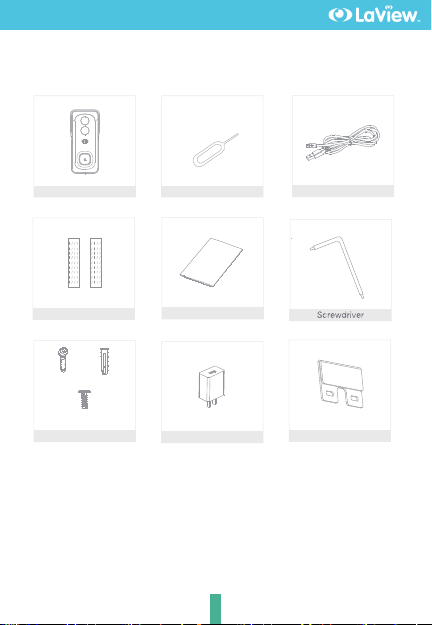
What's in the box
USB cable
DB6
Screws(3 kinds)
Manual
Pin
A x 2 B x 2
D x 1
Double-sided tape
N/C Plate
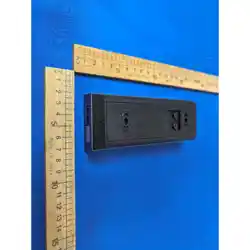
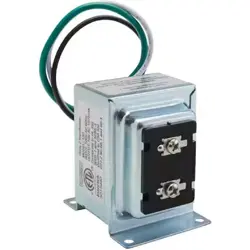
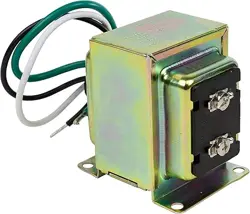
Power adapter
What's in the box
2
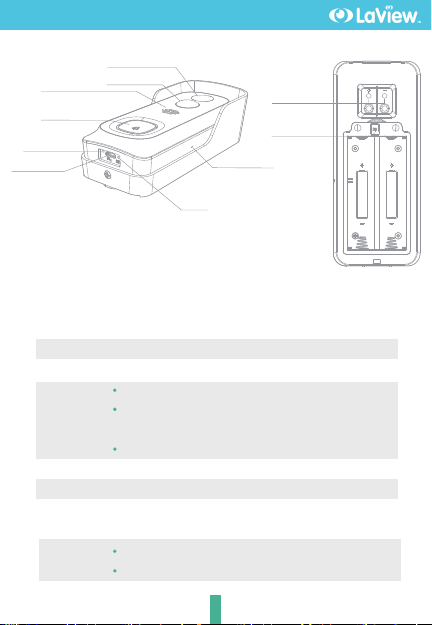
Power Port
Doorbell button
Status light
AC 12~24V or DC 5V±10%
Press the button to activate the doorbell
Red light solids on: the camera network is abnormal
Red light blinking: awaiting WiFi connection, or currently
connecting (faster blinking)
Blue light solids on: camera running correctly
Captures sound for your video
Supports local SD Card storage (Max.128G)
Press and hold on for 5 seconds with pin to reset the doorbell,
(unable to unbind the bell from account)
Microphone
Reset
SD card slot
Doorbell button &
Status light
Microphone
Micro USB
Reset
Charging
indicator
Speaker External
power port
SD card slot
PIR
Lens
NOTE:
The "+" on the battery and the battery compartment
should keep the same direction.
No Different Direction.
Red indicator solids on: battery is charging
Blue indicator solids on: finishing charging
Charging
indicator
What's in the box
3
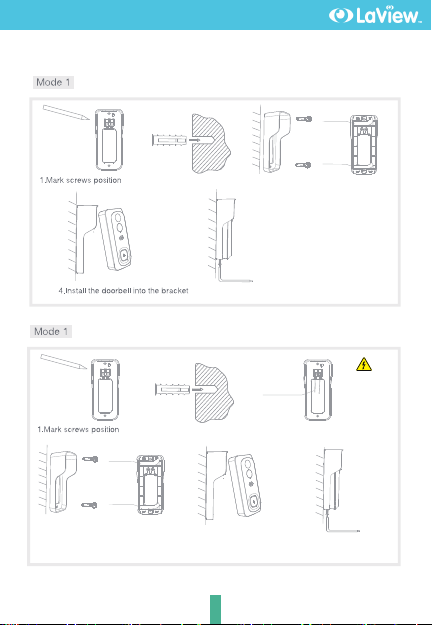
2.Nail expansion screws
5.Tighten the screw
Battery Installation
AC Installation
2.Nail expansion screws
12~24V AC Be careful
with the
power!
3.Tighten the wire with a
screwdriver
6.Tighten the screw
5.Install the doorbell into the
bracket
3.Fix the mounting bracket with screws
or tape(No need screws when install
tape)
or
tape
tape
3.Fix the mounting bracket with screws
or tape(No need screws when install
tape)
or
tape
tape
Install
4
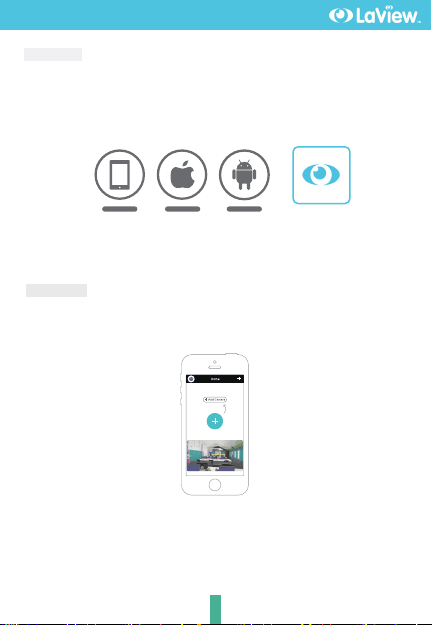
Log in the LaView App, select "Add Device", and add the smart doorbell to
the APP according to the screen tips(Make the smart doorbell close to the
router when configuring).
NOTE:If you need to re-select the WiFi network, please press and hold the "RESET"
button for 5 seconds, the device will restart, and the indicator will be flashing red.
Add device
Connect
Download
LaView App is available for both iOS and Android OS. Search the name 'LaView',
in App Store or Google Play. (The other LaView apps, such as LaView Connect,
LaView ONE, LaView Life do NOT support DB6 cameras)
ipad AndroidIOS
·Support
LaView

5
Q: Why is it still in the list of devices after reseting?
A: The reseted camera only resets the network configuration of the camera,
but cannot change the configuration in the App, remove the camera in
your account,need to add again.
Q: How to cut the camera network to other router?
A: First remove and reset the camera in your App account and then configure
your camera again by the App.
Q: Why doesn't the camera identify the SD card?
A: It is recommended to plug in SD card after power cut. Confirm whether
the SD card is normally available and the format is FAT32. And the TF
card can
'
t be identified when the internet environment is not good.
Q: Why I can
'
t get the notifications with my cell phone App?
A: Please confirm that the App has been running on the phone, and the
relevant reminder function has been opened;Message notification and
authority confirmation in the mobile phone system have been opened.
Q: The camera cannot be previewed properly?
A: Check whether the network is normal, you can place the camera close
to the router, if not, it is better to reset the camera and add it again.
FAQ
6
Record
Using SD card or Opening the Cloud-Storage Service, to keep recording for
every moment.
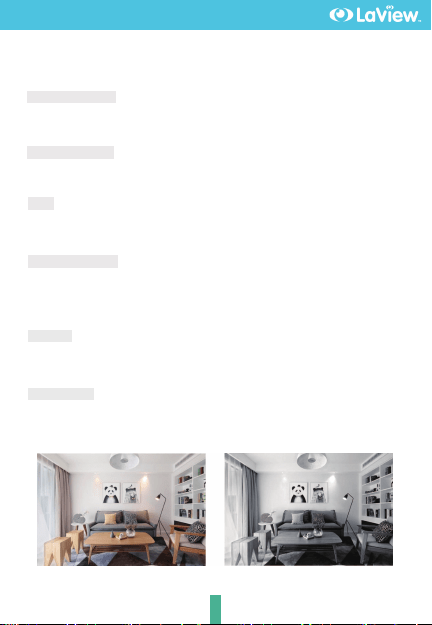
Day & Night
Powerful night vision means no interruptions, even in complete darkness.
Daytime Night
Full-duplex audio
You can see and hear the vistor in your App from the camera.
PIR
When the camera detects someone stopping by, it sends an alarm message
to your cell phone.
Low battery alarm
You can set a low-battery alarm threshold in your phone App. The threshold is
set to a minimum of 10% and a maximum of 50%. When the battery power of
the camera is lower than the set threshold, the App will have a reminder.
Remote wake-up
The camera will be in a sleep mode to save power; you can have a preview
in App.
Functions

11
This device complies with Part 15 of the FCC Rules. Operation is subject to
the following two conditions:
1- this device may not cause harmful interference,
2- this device must accept any interference received, including interference
that may cause undesired operation.
The manufacturer is not responsible for any radio or tv interference caused
by unauthorized modifications or change to this equipment. Such
modifications or change could void the urser’s authority to operate the
equipment.
This equipment has been tested and found to comply with the limits for a
Class B digital device, pursuant to part 15 of the FCC Rules. These limits are
designed to provide reasonable protection against harmful interference in
a residential installation.
This equipment generates, uses and can radiate radio frequency energy
and, if not installed and used in accordance with the instructions, may
cause harmful interference to radio communications. However, there is no
guarantee that interference will not occur in a particular installation. If this
equipment does cause harmful interference to radio or television reception,
which can be determined by turning the equipment off and on, the user
is encouraged to try to correct the interference by one or more of the
following measures:
- Reorient or relocate the receiving antenna.
- Increase the separation between the equipment and receiver.
- Connect the equipment into an outlet on a circuit different from that to.
which the receiver is connected.
- Consult the dealer or an experienced radio/TV technician for help.
RF warning statement:
To maintain compliance with FCC’s RF exposure guidelines, this equipment
should be installed and operated with a minimum distance of 20 cm
between the radiator and your body.
FCC Compliance
7

PRODUCT WARRA N T Y CARD
To register your product, please visit:
www.laviewsecurity.com/product-registration
You LaView product is by a 1-year warranty
from the purchase date. For more information on
repairs, exchanges, and other policies, please visit
www.laviewsecurity.com.
Please send all inquiries through the Contact
From on our website, or email us at info@lav
iewusa.com. And our technicians would be
glad to assist you.
www.laviewusa.com
www.laviewusa.com