USER GUIDE
CSSG20
ON-CAMERA SHOTGUN MIC
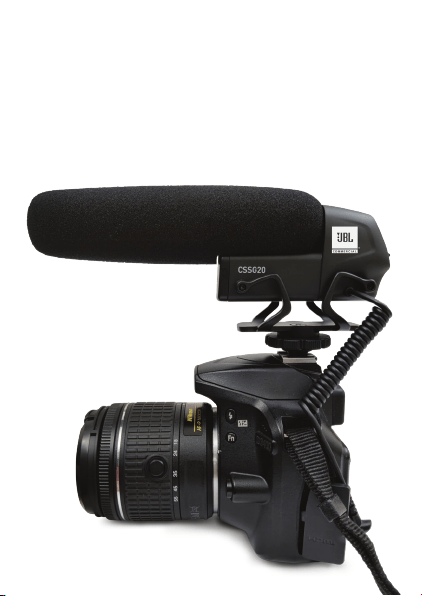
Thank you for choosing JBL Commercial CSSG20
On-Camera Shotgun Microphone. This guide will
help you set up & operate your microphone. CSSG20
can be connected to both cameras & smartphones
(using the splitter cable). It is perfect while creating
news gathering videos, vlogging, youtube videos,
interviews & many more.
CSSG20
ON-CAMERA SHOTGUN MIC
BOX INCLUDES
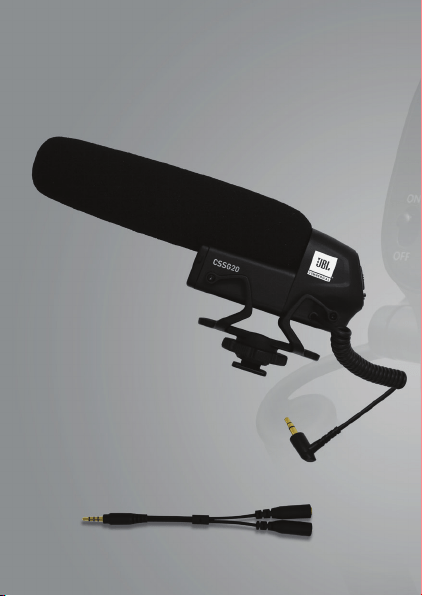
i. CSSG20 on-camera shotgun mic with attached
cable with 3.5mm connector
ii. Windscreen
iii. 3.5mm splitter cable
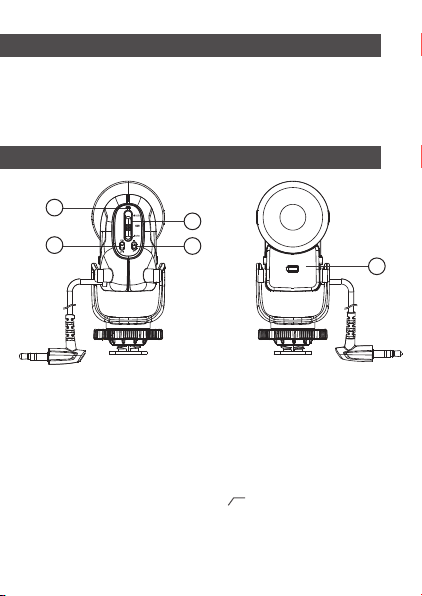
1. Power switch – slide to turn ON & OFF the device.
2. Power LED – glows GREEN when the battery has
sufficient power, glows RED when the battery is low.
3. Gain setting – adjust the gain of the microphone
according to the connected device & recording situation.
At +10dB the microphone is most sensitive &
at -10dB it is least sensitive.
4. High pass filter – slide to “ “ position to turn ON
the filter.
5. Battery compartment – insert 1.5V AA battery as shown.
6. Cable with 3.5mm TRS connector to connect with
DSLR/Camera.
PARTS & FUNCTIONS GUIDE
1
2
3
4
5
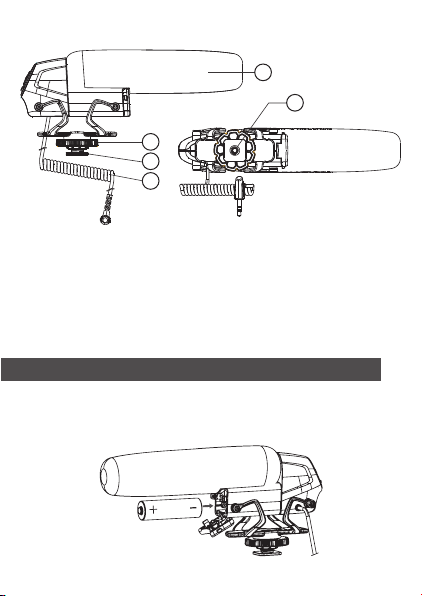
i. Open the battery compartment & insert the
battery as shown. Make sure the +/- polarity of the
battery is correct & close the compartment.
INSERTING BATTERY
7. Cold shoe – to attach the microphone to
DSLR/Camera/suitable stands.
8. Knob – tighten this to lock the microphone
to the cold shoe mount.
9. ¼” socket - use this to mount the microphone
on a suitable mounting stand.
10. Windscreen – used to prevent wind & pop noise.
6
7
8
9
10
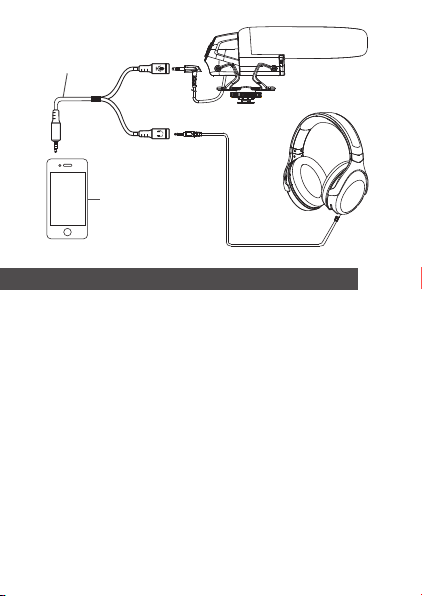
i. Use the splitter cable provided in the box to connect
the microphone with smartphone/tablet. Plug the
splitter cable in the smartphone & connect
the microphone into the jack marked as , plug a
headphone into the jack marked to monitor the
playback from a smartphone.
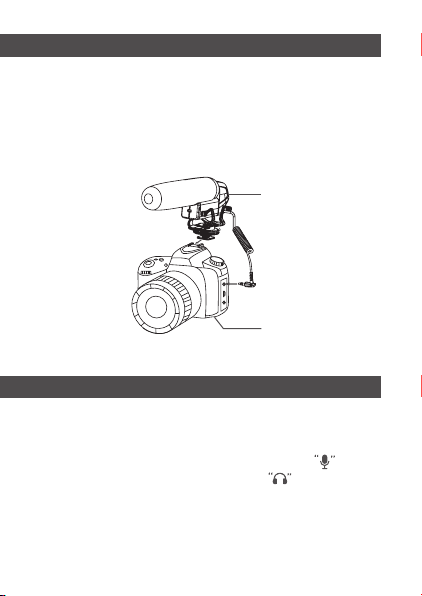
i. Connect the microphone 3.5mm connector with
DSLR/camera. Turn ON the microphone. Adjust the
gain & high pass filter according to the recording
situation. You may use the output from the camera
to monitor the recording.
CONNECTING WITH DSLR/CAMERAS
Camera
Microphone
CONNECTING WITH SMARTPHONES/TABLETS
FEATURES
i. High sensitivity condenser capsule with
super-cardioid pickup pattern
ii. Adjustable microphone gain in three steps,
-10dB, 0dB & +10dB
iii. Built-in high pass filter to cut noise
below 200Hz
iv. Standard cold shoe mount for
convenient installation on camera
v. Integrated shockmount to reduce mechanical
& vibrational noise
vi. Powered by a single 1.5V AA battery giving
more than 80 hours of operation time
vii. Low battery indicator
Cell Phone
Splitter Cable

Polar pattern
Transducer
Frequency response
Sensitivity
Gain adjustment
High pass filter
Output impedance
Power supply
Outer dimensions
Tube dimensions
Net weight
Super-cardioid
10mm condenser
capsule
50Hz - 16KHz
-25dB ±3dB
(0dB=1V/Pa at 1KHz)
-10dB/ 0dB/ +10dB
200Hz 12dB/Oct
2.2KΩ ± 30%
1.5V AA battery
(approx. 80 hours)
L 157mm x H 48mm
Dia. 11mm x L120mm
75g (approx.)
SPECIFICATIONS

FREQUENCY RESPONSE
POLAR PATTERN
0°
All product images shown are for illustration purpose only and may
not be an
exact
representation of the product. Actual product may
vary in colour, size and finishing. © 2021 HARMAN International
Industries, Inc. All rights reserved.
All product images shown are for illustration purpose only and may
not be an
exact
representation of the product. Actual product may
vary in colour, size and finishing. ©2021 HARMAN International
Industries, Inc. All rights reserved.