Refrigerator
User manual
Free Standing Appliance
Untitled-1 1 2017-07-12 7:07:01
English2
Contents
Contents
Safety information 4
Important safety symbols and precautions: 6
Severe warning signs for transportation and site 6
Critical installation warnings 7
Installation cautions 10
Critical usage warnings 11
Usage cautions 16
Cleaning cautions 19
Critical disposal warnings 20
Additional tips for proper usage 21
Saving Energy Tips 22
This appliance is intended to be used in household and similar applications such as 23
Instructions about the WEEE 23
Installation
24
Refrigerator at a glance 24
Step-by-step installation 26
Operations 41
User interface 41
Samsung Connect 51
Recommendations for voice recognition 54
Samsung Family Hub 54
Dispenser panel 56
Special features 58
Maintenance
64
Handling and care 64
Cleaning 74
Replacement 75
Untitled-1 2 2017-07-12 7:07:01
English4
Safety information
• Before using your new Samsung Refrigerator, please read this
manual thoroughly to ensure that you know how to operate the
features and functions that your new appliance offers safely and
efciently.
• This appliance is not intended for use by persons (including
children) with reduced physical, sensory, or mental capabilities,
or those who lack experience and knowledge, unless they have
been given supervision or instruction concerning the use of the
appliance by a person responsible for their safety.
• This appliance can be used by children aged from 8 years and
above and persons with reduced physical, sensory or mental
capabilities or lack of experience and knowledge if they have been
given supervision or instruction concerning use of the appliance
in a safe way and understand the hazards involved. Children shall
not play with the appliance. Cleaning and user maintenance shall
not be made by children without supervision.
• Warnings and Important Safety Instructions in this manual do not
cover all possible conditions and situations that may occur. It is
your responsibility to use common sense, caution, and care when
installing, maintaining, and operating your appliance.
• Because these following operating instructions cover various
models, the characteristics of your refrigerator may differ slightly
from those described in this manual and not all warning signs may
be applicable. If you have any questions or concerns, contact your
nearest service center or nd help and information online at www.
samsung.com.
• R-600a or R-134a is used as a refrigerant. Check the compressor
label on the rear of the appliance or the rating label inside the
fridge to see which refrigerant is used for your refrigerator. When
this product contains ammable gas (Refrigerant R-600a), contact
your local authority in regard to safe disposal of this product.
Safety information
Untitled-1 4 2017-07-12 7:07:01
English 5
Safety information
• In order to avoid the creation of a ammable gas-air mixture
if a leak in the refrigerating circuit occurs, the size of the room
in which the appliance may be sited depends on the amount of
refrigerant used.
• Never start up an appliance showing any signs of damage. If
in doubt, consult your dealer. The room must be 1 m³ in size
for every 8 g of R-600a refrigerant inside the appliance. The
amount of refrigerant in your particular appliance is shown on the
identication plate inside the appliance.
• Refrigerant squirting out of the pipes could ignite or cause an eye
injury. When refrigerant leaks from the pipe, avoid any naked
ames and move anything ammable away from the product and
ventilate the room immediately.
- Failing to do so may result in re or explosion.
• It is hazardous for anyone other than an Authorized Service
Person to service this appliance. In Queensland – the authorized
Service Person MUST hold a Gas Work Authorization or Licence for
hydrocarbon refrigerants, to carry out Servicing or repairs which
involve the removal of covers. (For Australia only)
Untitled-1 5 2017-07-12 7:07:01
Safety information
English6
Safety information
Important safety symbols and precautions:
Please follow all safety instructions in this manual. This manual uses
the following safety symbols.
WARNING
Hazards or unsafe practices that may result in severe personal injury,
property damage, and/or death.
CAUTION
Hazards or unsafe practices that may result in severe personal injury
and/or property damage.
NOTE
Useful information that helps users understand or benet from the
refrigerator.
These warning signs are here to prevent injury to you and others.
Please follow them carefully.
After reading this section, keep it in a safe place for future reference.
Severe warning signs for transportation and site
WARNING
• When transporting and installing the appliance,care should be
taken to ensure that no parts of the refrigerating circuit are
damaged.
- Refrigerant leaking from the pipe work could ignite or cause
an eye injury. If a leak is detected, avoid any naked ames
or potential sources of ignition and air the room in which the
appliance is standing for several minutes.
Untitled-1 6 2017-07-12 7:07:02
English 7
Safety information
- This appliance contains a small amount of isobutane refrigerant
(R-600a), a natural gas with high environmental compatibility
that is, however, also combustible. When transporting and
installing the appliance, care should be taken to ensure that no
parts of the refrigerating circuit are damaged.
• When transporting and installing the refrigerator, do not touch the
water hose on the back side of the refrigerator.
- This may damage the refrigerator and as a result the water
dispenser can not be used.
Critical installation warnings
WARNING
• Do not install the refrigerator in a damp location or place where it
may come in contact with water.
- Deteriorated insulation on electrical parts may cause an electric
shock or re.
• Do not place this refrigerator in direct sunlight or expose it to the
heat from stoves, room heaters, or other appliances.
• Do not plug several appliances into the same multiple power strip.
The refrigerator should always be plugged into its own individual
electrical outlet which has a voltage rating that matches the
voltage listed on the refrigerator’s rating plate.
- This provides the best performance and also prevents
overloading of house wiring circuits, which could cause a re
hazard from overheated wires.
• If the wall socket is loose, do not insert the power plug.
- There is a risk of electric shock of re.
• Do not use a power cord that has cracks or abrasion damage along
its length or at either end.
Untitled-1 7 2017-07-12 7:07:02

Safety information
English8
Safety information
• Do not bend the power cord excessively or place heavy objects on
it.
• Do not pull or excessively bend the power cord.
• Do not twist or tie the power cord.
• Do not hook the power cord over a metal object, place a heavy
object on the power cord, insert the power cord between objects,
or push the power cord into the space behind the appliance.
• When moving the refrigerator, be careful not to roll over or
damage the power cord.
- This may result in an electric shock or re.
• Never unplug your refrigerator by pulling on the power cord.
Always grip the plug rmly and pull straight out from the outlet.
- Damage to the cord may cause a short-circuit, re, and/or
electric shock.
• Do not store explosive substances such as aerosol cans with a
ammable propellant in this appliance.
• Do not install this appliance near a heater or inammable material.
• Do not install this appliance in a location where gas may leak.
- This may result in an electric shock or re.
• This refrigerator must be properly located and installed in
accordance with the instructions in this manual before you use it.
• Connect the power plug in the proper position with the cord
hanging down.
- If you connect the power plug upside down, the wire can get
cut off and cause a re or electric shock.
• Make sure that the power plug is not crushed or damaged by the
back of the refrigerator.
• Keep the packing materials out of reach of children.
- There is a risk of death from suffocation if a child puts the
packing materials on his or her head.
Untitled-1 8 2017-07-12 7:07:02
English 9
Safety information
• The appliance must be positioned so that the plug is accessible
after installation.
- Failing to do so may result in an electric shock or re due to
electric leakage.
• Do not install this appliance in a humid, oily or dusty location, in a
location exposed to direct sunlight and water (rain drops).
- Deteriorated insulation of electrical parts may cause an electric
shock or re.
• If any dust or water is in the refrigerator, pull out power plug and
contact your Samsung Electronics service center.
- Otherwise there is a risk of re.
• Do not stand on top of the appliance or place objects (such as
laundry, lighted candles, lighted cigarettes, dishes, chemicals,
metal objects, etc.) on the appliance.
- This may result in an electric shock, re, problems with the
product, or injury.
• You need to remove all the protective plastic lm before you
initially plug the product in.
• Children should be supervised to ensure that they do not play with
the snap rings used for door adjustment or the water tube clips.
- There is risk of death by suffocation if a child swallows a snap
ring or water tube clip. Keep the snap rings and water tube clips
out of children's reach.
• The refrigerator must be safely grounded.
- Always make sure that you have grounded the refrigerator
before attempting to investigate or repair any part of the
appliance. Power leakages can cause severe electric shock.
Untitled-1 9 2017-07-12 7:07:02
Safety information
English10
Safety information
• Never use gas pipes, telephone lines, or other potential lightning
attractors as an electrical ground.
- You must ground the refrigerator to prevent any power
leakages or electric shocks caused by current leakage from the
refrigerator.
- This may result in an electric shock, re, explosion, or problems
with the product.
• Plug the power plug into the wall socket rmly. Do not use a
damaged power plug, damaged power cord, or loose wall socket.
- This may result in an electric shock or re.
• If the power cord is damaged, have it replaced immediately by the
manufacturer or one of its service agents.
• The fuse on the refrigerator must be changed by a qualied
technician or service company.
- Failing to do so may result in an electric shock or personal
injury.
Installation cautions
CAUTION
• Allow sufcient space around the refrigerator and install it on a
at surface.
- Keep the ventilation space in the appliance enclosure or
mounting structure clear of obstructions.
• Allow the appliance to stand for 2 hours before loading foods after
installation and turning on.
• We strongly recommend you have a qualied technician or service
company install the refrigerator.
- Failing to do so may result in an electric shock, re, explosion,
problems with the product, or injury.
Untitled-1 10 2017-07-12 7:07:02
English 11
Safety information
• Overload on any one door may fell the refrigerator, causing
physical injury.
Critical usage warnings
WARNING
• Do not insert the power plug into a wall socket with wet hands.
- This may result in an electric shock.
• Do not store articles on the top of the appliance.
- When you open or close the door, the articles may fall and
cause personal injury and/or material damage.
• Do not insert hands, feet or metal objects (such as chopsticks, etc.)
into the bottom or the back of the refrigerator.
- This may result in an electric shock or injury.
- Any sharp edges may cause a personal injury.
• Do not touch the inside walls of the freezer or products stored in
the freezer with wet hands.
- This may cause frostbite.
• Do not put a container lled with water on the refrigerator.
- If spilled, there is a risk of re or electric shock.
• Do not keep volatile or ammable objects or substances (benzene,
thinner, propane gas, alcohol, ether, LP gas, and other such
products) in the refrigerator.
- This refrigerator is for storing food only.
- This may result in re or explosion.
• Children should be supervised to ensure that they do not play with
the appliance.
- Keep ngers out of “pinch point” areas. Clearances between the
doors and cabinet are necessarily small. Be careful when you
open the doors if children are in the area.
Untitled-1 11 2017-07-12 7:07:02
Safety information
English12
Safety information
• Do not let children hang on the door or door bins. A serious injury
may occur.
• Do not let children go inside the refrigerator. They could become
trapped.
• Do not insert your hands into the bottom area under the appliance.
- Any sharp edges may cause personal injury.
• Do not store pharmaceutical products, scientic materials, or
temperature sensitive products in the refrigerator.
- Products that require strict temperature controls must not be
stored in the refrigerator.
• Do not place or use electrical appliance inside the refrigerator/
freezer, unless they are of a type recommended by the
manufacturer.
• If you smell pharmaceutical or smoke, pull out power plug
immediately and contact your Samsung Electronics service center.
• If any dust or water is in Refrigerator, pull out power plug and
contact your Samsung Electronics service center.
- Otherwise there is a risk of re.
• Do not let children step on a drawer.
- The drawer may break and cause them to slip.
• Do not leave the doors of the refrigerator open while the
refrigerator is unattended and do not let children enter inside the
refrigerator.
• Do not allow babies or children go inside the drawer.
- It can cause death from suffocation by entrapment or personal
injury.
• Do not overll the refrigerator with food.
- When you open the door, an item may fall out and cause
personal injury or material damage.
Untitled-1 12 2017-07-12 7:07:02
English 13
Safety information
• Do not spray volatile material such as insecticide onto the surface
of the appliance.
- As well as being harmful to humans, it may also result in an
electric shock, re, or problems with the product.
• Never put ngers or other objects into the water dispenser hole,
ice chute and ice maker bucket.
- It may cause a personal injury or material damage.
• Do not use or place any substances sensitive to temperature such
as ammable sprays, ammable objects, dry ice, medicine, or
chemicals near or inside of the refrigerator.
• Do not use a hair dryer to dry the inside of the refrigerator. Do
not place a lighted candle in the refrigerator for removing bad
odours.
- This may result in an electric shock or re.
• Fill the water tank, ice tray and water cubes only with potable
water (mineral water or puried water).
- Do not ll the tank with tea, juice or sports drink, this may
damage the refrigerator.
• Do not stand on top of the appliance or place objects (such as
laundry, lighted candles, lighted cigarettes, dishes, chemicals,
metal objects, etc.) on the appliance. This may result in an electric
shock, re, problems with the product, or injury. Do not put a
container lled with water on the appliance.
- If spilled, there is a risk of re or electric shock.
• Do not use mechanical devices or any other means to accelerate
the defrosting process, other than those recommended by the
manufacturer.
• Do not damage the refrigerant circuit.
Untitled-1 13 2017-07-12 7:07:02
Safety information
English14
Safety information
• Do not put fridge shelf in upside down. Shelf stopper could not
work.
- It may cause a personal injury because of glass shelf drop.
• Keep ngers out of “pinch point” areas. Clearances between the
doors and cabinet are necessarily small. Be careful when you open
the doors if children are in the area.
• If a gas leak is detected, avoid any naked ames or potential
sources of ignition, and air the room in which the appliance is
standing for several minutes.
- Do not touch the appliance or power cord.
- Do not use a ventilating fan.
- A spark may result in explosion or re.
• Use only the LED Lamps provided by the manufacturer or its
service agents.
• Bottles should be stored tightly together so that they do not fall
out.
• This product is intended only for the storage of food in a domestic
environment.
• Never put ngers or other objects into the water dispenser hole,
ice chute and ice maker bucket.
- It may cause a personal injury or material damage.
• Do not attempt to repair, disassemble, or modify the refrigerator
yourself.
• Unauthorized modications can cause safety problems. To reverse
an unauthorized modication, we will charge the full cost of parts
and labor.
• Do not use any fuse (such as cooper, steel wire, etc.) other than a
standard fuse.
Untitled-1 14 2017-07-12 7:07:02
English 15
Safety information
• If your refrigerator needs to be repaired or reinstalled, contact
your nearest service center.
- Failing to do so may result in an electric shock, re, problems
with the product, or injury.
• If the interior or exterior LED lamp has gone out, contact your
nearest service center.
• If the refrigerator emits a burning smell or smoke, unplug the
refrigerator immediately and contact your Samsung Electronics
service center.
- Failing to do so may result in an electric or re hazards.
• Pull the power plug out of the socket before changing the interior
lamps of the refrigerator
- Otherwise, there is a risk of electric shock.
• If you experience difculty changing a non-LED light, contact a
Samsung service center.
• If the product is equipped with LED lamps, do not disassemble the
Lamp Covers and LED lamps yourself.
- Contact a Samsung service center.
• Plug the power plug into the wall socket rmly.
• Do not use a damaged power plug, damaged power cord or loose
wall socket.
- This may result in an electric shock or re.
Untitled-1 15 2017-07-12 7:07:02
Safety information
English16
Safety information
Usage cautions
CAUTION
• Do not re-freeze frozen foods that have thawed completely. Do
not place carbonated or zzy drinks in the freezer compartment.
Do not put bottles or glass containers in the freezer.
- When the contents freeze, the glass may break and cause
personal injury.
• Use only the ice maker provided with the refrigerator.
• Have the refrigerator’s water supply connected only to a potable
water supply. To operate the ice maker properly, water pressure of
20 ~ 125 psi (138 ~ 862 kPa) is required. If you will be away from
home for a long period of time (on vacation, for example) and
won’t be using the water or ice dispensers, close the water valve.
- Otherwise, water leakage may occur.
• If you won’t be using the refrigerator for a very long period of
time, (3 weeks or more) empty the refrigerator including the ice
bucket, unplug it, close the water valve, wipe excess moisture
from the inside walls, and leave the doors open to prevent odors
and mold.
• To get the best performance from the product:
- Do not place food too close to the vents at the rear of the
refrigerator as this can obstruct free air circulation in the
refrigerator compartment.
- Wrap food up properly or place it in airtight containers before
putting it into the refrigerator.
- Do not place glass bottles or carbonated beverages into the
freezer. They can freeze and break. Broken beverage containers
can cause injury.
- Please observe maximum storage times and expiration dates of
frozen goods.
Untitled-1 16 2017-07-12 7:07:02
English 17
Safety information
- There is no need to disconnect the refrigerator from the power
supply if you will be away for less than three weeks. However,
if you will be away for more than three weeks, remove all the
food and ice in the ice bucket, unplug the refrigerator, close the
water valve, wipe excess moisture from the inside walls, and
leave the doors open to prevent odors and mold.
• Do not place glass or bottles or carbonated beverages into the
freezer.
- The container may freeze and break, and this may result in
injury.
• Do not place carbonated or zzy drinks in the freezer
compartment. Do not put bottles or glass containers in the freezer.
- When the contents freeze, the glass may break and cause
personal injury and property damage.
• Service Warranty and Modication.
- Any changes or modications performed by a 3rd party on this
nished appliance are not covered under Samsung warranty
service, nor is Samsung responsible for safety issues that result
from 3rd party modications.
• Do not block the air vents inside the refrigerator.
- If the air vents are blocked, especially with a plastic bag, the
refrigerator can be over cooled. If a cooling period lasts too
long, the water lter may break and cause water leakage.
• Use only the ice-maker provided with the refrigerator.
• Wipe excess moisture from the inside and leave the doors open.
- Otherwise, odor and mold may develop.
• If the refrigerator is disconnected from the power supply, you
should wait for at least ve minutes before plugging it back in.
Untitled-1 17 2017-07-12 7:07:02
Safety information
English18
Safety information
• If you have a long vacation planned or do not intend to use the
refrigerator for a long period of time, (3 weeks or more) empty the
refrigerator including the ice bucket, pull out the power plug, close
the water valve, wipe excess moisture from the inside walls, and
leave the doors open to prevent odors and mold.
• When the refrigerator got wet by water, pull out the power plug
and contact your Samsung Electronics service center.
• Do not strike or apply excessive force to any glass surface.
- Broken glass may result in a personal injury and/or property
damage.
• Fill the water tank and ice cube trays with potable water only (tap
water, mineral water, or puried water).
- Do not ll the tank with tea or a sports drink. This may damage
the refrigerator.
• If the refrigerator is ooded, make sure to contact your nearest
service center.
- There is a risk of electric shock or re.
• Do not keep vegetable oil in your refrigerator’s door bins. The oil
can solidify, making it foul-tasting and difcult to use. In addition,
the open container can leak and the leaked oil can cause the door
bin to crack. After opening an oil container, it is best to keep the
container in a cool and shaded place such as a cupboard or pantry.
- Examples of vegetable oil: olive oil, corn oil, grape-seed oil, etc.
Untitled-1 18 2017-07-12 7:07:02
English 19
Safety information
Cleaning cautions
CAUTION
• Do not spray water directly on the inside or outside the
refrigerator.
- There is a risk of re or electric shock.
• Do not use a hair dryer to dry the inside of the refrigerator.
• Do not place a lighted candle in the refrigerator to remove bad
odors.
- This may result in an electric shock or re.
• Do not spray cleaning products directly on the display.
- Printed letters on the display may come off.
• If any foreign substance such as water has entered the appliance,
unplug the power plug and contact your nearest service center.
- Failing to do so may result in an electric shock or re.
• Use a clean, dry cloth to remove any foreign matter or dust from
the power plug blades. Do not use a wet or damp cloth when
cleaning the plug.
- Otherwise, there is a risk of re or electric shock.
• Do not clean the appliance by spraying water directly onto it.
• Do not use benzene, thinner, or Clorox, Chloride for cleaning.
- They may damage the surface of the appliance and may cause a
re.
• Before cleaning or performing maintenance, unplug the appliance
from the wall socket.
- Failing to do so may result in an electric shock or re.
• Use a clean sponge or soft cloth and a mild detergent in warm
water to clean the refrigerator.
Untitled-1 19 2017-07-12 7:07:02
Safety information
English20
Safety information
• Do not use abrasive or harsh cleansers such as window sprays,
scouring cleansers, ammable uids, muriatic acid, cleaning
waxes, concentrated detergents, bleaches, or cleansers containing
petroleum products on exterior surfaces (doors and cabinet),
plastic parts, door and interior liners, and gaskets.
- These can scratch or damage the material.
• Do not clean glass shelves or covers with warm water when they
are cold. Glass shelves and covers may break if exposed to sudden
temperature changes or impacts such as bumping or dropping.
Critical disposal warnings
WARNING
• Please dispose of the packaging material from this product in an
environmentally friendly manner.
• Ensure that none of the pipes on the back of the refrigerator are
damaged prior to disposal.
• R-600a or R-134a is used as a refrigerant. Check the compressor
label on the rear of the appliance or the rating label inside the
fridge to see which refrigerant is used for your refrigerator. If this
refrigerator contains ammable gas (Refrigerant R-600a), contact
your local authority in regard to safe disposal of this product.
• When disposing of this refrigerator, remove the door/door seals
and door latch so that small children or animals cannot become
trapped inside. Children should be supervised to ensure that they
do not play with the appliance. If trapped inside, a child may get
hurt or suffocate to death.
- If trapped inside, the child may become injury and suffocate to
death.
Untitled-1 20 2017-07-12 7:07:02
English 21
Safety information
• Cyclopentane is used in the insulation. The gases in the insulation
material require a special disposal procedure. Please contact your
local authorities in regard to the environmentally safe disposal of
this product.
• Keep all packaging materials well out of the reach of children, as
packaging materials can be dangerous to children.
- If a child places a bag over his or her head, the child could
suffocate.
Additional tips for proper usage
• In the event of a power failure, call the local ofce of your electric
company and ask how long the failure is going to last.
- Most power failures that are corrected in an hour or two will
not affect your refrigerator temperatures. However, you should
minimize the number of door openings while the power is off.
- Should the power failure last more than 24 hours, remove and
discard all frozen food.
• The refrigerator might not operate consistently (frozen contents
can thaw or temperatures can become too warm in the frozen
food compartment) if sited for an extended period of time in a
location where ambient air temperatures are constantly below the
temperatures for which the appliance is designed.
• In case of particular foods, keeping it under refrigeration can have
a bad effect on preservation due to its properties.
• Your appliance is frost free, which means there is no need
to manually defrost your appliance. This will be carried out
automatically.
Untitled-1 21 2017-07-12 7:07:02
Safety information
English22
Safety information
• Temperature rise during defrosting complies with ISO
requirements. If you want to prevent an undue rise in the
temperature of frozen food while the appliance defrosts, wrap the
frozen food in several layers of newspaper.
• Do not re-freeze frozen foods that have thawed completely.
Saving Energy Tips
• Install the appliance in a cool, dry room with adequate ventilation.
Ensure that it is not exposed to direct sunlight and never put it
near a direct source of heat (a radiator, for example).
• Not to block any vents and grilles is recommended for energy
efciency.
• Allow warm food to cool down before placing it in the appliance.
• Put frozen food in the refrigerator to thaw. You can then use
the low temperatures of the frozen products to cool food in the
refrigerator.
• Do not keep the door of the refrigerator open for too long when
putting food in or taking food out. The shorter the time the door is
open, the less frost build-up you’ll have in the freezer.
• It is recommended to install the refrigerator with clearance to the
back and sides. This will help reduce power consumption and keep
your energy bills lower.
• For the most efcient use of energy, please keep the all inner
ttings such as baskets, drawers, shelves on the position supplied
by manufacturer.
Untitled-1 22 2017-07-12 7:07:02
English 23
Safety information
This appliance is intended to be used in household and similar
applications such as
• staff kitchen areas in shops, ofces and other working
environments;
• farm houses and by clients in hotels, motels and other residential
type environments;
• bed and breakfast type environments;
• catering and similar non-retail applications.
Instructions about the WEEE
Correct Disposal of This Product (Waste Electrical & Electronic
Equipment)
(Applicable in countries with separate collection systems)
This marking on the product, accessories or literature indicates
that the product and its electronic accessories (e.g. charger,
headset, USB cable) should not be disposed of with other
household waste at the end of their working life. To prevent
possible harm to the environment or human health from
uncontrolled waste disposal, please separate these items from
other types of waste and recycle them responsibly to promote the
sustainable reuse of material resources.
Household users should contact either the retailer where they
purchased this product, or their local government ofce, for details
of where and how they can take these items for environmentally
safe recycling.
Business users should contact their supplier and check the terms
and conditions of the purchase contract. This product and its
electronic accessories should not be mixed with other commercial
wastes for disposal.
Untitled-1 23 2017-07-12 7:07:03
English24
Installation
Follow these instructions carefully to ensure a proper installation of this refrigerator and
to prevent accidents before using it.
WARNING
• Use the refrigerator only for its intended purpose as described in this manual.
• Any servicing must be performed by a qualied technician.
• Dispose of the product packaging material in compliance with the local regulations.
• To prevent electric shock, unplug the power plug before servicing or replacing parts.
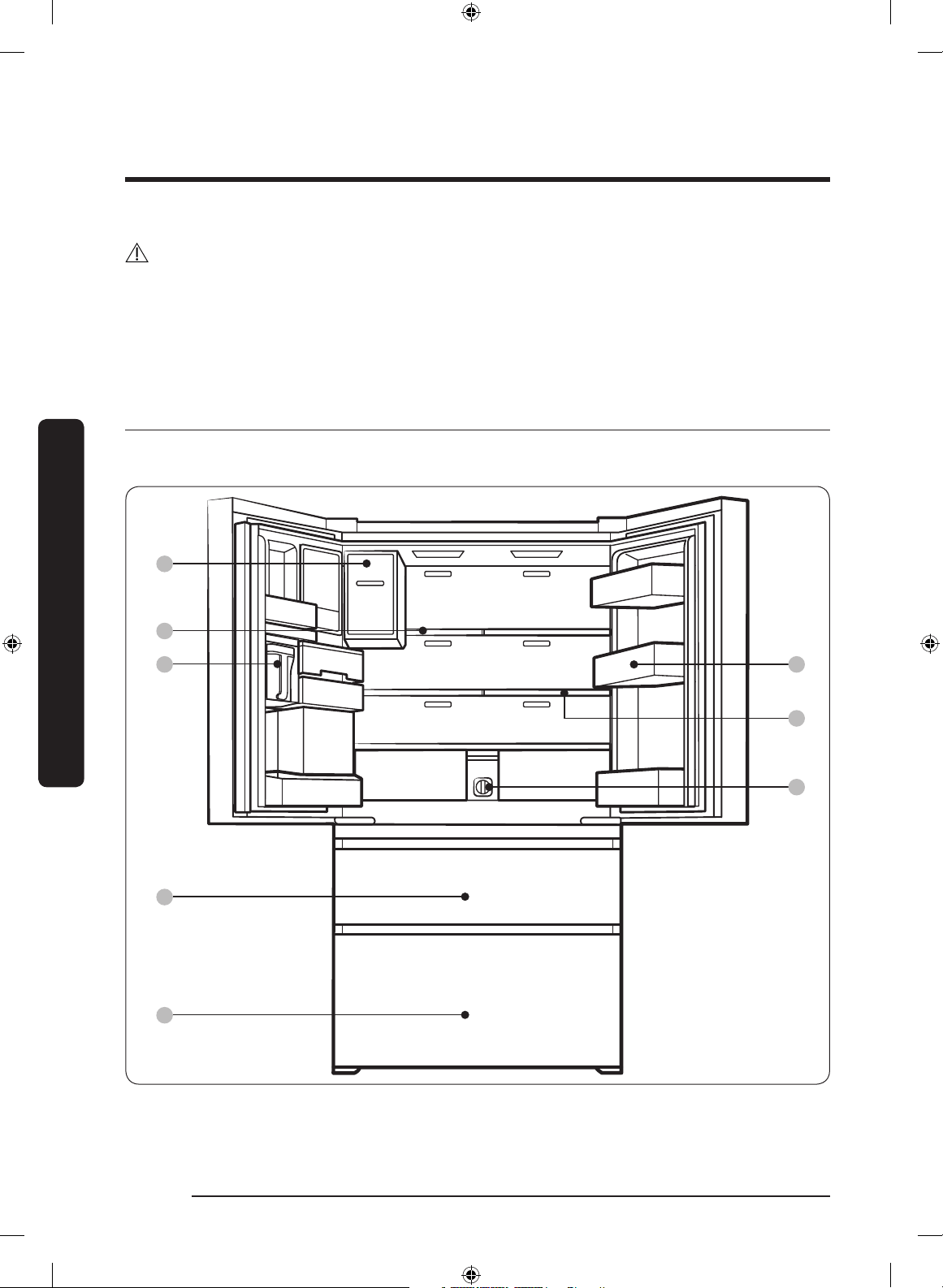
Refrigerator at a glance
The actual refrigerator and provided component parts of your refrigerator may differ
from the illustrations in this manual, depending on the model and the country.
01
02
03
04
05
06
07
08
Installation
Untitled-1 24 2017-07-12 7:07:03
English 25
Installation
01 Auto Ice Maker (Ice Master) 02 1-Step Foldable Shelf
03 Water tank (Auto Water Fill) 04 CoolSelect+ (FlexZone)
05 Freezer 06 Door bins
07 2-Step Foldable Shelf 08 Water lter
* applicable models only
NOTE
• For energy efciency, keep all shelves, drawers, and baskets in their original positions.
• When closing the door, make sure the vertical hinged section is in the correct position
to avoid scratching the other door.
• If the vertical hinged section is reversed, put it back into the correct position, and then
close the door.
• Moisture may form at times on the vertical hinged section.
• If you close a door forcefully, the other door may open.
• When a door opens, the interlock switch automatically disables the auger motor of the
ice maker for safety reasons.
• If the internal or external LED lamp is out of order, contact a local Samsung service
center.
• To open or close the fridge door, use the handle bar (if provided) or the handle recess
on the top or bottom of the fridge door.
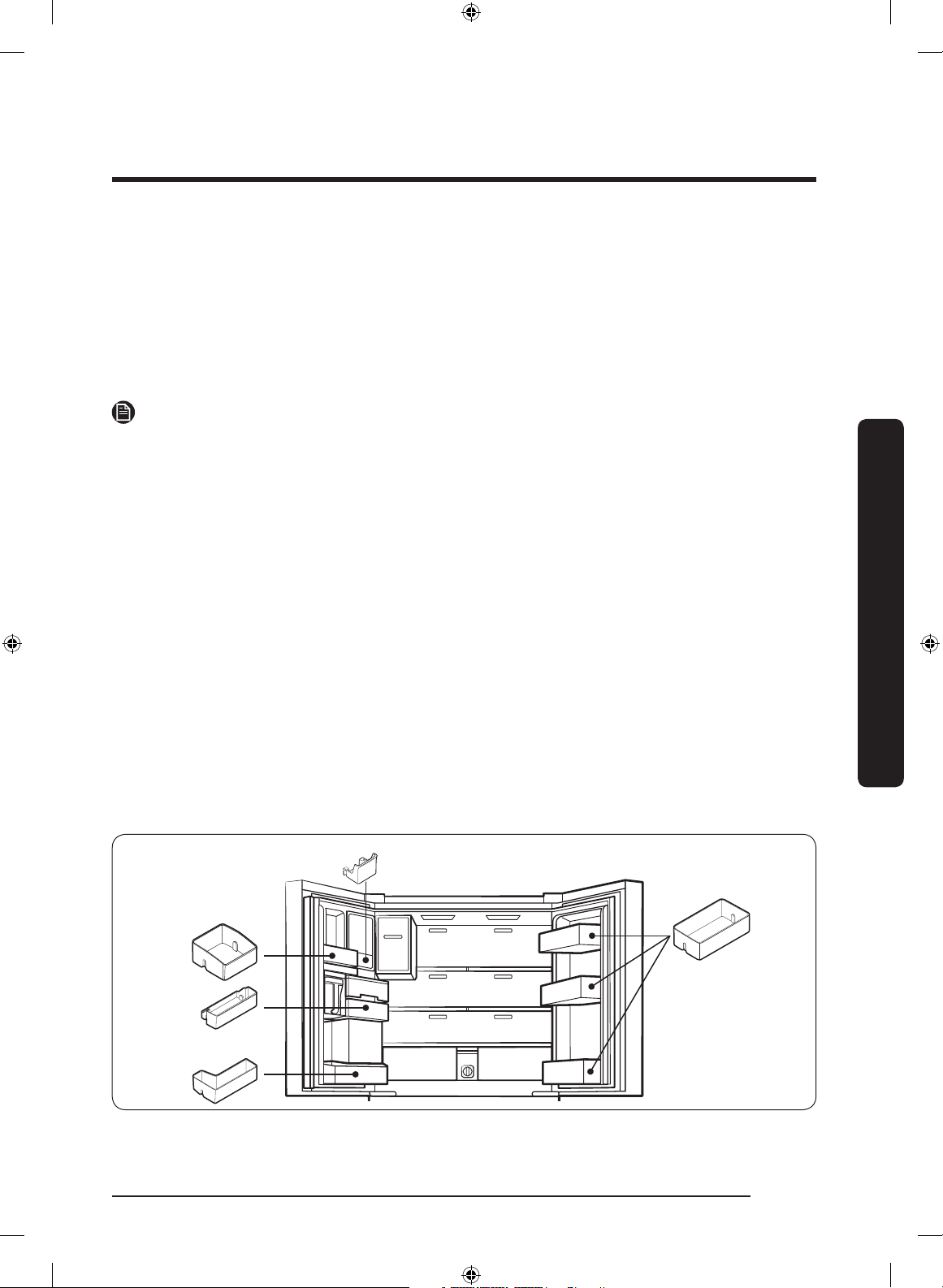
Door bins
Your refrigerator ships with door bins of different types and sizes. If the door bins for
your refrigerator were packaged separately, use the gure below to help you position the
bins properly.
Untitled-1 25 2017-07-12 7:07:03
Installation
English26
Installation
Step-by-step installation
STEP 1 Select a site
Select a site that:
• Has a solid, level surface without carpeting or ooring that may obstruct ventilation
• Is away from direct sunlight
• Has adequate room for opening and closing the door
• Is away from any heat sources
• Provides room for maintenance and servicing
• Has a temperature range between 10 °C and 43 °C
CAUTION
• If your refrigerator is equipped with an ice maker, secure extra space at the rear of the
refrigerator for the water line connection.
• When you install the refrigerator next to a xed wall, you must secure a minimum
clearance of 95 mm from the wall to allow the door to swing open.
NOTE
To facilitate moving your refrigerator to its nal location, be sure to measure the width
and height of doorways, thresholds, ceilings, stairways, and anything else that needs to be
taken into consideration to ensure you can move your refrigerator safely. The following
diagram illustrates the exact height and depth (factory specications) of your refrigerator.
Untitled-1 26 2017-07-12 7:07:03
English 27
Installation
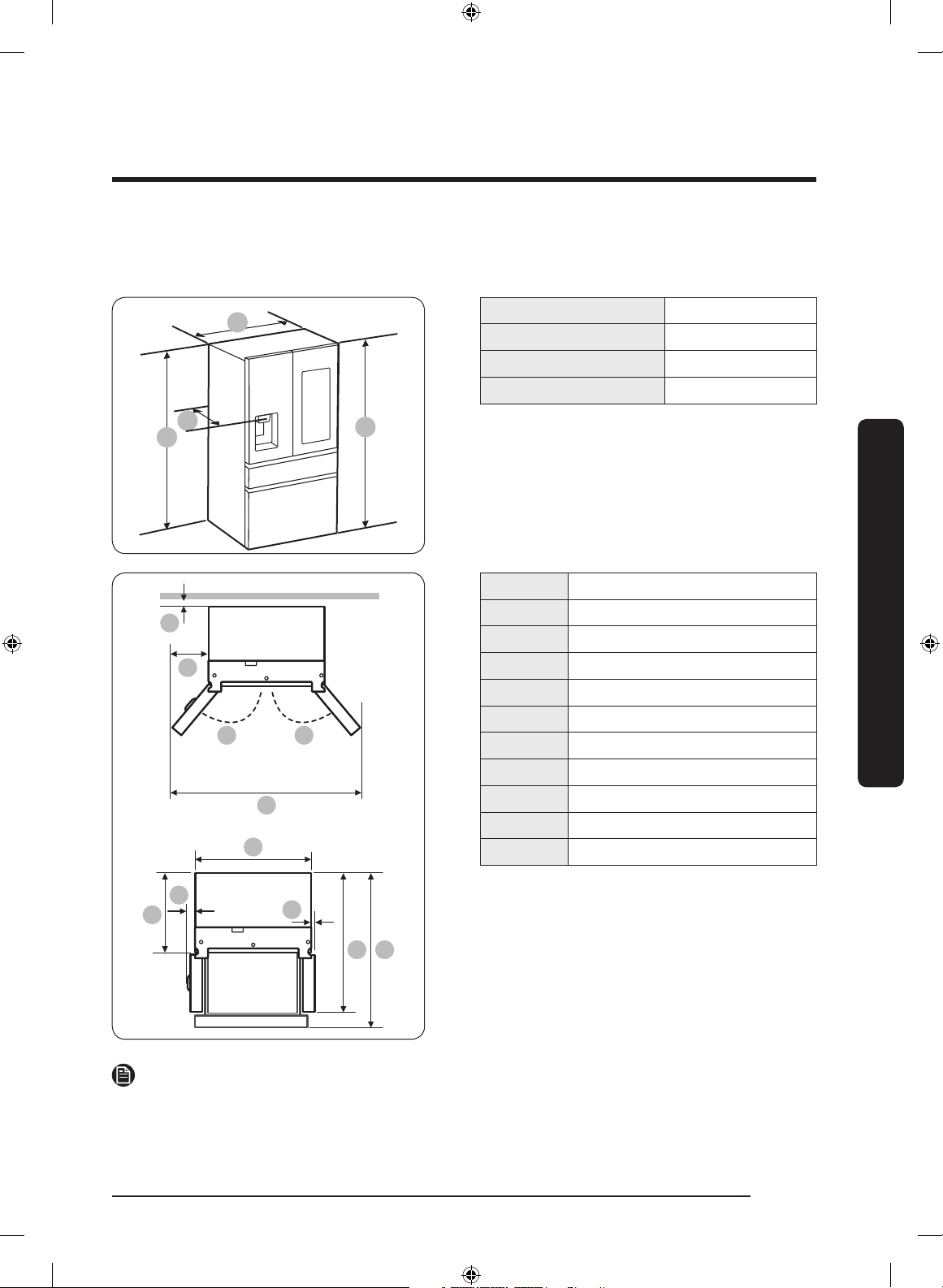
Clearance
See the pictures and table below for space requirements for installation.
C
D
A
B
Width “A” 908 mm
Height “B” 1749 mm
Overall Height “C” 1777 mm
Depth “D” 742 mm
01
04
03
05
1009
06
02 02
07
08
01 50 mm
02 135°
03 1575 mm
04 333.5 mm
05 908 mm
06 610 mm
07 64 mm
08 -
09 45.4 mm
10 1095.5 mm
11 1143 mm
NOTE
The measurements in the table above may differ slightly from the actual measurements,
depending on the measuring and rounding method.
Untitled-1 27 2017-07-12 7:07:03
Installation
English28
Installation
STEP 2 Flooring
If the refrigerator cannot pass through the entrance due to its size, see STEP 3 Door
removal for entrance.
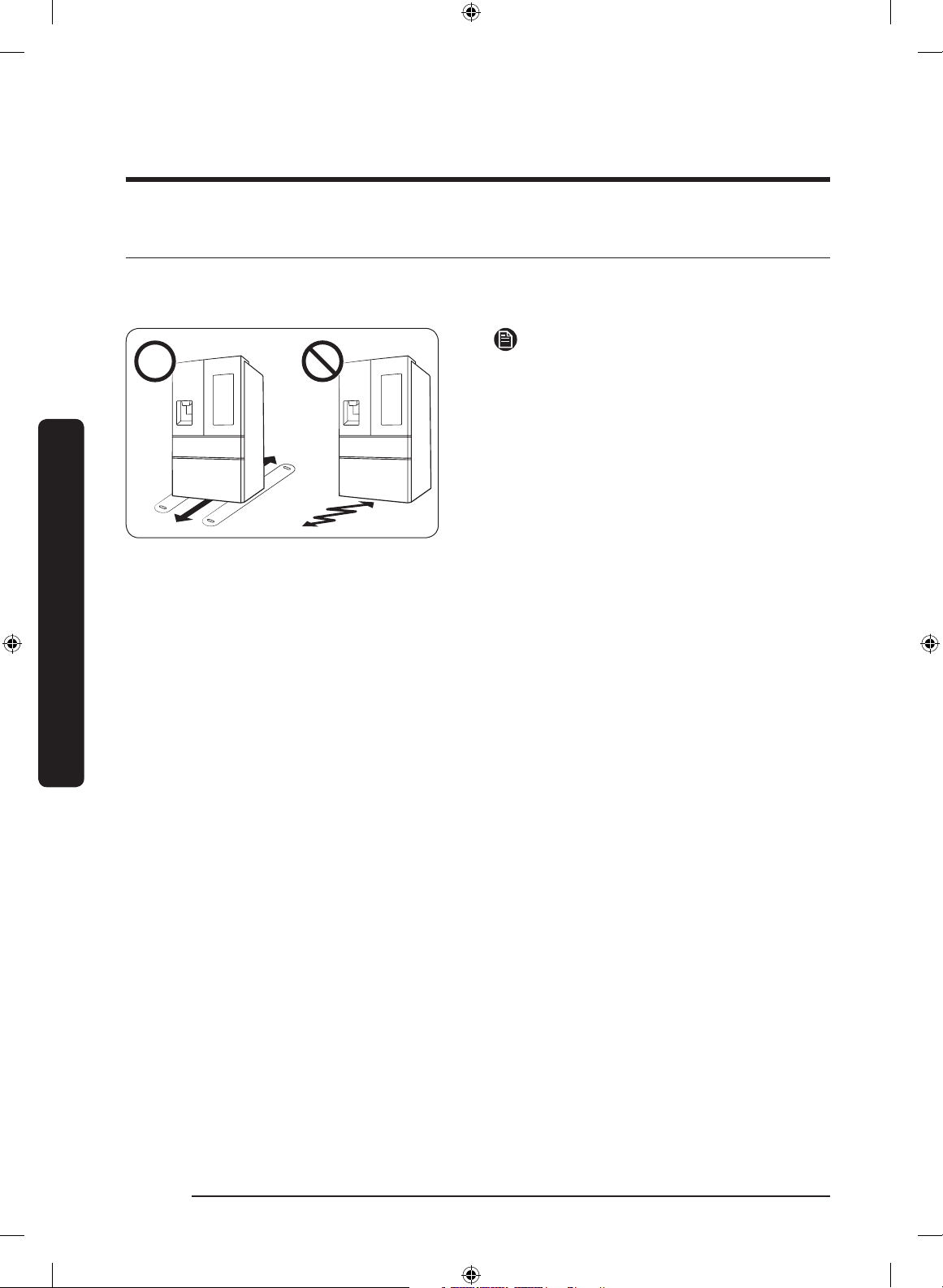
NOTE
To prevent oor damage, make sure the
front levelling legs are in the upright
position.
• The surface you install the refrigerator
must support a fully loaded refrigerator.
• To protect the oor, put a large piece
of cardboard along the path to the
refrigerator's nal installation location.
• Once the refrigerator is in its nal
position, do not move it unless
necessary to protect the oor. If you
have to move the refrigerator, place
thick paper or cloth such as old carpets
along the path of movement.
Untitled-1 28 2017-07-12 7:07:03
English 29
Installation
STEP 3 Door removal for entrance
If the refrigerator cannot pass through the entrance to your home or kitchen due to its
size, follow these instructions to remove and then re-install the refrigerator's doors. If you
do not need to remove the doors, go to page 36 to continue the installation procedure.
WARNING
Unplug the power cord of the refrigerator before removing the doors.
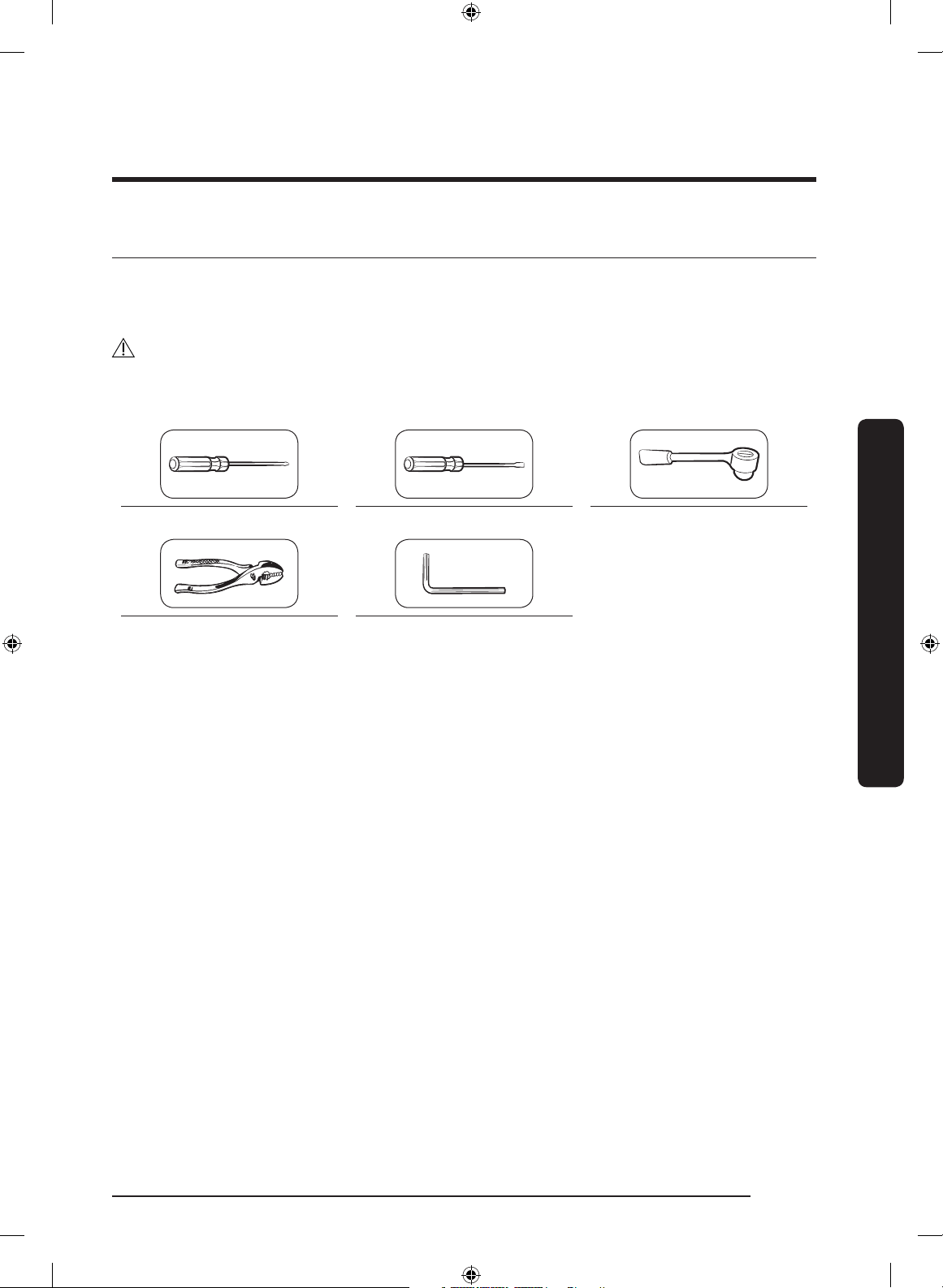
Tools required (not provided)
Phillips screwdriver Flat-heat screwdriver Socket wrench (10 mm)
Pliers Allen wrench (5 mm)
Untitled-1 29 2017-07-12 7:07:04
Installation
English30
Installation
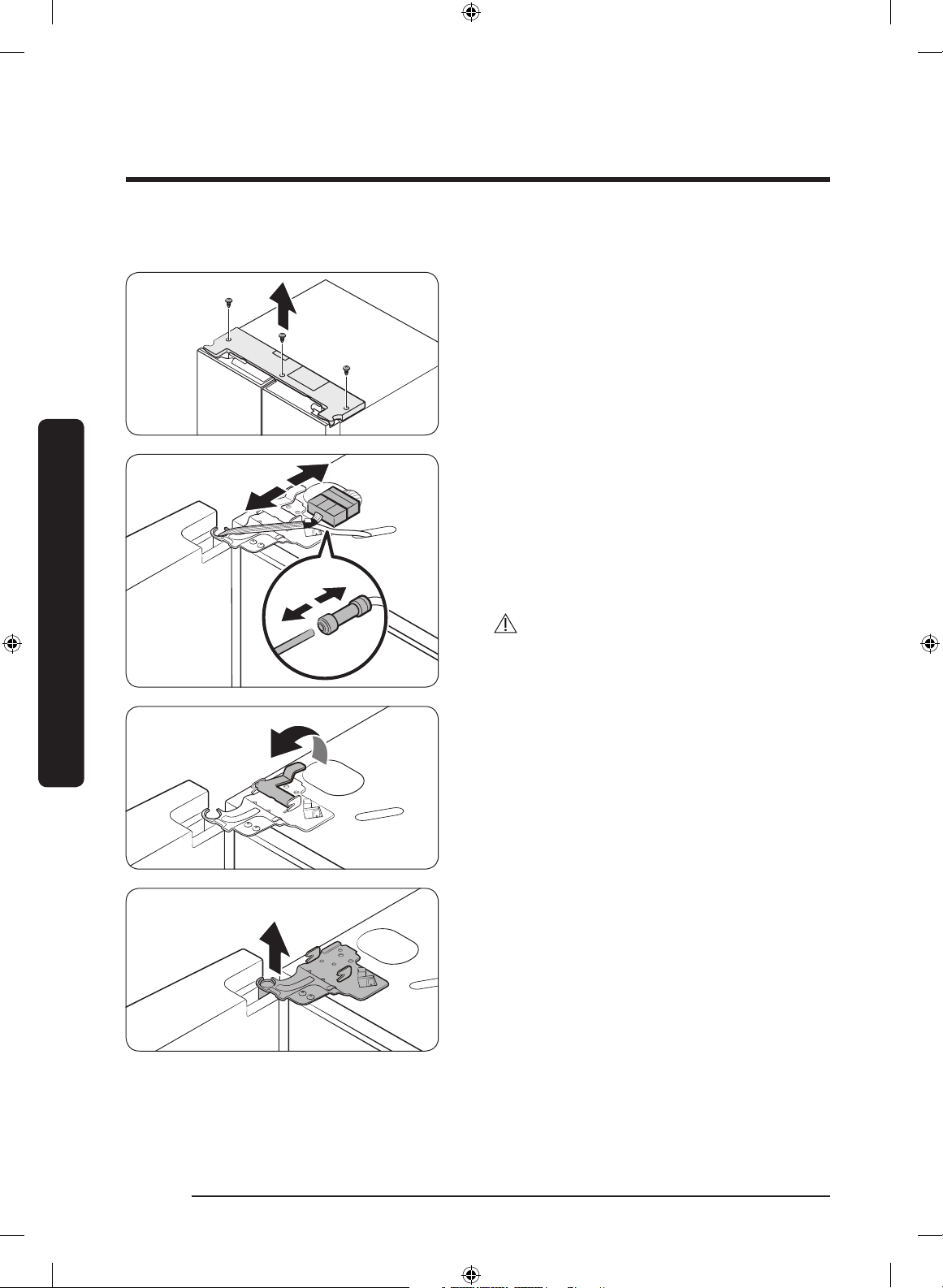
Detach the fridge doors
1. With the door opened, remove the
screws from the top cover.
2. Disconnect the wires and the water
tube from the left-side door. Do the
following sequentially:
• Decouple the connector.
• While holding down one end of the
water line coupler, disconnect the water
tube.
CAUTION
Keep the water tube clips out of children’s
reach.
3. Remove the top hinges.
• Pull and remove the hinge lever.
• Then, remove the door hinge.
• Repeat this step on the other side.
Untitled-1 30 2017-07-12 7:07:04

English 31
Installation
4. Lift straight up to remove the door.
• Repeat this step on the other side.
CAUTION
Do not remove both doors simultaneously.
Make sure to remove one door at a time.
Otherwise, any of the doors may fall and
cause physical injury.
5. Remove the middle hinge.
• Remove the screw from the hinge using
a Phillips screwdriver.
• Remove 2 hex-head bolts from the
hinge using an Allen wrench (5 mm).
• Remove the middle hinge.
• Repeat this step on the other side.
To reattach the fridge door
After you have moved the refrigerator to its nal location, reattach the doors by following
the removal instructions in reverse order.
A
01
02
03
B
01 Dispenser
02 Center of transparent coupler
03 Guidelines
CAUTION
To prevent water leaks from the dispenser,
the water line must be fully connected.
Make sure both tubes of the water line are
inserted fully to the center of transparent
coupler (A) or the guidelines (B).
Untitled-1 31 2017-07-12 7:07:05

Installation
English32
Installation
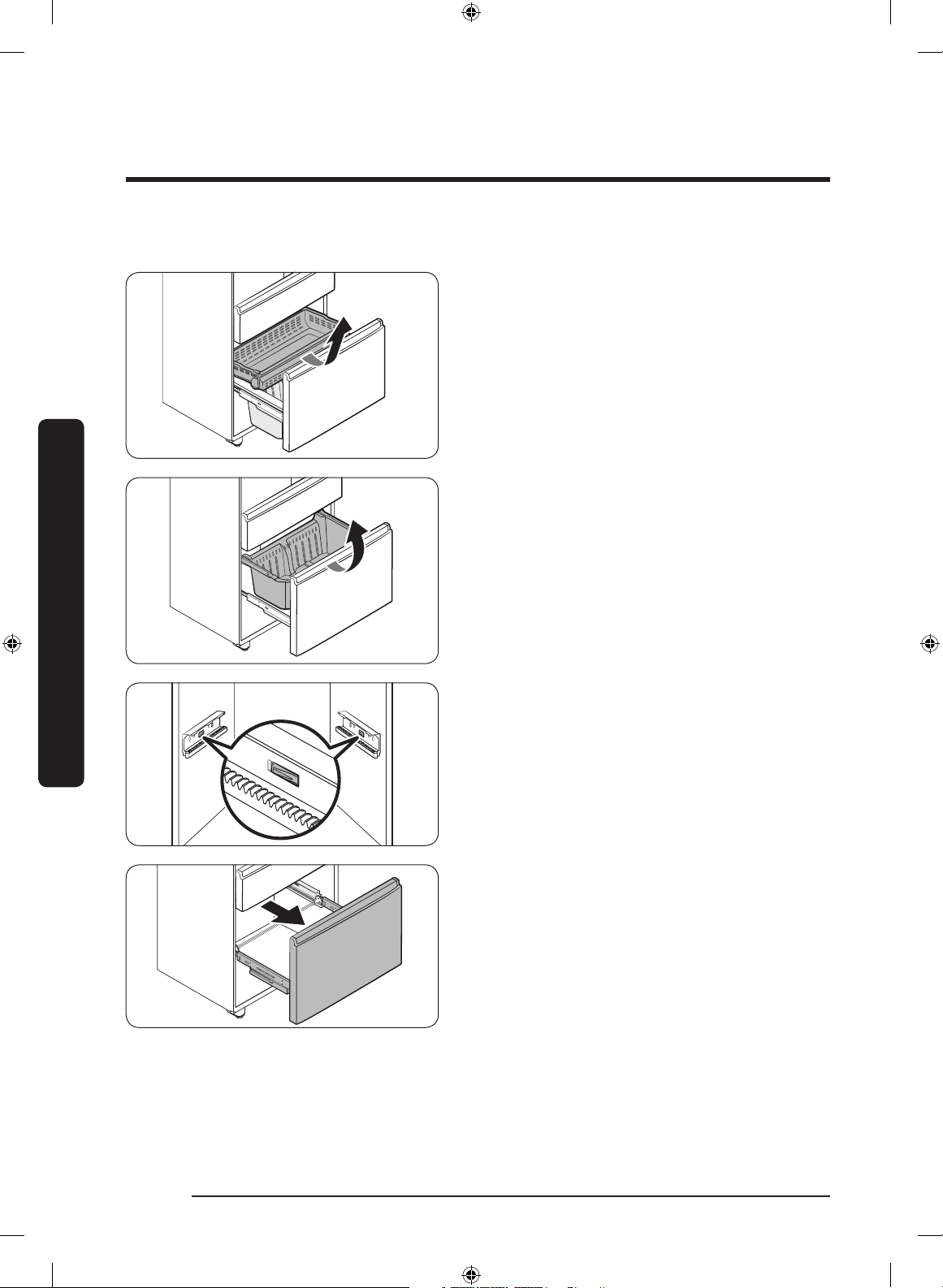
Detach the CoolSelect+ (FlexZone) drawer
1. Lift up to remove the CoolSelect+
(FlexZone) basket.
2. Remove the wire cover with harness
using a at-head screwdriver.
3. Press the locking tab to disconnect the
wire connector.
4. Remove the hex-head bolt from each
side using a socket wrench (10 mm) or
a screwdriver.
Untitled-1 32 2017-07-12 7:07:05

English 33
Installation
5. Lift up to remove the drawer front of
the CoolSelect+ (FlexZone) from the rail
assembly.
CAUTION
• Use caution when removing the rail
assembly, which may fall off causing
damage to the oor.
• Make sure to put the CoolSelect+
(FlexZone) drawer in place after
removing or mounting the CoolSelect+
(FlexZone) basket. The CoolSelect+
(FlexZone) drawer may not open or
close if the freezer drawer is not in
place.
• Do not store too much food in the
CoolSelect+ (FlexZone) drawer. This
prevents the CoolSelect+ (FlexZone)
drawer from closing properly, resulting
in frost buildup.
To reattach the CoolSelect+ (FlexZone) drawer
After you have moved the refrigerator to its nal location, reattach the CoolSelect+
(FlexZone) drawer by following the removal instructions in reverse order.
CAUTION
If the CoolSelect+ (FlexZone) or the indicator does not operate properly, make sure the
connectors are connected properly.
Untitled-1 33 2017-07-12 7:07:06
Installation
English34
Installation
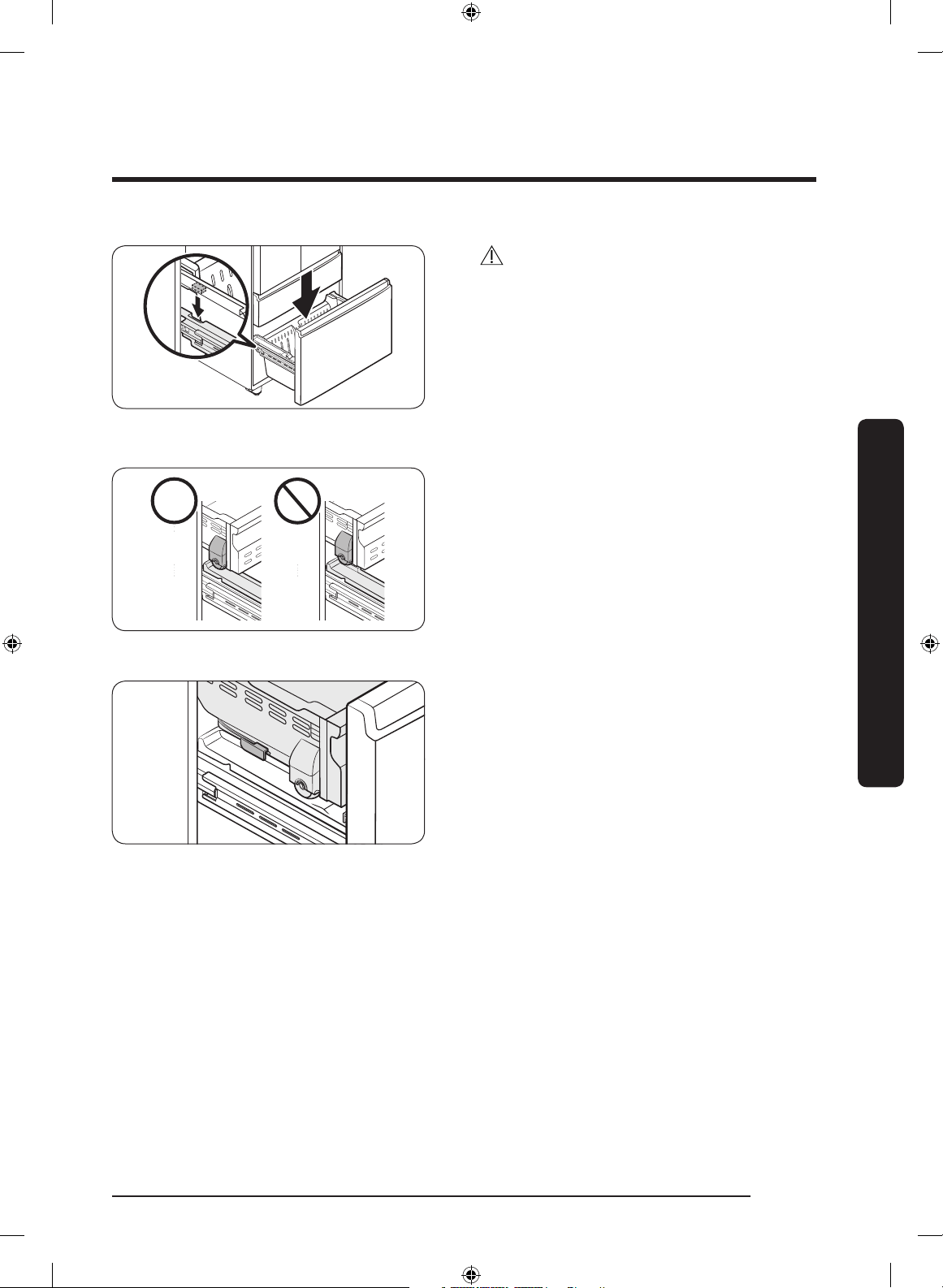
Detach the freezer drawer
1. Push the upper basket to the end, and
then pull up to remove.
2. Pull up to remove the lower basket
from the rail assembly.
3. Press down the hooks to unlock the rail
assembly.
4. While holding the upper area of the
drawer front of the freezer, slide out all
the way to remove the freezer drawer
from the rail assembly.
Untitled-1 34 2017-07-12 7:07:06
English 35
Installation
CAUTION
• Make sure you mount the freezer
baskets in the right position. Otherwise,
the drawer will not open or close
properly, which causes frost to build up.
• Do not store too much food in the
freezer baskets. This prevents the
freezer drawer from closing properly,
resulting in frost buildup.
• While the lower basket is fully open,
put the upper basket into the freezer
drawer. Make sure the wheels of the
upper basket are on the end of the rails
of the lower basket.
• Put the wheels of the upper basket on
the end of the rails of the lower basket.
Then, slide the upper basket all the way
to the front.
• Be careful not to scratch or dent the rail
assembly.
To reattach the freezer drawer
After you have moved the refrigerator to its nal location, reattach the freezer drawer by
following the removal instructions in reverse order.
Untitled-1 35 2017-07-12 7:07:06
Installation
English36
Installation
STEP 4 Levelling the refrigerator
CAUTION
• The refrigerator must be levelled on a at, solid oor. Failing to do so can cause
damage to the refrigerator or physical injury.
• Levelling must be performed with the refrigerator empty. Make sure no food items are
inside the refrigerator.
• Also, open the freezer drawer and remove the lower basket.
• For safety reasons, adjust the refrigerator so that the front is a little higher than the
rear.
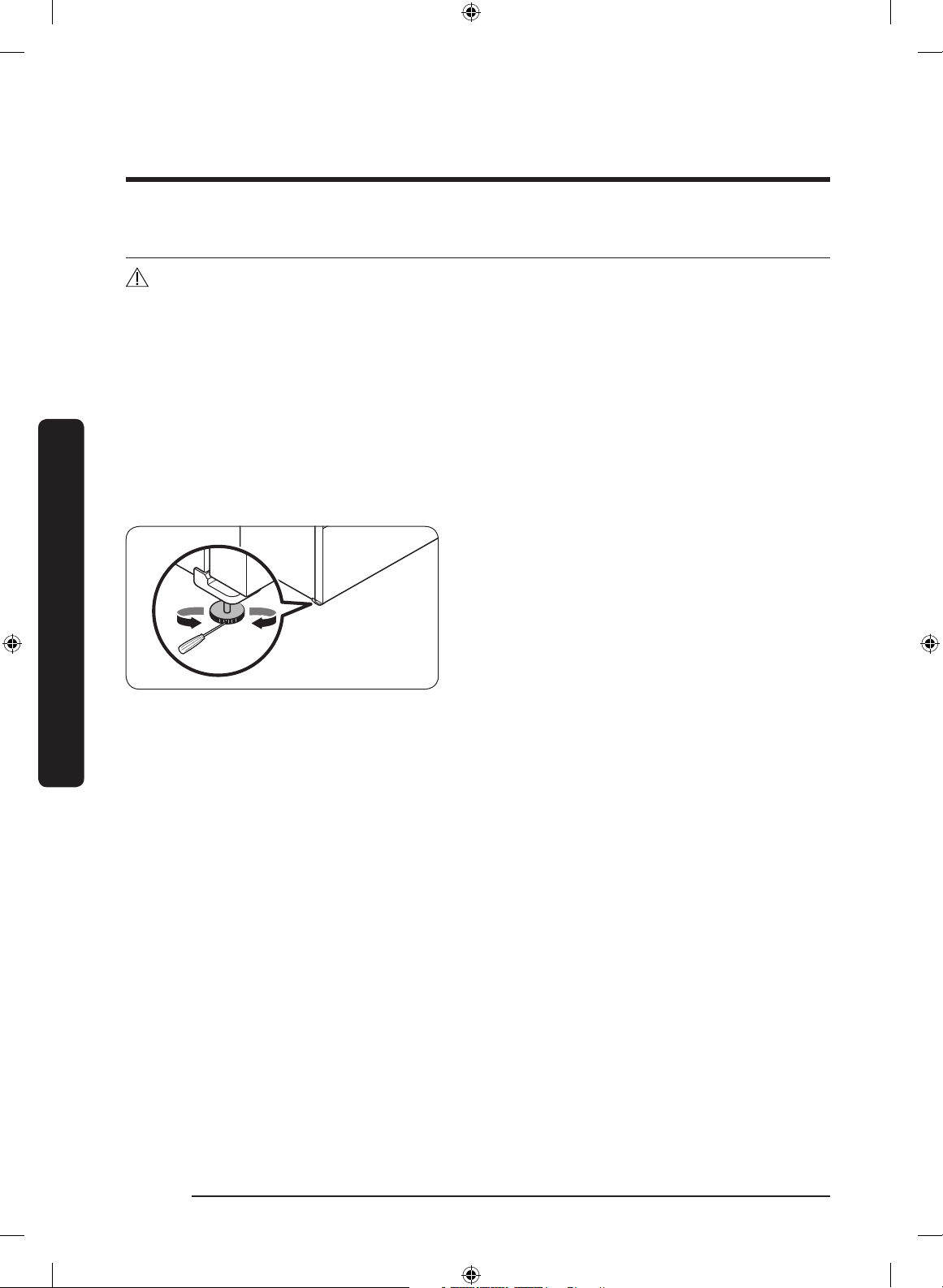
Level the refrigerator using the special screws (levellers) on the front legs. Use a at-head
screwdriver to turn the levellers.
• To adjust the height on one side: Insert
a at-head screwdriver into a notch in
the leveller on that side. (left or right)
Turn the leveller clockwise to raise the
refrigerator. Turn it counterclockwise to
lower. Repeat on the other side.
Untitled-1 36 2017-07-12 7:07:07
English 37
Installation
STEP 5 Adjust the door height and the door gap
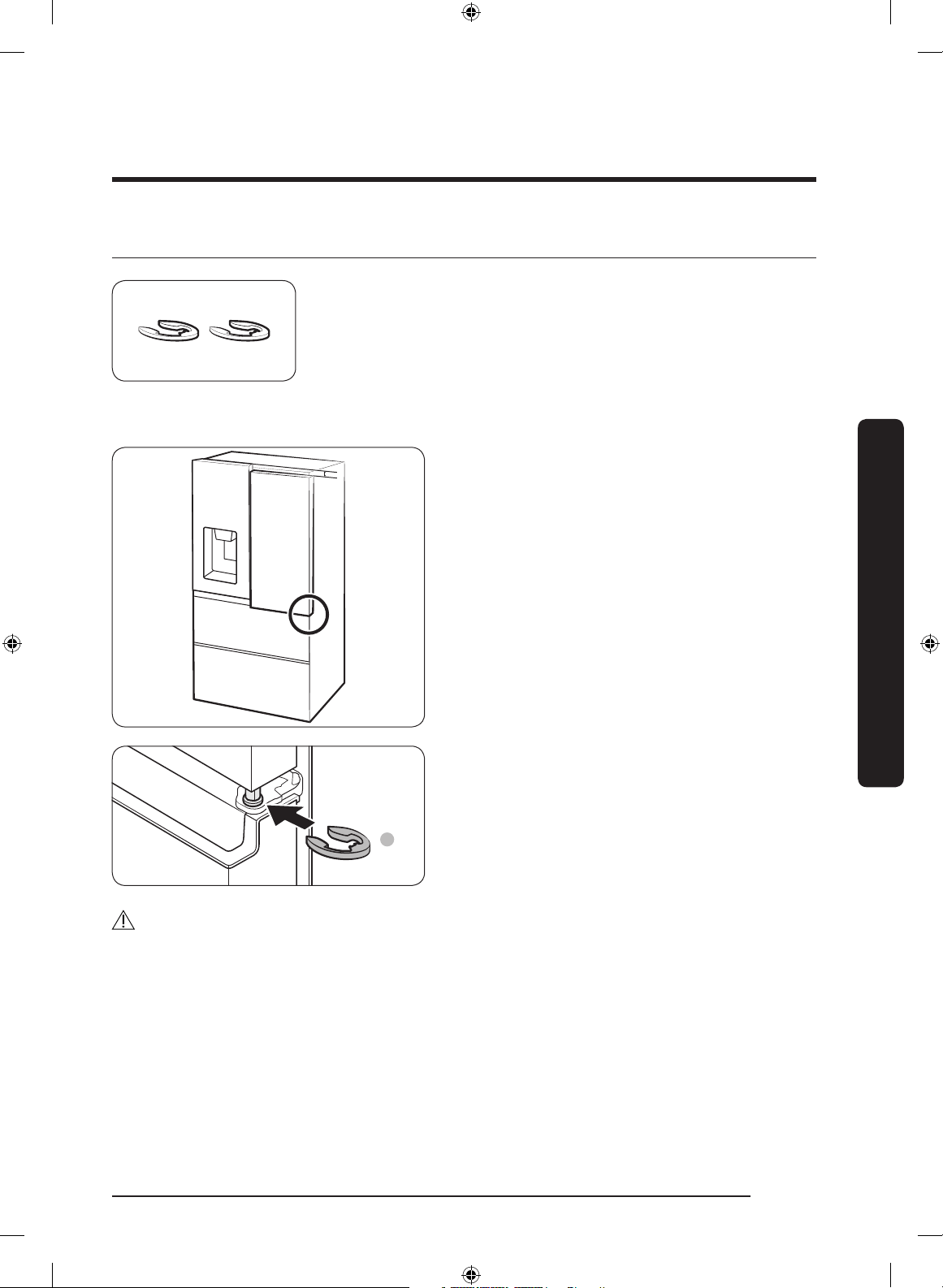
Snap rings
The height of a door can be adjusted using the provided snap
rings, which come in 4 different sizes (1 mm, 1.5 mm, 2 mm,
and 2.5 mm).
To adjust the height of a door
1. Check the height difference between
the doors, and then raise and hold the
door with the lower height.
A
2. Insert a suitable-sized snap ring (A)
between the door and the hinge as
shown.
CAUTION
• Insert only one snap ring. If you insert two or more snap rings, the rings may slip out
or make a rubbing noise.
• Keep the snap rings out of children’s reach and keep them for future use.
• Do not raise the door too much. The door can contact and damage the top cover.
Untitled-1 37 2017-07-12 7:07:07
Installation
English38
Installation
STEP 6 Connect to a water source
CAUTION
• The new hose-sets supplied with the appliance are to be used and that old hose-sets
should not be reused.
• The water line must be connected by a qualied technician.
• The warranty for your refrigerator does not cover the water line installation. The
water line installation will be performed at your own costs unless the installation fee is
included in the retailer’s price.
• Samsung takes no responsibility for the water line installation. If water leaks occur,
contact the installer of the water line.
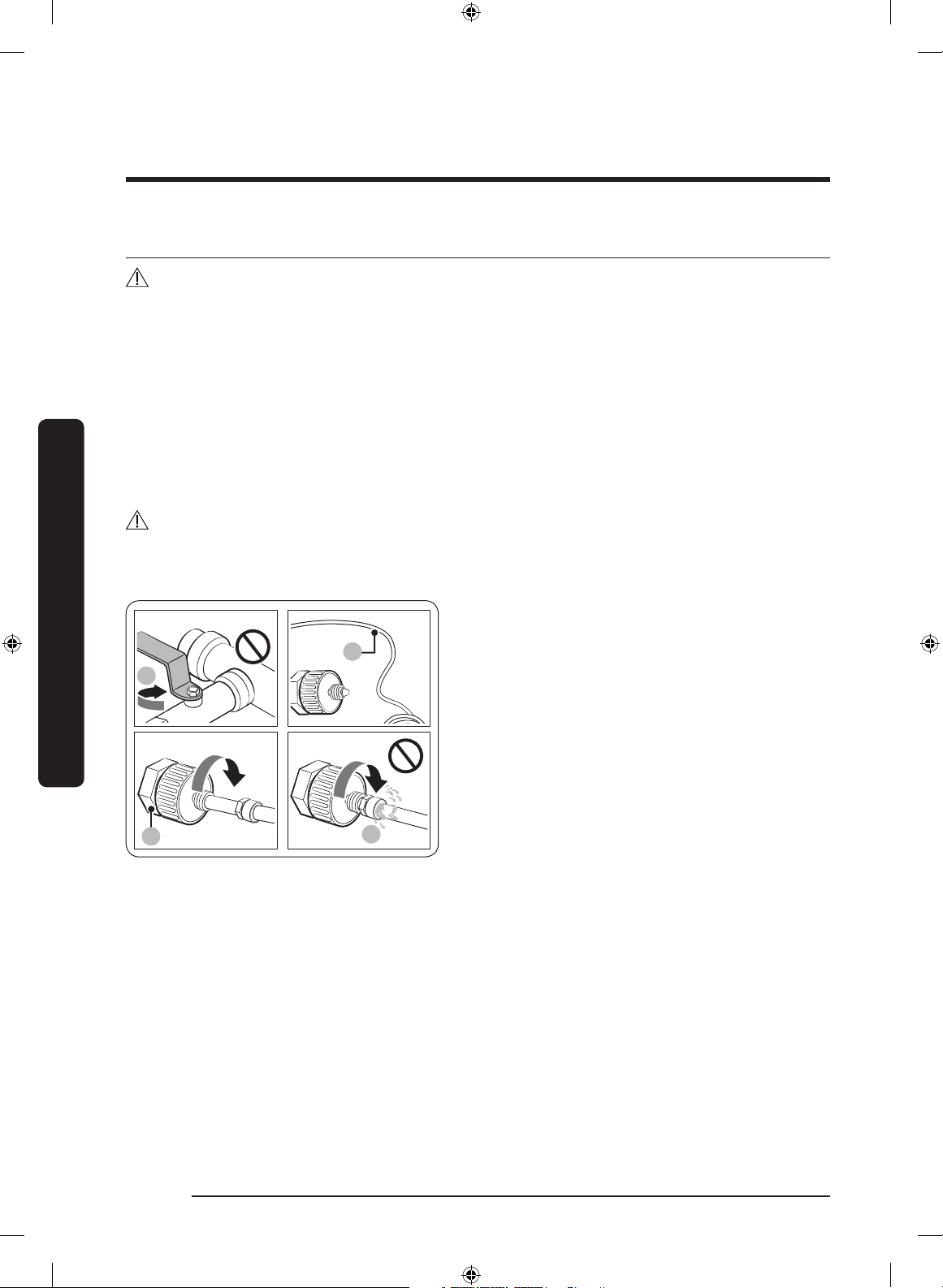
To connect the cold water pipe to the water ltering hose
CAUTION
• Make sure the water ltering hose is connected to a cold, potable water source pipe.
Connecting to the hot water pipe may cause the purier to malfunction.
1
A
B
A
A. Close Main Water pipe
B. No gap
1. Shut off the water supply by closing the
main water valve.
2. Locate the cold, potable water pipe (1).
3. Follow the Water Line Installation to
connect to the water pipe.
4. When connection is complete, open the
main water valve and dispense about
3 liters of water. This is to remove
impurities inside the pipe.
Untitled-1 38 2017-07-12 7:07:07
English 39
Installation
To connect the water ltering hose to the water line
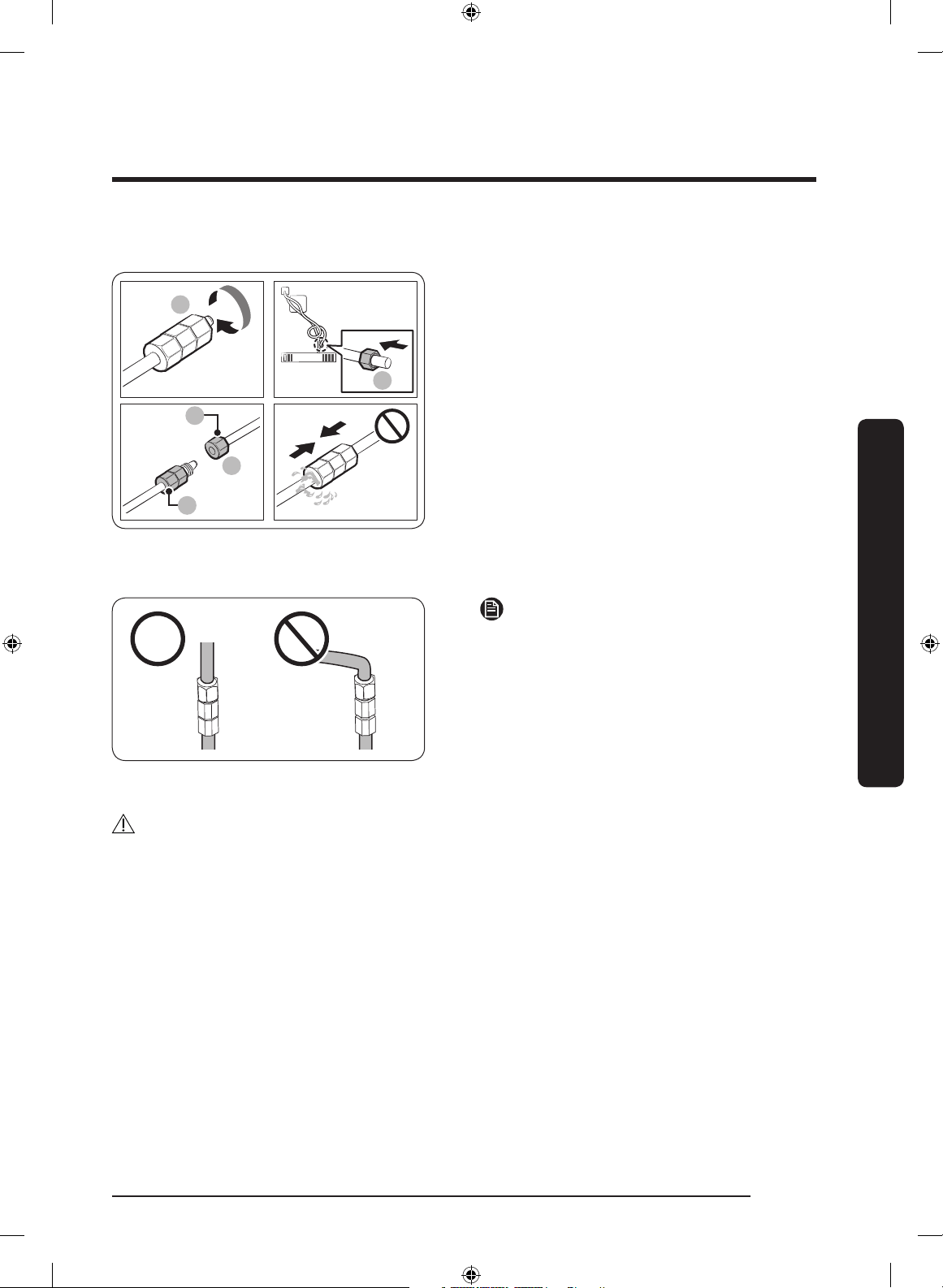
Remove cap
a
a
A
B
a
A. Water Line from unit
B. Water Line from Kit
1. Loosen and remove the compression
nut (a) from the water line of the
refrigerator, and insert it to the water
ltering hose.
2. Tighten up the compression nut (a) to
connect the water ltering hose and the
water line.
3. Open the main water valve and check
for any leaks.
4. If there are no leaks, dispense about a
3 liters of water before actually using
the refrigerator to remove impurities
inside the water ltering system.
NOTE
If you have to relocate the refrigerator
after connecting the water line, make sure
the joined section of the water line must is
straight.
To repair the water line
CAUTION
The waterline must be repaired by a qualied professional. If you encounter a water leak,
contact a local Samsung service centre or the installer of the waterline.
Untitled-1 39 2017-07-12 7:07:07
Installation
English40
Installation
STEP 7 Initial settings
By completing the following steps, the refrigerator should be fully functioning.
1
CAUTION
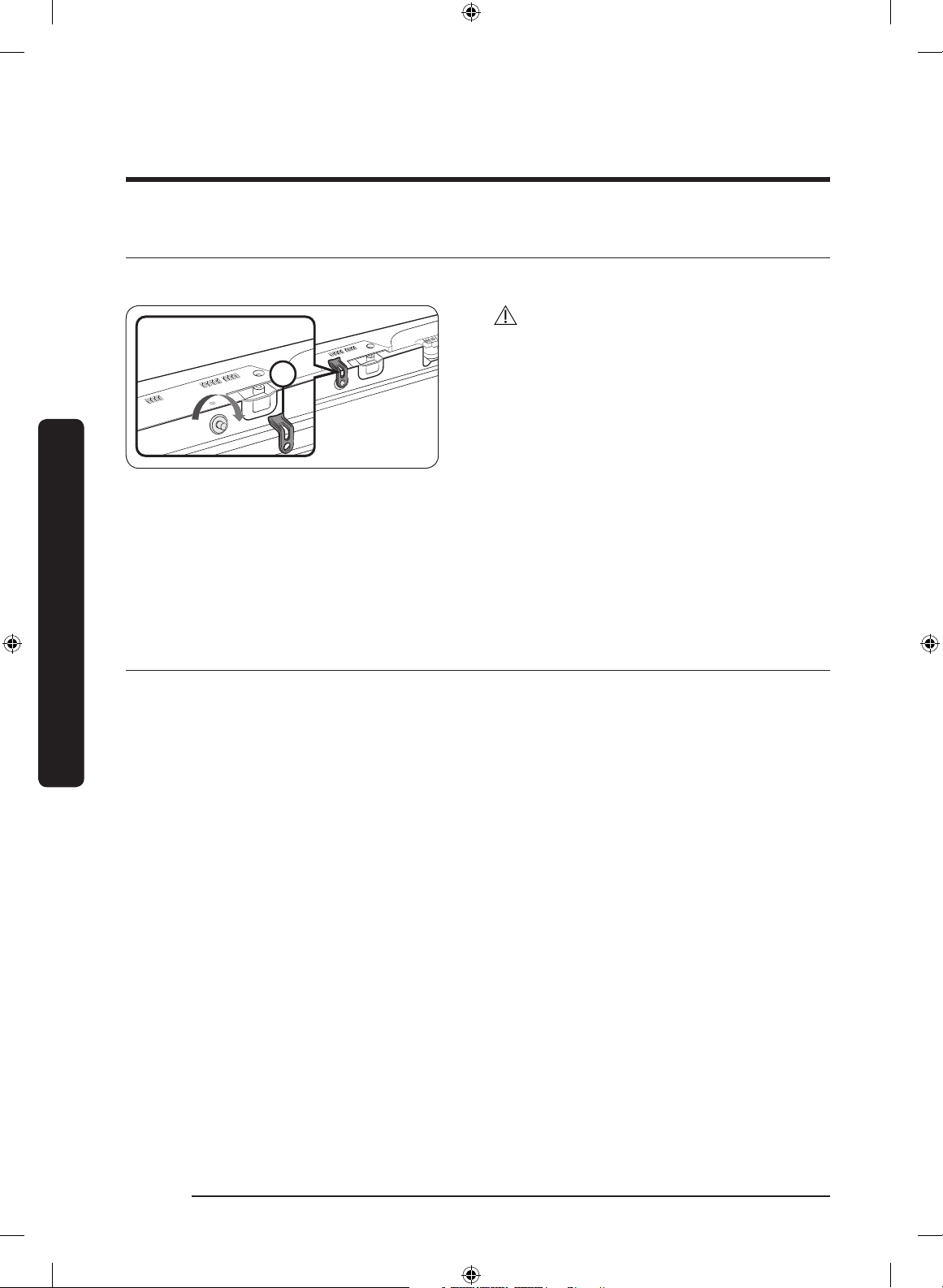
Before installing the refrigerator, make
sure to remove the Cover Interlock (1)
from the top of the fridge door. Otherwise,
injuries may be caused by the ice crushing
blade.
1. Plug the power cord into the wall socket to turn the refrigerator on.
2. Open the door, and check if the interior light lights up.
3. Set the temperature to the coldest setting, and wait for about an hour. Then, the
freezer will be slightly chilled, and the motor should be running smoothly.
4. Wait until the refrigerator reaches the set temperature. Now the refrigerator is ready
for use.
STEP 8 Final check
When installation is complete, conrm that:
• The refrigerator is plugged into an electrical outlet and grounded properly.
• The refrigerator is installed on a at, level surface with a reasonable clearance from
walls and cabinets.
• The refrigerator is level and is sitting rmly on the oor.
• The door opens and closes freely, and the interior light turns on automatically when
you open the door.
Untitled-1 40 2017-07-12 7:07:08
English 41
Operations
User interface
NOTE
• For more information about other menus and apps available on the Refrigerator app,
see the Online manual of your refrigerator.
• The content of apps and widgets, or their design is subject to change or support may
be discontinued without notice, depending on the content provider’s policy.
• Underage transactions with the services must be supervised by adults.
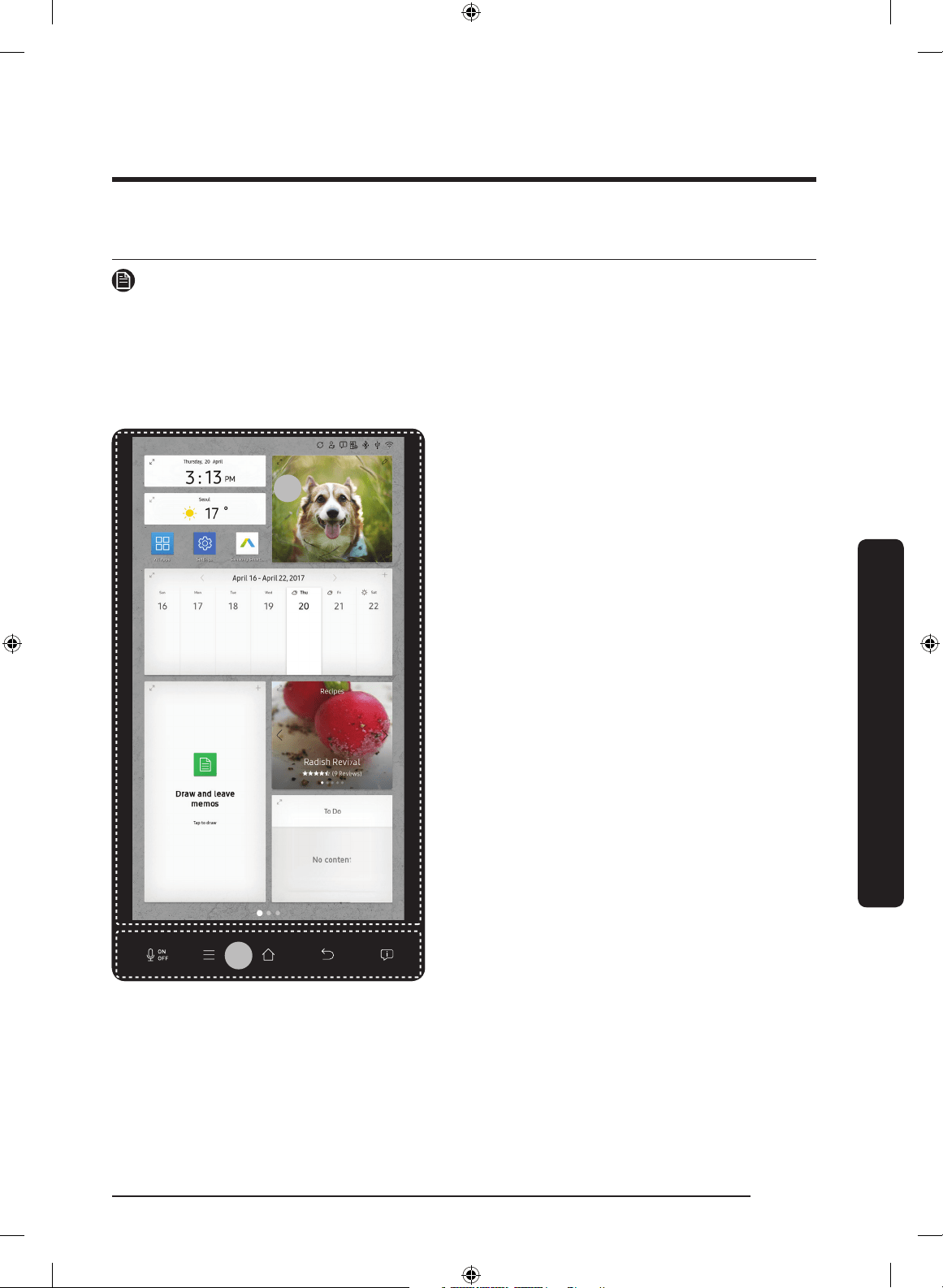
01
02
01 Home screen
02 Task bar
Operations
Untitled-1 41 2017-07-12 7:07:08
Operations
English42
Operations
01 Home screen
01
02
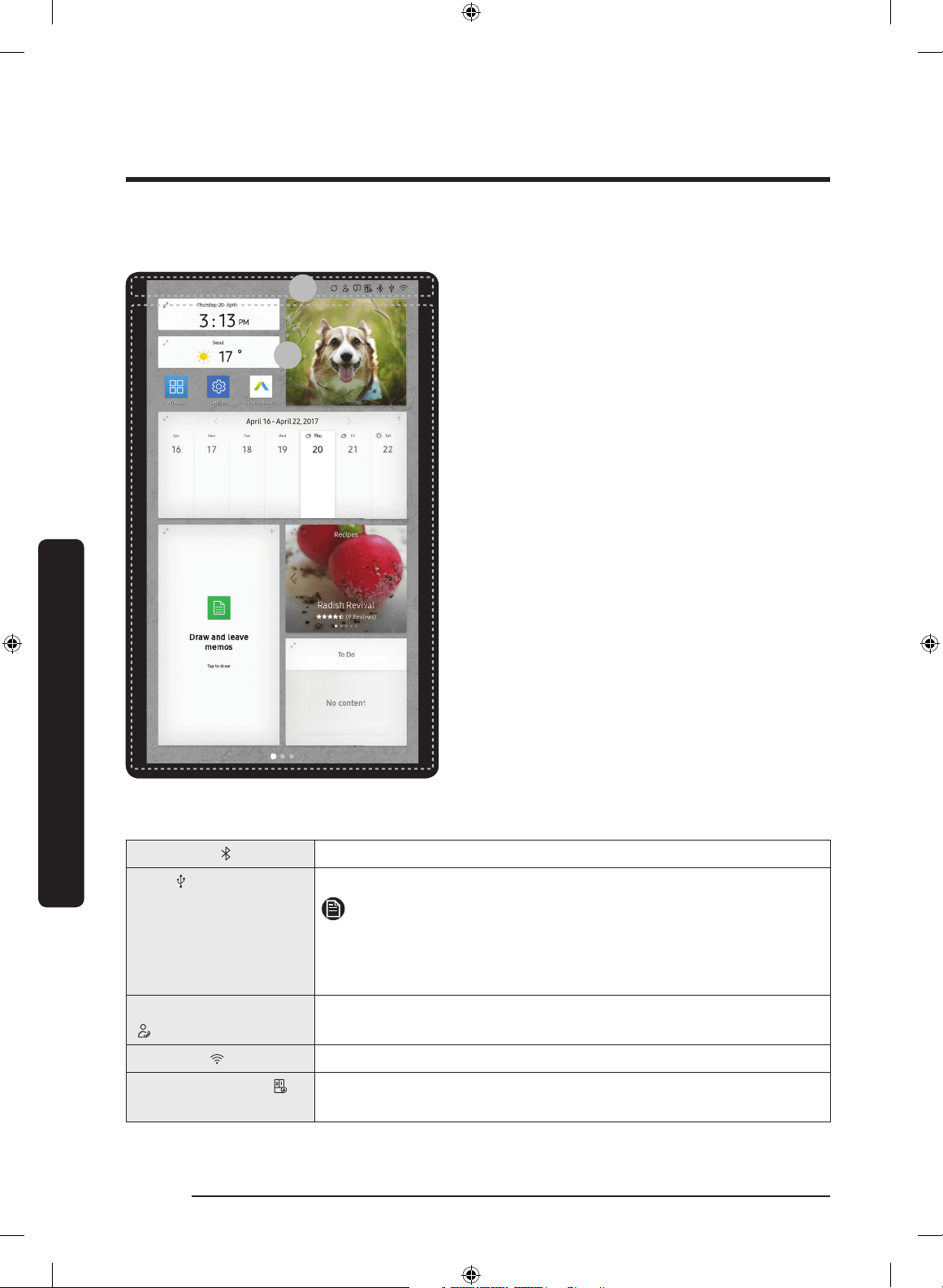
01 Apps & Widgets
• Tap a desired app or widget to launch
it.
• Tap and hold an app or widget to enter
Edit mode. A grid appears. In Edit mode,
you can drag and drop an app or widget
to a new position on the grid. When you
move the app or widget to a new grid
location, the location turns blue if it is
available. If it is not available, it turns
red.
• You can add an app or widget that has
been removed from the All Apps list.
02 Status bar
• Displays the status of various functions.
(Refer to the following Icon descriptions
table.)
Icon descriptions
Bluetooth ( )
Indicates Bluetooth connection status.
USB ( )
Indicates USB connection status.
NOTE
The refrigerator supports USB memory that is formatted in the
FAT32 or exFAT le systems. NTFS is not supported. Be sure to
convert NTFS to FAT32 or exFAT before use.
Remote Management
( )
Turns on when Remote Management is enabled and running.
Network ( )
Indicates network connection status in 5 levels (Off, 1-4).
Software Update ( )
Indicates the newest version of software has been downloaded
from the server and is ready to update.
Untitled-1 42 2017-07-12 7:07:09
English 43
Operations
Notication ( )
Indicates there is a notication message.
Cloud sync ( )
Indicates Family Hub is receiving data from the cloud server.
02 Task bar
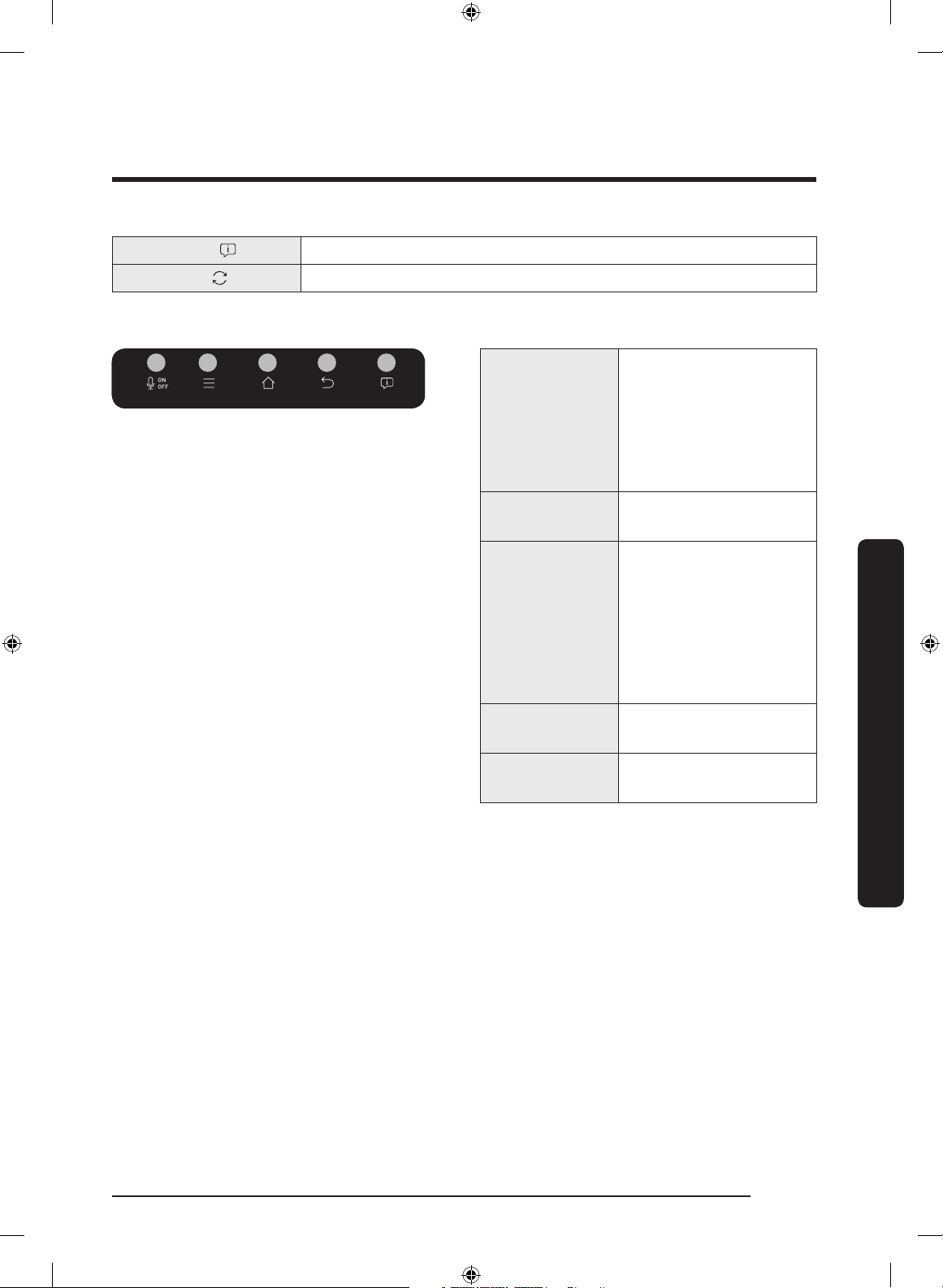
01 02 03 04 05
01 Microphone
Tap to turn on or off
the voice recognition
function.
The microphone icon
turns red when it is
turned off.
02 Menu
Tap to display the
menus available.
03 Home
• Tap to open the
Home screen.
• Tap and hold to
open the Task
Manager. See the
Task Manager
section for details.
04 Return
Tap to return to the
previous screen.
05 Notication
Tap to display the
Quick Panel.
Untitled-1 43 2017-07-12 7:07:10
Operations
English44
Operations
Fridge Manager
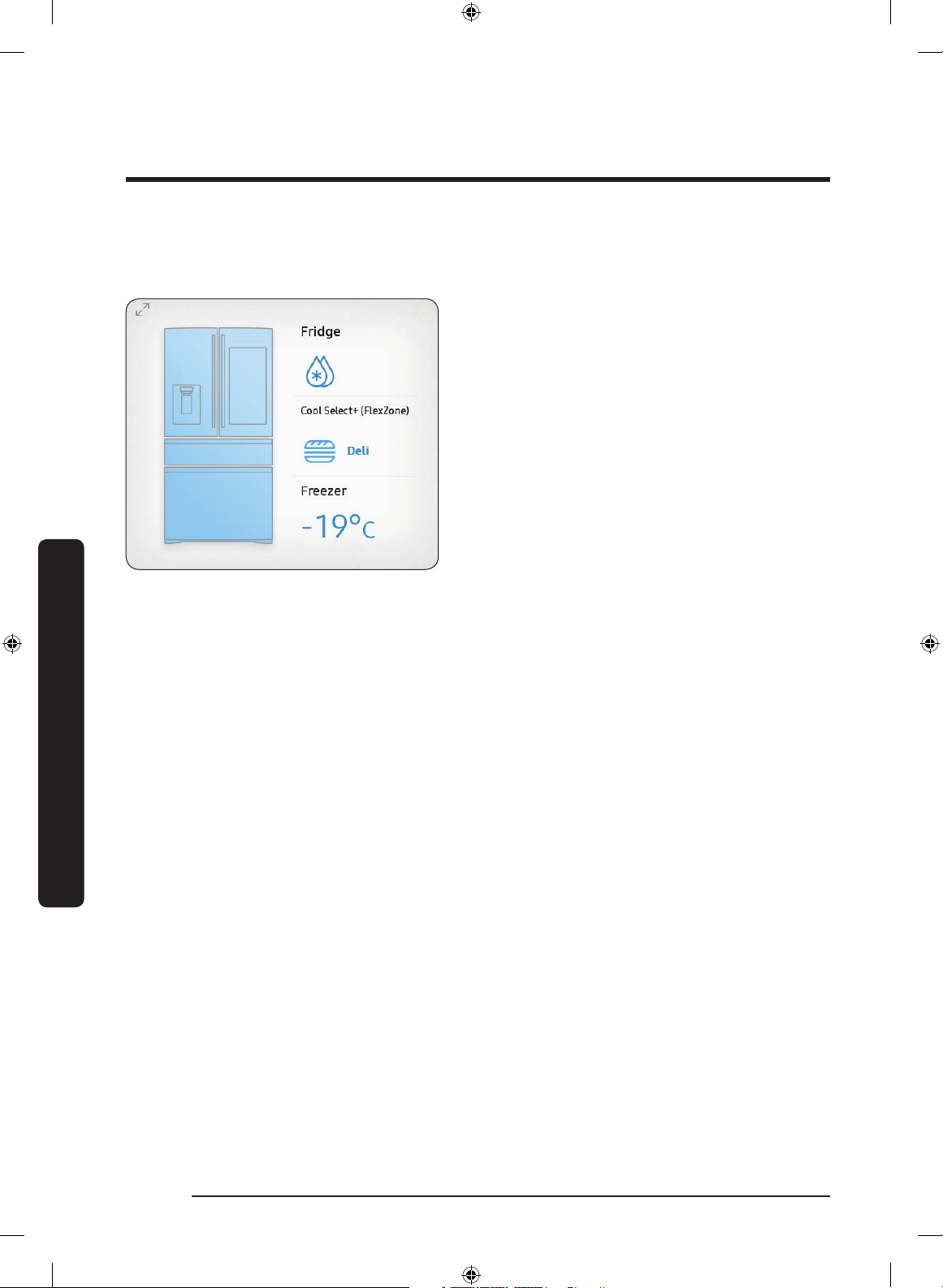
To access Fridge Manager, tap the
Fridge Manager widget on the Home screen.
• On the Fridge Manager widget,
the current fridge and freezer
temperatures, Cool Select+ (FlexZone)
mode, as well as active special functions
are displayed for quick reference.
• For detailed settings, tap the widget to
open the Fridge Manager.
Untitled-1 44 2017-07-12 7:07:10
English 45
Operations
01
02
04 05 06
03
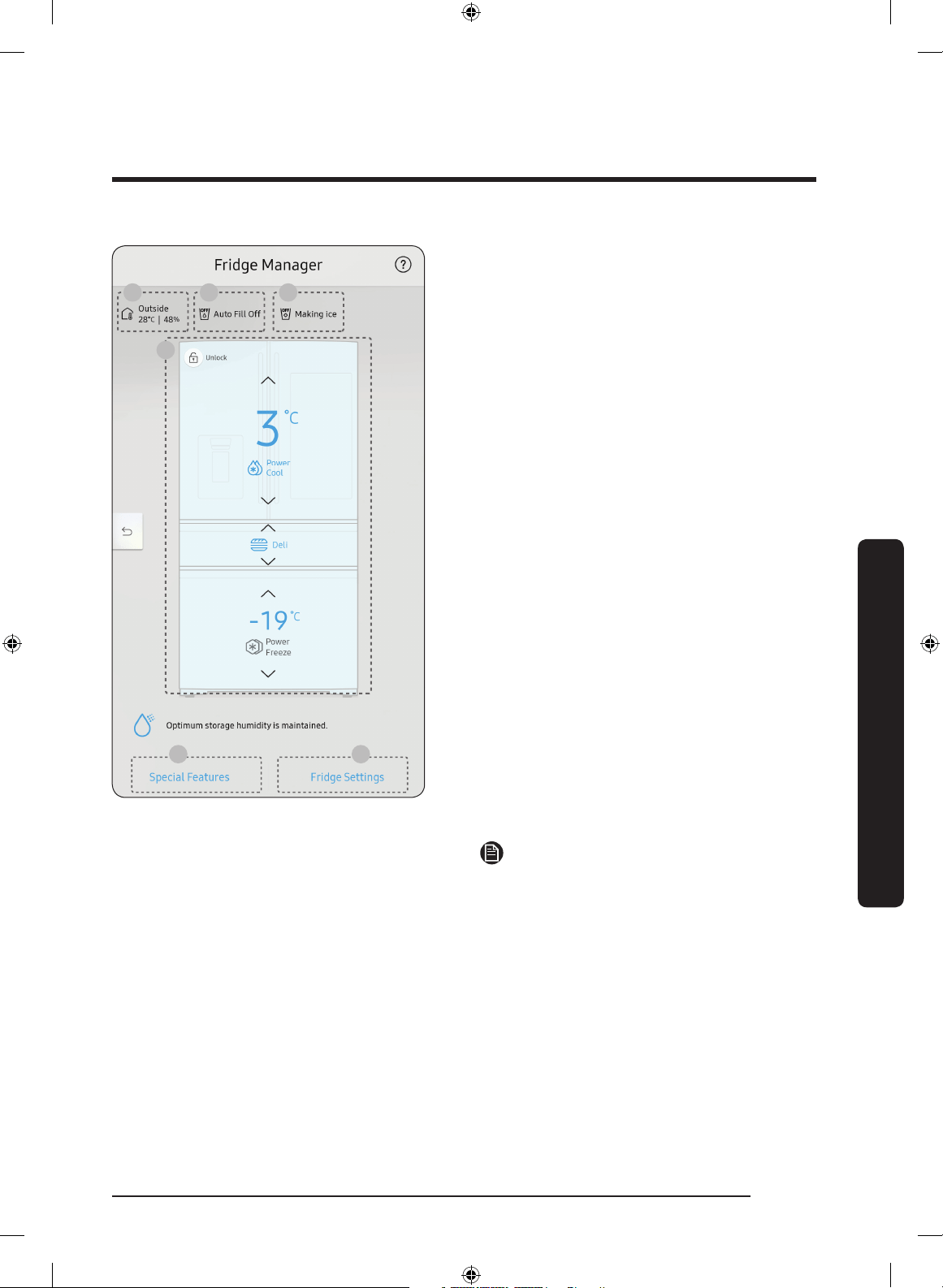
The Fridge Manager is a graphical
representation of your refrigerator.
The top represents the refrigerator
compartment, the middle the Cool Select+
(FlexZone), and the bottom the freezer
compartment. The temperature or mode
settings for each are displayed over each
section.
Fridge Manager At a Glance
01 Temperature
Set or change the temperatures or
mode for the fridge, freezer, and Cool
Select+ (FlexZone). You can also turn on
and turn off the Power Cool or Power
Freeze.
- Power Cool and Power Freeze
speeds up the cooling and freezing
process at maximum fan speed. The
fridge and the freezer keeps running
at full speed for several hours,
and then returns to the previous
temperature.
- To freeze large amounts of food,
activate Power Freeze for at least
20 hours before putting food in the
freezer.
NOTE
Using Power Cool or Power Freeze
increases power consumption. Make sure
you turn it off to return to the previous
temperature if you do not intend to use it.
02 Special Features
Special functions available on this refrigerator are listed with a brief description.
03 Fridge Settings
See the next page for details.
04 External Conditions
Displays the external (ambient) temperature and humidity.
Untitled-1 45 2017-07-12 7:07:10
Operations
English46
Operations
NOTE
The displayed conditions may differ from the actual temperature and humidity.
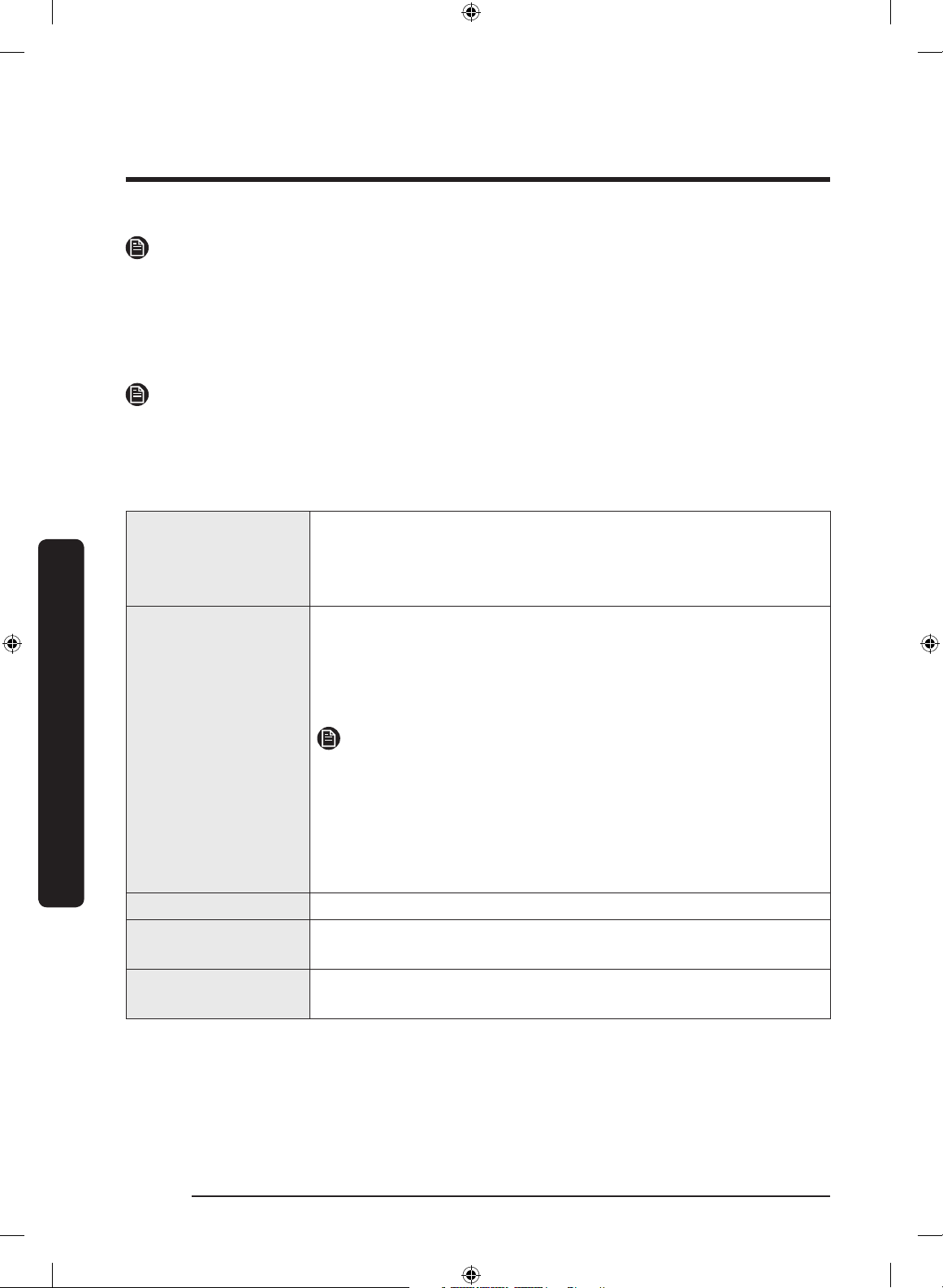
05 Auto Water Fill Status
Displays the status of the Auto Water Fill function.
06 Ice Maker Status
Displays the operation status of the Ice Maker.
NOTE
• Also displayed is the Ice Off (ice making off) indicator at the top, right. When the
indicator displays Ice Off, the refrigerator's ice maker is turned off.
• If the ice maker is turned off, it will turn on if you press and hold the ice lever for more
than 5 seconds.
Ice Maker
Turns the ice maker on and off. Tap and drag the button to turn
on or off. Note that if the ice bucket is full of ice, the refrigerator
will not start making ice when you drag the button to On.
Instead, displays the Ice Making Off indicator on the main screen.
Auto Water Fill
Turns the Auto Water Fill function on and off. Tap and drag the
button to turn on or off. Open the left door of the fridge, and
then insert the water tank. Close the door and the water tank
starts to be lled with water up to the a preset level some time
later.
NOTE
• By default, Auto Water Fill is disabled. Enable this function
after you have installed the water line.
• If you open the door or push the dispenser lever, this function
is stopped temporarily.
• While the water tank lls with water, the mood light on the
dispenser panel stays lit.
Dispenser Lock Turns the ice and water dispensers on and off.
Door Alarm
The door alarm sounds if you leave the door open. Tap and drag
the button to turn on or off.
Temp. Unit
Switch the temperature scale between Celsius and Fahrenheit.
Touch °F or °C to change the scale.
Untitled-1 46 2017-07-12 7:07:10
English 47
Operations
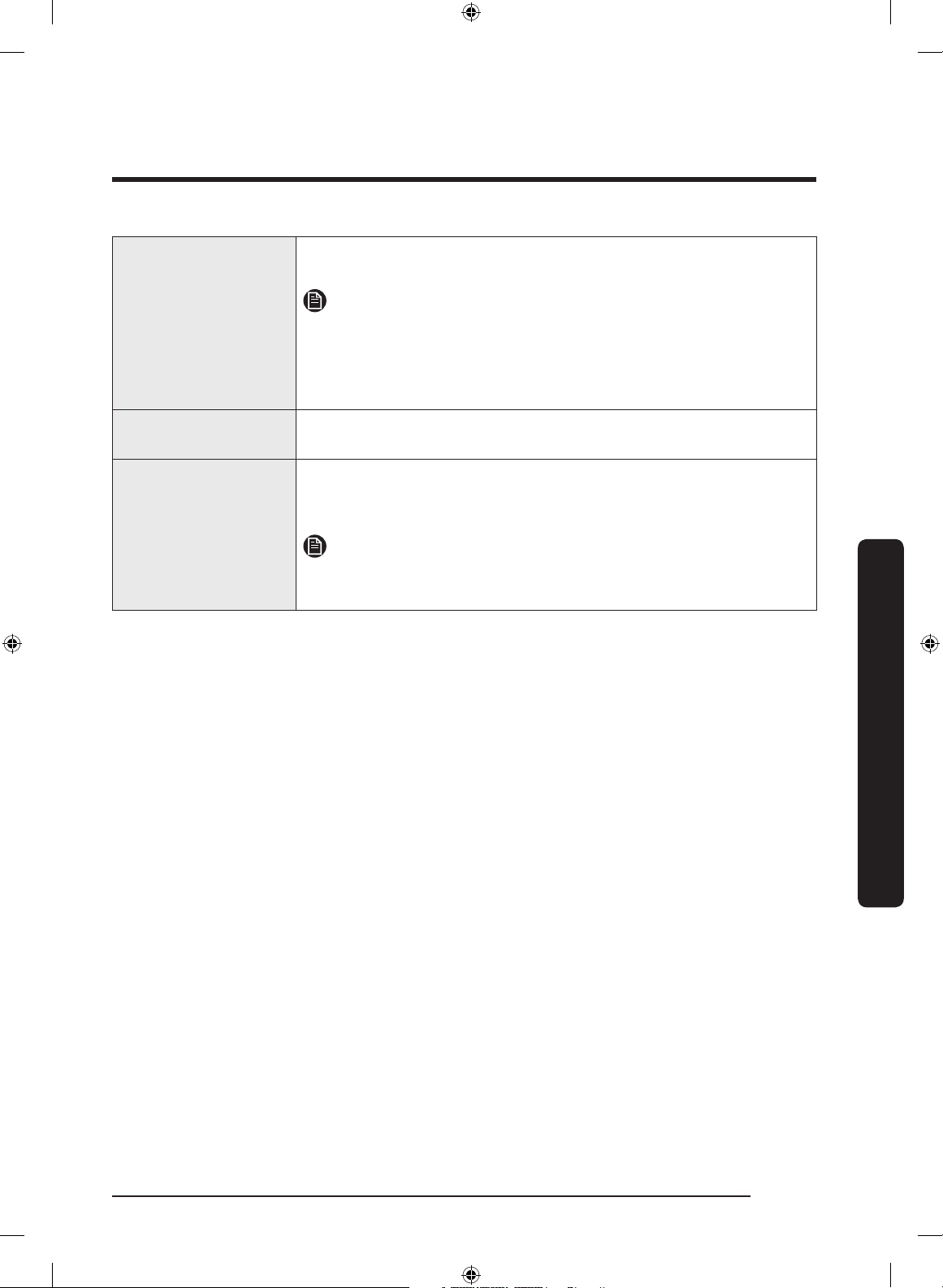
Water Filter
Provides a water lter replacement tutorial and lets you reset
the water lter replacement indicator. Tap to open.
NOTE
After installing the water lter, tap Water Filter, and then tap
RESET. Tapping RESET re-initializes the function that measures
the time remaining until the water lter needs to be replaced
again.
Self Check
Self Check is a self diagnoses function. Tap to open. Tap START to
run.
Energy Saver
Turns the Energy Saver mode on and off. Tap and drag the
button to turn on or off. By default, the Energy Saver mode is
enabled.
NOTE
If condensation or water drops form on or around the doors, turn
the Energy Saver mode off.
Untitled-1 47 2017-07-12 7:07:10

Operations
English48
Operations
Settings
Display
• You can set the screen brightness, background image, auto wake-
up, motion detector, and theme, duration and start time of the
screen saver.
Sound
• Set the volume and equalizer and turn on or turn off the touch
sound.
Wi-Fi
• Turn on or turn off a Wi-Fi connection. The current Wi-Fi network is
listed rst in the access point (AP) list.
Bluetooth
• Up to 4 recently paired Bluetooth devices are listed.
• To add a new device when 4 paired devices are listed, rst unpair a
paired device from the device list.
• Available devices are Bluetooth-enabled headsets, headphones, and
speakers.
Prole • You can add, edit, or delete a prole.
Parental
Controls
• Enable or disable restrictions on Family Hub features and apps.
Language
• Select a preferred language. Available languages depend on the
sales region.
Date and Time
• Make sure the Auto update function is on with a proper Wi-Fi
network connection. Open the fridge door and locate the display
reset button on the inner side of the door. Press the button and
press again to reset the display. Then, the date and time will be
synced by the time server.
• You can change the time zone through the Time zone menu.
About Device
• Make sure the Software Update function is on with a proper Wi-Fi
network connection.
• When updates are available, the Update button becomes active.
When updates are complete, the refrigerator restarts automatically.
• Legal information displays the Open Source License Agreement. Tap
the list item to open the Open Source Announcement.
Easy
Connection
• Easy Connection can be used with Samsung Smartphone apps, and
allows you to connect your device to the same home Wi-Fi network
that your smartphone is connected to.
Clean Screen
Mode
• Turn on so you can clean the screen without activating any apps.
Online Manual
• The online manual will walk you through various menus and apps
that the refrigerator provides directly on the display.
Untitled-1 48 2017-07-12 7:07:10
English 49
Operations
Factory Data
Reset
• Tap Reset to restart the refrigerator in Factory Data Reset mode. All
user data will be removed permanently. Data that will be removed
includes account information, memos, photos, and user settings.
CAUTION
Once factory reset is complete, no user data can be recovered.
Remote
Management
• Use Remote Management to allow a service representative to
remotely diagnose problems and provide solutions.
• Remote Management requires a Wi-Fi connection.
• The Remote Management menu does not appear on models that do
not support Remote Management.
Untitled-1 49 2017-07-12 7:07:10
Operations
English50
Operations
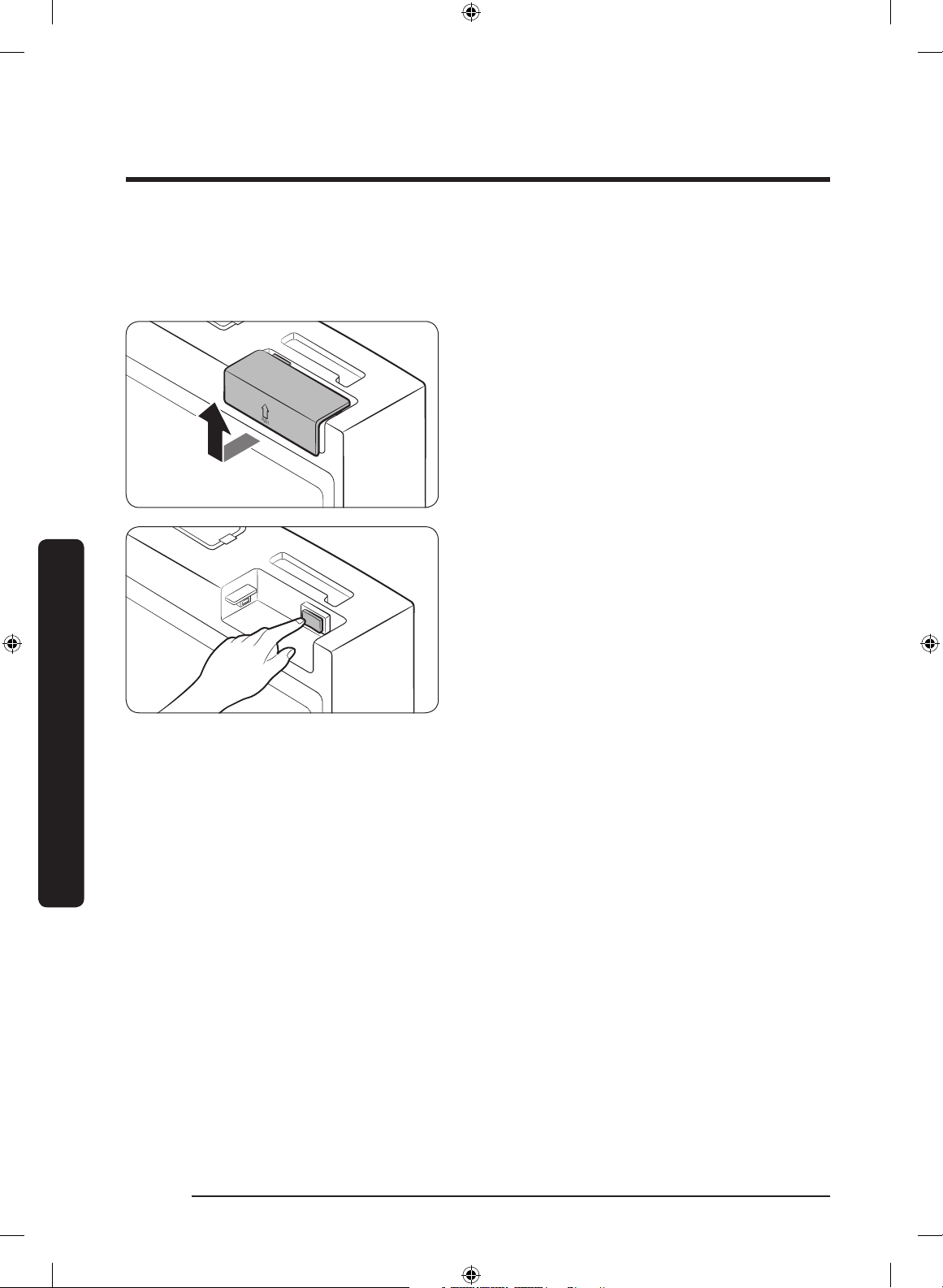
Display reset (applicable models only)
If you encounter an abnormal symptom on the display, try resetting the display. This may
solve the symptom.
1. Open the right-side fridge door and
locate the switch cover on the top right
corner of the door.
2. Push up the cover to reveal the power
switch.
3. Turn the switch off and turn it on again.
4. Reinsert the switch cover to the end
until you hear a clicking sound.
Untitled-1 50 2017-07-12 7:07:11
English 51
Operations
Samsung Connect
Installation
Visit the Google Play Store, Galaxy Apps, or Apple App Store and search for “Samsung
Connect”. Download and install the Samsung Connect app provided by Samsung
Electronics to your smart device.
NOTE
• The Samsung Connect app is designed for Android 6.0 (Marshmallow) or higher,
Android 5.0 (Lollipop) or higher on Samsung smartphones, or iOS 10.0 or higher, and
is optimized for Samsung smartphones (Galaxy S and Galaxy Note series). On other
smartphone models, some functions of the app may operate differently.
• For improved performance, the Samsung Connect app is subject to change without
notice, or discontinued support according to the manufacturer’s policy.
• Recommended encryption systems include WPA/TKIP and WPA2/AES. Any newer or
unstandardized Wi-Fi authentication protocols are not supported.
• Wireless networks may be affected by the surrounding wireless communication
environment.
• If your Internet service provider has registered the MAC address of your PC or modem
for identication, your Samsung Smart Refrigerator may fail to connect to the Internet.
If this happens, contact your Internet service provider for technical assistance.
• The rewall settings of your network system may prevent your Samsung Smart
Refrigerator from accessing the Internet. Contact your Internet service provider for
technical assistance. If this symptom continues, contact a local Samsung service center
or retailer.
• To congure the wireless access point (AP) settings, see the user manual of the AP.
• Samsung Smart Refrigerators support both Wi-Fi 2.4 GHz with IEEE 802.11 b/g/n and
Soft-AP protocols (IEEE 802.11 n is recommended).
• Unauthorized Wi-Fi wireless routers may fail to connect to applicable Samsung Smart
Refrigerators.
Untitled-1 51 2017-07-12 7:07:11
Operations
English52
Operations
Samsung account
You are required to register your Samsung account to use the app. If you don’t have a
Samsung account, follow the app’s onscreen instructions to create a free Samsung account.
Getting started
Turn on the device you want to connect, open the Samsung Connect app on your phone,
then follow the instructions below.
If a pop-up appears saying that a new device has been found, tap
ADD NOW.
If a pop-up doesn't appear, tap the
+ button, then select the device you want to connect
from the list of available devices.
If your device isn't in the list of available devices, add the device manually by selecting
the device type, and then selecting the specic device model.
Follow the instructions for setting up your device.
1. Sign in to your Samsung account (if not already signed in).
2. Add the device.
3. Check the connection.
4. Find and connect to a Wi-Fi network.
5. Register the device.
6. Setup is complete. Your device will now appear as a card on the My devices screen.
Refrigerator app
Integrated control
You can monitor and control your refrigerator at home and on the go.
• Tap the
Refrigerator icon in the Samsung Connect to open the Refrigerator page.
• Check the operation status or notications related to your refrigerator, and change
options or settings if necessary.
NOTE
Some options or settings of the refrigerator may not be available for remote control.
Untitled-1 52 2017-07-12 7:07:11
English 53
Operations
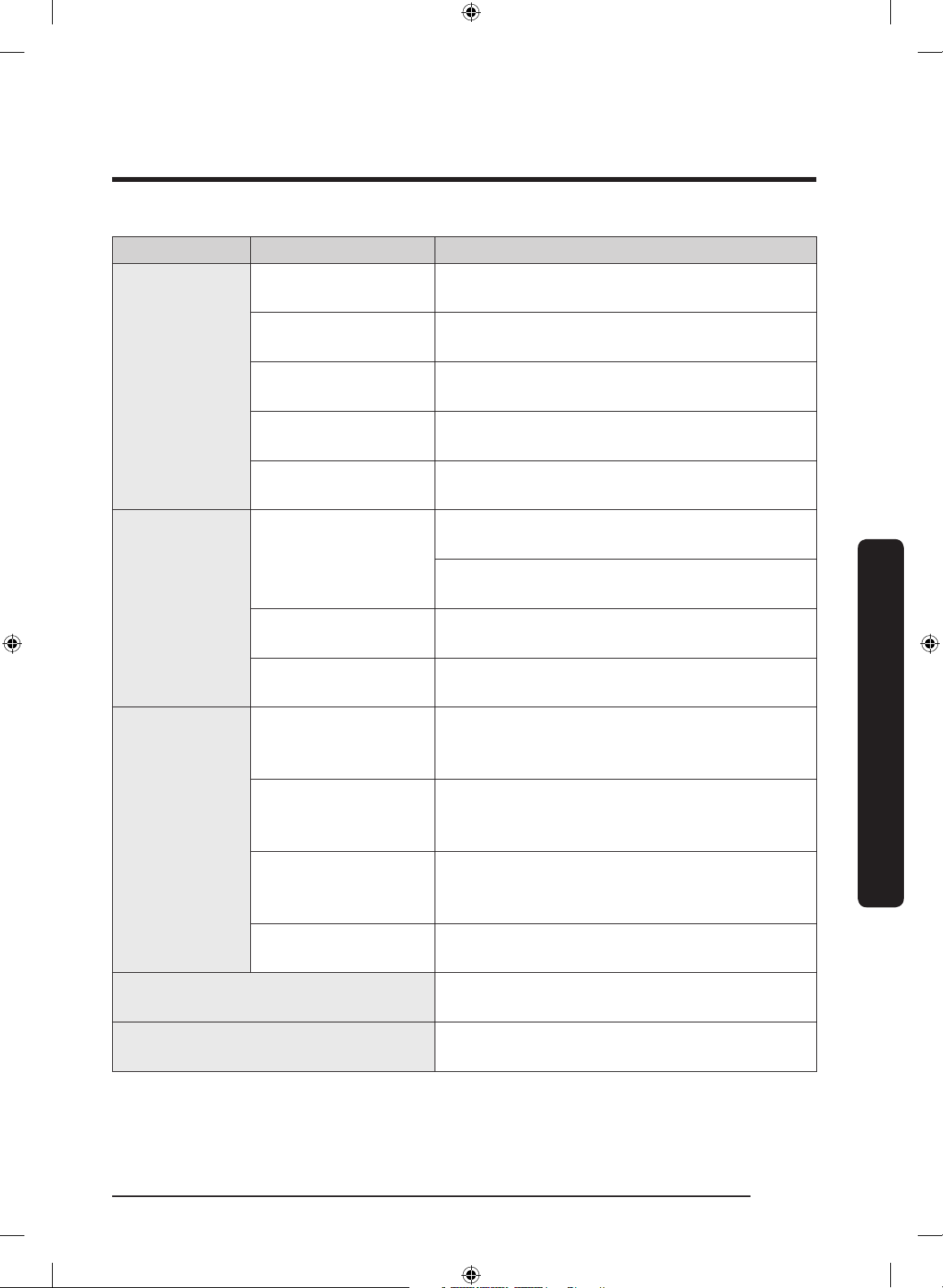
Category Item Description
Monitoring
Fridge temperature
Displays the current temperature setting of the
fridge.
Freezer temperature
Displays the current temperature setting of the
freezer.
CoolSelect+
(FlexZone) settings
Displays the settings of the CoolSelect+
(FlexZone).
Diagnosis
Detects abnormal operations of the
refrigerator.
Energy monitoring
Checks the accumulated power consumption of
the refrigerator for the last 180 days.
Functions
Ice making
You can turn the ice making function on or off,
and check the current settings of the function.
You can also check the status and progress of
ice making.
Power Cool
You can turn Power Cool on or off, and check
the current settings.
Power Freeze
You can turn Power Freeze on or off, and
check the current settings.
Alarms
Abnormally high
temperature
This alarm is triggered when the fridge, the
freezer, or the Cool Select+ (FlexZone) has
abnormally high temperatures.
Door opening
This alarm is triggered if the fridge or freezer
door or the Cool Select+ (FlexZone) door is left
open for a specic time.
Auto Water Fill
overowing
If the Auto Water Fill function senses an
overow, it triggers this alarm to let you know
the status of the overow.
Water lter
replacement
This alarm reminds you that the water lter
must be replaced.
Inside Image
You can view the inside of the refrigerator and
you can know when to replace food items.
Family Hub App Link
You can connect to the App Store and
download the Refrigerator app.
Untitled-1 53 2017-07-12 7:07:11
Operations
English54
Operations
Recommendations for voice recognition
Around the 'MIC' marked area of the refrigerator's display is a built-in microphone.
• Speak loud and clear towards the built-in microphone within 1 m from the
refrigerator's display.
• Voice recognition may not be triggered or enabled at distances over 1 m or with low
voices.
• Speak clearly at a regular pace. Reduce ambient noises, such as from the living-room
TV.
Samsung Family Hub
Installation
Visit the Google Play Store, Galaxy Apps, or Apple App Store and search for “Samsung
Family Hub”. Download and install the Samsung Family Hub app provided by Samsung
Electronics to your smart device.
NOTE
• The Samsung Family Hub app is designed for Android 4.4 (KitKat) or higher, or iOS
8.0 or higher, and is optimized for Samsung smartphones (Galaxy S and Galaxy Note
series).
• For improved performance, the Samsung Family Hub app is subject to change without
notice or support may be discontinued according to the manufacturer’s policy.
• Wireless networks may be affected by the surrounding wireless communication
environment.
• If your Internet service provider has registered the MAC address of your PC or modem
for identication, your Samsung Smart Refrigerator may fail to connect to the Internet.
If this happens, contact your Internet service provider for technical assistance.
• The rewall settings of your network system may prevent your Samsung Smart
Refrigerator from accessing the Internet. Contact your Internet service provider for
technical assistance. If this symptom continues, contact a local Samsung service center
or retailer.
Untitled-1 54 2017-07-12 7:07:11
English 55
Operations
Samsung account
You are required to register your Samsung account to use the app. If you don’t have a
Samsung account, follow the app’s onscreen instructions to create a free Samsung account.
NOTE
To connect your smartphone and the refrigerator, register your Samsung account in
Settings Proles.
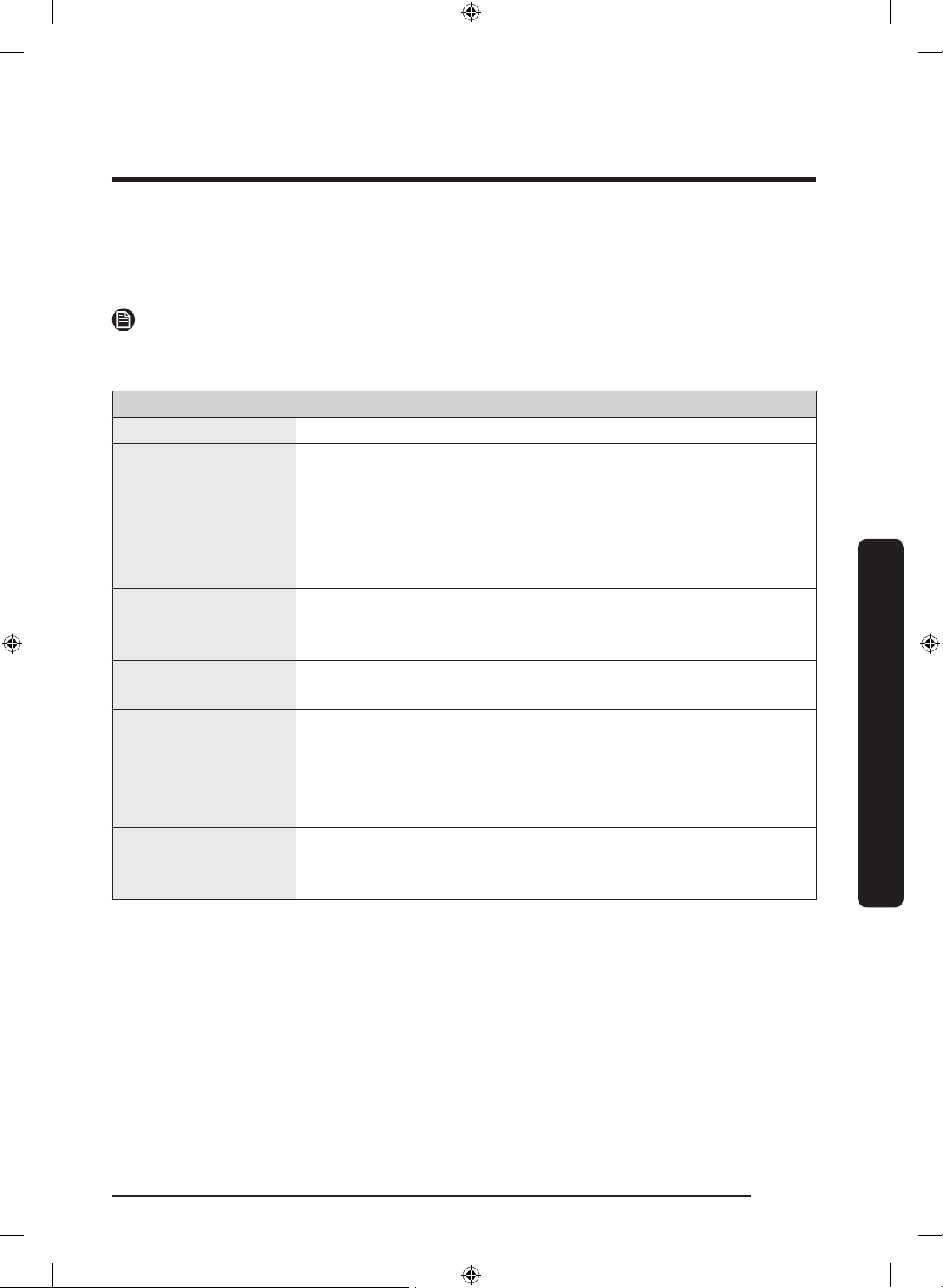
Item Description
Calendar • You can share your schedule with your family.
To Do • You can bring a To Do list from your refrigerator to your
smartphone or send a To Do list from your smartphone to
your refrigerator.
Memo • You can bring a Memo from your refrigerator to your
smartphone or send a Memo from your smartphone to your
refrigerator.
Whiteboard • You can bring a White Board message from your refrigerator
to your smartphone or send a White Board message from
your smartphone to your refrigerator.
Photo • You can send photos in your smartphone to the Photo Album
in your refrigerator.
View Inside • You can bring a food list from your refrigerator to your
smartphone or send a food list from your smartphone to your
refrigerator.
• You can check the refrigerator's inside fridge image on your
smartphone.
Shopping List • You can bring a shopping list from your refrigerator to your
smartphone or send a shopping from your smartphone to
your refrigerator.
Untitled-1 55 2017-07-12 7:07:11
Operations
English56
Operations
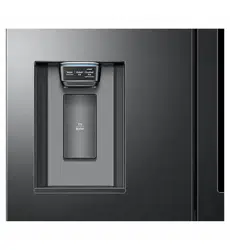
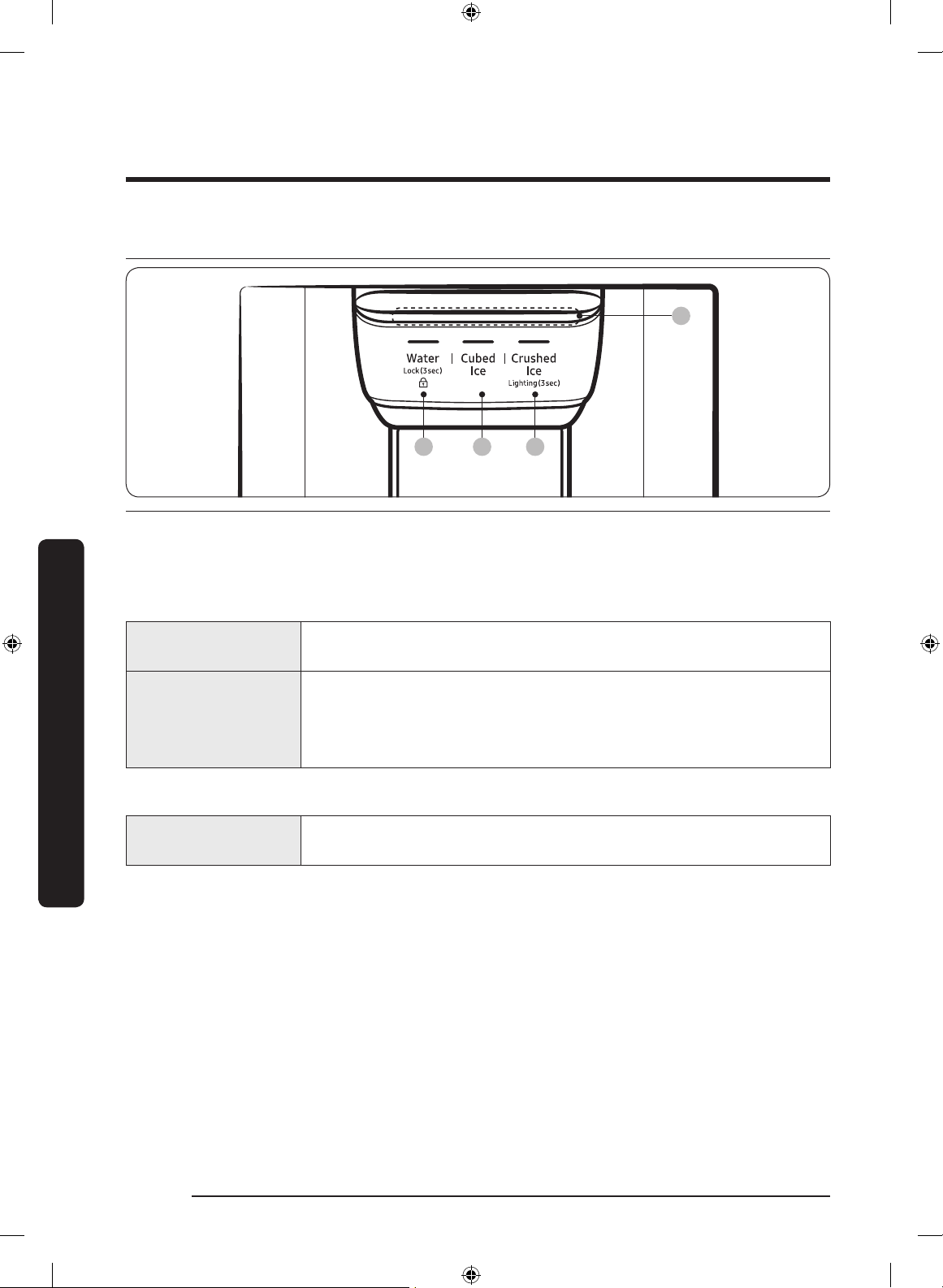
Dispenser panel
01 02 03
04
01 Water / Lock 02 Cubed Ice
03 Crushed Ice / Lighting 04 Dispenser mood light
01 Water / Lock (3 sec)
Water
To dispense chilled water, press Water. The corresponding
indicator turns on.
Lock
(Dispenser panel /
Dispenser lever)
To prevent use of the dispenser panel buttons and the dispenser
lever, press and hold
Water for more than 3 seconds.
If you press and hold the button again for more than 3 seconds,
the dispenser lock will be deactivated.
02 Cubed Ice
Cubed Ice
Press Cubed Ice to dispense cubed ice. The corresponding
indicator turns on.
Untitled-1 56 2017-07-12 7:07:11
English 57
Operations
03 Crushed Ice / Lighting (3 sec)
Crushed Ice
Press Crushed Ice to dispense crushed ice. The corresponding
indicator turns on.
Lighting
By default, the dispenser lamp turns on only when the dispenser
is used. To keep the dispenser lamp turning on, press and hold
Crushed Ice for 3 seconds. To turn the lamp off, press and hold
Crushed Ice for 3 seconds again.
04 Dispenser mood light
The Dispenser mood light lights up in the following conditions:
• When you push the dispenser lever with the dispenser lock disabled
- Push the dispenser lever and the dispenser mood light turns on. Release the lever
and the light turns off after a some time.
• While the water tank is being lled with water with the Auto Water Fill function turned
on
- The dispenser mood light stays lit.
Untitled-1 57 2017-07-12 7:07:11
Operations
English58
Operations
Special features
Water tank (Auto Water Fill)
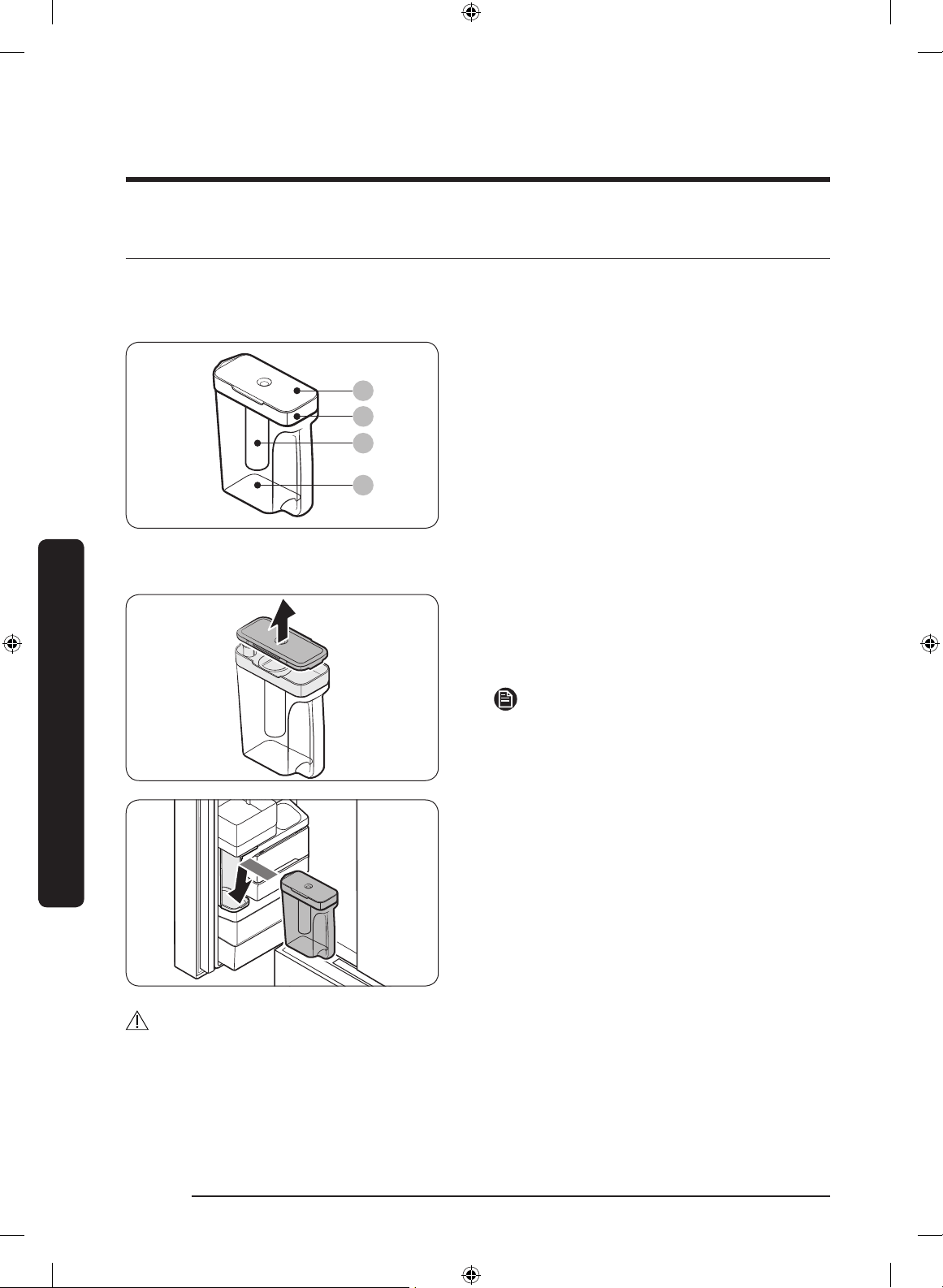
The Auto Water Fill function lets you enjoy cold brewed tea in your refrigerator.
01
02
03
04
01 Lid
02 Sealed mouth
03 Infuser
04 Body
To ll the water tank
1. Grasp a handle groove of the sealed
mouth, and then pull up to open the lid.
2. Put tea leaves or fruits to your taste
into the infuser.
NOTE
If you want to keep the infused water in its
initial concentration, turn the Auto Water
Fill function off.
3. Enable the Auto Water Fill function on
the main panel. Open the left door of
the fridge door, and then mount the
water tank onto the holder. Push it
straight in as shown in the illustration
on the left.
4. Close the door. The infuser will start to
ll with chilled water some time later.
CAUTION
Make sure the infuser ts in the water tank holder.
Untitled-1 58 2017-07-12 7:07:11
English 59
Operations
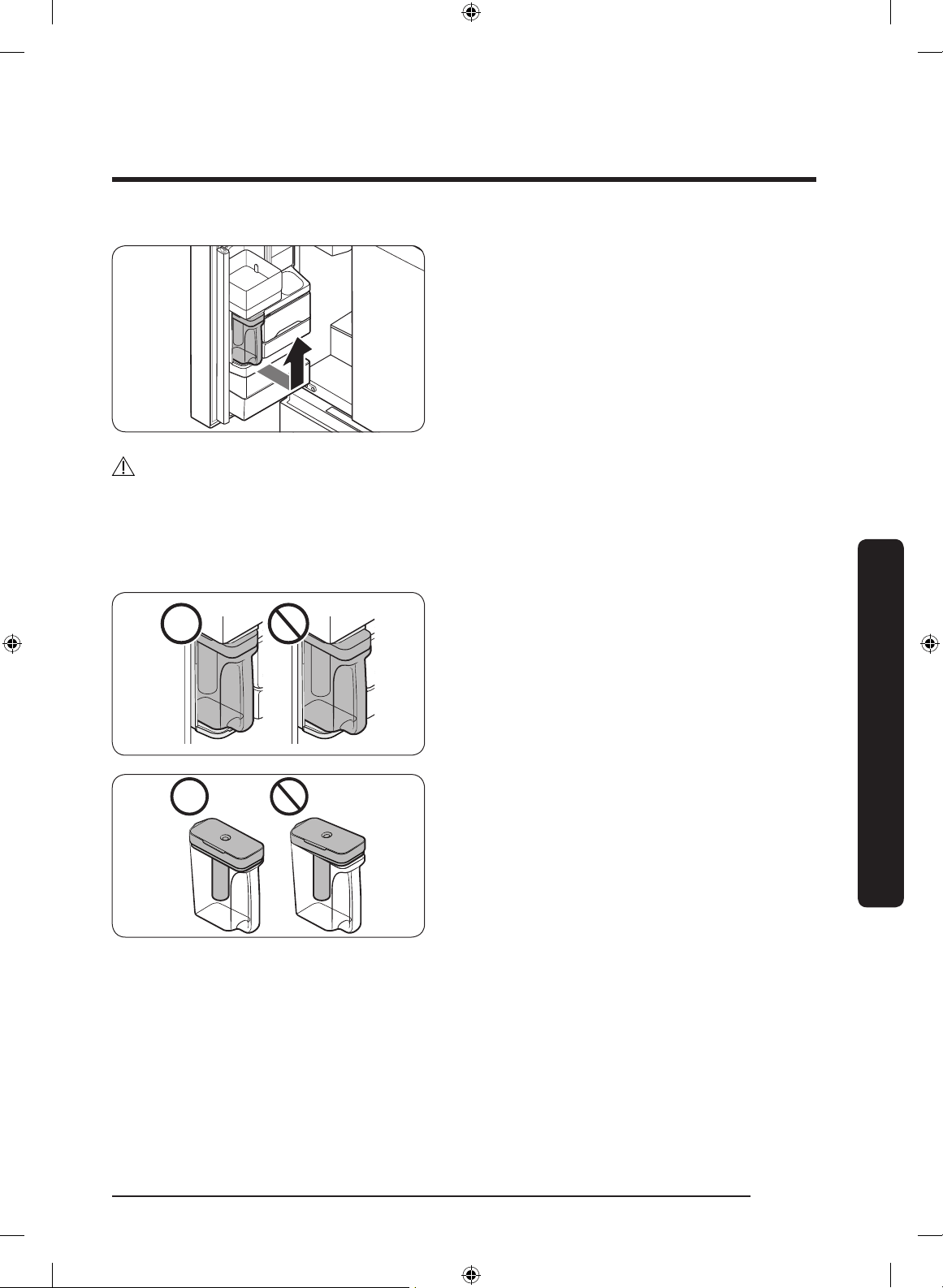
5. To drink tea, open the door and detach
the water tank. Pull it straight out.
CAUTION
• We recommend consuming fruit infused water within 24 hours. After that, the infused
water can spoil over time.
• You must clean the water tank after you have consumed up the infused water or when
a long time has passed without using the water tank.
• To prevent the water tank from tipping
over or leaking, make sure the water
tank ts in the water tank holder.
• To prevent the water tank from spilling
over or leaking, make sure the sealed
mouth is properly inserted.
Untitled-1 59 2017-07-12 7:07:12
Operations
English60
Operations
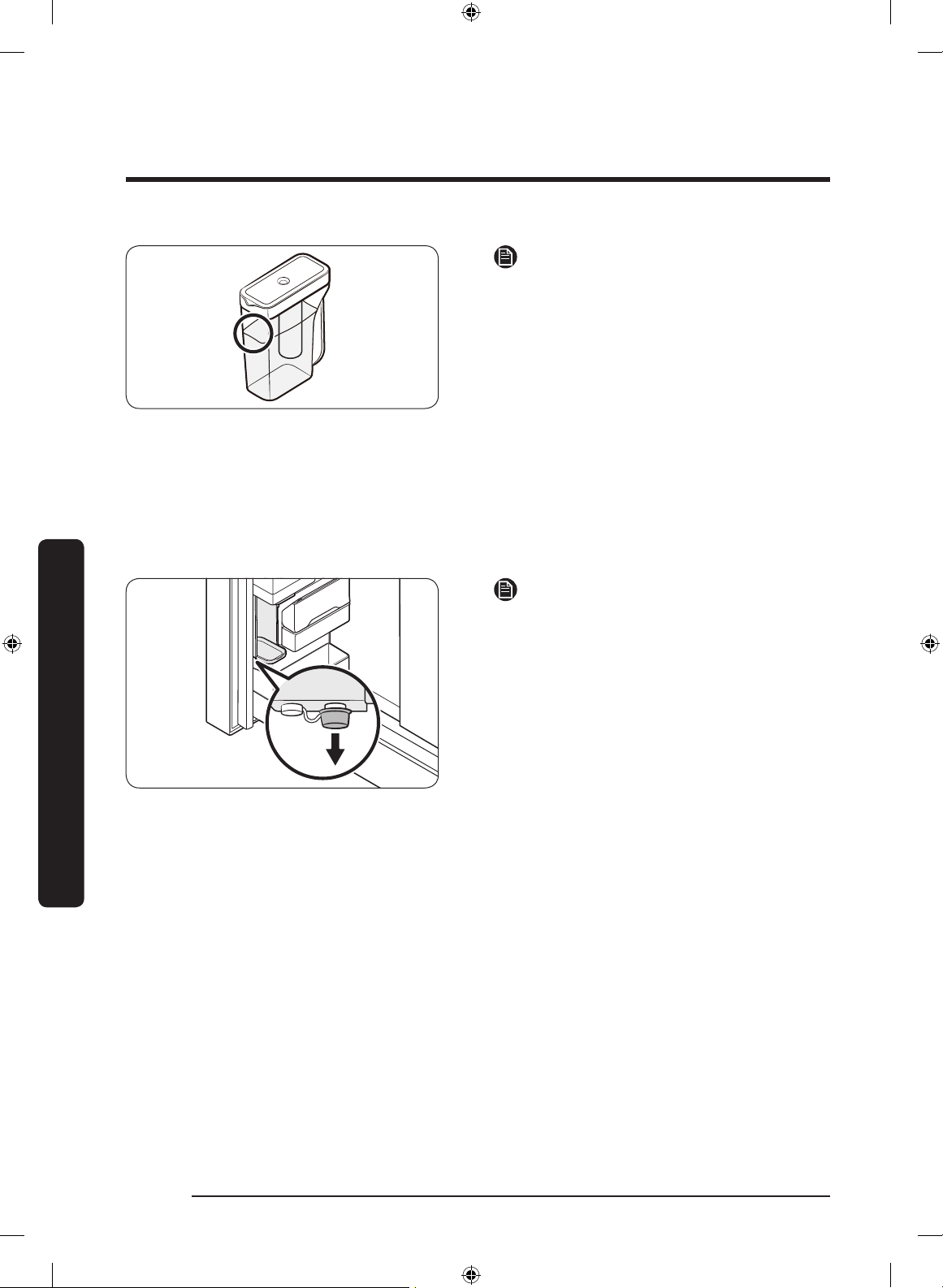
NOTE
• If the front side (specically marked
area) of the water tank has too much
moisture, the water tank may not fully
ll. Remove the moisture, and then try
again.
• Auto Water Fill will stop supplying
water for the water tank if the water
tank does not ll after a certain amount
of time. If this happens, check if the
water line is properly connected.
Remove and reinsert the water tank,
and then try again.
NOTE
• Wipe around the infuser holder if the
infuser overows or leaks.
• Water drops off if the rubber cap is
opened.
• The Auto Water Fill indicator blinks if
there is a leak. In case of a leak, open
the rubber cap so that the leaked water
drains. The indicator will then turn off.
However, if the indicator continues to
blink, there might be a system failure.
Contact your local Samsung service
center.
• The Auto Water Fill indicators blink
if there is a leak. See page for more
information.
Untitled-1 60 2017-07-12 7:07:12
English 61
Operations
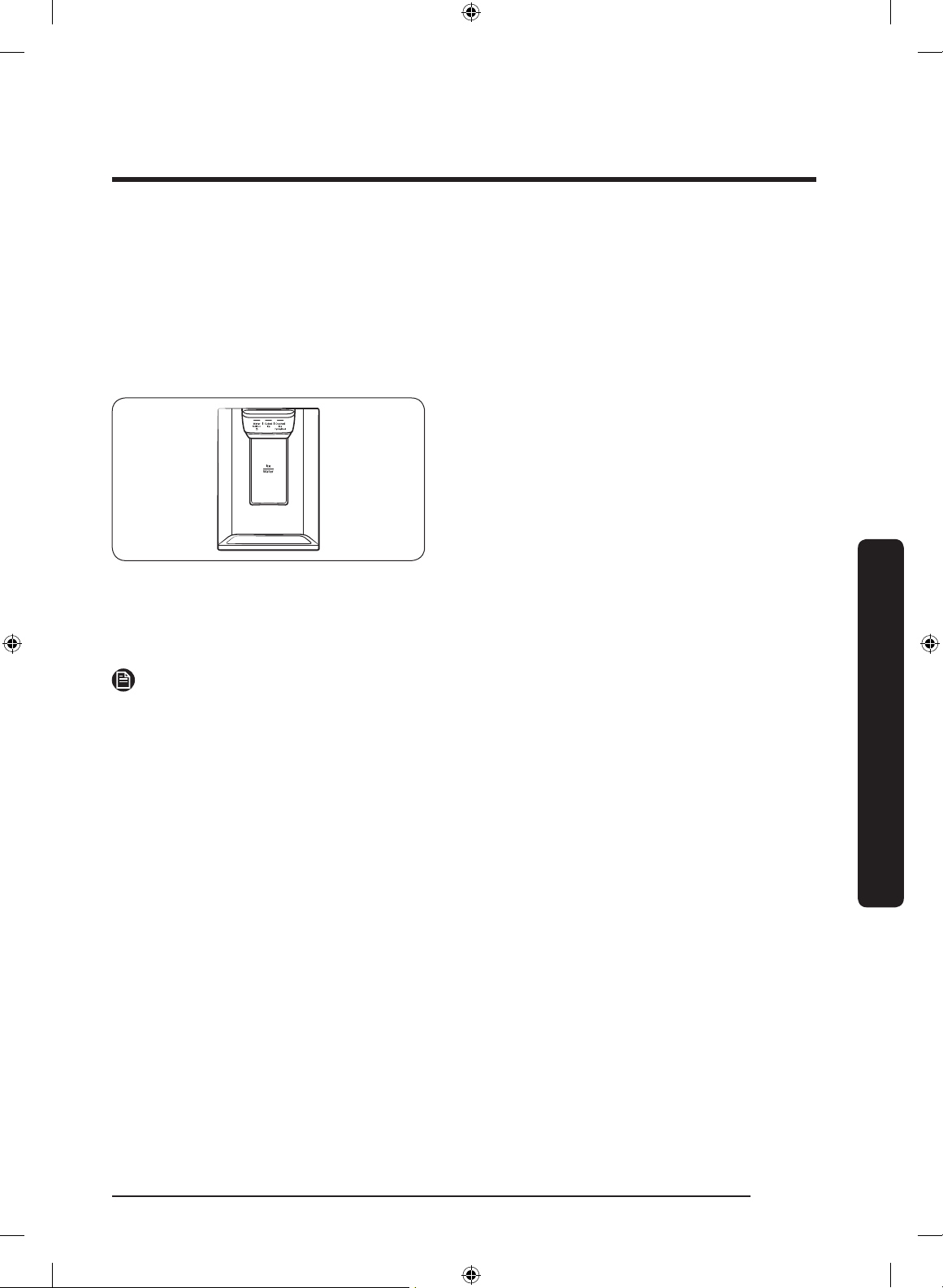
Water/Ice dispenser
Using the dispenser, you can dispense water with or without ice.
The water dispenser offers 3 options: chilled water, cubed ice, and crushed ice. To
dispense chilled water, press
Water on the dispenser panel. Put a water glass under the
dispenser, and then push the dispenser lever.
To dispense water with ice
1. With the Ice Maker enabled, press
Cubed Ice or Crushed Ice to select the
ice type.
2. Put a water glass under the dispenser,
and then push the dispenser lever with
the glass. Ice will be dispensed from the
dispenser.
3. Press Water to select water.
4. Push the dispenser lever with the
glass. Water will be dispensed from the
dispenser.
NOTE
• The dispenser will stop dispensing if you keep pushing the dispenser lever for about 1
minute. To dispense more water, release and push the lever again.
• Make sure the glass is in line with the dispenser to prevent the dispensed water from
spilling out.
• If you do not use the water dispenser for 2-3 days, the dispensed water may have an
abnormal smell or taste. This is not a system failure. Discard the rst 1-2 glasses of
water.
Ice maker
The refrigerator has a built-in ice maker that automatically dispenses ice so that you can
enjoy ltered water with cubed or crushed ice.
Ice making
After you have installed your refrigerator and plugged it in, follow these instructions to
ensure proper ice making and to keep the ice bucket full of ice:
1. Let the refrigerator operate for at least 24 hours to ensure optimal performance.
2. Dispense the rst 4 to 6 ice cubes into a glass.
3. Wait another 8 hours and dispense another 4 to 6 ice cubes.
4. Then, wait another 16 hours and dispense the rst glass-full of ice.
Untitled-1 61 2017-07-12 7:07:12
Operations
English62
Operations
NOTE
• If you consume all the ice at once, you must wait 8 hours before dispensing the rst 4
to 6 cubes. This ensures that the ice bucket is lled with ice properly.
• Ice cubes generated rapidly may look white, which is normal.
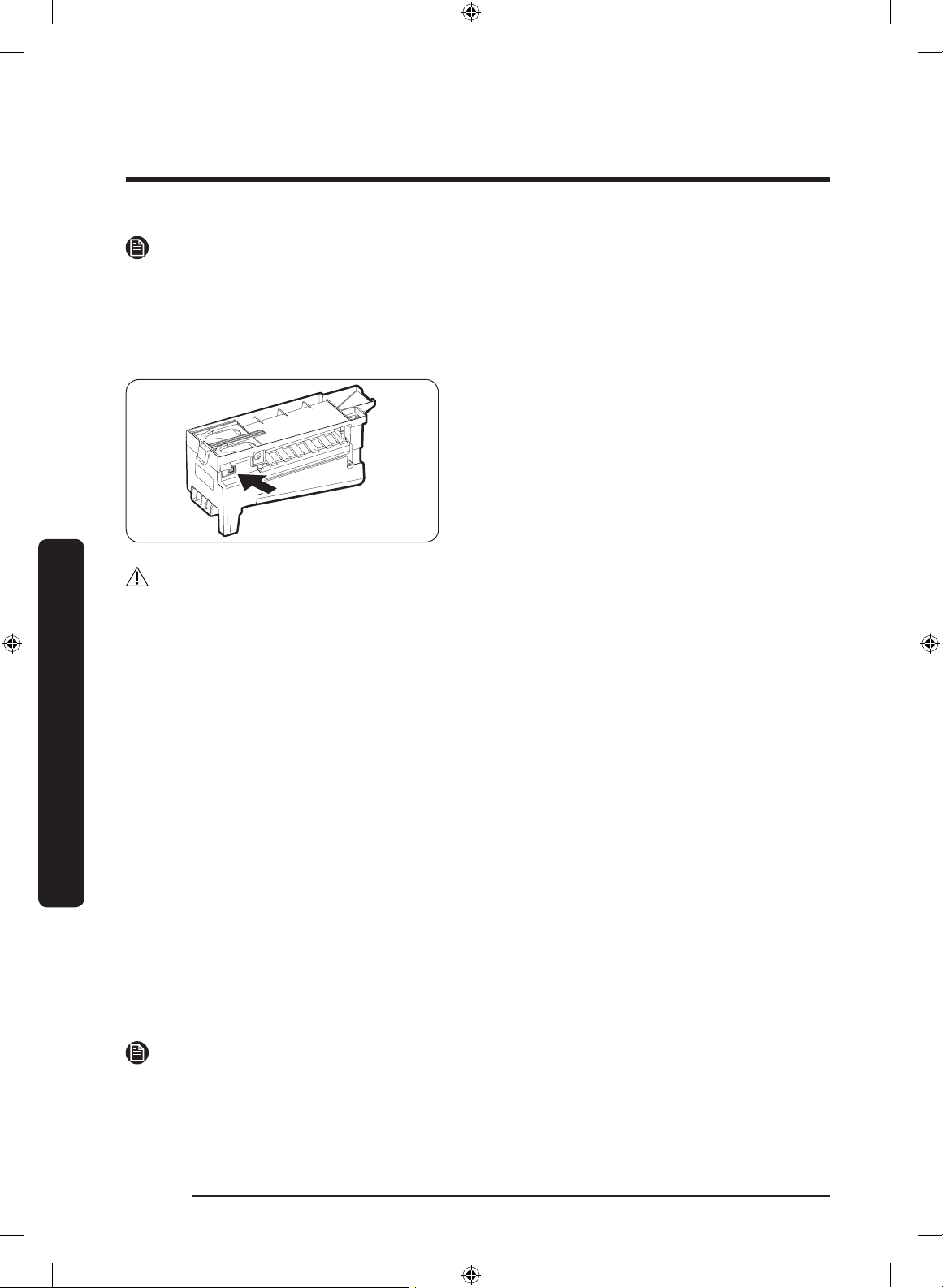
Diagnosis
If ice does not dispense, rst check the ice
maker.
1. Press Test on the side of the ice maker.
You will hear a chime (ding-dong) when
you press the button.
2. You will hear another chime if the ice
maker is operating properly.
CAUTION
• If the ice making chime rings repeatedly, contact your waterline installer or a local
Samsung service center.
• Do not press Test repeatedly after the ice tray is lled with ice or water. Water may
overow or ice may jam.
• Do not put food in the ice bucket. The frozen food may damage the ice maker,
especially when you open or close the door.
• When the refrigerator recovers power after a power failure, the ice bucket may contain
a mix of melted and jammed ice cubes, which can prevent the ice maker from working
properly. To prevent this, make sure to empty the ice bucket so the ice bucket can rell
with fresh, loose ice cubes.
• Do not put ngers or any objects into the dispenser outlet or the ice maker. This can
cause physical injury or property damage.
• When reinserting the ice maker tray, make sure that the tray is properly centered at
the entrance. Otherwise, the tray can get stuck.
If You Turn the Ice Maker Off
If you press and hold
Ice Maker for more than 3 seconds to turn the ice maker off, make
sure to remove all ice cubes from the ice bucket. Remaining ice cubes may clump together,
making it difcult to remove them.
To remove the ice bucket, see the Ice bucket section on page 64.
NOTE
• Removal of the ice bucket does not affect the thermal and mechanical performance of
the refrigerator.
Untitled-1 62 2017-07-12 7:07:12
English 63
Operations
Water clouding
Water supplied to the refrigerator ows through a core alkaline lter. During this ltering
process, the water pressure of the water increases and the water becomes saturated with
oxygen and nitrogen. This causes the water to look misty or cloudy temporarily when
dispensed. This is normal and the water will look clear after a few seconds.
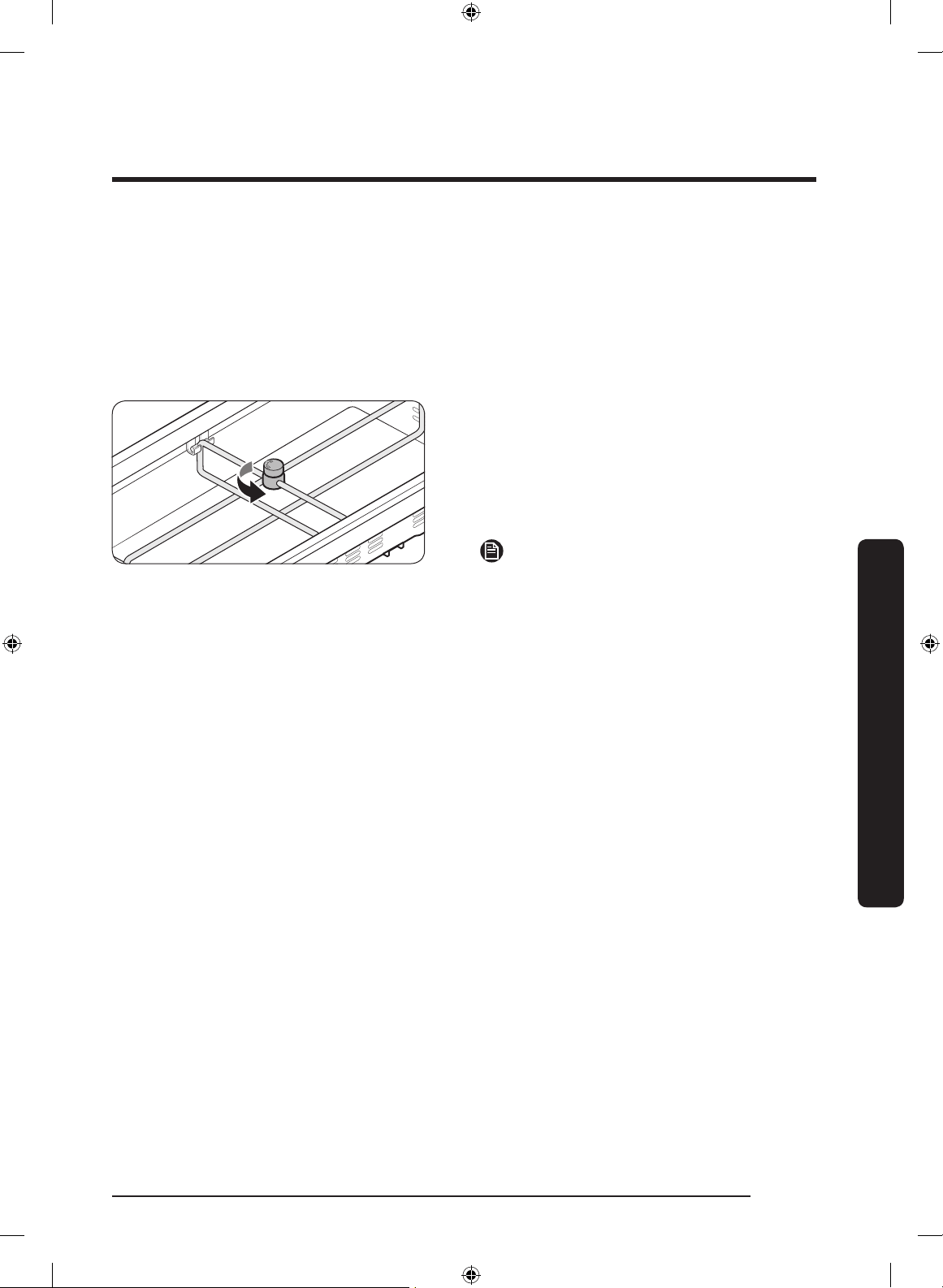
CoolSelect+ (FlexZone) divider
You can change the divider position.
To do this, unlock the divider by turning
the divider dial counter clockwise. Then,
move the width and height bars as
appropriate. When done, turn the dial
clockwise to lock the divider.
NOTE
If the divider lock does not function, wipe
the bars to remove moisture on them.
Untitled-1 63 2017-07-12 7:07:13
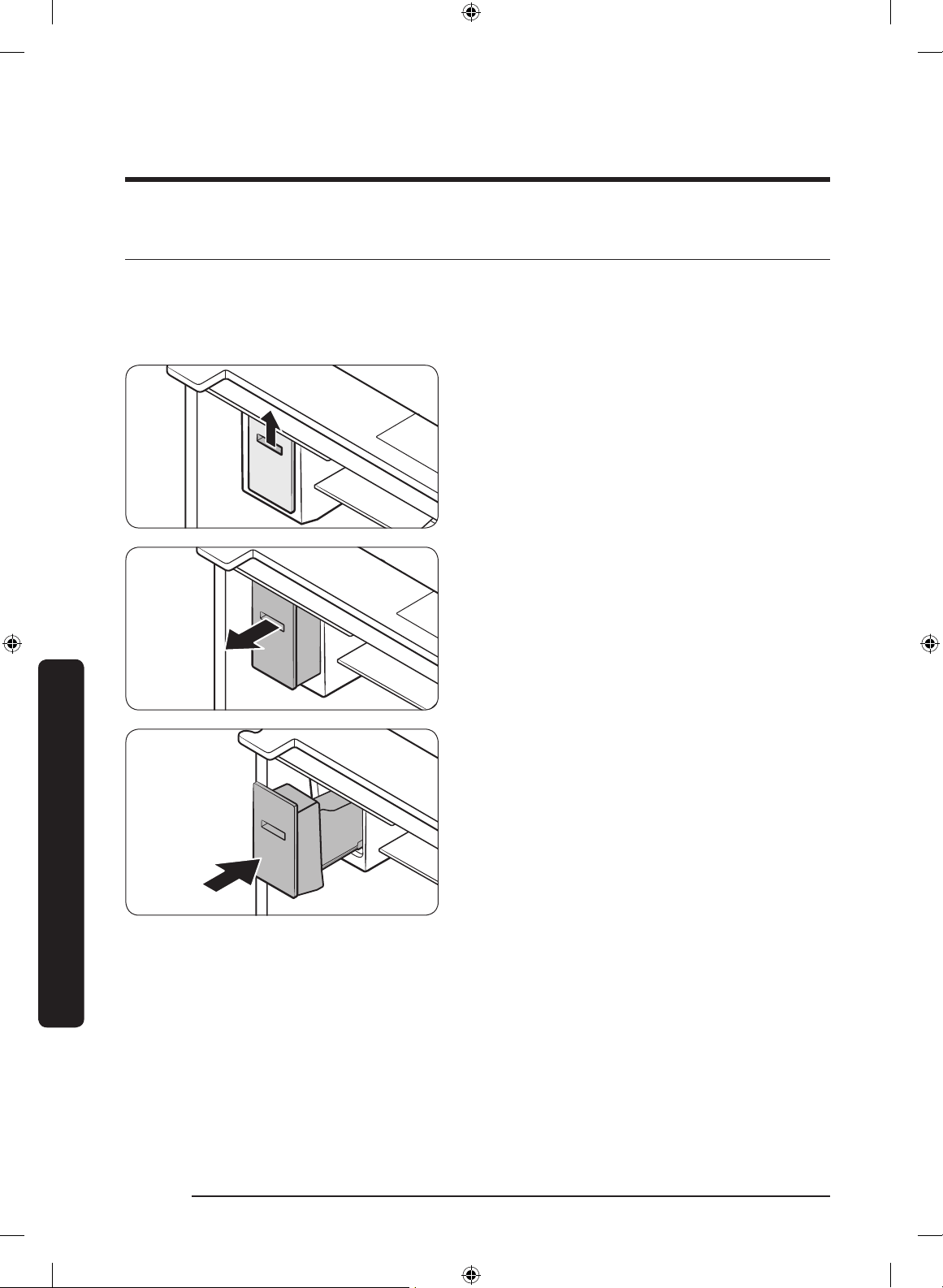
English64
Maintenance
Handling and care
Ice bucket
If you do not dispense ice for an extended period, ice may form clumps inside the bucket.
If this happens, remove and empty the ice bucket.
1. While grabbing the handle of the ice
bucket, slightly lift up the bucket, and
then remove it to the front.
2. Remove the remaining ice cubes and
put the ice bucket back into place.
Maintenance
Untitled-1 64 2017-07-12 7:07:13
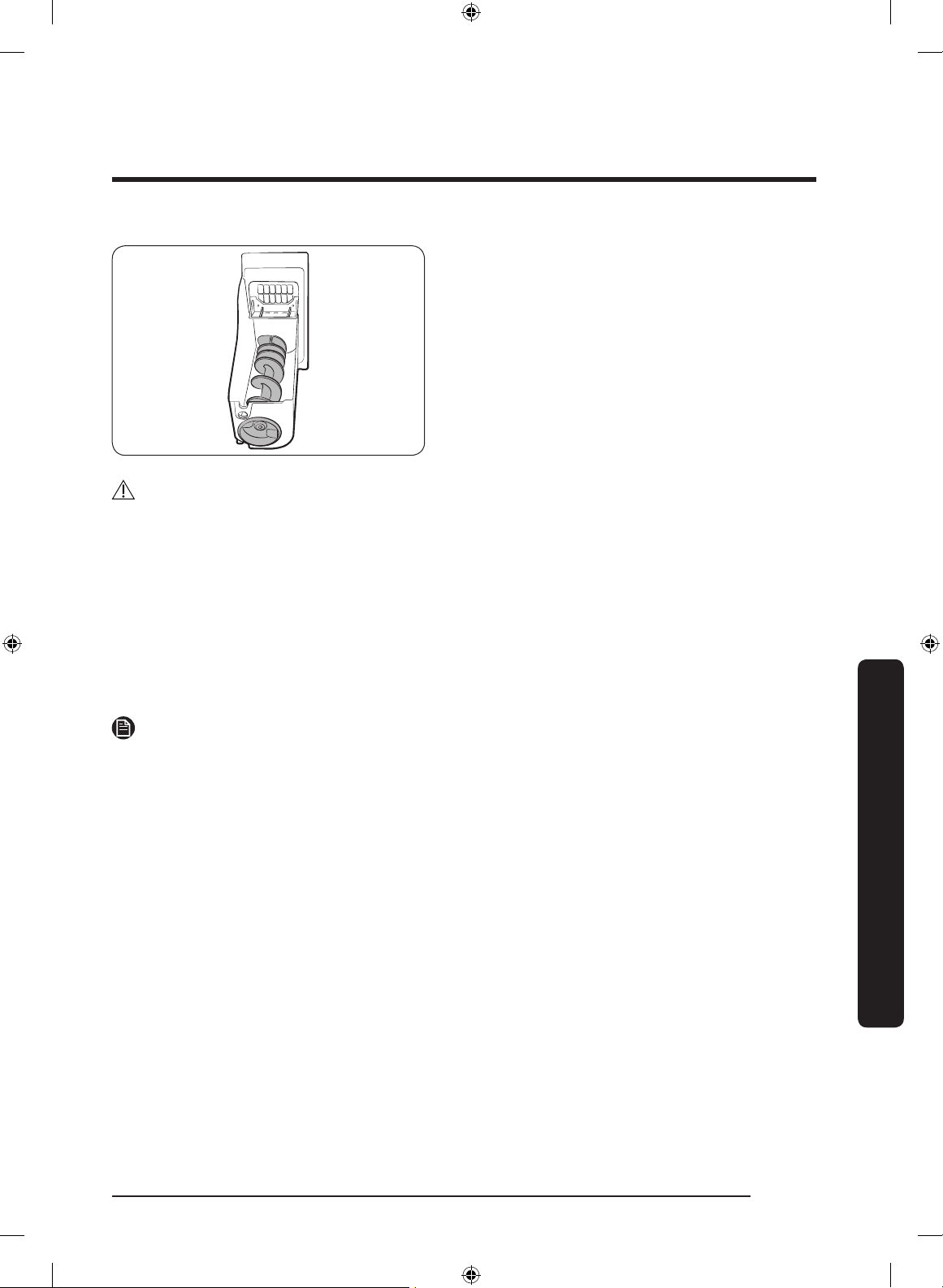
English 65
Maintenance
If the ice bucket is not rmly inserted, turn
the ice screw 90 degrees, and then try
again.
CAUTION
• Do not apply excessive force to the bucket cover. The cover may break.
• Do not forcefully close the door. Water may spill over the ice maker.
• To prevent injury, make sure to clean up any ice or water that has spilled on the oor.
• To prevent accidents or injury, do not let children play with the water dispenser or the
ice maker.
• Do not put your hand or an object into the ice chute. This may cause physical injury or
product damage.
• Use only the provided ice bucket. Third-party ice buckets may cause a system failure.
• Use only potable water that is connected to the water supply line.
NOTE
• The water pressure required for ice making is between 20 psi and 125 psi.
• If the Ice Off indicator blinks, remove and reinsert the ice bucket. Make sure it is
reinserted properly.
• Noise from the ice maker as it produces ice during the ice making process is normal.
• While the door is open, neither the ice maker nor the water dispenser operates.
Untitled-1 65 2017-07-12 7:07:13
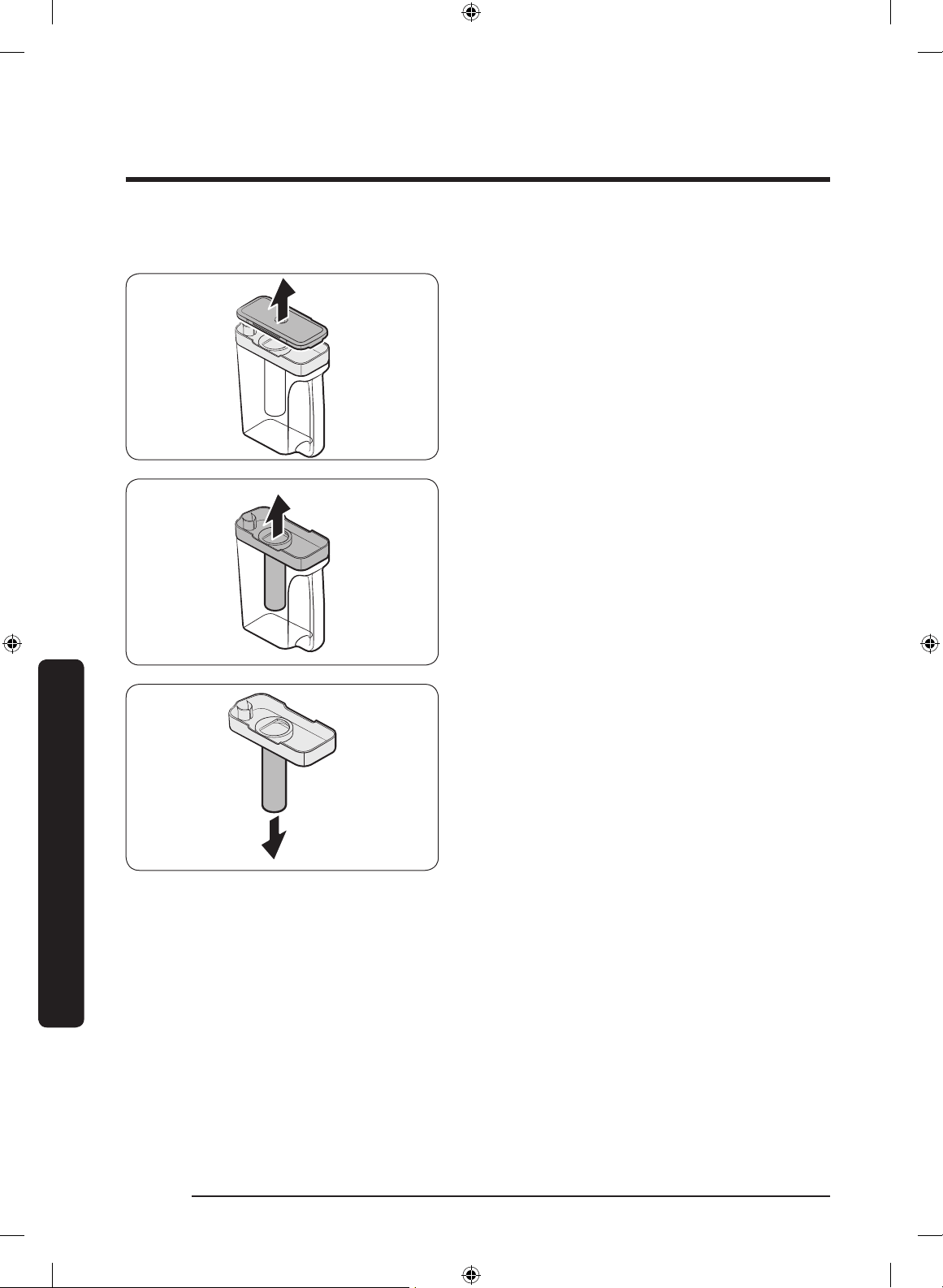
Maintenance
English66
Maintenance
Auto Water Fill
1. Grasp a handle groove of the sealed
mouth, and then pull up to remove.
2. Grasp both sides of the sealed mouth,
and then lift to remove.
3. While slightly twisting the infuser, pull
it out of the sealed mouth.
4. Clean the infuser with neutral agents
and running water. Rinse and dry well.
5. Reassemble the Auto Water Fill in the
reverse order of disassembly.
Untitled-1 66 2017-07-12 7:07:13
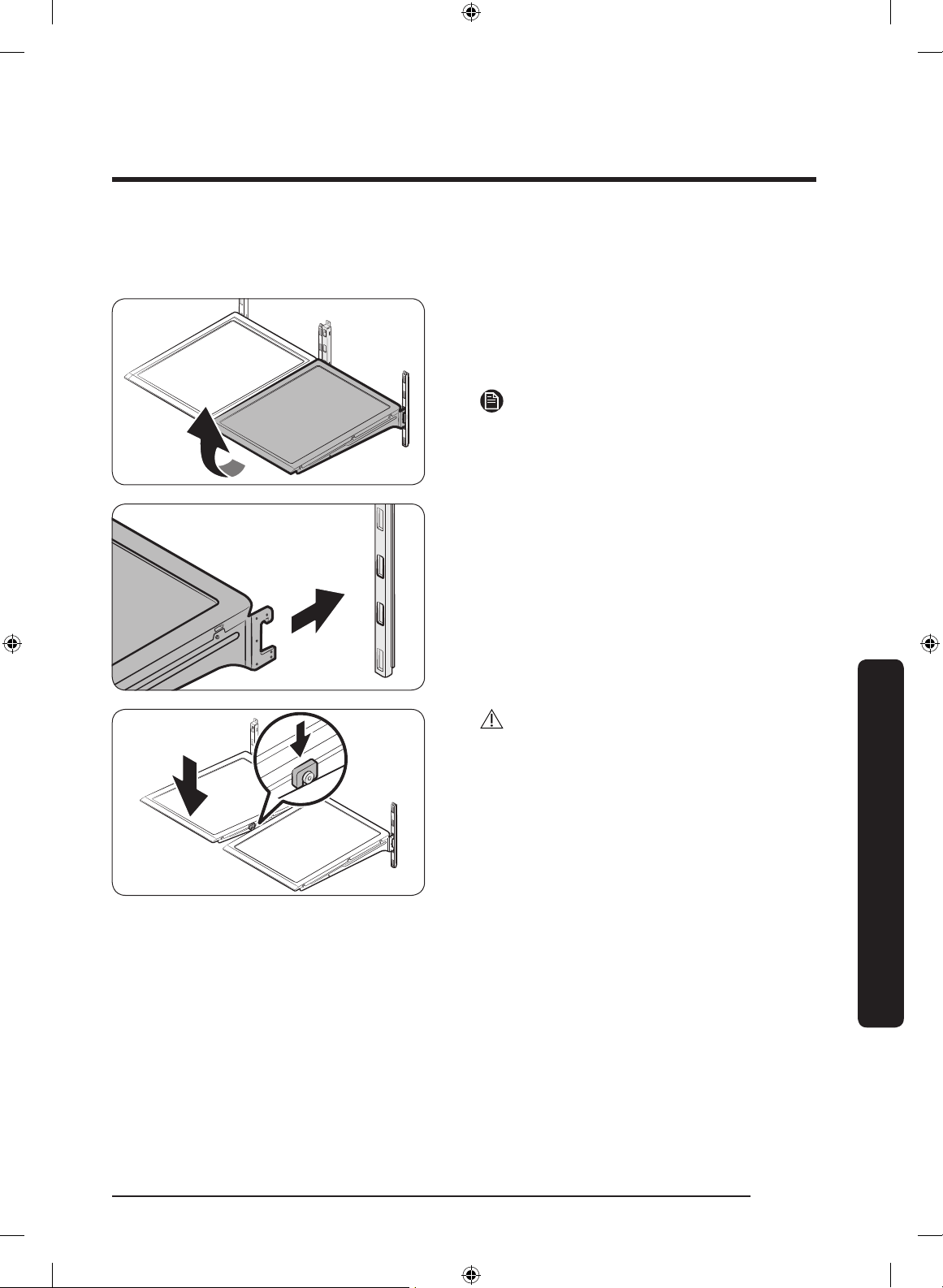
English 67
Maintenance
Fridge shelves
The appearance of the shelves differs by model.
• To remove a shelf, fully open the
corresponding door. Hold the front of
the shelf, and then gently lift up and
slide out.
NOTE
Do not lift up the shelf fully when
removing or reinserting the shelf. The rear
wall of the fridge room can be dented.
• To reinsert, hold the shelf at an angle
so the front is higher than the back, and
then insert the top hook into the top
shelf notch. Then, lower the shelf and
insert the bottom shelf hook into the
bottom shelf notch.
CAUTION
• The tempered glass shelves are heavy.
Use caution when removing them.
• The shelf must be inserted correctly. Do
not insert upside down.
• Glass containers may scratch the
surface of glass shelves.
Untitled-1 67 2017-07-12 7:07:14
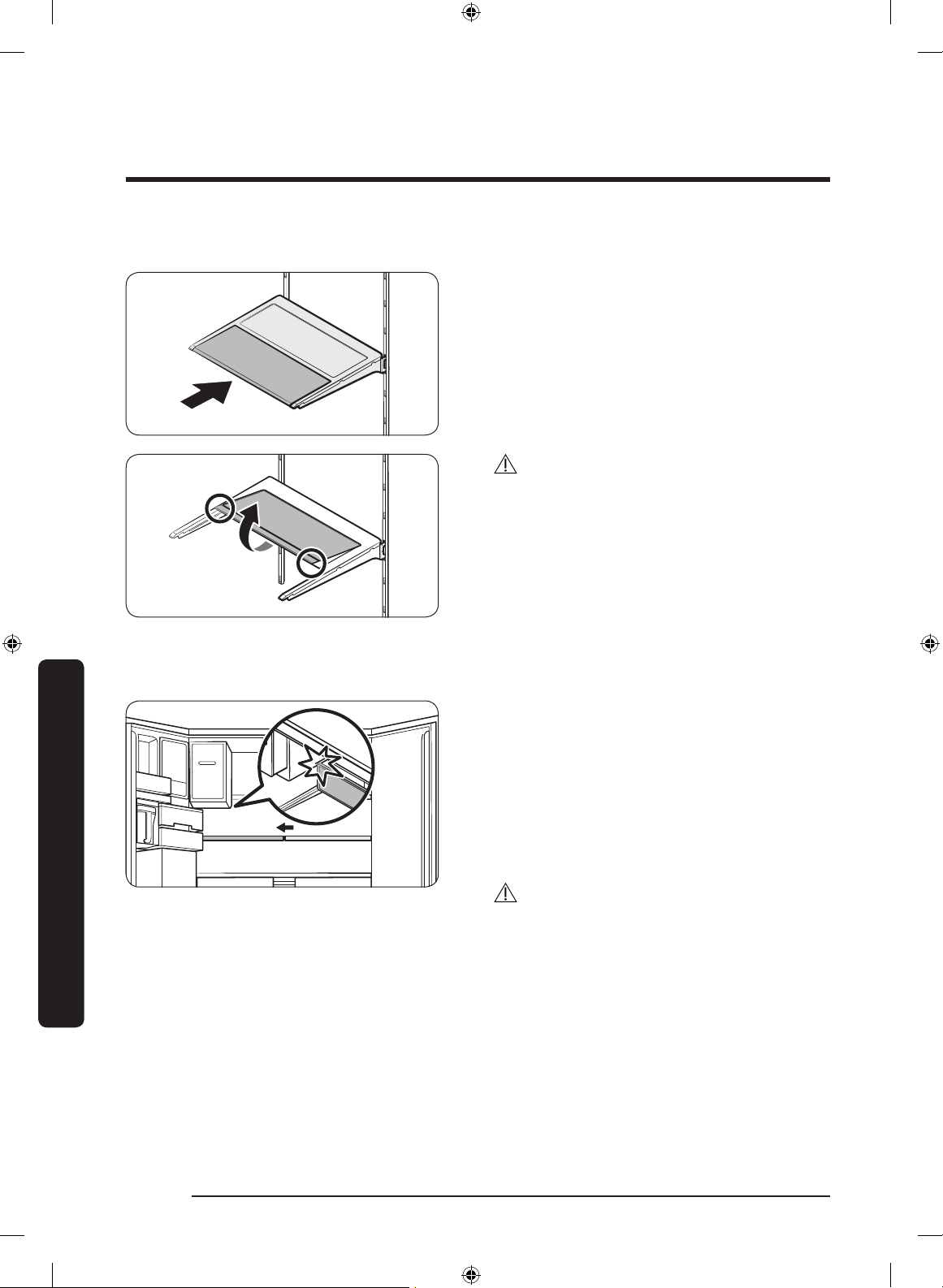
Maintenance
English68
Maintenance
Foldable shelf
To remove, slide up the front of the shelf
so that it folds. Then gently lift up and
pull out. To reinsert, place the shelf on the
angled frame in the main unit, and then,
press down to unfold.
CAUTION
After sliding the foldable shelf in and
folding it, the front of the shelf can be
removed for your convenience. If you use
the shelf without removing the front of the
shelf, be aware that it can separate from
the rear portion, be careful of its possible
separation.
Recommended foldable shelf location
The foldable shelf folds up from the center,
giving you more room for storage.
• Insert the shelf in the right side of the
fridge. Left side insertion does not
allow the shelf to fold completely.
• To fold, push the front area of the shelf
inward so that it folds up from the
middle.
CAUTION
Do not lift up quickly or twist the foldable
shelf to take out food under it. It may fall
off.
Untitled-1 68 2017-07-12 7:07:14
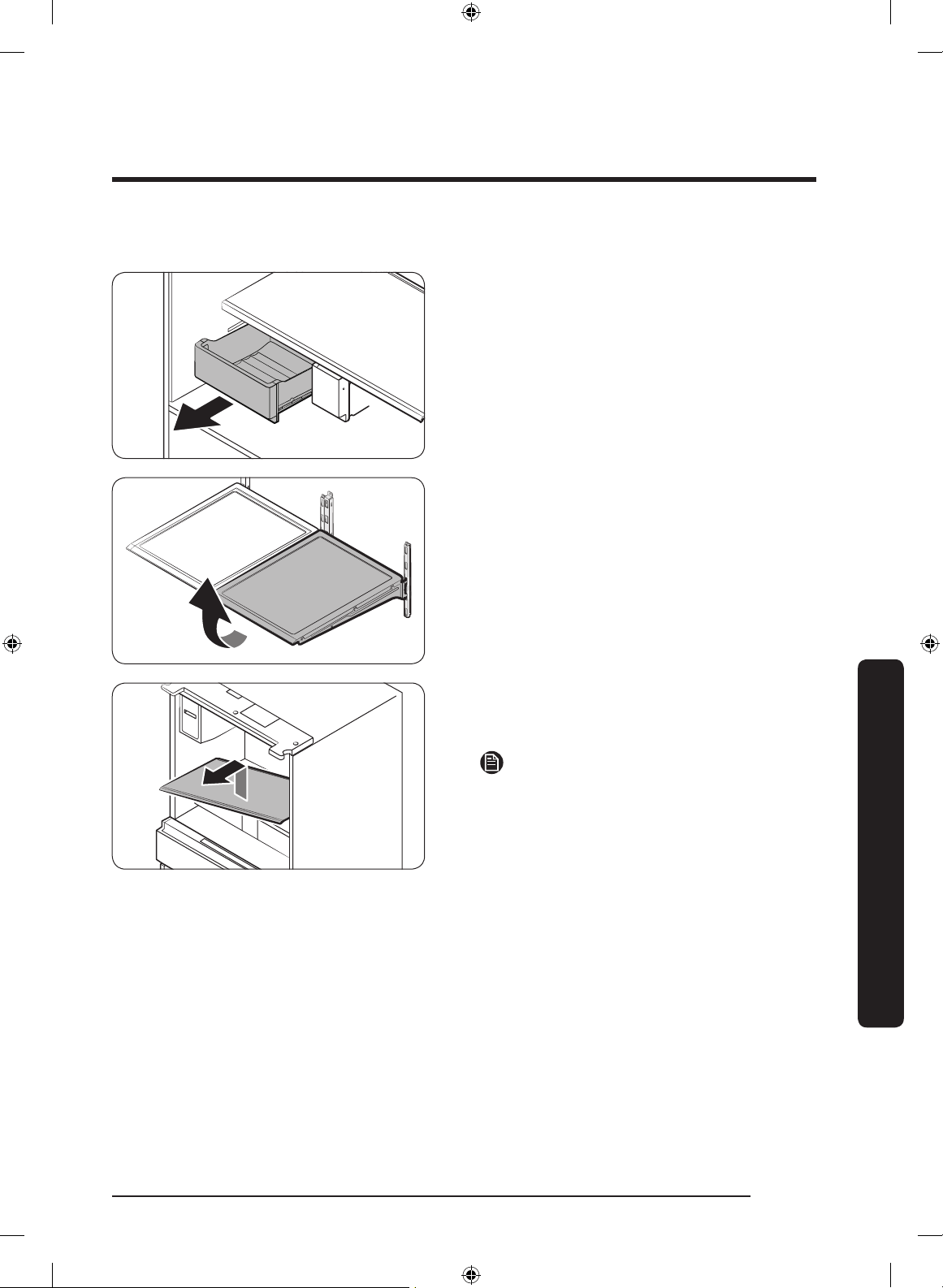
English 69
Maintenance
Vegetable shelf
1. Slide out the left-side vegetable drawer.
2. Fully open the door, and then remove
the shelf.
3. While supporting the vegetable shelf
with one hand, slide it out with the
other hand.
NOTE
To use the space that is opened up after
removing the foldable shelf, take out the
vegetable shelf.
To reinsert, follow the steps above in the
reverse order.
Untitled-1 69 2017-07-12 7:07:15
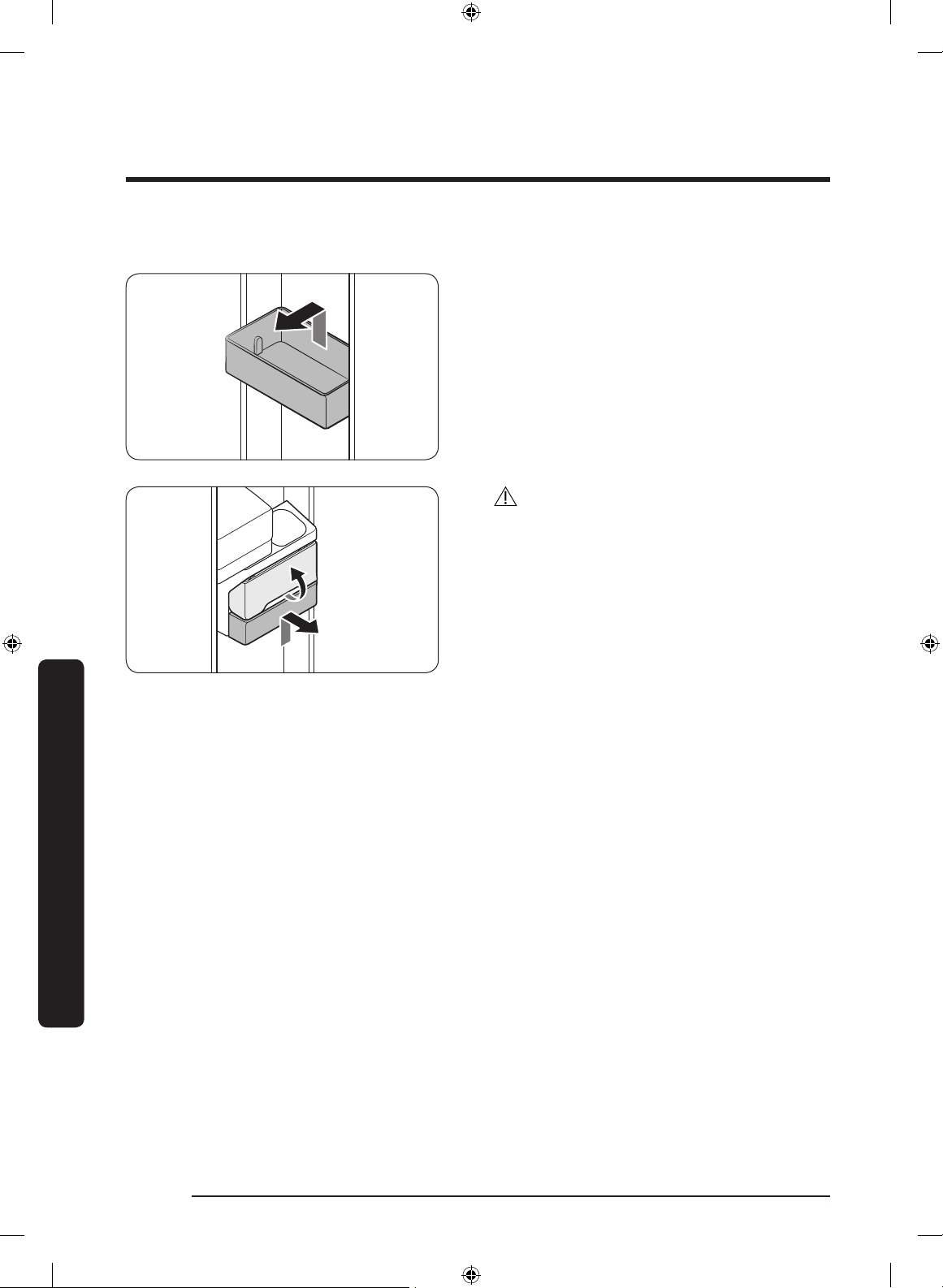
Maintenance
English70
Maintenance
Door bins
• To remove the top door bin, hold the
front sides of the bin, and then gently
lift up to remove.
• To reinsert, insert the door bin slightly
above its nal location making sure that
the back of the bin is against the door.
Hold the rear of the door bin with both
hands, and then press down so that it
ts snugly.
CAUTION
• Do not remove a bin that is lled with
food. Empty the bin beforehand.
• Use caution when opening the door if
the bottom bin contains larger bottles,
which may fall over.
• Do not allow children to play with the
bins. Sharp corners of the bin may
cause injury.
Untitled-1 70 2017-07-12 7:07:15
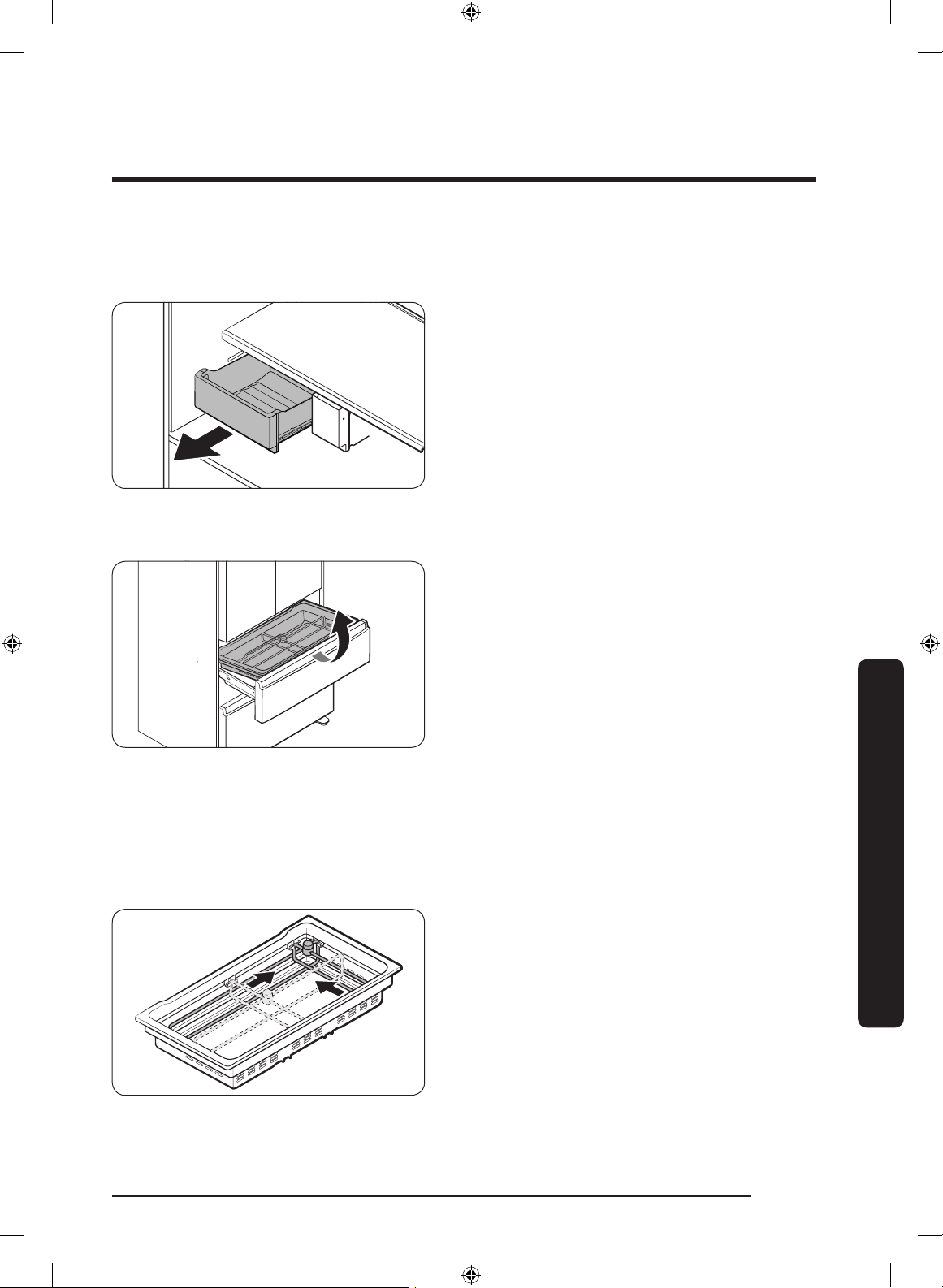
English 71
Maintenance
Fridge drawers
Vegetable / fruit drawers
Gently lift up the front of the drawer and
slide out.
• We recommend that you remove the
door bins before removing the drawer.
This is to prevent damage to the door
bins.
• To reinsert, insert the drawer into the
frame rails and then slide inward.
CoolSelect+ (FlexZone) basket
• To remove, fully open the CoolSelect+
(FlexZone) drawer. Lift up the
CoolSelect+ (FlexZone) basket, and then
pull out with both hands.
• To reinsert, fully open the CoolSelect+
(FlexZone) drawer. While tilting up the
front of the basket, insert the rear of
the basket into the rail assembly. Lower
the front until the basket settles down.
• If the divider lock does not function,
wipe the bars to remove moisture on
them.
To remove the divider and the metal cooling plate (applicable models only) from the
CoolSelect+ (FlexZone) basket
1. Unlock the divider by turning the
divider dial counter clockwise.
2. Slide the divider to the end as shown.
Untitled-1 71 2017-07-12 7:07:15
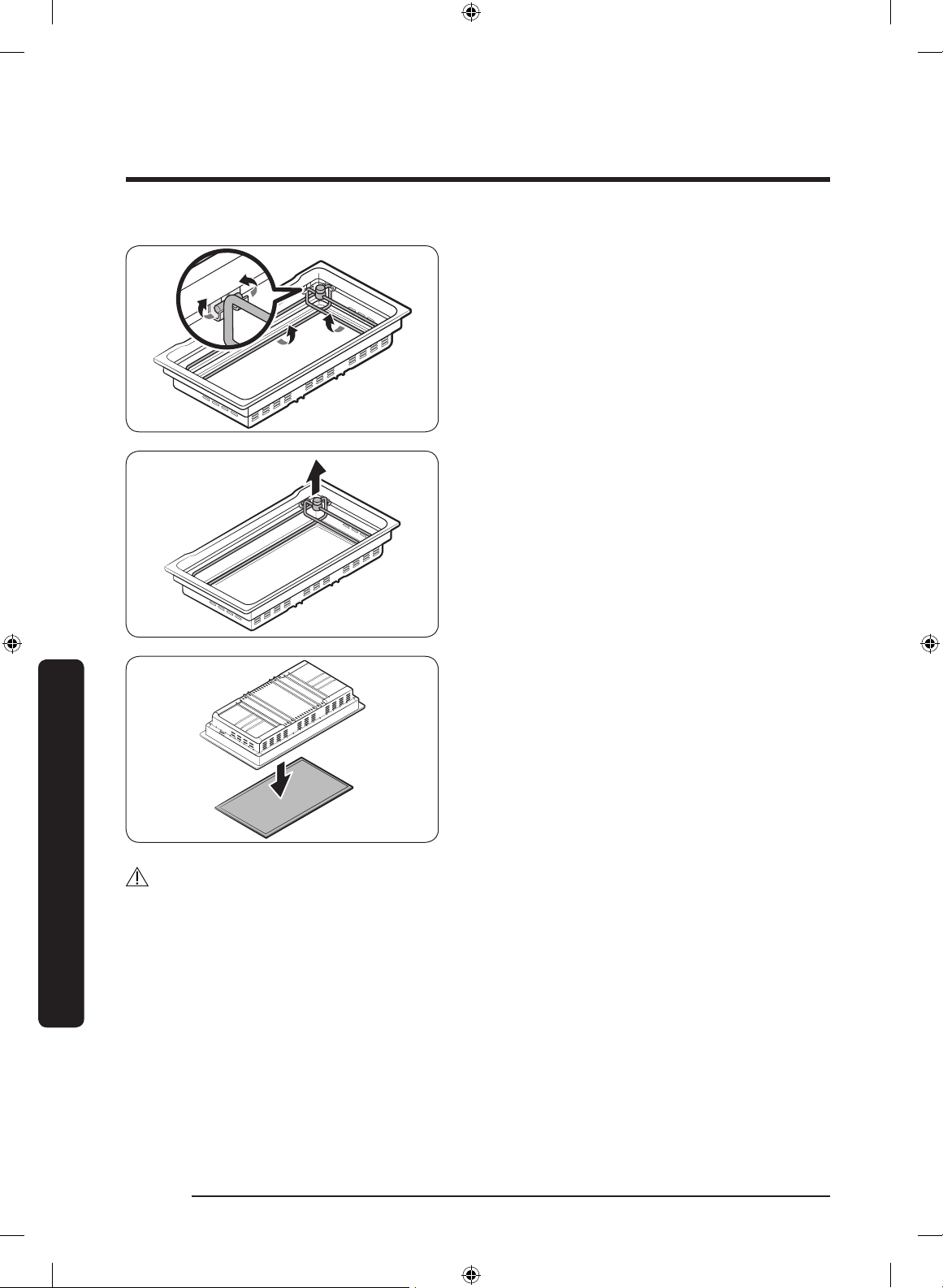
Maintenance
English72
Maintenance
3. As the divider has the width and length
bars, push the lower part of each bar
inward to unlock. See the gures for
details.
4. Hold the divider and pull up to remove.
5. Turn over the basket to remove the
metal cooling plate.
CAUTION
The basket and the metal cooling plate are heavy. Use caution when handling them.
Careless handling may cause personal injury or property damage.
To reinsert the metal cooling plate
Reinsertion in the reverse order of removal.
Reinsert the divider into the CoolSelect+ (FlexZone) basket rmly until you hear a clicking
sound.
Untitled-1 72 2017-07-12 7:07:15
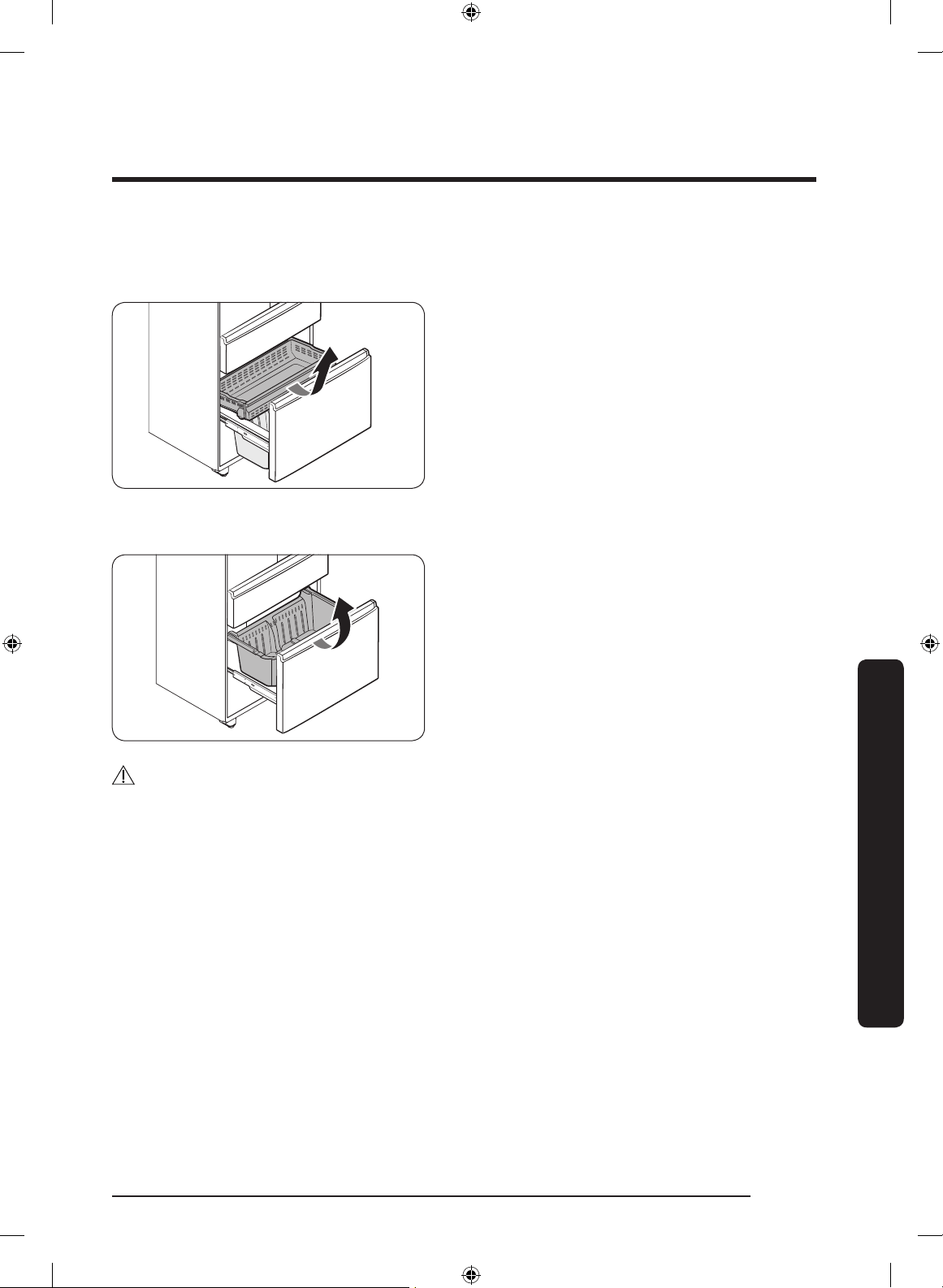
English 73
Maintenance
Freezer baskets
Upper basket
• To remove, fully slide open the freezer
drawer. Push the upper basket to the
end, and then pull up to remove.
• To reinsert, align the front wheels of
the upper basket with the end of the
lower basket. Slide the upper basket to
the front.
Lower basket
• To remove, rst remove the upper
basket. Then, tilt up the front of the
lower basket to pull out.
• To reinsert, put the basket into the rail
assembly with the rear side rst.
CAUTION
• Do not twist the basket when removing or reinserting the basket. The basket can be
scratched.
• To prevent physical injury, property damage, or suffocation, keep children away from
freezer baskets that have been removed.
• Do not remove the divider.
• Put the wheels of the upper basket on the end of the rails of the lower basket. Then,
slide the upper basket all the way to the front. Otherwise, the drawer does not open or
close properly, which causes frost to build up.
Untitled-1 73 2017-07-12 7:07:16
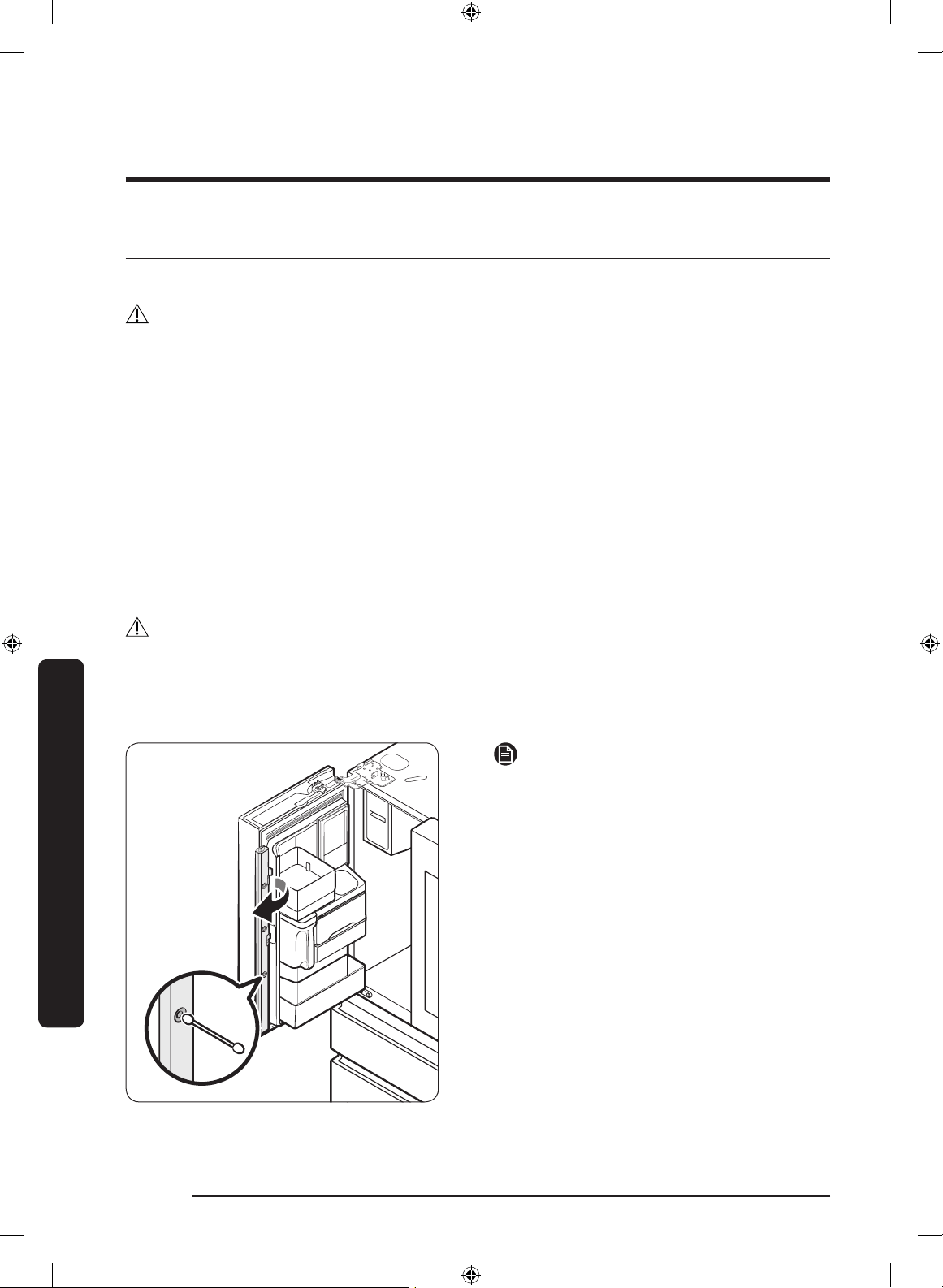
Maintenance
English74
Maintenance
Cleaning
Interior and exterior
WARNING
• Do not use benzene, thinner, home/car detergent, or Clorox™ to clean the refrigerator.
They may damage the surface of the refrigerator and cause a re.
• Do not spray water onto the refrigerator. This may cause electric shock.
Regularly use a dry cloth to remove all foreign substances such as dust or water from the
power plug terminals and contact points.
1. Unplug the power cord.
2. Use a moistened, soft, lint-free cloth or paper towel to clean the refrigerator’s interior
and exterior.
3. When done, use a dry cloth or paper towel to dry well.
4. Plug in the power cord.
Ice / Water dispenser
CAUTION
When crushed ice is selected, some residual ice chips may collect in the ice chute. To
prevent this, remove the residual ice from the chute using a soft, clean cloth.
Inner-view camera
NOTE
Use a cotton swab or microber cloth to
clean the camera on the left-side door of
the fridge.
Untitled-1 74 2017-07-12 7:07:16
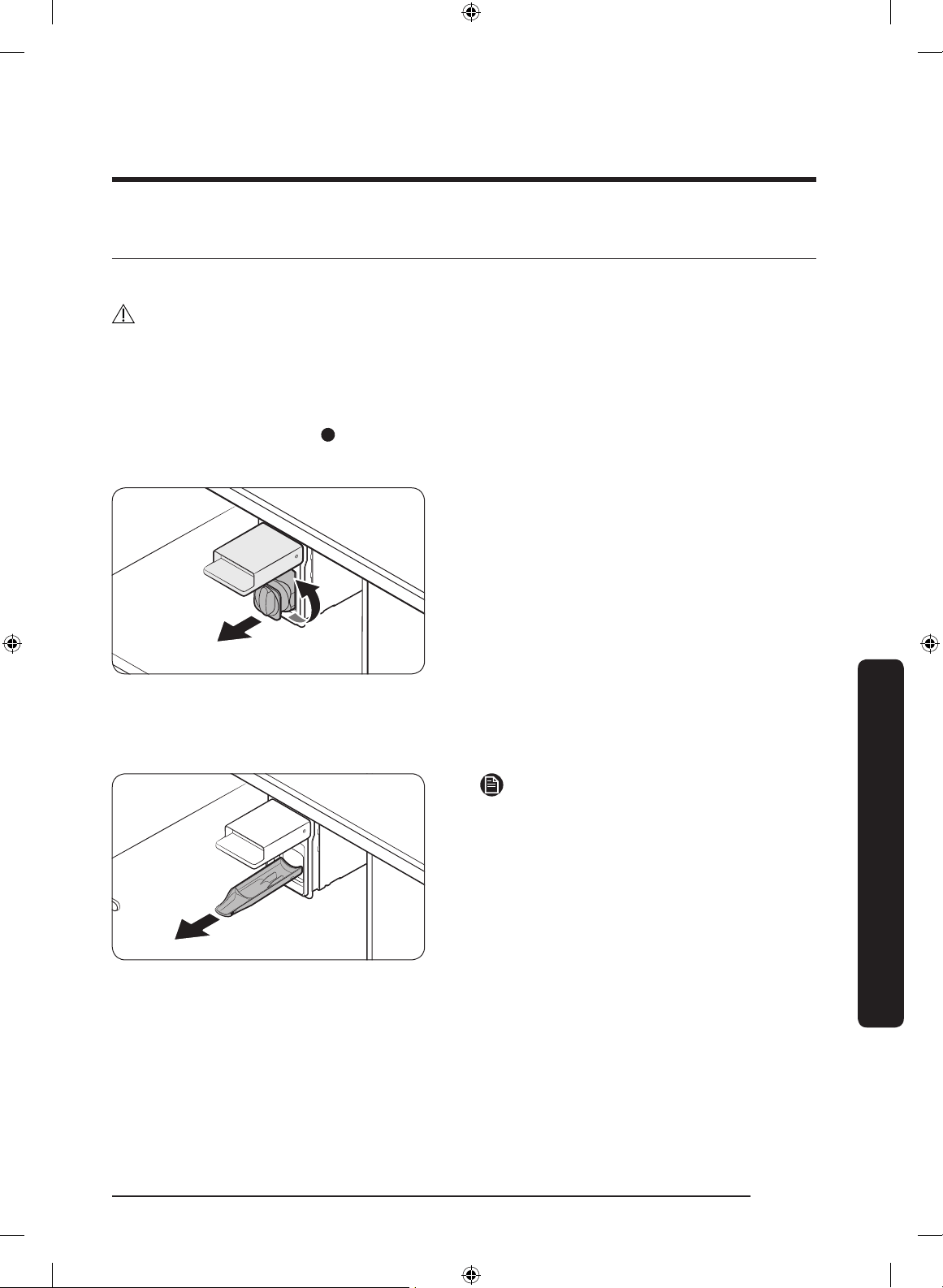
English 75
Maintenance
Replacement
Water lter
WARNING
• Do not use third-party water lters. Use only Samsung-provided or -approved lters.
• Unapproved lters may leak and damage the refrigerator, causing electric shock.
Samsung is not responsible for any damage that may occur from use of third-party
water lters.
The Filter Reset indicator (
) turns red to let you know it is time to replace the water
lter. Before replacing the lter, make sure the water supply line is shut off.
1. While opening the lter cover, turn
the knob of the lter cartridge counter
clockwise by 90 degrees (
1
/4 turn). The
lter cartridge unlocks.
2. Pull out to remove the cartridge.
- If the water lter is severely
contaminated, the cartridge may not
be easily removable. In that case, use
force to pull it out.
- To prevent water leaks from the
opening, pull the cartridge straight
out while removing it.
NOTE
To prevent overow, empty and dry the
water lter tray.
Untitled-1 75 2017-07-12 7:07:16
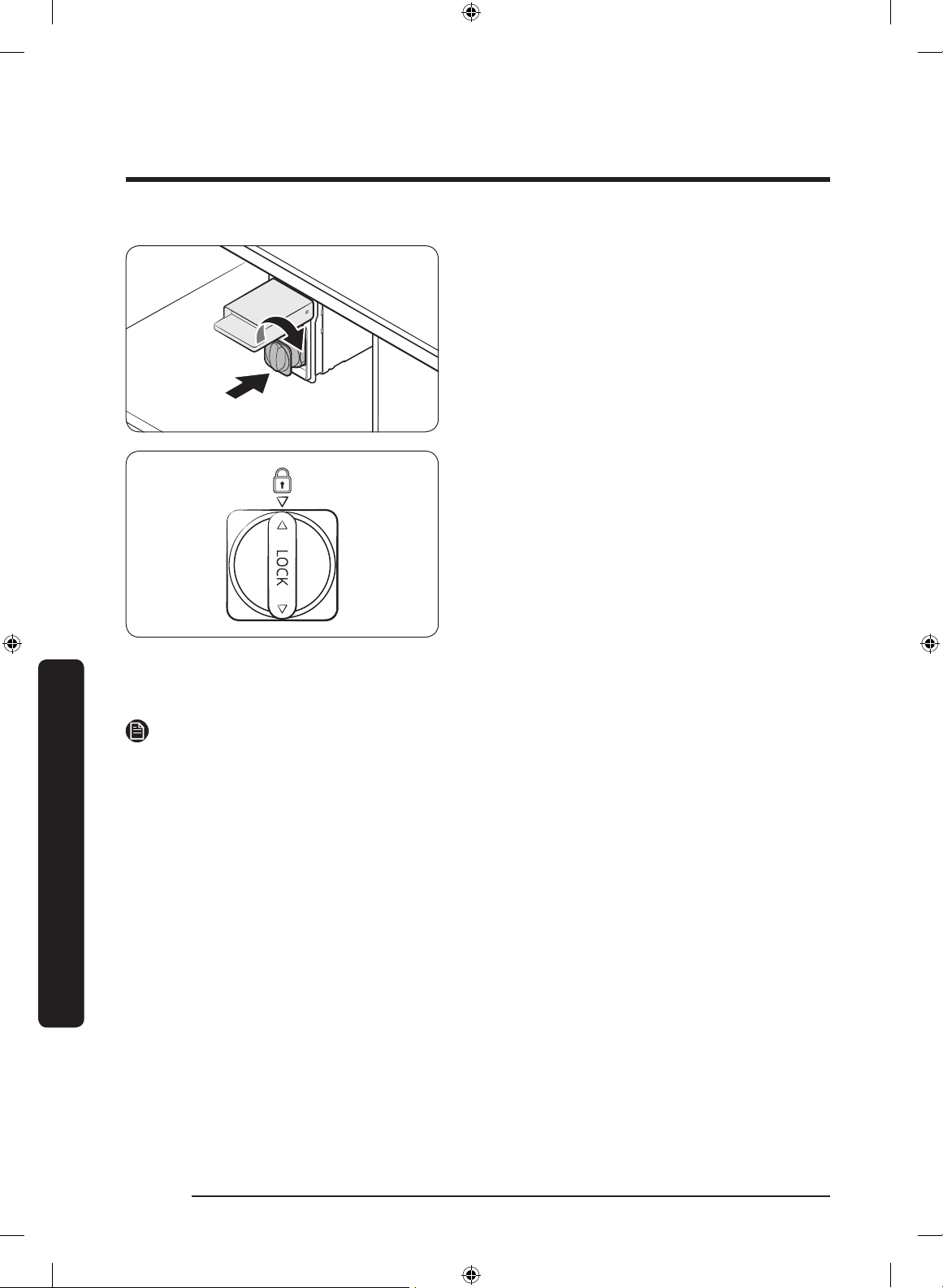
Maintenance
English76
Maintenance
3. Insert a new lter cartridge. Use only
Samsung-provided or approved lters.
4. Turn the cartridge knob clockwise to
lock into place.
5. On the Home screen, tap Fridge
Manager > Fridge Settings > Water
Filter, and then select Reset. The lter
indicator turns blue.
6. When you are done replacing the lter,
open the water valve and run water
through the dispenser for about 7
minutes. This is to remove impurities
and air from the water line.
NOTE
• A newly installed lter may cause the water dispenser to spurt water briey. This is
because air has entered the waterline.
• The replacement process may cause the water dispenser to drip for a short period of
time. If it drips, simply wipe up any water on the oor with a dry towel.
Reverse osmosis water ltration system
The water pressure of the water supply system to a reverse osmosis water ltration
system must be between 35 psi and 120 psi (241 kPa and 827 kPa).
The water pressure of the reverse osmosis water ltration system to the refrigerator’s
cold water line must be at least 40 psi (276 kPa). If the water pressure is below these
specications:
• Check if the sediment lter in the reverse osmosis system is blocked. Replace the lter
if necessary.
• Rell the water tank in the reverse osmosis system with water.
• If your refrigerator has a water lter, it may further reduce the water pressure when
used in conjunction with a reverse osmosis system. Remove the water lter.
For more information or servicing, contact a licensed plumbing professional.
Untitled-1 76 2017-07-12 7:07:16
English 77
Maintenance
Ordering a new lter
To purchase a new water lter, contact a local Samsung service center.
LED Lamps
To replace the lamps of the refrigerator, contact a local Samsung service center.
WARNING
• The lamps are not user-serviceable. Do not attempt to replace a lamp yourself. This can
cause electric shock.
Untitled-1 77 2017-07-12 7:07:17
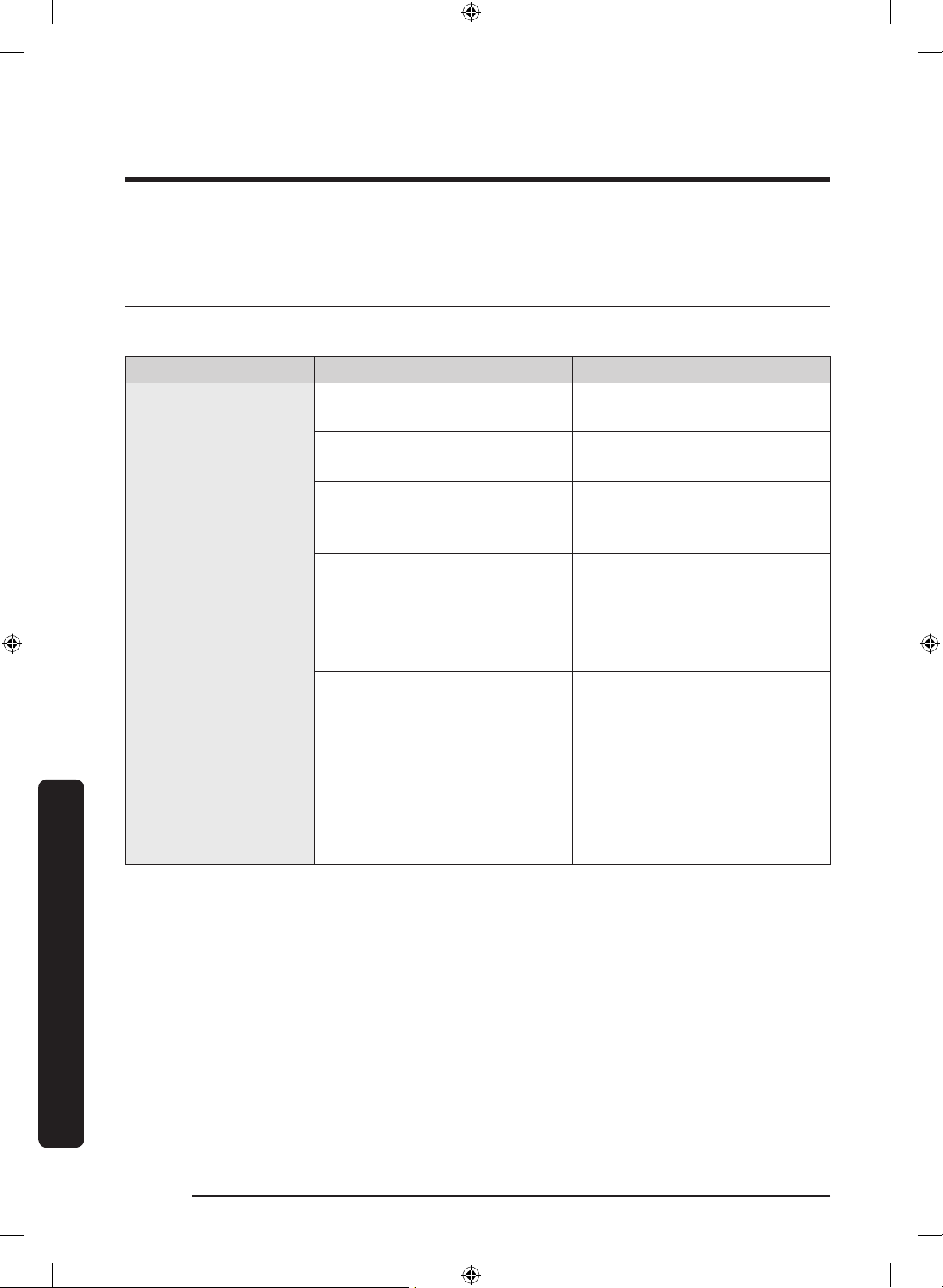
English78
Troubleshooting
Before calling for service, review the checkpoints below. Any service calls regarding
normal situations (No Defect Cases) will be charged to users.
General
Temperature
Symptom Possible causes Solution
Fridge/freezer does
not operate.
Fridge/freezer
temperature is warm.
• Power cord is not plugged
in properly.
• Properly plug in the power
cord.
• Temperature control is not
set correctly.
• Set the temperature lower.
• Refrigerator is located near
a heat source or direct
sunlight.
• Keep the refrigerator away
from direct sunlight or a
heat source.
• Not enough clearance
between refrigerator and
nearby walls or cabinets.
• Make sure there is a gap of
at least 5 cm between the
refrigerator back and sides
and any nearby walls or
cabinets.
• Energy Saver mode is
activated.
• Deactivate Energy Saver
mode.
• The refrigerator is
overloaded. Food is
blocking the refrigerator
vents.
• Do not overload the
refrigerator. Do not allow
food to block vents.
Fridge/freezer is
over-cooling.
• Temperature control is not
set correctly.
• Set the temperature higher.
Troubleshooting
Untitled-1 78 2017-07-12 7:07:17
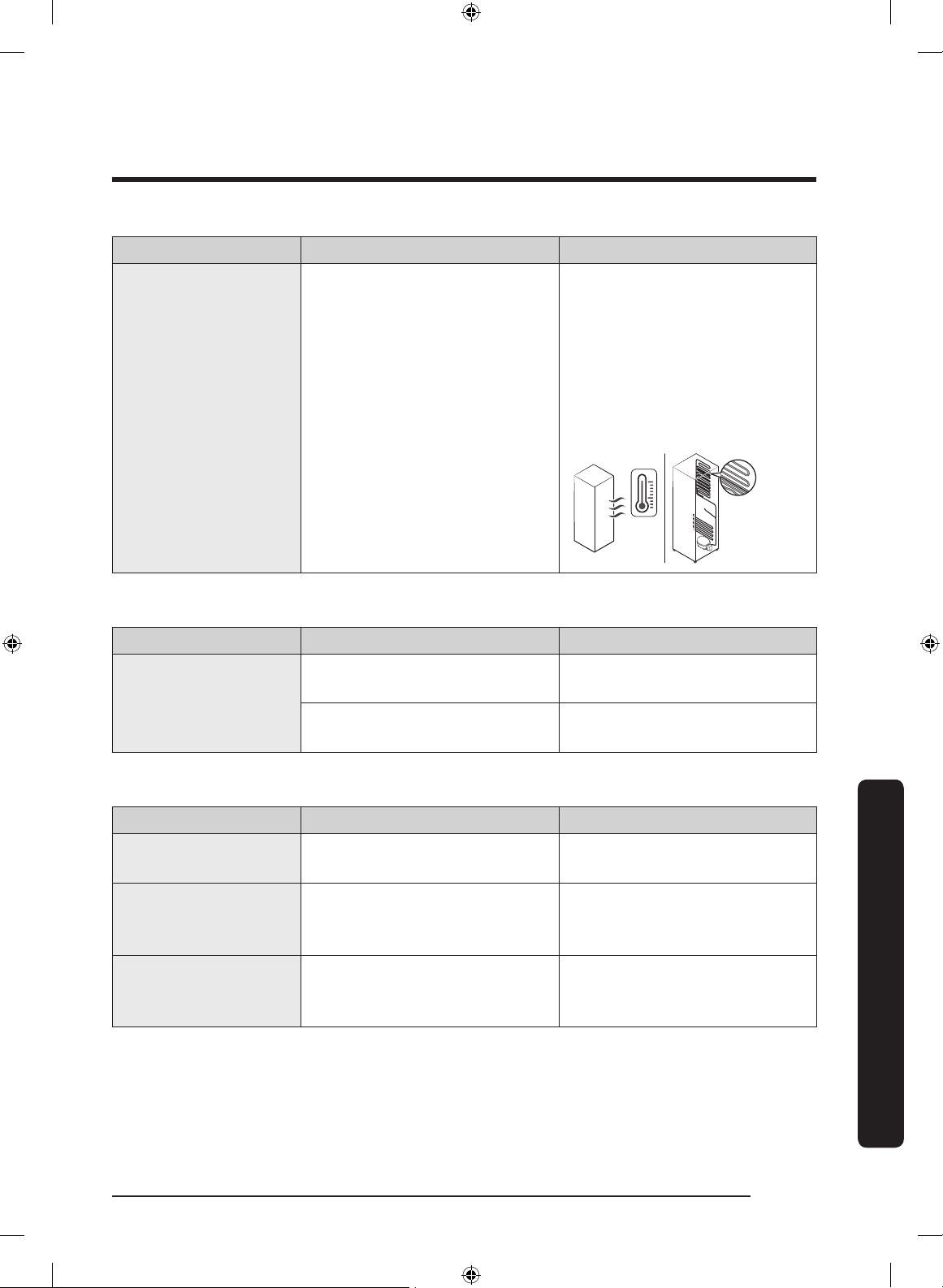
English 79
Troubleshooting
Symptom Possible causes Solution
Interior wall is hot.
• Refrigerator has heat-proof
piping in the interior wall.
• To prevent condensation
from forming, the
refrigerator has heat-proof
piping in the front corners.
If the ambient temperature
rises, this equipment may
not work effectively. This is
not a system failure.
Odors
Symptom Possible causes Solution
Refrigerator has
odors.
• Spoiled food.
• Clean the refrigerator and
remove any spoiled food.
• Food with strong odors.
• Make sure strong smelling
food is wrapped airtight.
Frost
Symptom Possible causes Solution
Frost around the
vents.
• Food is blocking the vents.
• Make sure no food blocks
the refrigerator vents.
Frost on interior
walls.
• Door is not closed properly.
• Make sure food does not
block the door. Clean the
door gasket.
Fruits or vegetables
are frozen.
• Fruits or vegetables are
stored in the CoolSelect+
(FlexZone).
• Do not store most kinds of
fruit or vegetables in the
CoolSelect+ (FlexZone).
Untitled-1 79 2017-07-12 7:07:17
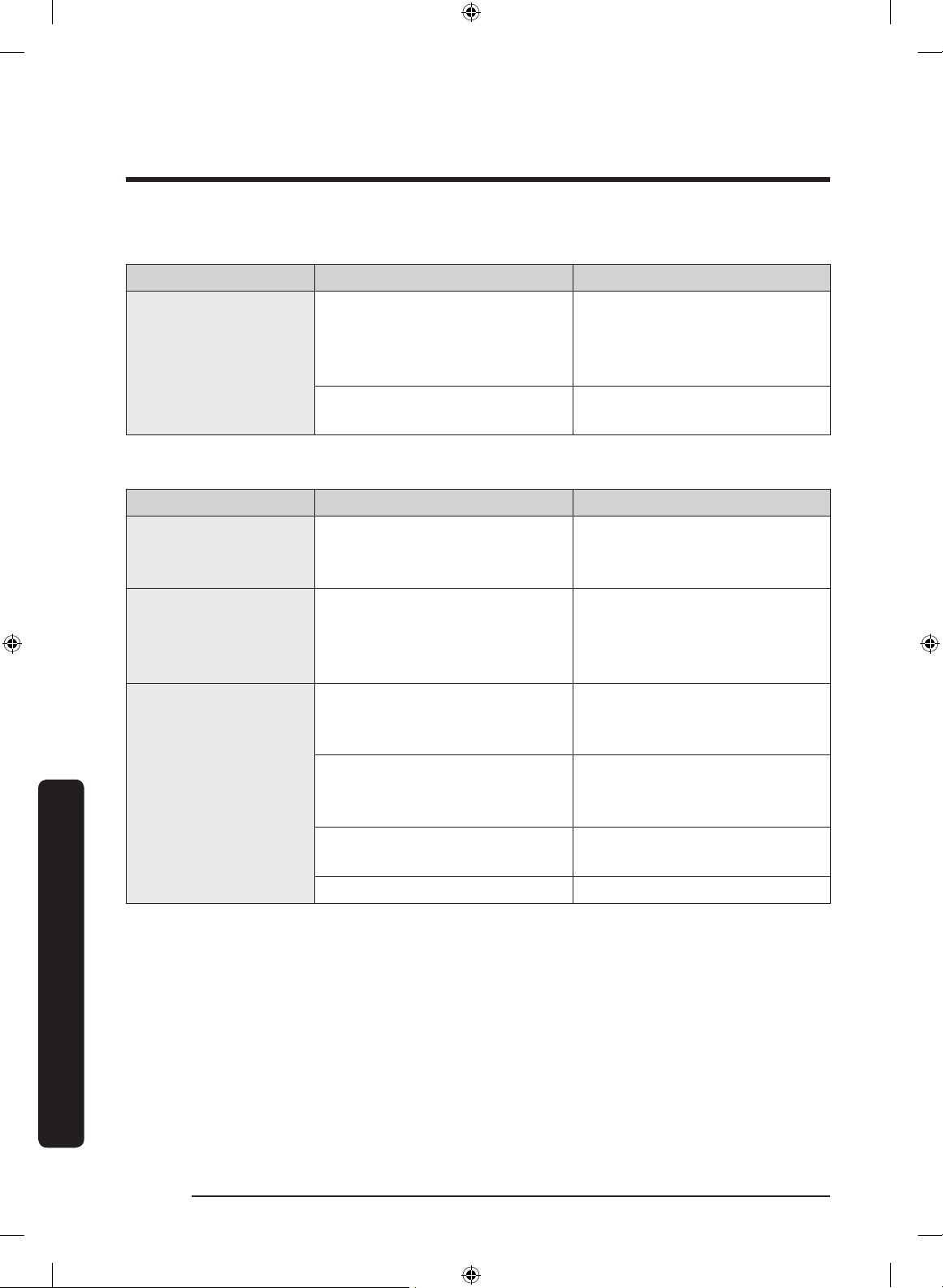
Troubleshooting
English80
Troubleshooting
Condensation
Symptom Possible causes Solution
Condensation forms
on the interior walls.
• If door is left open, moisture
enters the refrigerator.
• Remove the moisture and
do not leave a door open
for extended periods of
time.
• Food with high moisture
content.
• Make sure food is wrapped
airtight.
Water/ice (dispenser models only)
Symptom Possible causes Solution
Water ow is weaker
than normal.
• Water pressure is too low.
• Make sure the water
pressure is between 20 to
120 psi.
Ice maker makes a
buzzing sound.
• The ice maker function is
activated, but the water
supply to the refrigerator
has not been connected.
• Turn off the Ice maker.
Ice maker does not
make ice.
• Ice maker has just been
installed.
• You must wait for 12 hours
for the refrigerator to make
ice.
• Freezer temperature is too
high.
• Set the freezer temperature
below -18 °C or -20 °C in
warm ambient air.
• Dispenser panel Lock is
activated.
• Deactivate dispenser panel
Lock.
• Ice maker is off. • Turn on the ice maker.
Untitled-1 80 2017-07-12 7:07:17
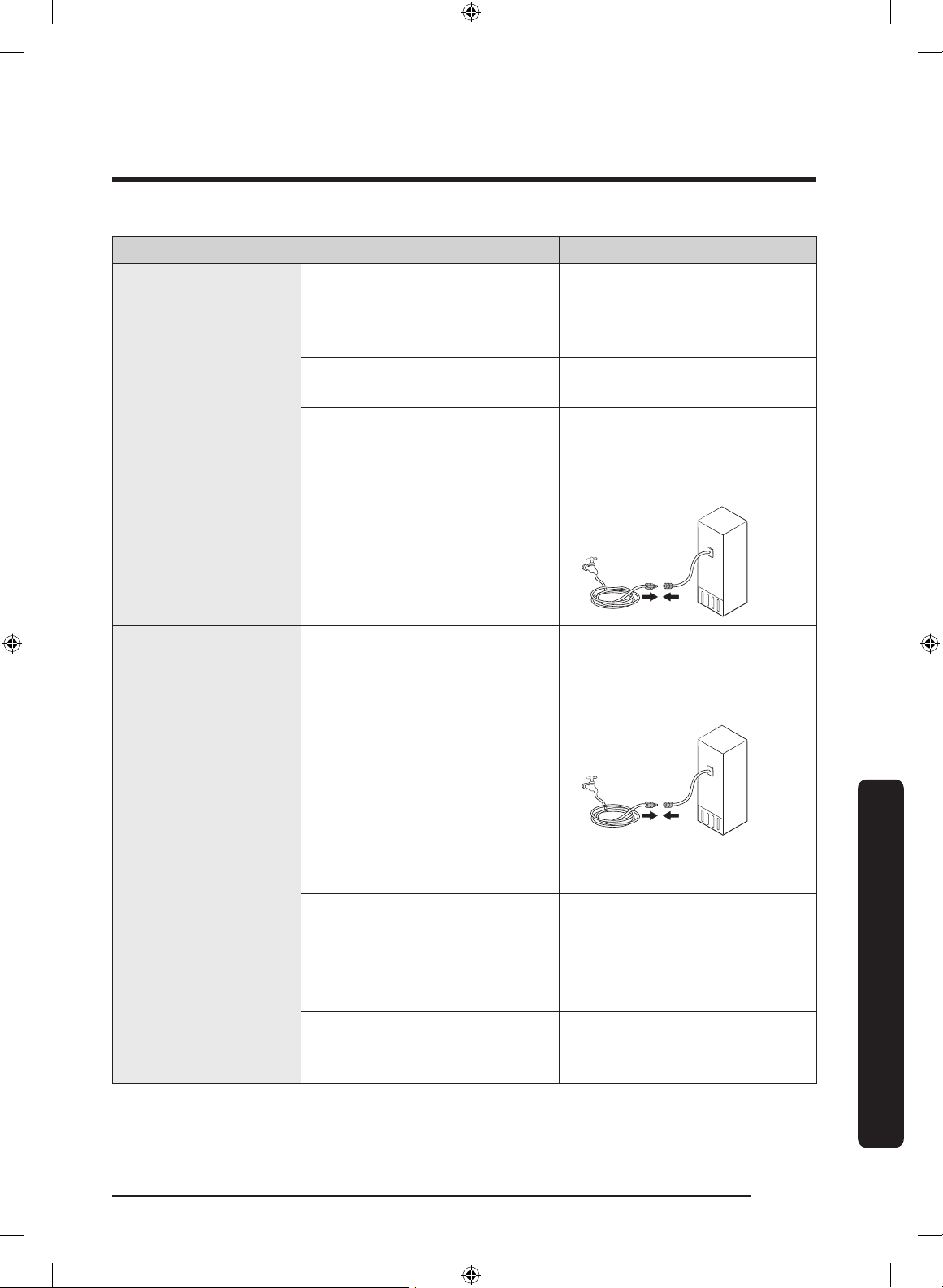
English 81
Troubleshooting
Symptom Possible causes Solution
Ice does not dispense.
• Ice may jam if the ice
dispenser is not used for a
long time (approx. 3 weeks).
• If you won't be using the
refrigerator for a long time,
empty the ice bucket and
turn off the ice maker.
• Ice bucket is not properly
inserted.
• Make sure the ice bucket is
properly inserted.
• Water line is not connected
properly or water supply is
not on.
• Check if the water line is
installed correctly. Check if
the water line stop cock is
closed.
Water does not
dispense.
• Water line is not connected
properly or water supply is
not on.
• Check if the water line is
installed correctly. Check if
the water line stop cock is
closed.
• Dispenser panel Lock is
activated.
• Deactivate dispenser panel
Lock.
• A third-party water lter
was installed.
• Use only Samsung-provided
or approved lters.
• Unapproved lters may
leak and damage the
refrigerator.
• Water lter indicator turns
on or blinks.
• Replace the water lter.
After replacing, reset the
lter indicator sensor.
Untitled-1 81 2017-07-12 7:07:17
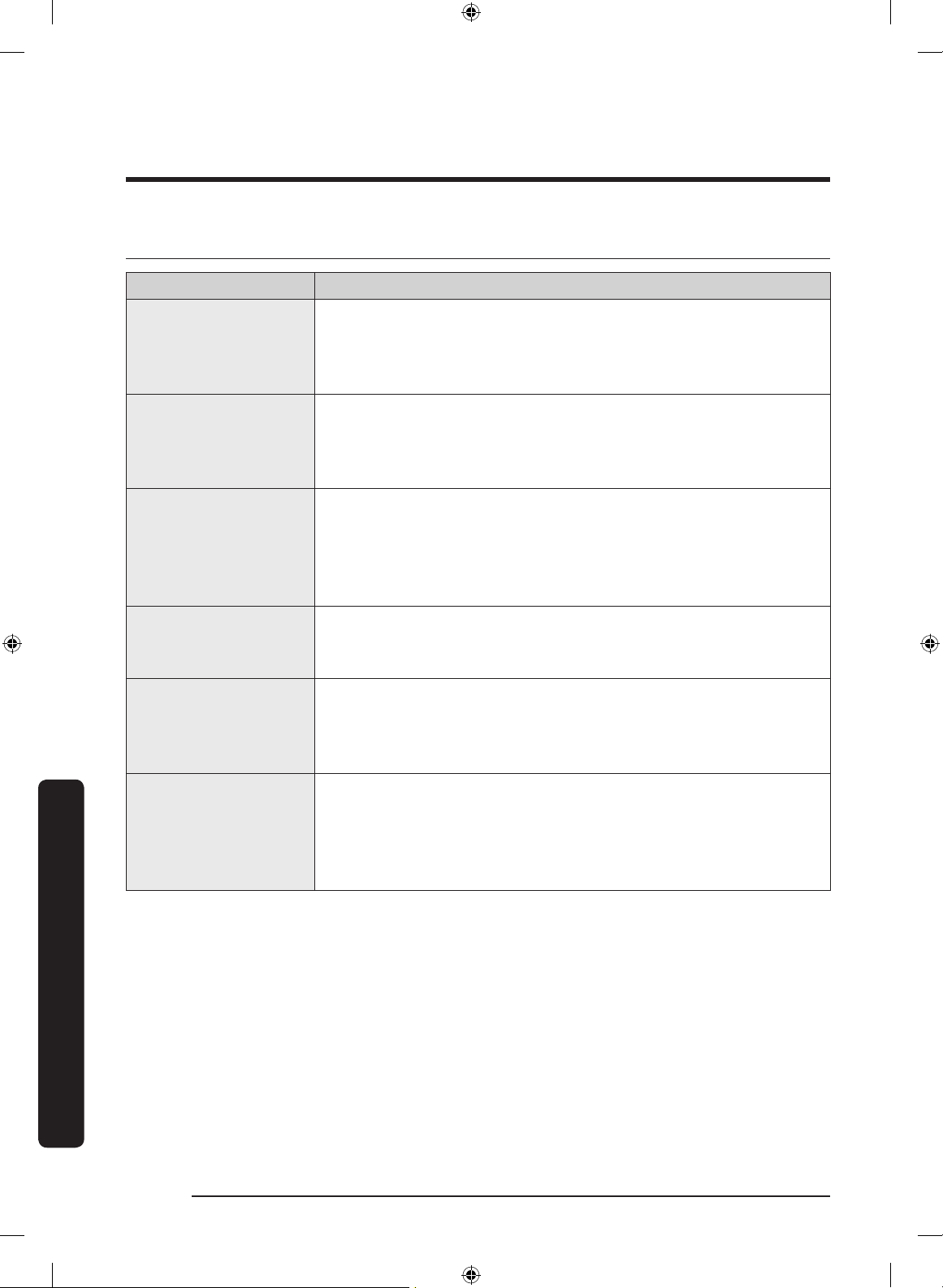
Troubleshooting
English82
Troubleshooting
Samsung Connect
Symptom Action
Could not nd
“Samsung Connect” in
the app market.
• The Samsung Connect app is available for smartphones
that run Android 6.0 (Marshmallow) or higher, Android 5.0
(Lollipop) or higher on Samsung smartphones, or iOS 10.0 or
higher.
The Samsung Connect
app fails to operate.
• The Samsung Connect app is available for applicable models
only.
• The old Samsung Smart Refrigerator app cannot connect with
Samsung Smart Home models.
The Samsung Connect
app is installed but is
not connected to my
refrigerator.
• You must log into your Samsung account to use the app.
• Make sure that your router is operating normally.
• If you have not connected your refrigerator to the Samsung
Connect App after the app was installed, you must make the
connection using the device registration function of the app.
Could not log into the
app.
• You must log into your Samsung account to use the app.
• If you don’t have a Samsung account, follow the app’s
onscreen instructions to create one.
An error message
appears when I
try to register my
refrigerator.
• Easy Connection may fail due to the distance from your
access point (AP) or electrical interference from the
surrounding environment. Wait a moment and try again.
The Samsung Connect
app is successfully
connected to my
refrigerator but does
not run.
• Exit and restart the Samsung Connect app or disconnect and
reconnect the router.
• Unplug the power cord of the refrigerator, and then plug it in
again after 1 minute.
Untitled-1 82 2017-07-12 7:07:17
English 83
Troubleshooting
Samsung Family Hub
Symptom Action
Could not nd
“Samsung Family
Hub” in the app
market.
• The Samsung Family Hub app is available for smartphones
that run Android 4.4 (KitKat) or higher, or iOS 8.0 or higher.
Could not log into the
app.
• You must log into your Samsung account to use the app.
• If you don’t have a Samsung account, follow the app’s
onscreen instructions to create one.
Untitled-1 83 2017-07-12 7:07:17
Troubleshooting
English84
Troubleshooting
LCD
Symptom Action
Cannot connect to my
TV.
• This refrigerator can connect only with Samsung Smart TV
6400 series or higher models released since 2015. Please
check the model name of your TV rst.
• Network connections may suffer temporary interruptions.
Turn your TV off, and then try again.
The inner view
picture looks bulged
out or incomplete.
• The edges of the inner view may look bulged out. The
bulging is caused by the convex lens of the camera.
• The inner view may be incomplete due to the blind spots
on the left and right corners or screened depending on the
layout of food items. Make sure to place food items in the
front center.
The displayed
measurement on the
Fridge Manager is not
correct.
• The displayed conditions may differ from the actual
temperature and humidity.
Untitled-1 84 2017-07-12 7:07:17
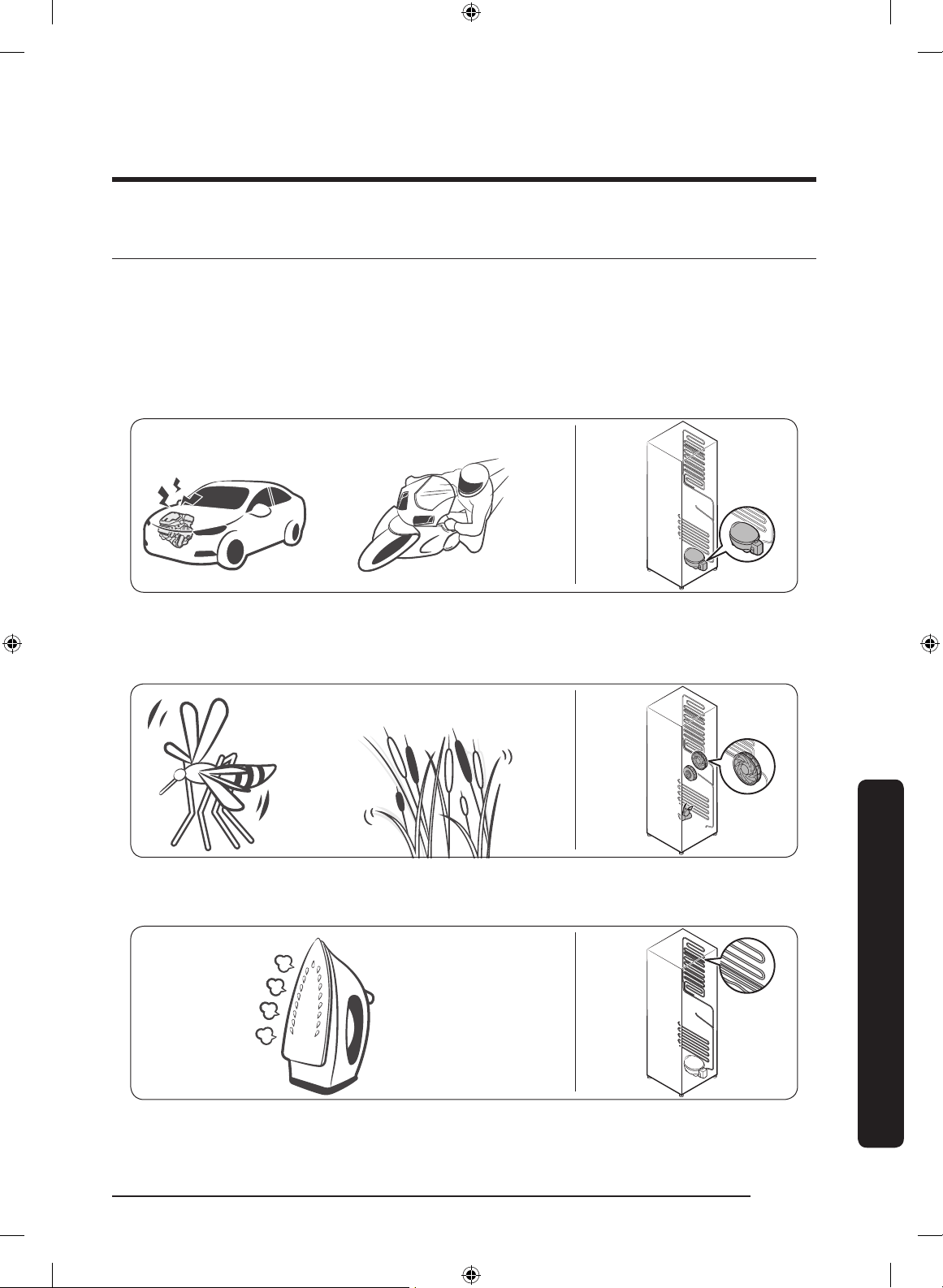
English 85
Troubleshooting
Do you hear abnormal sounds from the refrigerator?
Before calling for service, review the checkpoints below. Any service calls related to
normal sounds will be charged to the user.
These sounds are normal.
• When starting or ending an operation, the refrigerator may make sounds similar to a
car engine igniting. As the operation stabilizes, the sounds will decrease.
Clicking!
or Chirping!
Buzzing!
• While the fan is operating, these sounds may occur. When the refrigerator reaches the
set temperature, no fan sound will occur.
SSSRRR!
Whir!
• During a defrost cycle, water may drip on the defrost heater, causing sizzling sounds.
HiSS!
Untitled-1 85 2017-07-12 7:07:17
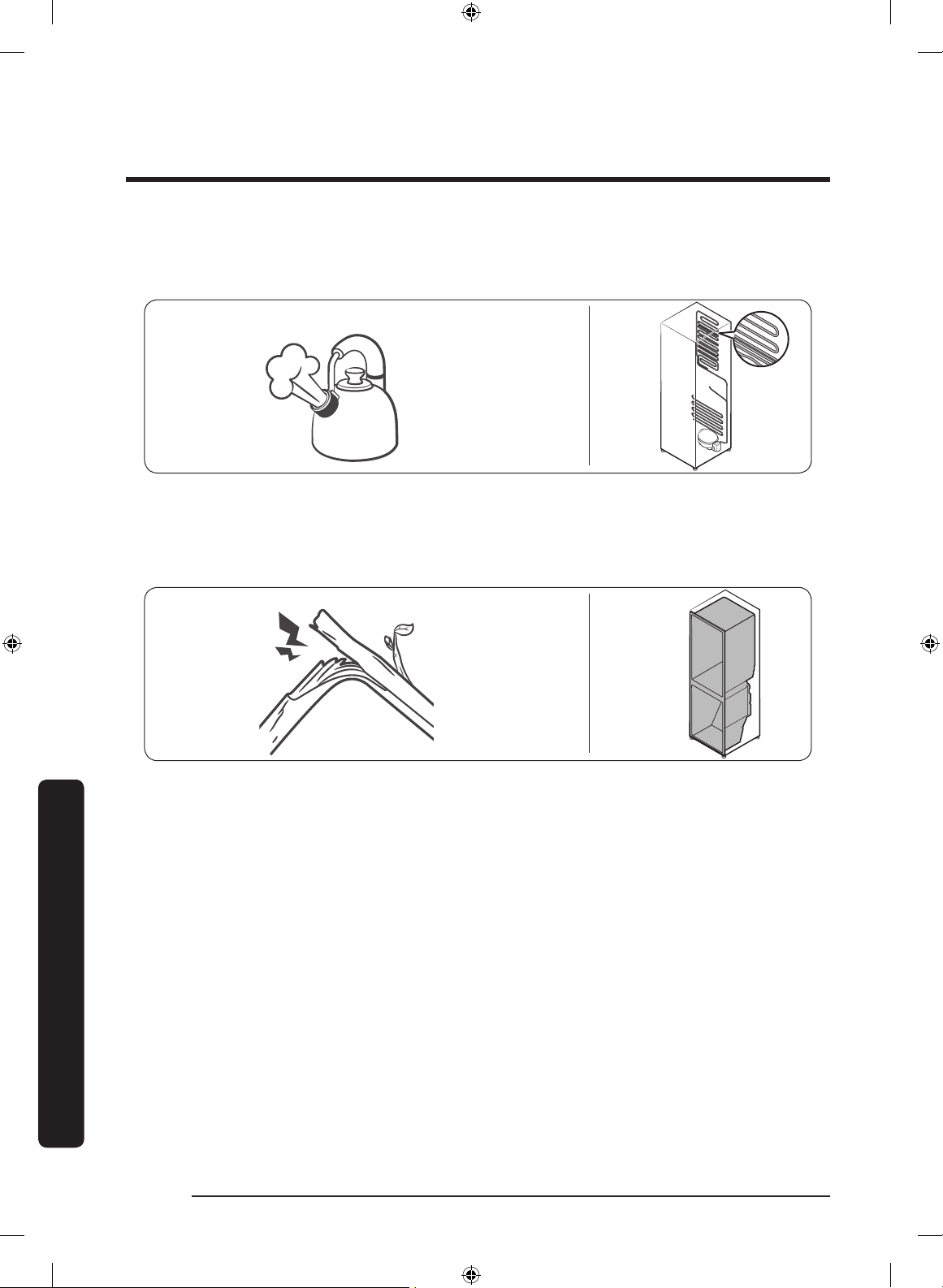
Troubleshooting
English86
Troubleshooting
• As the refrigerator cools or freezes, refrigerant gas moves through sealed pipes,
causing bubbling sounds.
Bubbling!
• As the refrigerator temperature increases or decreases, plastic parts contract and
expand, creating knocking noises. These noises occur during the defrosting cycle or
when electronic parts are working.
Cracking!
• For ice maker models: When the water valve opens to ll the ice maker, buzzing
sounds may occur.
• Due to pressure equalizing when opening and closing the refrigerator door, whooshing
sounds may occur.
Untitled-1 86 2017-07-12 7:07:18
Memo
Untitled-1 87 2017-07-12 7:07:18
Contact SAMSUNG WORLD WIDE
If you have any questions or comments relating to Samsung products, please contact the
SAMSUNG Customer Care Center.
Country Contact Center Web Site
AUSTRALIA 1300 362 603 www.samsung.com/au/support
NEW ZEALAND 0800 726 786 www.samsung.com/nz/support
DA68-03563K-00
Untitled-1 88 2017-07-12 7:07:18
