READ AND SAVE THESE INSTRUCTIONS
Use and Care Guide
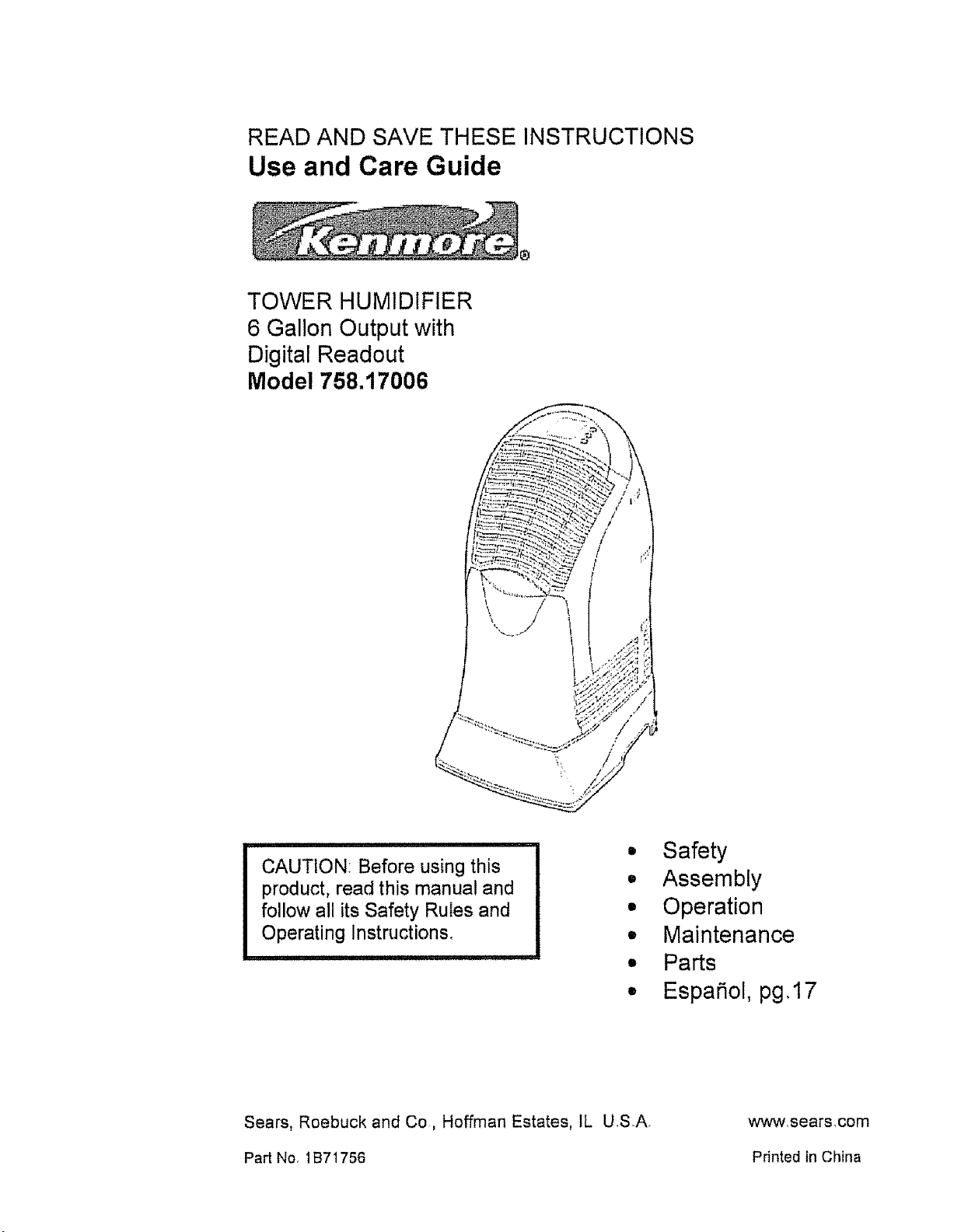
TOWER HUMIDIFIER
6 Gallon Output with
Digital Readout
Model 758.17006
'\ i/
CAUTION: Before using this
product, read this manual and
follow all its Safety Rules and
Operating instructions,
• Safety
• Assembly
° Operation
• Maintenance
• Parts
• Espa_ol, pg,17
Sears, Roebuck and Co, Hoffman Estates, 1L USA,
Part No, 1B71756
wwwsears,com
Printed in China
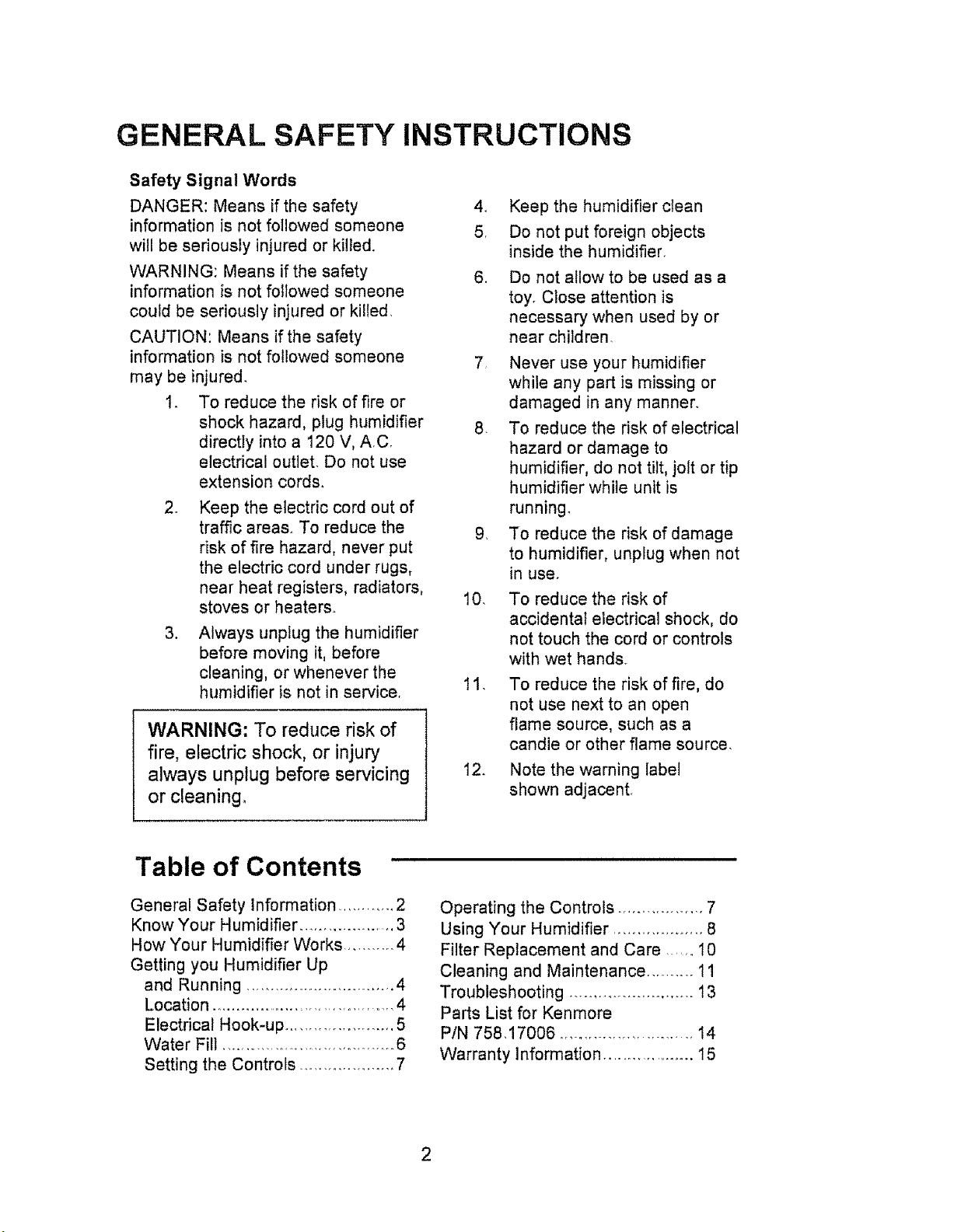
GENERAL SAFETY INSTRUCTIONS
Safety Signal Words
DANGER: Means if the safety
information is not followed someone
will be seriously injured or killed.
WARNING: Means if the safety
information is not followed someone
could be seriously injured or killed.
CAUTION: Means if the safety
information is not followed someone
may be injured.
1. To reduce the risk of fire or
shock hazard, plug humidifier
directly into a 120 V, AC
electrical outlet. Do not use
extension cords,
2. Keep the electric cord out of
traffic areas. To reduce the
risk of fire hazard, never put
the electric cord under rugs,
near heat registers, radiators,
stoves or heaters.
3. Always unplug the humidifier
before moving it, before
cleaning, or whenever the
humidifier is not in service,
WARNING: To reduce risk of
fire, electric shock, or injury
always unplug before servicing
or cleaning_
4. Keep the humidifier ctean
5, Do not put foreign objects
inside the humidifier.
6. Do not allow to be used as a
toy° Close attention is
necessary when used by or
near children.
7 Never use your humidifier
while any part is missing or
damaged in any manner.
8. To reduce the risk of electrical
hazard or damage to
humidifier, do not tilt, jolt or tip
humidifier while unit is
running.
9, To reduce the risk of damage
to humidifier, unplug when not
in use_
10. To reduce the risk of
accidental electrical shock, do
not touch the cord or controls
with wet hands.
11. To reduce the risk of fire, do
not use next to an open
flame source, such as a
candle or other flame source.
12. Note the warning label
shown adjacent.
Table of Contents '
General Safety information ............ 2
Know Your Humidifier ..................... 3
How Your Humidifier Works ........... 4
Getting you Humidifier Up
and Running ................................ 4
Location ...................................... 4
Electrical Hook-up ....................... 5
Water Fill ....... ................................ 6
Setting the Controls .................... 7
Operating the Controls .................. 7
Using Your Humidifier ................... 8
Filter Replacement and Care ...... I0
Cleaning and Maintenance .......... 11
Troubleshooting ......................... 13
Parts List for Kenmore
PIN 758.17006 ............................ 14
Warranty Information ................... 15
2
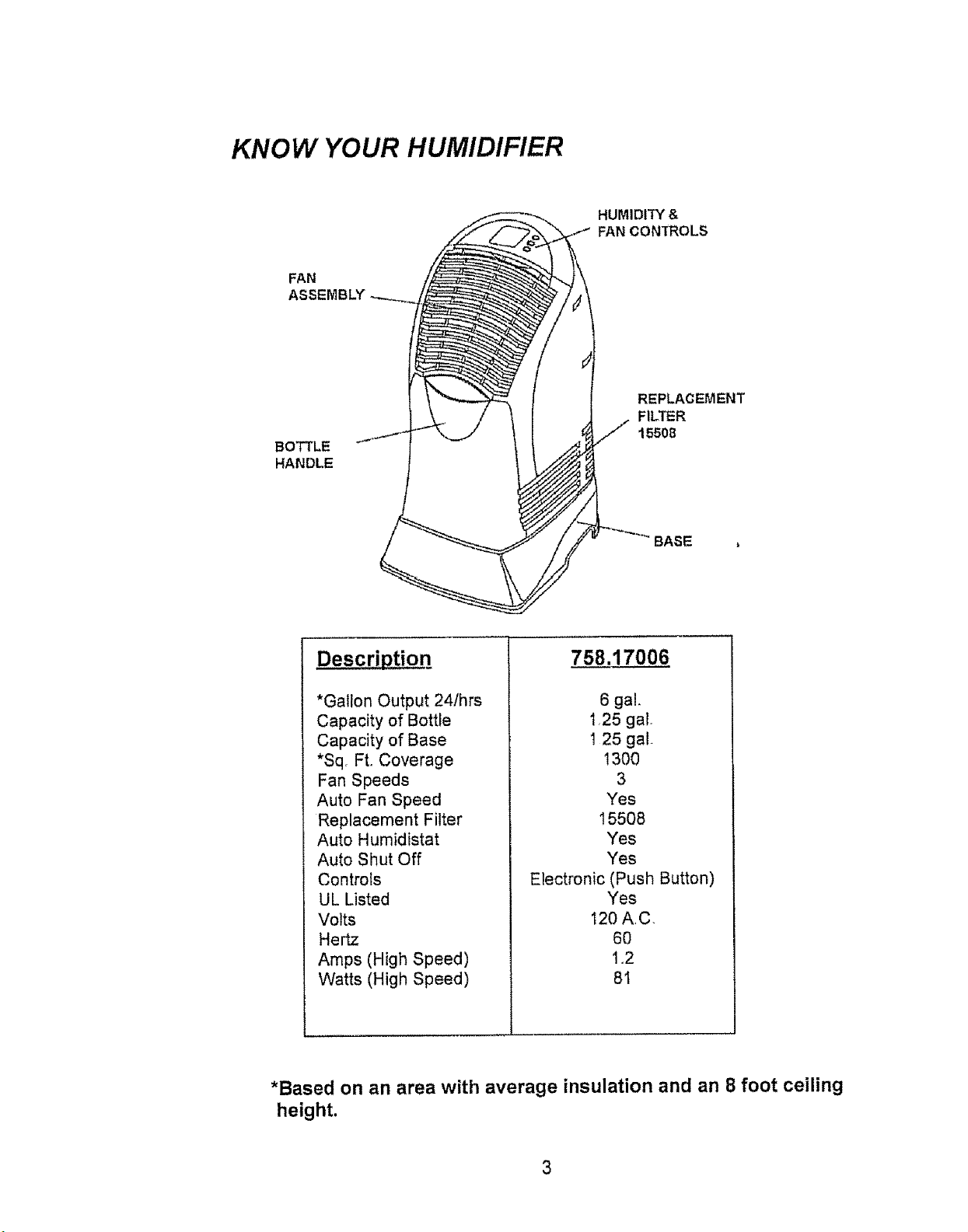
KNOW YOUR HUMIDIFIER
HUMIDITY &
FAN CONTROLS
FAN
ASSEMBLY
BOTTLE
HANDLE
REPLACEMENT
FILTER
15508
BASE
Descri_tioq
*Gallon Output 24/hrs
Capacity of Bottle
Capacity of Base
*Sq, Ft. Coverage
Fan Speeds
Auto Fan Speed
Replacement Filter
Auto Humidistat
Auto Shut Off
Controls
UL Listed
Volts
Hertz
Amps (High Speed)
Watts (High Speed)
758.17006
6 gal.
t ,25 gal.
1 25 ga!.
t 300
3
Yes
15508
Yes
Yes
Electronic (Push Button)
Yes
120 A,C,
6O
1,2
8t
*Based on an area with average insulation and an 8 foot ceiling
height.
How Your Humidifier Works
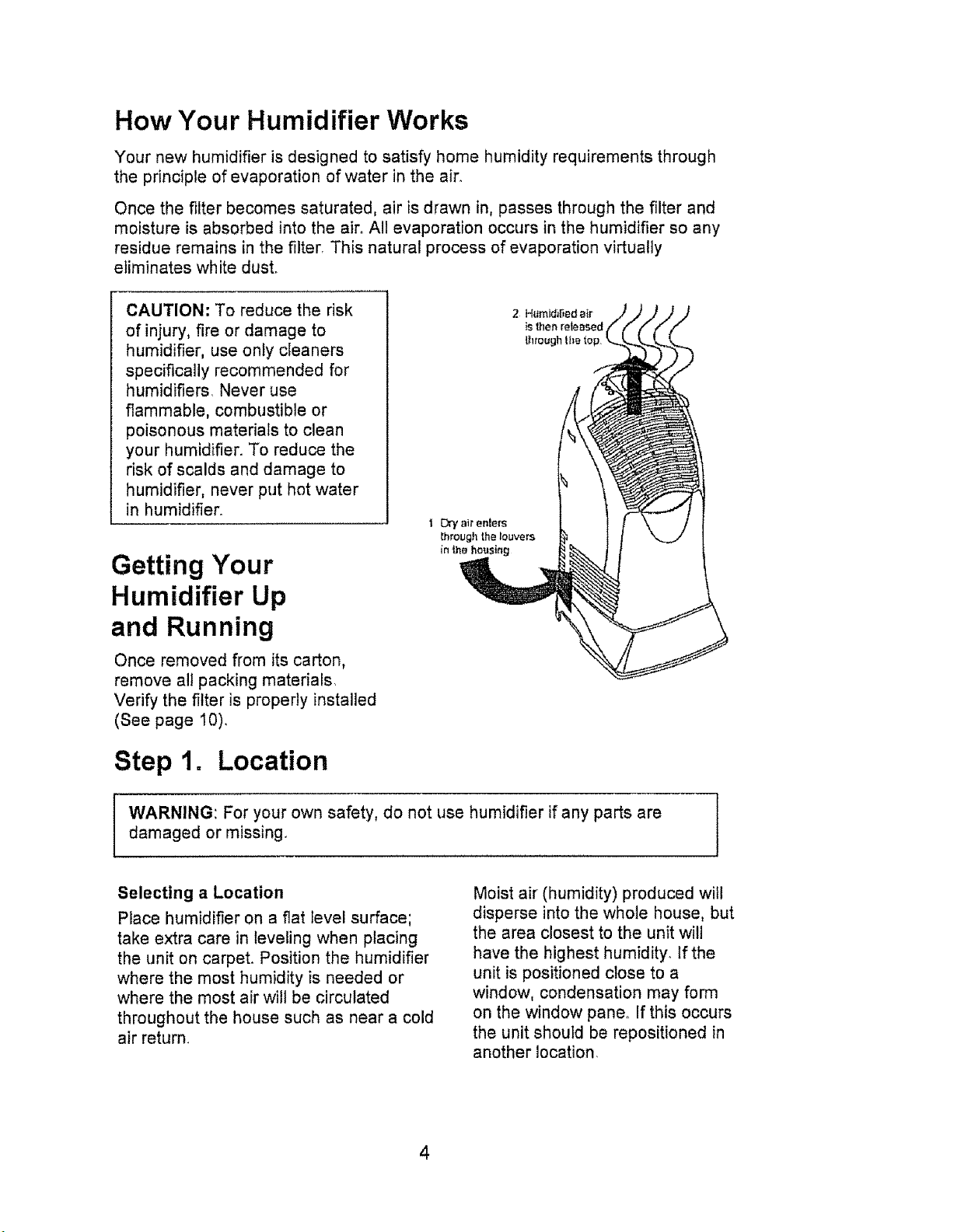
Your new humidifier is designed to satisfy home humidity requirements through
the principle of evaporation of water in the air.
Once the filter becomes saturated, air is drawn in, passes through the filter and
moisture is absorbed into the air. All evaporation occurs in the humidifier so any
residue remains in the filter. This natural process of evaporation virtually
eliminates white dust.
CAUTION: To reduce the risk
of injury, fire or damage to
humidifier, use only cleaners
specifically recommended for
humidifiers. Never use
flammable, combustible or
poisonous materials to clean
your humidifier. To reduce the
risk of scalds and damage to
humidifier, never put hot water
in humidifier.
Getting Your
Humidifier Up
and Running
Once removed from its carton,
remove all packing materials,
Verify the filter is properly installed
(See page 10).
Step 1. Location
WARNING: For your own safety, do not use humidifier if any parts are ]
damaged or missing.
/
Selecting a Location
Place humidifier on a flat Ievel surface;
take extra care in leveling when placing
the unit on carpet. Position the humidifier
where the most humidity is needed or
where the most air will be circulated
throughout the house such as near a cold
air return.
Moist air (humidity) produced will
disperse into the whole house, but
the area closest to the unit will
have the highest humidity If the
unit ispositioned close to a
window, condensation may form
on the window pane_ If this occurs
the unit should be repositioned in
another location
Positioning the Unit
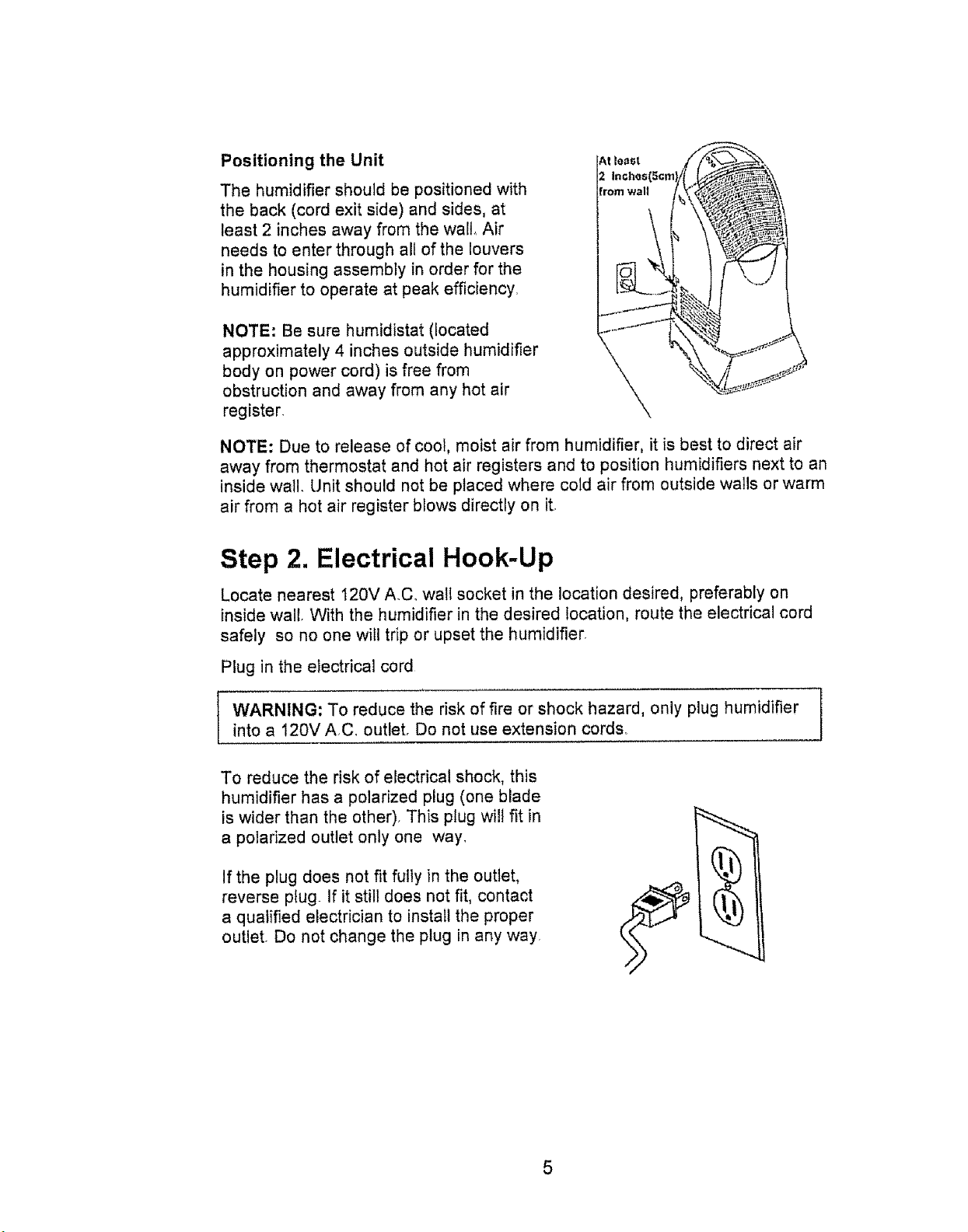
The humidifier should be positioned with
the back (cord exit side) and sides, at
least 2 inches away from the wall, Air
needs to enter through all of the louvers
in the housing assembly in order for the
humidifier to operate at peak efficiency.
NOTE: Be sure humidistat (located
approximately 4 inches outside humidifier
body on power cord) is free from
obstruction and away from any hot air
register.
NOTE: Due to release of cool, moist air from humidifier, it is best to direct air
away from thermostat and hot air registers and to position humidifiers next to an
inside watl_ Unit should not be placed where cold air from outside walls or warm
air from a hot air register blows directly on it,
Step 2. Electrical Hook-Up
Locate nearest t20V AC_ wall socket in the location desired, preferably on
inside wall. With the humidifier in the desired location, route the electrical cord
safely so no one will trip or upset the humidifier.
Plug in the electrical cord
L
WARNING: To reduce the risk of fire or shock hazard, only plug humidifier l
into a 120V A.C_ outlet. Do not use extension cords.
J
To reduce the risk of electrical shock, this
humidifier has a polarized plug (one blade
is wider than the other), This plug will fit in
a polarized outlet only one way,
If the plug does not fit fully in the outlet,
reverse plug. If it still does not fit, contact
a qualified electrician to install the proper
outlet. Do not change the plug in any way
5
Step 3. Water Fill
WARNING: To reduce the risk of fire
or shock hazard, do not pour or spill
water into control or motor area. If
controls get wet, let them dry
completely and have unit checked
by qualified service personnel before
plugging in
After the humidifier is positioned
where it will be operating, you are
ready to fill the humidifier. The bottle
tilts out and away from the base.
Take care not to bump or damage fill
valve assembly on the bottom of the
bottle.
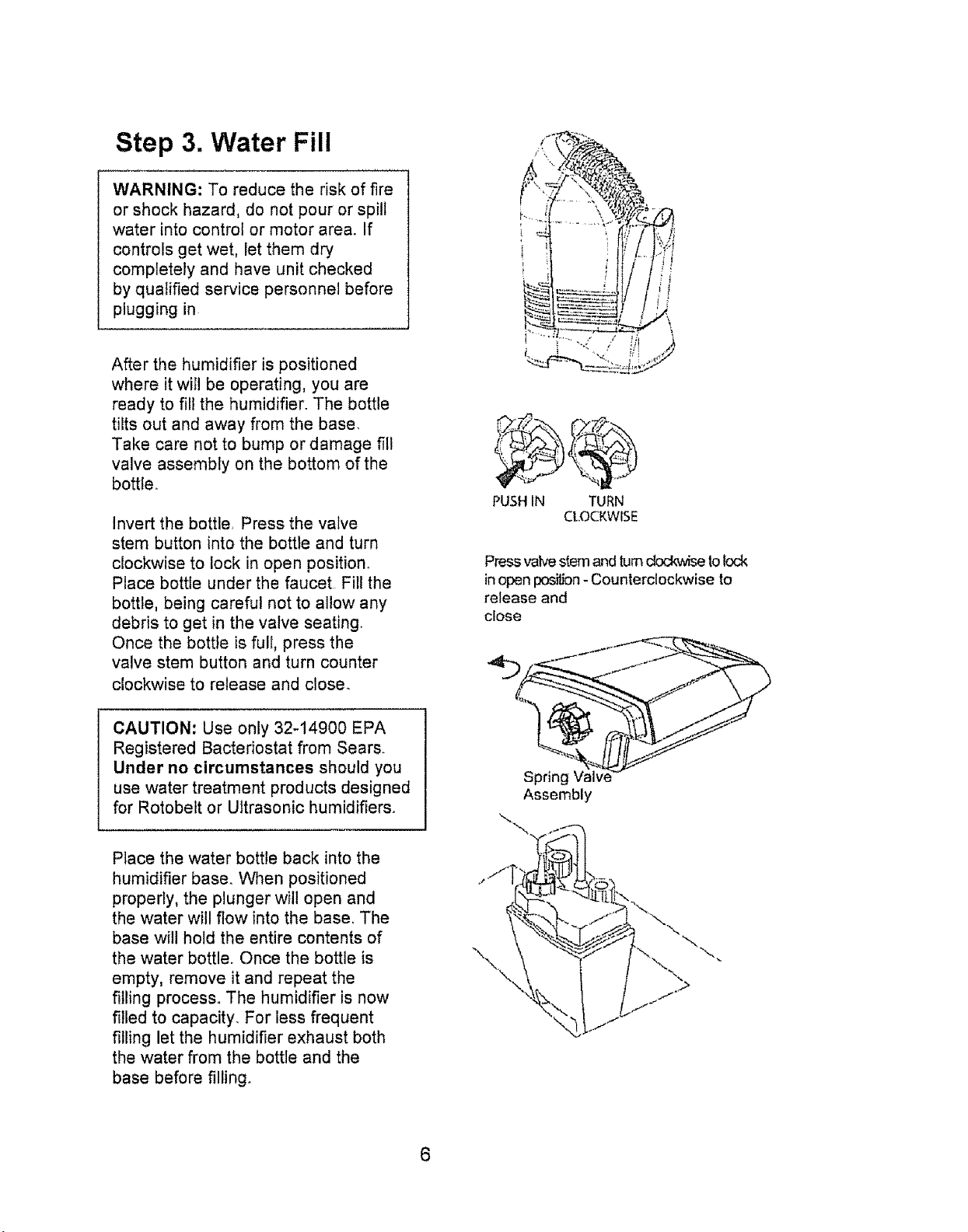
Invert the bottle, Press the valve
stem button into the bottle and turn
clockwise to lock in open position°
Place bottle under the faucet Fill the
bottle, being careful not to allow any
debris to get in the valve seating.
Once the bottle is full, press the
valve stem button and turn counter
clockwise to release and close_
___i _i i i
PUSHIN TURN
CLOCKWISE
Press vak,e stemand turnckx:kwiseto_ock
in open positbn- Counterclockwise to
release and
close
CAUTION: Use only 32-14900 EPA
Registered Bactedostat from Sears.
Under no circumstances should you
use water treatment products designed
for Rotobelt or Ultrasonic humidifiers.
Place the water bottle back into the
humidifier base° When positioned
properly, the plunger will open and
the water will flow into the base. The
base will hold the entire contents of
the water bottle. Once the bottle is
empty, remove it and repeat the
filling process° The humidifier is now
filled to capacity. For less frequent
filling let the humidifier exhaust both
the water from the bottle and the
base before filling.
Assembly
\.
\
Step 4. Setting the Controls
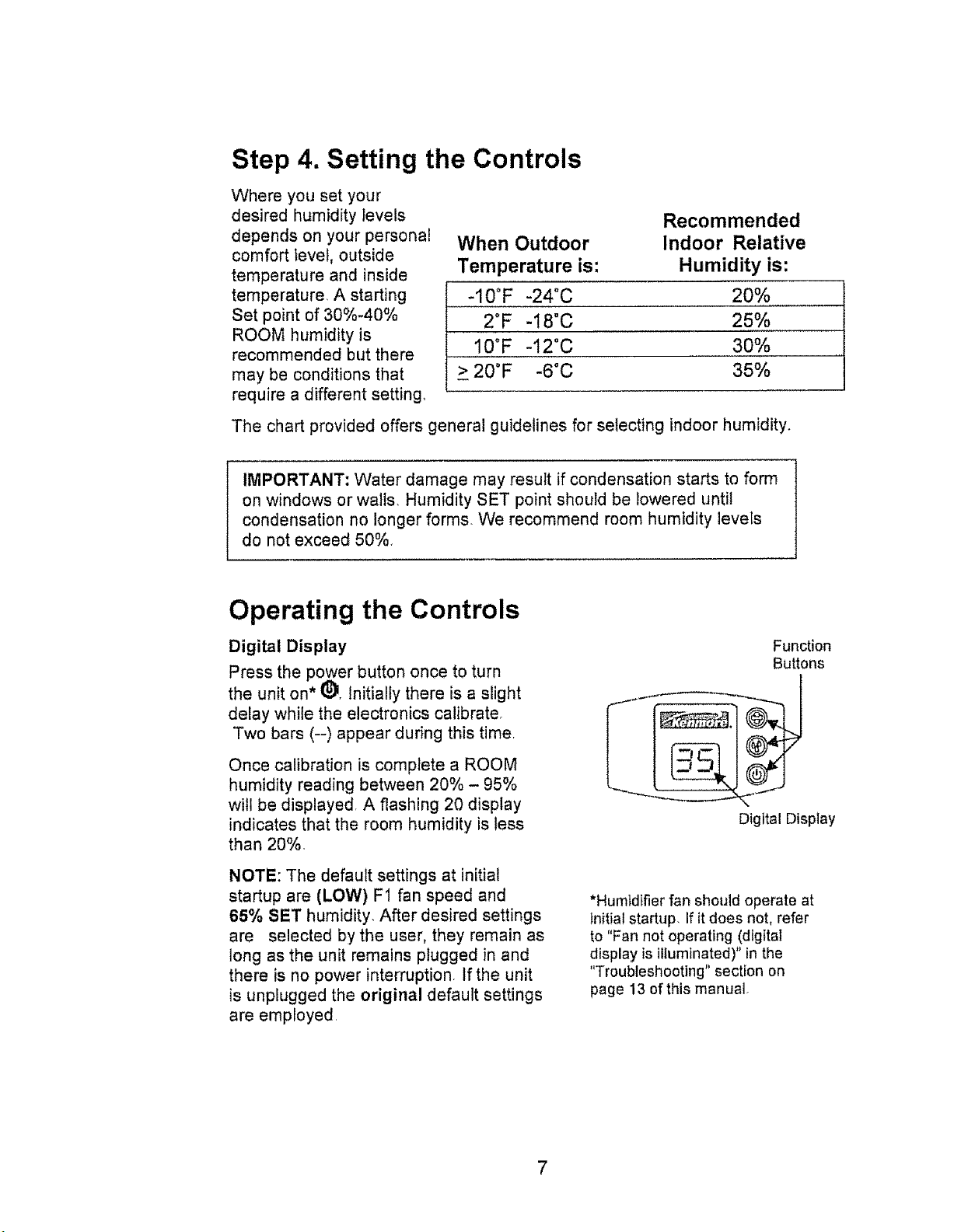
Where you set your
desired humidity Ievels
depends on your personal
comfort level, outside
temperature and inside
temperature, A starting
Set point of 30%-40%
ROOM humidity is
recommended but there
may be conditions that
require a different setting.
Recommended
When Outdoor Indoor Relative
Temperature is: Humidity is:
-10°F -24°C 20%
2°F -18"C 25%
10°F -12°C 30%
> 20°F -6°C 35%
The chart provided offers general guidelines for selecting indoor humidity.
IMPORTANT: Water damage may result if condensation starts to form
on windows or walls, Humidity SET point should be lowered until
condensation no longer forms, We recommend room humidity levels
do not exceed 50%,
Operating the Controls
Digital Display
Press the power button once to turn
the unit on* _). Initially there is a slight
delay while the electronics calibrate.
Two bars (--) appear during this timer
Once calibration is complete a ROOM
humidity reading between 20% - 95%
will be displayed, A flashing 20 display
indicates that the room humidity is less
than 20%.
NOTE: The default settings at initial
startup are (LOW) F1 fan speed and
65% SET humidity, After desired settings
are selected by the user, they remain as
long as the unit remains plugged in and
there is no power interruption, If the unit
is unplugged the original default settings
are employed,
Function
Buttons
Digital Display
*Humidifier fan should operate at
initialstartup, If itdoes not, refer
to "Fan not operating (digital
display is illuminated)" in the
"Troubleshooting" section on
page 13 of this manual.
Operating the Controls =continued
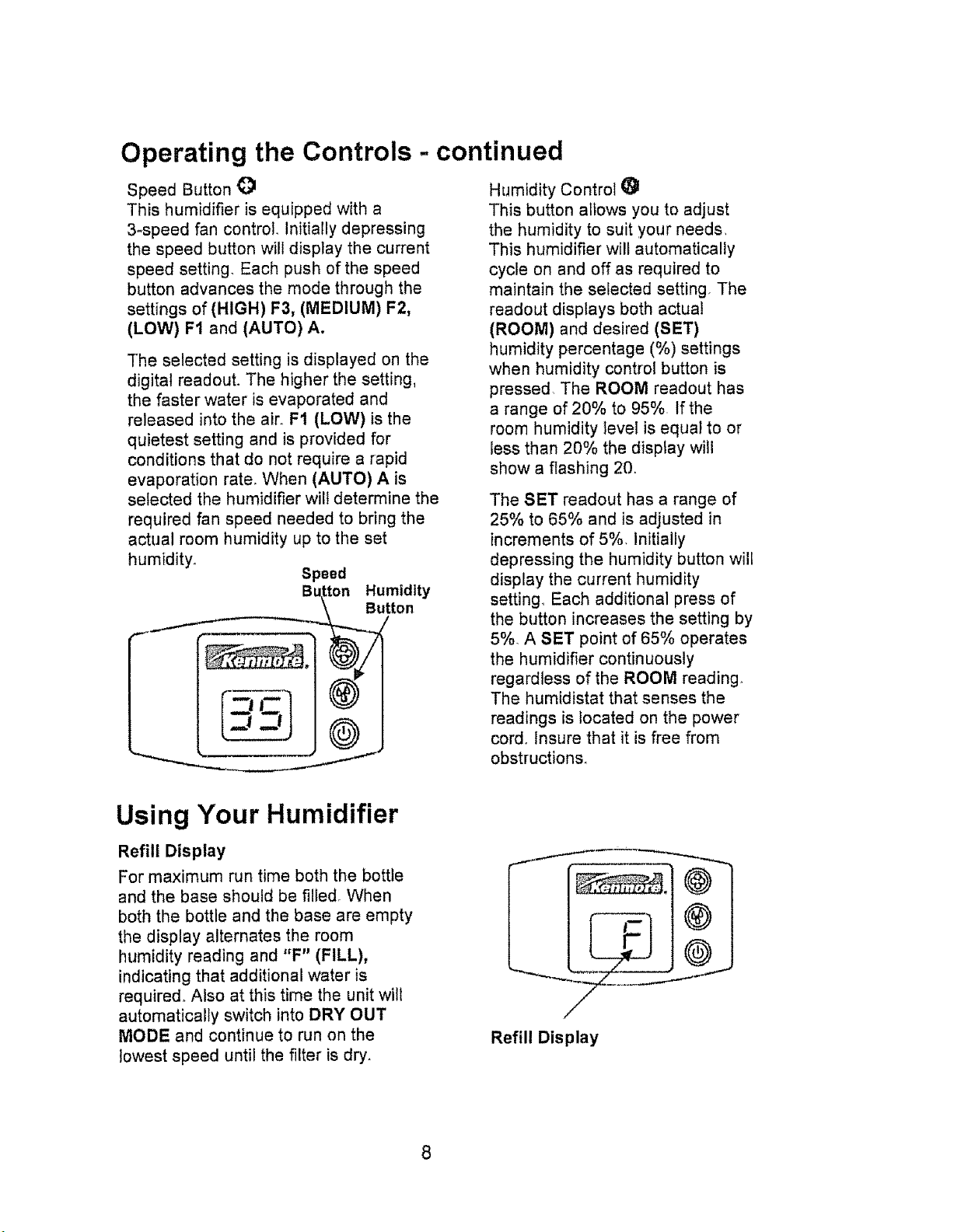
Speed Button O
This humidifier is equipped with a
3-speed fan control. Initially depressing
the speed button will display the current
speed setting, Each push of the speed
button advances the mode through the
settings of(HIGH) F3, (MEDIUM) F2,
(LOW) F1 and (AUTO) A.
The selected setting is displayed on the
digital readout. The higher the setting,
the faster water is evaporated and
released into the air. F1 (LOW) is the
quietest setting and is provided for
conditions that do not require a rapid
evaporation rate. When (AUTO) A is
selected the humidifier wili determine the
required fan speed needed to bring the
actual room humidity up to the set
humidity.
Speed
BL_tton Humidity
,..__utton
Humidity Control i_1
This button allows you to adjust
the humidity to suit your needs,
This humidifier wilt automatically
cycle on and off as required to
maintain the selected setting The
readout displays both actual
(ROOM) and desired (SET)
humidity percentage (%) settings
when humidity control button is
pressed. The ROOM readout has
a range of 20% to 95%. If the
room humidity level is equal to or
less than 20% the display will
show a flashing 20.
The SET readout has a range of
25% to 65% and is adjusted in
increments of 5%. Initially
depressing the humidity button will
display the current humidity
setting,. Each additional press of
the button increases the setting by
5%. A SET point of 65% operates
the humidifier continuously
regard]ess of the ROOM reading,
The humidistat that senses the
readings is located on the power
cord. Insure that it is free from
obstructions°
Using Your Humidifier
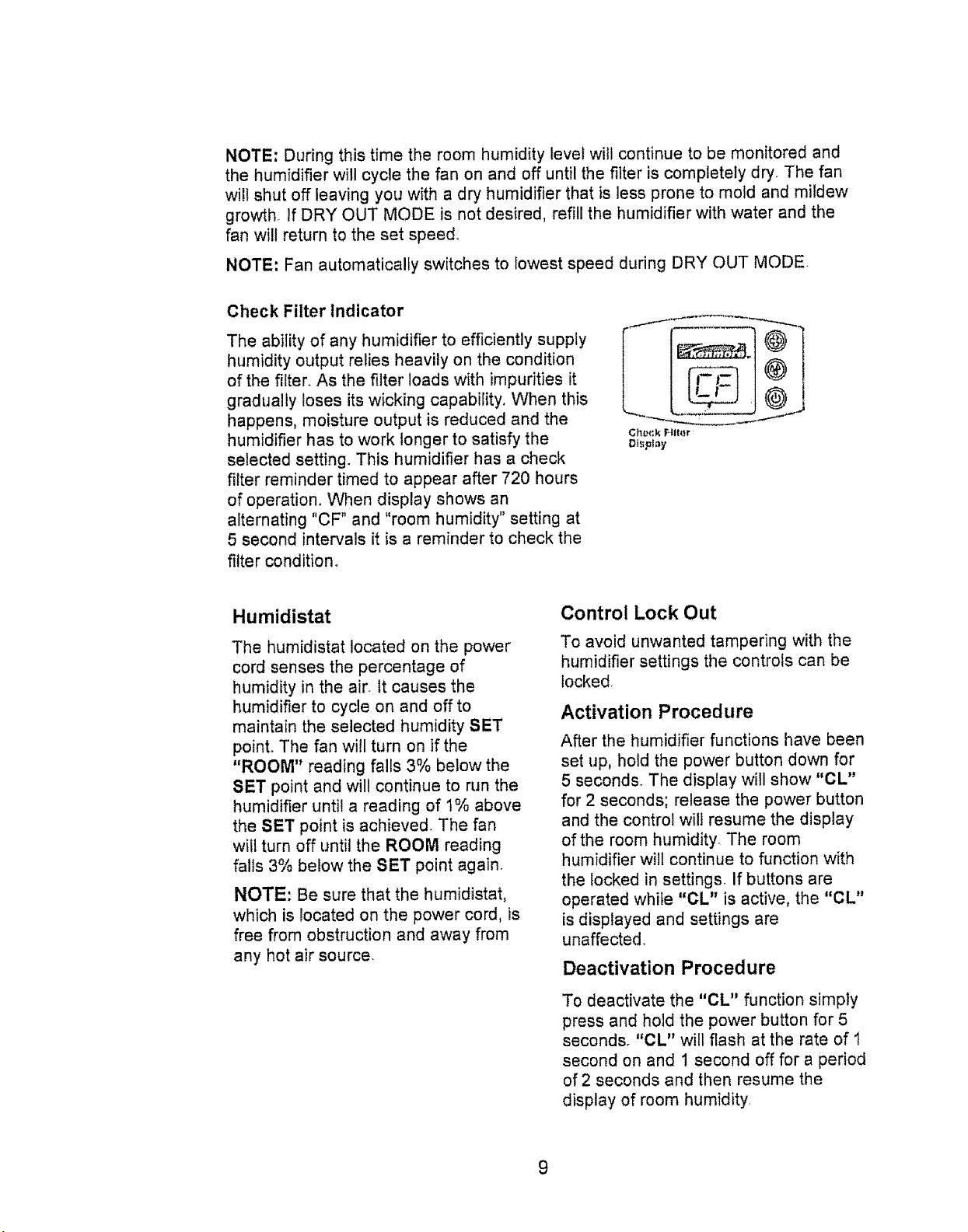
Refill Display
For maximum run time both the bottle
and the base should be filled. When
both the bottle and the base are empty
the display alternates the room
humidity reading and "F" (FILL),
indicating that additional water is
required. Also at this time the unit will
automatically switch into DRY OUT
MODE and continue to run on the
lowest speed until the filter is dry.
Refill Display
8
NOTE: During this time the room humidity level will continue to be monitored and
the humidifier wil! cycle the fan on and off until the filter is completely dry, The fan
will shut off leaving you with a dry humidifier that is less prone to mold and mildew
growth. If DRY OUT MODE is not desired, refill the humidifier with water and the
fan will return to the set speed.
NOTE: Fan automatically switches to lowest speed during DRY OUT MODE
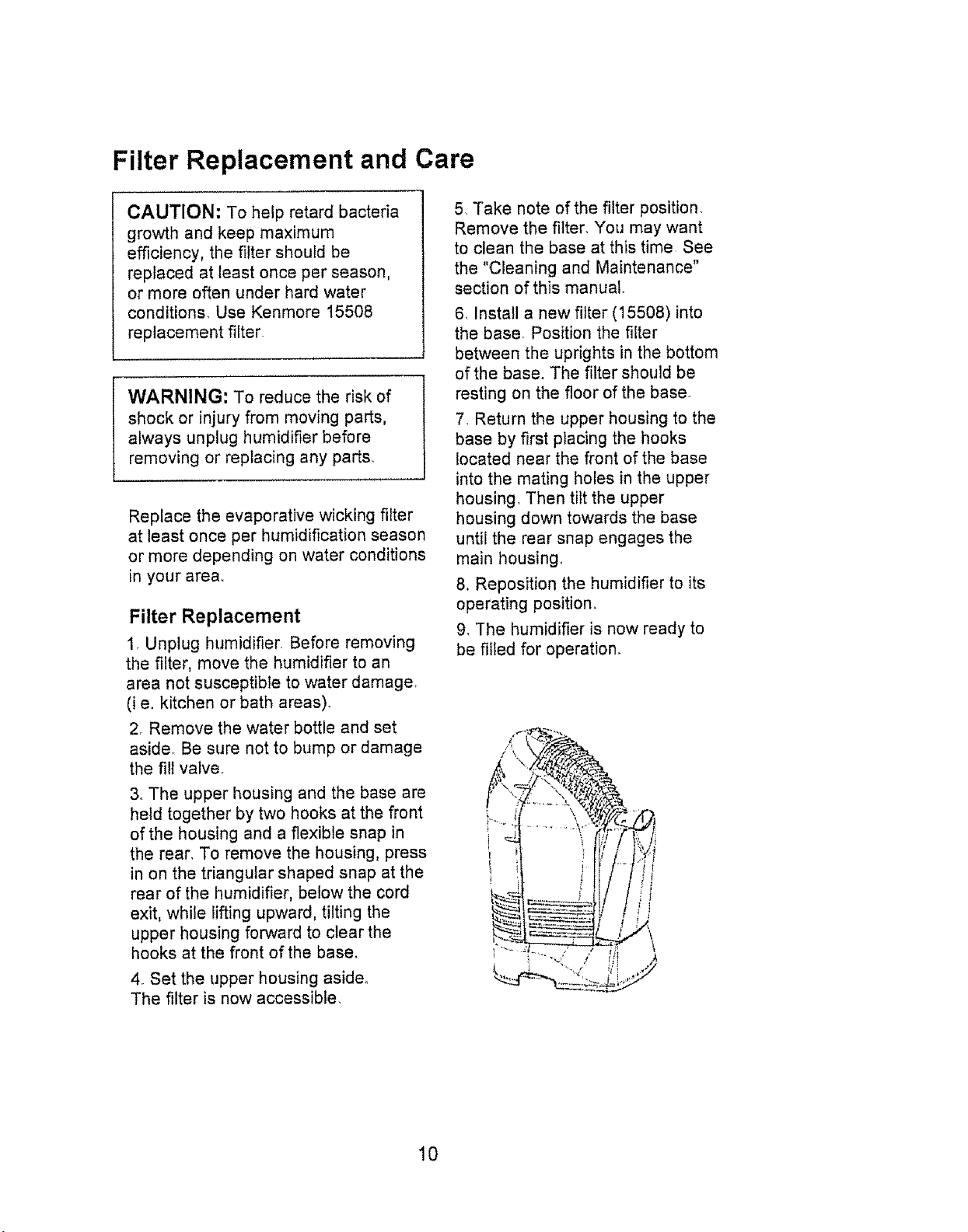
Check Filter indicator
The ability of any humidifier to efficiently supply
humidity output relies heavily on the condition
of the filter. As the filter loads with impurities it
gradually loses its wicking capability. When this
happens, moisture output is reduced and the
humidifier has to work longer to satisfy the
selected setting. This humidifier has a check
filter reminder timed to appear after 720 hours
of operation. When display shows an
alternating "CF" and "room humidity" setting at
5 second intervals it is a reminder to check the
filter condition°
Ctl#{;k r,tlt{_r
Display
Humidistat
The humidistat located on the power
cord senses the percentage of
humidity in the air. tt causes the
humidifier to cycle on and off to
maintain the selected humidity SET
point° The fan will turn on if the
"ROOM" reading falls 3% below the
SET point and will continue to run the
humidifier until a reading of 1% above
the SET point is achieved. The fan
wilt turn off until the ROOM reading
falls 3% below the SET point again.
NOTE: Be sure that the humidistat,
which is located on the power cord, is
free from obstruction and away from
any hot air source,
Control Lock Out
To avoid unwanted tampering with the
humidifier settings the controls can be
locked,
Activation Procedure
After the humidifier functions have been
set up, hold the power button down for
5 seconds° The display will show "CL"
for 2 seconds; release the power button
and the control will resume the display
of the room humidity. The room
humidifier will continue to function with
the locked in settings, If buttons are
operated while "CL" is active, the "CL"
is displayed and settings are
unaffected,
Deactivation Procedure
To deactivate the "CL" function simply
press and hold the power button for 5
seconds. "CL" will flash at the rate of t
second on and 1 second off for a period
of 2 seconds and then resume the
display of room humidity.
Filter Replacement and Care
CAUTION: To help retard bacteria
growth and keep maximum
efficiency, the filter should be
replaced at least once per season,
or more often under hard water
conditions, Use Kenmore 15508
replacement filter.
WARNING: To reduce the risk of
shock or injury from moving parts,
always unplug humidifier before
removing or replacing any parts,
Replace the evaporative wicking filter
at least once per humidification season
or more depending on water conditions
in your area_
Filter Replacement
1. Unplug humidifier. Before removing
the filter, move the humidifier to an
area not susceptible to water damage.
(i e, kitchen or bath areas).
2. Remove the water bottle and set
aside° Be sure not to bump or damage
the fill valve,
3o The upper housing and the base are
held together by two hooks at the front
of the housing and a flexible snap in
the rear, To remove the housing, press
in on the triangular shaped snap at the
rear of the humidifier, below the cord
exit, while lifting upward, tilting the
upper housing forward to clear the
hooks at the front of the base.
4. Set the upper housing aside.
The filter is now accessible.
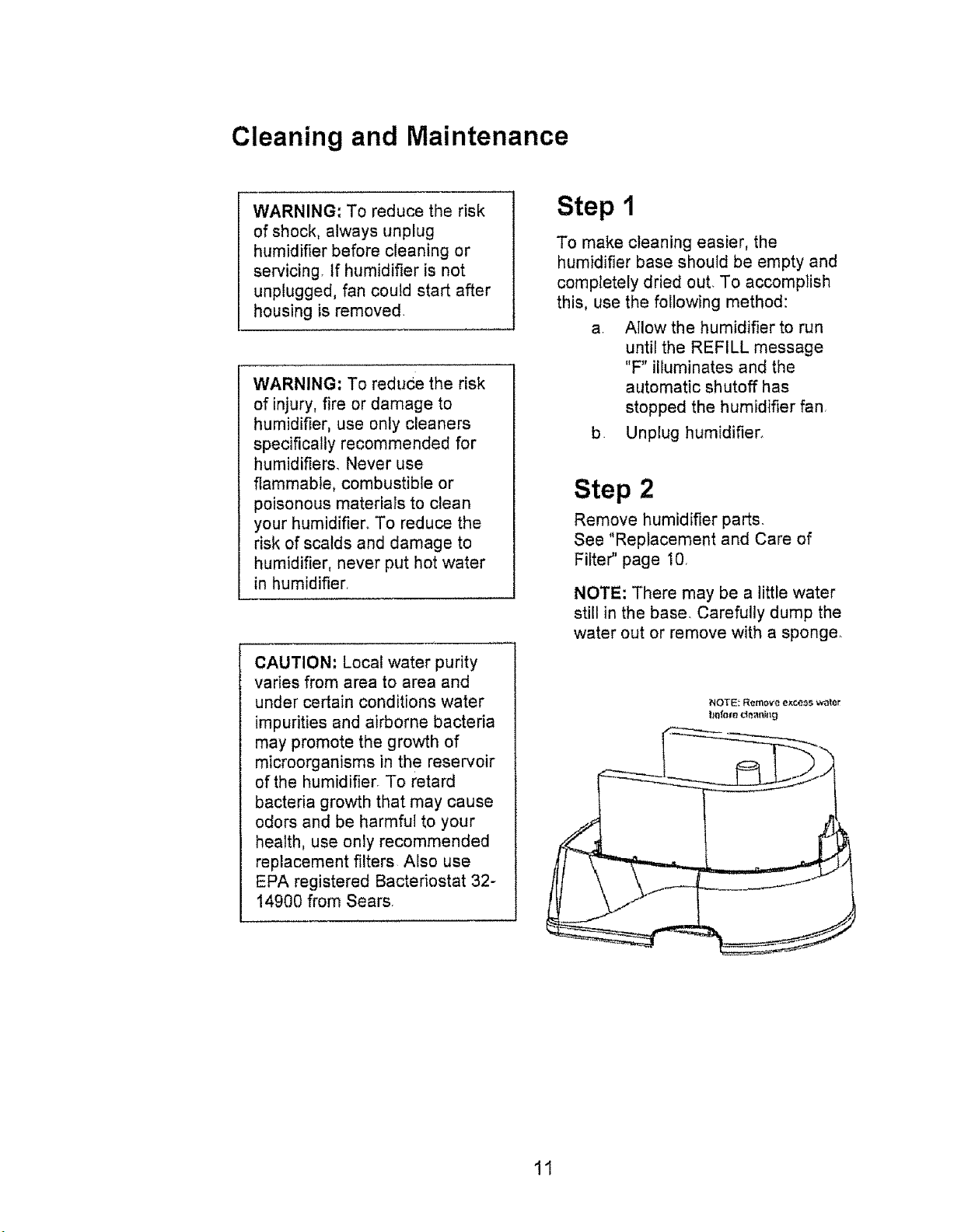
5, Take note of the filter position.
Remove the filter. You may want
to clean the base at this time See
the "Cleaning and Maintenance"
section of this manual
6, Install a new filter (15508) into
the base, Position the filter
between the uprights in the bottom
of the base. The filter should be
resting on the floor of the base.
7. Return the upper housing to the
base by first placing the hooks
located near the front of the base
into the mating holes in the upper
housing, Then tilt the upper
housing down towards the base
until the rear snap engages the
main housing
8, Reposition the humidifier to its
operating position,
9, The humidifier is now ready to
be filled for operation.
10
Cleaning and Maintenance
WARNING: To reduce the risk
of shock, always unplug
humidifier before cleaning or
servicing, tf humidifier is not
unplugged, fan could start after
housing is removed.
WARNING: To reduce the risk
of injury, fire or damage to
humidifier, use only cleaners
specifically recommended for
humidifiers. Never use
flammable, combustible or
poisonous materials to clean
your humidifier. To reduce the
risk of scalds and damage to
humidifier, never put hot water
in humidifier.
CAUTION: Local water purity
varies from area to area and
under certain conditions water
impurities and airborne bacteria
may promote the growth of
microorganisms in the reservoir
of the humidifier. To retard
bacteria growth that may cause
odors and be harmful to your
health, use only recommended
replacement filters Also use
EPA registered Bacteriostat 32-
14900 from Sears.
Step 1
To make cleaning easier, the
humidifier base should be empty and
completely dried out. To accomplish
this, use the following method:
a. Allow the humidifier to run
until the REFILL message
"F" illuminates and the
automatic shutoff has
stopped the humidifier fan.
b Unplug humidifier.
Step 2
Remove humidifier parts.
See "Replacement and Care of
Filter" page 1Q
NOTE: There may be a little water
still in the base. Carefully dump the
water out or remove with a sponger
NOTE: Rem_v'e exoe_s wale_
11
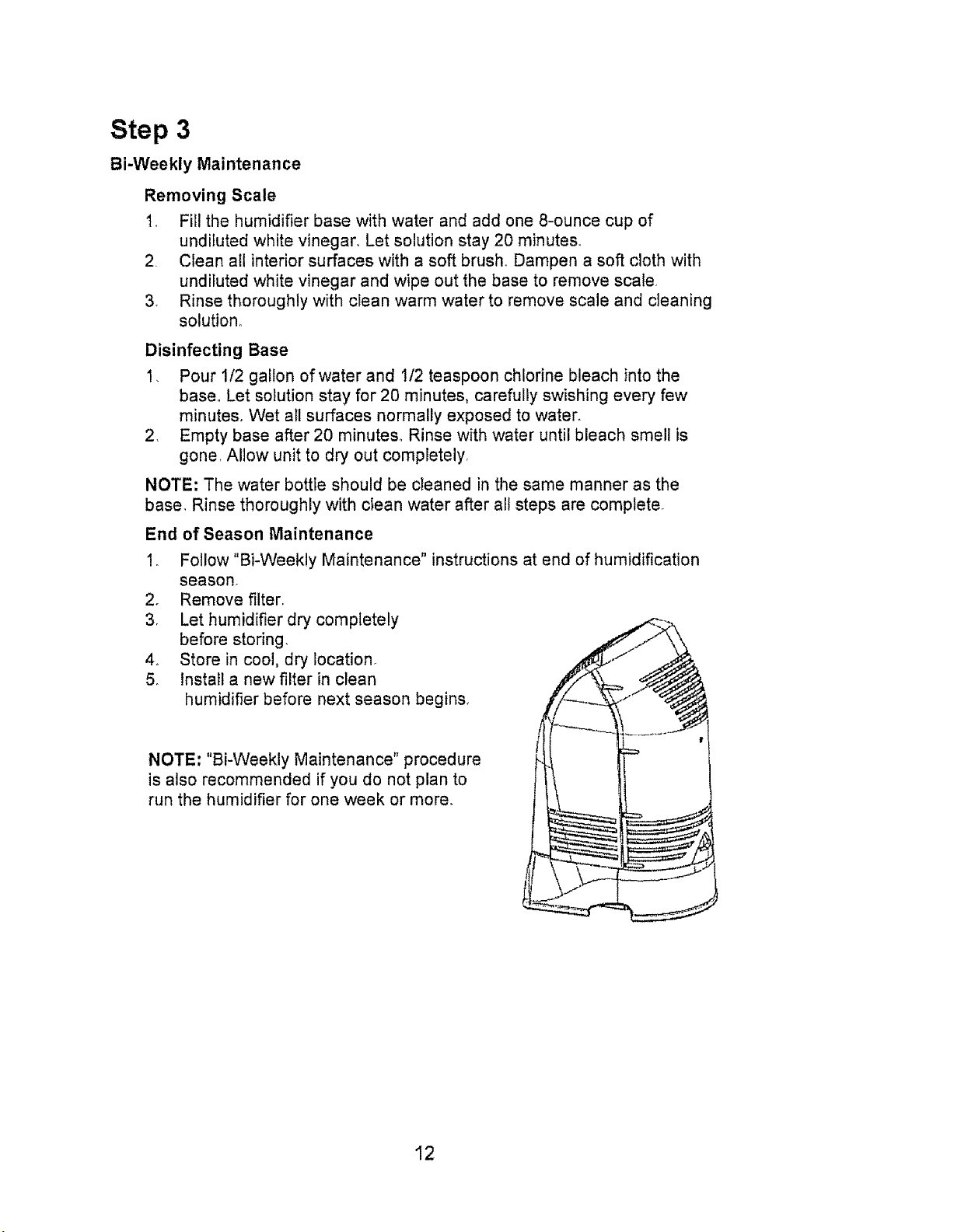
Step 3
Bi-Weekly Maintenance
Removing Scale
1, Fill the humidifier base with water and add one 8-ounce cup of
undiluted white vinegar, Let solution stay 20 minutes°
2, Clean all interior surfaces with a soft brush,, Dampen a soft cloth with
undiluted white vinegar and wipe out the base to remove scale,
3, Rinse thoroughly with clean warm water to remove scale and cleaning
solution,
Disinfecting Base
1_ Pour 1/2 gallon of water and !/2 teaspoon chlorine bleach into the
base° Let solution stay for 20 minutes, carefully swishing every few
minutes. Wet all surfaces normally exposed to water,
2, Empty base after 20 minutes_ Rinse with water until bleach smell is
gone, Allow unit to dry out completely,
NOTE: The water bottle should be cleaned in the same manner as the
base, Rinse thoroughly with clean water after all steps are complete°
End of Season Maintenance
2_
3,
4_
5o
Follow "Bi-Weekly Maintenance" instructions at end of humidification
season,
Remove filter,
Let humidifier dry completely
before storing,
Store in cool, dry location,
Install a new filter in clean
humidifier before next season begins.,
NOTE: "Bi-Weekly Maintenance" procedure
is also recommended if you do not plan to
run the humidifier for one week or more,
12
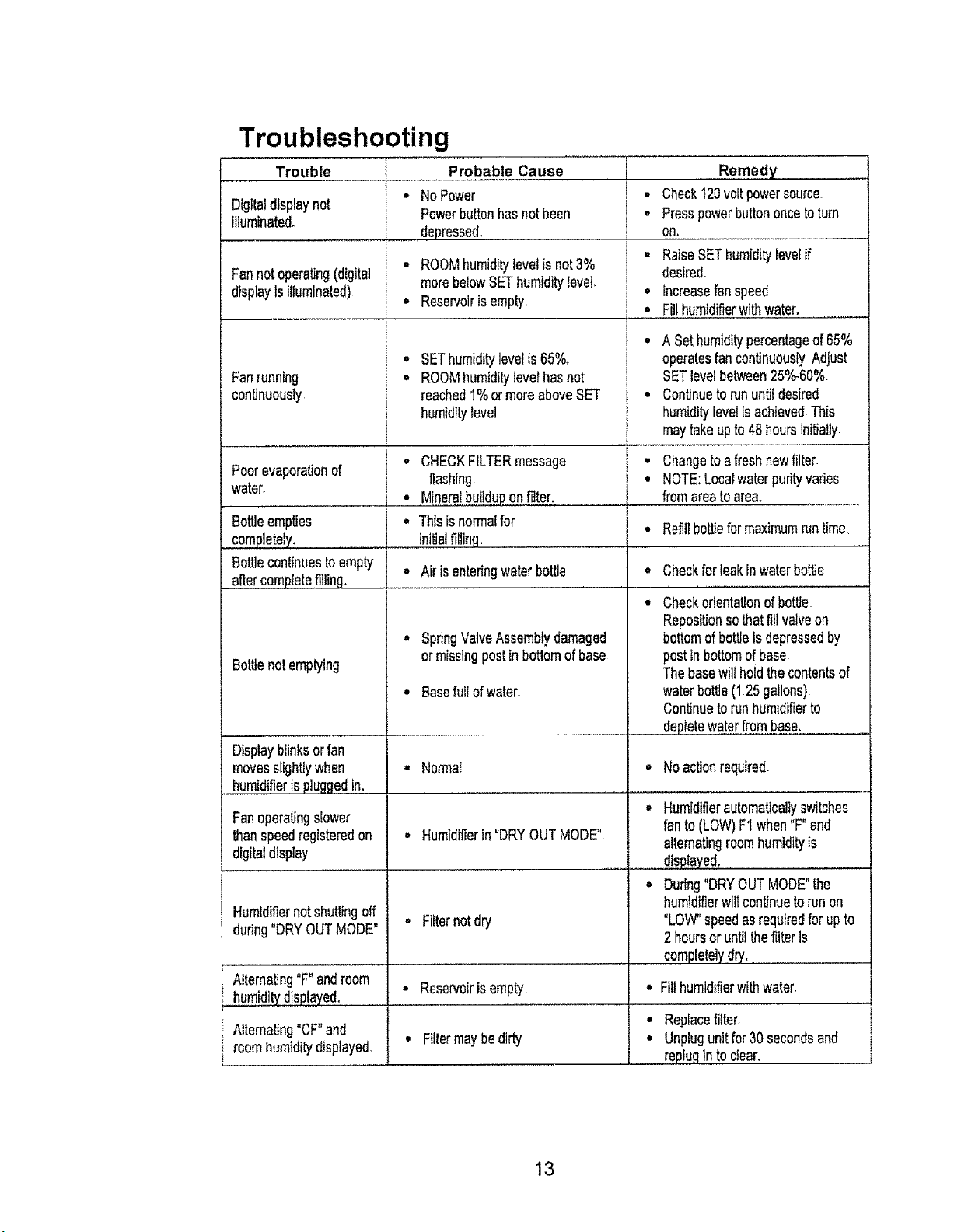
Troubleshooting
L
Trouble Probable Cause
Digilaldisplaynot
Illuminated.
Fannotoperating(digital
displayisillumthaled).
Fanrunning
continuousty
Poorevaporationof
water.
BoWeempties
completely.
Bottlecontinuesto empty
aftercompletefilling.
Bottlenotemptying
Displayblinksorfan
movesslightlywhen
humidifierIspluggedin_
Fanoperatingslower
thanspeedregisteredon
digitaldisplay
Humidifiernotshuttingoff
during"DRYOUTMODE"
Alternating"F"androom
,,humiditydisplayed,
Alternating"CF"and
roomhumiditydisplayed
NoPower
Powerbuttonhasnotbeen
depressed,_.........................
• ROOMhumiditylevelis not3%
morebelowSEThumiditylevel.
• Reservolrisempty.
SEThumiditylevelis65%.
ROOMhumidityleverhasnot
reached1%ormoreaboveSET
humiditylevel,
• CHECKFILTERmessage
flashing
• ,M!neralbuilduponfilter.
• Thisisnormalfor
initialfilling,
° SpdngValveAssemblydamaged
ormissingpostinbottomof base
, Basefullofwater.
...............i
• Check120voltpowersource
- Presspowerbuttononcetoturn
,qn_.....
• RaiseSEThumiditylevelif
desired.
° Increasefanspeed.
....o,,,,,F!!!humidifierwithwater.
• A Sethumiditypercentageof65%
operatesfancontinuouslyAdjust
SETlevelbetween25%-60%.
• Continuetorununtildesired
humiditylevelisachievedThis
maytakeupto48hoursinitially.
Changetoafreshnewfiller
NOTE:Localwaterpudtyvades
fromareatoarea.
,, Reti]tbottleformaximumruntime,
AirisenteringwaterbotlJe. • Checkforleakin waterbottle
. Checkorientationofbottle.
Repositionsothatfillvalveon
bottomofbottleIsdepressedby
posttnbottomof base
Thebasewillholdthecontentsof
waterbottle(125 gallons)
Continuetorunhumidifierto
depletewaterfrombase,
• Normal
• Humidifierin"DRYOUTMODE",
° Noactionrequired.
° Humidifierautomaticallyswitches
fanto (LOW)F1when"F"and
alternatingroomhumidityis
displayed.,.....................
° Dudng"DRYOUTMODE"the
humidifierwiltcontinuetorun on
"LOW"speedasrequiredforupto
2 hoursor untilthefilteris
completelydry,, .........................
• Fillhumidifierwithwater,
• Replacefilter
• Unplugunitfor30 secondsand
replugin toclear.
• Filternotdry
• Reservoirisempty
• Filtermaybedirty
13
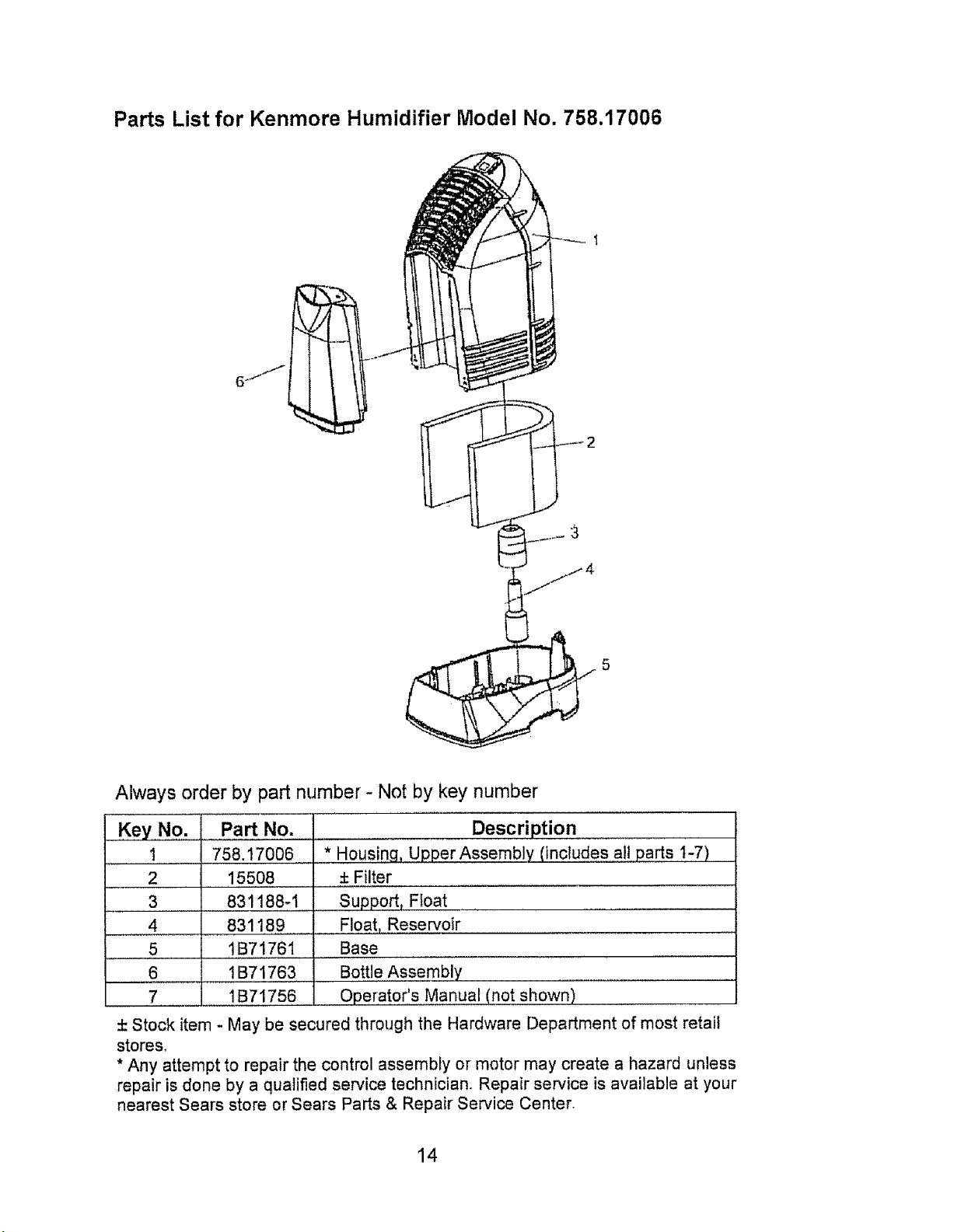
Parts List for Kenmore Humidifier Model No. 758.17006
Gj _'j
Always order by part number - Not by key number
Key No. Pa_ No.
1 758.17006
2 .......15508
3 831188-I
4
5
6
7
831!.8.9
!B71761
1B71763
1B71756
Description
* Housing, Upper Assembly (includes. all parts t-7)
± Filter
Support_ Float ................
Fj0at, Reservoir
Base
Bott!e Assembly
Operator's Manual (not shown)
± Stock item - May be secured through the Hardware Department of most retail
stores.
* Any attempt to repair the control assembly or motor may create a hazard unless
repair is done by a qualified service technician. Repair service is available at your
nearest Sears store or Sears Parts & Repair Service Center.
14
OneYearLimitedWarranty
Wheninstalled,operatedandmaintainedaccordingto allinstructionssuppliedwiththeproduct,if
thisappliancefailsduetoadefectinmaterialandworkmanshipwithinoneyearfromthedateof
purchase,returnittoanySearsstore,SearsParts& RepairServiceCenter,or otherKenmore
outtetforfreerepair.
If thisapplianceiseverusedforotherthenprivatefamilypurposes,thiswarrantyappliesfor only
90daysfromthedateof purchase_
Thiswarrantycoversonlydefectsin materialandworkmanship.SearswillNOT payfor:
1, Expendableitemsthatcanwearoutfromnormaluse,includingbut notlimited
tofilters,belts,lightbulbs,andbags.
2. Aservicetechnicianto instructtheuserincorrectproductinstallation,
operationormaintenance.
3. Aservicetechnicianto cleanor maintainthisproduct,
4. Damagetoorfailureofthisproductifit isnotinstalled,operatedormaintained
accordingtotheall instructionssuppliedwiththe product.
5. Damagetoorfailureofthisproductresultingfromaccident,abuse,misuseor
useforotherthanits intendedpurpose.
6. Damagetoor failureofthisproductcausedbytheuseofdetergents,cleaners,
chemicalsor utensilsotherthanthoserecommendedinell instructions
suppliedwiththe product.
7. Damagetoorfailureof partsorsystemsresultingfromunauthorized
modificationsmadetothisproduct.
Disclaimerofimpliedwarranties;limitation ofremedies
Customer'ssoleandexclusiveremedyunderthislimitedwarrantyshallbeproductrepair
asprovidedherein_Impliedwarranties,includingwarrantiesof merchantabilityorfitnessfor
a particularpurpose,arelimitedtooneyearortheshortestperiodallowedby law.Sears
shallnotbeliableforincidentalor consequentialdamagesSomestatesandprovincesdo
notallowthe exclusionor limitationofincidentalorconsequentialdamages,orlimitationon
thedtJrationof impliedwarrantiesofmerchantabilityorfitness,sotheseexclusionsor
limitationsmaynotapplytoyour
ThiswarrantyappliesonlywhilethisapplianceisusedintheUnitedStatesor
Canada.
Thiswarrantygivesyouspecificlegalrights,andyoumayalsohaveotherrightswhichvary
fromstatetostate.
Sears, Roebuck and Co,, Hoffman Estates, IL
15
NOTES
i
i i
i Illl I I
16
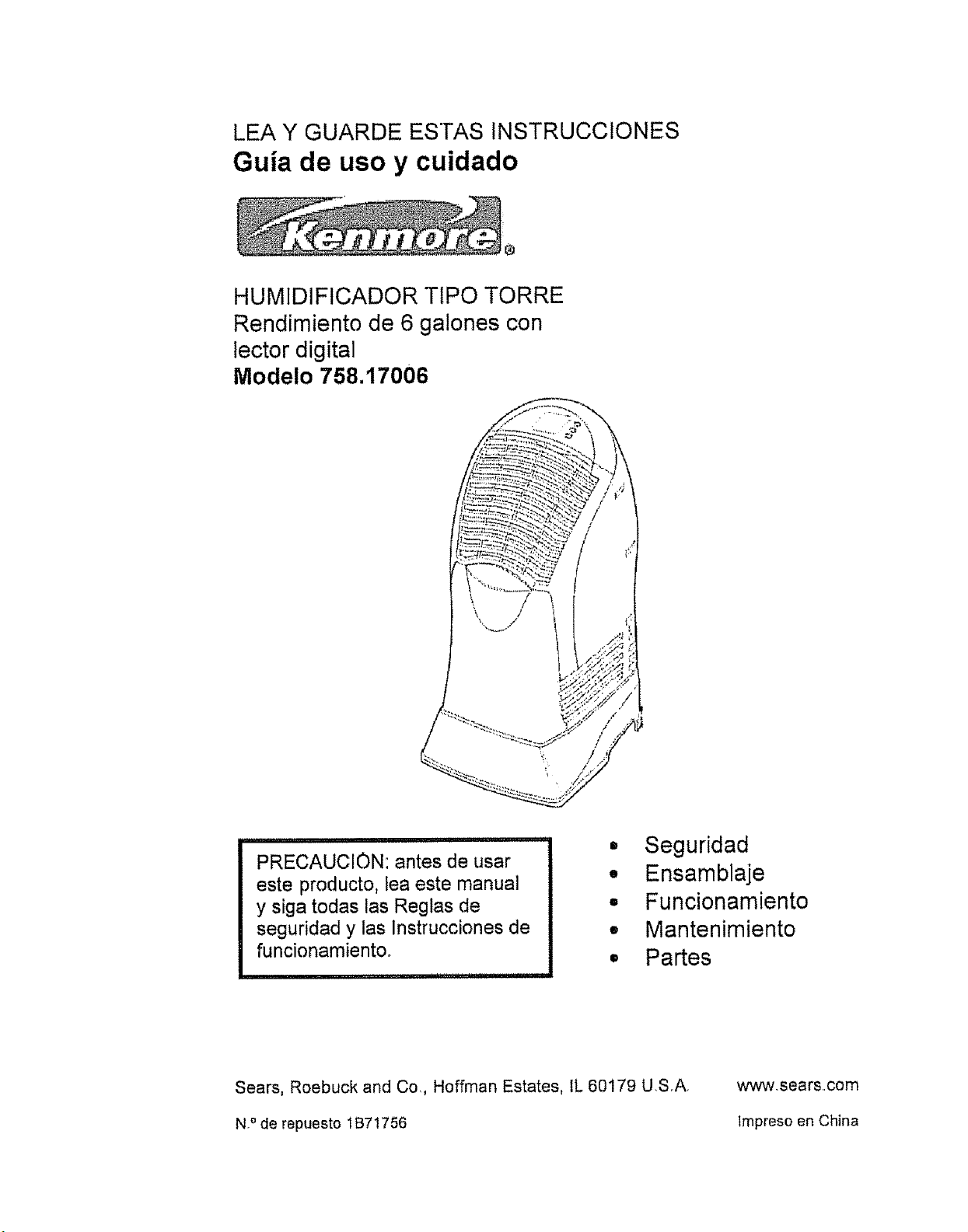
LEA Y GUARDE ESTAS INSTRUCCIONES
Guia de uso y cuidado
HUMIDIFICADOR TtPO TORRE
Rendimiento de 6 galones con
lector digital
Modelo 758.17006
PRECAUCION: antes de usar
este producto, lea este manual
y siga todas las Reglas de
seguridad y las lnstrucciones de
funcionamiento.
II
I
Q
o
D
e
Seguridad
Ensamblaje
Funcionamiento
Mantenimiento
Partes
Sears, Roebuck and Co,, Hoffman Estates IL 60179 USA
N,° de repuesto IB71756
www,searscom
tmpreso en China
INSTRUCCIONES GENERALES DE
SEGURIDAD
Palabras indicadoras de seguridad
PELtGRO: significa qua si no se respeta la
informaci6n de seguridad, aiguien puede
resultar seriamente herido o muerto
ADVERTENCfA: significa qua si no se
respeta la informaci6n de seguridad,
alguien podr[a resultar seriamente herido o
muerto.
PRECAUCION: significa que si no se
respeta Ia informaci6n de seguridad,
alguien puede resultar herido.
1. Para reducir el riesgo de incendio o el
peligro de descarga el_ctrica, enchufe
el humidificador directamente a un
tomacorriente el6ctrico de 120 V de
CA, No utilice extensiones
24
Mantenga el cable fuera de las _reas
de tr&nsito. Para reducir el riesgo de
peligro de incendio, nunca coloque e!
cable debajo de alfombras, cerca de
fuentes de calor, radiadores, cocinas o
calentadore&
_
Siempre desenchufe el humidificador
antes de moverlo, antes de limpiario o
cada vez que et humidificador no est_
funcionando,
ADVERTENCIA: para reducir el
riesgo de incendio, descargas
el6ctricas o lesiones siempre
desench_felo antes de efectuar
reparaciones o de timpiarlo.
4. Mantenga el humidificador
limpio
5. No coloque objetos extrar_os
dentro del humidificador.
6 No permita que Io utilicen como
un juguete. Se debe prestar
atenci6n cuando io utilizan nifios
o cuando se Io utiliza cerca de
ni_os,
7, Nunca utilice su humidificador
cuando le falte una parte o una
parte est6 dafiada en alguna
forma.
8. Para reducir el riesgo de peligro
electrico o dafio al
humidificador, no Io mueva,
sacuda ni incline mientras la
unidad est6 en flmcionamiento.
9_ Para reducir el riesgo de dafios
en el humidificador,
desenchufelo cuando no Io est6
utilizando,
!0. Para reducir el riesgo de
descargas electricas
accidentales, no toque el cable
ni los controles con las manos
hQmedas.
1I_ Para reducir el riesgo de
incendio, no to utitice cerca de
una fuente de fuego abierta,
como una vela u otra fuente
12. Preste atenci6n a la etiqueta de
advertencia que aparece
adjunta.
Tabla de contenidos
lnformaci6n general de
seguddad ..................................... 18
Sobre su humidificador ................ 19
Funcionamiento de su
humidificador ............................... 20
Encendido de su humidificador. 20
Ubicaci6n ................................. 20
ConexiSn electrica ..................... 21
Llenado con agua ..................... 22
Configuraci6n de los controles. 23
Funcionamiento de los controlesr. 23
Uso de su humidificador .............. 24
Reemplazo y cuidado det fiitro .... 26
Limpieza y mantenimiento .......... 27
SoluciSn de problemas ................ 29
Lista de repuestos para Kenmore
NIP 758.17006 .............................. 30
lnformaci6n sobre la aarantia .... 31
18
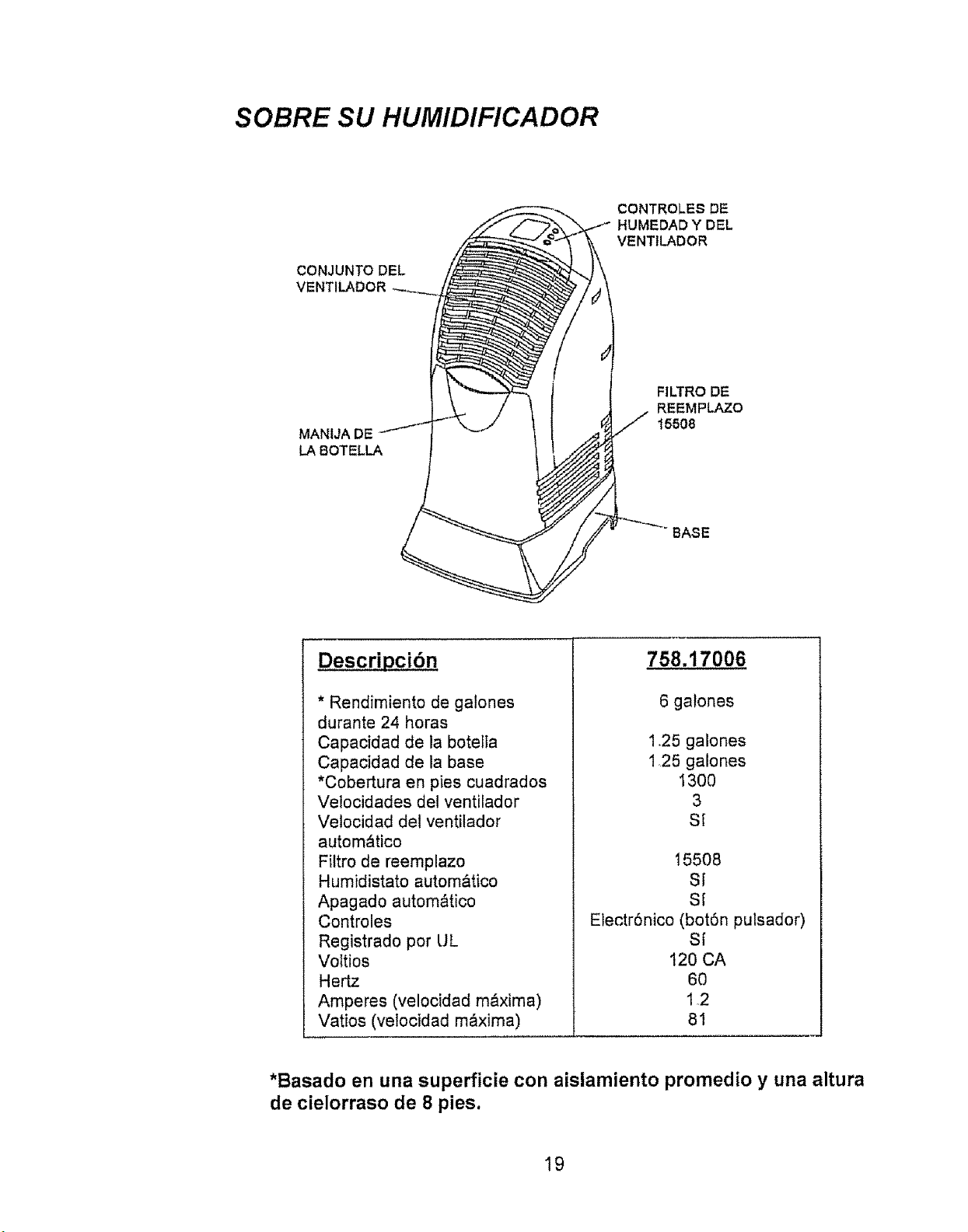
SOBRE SU HUMIDIFICADOR
CONJUNTO DEL
VENTILADOR
CONTROLES DE
HUMEDAD Y DEL
VENTtLADOR
MANIJA DE
LA BOTELLA
FILTRO DE
REEMPLAZO
15508
BASE
* Rendimiento de galones
durante 24 horas
Capacidad de la botella
Capacidad de la base
*Cobertura en pies cuadrados
Velocidades det ventilador
Velocidad del ventilador
autom&tico
Filtro de reemplazo
Humidistato autom&tico
Apagado autom_tico
Controles
Registrado por UL
VoItios
Hertz
Amperes (velocidadm_xima)
Vatios (velocidad m_xima)
758.17006
6 ga!ones
1.25 galones
125 galones
130O
3
St
15508
SI
S[
Electr6nico (bot6n pulsador)
S{
120 CA
6O
12
81
*Basado en una superficie con aislamiento promedio y una altura
de cielorraso de 8 pies,
19
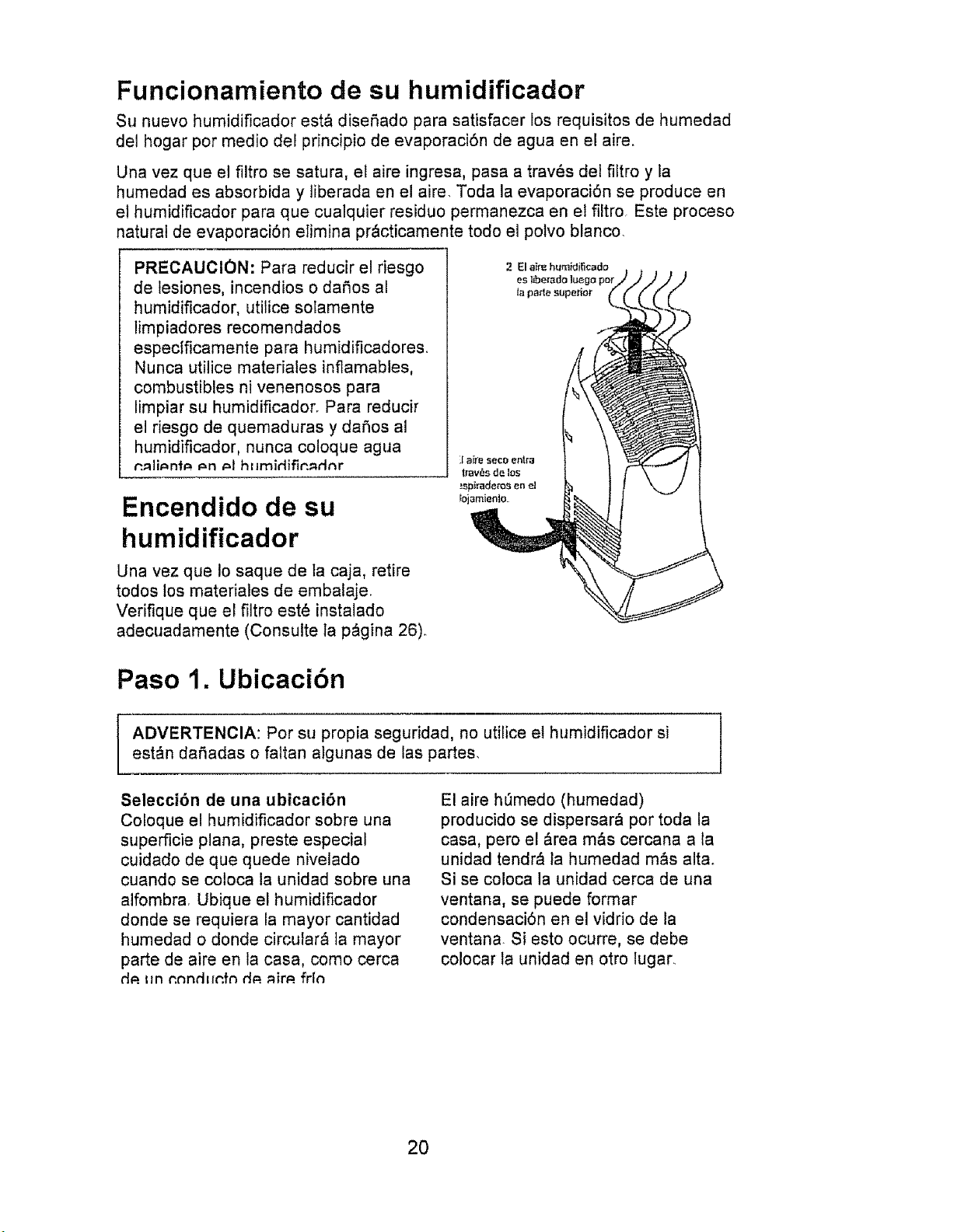
Funcionamiento de su humidificador
Su nuevo humidificador est_ disefiado para satisfacer los requisitos de humedad
del hogar pot medio del principio de evaporaci6n de agua en el aire.
Una vez que el filtro se satura, el aire ingresa, pasa a trav_s del fiEtro y la
humedad es absorbida y liberada en el aire. Toda la evaporaci6n se produce en
e! humidificador para que cualquier residuo permanezca en el filtro. Este proceso
natural de evaporaci6n elimina pr&cticamente todo el polvo blanco.
PRECAUClON: Para reducir el riesgo
de lesiones, incendios o dafios al
humidificador, utilice solamente
limpiadores recomendados
especIficamente para humidificadores.
Nunca utilice matedales inflamables,
combustibles ni venenosos para
limpiar su humidificador. Para reducir
el riesgo de quemaduras y dafios al
humidificador, nunca coloque agua
r'._iid=nb= r=n _=1hfimidifin_rlnr
Encendido de su
humidificador
Una vez que Io saque de la caja, retire
todos los matedales de embafaje.
Verifique que el filtro est6 instalado
adecuadamente (Consulte la p&gina 26).
Paso 1. Ubicaci6n
ADVERTENClA: Por su propia seguridad, no utilice el humidificador si
est&n dafiadas o faltan a)gunas de las partes.
Selecci6n de una ubicaci6n
Coloque el humidificador sobre una
superficie plana, preste especial
cuidado de que quede nivelado
cuando se coloca la unidad sobre una
alfombra Ubique el humidificador
donde se requiera la mayor cantidad
humedad o donde circutarb ta mayor
parte de aire en la casa, como cerca
d_.t:nr.nndEIr.fndP._im. fr[n
El aire h_medo (humedad)
producido se dispersar& por toda la
casa, pero el &rea m&s cercana a la
unidad tendr_ ta humedad m&s alta.
Si se coloca la unidad cerca de una
ventana, se puede format
condensaci6n en el vidrio de la
ventana Si esto ocurre, se debe
colocar la unidad en otro lugar_
2O
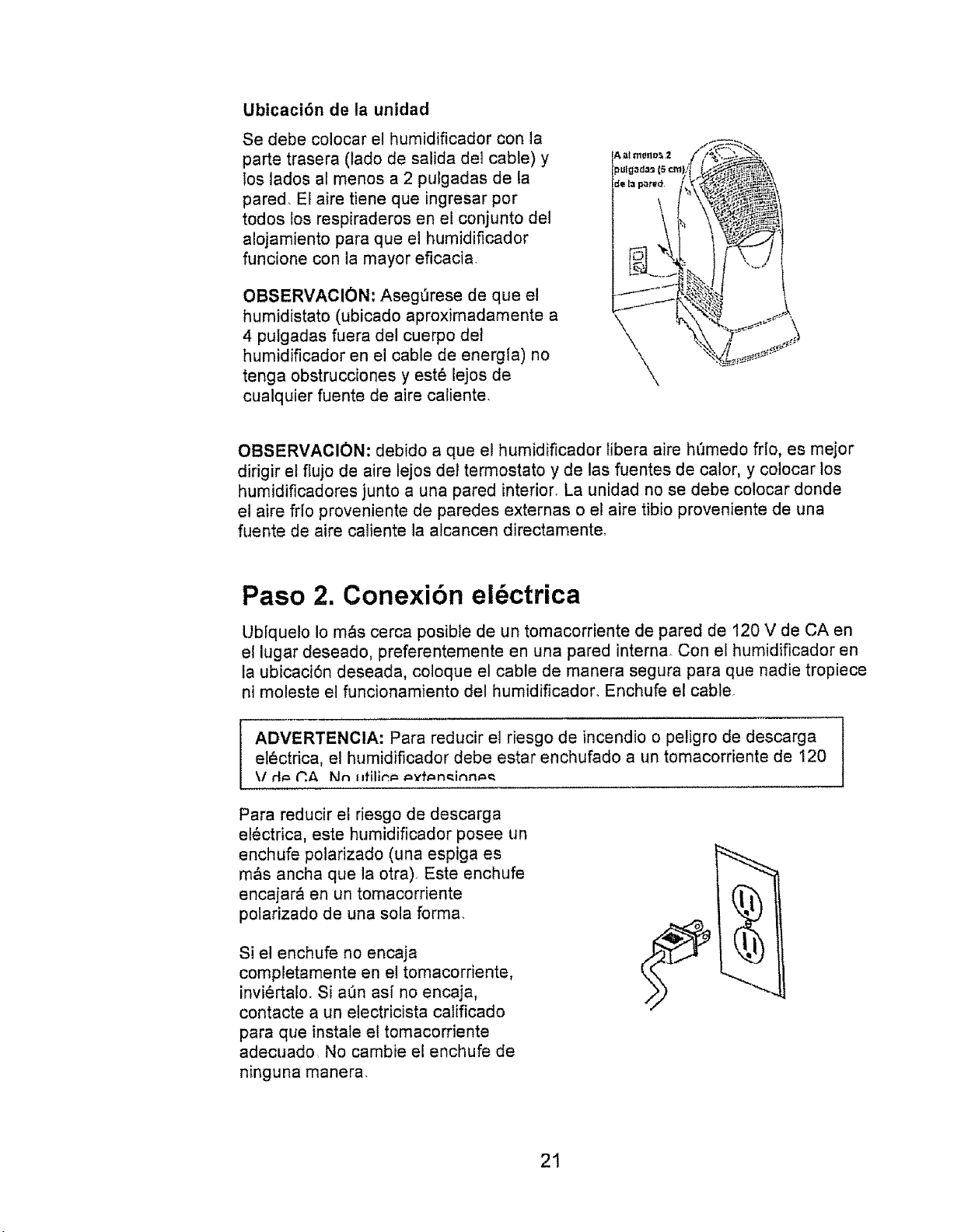
Ubicaci6n de la unidad
Se debe colocar el humidificador con la
parte trasera (lado de salida dei cable) y
los lados al menos a 2 pulgadas de ta
pared. El aire tiene que ingresar por
todos los respiraderos en el conjunto del
alojamiento para que el humidificador
funcione con la mayor eficacia.
OBSERVACION: Aseg_rese de que el
humidistato (ubicado aproximadamente a
4 pulgadas fuera del cuerpo det
humidificador en el cable de energia) no
tenga obstrucciones y est6 lejos de
cualquier fuente de aire caliente.
A IIImOl10_ 2
_u[gad=s15cm
_e {a pared.
_fJ
\
\
k_
OBSERVACION: debido a que el humidificador libera alre h(Jmedo frlo, es mejor
dirigir el ftujo de aire lejos dei termostato y de las fuentes de calor, y colocar los
humidificadores junto a una pared interion La unidad no se debe colocar donde
et aire fr{o proveniente de paredes externas o el aire tibio proveniente de una
fuente de aire cafiente la alcancen directamente.
Paso 2. Conexibn el6ctrica
Ubiquelo Io m_s cerca posible de un tomacorriente de pared de 120 V de CA en
el lugar deseado, preferentemente en una pared interna Con el humidificador en
la ubicaci6n deseada, coloque el cable de manera segura para que nadie tropiece
ni moleste el funcionamiento del humidificador. Enchufe el cable.
ADVERTENCIA: Para reducir el riesgo de incendio o peligro de descarga l
el6ctdca, el humidificador debe estar enchufado a un tomacorriente de 120
\I d_= _.A Nn llfilir,_=_=vh=n_inn_c
Para reducir el riesgo de descarga
el6ctrica, este humidificador posee un
enchufe potarizado (una espiga es
m&s ancha que la otra). Este enchufe
encajar& en un tomacorriente
polarizado de una sola forma.
Si el enchufe no encaja
completamente en el tomacorriente,
inviertalo. Si a(_n as[ no encaja,
contacte a un electricista calificado
para que instale el tomacorriente
adecuado. No cambie el enchufe de
ninguna manera
21
Paso 3. Llenado con agua
ADVERTENCIA: para reducir el riesgo de
incendio o el peligro de una descarga
el_ctrica, no deje caer agua dentro del
&rea de los controles o del motor. Si los
controles se humedecen, deje que se
sequen por completo y haga que el
personal de servicio autorizado revise Ia
unidad antes de enchufarla.
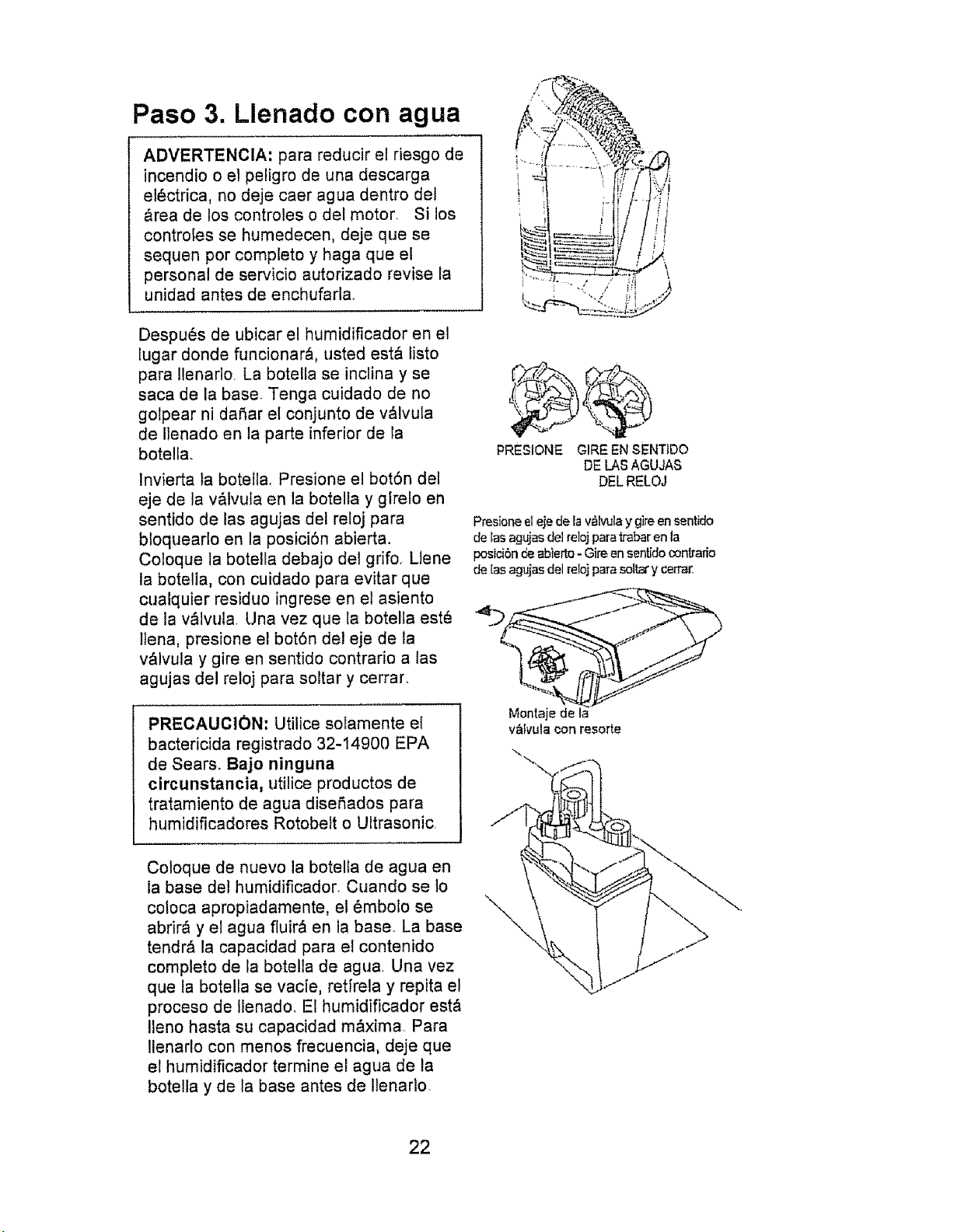
Despu_s de ubicar el humidificador en el
lugar donde funcionar&, usted est& listo
para Ilenarlo La botella se inclina y se
saca de la base. Tenga cuidado de no
golpear ni dahar el conjunto de v_lvula
de IIenado en la parte inferior de la
botella.
Invierta la botella, Presione el bot6n del
eje de la v&tvula en la botella y gfrelo en
sentido de las agujas del reloj para
bloquearlo en la posici6n abierta.
Coloque la botella debajo del grifo. Liene
la botella, con cuidado para evitar que
cualquier residuo ingrese en el asiento
de la v&lvula Una vez que la botella est(_
llena, presione el botSn del eje de la
v&lvula y gire en sentido contrario a tas
agujas del reloj para soltar y cerrar.
PRECAUCION: Utilice solamente el
bactericida registrado 32-14900 EPA
de Sears. Bajo ninguna
circunstancia, utilice productos de
tratamiento de agua dise_ados para
humidificadores Rotobelt o Ultrasonic.
PRESIONE GIRE EN SENTIDO
DE LAS AGUJAS
DELRELOJ
Presior_ eleje de lav_lvulay g]reen sentido
de Iasagujasdel relojparaf_bar en la
posicibnde abierto-Gire ensent_docon[ratio
de [asagujasdel relo]parasolt_ y cerra_
Montaje de la
valvula con resorte
\
Coloque de nuevo la botella de agua en
la base del humidificador. Cuando se lo
coloca apropiadamente, el 6mbolo se
abrirQ y el agua fluirQ en la base. La base
tendr& la capacidad para el contenido
completo de la botelta de agua Una vez
que la botella se vacle, retfrela y repita el
proceso de Ilenado. El humidificador est&
!leno hasta su capacidad mQxima Para
Ilenarlo con menos frecuencia, deje que
el humidificador termine el agua de la
botella y de la base antes de Ilenarlo.
22
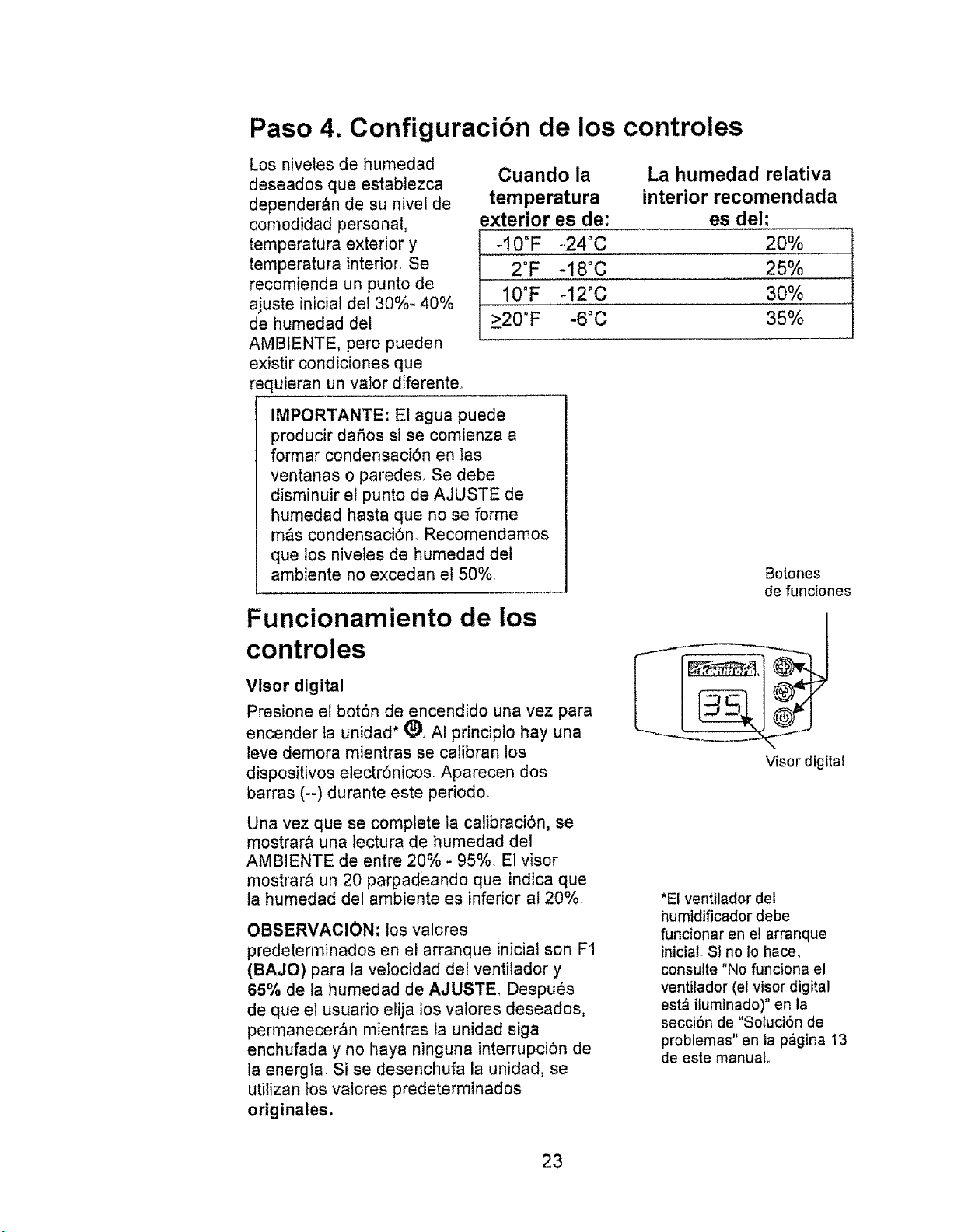
Paso 4. Configuracibn de los controles
Los nivetes de humedad
deseados que establezca
depender_n de su nivel de
comodidad personal,
temperatura exterior y
temperatura interior. Se
recomienda un punto de
ajuste inicial del 30%- 40%
de humedad del
AMBIENTE, pero pueden
existir condiciones que
requieran un valor diferente
Cuando la La humedad relativa
temperatura interior recomendada
exterior es de: es del:
-10°F -,24°C 20%
2°F -18°C 25%
10°F -12"C 30%
>20°F -6°C 35%
IMPORTANTE: Et agua puede
producir dafios si se comienza a
formar condensaci6n en las
ventanas o paredes+ Se debe
disminuir el punto de AJUSTE de
humedad hasta que no se forme
m&s condensaci6n, Recomendamos
que los niveles de humedad del
ambiente no excedan el 50%
Funcionamiento de los
controles
Visor digital
Presione et bot6n de encendido una vez para
encender ta unidad* (_+ AI principio hay una
leve demora mientras se catibran los
dispositivos electr6nicos Aparecen dos
barras (--) durante este periodo.
Una vez que se complete la calibraci6n, se
mostrar_ una lectura de humedad del
AMBIENTE de entre 20% - 95%. El visor
mostrar& un 20 parpadeando que indica que
ta humedad del ambiente es inferior at 20%.
OBSERVACION' los valores
predeterminados en el arranque inicial son F1
(BAJO) para la velocidad del ventitador y
65% de ta humedad de AJUSTE Despues
de que el usuario elija los valores deseados,
permanecer_n mientras la unidad siga
enchufada y no haya ninguna interrupci6n de
la energfa. Si se desenchufa la unidad, se
utilizan los valores predeterminados
originales.
Botones
de funciones
Visor digital
*El ventilador del
humidificador debe
funcionar en el arranque
iniciaL Si no Io hace,
consulte "No funciona el
ventilador (el visor digital
est& iluminado)" en la
secci6n de "Soluci6n de
problemas" en la p>na 13
de esle manual.
23
Funcionamiento de los controles- continuacibn
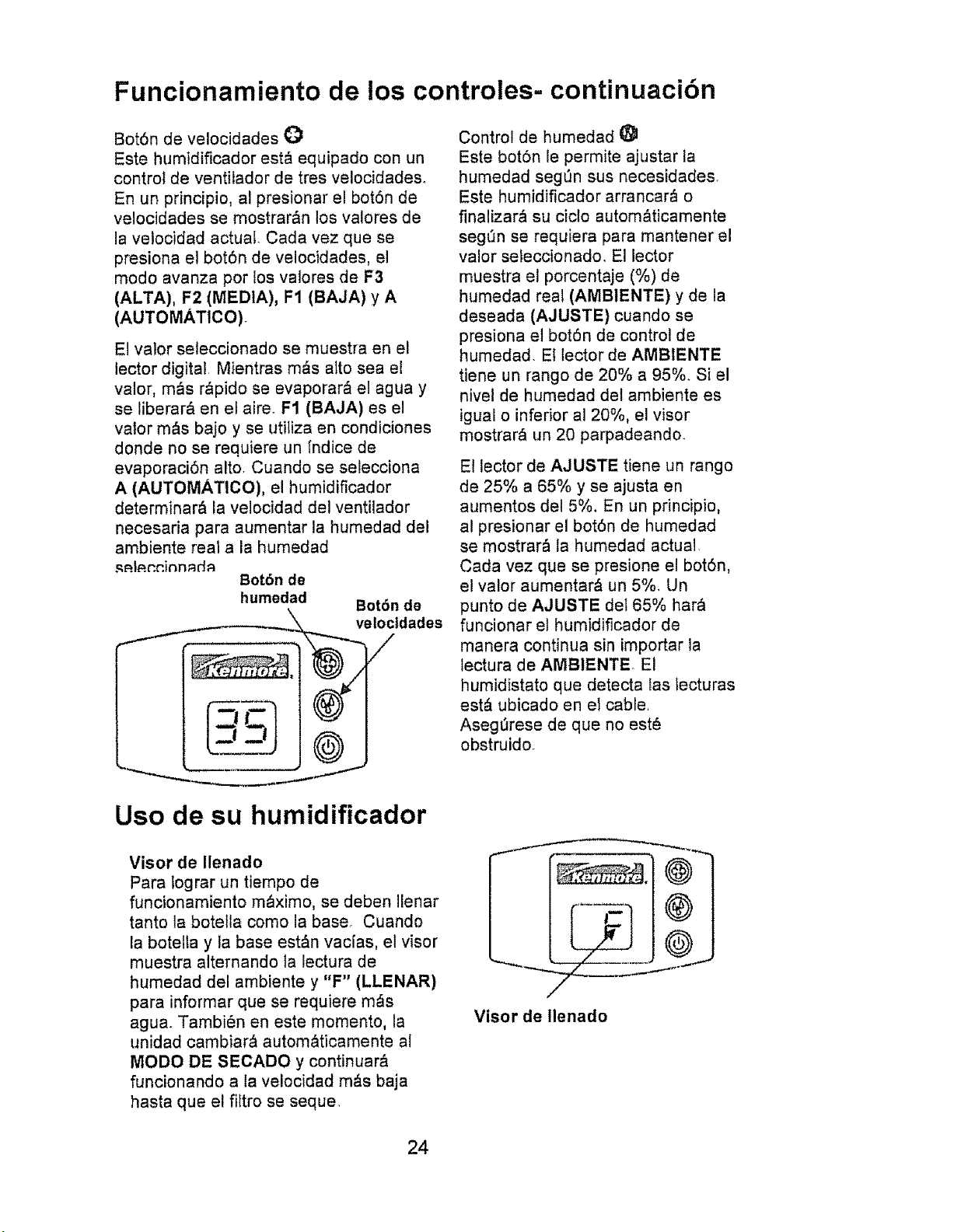
Bot6n de velocidades O
Este humidificador est& equipado con un
control de ventilador de tres velocidades.
En un principio, a! presionar el bot6n de
velocidades se mostrar&n los valores de
la vetocidad actual. Cada vez que se
presiona el bot6n de velocidades, el
modo avanza pot los valores de F3
(ALTA), F2 (MEDIA), F1 (BAJA) y A
(AUTOMATICO),
El valor seleccionado se muestra en el
lector digital Mientras m,_s alto sea el
valor, m&s r&pido se evaporar& el agua y
se liberar& en el aire. F1 (BAJA) es el
valor m&s bajo y se utiliza en condiciones
donde no se requiere un [ndice de
evaporaci6n alto. Cuando se selecciona
A (AUTOMATlCO), el humidificador
determinar& la velocidad del ventilador
necesaria para aumentar la humedad del
ambiente real a la humedad
Bot6n de
humedad Bot6n de
\\ veloctdades
i F \ 4/
Control de humedad
Este bot6n le permite ajustar la
humedad seg6n sus necesidades.
Este humidificador arrancar_ o
finalizar& su ciclo autom&ticamente
seg_n se requiera para mantener el
valor seleccionado, El lector
muestra el porcentaje (%) de
humedad real (AMBIENTE) y de la
deseada (AJUSTE) cuando se
presiona et bot6n de control de
humedad. El lector de AMBIENTE
tiene un rango de 20% a 95%. Si el
nivel de humedad del ambiente es
igual o inferior al 20%, el visor
mostrar_ un 20 parpadeando.
El lector de AJUSTE tiene un tango
de 25% a 65% y se ajusta en
aumentos de! 5%, En un principio,
al presionar el bot6n de humedad
se mostrar& la humedad actual.
Cada vez que se presione el bot6n,
el valor aumentar& un 5%. Un
punto de AJUSTE del 65% har_
funcionar el humidificador de
manera continua sin importar la
lectura de AMBIENTE. El
humidistato que detecta las tecturas
est& ubicado en el cable.
Aseg_rese de que no est_
obstruido.
Uso de su humidificador
Visor de Ilenado
Para lograr un tiempo de
funcionamiento m_ximo, se deben Ilenar
tanto la botella como la base. Cuando
la botella y la base est&n vacias, el visor
muestra alternando la lectura de
humedad del ambiente y "F" (LLENAR)
para informar que se requiere m_s
agua. Tambi6n en este momento, la
unidad cambiar_ autom&ticamente al
MODO DE SECADO y continuar&
funcionando a la velocidad m&s baja
hasta que el fittro se seque.
Visor de llenado
24
OBSERVAClON: durante este periodo, se continuar& controlando et nivet de
humedad del ambiente y el humidificador encender_ y apagar_ el ventilador
hasta que el filtro est_ totalmente seco. El ventilador se apagar& y le
proporcionar& un humidificador seco menos propenso al crecimiento de moho.
Si no se desea et MODO DE SECADO, Itene el humidificador con agua y el
ventilador volver& a la velocidad determinada.
OBSERVAClON: el ventilador cambiar& autom_ticamente a la velocidad m_s
baja durante el MODO DE SECADO.
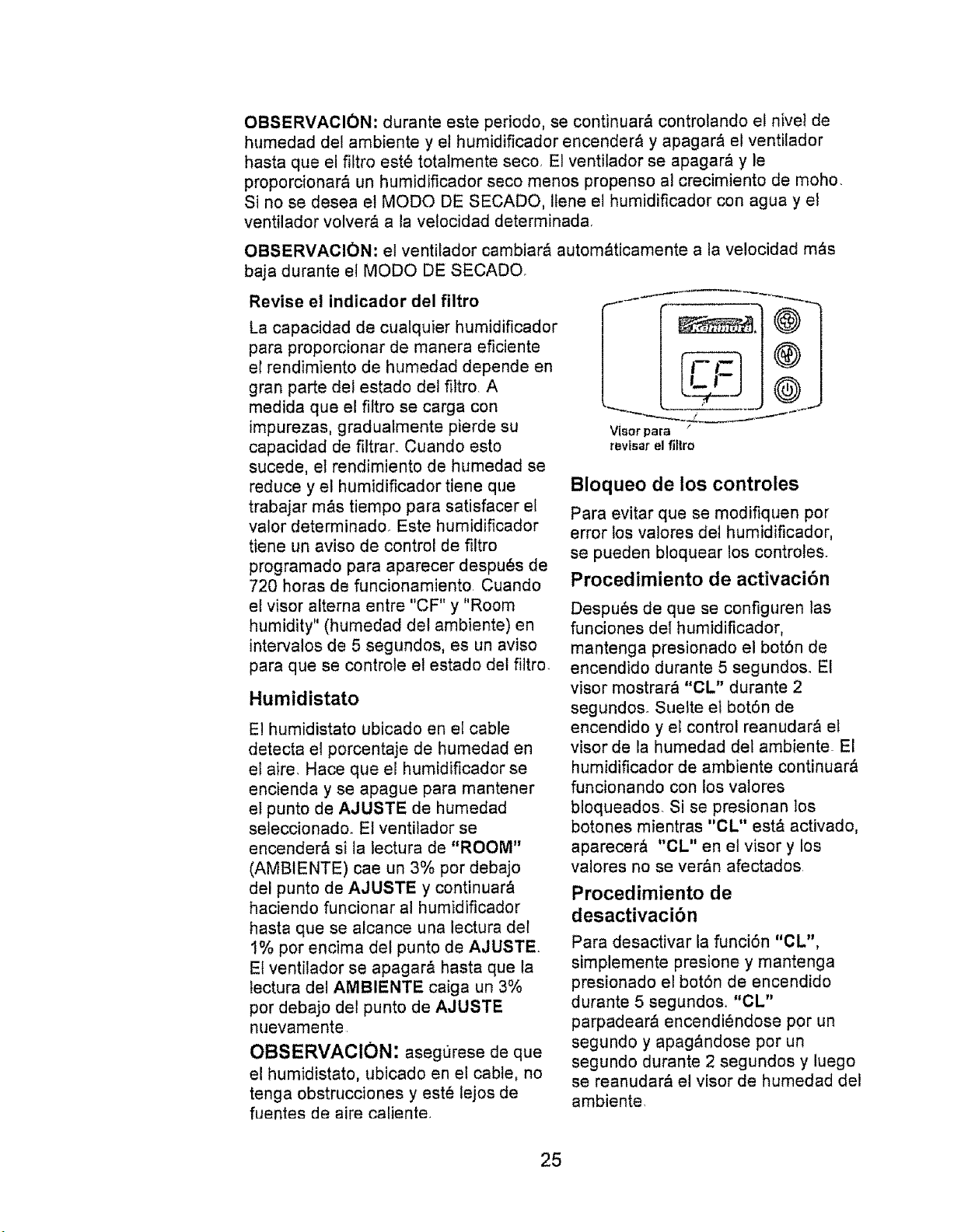
Revise el indicador del filtro
La capacidad de cualquier humidificador
para proporcionar de manera eficiente
el rendimLento de humedad depende en
gran parte del estado del filtro. A
medida que el filtro se carga con
impurezas, gradualmente pierde su
capacidad de filtrar. Cuando esto
sucede, el rendimiento de humedad se
reduce y el humidificador tiene que
trabajar m_s tiempo para satisfacer el
valor determinado. Este humidificador
tiene un aviso de control de filtro
programado para aparecer despu_s de
720 horas de funcionamiento Cuando
el visor alterna entre "CF" y "Room
humidity" (humedad dot ambiente) en
intervalos de 5 segundos, es un aviso
para que se controle el estado del filtro
Humidistato
El humidistato ubicado en el cable
detecta el porcentaje de humedad en
el aire. Hace que el humidificador se
encienda y se apague para mantener
el punto de AJUSTE de humedad
seleccionado. El ventilador se
encender& si la _ectura de "ROOM"
(AMBIENTE) cae un 3% por debajo
del punto de AJUSTE y continuar&
haciendo funcionar al humidificador
hasta que se aicance una lectura del
1% por encima del punto de AJUSTE
El ventilador se apagar& hasta que la
tectura del AMBIENTE caiga un 3%
por debajo del punto de AJUSTE
nuevamente.
OBSERVACION: asegt_rese de que
el humidistato, ubicado en et cable, no
tenga obstrucciones y est_ lejos de
fuentes de aire caliente.
i_ °
V{_orpara
revlsar el fillro
Bloqueo de los controles
Para evitar que se modifiquen por
error los valores del humidiflcador,
se pueden bloquear los controles.
Procedimiento de activaci6n
Despu6s de que se configuren las
funciones del humidificador,
mantenga presionado el botSn de
encendido durante 5 segundos_ El
visor mostrar_ "CL" durante 2
segundos. Suelte el bot6n de
encendido y el control reanudar& el
visor de la humedad del ambiente El
humidificador de ambiente continuar&
funcionando con los vatores
bloqueados Si se presionan los
botones mientras "CL" est_ activado,
aparecer& "CL" en el visor y los
valores no se ver,_n afectados
Procedimiento de
desactivacibn
Para desactivar la funci6n "CL",
simplemente presione y mantenga
presionado el bot6n de encendido
durante 5 segundos, "CL"
parpadear_ encendi6ndose por un
segundo y apag&ndose por un
segundo durante 2 segundos y luego
se reanudar& el visor de humedad del
ambiente.
25
Reemplazo y cuidado del filtro
PRECAUCION: para ayudar a
retrasar el crecimiento de bacterias
y mantener el rendimiento m&ximo,
se debe reemplazar el filtro al
menos una vez pot temporada, o
m&s a menudo en condiciones de
agua dura.. Utilice el filtro de
reemptazo recomendado 15508+
ADVERTENCIA: para reducir el
riesgo de descarga o de daSo en las
partes movibles, siempre
desenchufe el humidificador antes
de retirar o reemplazar las partes.
Reemplace el filtro con mecha
evaporadora al menos una vez por
temporada de humidiflcaci6n, o m_s
seguido, dependiendo de las
condiciones det agua en su &rea.
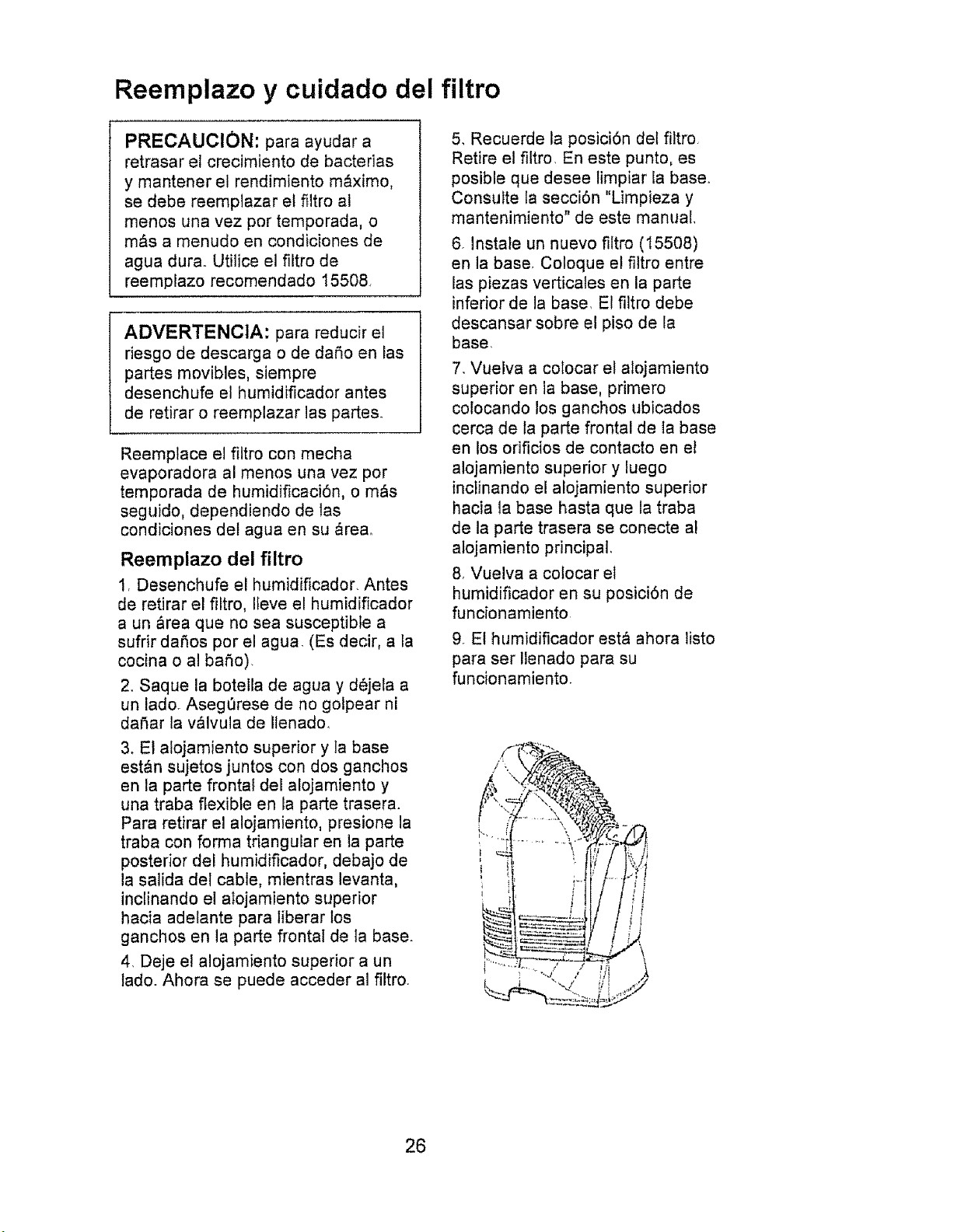
Reemplazo del filtro
1, Desenchufe el humidificador. Antes
de retirar el filtro, IIeve el humidificador
a un &rea que no sea susceptible a
sufrir daSos por el agua. (Es decir, a la
cocina o al baSo)
2_ Saque la botella de agua y d6jela a
un lado+ Asegerese de no gotpear ni
daSar la v,_lvula de ilenado.
3, El alojamiento superior y la base
est&n sujetos juntos con dos ganchos
en la parte frontal del alojamiento y
una traba flexible en la parte trasera.
Para retirar el alojamiento, presione la
traba con forma triangular en la parte
posterior del humidificador, debajo de
la saNda del cable, mientras levanta,
inclinando el alojamiento superior
hacia adelante para liberar los
ganchos en la parte frontal de la base.
4. Deje el alojamiento superior a un
lado. Ahora se puede acceder al filtro.
5, Recuerde ta posiciSn del fiitro
Retire el filtro, En este punto, es
posible que desee limpiar la base°
Consulte la secciSn "Limpieza y
mantenimiento" de este manual,
6. Instale un nuevo filtro (15508)
en la base. Coloque el filtro entre
las piezas verticales en la parte
inferior de la base. E! filtro debe
descansar sobre el piso de la
base.
7, Vuelva a colocar el alojamiento
superior en la base, primero
colocando los ganchos ubicados
cerca de ta parte frontal de la base
en los orificios de contacto en el
alojamiento superior y luego
inctinando el alojamiento superior
hacia la base hasta que la traba
de ta parte trasera se conecte al
alojamiento principal,
8, Vuelva a cotocar el
humidificador en su posici6n de
funcionamiento
9, El humidificador est& ahora listo
para ser Ilenado para su
funcionamiento.
26
Limpieza y mantenimiento
ADVERTENCIA: para reducir el
nesgo de lesiones, incendios o
daSos al humidificador, utilice
solamente timpiadores
recomendados especificamente
para humidificadores. Nunca utilice
materiales inflamables,
combustibles ni venenosos para
limpiar su humidificador. Para
reducir el riesgo de quemaduras y
daSos at humidificador, nunca
coloque agua caliente en el
humidificador,
ADVERTENCIA: para reducir e!
riesgo de descarga, siempre
desenchufe el humidificador
antes de timpiarlo o de efectuar
reparaciones. Si el humidificador
no est_ desenchufado, el
ventilador puede arrancar
despues de que se retire el
alojamiento
Paso 1
Para facilitar la limpieza, la base del
humidificador debe estar vacla y
comptetamente seca. Para Iograr esto,
use el siguiente m_todo:
a. Deje que el humidificador
funcione hasta que el
mensaje de LLENADO "F"
se itumine y el apagado
autom&tico detenga et
ventilador del humidificador.
h Ft_:_nnhltf_ _1 hHmirtifin_rlnr
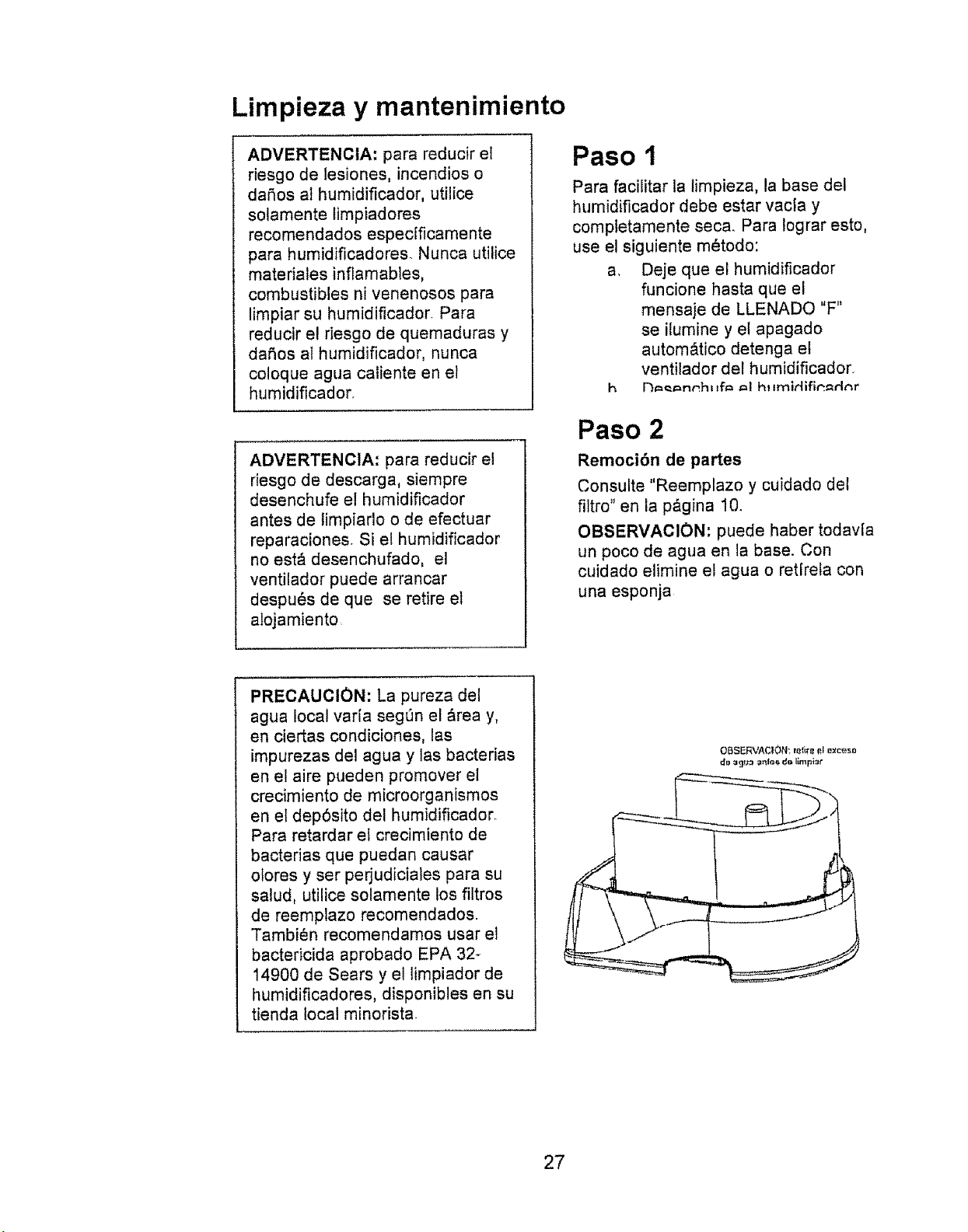
Paso 2
Remoci6n de partes
Consulte "Reemplazo y cuidado del
filtro" en la p&gina 10.
OBSERVACION: puede haber todavia
un poco de agua en la base. Con
cuidado eiimine el agua o retirela con
una esponja
PRECAUCION: La pureza del
agua local varia segQn el &rea y,
en ciertas condiciones, los
impurezas del agua y las bacterias
en el aire pueden promover el
crecimiento de microorganismos
en el dep6sito del humidificador.
Para retardar el crecimiento de
bacterias que puedan causar
olores y ser perjudiciales para su
salud, utilice solamente los filtros
de reemplazo recomendados.
Tambien recomendamos usar el
bactericida aprobado EPA 32_
14900 de Sears y el limpiador de
humidificadores, disponibles en su
tienda local minorista
OBSERVACION; _e_ire et exc_so
27
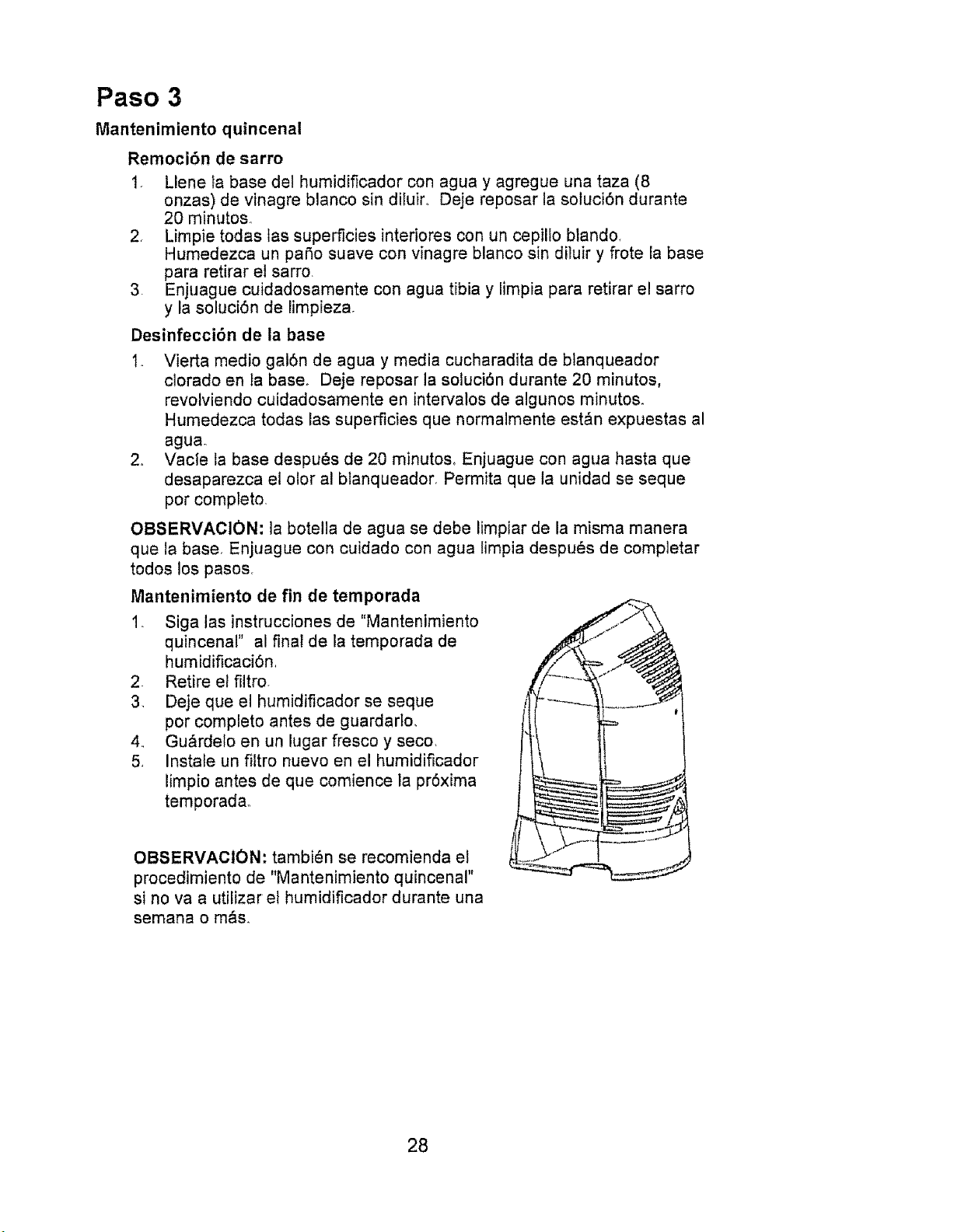
Paso 3
Mantenimiento quincenal
Remoci6n de sarro
1. Llene _a base del humidificador con agua y agregue una taza (8
onzas) de vinagre blanco sin diiuiro Deje reposar la soluci6n durante
20 minutos
2, Limpie todas las superficies interiores con un cepilio blando,
Humedezca un patio suave con vinagre blanco sin diluir y frote ia base
para retirar el sarro
3. Enjuague cuidadosamente con agua tibia y limpia para retirar el sarro
y la soluci6n de limpieza.
Desinfecci6n de la base
1. Vierta medio gal6n de agua y media cucharadita de btanqueador
ciorado en ia base° Deje reposar la soluci6n durante 20 minutos,
revolviendo cuidadosamente en intervalos de algunos minutos.
Humedezca todas las superficies que normalmente est&n expuestas al
agua.
2o Vacie ta base despu_s de 20 minutos, Enjuague con agua hasta que
desaparezca el olor al btanqueador, Permita que la unidad se seque
por completo,
OBSERVACION: la botella de agua se debe limpiar de la misma manera
que la base, Enjuague con cuidado con agua limpia despuOs de comp]etar
todos los pasos,
Mantenimiento de fin de temporada
1. Siga las instrucciones de "Mantenimiento
quincenal" al final de la temporada de
humidificaci6n
2. Retire et filtro.
3. Deje que el humidificador se seque
por completo antes de guardarto,
4_ Gu&rdelo en un lugar fresco y seco.
5, Instale un filtro nuevo en el humidificador
limpio antes de que comience la pr6xima
temporada,,
OBSERVACION: tambi6n se recomienda et
procedimiento de "Mantenimiento quincenal"
si no va a utilizar el humidificador durante una
semana o m&s.
28
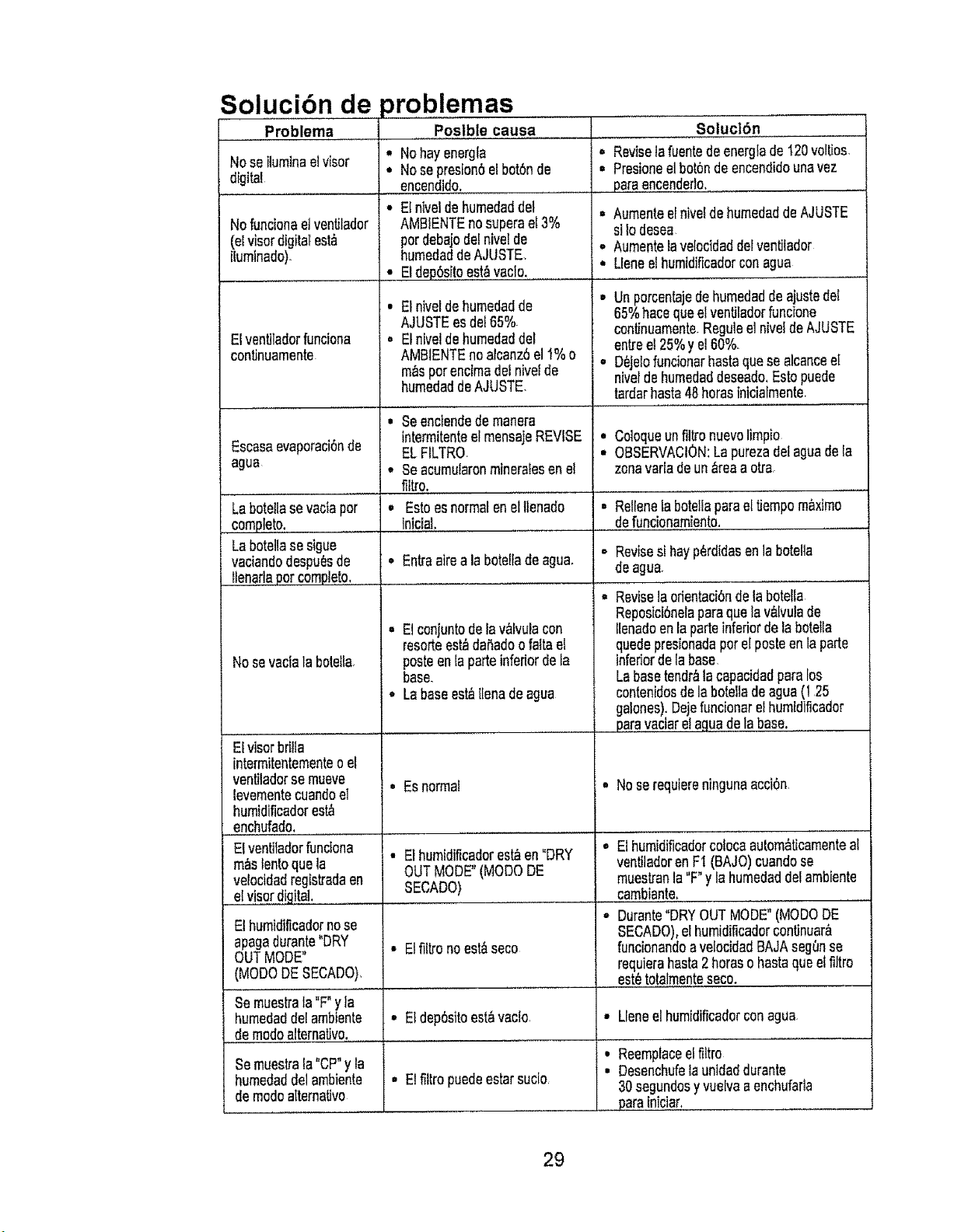
Solucibn de problemas
Problema
Noseiluminaelvisor
digital
Nofuncionaetventilador
(elvisordigitalest_
ilumlnade)
Elventiladorfunciona
continuamente
EscasaevaporaciOnde
agua
Labotellasevaclaper
complete.
Labotellasesigue
vaciandodespuesde
llenadapercomplete,
Nosevaclala botella
ElvisorbdI{a
intermitentementeo el
ventiladorse mueve
levementecuandoel
humidificadorest_
enchufado,
Elventlladorfunclona
m_slentoquela
veloctda8registradaen
elvisordigital.
El humidificadornose
apagadurante"DRY
OUTMODE"
(MODeDESECADO)
Poslble causa
• Nohayenergfa
• Nosepreston6elbot6nde
encendido.
• Elniveldehumedaddel
AMBIENTEnosuperael3%
perdebajodelnivelde
humedaddeAJUSTE,
• Etde96sitoest,_vaclo.
. Elnivelde humedadde
AJUSTEesde165%
• Elnivelde humedaddel
AMB1ENTEnoalcanz6el1%o
m_sperenclmadel hive{de
humedaddeAJUSTE
• Seenclendedemanera
intermitenteelmensajeREVISE
ELFILTRQ
° Seacumularonmineralesenel
filtro.
° Estoesnormalen elllenado
iniciaL
Entraatrea la botefladeagua,
Elconjuntodelav,_fvulacon
rosettees_ daSadoofaltael
posteen[aparteinfedorde fa
base,
o Labaseest_{lenadeagua
• Esnormal
• Elhumidificadorest_en"DRY
OUTMODE"(MODeDE
SECADO)
• E!filtronoest_seco
°
o
l
I
Soluc|6n
Reviselafuentede energlade120voltJos,
Presioneelbot6ndeencendidounavez
paraencendedo.
Aumenteelnivefde humedaddeAJUSTE
siIodesea,
AumentelavelocidaddelvenUtador
Uenee!humtdificadorconagua
Unporcentajede humedadde ajustedel
65%hacequeelventiladorfuncione
continuamenteReguleel niveldeAJUSTE
entree!25%yel60%.
D_je{ofuncionarbasraquesealcancee[
nivelde humedaddeseado.Estopuede
tardarhasta48horasinicialmente
Coloqueunfiltronuevolimpio
OBSERVACtON:La purezadeiaguadeIa
zonavarladeun_reaa otra,
= Rellenela botellaparael tiempom_xtmo
defuncionamiento.
Revisesihayp_rd{dasenla botella
deagua
Revisela odentaci6ndela bote!la
Reposict6nelaparaquela v_lvulade
Ilenadoen laparteinfedordela botelIa
quedepresionadaperel posteenla parte
infedorde labase
Labasetendr_tacapacidadparaIos
contenidosdelabotellade agua(125
galones),Dejefuncionarelhumtdificador
paravactarelaguade labase.
• Noserequiereningunaacci6n
o El humidificadorcolocaau{om_ticamenteal
ventiladoren FI (BAJO)cuandose
muestranla"F°yla humedaddeIambiente
cambiante.
= Durante"DRYOUTMODE"(MODeDE
SECADO),elhumidificadorcontJnuar&
funcionandoavelocidadBAJAsegense
requierahasta2betaso basraqueel filtro
est_totatmenteseco.
Se muestrala"F"yla
humedaddel ambtente • E1dep6sitoes{,_vaclo ° Lleneelhumidificadorconagua
de modealternative.
i
, Elfittropuedeestarsucio
Reemplaceelfiltro
Desenchufela unidaddurante
30segLmdosyvuelvaaenchufada
parainiciar.
Semueslsala "CP"y la
humedaddelambiente
demodeatternaUvo
29
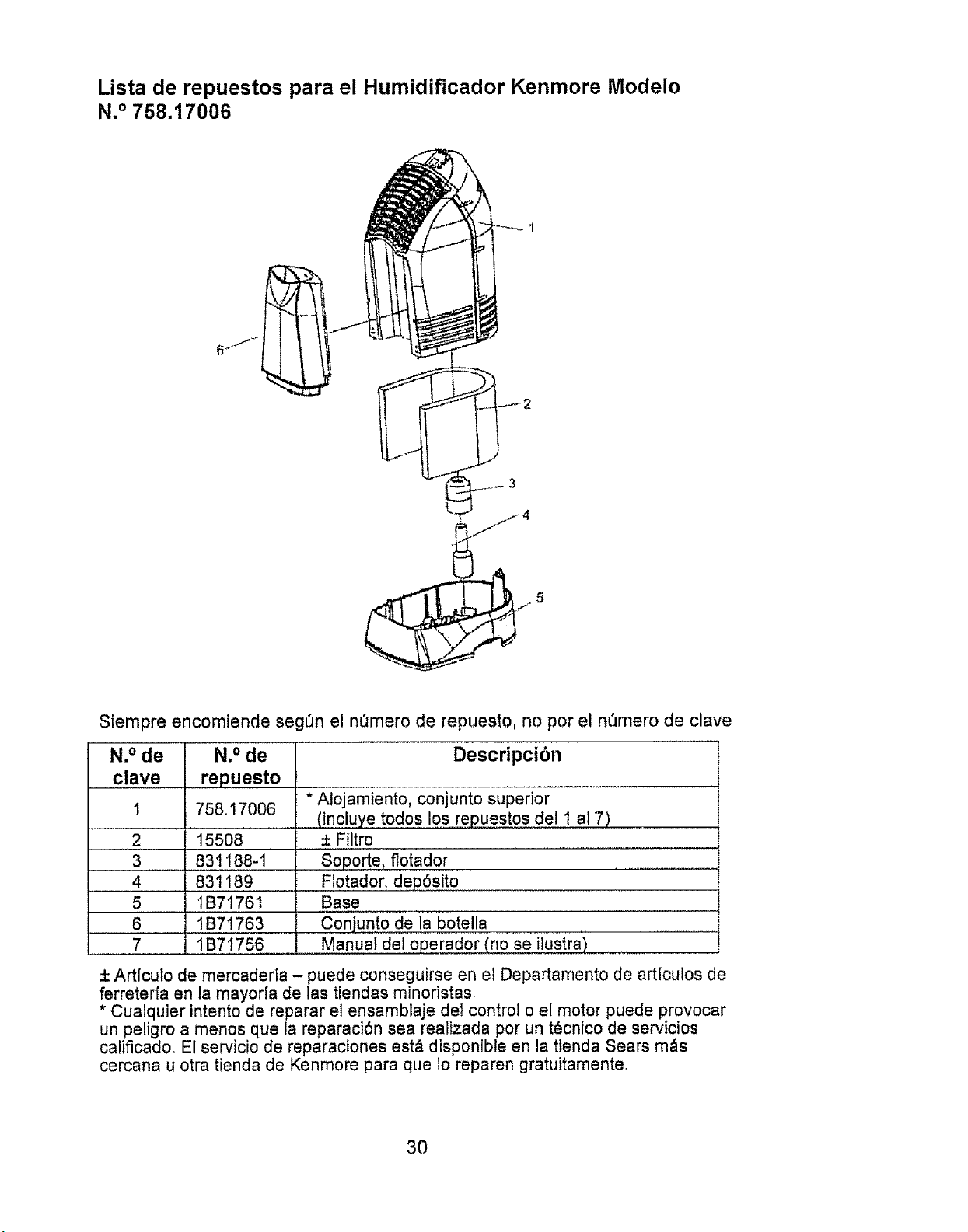
Lista de repuestos para el Humidificador Kenmore lVlodeio
N.° 758.17006
5
Siempre encomiende seg_n el nemero de repuesto, no por el n_mero de clave
N. ° de
clave
2
3
4
5
6
7
N.° de
repuesto
758.17006
15508 .........
831188-1
831189
tB7t761
1B71763
1B71756
Descripci6n
.....* Alojamiento, conjunto superior
(incluye todos 1,0s,,,,,repuestosdel 1 al 7)
± Filtro
.......Soporte, flotador ...............................................
FI0tador, dep6sito
Base
conjunto de la botella
Manual del operador (no se ilustra)
+ Artfculo de mercaderla - puede conseguirse en el Departamento de artlcutos de
ferreterfa en la mayor[a de las tiendas minoristas,
* Cualquier intento de reparar el ensamblaje de1 control o el motor puede provocar
un peligro a menos que la reparaci6n sea realizada pot un t_cnico de servicios
calificado° El servicio de reparaciones est& disponible en la tienda Sears m_s
cercana u otra tienda de Kenmore para que Io reparen gratuitamente.,
3O
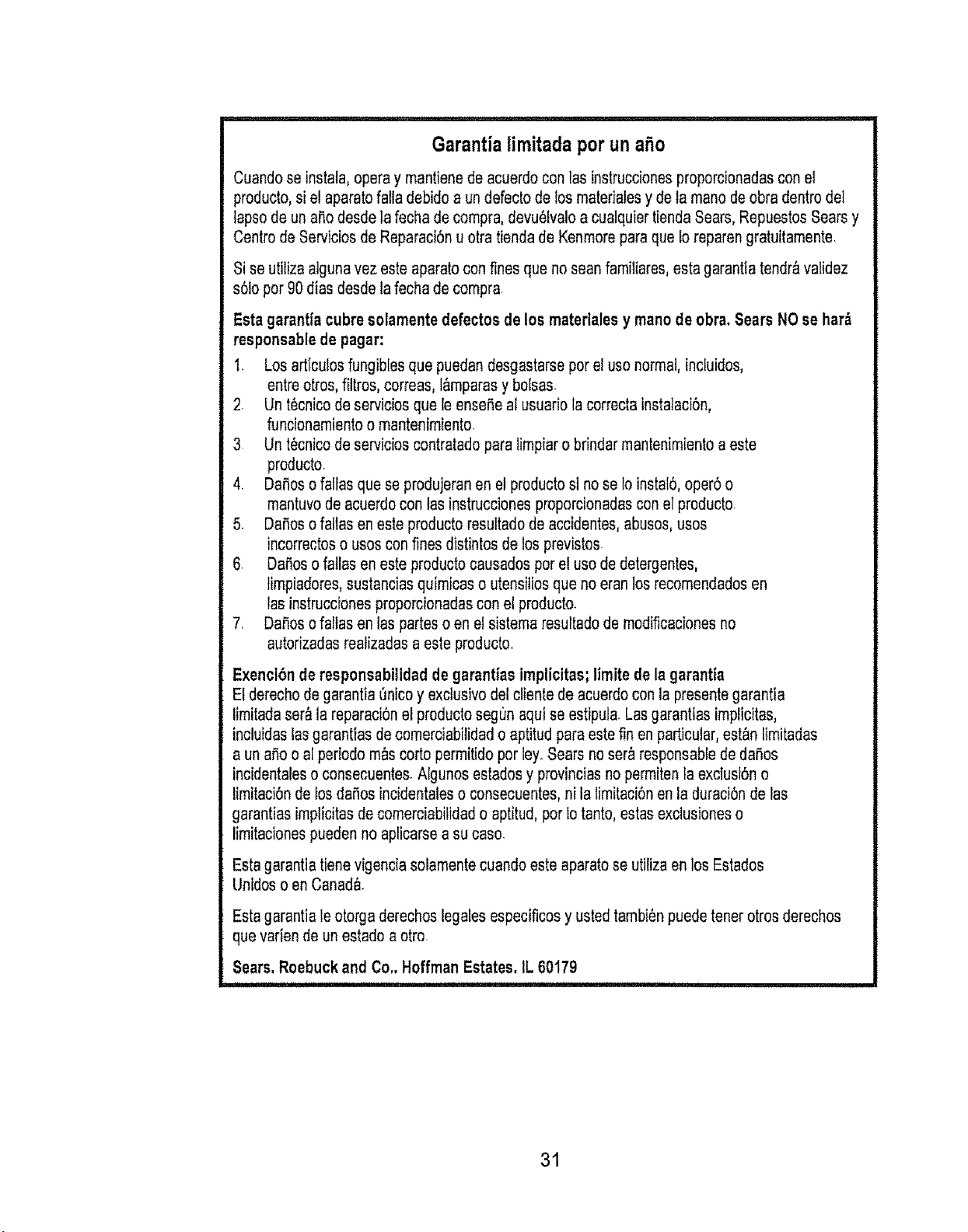
Garantialimitadaper una_o
Cuandoseinstala,operaymantienedeacuerdoconlasinstruccionesproporcionadasconel
producto,siel aparatofalladebidoaundefectodelosmaterialesydetamanedeobradentrodel
lapsedeuna_odesdetafechadecompra,devu61valoa cualquiertiendaSears,RepuestosSearsy
Centrede8erviciosdeReparaci6nuotratiendadeKenmoreparaqueIoreparengratuitamente.
Si se utiiiza alguna vez este aparato con fines que no sean familiares, esta garantia tendr&validez
s61oper 90 dias desde la fecha de compra
Estagarant[acubresolamentedefectos delos mateflalesy manedeobra.SearsNOsehar_
responsablede pagar:
1. Losarticuiosfungib[esquepuedandesgastarseperelusenormal,incluidos,
entreotros,filtros,correas,l&mparasybolsas.
2 Unt_cnicodeserviciosquele ensefiealusuariola correctainstalaci6n,
funcionamientoo mantenimiento.
3 Unt_cnicodeservicioscontratadoparelimpiarobrindarmantenimientoaeste
producto.
4. Danesofal[asqueseprodujeranenetproductosinoselo instal6,oper6o
mantuvodeacuerdoconlasinstruccionesproporcionadasconelproducto_
5 Dafiosofaltasenesteproductoresuttadodeaccidentes,abuses,uses
incorrectoso usesconfinesdistintosde losprevistes
6. Daaosofatlasenesteproductocausadosperelusededetergentes,
limpiadores,sustanciasquimicaso utensitiosquenoeranlosrecomendadosen
las instruccionesproporcionadasconel producto.
7. DaSosofaltasenlaspartesoen el sistemaresultadodemodificacionesno
autorizadasreatizadasaesteproducto.
Exenct6n de responsabilidad de garantfas implicitas; limite de la garantia
El derecho de garantia 6nice y exclusive del cliente de acuerdo con la presente garantia
limitada ser_ la reparaci6n el produetosegun aqui se estipula Lasgarantias implicitas,
incluidas las garantias de comerciabilidad o aptitud para estefin en particular, est_n limitarJas
a un erie o at periodo rn_scorto permitido per ley_Sears no ser_ responsable de daSos
incidentales o consecuentes. AIgunos estados y provincias nopermiten faexciusi6n o
limitaci6n de los da_os incidentaleso consecuentes, nila limitaci6n en la duraci6n de las
garantias implicitas de comerciabilidad o aptitud, per Iotanto, estas exclusiones o
limitaciones pueden no aplicarse a su case.
Esta garantla tienevigencia solamente cuando este aparato se utiliza en losEstados
Untdos o en Canada.
Estagarantiale otorgaderecheslegalesespecificosy ustedtambi6npuedetonerotrosderechos
quevafiendeunestadoaotre.
Sears. Roebuck and Co,. Hoffman Estates. IL 60179
31

Get itfixed, at your home or ours!
Your Home
For repair- in your home --.of all major brand appliances,
lawn and garden equipment, or heating and cooling systems,
r)o matter who made it, no matter who sold it!
For the replacement parts, accessories and
owner's manuals that you need to do-it-yourself,
For Sears professional installation of home appliances
and items like garage door openers and water heaters.
1-800-4.MY-HOME ® (1-800-4694663)
Call anytime, day or night (U,SA and Canada)
W_NVQ. sears, colT1 _$28FS .Ca
For expert home solutions advice: www.managemyhome.com
Our Home
For repair of carry4n items like vacuums, lawn equipment,
and electronics, call or go on-line for the location of your nearest
Sears Parts & Repair Service Center
1-800-488-1222 (u.s A.) 1-800-469-4663 (Canada)
Call anytime, day or night
www,sears,com www.sears.ca
To purchase a protection agreement on a product serviced by Sears:
1.800-827-6655 (u S.AJ
Para pedir servicio de reparaci6n
a domicilio,y para ordenar piezas:
1-888-SU-HOGAR e
(1-888-784-6427)
1-800-361-6665 (Canada)
Au Canada pour service en frangats:
1-800-LE-FOYER *'c
(1-800o533-6937)
WW',N. sea r_; C_
_._llOgiSl_o0 Trademn_ I t_ Tt_den_a(k t _" 8e+_l_ M_k of Soars Bt and.r. LLC
Part No, 1B71756 Printed in China
N,° de repuesto 1B7t756 Impreso en China