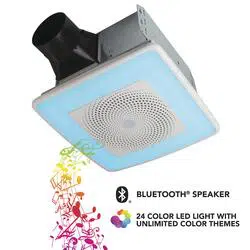
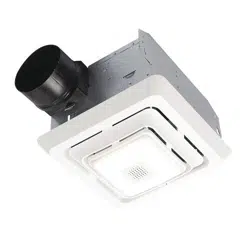
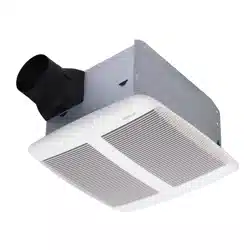
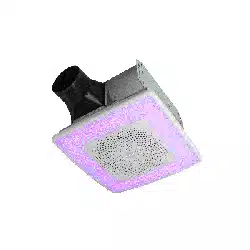
For quiet and efficient operation, long life, and attractive appearance - lower or remove grille and vacuum interior of unit with the dusting brush attachment. The motor is permanently lubricated and never needs oiling. If the motor bearings are making excessive or unusual noises, replace the blower assembly (includes motor and impeller).
OPERATION
The ChromaComfort & Sensonic Fan/Light/Speaker must be operated using only the wall control included. See separate operating instructions. DO NOT operate the ChromaComfort & Sensonic Fan/Light/Speaker with any other switches or controls.
The Bluetooth® word mark and logos are registered trademarks owned by Bluetooth® SIG, Inc. and any use of such marks by Broan-NuTone LLC is under license. Other trademark and trade names are those of their respective owners.
NOTE: This equipment has been tested and found to comply with the limits for a Class B digital device, pursuant to Part 15 of the FCC Rules. These limits are designed to provide reasonable protection against harmful interference in a residential installation. This equipment generates, uses and can radiate radio frequency energy and, if not installed and used in accordance with the instructions, may cause harmful interference to radio communications. However, there is no guarantee that interference will not occur in a particular installation. If this equipment does cause harmful interference to radio or television reception, which can be determined by turning the equipment off and on, the user is encouraged to try to correct the interference by one or more of the following measures:
• Reorient or relocate the receiving antenna.
• Increase the separation between the equipment and receiver.
• Connect the equipment into an outlet on a circuit different from that to which the receiver is connected.
• Consult the dealer or an experienced radio/TV technician for help. This device complies with Part 15 of the FCC Rules and RSS-210 of Canada. Operation is subject to the following two conditions:
(1) This device may not cause interference, and (2) this device must accept any interference received, including interference that may cause undesired operation. FCC IDs: 2ADLL-1103233 & 2ADLL-RGB002 IC : 2143B-1103233 & 2143B-RGB002
This Bluetooth® wireless technology enabled luminaire complies with FCC radiation exposure limits set forth for an uncontrolled environment. End users must follow the specific operating instructions for satisfying exposure compliance. This luminaire must not be co-located or operate in conjunction with any other antenna or transmitter. Changes or modifications not expressly approved by the party responsible for compliance could void the user’s authority to operate the equipment.
IMPORTANT - The ducting from this fan to the outside of the building has a strong effect on the air flow, noise and energy use of the fan. Use the shortest, straightest duct routing possible for best performance, and avoid installing the fan with smaller ducts than recommended. Insulation around the ducts can reduce energy loss and inhibit mold growth. Fans installed with existing ducts may not achieve their rated airflow.
OPTION - To mount housing anywhere between ceiling framing: Use optional Hanger Bar Kit (sold separately from local distributors or website). Follow mounting instructions included with kit.
ALL INSTALLATIONS
- Remove all packing material, unplug and remove blower from fan housing.
- Remove wiring panel from fan housing (if already installed).
- A pair of flanges may be attached to housing if desired or required. Snap both flange pieces under rolled-over edge of housing (all four sides).
- Attach damper/duct connector to fan housing. Push connector through opening from inside of housing. Engage tabs and secure with screw from parts bag.
- Mount housing to ceiling structure. Make sure bottom of housing will be flush with finished ceiling. For proper location using ½” ceiling material: Bend out housing tabs (on outside of housing) to fit against bottom of joist. Secure housing through mounting ears with appropriate fasteners. If mounting housing to I-joist, use wood blocking as shown.
- Connect 4-in. round duct.
- Connect wiring. Connect power cable to wiring plate (from parts bag) using UL approved connector. Connect house wiring to fan wiring. Use screw (from parts bag) to secure wiring plate to fan housing. Reinstall wiring panel and secure with screw from parts bag.
- Finish ceiling. Then continue with Step 9.
RETROFIT INSTALLATION
Remove old fan and prepare ceiling.
Enlarge ceiling opening (if necessary) to 9¾” parallel to joist) by 10½” (perpendicular to joist). (Some models have a cut-out template on side of carton.)
Existing fan housings are typically attached to the structure:
• with screws, nails, or staples, which must be removed.
• with hangers or rails which are fastened to joists and must be removed along with housing. A pry bar may be needed to remove the old housing. Leave ductwork and wiring in place.
Fold mounting ears 1 flat against housing.
Connect wiring.
Connect power cable that will supply constant 120VAC to unit. Attach wiring to wiring plate (from parts bag) using UL approved connector. Connect house wiring to fan wiring - black to black, white to white, and green to green or bare wire. Use screw (from parts bag) to secure wiring plate to fan housing. Re-install wiring panel and secure with screw from parts bag.
Mount fan to ceiling structure.
Mount housing to ceiling structure with appropriate fasteners in locations shown. * Center hole is optional.
Connect 4-in. round duct.
Pull existing ducting through housing discharge opening and tape ducting to duct connector. Push connector/ducting back through opening. Engage tabs and secure with screw from parts bag.
Install blower.
Re-install blower removed in Step 1. Secure blower with 2 screws from parts bag. Plug blower into black receptacle.
Install grille.
Connect plug from grille to wire panel. Squeeze grille springs and insert into slots in blower. Push grille up against ceiling.
Install wall control.
Note: Location of wall control must be within 20- feet (not obstructed) of grille. Use one of two methods to attach control:
- (1) Mount control to new single-gang electrical box. (Recommended method)
- (2) Mount control to wall with clearance hole in wall. Remove control module, install 2-AAA batteries, and replace module. Snap control cover in place.
Note: Metallic cover plates are not recommended.
Establish Bluetooth® connection with your device.
Connect to “ChromaComfort-Sensonic Speaker” in your phone’s Bluetooth® settings to stream music from your favorite app. When prompted, use PIN 1234 to connect.
For more functions and custom options.
Download the ChromaComfortTM app from the Apple App Store or on Google Play. Enjoy your ChromaComfortTM experience!