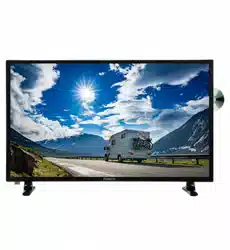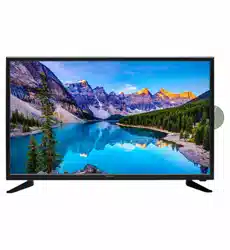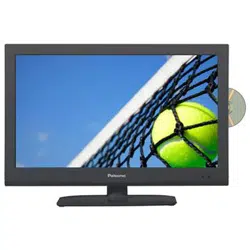
PT4088F
100cm(40”) LED TV WITH DVB-T
6
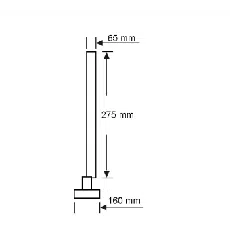
400mm
400mm


Contents
Power Supply.....................................................................................................................................................
Installation..........................................................................................................................................................
Use and Maintenance........................................................................................................................................
Important Safety Instructions .............................................................................................................................
Overview(Back View) ........................................................................................................................................
Overview(Front View) / Accessories .................................................................................................................
Remote control ..................................................................................................................................................
2. PICTURE Menu ...........................................................................................................................................
1. First Time Setup ...........................................................................................................................................
3. SOUND Menu ...............................................................................................................................................
4. LOCK Menu .....................................................................................................................................................
5. SETUP Menu .................................................................................................................................................
4. CHANNEL Menu ................................................................................................................................................
OSD Menu
Multimedia Operation ........................................................................................................................................
Simple Troubleshooting ....................................................................................................................................
Specifications ....................................................................................................................................................
1
2
3
4-5
6
7
8-9
10
11-12
12-13
13-16
17-18
18-21
22-25
26
27
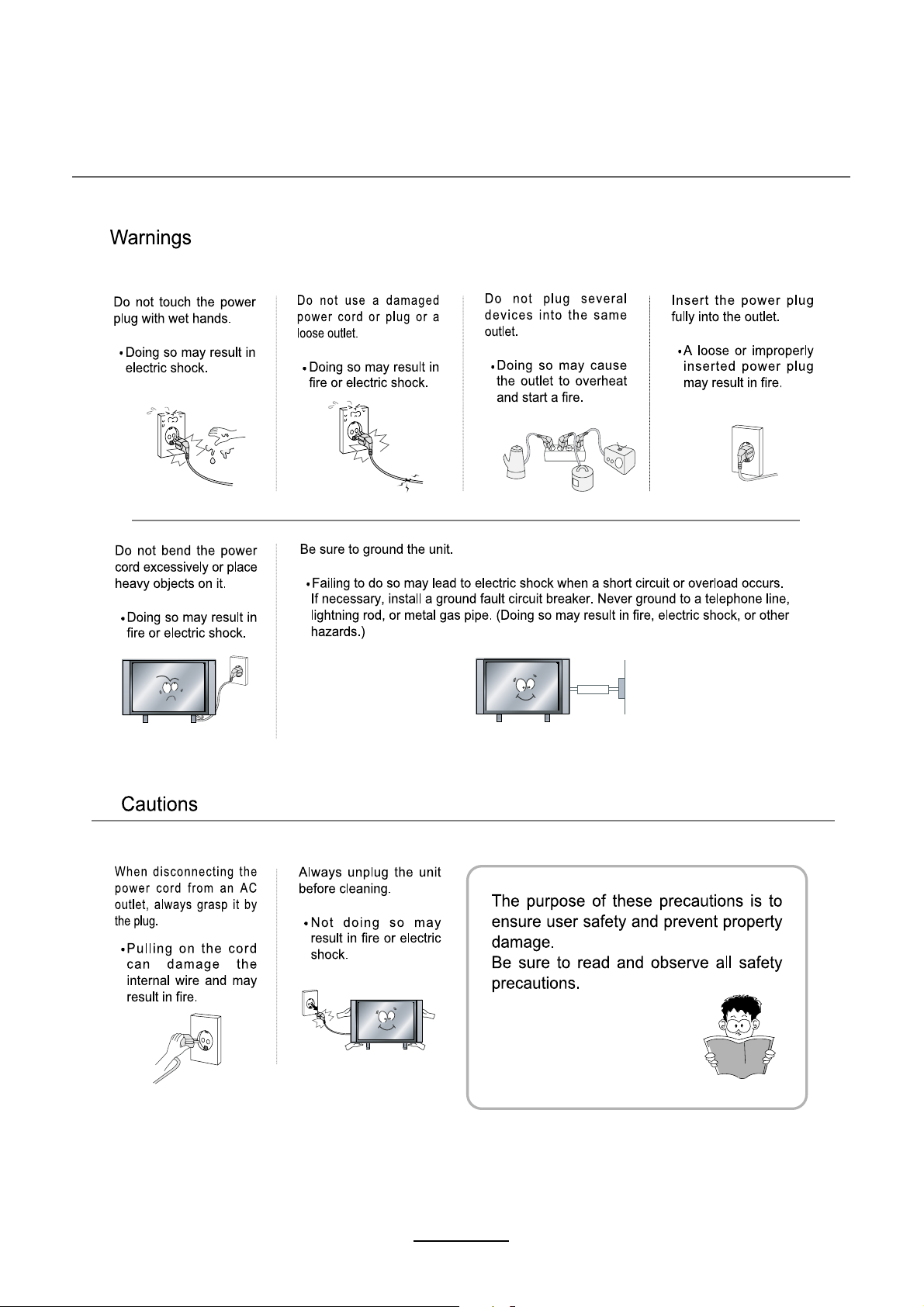
Power Supply
1
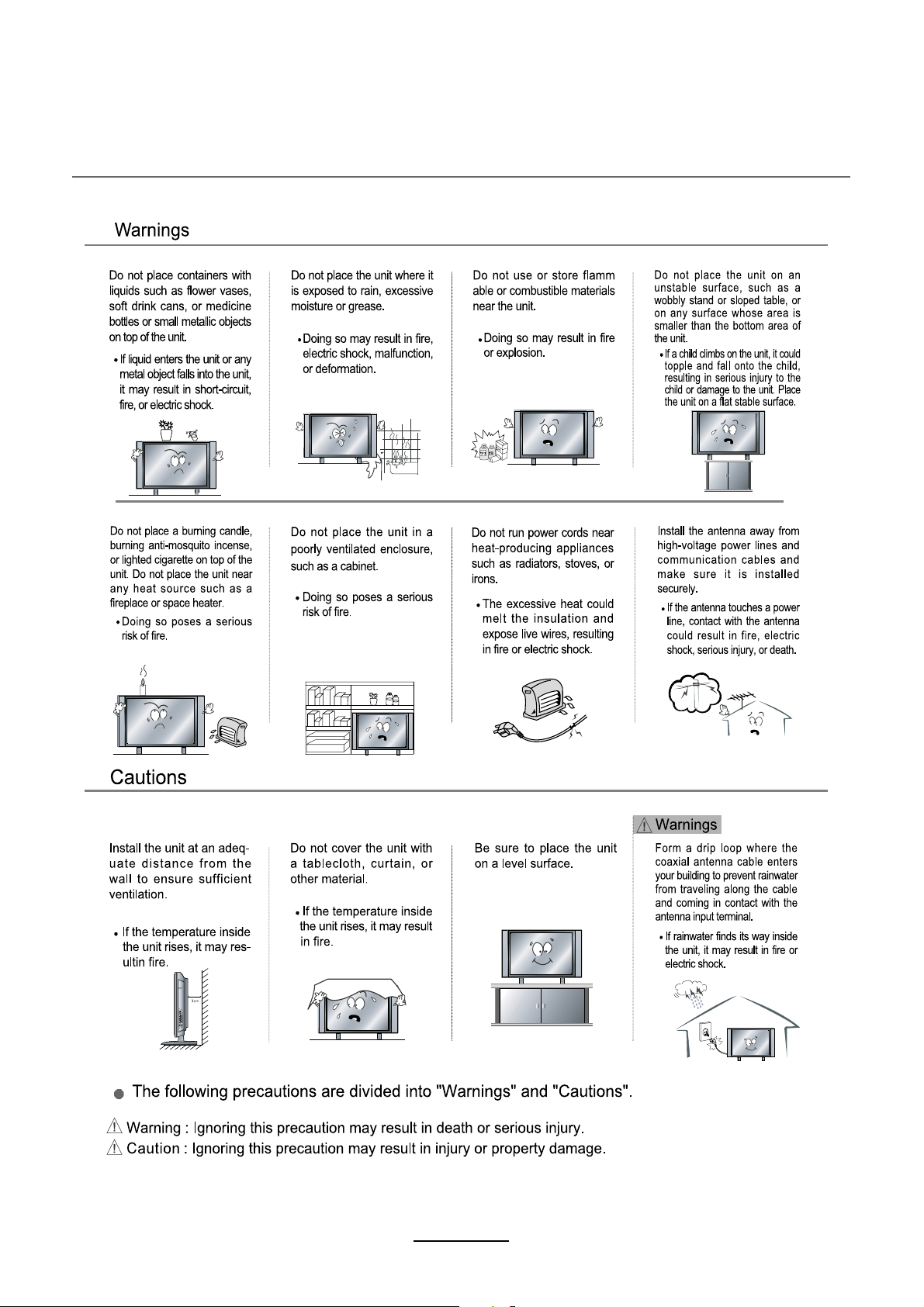
Installation
2
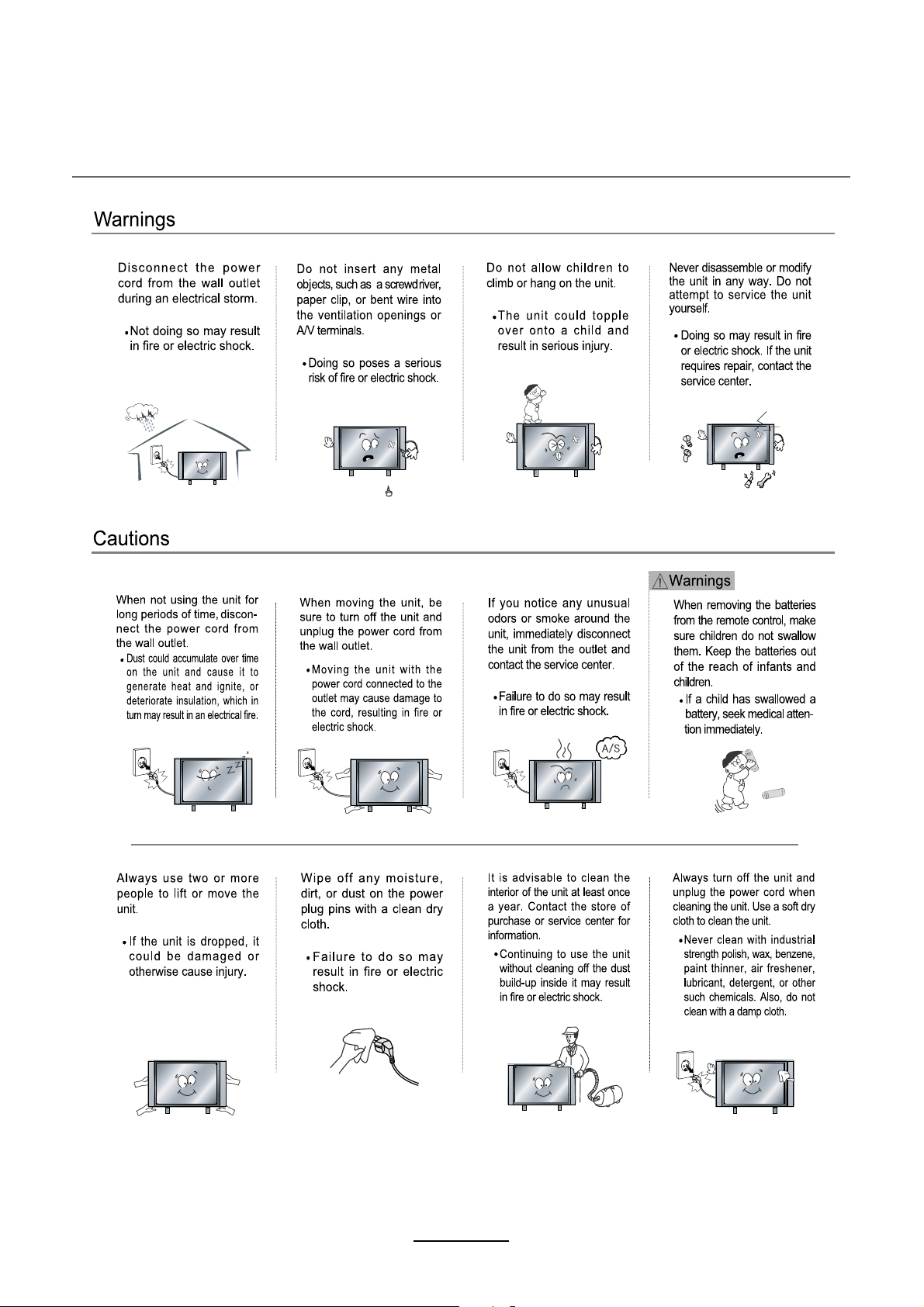
Use and Maintenance
3
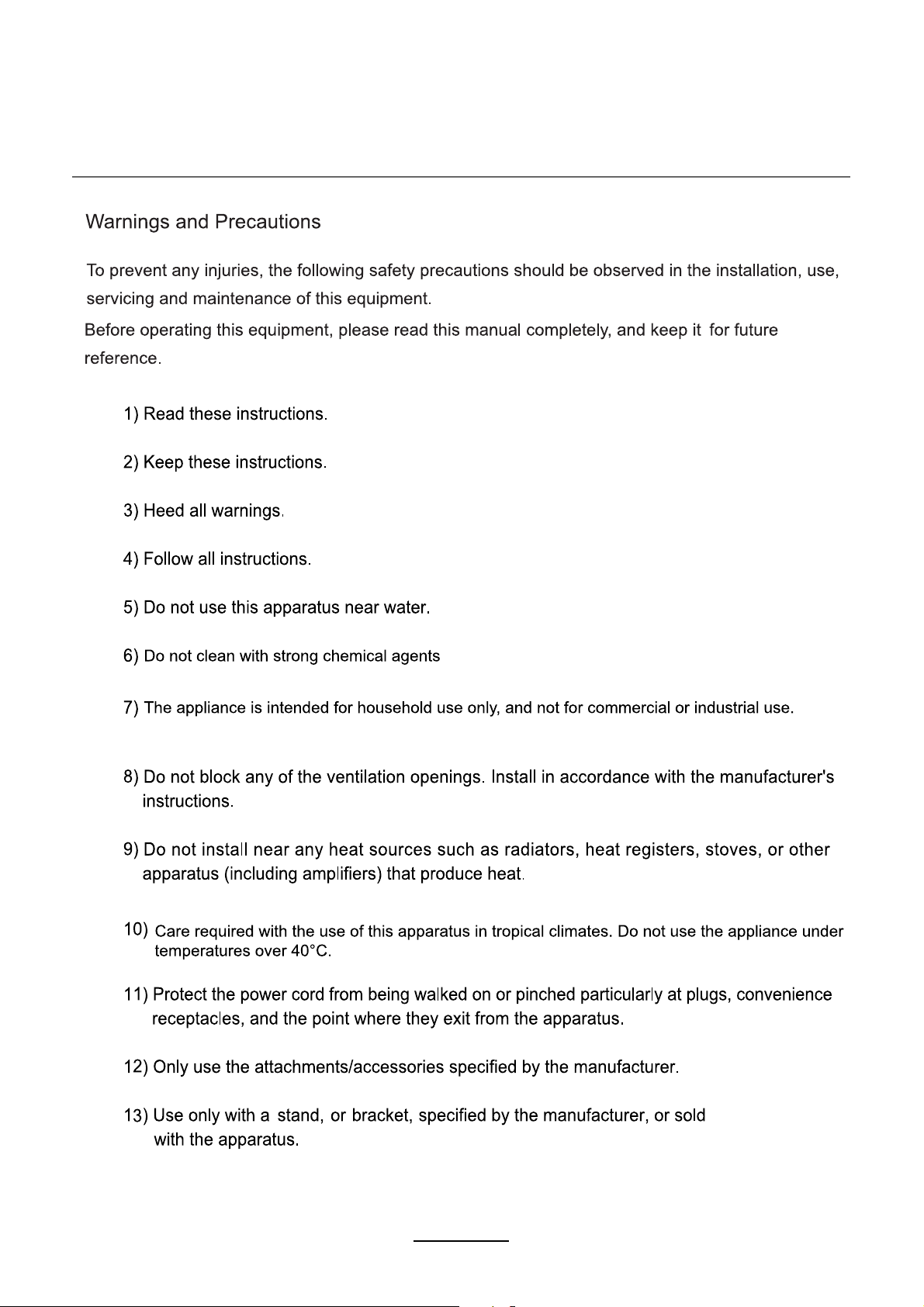
Important Safety Instructions
4
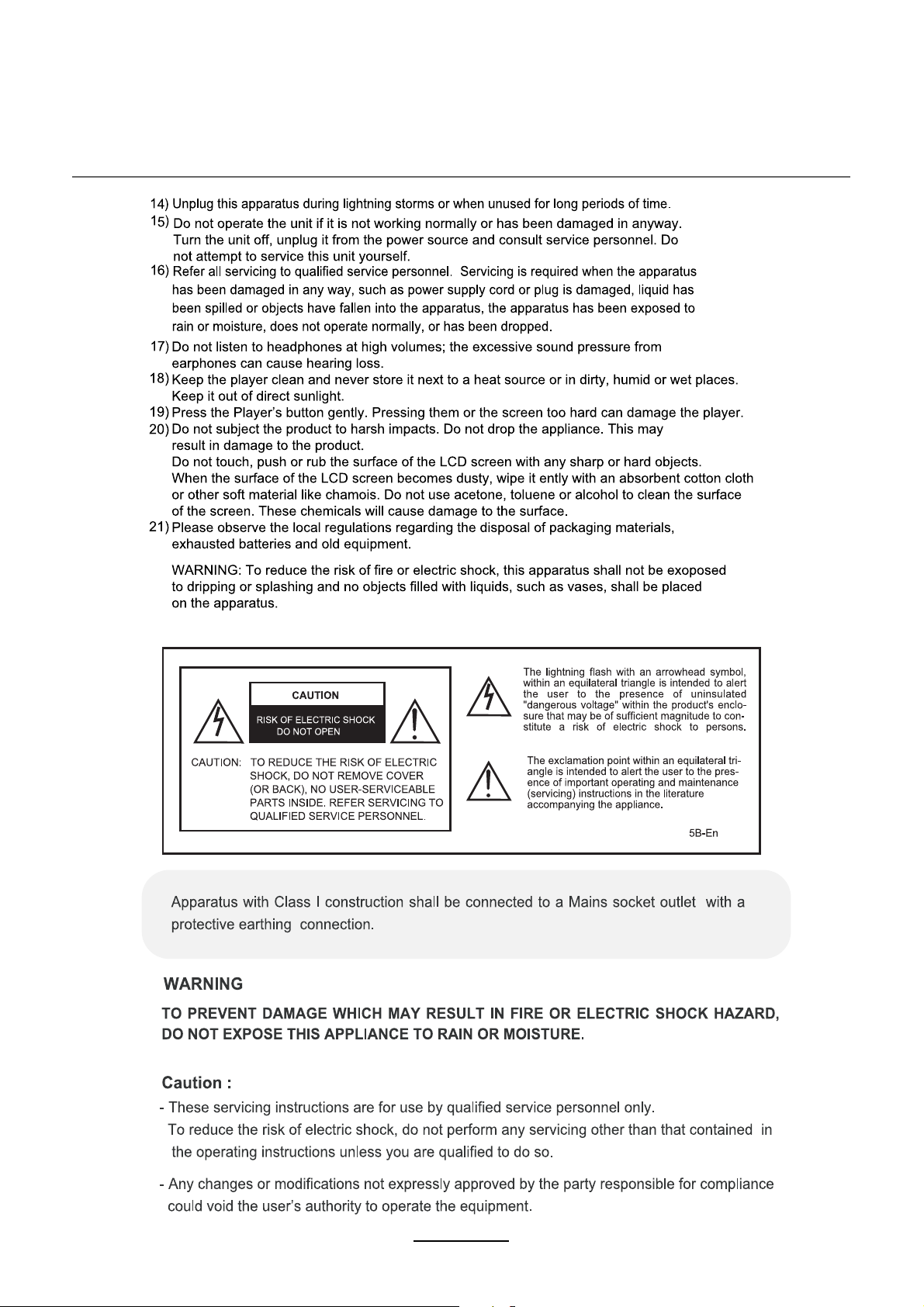
Important Safety Instructions
5
Overview
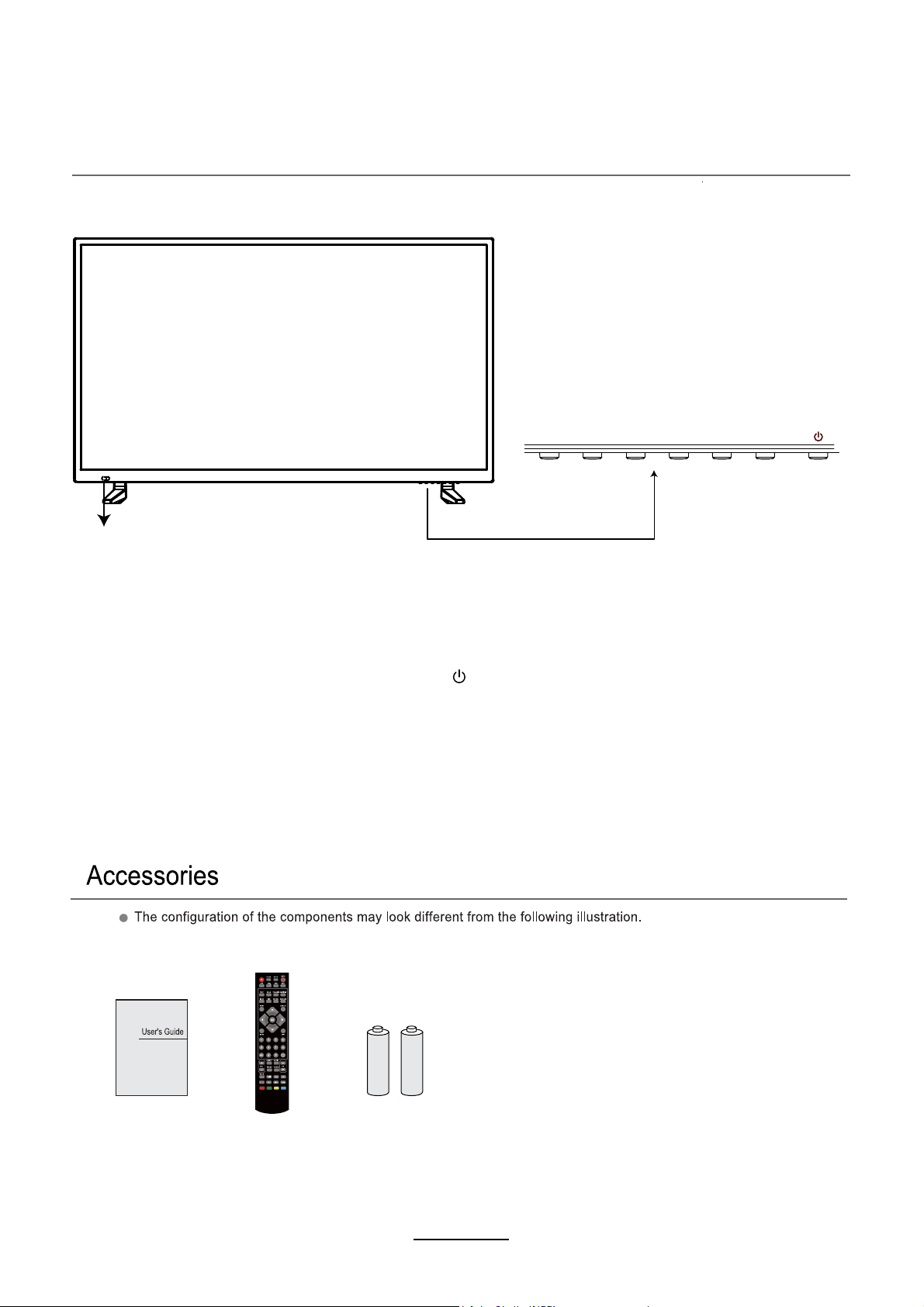
Front View
6
MENU: Display/exit the OSD menu.
CH+/-: Scan through channels.
VOL+/-: Adjust the volume.
INPUT: Display the input source menu.
: Turn on/standby the TV set.
Remote Control Sensor
(keep clear)
LED Indicator
User’s Guide
Remote Control
)AAAx2(seirettaB
INPUT MENU CH-
CH+
VOL- VOL+
Overview
Back View
7
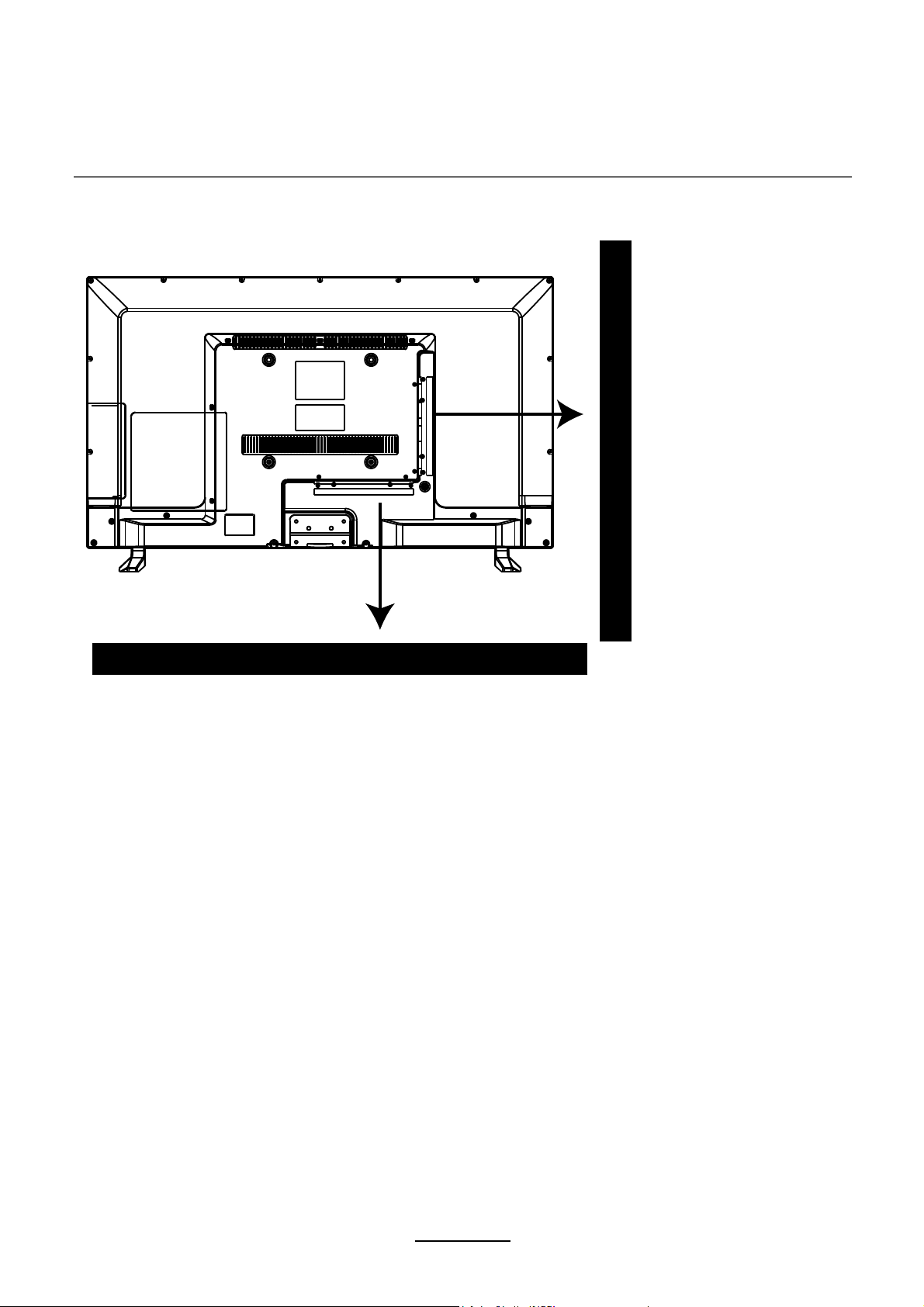
USB:
USB jack for Recording and Media.
HDMI1/2/3: Connect it to the HDMI of DVD or other equipment.
YPbPr: Connect them to the YPbPr video output terminal of DVD.
PC IN: Connect it to the audio output terminal of PC.
VGA: For PC display. Connect it to the D-Sub 15 pins analog output connector of the PC.
COAX:Digital output to AV receiver.
HEADPHONE: Connect it to your headphone or other audio equipment.
RF: Connect antenna or cable 75 Ohm coaxial to receive TV signal.
Video: Connect it to video output terminal of DVD.
L/R in: Connect them to audio output terminals of DVD, shared with YPbPr.
AC POWER IN: Connect to power.
HEADPHONE Y
Pb Pr
PC IN VGA
COAX
RF
HDMI1
HDMI2 HDMI3 USB VIDEO L-IN R-IN
Remote Control
8
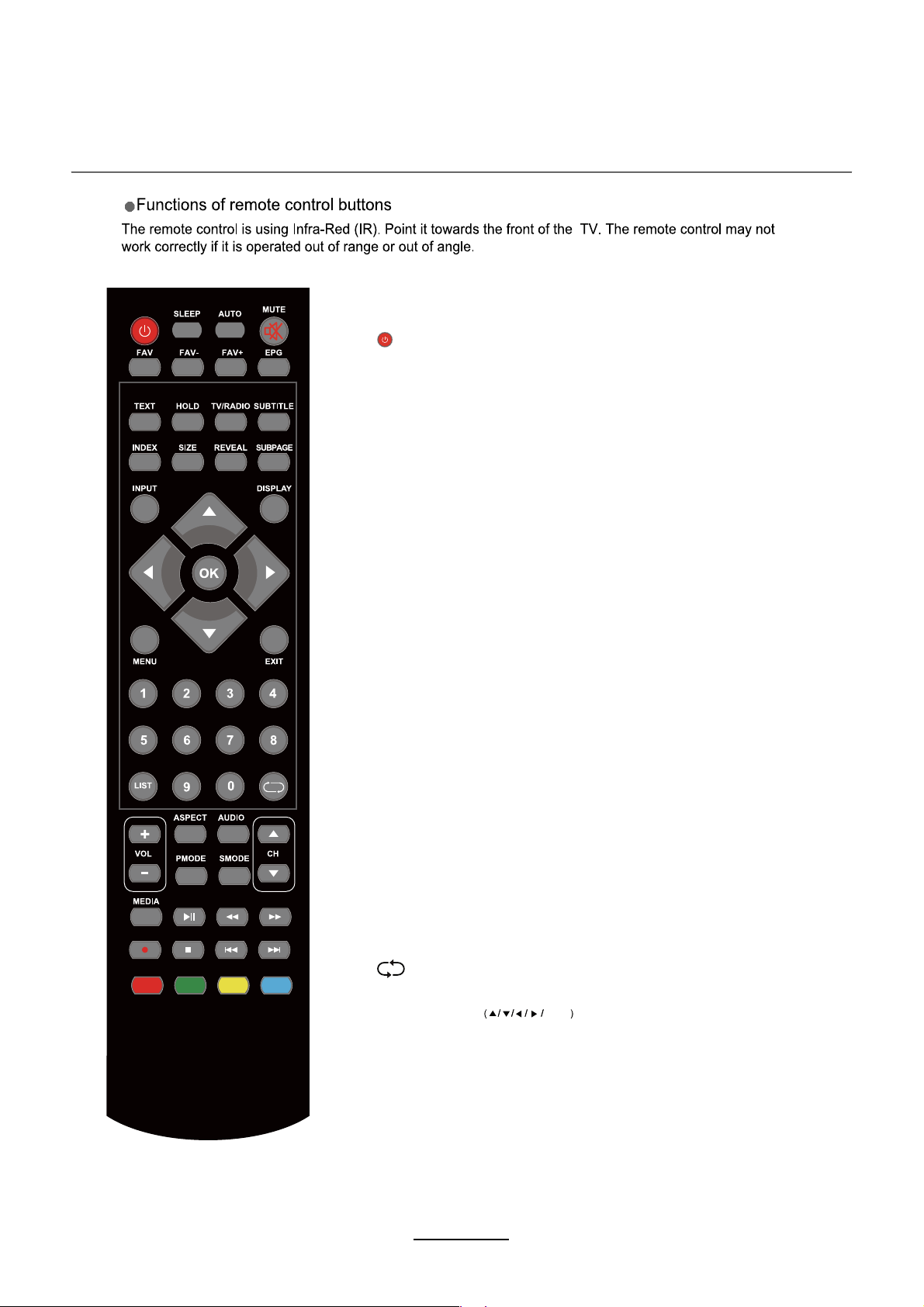
: Turn the TV on/standby.
MUTE: Press to mute the sound, press again or press
VOL+ to unmute.
SUBTITLE: Turn on/off the subtitle display in DTV mode
and DVD mode.
EPG: To show the Electronic Program Guide during no-menu
state only in DTV mode.
CURSOR KEYS OK
Allows you to navigate the on-screen menus and adjust the
system settings to your preference.
NUMBER BUTTONS
Press0-9 to select a TV channel directly when you
are watching TV.
Return to the previous channel viewed.
INPUT: Press to display the input source menu.
DISPLAY: Press to display the current mode’s information.
* In DTV mode, press display one time, display the basic information.
Press a second time, display the detail information.
Press a third time to exit.
MENU: System setup menu.
EXIT: Exit the OSD menu.
FAV: Display the favorite channel list.
SLEEP: Standby time
ATUO : Auto adjust in PC mode.
FAV+/-:
TEXT: Turn the teletext display.
TV/RADIO: To switch to TV or radio state in DTV mode.
: Scan the favourite channel.
r.
REVEAL: Reveal any hidden text.
HOLD: Hold or carry on the current subpage.
SIZE: Press to see top half of page double size,
Press again to see the bottom
half of page double size. Press again for normal size.
SUBPAGE: Press to enter subpages, pressagain to cancel.
INDEX: Go to index.
LIST: Display channel list.
Remote Control
9
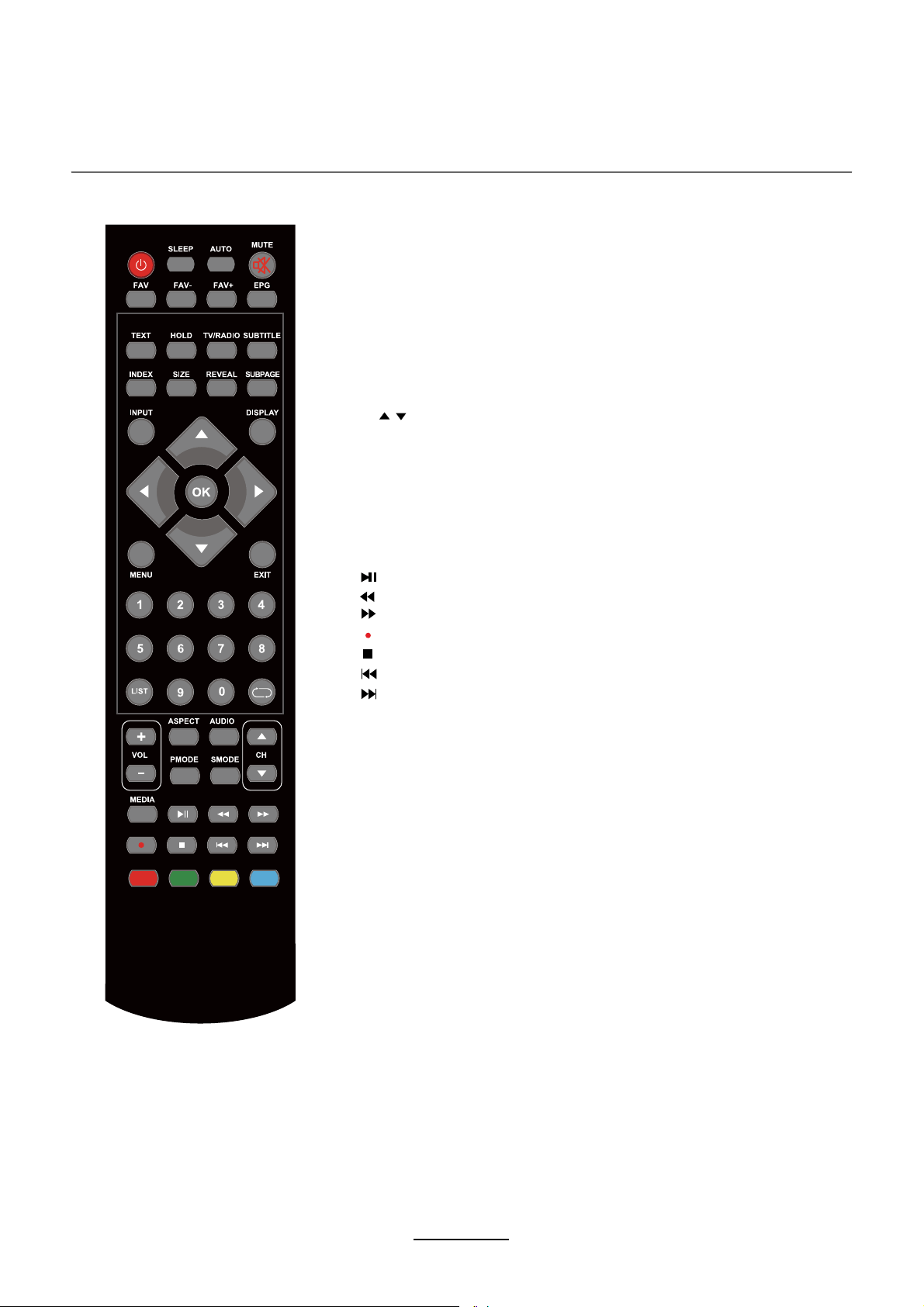
CH / : Scan through channels.
VOL +/-: Adjust the volume.
Media
: Press to start record the program in DTV mode.
: Previous chapter.
: Next chapter.
: Fast reverse.
: Fast forward.
: Stop program.
: Play/Pause program
.
ASPECT: Change the screen display mode.
AUDIO: Change the audio language in DTV mode.
PMODE: Select the picture mode.
SMODE: Select the sound mode.
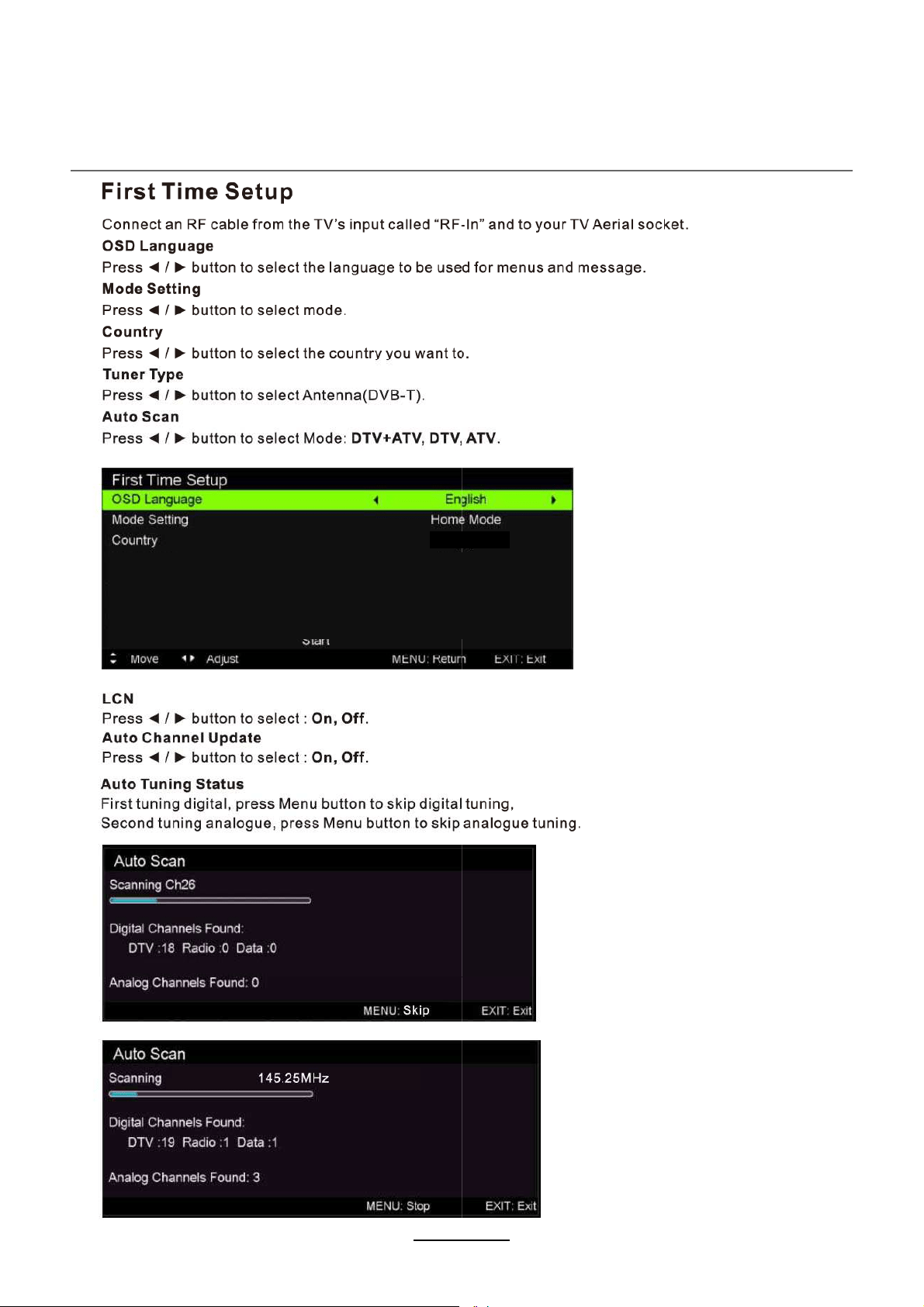
Australia
LCN On
Auto Channel Update Off
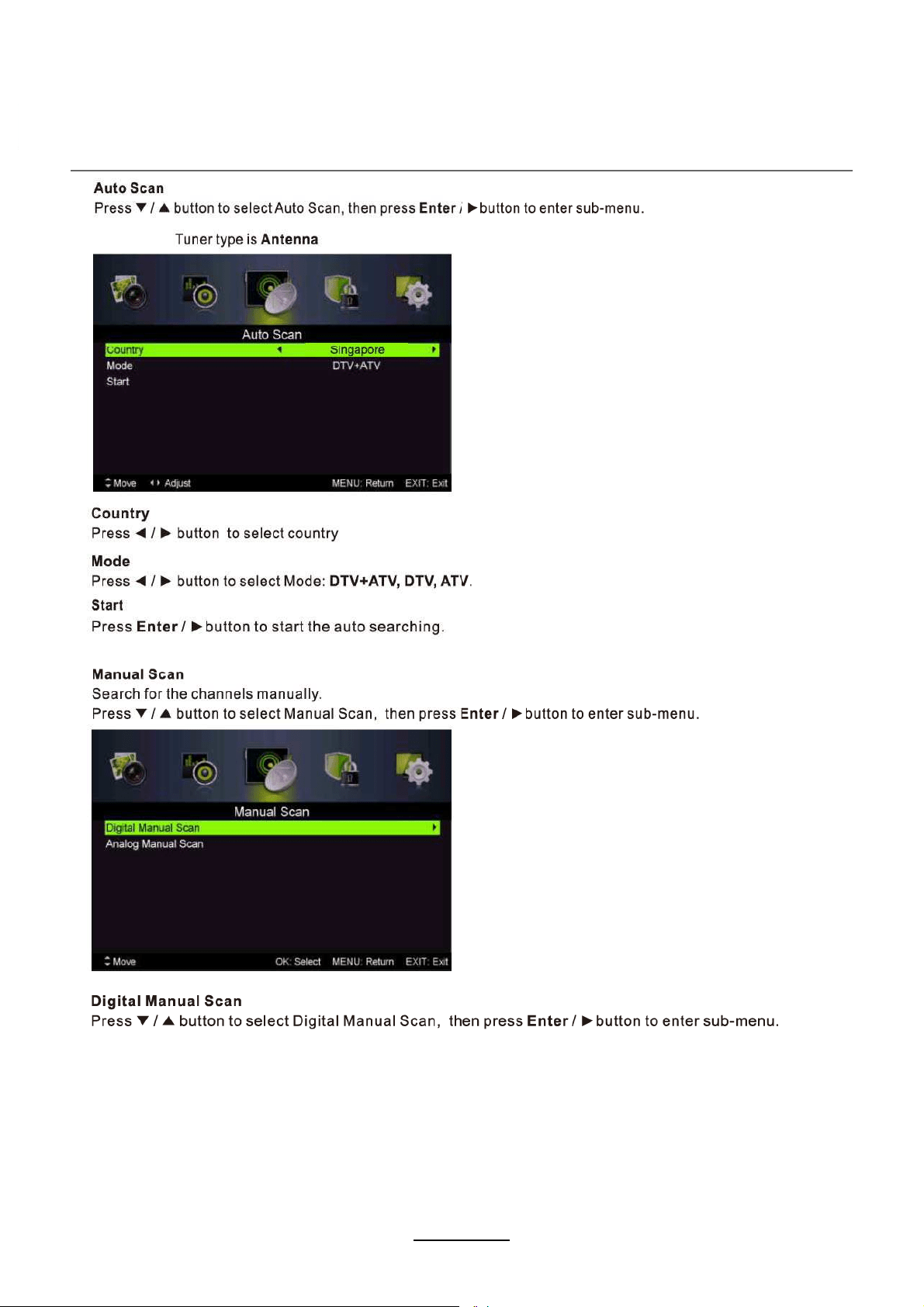
Auto Scan DTV+ATV
10
OSD Menu
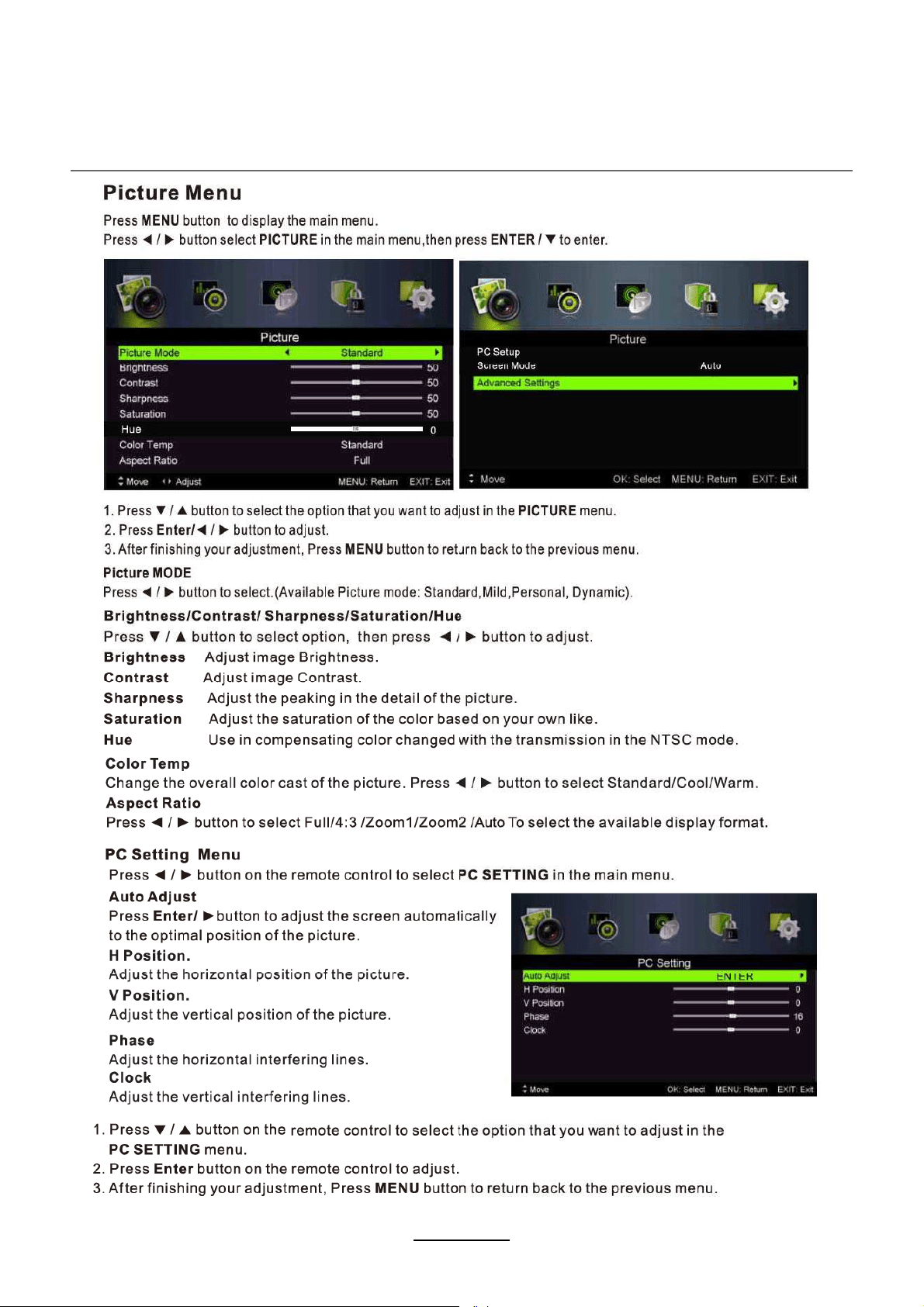
OSD Menu
11
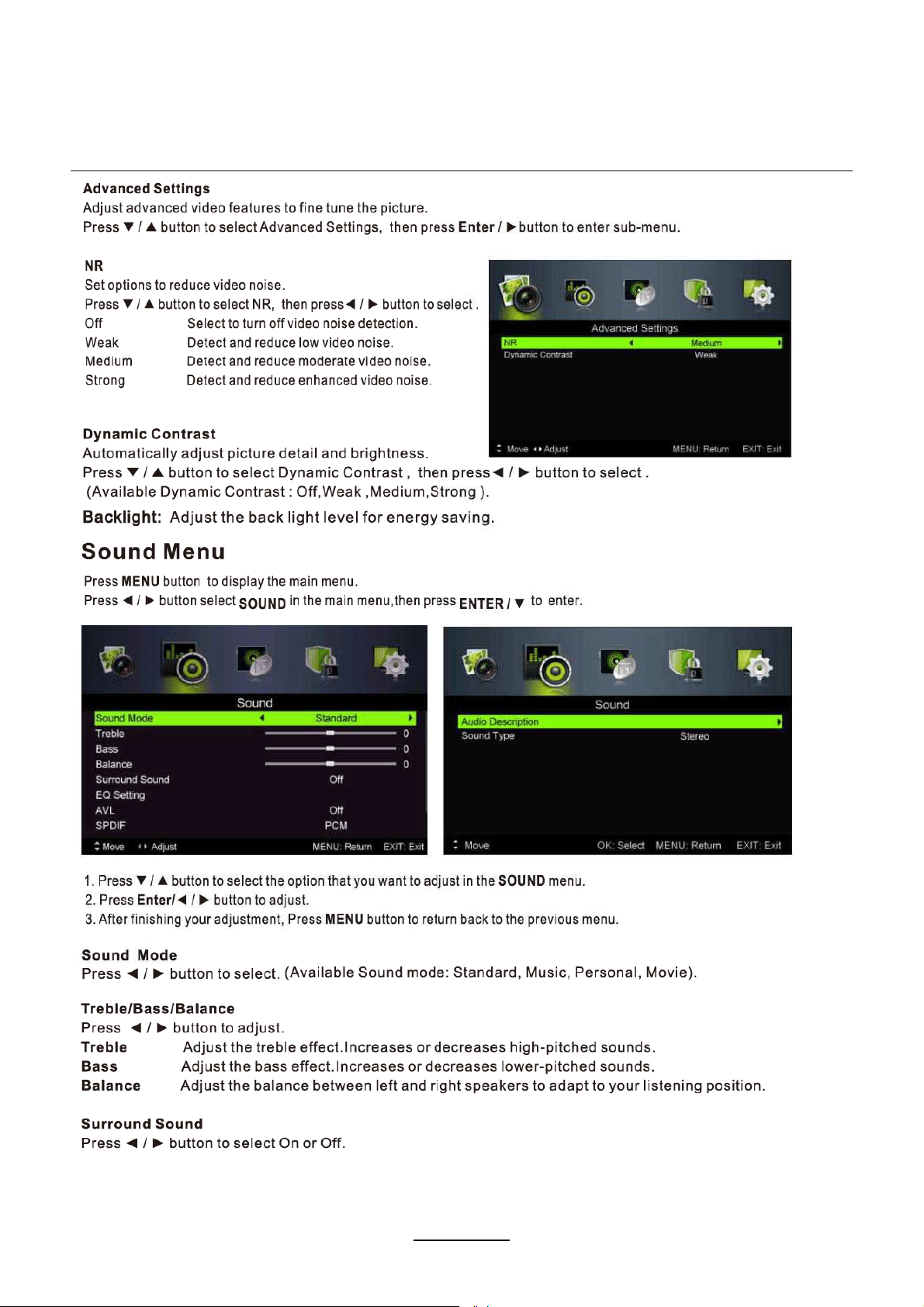
OSD Menu
12
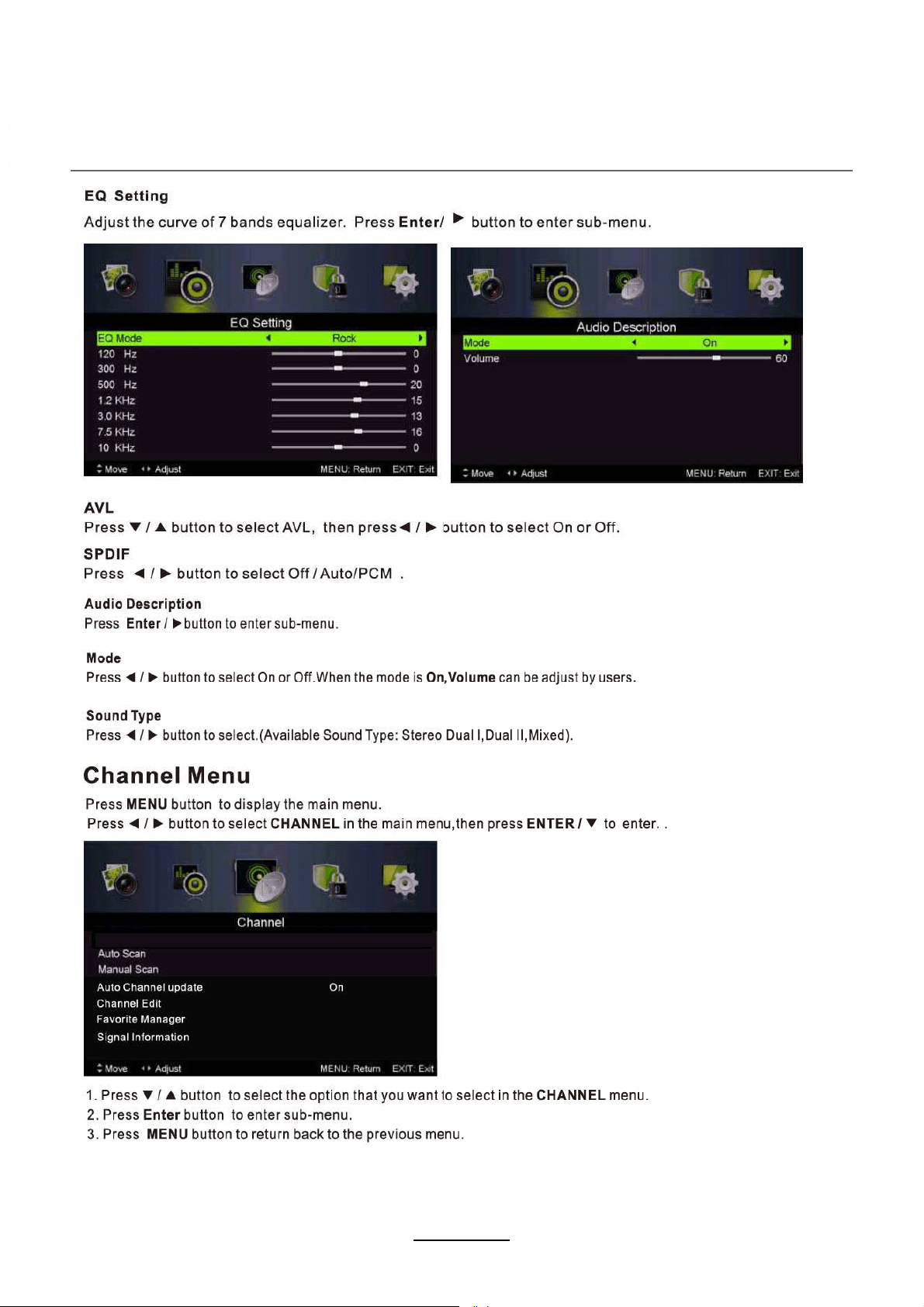
OSD Menu
13
OSD Menu
14
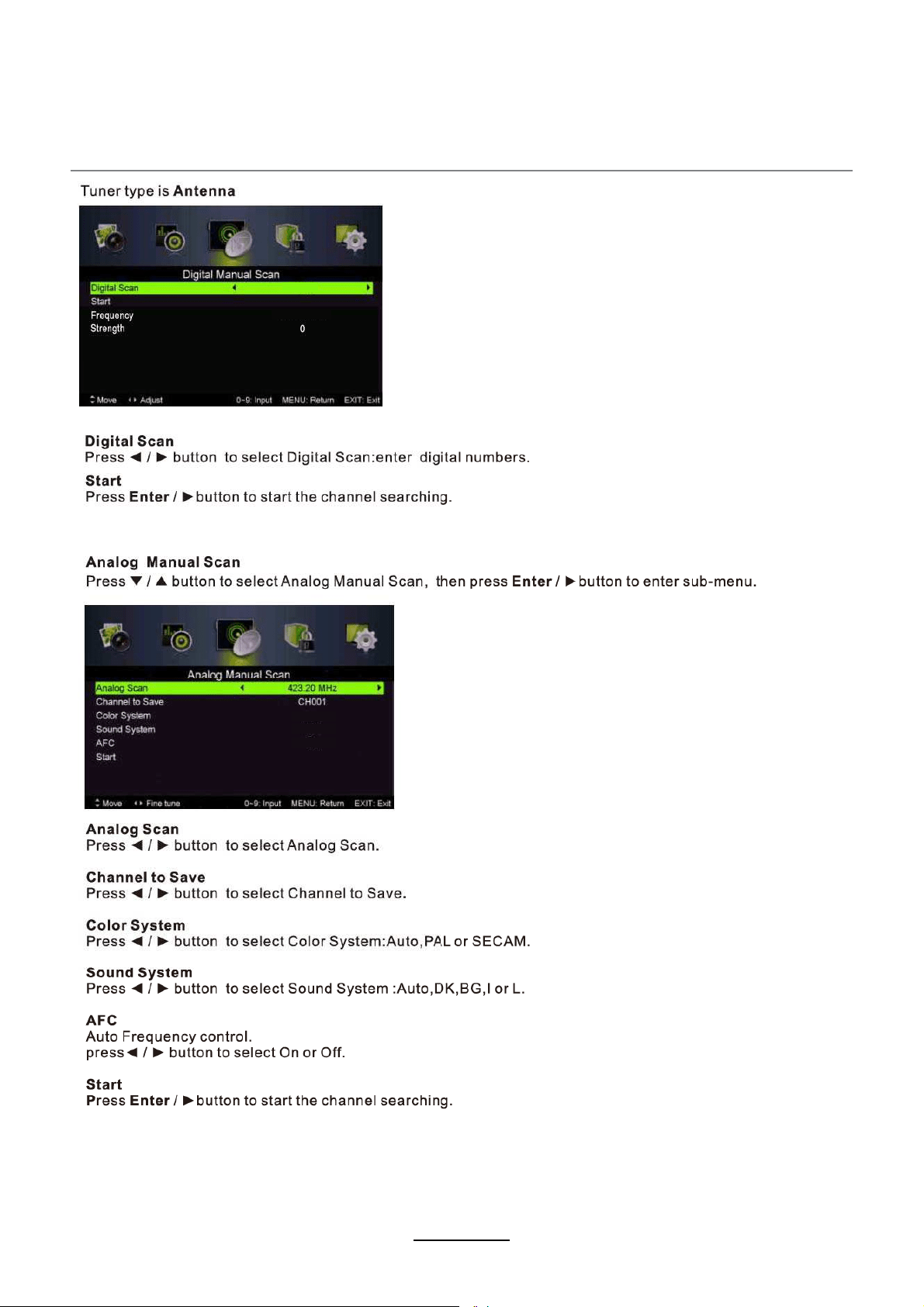
2
CH27
522.00MHz
AUTO
AUTO
Off
OSD Menu
15
OSD Menu
16
OSD Menu
17
Reset
OSD Menu
18
English
West
OSD Menu
19
OSD Menu
20
OSD Menu
21
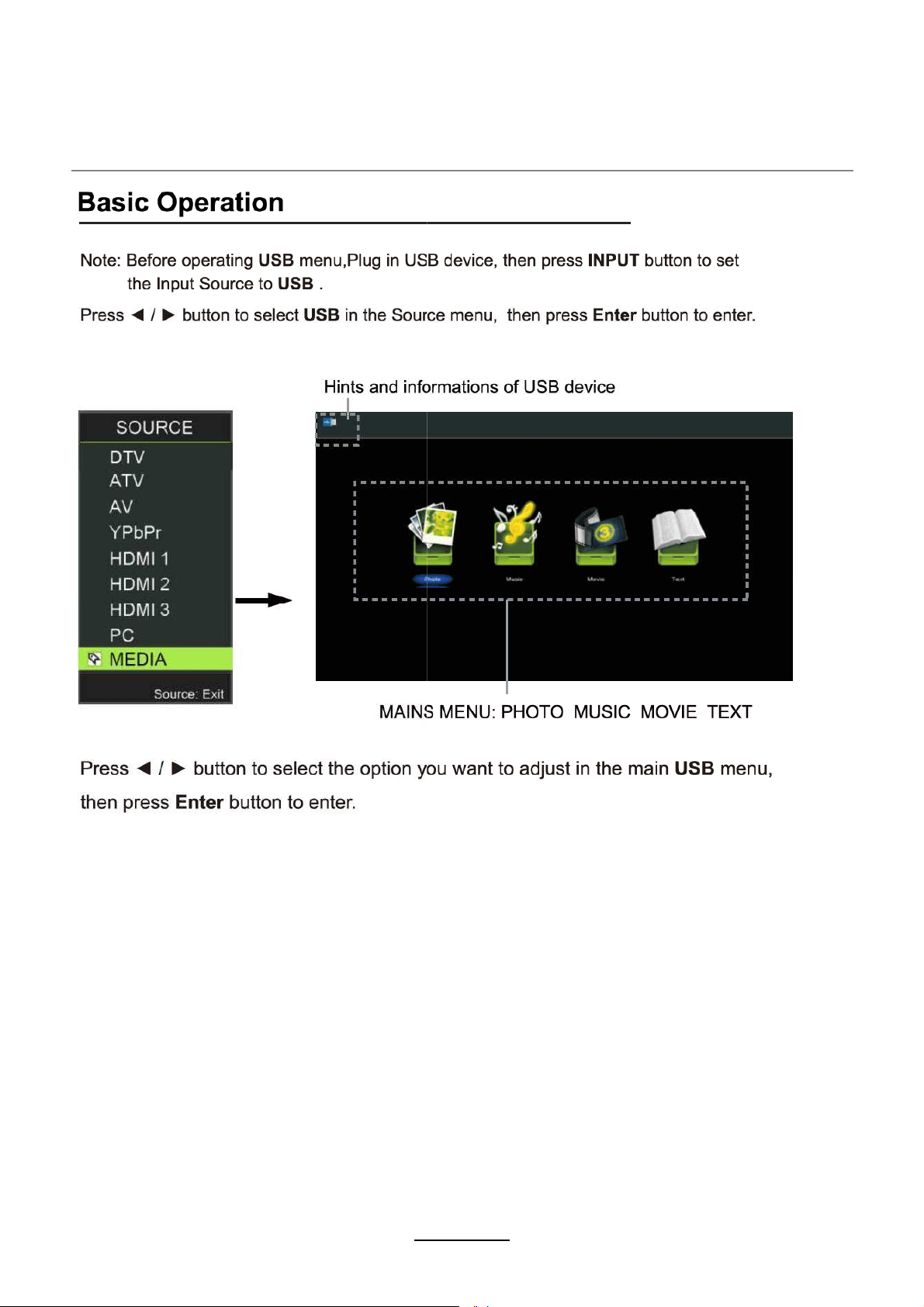
Multimedia Operation
22
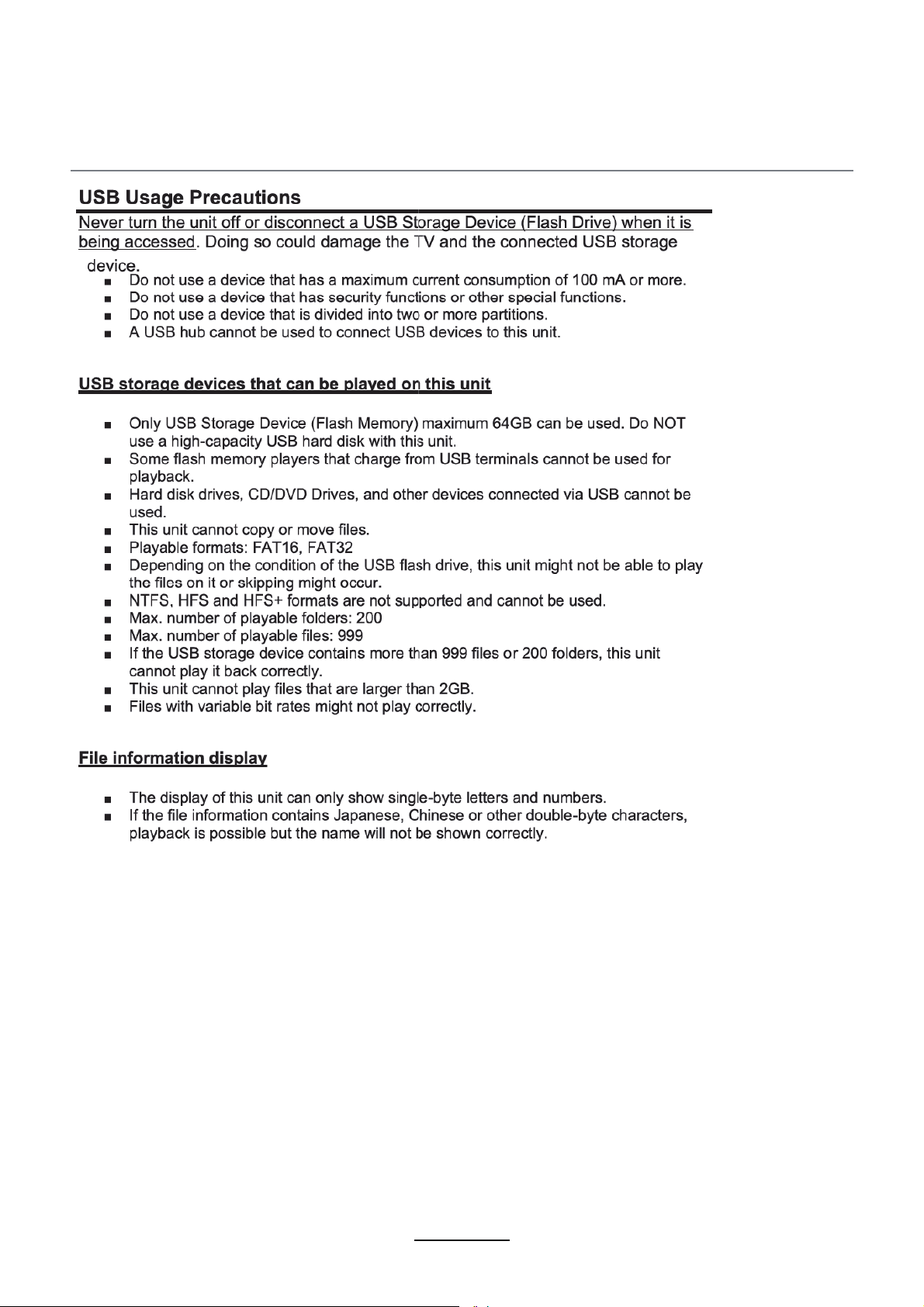
Multimedia Operation
23
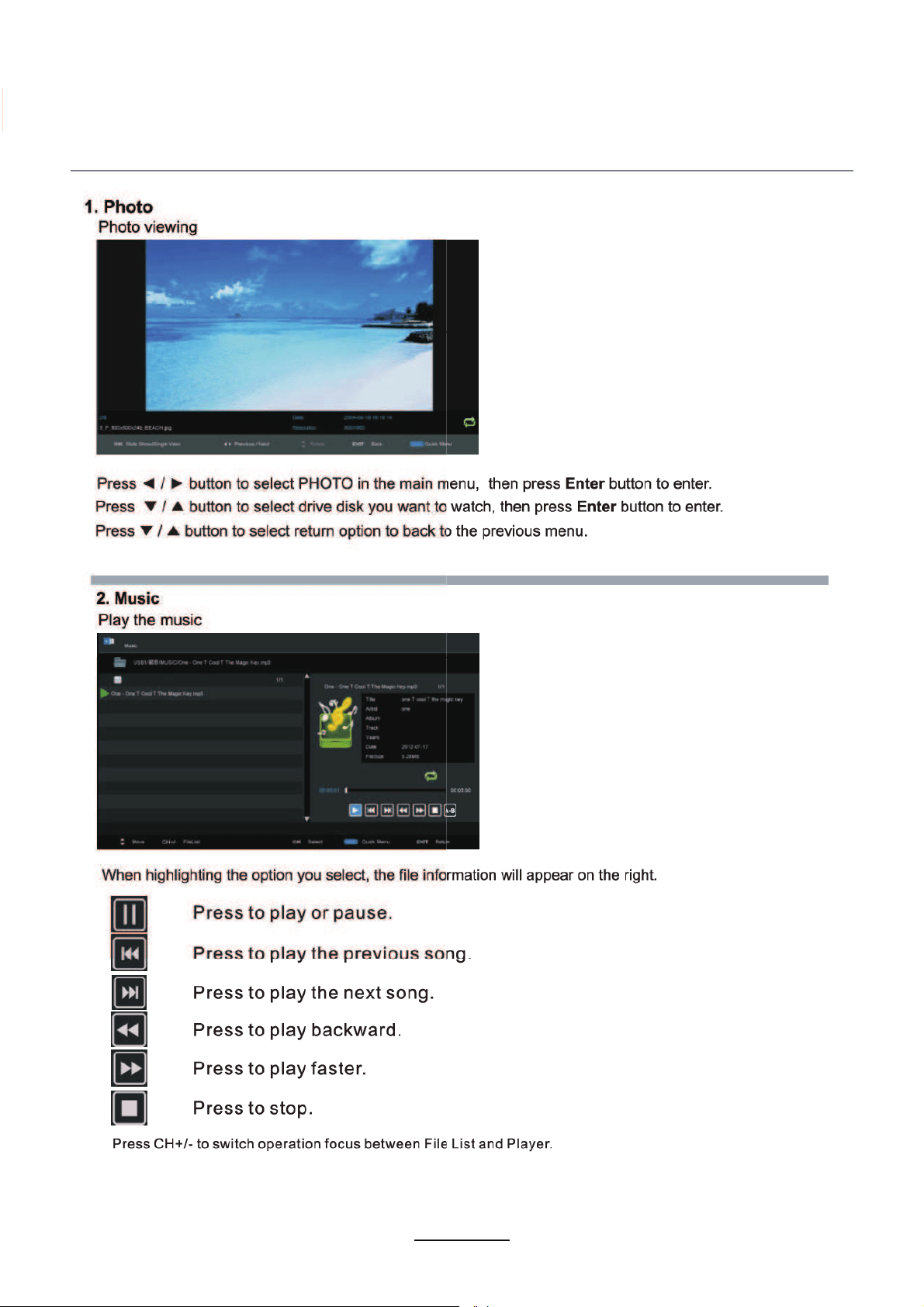
Multimedia Operation
24
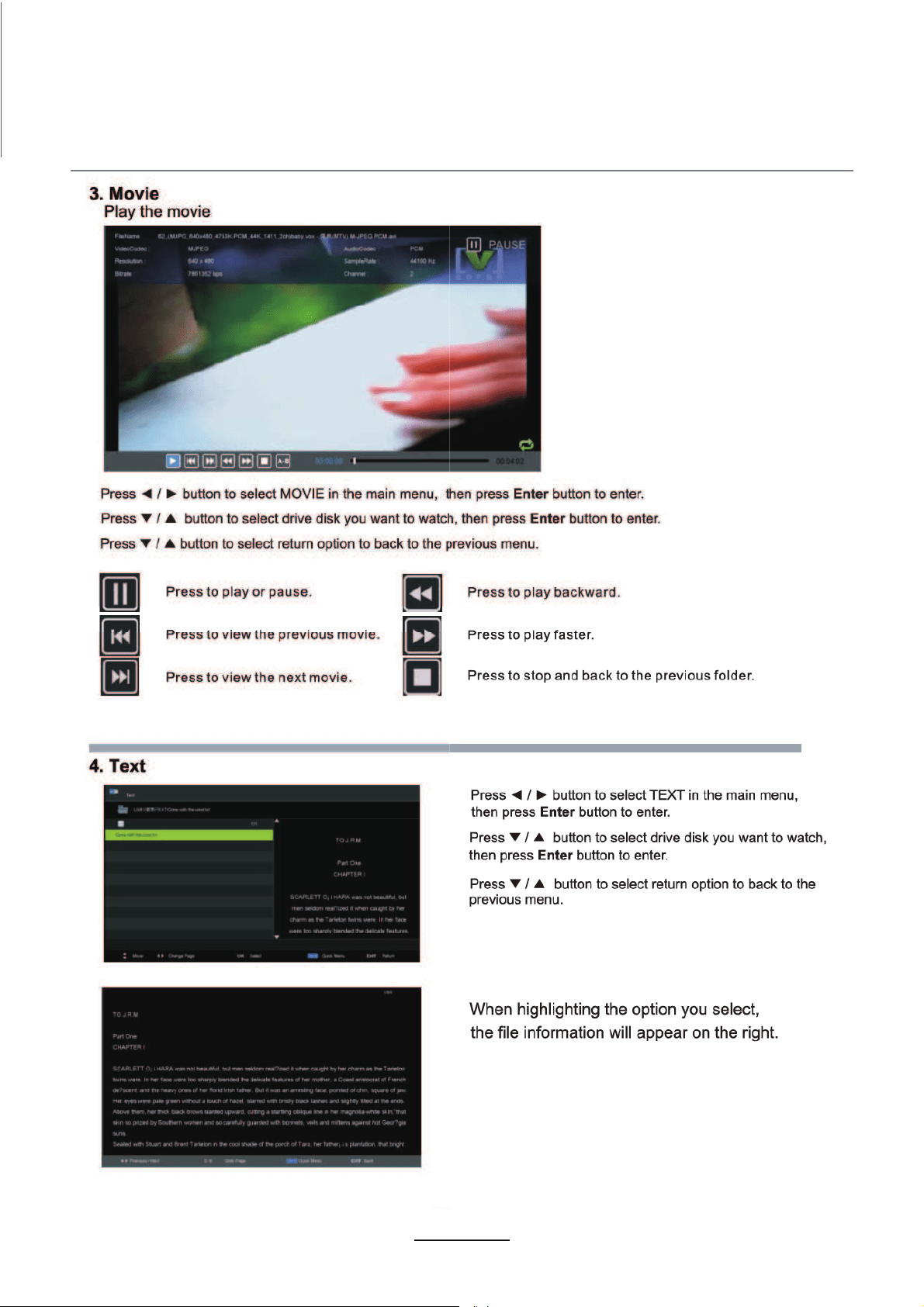
Multimedia Operation
25

Simple Troubleshooting
If the display fails or performance dramatically deteriorates check the Display in accordance
with the following instructions.Remember to check the peripherals topinpiont the source of the
failure.
If the display still fails to perform as expected,connect your helpline for assistance.
No power
- Check all connections to the TV.
- Press either the power button or the Standby button on the Remote control.
No picture or sound
- Ensure that the TV is plugged in and the power is on.
- Ensure that the aerial is connected.
- Try a different programme.
Poor picture quality
- Check the aerial connections.
- Check that the channel is tuned in properly.
- Adjust the picture settings:brightness,colour,sharpness,contrast,hue.
- Make sure that the TV is not located close to electrical appliances that may emit radio
frequency interference.
No colour
- Adjust the colour setting.
- Check that the programme is broadcast in colour.
- Check that the cannel is tuned properly.
TV does not respond to remote control
- Check that there are no obstructions between the remote control and the unit.
- Check that the remote control is within range of the unit.
- Check that the batteries in the remote control and not weak or exhausted.
This TV is for household use and registered as harmless on electromagnetic waves.
Therefor,you can use it in every location as well as residential areas.
26
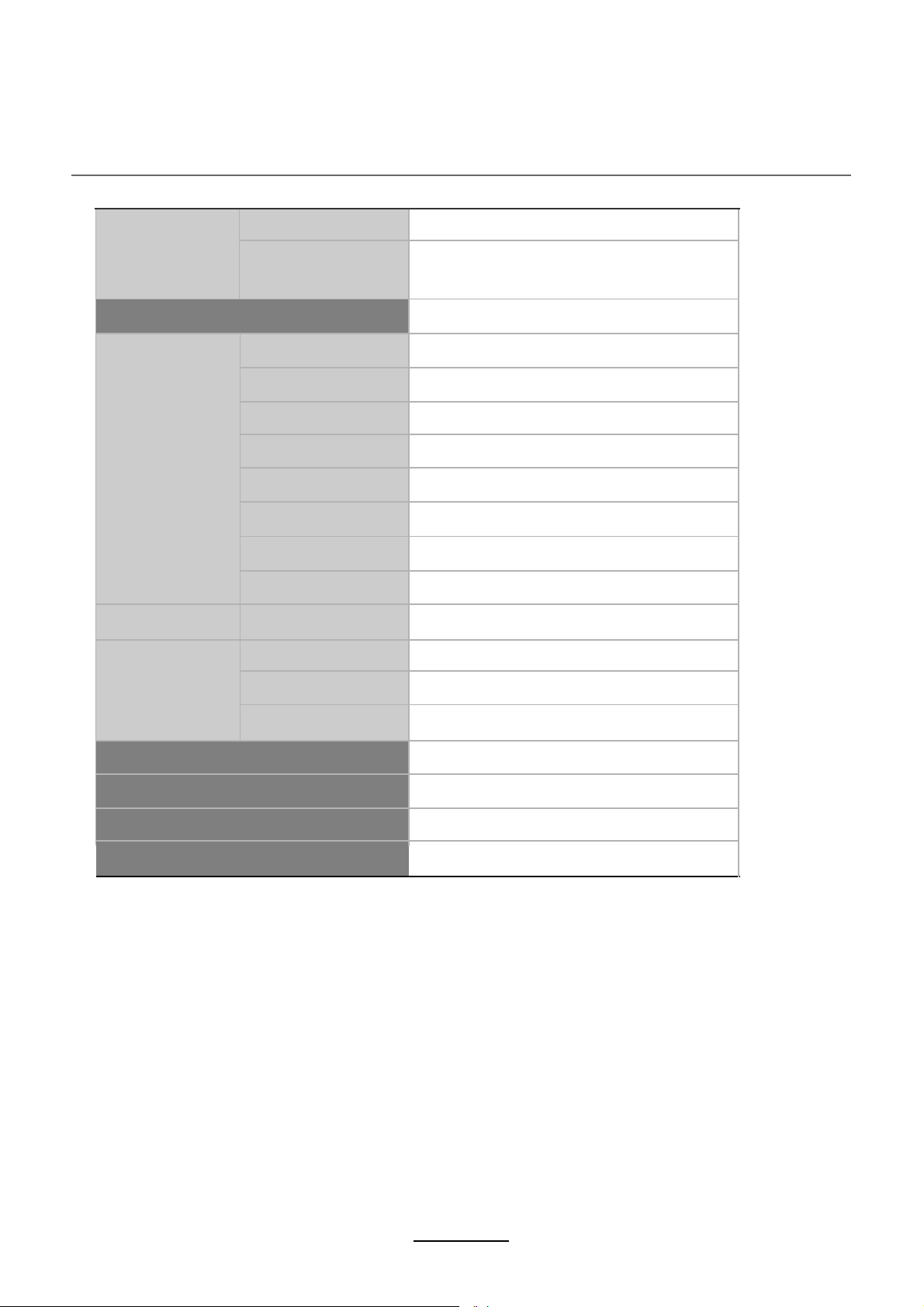
Specifications
27
IMPORTANT NOTICE:
This product composes up to 6.0 million cells and a few cell defects may
occur In the manufacture of the panel. Several dead pixels (allow up to 2
bright or 2 dark pixels) on the panel are deemed acceptable by the indus-
try standards. In line with manufacturers and would not mean that the
panel is faulty. Dead pixels panels with 6 pixels or more within 12 month
period, Palsonic Corporation Pty Ltd. complies with industry standard
and reserves the right to repairthe unitand non-refundable. We hope you
will understand that the product that corresponds to this standard is
regarded as acceptable.
Panel Size
LCD Panel
Max. Resolution
Input Connector
Output Connector
VIDEO
YPbPr
VGA
AUDIO (L/R)
PC AUDIO
HDMI
RF
HEADPHONE
Main Voltage
Power
40”
1920x1080
1
1
1
1
1
3
1
1
COAX
1
1
80W
100-240V ~ 50/60Hz
USB

Palsonic Customer Service
Telephone (Australia) 1300 657 888
Palsonic C
ABN 34 000 474 108
1 Joynton Avenue, Waterloo NSW 2017 Australia
Telephone (02) 9313 7111 Facsimile (02) 9697 0655
www.palsonic.com.au