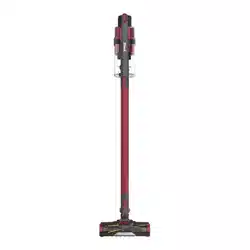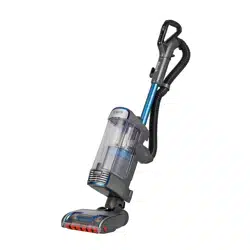

Troubleshooting Steps
1. The Brush roll is not spinning/spinning intermittently
Check the indicator light on floor nozzle and is the Brushroll spinning?
Green indicator light and brushroll is spinning
If you ever have any concerns about poor or low suction, please make sure that you check for
blockages and clean your filters.
Remove and rinse the filters every month or more often if needed. Let air dry completely
before replacing. Hand wash only. Tap loose dirt off filters between washes as needed.
Solid or flashing red indicator light
If light is flashing red the motor in the nozzle may have overheated. Allow unit to cool down for
60 minutes.

Is the unit set to the correct setting? Setting (I) should be used on bare floors, while Setting (II)
should be used on carpets. The unit has a safety feature to avoid the brushroll motor from
overheating on thick carpet.
Plug in and turn on the vacuum to the Hard Floor setting. Gently step on the footprint icon on
the floor nozzle and tilt the vacuum handle back to engage the brushroll. Run it back and forth
across the floor.
No light, brush roll not spinning
Turn off and unplug unit.
Detach the pod and wand from the nozzle. Using a flashlight check the 3 hole connector on the
bottom of the POD for debris or damage. Remove any debris.
Check the 3 pins on the nozzle connection point where pod attaches for debris or damage.
Remove any debris.
Reassemble all parts of the vacuum, making sure that everything clicks back into place.
Plug in the vacuum and turn it on. Holding the nozzle in place, tilt the handle back.
2. My vacuum has poor or low suction.
Remove the dust cup by pressing the release button on the back of the dust cup handle.
Holding it over the bin, press the release button near the bottom of the dust cup. The bottom
of the dust cup will open to let dust and debris fall into the bin.
Open top lid by pinching together the two tabs behind the Shark logo, reach inside the dust cup
to ensure that no dust or pet hair is blocking the airflow through the plastic cone-shaped debris
screen in the center of the dust cup. Close the dust cup.
With the dust cup removed from the unit, take out the foam and felt pre-motor filters, tap
filters clean over the bin to remove any excess debris.
Plug unit in and turn on. Place hand over filter area above the motor inlet and turn the vacuum
on. You should feel airflow when the unit is on.
3. My vacuum has no power or intermittent power.
No power/Intermittent power
The vacuum cleaner is equipped with a motor protective thermostat. If for some reason your vacuum
overheats, the thermostat will automatically turn the unit off. Wait 60 minutes for the vacuum to cool.

4. My vacuum is noisier than expected.
Turn off and unplug unit.
Remove the dust cup by pressing the dust cup release button on the handle of the dust cup.
Open the top lid on the dust cup by pressing the button on the dust cup handle. Reach inside
the dust cup to ensure that no dust or pet hair is blocking the airflow through the cone-shaped
screen in the center of the dust cup. Holding it over a trash receptacle, press the release button
near the bottom of the dust cup. The bottom door will open to let dust and debris fall into the
trash.
5. Mu vacuum has a burning smell.
If this is a brand new unit there may be a new motor smell for the first couple uses. If the smell
persists, please get in touch.
Turn off and unplug the vacuum. Inspect the power cord and plug for exposed wires, burns or
obvious damage.
6. Brush roll not self-cleaning (Anti hair wrap)
Self Cleaning Brushroll technology actively removes hair from the brushroll while the vacuum is
running. If you see hair wrapped around the brushroll, please perform the following steps.
Go to a place in your home with hard flooring, low-pile carpet.
Turn the vacuum on. Select Setting ll (Carpet). Tilt the handle back. Run the vacuum for 30
seconds. Shut off and unplug the vacuum. Inspect the floor nozzle for hair on the main
brushroll.
If some of the hair has been removed, the technology is working. Extend cleaning time in carpet
mode for all the hair to be removed.