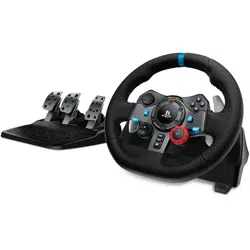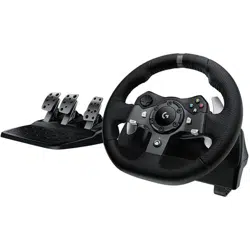

Logitech® G920 Driving Force™ Racing Wheel
User Guide
Guide de l’utilisateur

Logitech® G920 Driving Force™
2
Contents
English. . . . . . . . . . . . . . . . . . 3
Français . . . . . . . . . . . . . . . . .11
Español . . . . . . . . . . . . . . . . 19
Português . . . . . . . . . . . . . . 27
www.logitech.com/support/g920
Logitech® G920 Driving Force™
3 English
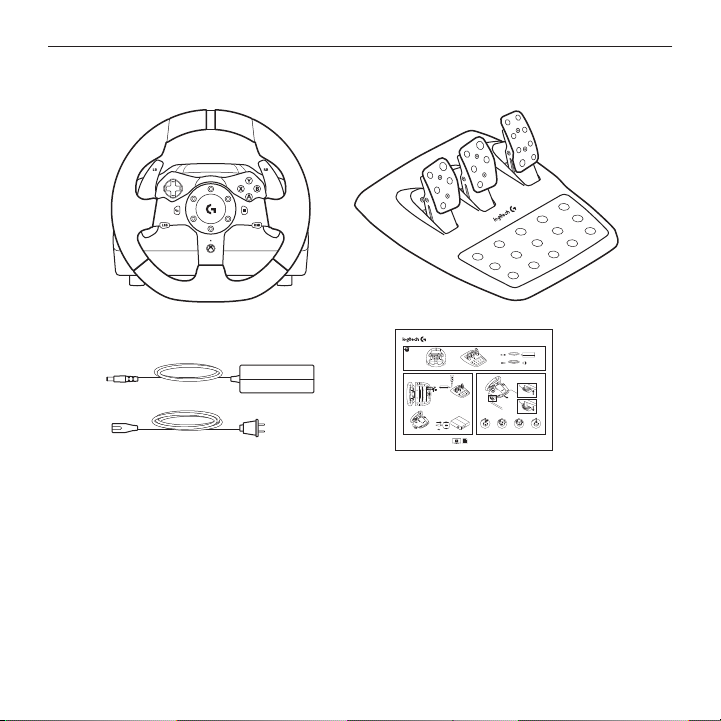
What’s in the box
1. Racing wheel
2. Pedal unit
3. Power adapter
4. User documentation
USB
G920 Driving Force
™
Racing Wheel
G920 Driving Force
™
Volant de Course
1 2
620-006532.002
www.logitech.com/support/g920
PDF
1 2
3 4
Logitech® G920 Driving Force™
4 English
Installation
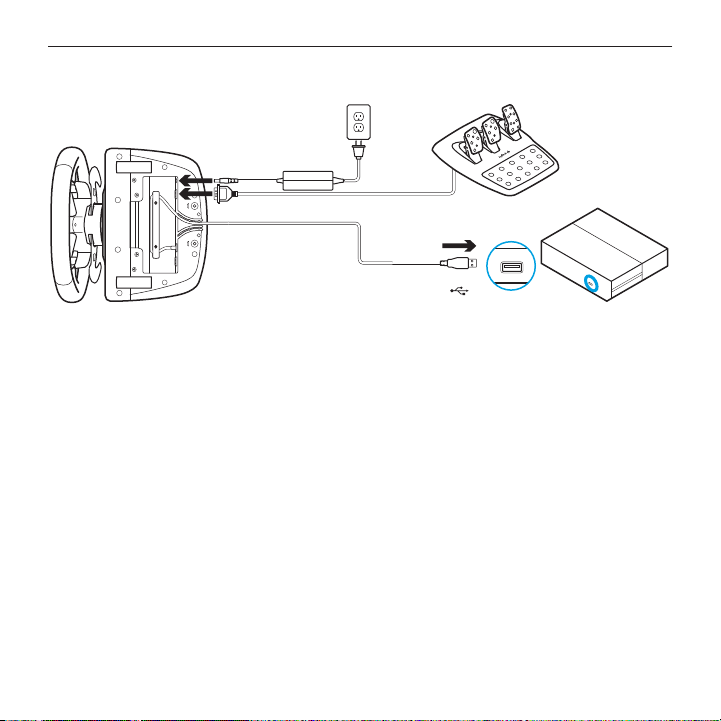
Attach power adapter and USB cables as shown.
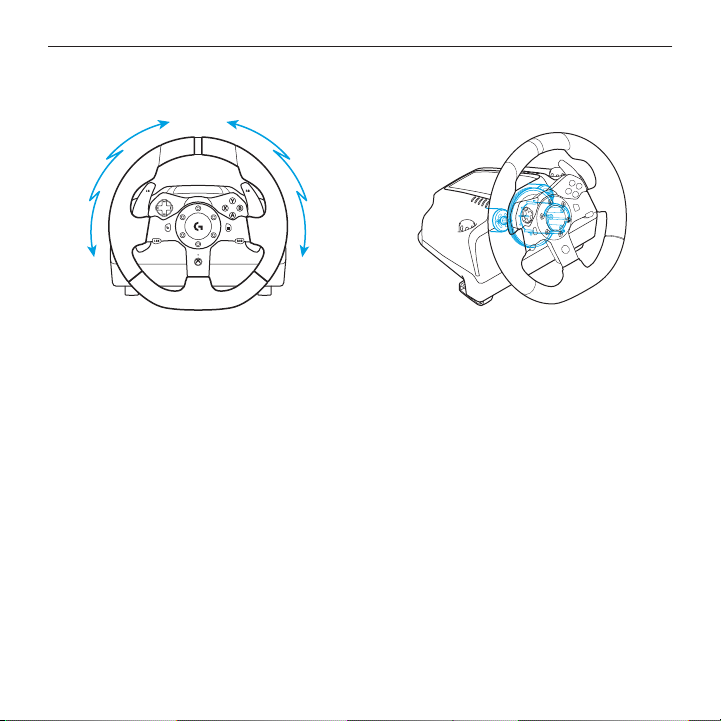
Every time your Racing Wheel connects with your system, it will rotate fully to each
side and then to the center to calibrate. Your wheel will be ready once this calibration
is completed.
USB
Logitech® G920 Driving Force™
5 English
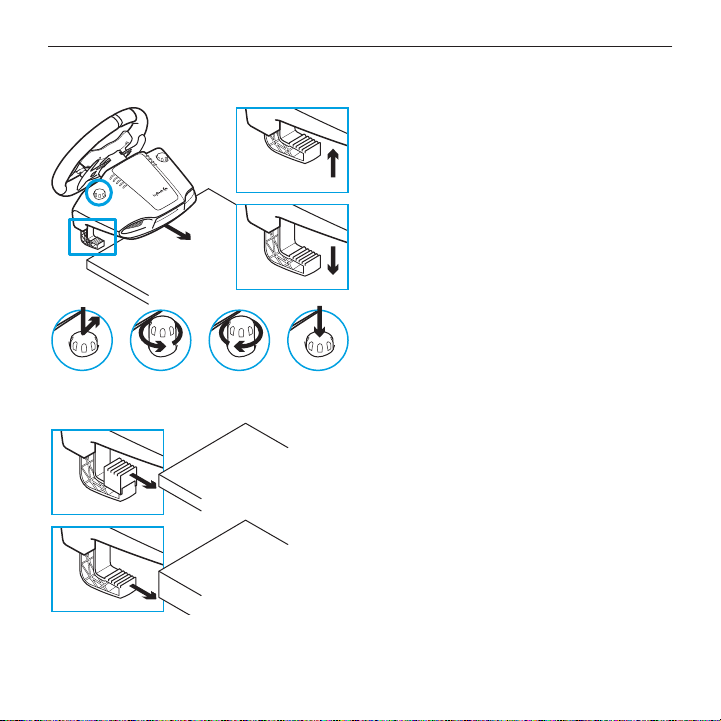
Mounting clamps
G920 Driving Force Racing Wheel
is equipped with a bult in clamping system
for mounting to a table.
Push down and rotate clamp knobs
to lock or unlock.
Rotate clamp knobs to tighten
or loosen clamps.
Note: Clamp extenders should be removed
for attachment to thicker tables.
Logitech® G920 Driving Force™
6 English
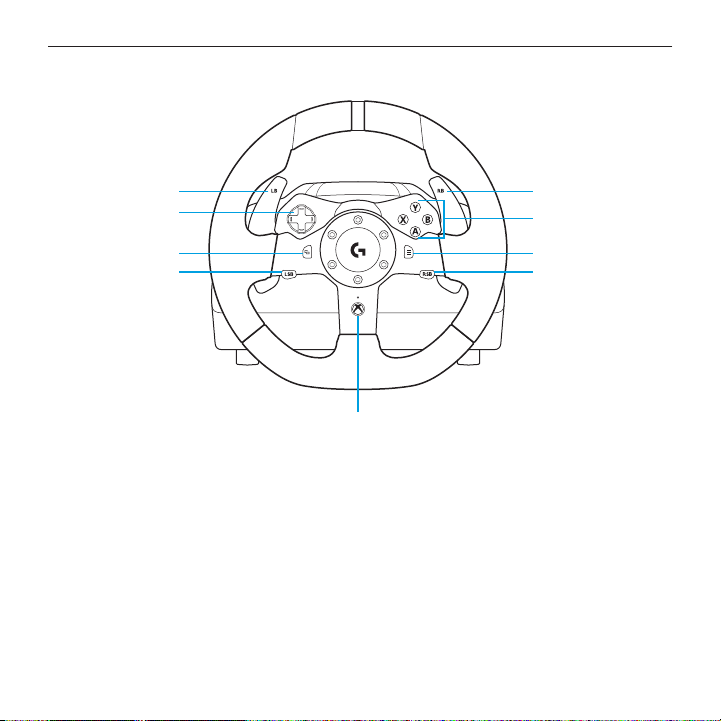
Buttons
1. Left bumper
2. Directional pad
3. View button
4. Left stick button
5. Right bumper
6. A, B, X, Y buttons
7. Menu button
8. Right stick button
9. Xbox button
9
7
6
5
8
2
1
3
4
Logitech® G920 Driving Force™
7 English
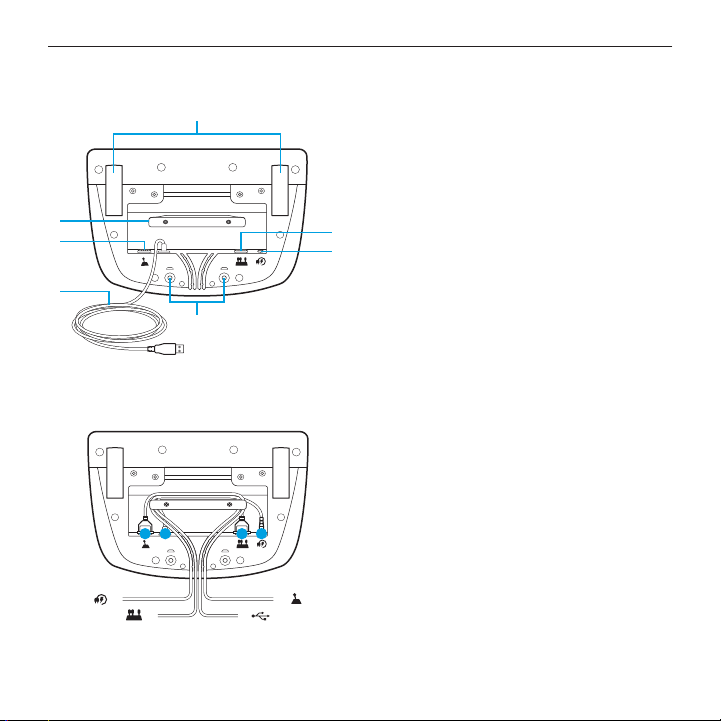
Connections and mount points
1. Mounting clamps
2. Cable management cleat
3. Optional shifter connection (DB-9 male)
4. USB cable
5. Pedal unit connection (DB-9 female)
6. Power connection
7. Bolt mounting points (uses M6X1 bolts)
Optimal cable routing
USB and pedal cables (1, 2) should be
routed through inner channels.
Power and optional shifter cables (3, 4)
should be routed through outer channels.
Cables may be wrapped multiple times
around cable management cleat to take
in slack.
5
6
3
4
2
1
7
14 2 3
4
3
2
1
Logitech® G920 Driving Force™
8 English
Force feedback
Your Racing Wheel contains dual motors that will provide force feedback with supported
games and systems.
Note: Your racing wheel has an overheat protection circuit safeguard to protect it
under high-temperature operating conditions. In rare instances, force feedback
features may shut down during use while controls continue to operate. If this occurs,
allow the wheel to cool down and power it down by unplugging it. If this occurs frequently,
contact product support.
Logitech® G920 Driving Force™
9 English
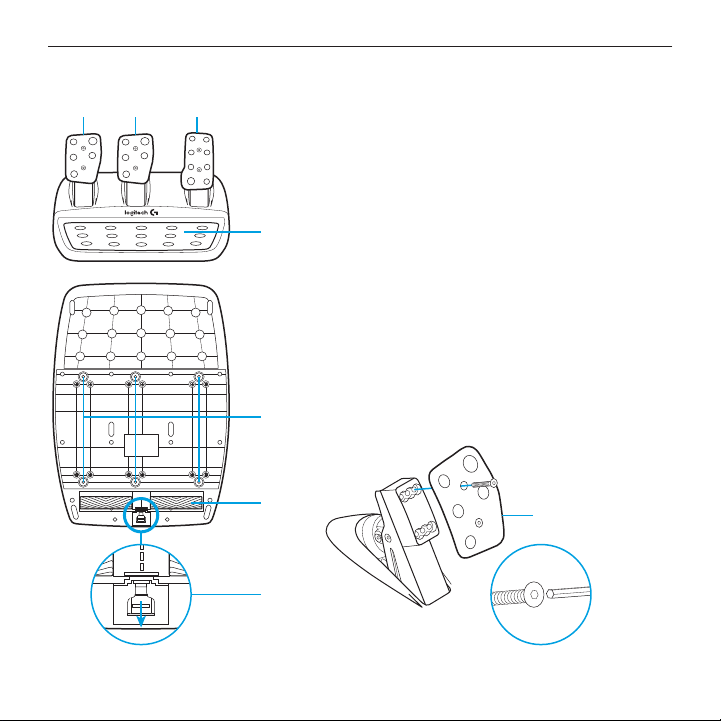
Pedal unit
5
6
7
4
8
1 2 3
1. Clutch pedal
2. Brake pedal
3. Throttle pedal
4. Textured heel rest
5. Bolt mounting points (uses M6X1 bolts)
6. Patented carpet grip system
7. Carpet grip release clip
Push towards rear or pedal unit
to release
8. Change pedal face position
(requires 2.5mm hex key)
Logitech® G920 Driving Force™
10 English
TouchSense Technology
TouchSense Technology licensed from Immersion Corporation and protected
by one or more of the following United States Patents listed at
http://www.immersion.com/haptics-technology/patent-marking/index.html