
MEDICAL, LABORATORY, AND SCIENTIFIC
REFRIGERATORS AND FREEZERS
Models:
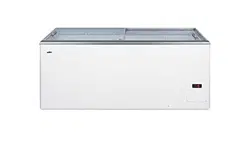
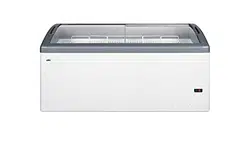
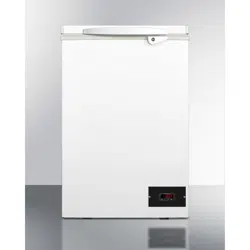
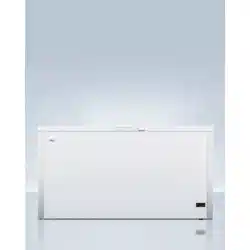
EQFR Series Chest Refrigerators
EQFF Series Chest Freezers
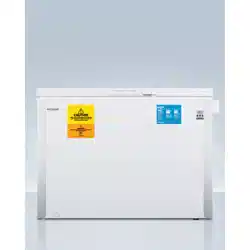
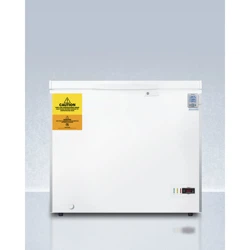
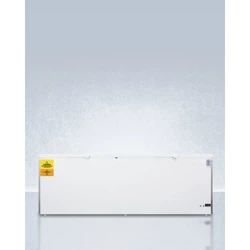
VT/VLT Series Low Temperature Freezers
User Manual
BEFORE USE, PLEASE READ AND FOLLOW ALL SAFETY RULES AND OPERATING
INSTRUCTIONS
Write Model and Serial Numbers here:
Model: _____________________
Serial No.: __________________
Accucold Division of Felix Storch, Inc.
An ISO 9001:2015 registered company
770 Garrison Avenue
Bronx, NY 10474
www.accucold.com

2
TABLE OF CONTENTS
Appliance Safety 3
Important Safeguards 3-4
Installation Instructions 5-6
Locating your Appliance 5
Leveling your Appliance 5
Grounding your Appliance 6
Key Eject Lock 6
Reversing the Door Swing 6
Operating your Appliance 7
Setting the Temperature 8-10
For Dial Thermostats 8
For Digital Thermostats 8
Traceable Thermometer Alarm 9
Keypad Lock 10
Energy-Saving Tips 10
Operating Specific Models 11
Cleaning and Care 12-13
Cleaning a Frost-Free Appliance 12
Cleaning a Cycle or Manual Defrost Appliance 12
Cleaning the Base Grill 12
Changing the Light Bulb 12
Loss of Power 13
Moving your Appliance 13
Assistance or Service 13
Troubleshooting 14
Limited Warranty 16

3
APPLIANCE SAFETY
Your safety and the safety of others are very important.
We have provided many important safety messages in this manual and on your unit. Always read
and obey all safety messages.
This is the Safety Alert Symbol. The symbol alerts you to potential hazards that can
kill or injure you and others. All safety messages will follow the Safety Alert Symbol
and either the words "DANGER" or "WARNING".
DANGER means that failure to heed this
safety statement may result in severe
personal injury or death.
WARNING means that failure to heed this
safety statement may result in extensive
product damage, serious personal injury, or
death.
All safety messages will alert you about the potential hazard, tell you how to reduce the chance of
injury, and let you know what can happen if the instructions are not followed.
IMPORTANT SAFEGUARDS
Before the equipment is used, it must be properly positioned and installed as
described in this manual, so read the manual carefully. To reduce the risk of fire,
electrical shock or injury when using this equipment, follow basic precautions,
including the following:
• Plug into a grounded 3-prong outlet, do not remove grounding prong, do not use an adapter, and
do not use an extension cord.
• Replace all panels before operating.
• It is recommended that a separate circuit serving only your unit be provided. Use receptacles
that cannot be turned off by a switch or pull chain.
• Never clean the equipment parts with flammable fluids. These fumes can create a fire hazard or
explosion. And do not store or use gasoline or other flammable vapors and liquids in the vicinity
of this or any other pieces of equipment. The fumes can create a fire hazard or explosion.
• Before proceeding with cleaning and maintenance operations, make sure the power line of the
unit is disconnected.
• Do not connect or disconnect the electric plug when your hands are wet.
• Unplug the unit or disconnect power before cleaning or servicing. Failure to do so can result in
electrical shock or death.
• Do not attempt to repair or replace any part of your unit unless it is specifically recommended in
this manual. All other servicing should be referred to a qualified technician.
• This unit is CFC- and HFC-free and contains a small quantity of Isobutane (R600a), which is
environmentally friendly but flammable. It does not damage the ozone layer, nor does it increase
the greenhouse effect. care must be taken during transportation and setting up of the unit that no
parts of the cooling system are damaged. leaking coolant can ignite and may damage the eyes.
• In the event of any damage:
o Avoid open flames and anything that creates a spark,
o Disconnect from the electrical power line,

4
o Air the room in which the unit isolated for several minutes, and
o Contact the Service Department for advice.
• The more coolant there is in a unit, the larger the room it should be installed in. In the event of a
leakage, if the unit is in a small room, there is the danger of combustible gases building up. For
every ounce of coolant, at least 325 cubic feet of room space is required. The amount of coolant
in the unit is stated on the data plate inside the unit. It is hazardous for anyone other than an
Authorized Service Person to carry out servicing or repairs to this piece of equipment.
• Take serious care when handling, moving, and using the unit to avoid either damaging the
refrigerant tubing or increasing the risk of a leak.
• Replacing component parts and servicing shall be done by factory authorized service personnel
so as to minimize the risk of possible ignition due to incorrect parts or improper service.
FOLLOW WARNING CALLOUTS BELOW
ONLY WHEN APPLICABLE TO YOUR
MODEL
• Use two or more people to move and install unit. Failure to do so can result in back or other
injury.
• To ensure proper ventilation for your unit, the front of the unit must be completely unobstructed.
Choose a well-ventilated area with temperatures above 60°F (16°C) and below 90°F (32°C). [For
optimal performance, install the unit where the ambient temperature is between 72º and 78ºF
(23º-26ºC).] This unit must be installed in an area protected from the elements, such as wind,
rain, water spray or drips.
• The unit should not be located next to ovens, grills or other sources of high heat.
• The unit must be installed with all electrical, water and drain connections in accordance with
state and local codes. A standard electrical supply (115 V AC only, 60 Hz), properly grounded in
accordance with the National Electrical Code and local codes and ordinances, is required.
• Do not kink or pinch the power supply cord of the unit.
• The size of the fuse (or circuit breaker) should be 15 amperes.
• It is important that the equipment be leveled in order to work properly. You may need to make
several adjustments to level it.
• All installations must be in accordance with local plumbing code requirements.
• Make certain that the pipes are not pinched, kinked or damaged during installation.
• Check for leaks after connection.
• Never allow children to operate, play with or crawl inside the unit.
• Do not use solvent-based cleaning agents or abrasives on the interior. These cleaners may
damage or discolor the interior.
• Use this equipment only for its intended purpose as described in this Instruction Manual.
• Keep fingers out of the “pinch point” areas. Clearances between the door and cabinet are
necessarily small. Be careful closing the door when children are in the area.
Risk of child entrapment!
Child entrapment and suffocation are not problems of the past. Junked or abandoned appliances are
still dangerous, even if they will “just sit in the garage a few days.”
Before discarding your old refrigerator:
o Take off the doors
o Leave the shelves in place so that children may not easily climb inside
SAVE THESE INSTRUCTIONS

5
INSTALLATION INSTRUCTIONS
Use two or more people to move and install your appliance. Failure to do so can result in back or
other injury.
CAUTION: YOU MUST ALLOW THE APPLIANCE TO SIT UPRIGHT FOR 24 HOURS BEFORE
TURNING ON, TO ALLOW THE COMPRESSOR LUBRICANT TO DRAIN. Failure to do
so may adversely affect the performance and the lifetime of the unit.
1. Remove the packaging materials.
2. Remove any tape and glue residue from surfaces before turning on the appliance. Rub a small
amount of liquid dish soap over the adhesive with your fingers. Rinse with warm water and dry.
3. Do not use sharp instruments, rubbing alcohol, flammable fluids, or abrasive cleaners to remove
tape or glue. These products can damage the surface of your appliance.
4. Your appliance is heavy. When moving the appliance for cleaning or service, be sure to protect
the floor. Always pull the appliance straight out when moving it. Do not wiggle or “walk” the
appliance when trying to move it, because floor damage can occur.
5. After you remove all of the packaging materials, clean the inside of your appliance before using
it. See cleaning instructions in the Cleaning and Care section.
6. Some upright models have leveling legs. Level as necessary for best operation.
7. If your appliance has casters, after moving into place, lock the brakes on those casters supplied
with brakes. Always unlock before moving the appliance for cleaning.
Locating your Appliance
NOTE: Keep flammable materials and vapors, such as gasoline, away from appliances. Failure to do
so can result in fire, explosion, or death.
• Do not install the appliance near an oven, radiator, or other heat source, nor in a location where
the temperature will fall below 40°F (5°C). Do not place in direct sunlight.
• Check the strength of the floor before installing your appliance. It should hold the weight of a fully
loaded appliance.
• Allow at least 1” (2.5 cm) of airspace at the top and on both sides of the appliance and 1” (2.5
cm) between the back of the appliance and the wall.
• If the appliance is going to be placed against a wall, leave extra space on the hinge side so the
door can open wider than its width.
Leveling your Appliance
NOTE: If your model is equipped with front rollers, the front legs should be lowered enough to lift the
rollers off of the floor to ensure the appliance does not roll forward when the door is opened.
If your appliance is equipped with casters, the two front casters have brakes to prevent
rolling. Keep brakes locked, and unlock for moving only.
1. Locate the two front leveling legs that may be taped among the packing materials. In many
models these legs are already mounted into the underside of the appliance.
2. Screw these legs into the front holes on the bottom of the appliance. The back of the appliance
rests on two fixed supports. (Built-in models also have rear level legs that can provide more
precise leveling).
3. Adjust the front legs just enough to lift the cabinet up off the floor.
4. Place a leveling tool on top of the appliance, first side to side, then front to back. Turn the leg
counterclockwise to raise a corner. Turn the leg clockwise to lower a corner.
5. Repeat Step 4 until the appliance is level.
6. After the appliance is fully loaded, recheck with level as in Step 4.
6
Grounding your Appliance
A 115 Volt (AC only) 60 Hz grounded electrical supply with a 15- or 20- amp fuse or circuit breaker is
required. It is recommended that a separate circuit serving only your appliance be provided. Use
outlets that cannot be turned off by a switch or pull chain. Do not use an extension cord.
Key Eject Lock
Some models have factory-installed lock to secure the contents of the unit. To lock or unlock the
appliance, you must hold the key in the lock while turning. The lock is spring loaded, so the key
cannot be left in the lock.
If the key is lost, contact your dealer or SUMMIT APPLIANCE for a replacement. Always give the
model and serial number of your appliance when requesting a replacement key. Keys for most
models can be ordered online at www.summitappliance.com/support
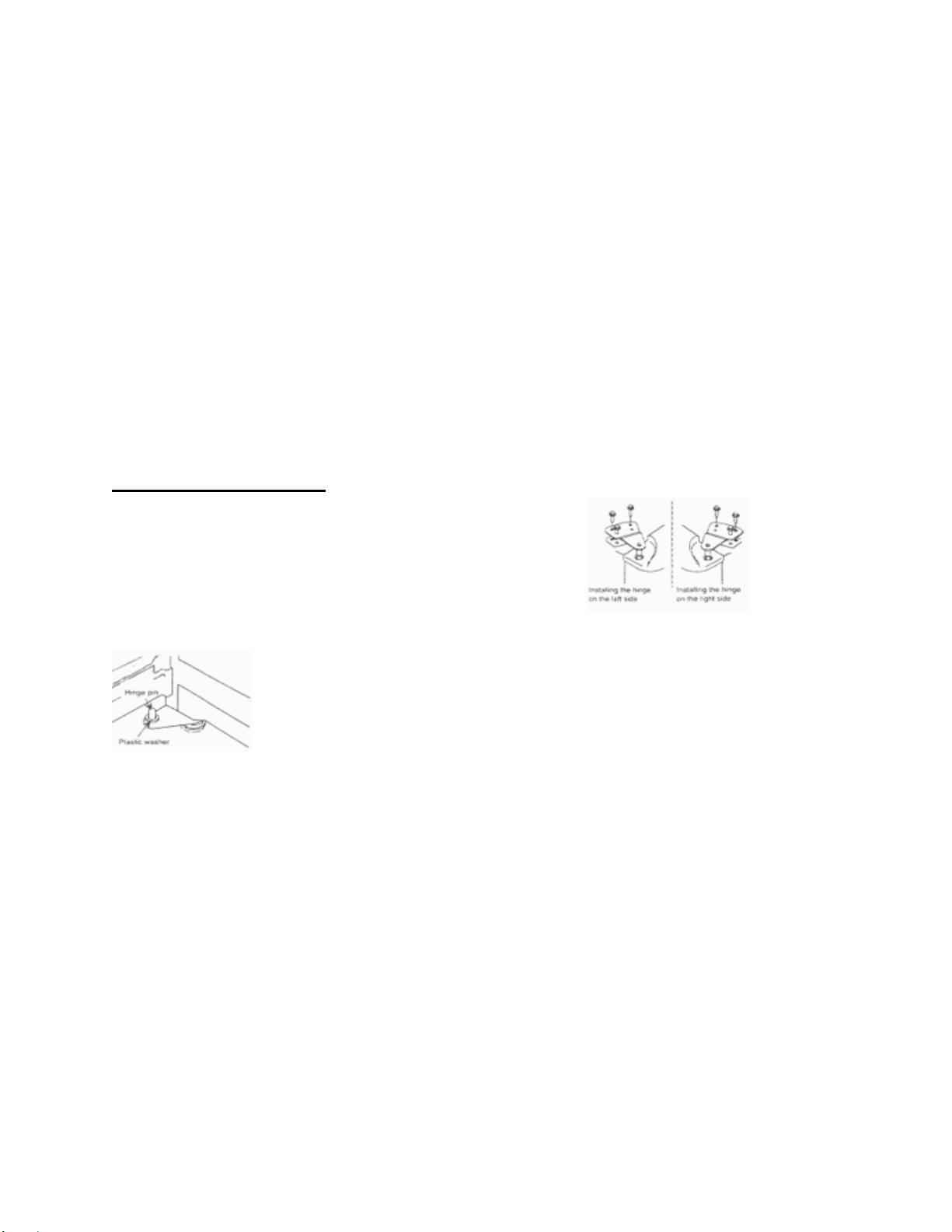
Reversing the Door Swing
For select units, if you find the direction of opening the door on your appliance inconvenient, you can
change it. Holes on the opposite side have already been prepared in the factory.
For Select One-Door Units
• Take off the upper hinge cover from the door and
remove the screws that hold the top hinge.
• Lift the hinge straight up to free the hinge pin from
the socket in the top of the door.
• Lift the door up and away to free its bottom
socket from the hinge pin.
• Remove the screws to the bottom hinge.
• Remove the decorative caps from the opposite side and plug the holes from the original side with
the decorative caps.
• Move the bottom hinge to the opposite side and tighten the screws. Install
any lock washers or nuts if they were used in the original installation.
• Replace door onto the hinge pin on the bottom hinge. Place top hinge pin
into door. Insert screws into the top hinge and tighten.

7
OPERATING YOUR APPLIANCE
In order to ensure proper temperature, you need to permit proper airflow in the appliance. Do not
block any air vents. If the vents are blocked, airflow will be prevented, and temperature and moisture
problems may occur. Always position contents to allow some airflow between shelves or baskets.
Allow the appliance to cool at least 6 to 8 hours before adding contents. Allow 24 hours for
temperature to stabilize.
NOTE: When the appliance is first started, the compressor will run constantly until the appliance is
cooled. It may take 6 to 8 hours (or longer), depending on the ambient room temperature and
the number of times the appliance door is opened. After the appliance is cooled, the
compressor will turn on and off as needed to keep the appliance at the proper temperature.
For optimum temperature performance, it is recommended that this unit be at least 30% full during
use. If you are only using this unit to store small loads, we recommend adding some water bottles or
freezer packs to ensure temperature stability.
The outside of your appliance may feel warm. This is normal. The appliance’s design and main
function is to remove heat from packages and air space inside the appliance. The heat is transferred
to the room air, making the outside of the appliance feel warm. (In some models the condenser that
gets warm is just inside the side walls, making these walls warm to the touch.)
8
SETTING THE TEMPERATURE
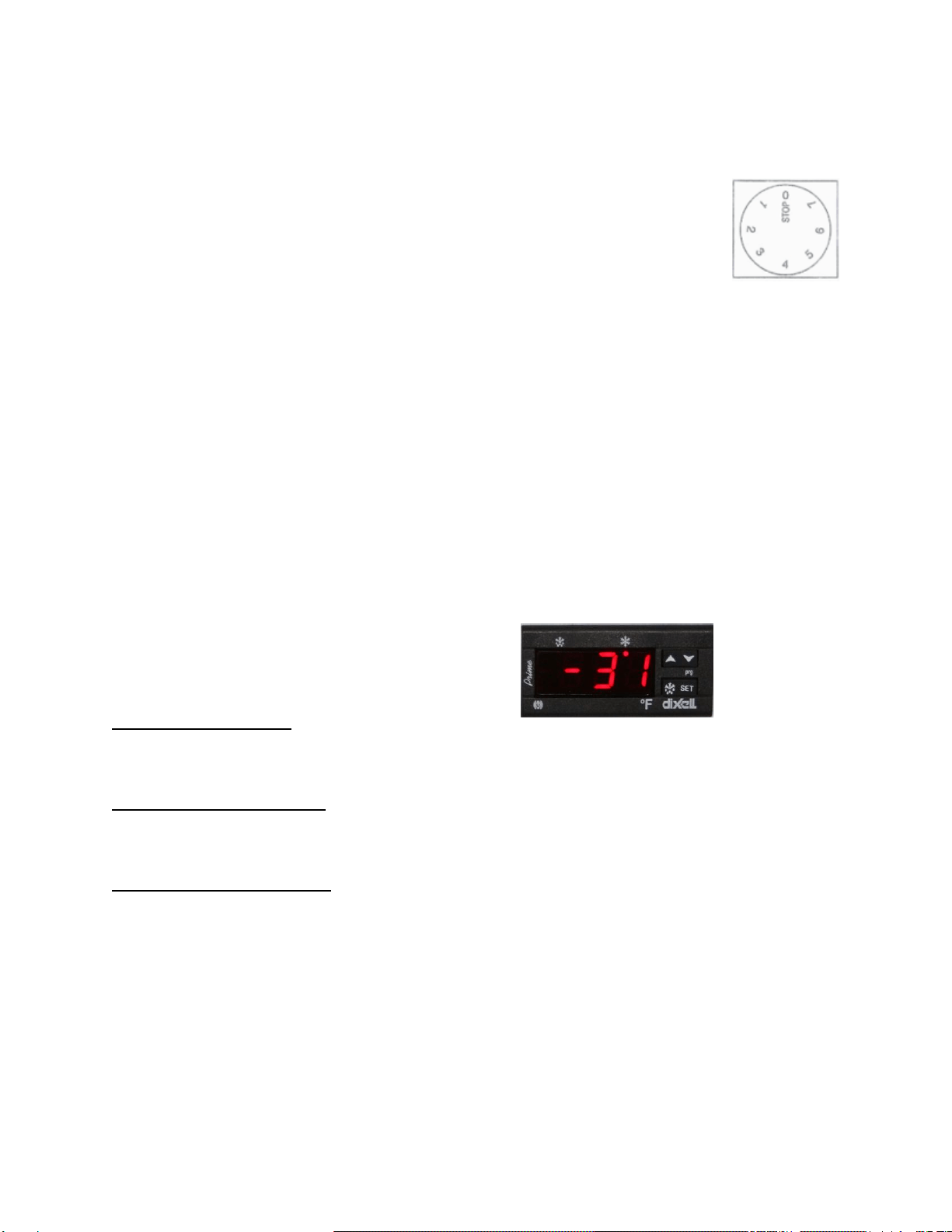
For Dial Thermostats
Your appliance may be controlled with a thermostat knob located inside the unit,
towards the right-hand corner. Turn the knob clockwise from the STOP (0) position
toward the higher numbers for colder temperatures.
• Higher settings on the knob (higher numbers) mean lower temperatures (colder)
in all compartments of the appliance. The temperature inside a refrigerator may
even drop below 32°F. Use higher thermostat settings only when required or recommended.
When the ambient temperature is normal, we recommend a medium setting.
• Changes of the ambient temperature affect temperature in the interior of the appliance, so keep
this in mind when choosing the setting of the thermostat knob.
• In STOP (0) position, the appliance does not operate (the cooling system is switched off), yet the
power supply is not interrupted (the light is on when you open the refrigerator door).
• The temperatures in the refrigerator and in the freezer compartment also depend on how often
you open the door.
NOTE: In all small refrigerators and freezers without interior fans, temperatures are coldest near the
bottom, and occasionally near the rear. Place contents accordingly.
• For optimum temperature performance, it is recommended that this unit be at least 30% full
during use. If you are only using this unit to store small loads, we recommend adding some
water bottles or freezer packs to ensure temperature stability.
For Digital Thermostats
If you find that it is necessary to change the
temperature setting for your digital-thermostat
controlled appliance, please refer to the following
instructions:
To see the SET POINT
Push and immediately release the SET key. The display will show the SET POINT value. Wait 5
seconds and the probe value will display again.
To Change the SET POINT
Push and hold the SET key for more than 3 seconds to change the set point value. The value of the
set point will be displayed, and the “snowflake” LED will start blinking.
To Change the SET VALUE
Push the UP or DOWN arrow to the desired setting. The new setting will be memorized after 15
seconds, provided no other keys are pushed.
NOTE: The minimum and maximum range of your thermostat is preset and locked by us, so it
cannot easily be accidentally moved between freezer and refrigerator temperatures. To reset
this range lock, either call us or find information on our website under the Troubleshooting
section.
melting
snowflake
UP & DOWN arrows
SET key
snowflake

9
Traceable Thermometer/Alarm
Some units are equipped with a Traceable Thermometer/ Alarm that simultaneously displays
minimum, maximum, and current interior temperatures and provides a visual and audible signal
when the temperature inside the unit falls outside the set temperature range.
The temperature sensor, or probe, is enclosed in a glycol-filled bottle that you insert into the location
to be monitored, such as inside a refrigerator or freezer, once the unit has been programmed. The
thermometer/alarm itself can be attached to the door of the unit with the magnet on the back, or it
can be placed on a convenient table or shelf.
Power to the thermometer/alarm is supplied with a lithium iron disulfide battery with a 10-year shelf
life. When it is inserted correctly, the unit will beep and all segments of the LCD display will be
temporarily activated. (Note that alarm temperatures will have to be reset after replacing the battery.)
The temperature display can be switched between Celsius (°C) and Fahrenheit (°F) by sliding the
°C/°F button located on the back of the unit.
Function of Controls
• MODE/RESET Key: Press ONCE to reset Max/Min temperature record. When the unit is
sounding an alarm, press ONCE to turn off the beeping sound.
• HIGH/LOW Key: Press ONCE to display high alarm setting. Press TWICE to display low alarm
setting. Press THREE TIMES to display current temperature reading.
• ALERT ON/OFF Key: When the unit is sounding an alarm, press ONCE to turn off. However,
the High-Alarm or Low-Alarm will still flash until the temperature goes back to normal or the
Alarm function is turned off.
Programming the Alarms
The thermometer displays the internal temperature of the unit being monitored, as well as the
maximum and minimum temperatures reached. The maximum and minimum readings reflect the
highest and lowest temperatures since the battery was inserted or since the MODE/RESET key was
last pressed. If the temperature rises above or falls below the set temperature range, the alarm will
sound. By default, the high alarm temperature setting is 8°C (46.4°F) and the low alarm temperature
setting is 2°C (35.6°F). To reset these limits, follow these instructions:
• High Alarm Temperature Setting: Press the HIGH/LOW key ONCE, then press MODE/RESET
to enter the High Alarm temperature setting mode. Use the Up and Down arrows to adjust the
temperature accordingly. Press MODE/RESET once again to confirm the setting.
• Low Alarm Temperature Setting: Press the HIGH/LOW key TWICE, then press MODE/RESET
to enter the Low Alarm temperature setting mode. Use the Up and Down arrows to adjust the
temperature accordingly. Press MODE/RESET ONCE to confirm the setting.
• By default, the low and high alarms should be audible. To turn alarms on/off:
• Audible High Alarm Setting: To make sure the high alarm is audible, press HIGH/LOW key
ONCE (to activate HI-SET on the screen). Then press the ALERT ON/OFF key ONCE to
activate the HIGH-ALARM beeping sound. Press again to deactivate.
• Audible Low Alarm Setting: To make sure that the low temperature alarm is audible, press the
HIGH/LOW key TWICE to activate LOW-SET on the screen. Then press the ALERT ON/OFF
key ONCE to activate the LOW-ALARM beeping sound. Press again to deactivate.
NOTE: For an activated high alarm and low alarm buzzer, the display should indicate HI-ALARM
and LO-ALARM as shown here.

10
Keypad Lock (Optional on Most Models)
The factory-set default password is 0123. If the default password is lost, press the key
(located inside the battery box) for 30 seconds, then wait for the warning sound, which signifies the
factory-set default password has been restored.
Setting the Password
While door is open, press the key (located inside the battery box) until it jingles, enter the
0123 password, then # within 10 seconds to confirm. Enter the password (1-16 digits), then press #
again to confirm. A total of 10 passwords can be set.
NOTE: Each password starts with a number from 0 to 9, in order. The first password starting with 0
is the default password. For example, use 1XXX, then 2XXX, etc. for 10 users.
Changing the Password
While the door is open, press the key (located inside the battery box) until it jingles, enter the
old password and press # within 10 seconds to confirm. Enter the new password, then press # to
confirm.
NOTE: The first digit cannot be changed.
To Open the Door
While the door is closed, press the key, enter the password, then press again to
confirm
Function Setting of the Automatic Lock
To set the auto-lock time, press the key (inside the battery box), enter a number (any number
between 10-99), then press # to confirm. The auto-lock time can be set between 10-99 seconds after
opening the door. If the time is set less than 10 seconds, the door will not lock automatically, only
manually.
To Manually Lock the Door
Press the # key.
Deleting the Door-Opening Passwords
Press the key, enter default password followed by 0000, then press # and all the door-opening
passwords will be deleted except for the default password.
NOTE: To access the battery box you need to remove only the two small screws on the top and
bottom of that cover. Do not remove the 4 screws holding the keypad and cover to the
appliance door.
Energy-Saving Tips
• The more airflow provided around an appliance, the less energy it will use.
• If your appliance requires manual defrosting, keep ice build-up to less than 1/2".
• Keep doors open a minimum of time, and shut securely.

11
OPERATING SPECIFIC MODELS
NOTE: Models with BI in the model number, or VT65/VLT650 models, are designed for built-in
operation and need only minimal clearance on the sides and above the units. All other
models require 4 inches of airflow on the sides and above the units. All models operate best
when 2 inches is provided between the rear wall and the back of the unit.
EQFR Refrigerator Series / EQFF Freezer Series
These models are chest freezers or chest refrigerators, all completely frost-free with forced air
cooling. No defrosting is normally needed. For best operation, allow free airflow within the interior
(do not overfill). The thermostat is located on the bottom rear on the right side of the unit. Large
sizes may have lid-activated lights. The lights will generate some heat, so be careful to close lids
securely to deactivate.
VT, VLT Low-Temperature Freezer Models
These models are all manual defrost, upright or chest type freezers. Keep door closed for best
operation. The thermostats for these models are always digital, so follow directions on Page 8.
CAUTION: VERY LOW TEMPERATURE FREEZERS CAN DAMAGE UNPROTECTED SKIN, SO
ALWAYS WEAR GLOVES WHEN OPENING FREEZERS, AND NEVER DISCARD THE
WARNING LABELS ON THE FRONT OF THE FREEZER.
These freezers will operate best when adequate airflow is provided on the top, sides and rear of the
unit. The compressor on some models is fan-cooled, so be sure not to block the air vents on the
compressor housing. The refrigerant in low temperature freezers is different from that used in
household appliances, so never have unqualified technicians attempt to repair these units. These
units will operate best under some load, so try to avoid operating empty or nearly empty. If needed,
fill with ice-packs to at least 25% of the volume of the freezer.
Fixed Shelf
In some units, the center shelf is fixed in place and cannot be removed. This is because the glycol-
filled bottle that contains the temperature sensors for your alarm and thermometer is best stored in
this location. The center of your refrigerator or freezer will provide the most accurate temperature
readings. For proper temperature monitoring, keep the bottles in place and do not remove this shelf.

12
CLEANING AND CARE
Cleaning a Frost-Free Appliance (including models starting with EQFF and EQFR)
Frost-free means that you do not have to defrost your appliance. Frost is removed by air moving and
collecting any moisture and depositing it on the cooling coil. The cooling coil periodically warms up
enough to melt the frost, and the water then flows down to the drain pan (located behind the base
grill) where it is evaporated. A complete cleaning should be done at least once a year.
1. Unplug the appliance or disconnect power.
2. Remove all contents.
3. Wash the inside walls with a solution of mild detergent in warm water or 2 tbs (26 g) baking soda
to 1 qt (0.95 L) warm water.
• Do not use abrasive or harsh cleaners such as window sprays, scouring cleansers, flammable
fluids, cleaning waxes, concentrated detergents, bleaches or cleansers containing petroleum
products on plastic parts, interior and door liners or gaskets. Do not use paper towels,
scouring pads, or other harsh cleaning tools. These can scratch or damage surfaces.
4. Rinse well and wipe dry with a clean soft cloth.
5. Use the appropriate cleaning method for the exterior finish.
• Painted metal: Wash exteriors with a clean sponge or soft cloth and a mild detergent in warm
water. Do not use abrasive or harsh cleaners, or cleaners designed for stainless steel. Dry
thoroughly with a soft cloth. For additional protection against damage to painted metal
exteriors, apply appliance wax (or auto paste wax) with a clean, soft cloth. Do not wax plastic
parts.
6. Plug in the appliance or reconnect power.
7. Replace all containers.
Cleaning a Cycle or Manual Defrost Appliance
Cycle defrost models utilize a system where ice builds up on the rear wall and melts when the
compressor is off. Manual defrost models continually build ice on inner walls. For CSS Models
(completely stainless steel), only use cleaners especially made for stainless steel.
NOTE: Never use a metal object to remove ice from the rear wall of the appliance. If needed, use a
plastic ice scraper or a hair dryer.
Clean surfaces using the same instructions as for frost-free models.
Cleaning the Base Grill (some models)
1. Open the appliance door and remove the base grill by pulling down and out from the top.
2. Replace the base grill by putting the clips in the openings in the appliance panel. Push in until
the base grill snaps into place.
Changing the Light Bulb (some models)
NOTE: Not all appliance bulbs will fit your appliance. Be sure to replace the bulb with one of the
same size, shape, base size and wattage. You can purchase bulbs from
www.summitappliance.com/support.
1. Unplug the appliance, or disconnect the power.
2. Remove the light shield. Most models do not require tools.
3. Replace the light bulb with an appliance bulb of the same wattage.
4. Replace the light shield.
5. Plug in the appliance or reconnect the power.

13
Loss of Power
After the power is restored, unplug the appliance for 30 minutes to allow the refrigeration system to
equalize. During this time, keep the door closed as much as possible.
NOTE: A full appliance stays cold longer than a partially filled one.
Moving your Appliance
When you get to the new location, refer to the Installation Instructions and Temperature Selection
sections for information on installation and setting the controls.
1. Remove all containers.
2. Unplug the appliance.
3. Clean it thoroughly.
4. Tape the appliance shut and tape the electrical cord to the cabinet.
ASSISTANCE OR SERVICE
Before calling for assistance or service, please check the Troubleshooting. It may save you the cost
of a service call. If you still need help, follow the instructions below.
When calling, please know the purchase date and the complete model and serial numbers of your
appliance. This information will help us to respond better to your request.
Replacement Parts
If you need to order replacement parts, we recommend that you only use factory-specified parts.
Factory-specified parts will fit right and work right because they are made with the same precision
used to build all Accucold equipment.
Call customer service toll free in the USA:
1-888-4-MEDLAB Monday to Friday 9:00 a.m. – 5:00 p.m. (ET)
Order parts online at www.accucold.com/support

14
TROUBLESHOOTING
If you notice a problem with your appliance, try these solutions first to avoid the cost of an
unnecessary service call.
Problem
Possible Solution
The appliance will not operate.
Replace the fuse or reset the circuit breaker.
Recheck to see whether the unit is operating in 30
minutes. Frost-free models will regularly run a
defrost cycle.
There is water in the defrost drain pan (on some
models).
The water will evaporate. It is normal for water to
drip into the defrost pan.
When it is humid, expect that the water in the
defrost pan will take longer to evaporate.
The motor seems to run too much.
Defrost and clean the appliance, or move the
package so the door closes properly.
The motor will run longer under warm conditions.
At normal room temperatures, the motor will
run about 40% to 80% of the time. Under
warmer conditions, it will run even more.
Adding a large number of items warms the
appliance. The motor normally will run longer
to cool the unit back down.
Push the door firmly shut. If it will not shut all the
way, see the door will not close completely
later in this section.
This prevents heat transfer and makes the motor
work harder. Clean the condenser coils.
If not, contact a qualified technician.
Temperature is too warm.
Move contents away from the air vents. This
prevents cold air movement.
Be aware that the appliance will warm up when
the door is opened frequently. In order to keep
the unit cool, try to get everything you need
out at one time. Keep contents organized so
they are easy to find and close the door as
soon as the items are removed.
Adding a large number of items warms the unit. It
can take several hours for it to return to
normal temperature.
The door will not close completely or is difficult to
open.
Rearrange containers so that they fit more tightly
and take up less space.
Put the shelves and drawers back into their
correct positions.

15
NOTES
16
LIMITED WARRANTY
ONE-YEAR LIMITED WARRANTY
Within the 48 contiguous United States, for one year from the date of purchase, when this appliance is
operated and maintained according to instructions attached to or furnished with the product, warrantor
will pay for factory-specified parts and repair labor to correct defects in materials or workmanship.
Service must be provided by a designated service company. Outside the 48 states, all parts are
warranted for one year from manufacturing defects. Plastic parts, shelves and cabinets are warranted
to be manufactured to commercially acceptable standards, and are not covered from damage during
handling or breakage.
5-YEAR COMPRESSOR WARRANTY
1. The compressor is covered for 5 years.
2. Replacement does not include labor.
ITEMS WARRANTOR WILL NOT PAY FOR:
1. Service calls to correct the installation of your appliance, to instruct you how to use your appliance, to
replace or repair fuses or to correct wiring or plumbing.
2. Service calls to repair or replace appliance light bulbs or broken shelves. Consumable parts (such as
filters) are excluded from warranty coverage.
3. Damage resulting from accident, alteration, misuse, abuse, fire, flood, acts of God, improper installation,
installation not in accordance with electrical or plumbing codes, or use of products not approved by
warrantor.
4. Replacement parts or repair labor costs for units operated outside the United States.
5. Repairs to parts or systems resulting from unauthorized modifications made to the appliance.
6. The removal and reinstallation of your appliance if it is installed in an inaccessible location or is not
installed in accordance with published installation instructions.
DISCLAIMER OF IMPLIED WARRANTIES; LIMITATION OF REMEDIES
CUSTOMER'S SOLE AND EXCLUSIVE REMEDY UNDER THIS LIMITED WARRANTY SHALL BE
PRODUCT REPAIRAS PROVIDED HEREIN. IMPLIED WARRANTIES, INCLUDING WARRANTIES
OF MERCHANTABILITY OR FITNESS FOR A PARTICULAR PURPOSE, ARE LIMITED TO ONE
YEAR. WARRANTOR SHALL NOT BE LIABLE FOR INCIDENTAL OR CONSEQUENTIAL
DAMAGES. SOME STATES DO NOT ALLOW THE EXCLUSION OR LIMITATION OF INCIDENTAL
OR CONSEQUENTIAL DAMAGES, OR LIMITATIONS ON THE DURATION OF IMPLIED
WARRANTIES OF MERCHANTABILITY OR FITNESS, SO THESE EXCLUSIONS OR LIMITATIONS
MAY NOT APPLY TO YOU. THIS WARRANTY GIVES YOU SPECIFIC LEGAL RIGHTS AND YOU
MAY ALSO HAVE OTHER RIGHTS, WHICH VARY FROM STATE TO STATE.
Revised Oct. 2020
WARNING: This product can expose you to chemicals including Nickel
(Metallic) which is known to the State of California to cause cancer.
For more information go to www.P65Warnings.ca.gov
Note: Nickel is a component in all stainless steel and some other metal components.
For parts and accessory ordering,
troubleshooting and helpful hints, visit:
www.accucold.com/support
Accucold Division of Felix Storch, Inc.
An ISO 9001:2015 registered company
770 Garrison Avenue
Bronx, NY 10474
www.accucold.com