R001-11232021
THERMOMETER/ALARM USER MANUAL
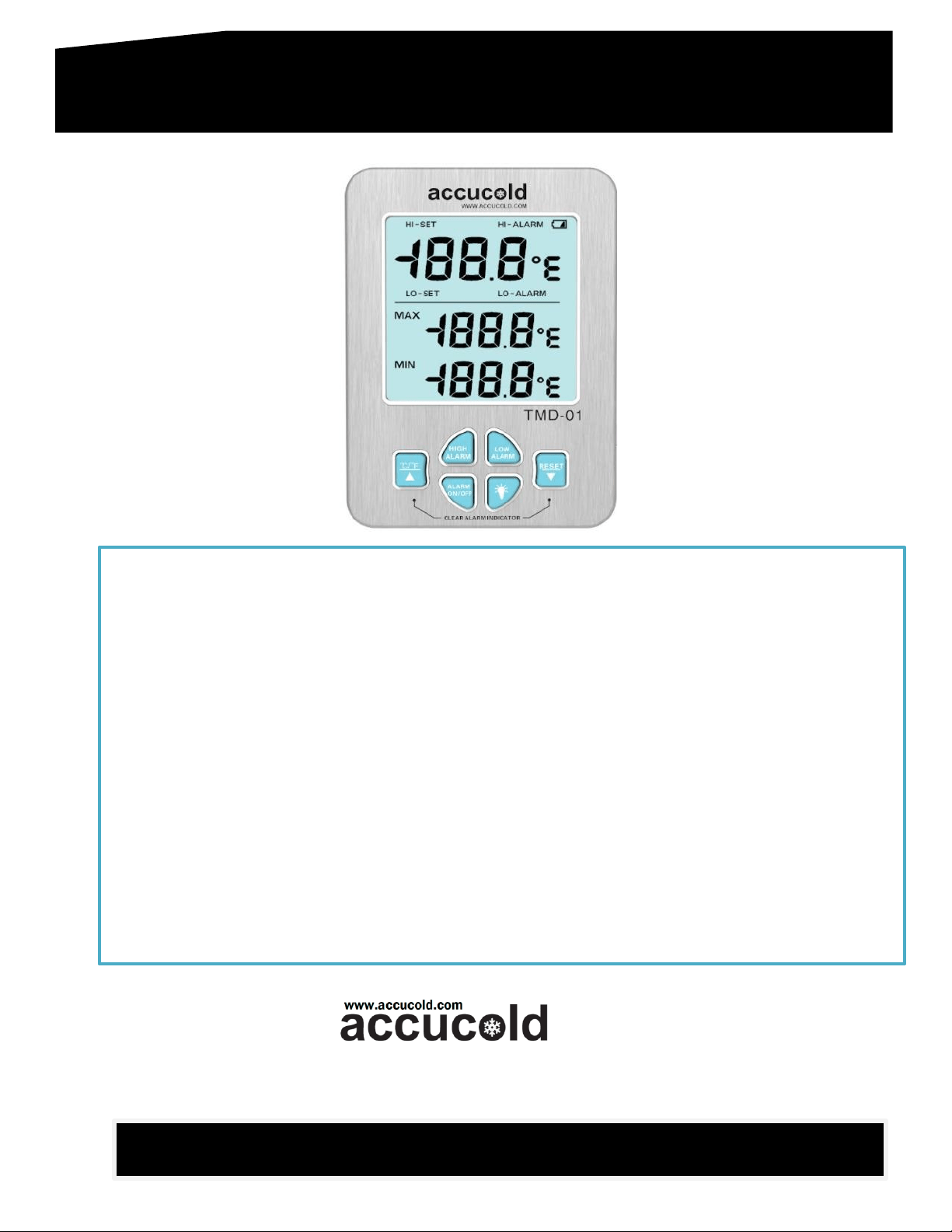
TMD-01
Felix Storch, Inc. │ Bronx, NY 10474│ Tel: (718) 893 3900│ Fax: (844) 478 8799
Specifications
✓ Large LCD that simultaneously displays minimum, maximum, and current temperatures
✓ User defined high and low temperature limits
✓ Visual and audible indicators for temperatures outside the set range
✓ A min/max feature to monitor and store the highest and lowest temperature readings (until the
memory is cleared)
✓ A temperature sensor enclosed in a glycol-filled bottle, protecting it from rapid temperature changes
when the refrigerator/freezer door is opened
✓ A low battery alert function (battery symbol flashes)
✓ Alarm notification for probe malfunction or disconnection
✓ Measuring temperature range: Probe 1(default) -30 ~ 70
o
C (or -22 ~ 158
o
F)
✓ Measuring temperature range: Probe 2 (optional) -50 ~ 45
o
C (or -58 ~ 113
o
F)
✓ Accuracy (probes 1 & 2): ± 0.3
o
C (-10 ~ 10
o
C or 14 ~ 50
o
F), in other ranges ± 0.5
o
C
✓ Sampling rate of 20 seconds
✓ Powered by two durable 1.5V AAA lithium batteries
✓ Selectable temperature scale (°C/°F)
✓ Large display with illumination
SAVE THIS MANUAL FOR FUTURE REFERENCE
R001-11232021
Package Contents
● TMD-01 Thermometer/Alarm
● Temperature sensor (NTC) in
glycol-filled bottle
● Two AAA Lithium batteries (1.5V)
● Instructions manual
● ISO/IEC 17025:2017 NIST certificate
(calibrated units only)
Set Up
NOTE: Before use, remove and discard the clear plastic protective sheet from the LCD Display.
▪ Battery Installation: Remove battery compartment cover located on the rear of the unit, and remove the
insulation strip from the battery compartment. The unit will beep and all segments of the LCD screen
will be activated.
Functions/Controls
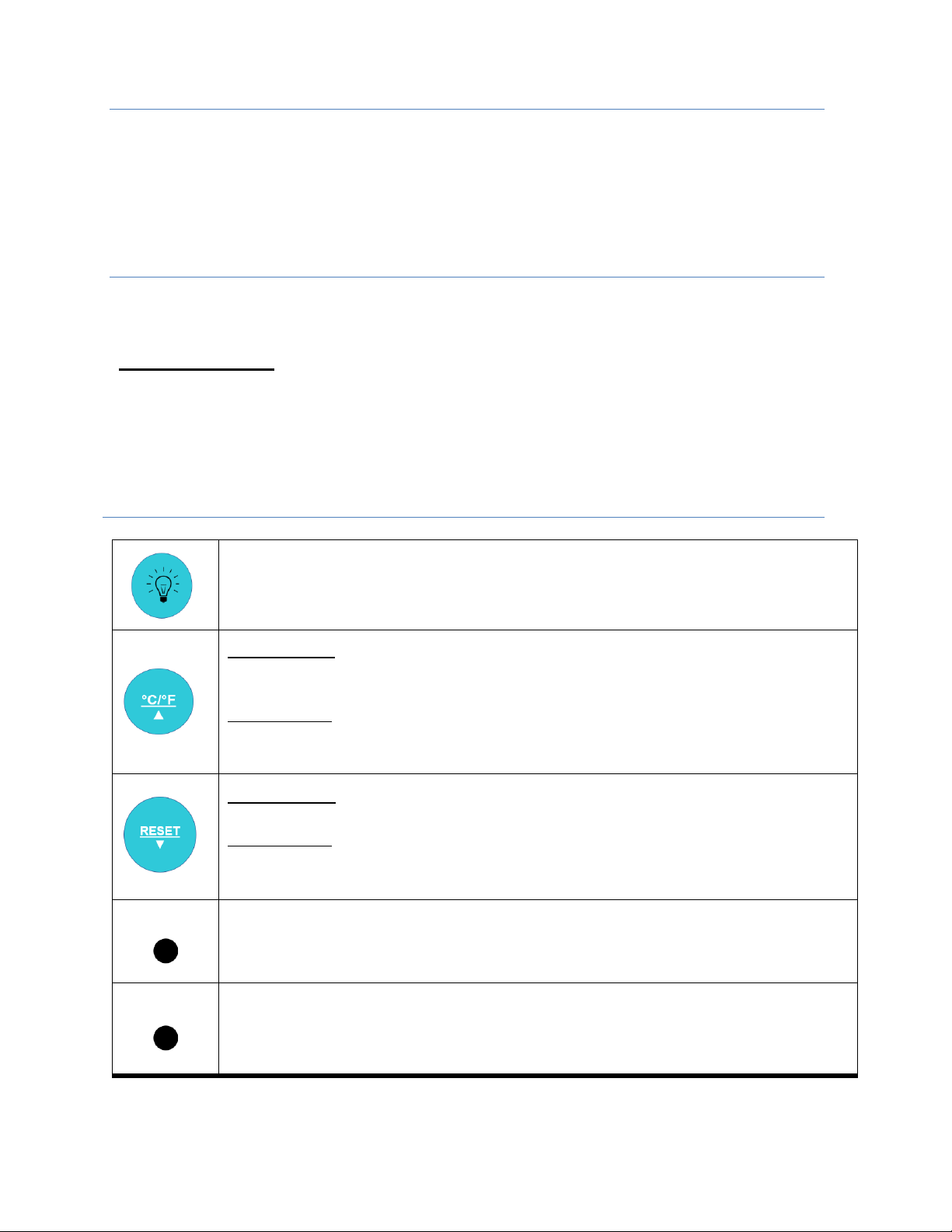
Press once to illuminate the LCD screen.
Press again to turn off the backlight. Otherwise, the backlight will turn off
automatically after 15 seconds.
Normal mode: Press once to switch temperature display scale between Celsius (°C)
& Fahrenheit (°F).
Setting mode:
Press to increase value.
Long press to rapid decrease.
Normal mode: Long-press to clear the MIN/MAX memory.
Setting mode:
Press to decrease value
Long press to rapid decrease.
ON/OFF
Button located on the rear of the unit.
Press to turn the unit ON/OFF.
VOL
Button located on the rear of the unit.
Press once to switch between high and low sound level.
R001-11232021
Programming the Alarm
By default, the high and low alarm settings are 8
o
C and 2
o
C respectively. To reset high alarm and low
alarm temperature settings, follow instructions below.
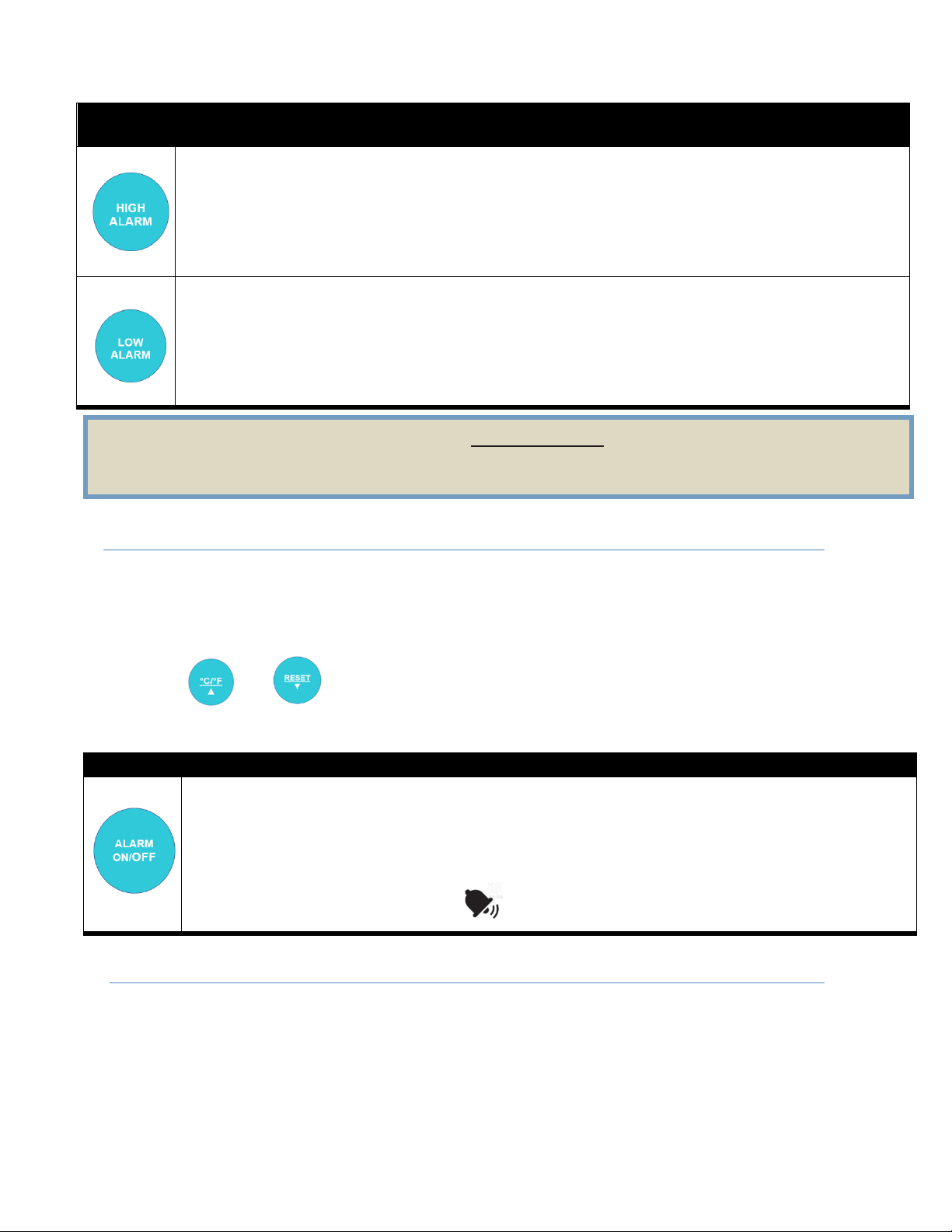
This is the high temperature limit. The current temperature is considered out-of-range if the probe
reads a temperature equal to or above the high temperature limit.
Press once to enter the high temperature alarm setting mode. HI-SET will display on the LCD
screen. Press ▲ or ▼ to increase or decrease the value. Then, press the HIGH ALARM button
to confirm. The LCD screen will return to the current temperature.
This is the low temperature limit. The current temperature is considered out-of-range if the probe
reads a temperature equal to or below the low temperature limit.
Press once to enter the low temperature alarm setting mode. LO-SET will display on the LCD
screen. Press ▲ or ▼ to increase or decrease the value. Then press the LOW ALARM button
to confirm. The LCD screen will return to the current temperature.
Eliminating the Alarm Indicators
When an alarm condition occurs LO-ALARM/HI-ALARM icons will appear on the display along with a
beeping sound to alert user. Press any key ONCE to stop the beeping sound. The beeping sound lasts for
60 seconds, but the high and low indicators will remain on display even when the unit gets back in range.
Pressing any key will silence the beeping sound, but it will be reactivated every 30 minutes if the alarm
event still exists.
Press the and keys simultaneously to clear the LO-ALARM/HI-ALARM indicators. The
alarm will not clear if the alarm event still exists.
Using the Alarm
• Placement: Once the thermometer has been programmed, place the temperature sensor (in glycol
bottle) in the location to be monitored, such as inside the refrigerator or freezer. Attach the
thermometer to the door of the unit using its magnet.
• If the temperature measurement rises above or falls below the set temperature range, the alarm will
sound. To silence the alarm, press any key ONCE.
• The alarm/thermometer’s maximum and minimum readings reflect the highest and lowest
temperatures since the battery was inserted or since the RESET button was last pressed.
By default, ALARM feature is activated. To turn it OFF follow the instructions below:
Long press for 2 seconds to turn the alarm feature ON/OFF.
PLEASE NOTE! When the alarm feature is turned OFF, both the visual and audible alarms are
turned OFF and the user will NOT be notified of any high or low alarm violations.
When alarm is ON, the alarm icon will be displayed and the user can receive visual and
audible alarm notifications.
Set the high and low alarm temperature limits above and below the refrigerator/freezer operating
temperature to prevent false alarms. Refrigerators are designed to run between 2-8 °C (36-46 °F)
while freezers run below -15 °C (5 °F).
R001-11232021
Troubleshooting
Issue
Possible Solution
The display shows NP.
The temperature sensor is not installed correctly
The display screen is not working.
Make sure the batteries are installed correctly.
The batteries may need to be replaced.
The “Low Battery” indicator is flashing.
The batteries may need to be replaced.
Care & Maintenance
• Do not disassemble the product, as product damage may result.
• Store the product where it will not be exposed to direct sunlight, dust or high humidity.
• Do not wash or expose the product to water or other liquids.
• Clean the product by wiping with a soft, dry cloth.
• Never use volatile or abrasive liquids or cleaners to clean the product.
• Do not drop the product or subject it to sudden shock or impact.
Customer Support
• For technical support, please call 800-932-4267 (U.S. and Canada) or email
• For more information, please call ACCUCOLD at 718-893-3900 (U.S. and Canada). See us
on the web at www.accucold.com
• For re-calibration and certification questions, please email us at calibration@summitappliance.com
Limited Warranty
SUMMIT products have a limited warranty period of 1 year against defects in materials and
workmanship from the date of purchase. Accessory items and sensors have a limited warranty of
3 months. Repair services have a limited warranty period of 3 months against defects in materials
and workmanship. SUMMIT shall, at its option either repair or replace hardware products that
prove to be defective, if a notice to that effect is received within the warranty period. SUMMIT
makes no other warranties or representations of any kind whatsoever, expressed or implied, except
that of title, and all implied warranties including any warranty of merchantability and fitness for a
particular purpose are hereby disclaimed.
WARNING: This product can expose you to chemicals including Nickel (Metallic)
which is known to the State of California to cause cancer.
For more information go to www.P65Warnings.ca.gov
Note: Nickel is a component in all stainless steel and some other metallic compositions.
Accucold, Div. of Felix Storch, Inc.
An ISO 9001:2015 registered company
770 Garrison Ave. Bronx, NY 10474
Tel: 718-893-3900 • Fax: 844-478-8799