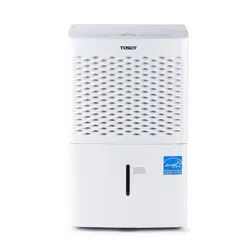
User Manual Dehumidifier
GDN20AZ-A3EBA2A, GDN35BB-A3EBA2A, GDN50BA-A3EBA2D, GDN50BA-A3EBA2F
Tips for First-Time Use
1. Allow the unit to sit upright for at least 3-4 hours before powering on. Shipping carriers may set the unit on its side. which causes the refrigerant to pool in certain areas.
Standing the unit upright for 3-4 hours allows the refrigerant to move freely within the coils.
2. Run the unit continuously for 24 hours after letting the unit to stand upright for 3-4 hours. This allows the unit to work out any "kinks" that may have resulted during shipping from our factory or to your doorstep. o
If you have any questions. please email us at [email protected] before making a return request.
Our support team is based in the US and replies within 24 hours. usually sooner. If you haven't received a reply. check your spam or junk folder as sometimes our replies get lost in customer's inboxes!
Safety Instructions
Please read all instructions before use and save this user manual for future reference. A digital version can be found by visiting the product pages on our website. www.tosotdirect.com. or by contacting [email protected] to ask for a digital version.
Your safety and the safety of others are very important to us. We have provided many important safety messages thought out this manual and on the appliance itself. Always read and follow all posted safety messages. If you have any doubt. please contact [email protected] with any questions.
To reduce the risk of fire. electric shock. injury. or death to persons using or near this appliance. please follow some basic safety precautions. These precautions include. but are not limited to. the following:
Installation and Setup
- This appliance is not intended for use by any persons (including children) with reduced or restricted physical. mental. or sensory capabilities. or lack of experience and knowledge. unless under direct supervision of a person responsible for their safety. Children should be supervised to ensure that they do not play with the appliance.
- Please keep plastic bags and sheets out of the reach of children as they might be mistakenly used for play. Packaging materials can become airtight chambers and may pose a risk of suffocation if not disposed of properly.
- Store and operate the appliance where it will not be exposed to temperatures below freezing (32 °F) or excessive heat (above 90°F). or exposed to outdoor weather conditions.
- This product should be plugged directly into a power outlet. Power outlet should be properly rated. protected. and sized in order to avoid electrical overload. Appliance should be installed in accordance with national wiring regulations.
- Do not use a multiple-outlet power strip or extension cord with this dehumidifier. Failure to do so may result in short-circuit or electrical shock.
Operation
- To avoid risk of electrical shock. do not grasp the power cord or the unit with wet hands and avoid placing the product where it could be splashed with water.
- Avoid placing the unit itself or any other objects on top of the power cord. including rugs or carpeting.
- Keep air inlet/outlets free from obstruction and clean the filter regularly to ensure optimal and safe performance
- Do not use this product in a small. enclosed space such as a closet. Poor ventilation could result in overheating or fire.
- Do not insert fingers or other objects into the air inlet our outlet. Not only is the internal fan running at high speeds. there is also an increased risk of deadly electrical shock.
- Power off the dehumidifier and empty the water bucket before attempting to move the dehumidifier.
- Remove the power plug from wall outlet if the product will not be sued for extended periods.
- If the product makes a strange noise or emits a strange or smoky smell. immediately remove the power plug and contact customer service for next steps.
- Use this appliance only in a well-ventilated area. Inadequate ventilation during operation may reduce the oxygen level in the air.
- Never unplug the unit by pulling on the power cord. Always grip the plug firmly and remove straight from power outlet.
- Turn off the dehumidifier and remove the power plug before cleaning or maintenance. Wait for the fan to stop moving.
- Do not operate the dehumidifier without a filter.
Parts


Display Screen and Controls

1. Power Button
a. Press to power the dehumidifier On or Off
2. Filter Button
a. After 250 hours of operation the Filter indicator will illuminate to remind you to remove and clean the filter.
3. Humidity Control Buttons (-/+)
a. The humidity level can be set in 5% increments from 35%-80% relative humidity. To activate nonstop operation. repeatedly press the — pad until the screen reads "NS" The screen will read "NS" once you go below 35%.
b. Note about Nonstop mode: this option means that the dehumidifier will ignore the current humidity level and operate continuously. If you are using the drain bucket. the dehumidifier will stop operation once the bucket is full. If you are using the gravity drain or internal pump features. the unit will operate continuously.
4. Display Screen
a. When using the -/+ buttons. this screen will display the target humidity setting you choose. After a few seconds. the screen will revert to show the current humidity level in your room within 5% accuracy.
5. Fan Speed
a. Press to cycle through High. Medium. or Low fan modes. Higher fan speeds lead to increased moisture removal. When humidity has been reduced or quiet operation is preferred. set the fan to Medium or Low.
6. Timer
a. Delay off—while the dehumidifier is in operation. press the timer pad to have the unit power off later in 2 or 4 hours.
b. Delay on—while the dehumidifier is not in operation (but plugged in). press the timer pad to have the unit power on later in 2 or 4 hours.
7. Pump (Only available on select models)
a. With the dehumidifier powered on and a 1/4 inch drain hose connected to the internal pump drainage joint. press and hold this button for 3 seconds to activate the internal pump mode. The Pump button on top of the unit will illuminate once this feature is activated.
b. Note: If the Pump feature is powered on but there is no hose or drain plug inserted in the drainage joint. the unit will leak onto the floor.
Other Features
1. Full Indicator Light
a. Illuminates when the bucket is ready to be emptied or when the bucket is removed from the unit for extended period. If bucket is replaced incorrectly. the light will stay illuminated.
2. Alarm Sound
a. If the bucket is full or missing for more than 3 minutes an alarm will beep for 10 seconds to remind you to empty and/or replace the drain bucket.
3. Auto Shut Off
a. The unit will stop operation if the bucket is full or if the bucket is removed/ improperly installed.
4. Auto Defrost Mode
a. Through normal operation. frost may build on the evaporator coils. In this case. the compressor will power off while the fan stays running. You can
usually tell if this is the case when the air exhaust emits cool air instead of warm air.
5. Power Outage Restart
a. In the event of a power outage or interruption. the unit will automatically revert to the last settings you choose before the power outage and restart operations.
Choosing a Location
- Place the dehumidifier on a smooth and level floor strong enough to support the unit with a full bucket of water.
- Allow at least 18 inches of space on all sides of the unit for proper air circulation.
- Close all doors. windows. and other exterior openings of the room to improve the dehumidifying effect.
- Keep the air intake/exhaust clean and free of obstructions.
- Avoid placing the unit in direct sunlight or in areas where the temperature goes below 40°F or above 90°F.
- Humidity levels of 50-60% are optimal. Humidity levels above 60% may lead to mold or mildew growth.

Removing Collected Water
There are 3 options to remove water collected by your dehumidifier:
Option 1: Drain Bucket
Step 1: Grab both sides of drain bucket and remove from unit following the arrow below. Removing the bucket just after stopping operation may results in drips of water on floor.

Step 2: Empty the bucket by grasping the handle on top of the bucket with one hand. while supporting the bottom of the bucket with other hand.

Step 3: After emptying. replace the bucket in dehumidifier following the arrow direction below.

Option 2: Gravity Drain Hose
Note:
Water can be automatically emptied into a floor drain by attaching a drain hose with 3/4 " inner diameter (not included) which attaches to a male nozzle on the left side of the unit.
Step 1: Remove drain bucket from unit. Open drain cover door on right side of unit. Thread the 3/4" drain hose (not included) onto the nozzle. Replace drain bucket into the unit.

Step 2: Position the gravity drain hose into the floor drain or other water receptacle. Ensure that the gravity drain hose is directed downwards. If the drain hose is directed upwards or horizontally. water will not exit the drain hose and instead will collect in the drain bucket.

Option 3: Internal Pump
Not all models have an internal pump feature. Please check your model number or contact customer support if you are unsure.
The internal pump can pump water up to 15 feet in any direction: vertically or horizontally. Water will still collect in the drain bucket during operation. As the bucket starts to reach maximum capacity the pump will power on to remove water from the drain bucket.
If the pump feature is powered on and there is no drain plug or drainage hose in the drainage joint. water will leak from the drainage joint. If the pump feature is powered off while the unit is operating. water will not leak from the drainage joint. Please contact customer support if you have lost or misplaced your green drain plug.
Step 1: Depress the gray plastic area using your fingertip or a small. flat object.

Step 2: While depressing the gray plastic area. remove the green drain plug.

Step 3: Insert the included drain hose into the drainage joint.

Cleaning
Before cleaning. turn off the dehumidifier and disconnect power cord from power outlet. Do not spray or douse the dehumidifier with water. and do not use volatile liquids (e.g. gasoline. paint thinner. etc.) to clean the dehumidifier.
White Plastic Exterior: Wipe down the plastic areas by using a soft rag dipped in warm. soapy water. Do not use harsh chemicals (e.g. bleach) or abrasive pads.
Air Intake Grille: Use a dust catcher or vacuum nozzle attachment.
Water Bucket: Every few weeks you should clean the bucket to prevent the growth of bacteria. mold. and mildew. Partially fill the bucket with clean water and a mild detergent and use a soft brush to scrub down the walls of the bucket.
Do not use a dishwasher to clean the bucket as this may warp the plastic.
You will first need to remove the handle from the drain bucket.
Step 1: Remove the handle by aligning the two ends of the handle with the openings on the drain bucket lid
Step 2: Remove the drain bucket lid by depressing the four (4) buckles on the drain bucket.


Step 3: Remove the float from the drain lid.
Air Filter
After 250 hours of operation the Filter indicator light will illuminate on top of your dehumidifier. After cleaning the filter. place the Filter button again to reset the 250-hour timer. Do not forget to replace the filter before resuming operation. This may cause the evaporator coils to attract dust. which will harm the performance of your unit.
Clean the filter using war. soapy water. Rinse thoroughly and air dry completely.
Do not dry the air filter with a source of heat. such as a lighter or hair dryer. as this may damage the filter.
Filter access:
Remove the drain bucket. The Filter is a light white plastic tab near the bottom of the air intake grille. Pull the filter straight down to remove.

Mainten Checklist
Pre-Season Maintenance Checklist
- Check the power cord for any cuts or exposed wiring
- Check that the ground prong is on your power plug
- Clean the air filter
- Check that the drain hose is not damaged
Post-Season Maintenance Checklist
- Disconnect unit from power outlet
- Clean air filter and exterior case
- Empty and clean the water bucket
- Remove drain hose and allow to dry
Long-Term Storage Checklist
- Unplug dehumidifier from power outlet and wrap up power cord
- Empty and clean the water bucket
- Wrap and/or cover the unit to prevent the accumulation of dust
Malfunction Codes
If your unit displays one of the following codes. please contact [email protected] with your Malfunction Code. Please fill out the warranty registration form on our website for faster service.
Display Code F1 - Ambient Temperature Sensor Malfunction
Compressor and fan motor stop; The buttons are invalid.
- Ambient temperature sensor is loosen or is poorly connected with the terminal of display board.
- Some element of display board may have been put upside down and cause short circuit.
- Ambient temperature sensor is damaged(Please refer to Checking Table for Temperature Sensor Resistance).
- Display board is damaged.
Display Code F2 - Tube Temperature Sensor Malfunction
Compressor and fan motor stop; The buttons are invalid.
- Temperature sensor on the evaporator is loosen or is poorly connected with the terminal of splay board.
- Some element of display board may have been put upside down and cause short circuit.
- Temperature sensor on the evaporator is damaged(Please refer to Checking Table for Temperature Sensor Resistance).
- Display board is damaged.
Display Code F5 - Discharge Temperature Sensor Malfunction
Compressor and fan motor stop; The buttons are invalid.
- Temperature sensor on the evaporator is loosen or is poorly connected with the terminal of display board.
- Some element of display board may have been put upside down and cause short circuit. ischarge temperature sensor is damaged (Please refer to Checking Table for Temperature Sensor Resistance).
- Display board is damaged.
Display Code L1 - Humidity Sensor Malfunction
Compressor and fan motor stop; The buttons are invalid.
- Humidity sensor is short-circuited.
- Humidity sensor is damaged.
- Display board is damaged.
Display Code F0 - Freon-lacking protection
The compressor stop; the fan motor stops after 30 seconds.
- Refrigerant is leaking.
- System is blocked
- Ambient operation condition is bad.
- The evaporator and condenser and blocked with filth.
- The system is abnormal.
Display Code H3 - High - temperature overload protection
The compressor stop; the fan motor stops after 30 seconds.
- Refrigerant is leaking.
- System is blocked
- Ambient operation condition is bad.
- The evaporator and condenser and blocked with filth.
- The system is abnormal.
Display Code E4 High discharge temperature protection of compressor
The compressor stop; the fan motor stops after 30 seconds.
- Abnormal system (e.g.: blockage. tc).
- Abnormal rotation speed of the motor.
- Abnormal air intake.
- System is normal. but the compressor discharge temperature sensor is abnormal or poorly contacted.
Display Code E0 - Pump Malfunction
The compressor stop; the pump and the fan stop immediately.
- The drain is blocked.
- The water pump is broken.
- The full light indicates out of order.
Troubleshooting
Not all the following problems are malfunctions.
Dehumidifier is not operating. Controls can not be set.
- Unit is operating in an area where temperature is higher than 90°F (32°C)or lower than 41°F(5°C).
- Bucket is full.
Noise suddenly rises during operation.
- Noise will rise if compressor has just started.
- Power supply problem.
- Unit is placed on uneven floor.
Humidity does not drop.
- Area to be dehumidified is too large. The capacity of your dehumidifier may not be adequate.
Humidity does not drop.
- Doors are open.
- There might be some device producing vapor in the room.
Little or no effect in humidity
- Room temperature is too low.
- Humidity level may be improperly set.
- If unit is operating in a room where temperature is from 41°F to 59°F(5 °C to 15 °C). it will start to defrost automatically. Compressor will stop for a brief period of time(fan will operate in high fan speed).When unit finishes defrosting. it will be back to normal operation.
When first operated. the emitted has musty-odor.
- Due to temperature rising of heat exchanger. the air may have some strange smell at the beginning
Unit has noises.
- There might be some noise if unit is operating on wooden floor.
Swooshing sound is heard.
- Normal. This is the sound of the flow of refrigerant.
Problem of Water Leakage.
When using drain hose, there is water in the bucket.
Examine the drainage
- Connect the drainage joint well
Drain hose is not correctly installed.
- Clear the obstacle from the drain hose.
- Remove the drain hose and replace it. Be sure that the hose is correctly installed.
Dehumidifier does not start.
Power indicator is not lit when power is connected.
Power is not supplied for| power circuit or power socket the dehumidifier othe power| has been damaged. plug is not well inserted.
- Check if power is lost. If yes. wait for the power to restore.
- If not. check whether the power circuit or power socket has been damaged.
- Check whether power plug is loosen.
- Check whether power cord is damaged.
Fuse is blown.
Bucket full indicator is lit up.
Buckets not properly placed. Water is full in the bucket. Bucket has been removed.
- Empty the bucket and replace it.
Unit is powered on but is not dehumidifying the air.
Humidity is set too high.
- If you want the air drier. press “-” button to lower the figure.
Dehumidifier does not dry air as intended.
Bad dehumidifying performance
Check whether there is any obstacle around the unit.
- Make sure there is no curtain. shutter or furniture that blocks the dehumidifier.
Air filter is dusty or blocked.
Doors and windows are left open.
- Make sure all doors and windows and other opening to the outside have been closed.
Room temperature is too low.
- Warm temperature is good for dehumidification. Low temperature will reduce unit's working effect. This unit should be working in a place where temperature is above 5°C(41°F).
Warranty & Customer Support
1. 1-Year warranty:
TOSOT Dehumidifier comes with a 1-year warranty from the date of purchase.
This warranty covers manufacturing and material defects. Please visit https://tosotdirect.com/warranty for more terms&policy.
2. Additional 6-Month warranty extension:
You can get a 6-month warranty extension by registering your new product at www.tosotdirect.com/extend and answering a short questionnaire.
Customer Support
Questions? We are here to help