Cleaning ........................................ 15-17
Sdf-CHean Oven
CHeaningProcedures
Maintenance ..................................................... 18
Oven Light
Oven Window
Form No, A/04/03 Part No, 8112P219-60 Q2003 Maytag Appliances Sales Co. Litho U.S.A,
|nstaHer: Phase leave this manual with this appliance.
Oensumer: Please read and keep this manual for future
reference. Keep sabs receipt and/oH cancdbd check as
proof of purchase.
Modal Number
Serial Number
Date of Purchase
Jf you have questions, caik
Amana Customer Assistance
1-800-843-0304 USA
1-866-587-2002 Canada
Internet: http:/iwww.amana,com
In our continuing effort to improve the quality and perfor-
mance of our cooking products, it may be necessary to make
changes to the appliance without re_ ising this guide.
For service ##fermade#, see pacJe 21.
To ensure proper and safe operation: Appliance
must be properly installed and grounded by a qualified
technician. Do not attempt to adjust, repair, service, or
replace any part of your appliance unless it is specifi-
cally recommended in this guide. All other servicing
should be referred to a qualified servicer.
Always disconnect power to appliance before servicing.
To Prevent Fire or Smoke
• Be sure all packing materials are removed from the
appliance before operating it.
, Keep area around appliance clear and free from
combustible materials. Flammabb materials should not
be stored in an oven.
Many plastics are vulnerable to heat. Keep plastics
away from parts of the appliance that may become
warm or hot.
* To prevent grease fires, do not let cooking grease or
other fiammabb materials accumulate in or near the
appliance.
iMPORTANT SAFETY
INSTRUCTIONS
Warning and important Safety Instructions appearing in
this guide are not meant to cover all possible conditions
and situations that may occur. Common sense, caution,
and care must be exercised when installing, maintain-
ing, or operating the appliance.
Always contact your dealer, distributor, service agent, or
manufacturer about problems or conditions you do not
understand.
Recognize Safety Symboms, Words, Labels
In Case of Fire
Use dry chemical or foam-type extinguisher or baking
soda to smother fire or flame. Never use water on a
grease fire.
1, Turn off appliance to avoid spreading the flame.
2, NEVER pick up or move a flaming pan.
3, Smother fire or flame by closing the oven door.
Child Safety
WARNnNG. Hazards or unsafe practices which
COULD resu!t !n severe persona! injury 0r death.
COULD result in minor personal injury.
Read and follow all instructions before using this
appmiance to prevent the potential risk of fire, electric
shock, personal injury or damage to the appliance as a
result of improper usage of the appliance. Use appliance
only for its intended purpose as described in this guide.
ance or on the appliance door to reach items coutd be
NEVER leave children alone or unsupervised near the
appliance when it is in use or is still hot. Children
should never be allowed to sit or stand on any part of
the appliance as they could be injured or burned.
Children must be taught that the appliance and
utensils in it can be hot. Let hot utensils cool in a safe
place, out of reach of small children. Children should
be taught that an appliance is not a toy. Children
should not be allowed to play with controls or other
parts of the unit.
About Your Appliance
above, Misuse of appliance doors, such as stepping,
leanJug or sitting on the door, may result in possib!e
serious injuries,
To prevent potential hazard to the user and damage to
the appliance, do not use appliance as a space heater
to heat or warm a room. Also, do not use the oven as a
storage area for food or cooking utensils.
Do not obstruct the flow of air by blocking the oven
vent.
• DO NOT TOUCH HEATING ELEMENTS OR INTERIOR
SURFACES OF OVEN. Heating elements may be hot
even though they are dark in color, htedor surfaces of
any oven become hot enough to cause burns. During
and after use, do not touch, or let clothing or other
flammable materials contact heating elements or
interior surfaces of oven until they have had sufficient
time to cool. Other surfaces of the appliance may
become hot enough to cause burns - among these
surfaces are: oven vent openings and surfaces near
these openings, oven doors, windows of oven doors.
Do not touch a hot oven light bulb with a damp cloth
as the bulb could break. Should the bulb break,
disconnect power to the appliance before removing
bulb to avoid electrical shock.
A fan should be heard during some bake, convect
bake, convect roast, and all broil and cleaning opera-
tions. If you do not hear the fan, call an authorized
servicer.
NEVER use aluminum foil to cover an oven rack or
oven bottom. Misuse could result in risk of electric
shock, fire, or damage to the appliance. Use foil only
as directed in this guide.
Cooking Safety
* Never heat an unopened food container in the oven.
Pressure build-up may cause container to burst
resulting in serious personal injury or damage to the
appliance.
Use dry, sturdy potholders. Damp potholders may
cause burns from steam. Dish towels or other substi-
tutes should never be used as potholders because they
can trail across hot elements and ignite or get caught
on appliance parts.
• Wear proper apparel. Loose fitting or long hanging-
sleeved apparel should not be worn while cooking.
Clothing may ignite and cause burns if garment comes
in contact with heating elements.
Always place oven racks in the desired positions while
oven is cool Slide oven rack out to add or remove
food, using dry, sturdy potholders. Always avoid
reaching into the oven to add or remove food. If a rack
must be moved while hot, use a dry potholder. Do not
let potholder contact hot element in oven.
Use care when opening the oven door. Let hot air or
steam escape before removing or replacing food.
• PREPARED FOOD WARNUNG: Follow food
manufacturer's instructions. If a plastic frozen food
container and!or its cover distorts, warps, or is other-
wise damaged during cooking, immediately discard
the food and its container. The food could be contami-
nated.
Do not allow aluminum foil or meat probe to contact
heating element.
Always turn off all controls when cooking is com-
pleted.
Utensil Safety
Follow the manufacturer's directions when using oven
cooking bags.
This appliance has been tested for safe performance
using conventional cookware. Do not use any devices
or accessories that are not specifically recommended
in this manual. Do not use add-on oven convection
systems. The use of devices or accessories that are not
expressly recommended in this guide can create
serious safety hazards, result in performance problems,
and reduce the life of the components of the appli-
ance.
Only certain types of glass, glass/ceramic, ceramic,
earthenware, or other glazed utensils are suitable for
oven service without breaking due to the sudden
change in temperature. Follow utensil manufacturer's
instructions when using glass.
i
Cmeaning Safety
• Turn off all controls and wait for appliance parts to
cool before touching or cleaning. Clean with caution.
Use care to avoid steam burns if a wet sponge or cloth
is used to wipe spills on a hot surface. Some cleaners
can produce noxious fumes if applied to a hot surface.
Clean only parts listed in this guide.
Se f-C ean Oven
Do not leave food or cooking utensils, etc, in the oven
during the seJf:c!ean cycJe,
Do not clean door gasket. The door gasket is essential
for a good seal. Care should be taken not to rub,
damage, or move the gasket.
Do not use oven cleaners or oven liners of any kind in
or around any part of the self-dean oven.
Before self-cbaning the oven, remove broiler pan,
oven racks and other utensils, and wipe off excessive
spillovers to prevent excessive smoke or flare ups.
important Safety Notice and
The California Safe Drinking Water and Toxic Enforce-
ment Act of 1986 (Proposition 65} requires the Governor
of California to publish a list of substances known to the
State of California to cause cancer or reproductive harm,
and requires businesses to warn customers of potential
exposures to such substances.
Users of this appliance are hereby warned that when
the oven is engaged in the self-dean cycle, there may
be some Iowqevel exposure to some of the listed
substances, including carbon monoxide. Exposure to
these substances can be minimized by properly venting
the oven to the outdoors by opening the windows and/
or door in the room where the appliance is located
during the self-clean cycle.
UMPORTANT NOTUCE REGARDUNG PET BURDS:
Never keep pet birds in the kitchen or in rooms where
the fumes from the kitchen could reach. Birds have a
very sensitive respiratory system. Fumes released during
an oven self-charting cycle may be harmful or fatal to
birds. Fumes released due to overheated cooking oil, fat,
margarine and overheated non-stick cookware may be
equally harmful.
Note: For microwave oven operation (select models}
refer to the use and care guide packed in the micro-
wave oven_
Save These instructions for Future Reference
3
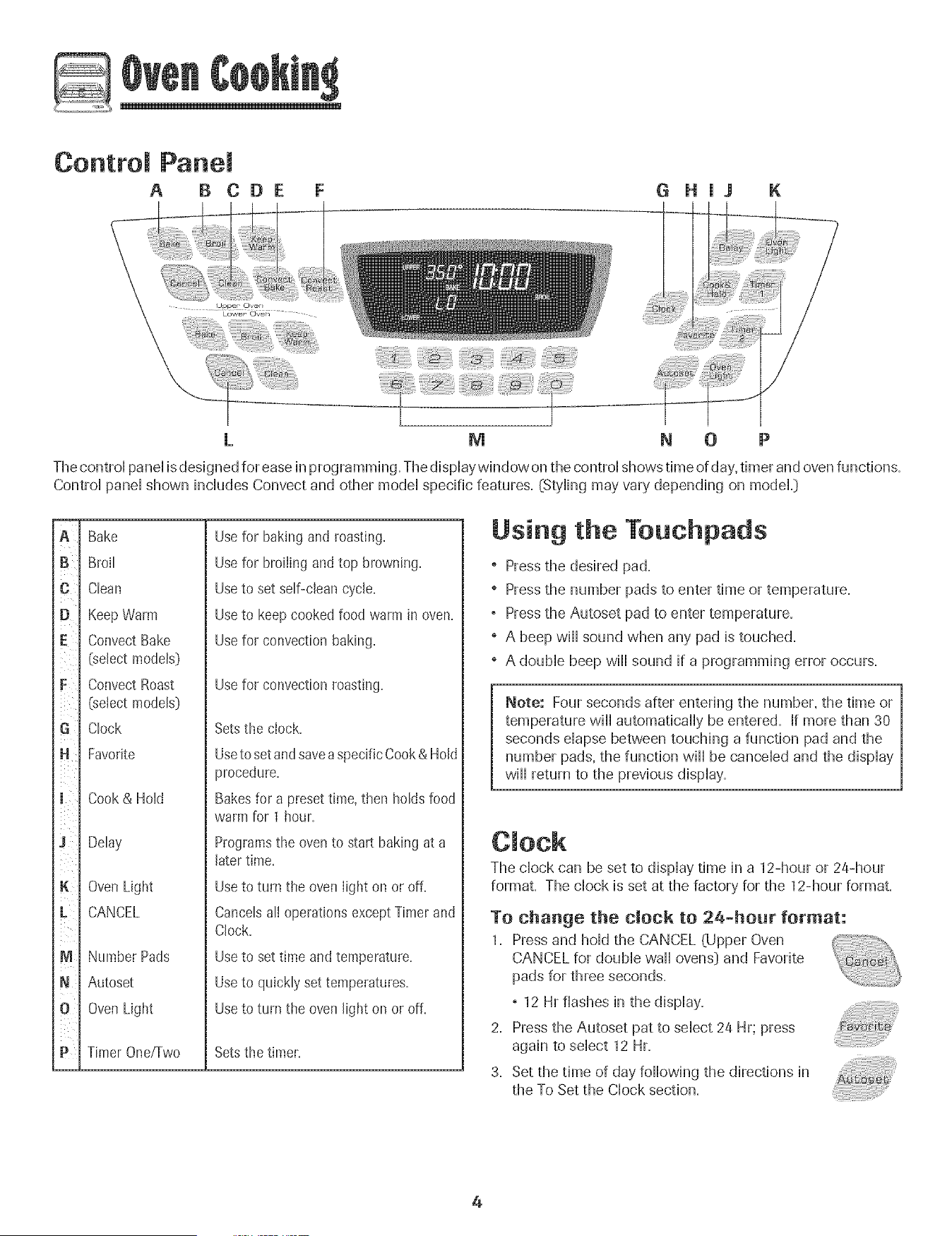
Control Panem
A B CDE G H J K
M m 0
The controi panei is designed for ease in programming. The dispiaywindow on the controi shows time of day,timer and oven functions.
Controi panei shown inciudes Convect and other modei specific features. (Styling may vary depending on modeL}
G
D
E
iii/iii
F
G
H
J
K
M
N
t ¸
P
Bake
Broil
Cban
Keep Warm
Convect Bake
(select modeb]
Convect Roast
(select modeb)
Clock
Favorite
Cook& Hold
Delay
OvenLight
CANCEL
Number Pads
Autoset
OvenLight
Timer One/Two
Usefor baking and roasting.
Usefor broiling andtop browning.
Useto set self-clean cycle.
Useto keep cookedfood warm in oven.
Usefor convectionbaking.
Use for convection roasting.
Setsthe clock.
Useto setandsaveaspecificCook& Hold
procedure.
Bakesfor a presettime, then holds food
warm for 1 hour.
Programs the oven to start baking at a
later time.
Useto turn the oven light on or off.
CancelsalI operationsexceptTimer and
Clock.
Use to set time and temperature,
Use to quickly set temperatures.
Use to turn the oven light on or off.
Sets the timer,
Using the Touchpads
+ Press the desired pad.
+ Press the number pads to enter time or temperature.
° Press the Autoset pad to enter temperature.
+ A beep will sound when any pad is touched.
+ A double beep will sound if a programming error occurs.
Note: Four seconds after entering the number, the time or
temperature will automatically be entered. If more than 30
seconds elapse between touching a function pad and the
number pads, the function will be canceled and the display
will return to the previous display.
The clock can be set to display time in a 12-hour or 24-hour
format. The clock is set at the factory for the 12-hour format.
To change the clock to 2a-hour format:
1. Press and hold the CANCEL (Upper Oven
CANCEL for double wall ovens} and Favorite
pads for three seconds.
° 12 Hr flashes in the display.
2. Press the Autoset pat to select 24 Hr; press
again to select 12 Hr.
3. Set the time of day following the directions in
the To Set the Clock section.
4
To set the Clock:
I. Press the Clock pad.
, The time of day flashes in the display.
2. Press the appropriate number pads to set the time of day.
, Colon flashes in the display.
3. Press the Clock pad again or wait four seconds.
, The colon will remain on.
When electrical power is supplied or after a power interrup-
tion, the last clock time before power was interrupted will
flash.
To recall the time of day when another time function is
showing, press the Clock pad.
Clock time cannot be changed when the oven has been
programmed for Delay cook or clean or Cook & Hold.
To canceJ the Clock display:
If you do not want the time of day to display:
Press and hold the CANCEL and Clock pads for
three seconds. The time of day will disappear
from the display.
When the clock display is canceled, press the
Clock pad to briefly display the time of day.
When the clock display is canceled, after 15 minutes, the oven
control will go into Standby Mode to save energy. The display
will be blank and the oven light will not operate. To "wake up"
the control from Standby Mode, press any touchpad. A double
beep will sound.
To restore the Clock display:
Press and hold the CANCEL and Clock pads for three sec-
onds. The time of day will reappear in the display.
The timer can be set from one minute @0:01} up to 99 hours
and 59 seconds @9:59}.
The timer can be used independently of any other oven
activity'. It can also be set while another oven function is
operating.
The Timer does not control the oven. It only controls a
beeper.
To set the Timer:
1. Pressthe Timer pad.
° 00:00 and TIMER icon flash in the display.
2. Press the appropriate number pads until the correct time
appears in the display.
° The colon and TIMER icon will continue to flash.
3. Press Timer pad again or wait four seconds.
° The colon stops flashing and the time begins counting
down.
° The last minute of the timer countdown will be displayed
in seconds.
4. At the end of the set time, one long beep will sound and
"End" will be displayed.
5. Press the Timer pad to clear the display.
To cancem the Timer:
1. Press and hold the Timer pad for three seconds.
OR
2. Press the Timer pad and press '0' using the
number pads.
Locking the Control
and Oven Door
The touchpad and oven door call be locked for safety',
cleaning, or to prevent unwanted use. The touchpads will not
function when locked.
If the oven is currently in use, the touchpads and door cannot
be locked.
The current time of day will remain in the display when the
touchpads and door are locked.
To lock:
1. Press and hold the CANCEL and Cook & Hold
pads for three seconds.
° OFFappears in the display
° The LOCK icon flashes while the door is
locking.
To unJock:
Press and hold the CANCEL and Cook & Hold pads for three
seconds. OFFdisappears from the display.
Note: The touchpads and oven door cannot be locked if
the oven temperature is a00° F or above.
FauJt Codes
The BAKE or LOCK icon may flash rapidly ill the display to
alert you if there is all error or a problem. If the BAKE or
LOCK icon flashes in the display, press CANCEL pad. Jfthe
BAKE or LOCK icon continues to flash, disconnect power to
the appliance. Wait a few minutes, and then reconnect
power. If the icon flashing still continues, disconnect power to
the appliance and call an authorized servicer.
5
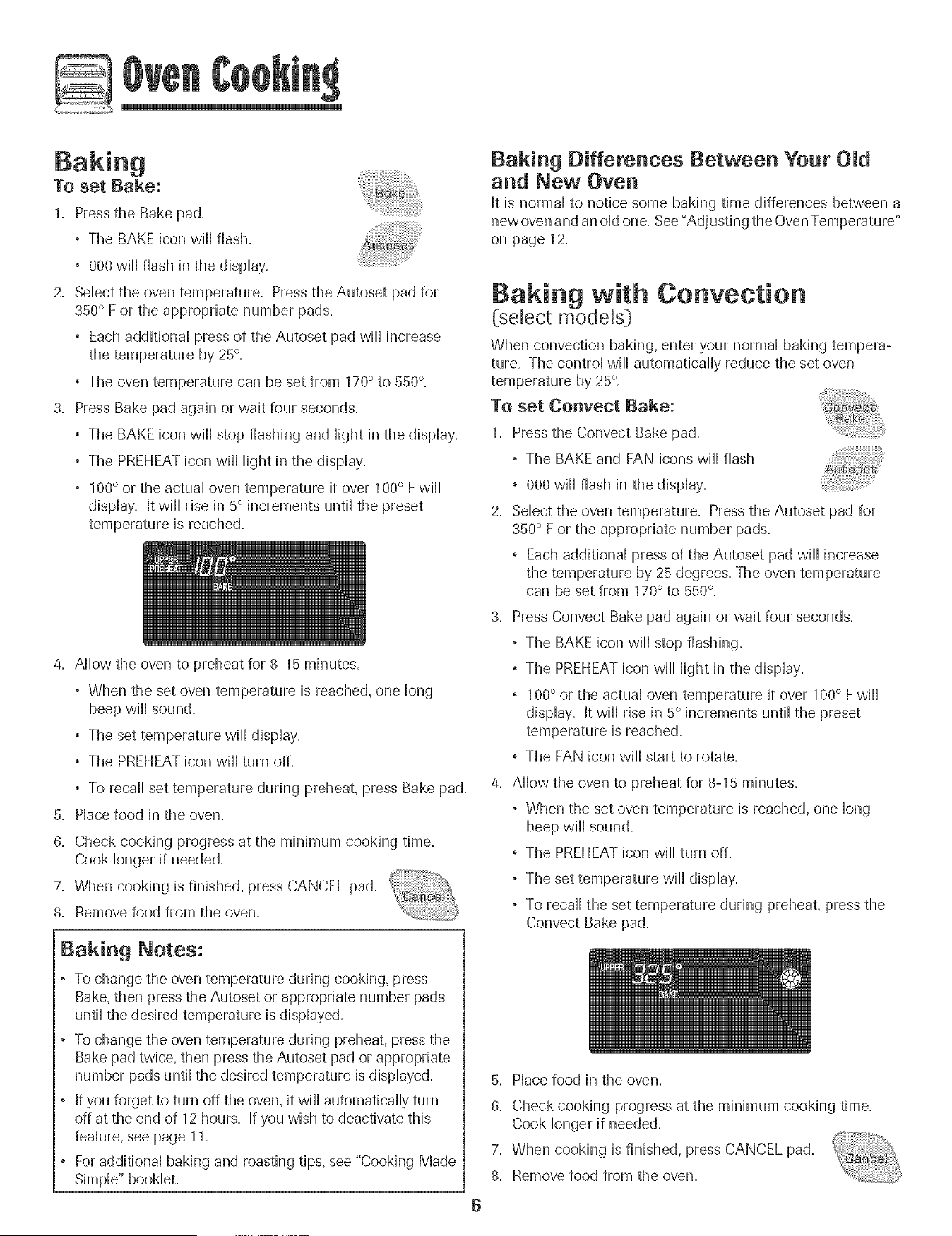
To set Bake:
1_ Pressthe Bake pad_
, The BAKE icon will flash.
, 000 will flash in the dispHay.
2. Sdect the oven temperature. Press the Autoset pad for
350° F or the appropriate number pads.
, Each additionaH press of the Autoset pad will increase
the temperature by 25°.
, The oven temperature can be set from 170° to 550°,
3. Press Bake pad again or wait four seconds.
, The BAKE icon will stop flashing and Hightin the dispHay.
, The PREHEATicon will Hightin the dispHay.
, 100° or the actuaHoven temperature if over 100° Fwill
dispHay. It will rise in 5° increments until the preset
temperature is reached.
4. Allow the oven to preheat for 8-15 minutes.
, When the set oven temperature is reached, one long
beep will sound.
, The set temperature will display.
, The PREHEATicon will turn off.
, To recall set temperature during preheat, press Bake pad.
5. Place food in the oven.
8. Check cooking progress at the minimum cooking time.
Cook longer if needed.
7. When cooking is finished, press CANCEL pad.
iiiiiiiiiii!iiiiiiiiiiii!!!!!
8. Remove food from the oven.
Baking Notes:
, To change the oven temperature during cooking, press
Bake.then press the Autoset or appropriate number pads
until the desired temperature is displayed.
To change the oven temperature during preheat, press the
Bake pad twice, then press the Autoset pad or appropriate
number pads until the desired temperature is displayed.
If you forget to turn off the oven. it will automatically turn
off at the end of 12 hours. If you wish to deactivate this
feature, see page 11.
For additional baking and roasting tips. see "Cooking Made
Simple" booklet.
Baking Differences Between Your
and New Oven
It is normal to notice some baking time differences between a
new oven and an old one. See "Adjusting the OvenTemperature"
on page 12.
Baking with Convection
(select models)
When convection baking, enter your normal baking tempera-
ture. The control will automatically reduce the set oven
temperature by 25°.
To set Conveet Bake:
1. Press the Convect Bake pad.
, The BAKE and FAN icons will flash
, 000 will flash in the display.
2. Select the oven temperature. Press the Autoset pad for
350° F or the appropriate number pads.
, Each additional press of the Autoset pad will increase
the temperature by 25 degrees. The oven temperature
can be set from 170° to 550°,
3. Press Convect Bake pad again or wait four seconds.
, The BAKE icon will stop flashing.
, The PREHEATicon will light in the display.
, 100° or the actual oven temperature if over 100° F will
display. It will rise in 5° increments until the preset
temperature is reached.
, The FAN icon will start to rotate.
4. Allow the oven to preheat for 8-15 minutes.
, When the set oven temperature is reached, one long
beep will sound.
, The PREHEATicon will turn off.
, The set temperature will display.
, To recall the set temperature during preheat, press the
Convect Bake pad.
5. Place food in the oven.
8. Check cooking progress at the minimum cooking time.
Cook longer if needed.
7. When cooking is finished, press CANCEL pad.
8. Remove food from the oven.

Roasting With Convection
(seJect modeJs)
When convection roasting, enter your normaHroasting time
and temperature. The controHwill automaticafly prompt you to
check the food for aloneness at 75% of the set time.
, When convection roasting, the cooking time must be set
before setting the temperature.
° If your recipe requires a preheated oven, add 15 minutes
to the cooking time programmed.
° Roasting times can vary with different cuts of meat.
° Refer to "Cooking Made Simple" booklet for suggested
roasting temperatures and times.
To set Convect Roast:
1. Pressthe Convect Roast pad.
° The ROASTand FAN icons will flash
° 00:00 will flash in the display.
° 000 lights in the display.
2. Enter the roasting time using the number pads.
° Time can be set from 10 minutes (00:10} to 11 hours,
59 minutes (11:59}.
, Press Convect Roast again or wait 4 seconds.
° 'Roast' flashes in the display.
3. Select the oven temperature. Press the
Autoset pad for 350° F or the appropriate
number pads.
° Each additional press of the Autoset pad will increase
the temperature by 25°.
° The oven temperature can be set from 170° to 550°.
Press Convect Roast pad again or wait four seconds.
° The ROASTicon will stop flashing and light in the
display.
, 100° or the actual oven temperature will display. Jtwill
rise in 5° increments until the preset temperature is
reached.
, The FAN icon will start to rotate.
5. Allow the oven to preheat for 8-15 minutes.
° When the set oven temperature is reached, one long
beep will sound.
° To recall the set temperature during preheat, press the
Convect Roast pad.
6. Place food in the oven.
7. When 75% of the set cooking time has elapsed, the oven
light will turn on and 'Food' will flash in the display. Check
the cooking progress at this time. The oven light will
remain on until the Oven Light pad is pressed. Cook longer
if needed.
° Pressthe Convect Roast pad to recall the cook
° At the end of cook time, the oven will automatically keep
food warm for one hour.
8. When cooking is finished, press CANCEL pad.
9. Remove food from the oven.
7

Cook & Hold
When using the Cook & Homdoption, the oven begins to heat
immediateHyafter the controHhas been set. Then, the oven
cooks for a specified Hengthof time. When that time has
eHapsed,the oven wiHHkeep the food warm for up to an hour
then automaticaHHyturn off.
To set Cook & Hold:
1. Pressthe Cook & HoHdpad.
° The HOLD icon wiHHflash to indicate that you are in Cook &
HoHdprogramming.
° 00:00 wiHHflash in the dispHay.
2. SeHectthe amount of time you want to cook by using the
number pads.
° The HOLD icon continues to flash.
° The time wiHHHightin the dispHay.
° Time can be set from 00:10 to 11:59.
3. Press Bake, Convect Bake or Convect Roast (seHectmodeHsD
and seHectthe oven temperature. Press the Autoset pad for
350° F or the appropriate number pads.
° The desired cycHeicon wiHHflash.
° The oven temperature can be set from 170° F to 550° R
4. Press the desired cycHepad again OR wait four seconds.
° The desired cycHeicon wiHHremain Hit.
° The cooking time wiHHshow in the dispHay.
° The PREHEATicon wiHHshow in the dispHay.
° The actuaHoven temperature wiHHbe dispHayed
during preheat.
° The set temperature wiHHdispHaywhen the oven is
preheated.
When the cooking time has elapsed:
, Four beeps wiHHsound.
, The HOLD and WARM icons wiHHHight.
, 170°wiHHdispHay.
, Time of day wiHHdispHay.
After one hour in HOLD WARM:
° The oven turns off automaticaHHy.
, HOLD and WARM icons go off.
° Remove food from oven.
To cancel Cook & Hold at any time:
Press the CANCEL pad. Remove food from oven,
Delay Cook & Hold
8
as dairy products, pork, pouHtry;or seafood,
When using Delay, the oven begins to cook later in the day.
Set the amount of time that you want to delay before the oven
turns on and how Hongyou want to cook. The oven begins to
heat at the seHectedtime and cooks for the specified Hengthof
time.
Delay time can be set from 10 minutes (00:1O}to 11 hours, 59
minutes (11:59}.
To set a Delayed Cook & HoJd eyeme:
1. Press the DeHayor DeHay1 pad (seHectmodeHs_).
In doubHewaHHoven modeHs,press the DeHayor
DeHay1(seHectmodeHsDpad once to program the
upper oven or twice to program the Howeroven.
° The DELAY icon flashes in the dispHay.
° 00:00 flashes in the dispHay.
2. Using the appropriate number pads, enter the amount of time
you want to deHaythe start of the Cook & HoHdcycHe.
3. Pressthe Cook & HoHdpad.
° The HOLD icon flashes.
° The DELAY icon flashes in the dispHay.
° 00:00 flashes.
4,
5.
6.
Enter the amount of time you want to cook using the number
pads.
Press Bake, Convect Bake or Convect Roast (seHectmodeHsD.
Set the oven temperature desired by pressing the Autoset
pad or the appropriate number pads.
° 350° wiHHHightwhen Autoset is pressed.
° After four seconds, the entered deHaytime wiHHappear in the
dispHay.
° The HOLD icon turns off.
° The BAKE and DELAY icons remain Hitto remind you that
a deHayedCook & HoHdcycHehas been programmed.
Note:
° Do not use DeHayedCook & HoHdforitems that require a
preheated oven, such as cakes, cookies, and breads.
° Do not use DeHayedCook & HoHdif oven is aHreadyhot.
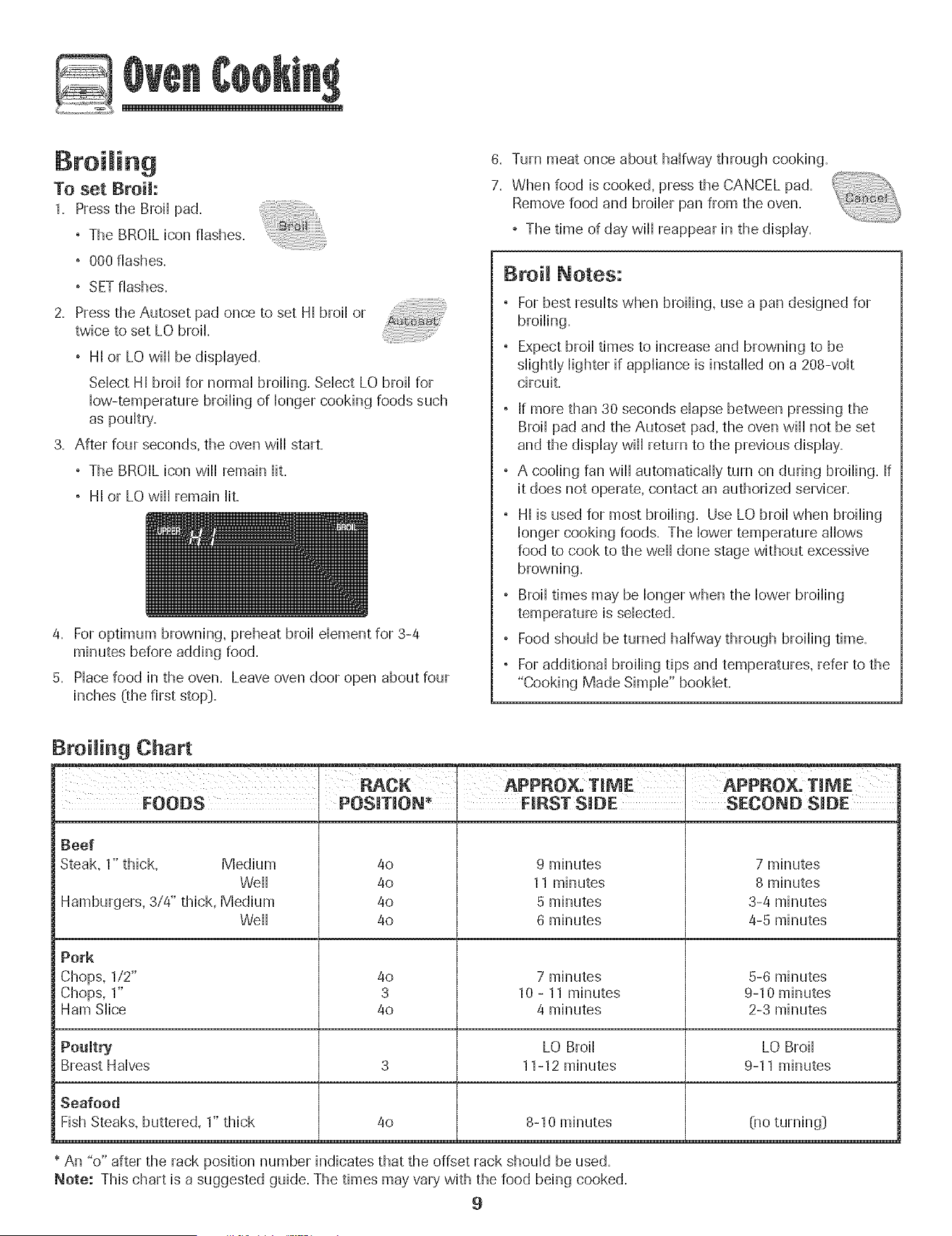
To set Broil:
1. Press the Broi[ pad.
+ The BROIL bon flashes,
+ 000 flashes,
, SETflashes.
2. Press the Autoset pad once to set HI broii or
twice to set LO broil
° HI or LO wiii be dispiayed.
Seiect Hi broii for normai broiiing. Seiect LO broii for
How-temperature broiiing of ionger cooking foods such
as pouitry.
3. After four seconds, the oven wiii start.
° The BROIL icon wiii remain Hit.
, HI or LO wiii remain Hit.
4. For optimum browning, preheat broil dement for 3-4
minutes before adding food.
5. Piace food in the oven. Leave oven door open about four
inches (the first stop}.
6. Turn meat once about haifway through cooking.
7. When food is cooked, press the CANCEL pad.
Remove food and broiier pan from the oven.
, The time of day will[ reappear in the dispiay.
BroH Notes:
, For best results when broiling, use a pan designed for
broiling.
, Expect broil times to increase and browning to be
slightly lighter if appliance is installed on a 208-volt
circuit.
, If more than 30 seconds elapse between pressing the
Broil pad and the Autoset pad, the oven wiil not be set
and the display wiil return to the previous display.
° A cooling fan wiil automatically turn on during broiling. If
it does not operate, contact an authorized servicer.
° HI is used for most broiling. Use LO broil when broiling
longer cooking foods. The lower temperature allows
food to cook to the weil done stage without excessive
browning.
° Broil times may be longer when the lower broiling
, Food should be turned halfway through broiling time.
, For additional broiling tips and temperatures, refer to the
"Cooking Made Simple" booklet.
Broiling Chart
I:_CK APPROX, TIME APPROX, T_I_IE
FOODS POSITION* I FIRST SIDE SECOND SIDE
i Beef
Steak, 1" thick, Medium
Weii
Hamburgers, 3/4" thick, Medium
Weii
Pork
Chops, 1/2"
Chops, 1"
Ham Slice
Poultry
Breast Halves
Seafood
Fish Steaks, buttered, 1" thick
4o
4o
40
4o
9 minutes
11 minutes
5 minutes
6 minutes
7 minutes
8 minutes
3-4 minutes
4-5 minutes
4o
3
4o
7 minutes
10 - 11 minutes
4 minutes
5-6 minutes
9-10 minutes
2-3 minutes
LO Broil LO Broil
3 11-12 minutes 9-11 minutes
8-10 minutes4o
Olo turning}
* An "o" after the rack position number indicates that the offset rack should be used.
Note: This chart is a suggested guide. The times may vary with the food being cooked.
9

Keep Warm
For safeHykeephg hot foods warm or for warmhg breads and
pHates=
To set Keep Warm:
1= Press the Keep Warm pad=
° The WARM icon flashes,
° 000 flashes in the dispHay=
2= SeHectthe Keep Warm temperature, Pressthe Autoset pad
or the appropriate number pads,
° 170° wiHHHightwhen the Autoset pad is pressed,
° Each press of the Autoset pad wiHHincrease the
temperature by 5°=
The Keep Warm temperature can be set from 145° to 190°=
The WARM icon and the temperature wiHHbe dispHayed
wMHethe function is active,
Keep Warm Notes:
° For optimaHfood quaHity,oven cooked foods shouHdbe
kept warm for no Hongerthan 1 to 2 hours,
° To keep foods from drying, cover HooseHywith foiHor a Hid=
° To warm dinner rolls:
- cover forthsHooseHywith foiHand pHacein oven,
- press Keep Warm and Autoset pads,
- warm for 12-15 minutes,
, To warm pmates:
- pHace2 stacks of up to four pHateseach in the oven,
- press Keep Warm and Autoset pads,
- warm for five minutes, turn off the oven and Heave
pHatesin the oven for 15 minutes more,
- use onHyoven-safe pHates,check with the
manufacturer,
- do not set warm dishes on a coHdsurface as rapid
temperature changes couHdcause crazing or
breakage,
To cancel Keep Warm:
1= Press the CANCEL pad,
2, Remove food from the oven,
10
Automatic Shut-Off/Sabbath
Mode
The oven w,iHautomatically turn off after 12 hours if you
accidentally Heaveit on= This safety' feature can be turned off.
To cancel the 12=hour shut=off and run the oven
continuously for 72 hours:
1= Press and hoM the CHockpad for three seconds
° "SAb" will be dispHayedand flash for five seconds.
° "SAb" will then be displayed continuously until turned
off or until the 72-hour time limit is reached.
° The BAKE icon will also be displayed if a bake cycle is in
use while the oven is in Sabbath Mode.
° All keys are inactive except CANCEL and Clock. All other
functions EXCEPTBAKE (Timer, Keep Warm, Clean, etc=:}
are locked out during the Sabbath Mode.
° A Cook & Hold can be programmed during the Sabbath
Mode, however a Delay Cook & Hold is not allowed.
To cancel the Sabbath Mode:
1. Pressthe CLOCK pad for three seconds.
OR
2= After 72 hours, the Sabbath Mode will end.
° "SAb" will flash for five seconds.
° The time of day will return to the display.
Sabbath Mode Notes:
° Sabbath Mode can be turned on at any time with or
without the oven on=
° Sabbath Mode cannot be turned on if the keypads are
locked out or when the door is locked.
° Most prompts and messages and all beeps are
deactivated when Sabbath Mode is active.
° If the oven is baking when Sabbath Mode is set, the
BAKE icon will go out at the end of the baking cycle.
There will be no audible beeps.
° If the oven light is desired while in Sabbath Mode, it
must be turned on before the Sabbath Mode is started.
° When the Sabbath Mode is started, the temperature
display will immediately show the set temperature, rather
than the actual oven cavity temperature. No preheat
beep will sound.
° The self-clean cycle and automatic door lock do not
operate during the Sabbath Mode.
° Pressing CANCEL pad will cancel a Bake cycle, however
the control will stay in the Sabbath Mode.
° If power fails, the oven will power up in Sabbath Mode
with 72 hours remaining and no cycle active.
11

Adjusting the Oven Temperature
Oven temperatures are carefld[y tested for accuracy at the
factory. It is normal to notice some baking or browning
differences between a new oven and an old one. As ovens
get older, the oven temperature can shift.
You may adjust the oven temperature if you think the oven is
not baking or browning correctly. To decide how much to
change the temperature, set the temperature 25 degrees
higher or lower than your recipe recommends, then bake.
The results of the first bake should give you an idea of how
much to adjust the temperature.
TO adjust the oven temperature:
1. Pressthe Bake pad.
2. Enter 550° by pressing the appropriate number pads.
3. Press and hold the Bake pad for several seconds or until
00° appears in the display.
If the oven temperature was previously adjusted, the
change wi[[ be displayed. For example, if the oven tem-
perature was reduced by 15° the display wi[[ show "-15°",
4. Press the Autoset pad to adjust the temperature.
Each time the Autoset pad is pressed, the temperature
changes by 5°, The oven temperature can be increased or
decreased by 5° to 35°,
5. The time of day wi[[ automatically reappear in the display.
You do not need to readjust the oven temperature if there is a
power failure or interruption. Temperature adjustment applies
to Bake, Convect Bake and Convect Roast (select mode[s_
only.
The Favorite pad allows you to save the time and temperature
from a Cook & Hold Bake, Convect Bake or Convect Roast
(select models) cycle.
To set a Favorite cycle, a Cook & Hold function must be either
active or just programmed.
To set a new Favorite cycle or to save a cur-
rent[y running Cook & Hold as a Favorite:
1. Program a Cook & Hold cycle as described in the Cook &
Hold section on page 8.
2. Press and hold the Favorite pad for three
seconds.
° The newly set or currently running Cook & Hold cycle
will be saved.
, A beep wi[[ sound to indicate that the control has
accepted the Favorite setting.
TO start a cycle programmed into Favorite:
1. Press the Favorite pad.
° Time and temperature for the set Cook & Hold cycle wi[[
be displayed. (If no Cook & Hold cycle has been pro-
grammed, "nonE" is displayed.)
2. Press the Bake, Convect Bake or Convect Roast (select
mode[s_ pad.
° The Favorite cycle wi[[ begin immediately.
° The selected cycle icon wi[[ light in the display
° The cooking time wi[[ light in the display
When the cooking time has elapsed:
° The selected cycle icon wi[[ turn off.
° The HOLD WARM icon wi[[ light.
° 170°wi[[ display.
To canoe[ a Favorite cycle in progress:
1. Press the CANCEL pad.
° The stored Favorite cycle wi[[ not be affected.
2. Remove food from the oven.
12
Oven Light
The Oven Light automatically comes on whenever the oven
door is opened. When the door is dosed, press the Oven Light
pad to tum the Oven Light on or off. A beep wiH .....
sound every time the Oven Light pad is pressed.
Oven Vent
The oven vent is Hocatedbdow the controHpand on your wall
oven.
When the oven is in use, the area near the oven vent may
become hot enough to cause burns. Do not block the vent
opening for best baking results.
Oven Fans
The cooling fan will automatically turn on during cleaning,
broiling and some baking operations. It is used to help keep
internal parts on the control panel cool. The fan will automati-
cally turn off when parts have cooled. The fan may continue
to operate after the oven has been turned off. This is normal.
A convection fan (select moddsD is used to circulate hot air
in the oven when the convection feature is selected. It
automatically turns on whenever a Convect pad is pressed
and will turn off when Convect is canceled.
i Note: The convection fan will automatically stop whenever
the oven door is opened.
Oven Racks
* DO not attempt t° Change the rack position When the even
is hot,
Do not use the oven for storing food Orcookware,
Single and Doable Convect Ovens - two flat and one
offset rack were packaged for each oven.
Single and Doable Non=Convect Ovens - one flat and one
offset rack were packaged for each oven.
To remove:
1. Pull forward to the "stop"
position.
2. Lift up on the front of the
rack and pull out.
To replace:
1. Place rack on the rack
support in the oven.
2. Tilt the front end up slightly; slide rack back until it clears
the lock-stop position.
3. Lower front and slide into the oven.
Rack Positions
4 (fiat raekl
30 (offset rack}
1 (fiat rack}
Three=rack Convection Baking
(select models}
Rack Position #4:
Three-rack baking (models with convection only).
Rack Position #4o (offset rack on #4):
Most broiling.
Rack Position #3:
Most baked goods on a cookie sheet or jelly roll pan.
Rack Position #30 (offset rack on #3[):
Most baked goods, pies, layer cakes.
13

Rock Position #2:
Roasting small cuts of meat, cakes in tube or bundt pans,
casseroHes,
Rock Position #2o (offset on #2[):
Roasting, [oaves of bread, angd food cake.
Rock Position #1:
Large cuts of meat and turkey, custard pie, dessert souffle.
Multiple Rock Cooking:
Two rocks: Use #2o and #4=
Three rocks (convection cooking - sdect medals:):
Use #1, #30, #4= (See illustration on page 13=:)
The use of the offset rack is denoted in the [ist as an "o"
after the rack position number.
When baking on two or three racks, check foods at the
minimum suggested time to avoid over=browning or
over=cooking.
Do not cover an entire rack with aHuminumfoi[ or pHacefoi[
on the oven bottom. Baking resuHtswill be affected and
damage may occur to the oven bottom.
Create-A-Space TMHalf Rack
(select models)
Select wail oven models are /_
equipped with a convertib[e_
hail rack. The [eft side of
the rack can be removed
to accommodate a large
roaster on the lower
rack. The right side of
the rack is still
available to hold a _
casserole dish.
//
, The removable section of the rack can be used as a
roasting rack in the broiling pan. Do not use the top
insert when using the rack in the broiling pan.
, The removable section of the rack can be used as a
cooling rack or trivet.
, Make sure oven is cool before removing or reinstalling
the half rack.
, Do not use cookware that extends beyond edge of rack.
, For best results, allow two inches between the pan
placed on the rack and the oven side wall.
, Use caution when removing items from the half rack to
avoid burns.
Carefully remove items from the lower rack to avoid
disturbing the half rack.
14

Seff-C ean Oven
, it is normal for parts of the oven to become hot during a
° To prevent damage to oven door. do not attempt to open
the door when the LOCK icon is displayed.
, Avoid touching door, window or oven vent area during a
clean cycle.
° Do no_ use corTmercJai oven cleaners on the oven finish
or around any part of the oven. They will damage the
finish o_ parts.
The self-clean cycle uses above-normal cooking temperatures to
automatically clean the oven interior.
It is normal for flare-ups, smoking, or flaming to occur during
cleaning if the oven is heavily soiled. It is better to clean the oven
regularly rather than to wait until there is a heavy build-up of soil
in the oven.
During the cleaning process, the kitchen should be well venti-
lated to get rid of normal odors associated with cleaning.
Before Seff-Cmeaning
1. Remove broiler pan, all pans, and oven racks from the oven.
The oven racks will discolor and may not slide easily after a
self-clean cycle if they are not removed.
2. Clean oven frame, door frame {area outside of gasket, and
around the opening in the door gasket} with a nonabrasive
cleaner such as Bon Ami* or detergent and water. The self-
cleaning process does not clean these areas. They should be
cleaned to prevent soil from baking on during the clean cycle.
(The gasket is the seal around the oven door and window}.
3. To prevent damage, do not clean or
rub the gasket around the oven door.
The gasket is designed to seal in heat
during the clean cycle.
4. Wipe up excess grease or spillovers
from the oven bottom. This prevents
excessive smoking, flare-ups or fiam-
ing during the clean cycle. To make cleaning easier, the
heating element can be lifted slightly {about 1 inch}.
Wipe up sugary and acidic spillovers such as sweet potatoes,
tomato, or milk-based sauces. Porcelain enamel is acid-
resistant, not acid-proof. The porcelain finish may discolor if
acidic or sugary spills are not wiped up before a self-clean
cycle.
To set Self-Clean:
_otes:
Oven temperature must be below 400° F to program a
clean cycle.
In double wall oven models, only one oven can be
cleaned at a time.
1. Close the oven door.
2. Press the Clean pad.
° The CLEAN icon flashes.
° "SET"flashes in the display.
3. Press the Autoset pad.
° "MEd" {Medium Soil, 3 hours} is displayed.
4. Press the Autoset pad to scroll through the self-cleaning
settings.
"HVy" {Heavy Soil, 4 hours}
"MEd" {Medium soil, 3 hours}
"LITE" { Light Soil, 2 hours}
Choosing the soil level of the oven automatically programs
the self-cleaning time.
5. After four seconds, the oven will start cleaning.
° If the door is not closed, beeps will sound and 'door' will
display. If the door is not closed within 30 seconds, the
self-cleaning operation will be canceled and the display
will return to the time of day.
° The CLEAN icon will appear in the display.
° The LOCK icon will flash in the display. Once the
door locks, the icon will remain steady.
° The cleaning time will start counting down in the display.
To Delay a Self-OJean Cycle:
1. Press the Delay or Delay 1 pad (select models}
° The DELAY icon flashes.
° 00:00 will flash in the display.
2. Enter the amount of time you want to delay the cycle using
the appropriate number pads.
3. Press the Clean pad.
° SETflashes in the display.
4. Press the Autoset pad.
° "LITE" {Light soil level} is displayed.
Brand names for cleaning products are registered trademarks of the respective manufacturers.
15
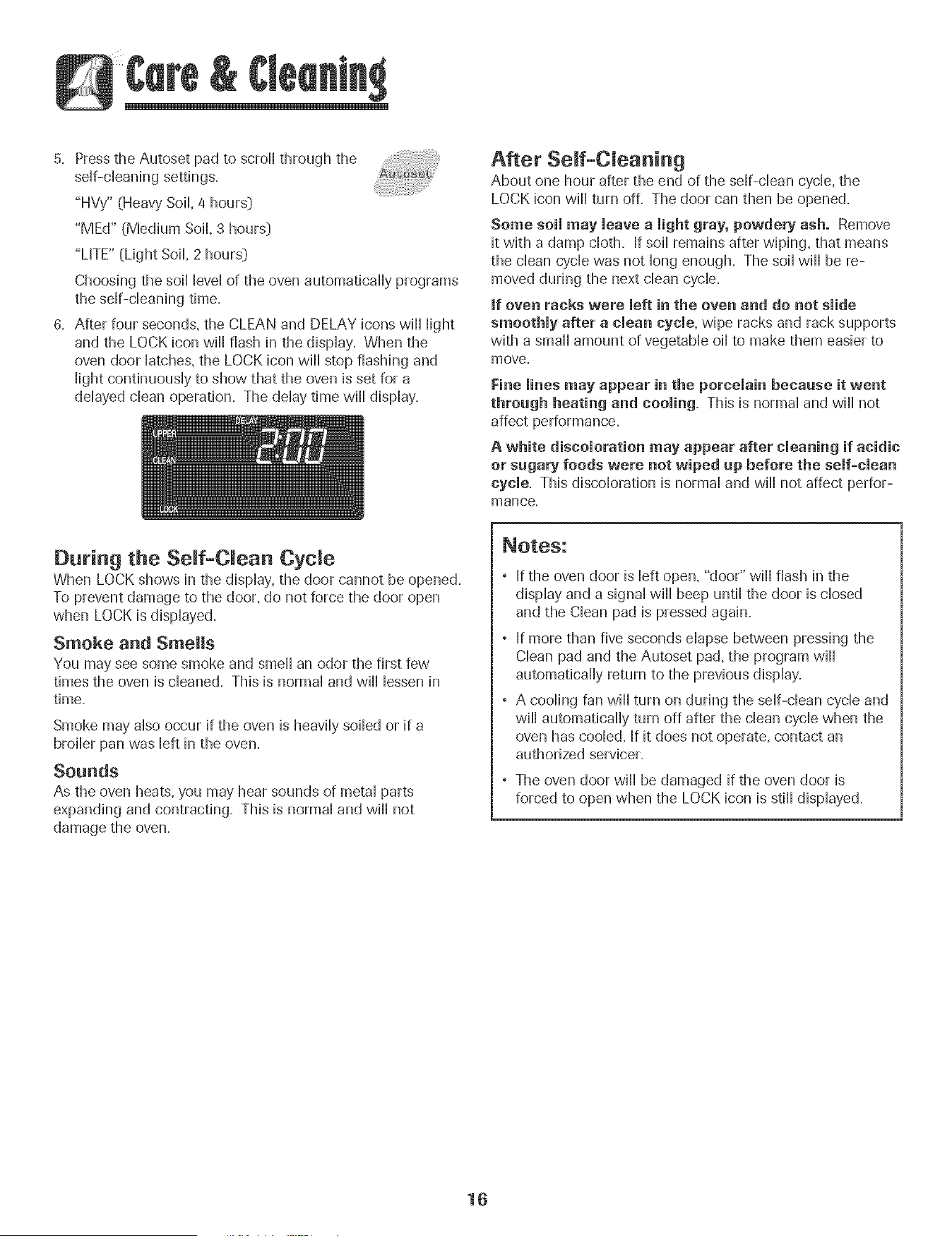
5. Press the Autoset pad to scroll through the
sdf-cHeaning settings.
"HVy" (Heavy SoiH,4 hours:)
"MEd" (Medium Soil 3 hours:)
"LITE" (Light SoiL 2 hours:)
Choosing the soiHHeveHof the oven automatically programs
the sdf-cHeaning time.
6. After four seconds, the CLEAN and DELAY icons will Hight
and the LOCK icon will flash in the dispHay. When the
oven door Hatches,the LOCK icon will stop flashing and
HightcontinuousHy to show that the oven is set for a
ddayed dean operation. The dday time will display.
After Serf-Cleaning
About one hour after the end of the self-clean cycle, the
LOCK icon will turn off. The door can then be opened.
Some soil may leave a light gray, powdery ash. Remove
it with a damp cloth. If soil remains after wiping, that means
the clean cycle was not long enough. The soil will be re-
moved during the next clean cycle.
if oven racks were left in the oven and do not slide
smoothly after a clean cycle, wipe racks and rack supports
with a small amount of vegetable oil to make them easier to
move.
Fine lines may appear in the porcelain becaase it went
throagh heating and cooling= This is normal and will not
affect performance.
A white discoloration may appear after cleaning if acidic
or sugary foods were not wiped up before the self-clean
cycle. This discoloration is normal and will not affect perfor-
mance.
During the Seff-C ean Cycle
When LOCK shows in the display, the door cannot be opened.
To prevent damage to the door, do not force the door open
when LOCK is displayed.
Smoke and Smells
You may see some smoke and smell an odor the first few
times the oven is cleaned. This is normal and will lessen in
time.
Smoke may also occur if the oven is heavily soiled or if a
broiler pan was left in the oven.
Sounds
As the oven heats, you may hear sounds of metal parts
expanding and contracting. This is normal and will not
damage the oven.
If the oven door is left open, "door" will flash in the
display and a signal will beep until the door is closed
and the Clean pad is pressed again.
If more than five seconds elapse between pressing the
Clean pad and the Autoset pad, the program will
automatically return to the previous display.
A cooling fan will turn on during the self-clean cycle and
will automatically turn off after the clean cycle when the
oven has cooled. If it does not operate, contact an
authorized servicer.
The oven door will be damaged if the oven door is
forced to open when the LOCK icon is still displayed.
16
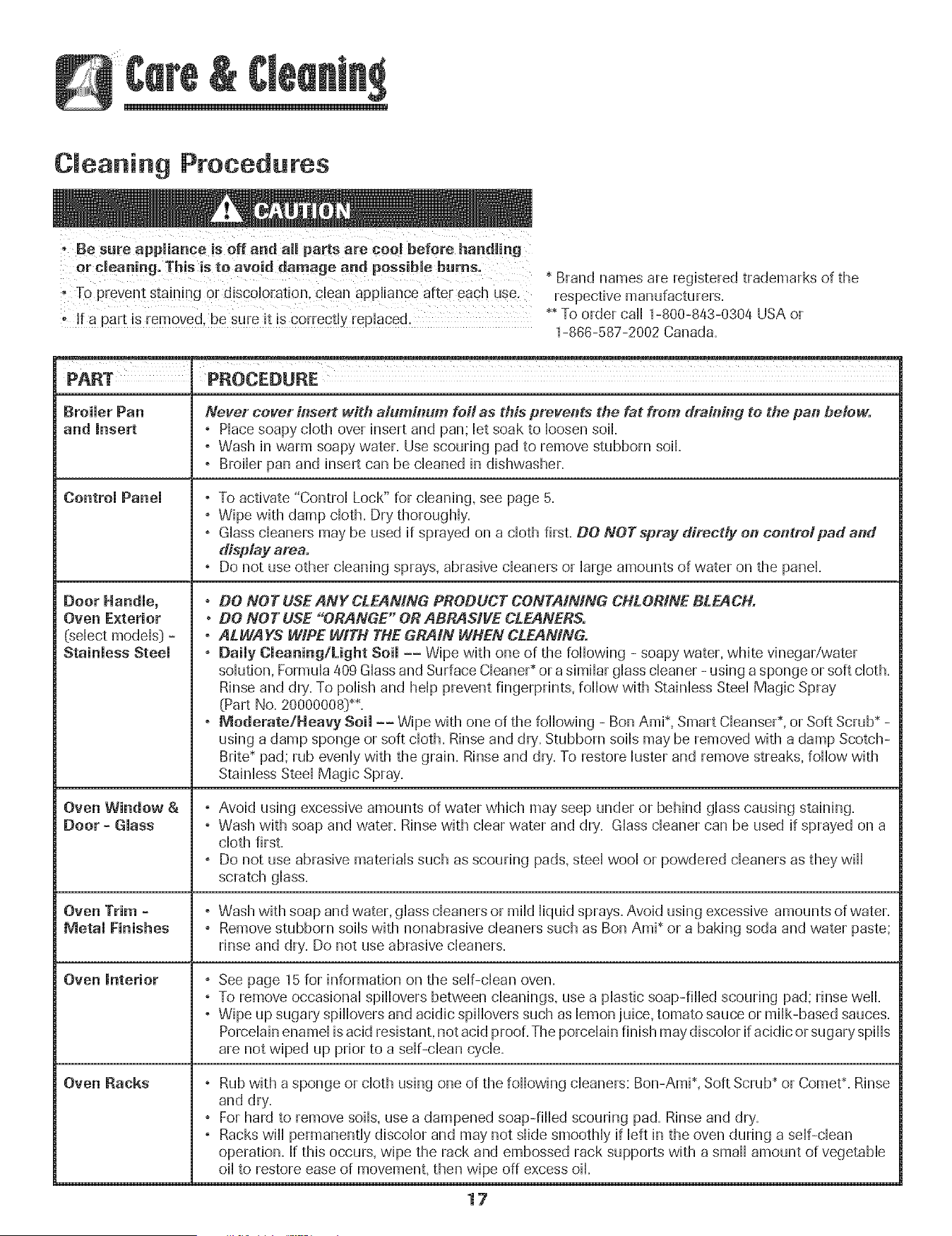
Cleaning Procedures
TOprevent staining or d!scol0ratJon, clean appUiance after each use,
![ a pa rt is rem0ved, he sure it is correct!y rep!aced,
* Brand names are registered trademarks of the
respective manufacturers.
** To order call 1-800-843-0304 USA or
1-888-587-2002 Canada.
PART PROCEDURE
Broiler Pan Never cover h_sert with aluminum foil as this prevents the fat from draining to the pan below.
and Insert ,Piace soapy cloth over insert and pan; bt soak to bosen soil.
° Wash in warm soapy water. Use scouring pad to remove stubborn soil
° Broiler pan and insert can be cleaned in dishwasher.
Control Panel
Oven Exterior
(select modeb} =
Stainless Steel
Oven Window &
Door = Glass
Oven Trim =
Metal Finishes
Oven interior
Oven Backs
, To activate "Control Lock" for cleaning, see page 5.
° Wipe with damp cloth. Dry thoroughly.
° Glass cleaners may be used if sprayed on a cloth first. DO NOTspray direcdy on controlpad and
display area.
, Do not use other cbaning sprays, abrasive cbaners or large amounts of water on the panel
. DO NOT USE ANY CLEANING PRODUCT CONTAiNiNG CHLORINE BLEACH.
• DO NOT USE "ORANGE" OR ABRASIVE CLEANERS.
. ALWAYS WIPE WiTH THE GRAIN WHEN CLEANING.
, Daily Cleaning/Light Soil
J
J
Wipe with one of the following - soapy water, white vinegar/water
solution, Formula 409 Glass and Surface CbaneP or a similar glass cleaner - using a sponge or soft cloth.
Rinse and dry. To polish and help prevent fingerprints, follow with Stainless Steel Magic Spray
(Part No. 20000008]**.
° Moderate/Heavy Soil -- Wipe with one of the following - Bon Ami*, Smart CbanseP, or Soft Scrub_-
using a damp sponge or soft cloth. Rinse and dry'.Stubborn soils may be removed with a damp Scotch-
Brite* pad; rub evenly with the grain. Rinse and dry'. To restore luster and remove streaks, follow with
Stainless Steel Magic Spray.
, Avoid using excessive amounts of water which may seep under or behind glass causing staining.
° Wash with soap and water. Rinse with clear water and dry. Glass cleaner can be used if sprayed on a
cloth first.
° Do not use abrasive materials such as scouring pads, steel wool or powdered cleaners as they will
scratch glass.
, Wash with soap and water, glass cleaners or mild liquid sprays. Avoid using excessive amounts of water.
° Remove stubborn soils with nonabrasive cleaners such as Ben Ami* or a baking soda and water paste;
rinse and dry. Do not use abrasive cleaners.
See page 15 for information on the self-dean oven.
To remove occasional spfllovers between cbanings, use a plastic soap-fflbd scouring pad; rinse well.
Wipe up sugary' spfllovers and acidic spfllovers such as lemon juice, tomato sauce or milk-based sauces.
Porcelain enamel is acid resistant, not acid proof. The porcelain finish may discolor if acidic or sugary spills
are not wiped up prior to a self-dean cycle.
, Rub with a sponge or cloth using one of the following cleaners: Bon-Ami*, Soft Scrub _or Comet*. Rinse
and dry.
, For hard to remove softs, use a dampened soap-filled scouring pad. Rinse and dry.
° Racks wiii permanently discoior and may not slide smoothly if ieft in the oven during a self-clean
operation. If this occurs, wipe the rack and embossed rack supports with a small amount of vegetable
oil to restore ease of movement, then wipe off excess oil
17

Oven Light
OVEN,
: Be sure buHbis CooH.
• DO not touch a hot buHbwith a damp cHothas the buHb
may breaL
To repmace oven light:
1= Use a dry pothoHderand very carefuHHyunscrew buHbcover
and buHb,
2. RepHacewith a 40 watt, oven-rated appHiancebuHb.BuHb
with a brass base is recommended to prevent fush)g of
buHbhto socket.
3. RepHacebuHbcover and reconnect power to oven.
4, Reset chock,
Oven Window
To protect the oven door window:
1. Do not use abrasive cHeaning agents such as steeHwooH
scouring pads or powdered cHeansersas they may scratch
the gHass.
2. Do not hit the gHasswith pots, pans, furniture, toys, or
other objects.
3. Do not chose the oven door untiHthe oven racks are in
pHace.
Scratching, hitting, jarring or stressing the gHassmay weaken
its structure causing an increased risk of breakage at a Hater
date.
18
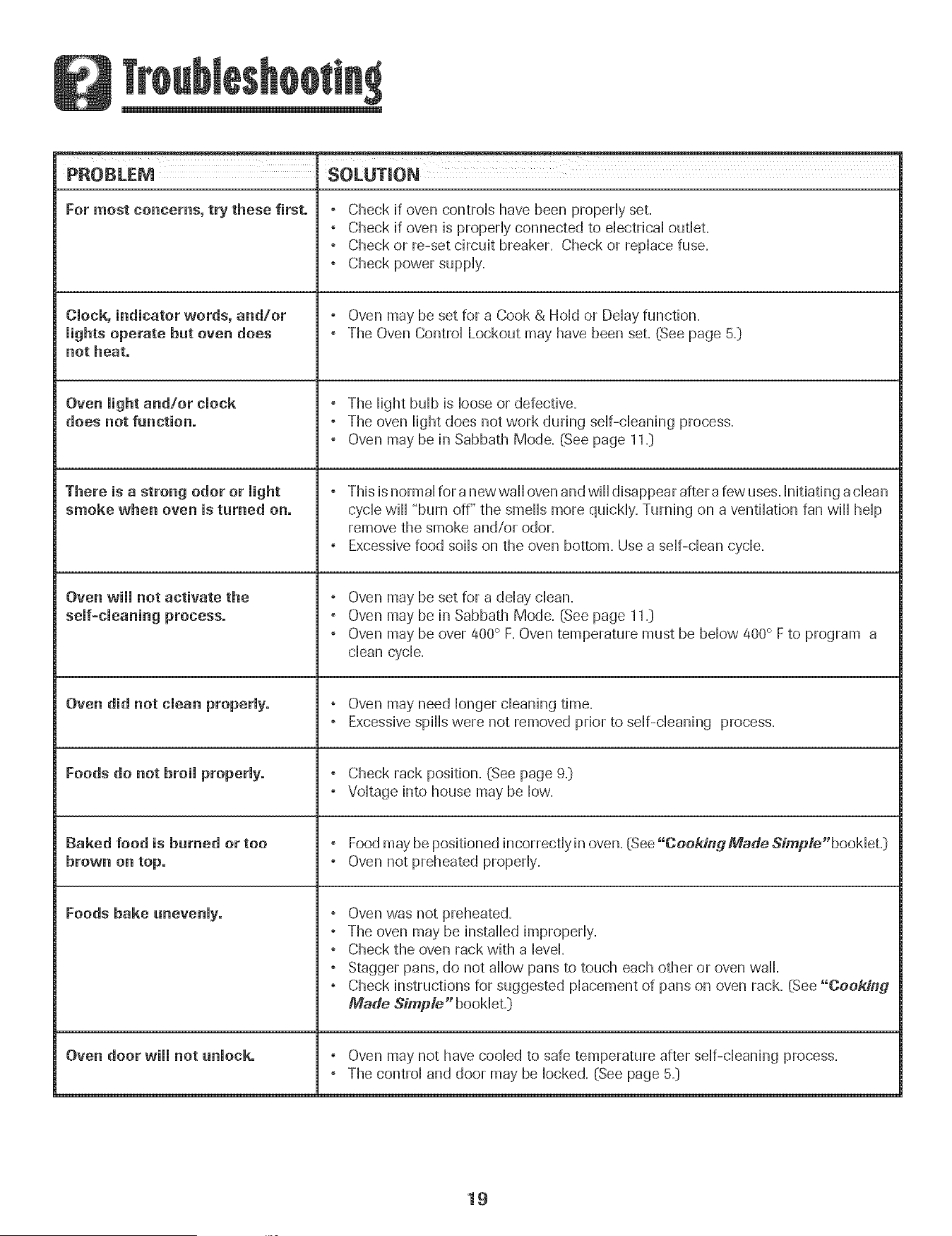
PROBLEM SOLUTION
For most concerns, try these first. , Check if oven controHs have been propedy set.
, Check if oven is propedy connected to dectricaU outHet.
, Check or re-set circuit breaker. Check or repHacefuse.
, Check power suppHy.
Clock, indicator words, and/or , Oven may be set for a Cook & HoHdor DeHayfunction.
lights operate but oven does , The Oven ControHLockout may have been set. (See page 5._)
not heat.
, The HightbuHbis Hooseor defective.
does not function. , The oven Hightdoes not work during stir-cleaning process.
, Oven may be in Sabbath Mode. (See page 11._)
There is a strong odor or light ° This is normal for a newwaH oven and will disappear after a few uses. Initiating a dean
smoke when oven is turned on. cycle will "burn off" the smells more quickly. Turning on a ventilation fan will help
remove the smoke and/or odor.
, Excessive food soils on the oven bottom. Use a self-clean cycle.
Oven will not activate the , Oven may be set for a delay clean.
, Oven may be in Sabbath Mode. (See page 11._)
, Oven may be over 400° F. Oven temperature must be below 400° F to program a
clean cycle.
Oven did not clean properly. , Oven may need longer cleaning time.
, Excessive spills were not removed prior to self-cleaning process.
Foods do not broil properly. , Check rack position. (See page 9._)
, Voltage into house may be low.
Baked food is burned or too , Food may be positioned incorrectly in oven. (See"Cooking Made Simp/e"booMet.)
brown on top. , Oven not preheated properly.
Foods bake unevenly. , Oven was not preheated.
, The oven may be installed improperly.
, Check the oven rack with a level.
, Stagger pans. do not allow pans to touch each other or oven wall.
, Check instructions for suggested placement of pans on oven rack. (See "Cooking
Made Simp/e" booklet.]
Oven door will not unlock. , Oven may not have cooled to safe temperature after self-cleaning process.
, The control and door may be locked. (See page 5._)
19
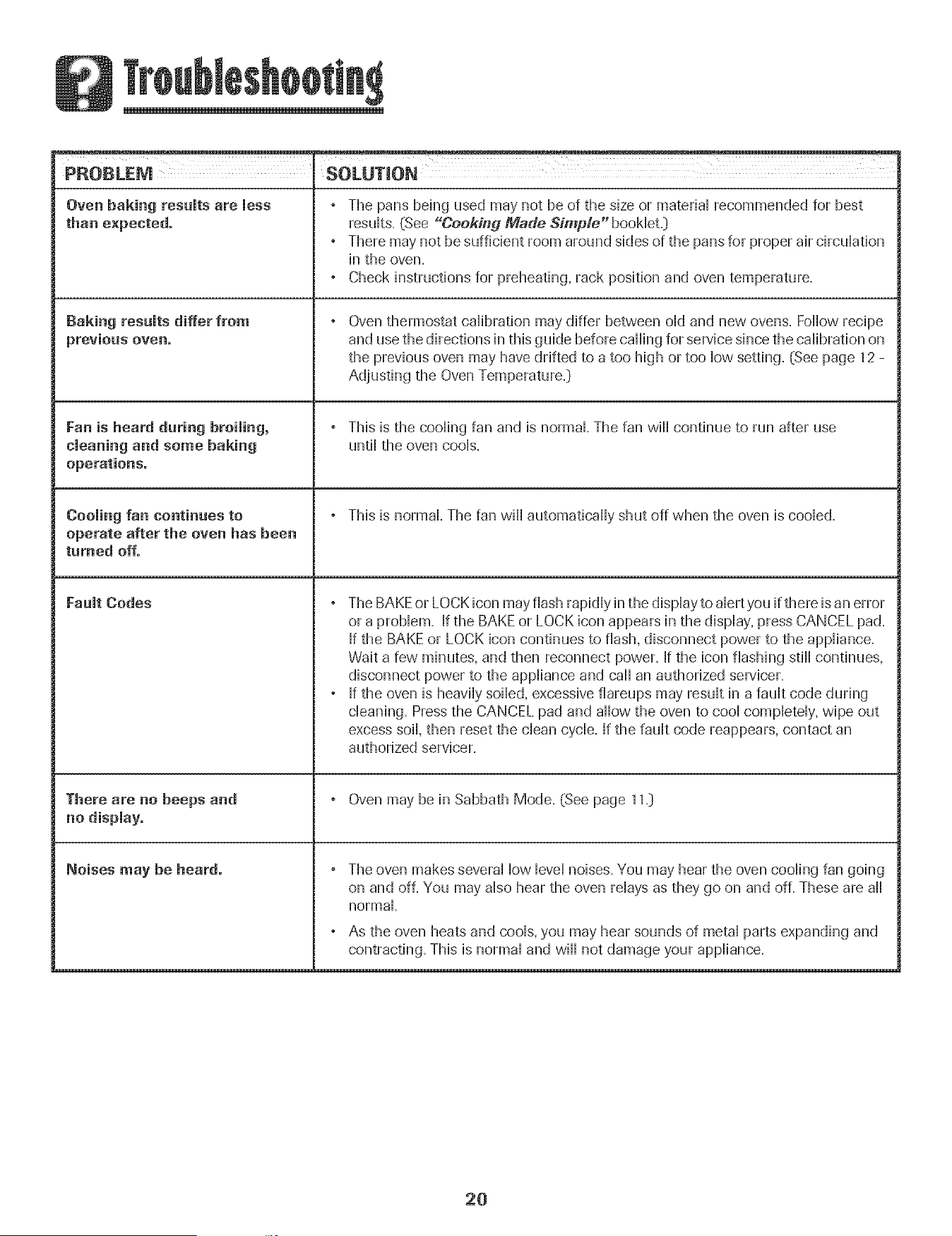
Oven baking results are less
than expected.
Baking results differ from
Fan is heard during broiling,
cleaning and some baking
operations.
Cooling fan continues to
operate after the oven has been
turned off.
Fault Codes
There are no beeps and
Noises may be heard.
° The pans being used may not be of the size or material recommended for best
resuHts=(See "Cooking Made Simple" booHet=_
° There may not be sufficient room around sides of the pans for proper air circulation
in the oven=
° Check instructions for preheating, rack position and oven temperature.
Oven thermostat calibration may differ between old and new ovens. Follow recipe
and use the directions in this guide before calling for service since the calibration on
the previous oven may have drifted to a too high or too low setting. (See page 12 -
Adjusting the Oven Temperature=]
° This is the cooling fan and is normal. The fan will continue to run after use
until the oven cools.
° This is normal. The fan will automatically shut off when the oven is cooled.
, The BAKE or LOCK icon may flash rapidly in the display to alert you if there is an error
or a problem. If the BAKEor LOCK icon appears in the display, press CANCEL pad.
If the BAKE or LOCK icon continues to flash, disconnect power to the appliance.
Wait a few minutes, and then reconnect power. If the icon flashing still continues,
disconnect power to the appliance and call an authorized servicer.
° If the oven is heavily soiled, excessive fiareups may result in a fault code during
cleaning. Pressthe CANCEL pad and allow the oven to cool completely, wipe out
excess soil, then reset the clean cycle. If the fault code reappears, contact an
authorized servicer.
° Oven may be in Sabbath Mode. (See page 11=)
The oven makes several low level noises. You may hear the oven cooling fan going
on and off. You may also hear the oven relays as they go on and off. These are all
normal=
As the oven heats and cools, you may hear sounds of metal parts expanding and
contracting. This is normal and will not damage your appliance.
2O
Warranty
What is Not Covered By These
Fuji One Year Warranty °
Parts and Labor
For one [1} year from the original retail
purchase date. any part which fails in normal
iome use will be repaired or replaced free of
charge.
Limited Warra nties - Parts Onty
Second Through Fifth Year = From the
original purchase date. parts listed below which
rail in normal home use will be repauredor
eplaced free of charge for the part itself, wuth
[he owner paying all other costs, including
tabor, mileage and transportation.
* Electreaic Coatrels
" Electric Heating Elements: Broil and bake
elements on electric cooking appliances.
Caaadian Residents
The above warranties only cover an appliance
nstalbd in Canada that has been certified or
listed by appropriate test agencies for compli-
ance to a NatioumalStandard of Canada unless
the appliance was brought into Canada due to
transfer of residence from the United States to
Canada.
Limited Warranty Outside the United
States and Canada - Parts Only
For two [2} years from the date of original retail
purchase, any par1which fails in normal home
use will be repaired or replaced free of charge
for the part itself, with [he owner paying al
other costs, including labor, mileage and
transportation.
Thespecific wafTanflesexpressed above are the
ONLY warranties prowded by zhemanufacturer
ThesewarTant/esgrve you specific legal rights;
andyou may a/so have oZherddhts which vaJy
flora state to state.
1. Conditions and damages resulting from any of the following:
ao Improper installation, delivery, or maintenance.
be Any repair, modification, alteration, or adjustment not authorized
by the manufacturer or an authorized servicer.
co Misuse, abuse, accidents, or unreasonable use.
do Incorrect electric current, voltage, or supply.
eo Improper setting of any control
2 Warranties are void if the original serial numbers have been removed,
altered, or cannot be readily determined.
3o Light bulbs.
4o Products purchased for commercial or industrial use.
5. The cost of service or service call to:
ao Correct installation errors.
be Instruct the user on the proper use of the product.
co Transport the appliance to the servicer.
6o Consequential or incidental damages sustained by any person as a
result of any breach of these warranties. Some states do not allow
the exclusion or limitation of consequential or incidental damages, so
the above exclusion may not apply.
If You Need Service
* Call the dealer from whom your appliance was purchased or call
Maytag ServicessN,Amana Customer Assistance at 1-800-843-0304
U.S.A.or 1-866-587-2002 Canada to locate an authorized servicer.
* Be sure to retain proof of purchase to verify warranty status. Refer to
WARRANTY for further information on owner's responsibilities for
warranty' service.
If the dealer or service company cannot resolve the problem, write to
Maytag ServicessM,Attn: CAIR_ Center, P.O. Box 2370, Cleveland, TN
37320-2370, or call 1-800-843=0304 U.S.A. or 1-866-587-2002
Canada.
U.S. customers using TTY for deaf, hearing impaired or speech
impaired, call 1-800-688-2080=
User's guides, service manuals and parts information are available
from IVhytag Services s_J_,Amana Customer Assistance.
When writing or calling about a service problem, please include the
following information:
ao Your name, address and telephone number;
be Model number and serial number;
co Name and address of your dealer or servicer;
do A clear description of the problem you are having;
eo Proof of purchase {sales receipt}.
21
ge ................................................... 37-39
Four autonettoyant
M6thodes de nettoyage
Entretien ............................................................. 40
Lampe du four
HuMor du four
mnstaHateur:RemettreceguLdeau propri6ta[re.
Consommateur:Lireleguide_econserverpourconsu_ta[ton
u[teneum.Conserverlatac[ured'achatou lechequeencamse
comme areuvede I'acha[
Numerode mod_le
Numerode ser[e
Dated'acna-[
Si ,.ous avez des questions, veuillez nous appemr :
Amana Customer Assistance
]-800-843-0304 aux E.-U,
]-866-587-2002 au Canada
Internet: http:/iwvwv.a mana.com
Dans b cadre de nos pratiques d'am@oration constante de la
quafit6 et de [a performance de nos pmduits de cuisson, aes
modifications de !'appareii qul ne sont pas mentionn@s duns c6
guide ont pu etre mtroduites.
Repertez-veus _ & page 43 pour plus d'infermadens
cencemailt le service apr_s-vente.
# #
iNSTRUCTiONS DE SECURITE
l M PO RTANTES
Los instructions de s@urite importantes et bs paragraphes
_mvertissemenb>de ce guide ne sont pas destines acouvrir toutes
bs conditions et situations qui pourraient se presenter, II faut
faire preuve de bun sens, de prudence et de soin Iors de
Finstallation, de Fentretien ou du fonctionnement de Fapparefl,
Toujours prendre contact avec b detafllant, b distributeu r, Fagent
de service apres-vente ou b fabricant darts b cas de problemes
ou de conditions qui ne seraient pas comprises,
Reconna_tre los etiquettes, paragraphes
et symboles sur la securit_
POURRAIENTresulter en de graves blessures ou meme la mort,
ATTENTION . Dangers ou pratiques dangereuses qu!
POURRAIENTresulter en des blessures mineures,
Life toutes los instructions avant d'utiliser cot appareii;
observer toutes bs instructions pour eliminer bs risques
d'incendie, choc ebctrique, dommages materiels et corporeb
que pourrait susciter une utflisation incorrecte de Fapparefl,
Utfliser Fapparefl uniquement pour bs functions prevues,
decrites dans ce guide,
Pour une utiiisation adequate et en sdcuritd, il faut que
Fapparefl suit convenabbment installe par un technicien
qualifie, et relic a la term, Ne pas regbr, r@arer ni remphcer
un composant, a moins que cola ne suit sp@ifiquement
recommande dans ce guide, Toute autre reparation doit etre
effectuee par un technicien qudifi&
Toujours d@rancher Fapparefl avant d'y faire de Fentretien,
Pour 6viter un incendie ou des
dommages de fum6e
, S'assurer que tous bs materiaux de conditionnement sont
retires de Fapparefl avant de b mettre en marche,
, Garder bs materiaux combustibles, Fessence et autres
matieres et vapeurs inflammables bien 61oignesde
Fapparefl, Ne pas ranger de matdriaux inflammables dans
un four,
, De nombreux types de piastique sont affectes par ia chaieur,
Garder ies piastiques eioignes des pieces de i'appareii
pouvant devenir chaudes,
, Pour emp@her qu'un feu de graisse nese declare, eviter
toute accumulation de graisse ou autres matieres
inflammables duns I'appareil ou au voisinage,
En cas d'incendie
Ne jamais utfliser d'eau pour eteindre de la graisse
enfiammee, Utfliser du bicarbonate de soude ou un
extincteur _ poudre chimique ou _ mousse pour etouffer
bs flammes,
1. Interrompre I'alimentation electrique de I'appareil pour
minimiser la propagation des flammes.
2. NE JAMAm$ saisir ou deplacer un ustensile de cuisine
enfiamm&
3, Fermer la porte du four pour etouffer les flammes,
Securit6 pour los enfants
S'intdresser, Un enfant te_tant de grimper sur I'apparei! ou
gravement,
23
NE JAMAIS laisser des enfants seuls ou sans supervision
Iorsque I'appareil est en service ou encore chaud, Ne jamais
laisser un enfant s'asseoir ou se tenir sur une partie
quelconque de I'appareil, II pourrait se blesser ou se brQler,
• II est important d'enseigner aux enfants que I'appareil et les
ustensiles plac6s dedans peuvent 6tre chauds, Laisser
refroidir les ustensiles en un lieu sSr, hors d'atteinte des
enfants, II est important d'enseigner aux enfants qu'un
appareil m6nager n'est pas un jouet, et qu'ils ne doivent
toucher aucune commande ou autre composant de
['apparel[,
Familiarisation avee l'appareil
porte et g[avement b!esser,
• Ne pas utiliser cet appareil pour chauffer ou pour garder
chaude une pi@e, sinon des dommages a i'appareii
pourraient s'ensuivre et ceia pourrait 6tre dangereux pour
i'utiiisateur. Aussi, ne pas utiiiser ie four pour ranger des
aliments ou des ustensiles de cuisine.
. Ne pas bloquer ou obstruer 1'6ventdu four.
• NE JAMAIS TOUCHERLES ELEMENTS DE CUISSON NI LES
PAROISINTERIEURESDU FOUR.Les 6i6ments de cuisson
peuvent 6tre brSlants m6me s'ils ne sont plus rouges. Les
surfaces int6rieures du four peuvent atteindre une
temp6rature suffisamment 6iev6e pour infliger des br0iures.
Pendant et apres usage, ne pas toucher les 616mentsde
cuisson ni ies parois int6rieures du four et 6viter bur contact
avec des v6tements ou autres mat6riaux inflammables avant
qu'ils n'aient eu le temps de refroidir suffisamment. D'autres
surfaces peuvent 6galement atteindre une temp6rature
suffisamment 6iev6e pour brQier : ies ouvertures d'6vent et
les surfaces avoisinantes, ainsi que les portes et les hublots
des fours.
• Ne pas toucher I'ampoule du four brQlante avec un chiffon
humide car eiie pourrait se briser. Si tel est ie cas,
d6brancher i'appareii avant de retirer i'ampouie pour 6viter
une @charge 6iectrique.
On dolt entendre le bruit du ventilateur de refroidissement
chaque foir que le four est en cours d'utilisation, Sinon,
appeler un r6parateur autoris6,
NE JAMAI$ garnir ia sob du four ou une grille du four avec
de la feuille d'aluminium, Ceci pourrait susciter un risque de
choc 61ectrique ou d'incendie, ou une d6terioration de
I'appareil, Utiliser de la feuille d'aluminium uniquement
selon les instructions de ce guide,
Cuisson et s6cw'it
• NE JAMAIS faire chauffer un r6cipient non ouvert dans le
four, L'accumuiation de pression darts ie r6cipient pourrait
provoquer son 6clatement et de graves dommages materiels
ou corporeis,
• Utiiiser des maniques robustes et seches, Des maniques
humides peuvent provoquer ia formation de vapeur brQiante,
Ne jamais utiliser un torchon a vaisselle ou autre article
textile a la place de maniques; un tel article pourrait trainer
sur un br0ieur et s'enflammer, ou accrocher un ustensiie ou
un composant de i'appareii,
. Porter un v6tement appropri6, Eviter de porter des
v6tements amples ou a Iongues manches pendant
I'utilisation de I'appareil, lls peuvent prendre feu si le
v6tement entre en contact avec un 616merit de cuisson
bn_iant,
• Placer toujours ies grilles a ia position appropri6e dans ie
four Iorsque le four est froid, Faire coulisser la grille vers
I'ext6rieur avant d'ajouter ou enlever un plat; utiliser pour
cela une manique robuste et s@he, Eviter d'introduire la
main dans le four pour y placer ou retirer un plat, S'ii est
n6cessaire de d6placer une grille Iorsqu'elle est chaude,
utiliser une manique s@he, Ne pas toucher un 616ment
chaud avec une manique,
Ouvrir toujours la porte du four tres prudemment, Laisser
I'air chaud ou la vapeur s'6chapper avant de retirer ou
d'introduire un plat,
• AVERTISSEMENT - METS PREPARItS : Respecter ies
instructions du fabricant, Si le contenant ou le couvercle en
plastique d'un mets surgel6 se ddforme ou est endommag6
durant la cuisson, jeter imm6diatement le r6cipient et son
contenu, Les aliments pourraient 6tre contamin6s,
24
# #
. Ne pas permettre [e contact de papier d'a[uminium ou de
sonde a viande avec les 616mentschauffants.
• Toujours 6teindre toutes les commandes une fois la cuisson
termin6e.
Ustensiles et s6curit
. Appliquer les instructions du fabricant Iors de I'emploi d'un
sachet pour cuisson au four.
. La securit6 de fonctionnement de cet appareil a 6t6 testee
[aide d'ustensiles de cuisine traditionnels. Ne pas utiliser un
ustensile ou accessoire qui n'est pas specifiquement
recommand6 darts ce guide. Ne pas utiliser de systeme de
convection additionnel. L'utilisation d'un dispositif ou
accessoire qui n'est pas expressement recommand6 darts ce
guide peut degrader la s6curit6 de I'appareil ousa perfor-
mance, ou reduire la Iongevit6 des composants.
• Seuls certains materiaux en verre, vitroceramique,
ceramique, terre cuite, ou certains ustensiles vitrifies/
6mailles peuvent 6tre utilises darts le four sans risque de
bris sous I'effet du choc thermique. Observer les instructions
du fabricant Iors de I'utilisation d'un ustensile en verre.
Nettoyage et s curit6
" Arreter toutes les commandes et attendre le refroidissement
de tous les composants avant de les toucher ou
d'entreprendre le nettoyage. Nettoyer I'appareil avec
precaution. Travailler prudemment pour 6viter des brQlures
par la vapeur en cas d'utilisation d'un chiffon ou d'une
6ponge humide Iors de 1'61iminationd'un produit renvers6
sur une surface chaude. Certains produits de nettoyage
peuvent generer des vapeurs nocives Iorsqu'on les applique
sur une surface chaude.
. Nettoyer uniquement les pieces mentionnees darts ce guide.
Fow" autonettoyant
Ne laisser aucune nourriture, ustensi!e de CUisine,grille ou
[echefrite darts [e four[0rS d'une oPerat!on
d:autonettoyage.
. Ne pas nettoyer ie joint de porte; ie joint joue un rOie
essentiel quant a 1'etanch6it& Ne pas frotter, endommager
ou depiacer ie joint.
• Ne pas utiiiser de produit de nettoyage ou enduits de four
darts ie four autonettoyant ou sur ies zones voisines.
. Avant d'executer une operation d'autonettoyage, retirer la
lechefrite, les grilles du four et les autres ustensiles, et
6iiminer par essuyage tout exces de residus renvers6s pour
6viter la formation de fumee ou I'inflammation de ces
r6sidus.
Avertissement et avis
important pour la securit6
La Ioi cdifornienne <<SafeDrinking Water and Toxic Enforce-
ment Acb>de 1986 (proposition 65:}stipule la publication par le
gouvemeur de la Californie d'une liste de substances que
1'6tatde Californie considere comme cancerigenes ou
dangereuses pour le systeme reproducteur, et impose aux
entreprises commerciales I'obligation de signaler a leurs
clients les risques d'exposition a de telles substances.
Nous informons les utilisateurs de cet appareil que Iors d'une
operation d'autonettoyage, ils peuvent etre exposes a une
faible concentration de certaines substances figurant darts la
liste mentionnee ci-dessus, dont le monoxyde de carbone.
Pour minimiser I'exposition, veiller ace que la piece ouse
trouve le four soit convenablement aeree durant une operation
d'autonettoyage par I'ouverture d'une fenetre ou d'une porte.
AViS iMPORTANT - OISEAUX FAMILIERS : Les oiseaux ont
un systeme respiratoire tres sensible. Ne pas garder un oiseau
familier darts la cuisine ou darts une piece o_ il pourrait etre
expose aux fumees. Les fumees 6mises durant une operation
d'autonettoyage peuvent etre dangereuses ou mortelles pour
un oiseau, de meme que les fum6es 6mises Iors du chauffage
excessif de graisse, huile, margarine, par exemple darts un
ustensile a revetement antiadhesif.
Remarque : Le fonctionnement en mode micro-ondes
(certains modeles:} est indiqu6 darts le guide d'utilisation et
d'entretien emball6 avec le four a micro-ondes.
Conserver ces instructions pour consultation ult rieure
25
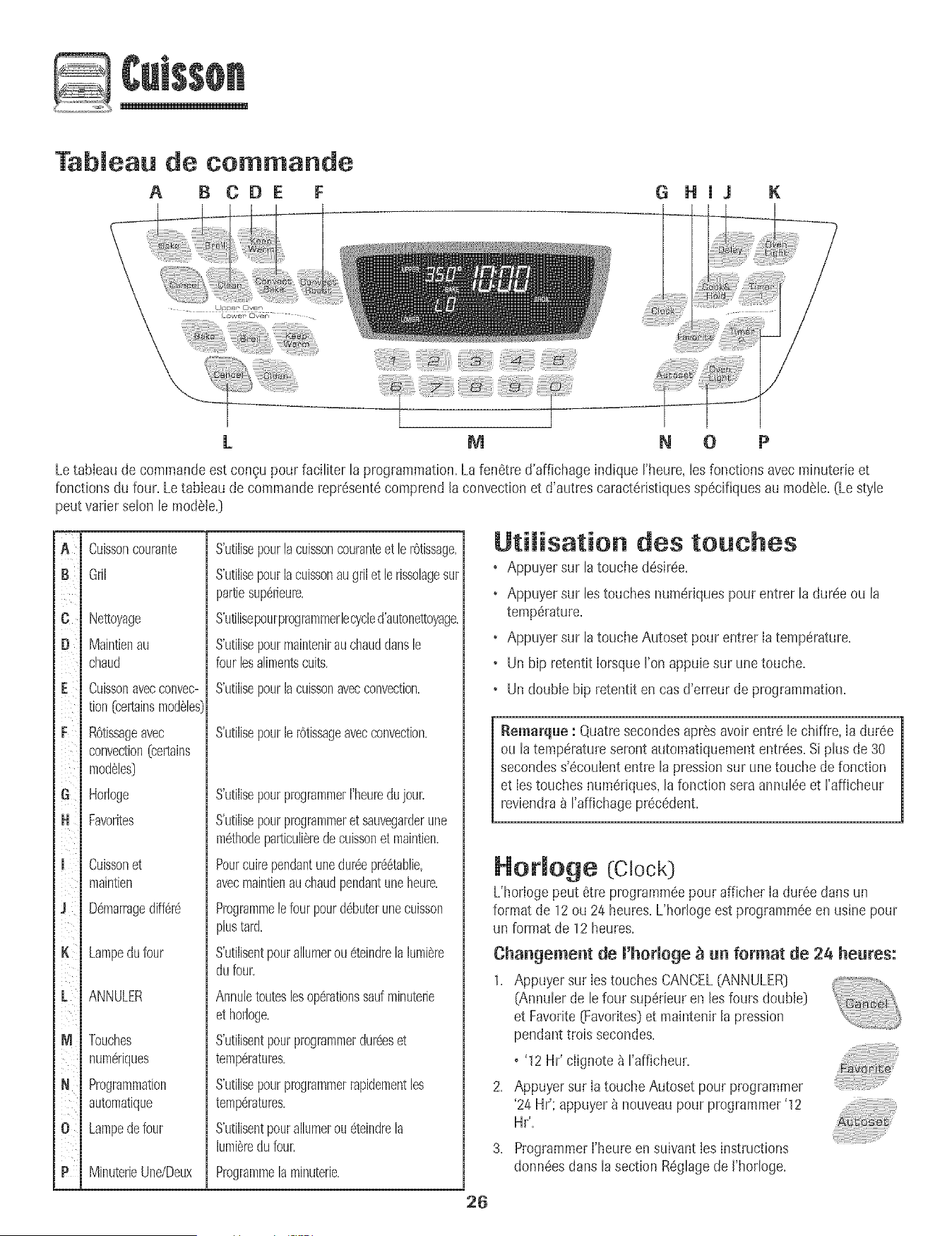
Tableau de. commande
A B CDE F G HJJ
K
i_::::i_iiiiiiiiiiiiiiii!ii_iliiiiiiiiiiiiiiii!_i,i,!_ii_i_!iiiiilili!ii'_iiii_!_'i'i_ilii_i!iii!iiiii!ii_ii!iiiii_i!!i_iiiii!i!i!_!i_ii_i'ii_!iiiiiiiiiii_iiiii!i' ,_iiiiiiiiiiiiiiiiiiiiiii_i!ii_i!ii!i!i_:i_!i
L M N 0 P
Letableau de commandoest con_upour faciliter laprogrammation.Lafenetre d'affichage indique I'heure,les fonctionsavecminuterieet
fonctionsdu four. Le tableau de commandorepresentecomprendlaconvection et d'autres caracteristiquesspecifiquesau modele.(Le style
peut varier solon le modele.]
JA
i
ic
iD
iF
i
iG
iH
ii
ii
i
ii
i
iM
iN
I
io
ill
I
ii
i
i
Cuissoncourante
Gril
Nettoyage
Maintienau
chaud
CuJsson avec convec-
tion (certainsmod61es
ROtissageavec
convection(celtains
mod61es]
Horloge
Favorites
Cuissonet
maintien
D6marragediff6r6
Lampedufour
ANNULER
Touches
num6riques
Programmation
automatique
Lampedefour
MinuterieUne/Deux
S'utilJsepourlacuissoncouranteetlerOtissage.
S'utilisepourlacuissonaugrilet lerissolagesur
partiesup6rieul_.
S'utilisepourprogrammerlecycled'autonettoyage.
S'utilisepourmaintenirauchauddansle
fourlesalimentscults.
S'utilisepourlacuissonavecconvection.
S'utilJsepourle rOtissageavecconvection.
S'utilisepourprogrammerI'heui_dujoui:
S'utilJsepourprogrammeret sauvegarderune
m6thodeparticuli6redecuissonet maintien.
Pourcuirependantunedmgepr_6tablie,
avecmaintienauchaudpendantuneheure.
Programmelefourpourd6buterunecuisson
plustard.
S'utilisentpouralhmerou6teindrela lumi@re
dufour.
Annuletouteslosop6rationssad mlnuterJe
et horloge.
S'utilisentpourprogrammerdulgeset
temp6ratures.
S'utilisepourprogrammerrapidementles
temp6ratures.
S'utilisentpouralhmerou6teindrela
lumi@redufour.
Programmelaminuterie.
UtiJisation des touches
• Appuyersur latouche deskee.
• Appuyersur lestouches nurnerJquespour entrer la dureeou la
temperature.
• Appuyersur latoucheAutoset pour entrer Ia temperature.
• Un bip retentit IorsqueI'on appuiesur une touche.
• Un double bip retentit en casd'erreur de programmation.
Remarque : Quatresecondesapres avoirentre le chiffre, Ia duree
ou la temperatureseront automatiquemententrees.Siplus de 30
secondess'ecoulententre la pressionsur unetouche de fonction
et Iestouches numedques,lafonction seraannuleeet I'afficheur
reviendra_ I'affichageprecedent.
26
Hotloge (:Clock)
L'horloge peut etre programmeepour afficher Ia dureedarts un
format de 12ou 24 heures.L'horlogeest prograrnrneeen usine pour
un format de 12heures.
ChaBgemeBt de l'horloge _ _ format de 24 heBres:
1. Appuyer sur IestouchesCANCEL(ANNULER]
(Annulerde le four superieuren Jesfours double)
et Favorite[Favorites)et maintenirJapression
pendanttrois secondes.
o'12 Hr' ciignote _ I'affJcheur.
2. Appuyer sur Ia touche Autoset pour programmer
'24 Hr': appuyer_ nouveaupour programmer'12
Hr',
3. Programmerl'heure ensuivant tesinstructions
donneesdartsla section Reglagede J'horloge.
R6gmagede ['hormoge:
1. Appuyersur latouche Clock[Hodoge].
o Heuredujour clignotent_ I'afficheur.
2. Appuyersur lostouchesnum6riquesappropri6espour programmer
I'heuredujour.
o Deuxpointsclignotent_ I'affJcheur.
3. Appuyer_ nouveausur la toucheClockou attendrequatre
secondes.
o Lesdeuxpointsrestent.
Lorsque[ecourant6[ectriquearriveou aprSsune interruptionde
courant,[aderniSreheureavant['interruptionde courantva cIignoter.
PourrappeIer['heuredujour Iorsqu'uneautrefonctionde dur6e
s'affiche,appuyersur [atouche Clock.
Uheurede rhorIogene peut6tre chang6eIorsquele four a ate
programmepourune cuissonou un nettoyagediff6r6ou pour cuisson
et maintien.
AnnuJation de ['affichage de ['heure:
Si I'onne dSsirepas ['affichagede I'heuredejour:
Appuyersur [estouchesCANCEL[ANNULER]et Clock
[Horioge)et les maintenirainsipendanttrois secondes.
Uheuredu jour disparattde rafficheur.
Lorsqueraffichagede['heureest annul& appuyersur la
toucheClockpour afficher briSvementrheure du jour.
O,uand ['affichagede rhorlogeest annul& aprSs15minutes,lerSgu-
lateurdufour se meten mode d'attente pour _conomiserde
I'6nergie.L'affichagesera aiorseffaceet [a lampedu four nefonetion-
neraplus.PourreIancerle r6guIateur_ partir du moded'attente,
appuyersur rune destouches.Undouble hip sefera entendre.
Reaffichage de ['heure :
Appuyersur lostouchesCANCELet Clocket Iesmaintenirainsi
pendanttroissecondes.L'heuredu jour r6apparak_ rafficheur.
Minuterie (Timer)
Laminuteriepeut 6trepmgramm6ede une minute(00:01)jusqu'_99
heureset 59secondes(99:59).
Laminuteriepeut 6treutiJis6eind6pendammentde toute autreactivit6
du four. EIJepeut 6tre aussiprogramm6ealorsqu'une autrefonction
du four esten cours d'utiiisation.
Laminuteriene commandepas le four. Eilene sertqu'_ 6mettredes
bJps.
Programmation de [a minuterie :
1. Appuyersur latoucheTimer (Minuterie).
o 00:00et ['icOneTIMERcIignotent_ I'afficheur.
2. Appuyersur lostouchesnum6riquesappropri_esjusqu'_ce que
I'heurejuste paraisse_ I'affJcheur.
o Losdeuxpointset ricOneTIMERcontinuent& clignoter.
3. Appuyer_ nouveausur latouche Timerou attendrequatre
secondes.
• Losdeuxpointss'arr6tentdeclignoteret led6comptede la
dur6ecommence.
• Laderni6reminutedu d6compteseraaffich6esous formede
secondes.
4. A lafin de la dur6e programm6e,un bip longretentitet le mot End
(Fin)seraaffich&
5. Appuyersur la toucheTimerpour d%ager I'afficheur.
AnnuJation de [a minuterie :
1. Appuyersur la toucheTimer et la maintenirainsJ
pendanttrois secondes.
OU
2. Appuyersur la toucheTimeret '0' _ I'aidedestouches
numSriques.
Verrouiiiage des commandos
et de [a porte few"
La portedu four et lostouchespeuvent_treverrouJlI_espour des
raisonsdesecurit& nettoyageou pour emp_chertoute utilisationnon
souhait_e.Lestouchesnefonctionnerontpassi elIessontverrouiIISes.
Si le four est en coumd'utiIisation,lestoucheset la porte ne peuvent
_tre verrouiii_es.
L'heureactueliedu jour restera_ I'afficheurIorsquelestoucheset [a
porte serontverrouiIISes.
Verrouiiiage :
1. Appuyersur lestouchesCANCELet Cook& Hold
[Cuissonet maintien)et les maintenirainsipendant
trois secondes.
, OFF[ARRET)parait _ I'affJcheur.
• L'ic0neLOCK(VERROUILLAGE]dJgnoteIorsque
la porteest en coursde verrouiIIage.
Appuyersur [estouchesCANCELet Cook& Hold et [esmaintenirainsi
pendanttroissecondes.OFFdisparaitde I'afficheur.
_emarqae : La porte du four et testouches ne peuvent_tre [
verrouillSessi la temperaturedu four est de 400° F (205° C[ ou phs.[
Codes d'aBomaJie
Les icOnesBAKE(CUISSONCOURANTE]ou LOCK
(VERROUILLAGE)peuventciignoter rapidementb ['afficheur pour
prSvenirencas d'erreur oude probI_me.Si tel est lecas, appuyer
sur latouche CANCEL.Siles icOnesBAKEou LOCKcontinuent
clignoter, d6brancherrappareiLAttendrequeIques minutes,puis
rebrancherrappareiLSi ['ic6ne continue_ cIignoter,d_brancher
I'apparei]et prendrecontact avecun r_parateurautorJs_.
27
Cuisson courante au four
Programmation de Bake :
1. Appuyersur la touche Bake (Cuissoncourante].
• L'icOneBAKE[CUISSONCOURANTE)cJignote.
• 000clignoteb Fafficheur.
2. SelectionnerIatemperaturedu four. Appuyersur Iatouche Autoset
pour350° F (175° C)ou sur lestouchesnumeriquesapproprJees.
• Chaquepressionadditionne!lede latoucheAutosetaugmente
latemperaturede 25° F 05 ° C].
• Latemperaturepeut etre programmeede 170° b 550°.
3. Appuyerde nouveausur la touche Bakeouattendrequatre
secondes.
• L'icOneBAKEs'arretedeclignoter et s'allume_ I'afficheur.
• L'icOnePREHEAT[PRECHAUFFAGE)s'ailume&I'afficheur.
• 100° [40°} ou is temperaturereettedu four si la temperatureest
de plusde 1000F (40° C]seraaffichee.Elleaugmenterapar
intervallede5° F [3° C} jusqu'_ce que latemperature
pr@rogrammeesoitatteinte.
LaisserIefour prechaufferpendant8 _ 15 minutes.
• LorsqueIatemperatureprogrammeepour Jefour estatteinte,
un hip long retentit.
• Latemperatureprogrammees'affiche.
• L'lcOnePREHEATs'eteint.
• PourmppelerIatemperatureprogrammeependant le
prechauffage,appuyersur latoucheBake.
Placerlanourrituredansle four.
Remarques sur Ja cuisson courante au
four :
• Pourchangeriatemperaturedu four pendantia cuisson,appuyer
sur Bake,puissur ia toucheAutosetou lestouchesnumeriques
approprJeesjusqu'b ce quela temperaturedesireesoit affichee.
• Pourchangeriatemperaturedu four iorsdu prechauffage,
appuyersur la toucheBakedeuxfois, puissur latoucheAutoset
ousur iestouchesnumerJquesappropri_esiusqu'_ ceque la
temperaturedBsJreesoitaffichee.
• Si I'on oublied'arreterlefour, il s'arreteraautomatiquementapr_s
12heures.Si I'ondesiredesactivercette fonctJon,voir page33.
• Pourdes conseilssupplementairessur la cuissoncouranteet le
r0tissage,voir la brochure<_LacuJssonsimplifiee>>.
6. VerifierI'avancementde lacuisson_ la duree mJnimaledecuisson.
Cuireplus Iongtempsau besoin.
7. Lorsquela cuissonestterminee,appuyersur la
toucheCANCEL(ANNULER}.
8. Retirerla nourdturedufour.
Biff@ences de cuisson entre U'ancien four et
Ue nouveau
lJest normalde remarquerquelquesdifferencesdans ladureede
cuissonentre unfour neufet unfeur ancien.Voir Ajustementde la
temperaturedu four _ la page34.
Cuisson avec convection
(certains modeles)
PourIa cuissonavecconvection,entrerlatemperaturede cuisson
normale.La commandereduit automatiquementla temperature
programmeede 25° F (15° C}.
Pregrammatien de Cenvect Bake :
1, Appuyersur IatoucheConvectBake[Cuisson
avecconvection)=
• Les icOnesBAKEet FAN{VENTILATEUR]
clignotent.
• 000clignote_ J'afficheur.
2. Selectionnerla temperaturedu four. Appuyersur Iatouche Autoset
pour 350° F075° C} ou sur lestouchesnumeriquesappropriees.
• ChaquepressionadditJonnellesur IatoucheAutosetaugmente
la temperaturede 25° F05 ° C}.Latemperaturedu four peut
6tre programmeede 170° b550°.
3. Appuyera nouveausur latoucheConvectBakeou attendrequatre
secondes.
• L'JcOneBAKEs'arretedecJignoteret s'alIume_ FaffJcheur.
• L'icOnePREHEATciignotea I'afficheur.
• 100° [40°} ou ia temperaturereeiledu four si latemperature
estde pius de 100° F (40° C}seraaffich_e.Elleaugmenterapar
intervallesde5° F [3° C}iusqu'_ce que latemperature
pr@rogrammeesoitatteinte.
• L'icOneventilateurse met b tourner.
Laisserlefour prechaufferpendant8 _ 15minutes.
• LorsqueIatemp@atureprogrammeepour le four est atteinte,
un bip long retentit.
• L'JcOnePREHEATs'eteint.
• Latemp@atureprogrammees'affiche.
• Pourrappeierlatemperatureprogrammeependantle
prechauffage,appuyersur latoucheConvectBake.
s_ite
28
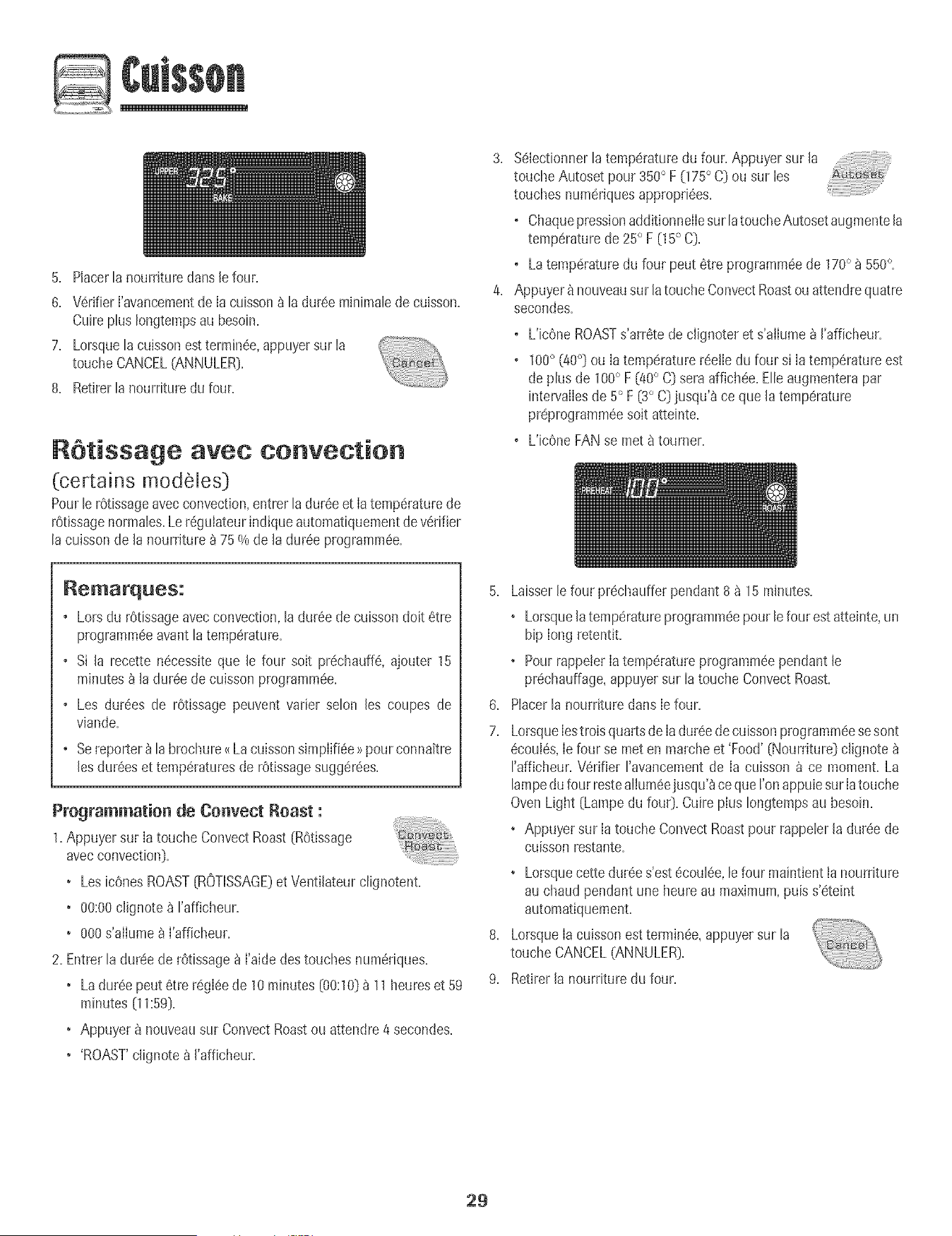
5. Placerlanourrituredartsle four.
6. VerifierI'avancementdeIa cuissona la dur@ minimab de cuisson.
Cuireplus Iongtempsau besoin.
7. LorsqueB cuissonesttermh@, appuyersur la
toucheCANCEL(ANNULER}.
8. Retirerla nourrituredu four.
R6tissage avec convection
(certains modeles}
Pourb rOtissageavecconvection,entrer ladur@ et Iatemperaturede
rOtissagenormabs.Leregulateurindique automatiquementde verifier
lacuissonde la nourriture a 75 % de la dureeprogrammee.
%bctionner latemperaturedu four. Appuyersur la
toucheAutoset pour 350° F 075° C} ou sur les
touches numeriquesappropriees.
o ChaquepressionadditionnelIesur latoucheAutosetaugmentela
temperaturede 25° F 05 ° C}.
o Latemperaturedu four peut 6tre programm@de 170° _ 550°.
Appuyer_ nouveausur latouche ConvectRoastouattendrequatre
secondes.
o L'icOneROASTs'arretede c%noter et s'aiIumea I'afficheur.
o 100° {@o)ou Ia temperaturer@tIedu four si Iatemperatureest
de plus de 100° F {400C} seraaffichee.Elleaugmenterapar
intervalIesde 5° F {3° C}jusqu'a ce que la temperature
pr@rogrammeesoit atteinte.
o L'icOneFANse met8 tourner.
Remarques:
o Lorsdu rOtissageavecconvection,la dureede cuissondoit etre
programm@avant latemperature.
o Si la recette n@essiteque le four soit pr@hauffe, ajouter 15
minutesa la duree de cuisson programm@.
o Les durees de rOtissagepeuvent varier selon les coupes de
viande.
o Sereporter_ la brochure<<LacuissonsJmplifi@>>pour connaitre
Jesdureeset temperaturesde rOtissagesuggerees.
Programmation de Convect Roast :
1.Appuyersur Iatouche ConvectRoast{ROtissage
avecconvection).
• Les bones ROAST{ROTISSAGE}et VentiJateurclignotent.
+ 00:00clignote_ I'afficheur.
+ 000s'aIIume_}_I'afficheur.
2. Entrerla dur@ de rOtissagea I'aidedestouches numeriques.
+ Ladur@ peut 6tre regIeede 10minutes{00:10}_ 11heureset 59
minutes {11:59}.
+ Appuyera nouveausur ConvectRoastou attendre 4 secondes.
+ 'ROAST'clignotea I'afficheur.
6.
7.
8.
9.
Laisserb four pr@haufferpendant 8_ 15minutes.
, Lorsquela temperatureprogramm@pour le four est atteinte,un
hip long retentit.
• PourrappeterIatemperatureprogrammeependant le
pr@hauffage,appuyersur latouche ConvectRoast.
Placerla nourriture dans Iefour.
LorsqueIestroisquarts de Iadureedecuissonprogramm@sesont
ecouIes,Ie four se meten marcheet 'Food' {Nourriture} clignote
rafficheur. Verifier ravancement de Ia cuisson ace moment. La
lampedufour restealIumeejusqu'_ceque ron @pub sur Iatouche
OvenLight {Lampedu fou0. CuirepIus Iongtempsau besoin.
• Appuyersur Iatouche ConvectRoastpour rappebr la duree de
cuisson restante.
, Lorsquecettedur@ s'estecoulee,lefour maintient tanournture
au chaud pendant uneheure au maximum+puis s'eteint
automatiquement.
LorsqueIa cuissonestterrain@,appuyersur la
toucheCANCEL(ANNULER}.
Retirerla nourriture du four.
29
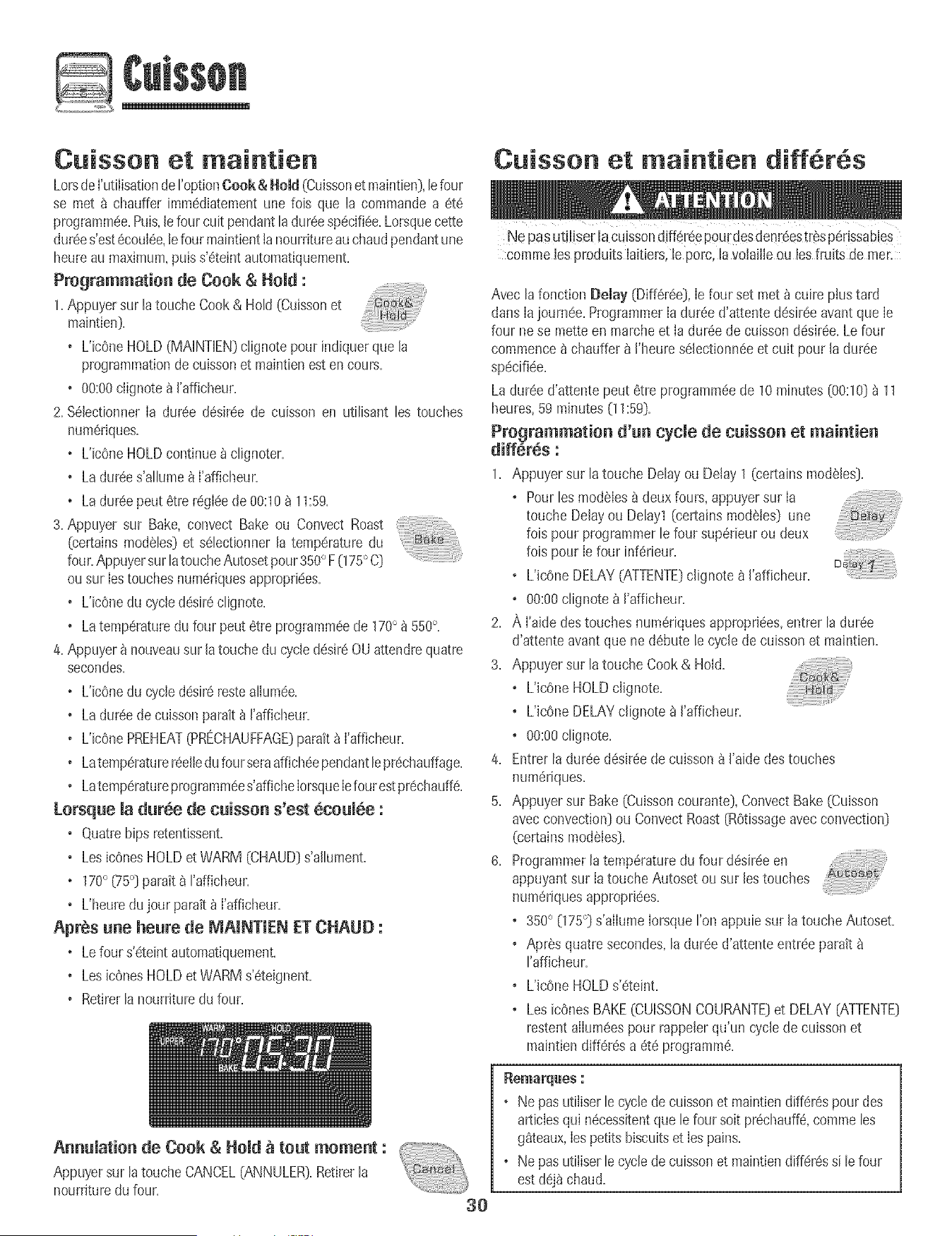
Cuisson et maintien
LorsdeI'utilisationderoptionCook & HeM (Cuissonet maintien],lefour
se met _ chauffer imm6diatementune lois que ta commandoa 6t6
programmee.Puis,le four cuit pendantla dur6especi%e.Lorsquecette
dur6es'est6coul6e,le fourmaintienttanourritureau chaudpendantune
heureau maximum,puis s'6telntautomatiquepaent.
Programmatio[i de Cook & Hold :
1=Appuyersur latouche Cook& Hold (Cuissonet
maintien].
o L'icOneHOLD(MAINTIEN)clignotepour indiquerque la
programmationdecuissonet maintienest en cours.
o %:00 clignote_ I'afficheur.
2. %lectionner Ia dur6e d6sir6ede cuisson en utilisant les touches
num6riques.
o L'ic6neHOLDcontinue_ clignoter.
o Ladur6es'allume_ I'afficheur.
o Ladur6e pout 6trer6glee de 00:108 11:59+
3. Appuyer sur Rake,convect Rake ou Convect Roast ........
(certains modules)et s61ectionnerla temperature du
four.AppuyersurlatoucheAutosetpour 350° F(175° C]
ousur Iestouchesnum6riquesappropri_es.
o L'icOnedu cycled6sir6clignote.
o Latemperaturedu four pout6tre programm6ede 170° _ 550°+
4. Appuyer_ nouveausur latouche du cycled6sir60U attendrequatre
secondes.
o L'ic6nedu cycled6sir6resteallum6e.
o Ladur6e de cuissonparait_ I'afficheur.
o L'icOnePREHEAT(PRECHAUFFAGE)parait_ I'afficheur.
o Latemp6raturer6elledu fourseraaffich6ependantlepr6chauffage.
o Latemp6ratureprogramm6es'afficheIorsqueIefourestpr6chauff6.
Lorsq[ie la d[ir_e de c[iisso[i s'est _co[il6e :
o Quatrehipsretentissent.
o LosicOnesHOLDet WARM (CHAUD]s'allument.
+ 170° (75°] parait_ I'afficheur.
o L'heuredujour paratt _ I'affJcheur.
Apr@s lille he[ire de MAINTIEN ET CHAUD :
+ Lefour s'#teintautomatiquement,
o LosicOnesHOLDet WARMs'6teignent.
o Retirerla nourrituredu four.
Cuisson et maintien diff r s
Ne pas utilise[ !acuissondiff_r6epou[desden[6estF_spc!rissabJes
comme los produits laitiers,le porc, [avolailleou losfruits de men
Avecla fonction Delay (Diff6r6e],le four set met _ cuire plus tard
dans [ajourn6e.Programmer[adur(!ed'attente d@sir@eavant que [e
four nese motto en marcheet [a durSede cuissond_s+r_e.Le four
commence_ chauffer_ ['heures_lectionn_eet cuit pour [a dur_e
sp#cifi#e.
Ladur_e d'attentepeut #tre programm_ede 10minutes[00:10)_ 11
heures,59 minutes(11:59].
Programmatio[i d'_[i cycle de c_isso[i et mai[itie[i
diff_r_s :
1. Appuyersur latouche Delay ou Delay1 (eertainsmodSles].
o Pour[esmodeles_ deuxfours, appuyersur la
touche Delayou Delay1(certainsmodSies] une
fois pour programmerle four supSrieurou deux
fois pour [e four inf_rieur.
o L'icOneDELAY[ATTENTE]c[ignote _ ['afficheur.
o 00:00clignote_ ['afficheur.
2. ,_,['aidedestouches num_,riquesappropriees,entrer [a duree
d'attente avantque ne dSbutele cyclede cuissonet maintien.
3. Appuyersur latouche Cook & Hold.
o L'icOneHOLDc[ignote.
o L'icOneDELAYc[ignote_ ['afficheur.
+ 00:00clignote.
4. Entrer ladur_e d_sir_ede cuisson_ ['aide destouches
num_riques.
5. Appuyersur Bake (Cuissoncourante),Convect Bake(Cuisson
avecconvection]ou Convect Roast[ROtissageavecconvection]
(certainsmodules].
6. Programmerlatemperaturedu four d_sir_een
appuyantsur Ia toucheAutoset ou sur los touches
numSriquesapproprJ_es.
o 350° 075 °] s'aIIumeIorsqueton appuie sur la touche Autoset.
o Apr_s quatresecondes,la duree d'attenteentree parait
rafficheur.
o L'Jc6neHOLDs'_teint.
+ LesicOnesBAKE(CUISSONCOURANTE]et DELAY[ATTENTE]
restentalIum_espour rappelerqu'un cycle decuisson et
maintiendiff6r6s a 6t6 programm6.
A[i[i[lJatio[i de Cook & Hold _ to[it memo[it : +-+_+
Appuyersur latouche CANCEL(ANNULER).Retirerla
nourr[turedufour. "+;+,+,++,+,)
:30
o Ne pasutiliserlecycle decuissonet maintiendiff_r6spourdes
articlesqui n6cessitentque le four soit pr6chauff&commeles
g_teaux,JespetJtsbiscuitset Jespains.
o Ne pasutiJiserlecycle decuissonet maintiendiffer6ssile four
estd6j_ chaud.
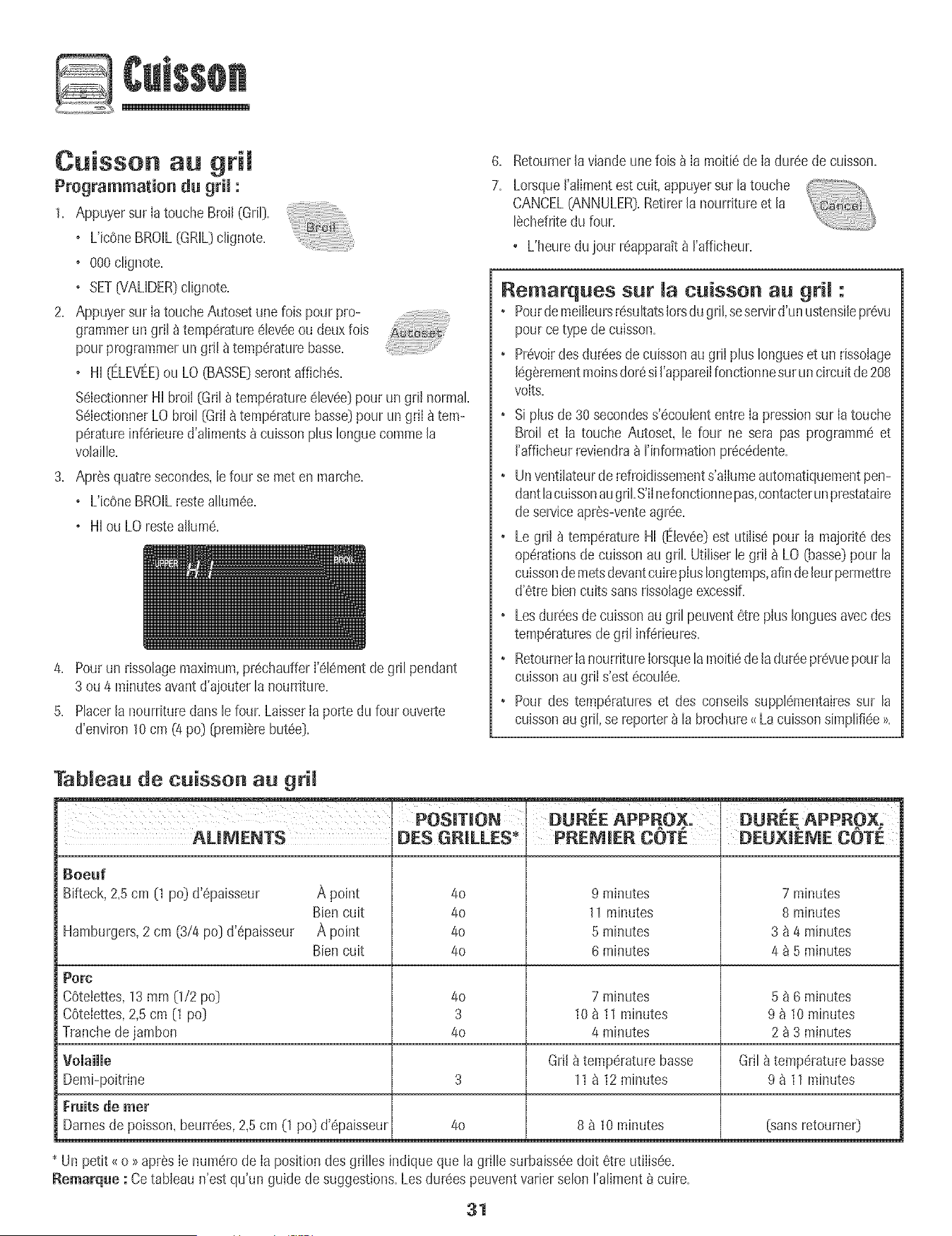
Cuisson au gri[
Programmation du grim :
1. Appuyersur [atoucheBroil (Gri[}.
o L'icOneBROIL(GRiL}clignote.
o 000dignote.
+ SET07ALiDER}c%note.
2. Appuyersur [atouche Autosetune lois pour pro-
grammerun gril _ temperature6leveeou deuxfois
pourprogrammerun gril _ temperaturebasse.
o Hi {ELEVEE}ou LO(BASSE}serontaffiches.
%lectionner Hi broil (Gril_ temperatureelevee}pour un grii normal
%[ectionner LObroil (Gri[_ temperaturebasse}pour un gri[ _ tem-
peratureinferieured'aIiments_ cuissonplus Ionguecommela
voIaiIIe.
3. Apr6squatresecondes,le four se meten marche.
o L'icOneBROILresteaIIumee.
o Hi ou LOrestea[[ume.
4. Pourun risso[agemaximum,prechauffer['elementde gri[ pendant
3 ou 4 minutesavantd'ajouterla nourriture.
5. Placerla nourrituredans le four. Laisser[aporte du four ouverte
d'envJron10cm (4pc} [premierebutee].
G.
7.
Retoumer[aviandeunefois _ [amoitie de [adureede cu[sson.
LorsqueI'alimentestcult+appuyersur latouche
CANCEL(ANNULER].Retirerla nourritureet la
lechefritedu four.
• L'heuredujour reapparak_ I'afficheur.
Remarques sur [a cuisson au gr+[ :
• Pourdemeilleursresultats[orsdugril,sesewird'un ustensileprevu
pource typede cuisson.
+ Prevoirdes dureesdecuissonaugriI plus Iongueset un rissolage
[egerementmoinsdoresi['appareilfonctionnesur uncircuitde208
volts.
+ Siplus de30 secondess'ecoulententre la pressionsur la touche
Broil et la touche Autoset, le four ne sera pas programmeet
['affJcheurreviendraa I'informationprecedente.
• Unventilateurdere%idissements'allumeautomatiquementpen-
dantlacuissonaugriLS'ilnefonctionnepas,contacterunprestataire
deserviceapres-venteagree.
+ Le gril _ temperatureHi (Elevee}est utilis6 pour la majorit6des
operationsde cuissonau griL Utiliserle gril _ LO(basse}pourla
cuissondemetsdevantcuireplusIongtemps,afindeleur permettre
d'etrebiencuits sansrissoiageexcessif.
+ Lesdureesde cuissonau gril peuventetreplus Ionguesavecdes
temperaturesde grl[ inferieures.
• Retournerla nourriturelorsquelamoitiede[adureeprevuepour la
cuJssonau gril s'estecoulee.
• Pour des temperatureset des conseilssupplementairessur la
cuissonau gril,se reporter_ la brochure<_Lacuissonsimplifiee>>.
TabJeau de cuisson au griJ
AUMENTS DES GP,[LLES+
Boeuf
Bifteck,2+5cm (1pc} d'epaisseur A point
Bien cuit
A point
Bien cuit
OUREEAPPROX, OUREE.APPRO×;
4o
4o
4o
4o
PP,EM [EP, COTE
9 minutes
11minutes
5 minutes
6 minutes
iDEUX[EMECOTE
7 minutes
8 minutes
3 _}_4 minutes
4 a 5 minutes
Hamburgers, 2 cm (3/4 pc} d'epaisseur
Porc
COtelettes, 13 mm 0/2 pc} 4o 7 minutes 5 _ 6 minutes
Cetelettes, 2,5 cm [1 pc} 3 10 a 11 minutes 9 a 10 minutes
Tranche de jambon 40 4 minutes 2 a 3 minutes
Voiaiiie Gri[ _ temperature basse Gri[ _ temperature basse
Demi-poitrine 3 11 _ 12 minutes 9 _ 11 minutes
Fruits de met
Darnes de poisson, beurrees, 2,5 cm (1 pc} d'epaisseur 4o 8 _ 10 minutes [sans retourne0
* Un petit <<o >>apres[e numero de [a position desgrilles indique que [a grillesurbaisseedoit etre ut[iisee.
Remarque : Ce tableau n'estqu'un guide de suggestions.Lesdureespeuventvarier seIonraIiment _ cuire.
31
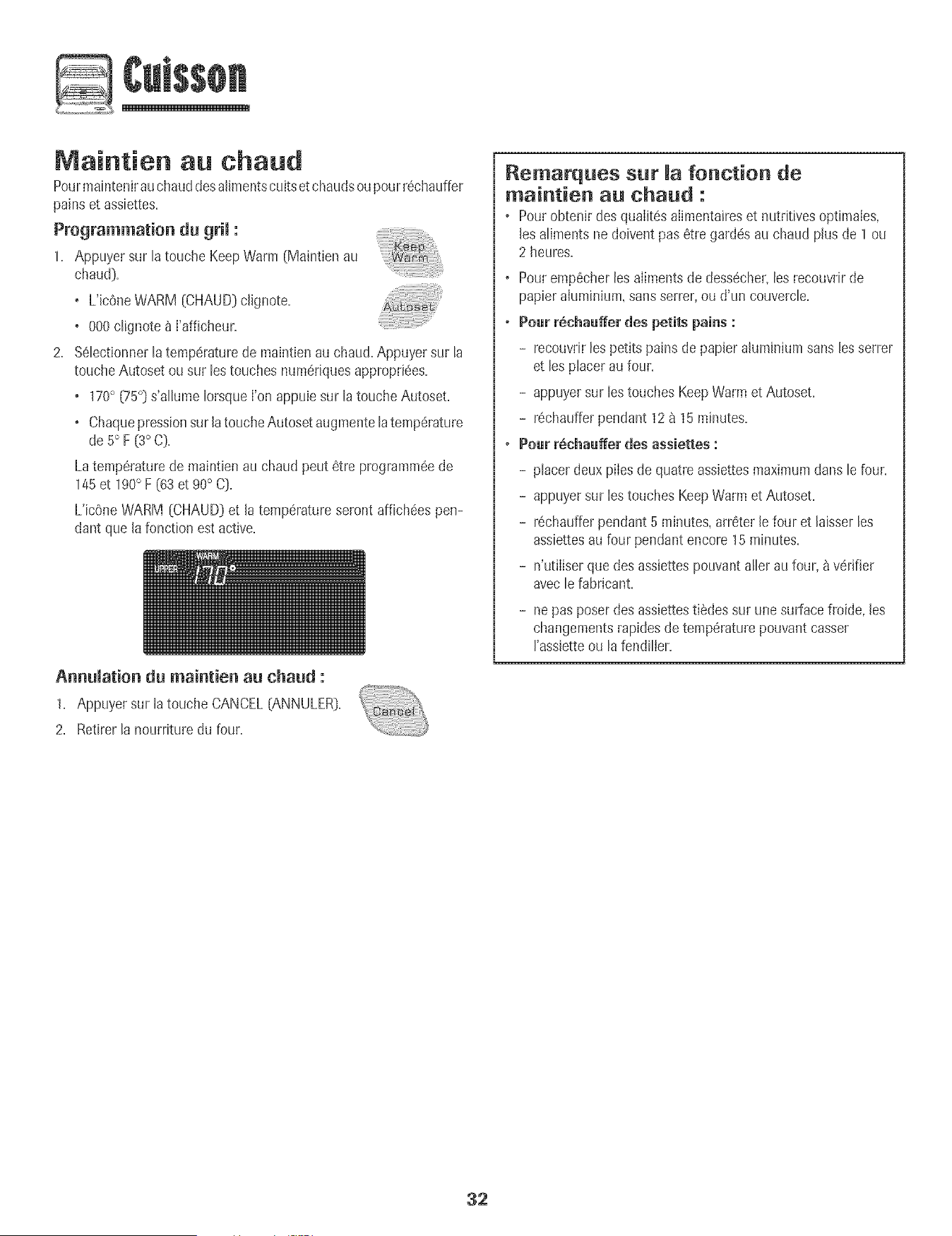
Maintien au ehaud
Pourmaintenirauchauddesalimentscultset chaudsoupourr6chauffer
pains et assiettes.
Programmation du grim:
1. Appuyer sur la toucheKeepWarm (Maintien au
chaud).
+ L'ic0neWARM [CHAUD)c@note.
+ 000clignote & I'afficheur.
2. %lectionner latemperaturede maintien au chaud.Appuyersur la
toucheAutoset ou sur lestouches numedquesappropriees.
+ 170+(75°Ds'allume IorsqueI'on appuiesur la toucheAutoset.
+ Chaquepressionsur latoucheAutosetaugmentelatemperature
de 5° F [3°C].
Latemperaturede maintienau chaud peut 6tre programm6ede
145et 190° F (63 et 90° C].
L'icOneWARM [CHAUD]et la temperatureseront affich6es pen-
dant que la fonction est active.
Annumation du maintien au chaud :
1. Appuyersur latouche CANCEL[ANNULER:).
2. Retirer la nourrituredu four.
Remarques sur fonction de
maintien au ehaud :
+ Pourobtenir des qualit6salimentaireset nutritivesoptimales,
lesaliments nedoiventpas 6tre gard6sau chaud plus de 1ou
2 heures.
, Pouremp6cher les alimentsde dessecher+lesrecouvrir de
papieraluminium+sans serrer,ou d'un couvercle.
+ Pour r_chaaffer des petits pains :
- recouvdrlespetits pains de papieraluminiumsans lesserrer
et les placer au four.
- appuyersur les touchesKeepWarmet Autoset.
- r6chaufferpendant 12_ 15minutes.
* Pour r6chaa_er des assiettes :
- placerdeux piles de quatre assiettesmaximumdans lefour.
- appuyersur les touchesKeepWarmet Autoset.
- r6chaufferpendant5 minutes, arr6terle four et laisserles
assiettesau four pendant encore 15minutes.
- n'ut+Iiserque desassiettespouvantaller au four, _ verifier
avecle fabricant.
- nepas poser desassiettestiedessur unesurfacefroide, les
changementsrapidesde temperaturepouvantcasser
rassietteou lafendiller.
32
Arr .t automatique/Mode
Lefour s'arr6teautomatiquementaprSs12heuress'iI a 6t6
accidentellementhiss6 en marche.Cettecaract6ristiquede s6curJt6
peut 6tre arr6t6e.
Pour annumerm'arr_t12 heureset faire fonetionner mefour en
eentinu pendant 72 heures:
1. Appuyer sur la toucheClock (Horloge_et la
maintenirainsi pendant 3 secondes.
• SAbsera affich6 et clignotera pendant cinq secondes.
• SAbsera ensure affich6 en continu jusqu'_ ce qu'on I'arr6te
ou iusqu'_ ce que la dur6eIimite de 72heuressoit atteinte.
• L'ic6neBAKE(CUISSONCOUF_,NTE]sera aussiaffich6e si un
cycle de cuissoncouranteest en cours alors que lefour est en
modesabbat.
• Toutesles touchessont inactivessaufCANCEL[ANNULER]et
Clock.ToutesIesautresfonctions saul BAKE(Minuterie,
Maintienau chaud, Nettoyage,etc0sont verrouill6espendant
Jemode sabbat.
• Uncycle de cuissonet maintien peut 6tre pmgramm6durant
lemode sabbat.Cependant,un cycle de cuissonet maintien
diff6r6s n'est pas possible.
Annulation du mode sabbat:
1. Appuyer sur la toucheCLOCKpendanttrois
secondes.
OU
2. Apr6s 72 heures,Jemode sabbatse termJne.
• 'SAb'clignote pendant5 secondes.
• L'heuredu jour revient_ I'afficheur.
Remarques sur Je mode sabbat :
o Lemode sabbatpeut 6tre misen marche_ tout moment,que
lefour soit en marche ou non.
o Lemode sabbatne peut pas6tre misen marchesi lestouches
sont verrouill6esou la porteverrouilI6e.
o Lamajorite des messageset tous les hips sont d6sactiv6s
Iorsquele modesabbat est actif.
o Si le four est en mode cuissonIorsqueIe modesabbat est
programm6,I'[c6neBAKE(CUISSONCOURANTE]s'6teint_ la
fin du cyclede cuisson.II n'y aura aucun signal sonoreaudible.
o S[ l'6clairagedu four est souhait(!pendant le modesabbat,la
lampedevra6tre allum(!eavantque le modesabbat ne d6bute.
o LorsqueIe modesabbata d6marr_,I'afficheur indique
imm6diatementIatemp6ratureprogramm@plutOtque la
temp6raturer6ellede Ia cavit_du four. Aucun hip de
pr6chauffagene retentit.
o Lecycle d'autonettoyageet le verrouillageautomatiquede la
porte nefonctionnent paspendant le modesabbat.
o Si I'on appuiesur la touche CANCEL,un cyclede cuisson
couranteau four seraannul& Cependant,le r6gulateurrestera
en modesabbat.
o Apr6s une pannedecourant, le four revienten mode sabbat
avec72 heuresrestanteset aucun cycleactif.
33

A uste ent de temperature
du four
La precisiondes temperaturesdu four aete soigneusementverifiee
I'usine.IIest normalde remarquerquelquesdifferencesde cuisson
ou de la couleur du rissoIageobtenuentre unfour neuf et un four
ancien.Au fur et _ mesureque le four estmoins neuf,sa
temperaturepout varier.
II est possibled'ajuster latemperaturedu four si I'on penseque le
four necuit pas ou nerissolepas correctement.Pour deciderde
I'ajustement_ apporter,regler le four _ une temperaturede 15 °C
(25°F}plus eleveeou plus basseque Ia temperatureindiquee dans
la recette,puis faire cuire la preparation.Lesresultats du premier
essaide cuissondoivent donner uneidee du nombrede degres
duquel la temperaturedoit 6tre ajustee.
Ajustement de matemperature du four :
1. Appuyersur la touche Bake(Cuisson}.
2. Entrer550° F [285° C} en appuyantsur los touches
numeriquesappropriees.
3. Appuyersur Ia touche Bakeet Ia maintenirainsi pendant
plusieurssecondesou jusqu'_ ce que 00° paraissea rafficheur.
Si Ia temperaturedu four a ete precedemmentajustee,Ie
changementseraaffiche.Par exemple,si la temperaturedu four
a ete reduitede 15° F (8° C},I'afficheur indiquera-15°F(-8° C}.
4. Appuyersur Ia toucheAutoset pour ajuster Iatemperature.
A chaquefois que I'onappuie sur Iatouche Autoset,la
temperaturechangede 5° F (3° C}.Latemperaturedu four pout
6tre augmenteeou diminuee de5 a 35° F (3 a 20° C}.
5. L'heuredu jour reapparakautomatiquement_ I'afficheur.
II n'est pas necessairede reajusterlatemperaturedu four en cas de
panneou d'interruption de courant. L'ajustementde Ia temperature
s'appliqueseuIementaux fonctionsde cuisson,cuissonavec
convectionet retissageavecconvection (certainsmodeles}.
Latouche Favorite(Favorites}permet de sauvegarderla dureeet Ia
temperatured'un cycle de cuissonet maintien cuisson,cuissonavec
convectionou rOtissageavecconvection (certainsmodeles}.
Pourprogrammerun cycle Favorite,une fonction de cuisson et
maintiendoit 6tre activeou tout juste programmee.
Programmation d'un nouveau cycle Favorite ou
sauvegarde d'une fonction en tours de cuisson et
maintien comme favorite :
1= Programmerun cyciede cuissonet maintien commeil est decrit
lasection Cuissonet maff_tien_ la page 30=
2. Appuyer sur Ia touche Favoriteet la maintenirainsi
pendanttrois secondes.
o Lecycle cuissonet maintien nouvellementprogrammeou en
cours de fonctionnementserasauvegarde.
o Un bip se fera entendrepour indiquer que le regulateura
accepte JeregJageFaw_rite.
D6marrage d'un cycle programm_ darts Favorite :
1. Appuyer sur Ia touche Favorite.
o Laduree et Ia temperaturedu cycleprogramme
de cuissonet maintienseront affichees(si aucun
cycJede cuissonet maintien n'a ete programme, .....
_<none>>seraaffiche}.
2. Appuyer sur Ia touche Bake,ConvectBakeou CmwectRoast
(certainsmodeles}.
o Lecycle Favoritecommenceimmediatement.
o L'icOnedu cycle selectionnes'allume_ I'afficheur.
o Laduree de cuissons'alJumea J'afficheur.
Lorsque maduree de cuisson s'est ecoulSe :
o L'icOnedu cycle seIectionnes'eteff_t,
o L'icOneHOLDWARM (MAINTIENAU CHAUD)s'alhme.
o 170° (75°} paratt 8 J'afficheur.
Annumation d'un cycle Favorite en tours :
1. Appuyer sur la touche CANCEL(ANNULER}.
o Lecycle Favoritesauvegardene sera pasaffecte.
2. RetirerJanourriture du four.
34

.clairage du four
La lampedu four s'alIumeautomatiquement_ I'ouverturede B porte.
LorsqueIa porte estferm@+appuyersur OvenLight (Lampedu fou0
pour allumerou 6telndre la larnpe.Le four produit un signal .....
sonore chaquefob que t'on appub sur OvenLight.
i
Event du four
L'@entdu four estsitue sous b tableaude commandedu four
encastre.
LorsqueIe four fonctionne,Iessurfacesvoisinesde I'eventpeuvent
devenirassezchaudespour entrainerdes brhlures.Pour des
r@uttatsoptimums,ne pas bloquerI'@ent.
Ventimateurs du four
Leventilateur de refroidissement se met automatiquementen
marchelots du nettoyage,de la cubson au gril et de certaines
operationsde cuisson.Ceventilateursert _ refroidir bs cornposants
internesdu tableau de commandeet il s'eteintautomatiquementdes
queces composantssent refroidis.II est possiblequ'il continue
toumer unefois lefour eteint.Ceciest normal.
Un ventimatearde convection (certainsmod6Ies]sert 8 faire
circuler Fairchaud dans le four Jorsquele modeconvection est
selectionne.II se metautomatiquementen marched@sque I'on
@pub sur Jatouche Convect(Convection]et s'eteintautomati-
quementIorsqueI'on eteint cette fonction.
i Remarqae : Leventilateurde convections'arrete
automatiquementchaquefois que I'on ouvre la porte du four.
Grilles du four
; Ne pastenter de Changer!a postion des grilles !orsquele four
estchaud.
i ae par _arlgerde nOurritureou dlustensib dans b four:
Fears _ convection simpmeset doabmes- chaque four
s'accompagne de deux griIIes plates et d'une grilIe surbaiss@,
Fear sans convection simpmes et doabmes - chaque four
s'accompagne d'une grille plate et d'une grille surbaiss@,
E×traction :
I. Tirer sur la grille jusqu'_ la
but@.
2. SouleverIagrille 8 I'avant
pour pouvoirI'extraire.
Reinstammation:
1. Racer Iagrilb sur les
supports dans lefour.
2. Soubver legSrementl'avant;faire glisserla grille versI'arriereau-
deB de la position de calage.
3. Abaisserla grille pour qu'elb prenneappuisur lessupports dans
le four.
Positions des grilles
)late)
(grille
surbaissee)
1 (grille plate)
CuissoR avec ConveotioR $ur
trois grilles (certains modeles)
Position de grille n° 4 :
Cuissoncourantesur trois grilles (modSlesavecconvection
seubmen0.
Position de grille n° 40 (grille sarbaiss_e sat n° 4} :
La majorite des cuissonsau griL
Position de grille n° 3 :
La majorite des produ+tsde boulangerieet p_tisseriessur une
pIaque_ gSteauxou sur un moule _ g_teaufoul&
Position de grille n° 30 (grille sarbaiss6e sat n° 3} :
La majorite des produits de boulangerb et p_tisserbs,tartes,
g_teaux&etages.
35
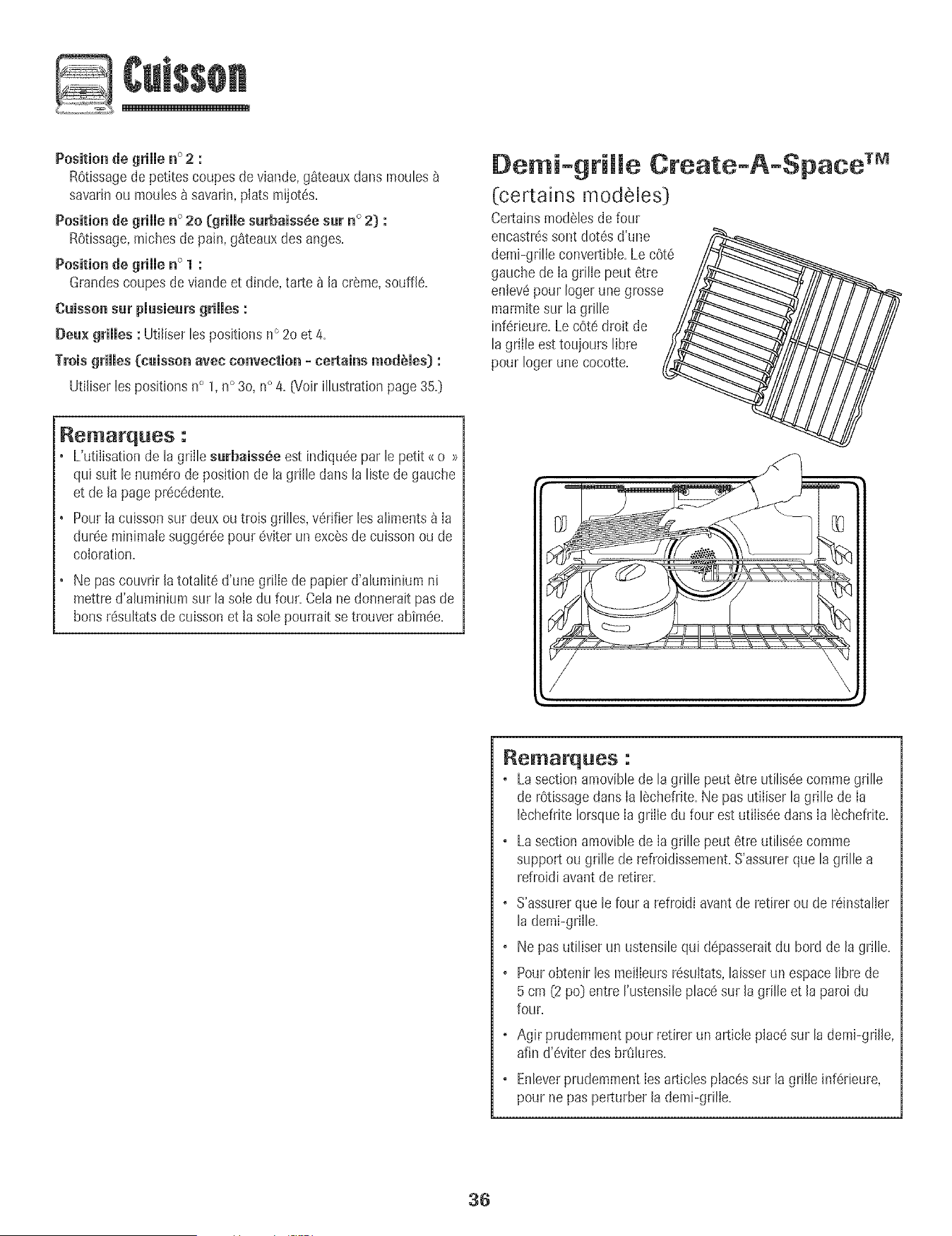
Position de grimmen° 2 :
ROtissagede petitescoupes de viande,g_teauxdans moules
savarinou moules_ savarin,plats mijot6s.
Positionde grimmen ° 2o (grimmesurbaiss_.esur n ° 2) :
R0tissage,michesde pain,g_teaux desanges.
Positionde grimmen ° 1 :
Grandescoupesde viande et dinde, tarte_ la cr_me,souffle.
Cuissensur pmusieursgrimmes:
Deu× grilles : Utiliser[espositionsn° 20 et 4_
Troisgrimmes{[cuissonavec convection - terrains modbmes):
Utiliser les positionsn° 1,n° 30, n° 4, [Voir illustration page35,)
Rematques :
• L'utiiisationde la griIlesurbaiss6e est indiqu6e par le petit _ o >>
qui suit le numerode position de la grille dartsla listede gauche
et de la pageprecedente.
PourIacuissonsur deuxou trois grilles, verifierles aliments_ Ia
duree minimalesuggereepour 6viter un excSsdecuisson ou de
coloration.
Ne pas couvrirlatotalite d'une grille de papier d'aluminium ni
mettred'aluminium sur la sole du four. Celane donneraitpas de
hensresultatsde cuissonet ta sole pourrait se trouver abim6e.
Demi-gtiffe Create-A-Space TM
(certains modeles)
Certainsmod_lesdefour
encastr_ssent dot6s d'une /,_
demi-grille convertible.Lec0te__,_
gauchede Ia gdlie peut 6tre
entev6pour Iogerune grosse
marmitesur lagrille
inf6rieure.Le cote droit de
la griile est toujours libre
pour Iogerune cocotte.
//
Remarques :
, LasectionamovibJede lagrille peut etre utiJis6ecommegrille
de rOtissagedansIa 16chefrite.Ne pas utiliser la grille de Ia
ISchefriteIorsqueIa grille du four estutiliseedans Ia ISchefrite.
. Lasectionamoviblede Iagrille peut etre utilis6ecomme
supportou grille de refroidissement.S'assurerque la grille a
refroidiavantde retirer.
. S'assurerque le four a refroidi avantde retirer oude r6installer
lademi-grille.
. Ne pasutiliser un ustensilequi depasseraitdu herd de la grille.
. Pourobtenir lesmeilIeursresultats,hisser un espacelibre de
5 cm (2po] entre rustensile placesur Jagrille et la paroi du
four.
. Agir prudemmentpour retirer un article placesur la demi-griJie,
afin d'_viter desbr_lures.
. EnleverprudemmentIesarticles placessur Jagrille inf6rieure,
pour ne pas perturber Jademi-grilJe.
36
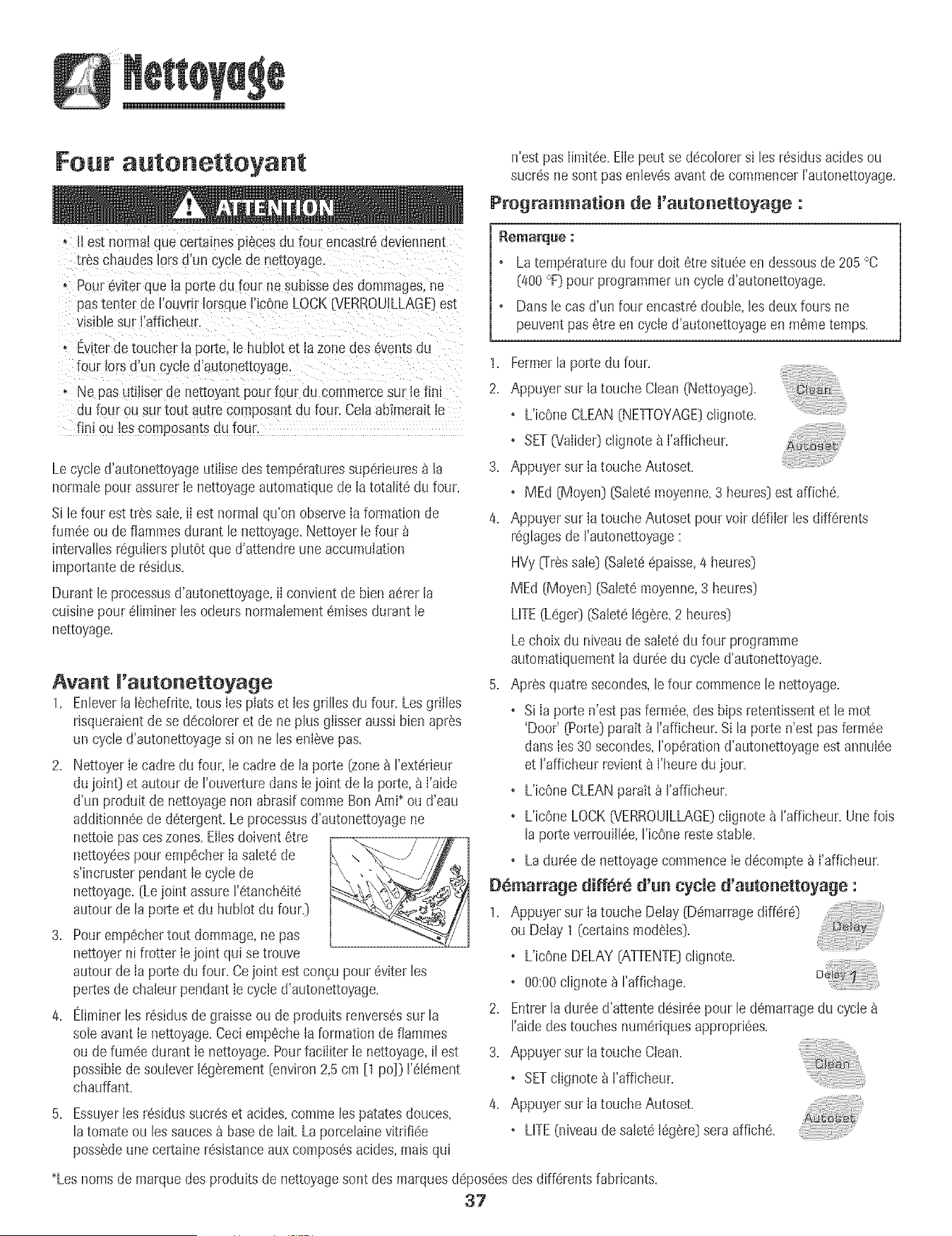
Four autonettoyant
n'est pas [imit6e.Eliepeut se d6coiorersi [esr6sidus acidesou
sucr6s nesont pasenlev6savant de commencerI'autonettoyage.
Programmatien de ['autenetteyage :
o i[ es[ norma_quecertamespJ6cesdu four encastr6deviennent
[i _schaudes[ors d'un cycle ae ne[_oyage.
o Pour6vJterque Japortedu four ne suDIssedes dommages,ne
pas[enter de Fouvrir[orsque['JcOneLOCK{VERROUiLLAGE}est
"![siblesur ['afficheur.
o Ewterdetoucher ia porte. [e hubiot et la zonedes eventsdu
four Jotsd'un cycle d'autonettoyage.
° Ne pas utiliserde net_oyan_pour four du commercesur [e fin[
du four ou sur[ou[ au[re composantdu foun CeJaabfmeraJt[e
finJou [es composantsau foun
Lecycle d'autonettoyageutilise destemperaturessuperieures_ [a
normaIepour assurer[e nettoyageautomatiquede [a totaIite du four.
S[ lefour esttras sale,i[ est normalqu'on observe[aformation de
fumeeou de flammesdurant le nettoyage.Nettoyer[efour
intervaIJesreguiierspIutOtque d'attendreune accumulation
importantede residus.
Durant le processusd'autonettoyage,i[ convient de bien aererla
cuisinepour eIiminer lesodeurs normalementCruisesdurant le
nettoyage.
Avant I'autonettoyage
1. EnIeverla [echefrite,tous[es plats et les grilles du four. LesgriiIes
rJsqueraientdese decoloreret de ne plus giisseraussi bienapr6s
un cycled'autonettoyagesi on ne leseni6vepas.
2. Nettoyer[e cadre du four, [ecadre de la porte (zonea I'extedeur
du ioint} et autour de I'ouverturedarts[eioint de la porte,a ['aide
d'un produit de nettoyagenon abrasif comme BonAmi* ou d'eau
additionneede detergent.Le processusd'autonettoyagene
nettoiepas ceszones.Eiiesdoivent6tre
nettoyeespour emp6cher[a salete de
s'incruster pendant [ecycle de
nettoyage.(Le joint assure I'etancheite
autour de la porte et du hubIot du four.}
3. Pouremp6chertout dommage,ne pas
nettoyerni frotter [ejoint qui se trouve
autour de [a porte du four. Cejoint est congupour eviter les
pertesde chaleur pendant[e cycle d'autonettoyage.
4. EJiminerles residusdegraisse ou de produitsrenversessur la
sole avant[e nettoyage.Ceciemp6che[aformation de fiammes
ou de fumee durant [e nettoyage.Pourfaciiiter [e nettoyage,il est
possiblede soulever legarement(environ2,5cm [1 pc]} I'el6ment
chauffant.
5. Essuyer[es residussucreset acides,comme lespatatesdouces,
latomate ou les saucesa basede lait. La porceIainevitrifiee
possedeune certaine resistanceaux composesacides,mais qui
Latemperaturedu four dolt 6tre situee en dessousde205°C
Ca00°F}pour programmerun cycled'autonettoyage.
Dansle cas d'un four encastredoubie, lesdeux fours ne
peuventpas6tre en cycie d'autonettoyageen m6metemps.
1. Fermerla porte du four.
2. Appuyersur [atouche Clean (Nettoyage}.
• L'icOneCLEAN(NETrOYAGE}cIignote.
° SETO/alide0dignote a l'afficheur.
3. Appuyersur [atouche Autoset.
• MEd (Moyen}(SaIetemoyenne,3 heures}estaffiche.
4. Appuyersur [atouche Autoset pour voir defiler les differents
regIagesde ['autonettoyage:
HVy_Tr6ssale} (SaIeteepaisse,4 heures}
MEd (Moyen)(SaIetemoyenne,3 heures)
LifE (Lege0 _Saleteleg_re,2 heures)
Lechoix du niveaude salete du four programme
automatiquementla duree du cycle d'autonettoyage.
5. Apres quatresecondes,le four commencele nettoyage.
• Si [a porte n'est pasferm6e,des bips retentissentet le mot
'Door' (Porte)paratt _ I'afficheur.Si la porte n'est pas fermee
darts[es 30 secondes,I'operationd'autonettoyageest annulee
et I'afficheur revient8 ['heuredu jour.
• L'icOneCLEANparait _ I'afficheur.
• L'icOneLOCK(VERROUILLAGE)ciignote _ I'afficheur.Unelois
la porte verrouiiIee,I'icOnerestestable.
• La dureede nettoyagecommence[e decompte& ['afficheur.
D6marrage diff6r_ d'un cycle d'autonettoyage :
1. Appuyersur latouche Delay (Demarragediffere)
ou Delay 1 (r-ertainsmodStes).
• L'icOneDELAY(ATTENTE)cIignote.
• 00:00cIignote_ I'affichage.
2. Entrerladureed'attente desireepour le demarragedu cycle
I'aidedes touches numerJquesappropriees.
3. Appuyersur la touche Clean.
• SETciignote_ I'affJcheur.
4. Appuyersur [atouche Autoset.
• LifE (niveaude salete[eg_re)seraaffJche.
*Lesnomsde marque desproduits de nettoyagesont des marquesdeposeesdes differentsfabrJcants.
37
5. Appuyer sur la toucheAutoset pourvoir ddJJerles ....
diff@entsr6glagesde Fautonettoyage: .....
HVygr_s sale} (Saiet6@aisse,4 heures}
MEd (Moyen){SaIet6moyenne,3 heures}
LITE(L6ge0 (Salet616g_re,2 heures}
Lechoix du niveaude salet6 du four programme
automatiquementIa dur6edu cycied'autonettoyage.
6. Apr6s quatre secondes,IesicOnesCLEAN[NETrOYAGE]et
DELAY[ATTENTE]s'allumerontet I'icOneLOCK
G/ERROUILLAGE}dignotera _ I'afficheur.LorsqueIaporte du
four se verrouiIle,I'icOneLOCKs'arr_!tede clignoter et reste
allum6een continu pour indiquerque le four est programm6
pour une operationde nettoyagediffer6. Le d61aid'attentesera
affich&
Pendant Je cycJe d'autonettoyage
LorsqueLOCKparait _ I'afficheur,Ia porte ne peut etre ouverte.Pour
6viterd'endommagerla porte, ne pas forcer Japorte pour J'ouvrJr
IorsqueLOCKest affich&
[umSe et odeurs
La premierelois oQ le four est nettoye,iI peut y avoir production
d'odeur et de rum@.Ceciest normalet disparaftra_ I'usage.
Si Ie four esttres saleou si la I_chefritea ete laisseedans lefour, il
peut y avoir production de fumee.
Bruits
Pendantque Ie four chauffe, iJpeut se produiredes bruits de metal
en dilatation ou en contraction.Ceciestnormal et n'indique pasque
le four s'abtme.
Apr s cycle d'autonettoyage
Environune heure apr_s Iafin du cycle,J'icOneLOCKs'eteint.Ace
moment,Japorte peut etre ouverte.
La samet8peut avoir laiss_ an r_sidu gris peudrea×. L'enlever
avecun Iinge humJde.S'il restede Ia salete,cela indiqueque Ie cycJe
de nettoyagen'a pasete assezlong. Cettesaleterestantesera
enlev6eau prochaincycle d'autonettoyage.
Si les grilles du four ent 6t_ laiss_es _ l'int6riear pendant le
cycle d'autenetteyage et qa'emmesgiissent roamsat meurs
supports, lesenduire,ainsi que les supports,d'une fine couche
d'huile veg6tale.
De fines mignespeuvent apparaitre darts mapercemaineparce
qa'eiie a subi nhaieur et refroidissemenL Ceci est normal et
n'affecterapas la performance.
Une d_nemerationblanche peut apparaitre apr_s le netteyage
si des aliments acides ou sacr6s n'ont pas 8t8 enlev6s avant
qae ne commence l'aatonettoyageo La d6colorationest normale
et n'affecterapas la performancedu four.
Remarques :
• Si la porte du four n'est pas fermee,le mot <<door>>(porte]
cJignote_ I'afficheur et ie four _metdes hipsjusqu'_ ce queJa
porte soitferm6eet que I'onappuie _ nouveausur Clean.
• S'il s'6couleplus de cinq secondesentre le momento_ Fen
appuiesur Cleanet celui o_ I'on appuiesur Jatouche Autoset,
J'afficheurretourne automatiquement_ J'affichagepr6cedent.
• Unvent[lateur se met automatJquementen marche pendantIe
cycle d'autonettoyageet s'eteintautomatiquementunelois Je
cycle de nettoyagetermJneet le feur suffisammentrefroidi.Si
ce vent[lateurnefonctionne pas,contacter un prestatairede
serviceaprSs-venteagr6e.
• La porte du four se trouveraendommageesi J'onforceson
ouvertureaJorsque I'icOneLOCK(VERROUILLAGE)estencore
affichee.
38
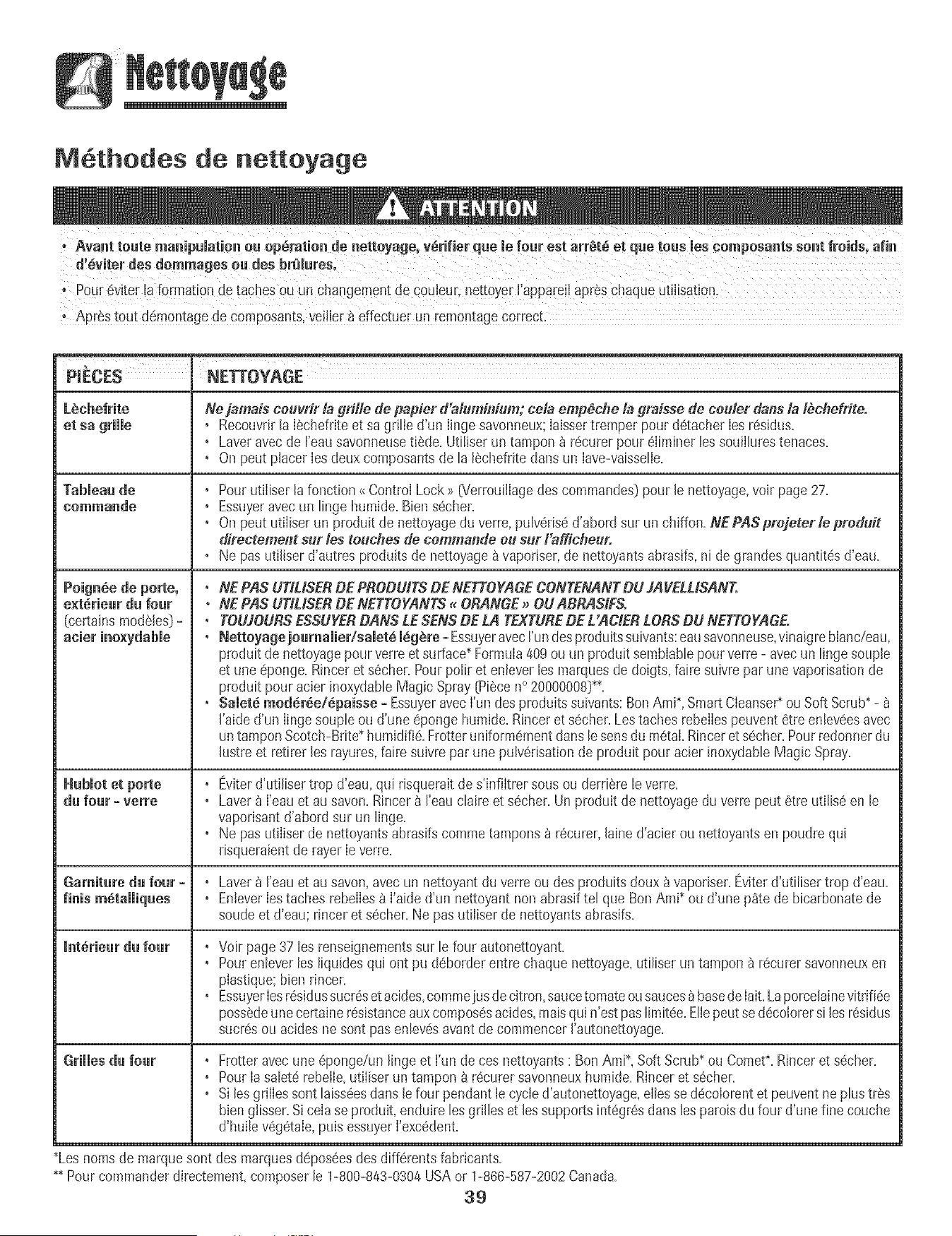
MGthodes de nettoyage
° APE'Stout d_montagede coraPosants,veilier b dfectue r un remontagecorrect:
NE_OYAGE
LSchefrite
et sa grille
Ne jamais ceuvrir la grille de papier d'aluminium; cela emp_cbe la graisse de ceuler dans la lbche#ite.
° Recouvrirla I_chefriteet sa grille d'un Iingesavonneux;Iaissertremper pour dGtacherIesr_sidus.
° Laveravecde I'emJsavonneusetilde. Utiliser un tampon _ rGcurerpour6Iiminerlessouilhres tenaces.
° On peut placer Ies deuxcomposantsde la I_chefdte clansml Iave-vaisselle.
Poign_e de porte, •
ext_riear da fear •
(certainsmodeles)- •
Habiot et porte •
da fear - verre •
Gamitare da four- °
finis mGtaJJiqaes *
interleaf da fear •
Grillesda fear ,
Pourutiliser la fonction_{Control Lock_ [Verrouillagedes commandes)pour le nettoyage,voir page 27.
Essuyeravecun linge humide.Biensecher.
On peut utiliser un produit de nettoyageduverre,pulveris6d'abord sur un chiffon.NEPASprejeterle preduit
directeme_lt sur les touchesde eemma1_deeu sur Fafficheur.
Ne pas utiliserd'autres produits de nettoyage_ vaporiser,de nettoyantsabrasifs,ni degrandesquantites d'eau.
NE PAS UTIUSERDE PRODUES DE NETTOYAGECONTENANTDU JAVELUSANT.
NE PAS UTIUSERDE NETTOYANTS_ ORANGE_ OUABRASIFS.
TOUJOURSESSUYERDANS LESENSDE LA TEXTUREDE L'ACIER£ORSDU NETTOYAGE.
Netteyage joarnalier/salet6 i_g_re - Essuyeravecrun desproduitssuivants:eausavonneuse,vinaigreblanc/eau,
produit de nettoyagepour verreet surface_Formula409 ou un produit sembiablepourverre - avecun linge soupJe
et uneeponge. Rinceret secher.Pourpolir et enlever lesmarquesde doigts,faire suivre par une vaporisationde
produit pouracier inoxydableMagic Spray[Piece n° 20000008_.
Saletd med_r_e/dpaisse - Essuyeravecfun desproduits suivants:BenAmP,SmartCIeanse¢ou Soft Scrub_-
I'aided'un Iinge soupleou d'une epongehumide.Rincer et secher.Lestaches rebeIIespeuvent 8tre enleveesavec
un tamponScotch-Brite_humidifie.Frotteruniformementdansle sens dumetal Rinceret s_cher.Pourredonnerdu
hstre et retirer les rayures,faire suivre par une pulverisationde produit pour acier inoxydableMagic Spray.
Eviterd'utilisertrop d'eau,qui dsqueraitdes'infiltrer sousou derriere reverre.
Laverb ['eau et au savon.Rincer 8 reau claire et s@cher.Un produit de nettoyagedu verre peut @treutilise en le
vaporisantd'abord sur un linge.
Ne pas utiliserde nettoyantsabrasifscommetampons _ r@curer,[ained'acier ou nettoyantsen poudre qui
risqueraientde rayer[everre.
Laver8 I'eauet au savon,avecun nettoyant du verreou des produitsdoux _ vapodser.Eviteld'utiliser trop d'eau.
EnteverIes taches rebelIesb I'aide d'un nettoyantnon abrasiftel que Ben Ami_ou d'une p_te de bicarbonatede
soude et d'eau; rinceret secher.Ne pas utiliser de nettoyantsabrasifs.
Voir page 37 les renseignementssur le four autonettoyant.
Pourenleverles liquides qui ont pu d_borderentre chaque nettoyage,utiliser un tampon _ recurersavonneuxen
plastique:bien rincer.
EssuyerIesresidussucresetacides,commeiusdecitron,sa{lcetomateousauces_ basede Iait.Laporcelainevitrifiee
possedeune certaine resistanceauxcomposesacides,maisqui n'estpas limitee.EIIepeutse decolorersi lesresidus
sucresou acides ne sentpas enlev_savantde commencerI'autonettoyage.
Frotter avecune eponge/un lingeet fun de ces nettoyants: Ben Ami_,Soft Scrub_ou Comet_.Rincer et secher.
PourIa saleterebelIe,utiliser un tampon_ recurer savonneuxhumide.Rinceret secher.
Si lesgrilles sentlaissQesdarts lefour pendanttecycie d'autonettoyage,ellesse decolorentet peuvent neplus tres
bien giisser.Si cela se produit,enduire lesgrilles et lessupportsintegresdans les patoisdu four d'une fine couche
d'huile vegetale,puis essuyerI'exc_dent.
_Lesnomsde marquesent des marquesd@poseesdes cliff@rentsfabricants.
_ Pourcommanderdirectement,composerle 1-800-843-0304USAor 1-866-587-2002Canada.
39
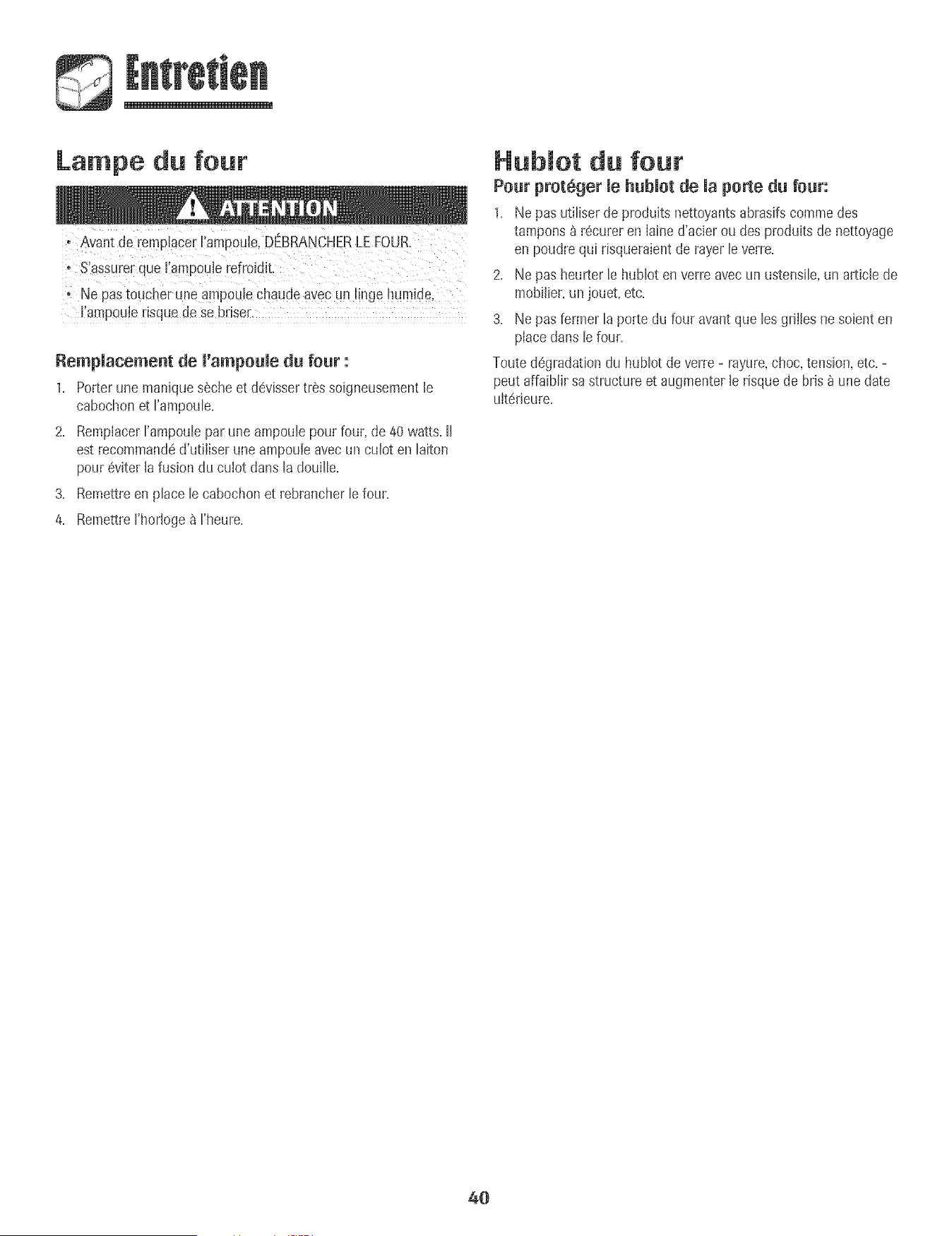
Lampe du four
+ Avant de remplacer Fampoule,DBRANCHER LEFOUR.
+ Ne Pastoucher uneampoulecbaude ayecun I!nge hum+de,
I ampoule isque dese brise_,
Rempmacement de m'ampoumedu four :
1+ Porterune maniques6che et devissertressoigneusementle
cabochonet Fampoule+
2+ RemplacerI'ampouleparune ampoulepour four, de 40watts, II
est recommand6d'utiliser une ampouleavecun culot en laiton
pour6viter la fusion du cu+otclansla douille+
3+ Remettreen place le cabochonet rebrancherlefour,
4+ RemettreI'horloge_ I'heure+
Nubmot du four
Pour proteger mehubmotde maporte du four:
1+ Ne pas utiliserde produks nettoyantsabrasifscommedes
tampons &r6cureren Iained'acier ou des produits de nettoyage
en poudre qui dsqueraientde rayer leverre+
2+ Ne pas heurter le hublot en verreavecun ustensile,un article de
mobilier,un jouet, etc+
3+ Ne pas fermerla porte du four avant que lesgrilles nesoienten
placedans le four,
Touted6gradationdu hublot de verre- rayure,choc, tension,etc+-
peut affaiblir sa structureet augmenterle risque de bris _ une date
u+t_rieure+
40
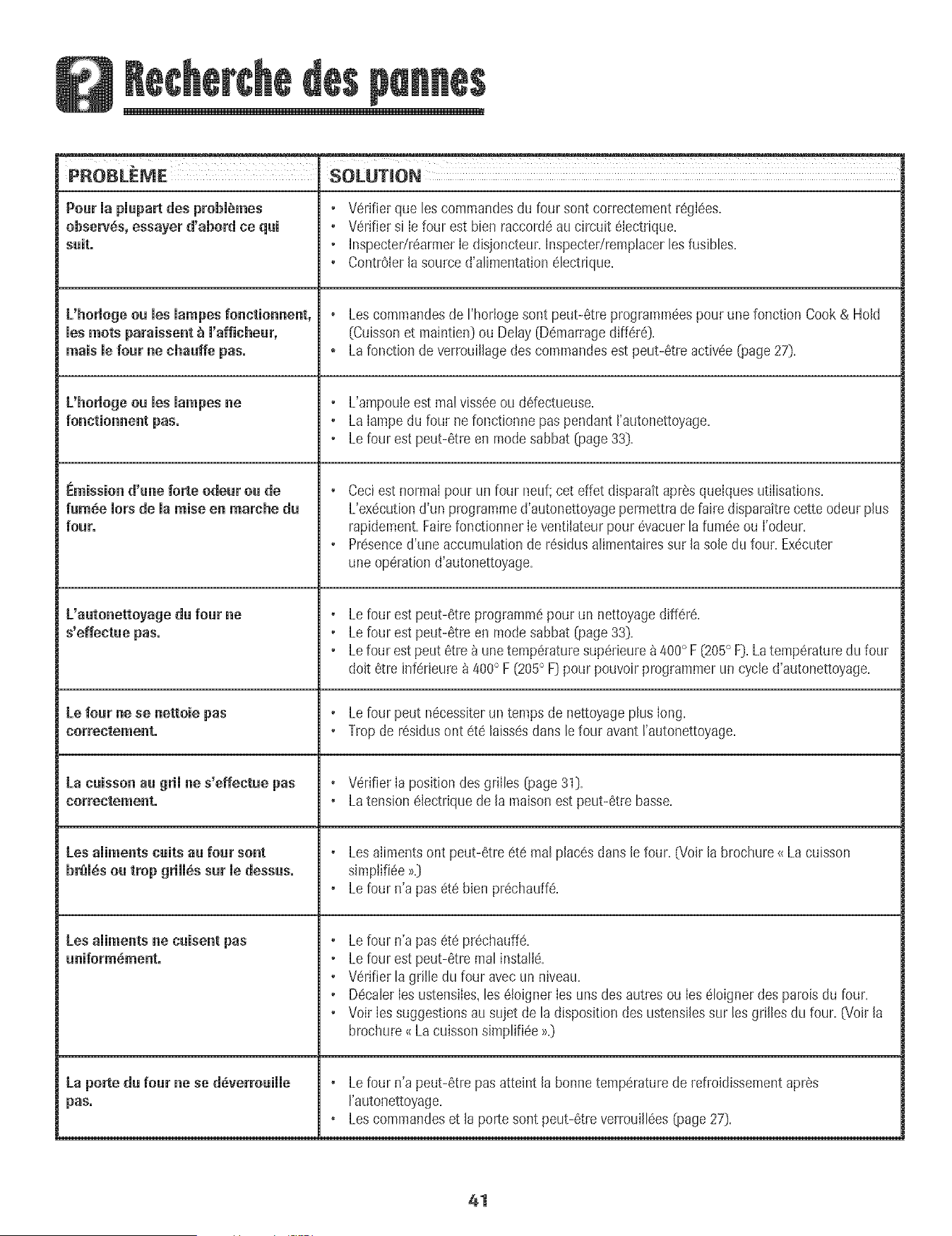
• V6rifierque les commandesdu four sent correctementr6gl6es.
• V6rifiersi Iefour est bien raccord6au circuit 6Iectrique.
• InspectedrearmerIe disjoncteur.Inspectedremphcer lesfusibles.
• Contr61erla source d'alimentation61ectrique.
+ Lescommandesde I'horlogesent peut-6tre prograrnpa6espour une fonction Cook& Hold
[Cuissonet maintien}ou Delay [D6marragediff6r6}.
+ Lafonction de verrouillagedes commandesest peut-6treactiv6e (page27}.
• L'ampouleest real viss6eou ddectueuse.
• La Iampedu four nefonctionne pus pendant I'autonettoyage.
• Le four est peut-6treen modesabbat (page33}.
+ Ceciestnormal pour un four neuf;cot effet disparaitapr6squelquesutilisations.
L'ex6cutiond'un programmed'autonettoyagepermettradefaire disparaitrecetteodeur plus
rapidement.Fairefonctionner Ieventilateur pour6vacuerlafum6e ou I'odeur.
• Pr6senced'une accumuhtion de r6sidus alimentairessur lasole du four. Ex6cuter
une operationd'autonettoyage.
+ Lefour est peut-6tre programm6pour un nettoyagediff6r6.
• Le four est peut-6treen modesabbat (page33}.
• Le four estpeut 6tre _ unetemp6raturesup6rieurea400° F(205° F}.Latemp(_raturedufour
doit 6tre inf6rieure_ 400° F (205° F} pour pouvoirprogrammerun cycle d'autonettoyage.
• Le four peut n6cessiterun temps de nettoyageplus long.
• Tropde r6sidusont 6t6 laiss6sduns lefour avant rautonettoyage.
+ Wrifier Ia position des grilles @age31}.
+ Latension61ectriquede la maison estpeut-6tre basse.
+ Lesalimentsont peut-6tre 6t6 realplac6s dunsle four. (Voirla brochure<_La cuisson
simplifi6e>_.}
+ Lefour n'a pas 6t6 bJenpr6chauffe.
• Le four n'a pus 6t_ pr6chauff6.
+ Lefour est peut-6tre mal instalJ6.
• V6rifierla grille du four avecun niveau.
• D6caler Iesustensiles,les (_JoignerIesuns des autres ou Ies61oignerdes patois du four.
• Voir Iessuggestionsausujet de la dispositiondes ustensJJessur les griJlesdu four. (Voir Ja
brochure_<La cuissonsimplifi6e>>.}
+ Lefour n'a peut-6tre pus atteint la bonnetemp6raturede refroidissementapres
I'autonettoyage.
+Les commandoset la porte sent peut-6tre verreuill6es(page27}.
Pour mapmupurtdes prebiemes
observes, essayer d'abord ce qai
suit.
L'horlegeeu ruesmampesfonntionnent,
ruesroots paraissent_ m'afficheur,
mais le four ne nhauffe pus.
L'horlogeea los mampesne
fenntiennent pus.
i_mission d'une forte odeur ou de
fum6e Join de Ja raise en marche du
four.
L'autonetteyage du four ne
s'effentue pus°
Le four nese nettoie pus
cerrectemento
La caisson uu grii ne s'effectae pus
norrentement.
Losailments cuits au fear sent
bremesou trop grimm,ssat medessus.
Los aliments ne naisent pus
aniform_ment°
La porte du four nese d_verrouiJJe
pas.
41
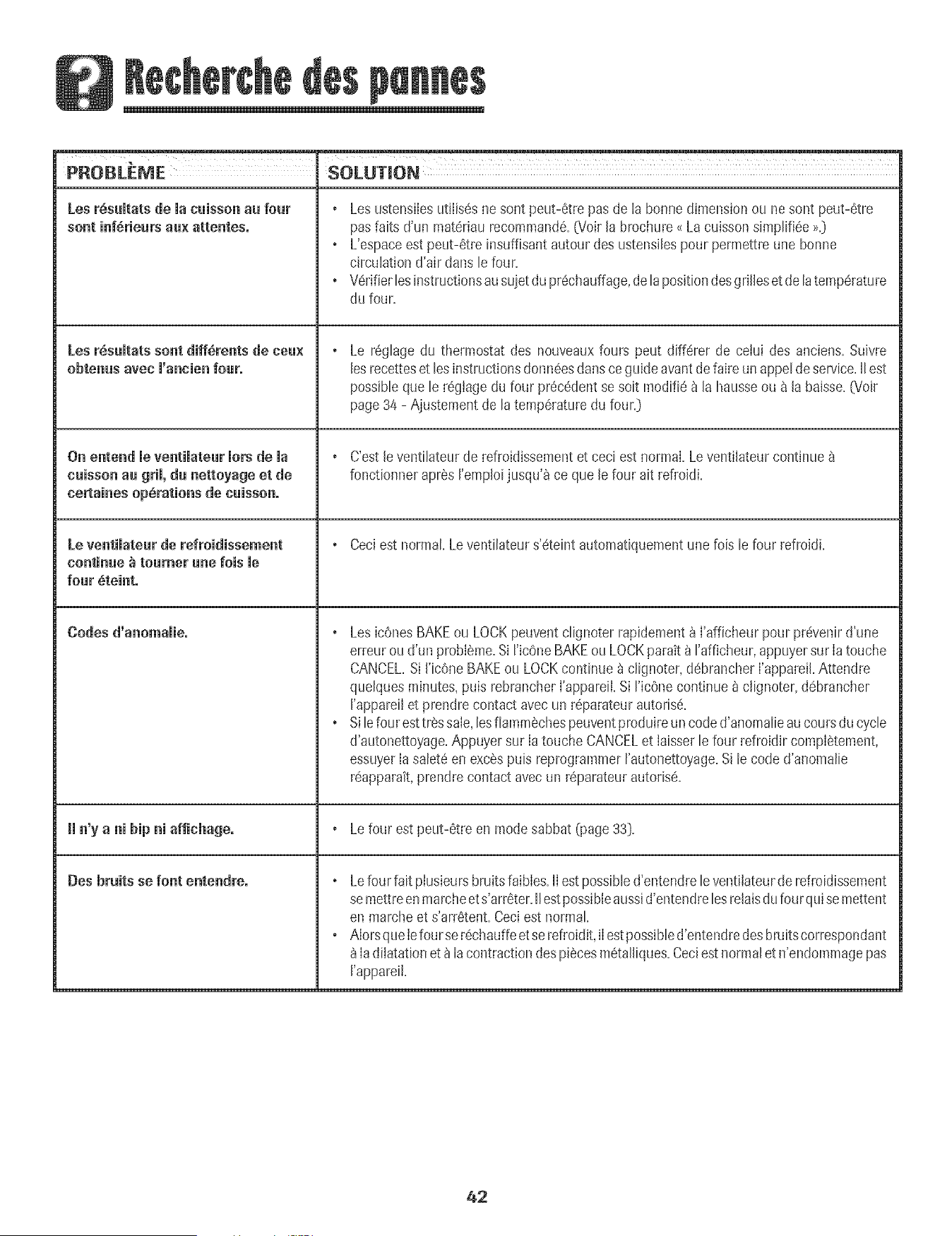
PROBLEME SOLUTION
[es r_sultats de la cuissonau four Les ustensiIesutiIis_snesont peut-6tre pas de la bonnedimensionou ne sont peut-6tre
sont inf6rieurs au× attenteso pasfaits d'un mat6riaurecommand6.(Voir la brochure<{Lacuisson simpli%e >>.}
L'espaceest peut-6tre [nsuffisantautour des ustensilespourpermettre une bonne
circulationd'air clansle four.
o V6rifierlesinstructionsausuietdu pr6chauffage,de la positiondesgrilleset delatemp6rature
du four.
Les r6sultats sent diff_rents de ceu× Le r6glagedu thermostat des nouveauxfours peut diff6rer de celui des anciens.Suivre
obtenus avec l'ancien four° lesrecetteset lesinstructionsdonn6esdartsce guideavantdefaire unappel de service.IIest
possibleque le r6glage du four pr6c6dentse soit modifiea la hausseou a la baisse.(Voir
page34 - Ajustement de latemp6raturedu four.}
Oil entend le ventilateur lots de la C'estle ventilateur de refroidissementet ceci est normal.Leventilateurcontinue
cuissonau gril, du nettoyage et de fonctionnerapres I'emploijusqu'_ ce que lefour ait refroidi.
cemtainesopSrutions de cuissono
Le ventilateur de refroidissement Ceciest normal Le ventilateurs'6teint automatiquementunefois le four refrokJL
continue _ toumer une lois me
four _teinto
Codes d'anomulie. Les ic6nesBAKEou LOCKpeuventclignoter rapidement_ rafficheur pour pr_venird'une
erreurou d'un probleme.Si ricOneBAKEou LOCKparatt_ I'afficheur,appuyersur Ia touche
CANCEL.Si I'icOneBAKEou LOCKcontinue _ clignoter,d6brancherI'appareiLAttendre
quelquesminutes,puis rebrancherI'appareiLSi I'ic6ne continue_ c@noter,d6brancher
I'appareiIet prendre contact avecun r6parateurautoris6.
o Silefoul esttressale,lesflammechespeuventproduireun coded'anomalieaucoursdu cycle
d'autonettoyage.Appuyer sur Ia touche CANCELet Iaisserle four refroidircomplStement,
essuyerIa salet6enexcSspuis reprogrammerI'autonettoyage.Si le code d'anomalie
r6apparait,prendrecontact avec un r6parateurautoris_.
Hn'y u ni hipIllaffichugeo Lefour est peut-6tre en modesabbat (page33}.
Des bruits se font entendreo Lefour faitplusieursbruits faibles.II estpossibled'entendreleventilateurde refroidissement
semettreenmarcheets'arr6ter.IIestpossibleaussid'entendrelesrelaisdufourquisemettent
en marcheet s'arr6tent.Ceciest normal.
o Alorsqueiefourser6chauffeetse refroidit,iIestpossibled'entendredesbruitscorrespondant
Iadilatationet_ la contractiondespiscesm6talliques.Ceciestnormalet n'endommagepas
['appareil.
42
Gatantie
Garantie cemplbte d'une annee = Pi_.ces el
ma[n=d_(_uvre
Duran_une periede d'un (1} an ;_compter de la dacede
I'achatm_tiaLaudetail toute piece qui se r@elerat
ddectueuse dans des conditionsnorrnalesd'usage
menagersera rear@ ou rernpLaceegratuitement.
Garanties iimit6es - Pieces seulement
De la deu×i_me _ la einqui_n_e annee =A cornp_eroe
la datede I'achatinitial au detail,bs oi_cesde la listecP
uessousqui se r@elerabnt detectueusesdans des
conditionsnorrnalesd'usagemenagerserontr@areesou
remplac@sgratuitement (piecesseulem9nt);le
proprietairedevraassumertousles autoes_rais,y cornpns
lesfrais de main-d'oeuvre,de d@lacementet de trans-
port.
o Commandes_meetroniques
• £mSmentsehauffants _meetriques:Elementsde gril et
de cuissonau four sur appareilsde cuissonelectriques.
Residents canadiens
Lesgarantlesc_-dessuscouvoemun appareilinstalleau
Canada seulements'il a ete agreepar bs agencesde test
habilit@s[verification de ia conformite_ une nonne
natlonaledu Canada),saul si I'appareJla ete introduit au
Canada_ i'occasiond'un changementde residenceoes
Etats-UnisversJeCanada.
Garantie limit6e hers des Etats=Unis et du
Canada - PiSces seulement
Pendantdeux {2} arts_ compter de la date de I'achat
initial au detail,toute pl_ce qui se reveleraitddectueuse
cansaes conditions normabs d'usagemenagersera
r@areeou rempiac@gratuitement (pieceseulement};le
proprietaioedevraassumer[ousles autrestras. y compris
Jesfrais de main-d'oeuvre,de @placementet detrans_
purr.
Lesgarantiessp@ifiquesfnrmd4es ci_dessu_sentie_
SEULESqueb fabrieantaccorde.Cettegarantievous
conbre des droitsjufidOuessp4citiquese[ vouspouvez
egalementjouird'autresdrdts, variablesd'un 4tat a l'autre.
Ne sent pas couverts par ces
garanties ."
1= Les dommagesou derangementsdus _:
a=Mise en service,Iivraisonou entretien effectu@incorrectement=
b=Toutereparation,modification,aIteratinnet tout reglage non autoris@
par lefabricant ou par un prestatairedeserviceapr_s-venteagree=
c=Accidents,rnauvaiseutiIisationou usageabusifou deraisonnable=
d. Aiimentationetectrique [tension,intensit@incorrecte=
e=Reglageincorrect d'une commande=
2= Les garantiesne peuventetre honor@ssi bs num@osdeserie d'origine
ont ete enbv@, modifi@ou ne sent pas facibment lisibles=
a Ampoules.
4. Appareilsachet@auxfins d'usagecommercialou industdeL
5. Lesfrais de visite d'un prestatairede serviceou de serviceapres-vente
encouruspour Ies raisonssuivantes:
a. Correctiond'erreursde raiseenservice.
b. initiation de I'utilisateur _ I'emploide I'appareil.
c. Transportde rappareilaux Iocauxdu prestatairede service.
a Dommagessecondairesou indirects subispar toute personnesuite au
non-respectde ces garanties.Certainsetats ne permettentpas
I'exclusionou la limitation des dommagessecondairesou indirects;par
consequentIeslimitations ou exclusionsci-dessuspeuventnepas
s'appliquera votre cas.
Si l'intetvention d'un r parate r
est n cessaire
, Contacterle @taiIIantchez qui I'appareiIa ete achete,ou contacter
MaytagServicessMservice_ Ia clienteledeAmana au 1-800-843-0304aux
E=-U=ou 1-866-587-2002au Canada,pour obtenir les coordnnn@sd'une
agencedeserviceagreee.
• VeiIler_ conserverIafacture d'achat pourjustifier de Iavalidite de Ia
garantie.Pourd'autres informationsen ce qui concerne les responsabilit@
du proprietaire_ I'egarddu servicesous garantie,voir le texte de la
GARANTiE.
Si Ie detaillant ou I'agence de service apres-vente ne peut resoudre le
probI@r_e,ecrire _ Maytag ServicessM,attention CAIR Center, P.O. Box
2370, Cleveland, TN 37320-2370 ou telephoner au 1°see°eas°esoa aux
E,-U, ou 1-866-587-2002 au Canada.
• Les guides de I'utiiisateur, les manuels de service et les renseignements
des pi_ces sent disponibles aupres de Maytag Servicess_, service _ la
clientele de Amana.
Remarq_es :
Lorsde tout contact concernantun prnbl@_e,fournir I'information
suivante:
a. Nora,adresseet numem de tel@hone du client;
b. Numerode modeJeet numerode seriede I'appareiI;
c. Nora et adressedu detaillantou de I'agencede service;
d. DescriptioncJairedu prnblemeobserve;
e. Preuved'achat (factuoede vent@.
43
y Limpieza .................................... 60-62
Homo AutoHimpiante
Procedimientos de Limpieza
Mantenimiento ................................................. 63
Luz dd Homo
Ventana dell Homo
Localizaci6n y Somuci6n
de Averias ..................................................... 64-65
Garant_a y Servicio .......................................... 67
Instalador: Per raver deje esta guia ]un[o con el
e_ec[rodom6stico.
Consumider:Perfavor bay conservees[agulapara referenda
futura. Conserveel recibo de cornpray/o eLcheque cancelado
comeprueba de compra.
N0merode Modelo
NOmerodeSerie
Fecna de Compra
Si tiene pregun[as, llame a:
Amana Customer Assistance
1-800-843@304 en EE.UU
]-800-688-2080 1-866-587-2002 en Canada
Interne[: http://v6Jvw.amana.com
En nuestro continue afdn de mejorar la calidad y rendlmlento de
nuestros electmdom@ticos, puede que sea necesario modifica[
el ebctrodom@tico sin actualizar es[a gu[a
Para infermad6n seflre servicie, vet pbgina 67.
INSTRUCCIONES
IMPORTANTES SOBRE
SEGURIDAD
Las advertencias e instrucciones importantes sobre seguridad
que aparecen en esta guia no est_in destinadas a cubrir todas
Bs posibbs circunstancias y situaciones que puedan ocurrir,
Se debe ejercer sentido comu3n,precauci6n y cuidado cuando
instab, realice mantenimiento o haga funcionar el artefacto,
Siempre p6ngase en contacto con su distribuidor, agente de
servicio o fabricante si surgen probbmas o situaciones que
usted no comprenda,
Reconozca {os simbo_os, advertencias,
etiquetas de seguridad
Lea y siga todas las instrucciones antes de usar este
electrodom_stico para evitar el riesgo potencial de incendio,
cheque el@trice, bsi6n personal o da_io al ebctrodom6stico
come resultado de su use inapropiado, Utflice este
ebctrodomestico soBmente para el prop6sito que ha side
destinado segLin se describe en esta guia,
Para asegurar funcionamiento correcto y seguro: El
ebctrodom6stico debe ser instalado debidamente y puesto a
tierra per un t@nico calificado, No intente ajustar, reparar,
prestar servicio o reemplazar ninguna pieza de este producto
a menos que sea espedficamente recomendado en esta guia,
Todas Bs reparaciones deben ser redizadas per un t@nico
calificado,
Siempre desenchufe el ebctrodom6stico antes de efectuar
alguna reparaci6n,
Para Evitar Da e a Causa de
lr|cer|die e Hume
. AseguJresede que todos los materiabs de empaque hayan
side quitados del homo antes de ponerlo en
funcionamiento,
No coloque materiales combustibles cerca del
electrodomestico, No se deben guardar en el homo
materiales inflamables,
* Muchos pl_sticos son afectados per el calor, Mantenga los
plasticos alejados de las piezas del electrodom6stico que se
pueden entibiar o calentar,
Para evitar incendios de grasa, no permita acumulaci6n de
grasa de cocinar o de otros materiales inflamables en el
homo o en su cercania,
En Case de lncendie
, Use un extinguidor con producto quimico seco o dei tipo
espuma o bicarbonate de soda para apagar el incendio o
ias llamas, Nunca use agua en un incendio de grasa,
1, Apague el homo para evitar que la llama se disperse,
2. NUNCA levante o mueva una sartdn en llamas,
3. Apague ei fuego o ia llama cerrando ia puerta dei homo,
£ODRtANcausa[[esicinpe[sonaigmveomo[taL Se_u['i_a_ pa['a los Ni_es
ATENCION -.Peligros o p[_ct!cas no seguras que PODRIAN
causar lesi(Snpe[sona! menos grave,
armario s que est_n situados arriba de! eiectr0d0m6stico.
para aicanza[ los art{cuios pueden lesionarse gravemente,
45
• NUNCAdejealosni_iossoloso sinsupervbi6ncuandoeI
homoesteenusoocuandoestecaibnte.Nosedebenunca
permitirquelosni_iossesbntenoseparenenninguna
pbzadeIebctrodom_sdcopuessepuedenbsionaro
quemar.
• Seiesdebeense_aralosni_iosqueeieiectrodom6sticoy
losutensiliosqueest_inenelpuedenestarcalientes.Deje
enfriarlosutensiiioscaiientesenuniugarseguro,fueradei
aicancedelosni_ios.Seiesdebeensdiaralosni_iosque
uneiectrodom6sticonoesunjugueteyquenodebenjugar
conloscontrolesuotraspiezasdelartefacto.
lnstrucciones Generates
aicanzar Uosarmanos supedores. E! uso !ncerrecto de Bs
causen lesiones graves,
• Para evitar posibles riesgos para el usuario y da_io al
electrodomestico, no use este producto como una estufa
para calentar o entibiar una habitaci6n. Adem_s no use el
homo como un lugar para guardar alimentos o utensilios de
cocina.
. No obstruya la circulaci6n del aire bloqueando el respiradero
dei homo.
. NO TOQUE LOS ELEMENTOSCALEFACTORESNI LAS
SUPERFiCiESINTERIORESDEL HORNO. Los eiementos
calefactores pueden estar calientes aOncuando su color sea
obscuro. Las superficies interiores de cuaiquier homo se
calientan Io suficiente como para causar quemaduras.
Durante y despu6s dei uso, no toque ni permita que ias ropas
u otros materiales inflamables entren en contacto con los
eiementos caiefactores o ias superficies interiores dei homo
hasta que no se hayan enfriado. Otras superficies dei
electrodomestico pueden estar Io suficientemente calientes
para causar quemaduras - entre estas superficies est_n las
aberturas dei respiradero dei homo y ias superficies cerca de
estas aberturas, ias puertas dei homo y ias ventanas de ias
puertas dei homo.
• No toque un foco caiiente dei homo con un patio humedo
pues ei foco se puede quebrar. Si ei foco se quiebra,
desenchufe el electrodom6stico antes de sacar el foco para
evitar sufrir un choque ei@trico.
46
Se debe dr el ruido de un ventilador cuando el homo este
en funcionamiento. Si usted no oye el ruido del ventilador,
llame a un t6cnico autorizado.
NUNCA use papei de aiuminio para cubrir ias parriiias dei
homo ni el panel inferior del homo. El uso incorrecto puede
resultar en un riesgo de choque el6ctrico, incendio o da_io
al electrodomestico. Use papel de aluminio solamente
como se indica en esta guia.
Seguridad amCocinar
• Nunca caliente un contenedor de alimento cerrado en el
homo, La acumuiaci6n de presi6n puede reventar ei
contenedor causando una lesi6n personal grave o daSo al
eiectrodom6stico.
Use tomaollas secos y gruesos. Los tomaollas h0medos
pueden causar quemaduras por vapor. No se deben usar
toallas de secar los platos ni otros sustitutos en vez de los
tomaollas porque ellos pueden pasar sobre los elementos
calientes y prenderse fuego o pueden quedar atrapados en
las piezas del electrodom6stico.
Usevestimentas apropiadas. Las ropas sueltas o ropas con
mangas largas sueltas no se deben usar cuando se est,1
cocinando. La ropa se puede prender fuego y causar
quemaduras si entra en contacto con los elementos
calefactores.
Siempre coioque ias parriiias dei homo en ias posiciones
deseadas cuando el homo est6 frio. Deslice la parrilla del
homo hacia afuera para agregar o retirar alimento usando
tomaollas secos y gruesos. Siempre evite colocar o retirar
alimento del homo sin sacar la parrilla hacia afuera. Si una
parrilla debe ser movida cuando est6 caliente, use un
tomaollas seco. No deje que el tomaolla entre en contacto
con el elemento caliente del homo.
Tenga cuidado cuando abra la puerta del homo. Primero
deje que saiga eiaire o vapor caiiente antes de sacar o
volver a colocar el alimento en el homo.
ADVERTENCmASOBRE ALIMENTOS PREPARADOS:
Siga las instrucciones del fabricante del alimento. Si un
contenedor de alimento congelado de pl_stico y/o su tapa
se deforma, comba o de otra manera se da_iadurante la
cocci6n, inmediatamente descarte el alimento y su
contenedor. El alimento puede estar contaminado.
, NopermitaqueeIpapeIdeaiuminioolasondadelacame
toqueeIebmentocabfactor,
, Sbmpre@aguetodosloscontrobscuandohayaterminado
decocinar,
Seguridad sobre Uso de
Utensi ios
. Siga las instrucdones deI fabrbante cuando use bobas para
cocinar en eI homo.
• Se ha comprobado eI rendimbnto y fundonamiento seguro
de este ebctrodomdsdco usando utensiiios de cocina
tradidonabs. No use ning_n dispositivo o accesorio que no
haya sido espedficamente recomendado en esta guia. No
use sistemas de convecci6n agregabbs a homos. EI uso de
dispositivos o accesorios que no sean expresamente
recomendados en esta guia puede crear peiigros graves de
seguridad, afectar el rendimiento y reducir la vida Litil de los
componentes de este ebctrodom6stico.
• SoBmente ciertos tipos de utensilios de vidrio,
vidrio/cerdmico, cerdmica, de gres u otros utensilios de vidrio
son convenientes para su uso en el homo sin quebrarse
debido al repentino cambio de temperatura. Siga Bs
instrucciones del fabricante del utensilio cuando use vidrio.
Seguridad en maLimpieza
• Apague todos los controbs y espere que se enfrien las
piezas del ebctrodomdstico antes de tocarBs o limpiarlas,
Limpie con cuidado, Tenga cuidado para evitar quemaduras
de vapor si usa una esponja o un patio mojado para limpiar
los derrames en una superficie caliente, Algunos
limpiadores pueden producir vapores nocivos cuando se
aplican a una superficie caliente,
, Limpie solamente las piezas indicadas en esta guia,
Homo Autolimpiante
No deje las parrillas, asadera, alimentos o utensilios
autol!mpiez&
No iimpie ia junta de ia puerta, La junta de ia puerta es
esencial para obtener un buen sello, Se debe tener cuidado
de no frotar, ddiar ni mover la junta,
No use limpiadores de homo ni forros de homo de ningun
tipo alrededor ni en ninguna parte del homo autolimpiante,
Antes del cicio de autolimpieza del homo, retire la asadera
las parrillas del homo y otros utensilios y limpie cualquier
derrame para evitar humo excesivo o llamaradas,
Arise y Advertencia
lmportante Sobre Seguridad
La Propuesta 65 de ia Ley de 1986 dei Estado de California
Sobre Seguridad y Contaminaci6n dei Agua Potable (California
Safe Drinking Water and Toxic Enforcement Act of 1986} exige
que ei Gobernador de California pubiique una iista de ias
sustancias que segun el estado de California causan @ncer o
da_ioai sistema reproductivo y exige que ias empresas
adviertan a sus clientes sobre la exposici6n potencial a tabs
sustancias,
Se advierte a los usuarios de este electrodomestico que
cuando el homo est_ funcionando en el cicio de autolimpieza,
puede haber exposici6n de bajo nivei a aigunas de ias
sustancias indicadas en la lista, incluyendo mon6xido de
carbono, La exposici6n a estas sustancias puede set reducida
a un minimo ventilando el homo al exterior en forma
adecuada, abriendo las ventanas y/o la puerta en la habitaci6n
en donde est_ ubicado el electrodom6stico durante el cicio de
autolimpieza,
AVISO IMPORTANTE RESPECTO A LOS PAJAROS
DOMESTmCOS: Nunca mantenga los p_jaros en la cocina o
en ias habitaciones donde puedan iiegar los humos de ia
cocina, Los p_ijaros tienen un sistema respiratorio muy
sensitivo, Los humos producidos durante el cicio de
autolimpieza del homo pueden ser perjudiciales o mortales
para los p_ijaros, Los humos que despide ei aceite de cocina
recalentado, la grasa, margarina y los utensilios
antiadherentes recalentados pueden tambi6n ser periudiciales,
Nota: Para funcionamiento de los Hornos de Microondas
(modeios seiectos}, consuite ia guia de uso y cuidado
inciuida con ei homo de microondas.
Conserve estas instrucciones #ara referencia futura
47
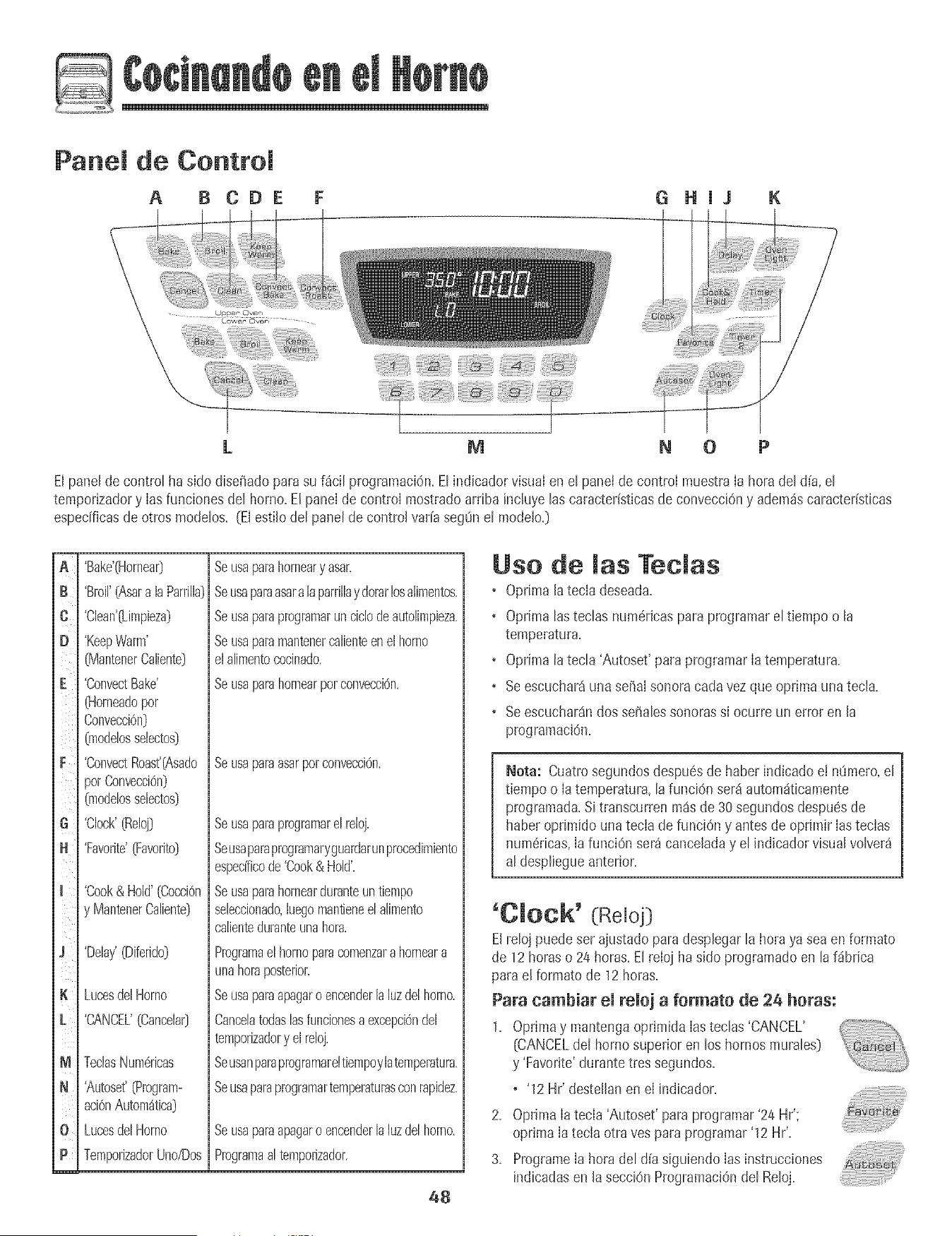
Panel de Control
A B CDE G Hi3 K
L M N 0 P
El parle[de controt ha sido diseffadopara su f_ci[ programaci6n.Elindicador visual en el panelde control muestra[a hora de[ d{a,el
temporizadory [asfunciones det horno.Etpanel decontrol mostradoarriba inctuyetascaracteristicasde convecciOny adem_scaracteristicas
especificasde otros modelos. (El esti[odel panel de contro[ var[asegOnel modeJo.)
B
C
D
iiilil
F
i i
G¸
N
J
K
M
N
0
m
'Bake'(HorneaO
'Broil'(Asara laParrilia)
'Clean'(Limpieza)
'KeepWarm'
(MantenerCaliente)
'ConvectBake'
(Horneadopot
Convecci6n)
(modelosselectos)
'ConvectRoast'(Asado
)orConvecci6n)
(modelosselecto9
'Clock'(Reloj)
'Favorite'O:avorito)
'Cook& Hold'(Cocci6n
y rvlantenerCaliente)
'Delay'(Diferido)
LucesdelHomo
'CANCEL'(Cancelar]
TeclasNum6ricas
'Autoset'(Program-
aci6nAutom4tica]
LucesdelHomo
TemporizadorUno/Dos
Beusaparehorneary asar.
Seusapareasara[aparrillaydorarlosalimentos.
Seusaparaprogramarunciclodeautolimpieza.
Seusaparamantenercalienteenelhomo
elalimentococinado.
Beusaparahornearpotconvecci6n.
Se usaparaasarpor convecciOn,
Beusapareprogramarelreloj.
Seusapareprogmmaryguatdarunprocedimiento
espedficode'Cook& Hold'.
Seusaparahornearduranteuntiempo
seleccionado,hegomantieneelalimento
calienteduranteunahora.
Programaelhomoparacomenzarahomeara
unahoraposteriol:
Seusaparaapagaroencenderlahz delhomo.
Cancelatodaslasfuncionesaexcepci6ndel
temporizadory elreloj.
Seusanparaprogramareltiempoylatemperatura.
Seusaparaprogramartemperaturasconrapidez.
Beusaparaapagaroencenderlahz delhomo.
Programaa[temporizador.
48
Use de las Teclas
• Oprima [atecia deseada+
+ Oprima lasteclas numdrJcaspara programarel tiempo o [a
temperatura+
+ Oprima latecla 'Autoset' para programar[a temperatura+
+ Seescuchar4una seha[sonoracada vez que oprima una tec[a+
• Seescuchar4ndos sehalessonorassi ocurre un error en [a
pmgramaciOn+
Nora: Cuatrosegundosdespuesde haber indicado e! n_mero,e[
tiempoo [atemperatura,la funci6n set4 autom4ticamente
programada+Si transcurren m4s de 30 segundosdespu6sde
haberoprimido unatecia de funciOny antesde oprimir [astecias
num6ricas,[afunci6n ser_ canceladay el indicadorvisua[volver_
al despliegueanterior.
'Cmock' (Re[oj]
El re[ojpuede ser ajustado para desplegarla horaya seaen formato
de 12horaso 24 horas+Elreioj ha sido programadoen la f_brica
parael formato de 12 horas+
Para cambiar el reioj a formate de 24 horas:
1+ Oprimay mantengaoprimida[asteclas'CANCEL'
[CANCELdel horno superior en los hornosmurales]
y 'Favorite'durantetres segundos+
+ '12 Hr' desteJlanen e[ indicador+
2. Optima [a tecla 'Autoset' parapmgramar'24 Hr';
oprima[a tecia otra yesparaprogramar'12 Hr'.
3. Programe[a hora del d{asiguiendo[asinstrucciones
indicadasen [a secci6nProgramaci6ndel Reloj.
Programaci6n demRemoj:
1. Optima Hatech 'CHock'+
+ La hora delld[a desteHanen eHindicador+
2. Optima lastec[as num6ricasapropiadaspara programar[a hora
del d[a.
+ Los dos puntoscontinOandesteHando+
3+ Optima [atec[a 'Clock'nuevamenteo esperecuatro segundos+
, Los dos puntospetmanecer_niHumHnados.
Cuandose conectaenerg[aet6ctricaat hornoo despu6sde una
interrupciOnde Iaenerg[ael6ctrica, la OItimahora del reioj previaa
la interrupciOndestellar_en eI indicador.
Paradesp[egarIa horadel d[a cuandoeI indicadorest6 mostrando
otra funciOnde tiempo,oprima Iatecla 'Clock'.
Lahora de[ reioj no puede ser cambiada cuandoet horno hasido
programadopara 'Delaycook' o 'clean'o 'Cook & Hold'.
Para cancemar emdespmiegue demremoj:
Si no deseaque el indicadorvisual muestre[a hora del alia:
Oprimay mantengaoprimida[astecias 'CANCEL'y
'Clock'durantetres segundos+La hora del d[a
desaparecer_del Hndicador+
Cuandose cancelaet desplieguede[ reloj, oprima [a .......................................
tec[a 'Clock'para desp[egarbtevemente[a hora del alia.
Cuandose cancelae[ despiieguedel reloj, despu6sde 15 minutos,el
controlde[ barrio pasar_a maria'Standby' paraahorrarenerg[a.El
indicadorvisualquedar_ en b[ancoy [a [uz de[ homo no funcionar_.
Para"activar"el controly cancelar el modo 'Standby',oprima
cualquiertec[a.Seescuchar_ndos sd_a[essonoras.
Para restaurar emdespmiegue demremoj:
Optimay mantengaoprimida[as tecias 'CANCEL'y 'Clock'durante
tres segundos+La hora del dia reaparecer_de[ ind+cador+
'Timer' (Temporizador}
Eltempodzadorpuede sel programadode un minuto (00:01}hasta
99 horasy 59 segundos (99:59}.
Eltemporizadorpuede ser usadoindependientementede cuaiquier
otra actividaddel homo.Adem_s puede set programadocuando otra
funciOnde[ barrioest6 en actividad.
Eltemporizadorno controla el homo.So[amentecontrolauna se[_a[
sonora.
Para programar emtemporizador:
1+Oprimala tecla 'Timer'+
• Enel Hndicadorvisualdestetlar_00:00y el icono 'TIMER'+
2+Optima las tecias num6ricasapropiadashastaque el tiempo
correcto aparezcaen el indicadorvisual
• Los dos puntos y el [cono'THMER'continuar_ndeste[lando.
3. OprHmanuevamente[atecJa'THiner'o esperecuatro segundos.
+ Los dos puntosdejande destellary el tiempo comienza[a
cuenta regresiva.
+ Elt_ltimominutode [a cuenta regresivade[temporHzadorse
desplegar4en segundos.
4. A[ final de[ tiempoprogramado,se escuchar4una seffa[sonora
largay el [cono 'End' [Fin}se desplegar4en el [ndicadorvisual.
5. Optima [a tecJa'Timer'para quitar el indicador.
Para cancemar emtemporizador:
1+ Optima y mantengaoprimida la tecla 'Timer'
durante tressegundos.
U
2. Optima [a tecJa'Timer'y la tecla '0' usandolasteclas num6rHcas.
Bloqueo de los Conttoles y de
maPuerta del Homo
Elteclado y la puerta del homo pueden set bloqueadospara
seguridad,limpiezao evitar el usa no autorHzado.Lasteclas no
funcionan cuandoest4n bJoqueadas.
Si se est4usandouna funci6ndel homo,el contro[y la puerta no
puedenset bloqueados.
La hora de[ d[acontinuar_iniluminadosen e[ indicadorcuando el
control y [a puerta est4nbJoqueados.
Para bmoquear:
1+Oprimay mantengaoprimidas[asteclas 'CANCEL'y
'Cook & HoW durantetres segundos+
<+++]+_.+.]_._,,J
+ Enel indicadorvHsualaparece'OFF'
+ El[cono'LOCK'destella cuando [apuerta se est_
bloqueando+
Para desbmoquear:
Opr+may mantengaoprimidas las tecias'CANCEL'y 'Cook& Hold'
durante tres segundos+El [cono 'OFF'desaparecedel Hndicador
vHsuaL
Nora: Lasteclas y lapuerta del horno no puede bloquearsesi la
temperaturadel homo es 400° F (205° C_)o superior+
C6digos de Ettotes
'BAKE'y 'LOCK'puedendesteIlarr_pidamenteparaadvertirIeque
hay un erroro un problema+Si 'BAKE'y 'LOCK'continOan
desteilando,desconectela corriente el6ctricahacia el artefacto+
Espereunospocosminutos y vue[vaaconectar [a cordenteei6ctrica+
Si [as s[mboioscontinOandesteiiando,desconectelacorriente
eI6ctricahaciae[ artefactoy [lamea unt6cnico de servic[o
autorizado+
49

Para programar Homeado:
1. OprJmaIatecJa'Bake'.
o Et[cono'BAKE'desteilar_.
o '000' destetiar_en et indicadorvisuat.
2. SeteccioneIa temperaturadet homo.Optima ta tecta 'Autoset'
para350° F (175° C) o tastechs numericasapropiadas.
o Cadavezque oprima Iatec+a'Autoset' tatemperaturase
aumentar_en 25° F (15° C).
o Latemperaturadel homo puedeset programadade 170°
a 550°,
3. OprimaIa tecla 'Bake' nuevamenteo esperecuatro segundos.
o Et[cono'BAKE'dejar_de destellar y se iluminar_ enel
indicadorvisual.
o El[cono 'PREHEAT'se iluminar_ enel indicadorvisual.
• Enei indicadorvisualse desp+egar8100° (40°) o la tempera-
tufa real deI homo si es que es superiora 100° F [40° C).La
temperaturaaumentar_en incrementosde 5° F (3° C) hasta
Ilegara la temperaturaprogramada.
4. Esperea que el homo se precalientedurante 8-15minutos.
+ Cuandoei hornoIlegaa Iatemperaturaprogramadase
escuchar_unase_al sonoraIarga.
• Latemperaturaprogramadase desplegar_en el indicador
visual.
+ El[cono'PREHEAT'se apagar_.
• Paravedficar la temperaturaprogramadadurante el
precalentamientodei horno,oprima la tecia 'Bake'.
5. Coloqueel alimentoen el homo.
Notas sobre Horneado:
• Paracambiarla temperaturadet hornoduranteel procesode
cocciOn,optimaIatecla 'Bake',luegooprima'Autoset'o las
teclasnum6ricasapropiadashastaquese desplieguela
temperaturadeseada.
+ Paracambiarla temperaturade! hornodurante'Preheat',optima
dosvecesIatecia 'Bake',luegooptima'Autoset'o lasteclas
num6ricasapropiadashastaque se desplieguela temperatura
deseada=
+ Siolvidaapagarel homo. seapagar8autom_ticamentedespu6s
detranscurrir 12horas.Si deseadesactivarestacaracterBtica,
yeala p_gina56.
+ Parasugerenciasadicionalessobre horneadoy asado,consults
eI foileto"La CocinaFSciI".
5O
6. Verifique e[ progmsode [a cocci6ncuando hayatranscurddoel
tiempo minimo recomendado.ContinOela cocci6n si es necesario.
7. AI t6rmino de Ia cocciOn,optima la tecla 'CANCEL'.
8. Retireel alimentodel homo. ++.,++,.++_
Diferencias del homeado entre su homo
antiguo y su homo nuevo
Esnormal obsewaraIgunasdiferenciasen el tiempo de horneadode
su hornoantiguoy su horno nuevo.Vea "Ajustede la Temperaturadel
Homo" en la p_gina 57.
Homeado por Conveeei6n
(modelos selectos)
Cuandohorneepor convecci6n,programela temperatura normalde
horneado.E!controI reducir_ automSticamenteIatemperatura
programadaen 25° F (15° C).
Para programar Homeado por convecci6m ......................
1, Oprimala tecia 'ConvectBake'+
• El icono 'BAKE'y el simbolo 'FAN'destellar_n+
+ '000'destellaraen el indicador visual
2. SeieccioneIa temperaturadel homo. Optima Iatecia
'Autoset'para350° F (175° C) o Iasteclas num_ricasapropiadas.
+ Cadavezque oprima Iatecla 'Autoset' la temperaturase
aumentar_ien25° F 05 ° C). Latemperaturadel horno puede
set programadade 170° a 550°,
3. OprimaIa tecla 'ConvectBake'nuevamenteo esperecuatro
segundos.
+ El[cono'BAKE'dejar_ de destellar.
• El [cono'PREHEAT'se iluminar_en el indicadorvisual.
+ EneI indicadorvisualse despiegar_100° (40°) o la temperatura
realdel homo si es que essuperior a 100° F (40° C). Latem-
peraturaaumentar_en incrementosde 5° F (3° C) hasta
Ilegara Ia temperaturaprogramada.
• El s[mbolo'FAN'comenzar_a girar.
4. Esperea queel homo se precalientedurante 8-15minutos.
+ CuandoeI hornoIlegaa Iatemperaturaprogramadase
escuchar_unasei_alsonoraIarga.
• El [cono'PREHEAT'se apagar&
+ Se despiegar_la temperaturaprogramada.
• Paraverificar la temperaturaprogramadadurante eI
precalentamientodel homo, optima latecla 'ConvectBake'.
cont°
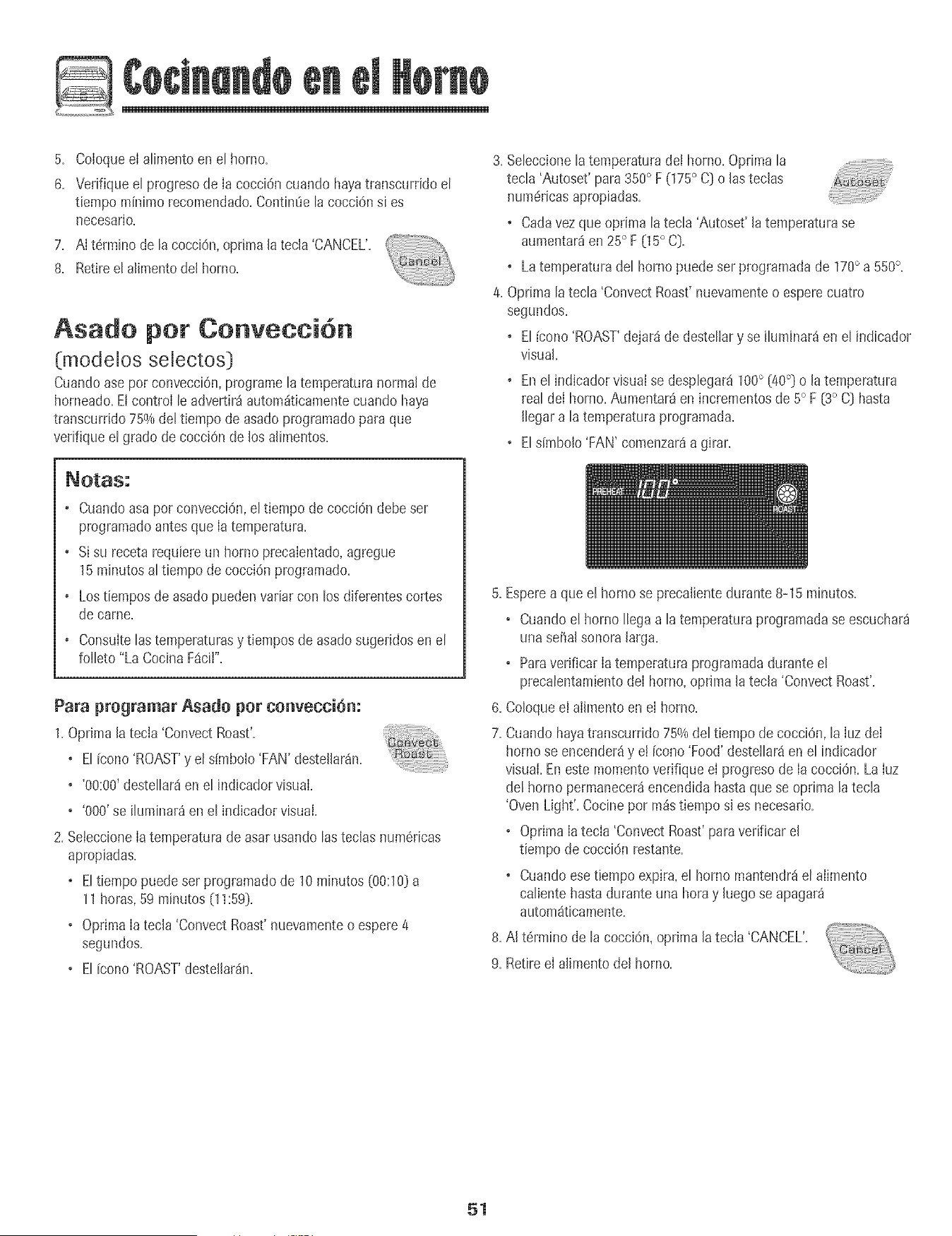
@
5. ColoqueeI atimentoen et homo.
6. Vedfiqueet progresode Ia cocciOncuando hayatranscurddo et
tiempo mfnimorecomendado.Contin_e ta cocci6nsi es
necesario.
7. AI t6rmino de tacocciOn,optima latecla 'CANCEL'.
8. Retireet alimentodel horno.
Asado per Cenveeei6n
(modelos selectos )
Cuandoase pot convecciOn,pmgramelatemperaturanorma!de
horneado=EtcontroI leadvertir_ automdticamentecuando haya
transcurddo75%de!tiempo de asadoprogramadopara que
verifiqueel grado de cocciOnde los alimentos.
3. Se[eccione[a temperaturade! homo. Optima [a
tecla 'Autoset' para 350° F (175° C[}o las teclas
num6ricasapropiadas.
o Cadavezque oprima la tecla 'Autoset' la temperaturase
aumentar_en 25° F (15° C).
o Latemperaturadel horno puede ser programadade 170° a 550°,
4. Oprimala tecla 'ConvectRoast'nuevamenteo esperecuatro
segundos.
o El[cono 'ROAST'dejard de destellary se iluminar_en el indicador
visual.
o Enel indicadorvisual se desplegar4100° (40°) o Jatemperatura
real deI horno.Aumentar4en incrementosde 5° F (3° C) hasta
Jlegara latemperaturaprogramada.
o Eldmbolo 'FAN' comenzar4a girar.
• Cuandoasapor convecci6n,el tiempode cocci6n debe ser
programadoantesque Ia temperatura.
• Si su recetarequiereun hornoprecalentado,agregue
15minutosal tiempo de cocci6n programado.
• Lostiempos de asadopuedenvariar con los diferentescortes
de came.
Consultelastemperaturasy tiempos deasadosugeridosenel
folleto "La CocinaFacil".
Para programar Asado per convecci6n:
1.Oprima latecia 'ConvectRoast'.
o El icono'ROAST'y el simbolo'FAN'destellar_n.
o '00:00'destellar8en el indicadorvisual.
o '000' se iluminar_en el indicadorvisual.
2. SeteccioneIa temperaturade asarusando lasteclas num6ricas
apropiadas.
o Eltiempo puede ser programadode 10 minutos (00:10}a
11horas,59 minutos(11:59).
o Oprima[a tec[a 'ConvectRoast'nuevamenteo espere4
segundos.
o El fcono'ROAST'destei[ar_n.
5. Esperea que el homo se precalientedurante 8-15 minutos.
• Cuandoel homo Ilegaa la temperatula progiamadase escuchar_
una se_alsonoralarga.
o Paraverificar Iatemperatura programadaduranteel
precalentamientodeI homo, optima la tecla 'ConvectRoast'.
6. Coloqueel alimentoen el homo.
7. Cuandohayatranscurddo75%del tiempo de cocciOn,la IuzdeI
homo seencender_y e! fcono'Food'destellar_en el indicador
visual.Eneste momentoverifique el progresode IacocciOn.La Iuz
del horno permanecer_encendidahastaque se oprima la tecla
'OvenLight'. Cocine por m_stiempo si es necesario.
o Oprima Iatecla 'ConvectRoast'paraverificar el
tiempo de cocci6n restante.
o Cuandoesetiempo expira,el horno mantendr_el aIimento
calientehasta durante una horay hego se apagar_
automaticamente.
8. AI t6rmino de la coccidn,oprima Jatecla 'CANCEL'.
9. Retireel alimento del homo.
51
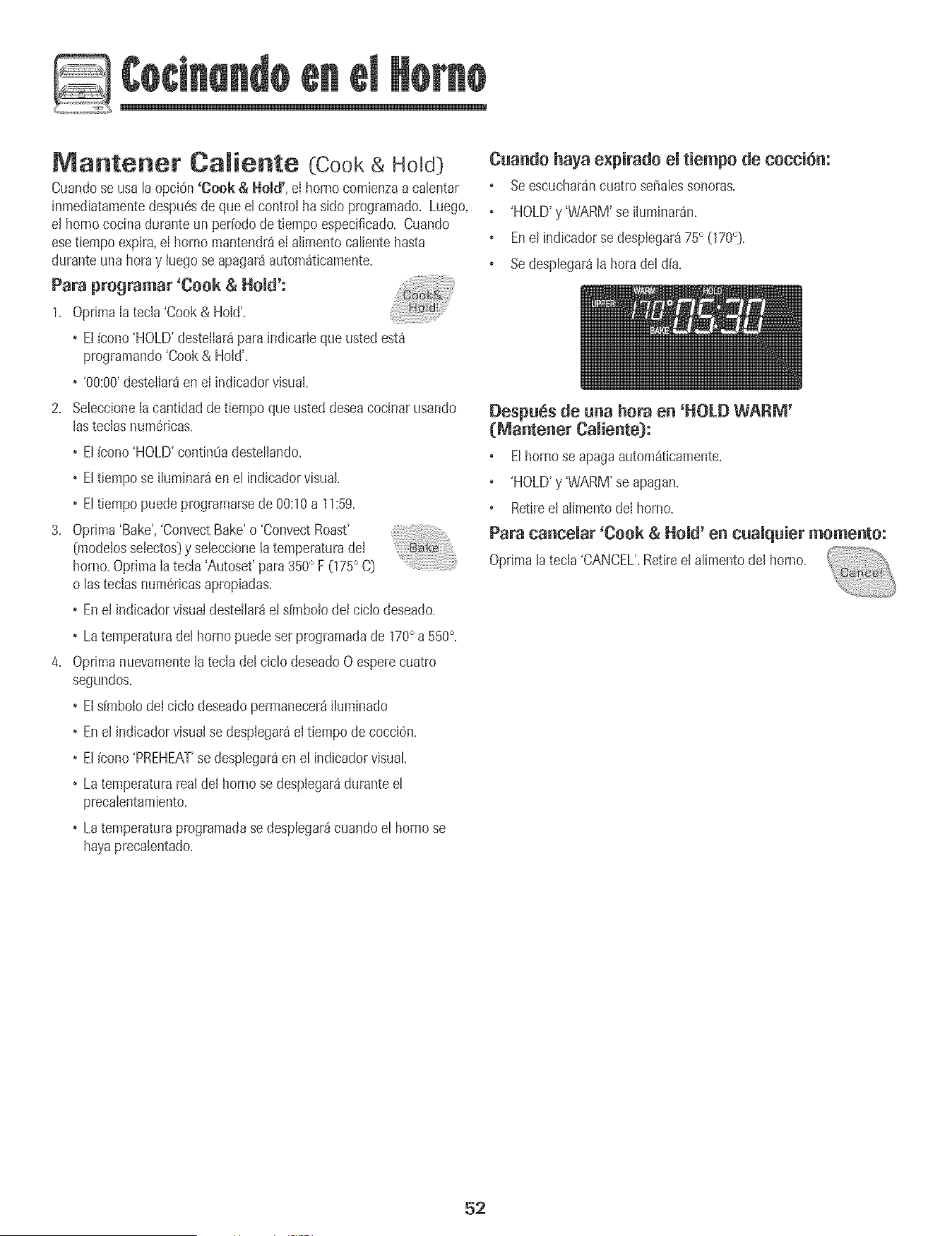
Matrtterter Ca_iertte (Cook & Hold)
Cuandose usala opciOn'Cook & Hold', eIborne comienzaacalentar
inmediatamentedespu6sdeque el controlha side programado,Luego,
el hornococina duranteun per[odedetiempo especificado,Cuando
esetiempoexpira,eI hornomantendr_ieI alimentocalientehasta
duranteunahera y luego se apagar_autom_ticamente,
Para programar 'Cook & Hold':
1+ OprimaIatecla 'Cook& Hold',
+ El[cone'HOLD'desteiIar_paraindicarlequeusted est_
programando'Cook& Hold',
+ '00:00+destelIar8en eI indicadorvisual,
2, SeleccioneIa cantidaddetiempo que usteddeseacocinarusando
lasteclas num6ricas,
+ El[cone'HOLD'contin0adestellando,
+ Eltiempose iluminar_enel indicadorvisual
+ Eltiempo puedeprogramarsede 00:10a 11:59,
3, Oprima'Bake','ConvectBake'o 'ConvectRoast'
(modelossetectos)y seleccionelatemperaturadeI
homo,Optima Iatecla 'Autoset' para350° F (175° C)
o lastecias num6ricasapropiadas,
+ Enel indicadorvisualdestellar_el dmbolo del ciclo deseado,
+ Latemperaturadel homo puede setprogramadade 170° a 550°,
4, Oprimanuevamentelateciadel ciclo deseadoOesperecuatro
segundos,
+ Els[mbolodei ciclo deseadopermanecer_iluminado
+ Enel indicadorvisualse desptegar_eItiempode cocciOn,
+ El[cone'PREHEAT'se desplegar_en el indicadorvisual
+ Latemperaturareal del hornose desplegar_duranteel
precalentamiento,
+ Latemperaturaprogramadase desplegar_cuandoel bornese
hayaprecalentado,
Cuando haya e×pirado emtiempe de cecck_m
Seescuchar_ncuatro seSalessonoras+
'HOLD'y 'WARM'se iluminar_n+
Enel indicadorse desplegar_75° (170°)+
Sedesplegar_la hera del d(a+
Despu6s de una hera en 'HOLD WARM'
(_antener Caiiente):
Elhomo se apagaautom_t+camente+
'HOLD'y 'WARM'se apagan+
Retireel alimentodei homo+
Para cancemar'Cook & Herod'en cuamquier memento:
Optimalatecla 'CANCEL',Retireelalimentodel homo+
52
Mantener Caliente Oiferido
(Delay Cook & Hold}
No use horneadodiferidoparaalimentosde corta duraci6ntales
comoproductosI_cteos,cerdo,came de aveo mariscos,
Cuandousa'Delay', eI homo combnzaa cocinar m_star@ enel alia.
ProgrameB cantidaddetiempoque usted@sea diferirantesqueel
homo seencbnda y cuantotbmpo deseacocinar eIaiimento.El
hornocombnzaa cabntar en lahorasebccionaday codna durante el
tbmpo especificado.
Eltiempodiferido puedeprogramarsede 10minutos(00:10}hasta 11
horas,59minutos(11:59}.
Para programar un cido de 'Cook & Hold' diferido:
1. Oprimalatecla'Delay'o 'Delay 1' (modelosselectos}.
Enlos modelosde hornosmuraiesdobbs,oprima
unavez Iatecla 'Delay'o 'Delay 1' (mode!osselectos}
paraprogramarel hornosuperioro dosvecespara
programarel horno inferior.
• El[cono 'DELAY'combnza a destellar.
• '00:00'apareceen e! indicadorvisual.
2. UsandoIasteclas num6ricasapropiadas,programela cantidadde
tbmpo queusteddeseadiferir el comienzodel chic 'Cook& Hold'.
3. Oprimala tecla'Cook & Hold'.
• El[cono 'HOLD'desteIIaen el indicador.
• El[cono 'DELAY'destellaen el indicador.
• '00:00'comienzaa destellar.
4.
5.
6.
Programelacantidadde tiempoque usted@seacodnar usando
lasteclas num6ricas.
Oprima'Bake','ConvectBake'o 'ConvectRoast'(modelossebctos}.
Programelatemperaturadel horno deseadaoprimiendolatecla
'Autoset'o lasteclasnum6ricasaplopiadas.
o 175° (,350°} se iluminar_cuandose oprime'Autoset'.
o Despu@decuatrosegundos,el tiempo diferido
programaticaparecer_en el indbador visual.
o Elicono'HOLD'se apaga.
o Laspalabras'BAKE'y 'DELAY'permanecenencendidaspara re-
cordariequese haprogramadoun ciclo de 'Cook& Hold'
diferido.
Nota:
• No use'Cook& Hold'diferidoparaart[culosque requierenun
homo precabntado,tabs comopastebs,galletasy panes.
• No use'Cook& Hold'diferidosi el homoya est_caliente.
53
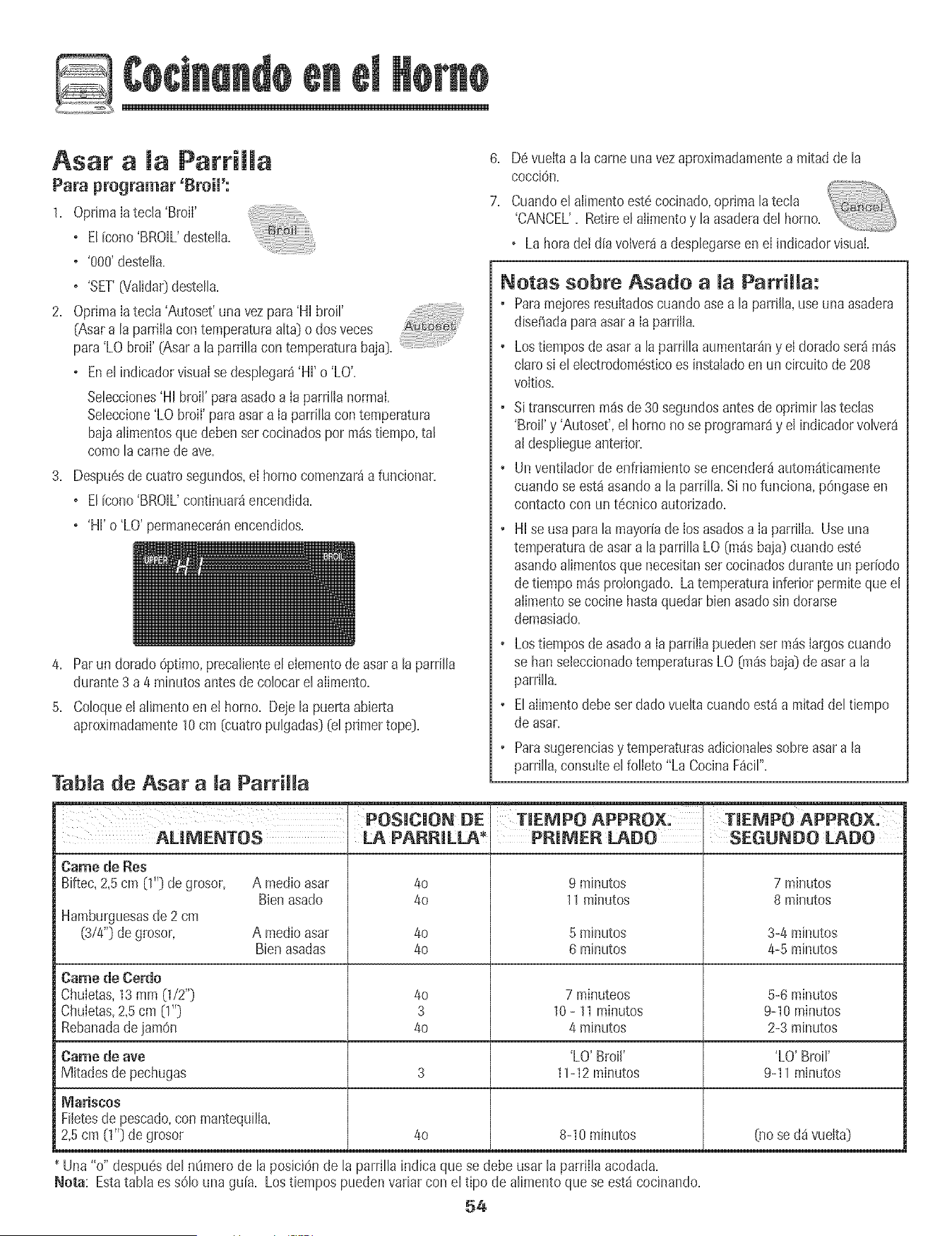
OptimaIatecla 'BmiI'
o ElFcono'BROIL'destelIa.
o '800'destella.
o 'SET'(Valida0desteIB.
6. Devuettaa la came unavezaproximadamentea mitad dela
cocci@.
7. Cuandoel alimentoest6oocinado,oprimalateoB
'CANCEL'. Retireelalimentoy laasadera(Jelhomo. _'--"--''_X,,_.,_
o Lahora dei dia volverda despbgarseen el indbador visual.
2. Optima[atecla 'Autoset'una vezpara'Hi broil'
(Asara taparriltacon temperaturaatta} o dosveces
para'LO broil' (Asara la parrillacon temperaturabaja}.
o Enel indicadorvisualse despbgar_'Hi' o 'LO'.
Selecciones'HHbroil' paraasadoa [a parrilia normal
Sebccione'LO broil' paraasara [aparrilla contemperatura
baiaa[imentosque @benser cocinadospor pa_stbmpo, tal
comola carnede ave.
3. Despu6sde cuatrosegundos,el hornocomenzar_a funcionar.
o El[cono'BROIL'continuardencendida.
o 'Hi'o 'LO'permanecer_nencendidos.
4. Parun dorado6ptimo,preca[bntee[ elementodeasara [aparrilla
durante 3a 4 minutosantesde cobcar e[ aiimento.
5. Cobque el alimentoen el homo. Deje[a puertaabierta
aproximadamente10cm (cuatropuigadas}(el primertope}.
labia de Asar a la ParriHa
ALINENTOS LA PANNILLA_
Came de Res
Biftec, 2,5 cm 0"} de grosor,
Hamburguesasde 2 cm
(3/4"} de grosor,
A medioasar
Bienasado
4o
40
Notas sobre Asado a ParriHa:
• ParamejoresresuItadoscuandoasea la parrilla,use unaasadera
diseiiadaparaasara Ia parriila.
• Lostiemposde asara laparrillaaumentar_ny el doradoseram_s
clarosi el ebctrodom@ticoes instaladoen un circuito de 288
voItios.
• Si transcurrenm_sde30 segundosantesde oprimir lasteclas
'Broil'y 'Autoset',el horno nose programar_y el indicadorvolver8
aldesplbgue anterior.
• Unventilador deenfdambnto se encender_autom_tbamente
cuandose est_asandoa la parrilla.Si no funciona, pOngaseen
contactocon un t6cnico autorizado.
• Hi se usapara la mayor[ade Iosasadosa IaparrilIa. Use una
temperaturade asara laparrillaLO (m_s baia}cuandoest6
asandoalimentosquenecesitanser cocinadosduranteun per[odo
detbmpo m_sproiongado. Latemperaturainferiorpermiteque el
aIimentosecocinehastaquedar bien asadosin dorarse
demasiado.
• Lostbmpos de asadoa Ia parrilIapuedenset m@Iargoscuando
se banseleccionadotemperaturasLO (roSsbaja}de asara la
parrilla.
• Elaiimentodebeser dadovueltacuandoest_a mitaddel tiempo
deasar.
• Parasugerenciasy temperaturasadicionabssobreasara la
parrilla,consulteelfolIeto"La CocinaF_cil'.
PRmMER LADO
9 minutos
11minutos
SEGUNDO LAE)O
7 m[nutos
8 minutos
A medio asar 40 5 minutos 3-4 minutos
Bien asadas 40 6 minutos 4-5 minutos
Came de Cerdo
Chuietas, 13 mm 0/2"} 40 7 minuteos 5-6 minutos
Chuletas, 2,5 cm 0"} 3 10 - 11 minutos 9-10 minutos
Rebanada de iamOn 40 4 minutos 2-3 minutos
Came de ave 'LO' Broil' 'LO' Broil'
Mitades de pechugas 3 11-12 minutos 9-11 minutos
4o 8-10 minutos
Mariscos
Filetesde pescado,con mantequilla,
2,5cm (1"}de grosor (nose d_vuelta}
Una "o" despu@del nOmerode la posici6nde la parrilla indica que se debe usar la parrillaacodada.
Nota: Estatabla es sOlouna guia. Lostbmpos puedenvariar con el tipo de alimentoquese est_cocinando.
54
Mantenet camiente
Paramantenercatientesen forma seguraatimentoscalie+_teso para
calentarpanesy ptatos+
Para programar 'Keep Warm':
1, Optima tatecta 'KeepWarm',
+ El [cono 'WARM'desteth,
+ '000' destelh en ei indicador visuat,
2, Seleccionetatemperaturade 'KeepWarm', Optima tatecta
'Autoset'o tastechs numQricasapropiadas,
+ 170° (75°) se iiuminar_icuando se optima latecla 'Autoset',
+ Cadavezque optima la tecla 'Autoset',latemperatura
aumentar_en 5° F (3° C),
Latemperaturade 'KeepWarm' puedeset programadade 145° a
190° F [63° a90° C),
El [cono'WARM' y la temperaturase desplegarSnen el indicador
cuando la funciOnest_ activa,
Para (_a_cdar +Keep Warm':
1, Opdma latecla 'CANCEL',
2, Retireel alimentodel homo,
Notas sobre 'Keep Warm':
• Paracalidad 6ptima de los alimentos,Iosalimentoscocinados
en el homo deben ser mantenidoscalientespor no m_sde 1a
2 horas,
+ Paraevitarque Ios alimentosse sequen,c0bralos levemente
con papel deahminio o una tapa,
+ Para camentarpaneciHos:
- cubra levementeIospanecilloscon papelde aluminioy
colOquelosen el homo+
- optima Iasteclas 'KeepWarm' y 'Autoset'+
- calientedurante 12a 15 minutos+
• Para calentar plates:
- coloque2 filas de cuatro pIatoscada una enel homo+
- optima Iasteclas 'KeepWarm' y 'Autoset'+
- caHenteIosplatosdurante cinco minutos,apague eI homo y
dejeIos platos en el homo durante 15 minutos ross+
- use soIamenteplatosresistentesal homo, verifique con el
fabricante+
- no co!oque los platos caIientessobre una superficie fr[a
puesel cambio r_pido detemperaturapuede causarfisuras
super[icialeso rotura+
55
Modo de Cierre Autom tico/
Elhomo se apagar_iautom_ticamentedespu6sde 12 horassi usted
Io deja accidentahTlenteencendido. Estacaracteristicade seguridad
puedeser desactivada.
Para caacemarel cierre aatom_tico de 12 horas y dejar qae el
homo fuacioae coatiauameate duruate 72 horus:
Optimay mantengaoprimida la tech 'Clock'
durante tres segundos+
+ 'SAb' se desplegar8y destellar_ durantecinco
segundos+
+ 'SAb' se desp+egar_continuamentehastaquese desactiveo
hastaque transcurrael I[mite de 72horas+
+ El[cono'BAKE'tambi6nser_ desp+egadas+se est_usandoun
cicIo de horneadocuandoel horno est_ en Modo Sab_tico+
+ Todaslastec+asest_ninactivasexcepto'CANCEL'y 'Clock'.
Todaslasotras funciones EXCEPTO'BAKE'('Timer','Keep
Warm','Clean',etc+)est_nbloqueadasdurante el Modo
Sab_tico+
+ Sepuede programar'Cook & Hold'durante el Modo Sab_tico,
sin embargonose puede programar'DelayCook& HoW.
Para cancemar emMode Sab_tico:
1+ Optima la tecla 'CLOCK'durantetres segundos+
O
2. Despu6sde 72 horas,el Modo Sab_ticoterminar&
+ 'SAb' destellar_durante 5 segundos.
+ Lahoradel dia reaparecer_en el indicadorvisual
Notas sobre el Mode Sab tico:
+ ElModo Sab_ticopuedeset activadoen cualquiermomento,
est6o noel homo encendido+
ElModo Sab_ticono puede ser activadosi lasteclasest_n
bloqueadaso cuandola puerta est_bloqueada+
LamayorFade Ias advertenciasy mensajesy todas lassefiales
sonorasest_ndesactivadascuando el Modo Sab_ticoest_
activo+
Siel hornoestahorneando cuandoel Modo Sab_tico es
programado,el [cono 'BAKE'se apagar_al final del ciclo de
homeado+No se emitirSnsefialessonora&
Sise desea[a [uzdel horno durante ei Modo Sab_tico,_sta
debeser encendidaantesde que comienceel Modo Sab_tico+
Cuandocomienzae[ Modo Sab_tico,latemperaturaque se
despliegaser_ latemperaturaprogramadaen vezde [a
temperaturatea[de la cavidadde[ homo+ No se emitir_la
sdial sonora de precalentamiento+
Elcic[o de autolimpiezay b[oqueoautom_ticode la puerta no
funcionar_durante el Modo Sab_tico+
Sioprime [atecla 'CANCEL'secancelar_un cic[o 'Bake',sin
embargoe[ contro[ permanecer_en Modo Sab_tico+
Sifa[ia la corriente ei6ctrica,cuandovuelvala energ[ae[ homo
se activar_en Mode Sab_ticocon 72 horas restantesy ning_in
ciclo activo+
56
Ajuste de temperatura
Laexactitud de [astemperaturasde[ horno es cuidadosamente
probadaen Ia f_brica. Esnorrnai notar algunadiferencia entre la
temperaturade horneadoo en el dorado,entre un homo nuevoy un
borneantiguo. A medidaque el homo se usa,latemperaturadel
homo puedecambiar.
Ustedpuedeajustar Iatemperaturadel horno,si cons+doraque su
homo no est_horneandoo dorando en formacorrect& Paradecidir
cuanto debe cambiar latemperatura,programela temperaturadel
bornea 25° F (15° C} m_s alta o m_s baja que la temperatura
indicadaensus recetas,Iuegohornee. Los resultadosen eI primer
horneadole dar_n una ideade cuanto debe ajustarIa temperatura.
Ajuste de matemperatura demhomo:
1. OprimaIa tecla'Bake'.
2. Programe550° F (285° C} oprimiendolas teclas num6ricas
apropiadas.
3. Oprimay mantengaopr+midaIa tecla 'Bake' durantevaries
segundoso hasta que O0° aparezcaen el indicadorvisual.
Sila temperaturadel homo ha side previamenteajustada,el
cambioaparecer_en el indicadorvisual. Per ejemplo,s+la
temperaturadel homo fue reducidaen 15° F (8° C} el indicador
mostrar_- 15° (-89.
4. Optima la tecla'Autoset' paraajustar Iatemperatura.
Cadavezque se oprima latecla 'Autoset',la temperaturacambia
en 5° F (3° C}. La temperaturadel horno puede set aumentadao
disminuidaen 5° a35° F (3 ° a 20° F}.
5. La heradel d[a reaparecer_autom_ticamenteen el indicador
visual
No necesitareajustarla temperaturadeI homo si hayuna falIao
interrupciOnde energiael6ctrica. Elajustede la temperaturaes
v_Iidopara 'Bake','ConvectBake'y 'ConvectRoast'(modelos
selectos}solamente.
'Favorite' (Favorite)
Latech 'Favorite'Ie permite guardar en memodaeltiempo y la
temperaturade un ciclo 'Cook& Hold Bake','ConvectBake'o
'Convect Roast'(modelosselectos}.
Paraprogramarun ciclo favorite, debeestaractiva o recientemente
programadaunafunciOnde 'Cook & Hold'.
Para programar un nuevo cido Favorite o para
guardar come Favorite un cido 'Cook & Herod'que
este ea progreso:
1. Programeun ciclo de 'Cook& HoW come se describeen la
secciOn'Cook & Hold' en la p%ina 52.
2. Opr+may mantengaoprimida latecla 'Favorite'
durantetres segundos.
o Elciclo "Cook& Hold' recientementeprogramatico en
pmgresoser_guardado en memoria.
o Seescuchar_una sepal sonorapara ind+carque el control
ha aceptadoel ajuste 'Favorites'.
Para comenzar un cicmoprogramado come Favorite:
1. Oprimala tecia 'Favorite'.
o Sedesplegar_e!tiempo y la temperaturaparael ciclo 'Cook &
HoW programado(s+no hayciclo 'Cook & HoW programado,
en el indicadorvisual se desplegar_'nonE'.}
2. Optima Ia tecla 'Bake','ConvectBake' o 'ConvectRoast'(modelos
selectos}.
o Elciclo Favoritecomenzar_inmediatamente.
o Els[mbolodel ciclo seleccionadose iluminar_en el indicador
visual
o Eltiempo de cocciOnse iluminar_en el indicadorvisual.
Cuando ha expirado emtiempo de cocci6m
o Seapagar_el ciclo seieccionado+
o Seencender_e! simbolo'HOLDWARM'.
o Enel indicadorse desplegar_170° (759.
Para caacemar ua tide favorite eu progreso:
1+ OprJmaIa tecla 'CANCEL'.
o Elciclo favoriteguardado en memorianoser_
afectado.
2. Retireel alimentodel horno.
57
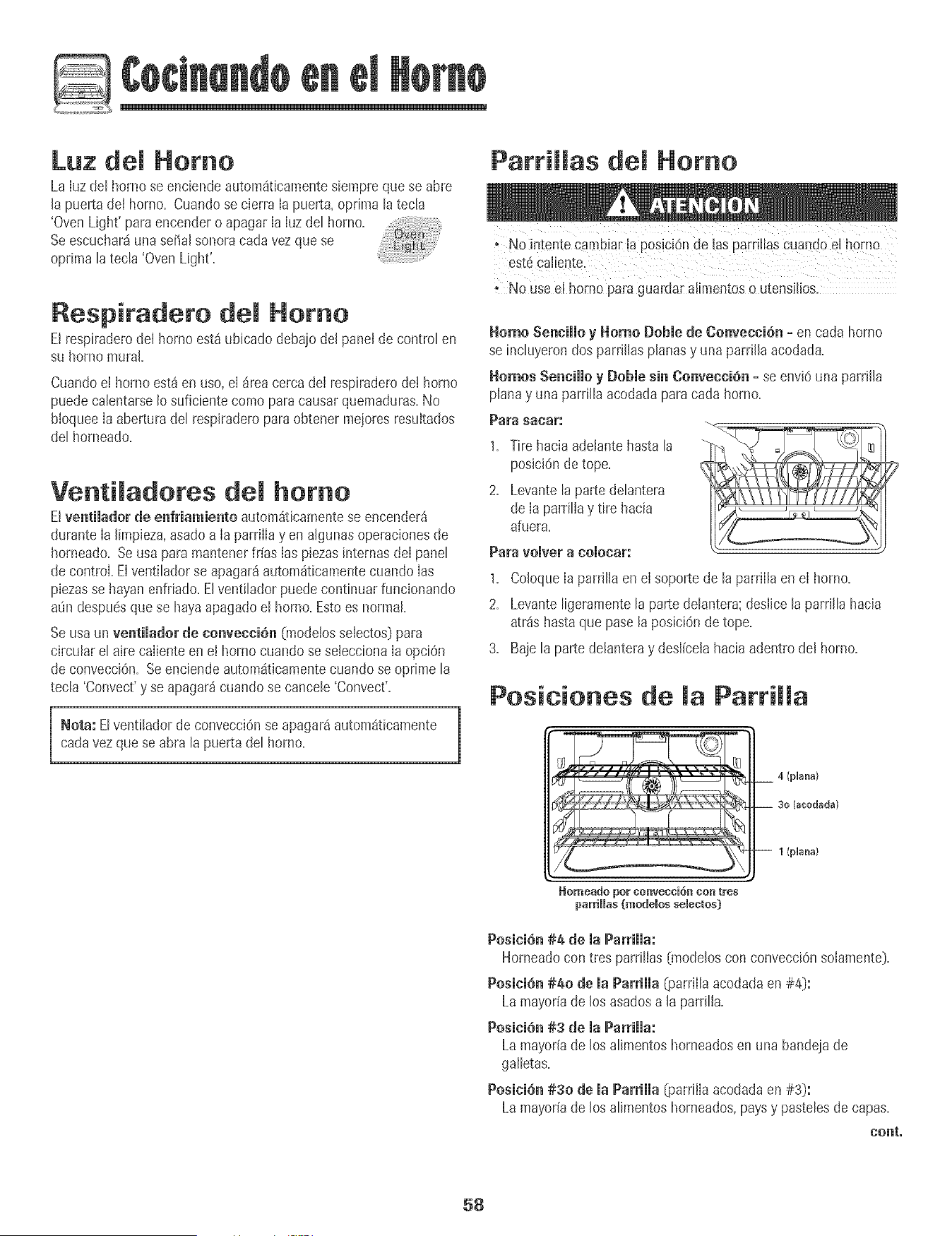
Luz del Homo
La Iuz det horno se enciendeautomSt+camentesiempreque se abre
la puerta del homo+ Cuandose cierra Ia puerta,oprima tatecla
'OvenLight' para encendero apagarIa Iuzdet homo+
Seescuchar_iuna sepalsonoracarla vez que se
optima tatecla 'OvenLight'+
Respiradero demHomo
El respiraderodel hornoest_ubicado debajo del panelde controlen
su homo mural+
Cuandoel homo est_ en uso,el _rea cerca de[ respiraderode[ horno
puedecalentarseIosuficiente como paracausarquemaduras.No
bloqueeIa aberturadel respiraderopara obtener mejoresresultados
del horneado.
Venti adores demhomo
Elventilador de enfriamiento autom_ticamentese encender_
durante Ia limpieza,asadoa Ia parriIIayen algunasoperacionesde
homeado+Se usa para mantenerfr[as Ias piezasinternasdeIpanel
de control Elventilador se apagar8autom_ticamentecuando Ias
piezasse hayanenfriado+Elventiladorpuedecontinuar funcionando
at_ndespu6squese hayaapagadoel homo+Esto es normal
Seusa un ventilador de convecci6n 0Tlodelosselectos)para
circular el aire caIienteen el hornocuando se seleccionaIa opciOn
de convecciOn=Se enciendeautom_t+camentecuandose oprime la
tecla 'Convect'y se apagar_cuandose cancele 'Convect'=
]
Nota: Elventilador de convecci6nse apagar_autom_ticamente |
carla vezquese abta la puertadel homo=
1
Parrillas del Homo
; No intente Cambiar!a posiciOnde las pard!lasCuandoeLhomo
est6Caliente.
+ No Useel homo pare guacdaralirnentoso utensilios.
Homo Sennillo y Homo DoNe de Convncci6n = encada horno
se incluyerondos parrillasplanasy una parrilla acodada=
Homes Sennillo y Doble sin Oonvecci6n=se envi6una parrilla
planay una parrilla acodadapara cada homo+
Para sacar:
1. Tire haciaadetantehastala
posici6nde tope.
2. Levantela parte delantera
de Ia parrillay tire hacia
afuera.
Para vo]ver a Co]ocam',"
1+ Co[oquela parri[[aen el soportede [a parrii[aen el homo+
2+ Levanteligeramentela parte delantera;des[icela parri[la hacia
atrSshastaque pasela posici6n detope.
3+ Baje la parte delanteray desl[celahaciaadentrode[ homo+
Posiciones de Parri a
Homeado pot convecci6n con tres
parriHas(modeBos selectos)
__ 4 (pUana)
__ 30 lacodada)
-- 1 (pUana)
Posici6n#4 de ia Parriiia:
Horneadocon tres parri[ias(mode[oscon convecciOnsolamente).
Posici6n#40 de ia Parriiia _oarril[aacodadaen #4):
Lamayor[ade los asadosa [a parrilla.
Posici6n#3 de ia Parriiia:
Lamayoriade los alimentoshorneadosenuna bandejade
galletas.
Posici6n#30 de la Parrilla _}arrilIaacodadaen #3):
Lamayor[ade los alimentoshorneados,paysy pastelesde capas.
nonto
58
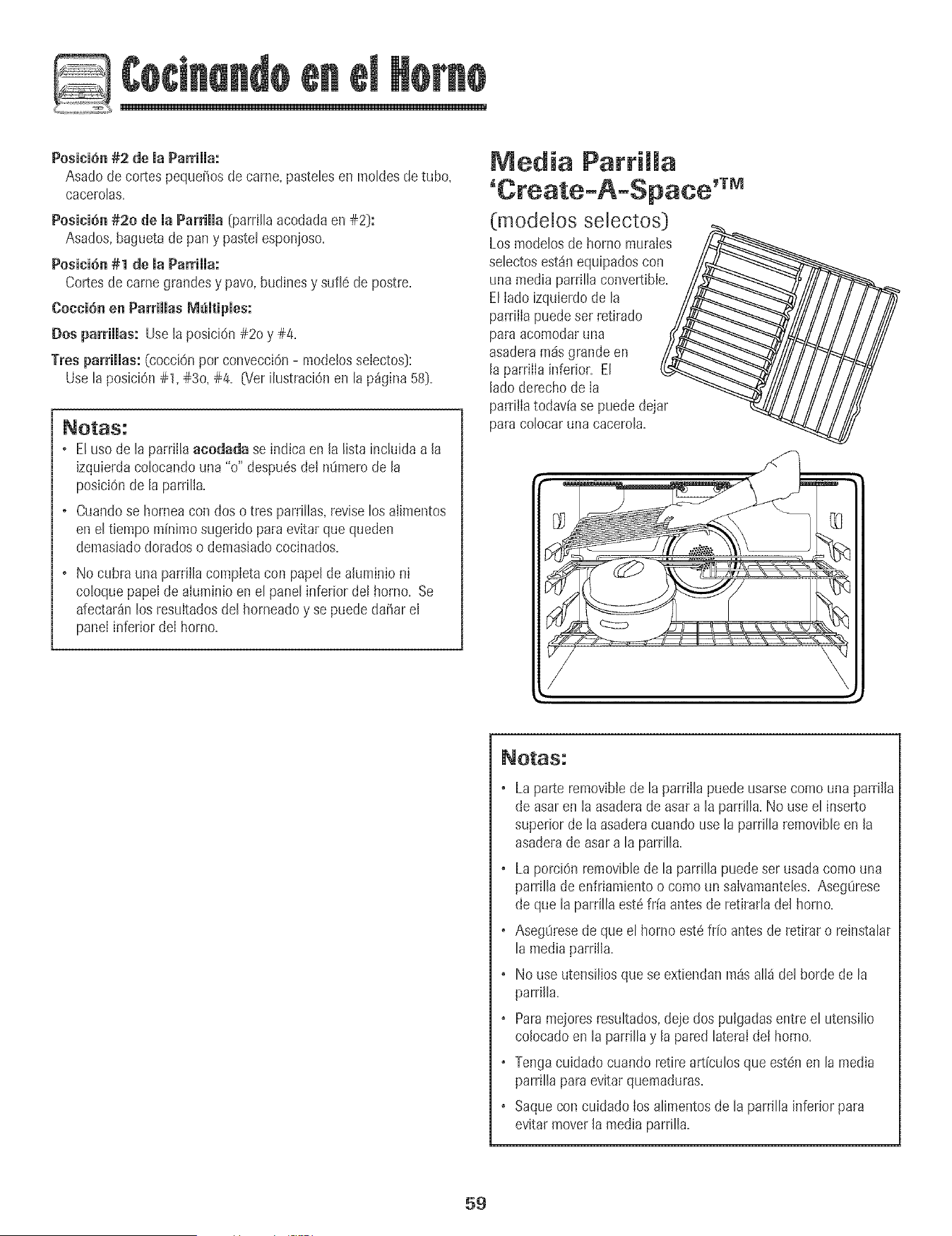
PositiOn #2 de JaParriJJa:
Asado de cortespeque_osdecame, pastebs en moHesdetube,
caceroBs.
PositiOn#20 de ia Parrilla (parri[[aacodadaen #2):
Asados,baguetade pan y paste[esponioso.
Posici6n #1 de maParriHa:
Cortesde came grandesy pave, budinesy sufi6 de postre.
Coccion en ParriHasMomtipmes:
Dosparrillas: Use taposici6n #20 y #4.
Tres parrillas: (eocciOnperconvecci6n- modebs selectos}:
Use[aposiciOn#1, #30, #4. _/er i[ustraciOnen [ap%ina 58}.
. E[ use de [aparrilB acodada se indica en la Hstainduida a la
izquierdacobcando una "o" despu6sdel n0mero de la
posiciOnde la parrilla.
. Cuandose homea con dos o tres parrillas,revise losaiimentos
en el tbmpo minimo sugeridoparaevitarque queden
demasiadodoradoso demasiadococinados.
. No cubra una parrillacompletacon papelde ahminio ni
co!oquepapeIde aluminioen el panel inferior de! homo. Se
afectar_nlos resu[tadosdel horneadoy se puededa_ar el
panel inferior deI borne.
Media Patrimma
(modelos selectos)
Los modelosde homo murales
sebctos est_nequipadoscon
unamedia parrillaconvertible.
ElIado izquierdode la
parrilIapuedeser retirado
paraacomodaruna
asaderam_sgrande en
la parrilIainferior. El
ladederechode Ia
parrillatodav[ase puede@jar
paracolocar una cacerola.
• La parte removiblede la parrillapuedeusarsecome una parrilla
de asaren la asaderade asar a la parrilla.No use el inserto
superior de laasaderacuandouse la parrilla removibleen la
asaderade asar a la parrilla.
• La porci@ removibb de la parrillapuedeser usa@ come una
parrilla de enfriamientoo come un salvamantebs.Aseg0rese
de que la parrilla est6fr[a antes de retirarladel homo.
• Aseg0resede que el borne est6 fr[oantesde retirar o reinstalar
la media parrilla.
• No useutensiliosque se extiendanpa_sall_ del borde de la
parrilla,
• Paramejoresresultados,de]edos pu[gadasentre el utensilio
colocadoen la parnlla y lapared lateraIdet homo,
• Tengacuidado cuandoretire articulos queestdn en la media
parrilla para evitar quemaduras,
• Saquecon cuidado Ios alimentosde la parrilla inferior para
evitarmover la media parrilla,
59
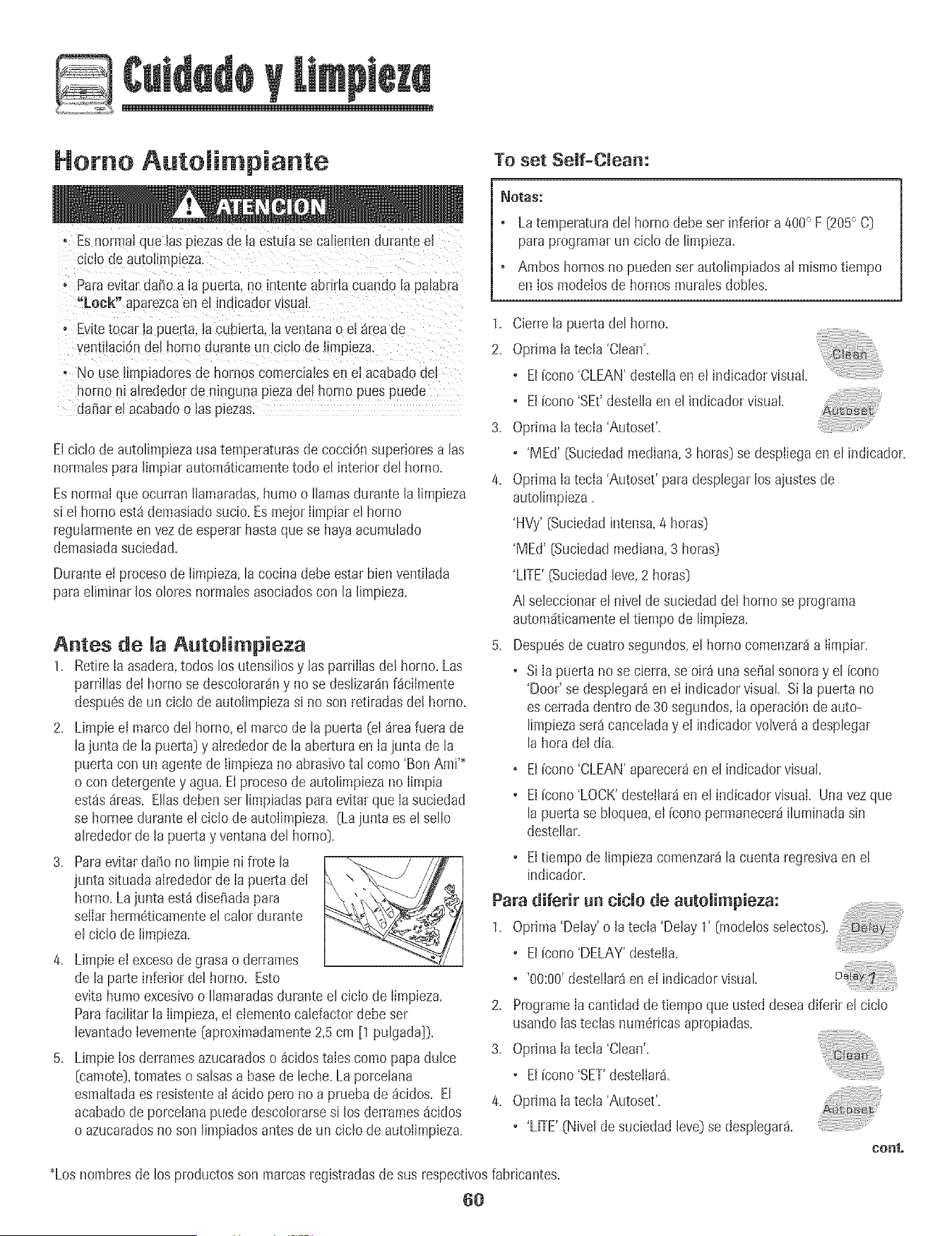
Homo AutoJi piante
To set Self-Clean:
o Esnormalque las plezas{le la estufase calienten durante el
cLciodeautoJimpieza
. Paraevitar da_oa Japuer_a,no intente abrirla cuando la palabra
"Leek" aparezcaen el _ndicadorvisual.
° E' ite tocar ia puer[a,lacubierta, iaven[anao e_areaue
ventiiaci6n del homo durante un cicJode JimpJeza.
* No use limpiadoresde hornos comercialesen eJacaDadodel
norno ni airededorde ninguna piezade! homo pues puede
daf_arel acabadoo las plezas
Elciclo de autolimpiezausatemperaturasde cocciOnsuperioresalas
normalespara limpiarautomdticamentetodo el interior del horno.
Esnormal queocurran llamaradas,humo o llamasdurante la limpieza
si el homo est_ demasiadosucio. EsmejorIimpiar el horno
regularmenteenvez de esperarhastaquese hayaacumulado
demasiadasuciedad.
Duranteei procesode Iimpieza,la cocinadebe estar bien ventilada
paraeliminar los oloresnormalesasociadoscon la limpieza.
Antes de la Auto impieza
1. RetireIa asadera,todos los utensiliosy las parriilasdel homo. Las
parrillas deI hornose descolorar_ny no se deslizar_nf_cilmente
despuesde un ciclo de autolimpiezasi noson retiradasdel horno.
2. Limpieei marco del horno,el marcode la puerta (eIdreafuera de
lajunta de la puerta_y atrededorde la aberturaen Ia iunta de la
puerta con un agentede Iimpiezano abrasivotal como 'Bon Ami'_
o con detergentey agua. El procesode autolimpiezano Iimpia
est_sdreas. Bias debenser limpiadasparaevitarque Iasuciedad
se horneedurante el ciclo de autolimpieza. (Laiunta es el sello
alrededorde la puertay ventana del horno_.
3. Paraevitardafio no [[mpieni frote [a
iunta situadaalrededorde [a puerta de[ \ .
homo.La junta est_ diset_adapara
selIarherm6ticamenteel calor durante
el ciclo de limpieza.
4. Limpieel excesode grasa o derrames
de la parte inferior del homo. Esto
evita humoexcesivoo Ilamaradasdurante el ciclo de Iimpieza.
Parafacilitar la Iimpieza,eI etementocalefactordebeser
levantadoIevemente(aproximadamente2,5cm [1 pulgada]).
5. LimpieIos derramesazucaradoso _cidostales como papadulce
[camote),tomateso salsasa basede leche.La porcelana
esmaltadaes resistenteaI _cido pero no a pruebade dcidos. El
acabadode porcelanapuede descolorarsesi los derrames_cidos
o azucaradosno son limpiadosantesde un ciclo de autolimpieza.
_OtaS:
o Latemperaturadel homo debe set inferior a 400° F (205° C)
paraprogramarun ciclode limpieza.
• Ambos hornosno puedenset autolimpiadosal mismotiempo
en los modelosde hornos muralesdobles.
1. Cierrela puertadel homo.
2. Optima Ia tecla 'Clean'.
• El [cono'CLEAN'destellaenel indicadorvisual.
° El[cono 'SEt'destella enel indicadorvisual.
3. Optima la tecia'Autoset'.
• 'MEd' (Suciedadmediana,3 horas)sedespiiegaen el indicador.
4. Optima Ia tecia 'Autoset' paradesplegarlos ajustesde
autolimpieza.
'HVy' [Suciedadintensa,4 horas)
'MEd' (Suciedadmediana,3 horas)
'LITE'(Suciedadleve,2 horas)
AI seleccionarel nivel de suciedadde! homo se programa
automdticamenteel tiempo de timpieza.
5. Despu6sde cuatrosegundos,el homo comenzarda Iimpiar.
• Si Ia puerta no se cierra,se oir_ una serialsonoray el [cono
'Door'se desplegar_en eI indicador visual Si lapuerta no
es cerradadentrode 30 segundos,Ia operacidndeauto-
limpiezaser_canceladay eI indicadorvolver_a desplegar
la hora del dia.
• El [cono'CLEAN'aparecer_en el indicadorvisual.
• El [cono'LOCK'destellarden el indicadorvisual. Unavez que
la puertase bloquea,el [cono permanecerdiluminadasin
destellar.
• El tiempode limpiezacomenzardla cuenta regresivaen el
indicador.
Para diferir un ciclo de autolimpieza:
1. Optima'Delay'o la tecIa 'Delay 1' [modelosselectos).
• El Fcono'DELAY'desteila=
° '00:00'desteliar_enei indicadorvisual
2= ProgrameIacantidad de tiempo que usteddeseadiferir el ciclo
usandolasteclas num6ricasapropiadas=
3. Oprimala tecla 'Clean'.
• El [cono'SET'destelIarS.
4. Optima Ia tecla 'Autoset'.
• 'MTE'(Nivel de suciedadleve)se desplegar_.
cont,
_Losnombresde los productosson marcasregistradasde sus respectivosfabricantes=
6O
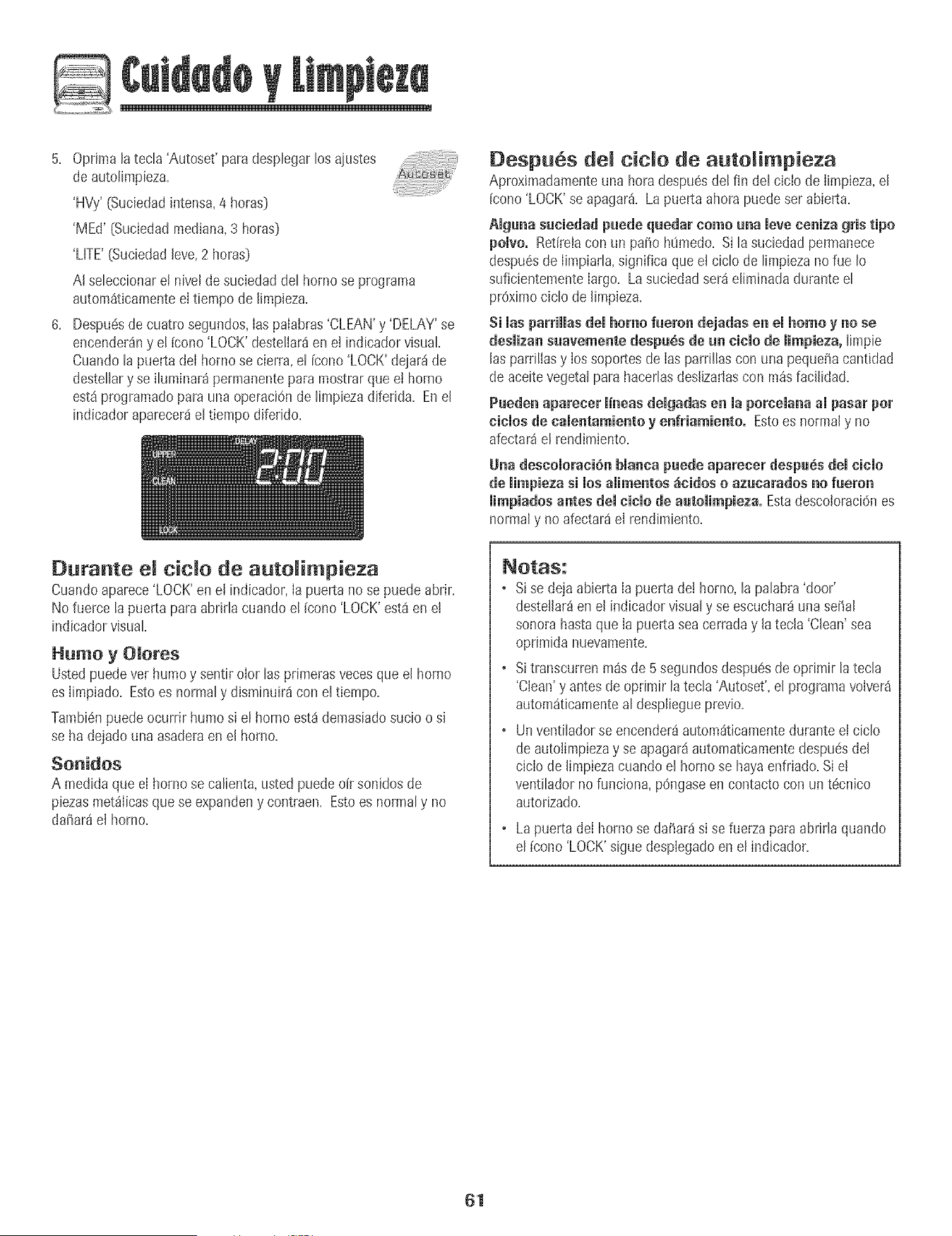
5+ Optima la tec[a 'Autoset' para desplegarlos ajustes
de autotimpieza+
'HVy' (Suciedadintensa,4 betas)
'MEd' [Suciedadmediana,3 horas)
'LITE'(Suciedadleve,2 horas)
A[ seteccionare[ nivel de suciedaddet bornese programa
autom_ticamentee[ tiempode [impieza+
6+ Despu6sde cuatro segundos,[aspaiabras'CLEAN'y 'DELAY'se
encender_nyet leone 'LOCK'destetiar_en el indicadorvisual
Cuandota puerta de[ homo se cierra, el [cone 'LOCK'dejar_ de
destellary se iluminar_permanentepara mostrarqueet homo
est_programadopara una operaciOnde limpiezadiferida+Enel
indicador aparecer_el tiempodiferido+
Despu6s demc+do de auto impieza
Aproximadamenteuna hera despu_sdel fin del cicio de Iimpieza,el
icono 'LOCK'se apagar& La puerta ahora puedeser abierta.
Aiguna suciedad puede quedar come una [eve eeniza gris ripe
polve. Retirelacon un paso h_medo+Si la suciedadpermanece
despu6sde [impiarla,significa quee+ciclo de limpiezanorue [o
suficientementelargo. Lasuciedad ser_e[iminadadurante el
proximociclo de [impieza.
Si masparHHasdemhomo fueron dejadas en el homo y no se
deslizan suavemente despuSs de un cielo de [impieza, limpie
[aspardllasy [ossoportesde [as parrillascon una pequd_acantidad
de aceitevegetalparahacer[asdes[izadascon m_s faci[idad+
Pueden aparecer [i'neas delgadas en [a porcelana a[ pasar per
eielos de calentamiento y enfriamiento° Estoes normaly no
afectar_ el rend+miento+
Una descoioraci6n bianca puede apareeer despu_s dei eieio
de iimpieza si los aiimentos _ieidos o azuearados no fueron
mimpiadosantes demeiemode automimpieza.EstadescoloraciOnes
normaly no afectar_e[ rendimiento.
Durante el c+cmo de autoRimp+eTa
Cuandoaparece'LOCK'en e[ indicador,[a puerta nose puedeabrir+
No fuerce lapuerta paraabrirla cuandoel (cone'LOCK'est8en el
indicadorvisual
Humo y Oiores
Listedpuedevet humoy sentir olor las primerasvecesque el borne
es Iimpiado+Estoes normaly dismintJir_con eltiempo+
Tambi6npuedeocurrir humo si el borneest_demasiadosucio o si
se hadejado una asaderaen el homo+
Sonidos
A medidaque eI hornose calienta,usted puedeoir sonidos de
piezasmetfilicasquese expandeny contraen. Estoes normaly no
dafiar8el homo+
+ S+se dejaabierta [a puertade[ borne,[a pa[abra'door'
deste[lar_enel indicadorvisualy se escuchar_una se_al
sonora hastaque [a puerta seacerraday [atec[a 'Clean' sea
oprimida nuevamente.
+ Si transcurrenm_s de 5 segundosdespu6sde oprimir la tecla
'Clean'y antesde oprirnir la tecla 'Autoset',el programavelvet8
autom_ticamenteal despliegueprevio+
+ Unventiladorse encender_autom_ticamentedurantee! ciclo
de autolimpiezay se apagar_automaticamentedespu6sdel
ciclo de limp+ezacuando el homose hayaenfriado+Si e!
ventiladorno funciona,pOngaseen contacto con un t6cnico
autorizado+
Lapuerta de[ homo se dafiar_ s+se fuerza para abrir[a quando
el [cone'LOCK'siguedespiegadoen el indicador.
61
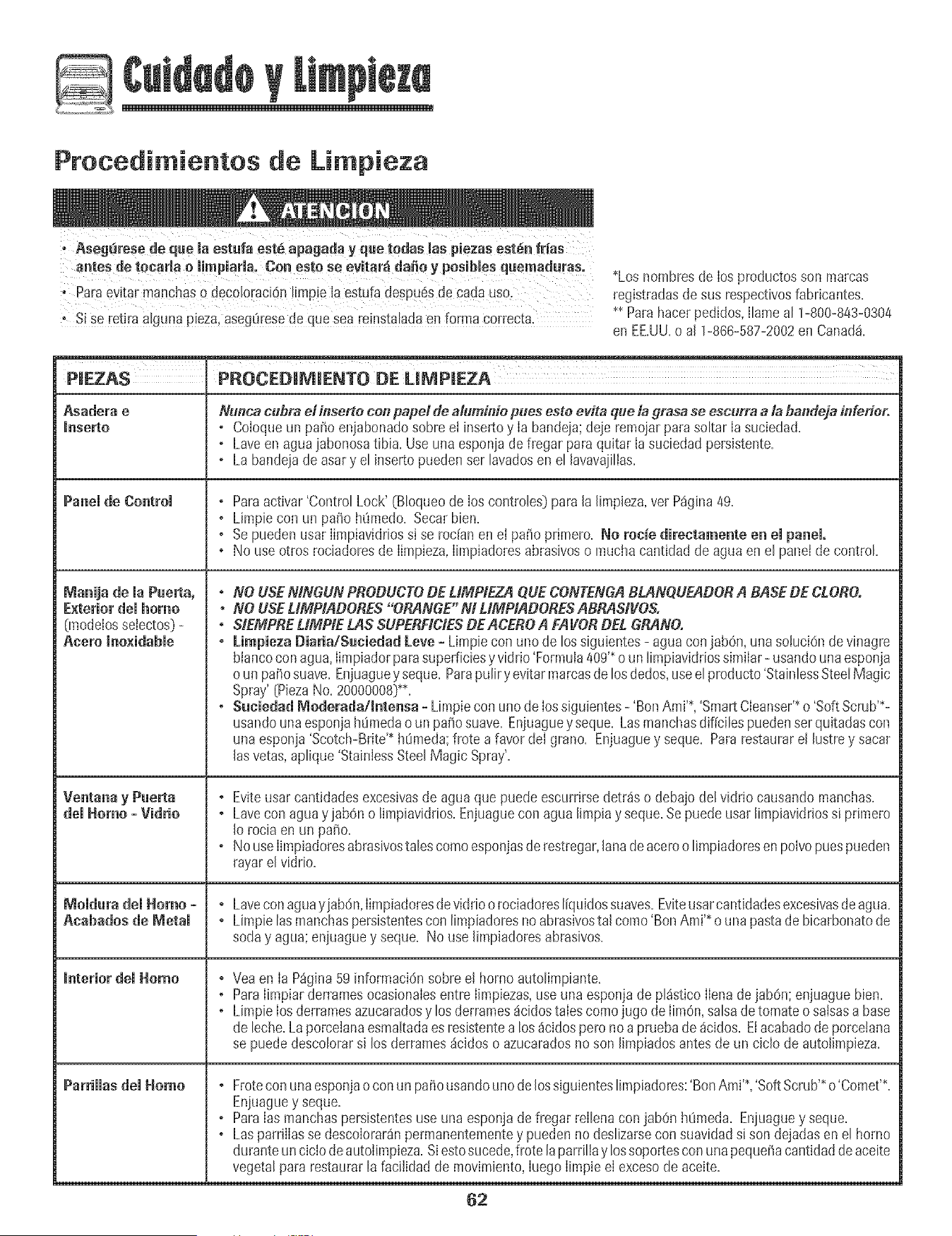
Procedi ientos de Li pieza
antes de tocarla o mimpiaria, Con este se evitarfi da_o y posibles quemaduras.
i; Para evitar manchaS_ dec0[0raci6n!ffepie laeStufadespuesde cadauso,
; Si Se ret!raa!g_mapieza, asegtiresedeq_JeSeareinstaladaen forma correcta:
*Los hombresde Ios productosson marcas
registradasdesus respectivosfabricantes.
** Parahacerpedidos,I[amear 1-880-843-8304
en EE.UU.o aJ1-866-587-2002en Canad&
PIEZAS PROCEDIM[ENTO DE LIt_PmEZA
Asadera e Nunca cubra ei inserte con papel de aluminio plies esto evita que la grasa se escurra a la bandeja inferior.
_aserto , CoIoqueun patio eniabonadosobre et inse_o y Ia bandeia;deie remo)arpara so[tarIa suciedad=
, Laveen agua]abonosatibia. Useuna esponjade fregar paraquitar Ia suciedad persistente.
, La bandejade asary el insertopuedenser lavadosen el lavavajilias.
Panel de Control , Paraactivar 'Control Lock' (B[oqueode los contro[es)para[a [impieza,vet P%ina 49.
, Limpie con un paso h_medo=Secar bien=
, Se puedenusar Iimpiavidriossi se rodan en el paso primero=No rode directamente en el panel.
• No useotros rociadoresde Iimpieza,Iimpiadoresabrasivoso mucha cantidad de aguaen el panei de control
Manija de ia Puerta, , NO USEMNGUN PBODUCTODE UMPIEZA QUECONTENGABLANQUEADOBA BASEDE CLORO.
E×teriordemhorao * NO USELIMPIADOBES "ORANGE" M LIMPtADOBESABBASIVOS.
Onodelosseiectos)- . SIEMPBEUMPtE LAS SUPEBFICIESDEACEBOA FAVORDEL GBANO.
Acero Inoxidable , Limpieza Diada/Suciedad [eve - Limpie con uno de los siguientes- agua conjab6n, unasoluciOndevinagre
blancocon agua,Iimpiadorparasuperficiesyvidrio 'Formula409'*o un limpiavidriossimilar- usandouna esponja
o un pa_osuave. Enjuaguey seque=Parapulir yevitar marcasde losdedos,useel producto'StainlessSteelMagic
Spray'[PiezaNo.20000008]_=
, SuciedadModerada/Intensa-Limpieconunodelossiguientes-'BonAmi'_ 'SmartCIeanser'_o'SoftScrub'*-
usandounaesponjah0medao un pasosuave. Enjuaguey seque=Lasmanchasdificiles puedensetquitadascon
una espon]a'Scotch-Brite'_h0meda;frote a favor del grano=Enjuaguey seque=Pararestaurarel hstre y sacar
las vetas,aplique'StainlessSteelMagic Spray'.
, Evite usarcantidadesexcesivasde aguaque puede escurrirsedetrds o debajodel vidrio causandomanchas=
dei Homo - Viddo , Lavecon aguay jab6no [impiavidrios=Enjuaguecon agua limpiay seque=Sepuede usarlimpiavidriossi primero
Io rociaen un paso=
, No useIimpiadoresabrasivostalescomo esponjasde restregar,lanadeaceroo limpiadoresen po[vopuespueden
rayar elvidrio=
Moidura dei Homo - , Lavecon aguay]abdn,Iimpiadoresdeviddo o rociadoresliquidossuaves=Eviteusarcantidadesexcesivasdeagua=
Aeabados de Metal , Limpie lasmanchaspersistentescon limpiadoresno abrasivostal como 'BonAmi'_o una pastadebicarbonatode
soday agua;en]uaguey seque=No use limpiadoresabrasivos=
_nterior demHomo , Veaen [a P%ina 59 informacidnsobree! homo autolimpiante.
, Para IimpiarderramesocasionaIesentre Iimpiezas,use una esponjade pldstico IIenadejab0n; enjuaguebien=
, Limpie Iosderramesazucaradosy los derramesdcidostaIescomojugo deIim0n,salsadetomatoo saisasa base
de leche=Laporcelanaesmakadaesresistentea los _icidospero no a pruebade dcidos=Etacabadode porcetana
se puededescolorarsi los derrames_cidoso azucaradosno son limpiadosantesde un ciclo de autolimpieza=
Pa_diias dei Homo , Froteconunaesponjaoconun pasousandouno delossiguienteslimpiadores:'BonAmi'? 'SoftScrub'*o'Comet'*.
Eniuaguey seque=
, Para Iasmanchaspersistentesuse unaesponjade fregar reIlenacon jab0n h0meda=Enjuaguey seque=
• Las parriIIasse descoIorar_npermanentementey puedenno deslizarsecon suavidadsi son dejadasene! horno
duranteunciclo de autoiimpieza=Siestosucede,frote laparriliay lossoportescon unapeque_acantidaddeaceite
vegetalpara restaurar lafaciiidad de movimiento,IuegoIimpie eI excesode aceite=
62

Luz del Homo
o No toque un foco caEientecan un paso hOrrtedopuesel foco
puedequebrarse.
Paca cambiac mamuzdemhome:
1. Useun tomaoHassecoy con muchocuidadodestornille la
cubiertadet focoy eI foco.
2. Reemphcecon un foco para homo de etectrodomesticode 40
wats. Serecomiendantosfocos con basede tatOnpara evitar
fusionder foco en et casquillo.
3. Reemphce tacubierta det foco y vuetvaa conectarta corriente
el6ctricaat homo.
4, Vuelva a programar el reloj.
Ventana Homo
Paca pcotegec maventana demhomo:
1. No use agentes de limpieza abrasivos tales como esponjas
de lana de acero o limpiadores en polvo pues puedenrayarel
viddo.
2. No golpee el vidrio con ollas, sartenes,muebles,juguetes u otms
objetos.
3. No cierre Ia puerta del hornohasta que JasparrillasdeJhomo no
est6nen su Jugar.
AI golpear,rayar,hacervibraro esforzarel vidrio puede debilitarsu
estructuracausandoun mayor riesgode rotura en unafecha
posterior.
63

ml
PROBLEMA
Para la mayoria de los problemas, + Revisesi los controlesdel homo est4ndebidamenteajustados+
verifique primero 1osiguiente. + Vedfique si el horno est_ debidamenteenchufadoen un tomacorrienteel_ctrico.
, Veriflque o vuelvaa reportere! disyuntor=Verifiqueo reemplaceet fusible=
, Verifique et suministro deenerg[ael6ctrica=
Emremoj,maspamabrasen el indicador + Loscontroles puedenestar programadospara 'Cook & Hold'o 'Delay'+
visuamy/o masmucesfuncionan pero + Puedeestaractivadalacaracter[sticade bloqueo de los controles+(VetP%ina 49=)
emhomo no se camienta.
La muzdemhomo y/o emremojno + El foco puedeestarsuetto o defectuoso+
funcionano , La luzdel horno no funcionadurante un ciclo de autolimpieza+
+ Elhorno puedeestar en Modo Sab_tico=(Verp%ina 56Y
[lay un olor fuerte o humo leve + Estoesnormalenunhomomuralnuevoydesaparecer_despu6sdeunospocosusos.Aliniciar
cuundo se eneiende el homo. un ciclo de autollmpiezase "quemarU' los olores rossr_pidamente.Si se enciendeel
ventlladorayudaraa eliminaret humoy/o e! olor=
, Suciedadexcesivade alimentosen el panelinferior del homo=Useunciclo de autolimpieza=
El homo no activa el proeesode + El horno puedeestar programadoparauna limpieza diferlda=
+ Elhomo puedeestaren Modo Sab_tlco=O,/erp_gina56=_)
, El horno puedeestara m_sde205° C (/_00° FD=Latemperaturadel homo debeser inferior
a205° C [400° FDpara programarun ciclo de limpieza=
El homo no limpia en formu debidao + El homo puede necesitarun tiempo de Ilmpiezam_s prolongado=
+ No se limpiaron los derramesexcesivosantes del procesode autolimpieza=
Los alimentos no se usun u la parrilla + Verlfique Ia posici6n de Ia parrilla=(Ver P%ina 5zQ
en formu debidao + Elvoltaje del hogar puedeser bajo=
Losalimentos homeudos se quemun + El alimentopuedeestarcolocadoen forma incorrectaen el homo= (Verel folleto "La Cocina
o se dorun demasiudoo F_ciI"y
, El homo norue precalentadoenforma debida+
Los alimentos se homeun de , Elhorno no fue precalentado+
munera irregular. , El horno puedeestar +nstaladoen forum indebida+
, Verifique Ia parrilla del homo con un nivel+
, Coloquelosutensiliosde hornearalternadamenteysinquesetoquenentresiosin quetoquen
la pared de! homo+
, VerifiqueIasinstruccionesparaIacorrectacolocaci6ndelosutensiliosenla parrilla delhomo+
(Verel folleto "La CocinaFacil"y
La puertu del homo no se , Elhornopuede quenose hayaenfdadolo suficientedespu6sde un procesodeautolimpieza+
, El control y la puerta puedenestarbloqueados+(Verp%ina 49=)
nonto
64
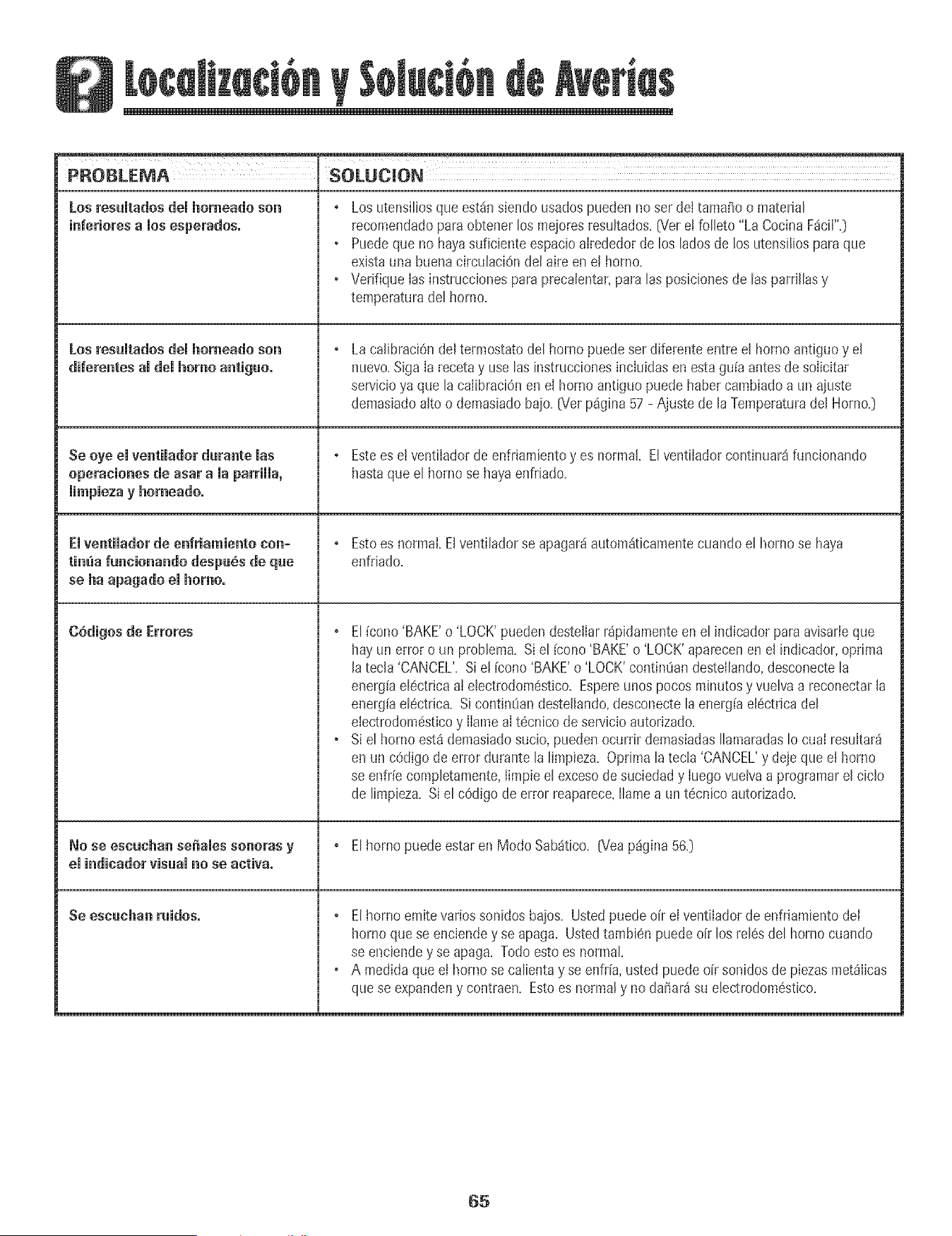
PROBLEMA SOLUCION
Los resumtadosdemhomeado son
inferiores a mosesperados.
Losresuitadosdei homeadoson
diferentes amdemhomoantiguo.
se oye emventimadordurante mas
operaciones de asar a maparriHa,
mimpiezay homeado.
Emventimadorde enfriamiento con-
timia funcionando despu6s de que
se ha apagado emhomo°
G6digos de Errores
No se escuchan sdiaies sonoras y
eJindicadorvisuaJno se activao
Se eseuehan ruidos.
, Los utensiliosque estdn siendo usadospueden no ser deitamai_oo material
recomendadopars obtener los mejoresresukados.(Verei folleto "La CocinaF_ciI".)
• Puedeque no hayasuficiente espacioairededorde los ladosde los utensiliospars que
existauna buenacirculaciOndel aire en e! homo.
• Verifique Ias instruccionespara precalentar,paralas posicionesde las parrillasy
temperaturadel horno.
LacalibraciOndel termostatodel homo puede ser diferente entre el homo antiguoy el
nuevo.SigaIa recetay use las instruccionesincIuidasen esta gu[a antesde soIicitar
servicioya que la caiibraciOnen el homo antiguo puede habercambiadoa un aiuste
demasiadoalto o demasiadobaio. [Ver p%ina 57 - Ajuste de la Temperaturadel Homo.)
, Estees ei ventiladorde enfriamientoy es normal. Elventilador continuar8 funcionando
hastaque el homo se hayaenfriado.
, Estoes normal. Elventilador se apagarhautom_ticamentecuando el hornose haya
enfdado.
, El [cono 'BAKE'o 'LOCK'pueden destelIarr4pidamenteen el indicador paraavisarleque
hay un erroro un problema. Si el [cono 'BAKE'o 'LOCK'aparecenen el indicador,optima
JatecJa'CANCEL'.Si eJ[cono'BAKE'o 'LOCK'contin0andestellando,desconectela
energ[ael6ctrica aJeJectrodom6stico.Espereunos pocos minutosy vuelva a reconectarJa
energ[ael6ctrica. Sicontin0an desteJlando,desconectela energiaeJ6ctricadel
electrodom6sticoy IlameaIt6cnico deservicioautorizado.
* Siel horno est4 demasiadosucio, puedenocurrir demasiadasIlamaradasIo cual resultar4
en un c6digo de error durante la limpieza. Optimalatecla 'CANCEL'y dejeque el horno
se enfr[ecornpletamente,Iimpieel excesode suciedady Iuegovuelvaa programareJciclo
de limpieza. Si el cOdigode error reaparece,Ilamea un t_cnicoautolizado.
, El homo puedeestaren Modo Sab_tico. (Yeap%ina 56.)
, El homo emitevariossonidosbaios. Ustedpuededr el ventilador de enfriamientodel
homo que se enciendey se apaga. Ustedtambien puedeoFrlos rel6sdel horno cuando
se enciendey se apaga. Todoestoes normal.
• A medidaque et horno se calientay se enfrFa,usted puede oFrsonidosde piezasmetSlicas
quese expandeny contraen. Estoes normaly nodafiar_isu electrodom6stico.
65

66
Garantia
Garant[a Compieta de Un A_o - Piezas y
Mano de Obra
Durameun (1) a_o desdelafecha odginalde compra
alpor menor,se repararao reempiazar_gratuitamente
cumqulerp_ezaquefaiIe duranteusonormalen e!
hogal
Garantias Limitadas = Piezas Seiamente
Desde emSegundo hasta ei QuintoAide=A partlrde
[afechaoriginalde compra,se repararano
reemptazarangra[uitamente[aspiezasind[cadasa
contmuaci6nquefai[enouran[euso normmen el hogar
en1oque respectaa [as p_ezasy e[ prop[etariodeberd
pagartodos[osotros costosinc_uyendornanode obra=
k[[ome[rajey transpor[e.
Controles Eieetrenicos
* Elementos Calefanteres El_ctriees: ele[ementode
asara [aparri[la,ueconvecciOny de hornearen los
ar_efactosde cocinar el6ctricos.
Lo que No Cubten Estas Garantias
1= Situacionesy daSosresuitantesde cualquierade lassiguientes
eventuaiidades:
a=Insta[aciOn,entregao mantenimientoinapropiados=
b=CualquierreparaciOn,modificaciOn,a[teraci6no ajuste no autorizadopot
e! fabricanteo par un centrode servicioautodzado=
c= Mal uso, abuso,accidenteso uso irrazonabie=
d=Corrienteel6ctrica,voltaje o suministro incorrecto=
e=ProgramaciOnincorrectade cualquierade [oscontroles=
2= Las garantias quedan nulassi los n0merosde serieoriginales ban sido
retirados,a[teradoso noson faci[mentelegibles=
3= Focos=
/L Productoscompradospara uso comercia[o industrial
5. E[costo de[servicio o [[amadade servicio para:
a. Corregirerroresde instaiaciOn.
b. Instruir a[ usuariosobre e[ uso correctodet artefacto.
c. Transportedet artefactoa[ estab[ecimientode servicio.
6. Losdafios consecuenteso incidentatessufridospor cuaiquier personacomo
resukadodel incump[imientode estasgarant[as.Ena[gunosestadosnose
permite[a exciusiOno [imitaciOnde dafios consecuenteso incidentaies,por
[o tanto [a [[mitaciOno exc[us[Onanterior puedeno ap[[carseen su caso.
Residentes Canadienses
Las gamntias anteriores oubren so[amente aqueflos
electrodomdstlcos instaIados en Canada que han sioo
cerfificados o aprobados por las agencias de pruebas
correspondientes para cumpiimiento con la Norma
National de Canad_ a rnenos que el dectrodom6stico
haya sido traido a Canad_ desde los EE.UU.debido a un
cambio de residencla.
Garant[a Limitada Fuera de los Estados
iJnides y Canad_ - Piezas Seiamente
Durantedos (2]afiosdesde[afechade compraoriginal
a[ por menoLcua[qulerpiezaquefa[[eduranteuso
normalen e[ hogarserareemp[azadao reparada
gra_uitamenteen 1oque respec-[aa [apiezay el
propietafiodeber_ipagartodos los otroscosmos
[nciuyendomanodeobra.kiiometrajey[ranspor[e
Lasgarantiasespecv2caseapresadasanteriorrnemeson
las[INICAS garantiasprovisraspot d fabric'ante.Estas
garanJas/e otorganderechoslegalesespecfficosyusted
puedeteneradembsotros'derechosquevaffandeun
estadoa otto.
Si Necesita Setvicio
• Llameal distribuidor dondeeompr6su electrodom6sticoo flamea Maytag
ServicessM,Amana CustomerAssistanceal 1-800-843-0304en EE.UU.o al
1-866-587-2002en Canad_para ubicara un t6cnico autorizado=
• Aseg0resedeconservarel comprobantede compra para verificar el estadode
iagarantia=Consultela secciOnsobre laGARANTIApara mayorinformaciOn
sobre las responsabilidadesdel propietarioparaservicio bajo la garant[a=
o Si ei distribuidor o Ia compafi[a deservicio no puedenresolverel problema,
escnbaa MaytagServicessM,Attn: CAIR Center,P=O=Box2370,CIeveiand,TN
37320-2370o Ilame al 1-800-843-0304 en EE=UU=o al 1-866-587-2002 en
Canada=
Lasguias deI usuano,manuaJesdeservicioe informaci6nsobre [aspiezas
puedensolicitarsea Maytag ServicessM,AmanaCustomerAssistance.
Cuandoliameo escriba acemade un problemade servicio,por favor
inciuya[asiguiente informaciOn.
a. Su hombre,direcci6ny n0mero deteldono;
b. N0merode modeloy n0merode serie;
c. Nombrey direcciOndesu distribuidoro t6cnico de servicio;
d. Una descripci6nciara deiprobiemaque est4 experh4entando;
e. Comprobantede compra(recibode compra).
Form No, A/04/03 Part No. 8112P219-60 @}2003 Maytag Appliances Sales Co, Litho U.S.A.