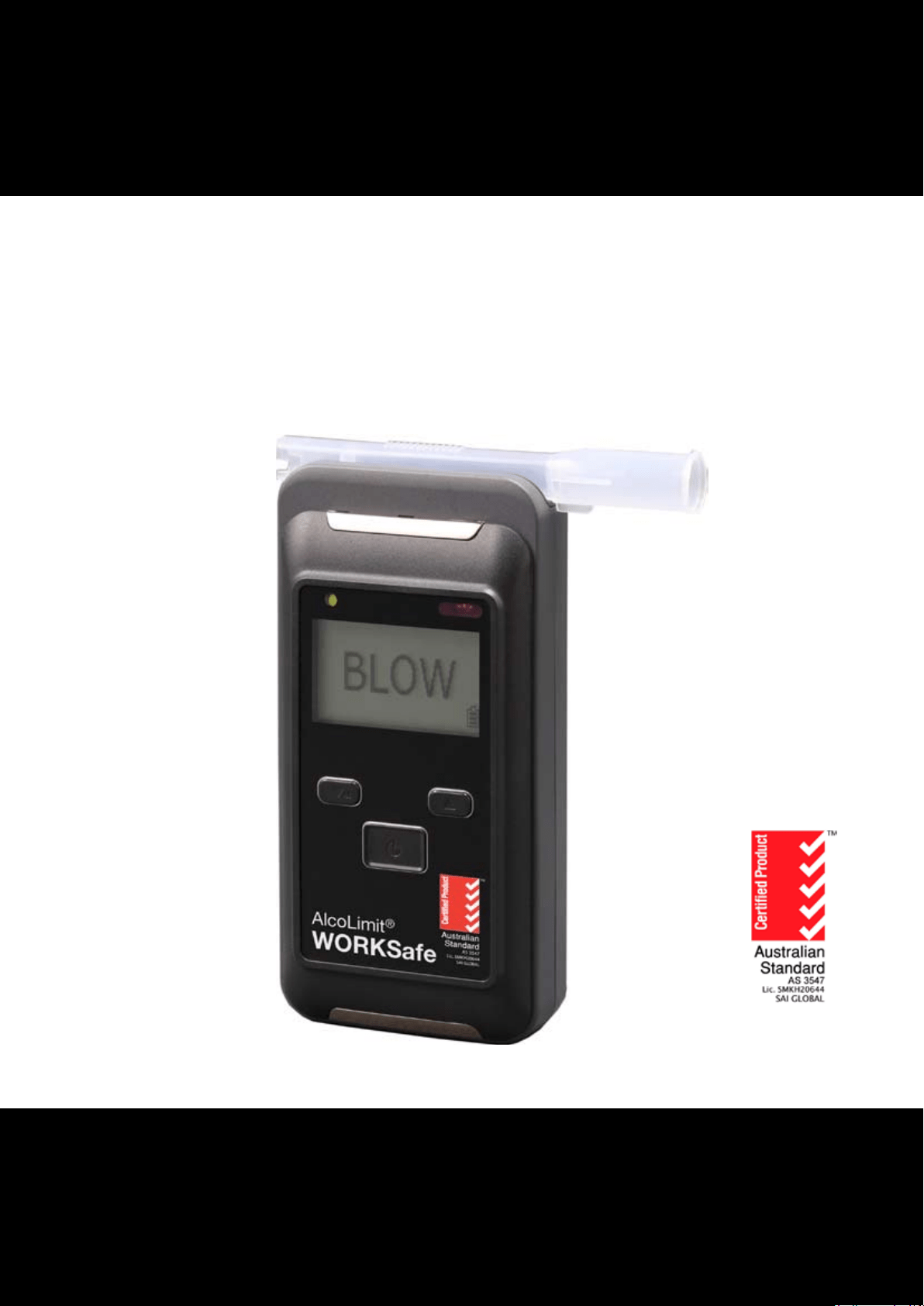
WORKSafe
©
AlcoLimit
©
User Manual
AlcoLimit Breathalysers Pty. Ltd.
P.O. Box 1106,
MANLY, NSW, 1655
Ph: 1300 667 661
www.alcolimit.com.au
Version 1.1


WORKSafe
©
AlcoLimit
©
pg-3
CONTENTS
Description Page
Parts of your breathalyser ................................................................ 4
Specications ...................................................................................... 5
Set-up your breathalyser .................................................................. 6
Basic operation - Normal Mode/Fast Mode ................................... 7-8
Troubleshooting Guide ..................................................................... 9
Accessing the menu ...........................................................................
- Last tests
- Last maintenance
- Total test count
- Date & Time
- Measurement mode
- Set date
- Set time
- Set Language
- Backlight
- Printer
- Save to SD card
- Bluetooth
- Change user PIN
- Set Contrast
10
11
11
11
11
12
12
12
12
13
14
15
16
16
16
Warnings .............................................................................................. 17
Storage Conditions ............................................................................ 17
Recalibration ....................................................................................... 18
Warranty .............................................................................................. 19
Disclaimer ............................................................................................ 19
Service Record .................................................................................... 21
Version 1.1

pg-4
WORKSafe
©
AlcoLimit
©
IMPORTANT INFORMATION
If you do not follow the instructions for use your test results may be
inaccurate and your warranty may become void.
For most accurate results, it’s important to wait at least 20 minutes after smoking, eating or drink-
ing before testing. This is a universal principle for all breathalysers, not just yours. The reason being
is that if you have recently consumed alcohol, the residual alcohol in your mouth is very high and
can cause a false reading. Additionally, waiting 20 minutes allows the alcohol to be absorbed from
your stomach into your bloodstream, contributing to more accurate test results.
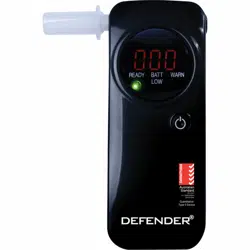
PARTS OF YOUR BREATHALYSER
Breath Inlet /
Mouthpiece
Infrared Indicator
(IrDA)
USB / Printer Connector
Breath Outlet
ON / OFF Button
Indicator Light
Down Arrow
Up Arrow
LCD Display
Version 1.1

pg-4 pg-5
WORKSafe
©
WORKSafe
©
AlcoLimit
©
SPECIFICATIONS
Recommended Usage Professional
Sensor Type Electrochemical Fuel Cell
Accuracy Conforms to Australian Standard AS3547
Range %BAC 0.000 - 0.500
Display LCD
Warm-up time 5 seconds - 2 minutes
Breath Sampling Time 5 seconds
Temperature Operation -5C - 40C
Storage -10C - 50C
Housing Shock Resistant Plastic
Weight 198 grams
Power Source 2 x AA Alkaline Batteries
Dimensions 133cm x 64cm x 33cm
Warranty 12 Month Limited Warranty
Recalibration Period Every 6 months
Specications are subject to change for the purpose of product improvement.
For all after-sales service and enquiries please contact the manufacturer:
AlcoLimit Breathalysers Pty. Ltd.
P.O. Box 1106
Manly, N.S.W. 1655
Australia
Ph: 1300 667 661 or +612 9939 3077
Website: www.alcolimit.com.au
Email: [email protected]
Breath Inlet /
Mouthpiece
Version 1.1

pg-6
SET-UP YOUR BREATHALYSER
Inserting the batteries
Open the rear battery cover by sliding
the top latch to the right and press the
battery cover downward.
Insert 2 x AA 1.5v alkaline batteries
or 2 x 1.2v rechargeable batteries.
Ensure the polarity is correct.
Replace the battery cover.
(Hook the 2
metal clips in at the top and slide the battery
cover upwards until it secures in place.)
Note: do not charge rechargeable batteries
in the breathalyser. Always remove recharge-
able batteries and charge in a separate
charger.
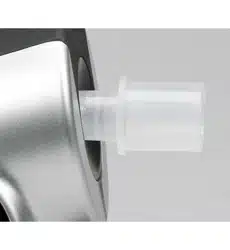
Attaching the mouthpiece for
NORMAL MODE
Attach the mouthpiece as shown,
ensuring it is secured with a ‘click’.
The mouthpiece may be used with a left
or right orientation to suit both left and
right handed use.
To remove the mouthpiece, rmly grasp the larger open end and lever upwards
until the mouthpiece ‘unclicks’.
Use a new mouthpiece for every test.
Attaching the mouthpiece for
FAST MODE
Fast mode requires a funnel shaped mouthpiece
which may be re-used for multiple tests.
Simply attach the mouthpiece to the top of the
breathalyser with the funnel facing upwards.
To remove the mouthpiece, simply pull directly upwards.
WORKSafe
©
AlcoLimit
©
Version 1.1

pg-6 pg-7
BASIC OPERATION - NORMAL MODE / FAST MODE
WORKSafe
©
AlcoLimit
©
Depress the ON/OFF button for 2 seconds until the
breathalyser turns on.
The initial screen will display the Date, Time & Serial
Number of the device
The word WAIT will appear on the display along with
the number of tests performed since the last calibra-
tion.
There is also an indication of the battery strength.
When the word BLOW appears, blow into the mouth-
piece with a strong consistent breath. A beep will
sounds while air is being accepted.
Once the correct amount of air is received the breath-
alyser will stop beeping and start analysing the sam-
ple.
Quick toggle between modes
Once the word BLOW appears you may toggle be-
tween NORMAL MODE and FAST MODE by pressing
the UP arrow. The letter ‘N’ or ‘F’ will appear in the top
right hand corner of the screen. Only available when
the breathalyser is preset in FAST MODE. See pg. 12.
The word ANALYSING will appear on the display while
the breathalyser is analysing the air sample. This usu-
ally takes only a few seconds.
Version 1.1

pg-8
WORKSafe
©
AlcoLimit
©
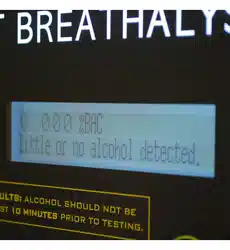
In NORMAL MODE operation a 3 decimal place result will
appear on the display and remain for 15 seconds.
eg. 0.051%BAC
If you wish to retest, press the On/O button again.
In FAST MODE operation either the word PASS or FAIL
will appear on the display indicating the presence or
absence of alcohol.
The PASS level is 0.000 %BAC by default but can be
custom set at any level to suit your organisation upon
request. eg. 0.020%BAC or 0.050%BAC
In FAST MODE the breathalyser will automatically reset
for the next test.
Turning o the power
The breathalyser will turn o automatically after 15 seconds of non-use.
To force the breathalyser to shut-down, press and hold the on/o button for 3 seconds until the
display counts down and the breathalyser turns o.
IMPORTANT INFORMATION
This device is tested as a 0.05% BAC device (0.05%BAC is equal to 0.05grams of alcohol per 100ml of
blood).
ALCOLIMIT WORKSafe has a range of 0.000-0.500 %BAC.
PLEASE NOTE: Alcohol vapour on your breath will cause a higher reading. We recommend having a glass of
water prior to testing and waiting at least 20 minutes after your last drink for accurate results. Not waiting the
required 20 minutes will saturate the sensor unnecessarily and may cause sensor damage. This is not covered
under your warranty. Please always wait 20 minutes after consuming any alcohol to avoid this problem.
Version 1.1

pg-8 pg-9
WORKSafe
©
AlcoLimit
©
TROUBLESHOOTING GUIDE
Indication on display Solution
Insucient breath has been detected by the sensor.
Restart the breathalyser and ensure you are blowing a
strong consistent breath. Continue blowing until the
beeping sound stops. This indicates it has received a
sucient air sample.
The level of charge in the batteries is almost 0%.
Change your batteries.
100% 70% 30% 0%
An indication is provided on the display with an esti-
mate of the level of battery life remaining.
Recalibration is required to maintain the specied
acuracy of the device. Replace the pre-calibrated sen-
sor module with a new one.
Note: you can do this yourself or send it to our Service
Centre for recalibration.
This indicates the number of tests performed since
the sensor was last calibrated.
This indicates the total number of tests performed
with the breathalyser since it was manufactured.
The breathalyser is unable to detect the sensor mod-
ule or there is a problem with the sensor module.
Contact AlcoLimit Breathalysers on 02 9939 3077.
The device is being used outside of its specied oper-
ating temperature of -5C to 40C.
System Error 1 or 2
Contact AlcoLimit Breathalysers on 02 9939 3077.
Version 1.1

pg-10
WORKSafe
©
AlcoLimit
©
ACCESSING THE MENU
To access the MENU turn the breathalyser on by press-
ing the ON/OFF button then press the ‘M’ button (down
arrow on left hand side).
User PIN Code should appear on the display. If you hold
the button down too long then Administrator PIN Code
will appear. If so, press the up arrow and ON/OFF button
to restart.
Press the ON/OFF button once more then enter the PIN
code of 0000 by pressing the ON/OFF button 4 times.
The MENU CONTENTS are:
- Last tests
- Last maintenance
- Total test count
- Date & Time
- Measurement mode
- Set date
- Set time
- Set Language
- Backlight
- Printer
- Save to SD card
- Bluetooth
- Change user PIN
- Set Contrast
Navigating the menu
Use the UP and DOWN arrows to move up and down through the menu or menu
information.
Use the ON/OFF button to select a menu item.
Use the UP arrow to go backwards to a previous menu and press the ON/OFF button
to select the previous menu.
Note: If FAST MODE is set in the
main menu (see pg. 12) press the
down arrow when BLOW appears
on the display and you can enter
the User PIN Code entry screen.
Version 1.1

pg-10
pg-11
WORKSafe
©
AlcoLimit
©
Lasts Tests Data
Provides the results of the last 500 breath tests including date, time, result in %BAC, the
test number and data number (eg. test 250 out of 500).
Use the up and down arrows to move from one data set to another.
Last Maintenance
Displays the last Calibration Date and Accuracy Check
Total Test Count
- Last CAL: The number of tests since the last calibration
- Fail Cnt: The number of failed tests
- Sensor: Total number of tests performed by this sensor module
- Lifetime: Total number of tests performed by the breathalyser
Date & Time
Displays the curent date and time settings
Version 1.1

pg-12
WORKSafe
©
AlcoLimit
©
Measurement Mode
Displays the usage mode of either Normal Mode or Fast Mode
Normal Mode - requires a full lung of air and provides a 3 decimal place numerical %BAC read-
out. eg 0.051. A standard one-use mouthpiece is used for this mode.
Fast Mode - requires a small sample of breath and provides an indication as to whether alcohol is
present or absent in the donor’s breath. P (Pass) or F (Fail) is indicated. A funnel shaped re-usable
mouthpiece is used for this mode.
Set Date
Allows the date format and date to be changed
Set Time
Allows the time to be changed but format is unchangeable
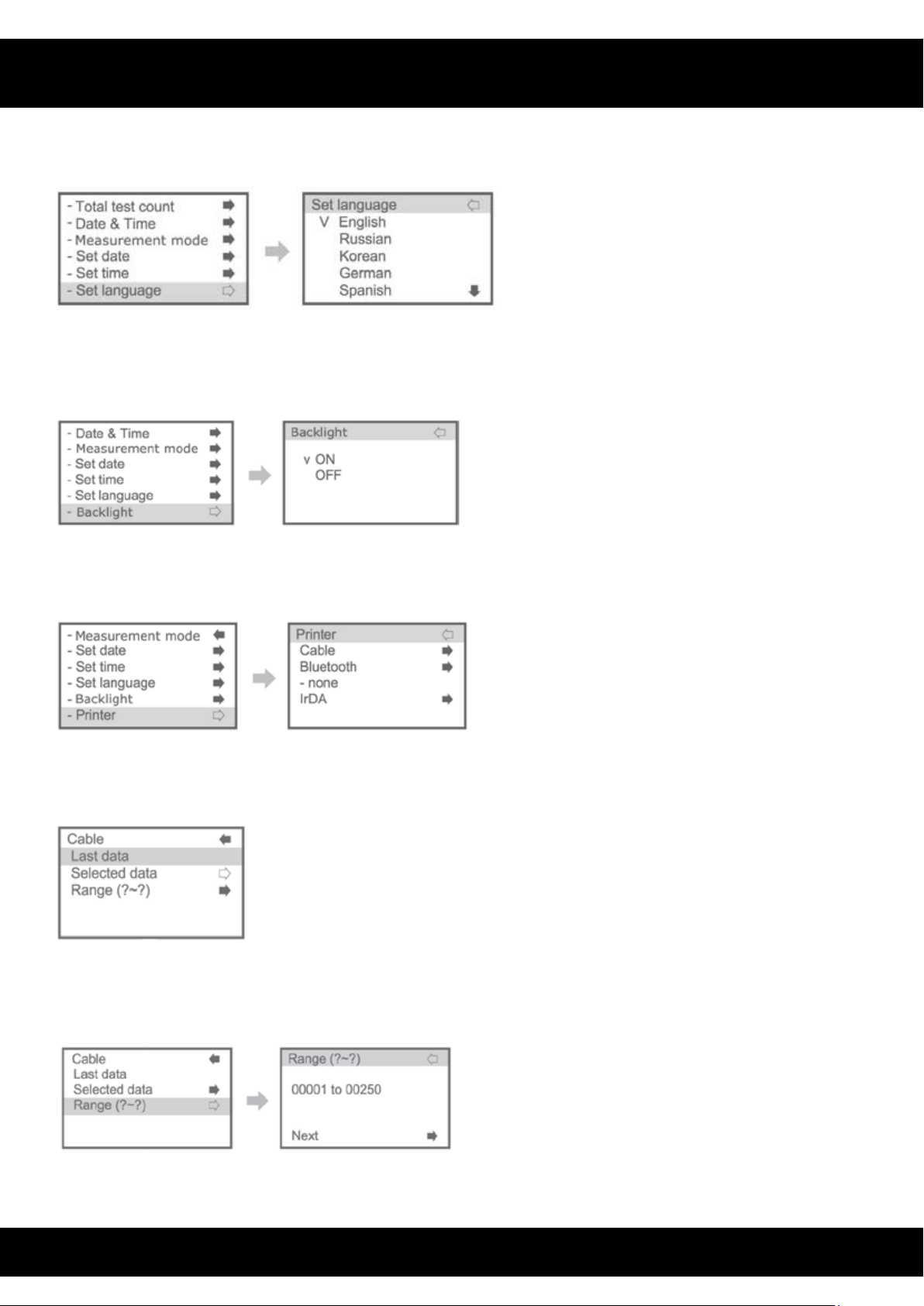
Set Language
Allows the language for menu and general use to be changed
Language options are:
English, Russian, Korean, German, Spanish and Italian.
Language options are not available for the Quick and Administrator menus. These are only
available in English.
Version 1.1
pg-12
pg-13
WORKSafe
©
AlcoLimit
©
Backlight
Backlight may be turned ON or OFF. When battery is low then OFF is recommended.
Printer
Select the method by which the printer wil connect.
To print the last data recorded via a specied mode, select the mode and then chose Last Data.
Press the Menu/Enter button to print the data to the printer.
To print previous results select ‘Selected Data’ and press the Menu/Enter button to prnt that data
result.
Version 1.1
pg-14
WORKSafe
©
AlcoLimit
©
To print multiple data sets at once, select ‘Range’ and input the number range corresponding
to the data numbers you require. Press the up and down arrows to increase and decrease the
numbers. Then select NEXT (by pressing Menu/Enter button) to print the whole selection.
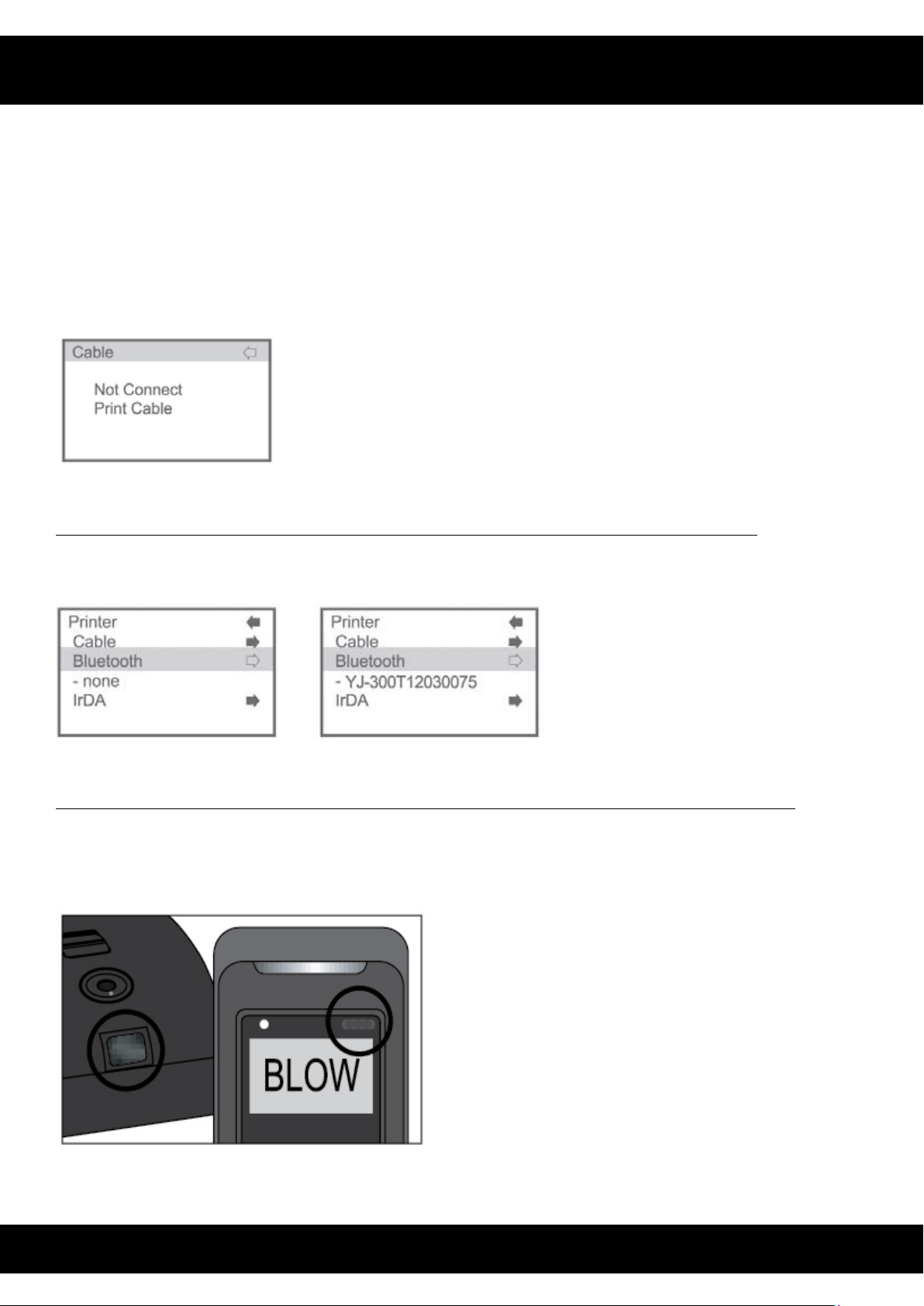
If the printer is not detected or there is a problem with the cable connection the folowing error
will appear on the display.
Bluetooth Option (only available on selected models as this is an extra option)
If Bluetooth is enabled on your breathalyser then a Bluetooth code will be visible. If it is not
available then NONE will be visible.
IrDA (Infrared) Option (only available on selected models as this is an extra option)
If IrDA is available on your breathalyser you can print using this method. Ensure the IrDA sensor/
receiver are facing each other on the breathalyser and printer. This uses a direct line of sight
connection.
Version 1.1

pg-14 pg-15
WORKSafe
©
AlcoLimit
©
Select Last Data and press the Menu/Enter button to print.
The IrDA and Bluetooth options must be enabled in the printer itself in order to communicate
with the breathalyser.
The switch is located under the batteries in the back of the breathalyser.
2nd switch OFF: Bluetooth OFF, IrDA ON
2nd switch ON: Bluetooth ON, IrDA OFF
Save to SD Card
You can save all of the data on the device to an SD card for storage. Eg. if you wish to save more
than 500 records.
Select whether you wish to overwrite the data or add to the data already on the card. The data
will then be saved.
Version 1.1

If an SD Card is not inserted in the breathalyser or is not inserted correctly the following error will
appear.
Bluetooth (optional function)
Displays the Bluetooth settings and indicates whether Bluetooth is ON
Change User PIN
Allows you to change the user PIN number to any 4 digit number.
Highlight PIN 0 0 0 0 and press enter to change it. Then select the numbers you require by using
the up an down arrows. Press Menu/Enter to move to the next number.
Set Contrast
Allows you to change the display contrast level. Adjust using the UP and DOWN arrows.
WORKSafe
©
AlcoLimit
©
pg-16
Version 1.1

WARNINGS (Please read carefully)
• Closedroomswithpoorventilation,pollution,smokeorairconditioningmaydelaythetimefor
resetting between tests.
• Avoidtestinginthepresenceofanysubstancesthatcontainmethylalcohol,isopropylalcohol
or acetone. These substances may interfere with the results of the test.
• Notwaitingatleast20minutesafteryourlastalcoholicdrinkwillcauseinaccuratereadings,and
if you continue to misuse ALCOLIMIT this way you will damage the sensor beyond repair (not
covered under warranty). Have a glass of water or other non-alcoholic beverage to minimise
alcohol vapour in your mouth as the vapour can cause a higher reading.
• Retest2-3timestoobtainareliabletestresult.Wesuggestyouthenwaitafurther10-20
minutes and retest to check that your level has stabilised and not increased.
• Bloodalcoholconcentrationcancontinuetoriseforupto2hoursafterthecessationof
drinking. If the reading is close to the limit it is advised to wait a further 10-20 minutes and re
test to determine whether your %BAC has stabilised.
• Itcantake10hoursormoretoreturntoazeroreadingafterahighbloodalcohollevelhasbeen
reached. A further test should be carried out later in the day or the following morning.
• IfyouaretakingALCOLIMIToverseasorusingitatadierentaltitudepleasebeawarethatthe
calibration may be aected.
• Donotblowcigarettesmokeorliquidintothetester.
• Alcoholaectseachindividualdierentlydependinguponmanyfactors;typeofalcohol,
muscle mass, weight, full or empty stomach, immune system, gender, regularity of drinking.
• Thosewithdiabetesmayndtheycandrinklargevolumesofalcoholyetstillread0.00%BAC.
This does not mean your ability to drive is not impaired.
• DonotuseALCOLIMITasatooltodrinkanddrive.Thereisnosafelevelofalcoholconsumption
before driving or operating machinery.
• TheonlytrueindicationofyourBloodAlcoholConcentration(BAC)isabloodtest.Theresults
obtained from a personal breath alcohol tester cannot be used in a court of law.
STORAGE CONDITIONS
Keep free from dust, dirt, and small particles as they may clog the sensor.
Keep in a cool dry place.
Keep out of extreme temperatures.
Keep out of reach of children.
Keep away from electrical interference.
Do not drop, knock or shake.
WORKSafe
©
AlcoLimit
©
pg-16 pg-17
Version 1.1

WORKSafe
©
AlcoLimit
©
pg-18
RECALIBRATION
The calibration period of ALCOLIMIT WORKSafe is 6 months.
If you receive erratic or high readings your breathalyser sensor may need recalibration.
If you have any doubt about the readings you are receiving from your ALCOLIMIT WORKSafe then your
sensor may need recalibration.
Periodic recalibration is required because over time breath alcohol testing devices may drift from their
calibration setting even when not used.
Your ALCOLIMIT WORKSafe is a sensitive instrument. Unlike other electronic devices, your breathalyser
shouldn’t be ignored for long periods of time. The sensor inside it is delicate and can dry out if left un-
used for too long. In order to keep it in good working condition, we recommend that you blow into it at
least once a month, even if you don’t plan on using it. Breathing into the unit regularly keeps the sensor
moist and in good working order. Sensors that dry out can sometimes require more frequent calibration.
Professional Calibration by our Technicians:
Please return your breathalyser to our service centre for calibration. Our technicians will usually calibrate
your breathalyser the day it is received and return to your nominated address. The turnaround time is
<24 hours and shipping back to you can take 1-3 days depending upon your location.
Recalibration costs $85 AUD and includes return postage to you within Australia and NZ via Australia
Post.
Post to :
AlcoLimit Breathalysers Pty. Ltd.
Servicing Dept.
P.O. Box 1106
Manly, N.S.W. 1655
When posting your sensor to us you are advised to send it Registered Mail for tracking purposes.
You must include the following:
- your name
- return postal address
- daytime phone no.
- payment
- instruction manual to update service record (optional)
A ‘Calibration Request Form’ is available for download from our website which indicates all the informa-
tion we require to perform your recalibration and includes payment options.
If you require a ‘Calibration Certicate’ please request one at the time of recalibration. These cost $22
each.
Version 1.1

WORKSafe
©
AlcoLimit
©
pg-18 pg-19
You may pay with credit card online via PAYPAL on our ‘SERVICING’ page at:
www.alcolimit.com.au/servicing
Or you may call us on 1300 667 661 to pay with credit card.
If you have any questions regarding recalibration, please call us on 1300 667 661 or +612 9939 3077
For NZ Customers we recommend payment via Credit Card due to exchange rate changes.
WARRANTY
Manufacturer warrants for one calendar year the product to be free from defects in workmanship or
materials (excluding calibration) in normal service from the date of purchase. Manufacturer’s obligation
under this warranty is limited to replacing or repairing the unit if returned along with proof of pur-
chase. This warranty is void if unit has been tampered with, misused, dropped, maliciously damaged or
used for any purpose other than that intended.
The cost to return the unit to the manufacturer’s service centre is at the expense of the consumer. The
consumer is welcome to drop the unit o at our service centre in person. The consumer must contact
our customer service centre prior to returning the unit to us to enable our technicians to diagnose the
fault over the phone.
Upon returning the unit to our service centre under warranty, should the unit be found not to be faulty,
the consumer is liable for the freight cost to return the item to them. Should the unit be found to be
faulty the freight cost to return the item to the consumer will be borne by the manufacturer.
Our goods come with guarantees that cannot be excluded under the Australian Consumer Law. You are
entitled to a replacement or refund for a major failure and for compensation for any other reasonably
foreseeable loss or damage. You are also entitled to have the goods repaired or replaced if the goods
fail to be of acceptable quality and the failure does not amount to a major failure.
DISCLAIMER
ALCOLIMIT WORKSafe is recommended as a screening device only. The reading you receive is not le-
gally binding in a court of law, ALCOLIMIT WORKSafe is to be used only as a guide. The only true indica-
tion of your %BAC is a blood test.
Probationary drivers and machinery operators should check with their state authority or employer as
towhethera0.02%BACorzerotoleranceappliestothem.Wedonotrecommenddrivingoroperating
machinery with any amount of alcohol in your system. Heavy nes and penalties may apply and the
presence of alcohol in your system may void your insurance.
The manufacturer gives no warranty, express or implied, as to the ability of ALCOLIMIT WORKSafe to
determine or detect intoxication or to accurately indicate your blood alcohol level.
Version 1.1

Disclaimer cont’d
The manufacturer assumes no responsibility in circumstances where a person who has used the device
and received an indication of the presence of alcohol in his/her exhaled breath is later found to be under
theinuenceofortheirjudgmenthasbeenimpairedbyalcohol;andwillundernocircumstancesbe
liable for any loss or damage in contract or tort (including negligence) or otherwise suered by any
person arising directly or indirectly from the use of ALCOLIMIT WORKSafe.
The manufacturer, importer or distributor takes no responsibility whatsoever for the use of this product
for any reason. This product must not be used as a tool for determining whether a person is able to oper-
ate a vehicle or machinery. The intake of any alcohol will impair reexes and judgment to operate motor
vehicles and machinery.
For further information on ALCOLIMIT WORKSafe, and to view other models available, see our website:
www.alcolimit.com.au or call our Customer Service line on 1300 667 661.
pg-20
WORKSafe
©
AlcoLimit
©
Version 1.1

RECALIBRATION SERVICE RECORD
Date of
Recalibration
Service Details Technician
For service records to be updated, please send your instructions with your
sensor each time it is recalibrated.
Alternatively, you may request a Calibration Certicate at a cost of $22 (recommended for workplaces).
pg-20 pg-21
WORKSafe
©
AlcoLimit
©
Version 1.1