ge.com
©
Safety Instruc_tions ......... 2-9
Operating Instruc_tions
Lower Oven Control Panel ...... 93
Lower Oven Controls ....... 93-41
Lower ()yen Thermostat ....... 39
Microwave Control Panel . . .10, 11
Microwave Oven Controls .... 10-29
Probe ................... 33, 36
Sabbath Feanlre .......... 96, 97
Self-Cleaning Lower Oven . . . 40, 41
Sensor Controls ........... 16-18
Care and Cleaning
Broiler Pan and Grid .......... 44
Door . ..................... 43
Light Bulb ..................... 45
Microwave ()yen ............. 49
Probe ........................ 44
Shelves ..................... 45
Troubleshooting Tips ..... 46-49
Consumer Support
Consumer Support .... Back (;over
Product Registration ....... 51,59
VVarranty ................... 55
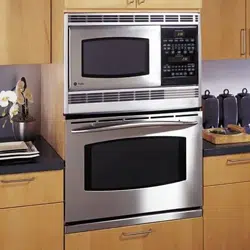
JT965-30" Do_tble Wall ChJen
The microwave oven in this
cooking center is I000 watts.
©
©
Write the model and serial
numbers here:
Model #
Serial #
You can find them on a label inside
the tipper oven on the lett side.
49-80340 !1-05 JR
IMPORTANTSAFETYINFORMATION.
READALLINSTRUCTIONSBEFOREUSING.
WARNING!
For your safe_, the information in this manual must be followed to minimize the risk of fire or
explosion, electric shock, or to prevent property damage, personal injury, or loss of life.
PRECAUTIONSTOAVOIDPOSSIBLEEXPOSURETOEXCESSIVE
MICROWAVEENERGY
_{_Do not attempt to operate this ox>n with
the door open since open-door operation
can result in ha_3nfld exposure to
microwaxe energ?. It is importantnot to
defeat or tamper with the safety interlocks.
_51:,:Do not place any object between the oxen
flont face and the door or allow soil or
cleaner residue to accumulate on sealing
Stli'lqaces.
_?{::The oxen should not be adjusted or
repaired by anyone except properly
qualified service personnel.
_{:;Do not operam file ox>n if it is damaged.
It is particularly important that fl_e oven
door close properly and that there is no
damag_ to the:
[] door (bent),
[] hinges and latches (broken or
loosened),
[] door seals and sealing surtZaces.
IMPORTANTSAFETYNOTICE
The California Safe Drinking Water and ToxicEnforcement Act requires the Governor of California to
publish a list of substances known to the state to cause cancer, birth defects or other reproductive
harm, and requires businesses to warn customers of potential exposure to such substances.
The fiberglass insulation in self-clean ovens gives off a very small amount of carbon monoxide during
the cleaning cycle. Exposure can be minimized by venting with an open window or using a ventilation
fan or hood.
2
ge.com
SAFETYPRECAUTIONS
When using electrical appliances, basic safety precautions should be followed, including the following:
WARNING-cro,ndingInstr,ctions:
This appliance must be connected to a
grounded, metallic, permanent wiring
sysmm, or an equipment grounding
conductor should be run with the circuit
conductors and connecmd to the equipment
grounding mrminal or lead on the
appliance.
WARNING-rered cetheriskofb.rns,
electric shock, fire, injury topersonsor
exposure toexcessive microwave energy:
;_i:,:Use this appliance only for its inmnded
use as described in this manual. Do not
use conosix> chemicals or vapors in this
appliance. This cooking cenmr is
q)ecifically designed to heat or cook tbod,
and is not intended for laborato W or
industrial use.
_i:,iBe sure your appliance is properly
installed and grounded 1)ya qualified
technician in accordance with the
provided Installation Instructions.
_: Haxe the installer show you the location of
the circuit breaker or flsse. Mark it for easy
reference.
_: Be suse the cooking cenmr is securely
installed in a cabinet that is firmly attached
to the house structure. _4'eight on rise oven
door could cause the oven to tip and
result in injm T. Nexer allow awone to
climb, sit or hang on the oxen door
_::This appliance should be serviced only
by qualified service personnel. Contact
nearest authorized service £_cility for
examination, tei)air or adjusmmnt. Do not
repair or replace any part of this appliance
unless specifically ,ecommended in this
manual. All other servicing should be
Iefen_ed to a qualified mchnician.
_: Do not store this appliance outdoors.
Do not use this product near water--
for example, in a wet basement, or near
a swimming pool.
_: Before perforating any service, disconnect
the cooking cenmr power supply at the
household distribution panel by removing
the fllse or switching off the circuit
bseaker.
_: Do not operam fl/is appliance if it has a
damaged cord or plug, if it is not working
properly or if it has been damaged or
dropped.
_; Do not leaxe children alone--children
should not be left alone or unattended in
an alea where appliance is in use. They
should nex>r be allowed m sit or stand on
any part of fl)e appliance.
;_i:,:Don't allow anyone m climb, stand or
hang on the door They could damag>
the cooking cenmr and cause sex>re
personal injm T.
CAUTION: ofinterestto
children should not be stored in cabinets
aboxe ass oxen; chil&en climbing on the
oxen m teach imms could be seliouslv
is_ured.
q_{_:Teach children not to play with the
controls or any oilier part of the
cooking center
N Larg> scratches or impacts m glass door
can lead to broken or shatmred glass.
N ¼:ear proper clothing. Loose-fitting or
hanging gammnts should ne\_r be worn
while using the appliance. Flammable
mamlial could be ignimd if brought in
contact with hot heating elements and
1)lav Callse sex>re btlrsss.
3
IMPORTANTSAFETYINFORMATION.
READALLINSTRUCTIONSBEFOREUSING.
WARNIN61
SAFETYPRECAUTI'ONS
Do not use water on grease fires. Never pick up a flaming pan. Smother flaming pan by covering
pan completely with well-fitting lid, cookie sheet or fiat tray. Flaming grease outside apan can be
put out by covering with baking soda or,if available, a multi-purpose dry chemical or foam-type
fire extinguisher.
;f; Use onl Vdi T pot holders--moist or damp ;f;
pot holders on hot surt_aces ma Vresult in
burrls from smam. Do not let pot holders
touch hot heating elements. Do not use a
towel or other bulk Vcloth. Such cloths can
catch fire on a hot element.
_;:Alwavs kee I) dish towels, dishcloths, pot
holders and other linens a safe distance
fron] Vo/lr oxen.
¢
_?:,:Always kee I) wooden spoons and plastic
utensils and canned tbod a safe distance
away fron] vo/lr oxen.
_i:,i'Always kee I) combustible wall coxering_,
curtains or drapes a safe distance flom
VO/lr O'_PI1.
_;;Do not store flammable mamrial in an
ox>n or near the cooking center
;_?:':Do not co\er or block an Vopenings on
the appliance.
_:;For yo/li safety, ne\_r use your appliance
for wai_ning or heating the room.
Do not leme paper products, cooking
utensils or food in the oxen when not
in use.
Do not store or use combustible mamrials,
gv_soline or other flammable vapors and
liquids in the vicinit Vof this or an Vother
appliance.
Do not let cooking grease or other
flammable mamrials accunmlate in or
near die cooking center
Do not much heating elements or inm_ior
surface of tile o\>n. These surfaces m W be
hot enougtl to burn even though they are
dark in color During and after use, do not
much, or let clothing or other flammable
mam_ials contact aW inm_ior area of die
ox>n; allow sufficient time for cooling first.
Potentially hot surfaces include ox>n x>nt
opening:s, surfiaces near the opening:s and
crevices around the o_en door
REMEMBER:The inside surPace of the
oxen ma Vbe hot when the door is opened.
COOKMEATANDPOULTRYTHOROUGHLY...
o
Cookmeat andpoultrythoroughly--meat toat least an INTERNALtemperatureof 160Fandpoultry
toat least an INTERNALtemperatureof 180°ECookingto thesetemperaturesusuallyprotectsagainst
foodbomeillness.
4
ge.com
MICflOWAVEOVEN
Read and follow the specific "Precautions to Avoid Possible Exposure to Excessive Microwave
Energy" section in thb manual.
Toreduce therisk of fire in the ovencavity:
_ Do not overtook food. Carefully attend
appliance if pat)el, plastic or oilier
combustible mamIials are placed inside
file oxen to Pacilitam cooking.
_t{:;Remoxe wire twist-ties fiom paper or
plastic containers before placing bag, s
in oxen.
_;:Do not use your microwaxe oxen to diy
ile_vspapers.
_i:,:Do not pop popcorn in your microwme
oxen unless in a special microwaxe
popcorn accesso U or unless yon use
popcorn labeled for use in microwme
oxens.
_7_;:Do not oxercook potatoes. They could
dehydiam and catch fire, causing damage
to your oven.
_i:,:Do not operam the oven while empty to
ax_id damage to the oxen and the danger
of fire. ff by accident the oxen should run
empty a minum or two, no harm is done.
HowexeI; tiT to avoid operating the oxen
empty at any time--it saves energ?' and
prolong:s tile life of tile oxen.
_;;Do not use the oxen for storage puq)oses.
Do not leaxe paper products, cooking
utensils or _bod in tile oxen when not
in rise.
_i:,:If mamrials inside tile oven should ig)aim,
kee I) oxen door closed, turn oxen off
and shut off power at flae fllse or ciivuit
breaker panel. If tile door is opened,
tile file may spread.
_;:This microwme oxen is not approxed or
tesmd for marine use.
_fi:,iSome products such as whole eg_:s and
sealed containers for example, closed
jals will explode and should not be
heamd in this microwaxe oxen. Such use
of the microwaxe oxen could Iesult in
fi_nry.
_i:,:Do not operate file microwaxe oven
without tile uu_atable and support in place.
_ Avoid heating baby food in gtassjars, exen
wifl) flae lid off: Make sure all fi)fant food
is fl/orougi)ly cooked. Sill food to
distribute flae heat evenly. Be carefill to
plexent scalding when warming formula
or bleast milk. The container may De]
cooler than die milk really is. Always rest
file milk betbie Deding file baby.
:_!!':Do not boil egg:s in a microwaxe oxen.
PIesstue will build up inside tile egg
yolk and will cause it m burst, possibly
resulting in iojn U.
_;;Foods wifll unbroken outer "skin" such
as potatoes, sausages, tomatoes, apples,
egg yolks, chicken lixers and other giblets
should be pierced to allow smam to escape
dining cooking.
_i:,:Don't defrost flozen bexerages in
naiTow-necked bottles (especially
carbonated bexerag_s). Even if the
container is opened, pleSSUle can build
up. This can cause the container m burst,
possibly resulting in inju U.
_i:,iHot foods and smam can cause bums.
Be caiefll] when opening any containers
of hot food, including popcorn bags,
cooking pouches and boxes. To prevent
possible injm T, dilect steam away fiom
hands and ihce.
_7{;:As with any appliance, close supervision is
necessai T when used by children.
5
IMPORTANTSAFETYINFORMATION.
READALLINSTRUCTIONSBEFOREUSING.
WARNING!
MICROWAVE-SAFECOOKWARE
Make sure aft cookware used in your microwave oven is suitable for microwaving. Most glass
casseroles, cooking dishes, measuring cups, custard cups, pottery or china dinnerware which does
not have metallic trim or glaze with a metallic sheen can be used. Some cookware is labeled
"suitable for microwaving."
!_:ff you are not sure if a dish is microwave-safe,
use this rest: Place in the men 1)oth the dish
you are testing and a glass measuring cup
flled with 1 cup of wamr--set the measuring
cup either in or next m the dish. Microwa\e
35-45 seconds at high./f the dish heats,
it should not be used for microwaving.
/f the dish remains cool and only the wamr in
the cup heats, then the dish is micmwa\e-safe.
!;_:/fyou use a meat thermomemr while
cooking, make sure it is safe for use in
microwa\e o\ens.
!'_:Do not use recycled paper products.
Recycled paper towels, napkins and waxed
paper can contain metal flecks which may
cm_se arcing or ignite. Paper products
containing nylon or nylon filaments should
be a\_ided, since they mW also ignite.
_i)!Some Styrofoam t_'a)'s (like those that meat
is packaged on) ha\e a thin suip of metal
eml)edded in the 1)ottom. When
microwa\ed, the metal can 1)urn the floor
of the oven or ignim a paper towel.
_i)!Not all plastic wrap is suitable for use in
microwa\e o\ens. Check the package for
proper use.
_i_!Paper towels, waxed paper and plastic
wrap can be used m co\er dishes in order m
retain moisture and pre\>nt spatmring. Be
sure m \>nt plastic wrap so smam can escape.
_i_!Oversized food or oversized metal cookware
should not be used in a micmwa\e men.
Elecuical shock or fire could occtm
_i)!While paper plains may be used for timed
cooking and deflosting, do not use them
with Aura Sensor cooking. Llse microwa\v-
safe plains or 1)owlsfor reheating. Co\er with
plastic wrap.
!?'Cookware may 1)ecome hot 1)ecause of
heat transferred fiom the heated food.
Pot holders may be needed to handle the
cookware.
_i_;"goilable" cooking pouches and tightly
closed plastic bags should be slit, pierced or
\ented as directed by package, ff/hey are
not, plastic could 1)urst during or
immediately after cooking, possibly resuhing
in injury. Also, plastic sto_v_gecontainers
should be at least partially unco\_red
1)ecause they form a tight seal. When cooking
with containers tightly co\ered with plastic
wrap, remo\e co\ering carefiflly and direct
smam awW fiom hands and face.
_i_;Use foil only as directed in/his manual. TV
dinners mW be microwa\_d in foil uays less
than 3/4" high; remo\e the top foil co\er
and return the uW to the box. When using
foil in the microwave oven, kee I) the foil at
least I inch away fiom the sides of the men.
_i_;Plastic cookware - Plastic cookwa_e
designed for microwave cooking is \_W
usefifl, but should be used carefiflly. Even
microbe°ave-safe plastic mW not be as tolerant
of o\ercooking conditions as a_e glass or
ce_'amic mamrials, and m W soften or char if
subjecmd m short periods of o\ercooking.
In longer exposures m o\ercooking, the food
and cookware could ignim.
Followtheseguidelines:
[]
Use microwm'e-safe plastics only
and use flmm in suict compliance
with the cookware manufacttue_ s
recommendations.
[] Do not microwave empty containers
[] Do not permit children to use
plastic cookware without complete
supervision.
ge.com
ARCING
If Vousee arcing, press the CLEAR/OFFpad and correct the problem.
Arcing is the microwave term forsparks in the
oven.Arcing is caused by:
_;_Metal or foil touching tile side of tile oven.
_:;Foil not molded to food (upturned edges
act like antennas).
_::Metal, such as twist-des, poulu T pins or
gold-rimmed dishes in file microwm_.
J; Recycled paper towels containing small
metal pieces being used in tile microwax>.
SUPERHEATEDWATER
Microwaved water and other liquids do not alwavs bubble when thev reach the boiling point.
Thev can actually get super heated and not bubble at all.
Super heated liquid will bubble up out of
the cup when it is moved or when something
like a spoon or ma bag is put into it.
To i)_exent this flom happening and causing
injmT, do not heat any liquid for more than
9 minums per cup.
After heating, let tile cup stand in the
microwme for 30 seconds befoie moving
it or putung anything into it.
Spontaneousboiling
Under certain special circumstances, liquids
mag start to bo# during or shortly after removal
from the microwave oven.
To prevent burns flom splashing liquid, we
recommend tile following belbIe iemoving
the container flom file oxen:
;fi:,:Allow file container to stand in file oxen
for 30 to 40 seconds after tile oxen has
shut off'.
Do not boil liquids in narrow-necked
containeis such as soft drink bottles, wine
flasks and especially naiTow-necked coftbe
cups. Even if the container is opened,
excessixe steam can build up and cause it
to burst or o\_rflow.
IMPORTANTSAFETYINFORMATION.
READALLINSTRUCTIONSBEFOREUSING.
ALLTHESETHINGSARENORMALWITHYOURMICROWAVE
Steam or xapor escaping from around
tile door
iJght reflection around tile door or tile
outeF case.
Dimming of die oxen ligtlt and chang_
in the blower sound may occ/li while
operating at power le_>ls other than high.
Tile microwave fan m W operate with both
oxens off. It is cooling tile control and will
mm itself off.
;f; Some TV-radio inmrference might be
nouced while using your microwm> oven.
It's similar to the inmrference caused by
other small appliances and does not
indicam a problem with your oxen.
;_i:,:A dull thumping sound while the oxen
is operating.
ge.com
WARNING!
SELF-CLEANINGLOWEROVEN
Do not use aluminum foil to line oven bottoms, except as suggested in this manual. Improper
installation of aluminum foil may result in a risk of electric shock or fire.
_{;_Stand away flom tile oxen when opening
tile oxen dooI: Hot air or steam which
escapes can cause bums to hands, tare
and/or eyes.
_i:,:Do not heat unopened food containers.
Plessnle could build/l I) and file container
could burst, causing an iI_nry.
q_{i:Kee I) tile oxen xent unobstructed.
_i_Kee I) tile oxen flee flom gaease buildup.
_{;:Kee I) tile cooking cenmr clean and fiee
of accumulations of grease or spilloxers,
which m W ignite.
_::Nexei leme the oxen door open when yon
ale not watching die cooking cenmn
_;i:,iPlace file oxen shelf in tile desiIed
position while the oxen is cool. If shelxes
must be handled when hot, do not let
pot holder contact the heating elements.
_;i:,iXAllen using cooking or roasung bags
in file oven, follow tile manuPacturer's
diIecdons.
q_{;:Pulling out tile shelf to tile stop-lock
is a conxenience in lifting heaxy' foods.
It is also a precauuon against burns
flom ranching hot surfaces of tile door
or oxen walls.
_{;:Do not use tile oxen ioI a storage area.
hems stored in an oxen can ignite.
_i:,iDo not leme paper products, cooking
utensils or food in tile oxen when not
in use.
_{;_After broiling, always take tile broiler
pan out of the oven and clean it. Leftoxer
giease in tile broiler pan can catch fire
next time yon use the oxen.
_i:,iDo not use the oxen to di T newspapers.
If oxerheated, filey can catch on fire.
_i:,:Nexer lemejars or cans of fi_t drippings
in or Ileal vonr oxen,
q_{::(]lean only parts listed in this Owner's
Mamlal.
_fi:,iDo not clean file door gasket. Tile door
gasket is essential for a g_od seal. (]are
should be token not to nlb, damage or
moxe tile gasket.
_t{;_Do not use oxen cleaners. No commercial
oxen cleaner or oxen liner promctixe
coating of any kind should be used in or
around any part of the oxen. Residue fiom
oxen cleaners will damage the inside of
tile oxen when the self-clean cycle is used.
_fi:,iBefore self-cleaning the oxen, remoxe
tile probe, broiler pan, gild and other
cookware.
_fi:,iBe sure to wipe/l I) excess spillage before
starting a seltkleaning cycle.
_{;:If the self-cleaning mode malfilnctions,
tni_I tile oxen off and disconnect file
power supply. Have it serviced by a
qualified technician,
_:;i,isten for a fan--a _:an noise should be
heard sometime during the cleaning
cycle. If not, call for selMce befoie
self-cleaning again.
READANDFOLLOWTHISSAFETYINFORMATIONCAREFULLY.
SAVETHESEINSTRUCTIONS
9
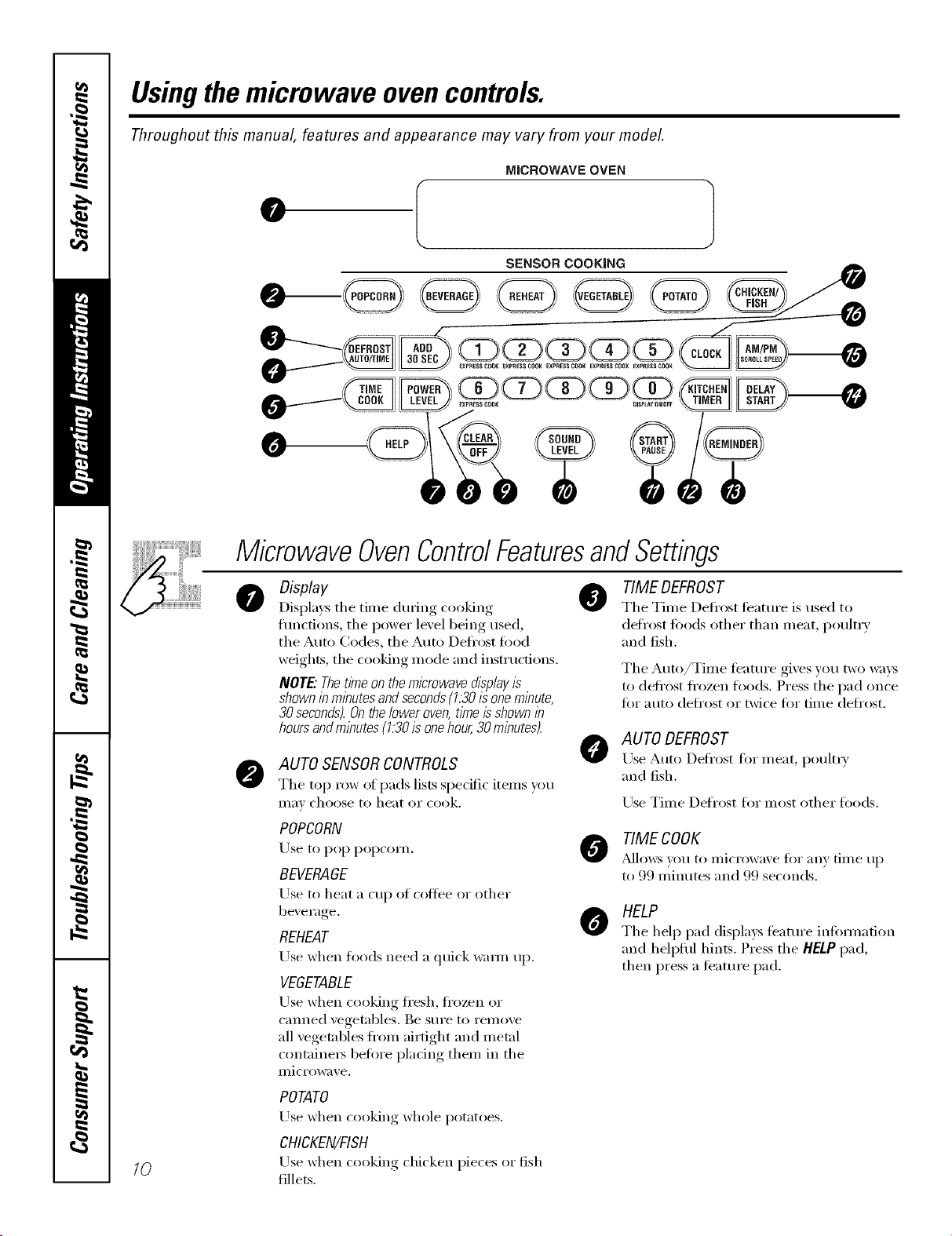
Usingthemicrowave ovencontrols.
Throughout this manual, features and appearance may vary from your model.
MICROWAVE OVEN
SENSOR COOKING
lO
MicrowaveOvenControlFeaturesandSettings
Display
Displays the time dtu_ing cooking
flmcfions, the power level being used,
the Auto Codes, the Auto Defl'ost fi)od
weights, the cooking mode and instructions.
NOTE: Thetkne on the microwave displayis
shown in minutesand seconds(1.30is onemlhute,
30 seconds).Onthelower oven,time is shown in
hours andmlhutes (1.30is onehour,30 minutes).
AUTO SENSORCONTROLS
The top row of pads lists specific items you
II][l_ choose to heat or cook.
@
TIME DEFROST
The Time Defi'ost tbattu'e is used to
defrost foods other than meat, poult_ T
and fish.
The Auto/Time feature gives you two waxs
tt) defl'ost fl'ozen foods. Press the pad once
for auto defl'ost or twice for time defl'ost.
@
AUTO DEFROST
Use Auto Defi'ost for meat, poult_?,
and fish.
Use Time Defrost for most other foods.
POPCORN
Use to pop popcorn.
BEVERAGE
Use to heat a cup (If (oltee or other
bexerage.
REHEAT
Use when foods need a quick wam_ up.
VEGETABLE
Use when cooking ti'esh, ti'ozen or
canned vegetables. Be sure to remove
all vegetables fl'om airtight and metal
containe_ before placing them in the
microwave.
TIME COOK
/_dlows sot/to IIli(l'OWaXe t0I" any [ilI/e tip
to 99 minutes and 99 seconds.
O
HELP
The help pad displays feature infi)Hnafion
and hell)tiff hints. Press the HELP pad,
then press a teatm'e pad.
POTATO
Use when cooking whole potatoes.
CHICKEN/FISH
Use when cooking chicken pieces or fish
fillets.
ge.com
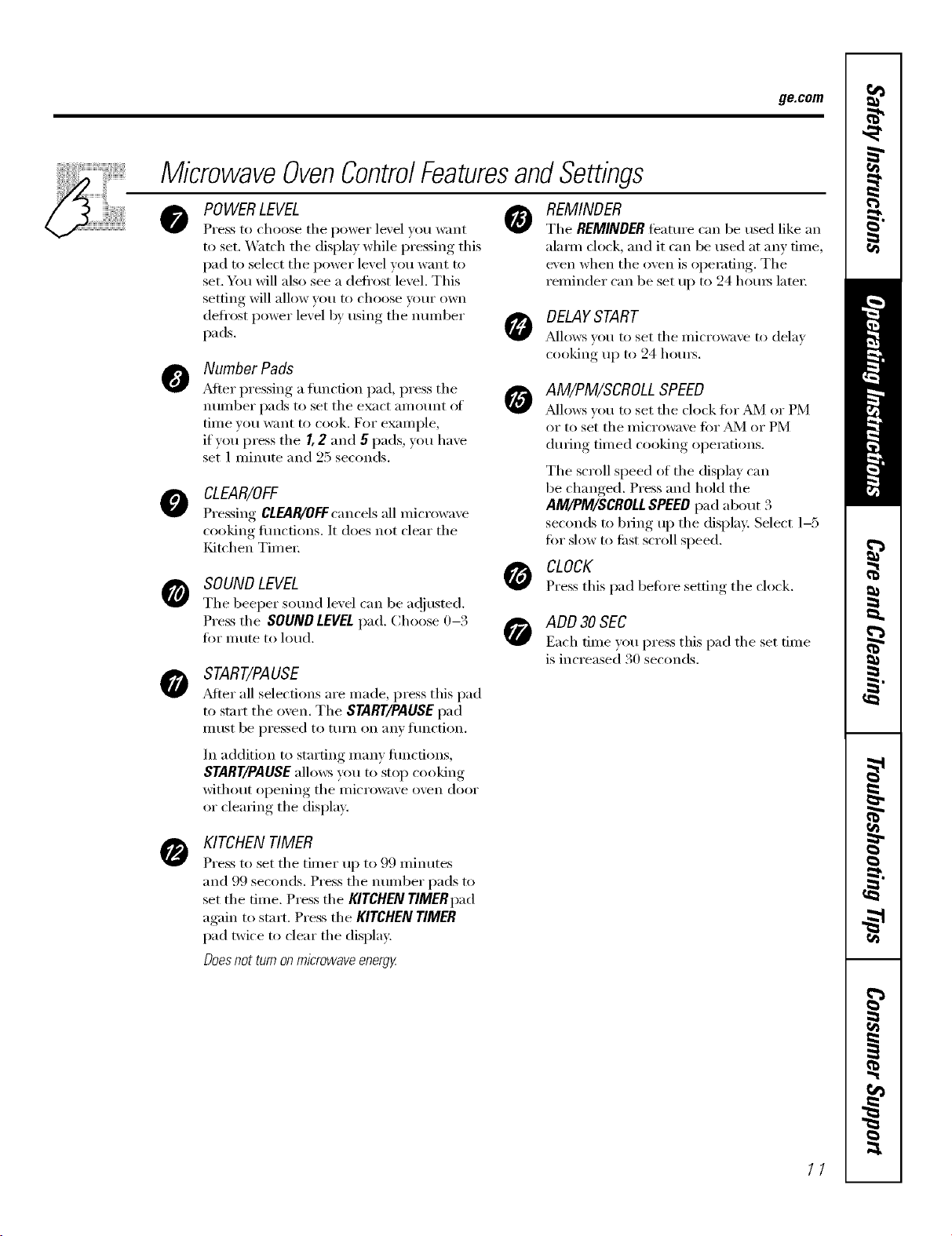
MicrowaveOvenControlFeaturesandSettings
• 0
0
O
0
0
POWER LEVEL
Press to choose tile power level you want
to set. _*\'atch tile display while pressing this
pad to select tile power level you want to
set. You will also see a defl'ost level. This
setting will allow wm to choose veto" own
defl'ost power level by using tile nmnber
pads.
Number Pads
_Mter pressing a fimcfion pad, press tile
number pads to set tile exact amotmt of
time wm want to cook. For example,
if you press tile I, 2 and 5 pads, you have
set 1 minute and 25 seconds.
CLEAR/OFF
Pressino CLEAR/OFFcancels all microwave
cooking flmctions. It does not clear tile
tCdtchen Time_;
SOUND LEVEL
Tile beeper sound level can be a_!iusted.
Press tile SOUND LEVELpad. Choose 0-3
ti:,I"Inute to loud.
START/PAUSE
_dter all selections are made, press this pad
to start tile oven. Tile START/PAUSEpad
Ill/ISt be pressed to ttlI'n on }lily ftlnction.
In addition to starting many flmcfions,
START/PAUSEallows you to stop cooking
without opening the microwave oven door
or clearing tile displa>
REMINDER
Tile REMINDER featm'e can be used like an
alam/clock, and it can be used at any time,
even when tile oven is operating. Tile
reminder can be set up to 24 hems later:
DELAYSTART
J_dlows vet/ to set tile i/li(Towa'_e to delax
cooking, uI) to 24 hom_.
AM/PM/SCROLL SPEED
Mlows you to set tile clock for _dVl or PM
or to set tile microwave fi)r _dVl or PM
dm_ing timed cooking operations.
Tile scroll speed of tile display can
be changed. Press and hold the
AM/PM/SCROLL SPEED pad about 3
seconds to bring up the display. Select 1-5
fin" slow to first scroll speed.
CLOCK
Press this pad before ,setfino_tile clock.
ADD 30SEC
Each time }ou press this pad tile set time
is increased 30 seconds.
O
KITCHEN TIMER
Press to set tile timer up to 99 minutes
and 99 seconds. Press tile number pads to
set tile time. Press tile KITCHEN TIMgRpad
again to start. Press tile KITCHEN TIMER
pad twice to clear tile display.
Doesnot turnonmicrowave energg
11
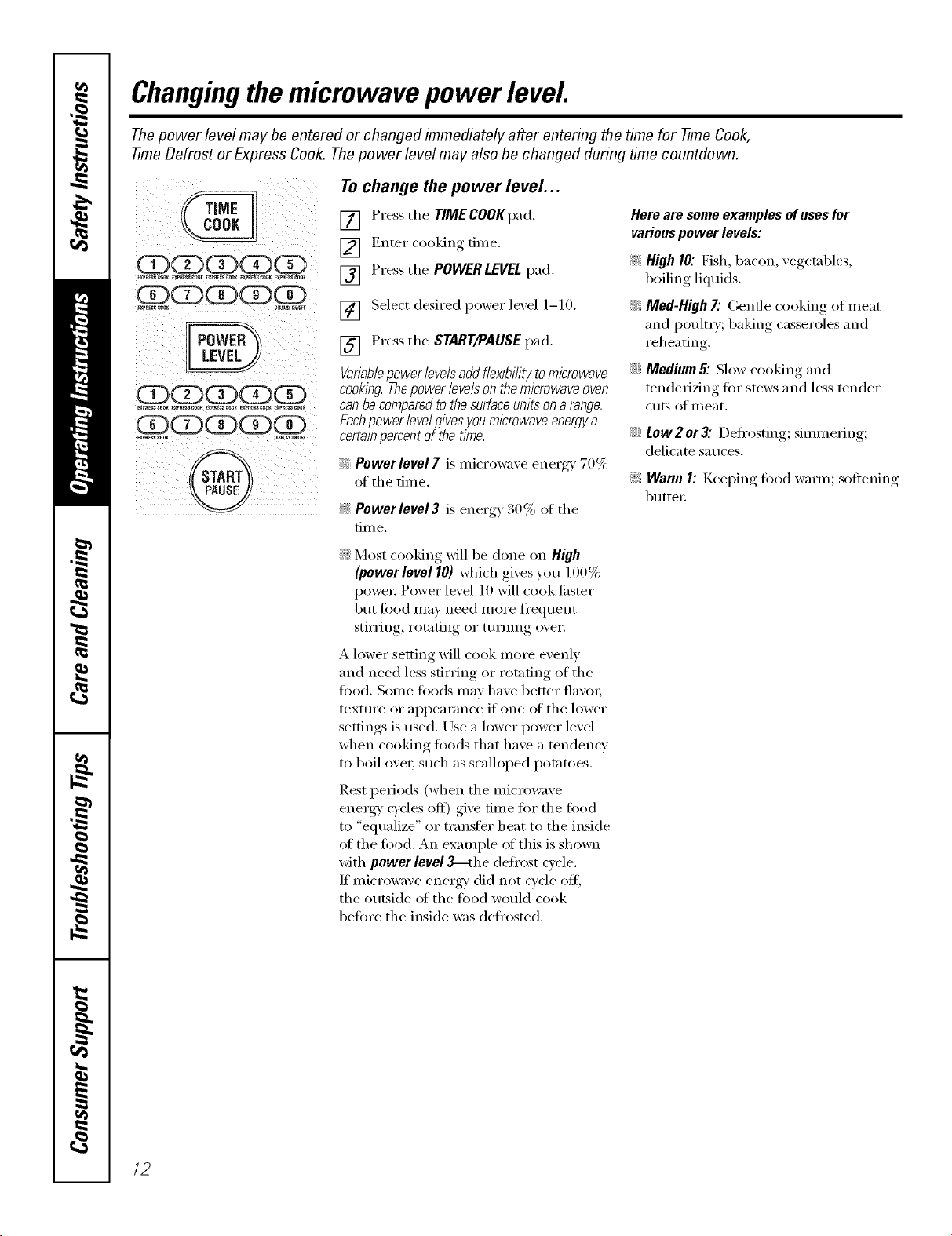
Changingthemicrowave power level.
Thepower level may be entered or changed immediately after entering the time for -time Cook,
-time Defrost or Express Cook. Thepower level may also be changed during time countdown.
CDCE)CE)CDCE)
(X)CD(E)CDCD
EXPR_S_O_ DmAWH_Fr
CD(E)(E)(E)CD
(X)CDCDCDOD
@
Tochange the power level...
[] Press the TIMECOOKpad.
[] Enter cooking time.
[] Press the POWERLEVELpad.
[] Select desired power level 1-10,
[] Press the STARTIPAUSE pad,
Variable power levels add f/ex/_i/ity to microwave
cooking.Thepowerlevelsonthemicrowaveoven
can be compared to the surface units on a range.
Each power level gives you microwave energy a
certain percent of the time.
i_: Power level7 is microwave energ\ t0 _
oI th e tim e.
!i> Powerlevel3 is energy _4()% of the
[.iI11 e,
Here are some examples of uses for
various power levels:
_ High 10: Fish, bacon, vegetables,
boiling liquids.
_: Med-High 7: Gentle cooking of meat
and l)oult_y; baking casseroles and
reheating.
_i:_Medium 5: Slow cooking and
tenderizing fi)r stews and less tender
cuts of meat.
i_i::Low 2 or 3: Defrosting; simmering;
delicate sauces.
!i>WarmI: Keel)ing, fi)()(l wam]; softening,
butte_:
::)i::Most cooking Mll be done on High
(powerleve110) which gives you 100%
power, Power level 10 will cook fi_ster
but fi)od may need more fl'equent
stirring, rotating or turning over.
A lower setting will cook more evenly
and need less stirring or rotating of the
fi)o(l, Some fi)o(ls may have better fla\'m;
textm'e or appearance if one of the lower
settings is used. Use a lower power level
when cooking foods that have a tendency
to boil ove_; such as scalloped pot;m)es.
Rest periods (when the microwave
energy' c)'cles off) give time fi)r the food
to "equalize" or transfer heat to the inside
of the food. An example of this is shown
with power level 3_the defl'ost cycle.
If microwave energy' did not cycle ofl_
the outside ot the tood would cook
betm'e the inside was defl'osted,
12
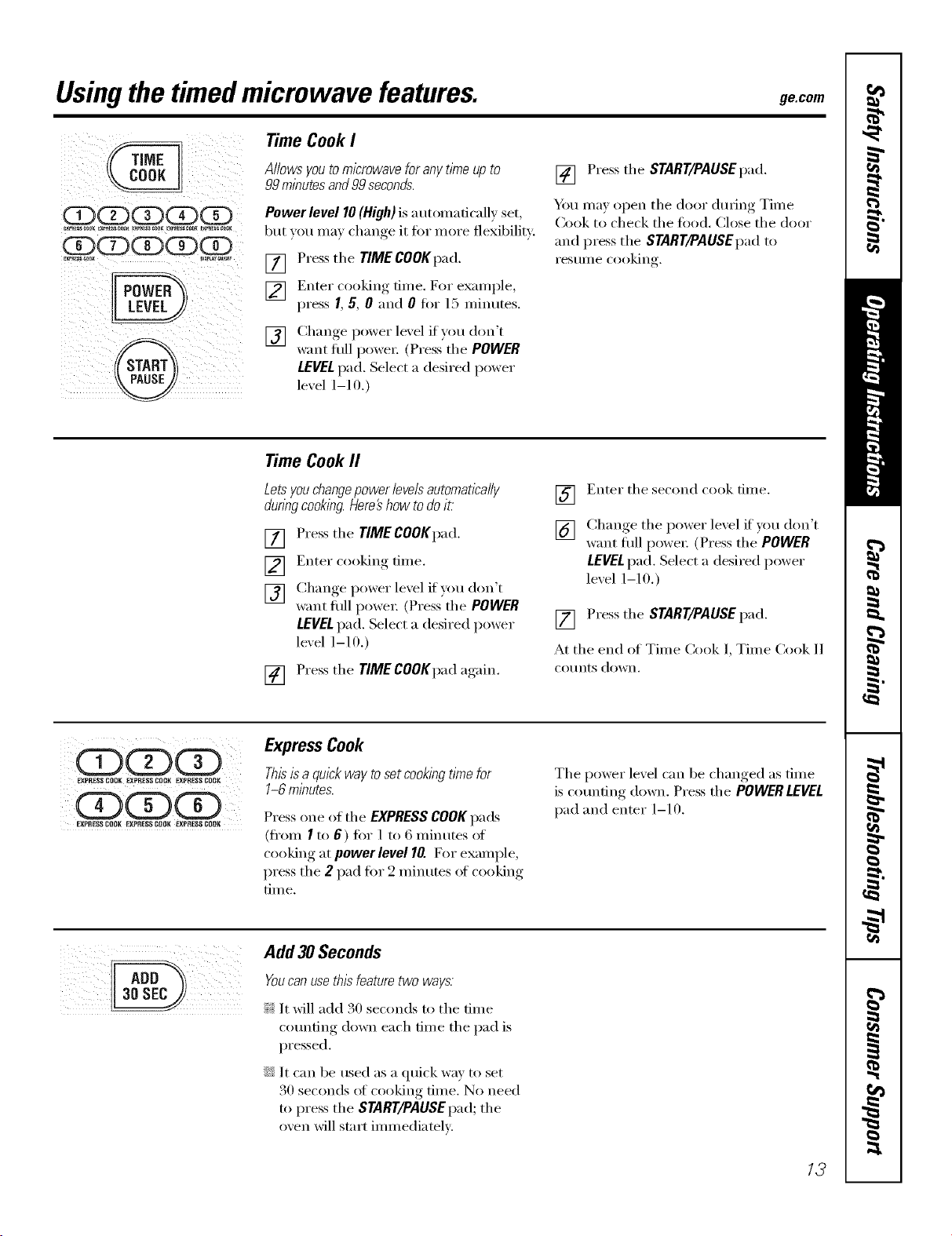
Usingthe timedmicrowave features, gecom
@
Time CookI
Allowsyoutomicrowaveforanytimeupto
99minutesand99seconds.
Power level 10(High) is a utonmfically set,
but }ou ma} change it for more flexibility:
[] Press the TIME COOKpad.
[] Enter cooking time. For exami)le,
press 1,5, 0 and 0 for 15 minutes.
[] Change l)°wer lex el if Y°u d°n't
want flfll powe_: (Press the POWER
LEVELpad. Select a desired power
lexel 1-10.)
[] Press the START/PAUSEpad.
You may open the door during Time
Cook to check the fi)od. (:lose the door
and press the START/PAUSEpadt(>
I'eS/lllle coo]Orig.
Time CookII
Letsyou changepower levelsautomatically
duringcooking.Here#how todo it
[] Press the TIMECOOKpad.
[] Enter cooking time.
[] Change I)°wer lexel if v°u d°n't
want flfll powe_: (Press'the POWER
LEVELpad. Select a desired power
level 1-10.)
[] Press the TIME COOKpad again.
] Enter the second cook time.
[] Chan(*e,_ the power lexel if you don't
want flfll powe_: (Press the POWER
LEVELpad. Select a desired power
lexel 1-10.)
[] Press the START/PAUSE pad.
At the end of Time Cook l, Time Cook 11
CO/Ints down.
ooo
_PRESS COfli{ EXPRESSC0{11( EXPRESSCOCtK
EXFRE$SCOOR EXPRESSCOOR EXPRESS COOK
ExpressCook
Thisis a quickway toset cookingtime for
1-6 minutes.
Press one of the EXPRESSCOOKpads
(from I to 6) fi)r 1 to 6 minutes ol
cooking at powerleve110.For example,
press the 2 pad tot 2 minutes ot cooking
[lille.
The power level can be changed as time
is c()tmfing down. Press the POWERLEVEL
pad and enter 1-10.
Add 30Seconds
You can use this.feature two ways.
}i_:It will add 30 seconds to the time
cotmfing down each time the pad is
pressed.
::Ji::It can be used as a quick way to set
30 seconds el cooking time. No need
to press the START/PAUSEpad; the
oven will start immediately:
13
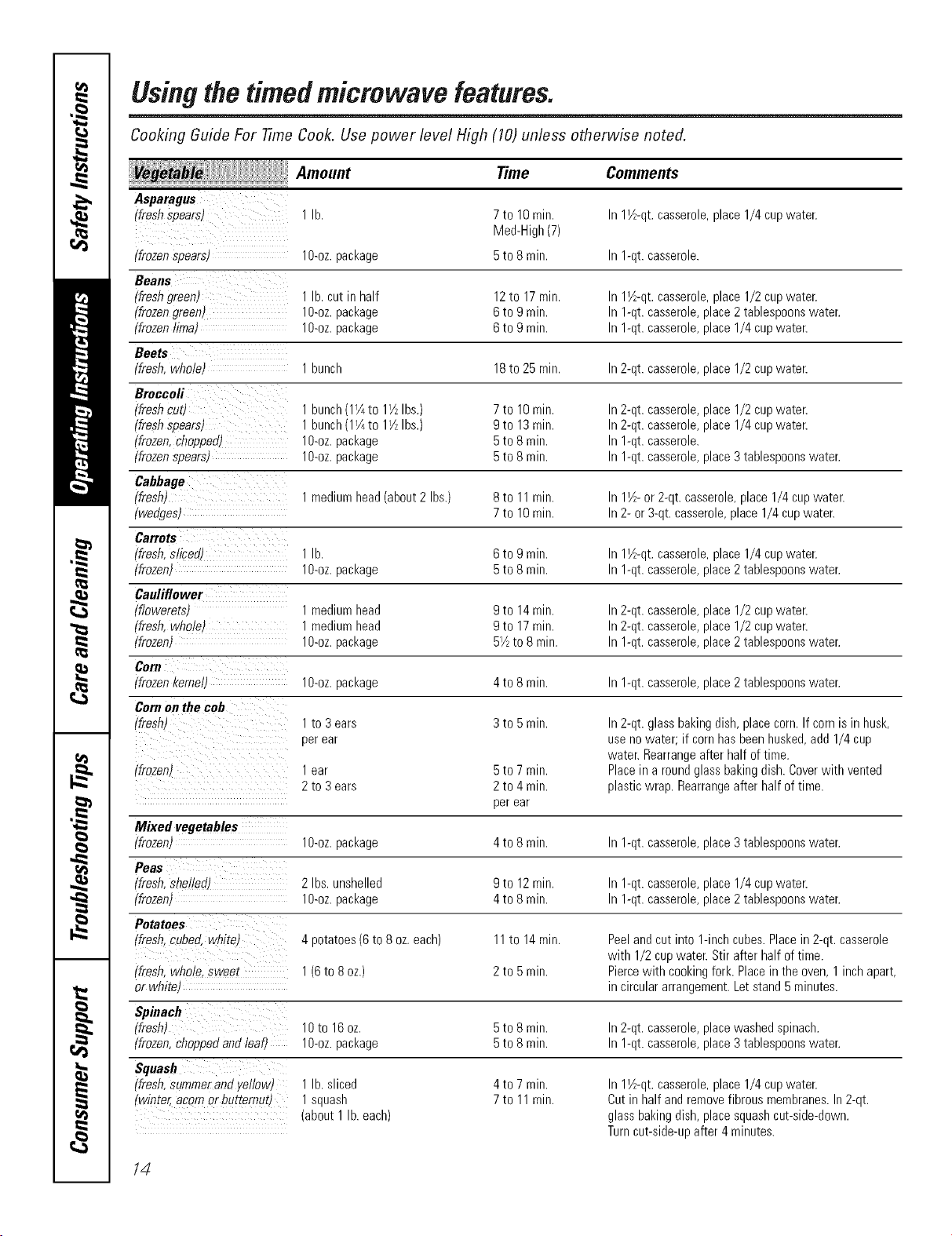
Usingthetimedmicrowave features.
Cooking Guide For -timeCook. Use power level High (10) unless otherwise noted.
Amount Time
Asparagus
(freshspears) 1lb.
(frozenspearst lO-oz,package
Beans
(freshgreen) 1lb.cut in half
(frozengreen) 1g-oz.package
(frozenlimat 1g-oz.package
Beets
(fresh,whole) 1bunch
Broccoli
(fresh_ut/ 1bunch(1I/4to 11/2Ibs.)
(freshspears) 1bunch(1I/4to 11/2Ibs.)
(frozen,chopped) l O-oz.package
(frozenspears) 1O-oz.package 5
Cabbage
(fresh) 1mediumhead(about2 Ibs.) 8
(wedges) 7
Carrots
(fresh,sliced) 1lb. 6
(frozen) 1O-oz.package 5
Cauliflower
(flowerets) 1mediumhead
(fresh,whole) 1 mediumhead
(frozen) 1g-oz.package
C#ra
(frozenkernell 1g-oz.package
Cornon thecob
(fresh) 1to 3 ears
perear
(frozen) lear 5to7 min.
2to 3ears 2to4min.
perear
Comments
7to 10rain.
Med-High(7)
5to 8 min. In1-qt.casserole.
12to 17rain. In11½-qt.casserole,place1/2 cupwater.
6to 9 rain. In1-qt.casserole,place2tablespoonswater.
6to 9 rain. In1-qt.casserole,place1/4 cupwater.
18to 25rain. In2-qt.casserole,place1/2 cupwater.
7to 10rain. In2-qt.casserole,place1/2 cupwater.
9to 13rain. In2-qt.casserole,place1/4 cupwater.
5to 8 min. In1-qt.casserole.
to 8rain. In1-qt.casserole,place3tablespoonswater.
to 11rain. In11½- or 2-qt.casserole,place1/4 cupwater.
to 10rain. In2- or3-qt.casserole,place1/4 cupwater.
to 9min. In11A-qt.casserole,place1/4 cupwater.
to 8rain. In1-qt.casserole,place2tablespoonswater.
9to 14rain. In2-qt.casserole,place1/2 cupwater.
9to 17rain. In2-qt.casserole,place1/2 cupwater.
51/2to 8 rain. In1-qt.casserole,place2tablespoonswater.
4to 8 rain. In1-qt.casserole,place2tablespoonswater.
3to 5 min. In2-qt.glassbakingdish,placecorn.Ifcornisin husk,
usenowater; if cornhasbeenhusked,add 1/4cup
water.Rearrangeafter half oftime.
Placein aroundglassbakingdish.Coverwith vented
plasticwrap.Rearrangeafter halfof time.
4to 7 min.
7to 11min.
In 11½-qt.casserole, place 1/4 cup water.
Mixed vegetables
(frozen) lO-oz,package 4toSmin. In1-qt.casserole,place3tablespoonswater.
Peas
(fresh,sbe/!ed) 2Ibs.unshelled 9to 12rain. Inl-qt. casserole,placel/4 cupwater.
(frozen) 1g-oz.package 4toSmin. In1-qt.casserole,place2tablespoonswater.
Potatoes
(fresh,cubed,white) 4potatoes(6 to8 oz.each) 11to 14min. Peelandcutinto 1-inchcubes.Placein 2-qt. casserole
with 1/2 cupwater.Stir afterhalf of time.
(fresh,whole,Sweet 1(6to 8 oz.) 2 to 5rain. Piercewith cookingfork.Placein the oven,1inchapart,
orwhitel in circulararrangement.Letstand5 minutes.
Spinach
(fresh) 10to 16oz. 5to 8 min. hr2-qt.casserole,placewashedspinach.
(frozen,choppedandleaf) 1O-oz.package 5to 8 rain. In1-qt.casserole,place3tablespoonswater.
Squash
(fresh,Summerandyellowt 1 lb. sliced
(winter,acornor butternutl 1squash
(about1lb. each)
In11½-qt.casserole,place1/4 cupwater.
Cutin half andremovefibrousmembranes.In2-qt.
glassbakingdish,placesquashcut-side-down.
Turncut-side-upafter4minutes.
14
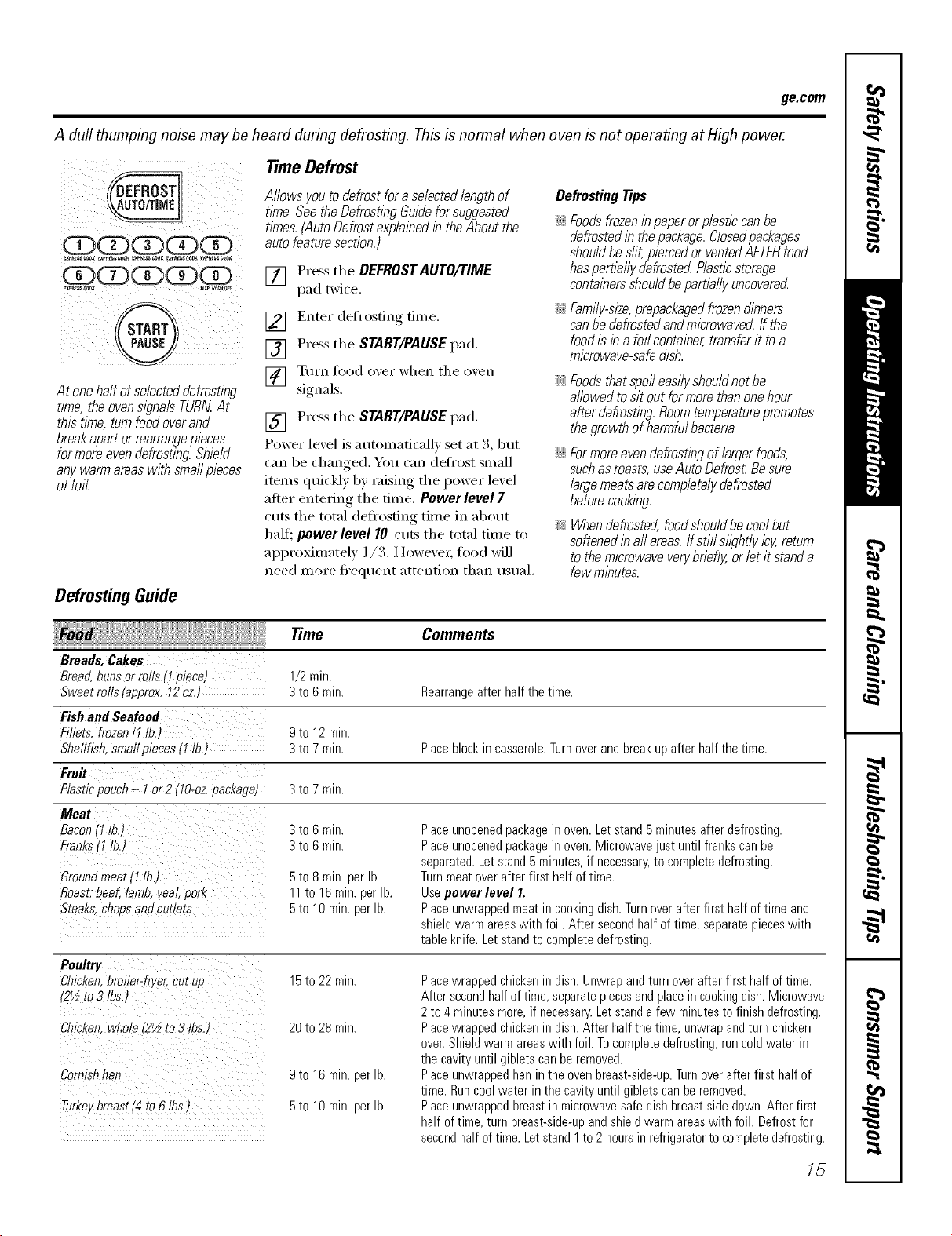
ge.com
A dull thumping noise may be heard during defrosting. This is normal when oven is not operating at High power.
ODQdDQdD
ill ° _ / ii iii i_ ii _ ii
Atonehaftofselecteddefrosting
time,theovensignalsTURNAt
thistithe,turnfoodoverand
breakapartorrearrangepieces
formoreevendefrosting.Shield
anywarmareaswithsmallpieces
offoil.
DefrostingGuide
Time Defrost
Allowsyoutodefrostfora selectedlengthof
time.SeetheDefrostingGuideforsuggested
tl_nes.(AutoDefrostexplainedintheAboutthe
autofeaturesection.)
[] Press the DEFROSTAUTO/TIME
pad twice.
[] Enter defl'osting time.
[] Press the START/PAUSEpad.
] Tt/Fn toed o_,ei" when tile o',en
signals.
[] Press the START/PAUSE pad.
Power level is automatically set at 3, but
can be changed. You can defl'ost small
items quickly by raising the power level
after entering the time. Power level 7
cuts the total defl'osting time in about
half'; powerlevel 10 cuts the total time to
approximately 1/3. Howevex; fi_od will
need more fl'equent attention than usual,
Defrosting Tips
::Ji::Foodsfrozeninpaperorplasticcanbe
defrostedin thepackage.Closedpackages
shouldbeslit,piercedorventedAFTERfood
haspartbllydefrostedPlasticstorage
containersshouldbepartb/lyuncovered
::Ji::Family-sl2e,prepackagedfrozendinners
canbedefrostedandmicrowavedffthe
foodisina foilcontainer,transferit toa
microwave-safedish.
::Ji::Foodsthatspoileasilyshouldnotbe
allowedtosit outformorethanonehour
afterdefrosting.Roomtemperaturepromotes
thegrowthofharmfulbacteria.
::Ji::Formoreevendefrostingoflargerfoods,
suchasroasts,useAutoOefros£Besure
largemeatsarecompletelydefrosted
beforecooking.
_: Whendefrosted,foodshouldbecoolbut
softenedinallareas.Ifstillshghtlyicy,return
tothemicrowaveverybriefly,orletitstanda
fewminutes.
Time Comments
Breads,Cakes
Bread,bunsor rolls(I piece) 1/2 rnirr.
Sweetrolls(approx.I2 oz.) 3to 6 rain. Rearrangeafterhalf the time.
Fishand Seafood
Fillets,frozen(1lb.) 9to 12mitt.
Shellfish,smallpieces(I lb.) 3to 7 rain. Placeblockin casserole.Turnoverand breakupafter halfthe time.
Fro#
Plasticpouch- I or2 tlO-ozpacl_ageJ 3to 7 rnin.
Meat
Bacon11tb.J 3to 6 rnin.
Franksq tb ' 3to 6 min.
Ground meat 11lb.)
Roast."beef lamb. veal. park
Steaks. chees and cutlets
5 to 8 rain. per lb.
11 to 16 rain. per lb.
5 to 10 min. per lb.
Place unopened package in oven. Let stand 5 minutes after defrosting.
Place unopened package in oven. Microwave just until franks can be
separated. Let stand 5 minutes, if necessary, to complete defrosting.
Turn meat over after first half of time.
Use power level I.
Place unwrapped meat in cooking dish. Turnover after first half of time and
shield warm areas with foil. After second half of time, separate pieces with
table knife. Let stand to complete defrosting.
Poultry
Chicken. bmiler-f_ar, cur up
_2½to 3 tbs.
Chict_en.whole .2½ to 3 tbs.)
Cornishhen
Turke,breast[4to 6 tbs.)
15 to 22 rain.
20 to 28 rain.
9 to 16 rain. per lb.
5 to 10 rain. per lb.
Placewrappedchickenin dish.Unwrapandturn overafter first half oftime.
Aftersecondhalfoftime, separatepiecesandplacein cookingdish.Microwave
2to4 minutesmore,if necessary.Letstandafew minutestofinishdefrosting.
Placewrappedchickenin dish.Afterhalf thetime, unwrapandturn chicken
over.Shieldwarmareaswith foil. Tocompletedefrosting,runcoldwater in
the cavityuntilgiblets canbe removed.
Placeunwrappedhenin theovenbreast-side-up.Turnoverafter first half of
time.Runcoolwaterin the cavityuntil gibletscanberemoved.
Placeunwrappedbreastin microwave-safedishbreast-side-down.After first
half oftime,turnbreast-side-upand shieldwarmareaswith foil. Defrostfor
secondhalfoftime.Letstand1to2 hoursin refrigeratorto completedefrosting.
15
Usingthemicrowave sensorcookingfeatures.
The Sensor Features detect the increasing humidity released during cooking. The oven automatically adjusts the
cooking time to various types and amounts of food.
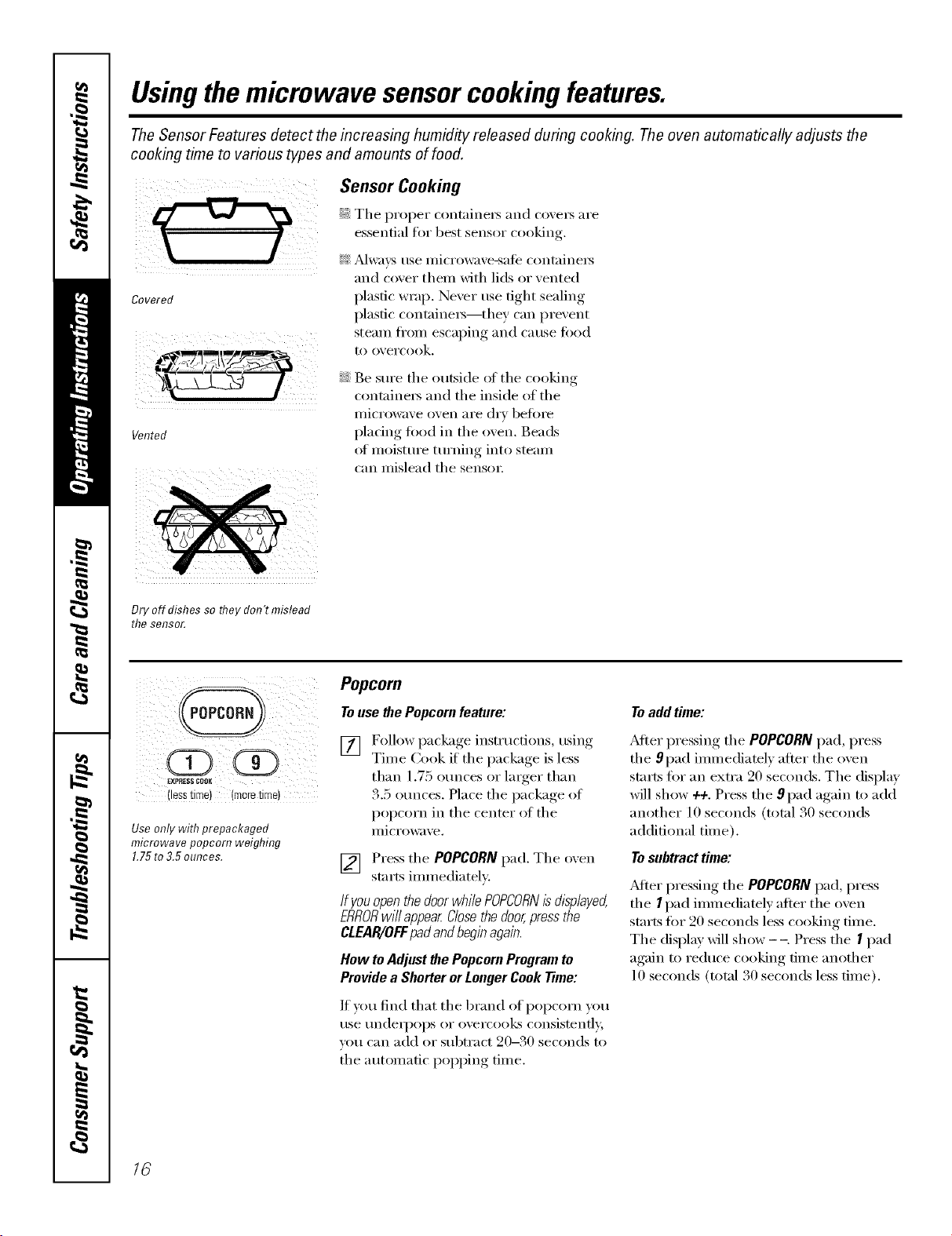
Sensor Cooking
essential for best sensor c_)oking
i_i _Sdwa_,s use illici'owa_e-sate cont;lineis
and coxer thenl with lids or xented
Covered plastic wrap, Nexer use fight sealing
plastic containers--they can pre, ent
steaIll ti'OIll escal)ing, and cerise _'ood
to o_ ercook.
Vented
Be sure the outside of the cooking
containet_ and the inside of tile
illicrowave oven ai'e dry beloI'e
plating toed in the ()veil. Beads
ot moistm'e tm'ning into steam
can mislead the sensm:
Dry off dishes so flTeydon't mislead
the sensor.
Use only with prepackaged
microwave popcorn weighing
1.75to3.5 ounces.
Popcorn
To use the Popcorn feature:
[] Follow package instructions, using
Time Cook if the package is less
than 1.75 ()traces or larger than
3.5 otmces. Place the package of
popcorn in the center of the
I/licrowax, e.
[] Press the POPCORNpad. The oxen
starts immediately:
If youopenthedoorwhilePOPCORNisdisplayed,
ERRORwillappearClosethedoor,pressthe
CLEAR/OFFpadandbeginagain.
How toAdjustthePopcornProgramto
Providea ShorterorLongerCookTime:
If you find that the brand of popcorn you
use underpops or overcooks consistently,
you can add or subtract 90-30 seconds to
the automatic poi)ping time.
Toadd time:
_dter pressing the POPCORN pad, press
the 9 pad immediately after the oven
starts tot an extra 20 seconds. The display
will show 4+. Press the 9 pad again to add
another 10 seconds (total 30 seconds
additional time).
Tosubtract time:
_dter pressing the POPCORN pad, press
the I pad immediately after the oven
starts tot 20 seconds less cooking time.
The display will show --, Press the I pad
again to reduce cooking time another
10 seconds (total 30 seconds less time).
16
Beverage
Press the BEVERAGEpad to heat a cup ot
coffee or other beverage.
Drinks heated with the Beverage feature
may be very hot Remove the container
with care.
ge.com
FolioOE$$ COOK
(lesstime) (moretime)
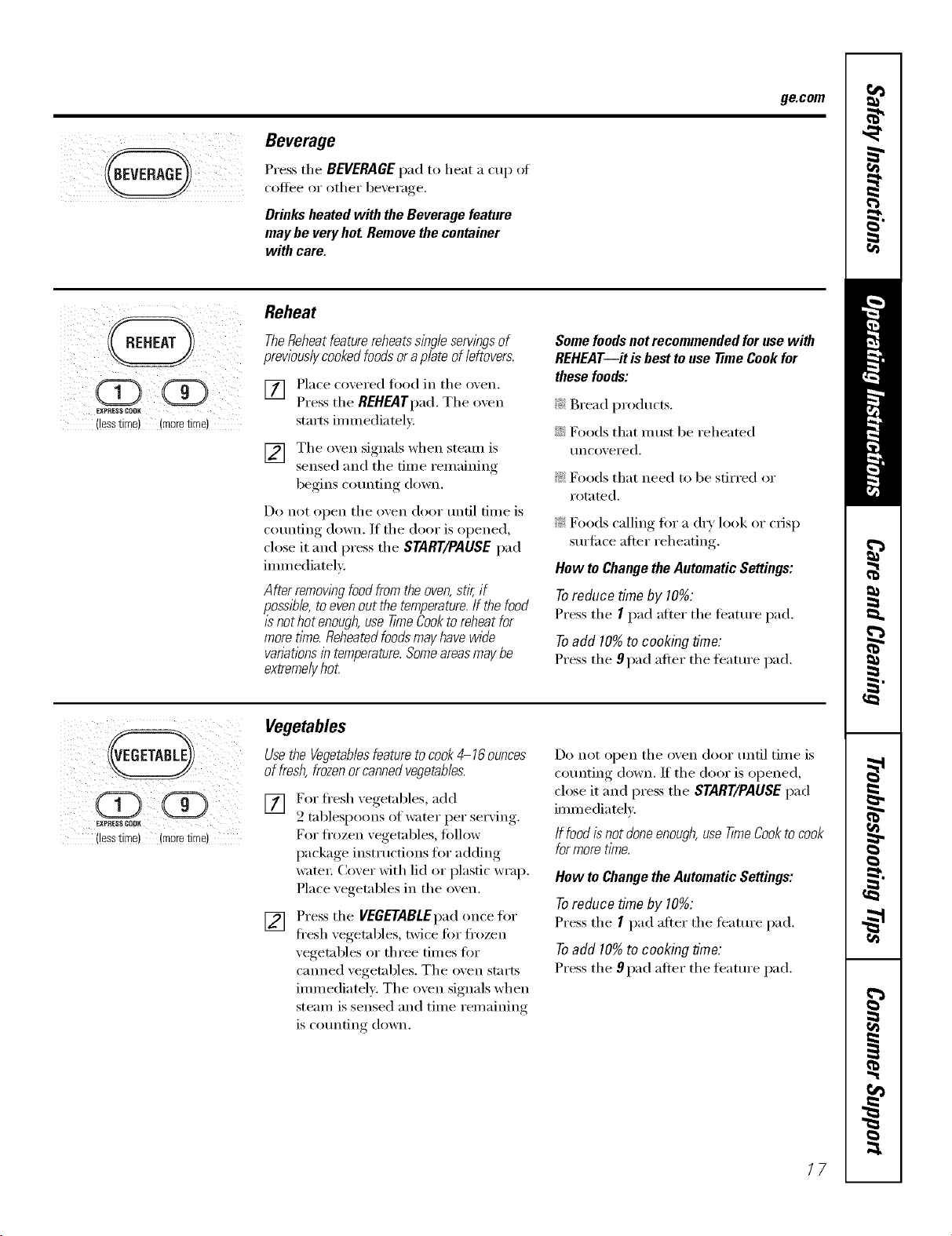
Reheat
TheReheatfeaturereheatssingleservingsof
previouslycookedfoodsoraplateofleftovers.
[] Place coxered fi_od in tile oxen.
Press tile REHEATpad. Tile oxen
starts immediately.
[] Tile oxen signals when steam is
sensed and tile time remaining
begins co/mting down.
Do not open tile oven door tmfil time is
counting down. If tile door is opened,
close it and press tile START/PAUSE pad
immediatelv.
After removing foodfrom the oven,stir, if
possible, toeven out the temperature.If the food
is not hot enough,use time Cookto reheatfor
more t/Yne.Reheatedfoodsmayhavewide
vanations in temperature.Someareasmaybe
extreme/}/hot
Some foodsnot recommended for use with
REHEAT--it is best touse time Cook for
these foods:
?_:Bread products.
::Ji::Foods that m ust be reheated
uncovered.
?_:Foods that need to be stirred or
rotnted.
?_:Foods calling fin" a dry look or crisp
surlilce alier reheating.
Hew te Change theAutomatic Settings:
Toreduce time by 10%:
Press tile I pad alter tile teatt/I'e pad.
Toadd 10%to cooking time:
Press tile 9 pad alter tile feature pad.
EXPOES8COOK
(lesstime) (moretime)
Vegetables
Use the Vegetablesfeature tocook4-16 ounces
of fresh, frozenorcannedvegetables.
[] For fl'esh vegetables, add
2 tablespoons of water per serxin ,
For fl'ozen vegetables, follow
package instructions for adding
_te_: (]over with lid or plastic wrap.
Place vegetables in the oven.
[] Press tile VEGETABLEpad once fi)r
fl'esh xegetables, twice fin" frozen
vegetables or three times fin.
canned vegetables. Tile oven starts
immediately. The oven signals when
steam is sensed and time remaining
is counting down.
Do not open tile oven door until time is
cotmting down. If the door is opened,
close it and press tile START/PAUSEpad
immediately
If foodis not doneenough,use T/meCookto cook
formoretime.
How toChange theAutomatic Settings:
To reduce time by 10%:
Press tile I pad after tile teature pad.
Toadd 10%to cooking time."
Press tile 9 pad atter tile teatm'e pad.
17
Usingthemicrowave sensorcookingfeatures.
Toreduce time by 10%:Press the 1pad after the feature pad. Toadd 10%to cooking time: Press the 9pad after
the feature pad.
(Z) (?D
EXPRESSCOOK
eSS IIFllel im0re time
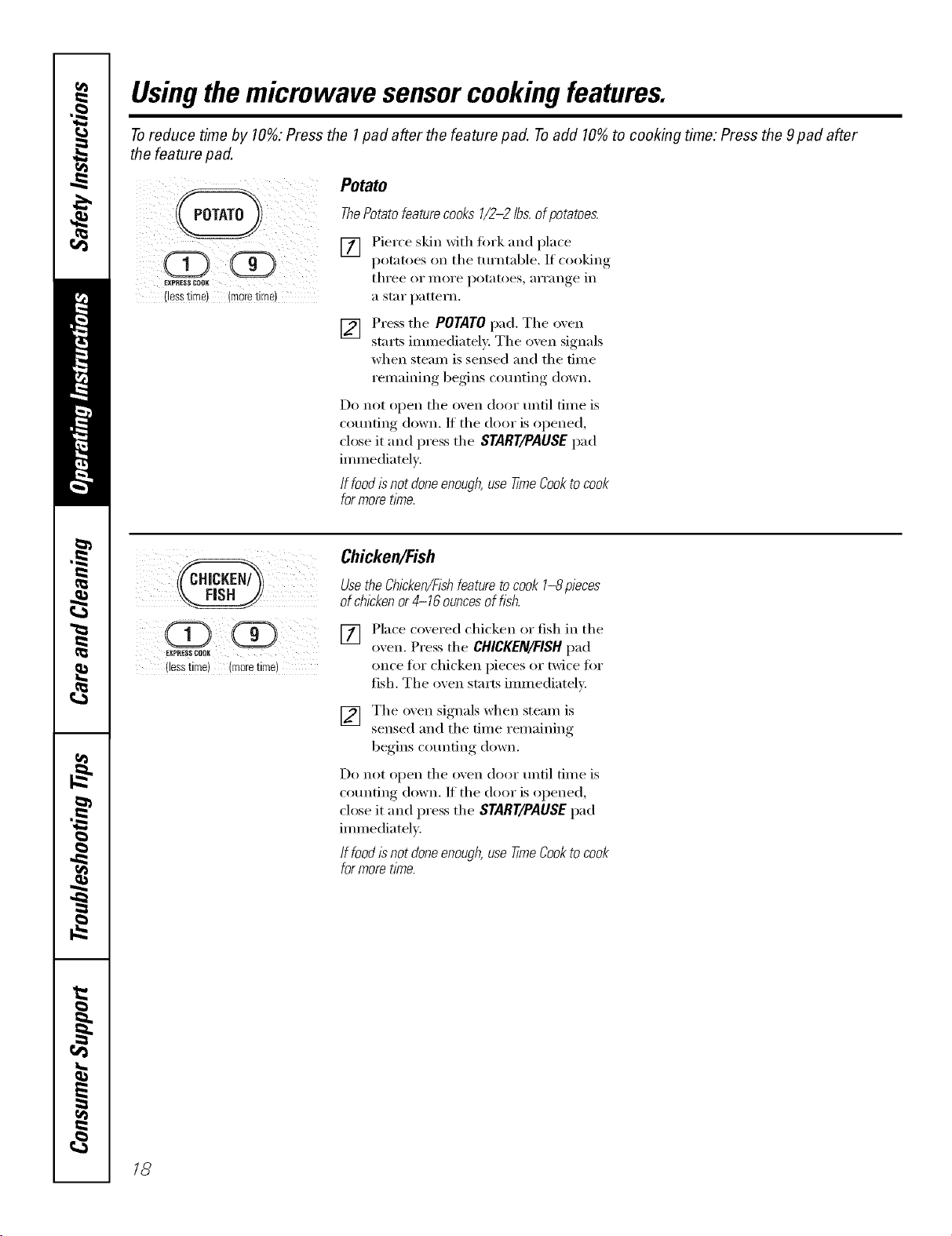
Potato
ThePotato featurecooks 1/2-2 lbs.of potatoes.
[] Pierce skin with fork and place
potatoes on the turntable. If cooking
three or illoi'e potatoes, ari'ange in
a star pattern.
[] Press the POTATOpad. The oven
starts immediately. The oven signals
when steam is sensed and the time
remaining begins counting down.
Do not open the oven door until time is
counting down. If the door is opened,
close it and press the START/PAUSEpad
immediately.
If food isnot doneenough,use time Cookto cook
formoretime.
EXPRESSCOOK
(lesstime)(more time)
Chicken/Fish
Usethe Chicken/Fishfeature tocook 1-8 pieces
of chickenor 4-16 ouncesof fsh.
[] Place covered chicken or fish in the
oxen. Press the CHICKEN/FISH pad
once for chicken pieces or twice for
fish. The o',en starts immediately;
[] The oven signals when steam is
sensed and the time remaining
begins counting down.
Do not open the oven door until time is
counting down. If the door is opened,
close it and press the START/PAUSEpad
immediately.
If food Isnot doneenough,use timeCookto cook
formoretime.
18
Usingthemicrowave autofeature, ge.oom
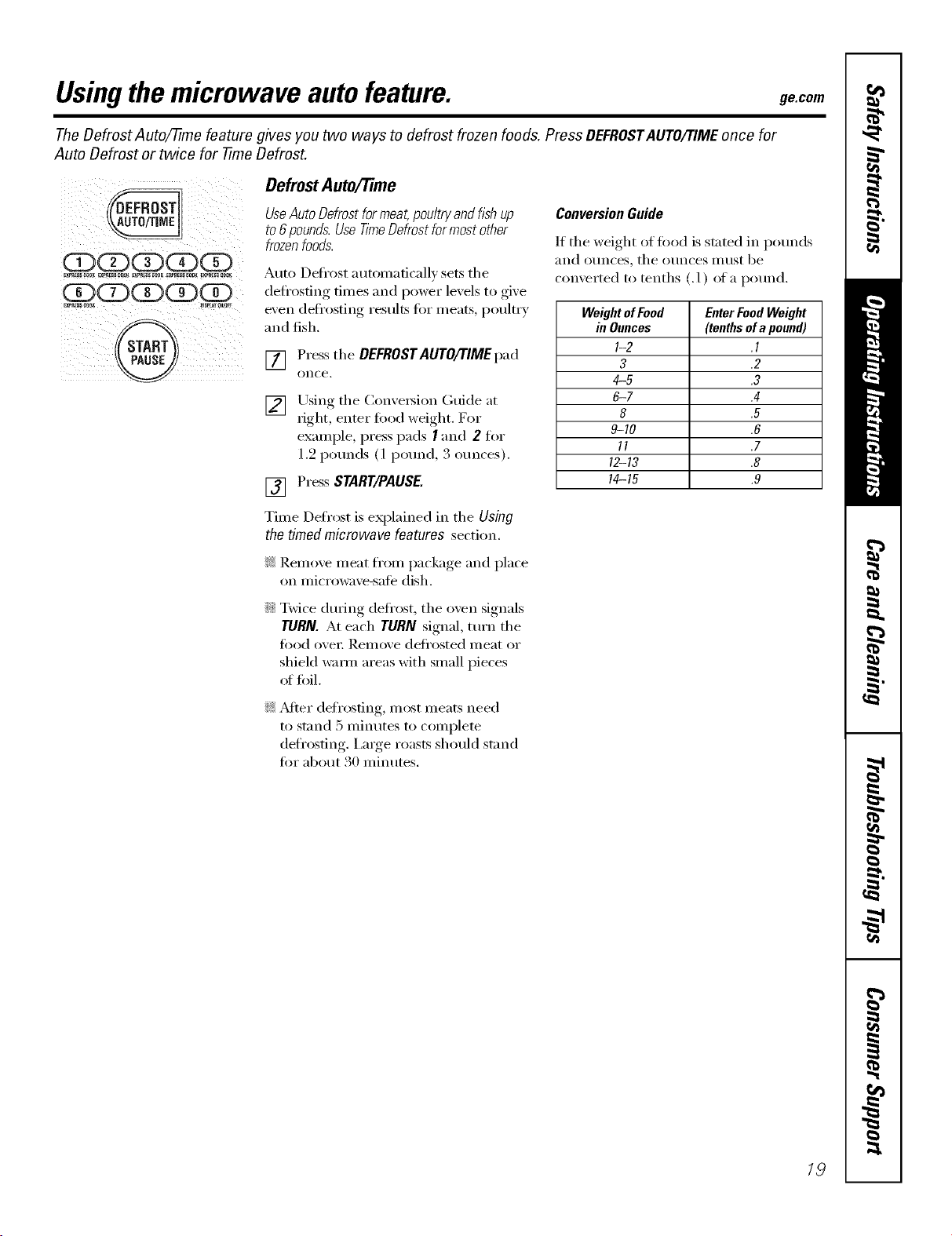
TheDefrost Auto/time feature gives you two ways to defrost frozen foods. Press DEFROSTAUTO/77MEonce for
Auto Defrost or twice for -time Defrost.
OQQQQ
EXPRess_OK _XP_S_O0__E_ C_ E_SS _0_ _X_R_ COOK
@
Defrost Auto/Time
UseAuto Defrostfor meat,poultry and fishup
to6 pounds.Use time Defrost formost other
frozenfoods.
Auto Defl'ost autonmficall_ sets tile
defl'osfing, times and I_°wer lex els to ,gixe
even defl'osting results fin" meats, poultry
and fish.
[] Press tile DEFROSTAUTO/TIME pad
on(-e.
[] Using tile Conve_ion Guide at
right, enter fi)od weight. For
example, press pads I and 2 fin,
1.9 pounds (1 pound, 3 ounces).
[] Press STaRT/PAUSE.
Time Defrost is eN)lained in tile Using
the timed microwave features section.
ConversionGuide
If tile weight of fi_od is stated in pounds
and ot/nces, tile ot/nces II/list be
comerted to tenths (.1) of a pound.
WeightofFood EnterFoodWeight
in Ounces (tenthsofa pound)
I-2 .1
3 .2
4-5 .3
6-7 .4
8 .5
9--10 .6
11 .7
12-13 .8
14-15 .9
!;?:Remoxe meat from package and place
on microwaxe-sate dish.
::Ji::Twice during defl'ost, tile oven signals
TURN. At each TURN signal, turn tile
food over Remove deli'osted meat or
shield wmm areas with small pieces
_fffoil.
_: _diei" defl'osfing, nlost nleats need
to stand 5 minutes to complete
defrosting. I,a_ge roasts should stand
for about 30 minutes.
19
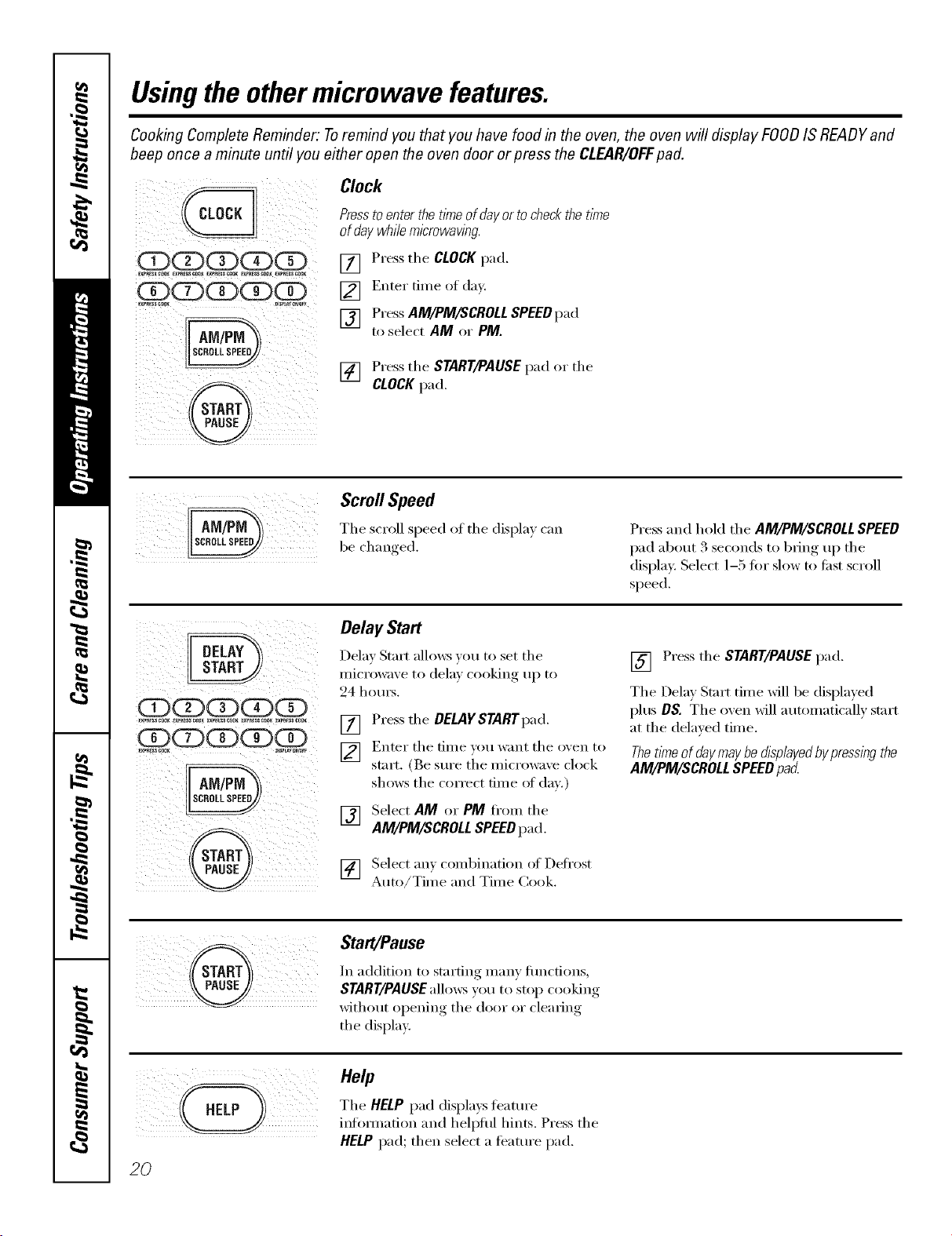
Usingtheothermicrowave features.
Cooking Complete Reminder: Toremind you that you have food in the oven, the oven will display FOODIS READYand
beep once a minute until you either open the oven door or press the CLEAR/OFFpad.
i !i! __i_ _7i_
(ZXZXZXZPQ
,_iii_iI_i__ ! il/
iiiii@ _i!_iliiI
Clock
Presstoenter the trineof dayor tocheck the ttme
of day while microwaving.
[] Press the CLOCK pad.
[] Enter time of day.
[] PressAM/PM/SCROLL SPEEDpad
to select AM or PM.
[] Pressthe START/PAUSE pad or the
CLOCKpad.
Scroll Speed
beThesc,-ollcl,_,,,,e_lSpee_l,,_the_lispl_,;_,,,
_!i iI_I_ _ii_ii_i_I_
ex /_
i _ i!_i/!illegal!
ii i
_ iiii@_i_ I i_i_
Delay Start
Delay Start alh)ws )ou to set the
microwave to dela) cooking, ui ) to
24 homs.
[] Press the DELAYSTARTpad.
] EIlter the tiIlle VOtl waIlt tile o_,eil to
start. (Be sure the microwave clock
shows the correct dine of day.)
[] Select AM or PM fl'om the
AM/PM/SCROLLSPEEDpad.
[_] Select am combination of Defl'ost
it i
Auto/Time and Time Cook.
Press and hold the AM/PM/SCROLL SPEED
pad about 3 seconds to bring up the
displa> Select 1-5 tot slow to fi_st scroll
speed.
[] Press the START/PAUSEpad.
The Delta Start time will be displa)ed
plus DS. The oxen will automatically start
at the delayed time.
Thettmeofdaymaybedtspiayedbypressingthe
AM/PM/SCROLLSPEEDpa_
Start/Pause
In addition to starting many flmcfions,
START/PAUSE allows you to stop cooking
without opening the door or cleating
the display,
20
Help
The HELPpad displa)s teatm'e
inlbm_ation and hell)tiff hints. Press the
HELP pad; then select a teatm'e pad.
ge.com
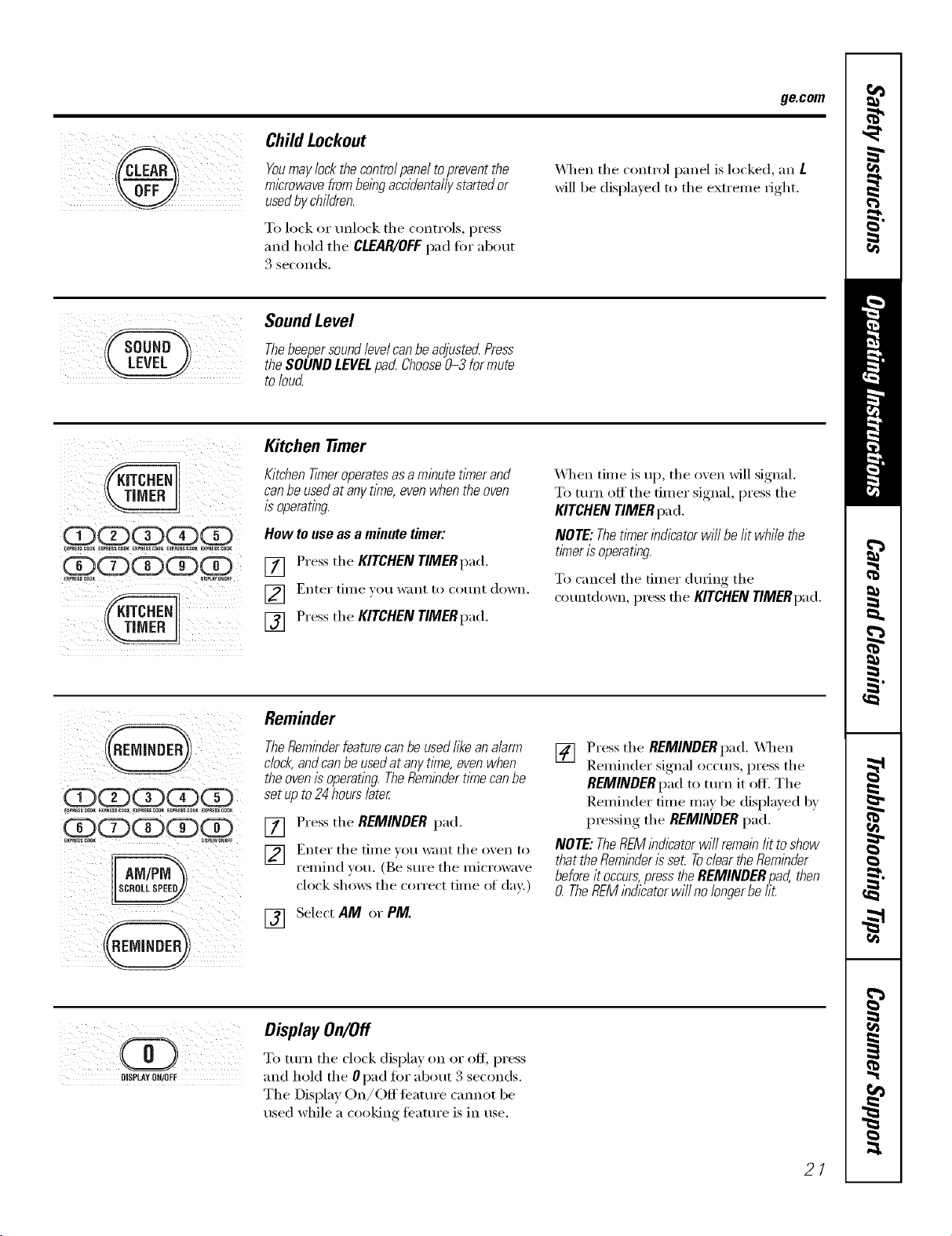
Child Lockout
Youmaylockthecontrolpaneltopreventthe
microwavefrombeingaccidentallystartedor
usedbychildren.
To lock or unlock the controls, press
and hold the CLEAR/OFF pad fi)r about
3 seconds.
_4q/en the control panel is locked, an L
will be displa}ed to tile extrelne fight.
SoundLevel
ThebeepersoundlevelcanbeadjustedPress
theSOUNDLEVELpad Choose0-3 formute
toloud
idZ)(2D(Z)(Z)(Z)
_P_ _o_ _ ¢oo__P_Ess_K Ex_ _ _y_E_sCOOK
idZ) dZ)(Z)d]D I
i
Kitchen timer
Kitchen Tkneroperatesas a minute tknerand
canbe usedat any time,even when the oven
is operating.
How to use as a minute timer:
[] Press the KITCHEN TIMERpad.
] Enter tiille }o/x _g}lilt [o ('o/lnt do,vii.
[] Press tile KITCHEN YlMERpad.
_&]/en time is up, tile oven will signal.
To mrn off the timer signal, press the
KITCHEN TIMER pad.
NOTE: Thetimer indicator will be ht while the
timer is operating.
To cancel tile timer dining tile
countdown, press file KITCHEN 77MERpad.
Reminder
TheReminderfeaturecanbeused/ikeanalarm
clock,andcanbeusedat anytkne,evenwhen
theovenisoperatingTheRemindert/mecanbe
setupto24hourslater
[]
[]
[]
Press tile REMINDER pad.
Enter tile time }ou want tile o_en to
remind }ou. (Be sm'e the microwaxe
clock shows tile correct time of day:)
Select AM or PM.
[] Press tile REMINDER pad. X_q/en
Reminder signal occms, press tile
REMINDER pad to tm'n it off. Tile
Reminder time may be displayed by
pressing tile REMINDER pad.
NOTE: TheflEM indicator will remainht toshow
that the Reminderis seL Toclear theReminder
beforeit occurs,pressthe REMINDER pad, then
0 TheREMindicator will no longerbe fi£
i iiii ill
DISPLAYON/OFF
Display On/Off
To mrn tile clock display on or ofl_ press
and hold tile 0pad for about 3 seconds.
The Display On/Off teature cannot be
used while a cooking teature is in use.
21
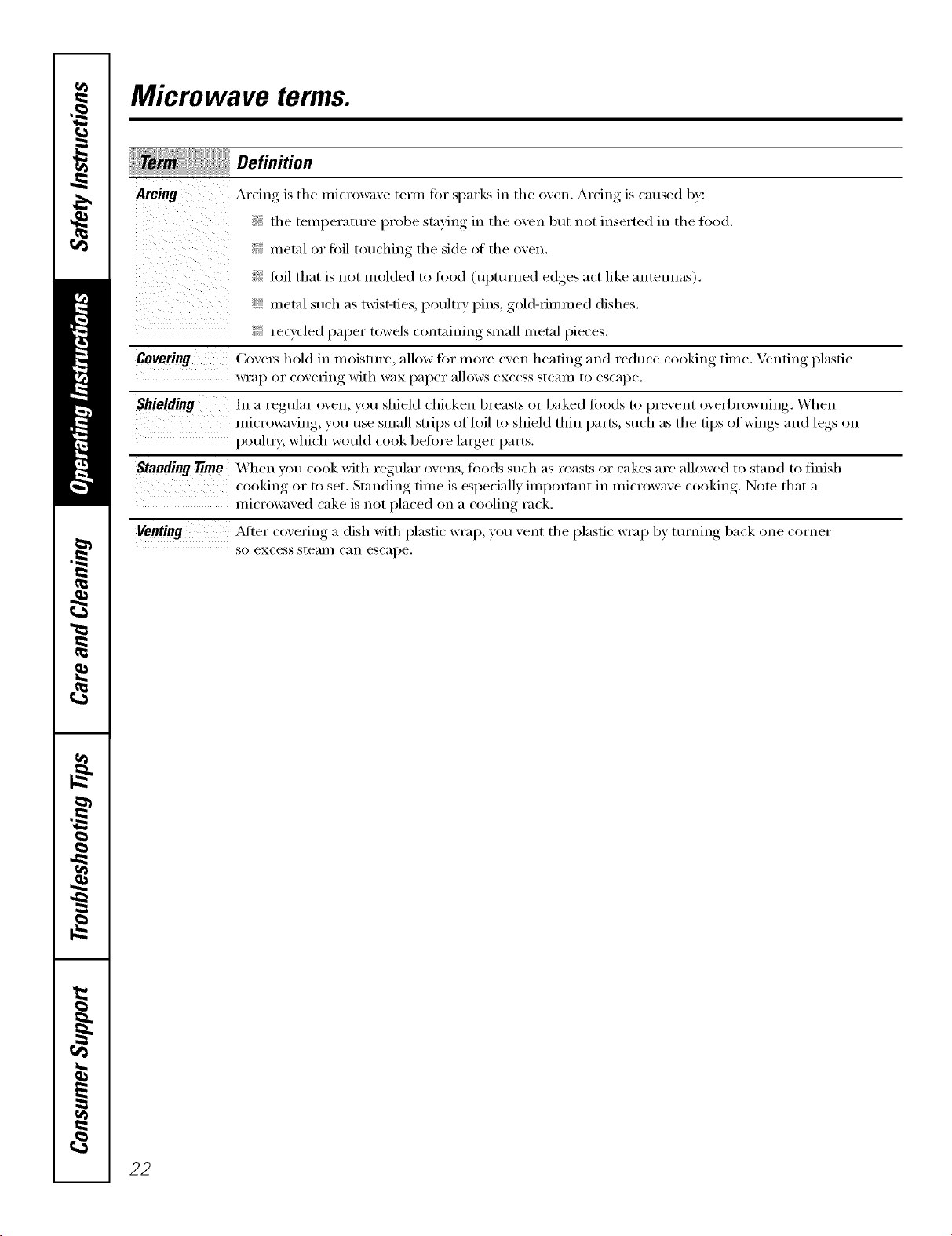
Microwave terms.
Arcing
ii i i i i
Definition
Arcing is the microwave te_n fin" sparks in the oven. Arcing is caused b)':
_?_the temperature probe staying in the oven but not inserted in the food.
i_:i}imetal or toil touching the side oI the oven.
fi>il that is not molded to tood (upturned edges act like antennas).
i{_:imetal such as twist-ties, poult_ T pins, gol&fimmed dishes.
_: recycled paper towels containing small metal pieces.
Covering (_ovex_ hold in moisture, allow fin" more even heating and reduce cooking time. Venting plastic
wI'ap oi" c(weFing with wax papeI" allows excess steam to escape.
Shielding In a regular oxen, you shield chicken breasts or baked toods to )rexent oxerbrowning _q_en
, I ,.
microwaving, you use small strips of toil to shield thin parts, such as the tips of wings and legs on
poultiT, which would cook belore la_ger l)arts.
Standing Time _\q_en _ou cook with regular ovens, fi)ods such as roasts or cakes are allowed to stand to finish
cooking, or to set. Standing, time is esl)eciallv, iml)ortant in microwax e cooking., Note that a
nlicrowaxed cake is not l)laced on [I cooling, rack.
Venting ,Mter cox ering a dish with plastic wrap, you, xent thel)lasfic wral ) bx, turning, back one corner
so excess steai//C_lil escape.
22
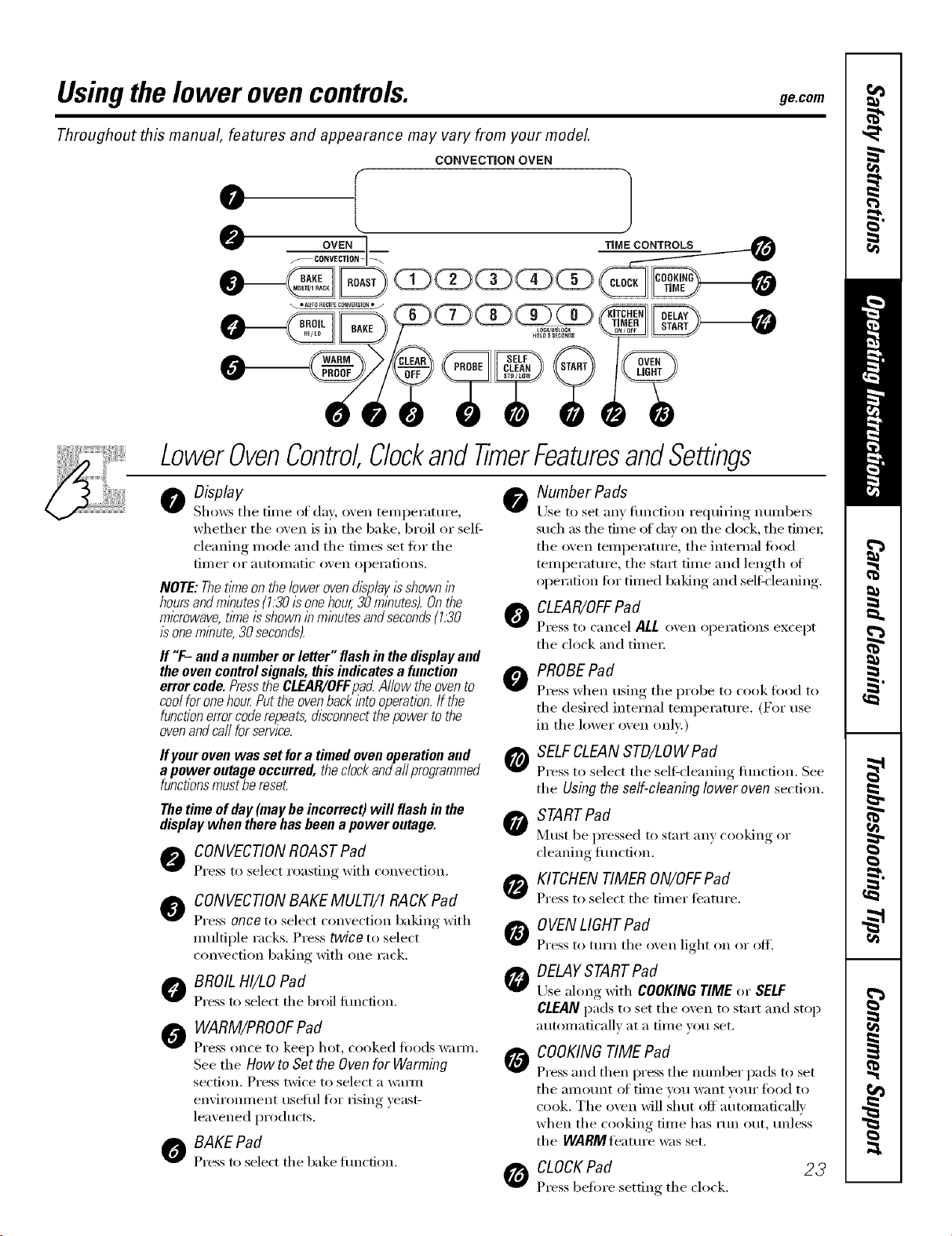
Usingthe lower ovencontrols, gecom
Throughout this manual, features and appearance may vary from your model.
LowerOvenControl,ClockandtimerFeaturesandSettings
o Display
Shows tile dine of day, oven temperature,
whether tile oven is ill tile bake, broil or self:
cleaning mode and tile times set fi)r tile
[iIl/eI" oi" atltOIl/atic oven ol)ei';itions.
NOTE:Thet/Yneonthelowerovendisplayisshownin
hoursandminutes(1.30isonehour,30minutes).Onthe
microwave,timeisshowninminutesandseconds(1.30
/s one minute, 30 seconds).
If "F-anda numberorletter" flashin thedisplayand
theovencontrolsignals,thisindicatesa function
errorcode.PresstheCLEAR/OFFpad Allowtheovento
coolforonehourPuttheovenbackintooperation.If the
functionerrorcoderepeats,disconnectthepowertothe
ovenandca//forservice.
If yourovenwasset fora timedovenoperationand
a poweroutageoccurred,thedockanda//programmed
functionsmustbereset
Thetime ofday(maybeincorrect)will flashinthe
displaywhentherehasbeena poweroutage.
A CONVECTIONROASTPad
Press to select roasting with con_ection.
@
CONVECTIONBAKE MULTI/1 RACK Pad
Press once to select con_ection baking with
multiple racks. Press twice to select
convection baking with one rack.
A BROIL HI/LO Pad
Press to select the broil function.
O WARM/PROOFPad
Press once to keep hot, cooked foods waml.
Seethe How toSettheOvenfor Warming
section. Press twice to select a W_li]ll
envir()mnent useflll fi)r rising yeast-
leavened products.
0 BAKEPad
Press to select the bake timction.
0 Number Pads
Use..... to set any, fimction i'e(luiring, nulnbei_,
sud/as file time of day on file dock, tile timei;
tile oven telnl)eramre , tile internal food
telnperature, tile stall dine and length (ff
operation fi)l" timed baking and selfZcleaning.
0 CLEAR/OFFPad
Press to cancel ALL o_en operations except
the dock and dmei:
O
G
G
e
PROBEPad
Press when using the probe to cook food to
tile desired internal telllperattlre. (For t/se
ill tile lower oxen ()Ill)':)
SELFCLEANSTD/LOW Pad
Press to select tile self:cleaning timction. See
the Using the self-cleaning Iower oven section.
STARTPad
Must be pressed to start any cooking or
cleaning flmction.
KITCHEN TIMER ON/OFFPad
Press to select tile tilner feature.
OVENLIGHTPad
Press to turn tile o_en light on or off.
DELAYSTARTPad
Use along _dtl/ COOKINGTIME(>rSELF
CLEANpads to set tile oxen to stnrt and stop
autolnaticallv at a tilne you set.
e
COOKINGTIME Pad
Press and then press tile nulnber pads to set
tile aillOtlnt oJ[ tilne FOil want VOtli" food to
cook. The oven will shut off autonmticallv
when tile cooking tilne has run Otlt, tlnless
the WABMleature was set.
_ CLOCKPad 23
Press before settino tile clock.
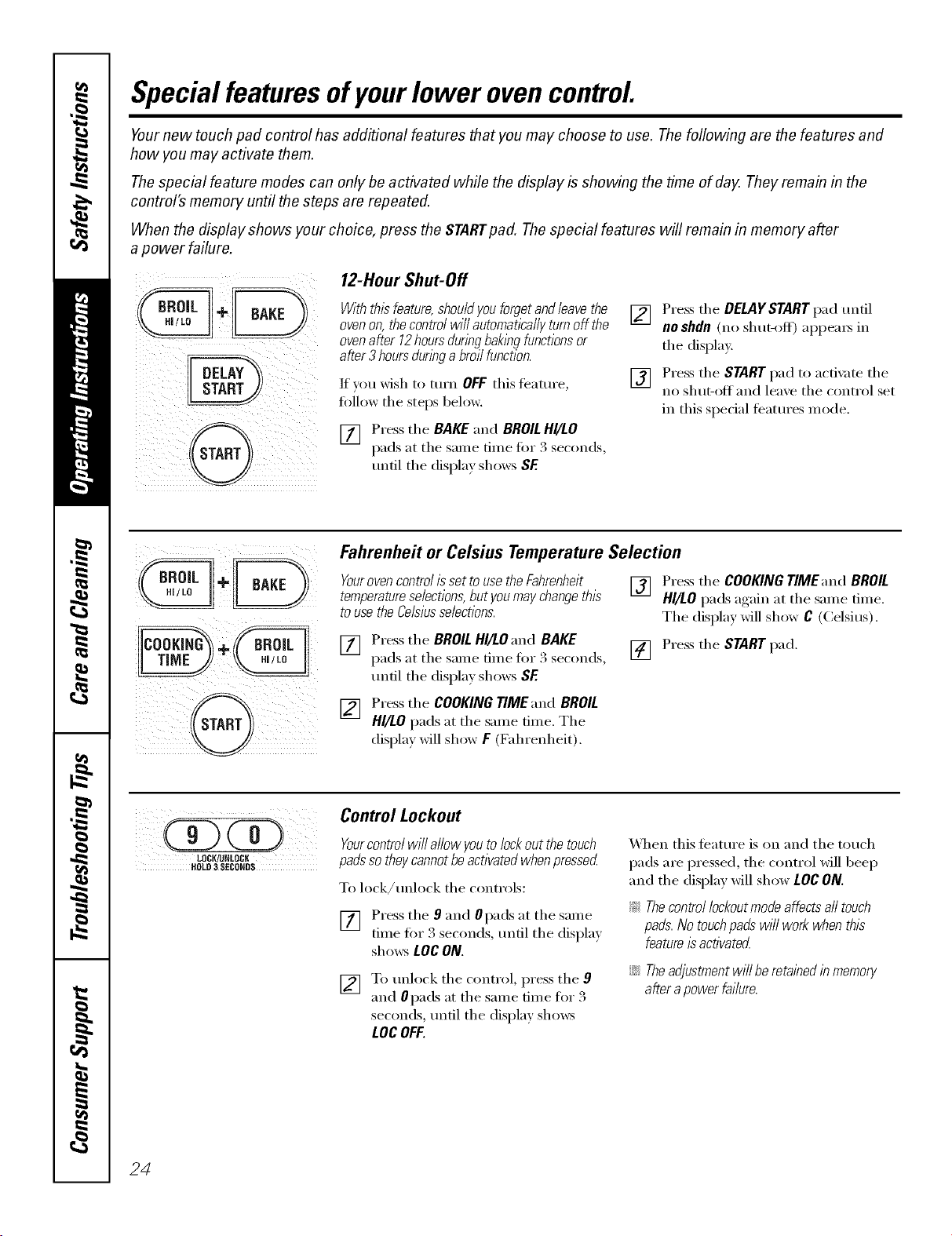
Special featuresofyourlower ovencontrol
Yournew touch pad control has additional features that you may choose to use. The following are the features and
how you may activate them.
The special feature modes can only be activated while the display is showing the time of day. They remain in the
control's memory until the steps are repeated.
When the display shows your choice, press the STARTpad. The special features will remain in memory after
a power failure.
DELAY
12-Hour Shut-Off
Withthisfeature,shou/dyouforgetand/eavethe
ovenon,thecontrolwi//automaticallyturnoffthe
ovenafter 12hoursduringbakingfunctionsor
after3 hoursdunbga broilfunction.
If you wish to mrn OFFthis teature,
fi_l] ow the steps below.
[] Press the BAKEand BROILHI/LO
pads at the same time fi:,r 3 seconds,
until the display shows SE
[] Press the DELAYSTART pad until
no shdn (no shut-off) appeax_ in
the display.
[] Press the START pad to acfix _te the
no shut-off and leaxe the control set
in this special teatm'es mode.
Fahrenheit or Celsius Temperature Selection
Youroven control isset to use the Fahranheit
temperatureselections,but youmay changethis
to use the Celsiusselections.
[] Press the BROILHI/LOand BAKE
pads at the same time fi)r 3 seconds,
tmfil the displa) shows SF.
Press the COOKING TIME and BROIL
HI/LO pads at the same time. The
display will show F (Fahrenheit).
[]
Press the COOKING TIMEand BROIL
HI/LO pads again at the same time.
The display will show C (Celsius).
[] Press the START pad.
Control Lockout
Yourcontrol will allow youto lock out the touch
padsso theycannot beactivated when pressed
To lock/unlock the controls:
[] Press the 9 and 0pads at the same
time fi)r 3 seconds, tmtil the displa)
sho_:s LOCON.
[] To unlock the control, press the 9
and 0pads at the same time for 3
seconds, until the display sho_vs
LOCOFF.
\,_]_en this teatm'e is on and the touch
pads are pressed, the control will beep
and the display will show LOCON.
_: Thecontrol lockoutmode affects all touch
pads.No touchpads will work when this
featureis activated
iJi::Theadjustmentwill be retained in memory
after a power failure.
24
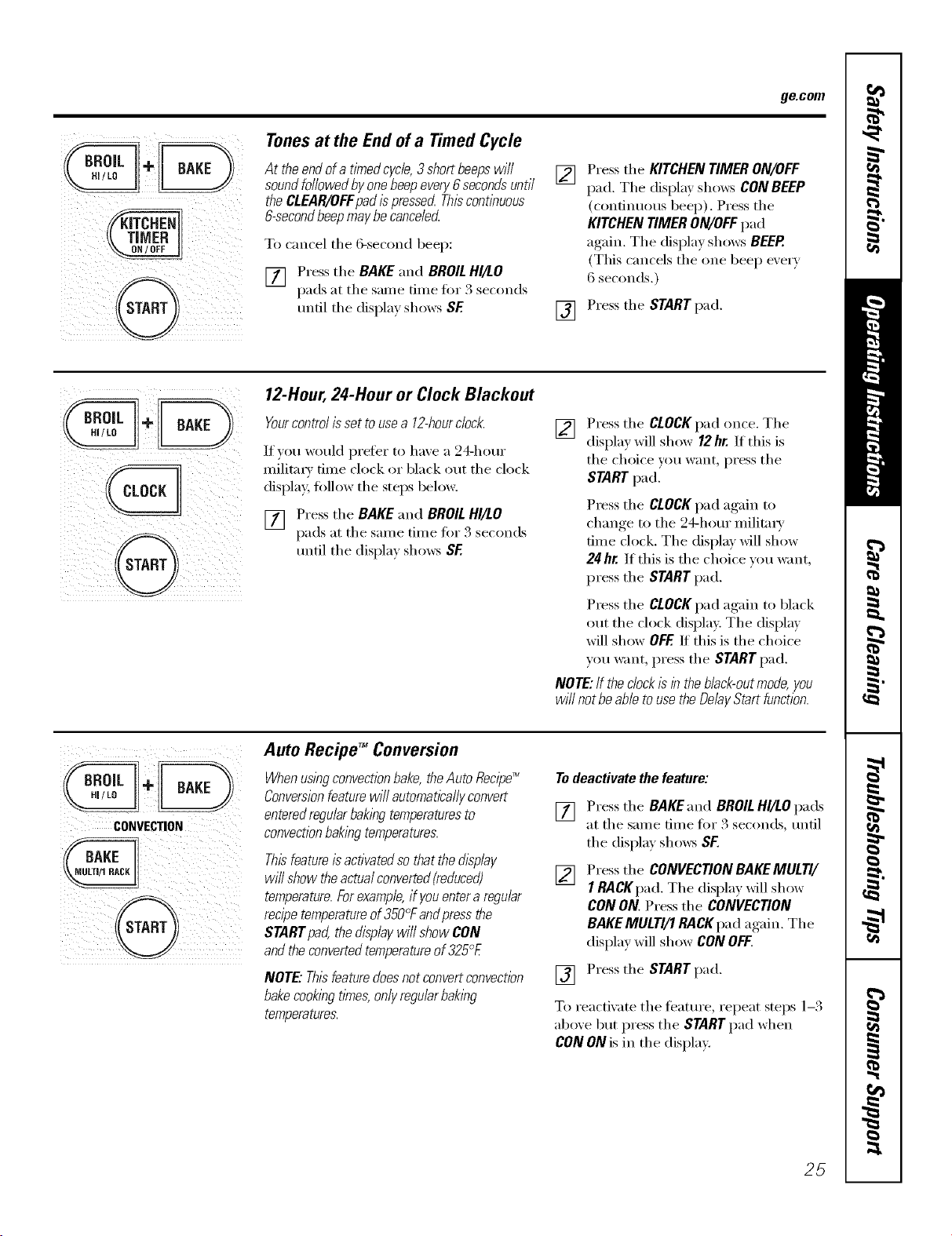
ge.com
z
Tonesat the End of a Timed Cycle
At theendofa timedcycle,3shortbeepswill
soundfollowedbyonebeepeven/6secondsuntil
theCLEAR/OFFpadispressedThiscontinuous
&secondbeepmaybecanceled
To cancel the 6-second beep:
[] Press the BAKE and BROILHI/LO
pads at the salne dine fin _3 seconds
until the display sh(m's SF
[]
[]
Press the KITCHEN TIMER ON/OFF
pad. The displa)shows CON BEEP
(continuous beep). Press the
KITCHEN TIMER ON/OFF pad
again. The display shows BEEP.
(This cancels the one beep every
6 seconds.)
Press the START pad.
12-Hour,24-Hour or Clock Blackout
Yourcontrol is set to usea 12-hourclock.
If you would prefer to have a 24-horn"
millime' time clock or black ()tit the clock
displa 5 follow the steps below.
[] Press the BAKE and BROILHI/LO
pads at the same time fin" 3 seconds
until the display shows SF
[]
Press the CLOCKpad once. The
display will show 12hr. If this is
the choice you want press the
STARTI);1(1.
Press the CLOCKpad again to
change to the 24-hour militax_'
time clock. The display will show
24hr. If this is the choice you want,
press the START pad.
Press the CLOCKpad again to black
out the clock display. The display
will show OFF If this is the choice
you want, press the STARTpad.
NOTE:If the clockIs 177the black-outmode, you
wi// not beable touse the DelayStart function.
CONVECTION
BAKE
N LILTI/1 RACK
Auto RecipeTM Conversion
Whenus!byconvectionbake,theAuto Recipe_
Conversionfeature will automaticallyconvert
enteredregularbak/bg temperaturesto []
convectionbakingtemperatures.
Thisfeatureisactivatedso that the display
will show theactualconverted(reduced) []
temperature.Forexample,if youenter aregular
recipetemperatureof 350°Fandpressthe
STARTpad, the displaywi// show CON
andthe convertedtemperatureof 325°E
NOTE: Thisfeaturedoesnot convertconvection []
bakecookingtimes, onlyregularbaking
temperatures.
Todeactivate the feature:
Press the BAKE and BROIL HI/LOpads
at the same time fbx 3 seconds, tmfil
the display sh(m:s SF.
Press the CONVECTION BAKEMULTI/
IRA CKpad. The displa_ will show
CON ON. Press the CONVECTION
BAKEMULTI/1 RACK pad again. The
display will show CONOFF.
Press the START pad.
To reactixate the teatm'e, repeat steps 1-3
above but press the STARTpad when
C0N ON is in the display.
25
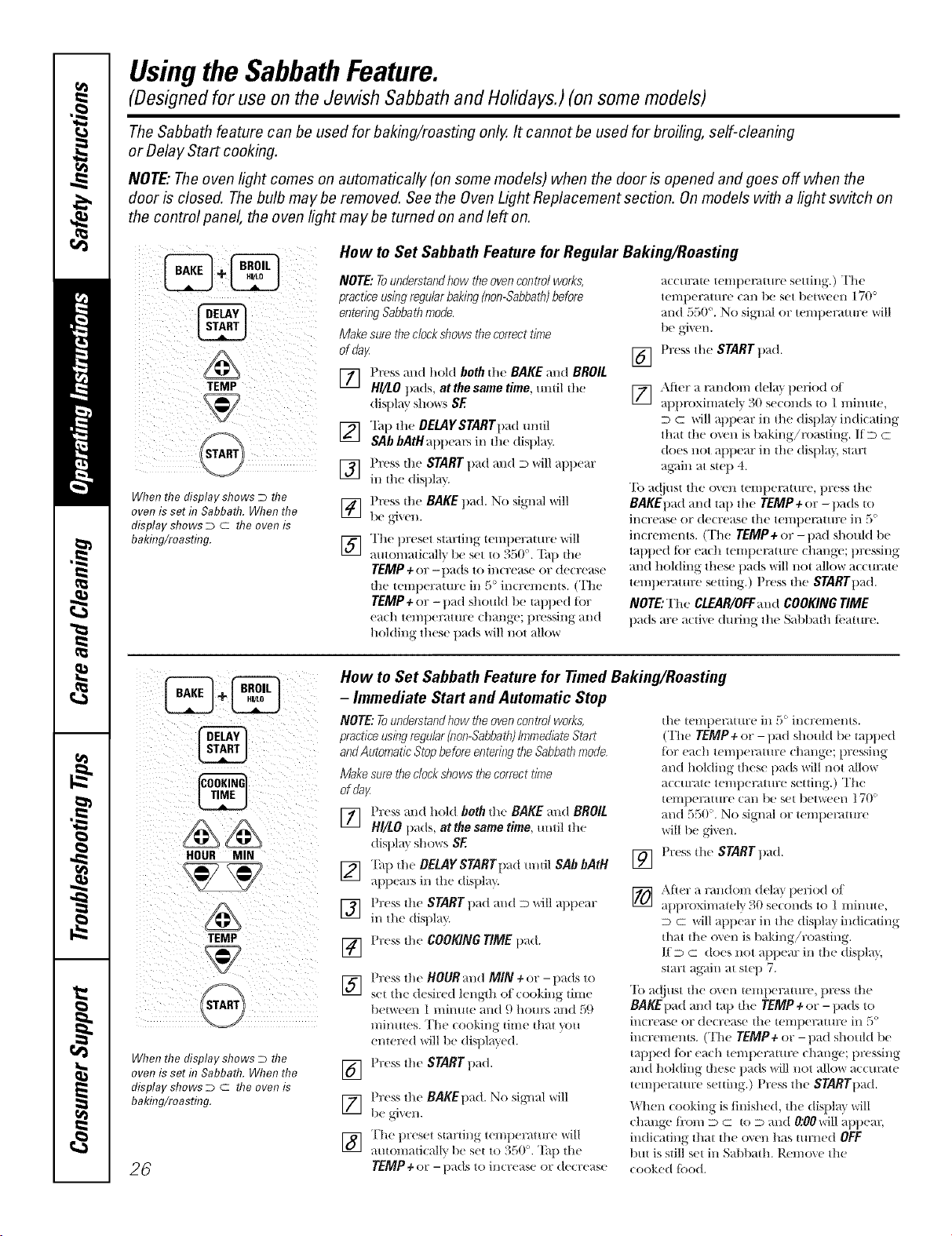
Usingthe SabbathFeature.
(Designed for use on the Jewish Sabbath and Holidays.) (on some models)
The Sabbath feature can be used for baking/roasting only. It cannot be used for broiling, self-cleaning
or Delay Start cooking.
NOTE"The oven light comes on automatically (onsome models) when the door is opened and goes off when the
door is closed. Thebulb maybe removed. See the Oven Light Replacement section. Onmodels with a light switch on
the control panel, the oven light may be turned on and left on.
When the display shows D the
oven is set h7Sabbath. When the
display shows D c the oven is
baking/roasting.
How to Set Sabbath Feature for Regular Baking/Roasting
NOTE: Tounderstandbow the ovencontrol works,
practice usingregular baking (non-Sabbath)before
entering Sabbath mode.
Make sure theclock shows the correct time
of fla}/.
] Press and hold both die BAKE and BROIL
HI/LO pads, at the same time, mldl die
d]sl)lH_ r S] _(_rS SE
[_] "Ihp the OEIAYSTARTpad until
SAb bAtH appears in the display.
] Press the START t)ad and D will apt)ear
in tlle displ_ U.
] Press dm BAKE pad. No signal will
be _,i",en.
] The t)reset startil/g leilll)eral/lre'will
autonmticallT_ be set to 350 °. "[:ap the
TEMP+ or - pads to increase or decrease
die telnt)eramre in 5° increments. (The
TEMP+or- pad should be rapped tot
each temperature change; pressing and
holding these pads will not allow
[]
accurate tenll)emture setting.) The
tenltmrature can be set t/etween 170 °
and 550 °. No siT, Ill or temtmramre will
Press tile START pad.
[_ Afier a nmdoln delay lg riod ot
tt proxilnately )0 s((onds t( 1 n/in/t(,
D C will at)pear ill tlle displa_ indicating
that tl/e oven is baking!masting. If D c
does not appear in the display, start
aK,fin at swp 4.
"IS a(!iust tile ()\ell temperature, press tile
BAKEI)ad and tap tile TEMP + or -pads to
ill(Tease or de(Tease ill(' t('l//l)eI_lttll;e iI/ ,_o
in(rements. (The TEMP+or- t)ad sllould be
tapped Rw each lemt)emmre change; pressing
and holding these pads will not allow accurate
ten/tmramre seuing.) Press die STARTt)ad.
NOTE: The CLEAR/OFFmld COOKING TIME
pads rex' a(tJ\'(' duli]lg th(' Sal:)l)ath ti.'ature.
HOUR MIN
TEMP
START
When the display shows D the
oven is set R7Sabbath. When the
display shows D c the oven is
baking/roasting.
26
How to Set Sabbath Feature for Timed Baking/Roasting
- Immediate Start and Automatic Stop
NOTE: Tounderstand how the oven control works,
practice usingregular(non-Sabbath)ImmediateStart
andAutomatic Stop before entedng theSabbattl mode,
Make sure,the clocksllows thecorrect time
of fla}z
] Press and hoM both d;e BAKE and BROIL
H//LO 1)ads, at the same time, ill/ill lhe
displ m shows SE
[_] Ta 1)dl( BELAY STARTpad mldl SAb bAtH
at)i)(a_ in lhe disl)la }.
] Press |he START pad and D will apl)ear
in die disl)lay.
[] I'ress die COOKING TIME 1lad.
] Press lhe BOURand MIN+or -pads to
sel {he (h sir(d lenglh of cooking |lille
between 1 minute mid 9 hours and 59
nlin/ltes. Th( (ooldng time that you
entered will be disl)lay(d.
Pr(ss tile START pad.
[]
[]
[]
Press lhe BAKE1)ad. No sigl/al will
be gri%el/,
The l)resel starting ten/l)eral ure will
auiomaficall'_ be set lo 350 °. Tap th(
TEMP+ or - i)ads l() il/crease or decrease
[]
tile tell/t)e]_ttllre ill {o iI/CYel/leI/tS.
(The TEMP÷or -pad shotlld be tapp(d
lot each ten/l)enmn:e chang(; pressing
and holding thes( pads will not allow
acctlrate temperature s({ting.) The
temperature call lie set l/etween ] 70 °
and 550'. No signal or teml)(F4ture
will be giv( n.
Pr(ss tile START l)ad.
[_ After a ran(loin d(la)1)eliod oI
tl I roxinl / (% 30 se(onds to 1 Illi)lllt(,
D c will appear ill th( display indi(ating
that tile o_(n is baking!roasting.
lid c does not apf)ear ill tile disl)lay,
start ag_dn at step 7.
To adjust tile o_en telni)erature, press tile
BAKE1)ad and tap tile TEMP ÷ or -l)ads to
incr(ase or decrease tile teillpera{Hre ill _)o
inerenlems. (Th( TEMP÷or- pad sho/lkl l)(
tq_ped lOT each temperature change; pressing
and holding these pads will not allow accm'4t(
tenlpeF4tm:e setting.) Pr(ss tile STARTpad.
When cooking is finished, th( displ m will
change li'om D c to D and O:OOwillappear,
indicating tim{ tile ox(n has turned OFF
but is still set ill Sal)bath. I).emox ( the
cooked lood.
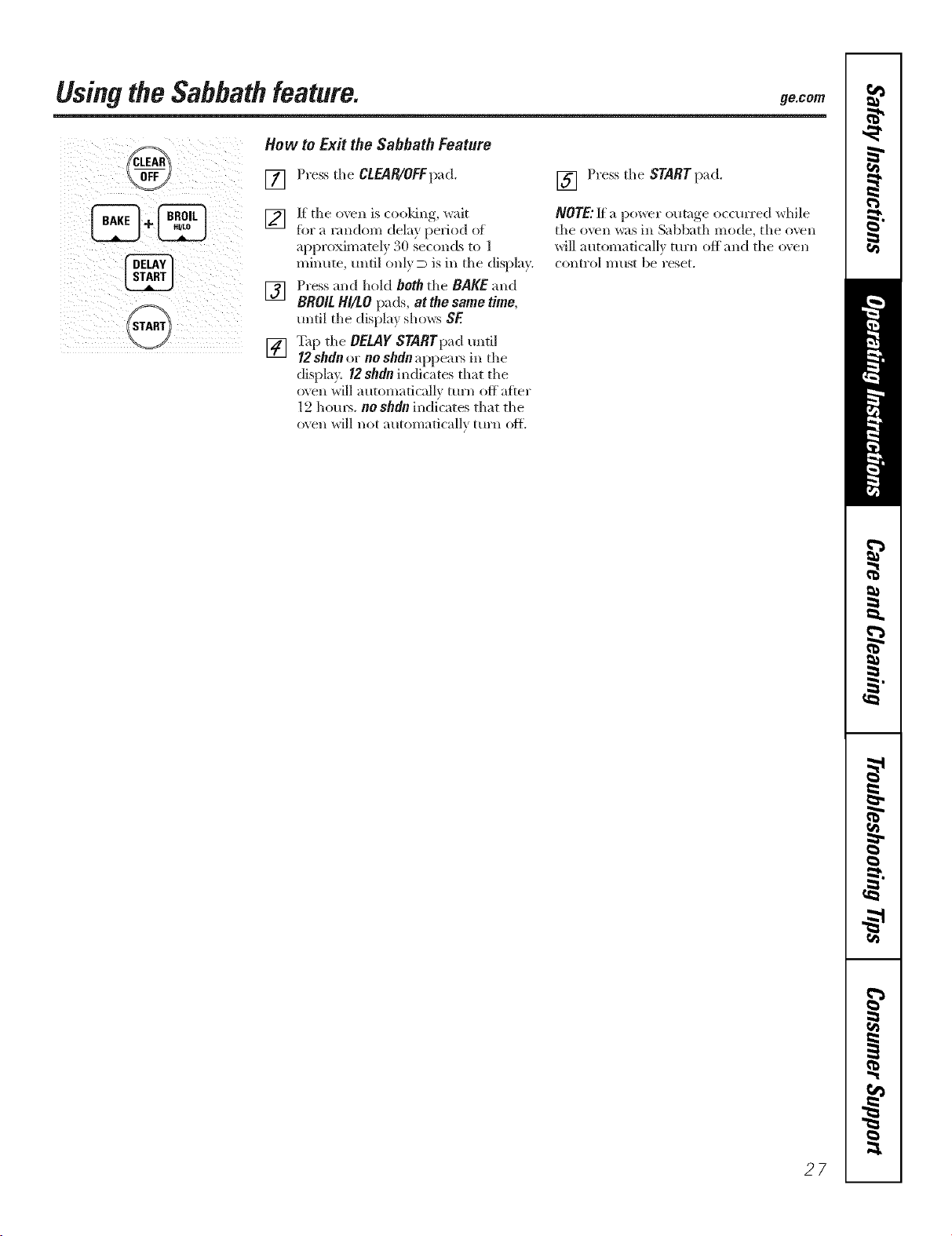
UsingtheSabbathfeature. 9e.cem
START
How to Exit the Sabbath Feature
[] Press the CLEAR/OFFpad.
[] If the oxen is cooldng, wait
ibr a random dela} period of
approximately 30 seconds to l
minute, tmtil only D is in the display.
[] Press and hold both the BAKE and
BRO/L HI/tO pads, at the same time,
until the display shows SF.
[] _q_ tlle DELAY STARTpaduntil
12shdnor noshdnappem_ in the
display, 12shdn indicates that the
oxen will automatically turn off atter
12 hom_. noshdnindi'cates that tile
oven will not automatically turn oil
[] Press tile STARTpad.
NOTE:l[ a power outage occurred while
tile oven _:ts ill Sabbath mode, the oven
will autonmtical]v turn off and tile o;en
con[l'O] l)/[1S[ be reset.
27
Usingtheproofingand warming features.
Theproofing feature maintains a warm environment useful for rising yeast-leavened products.
How to Set the Oven for Proofing
[] Place the coxered dough in the oxen
on rack g or C.
NOTE:Forbest results,coverthe doughwith a
cloth or with graasedplastlc wrap (theplastic
mayneed to beanchoredunderneaththe
containerso the ovenfan will notblow it off).
[] Press tile WARM/PROOF pad t_ce.
Tile display will read PrF (proof).
Tile oven interior light turns on and
remains on during proofing.
Tile pro_Nng feature automatically
provides tile optimum temperature fi)r
the proofing process, and theretiwe does
not have a temperature a(!iusnnent.
[] Set tile KITCHENTIMERfor tile
minimum proof time.
[] _._q/ell proofing is finished, press
the CLEAIglOFFpad.
_: Toavoidloweringthe oven temperature
andlengtheningproofing tlYne,donot
open the ovendoor unnecessari//
::Ji::Checkbreadproductsearly toavoid
over-proofing.
NOTE"
_ Donotusetheproofingmodeforwarming
foodorkeepingfoodhot Theproofingoven
temperatureisnothotenoughtoholdfoods
atsafetemperatures.UsetheWARMfeature
tokeephotfoodwarm.
;;Ji::Proofingwillnotoperatewhenovenisabove
125°£"HOT'willshowinthedisplag
iiiii iI III I
i @! i
How to Set the Oven for Warming
Tile wam_ feature keeps cooked foods
wam_ for up to 3 hom_ alier a timed
flmction is finished, c,r warn/ can be
actix _ted to kee I) hot, cooked fi_ods
warm. This feature is not designed to
reheat cold food.
To use this feature, press the
WARM/PROOFpad once and then tile
STARTpad.
To activate this teatm'e for use alter
Timed Baking or Roasting, press the
WARM/PROOFpad while programming
the oven and before pressing START.
ToCrisp Stale Items
::Ji::Place food in hm_sided dishes or pans.
_: For best results, place tile food items in
a single lave_: Do not stack.
::Ji::i,eave them uncovered.
?_:Check ciispness after 20-30 nlinutes.
Add time as needed.
IMPORTANTNOTES:
_!Foodshouldbe kepthotin itscooking
containeror transferredtoaheat-safe
servingdish.
__:Formoistfoods,coverthemwithanoven-safe
lid oraluminumfoil.
::Ji::Friedor crisp foodsdonot need tobe covered,
but can becometoo dry if warmedfor too long.
_ Repeateflopeningof the doorallows thehot
ak toescapeand the food tocool
_ Allow extratlYneforthe temperatureinside the
ovento stabih2eafter adding items.
::Ji::With large loads it maybe necessarytocover
someof the cookedfooditems.
_ Removeservingspoons,etc., beforepiecing
containersin the oven.
_ Do not useplastic containers,lids orplastic
wrap.
CAUTION: Plasticcontainers,lids or plastlc wrap
will melt if placed in theoven.Melted plastlc may
not be removableand isnot coveredunderyour
w arran t_z
28
Usingtheloweroven. 9ecom
To avoid possible burns, place the shelves in the desired position before you turn the oven on.
t1"--_ _'_-/J'$ ,11_L_J
f- i, " _, i#
LU- --A"Y%JI
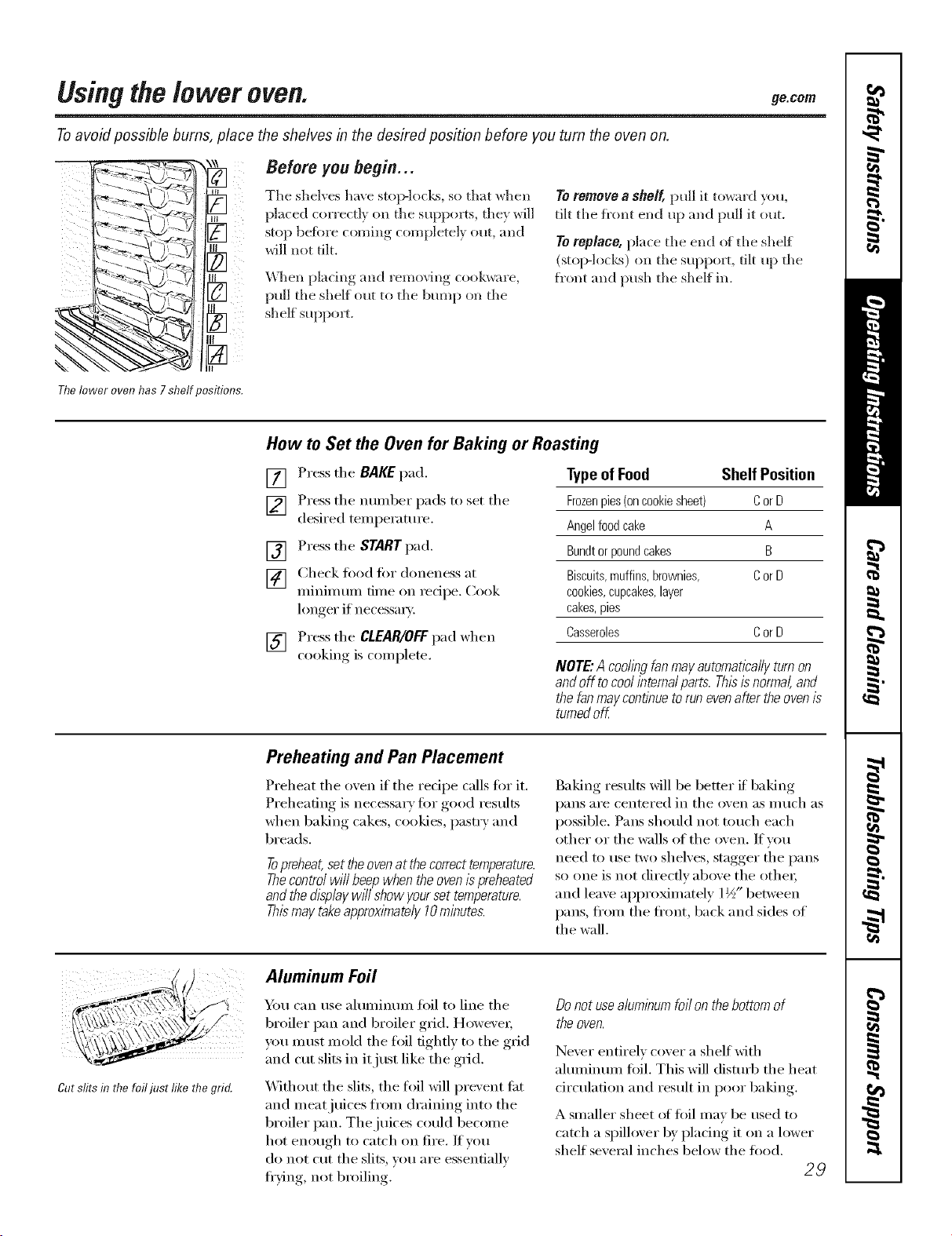
Before you begin...
Tile shelves have stop-locl_s, so that when
placed correcth' on tile suppol_s, they will
stop befiwe coming completely out, and
will not tilt.
_v\]len plating and removing cookware,
pull the shelf out to tile bump on tile
shelf supporL
Toremove a sheff, pull it toward you,
tilt the fl'ont end up and pull it out.
Toreplace, place tile end of tile shelf
(stop-l(mks) on the support, tilt up the
fl'ont and push tile shelf in.
Thelower oven has 7 shelf positions.
How to Set the Oven for Baking or Roasting
[] Press tile BAKE pad.
] Press the number pads to set tile
desired temperature.
[] Press tile START pad.
[] Check fi)od fi)r aloneness at
minimum time on redpe. Cook
longer if necessm>
[] Press tile CLEAR/OFFpad when
cooking, is comi)lete.
Typeof Food Shelf Position
Frozenpies(oncookiesbeet) CorD
Angelfoodcake A
Bundtorpoundcakes B
Biscuits,muffins,brownies, CorD
cookies,cupcakes,layer
cakes,pies
Casseroles CorD
NOTE"Acodingfanmayautomaticallyturnon
andoff tocoolinternalparts.Thisisnormal,and
thefanmaycontinuetorunevenaftertheovenis
turnedoff
Preheating and Pan Placement
Preheat tile oven if tile redpe calls fiw it.
Preheating is necessary fi)r good results
when baking cakes, cookies, past_ y and
breads.
Topreheat,set theovenat the correcttemperature.
Thecontrol will beepwhen the oven/s preheated
andthe display wffl show yourset temperature.
Thismay takeapproximately 10minutes.
Baking results will be better if baking
pans are centered in tile oven as much as
possible. Pans should not touch each
other or the walls of the oven, If you
need to use two shelves, stagger tile pans
so one is not directly above the other;
and leave approximately 1½" between
pans, ti'om tile ti'ont, back and sides of
the wall.
Cut stirsf17the foil just like the grid.
Aluminum Foil
xam can use aluminum fi)il to line tile
broiler pan and broiler grid. Howe\'e_;
VO/I IlltlSt mold tile fl)il tightly to tile grid
and cut slits in it just like the grid.
Without the slits, the fl)il will prevent ti_t
and meat juices ti'om draining into the
broiler pan. The juices could become
hot enough to catch on fire. If vou
do not cut the slits, you are essentially
fl'ving, not broiling.
Donot usealuminumfoil on thebottom of
the oven.
Never entirely cover a shelf with
ahmfinum fifil. This will clismfl) tile heat
drculafion and result in poor baking.
A smaller sheet of foil may be used to
catch a spillover by placing it on a lower
shelf several inches below the fi)ocl.
29
Usingthelower oven.
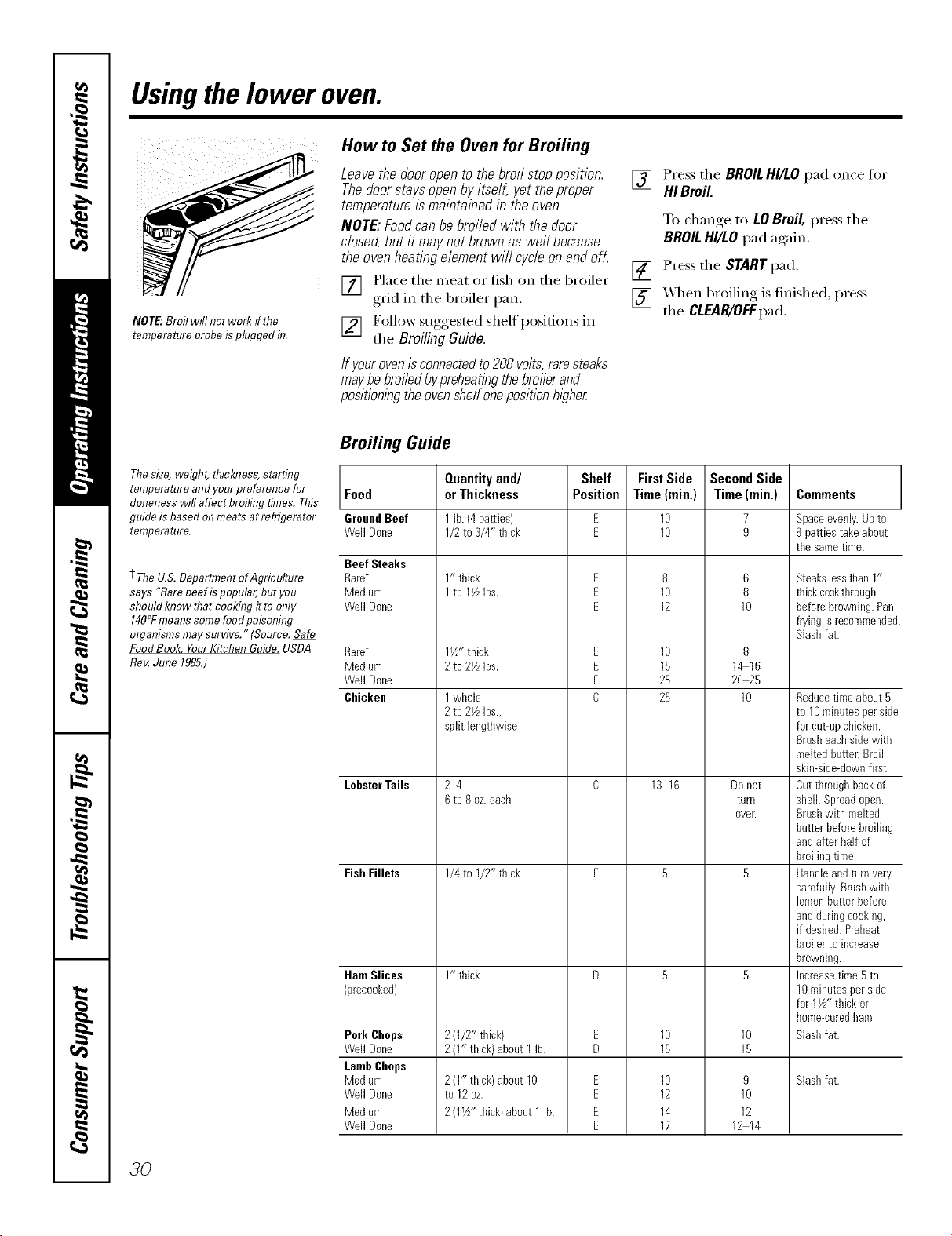
NOTE."Broil will not work ffthe
temperatureprobe isplugged fiT.
How to Set the Oven for Broiling
Leavethedooropentothebroilstopposition.
Thedoorstaysopenbyitself, yettheproper
temperatureismaintainedin theoven.
NOTE:Foodcanbebroiledwith thedoor
dosed,butit maynotbrownaswe//because
theovenheatingelementwi//cycleonandofL
[] Place the meat or fish on the broiler
grid in the broiler pan,
[] F()llow suggested shelf positions in
the BroilingGuide.
/fyourovenisconnectedto208volts,raresteaks
maybebroiledbypreheatingthebroilerand
position/bgtheoven#elf onepositionhi#her
[] Press the BROILHI/LO pad once fi)r
HI Broil
To change_ to LOBroil, press tile
BROILHI/LO pad again.
[] Press tile STARTpad.
[] _,_/en broiling is finished, press
the CLEAR/OFFpad,
Broiling Guide
Thesize, weight, flficbTess,starting
temperature andyourpreference for Food
alonenesswill affect broiling times.This
guide is based onmeats at refrigerator GroundBeef
temperature. Well Done
Beef Steaks
+TheU.S.Deparflnent ofAgriculture RarU
says "Rarebeefispopular, butyou Medium
shouldImow that cookingit toonly Well Done
140°Fmeanssomefoodpoisoning
organisms maysurvive." (Source: Safe
FoodBook. YourKitchen Guide.USDA Raret
Roy.June 1985.) Medium
Well Done
Cbickeu
LobsterTails
Fish Fillets
Ham Slices
(precooked)
Pork Chops
Well Done
LambChops
Medium
Well Done
Medium
Well Done
Quantityand/
orThickness
11b.(4 pa_ies/
1/2to 3/4" thick
1" thick
1to 11/LIbs.
1i/_- thick
2to 21/LIbs.
1whole
2to 21/zibs.,
split lengthwise
2-4
6to 8 oz.each
1/4to I/U thick
1" thick
2(1/2" thick)
2(1" thick)about 1lb.
2{1" thick)about 10
to 12oz.
2(1½" thick)about1lb.
Shelf
Position
E
E
E
E
E
E
C
E
E
E
E
FirstSide
Time(min,)
10
10
8
10
12
10
15
25
25
13 16
10
15
10
12
14
17
Second Side
Time (rain.)
7
9
6
8
10
8
1_16
20 25
10
Do Ilot
turll
ovelt
10
15
9
10
12
12 14
Comments
Space evenly. Up to
8 patties take about
the same time.
Steakslessthan 1"
thickcookthrough
beforebrowning.Pan
fryingisrecommended.
Slashfat.
Reducetime about5
to 10minutesperside
forcut-@ chicken.
Brusheachsidewith
meltedbutter.Broil
skimside-downfirst.
Cutthroughbackof
sheikSpreadopen.
Brushwith melted
butterbeforebroiling
andafter half of
broilingtime.
Handleandturnvery
carefully.Brushwith
lemonbutterbefore
andduringcooking,
if desired.Preheat
broilerto increase
browning.
Increasetime 5to
10minutesperside
for 1½" thick or
I_ome-curedham.
Slashfat.
Slashfat.
30
Usingthe lower ovenclock andtimer, ge.com
Make sure the clock is set to the
correct time of da_
To Set the Clock
The clock must be set to the correct
time of day fin" the autonmtic o_en
tinting flmcfions to work properly: The
time of day cannot be changed dm_ino_ a
timed baking or sel6cleaning cycle.
[] Press the CLOCKpad.
[] Press the nmnber pads.
[] Press the START pad tmtil the time
of da) shows in the display,
The Ttmor ts 8 mltTUTO rimer OlTpZ
Thetimerdoesnotcontroloven
operations.Themaximumsettingon
thetimeris9hoursand59mhTutes.
ToSet the Timer
[]
[]
Press the KITCHEN TIMER
ON/OFF pad.
Press the number pads tmfil the
_llllOt/nt of tix/le _()tl w_lIlt shows iil
the display: For example, to set 2
hom_ and 45 minutes, press 2, 4
and 5 in that ordex, Maximum time
that can be entered in minutes is 59.
Cooking times more than 59
minutes should be changed to
houI_ and minutes. For example,
enter 90 minutes as 1 lm 30
minutes. If wm make a mistake,
press the MTCHEN TIMER ON/OFF
pad and begin again.
[] Press tile STARTpad.
_Mter pressing tile STARTpad, SET
disappears; this tells vot:l tile time is
cotmting down, although tile
display does not change until one
ininute has passed. Seconds will not
be shown in the display tmtil the last
minute is counting down.
[] _._/en the timer reaches .'0/7,the
control will beep 3 times fi)llowed
by one beep e\'eI)' 6 seconds until
the KITCHEN TIMER ON/OFFpad
is pressed.
The6-secondtonecanbe canceledby follow/))g
thesteps in the Specialfeaturesof yourlower
ovencontrol sectionunderTonesat theEndof
a TimedCycle.
ToReset the Timer
If tile display is st.ill shoMng tile time
remaining, yo/:l may change it by pressing
tile KITCHEN TIMER ON/OFF pad, then
press tile number pads tmtil tile time
you want appea_ in the display.
If tile remaining time is not in tile display
(clock, delay start or cooking time are in
the display), recall the remaining time by
pressing tile KITCHEN TIMER ON/OFFpad
and then pressing tile number pads to
enter tile new tillle VO/i want.
ToCancel the Timer
Pressthe KITCHEN TIMER ON/OFF
pad twice.
3/
Usingthelower oventimed bakingandmasting features.
NOTE."Foods that spoil easily--such as milk, eggs, fish, stuffings, poultry and pork--should not be allowed to sit for
more than 1hour before or after cooking. Room temperature promotes the growth of harmful bacteria. Be sure that
the oven light is off because heat from the bulb will speed harmful bacteria growth.
i !! i
QQ(DdDQ
iG d ODGND
ii i i i
i iIII@i !ii
How to Set an Immediate Start and Automatic Stop
Theoven will turn on i?nmediatelyandcook fora
selectedlength of time.At the endof thecooking
tlYne,the ovenwill turn off automatica//y
Make sure the clock shows the correct
time of de}:
[] Press the BAKEpad.
[] Using the nmnber pads, enter the
desired temperature.
[] Press the COOKING TIME pad.
and minutes. For example, enter
90 minutes as 1 lm 30 minutes. The
oven temperature and the cooking
time that w)u entered will be
displayed.
[] Press the START pad.
The display shows the oven temperature
that you set and the cooking time
com_tdown. The display starts changing
once the temperature reaches 100°E
NOTE:If yourreciperequirespreheat)Tg you
mayneed toadd additional t/meto the lengthof
the cookbg time.
[] Using the number pads, enter
the desired baking time. Maximum
time that can be entered in minutes
is 59. Cooking times more than 59
minutes should be changed to hom_
The oven will continue to cook _r the
programmed am ount of time, then shut
oH automaticall> unless the Cook and
Hold feature was set. See the Special
featuresof yourlower ovencontrol section.
Press the CLEAR/OFFpad to clear the
display.
32
QQQQO
QQQCgN3D
QQQQQ
QQQ(gXD
QQQQQ
QQQ
@
How to Set a Delayed Start and Automatic Stop
Youcanset the ovencontrol todelay-startthe
oven,cookfore specific length of timeand then
turn off automatica//}z
Make sure the clock shows the correct
time of day.
[] Using the number pads, enter the
time of day }ou want the oxen to
ttlI'n on and st;lIl cooking
[] Press the STARTpad.
[] Press the BAKEpad.
[] Using the number pads, enter the
desired temperature.
[] Press the COOKING TIME pad.
NOTE."If yourrecipe requkespreheat/))g,you
mayneed toadd additional time to the lengthof
the cookingt/me.
[] Using the mmg)er pads, enter
the desired baking time. Maximum
time that can be entered in minutes
is 59. Cooking times more than 59
minutes should be changed to hom_
and minums. For example, enter 90
minutes as 1 lm 30 minutes. The
oven temperature and the cooking
time that um entered will be
displayed.
[] Press the DELAYSTARTpad.
NOTE."An attention tone will soundif youare
using flYnedbakinganddonot press the START
padafier enten)?gthe bakl)?gtemperature.
If you would like to check the tilnes you
have set, press the DELAYSTARTpad'to
check the start time um have set or press
the COOKINGTIME pad to check the
length of cooking time you have set.
When the oven turns on at the time of
day you have set, the display will show the
changing temperature (starting at 100°F)
and the cooking time countdown. The
display starts changing once the
temperature reaches lO0°E
The oven will continue to cook fin" the
programmed ail/o/int of time, then shut
off automaticall 5 tmless the Cook and
Hold teatui'e was set. See the Specls/
features of yourlower ovencontro/section.
Press the CLEAR/OFFpad to clear the
display.
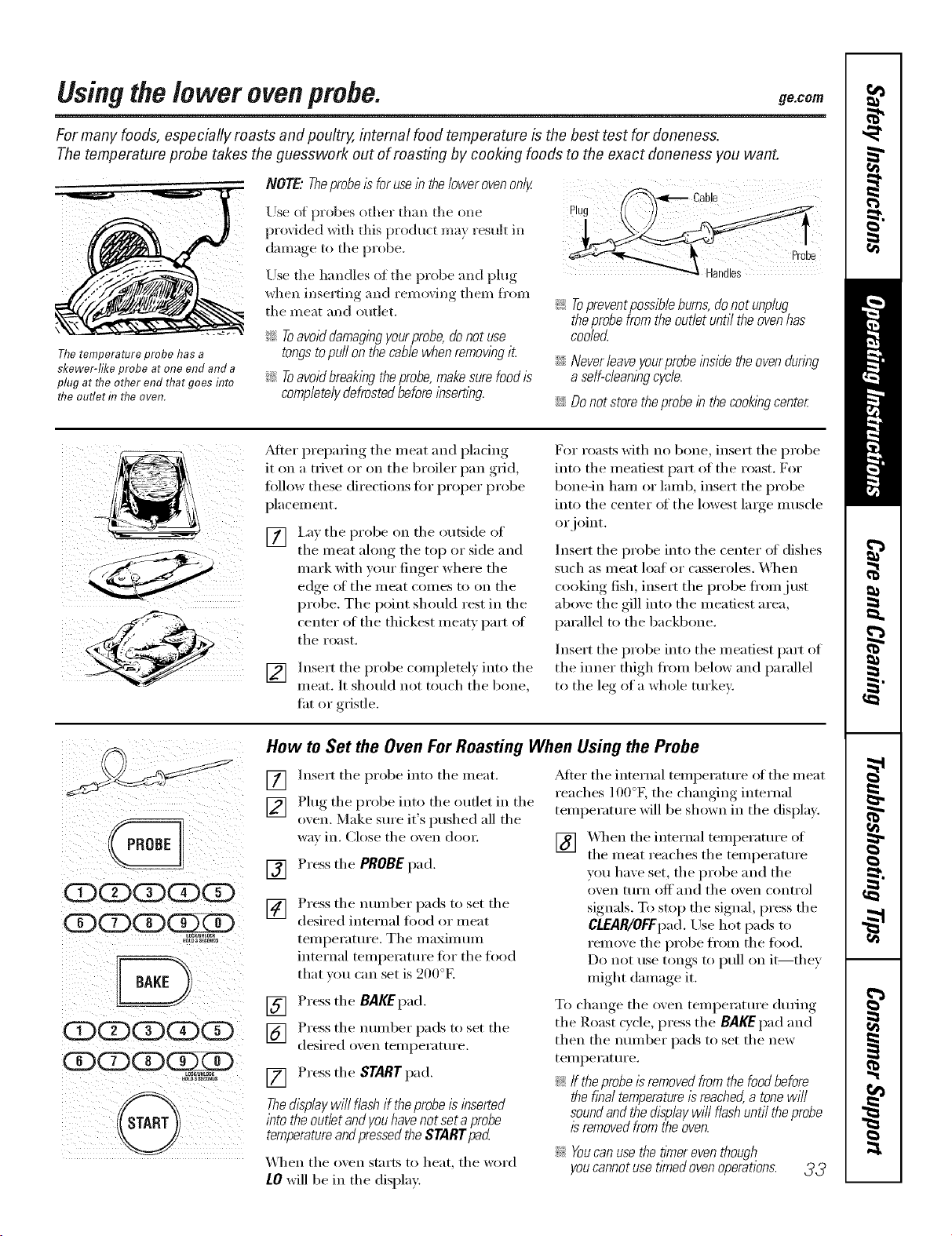
Usingthelower ovenprobe. 9e.oo,,
For many foods, especially roasts and poultry, internal food temperature is the best test for doneness.
The temperature probe takes the guesswork out of roasting by cooking foods to the exact aloneness you want.
Thetemperature probe has a
skewer-like probe at one end and a
plug at tlTeother end that goes flTto
tlTeoutlet d7the oven.
NOTE.."Theprobe/s for usein thelower ovenonly
Use ot probes other than the one
provided with this product may result in
dan/age to the probe.
Use the handles of the probe and phig
when inserting and rem(Mng then/fl'on/
the meat and outlet.
_ Toavoid damagingyourprobe,donot use
tongstopuff on thecamewhen removingit
_ Toavoid breakingthe probe,makesurefood is
completelydefrostedbeforeinserting.
_-q_,_ Cable
!i> Topreventpossible burns, donot unplug
theprobefrom theoutlet until the ovenhas
coole_
iJi::Never leaveyourprobeinside the ovendunng
a self-cleaningcycle.
iJi::Do not store theprobe in the cookingcente_
_dter prepaiing the nieat and placing
it on a trivet or oil the broiler pan grid,
fi)llow these directions tor proper probe
placenient.
[] I,a) tile probe on tile outside (If
the nleat along the top or side and
niark with your finger where the
edge ot the nleat conies to on the
probe, Tile point should rest in tile
center of tile thickest nleatv part of
the roast,
[] Insert tile probe conipletel) into tile
nleat, It should not touch the bone,
fat or gristle.
For roasts with no bone, insert tile probe
into tile ineatiest part of tile roast. For
bone-in hani or lanlb, insert tile probe
into tile center of tile lowest laige inuscle
or joint.
Insert the probe into the center ot dishes
such as nleat loaf or casseroles. _'_]/eIl
cooking fish, insert tile l)robe fl'oin.j list
above the gill into the nleatiest area,
parallel to the backbone.
Insert tile probe into tile nleatiest part of
tile inner thigh fl'oni below and parallel
to the leg of a whole turkey:
CE)CDCDCDCD
CDCZ)CD
CE)CDCDCDCE)
CDCDCDCDED
U_LOCK
H0_ a S_C0_S
How to Set the Oven For Roasting When Using the Probe
[]
[]
Insert tile probe into tile nleat.
Phig tile probe into tile outlet in tile
oxen. Make sure it's pushed all the
way in. Close tile oxen dooI:
[] Press tile PROBEpad.
[]
Press tile nuniber pads to set tile
desired internal fi)od or nleat
tenll)ei'ature. Tile inaxinlunl
internal teini)erature for tile food
that xou can set is 200°E
[] Press tile BAKEpad.
] Press tile nunlber pads to set tile
desired oxen tenii)erature.
[] Press tile START pad.
Thed/splaywill flashif theprobeisinserted
intotheoutletandyouhavenotsetaprobe
temperatureandpressedtheSTARTpad
XAq/eIl tile oven starts to heat, tile word
LOwill be in tile display:
_Miei" tile internal tenii)erature of tile nieat
reaches l O0°K tile changing internal
teini)erature will be shown in tile displa).
[] "_'_q/eIltile internal teini)erature of
tile nleat reaches tile tenii)erature
vou have set, the probe and the
()veil [tlI'n OlC]'and tile oven contI'ol
signals. To stop the signal, press the
CLEAR/OFFpad. Use hot pads to
renlove tile probe fl'onl tile food.
Do not use tongs to pull on it--they
nfight daniage it.
To change tile oven tenii)erature during
tile Roast cycle, press tile BAKEpad and
then tile nuinber pads to set tile new
teinl)erature.
_: If theprobe/s removedfrom the foodbefore
the final temperature isreached,a tonewill
soundand the displaywill flashuntil theprobe
isremoved from the oven.
!i>Youcanusethet/Ynereventhough
youcannotusetimedovenoperations. 3 3
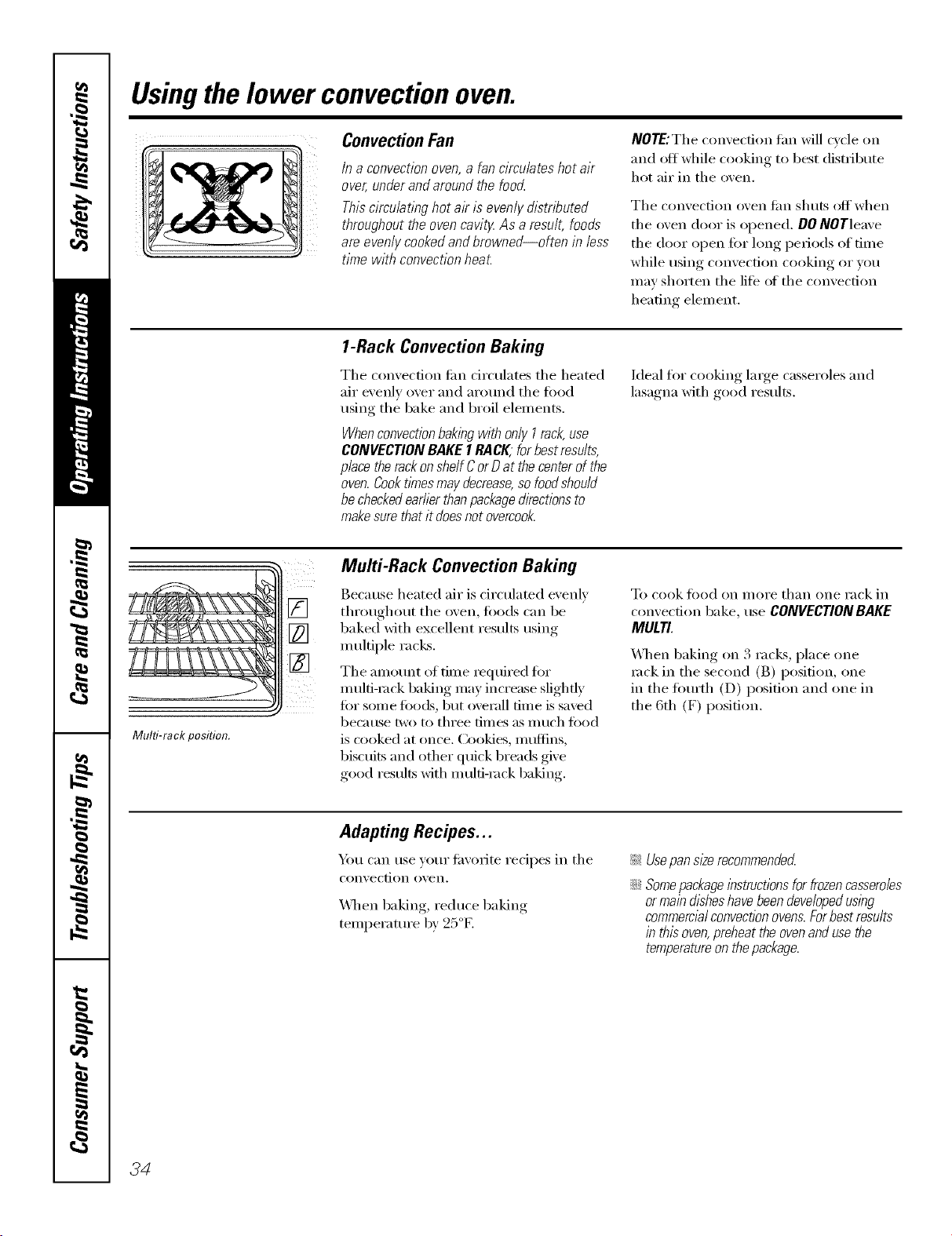
Usingthelower convectionoven.
Convection Fan
In a convection oven,a fan circulates hot air
over, under and around the food
This circulating hot ak is evenly distn_)uted
throughout the oven cavitg As a result, foods
are evenly cooked andbrowned--often in less
time with convection heat.
NOTE:The convection tim will c_cle on
and off while cooking to best distribute
hot air in the o_,en.
The convection oven tim shuts off when
the oven door is opened. DONOTleave
the door open fi)r long periods of time
while using convection cooking or you
may shorten the life (ff the convection
heating element.
1-Rack Convection Baking
The convection tim drculates the heated
air evenly over and arom_d the food
using the bake and broil elements.
Whenconvectionbakingwith only I rack,use
CONVECTION BAKE1RACK;for best results,
place the rackonshelf Cor Dat thecenterof the
oven.CooktlYnesmay decrease,so foodshou/d
becheckedearlierthanpackagedirections to
makesure that it doesnot overcook.
Ideal for cooking large casseroles and
lasagna with good results.
Multi-rack position.
Multi-Rack Convection Baking
Because heated air is drculated evenly
throughout the oven, foods can be
baked with excellent results using
multiple racks.
The amount of time required for
multi-rock baking may increase slightly
fin" some tbo(Ls, but overall time is saved
be(51tlse two to three tiilles as Illllch J[()()d
is cooked at once, ())okies, Inuflins,
biscuits and other quick breads give
good results with multi-rock baking.
To cook tood on II/OI'e than one rack in
comection bake, use CONVECTION BAKE
MULTI.
\Allen baking on 3 racks, place one
rock in the second (B) position, one
in the flmrth (D) position and one in
the 6th (F) position.
Adapting Recipes...
Ym can use your fi_orite recipes in the
con_, ection o_, ell.
X4qmnbaking, reduce baking
temperatm'e by 25°E
_ Usepan sl#erecommendecL
::Ji::Somepackageibstructionsfor frozencasseroles
ormain &shes havebeen developedusing
commercialconvectionovens.Forbest results
in this oven,preheatthe ovenanduse the
temperatureon thepackage.
34
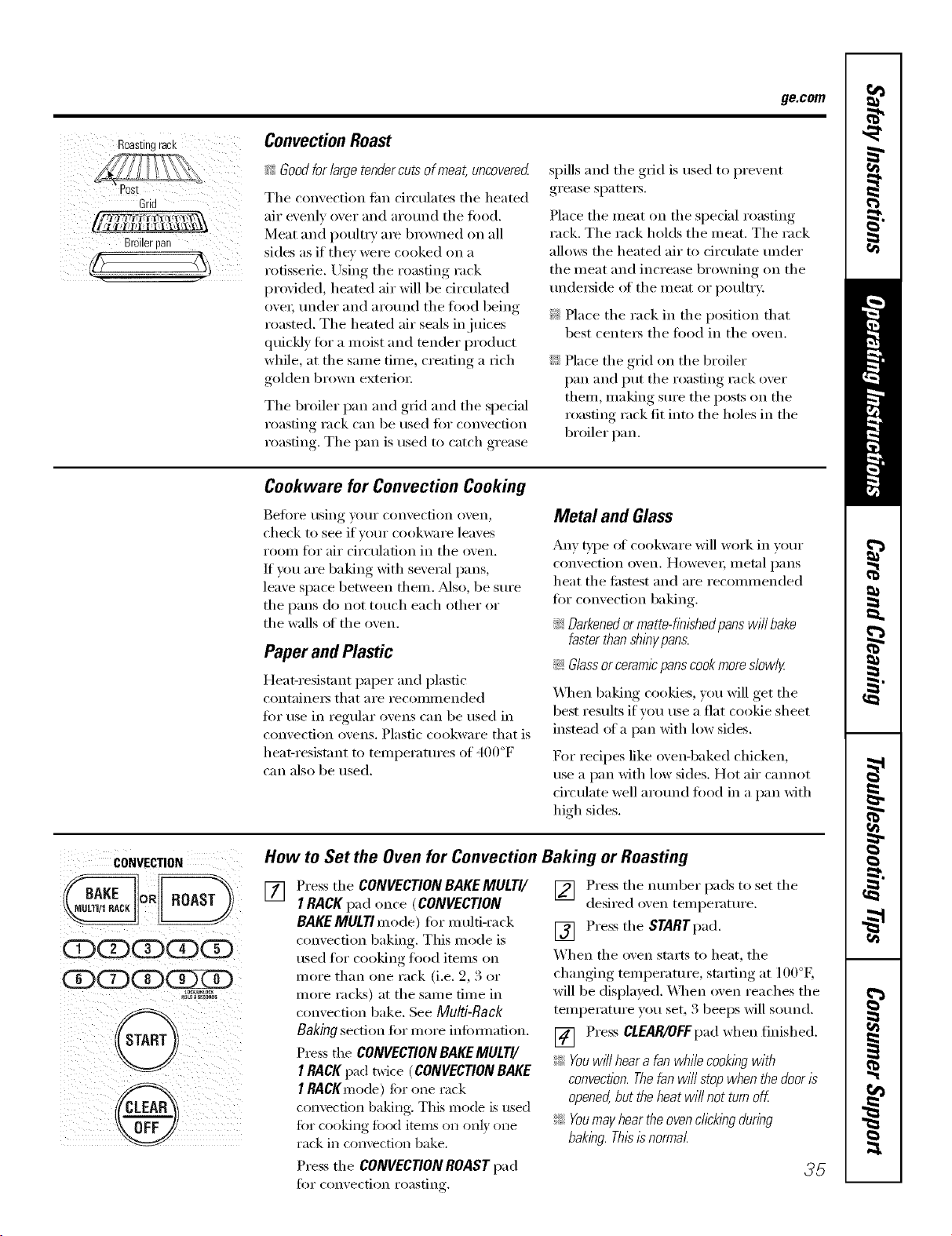
ge.com
Roastingrack
Grid
Broilerpan
ConvectionRoast
_!_Goodfor largetendercuts ofmeat, uncovered
Tile convection tim circulates tile heated
air evenly over and around tile fi)od.
Meat and poultry are browned on all
sides as if they were cooked on a
rotisserie. Using tile roasting rack
provided, heated air will be circulated
ovei; under and around tile food being
roasted. Tile heated air seals in juices
quickly fin" a moist and tender product
wlfile, at the same time, creating a rich
golden bix)wn exterioi:
Tim broiler pan and grid and tim spedal
roasting rack can be used fi)r convection
roasting. The pan is used to catch grease
spills and tile grid is used to prevent
grease spattei_.
Place the meat on the special roasting
rack. The rack holds the meat. The rack
alhm:s tim heated air to circulate under
tile meat and increase browning on tile
tmdei_ide of tile meat or poultry.
_: Place tile rack ill tile position that
best centeI_ tile food ill tile oven.
::Ji::Place tile grid on tile broiler
pan and put tim roasting rack over
them, making sure tile posts on tile
roasting rack fit into the boles ill the
broiler pan.
Cookware for Convection Cooking
Before using your convection oven,
check to see if veto" cookware leaves
room for air circulation ill tile oven.
If You are baking with several pans,
leave space between them. Mso, be sure
tile pans do not touch each other or
the walls (ff the oven.
Paper and Plastic
Heat-resistant paper and plastic
containei_ that are recommended
fi)r use ill regular ovens can be used ill
convection ovens. Plastic cookware that is
beat-resistant to temperatures of 400°F
can also be used.
Metal and Glass
Ally t'}'pe of cookware will work ill vour
('onve('tion oven. Howevel; ll/etal l)ans
heat tile fi_stest and are recomnmnded
fi)r convection baking.
_: Darkenedor matte-finishedpans will bake
faster thanshinypans.
_: Glassorceram/cpanscookmoreslowly
_41_en be!ring cookies, you will get tile
best results if wm use a fiat cookie sheet
instead ot a pan with low sides.
For recipes like ovei_-baked cbicken,
use a pan with low sides. Hot air cannot
circulate well around toed ill a pan with
high sides.
CONVECTION
(D(DG)G)G)
_0tBas_0N0s
@
®
How to Set the Oven for Convection Baking or Roasting
[]
Press tile CONVECTION BAKEMULTI/
I RACK pad once (CONVECTION
BAKEMULti mode) for multi-rack
convection baking. Tiffs mode is
used fl)r cooking fl)od items on
more than one rack (i.e. 2, 3 or
more racks) at the same time ill
convection bake. See Multi-Rack
Baking section fi)r nlore inl0mmfion.
PIess the CONVECtiONBAKEMULTI/
I RACKpad twke (CONVECTIONBAKE
I RACKmode) Ibr one rack
convection baking. This mode is used
fi)r cooking fi)od items on on b one
rack ill CoI1vecfioI1 bake.
] Press tile nmnl)er pads to set tile
desired oxen temi)erature.
[] Press tim STARTpad.
When tile oven starts to beat, tile
changing temi)eramre, starting at 100°E
will be displayed. _]/en oven reaches tile
temi)erature you set, 3 beeps will sound.
[] Press CLEAR/OFFpad wben finisbed.
_: Youwill hear a fan whilecookbg with
convection.Thefanwill stop when the dooris
opened,but the heat will not turn off.
_: Youmay hearthe ovenclicklbg during
baking.Thisisnormal.
Press tile CONVECtiON ROAST pad
fi)r con_,ection i'oastin )
35
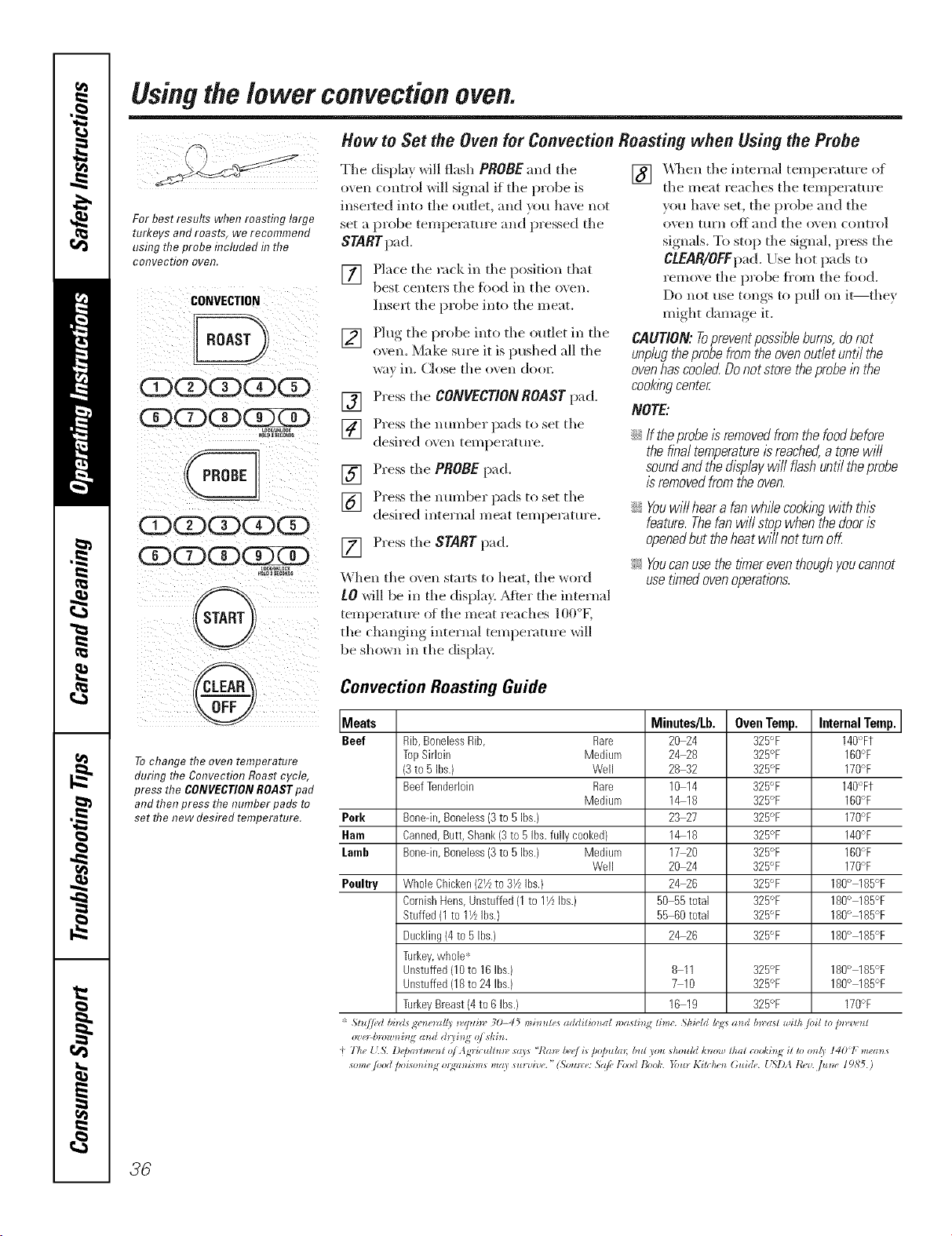
Using the lower convection oven.
For best results when roasting large
turkeys and roasts, we recommend
ushTgthe probe included d7the
COl?Veotio!? oveR.
CONVECTION
CDGDCDCE)G)
G:)CE)dD
CDCDCDCE)G:)
(xxzDcx)
aNLQ_
HOLDI_ra
G
®
To change the oven temperature
during the Convection Roast cycle,
press the CONVECTION ROAST pad
and then press the number pads to
set the new desired temperature.
How to Set the Oven for Convection Roasting when Using the Probe
Tile display will flash PROBE and tile
oven control will signal if the })robe is
inserted into tile outlet, and you have not
set a probe temperature and pressed tile
START pad.
[] PEwe the rack in the position that
best centel_ the fbod in/he o\ en.
Insert the probe into the me;it,
[] Plug the probe into the outlet in the
o\en. Make sm'e it is pushed all the
way in. Close tile o_en dool:
[] Press tile CONVECTIONROASTpad.
] Press tile number pads to set the
desired oven temperature.
[] Press tile PROBEp_d,
] Press tile munber }x_ds to set the
desired internal me_t temperature.
[] Press tile START p_d.
_hen tile oven staxls to heat, tile _ord
tO will be in tile disi)l_Lv. _Mter tile infernal
temi)emture of tile meat ieacbes 100 K
tile cbmlgim,, _ internal tem})eramre will
be shown in tile displ_ly.
] _en tile internal temperatm'e of
tile meat reaches tile temperature
you have set, tile probe and the
()_Pn tt/rll ()_ and tile oven COlltro]
signals. To stop tile signal, press tile
CLEAR/OEEpad. Use hot pads to
remo\ e tile probe ti'om tile fbod.
Do not use tongs to pull on it--they
might damage it.
CAUTION:Topreventpossibleburns,donot
unplugtheprobefromtheovenoutletuntilthe
ovenhascoo/e_Donotstoretheprobe/bthe
cook/bg center,
NOTE:
iJi:_If theprobeIsremovedfromthefoodbefore
thefinaltemperatureisreached,a tonewill
soundandthedisplaywill flashuntiltheprobe
isremovedfromtheoven.
iJi:_Youwill hear a fan whilecooktbgwith this
feature. Thefan will stop when the door is
openedbut the heatwill not turn oK
!;_:Youcanusethefl?nereventhoughyoucannot
usetimedovenoperations
Convection Roasting Guide
Meats
Beef Rib,BonelessRib,
TopSirloin
(3to RIbs.)
BeefTenderloin
Pork
Ham
Lomb
Poultry
Minutes/Lb. Oven Temp. Internal Temp.
Rare 20 24 325°F 140'_Ft
Mediurn 2_28 325'_F 160°F
Well 28 32 325°F 170°F
Rare 10 14 325°F 140°Ft
Medium 1_18 325°F 160°F
Bonedn,Boneless(3to RIbs.) 23 27 325°F 170°F
Canned,Butt, Shank(3to 5 Ibs.fully cooked) 1_18 325°F 140°F
Bonedn,Boneless(3to 5Ibs.) Medium 17 20 325°F 160°F
Well 20 24 325°F 170°F
WholeChicken(2_ to31/zIbs.) 2_26 325°F 180° 185°F
CornishHens,Unstuffed(1to 11/zIbs.) 50 55total 325°F 180° 185°F
Stuffed(1 to 11/LIhs.) 55 60total 325°F 180° 185°F
Duckling(4to 5 Ibs.) 2_26 325°F 180° 185°F
Turkey,whole*
Unstuffed(lOto 16Ibs.) 8 11 325°F 180° 185°F
Unstuffed(18to 24 Ibs.) 7 10 325°F 180° 185°F
TurkeyBreast(4to 6 Ibs./ 16 19 325°F 170°F
'_ Stu//ed hi)sis gv')_e_zll/)_,q_li_v 30-45 mi)_ute_ additim*al n)asti) time. ShiHd h;z4:_m d b_z'ast ,_fi/h tvil to pn,'l,e_ t
t The _5. D@mCme_l o/Agric_lliun" fa) f "7"mv/)('_,/£f D@u/m; but you should h_ow thai cooki_N it to only I401 mem_
_ome /ood ))i_m*i_ N o_N_nifmf may fu)'_i'_,('." (Sough:e: 5)1[(,l'}x)d Book. }'ou_ Ki1(1_4_ Guide. t i%l)A t_a fit_e 1985.)
36
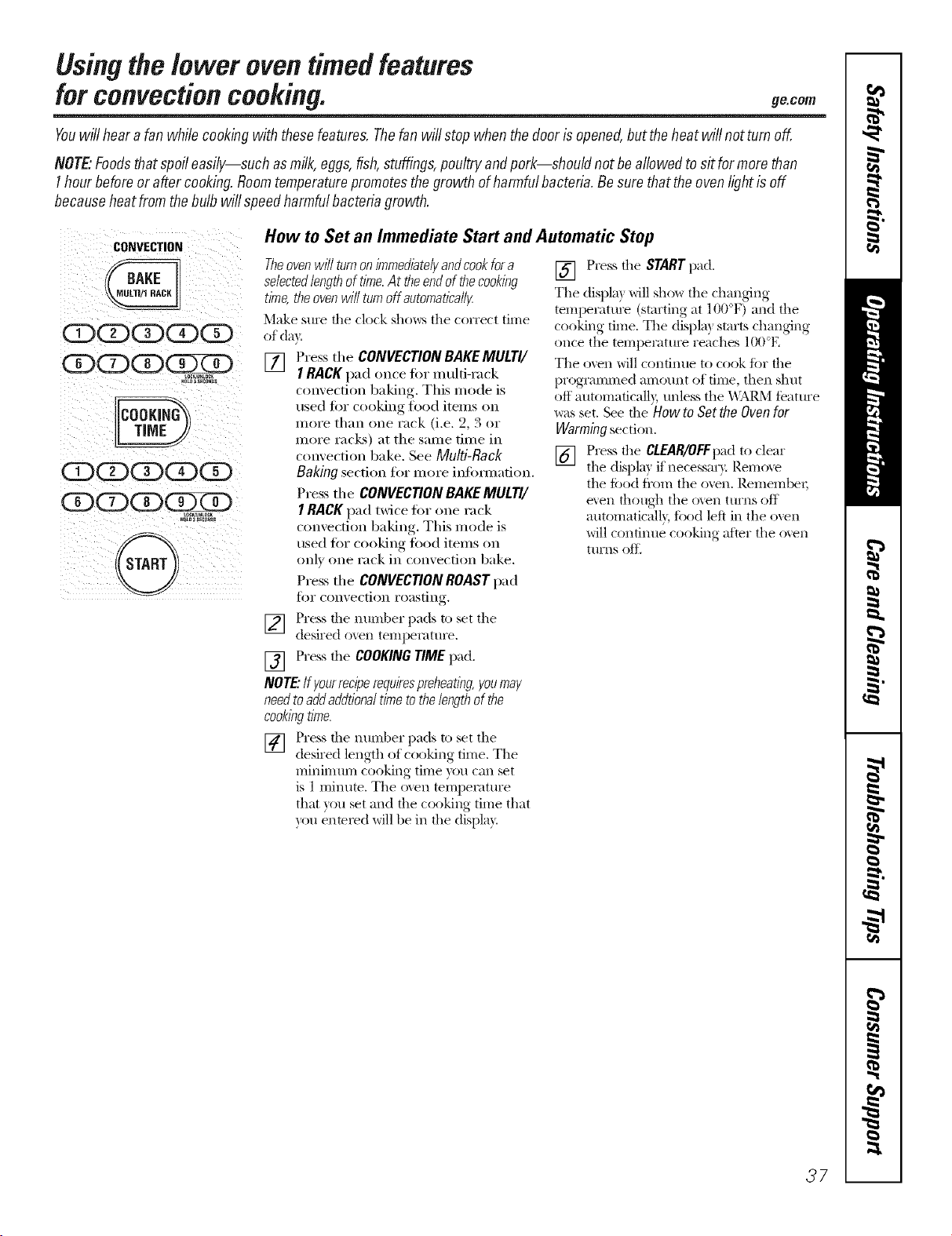
Usingthe lower oventimedfeatures
forconvectioncooking, ge.co,,
Youwill hearafan while cookingwith thesefeatures.Thefanwill stopwhenthedoor isopened,buttheheatwill notturn off,,
NOTEFoodsthat spoileasily--such asmilk,eggs,fish,stuffings,poultryandpork--should not beallowedto sit formorethan
I hourbeforeor after cooking,Roomtemperaturepromotesthegrowth of harmfulbacteria.Besurethattheovenlightis off
becauseheatfromthe bulbwill speedharmfulbacteriagrowth.
CONVECTION
CDCDCD(Z)CD
CDCDCD(?SgD
(DCDCDCDCD
(DCDCD(KiCD
How to Set an Immediate Start and Automatic Stop
Theovenwilf turnonimmediate/)/andcookfor a
selectedlengthof time.At theendof thecooking
time,theovenwill turnoff automatica//_
Make sure the clock sho_s the correct time
of day.
[] Press the CONVECTION BAKEMULTI/
I RACK pad once for multi-rack
convection baking. This mode is
used tor cooking food items on
more than one rack (i.e. 2, 3 or
more racks) at the same time in
convection bake. See Multi-Rack
Baking section for more inlOmmfion.
Press the CONVECtiON BAKEMULTI/
I RACK pad twice tot one rack
convection baking. This mode is
used tar cooking filed items on
only one rack in convection bake.
Press the CONVECtiON ROAST pad
for convection roasting.
] Press the nuraber pads to set the
desired oven temperatm'e.
[] Press the COOKINGTIME pad.
NOTE'.Ifyourreciperequirespreheating,youmay
needtoadd addtiona/time tothe lengthof the
cookingtime.
] Press tile ntln-lber pads to set tile
desired length of cooking time. The
minimum cooking time you can set
is 1 minute. The oxen tempeiatm'e
that you set and the cooking time that
you enmred will be ill the display.
[] Press the STARTpad.
The displa} will show the changing
tempeIatm'e (starting at 1()()°F) and the
cooking time. The displa) starts changing
once the tempeIamre reaches 100°E
The oven will confintle to cook fi)r the
progianamed amount of time, then shut
off automaficall}, tmless the _\I_P,M featm'e
was set. See the Howto Setthe Oven for
Warming section.
[] Press the CLEAR/OFFt)adto clear
the displa} if necessai 3 Remo_e
the food fl'om the oven. RemembeI;
e',en t]lotlg]l tile o_en ttlI'ns off
autonaaticalb, fi)od left in the oven
will continue cooking after the oxen
tm'ns oft_
37
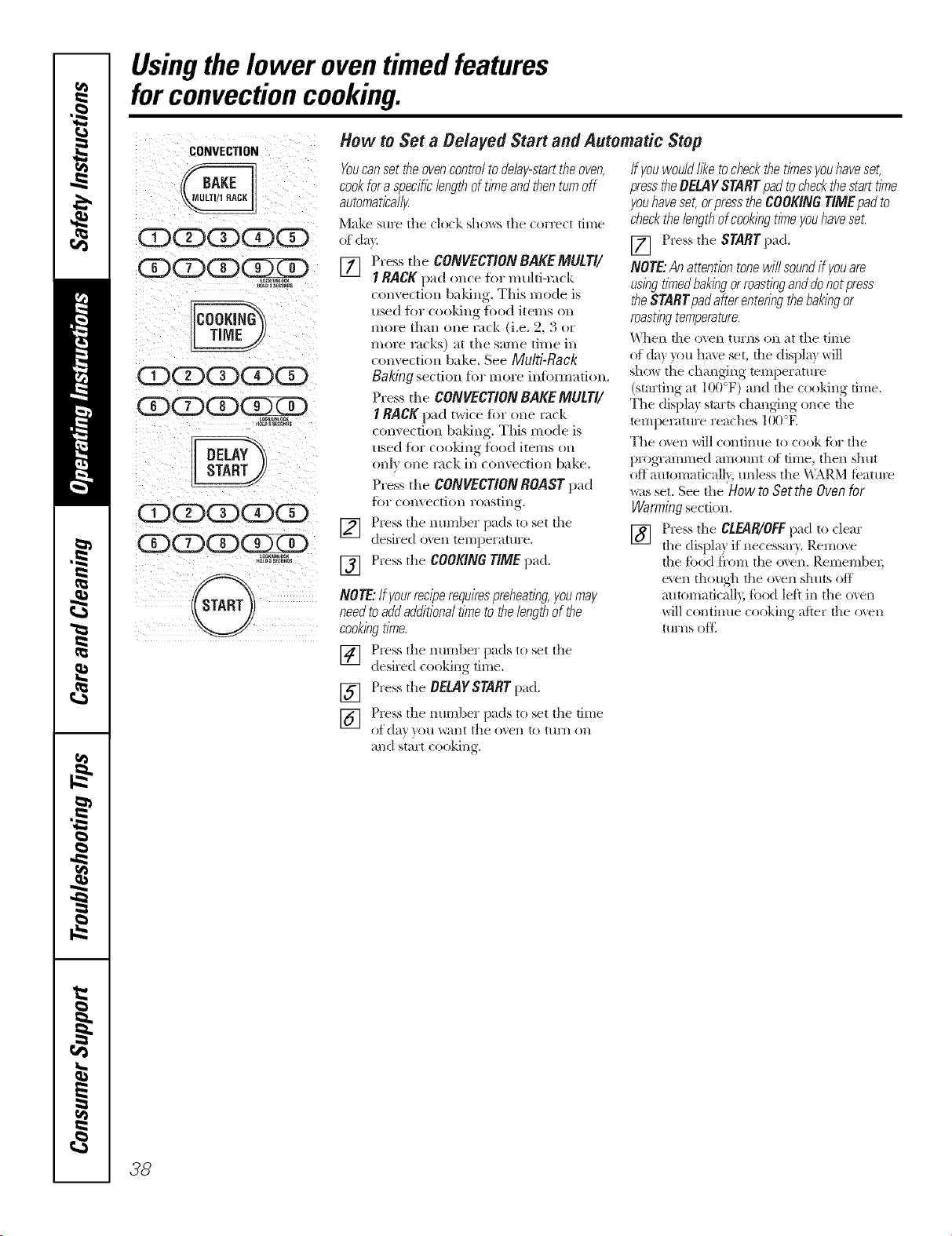
Usingthelower oventimed features
forconvectioncooking.
CONVECTION
(Z)QQG)G)
QCDG)
G)CDCD(YKD
_K_U_IOCK
10t0_SF_aS
U)(2) CDG)
CDCDG2RK)
L0_L¢CK
_LDa_F_O_DS
@/
How to Set a Delayed Start and Automatic Stop
Youcanset theovencontroltodelay-starttheoven,
cookfor aspecificlengthoftimeand thenturnoff
automatica//}4
Make sure the clock shows the correct time
of da}.
[] Press tl_e CONgECTION BAKEMULTI/
1RACK pad once for multi-ra(k
convection baldng. This mode is
used flw cooldng fi_od items on
more than one rack (i.e. 2, 3 or
moie rocks) at the same time in
convection bake. See Multi-Back
Baking section for more infbnnation.
Press the CONVECTIONBAKEMULT//
1RACK pad p,vi(e for one rack
convection baldng. This mode is
used fi)r cooking fi)od items on
only one lack in convection bake.
Press tile CONgECT/ONROAST pad
for convection roasting.
] Press tile lltllllI)er pads to set the
desired oven temperature.
[] Press the COOKINGTIME pad.
NOTE:tfyourreciperequirespreheating,youmay
needtoaddadditionaltimeto thelengthof the
cookingtime.
] Press tile number pads to set tile
desired cooking time.
[] Press the OELAYSTARTpad.
] Press tile number pads to set tile time
of day )ou l_'ailt tile oxen to tilrll oil
and start cooking.
ff youwouldlike tocheckthe timesyouhaveset,
presstheBELAYSTARTpad to&eck thestarttime
youhaveset,orpresstheCOOKINGT/MEpadto
checkthelengthofcookingtimeyouhaveset.
[] Press tile STARTpad.
NOTE:An attentiontonewill soundif youare
usingtimedbakingorroastingand donotpress
theSTARTpadafter enteringthebakingor
roastingtemperature.
\_]leIl die o\eIl ttlrIls oil at tile tiIlle
of da} you ha\e set, the displa? will
sho_ tile changing mmperature
(starting at 100°F) and the cooking time.
Tile displa? starts ctlangJng once the
temperature reaclles lO0°E
Tile o\en will continue to cook for the
programmed amount of time, ttlen sllut
off automaticall}, unless tile _,\IM_.Mfeature
_ts set. See tile HowD Sottho Oven for
Warming section.
[] Press tile CLEAR/OFFpad to clear
the displa) if necessa_ T. Remove
the food fi'om tile oxen. Remembei;
e\en ttlough tile o\en stluts off
mltomaticall), food left in tile o\en
will continue cooking after the o\en
tIlrIlS ()tt_
38
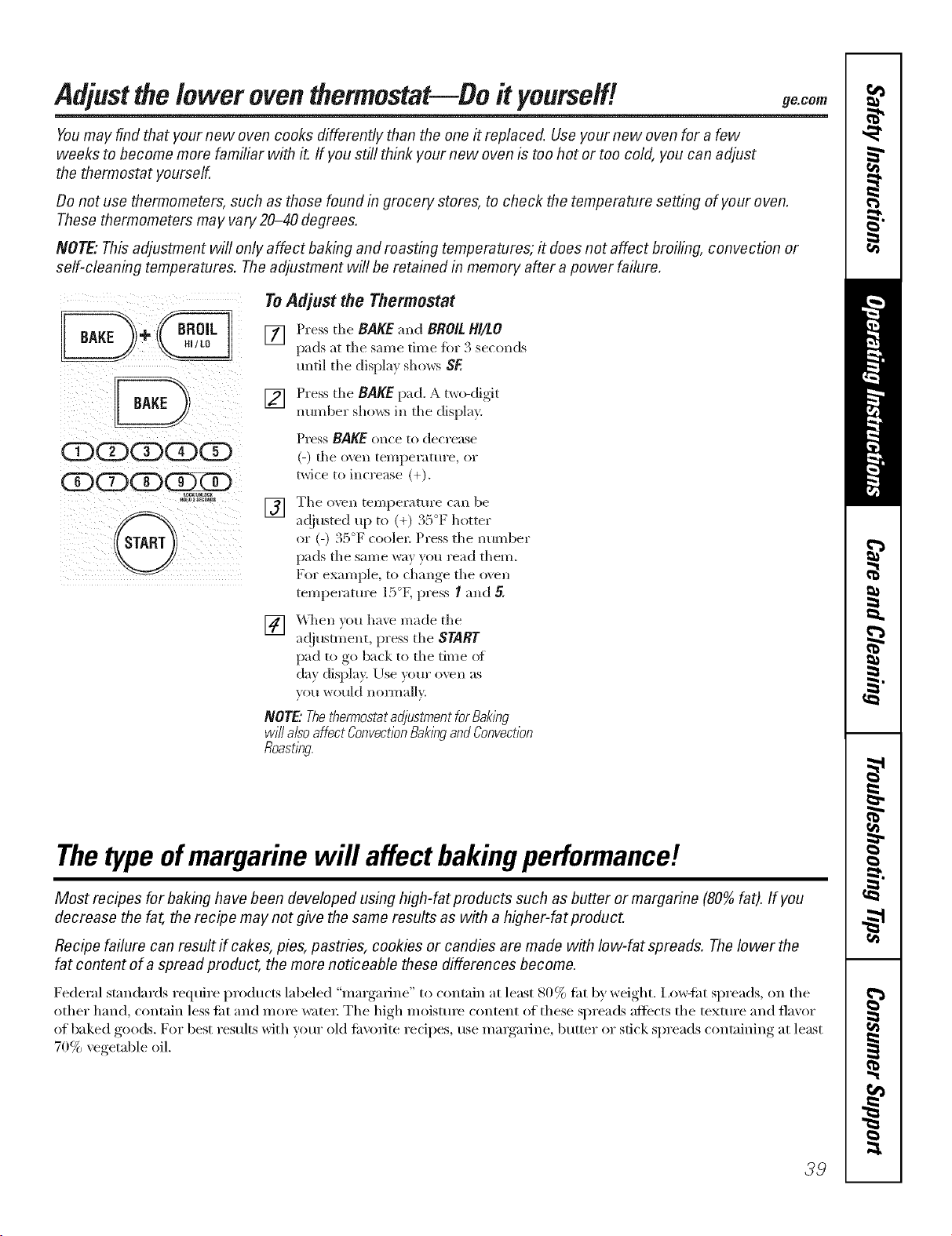
Adjustthelower oventhermostat--Do it yourself! ge.com
Youmay find that your new oven cooks differently than the one it replaced. Use your new oven for a few
weeks to become more familiar with it. If you still think your new oven is too hot or too cold, you can adjust
the thermostat yourself.
Do not use thermometers, such as those found in grocery stores, to check the temperature setting of your oven.
These thermometers may vary 20-40 degrees.
NOTE."This adjustment will only affect baking and roasting temperatures; it does not affect broiling, convection or
self-cleaning temperatures. Theadjustment will be retained in memory after a power failure.
ODCDCDCDG9
ODODODGZK)
OCK_N_aC_
To Adjust the Thermostat
[] Pressthe BAKEand BROILHI/LO
pads at tile same time fl)r 3 seconds
until tile display shows SE
[] Press tile BAKEpad. A two-digit
number shows in tile display.
Press BAKE once to decrease
(-) file oxen temperature, or
twice to increase (+).
] Tile oxen temperatm'e can be
at!lusted up to (+) .,a ]_ hotter
or (-) 35°F coolex: Press tile number
pads tile same way you read them.
For example, to change tile ovell
temperature 15°K press I and 5.
[] _]len )ou haxe made tile
ac!jusm_ent, press tile START
pad to go back to tile time o_
clay display. Use veto" o\vn as
you would nomlally.
NOTE"ThethermostatadjustmentforBaking
willalsoaffectConvectionBakingandConvection
Roasting.
Thetypeofmargarine will affect bakingperformance!
Most recipes for baking have been developed using high-fat products such as butter or margarine (80% fat). If you
decrease the fat, the recipe may not give the same results as with a higher-fat product.
Recipe failure can result ff cakes, pies, pastries, cookies or candies are made with Iow-fat spreads. Thelower the
fat content of a spread product, the more noticeable these differences become.
Federal standards require products labeled "illai'gai'ille" to contain at least 80% tilt by weight. I.o\wliK spreads, oi1 tile
other hand, contain less ti_t and mine water: The high moisture content of these spreads afiects tile texttlre and flavor
of baked goods. For best results with veto" old ti_\'ofite recipes, use margarine, butter or stick spreads containing at least
70% vegetable oil.
39
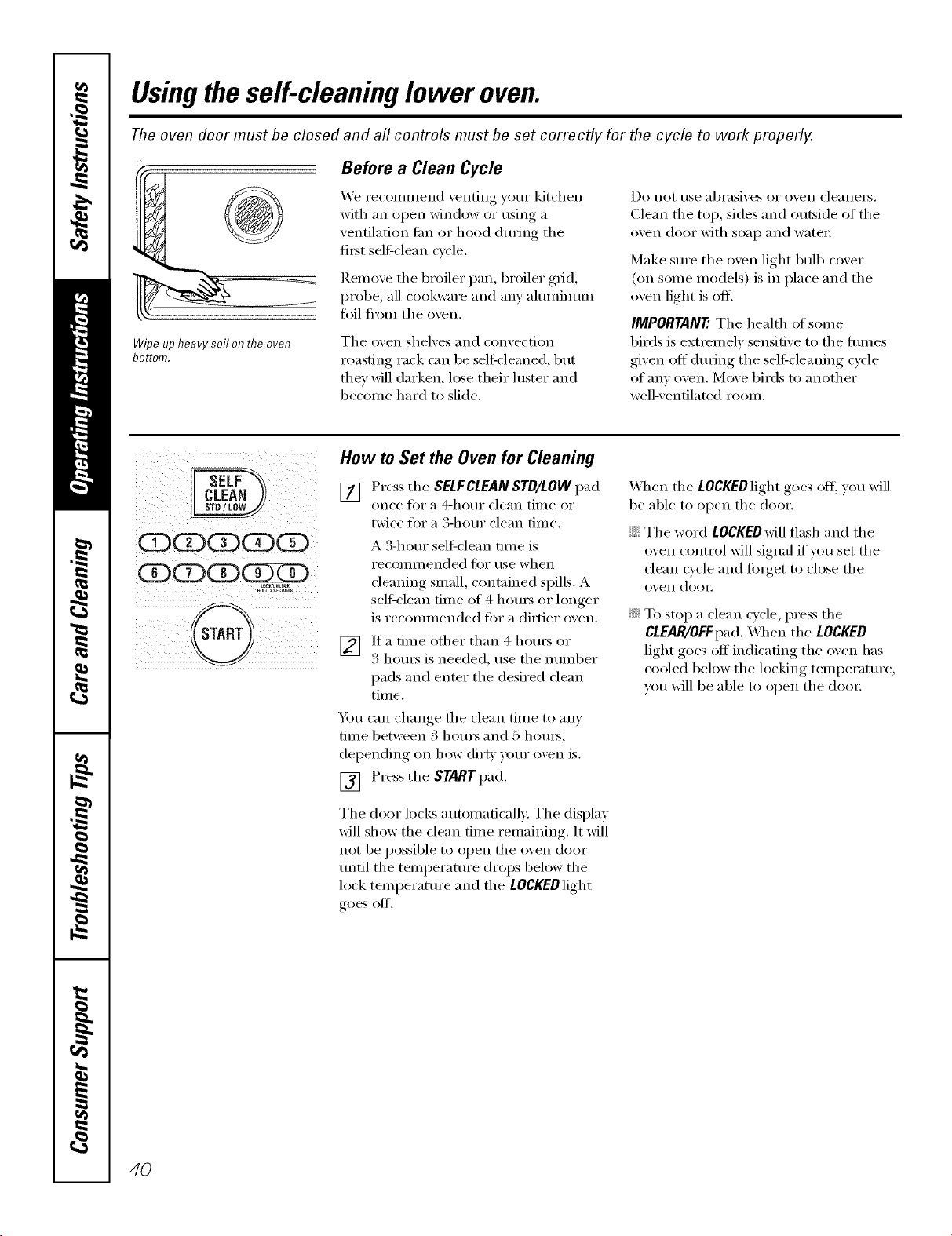
Usingtheself-cleaning lower oven.
The oven door must be closed and all controls must be set correctly for the cycle to work properly.
j
Wipeupheavysoilontheoven
bottom.
Before a Clean Cycle
We recommend venting your kitchen
with an open window or using a
ventilation tim or hood (hwing the
fi_st sel6clean cycle.
Remoxe tile broiler pan, broiler grid,
probe, all cookware and am almninum
foil from tile oxen.
Tile oven shelves and convection
roasting rack can be seltk'leaned, but
they will darken, lose their luster and
become hard to slide.
Do not use abrasives or oven cleanei's.
Clean the top, sides and outside of the
oven door with soap and water;
Make sm'e the oven light bulb cover
(on some models) is in place and tile
oven light is off]
IMPORTANT'.Tile health of solne
birds is extremely sensitive to the tirades
given off dtwing the sell:cleaning cycle
ofanv oven. Move birds to another
well-ventilated room.
ODCDCDCDCE)
CE)CDCD(X)XD
_OLOa_ECON_
@
4
How to Set the Oven for Cleaning
[] Press the SELFCLEAN STD/LOW pad
once t0I" a _t-hot/i" clean time or
twice for a 3-horn clean time.
A 3-horn" sel6clean time is
i'ecoilli/lended foi" rise when
cleaniw*_ small, contained spills. A
self:clean time of 4 hom_ or longer
is recommended fi)r a dirtier oven.
[_] ]fa time other than 4 horns or
3 houI_ is needed, use tile nuinber
pads and enter the desired clean
time.
Y(m can change tile clean time to any
dine between 3 houi_ and 5 houi_,
del)ending, on how dirt_, your oxen is.
[] Press tile STARTpad.
Tile door locks automatically. Tile display
will show the clean time remaining. It will
not be possible to open tile oven door
tmfil tile telnl)erature drops below tile
lock temperatm'e and tile LOCKEDlight
goes off.
\,_l/en tile LOCKEDlightgoes oil you will
be able to open tile door.
::Ji::Tile word LOCKED will flash and tile
oven control will signal if you set tile
clean cycle and fi)_get to close tile
oven (lom:
i_: To stop a clean cycle, press tile
CLEAR/OFFpad. X,_l/en tile LOCKED
light goes off indicating tile oven has
cooled below tile locking temperatm'e,
w)u will be able to open tile door
4O
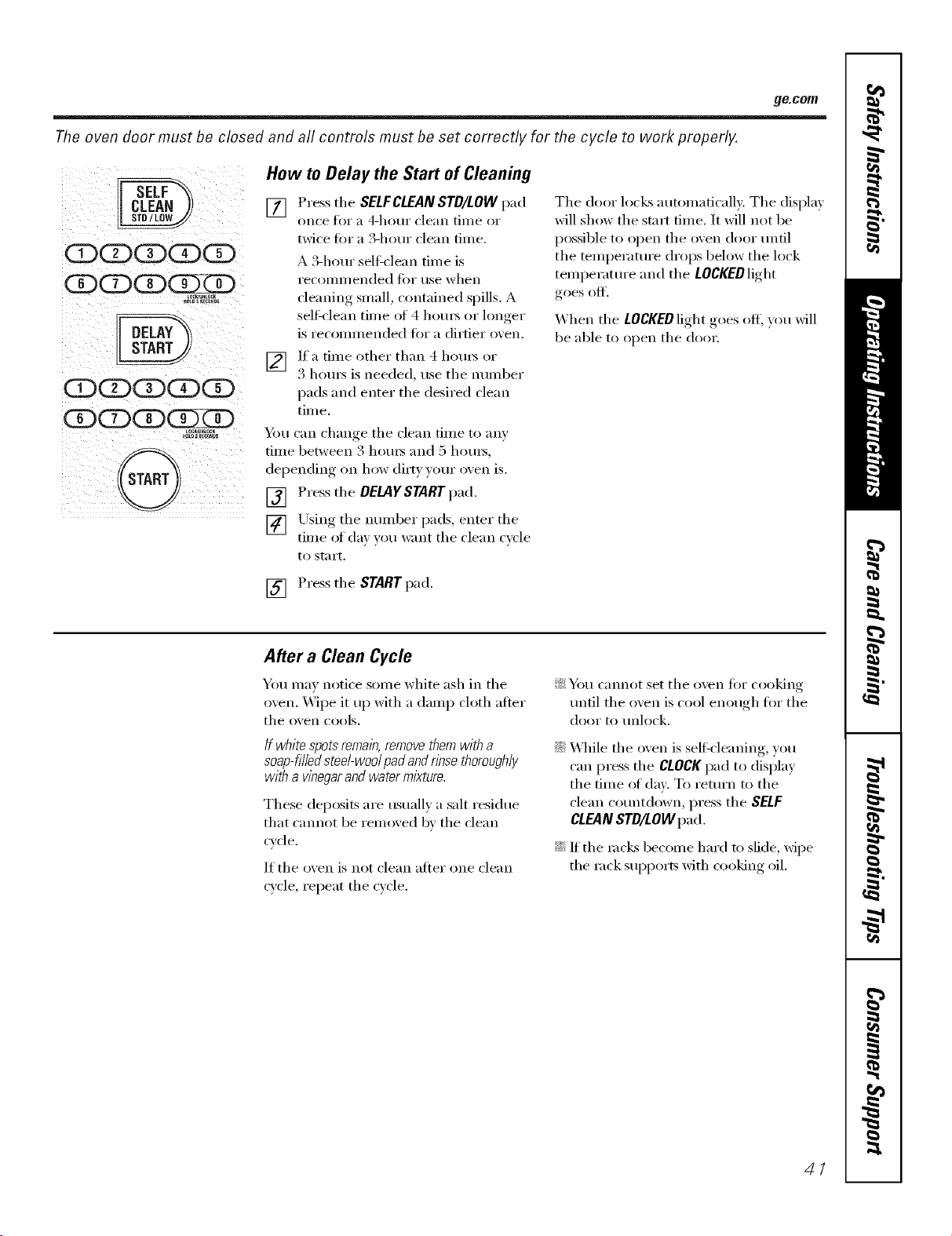
_e.COIB
The oven door must be closed and all controls must be set correctly for the cycle to work properly.
OQQQQ
QOQ
_oc_ocK
QQQQQ
QQQ
How to Delay the Start of Cleaning
[] Press the SELFCLEANSTD/LOW pad
on('e tk)I" a 4-hotli" clean tiille oi"
twice fi>r a 3-hour clean time.
A 3-hem sell:clean time is
i'ecolillil ended fi)r use when
cleaning small, contained spills. A
seltk'lean time of 4 hom_ or longer
is recommended tot a dirtier oxen.
V2] Ifa time other than 4 hom_ or
3 l/om_ is needed, use the number
pads and enter the desired clean
time.
You can change tile clean time to any
tame" between .3 houi_ and 5 houi_,
dei)ending, on how (li_t))our oxen is.
[] Press tile DELAYSTART pad.
[] Using the number pads, enter the
time of dax you want the clean cycle
to start.
The door locks automatically. Tile display
will show the start time. It will not be
possible to open tile oven door until
the temperature drops below the lock
temperature and tile LOCKEDlight
goes off.
When tile LOCKEDlight goes off; you will
be able to open tile doo_:
[] Press tile START pad.
After a Clean Cycle
You may notice some white ash in tile
oven. Wipe it tip with a damp cloth atter
tile oven cools.
If white spots remain,removethemwith a
soap-filledsteel-wool padandrinse thoroughly
with a vinegarand waterml)<ture.
These deposits are usually a salt residue
that cannot be removed by tile dean
cycle.
If tile oven is not clean after one clean
cycle, repeat the cycle.
!i?_Y)t/cannot set tile o_en fiw cooking
tmtil the oxen is cool enough for the
door to unlock.
::Ji::X,_]/ile tile oven is sell:cleaning, you
can press the CLOCKpad to display
the time of day. To return to the
clean countdown, press tile SELF
CLEANSTD/LOW pad.
iJi::If the mc!<s become hard to slide, wipe
tile rock SUl)l)orts with cooking oil.
41
Careand cleaningofthecookingcenter.
Be sure electrical power is off and aft surfaces are cool before cleaning any part of the cooking center.
How to Remove Packaging Tape
To assure no dmnage is done to tile finish
of tile product, tile safest way to remove
tile adhesive left ti'om packaging tape on
new appliances is an application of a
household liquid dishwashing detergent,
mineral oil or cooking oil.
Apply wifl/a soft cloth and allow to soak.
_._]pe dry and then apply an appliance
polish to thoroughly clean and protect
the suil'hce.
NOTE:Theplastl? tape(onsomemodels)must
be removedfromall chrometrim./t cannot be
removedif it is bakedon.
42
Microwave Oven
Do not usea commercialovencleaneron any
part of yourmicrowave oven.
Removable Turntableand Turntable Support
To prevent breakage, do not place tile
turntable into water just after cooking.
_'_hsh it careflflly in wam_, sudsy water or
in the dishwasher:
Tile turntable and sui)port can be
broken if dropped. Remember; do not
operate tile microwave oven without tile
turntable and support in place.
To replace the suI)port, place its center
post in tile hole. Tm'n tile support
arotmd tmtil it seats into place.
Inside
Kee I) tile microwave oven clean and
sweet-smelling. Opening the oven door a
few Illintltes after cooking helps air out
tile interior: An occasional thorough
wiping with a solution of baking soda and
water keeps the interior fl'esh.
Spills and spatte_ are easy to remove
fl'om walls and floor if they are wiped iiI)
soon after tile fi)od is i'ellloved, Sollle
spattet_ wipe tlI) with a paper towel, some
may require a damp cloth. Remove
greasy spatte_ with a sudsy cloth, then
rinse and dry.
Do not clean with metalscouringpads.Pieces
canbreakoff the pad,causingelectrical shock.
_._]pe up spatte_ on tile window on tile
inside of tile door daily. _]/en tile
window is soiled, wash it with a damp
cloth. Rinse thoroughly and (h_'.
Wipe metal and plastic parts on tile
inside of tile door fl'equenfly. Use a damp
cloth to remove all soil,
Do not useabrasives,suchasc/eanlbgpowders
or steel andplastlc pads. Theymay mar the
surface.
Outside
Clean tile outside {ff tile microwave oven
with soap and a damp cloth, then rinse
with a damp cloth and dry. '_._]i)etile
window clean with a damp cloth. Chrome
is best wiped with a damp cloth and then
with a (h_' towel.
Door Surface
When cleaning suitilces of door and oven
that come together on closing tile dora;
use only mild, non-abrasive soaps or
detexgents applied with a sponge or
soft cloth.
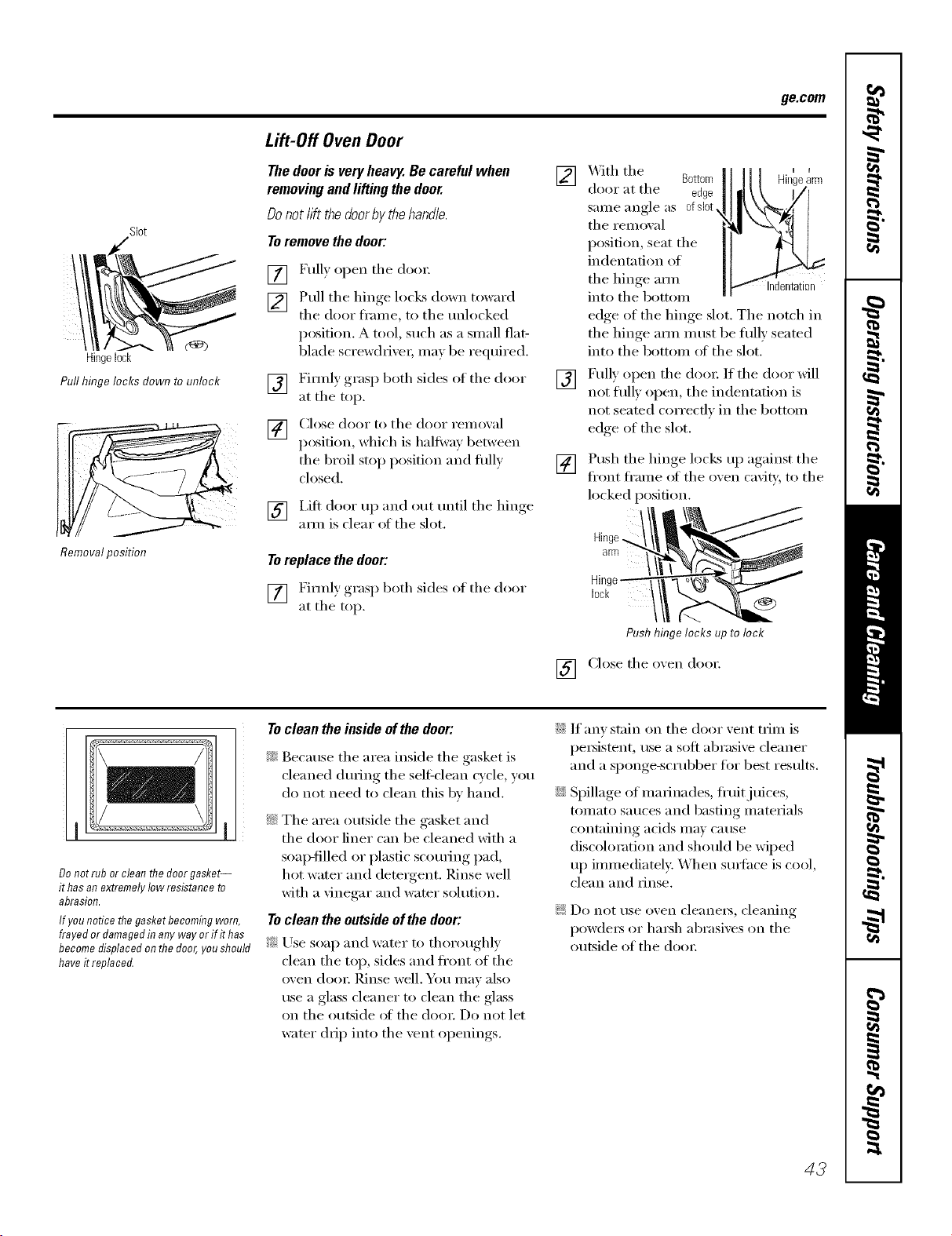
ge.com
Slot
Hingelock
Pull hinge locks down to unlock
Removalposition
Lift-Off Oven Door
Thedoorisveryheavy.Becarefulwhen
removingandliftingthedoor.
Donotlift thedoorbythehandle.
Toremovethedoor:
[] Fully open the doo_:
[] Pull the hinge locks down toward
the door fl'ame, to the unlocked
position. A tool, such as a small flat-
blade screwdrivei; Inay be required.
[] Firefly grasp both sides of the door
at the top.
[] Close door to the door remoxal
position, which is half Win between
the broil stop position and fitly
closed.
[] I,ift door up and out until the hinge
a_m is clear of the slot.
Toreplace the door:
[] Firefly grasp both sides of the door
at the top.
[]
[]
[]
XAqththe Bottom
door at the edge
same angle as ofsl0t
the removal
position, seat the
indentation of
the hinge arm Indentation
into the bottom
edge of the hinge slot, The notch in
the hinge a_n must be fitly seated
into the bottom ot the slot.
Fully open the doo_: If the door will
not till) open, the indentation is
not seated correcflv in the bottom
edge of the slot.
Push the hinge loclcs up against the
fl'ont fl'ame of the oxen cavity' to the
locked position.
Hinge8rR3
Hinge_
lock
Pushhingelocksuptolock
[] Close the oven door;
Donotrubor cleanthedoorgasket-
#has anextremelylowresistanceto
abrasion.
If younoticethe gasketbecomingworn,
frayedor damagedin any wayor ffit has
becomedisplacedonthedoor,youshould
haveit replaced.
Toclean the inside ofthe door:
i_ Because the area inside the gasket is
cleaned (huing the self=clean c_cle you
do not need to clean this by hand.
ii:_:The area outside the gasket and
the door liner can be cleaned with a
soap-filled or plastic scouting pad,
hot water and detergent. Rinse well
with a vinegar and water solution.
Toclean the outsideof the door:
?_:Use soap and water to thoroughly
clean the top, sides and ti'(mt of the
oven dooi: ]_dnse well. _o11 Ill,IV also
use a glass cleaner to clean the glass
on the outside (ff the do()_: D() not let
wamr drip into the vent openings.
iJi::If anv stain on the door vent t_im is
i)e_istent, rise a soli abrasive cleaner
and a sponge-scrubber ti)r best results.
iJi::Spillage of marinades, fl'uitjuices,
tomato sauces and basting materials
containing acids may cause
discoloration and should be wiped
up immediatel> When Stlit;ice is cool,
clean and _inse.
!;>Do not use oven cleanet_, cleaning
powde_ or ha_h abrasixes on the
outside of the doo_:
43
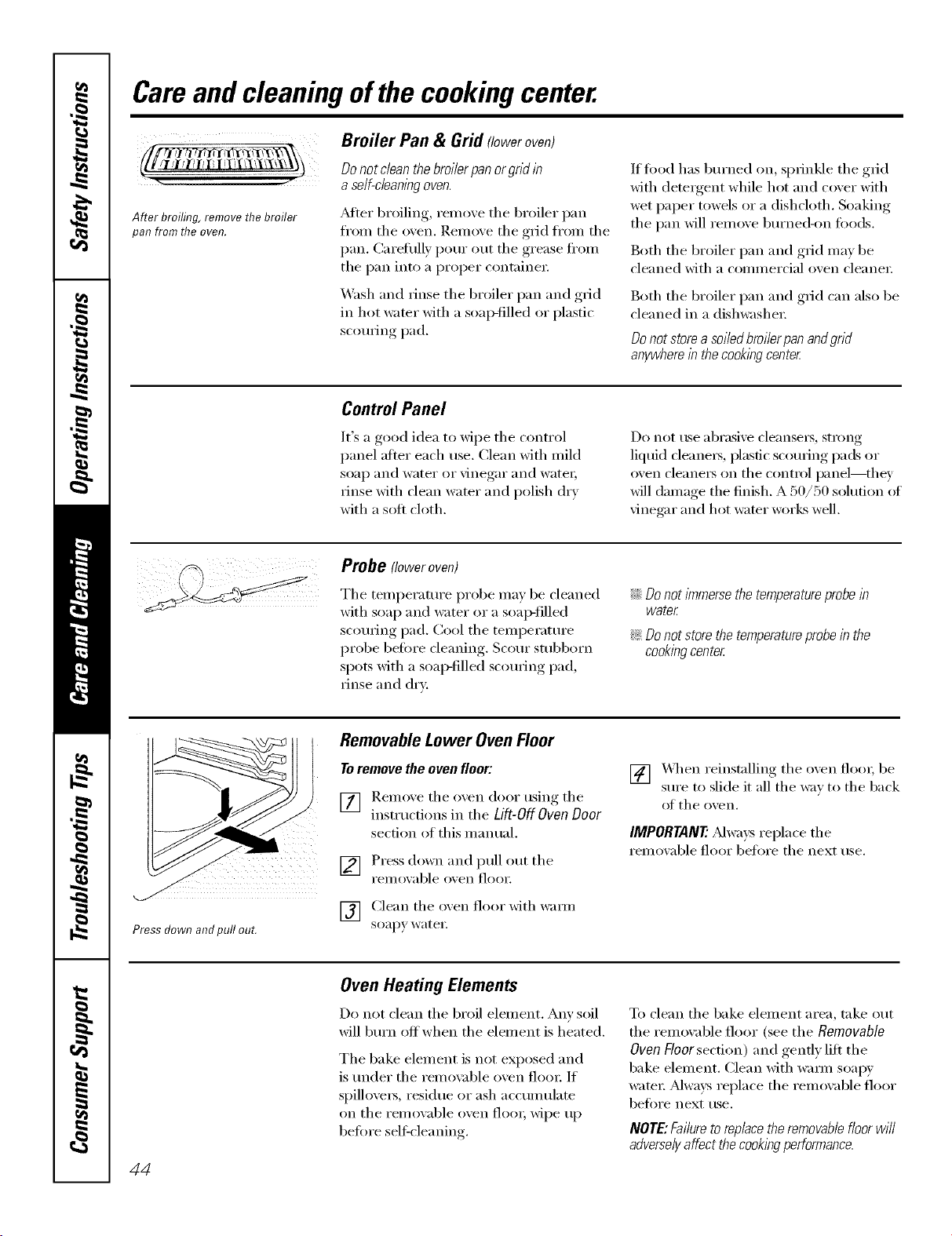
Careand cleaning ofthe cookingcenter.
After broiling, remove the broiler
pan from the even.
Broiler Pan & Grid floweroven)
Donot dean thebroiler pan orgrid in
aself-cleaningoven.
_Mter broiling, remove tile broiler pan
fl'om the oven. ]_emove the grid fl'om the
pan. (_arefully [)our out the grease fl'Oln
tile pan into a proper containe_:
_,V_shand rinse the broiler pan and grid
in hot water with a soap-filled or plastic
sco/Mng pad.
If fi)od has bm'ned on, sprinkle the grid
with detergent while hot and cover with
wet paper towels or a dishcloth. Soaking
tile pan will remove bm'ned-on toods.
Both tile broiler pan and grid may be
{'leaned with a commercial oven {'leanei:
Both tile broiler pan and grid can also be
{leaned in a dishwasher
Donot store asoiled broilerpan andgrid
anywhere in the cookingcenter
Control Panel
It's a good idea to wipe tile control
panel after each rise. Clean with mild
soap and water or vinegar and water;
rinse with {lean water and polish dry
with a soft cloth.
Do not ttse abrasive cleansers, strong
liquid cleaners, plastic sco/wing pads or
_x'en clea ne_s on the control pa nel--th ey
will damage the finish. A 50/50 solution {ff
\'ine_u" and hot water works well.
Probe floweroven)
Tile temperature probe may be cleaned
with soap and water or a soap-filled
scouring pad. Cool the temperature
probe before cleaning. Scour stubborn
spots with a soap-filled sc{mring pad,
rinse and dry.
iJi::Donotimmersethetemperatureprobein
water
!i>Donotstorethetemperatureprobein the
cookingcenter
Press down and pull out.
RemovableLower OvenFloor
Toremove the oven floor:
[] Remo_e tile o_en door using tile
instructions in tile Lift-Off Oven Door
section {}tthis manual.
[] Press down and pull {}lit tile
i'elllO_,able o_,en tlooi2
[T_ Clean tile oven floor with wam]
soapy water
[] X._q/en reinstalling tile oven flora; be
sure to slide it all the way to the back
{}ftile oxen.
IMPORTANT'.Mways replace tile
removable floor befl)re tile next use.
44
Oven Heating Elements
Do not clean tile broil element. Am' soil
will l:,m'n offwhen tile element is heated.
Tile bake element is not exposed and
is under tile remox;d)le oven flora: If
spilloveI_, residue or ash acculmllate
on the rem{wable oven flora; wipe up
beiore self-cleaning.
T{}clean tile bake element area, take out
the removable floor (see the Removable
Oven Floor section) and gently lilt the
bake element. Clean with warn] soai/3'
wamr Mwa):s replace tile removable floor
befi}re next use.
NOTE:Failureto replacethe removable floorwi//
adverselyaffect the cookingperformance.
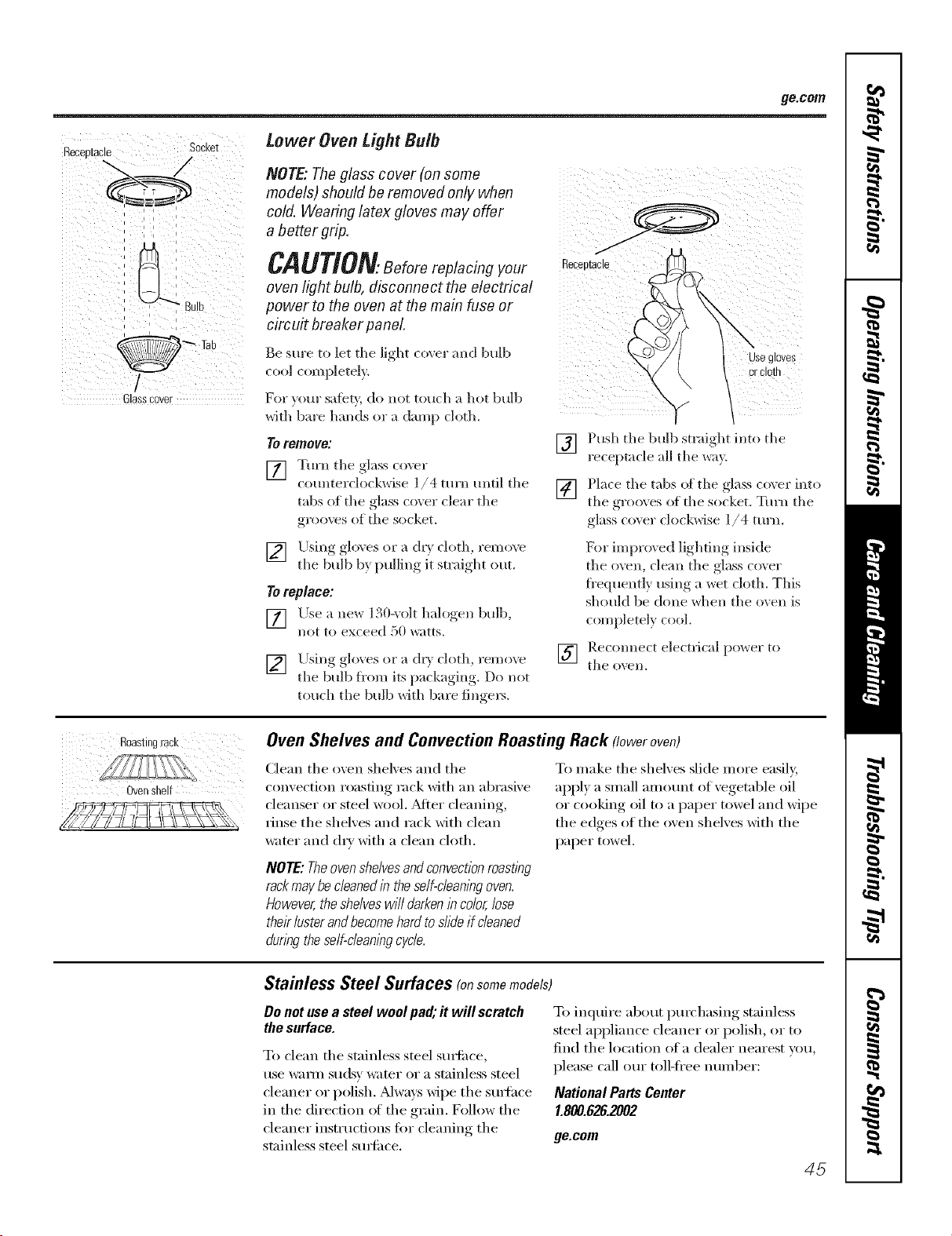
go.corn
=
_ecee[acle SOCKe[
/
Glasscnver
Lower Oven Light Bulb
NOTE: Theglass cover (on some
models) should be removed only when
cold. Wearing latex gloves may offer
a better grip.
ii ) [i7
CAUTlON.seforereplacingyour ,ecepton,o
oven/ightbu/b, disconnect the electrical .... ,
power to the oven at the main fuse or
circuit breaker panel
Be sure to let the light (over and bulb
cool completely
For y(/ur safb_', do not touch a hot bulb
with bare hands or a damp cloth.
TOremove:
[] Tm'n tile glass (oxer
counterclockwise I/4 turn until tile
tabs of tile glass cox er clear tile
grooves of tile socket.
Usegl0ves
Push tile bulb straight into tile
receptacle all tile _Xr@
[] Place tile tabs of the glass coxer into
tile gro(lX es of tile socket. Turn tile
glass cover clockwise I/4 turn.
[] Using glo\es or a d D cloth, remove
tile bulb b} pulling it straight out.
Toreplace:
[] Llse a new 130-',olt halogen bulb,
not to exceed 50 _atts.
[] Using_, _ohlves or a dr',, cloth, remove
tile bulb fl'om its )'lck'l ,ill , Do not
touch tile bulb with bare finge]_.
[]
For improved lighting inside
the oven, clean tile glass cover
fi'equently using a wet cloth. This
should be done when the oven is
completely cool.
Reconnect electrical power to
tile ()*,'ell,
Roastingrack
Ovenshelf
Oven Shelves and Convection Roasting Rack floweroven)
(lean tile oven shelves and tile
convection roasting rack with an abrasive
cleanser or steel wool. After cleaning,
rinse tile shelves and rack with clean
water and dry with a clean cloth.
NOTE:Theovenshelvesandconvectionroasting
rackmaybecleanedin theself-cleaningoven.
However,theshelveswilldarkenincolor,lose
theirlusterandbecomehardtoslideif cleaned
duringtheself-cleaningcycle.
To make tile shelves slide more easily,
apply a small amount of vegetable oil
or cooking oil to a paper towel and wipe
the edges of the oven shelves with the
paper towel.
Stainless Steel Surfaces (onsomemodels)
Donotuseasteelwool pa& it will scratch
thesurface.
To clean tile stainless steel smti_ce,
use wam] suds)' water or a stainless steel
cleaner oi" polish. _Mways wipe tile suIthce
in the direction of the grain. D)llow the
cleaner instructions fi:,r cleaning tile
stainless steel smti_ce.
To inquire about purchasing stainless
steel appliance cleaner (:,I"polish, (:,I"to
find tile hlcation of a dealer nearest you,
please call our toll-ti'ee munber:
National Parts Center
1.800.626.2002
ge.com
45
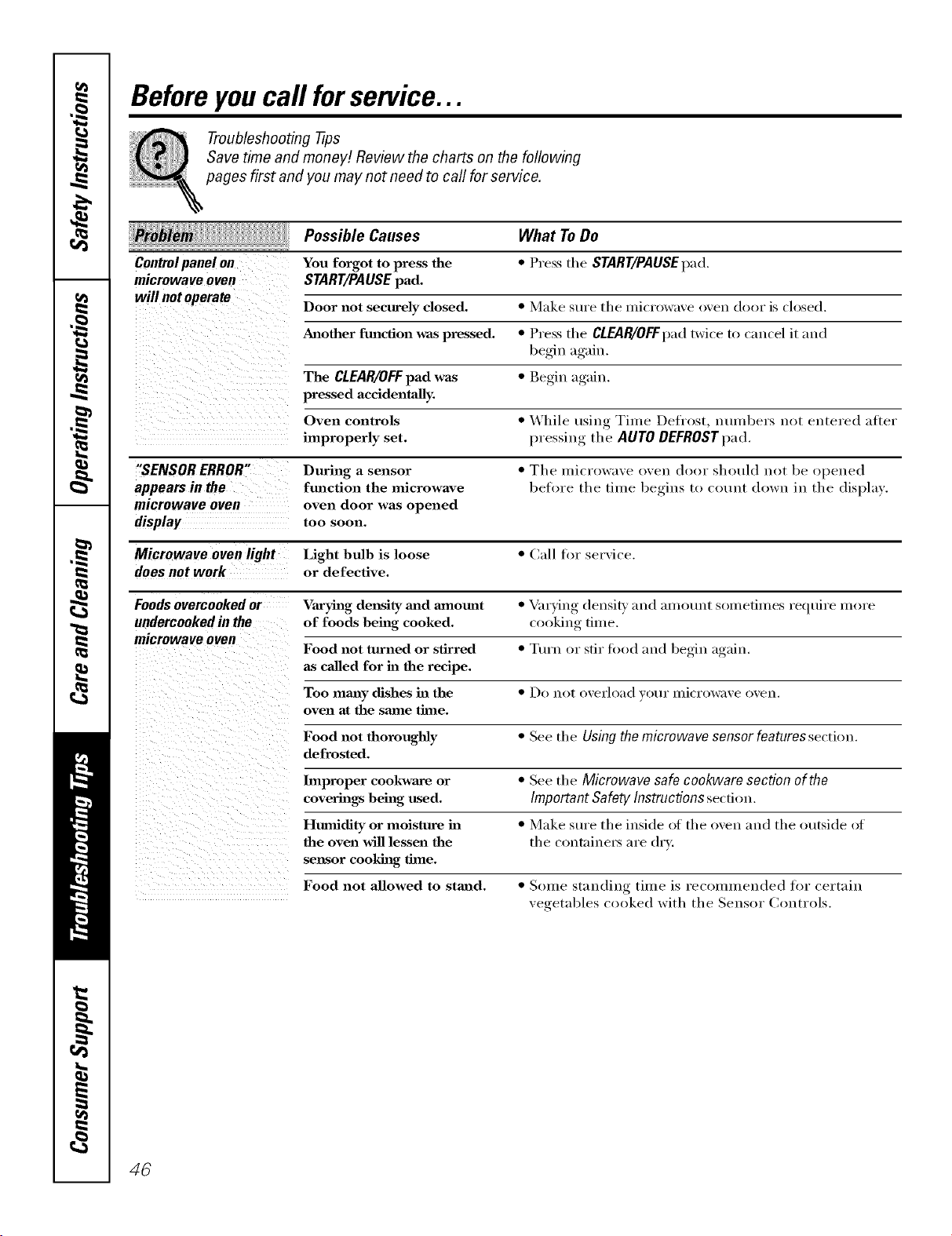
Beforeyoucall forservice...
Troubleshooting -tips
Save time and money! Review the charts on the following
pages first and you may not need to call for service.
Possible Causes What To Do
You forgot to press the
START/PAUSE pad.
Controlpanel on * Press tile START/PAUSEpad,
microwave oven
will not operate Door not securely closed. * Make sure tile mi(rl)wave (wen (l()l)r is (l()sed.
Another fmaction was pressed. * Press the CLFJIR/OFFpad twice to cancel it and
begin again.
The CLEAR/OFFpad was * Begin again.
pressed accidentally.
Oven controls * While using Time Defrost, numl_ers not entered after
improperly set. l)ressin'_ _ the AUTO DEFROST pad.
"SENSOR ERROR" During a sensor * Tile microwave oven door shotdd not be opened
appears in the fmaction the microwave before the time begins to count down in the display.
microwave oven oven door was opened
display too soon.
Microwave oven light Light bulb is loose " Call for service.
does not work or defective.
Foods overcooked or _aryhag density mad a3notmt * _u'ying (lensitv and amount sometimes require more
undercooked in the of foods being cooked, cooking time.
microwave oven
Food not turned or stirred * Ttwn or stir food and begin again.
as called for in the recipe.
Too many dishes ha the * Do not overload vet/i" lnicrow;we oven.
oven at the same time.
Food not thoroughly * Sue tile Using the microwave sensor features section.
defrosted.
Improper cookware or * See tile Microwave safe cookware section of the
coverings being used. Important Safety Instructions se(don.
Humidity or moisture ha * Make sm'e tile inside of tile oven and tile outside of
the oven will lessen the tile contnine_s are dry.
sensor cooking time.
Food not allowed to stand. * Some standing time is recommended for certain
vegetables cooked with the Sensor (_ontrols.
46
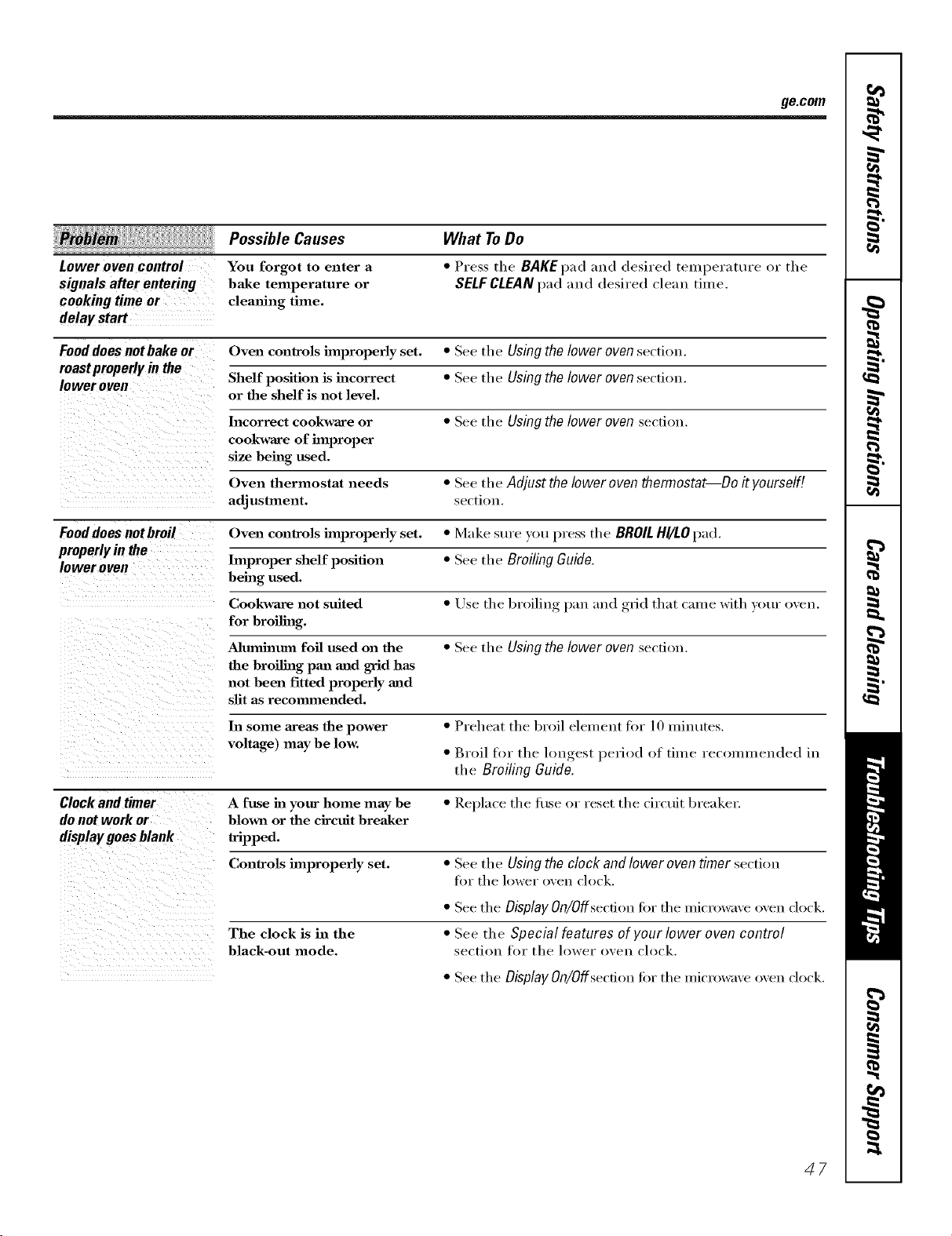
ge.com
Lower oven control
signalsafter entering
cooking time or
delay start
Possible Causes
You forgot to enter a
bake temperature or
clemfing time.
What ToDo
• Press the BAKEpad and desired temperature or tile
SELFCLEANpad and desired clean time.
Food does not bake or Oven controls improperly set. • See tile Using the lower oven section.
roastproperlyin the
lower oven Shelf position is incorrect • See tile Using the lower oven secti(m.
or the shelf is not level.
Incorrect cookware or • See tile Usingthelower oven section.
cookware of improper
size being used.
Oven thermostat needs • See the Adjust the loweroventhermostat--Do it yourself!
adjustment, se(tiols.
Fooddoesnotbroil Oven controls hnproperly set. • Make sure )'ou press the BROILHI/LOpad.
properly in the
lower oven Improper shelf position • See the Broiling Guide.
being used.
Cookware slot suited • tlse the broiling pan and grid that came with your oven.
for broiling.
Mumhaum foil used on the • See the Usingthelower oven section.
the hro'dhag pan and grid has
not been fitted properly mad
slit as recommended.
In some areas the power • Preheat the broil element for 10 minutes.
voltage) maybe low. • Broil for the lon,_est_, period of time recommended in
the Broiling Guide.
Clockandtimer A fuse hz your home may be •]_epla(etheluseorresetthecirctfitbreake_:
do not work or blown or the circuit breaker
display goes blank tripped.
Controls improperly set. • See the Using the clock and lower oven timer secti(m
fi:,r the lower oven clock.
The clock is in the
black-out mode.
• See tile Display On/Offsecfion fin" tile microwave oven dock.
• See tile Special features of your lower oven control
se(tiois tor tile h)wer oxen (,lock,
• See tile Display On/Offsecfion fiw tile microwave oven clock.
47
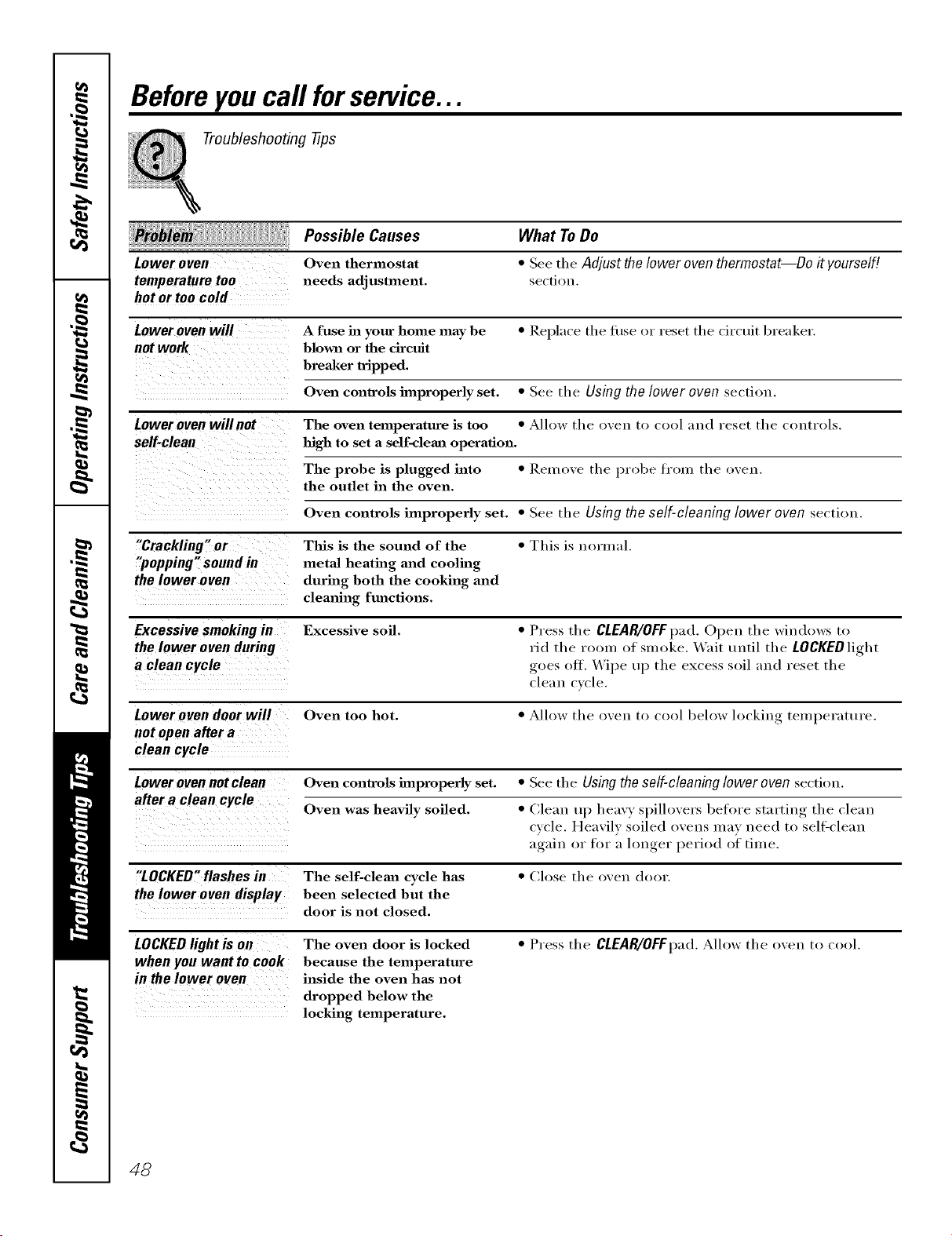
Beforeyoucall forservice...
Troubleshooting tips
Possible Causes What To Do
Loweroven Oven thermostat * Seetile Adjust thelower oventhermostat--Do it yourself!
temperature too needs adjustment, sectiou.
hot or too cold
Lower oven will A fuse hi your home may be *Rel)l;wethefilsel)rresetthecirctlitbre;lker.
not work blown or the circuit
breaker tripped.
Oven controls improperly set. * See tile Using the lower oven section.
Lower oven willnot The oven temperature is too * Allow the oven to cool aud reset tile coutrl)ls.
self-clean high to set a self-cleml operation.
The probe is plugged into * Remove tile l)rl)be from tile i)veu.
the outlet in the oven.
Oven controls improperly set. * See tile Using the self-cleaning lower oven sectiou.
"Crackling" or This is the sound of the * This is uormal.
"popping" sound in metal heating and cooling
thelower oven during both the cooking and
clemfing functions.
Excessive smoking in Excessive soil. * Press the CLEAR/OFF pad. Opeu tile windows tl)
the lower oven during rid the room ()f smoke. Wait tmtil the LOCKED light
a clean cycle goes ()tt. \.Vipe ttp tile excess soil and reset tile
de;Ha cycle.
Lower o yen door will Oven too hot. * Allow the oven to cool beh)w h)ckiug, teml_erature.
not openaftera
clean cycle
Lower oven not clean Oven controls improperly set. * See tile Using the self-cleaning lower oven sectiou.
after a clean cycle Oven was heavily soiled. * Cleau tq) heavy spilh)vers betore startiug tile cleau
cycle. Heavily soiled oveus may ueed tl) sell:cleau
again or fi)r a h)n,_er_ peril)d i)f time.
"LOCKED"flashes in The self-cleml cycle has * (',lose tile oveu (l()()r.
the lower oven display been selected but the
door is not closed.
LOCKEDlightis on The oven door is locked * Press the CLEAR/OFFpad.Alh)w the oven tl) cool.
when you want to cook because the temperature
in thelower oven inside the oven has not
dropped below the
locking temperature.
48
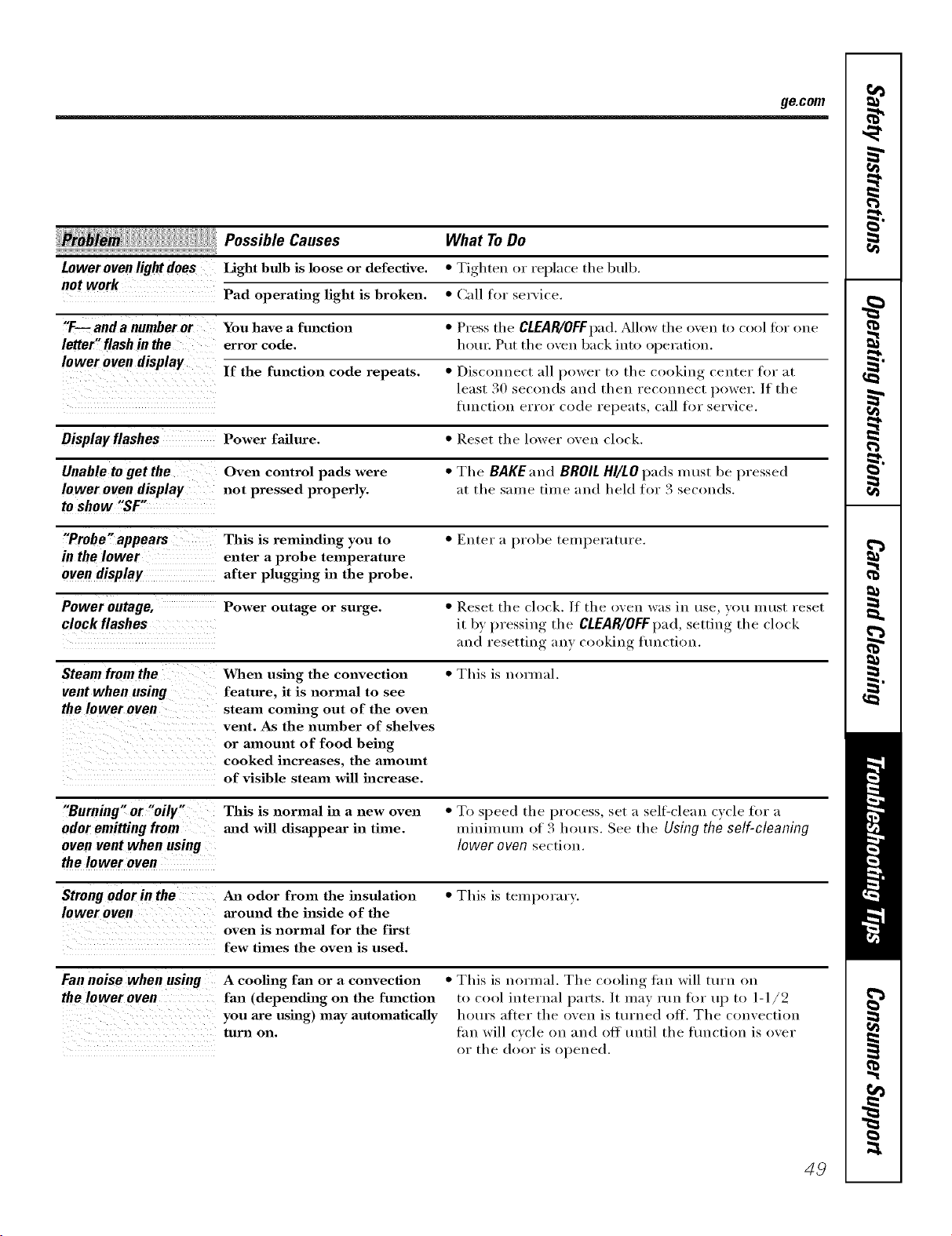
ge.com
! Possible Causes What ToDo
Lower oven light does Light bulb is loose or defective. * Tighten or replace the bulb.
not work
Pad operating light is broken. * Call for set\ice.
"F-- and a number or You have a function * Press the CLEAR/OFFpad. _Mlow the oven to cool for one
letter" flash in the error code. houn Put the oven back into operation.
lower oven display If the function code repeats. • Disconnect all power to the cooking center for at
least 30 seconds and then reconnect power. If the
fimction error code repeats, call for serxice.
Oisplayflashes Power failure. * Reset the lower oxen clock.
Unable to getthe Oven control pads were * The BAKEand BROIL HI/LO pads must be pressed
lower oven display not pressed properly, at the same time and held for 3 seconds.
to show "SF"
"Probe" appears This is reminding you to • Enter a probe teml_erature.
in the lower enter a probe temperature
oven display after plugging in the probe.
Power outage, Power outage or surge. * Reset the clock. If the oven was in use, }ou must reset
cloekflashes it bv, l)ressino__ the CLEAR/OFFpad, setting the clock
and resetting any cooking flmction.
Steam from the When using the convection * Tiffs is normal.
vent when using feature, it is normal to see
the lower oven steam coming out of the oven
vent. As the number of shelves
or amount of food being
cooked increases, the alnomat
of visible steam will increase.
"Burning" or "oily" This is normal in a new oven * To speed the process, set a sell=clean c_cle for a
odor emitting from mad will disappear in time. u_inimtun of 3 hom_. See the Using the self-cleaning
oven vent when using lower oven section.
the lower oven
Strong odor in the An odor from the insulation * This is temporary.
lower oven around the inside of the
oven is normal for the first
few times the oven is used.
Fan noise when using A cooling fma or a convection
the lower oven fan (depending on the function
you axe using) may automatically
tuna on.
• This is normal. The cooling fan will mrn on
to cool internal parts. It may run for up to 1-1/2
homes atter the oven is turned off. The convection
tan will cycle on and off tmtil the fimction is over
or the door is opened.
49
m
Notes.
m
m
O_
5O
GE Service Protection Plus rM
GE, a name recognized _ orklwide ff)r quality and dependability, offers you
Service Protection Plus'"--comprehensive protection on all your appliar_ces--
No Matter What Brand!
Benefits Include:
* Backed by GE
* All brands covered
* Unlimited service calls
* All parts and labor costs included
* No out-of-pocket expenses
o No hidden deductibles
o One 800 ntmlber to call
We71CoverAny Appliance.
Anywhere. Anytime.*
You _ill be completely satisfied with our service protection or )ou ma} reqt_est _our n_onex back
on the remaining value of your contract. No qt_estions asked. It's that simple.
Protect your refl'igerator, dishwasher, washer and (byer, range, TV; VCR and much more--any brand!
Plus there's no extra charge fl)r emergency service and low monthly finallcing is available. Even icemaker
coverage and fl)od spoilage protection is offered. You can rest easy, knowing that all your valuable
household products are protected against expensive repairs.
Place ,our coldidenre in (;E and call us in the L!.S. toll-free at _SUU.OZD.ZZZz'I:
tot I//ore ]ll_orI//at]()ll.
*MI bl-illldS (N)'_(?l(!d, lip IO _0 _'(?_t1"_ old_ in Ihe (o]ldn(!llt_l] I _.
........................................................................................... _ (_111 lwvc
Please place in envelope and mail to:
General Electric Company
Warranty Registration Department
P.O. Box 32150
Louisville, KY 40232-2150
57
Consumer Product Ownership Registration
Deal Customer:
Thank you tbr purchasing our product and thank you for placing your confidence in us.
_'e are proud to haxe you as a customer'.
Follow these three steps to protect your new appliance investment:
Complete and mail
your Consumer
Product Ox_nership
Registration today:
Ilave the peace ot
mind of knowing we
CHII COIIIH(t }'OH ill
the unlikelx (vent of a
satblv modification.
After mailing the
registration below,
store this (IOClllllellt
in a satb place. It
contains intormation
vou will need should
you require service.
Our serxice numl)er is
800.GE.CARES
(800.432.2737).
ReH(] VOIlF ()wller's
Mamlal carehflly.
It will help you
operate yore- new
appliance properl>
Model Number Serial Number
,,,,,,,, I I , , , , , , , I
Important: If you did not get a registration card with your
product, detach and return the form below to
ensure that your product is registered, or register
online at ge.com.
................................................................................................... _,,,,.. (_ul h(r_
Consumer Product Ownership Registration
Model Number Serial Number
Mr. Ms. M_s. Miss
First ] Lasl ]
Address I I I I I I I I I I I I I I I I I I I I I I I I
Apl. # ] I I
(:it;' ] I I
Due Pl II:_d
hi ts_ _ I _
Month
I I ] I I ] E-mail A(ldr( ss:
I I I I I I I I
, i I
Pholl(!
Number I
Zip I
I
I
GE Consumer& Industrial
Appliances
General ElectricCompany
Louisville, KY40225
ge.corn
52
* Please pr(wide )_mr e-mail address to receive, via e-mail, discomlts, _,pecial ottbrs and other important
commmfications fl-om GE Appliances ((;1_\).
Check here ifw)u do not want to receive (ommuni(alions from GEA's carcftflly selected partnel.',.
E\ILU1)d{ TO COMPH{TE AND RETI 5RN Tt tlS C_M(I) DOES NOT DIMINISII Y()I 5R
\( \RI_ \N'IY RIGt fFS.
For more inft)nnation about (;EA's priw,cy m_d data usage polic); go to ge.com and click on
"Pri_cy Poli_y" or call 800.626.2L)24.
Notes.
53
w
m.
w
w
w
w
i
m
Notes.
m
m
O_
54
GEBuilt-In Microwave CookingCenter Warranty.
All warranty service provided by our Factory Service Centers, or
an authorized Customer Care® technician. Toschedule service,
on-line, 24 hours a day, vis# us at ge.com, or call 800.GE.CARES
(800.432.2737).Please have serial number and model number
available when calling for service.
Staple your receipt here.
Proof of the original purchase
dateis needed to obtain service
under the warranty<
Fromthedateof the
originalpurchase
GE Will Replace:
Any part ot the microwave cooking center which tifils due to a cleiect in materials or
wor]_nanship. During this limited one-year warranty, GE will also provide, free of charge,
all labor and in-home service to replace the defecti\'e part.
::Ji::Service trips to your home to teach you how to use
the product.
!i/:Improper installation, delivery or maintenance.
::Ji::Failure of the product if it is abused, misused, or
used for other thm_ the intended purpose or used
commercially.
!i_:Replacement of house fuses or resetting of
circuit breakers.
::Ji::Dmnage to the product caused by accident, fire,
floods or acts of God.
!i_:h_cidenta] or consequential damage caused by
possible defects with this applimlce.
::Ji::Dmnage caused after delivery.
)_:Product not accessible to provide required service.
EXCLUSIONOFIMPLIED WARRANTIES--Your sole andexclusive remedyis productrepa# as provided in this Limited
Warranty.Any implied warranties, iucludiug the implied warranties ofmerchantability or fitnessfor a particular purpose,
are limited to oneyear or theshortestperiod allowed by law.
II
This warranty is extended to the original purchaser and any succeeding owner for products purchased for
home use within the USA. If the product is located in an area where service by a GEAuthorized Servicer is not
available, you may be responsible for a trip charge or you may be required to bring the product to an Authorized GE
Service location for service. In Alaska, the warranty excludes the cost of shipping or service calls to your home.
Some states do not allow the exclusion or limitation of incidental or consequential damages. This warranty
gives you specific legal rights, and you may also have other rights which vary from state to state. Toknow
what your legal rights are, consult your local or state consumer affairs office or your state's Attorney General.
Warrantor: GeneralElectric Company.Louisville, KY40225
55
ConsumerSupport.
GEAppliancesWebsite ge.com
Have a question or need assistance with your appliance? Try the (;E Appliances _,Vebsite 24 hom_ a day,
an)' day of the year! For greater convenience and tipster service, you can now download (3wner's Manuals,
order parts, catalogs, or even schedule ser\'ice on-line. Ybu can also "Ask Our Team of Experts _.....
FOllY questions, and SO I//uch I//oI'e,,,
ScheduleService
Expert (;E repair service is onl) one step awa)fi'om _our doo_; Get on-line and schedule _our service at
your comenience 24 hom_ am day of the '_ear'. Or call 800.GE.(_ARES 800.432.2737) during n(mnal
business hom_.
ge.com
RealLifeDesignStudio ge.com
GE suI)ports the Universal Design concei)t--produrts, services and environments that can be used by
people of all ages, sizes and capabilities. We recognize the need to design fin" a wide range of physical and
mental abilities and impaim_ents. For details (ff GE's Universal Design applications, including kitchen
design ideas fin" people with disabilities, check out O/li" XA'ebsite today. For tile hearing impaired, please call
800.TDD.GEAC (800.833.4322).
ExtendedWarranties
ge.com
Purchase a (;E extended _armntv and learn about special discounts that are axailable _hile your _arrant_
is still in effect, xa)u can purchase it on-line anytime, or call 800 626 2224 during n(mnal business hou_
(;E Consumer Home Serx'ices will still be there alter your warranty expires.
PartsandAccessories
ge.com
Individuals qualified to service their own appliances can have i)at*s or accessories sent directly to their
homes (VISA, MasterCard and Discover cards are accepted). Order on-line today, 24 l/olu_ e\'erv day or
by phone at 800.626.2002 during nomml business l/olU_.
Instructions contained in this manual coverprocedures tobe performed by any user.Otherservicing generally
should be referred to qualified service personnel Cautionmust be exercised, since improper servicing may cause
unsafe operation.
ContactUs
ge.com
If you are not satisfied with tile service w)u receive fl'om GE, contact us on our X_'ebsite with all tile details
including your phone numbe_; or write to: General Manage_; ()lstomer Relations
GE Appliances, Appliance Park
i,onisville, KY 40225
RegisterYourApplbnce
Register your new appliance on-line--at your convenience! Timel} product registration will allow fin.
enhanced communication and prompt service under the temps oi _otn" wmTant_ should tile need arise.
_u max also mail in tile prep_inted registration, card included in tile I)acldng, material.
go.corn
Printed in flTe United States

