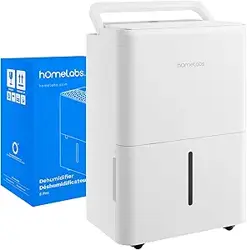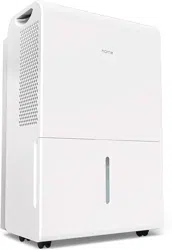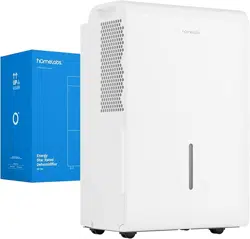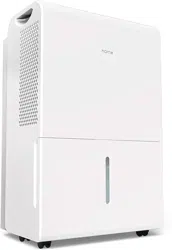
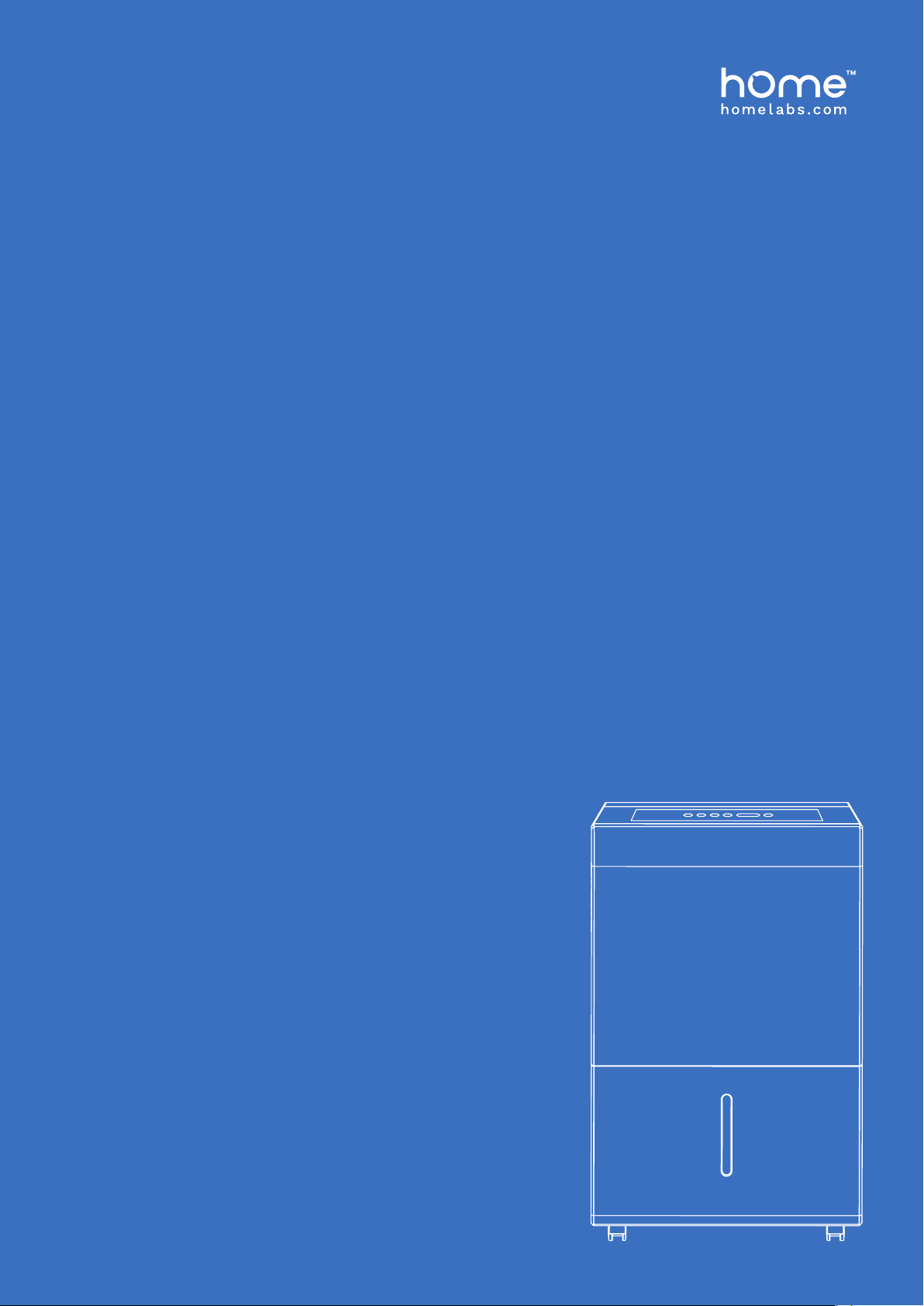
ENERGY STAR RATED
DEHUMIDIFIER
22, 35 and 50 Pint* Capacity Models
Before using your Energy Star Rated Dehumidier, please read this manual.
* BASED ON NEW TEST PROCEDURE OF DEPARTMENT OF ENERGY. Similar to previous 30, 50, and 70 Pints.
DOE Test Procedure, 10 CFR part 430, Subpart B, appendix X1.
HME020030
HME020006
HME020031

BEFORE FIRST USE:
To prevent any internal damage, it is very important to
keep refrigeration units (like this one) upright throughout
their journey. Please leave it standing upright and outside
the box for 24 HOURS before plugging it in.

Important Safety Instructions
Parts Description
Operation
Care & Cleaning
Troubleshooting
Warranty
Warning
Contact Us
6-7
8
9-12
13
13
14
14
14
TABLE OF CONTENTS


on bringing home your new appliance!
Congrat ulations
Don’t forget to register your product at homelabs.com/reg
for updates, coupons, and other relevant information.
Although greatly appreciated, product registration is not
required to activate any warranty.
6
To prevent injury to the user or other people and property damage, the following instructions must be followed when
using the Dehumidier. Incorrect operation due to ignoring of instructions may cause harm or damage.
1. Do not exceed the rating of the power outlet or connection device.
2. Do not operate or turn off the dehumidier by plugging in or unplugging the device. Use the control panel instead.
3. Do not use if the power cord is broken or damaged.
4. Do not modify the power cord length or share the outlet with other appliances.
5. Do not touch the plug with wet hands.
6. Do not install the dehumidier in a location that may be exposed to combustible gas.
7. Do not place the dehumidier near a heat source.
8. Disconnect the power if strange sounds, smell, or smoke comes from the dehumidier.
9. You should never try to take apart or repair the dehumidier by yourself.
10. Make sure to turn off and unplug the dehumidier before cleaning.
11. Do not use the dehumidier near ammable gas or combustibles, such as gasoline, benzene, thinner, etc.
12. Do not drink or use the water drained from the dehumidier.
13. Do not take the water bucket out while the dehumidier is working.
14. Do not use the dehumidier in small spaces.
15. Do not place the dehumidier in places where it may be splashed by water.
16. Place the dehumidier on a level, sturdy section of the oor.
17. Do not cover the intake or exhaust openings with cloths or towels.
18. Care should be taken when using the dehumidier in a room with the following persons: infants, children, the
elderly and people not sensitive to humidity.
19. Do not use in areas where chemicals are handled.
20. Never insert your nger or other foreign objects into grills or openings. Take special care to warn children of these
dangers.
21. Do not place a heavy object on the power cord and make sure that the cord is not compressed.
22. Do not climb on or sit on the dehumidier.
23. Always insert the lters securely. Make sure to clean the lter once every month.
24. If water enters the dehumidier, turn the dehumidier off and disconnect the power, contact hOme
™
Customer
Service at 1-800-898-3002 in order to avoid a hazard.
25. Do not place ower vases or other water containers on top of the dehumidier.
Important Safety Instructions
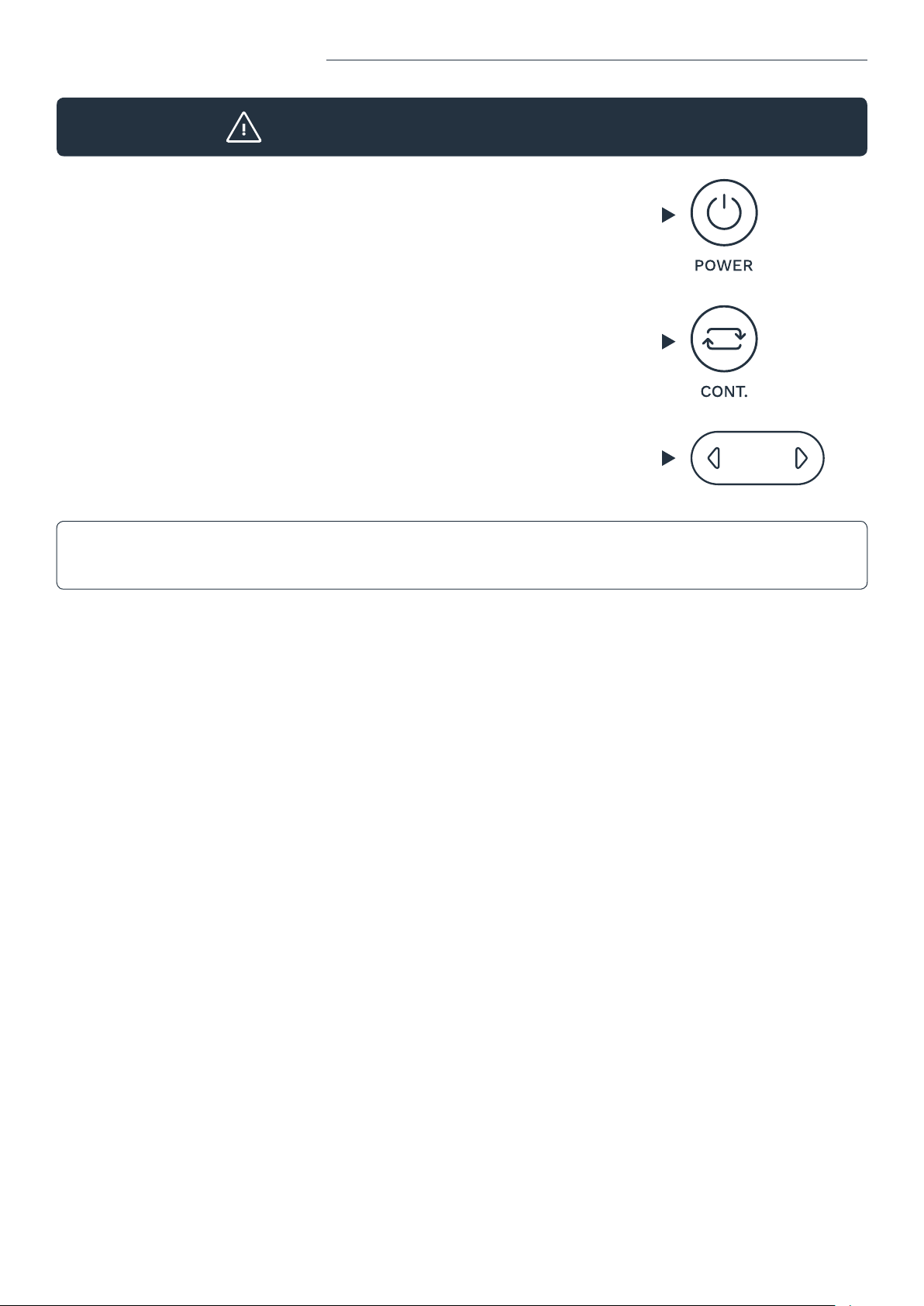
PLEASE NOTE:
This dehumidier defaults to
CONTINUOUS MODE, disabling
use of the LEFT/RIGHT buttons.
To regain use of the buttons, conrm
CONTINUOUS MODE is turned off.
TURN ON
DEHUMIDIFIER
TURN OFF
CONTINUOUS MODE
BEGIN USING
LEFT/RIGHT BUTTONS
SAVE THESE INSTRUCTIONS / FOR HOUSEHOLD USE ONLY
IMPORTANT NOTICE FOR FIRST TIME USE
7
- The hOme
™
nameplate is located on the rear panel of the dehumidier and contains
electrical and other technical data specic to this dehumidier.
- Be sure the dehumidier is properly grounded. To minimize shock and re hazards,
proper grounding is important. This power cord is equipped with a three-prong
grounding plug for protection against shock hazards.
- Your dehumidier must be used in a properly grounded wall socket. If your wall
socket is not adequately grounded or protected by a time delay
fuse or circuit breaker, have a qualied electrician install the proper socket.
- Avoid re hazard or electric shock. Do not use an extension cord or an adapter plug. Do
not remove any prong from the/power cord.
ELECTRICAL INFORMATION
Important Safety Instructions
- This dehumidier can be used by children 8 years or older and person with reduced physical, sensory
or mental capabilities or lack of experience and knowledge with supervision or instruction concerning use of the
dehumidier. Cleaning and user maintenance shall not be done by children without supervision.
- If the supply cord is damaged, it must be replaced by the hOme
™
. Please contact hOme
™
Customer Service at
1-800-898-3002 in order to avoid hazard.
- Prior to cleaning or other maintenance, the dehumidier must be disconnected from the supply mains.
- Do not install the dehumidier in a location that may be exposed to combustible gas.
- If combustible gas accumulates around the dehumidier, it may cause re.
- If the dehumidier is knocked over during use, turn off the dehumidier and unplug it from the main power supply
immediately. Visually inspect the dehumidier to ensure there is no damage. If you suspect the dehumidier has been
damaged, contact hOme
™
Customer Service at 1-800-898-3002 for repair or replacement.
- In a thunderstorm, the power must be cut off to avoid damage to the dehumidier due to lightning.
- Do not run cord under carpeting. Do not cover cord with throw rugs, runners, or similar coverings. Do not route
cord under furniture or other appliances. Arrange cord away from trafc area and where it will not be tripped over.
- Do not operate dehumidier with a damaged cord or plug. Please contact hOme
™
Customer Service at
1-800-898-3002 for repair or replacement.
- To reduce the risk of re or electric shock, do not use this dehumidier with any solid-state speed control device.
- The dehumidier shall be installed in accordance with national wiring regulations.
- Contact hOme
™
Customer Service at 1-800-898-3002 for repair or maintenance of this dehumidier.
CAUTION
8
Parts Description
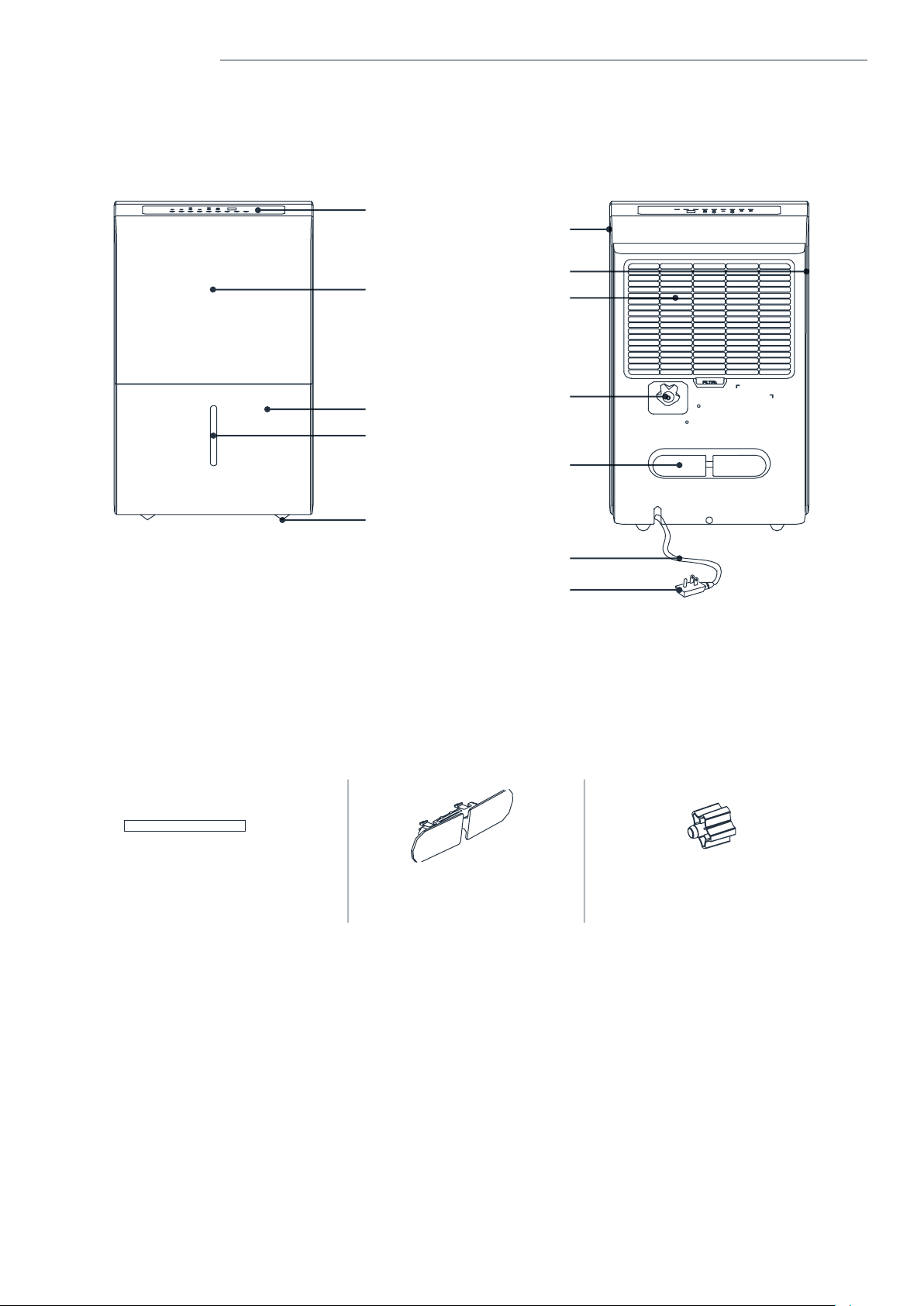
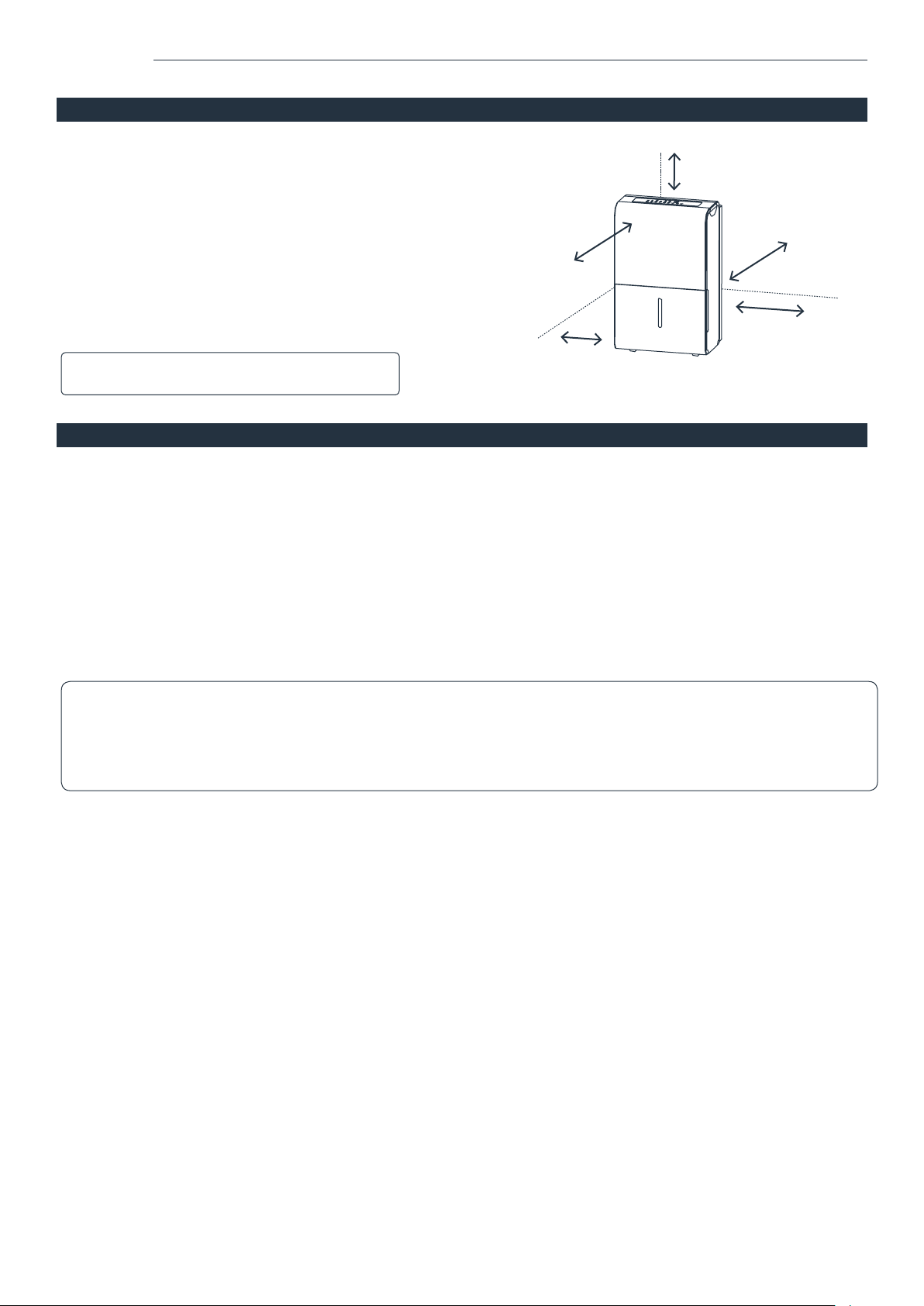
Control Panel
FRONT
ACCESSORIES
(placed in the bucket of the dehumidier)
REAR
Handle
(both sides)
Air intake Grille/Air Filter
Drain Hose Outlet
Power Cord Buckle
(placed in bucket)
Power Cord
Power Plug
Air Outlet Grille
Panel
Bucket
Caster
Pump Drain Hose ( 1pc )
(only for the dehumidier with pump feature)
Power Cord Buckle ( 1pc )
Threaded Female End ( 1pc )
(on some models)
Water Level Window
9
- Auto Shut Off
When the bucket is full and/or the humidity setting
is reached, the dehumidier will be shut off
automatically.
- Wait 3 minutes before resuming operation
To avoid any damage to the dehumidier, the
dehumidier will not start operation following a
complete cycle until after three (3) minutes. Operation
will automatically start after three (3) minutes.
- This unit may have been tilted or placed upside down during
shipping. To ensure this device works properly, please ensure
this unit is upright for at least 24 hours before initial use.
- This dehumidier is designed to operate with a working
environment between 41°F (5°C) and 90°F (32°C).
Casters (Installed at four points on the bottom of the dehumidier)
- Do not force casters to move over carpet, or move
the dehumidier with water in the bucket.
(The dehumidier may tip over and spill water.)
Operation
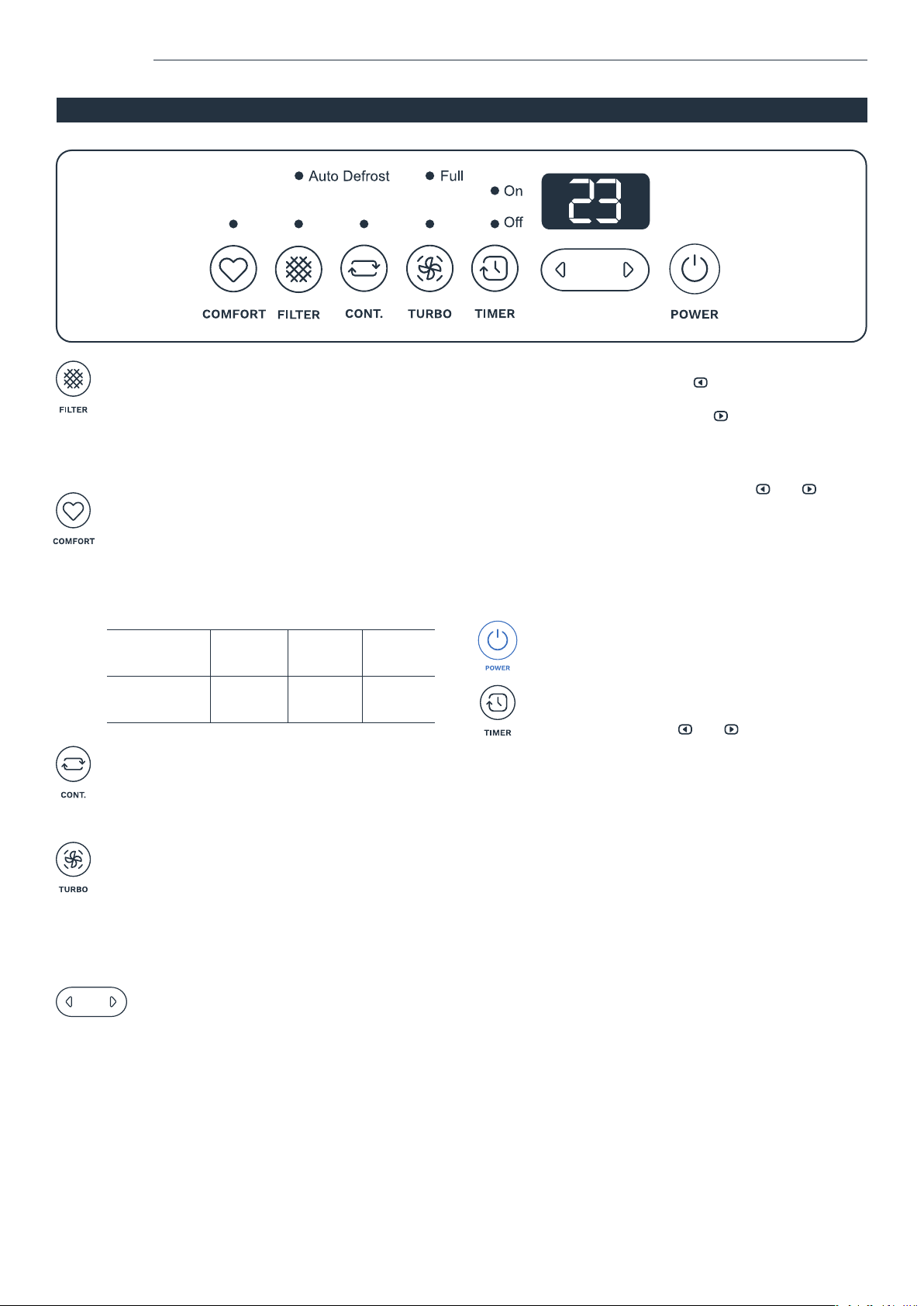
PLACE CORRECTLY
SMART FUNCTIONS
NOTE: Some models do not come with casters.
- Auto Defrost
When frost builds up on the evaporator coils, the
compressor will cycle off and the fan will continue to run
until the frost disappears.
- Auto-Restart
If the dehumidier shuts off unexpectedly due to power
being cut, the dehumidier will restart with the previous
function setting automatically when the power resumes.
NOTE:
All the illustrations in the manual are for explanation purpose only. Your dehumidier may be slightly different. The
actual shape shall prevail. The design and specications are subject to change without prior notice for product
improvement. Consult hOme
™
Customer Service at 1-800-898-3002 for details.
more than 7.9in (20cm)
more than 7.9in (20cm)
more than 7.9in (20cm)
more than 15.7in (40cm)
more than 15.75in (40cm)
10
Operation
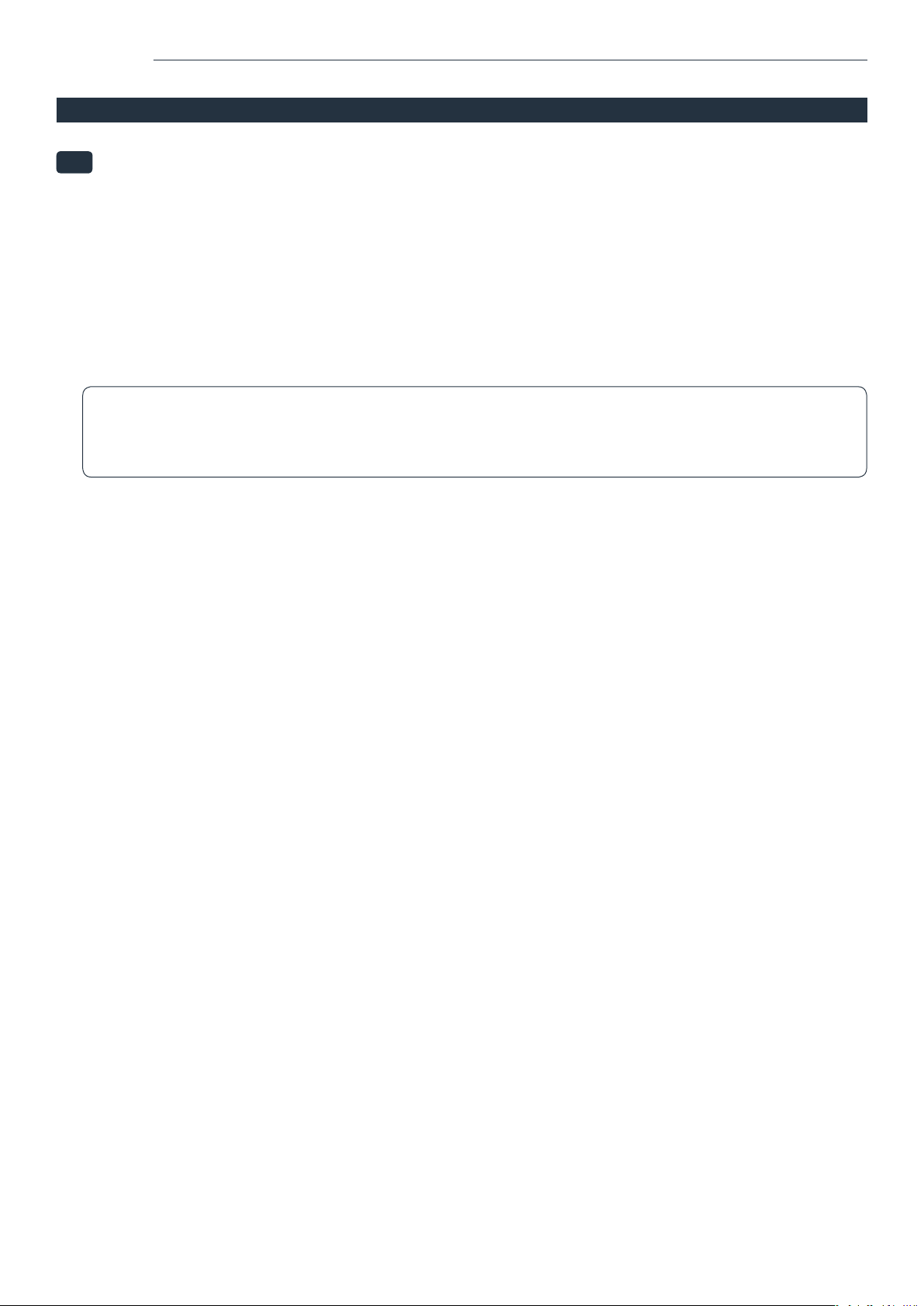
CONTROL PANEL
FILTER buon
The check lter feature is a reminder to clean the
Air Filter for more efcient operation. The Filter
light (clean lter light) will ash after 250 hours of
operation. To reset after cleaning the lter, press
the lter button and the light will go off.
TURBO buon
Control the fan speed. Press to select either High
or Normal fan speed. Set the fan control to High for
maximum moisture removal. When the humidity
has been reduced and quiet operation is preferred,
set the fan control to Normal.
POWER buon
Press to turn the dehumidier on and off.
CONTINUOUS buon
Press to activate the Continuous dehumidifying
operation.
COMFORT buon
Press this button to turn the comfort function
on/off. Under this mode, the humidity cannot
be adjusted manually but will be preset to a
recommended comfortable and healthy level
based on the ambient temperature. The level
will be controlled as per below table:
Ambient
Temperature
<65 ˚F 65 -77 ˚F >77 ˚F
Relative
Humidity
55 % 50 % 45 %
LEFT / RIGHT buons
NOTE: When the dehumidier is rst turned on, it will
go on Continuous mode by default. This will disable
use of the LEFT/RIGHT buttons. Make sure to turn off
Continuous mode to regain function in these buttons.
Humidity Set Control buons
• The humidity level can be set within a range of
35%RH (Relative Humidity) to 85%RH (Relative
Humidity) in 5% increments.
TIMER buon
Press to initiate the Auto start and Auto stop feature,
in conjunction with the and buttons.
• When the dehumidier is on, rst press the
Timer button. The Timer Off indicator light will
illuminate. It indicates the Auto Stop program is
initiated. Press it again and the Time On indicator
light will illuminate. It indicates the Auto Start is
initiated.
• When the dehumidier is off, rst press the Timer
button. The TIMER ON indicator light illuminates.
It indicates the auto start program is initiated.
Press it again and the Time Off indicator light
illuminates. It indicates the Auto Stop is initiated.
• Press or hold the LEFT or RIGHT buttons to
change the Auto time by 0.5 hour increments,
up to 10 hours, then at 1 hour increments up to
24 hours. The control will count down the time
remaining until start.
• The selected time will register in 5 seconds and
the system will automatically revert back to
display the previous humidity setting.
• When the Auto start & Auto stop times are set,
within the same program sequence, TIMER ON
and OFF indicator lights illuminate identifying
both ON and OFF times are now programmed.
• Turning the dehumidier ON or OFF at any time
or adjusting the timer setting to 0.0 will cancel
the Auto Start/Stop function.
• When LED display window displays the code
of P2, the Auto Start/Stop function will also be
canceled.
• For drier air, press the button and set to a lower
percent value (%).
For damper air, press the button and set a
higher percent value (%).
Timer Set Control buons
• Press to initiate the auto start and auto stop
feature, in conjunction with the and buttons.
Indicator Lights
• ON .....................Timer ON light
• OFF ...................Timer OFF light
• FULL ..................The water tank is full and should be
emptied
• DEFROST .........The appliance is on Defrost mode
11
Operation
CONTROL PANEL (CONT.)
LED display
Shows the set % humidity level from 35% to 85% or auto start/stop time (0~24) while setting, then shows the actual
(±5% accuracy) room % humidity level in a range of 30% RH (Relative Humidity) to 90%RH (Relative Humidity).
Note: When one of the above malfunctions occurs, turn off the dehumidier, and check for any obstructions.
Restart the dehumidier, if the malfunction is still present, turn off the dehumidier and unplug the power cord.
Contact hOme
™
Customer Service at 1-800-898-3002 for repair and/or replacement.
Error Codes:
AS - Humidity sensor error;
ES - Temperature sensor error;
Protection Codes:
P2 - Bucket is full or bucket is not in right position.
Empty the bucket and replace it in the
right position.
P2 - Bucket is full. Empty the bucket.
%
12
Operation
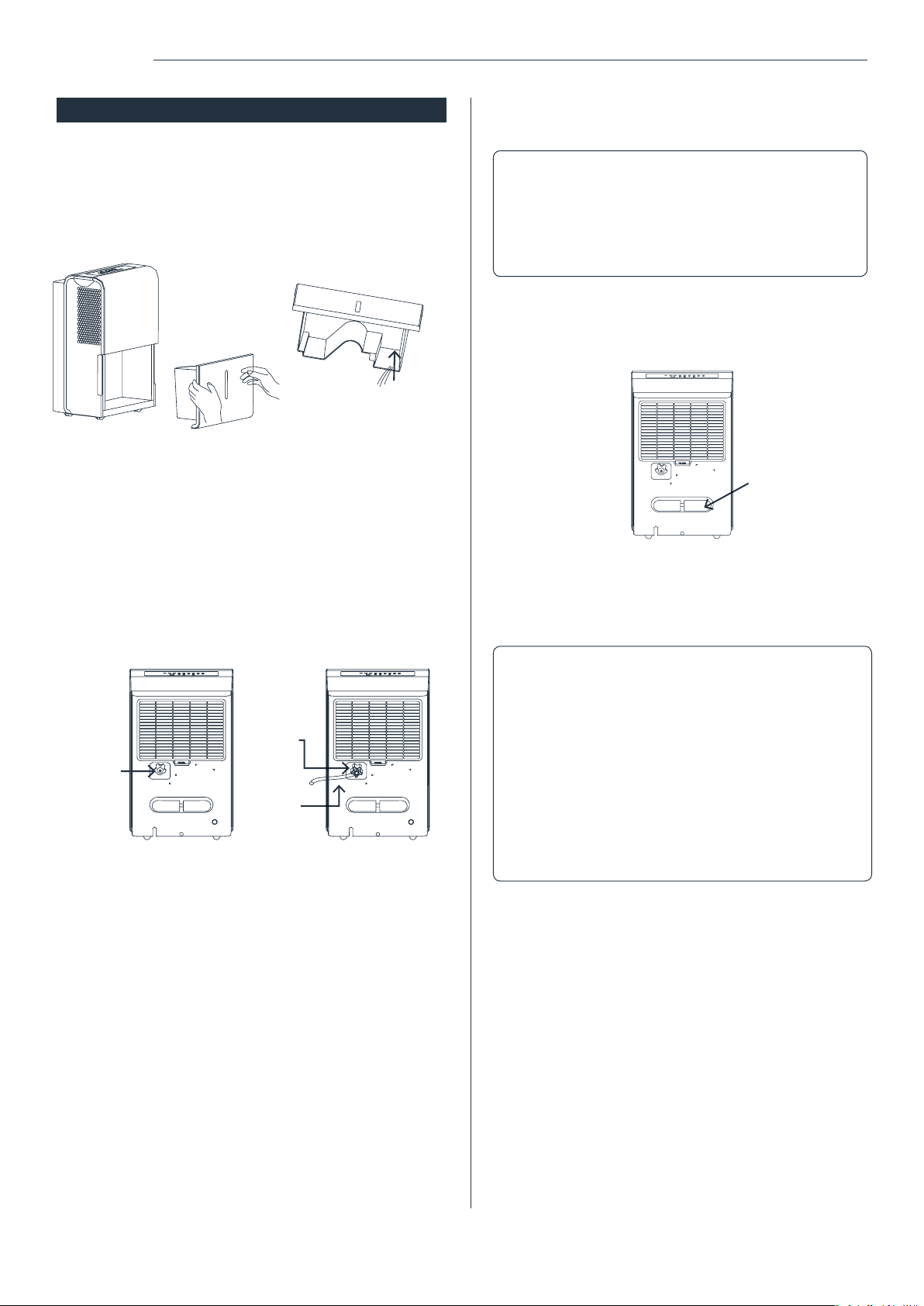
REMOVING THE COLLECTED WATER
There are two ways to remove collected water:
1. Use the bucket
When the bucket is full, remove the bucket and empty it.
2. Continuous draining
Water can be automatically be emptied into a oor
drain by attaching the dehumidier to a water hose with
a female threaded end. (NOTE: On some models, the
female threaded end is not included)
Note: Do not use this operation when the outdoor
temperature is equal to or less than 32°F (0°C),
otherwise the water will freeze, causing the water
hose to block up and the dehumidier may be
damaged.
water outlet
Remove the
plastic cover
by counter-
clockwise
rotation
Female
threaded
end
Water
hose
Note:
- Make sure the connection is tight and there is
no leaking.
- Lead the water hose to the oor drain or a
suitable drainage facility, the drainage facility
should be lower than the drain outlet of the
dehumidier.
- Be sure to run the water hose sloping downward
to let the water ow out smoothly.
- When the continuous drain feature is not being
used, remove the drain hose from the outlet.
Press the
power cord
buckle into
the rear cover.
13
Care & Cleaning
Troubleshooting
CARE AND CLEANING OF THE DEHUMIDIFIER
WARNING: Turn the dehumidier off and remove the plug
from the wall outlet before cleaning.
1. Clean the bucket
Clean the bucket with water every two (2) weeks.
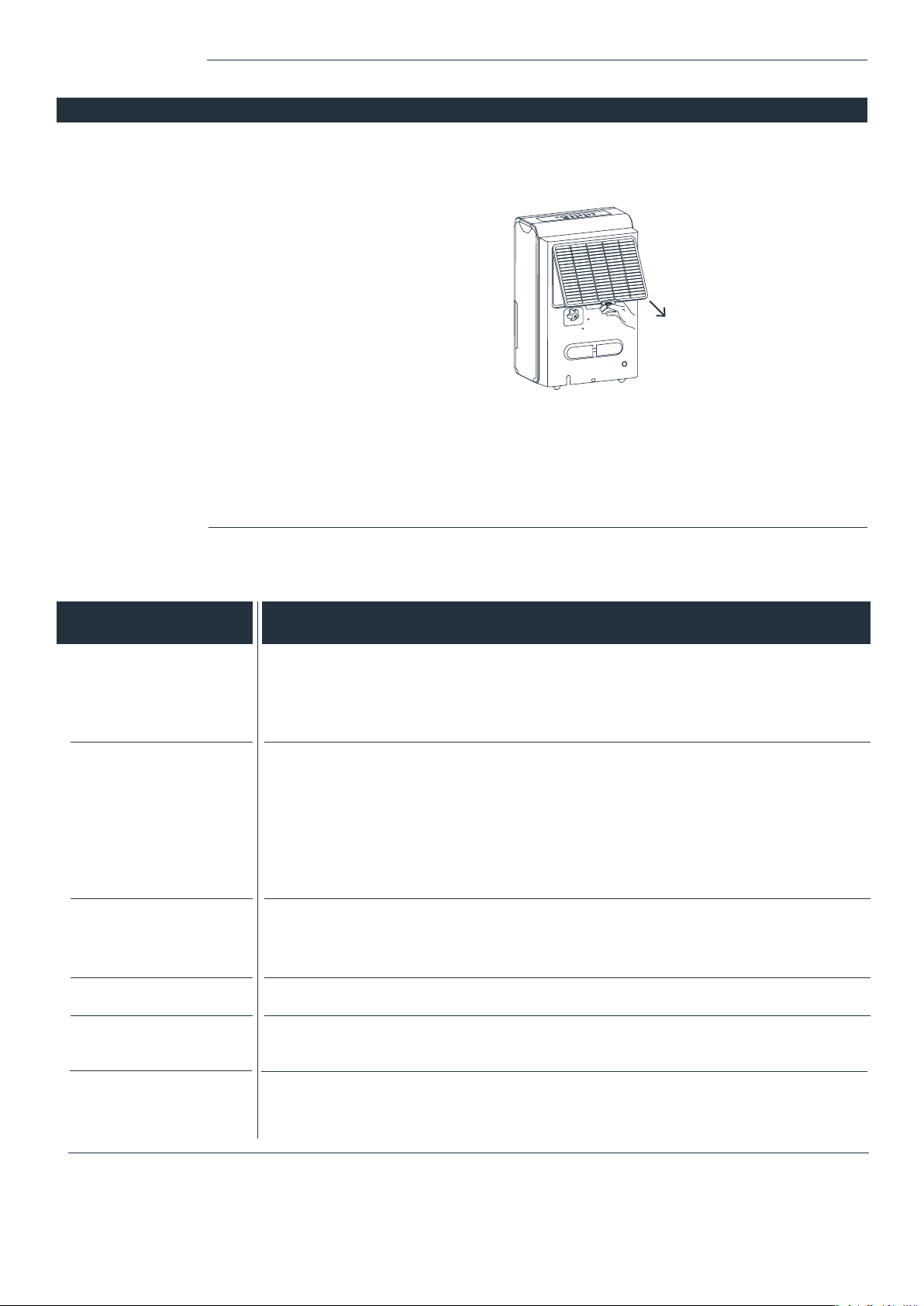
2. Clean the air lter
Clean the lter with potable water at least once
every 30 days.
3. Storing the dehumidier
When not using the dehumidier for long time periods
- After turning off the dehumidier, wait one day before
emptying the bucket.
- Clean the main dehumidier, bucket and air lter.
- Wrap the cord and bundle it with the band.
- Cover the dehumidier with a plastic bag.
- Store the dehumidier upright in a dry, well-ventilated place.
Before calling hOme customer service, review this list. It may save you time and expense. This list includes the most
common occurrences that are not the result of defective workmanship or materials in this dehumidier.
CAUSE
PROBLEM
Dehumidier does
not start
Dehumidier does not dry
the air as it should
The dehumidier makes
a loud noise when
operating
Frost appears on the coils
Water on oor
Water does not drain from
the hose
Please contact hOme
™
Customer Service at 1-800-898-3002 if dehumidier operates abnormally or does not operate,
and the solutions above are not useful.
- Make sure the dehumidier’s plug is inserted completely into the outlet.
- Check the house fuse/circuit breaker box.
- Dehumidier has reached its preset level or bucket is full.
- Bucket is not in the proper position.
- Did not allow enough time to remove the moisture.
- Make sure there are no curtains, blinds or furniture blocking the front or back of
the dehumidier.
- The humidity selector may not be set low enough.
- Check that all doors, windows and other openings are securely closed.
- Room temperature is too low, below 41°F (5°C).
- There is a kerosene heater or something giving off water vapor in the room.
- The air lter is clogged.
- The dehumidier is tilted instead of upright as it should be.
- The oor surface is not level.
- This is normal. The dehumidier has Auto defrost feature.
- Hose to connector or hose connection may be loose.
- Intend to use the bucket to collect water, but the back drain plug is removed.
- Hoses more than 5 feet long may not drain properly. It is recommended to keep the
hose as short as possible for proper draining. The hose must be placed lower than the
bottom of the dehumidier, and be kept at and smooth without kinks.
CAUTION: DO NOT operate the
dehumidier without a lter
because dirt and lint will clog
it and reduce performance.

14
Warranty
hOme
™
offers a limited two-year warranty (“warranty period”) on all of our products purchased new and unused from
hOme Technologies, LLC or an authorized reseller, with an original proof of purchase and where a defect has arisen,
wholly or substantially, as a result of faulty manufacture, parts or workmanship during the warranty period. The warranty
does not apply where damage is caused by other factors, including without limitation: (a) normal wear and tear; (b)
abuse, mishandling, accident, or failure to follow operating instructions; (c) exposure to liquid or inltration of foreign
particles; (d) servicing or modications of the product other than by hOme
™
; (e) commercial or non-household use.
The hOme
™
warranty covers all costs related to restoring the proven defective product through repair or replacement
of any defective part and necessary labor so that it conforms to its original specications. A replacement product may
be provided instead of repairing a defective product. hOme
™
’s exclusive obligation under this warranty is limited to such
repair or replacement.
A receipt indicating the purchase date is required for any claim, so please keep all receipts in a safe place. We
recommend that you register your product on our website, homelabs.com/reg. Although greatly appreciated, the product
registration is not required to activate any warranty and product registration does not eliminate the need for the original
proof of purchase.
The warranty becomes void if attempts at repair are made by non-authorized third parties and/or if spare parts, other
than those provided by hOme
™
, are used.
You may also arrange for service after the warranty expires at an additional cost.
These are our general terms for warranty service, but we always urge our customers to reach out to us with any issue,
regardless of warranty terms. If you have an issue with a hOme
™
product, please contact us at 1-800-898-3002, and we
will do our best to resolve it for you.
This warranty gives you specic legal rights, and you may have other legal rights which vary from state to state, country
to country or province to province. The customer may assert any such rights at their sole discretion.
Warning
This manual is to be used with all items with the model numbers
WARNING: Keep all plastic bags away from children.
State of California Proposition 65 Warnings:
WARNING: THIS PRODUCT COULD CONTAIN ONE OR MORE
CHEMICALS WHICH ARE KNOWN TO THE STATE OF CALIFORNIA TO
CAUSE CANCER, BIRTH DEFECTS OR OTHER REPRODUCTIVE HARM.
Manufacturer, distributor, importer and seller are not liable for ANY
damage caused by improper use, storage, care or failure to follow
warnings associated with this product.
HME020030
HME020006
HME020031
Contact Us
homelabs.com/chat
1-(800)-898-3002 [email protected]
CHAT WITH US
CALL US
EMAIL US

15

© 2016 hOmeLabs, LLC
37 East 18 Street, 7th Floor
New York, NY 10003
1-800-898-3002
homelabs.com/help
All rights reserved, hOme
™
. Printed in China.
For Household
Use Only