G733
SETUP GUIDE
English . . . . . . . . . . . .3
Deutsch . . . . . . . . . . .9
Français . . . . . . . . . . 15
Italiano . . . . . . . . . . . 21
Español . . . . . . . . . . . 27
Português . . . . . . . . . 33
Nederlands . . . . . . . . . 39
Svenska. . . . . . . . . . . 45
Dansk. . . . . . . . . . . . 51
Norsk . . . . . . . . . . . . 57
Suomi. . . . . . . . . . . . 63
Ελληνικά . . . . . . . . . . . 69
По-русски . . . . . . . . . . 75
Po polsku . . . . . . . . . . 81
Magyar . . . . . . . . . . . 87
Česká verze. . . . . . . . . 93
Slovenčina . . . . . . . . . 99
Українська. . . . . . . . . .105
Eesti . . . . . . . . . . . . 111
Latviski . . . . . . . . . . . 117
Lietuvių . . . . . . . . . . .123
Български . . . . . . . . . .129
Hrvatski . . . . . . . . . .135
Srpski . . . . . . . . . . . . 141
Slovenščina. . . . . . . . .147
Română . . . . . . . . . .153
Türkçe . . . . . . . . . . .159
165 . . . . . . . . . . . . ةيبرعلا
171 . . . . . . . . . . . תירבע
3 ENGLISH
SETUP INSTRUCTIONS
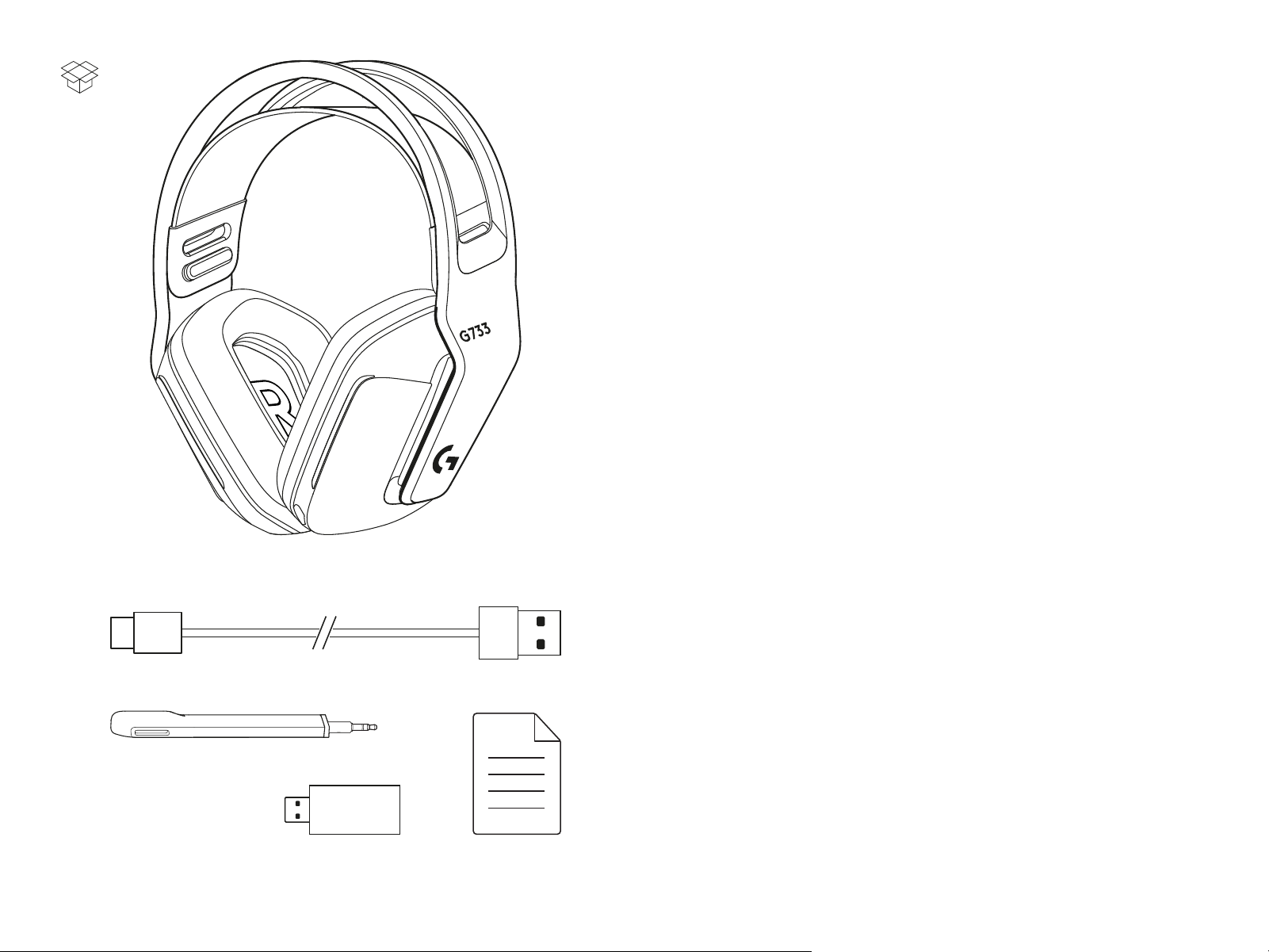
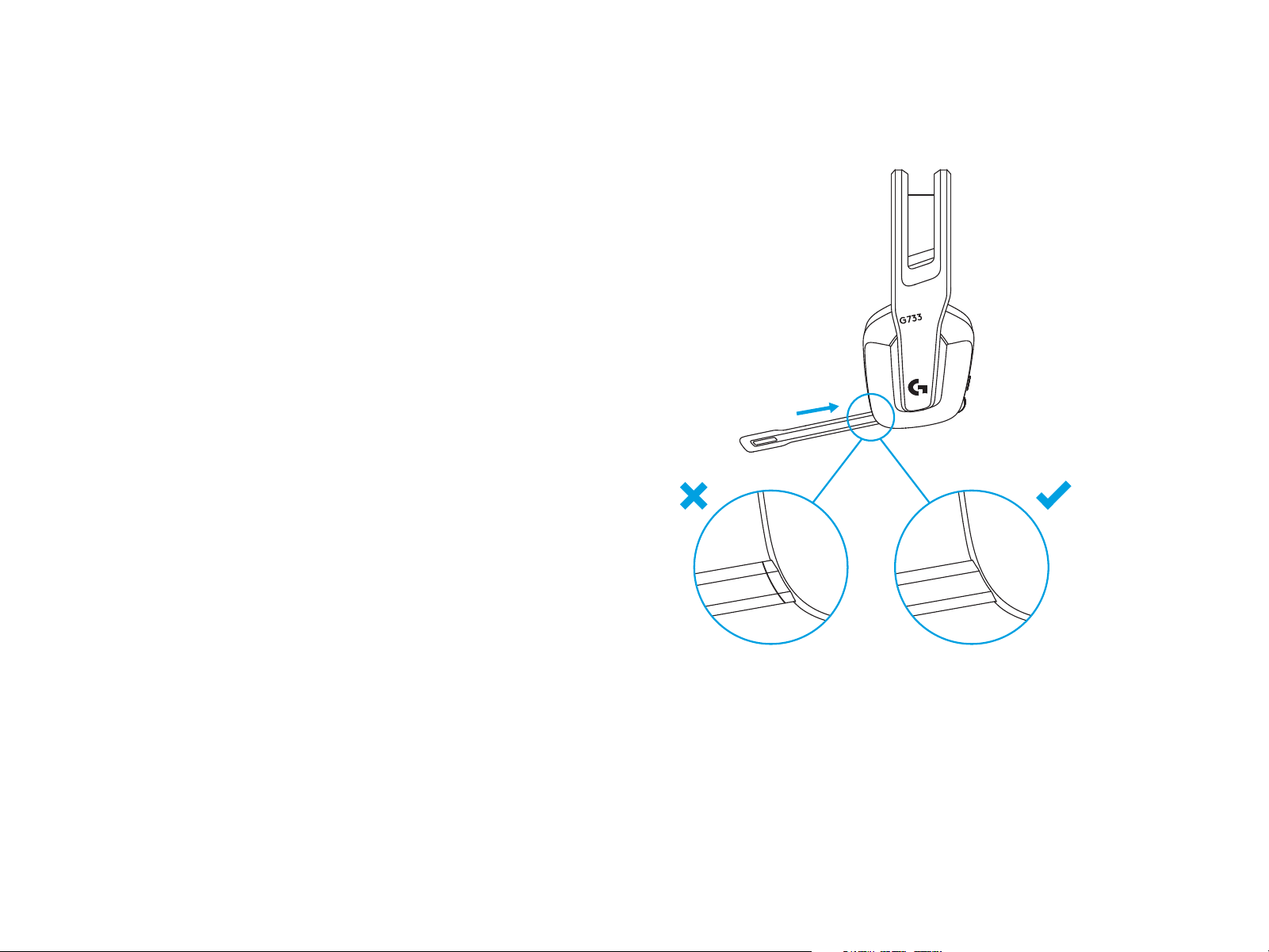
1 Insert the mic boom completely into the headset.
1
4 ENGLISH
4
logitechG.com/ghub
3
2
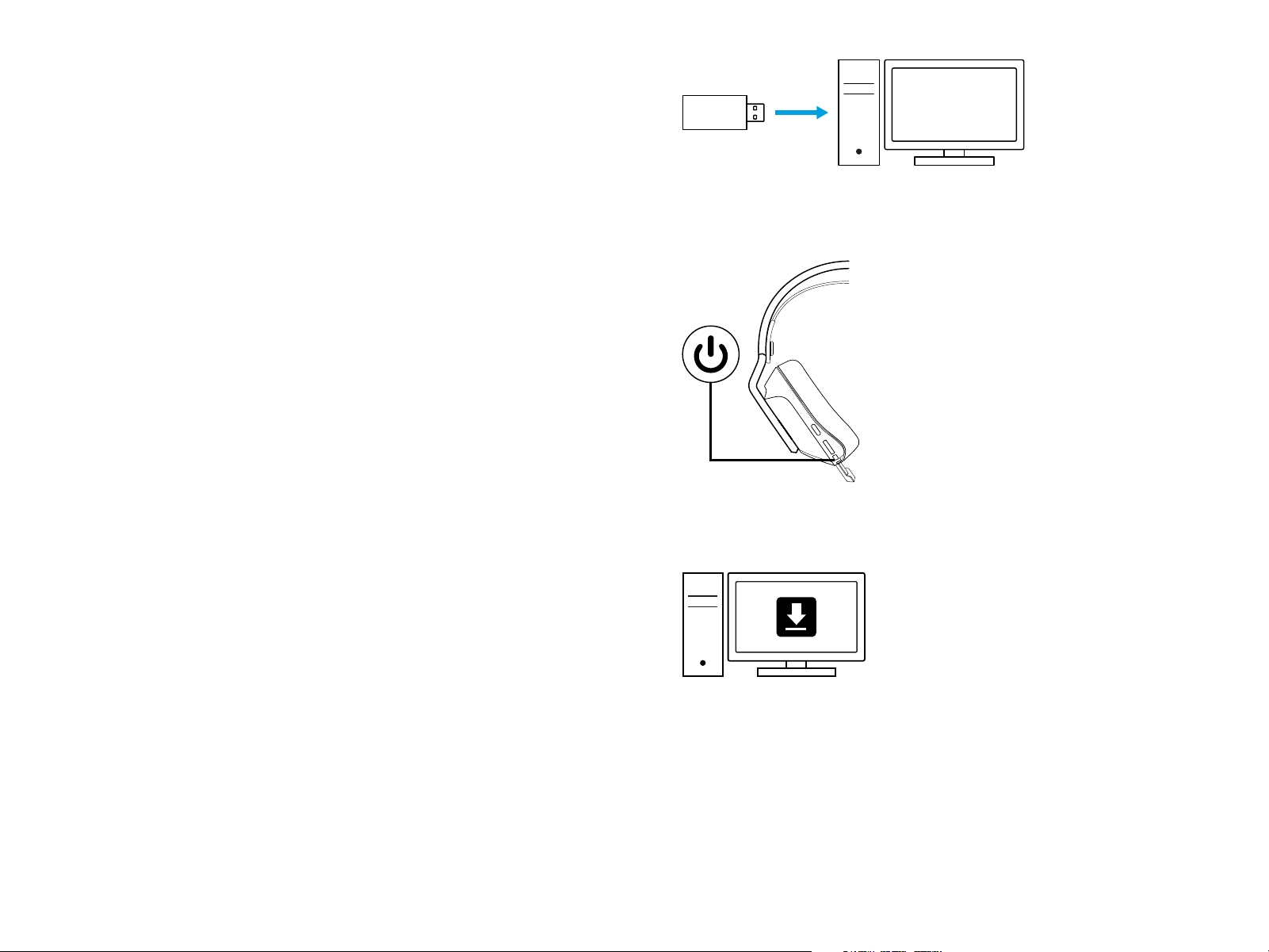
2 Insert receiver into the USB port of your PC.
3 Short press to turn ON.
4 (Optional) Download Logitech G HUB software to access
advanced features. Download at logitechG.com/ghub
5 ENGLISH
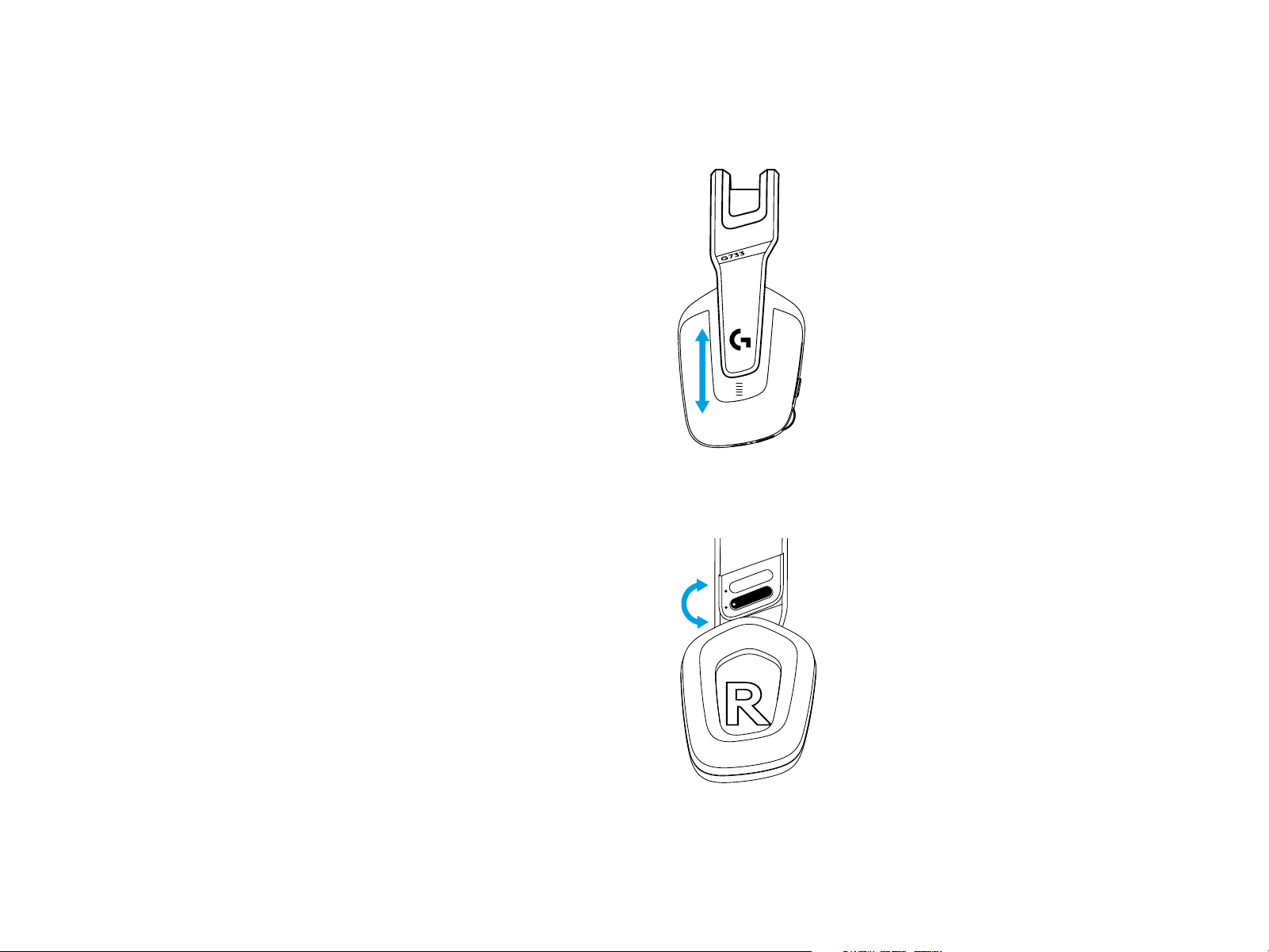
SIZE ADJUSTMENT
1 The earcups can be adjusted up and down.
2 The length of the headband can be adjusted.
1
2
6 ENGLISH
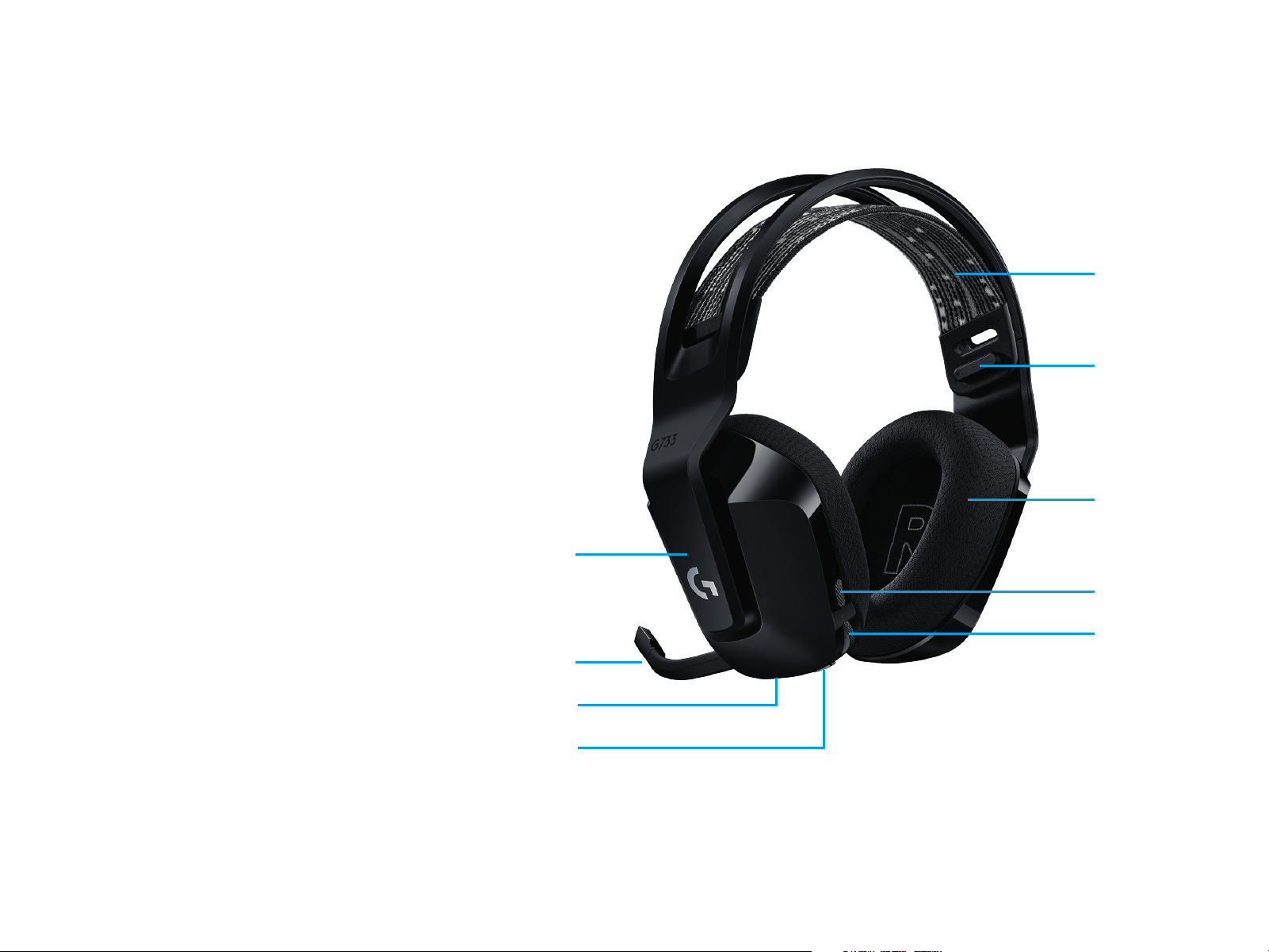
FEATURES
1 Size-adjustable earcups
2 Removable and replaceable mic
3 USB-C port for charging
4 ON/OFF button
5 Reversible and replaceable headband strap
6 Headband strap adjusting feature
7 Removable and replaceable earpads
8 Mute/unmute button
9 Volume roller
1
3
4
2
5
6
7
8
9

7 ENGLISH
UNDERSTAND
LOGITECH G HUB SOFTWARE
SPARE PARTS
RECYCLING
1 When battery life is below 10%, the audio will beep every
15min.
2 When battery life is below 2%, the lights will ash red
andtheaudio will beep every 15 min.
3 When plugging the charging cable, the lights will breath
green5 times and revert to its previous state.
4 When muting the mic, the lights will ash red and theaudio
will beep twice.
5 When unmuting the mic, the lights will ash green and
theaudio will beep three times.
6 When using G HUB software, pressing the ON/OFF button
once when the headset is ON will let you know the battery life
remaining.
(Optional) Download Logitech G HUB software to access
advanced features. Download at logitechG.com/GHUB.
Logitech G HUB software lets you customize many features,
including:
• Enable/disable DTS Headset:X 2.0 Surround Sound
• Enable/disable Blue VO!CE mic enhancement
• Adjust EQ settings
• Sidetone
• Lighting
• Mute button assignment
You can nd replacement parts at logitechG.com
inselectedregions, including:
• Headband strap
• Earpads
• Mic
• Cable
• Receiver
We encourage you to resell or donate working products.
Otherwise, batteries, electronic and electrical equipment
shouldnot be disposed of with household waste.
Whereverpossible, they should be segregated and brought
toan appropriate collection point to enable recycling and avoid
potential impacts on the environment and human health.
Formore information, contact your local authorities or place
ofpurchase, or visit www.logitech.com/recycling
8 ENGLISH
QUESTIONS?
logitechG.com/support/g733
www.logitech.com/recycling
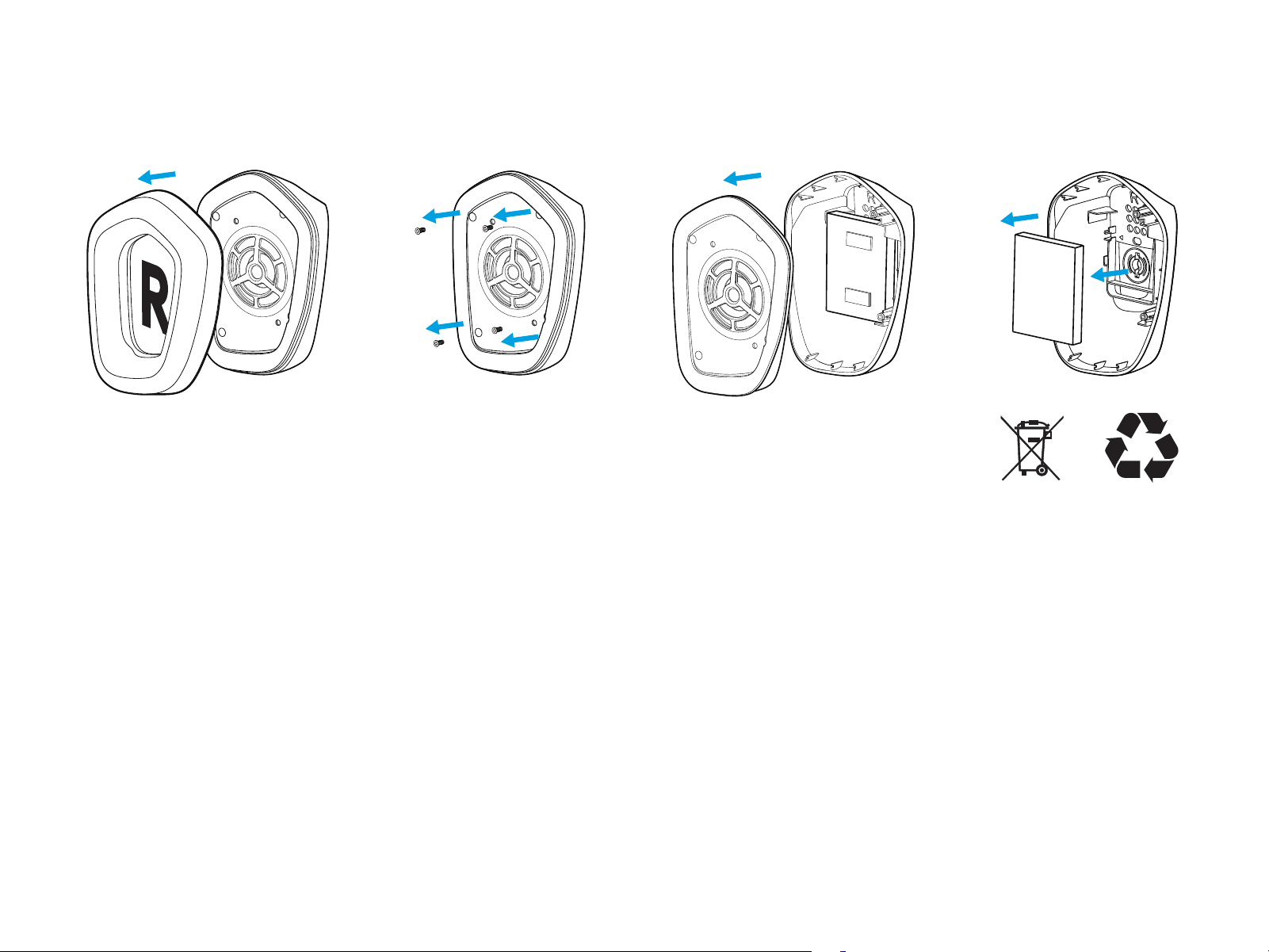
BATTERY REMOVAL FOR RECYCLING
Li-ion
Li-ion
1 2
3 4