GETTING
STARTED WITH
ELGATO
RING LIGHT
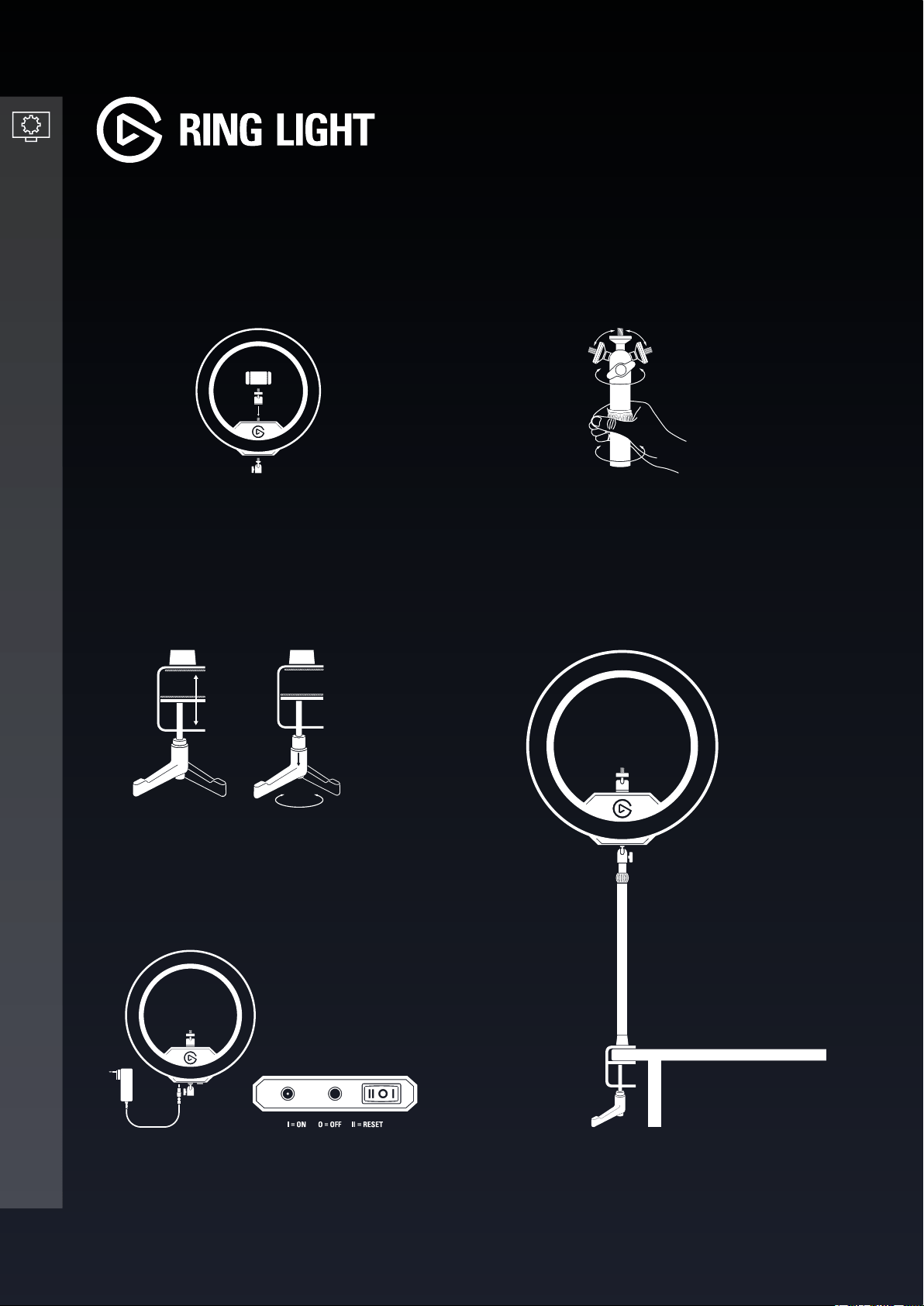
Attach the camera mount to Ring Light.
Rotate the clamp ratchet to secure Master
Mount S to your desk.
Turn the twist lock to adjust the height of
Master Mount S.
Connect the power supply to Ring Light and
plug it into a wall outlet.
SETTING UP RING LIGHT
3 4
5
1 2
Secure Ring Light to the 1/4 inch screw on
top of the ball head of the included Master
Mount S pole.
2/5 | Version 01 | December 15 2020
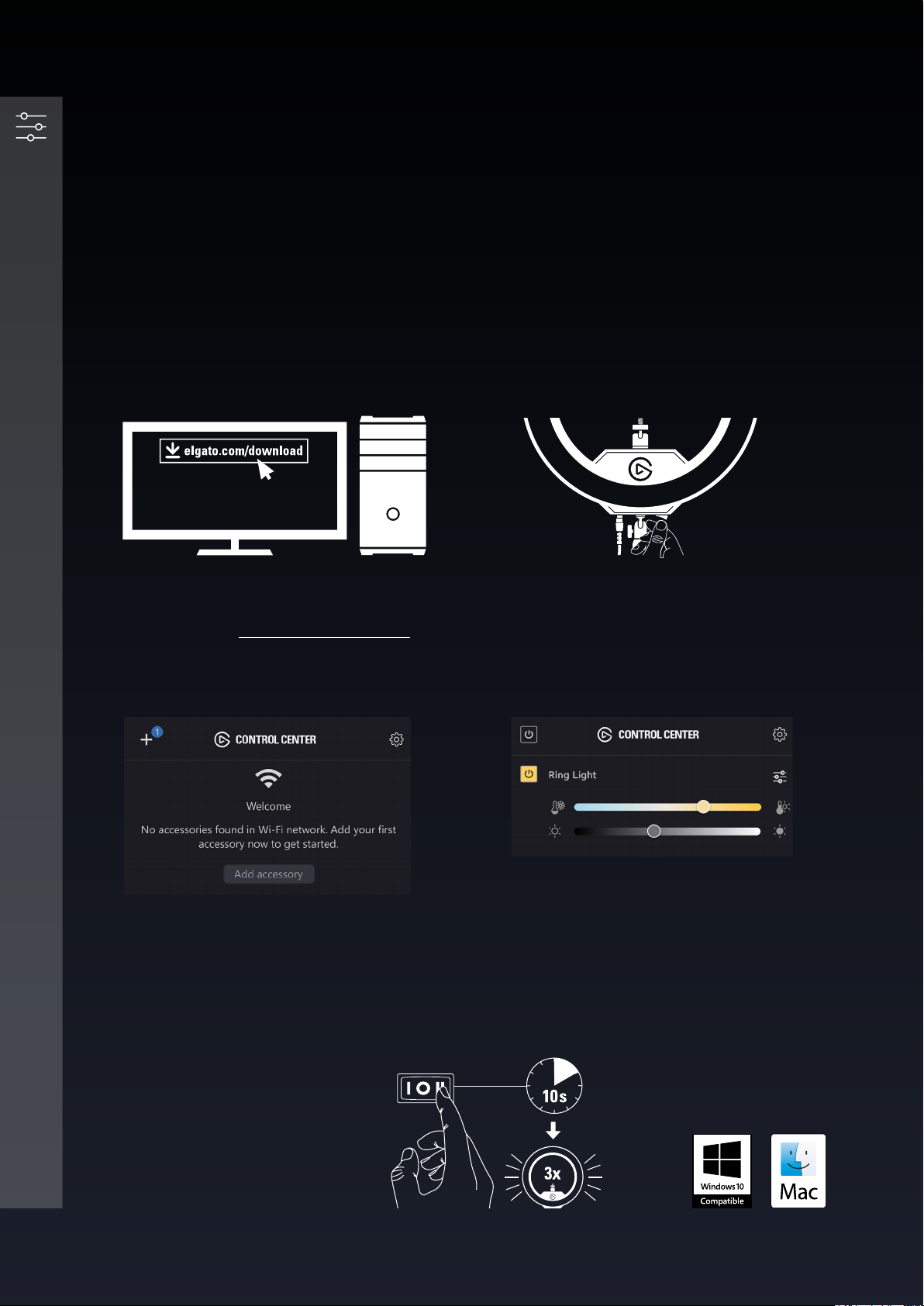
Ring Light can be controlled using either the onboard buttons, or via Wi-Fi from a PC, Mac,
Android or iOS device.
If your PC or Mac is not equipped with Wi-Fi, use the Elgato Control Center app on your iOS or
Android device to add Ring Light.
A Wi-Fi connection is only needed for initial pairing. Once paired, you can control Ring Light via
any wired or wireless device in your network.
Switch on your Ring Light. It will take
approximately 10 seconds to boot up.
Launch Control Center and pair Ring Light by
clicking the + icon.
Use Control Center to switch Ring Light on/
off, adjust brightness, and ne-tune color
temperature.
Power on Ring Light. Push and hold
the RESET button for at least 10
seconds until the light ashes 3x.
CONTROLLING RING LIGHT
4
2
3
PC/Mac setup
1
Download and install the Elgato Control
Center software - elgato.com/download
Resetting your Ring Light
3/5 | Version 01 | December 15 2020
Compatible with:
Onboard controls
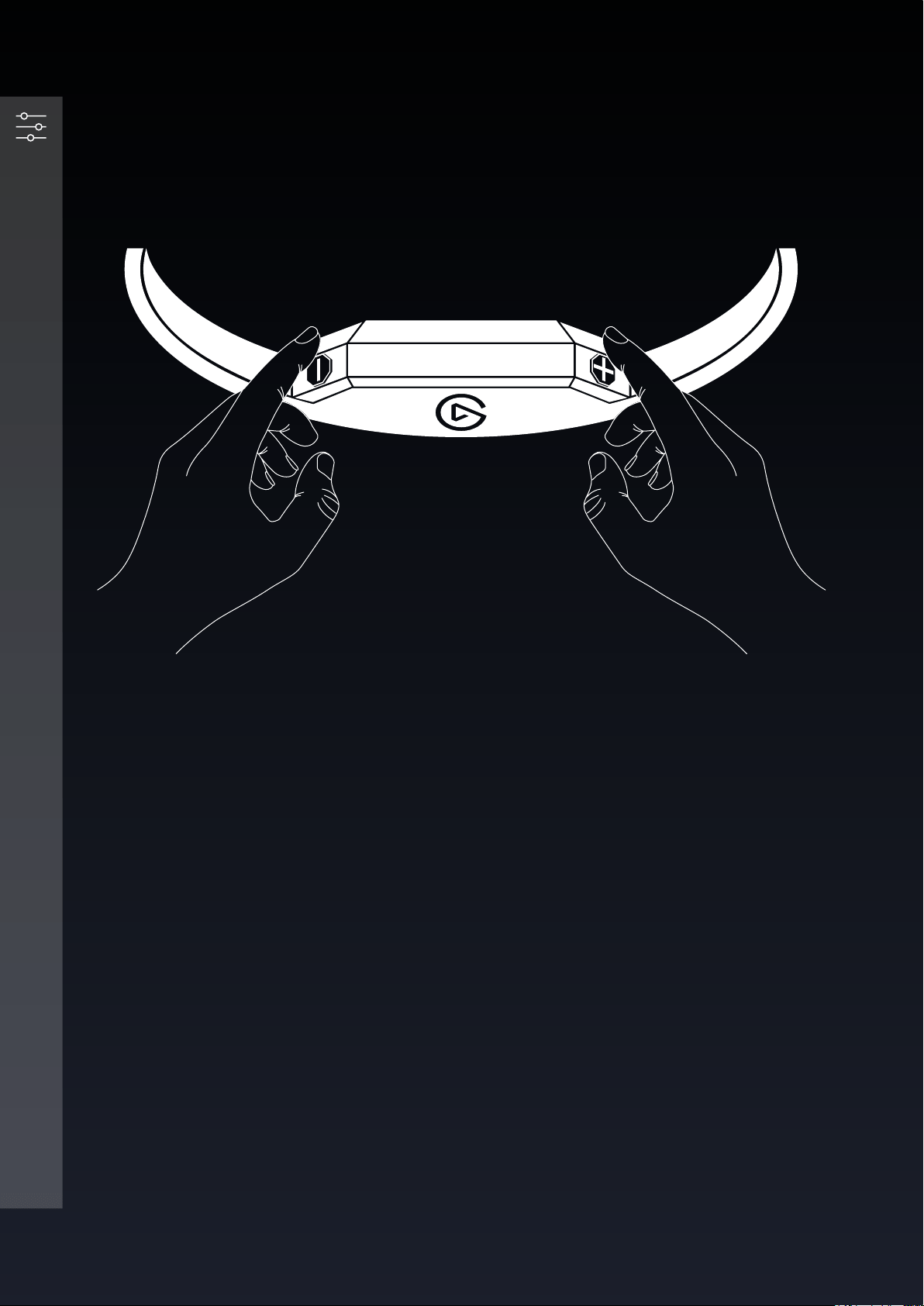
• When not paired to a Wi-Fi connection, use the + and - buttons to adjust brightness and
color temperature.
• Ring Light is in Brightness mode by default. Press + and - simultaneously to enter Color
Temperature mode (Ring Light will ash twice) and repeat to enter Brightness mode
(Ring Light will ash once).
CONTROLLING RING LIGHT
4/5 | Version 01 | December 15 2020
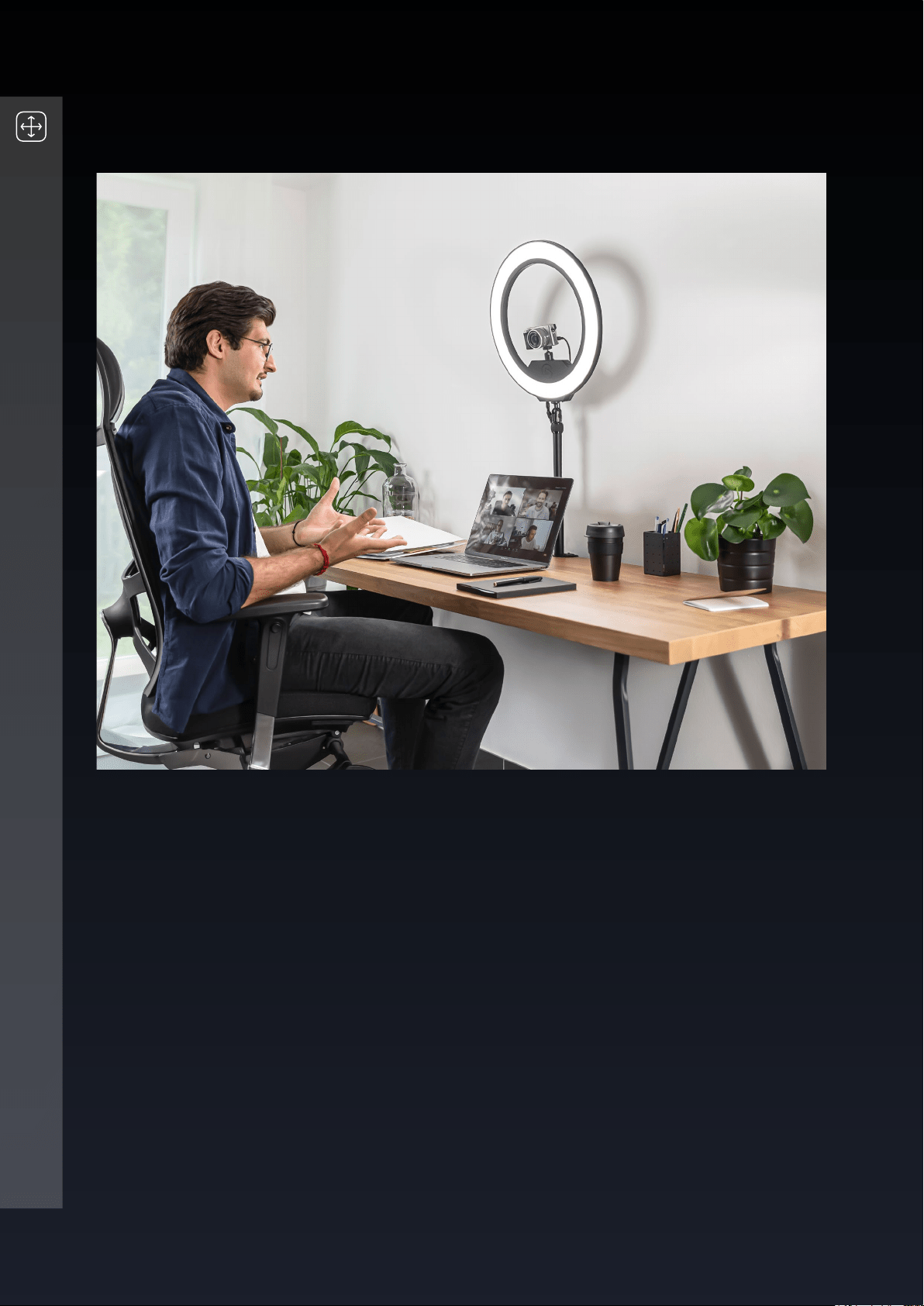
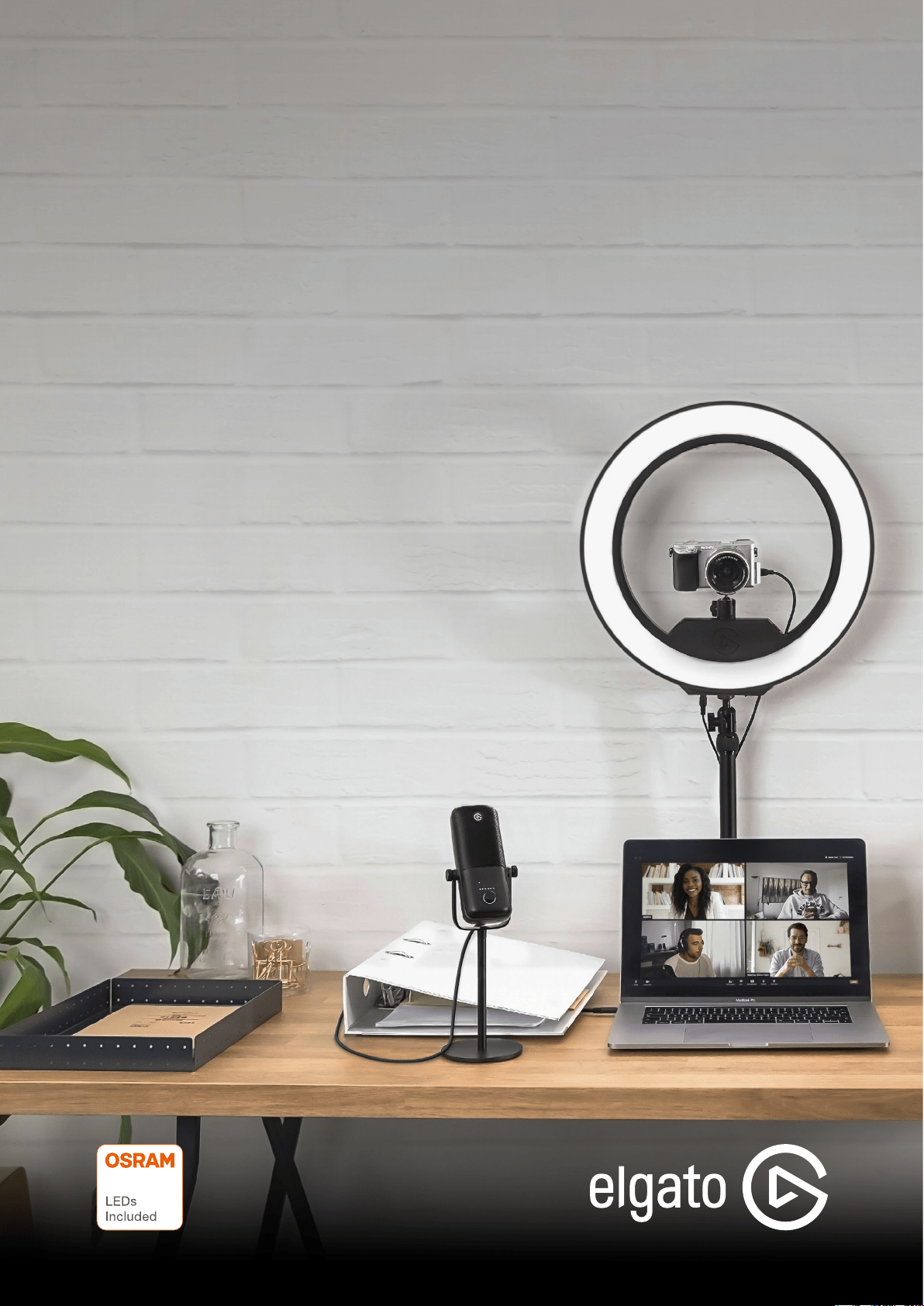
When using Ring Light at your desk, you should position it directly behind and above your
monitor, angled towards you. An all-in-one lighting solution, Ring Light eliminates shadows
on your face and features adjustable brightness and color temperature, so you can set ideal
lighting conditions for your setup.
POSITIONING RING LIGHT
5/5 | Version 01 | December 15 2020