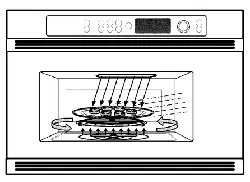
Owner's
Manual
Advantium
Built-In Ovens
ZSC2000
ZSC2001
www.monogram.com
Monogram.*
Webringgood thingsto life.
IMPORTANT SAFETY INSTRUCTIONS
Advantium Oven
PRECAUTIONS TO AVOID POSSIBLE EXPOSURE
TO EXCESSIVE MICROWAVE ENERGY
(a) Do Not Attempt to operate this oven with the
door open since open-door operation can
result in harmful exposure to microwave
energy. It is important not to defeat or
tamper with the safety interlocks.
(11) Do Not Place any object between the oven
front face and the door or allow soil or
cleaner residue to accumulate on sealing
surfaces.
Do Not Operate the oven if it is damaged.
It is particularly important that the oven
door close properly and that there is no
damage to the:
(1) door (bent),
(2) hinges and latches (broken or loosened),
(3) door seals and sealing surfaces.
The Oven Should Not be adjusted or repaired
by anyone except properly qualified service
personnel.
Contents
Advantium
Advantium Quick Start ................. 10
Cooking controls ..................... 13
Customer information .................. 8
Oven features ........................ 12
What is Advantium? .................... 9
Safety ............................. 2-7
Speedcooking
Cooking tips ......................... 15
Custom speedcook recipes ........... 18, 19
Custom speedcook recipe log ........... 20
Manual speedcook .................... 17
Power level .......................... 16
Repeat last .......................... 15
Resume feature ...................... 15
Speedcook cookware .................. 17
Speedcook menu guide ................ 11
Speedcook-safe cookware ................ 5
Things that are normal ................ 21
Using a pre-set speedcook menu ......... 14
Microwaving
Cooking tips ......................... 23
Custom micro,_-ave recipes ........... 24, 25
Custom micro,_-ave recipe log ........... 24
Defi'ost (auto) ....................... 26
Defi'ost (time) ....................... 26
Defi'osting tips ....................... 27
Micro Express ..................... 11, 23
Microwave power levels ................ 23
Microwave-safe cookware ................ 6
Precautions m avoid possible exposure
to excessive microwave energy ............ 2
Sensor cooking .................... 98, 99
Things that are normal ................ 30
Time cook .......................... 93
Using pre-set microwave selections ....... 22
Other Features
Automatic fan ........................ $4
Beeper volume ....................... $2
Child lockout ........................ $4
Clock ............................ f0, 32
Display ON/OFF ..................... $2
Help ............................... $3
Review ............................. $2
Scroll speed ......................... $2
Timer .............................. $4
Care and Cleaning
Cleaning the inside ................ 35, 36
Cleaning the outside .................. 37
Lamp covers ......................... 36
Troubleshooting
Problem Solver .................... 38, 39
Customer Service
Customer information .................. 8
Product Registration ................ 41, 42
Service phone numbers ................ 43
Warranty ............................ 44
2
IMPORTANT SAFETY INSTRUCTIONS
Advantium Oven
k, WARNING! To,'educetheriskofburns,electricshock,fire,injurytopersons,or
exposure to excessive microwave energy:
SAFETY PRECAUTIONS
• Read all instructions before using
this appliance. When using electrical
appfiances, basic safety precautions
should be followed, induding the
following:
Read and follow the specific
precautions in the PPugCAUTIONS
TO AVOID PO&$IB_ EXPOSUI?E TO
EXCESSIVE MICROWAVE ENERGY
section on page 2.
Be sure your appliance is properly
installed and grounded by a qualified
technician in accm_lance with the
provided installation instructions.
Install or locate this appliance only
in accordance with the provided
installation instructions.
• Some products such as whole eggs and
sealed containers for example, closed
jars--Mll explode and should not be
heated in this oven. Such use of the
oven could result in injury.
• Do not mount this appliance over
a sink.
• This oven is not approved or tested
for marine use.
• This oven is UL listed [br standard
wall installation.
• Do not operate this appliance if it has
been damaged or dropped.
• As with any appliance, close supervision
is necessary when used by children.
• Use this appliance only for its intended
use _ described in this manual.
Do not use corrosive chemicals or
vapors in this appliance.
This oven is specifically designed m heat,
dry or cook [bod, and is not intended
for laboramry or industrial use.
This appliance should be serviced only
by qualified service personnel. Contact
nearest authorized service facility for
examination, repair or adjustment.
• Do not cover or block any openings on
the appliance.
Do not store this appliance outdoors.
Do not use this product near water--
for example, in a wet basement, near
a swimming pool or near a sink.
• See door surface cleaning instructions
in the (2are and Cleaning of the Oven
section of this manual.
• To reduce the risk of fire in the oven
cavity:
- Do not overcook food. Carefully
attend appliance if paper, pl_tic or
other combustible materials are
placed inside the oven while cooking.
- Remove wire twist-ties and metal
handles fi'om paper or plastic
containe*_ be[bre placing them in
the oven.
- Do not use the oven for storage
purposes. Do not leave paper
products, cooking utensils or food
in the oven when not in use.
- If materials inside the oven should
ignite, keep the oven door closed,
turn the oven off and disconnect the
power cord, or shut off power at the
['use or circuit breaker panel. If the
door is opened, the fire may spread.
• Large scratches or impacts m glass door
can lead m broken or shattered glass.
IMPORTANT SAFETY INSTRUCTIONS
Advantium Oven
WARNING !
SAFETY PRECAUTIONS
Do not operate the oven without
the oven rack (turntable) in place.
The oven rack (turntable) must be
unrestricted so it can turn.
During and Mter use, do not touch,
or let clothing or other flammable
materials contact any interior area of
the oven; allow sufficient time for
cooling first.
Cook meat and poultry thoroughly--
meat to at least an INTERNAL
temperature of 160°F, and poultry to
at least an INTERNAL temperature of
180°E Cooking to these temperatures
usually protects against lbodborne
illness.
Keep the oven free from grease
buildup.
Potentially hot surfaces include the
oven door, floor, walls and oven rack
(turntable).
ARCING
A_ring can occur during both speeclcooking and microwave cooking. If you see arcing; p_ss the
CLEAR/OFF pad and correct the problem.
Arcing is the microwave term for sparks
in the oven. Arcing is caused by:
• Metal or foil touching the side of
the oven.
Foil not molded m food (upturned
edges act like antennas).
Metal cookware used during either
speedcook or microwave cooking
(except for the pans provided with
the oven).
• Metal, such _ twist-ties, poultry pins,
or gold-rimmed dishes, in the oven.
• Recycled paper rowels containing small
metal pieces being used in the oven.
• Use foil only as recommended in
this manual.
4
IMPORTANT SAFETY INSTRUCTIONS
Advantium Oven
A WARNING.t
FOODS "
When microwaving, place all loods and
containers on the white ceramic tray.
Do not pop popcorn in your oven
unless in a special microwave popcorn
accessory or unless you use popcorn
labeled for use in microwave ovens.
• Do not boil eggs in this oven. Pressure
will build up inside egg yolk and will
cause it m burst, possibly resulting
in injm y.
• Do not operate the oven without food
inside. This may cause damage to the
oven. It increases the heat around tile
magnetron and can shorten the life of
the oven.
Foods with unbroken outer "skin"
such _ potatoes, hot dogs, sausages,
tomatoes, apples, chicken livers and
other giblets, and egg yolks should be
pierced m allow steam m escape during
cooking.
• SUPERHEATED WATER
Microwaved water and other liquids do not
always bubble when they reach the boiling
point. They can actually g_t superheated
and not bubble at all.
Superheated liquid will bubble up out of the
cup when it is moved or when something" like
a spoon or tea bag"is put into it.
To prevent this from happening and causing"
injury, do not heat any liquid for more than
2 minutes pet" cup. After heating, let the cup
stand in the microwave for 30 seconds b_ore
moving" it or putting" anything" into it.
Speedcook
oTJgn-safg
cookwaTe
The oven rack
(bturntable) must always
e in place when using
the oven.
0
Put .food dit_ct!y on the
0
Put fbod directl_ on
the black,rill Nay
to speedcoo[ifoods you
would norrnall_ cbok
on the .qrill.
The oven and door will get very hot
when speedcooking.
Cookware will become hot. Oven mitts
will be needed to handle the cookware.
Do not use coverings, containers
or cooking/roasting bags made of
loll, plastic, wax or paper when
speedcooking.
Do not cover the oven rack (turntable),
trays or any part of the oven with metal
loll. This will cause arcing in the oven.
Use the black metal flat tray in the
same way you would use a shallow
baking pan or baking tray.
• Use the black grill tray for cooking
steaks, fish and poultry.
Place Ibod directly on the trays when
cooking.
Any oven-safe dish can be used in
your oven. Recipes in the Advantium
Cookbook were tested in Pyrex ®and
Anchor Hocking ®gl_s cookware and
Corningware ®ceramic casseroles.
Cooktimes and results may vary when
using other types of oven-sMe dishes.
Place them directly on the oven rack
(turntable).
Do not use the oven to dry newspapers.
Use of the white ceramic tray when
speedcooking will result in inferior
cooking perIbrmance.
IMPORTANT SAFETY INSTRUCTIONS
Advantium Oven
WARNING !
Microwave-
s@
cookware
The oven rack
(turntable) must
always be in place when
using the oven.
7he white ceramic tray
should alwavs be in
p.lace when
m_crowalylng.
Make sure to use suitable cookwm_ during micrcm;ave cooking. Most glass casseroles, cooking" dishes,
measuring cups, custard cups, potte_ or china dinnerwm_ which does not have metallic trim or
glaze with a metallic s_en can be used. Sofrw cookware is labeled '_uitable fnr microwaving: "
• Place Ibod or microwavable container
directly on the white ceramic tray to
cook your food.
• Use of either black metal tray during
microwave cooking will result in
inferior cooking perIbrmance.
If you are not sure ifa dish is
microwave-safe, use this test: Place in
the oven both the dish you are testing
and a gl_s me_uring cup filled with
1 cup of water--set the measuring
cup either in or next to the dish.
Microwave 3045 seconds at higln.
If the dish heats, it should not be
used for microwaving.
If the dish remains cool and only the
water in the cup heats, then the dish
is microwave-safe.
• Cookware may become hot because of
heat transferred from the heated Ibod.
Oven mitts may be needed to handle
the cookware.
Do not use recycled paper product,s.
Recycled paper towels, napkins and
waxed paper can contain metal flecks
which may cause arcing or ignite. Paper
products containing nylon or nylon
filaments should be avoided, as they
may also ignite.
Use lbil only as directed in this manual.
TV dinne*:s may be microwaved in foil
trays less than 3/4" high; remove the mp
lbil cover and return the tray m the box.
When using foil in the oven, keep the
foil at least 1" away li_om the sides of
the oven.
• Do not use the oven to dr T newspape*_.
• If you use a meat thermometer while
cooking, make sure it is sMe Ibr use in
microwave ovens.
• Some styrofoam trays (like those that
meat is packaged on) have a thin strip
of metal embedded in the bottom.
When microwaved, the metal can burn
the floor of the oven or ignite a paper
towel.
Paper towels, waxed paper and plastic
wrap can be used m cover dishes in
order to retain moisture and prevent
spattering. Be sure m vent plastic wrap
so steam can escape.
Not all pl_tic wrap is suitable for use in
microwave ovens. Check the package
lbr proper use.
• "Boilable" cooking pouches and tightly
closed pl_tic bags should be slit, pierced
or vented _ directed by package. If they
are not, plastic could burst during or
immediately after cooking, possibly
resulting in ir_ury. Also, pl_tic storage
containers should be at least partially
uncovered because they form a tight
seal. When cooking with containers
tightly covered with plastic wrap, remove
covering carefully and direct steam away
li_om hands and face.
Plastic cookware--Pl_tic cookware
designed for microwave cooking is very
useful, but should be used carefully.
Even microwave-safe pl_tic may not be
as tolerant of overcooking conditions
as are gl_s or ceramic materials and
may soften or char if subjected to short
periods of overcooking. In longer
exposures to overcooking, the food
and cookware could ignite.
Follow these g_idelines:
1. Use microwave-sMe pl_tics only and
use them in strict compliance with
the cookware manufacturer's
recommendations.
,
3.
Do not microwave empty containers.
Do not permit children to use plastic
cookware without complete
supervision.
6
IMPORTANT SAFETY INSTRUCTIONS
Advantium Oven
WARNING !
SAFETY PRECAUTIONS
• Don't defrost frozen beverages in
narrow-necked bottles (especially
ca_])onated beverages). Even if the
container is open, pressure can build
up. This can cause the container to
burst, possibly resulting in injury.
• Spontaneous boiling--Under certain
special circumstances, liquids may start
m boil during or shortly _ter removal
from the oven. To prevent burns from
spl_hing liquid, we recommend the
lollowing: before removing the
container from the oven, allow tile
container to stand in the oven lbr
30 to 40 seconds Mter the oven has
shut off. Do not boil liquids in narrow-
necked containers such as soft drink
bottles, wine flasks and especially
narrow-necked coffee cups. Even if the
container is opened, excessive steam
can build up and cause it to bu*_t or
overflow.
Foods cooked in liquids (such as p_ta)
may tend m boil more rapidly than
lbods containing less moisture. Should
this occur, refer to the Cm_ and Cleaning"
qfthe oven section for instructions on
how m clean the inside of the oven.
Hot foods and steam can cause burns.
Be careful when opening any containers
of hot food, including popcorn bags,
cooking pouches and boxes. To prevent
possible injmT, direct steam away from
hands and face.
Do not overcook potatoes. They could
dehydrate and catch fire, causing
damage m your oven.
Avoid heating baby food in glassjar_,
even with the lid off. Make sure all
infant lbod is thoroughly cooked.
Stir lbod to distribute the heat evenly.
Be careful to prevent scalding when
warming lbrmula. The container may
feel cooler than the formula really is.
Mways test the lbrmula before feeding
the baby.
• Do not attempt m deep fit in the oven.
SAVE THESE INSTRUCTIONS
Customer information
Advantium Oven
Introduction
Congratulations! You are now part of the cooking revolution!
As part of the vision to help consumers live better; easier lives, Monogram introduces
the revolutionary Advantium oven with Speedcook technology. This new oven roast&
grills, bakes, browns and broils, just like your conventional oven--only lhster_and with
delicious results. You also save time because Advantium requires no preheating.
The information on the following pages will help you operate and maintain your
new Advantium oven. We appreciate your purchase, and hope you will continue
m rely on us whenever you need quality appliances lbr your home. We thank you
for buying Monogram.
Product
registration
Fill out the Consumer Product Registration Card.
Two Easy Ways To Register Your Appliance!
• Through the internet at _w.GEAppliances.com.
• Complete and mail the enclosed Product Registration Card.
Write
down the
model &
serial
numbers
You can find them on a label, behind the
open oven door, on the front face.
These numbe*_ are also on tile Consumer
Product Ownership Registration Card
packed separately with your oven.
Proof of the original purch_e date is
needed to obtain service under the
warranty.
For future reference, please write these
numbers here:
Model Number
Serial Number
Read this
manual
Inside you will find many helpful hint,s
on how to use and maintain your oven
properly.Just a little preventive care on
your part can save you a great deal of time
and money over the lille of your oven.
If you need
se_'oice
You'll find many answers to common
problems in the B(o_ You Call For Service
section. If you review our chart of
Troubleshooting Tips first, you may not
need to call Ibr service at all.
If you do need service, you can relax
knowing help is only a phone call away.
A list of toll-free customer service numbers
is included in the back section.
Contact us at www.monogram.com
8
What is Advantium?
Advantium Oven
Getting
to know
Advantium
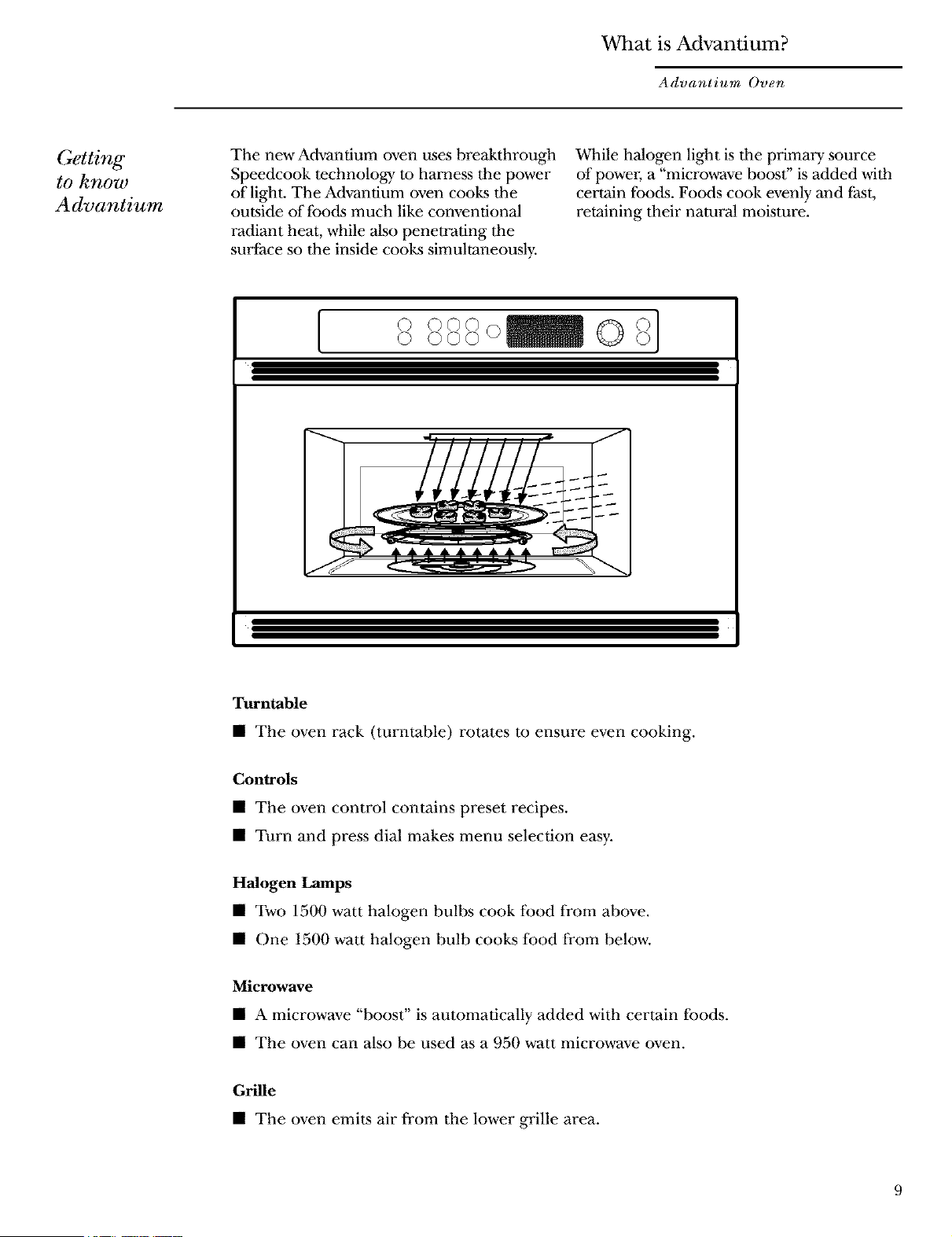
The new Advantium oven uses breakthrough
Speedcook technology m harness the power
of light. The Advantium oven cooks the
outside of Ibods much like conventional
radiant heat, while also penetrating the
surface so the inside cooks simultaneously.
While halogen light is tile primary source
of power; a "microwave boost" is added with
certain foods. Foods cook evenly and last,
retaining their natural moisture.
[
© ©©©
©©©©
Turntable
• The oven rack (turntable) rotates to ensure even cooking.
Controls
• The oven control contains preset recipes.
• Turn and press dial makes menu selection easy.
Halogen Lamps
• Two 1500 watt halogen bulbs cook flood li'om above.
• One 1500 watt halogen bulb cooks lbod from below.
Microwave
• A microwave "boost" is automatically added with certain lbods.
• The oven can also be used as a 950 watt microwave oven.
Grille
• The oven emits air from the lower grille area.
Advantium Quick Start
Advantium Oven
Set the clock
When you first plug in the oven or
after a power outage:
1. Turn the selector dial to set
the hour. Press the dial to enter.
2. Turn the dial to set the minute.
Press the dial to entre:
3. Turn the dial to select AM or PM.
Press the dial to entre:
To change the time:
1. Press the OPTIONS button.
2. Turn the dial to CLOCK. Press the
dial to enter and follow the display
directions to set.
@eedcooking
_) -_)(-)c---)
@ _@@@1
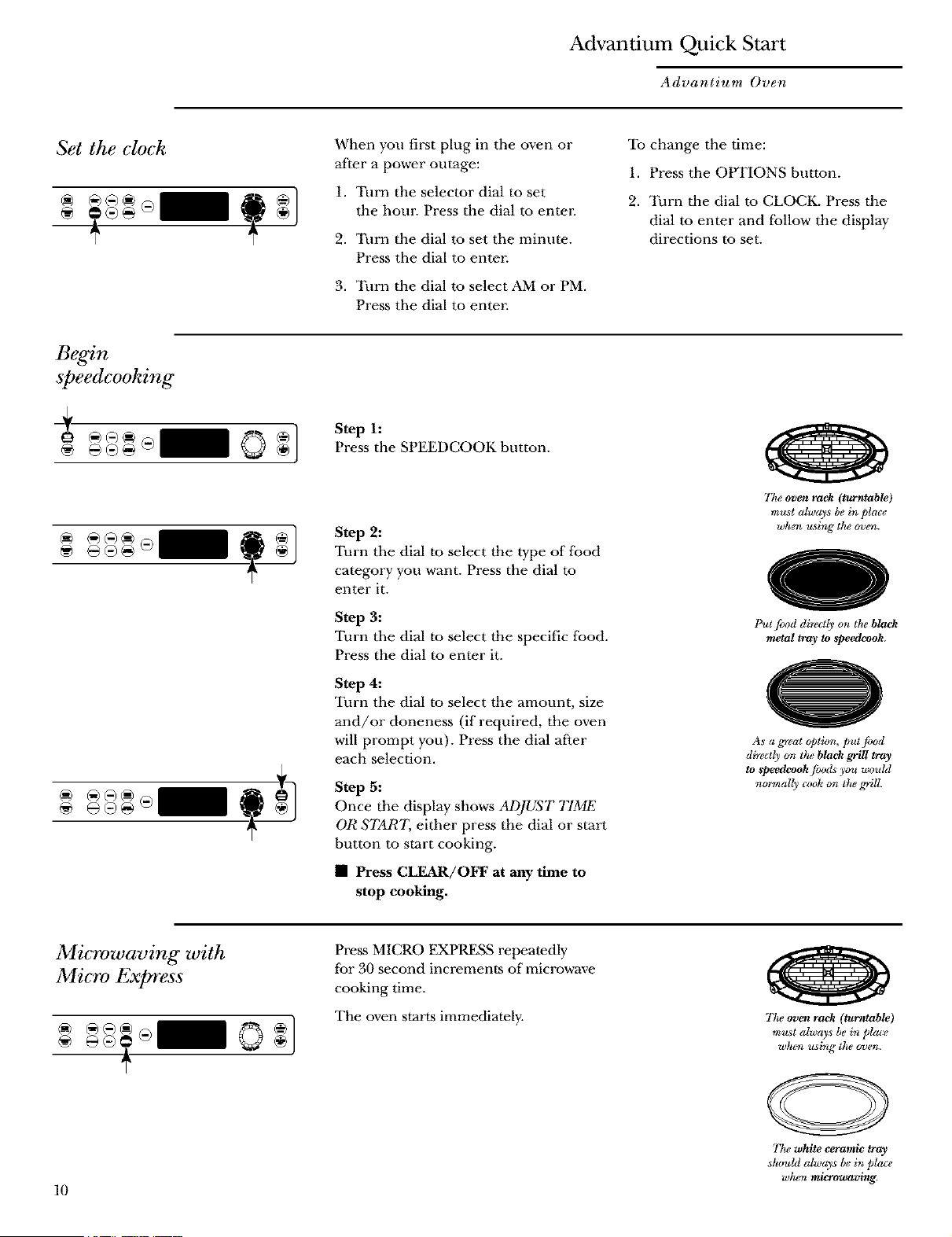
Step h
Press the SPEEDCOOK button.
Step 2:
Turn the dial to select the type of food
category you want. Press the dial to
enter it.
Step 3:
Turn the dial to select the specific food.
Press the dial to enter it.
Step 4:
Turn the dial to select the amount, size
and/or doneness (if required, the oven
will prompt you). Press the dial after
each selection.
Step 5:
Once the display shows ADJUS'T TIME
OR $7_R7, either press the dial or start
button to start cooking.
• Press CLEAR/OFF at any time to
stop cooking.
77ze oven rack (turntuble)
m_sl always be in place
when using the oven.
Put fl_od direc@ on the black
melal tray to _peedcook.
As a great @tion, put food
direetl) on ttu' black grill tray
to _peedcook joods you wouhl
normally cock on the _ill.
Microwaving with
Micro Express
10
Press MICRO EXPRESS repeatedly
tor 30 second increments of microwave
cooking time.
The oven starts immediately.
77to oven rack (turntable)
must always be in phue
w¢um using t]le o_*en.
77_e white ceramic tray
stun&l always bein place
whtm microwaving.
Speedcook Menu Guide
Advantium Oven
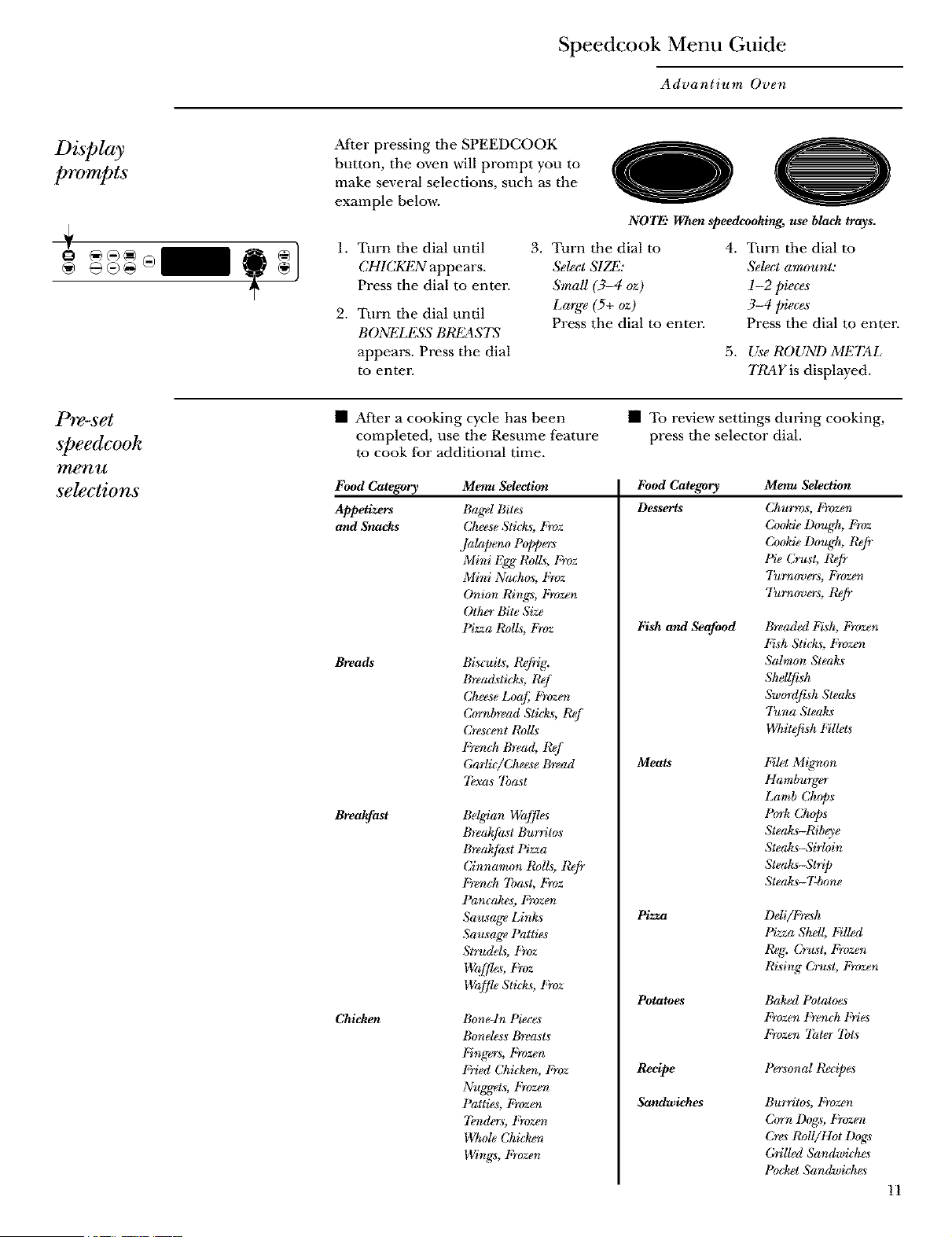
After pressing the SPEEDCOOK
button, the oven will prompt you to
make several selections, such as the
example below.
oO
NOTE" When speedeooking, use black trays.
1. Turn tile dial until
CHICKEN appears.
Press the dial to entel:
2. Turn tile dial until
BONt'3J£SS BREAS7S
appears. Press the dial
to enren
3. Turn the dial to
&lea S1Zd*2:
SmaU (3-4 oz)
Large (5+ oz)
Press the dial to enren
4. Turn tile dial to
Select amount:
I-2 pieces
3-4 pieces
Press the dial to entre:
5. Use ROUND METAL
TRAY is displayed.
P1"e-set
speedcook
menu
selections
• After a cooking cycle has been
completed, use the Resume feature
to cook for additional time.
• To review settings during cooking,
press the selector dial.
Food Category
Appetizers
and Snacks
Bma_
Breakfast
Chicken
Menu Selection
Bagel Bites
(Jkeese Sticks, Froz
Jalapeno Poppers
Mini Egg Rolls, Froz
Mini Nackos, Froz
Onion Rings, Frozen
Other Bite Size
Pizza t¢oI£, Froz
Bi.scuits, R@ig.
Bread._tick_, ICej
(Jkeese Loaf F_r)zen
Cornbread Stickag, t_j
Crescent RolL_
Fr_ngk Bread, Rej
GarliciCke_e Bread
7bxas Toast
Bel_an Waffles
Breakfia_t Bu_ritos
Breakfia_t Pizza
(Jinnamon I_d£, Refr
t;'_nc k 7ba_t, Froz
Pancakes, t;}vzen
Sausage Links
Sau_age Patties
Strudd_, Froz
Wcz[fle Stick_, Froz
Bone-In Piece*
Bonele.ss Breasts
Fingers, Frozen
t_}'ied Cki&en, F_vz
Nugget._, Frozen
Pattie.s, Frozen
7bnder*, Frozen
Wkole (Jkicken
Wings, Frozen
I_bod Category
Desserts
Fish and Seafood
Meats
1_22_a
Potatoes
Recipe
Sandwiches
Menu Selection
Ckurros, Frvzen
Cookie Dough, Froz
Co&ie Dough, Refr
Pie Cr_t, Refi"
"l'u_overs, Frozen
"l'u_v_overs, Refr
Breaded Fish, Frozen
Fish Stick_, Frozen
Salmon Steak._
Shd(_k
Sw_'dfisk Steak._
Tuna Steah_
Wkitefish Fillets
Filet Migmon
Hamburger
Lamb (Jkops
Pcn-kCkop._
Steak_-Ribeye
Steak_Sir!oin
Steak_trip
Stea£_- 7_one
l)eli/l_}-_h
PizzaShell, FiUed
Reg. C_-us_ Frozen
Ri_ingCru_ Frozen
Baked Potato_
Frozen t_'_mk Fries
Frozen 7hter 7bt._
Persona! Recipes
Burritos, Frozen
Corn I)og*, Frozen
Cr_*Roll/Hot Dogs
Grilled Sandwid*e*
Pocket Sandwicke.s
11
Oven Features
Advantium Oven
Throughout this manual, features and appearance may vary from your model.
0 0 O 0
[ soooo_OSJoooi 0
12
0
0
@
0
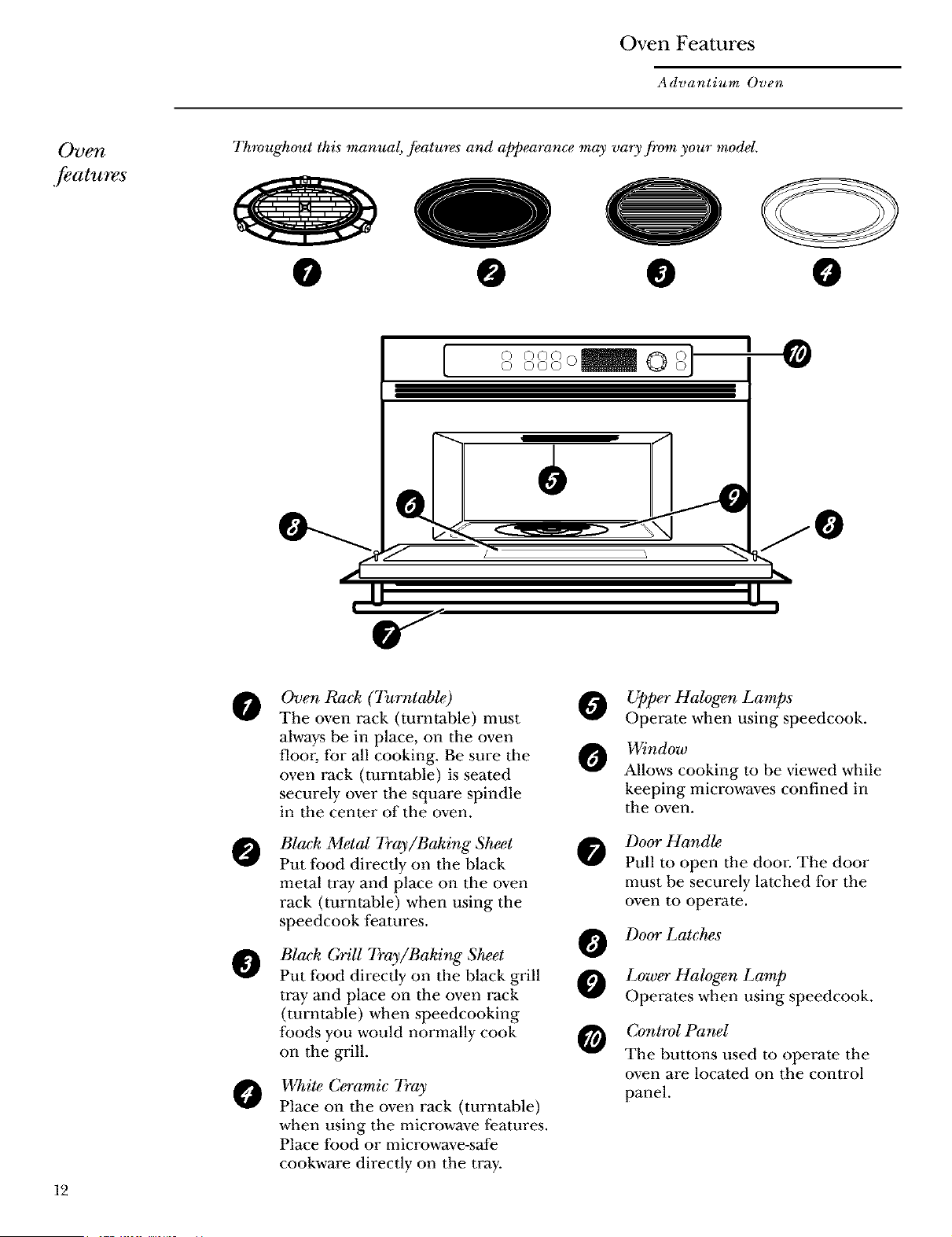
Oven Rack (Turntable)
The oven rack (turntable) must
always be in place, on the oven
floor; for all cooking. Be sure the
oven rack (turntable) is seated
securely over the square spindle
in the center of the oven.
Black Metal 7}'ay/Baking Sheet
Put food directly on the black
metal tray and place on the oven
rack (turntable) when using the
speedcook features.
Black GriU Tray/Baking S_et
Put food directly on the black grill
tray and place on the oven rack
(turntable) when speedcooking
foods you would normally cook
on tile grill.
White C_amic 7}'ay
Place on the oven rack (turntable)
when using the microwave features.
Place food or microwave-s_e
cookware directly on the tray.
0
O
O
G
Upper Halogen Lamps
Operate when using speedcook.
Window
Allows cooking to be viewed while
keeping microwaves confined in
the oven.
Door Hands
Pull to open the door. The door
must be securely latched for the
oven to operate.
Door Latches
Lower Halogen Lamp
Operates when using speedcook.
Control Panel
The buttons used to operate the
oven are located on the control
panel.
Oven Features
Advantium Oven
Cooking
controls
With your Advantium oven, you can cook with hzgt_4ntensity halogen hgt_ts and/or conventional
microwave energy.
[
® G®@ ®
®
Selector Dial
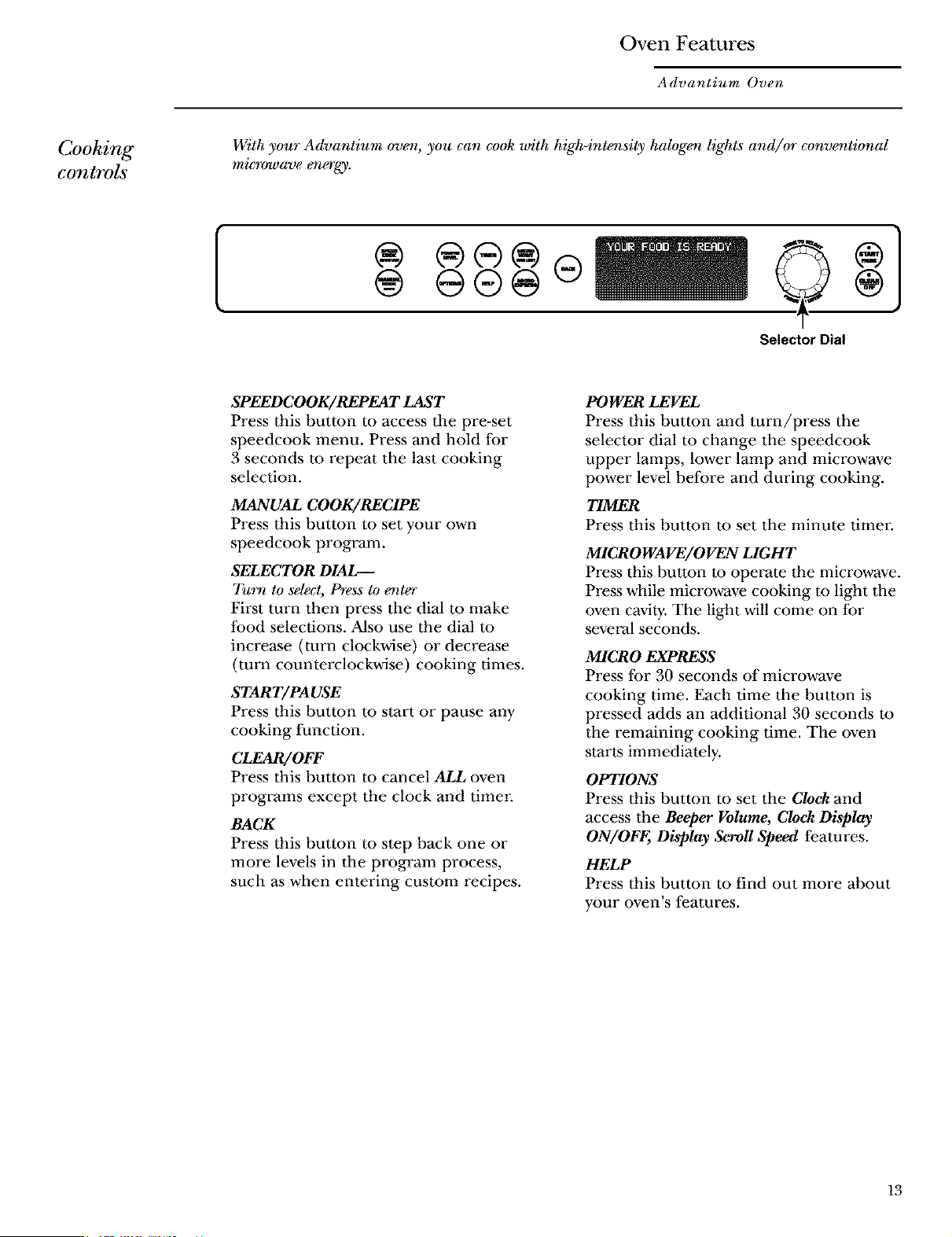
SPEEDC OOK/REPEA T LAST
Press this button to access tile pre-set
speedcook menu. Press and hold for
3 seconds to repeat the last cooking
selection.
MANUAL COOK/RECIPE
Press this button to set your own
speedcook program.
SELECTOR DIAL_
Turn to select, Press to enter
First turn then press tile dial to make
food selections. Also use the dial to
increase (turn clockwise) or decre_e
(turn counterclockwise) cooking times.
START/PAUSE
Press this button to start or pause any
cooking lunction.
CLEAR/OFF
Press this button to cancel ALL oven
programs except the clock and timer
BACK
Press this button to step back one or
more levels in tile program process,
such _ when entering custom recipes.
POWER LEVEL
Press this button and turn/press the
selector dial to change the speedcook
upper lamps, lower lamp and microwave
power level before and during cooking.
T/MER
Press this button to set the minute timer.
MICROWAVE/OVEN LIGHT
Press this button to operate the microwave.
Press while microwave cooking to light tile
oven cavity. The light will come on/br
several seconds.
MICRO EXPRESS
Press for 30 seconds of microwave
cooking time. Each time tile button is
pressed acids an additional 30 seconds to
the remaining cooking time. The oven
start_s immediately.
OPTIONS
Press this button to set the Clock and
access the Beeper Volume, Clock Display
ON/OFF, Display Scroll Speed features.
HELP
Press this button to find out more about
your oven's features.
13
Speedcooking
Advantium Oven
Using
@eedcook
.featuYes
CAUTION: When using speedeook programs, remember that the oven, door and
dishes will be very hot!
Prior to the fi_t use of your oven, the clock must be set. See the Advantium Quick
Start section.
Befo*_you begin, make sure the oven rack (turntable) is in place. Use the black
metal tray (baking sheet), the bla& grill tray (baking sheet) or your own glass or
c_ramic cookwa_.
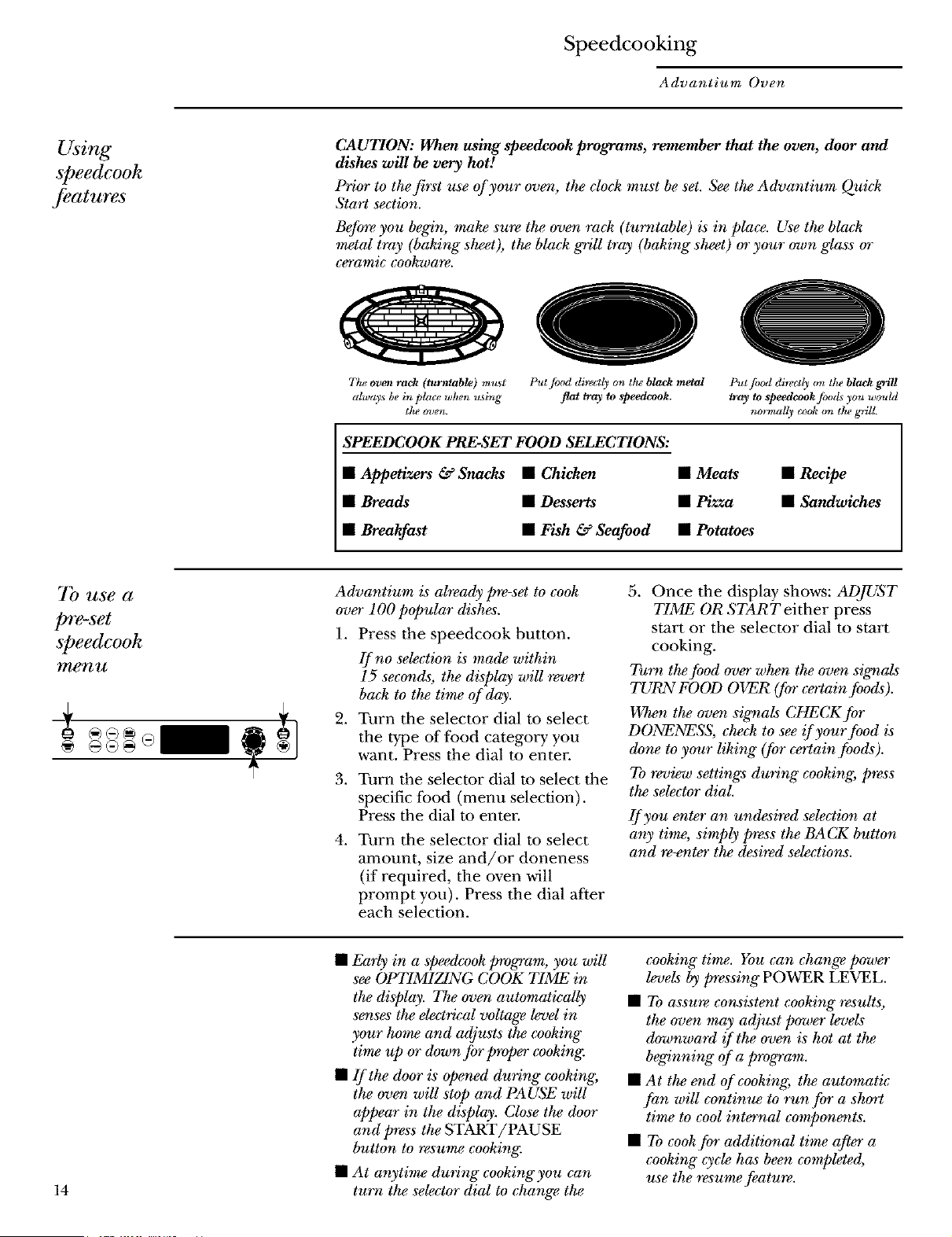
Ttu_ oven rack (turntable) m_st Put pod directl) on tt_' black metal Put fiJod directly on the block grill
always be in place when u_sing flat tray to speedcook, tray to speedcook [ood_ you would
the m_en. normally cook on the _rill.
SPEEDCOOK PRESET FOOD SELECTIONS:
• Appetizers & Snacks • Chicken • Meats • Recipe
• Breads • Desserts • Pizza • Sandwiches
• Breakfast • Fish & Seafood • Potatoes
7b use a
pre-set
speedcook
men TA
Advantium is already pre-set to cook
over 100 popular dishes.
1. Press the speedcook button.
If no selection is made within
15 seconds, the display wiU revert
ba& to the time of day.
2. Turn the selector dial to select
the type of t:ood category you
want. Press the dial to enter
3. Turn the selector dial to select the
specific lbod (menu selection).
Press the dial to enter.
4. Turn the selector dial to select
amount, size and/or doneness
(if required, the oven will
prompt you). Press the dial after
each selection.
5. Once the display shows: ADJUST
TIME OR START either press
start or the selector dial to start
cooking.
Turn the food over when the oven sigr_als
TURN FOOD OVER (for certain foods).
When the oven signals CHECK for
DONENESS, check to see if your food is
done to your liking" (for certain foods).
To review settings during" cooking, press
the selector dial.
If you enter an undesired selection at
any time, simply press the BACK button
and re-enter the desired selections.
14
• Early in a spe_dcook program, you wiU
see OPTIMIZING COOK TIME in
the display. The oven automatwaUy
senses the electrical voltage level in
your ho_rw and adjusts the cooking"
ti_rwup or down for proper cooking:
• If the door is opened during" cooking,
the oven will stop and PAUSE will
appear in the display. Close the door
and press the START/PAUSE
button to resume cooking.
• At anytime during cookingyou can
turn the selector dial to change the
cooking" time. You can change power
levels by pressing" POWER LEVEL.
• To assure consistent cooking" results,
the oven may adjust power levels
downward _ the oven is hot at the
beginning" of a program.
• At the end of cooking, the automatic
fan will continue to run for a short
time to cool internal components.
• To cook for additional time after a
cooking" cycle has been completed,
use the resume feature.
Speedcooking
Advantium Oven
Cooking tips
,for great
tasting results
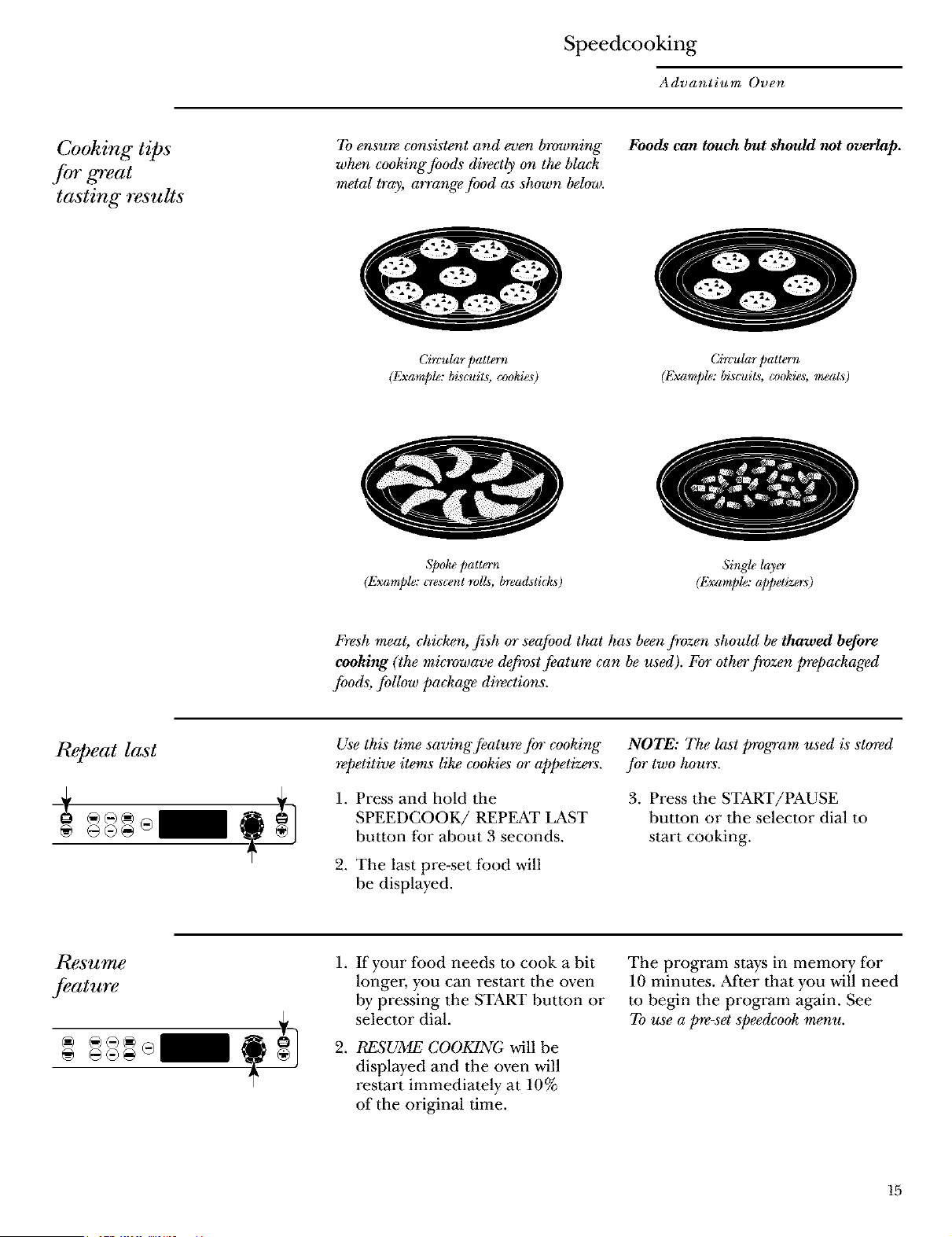
To ensmv consistent and even browning
when cooking foods directly o_ the black
_rwtal tray, a_*ange food as shown below.
Circular pattern
(Example: biscuits, cookies)
Foods can touch but should not overlap.
Circular pattern
(Example: biscuits, cookies, meats)
Spoke pattern
(Example: crescent roIL_, breacAticks)
Single layer
(Example: a/)petizer_)
Fresh meat, chicken, fish or seafood that has been frozen should be thawed before
cooking (the microwave defrost featu_ can be used). For othe_rfmzen prepackaged
foods, foUow package direction,s.
Repeat last
@ G®@
Uqe this time saving featu_ for cooking
_petitive items like cookies or appetiz_s.
1. Press and hold the
SPEEDCOOK/REPEAT LAST
button for about 3 seconds.
2. The last pre-set food will
be displayed.
NOTE: The last program used is stored
for two hours.
3. Press the START/PAUSE
button or the selector dial to
start cooking.
Resume
,feature
.
.
If your lood needs m cook a bit
longer, you can restart the oven
by pressing the START button or
selector dial.
RESUME COOKING will be
displayed and the oven will
restart immediately at 10%
of the original time.
The program stays in memory lbr
10 minutes. After that you will need
m begin the program again. See
To use a pre-set speedcook menu.
15
Speedcooking
Advantium Oven
Speedcook
power level
Advantium uses power li_om
high intensity halogen light,s and
microwaves m cook food from
the rap, bottom and interior
simultaneously to seal in moisture
and flavor;
When using the pre-set menu
loods, the power levels are already
selected for you. However; power
levels can be adjusted when
cooking both pre-set menu loods
and manual cooking.
Each power level gives you halogen
lamp power and microwave energy
lor a certain percentage of the time.
U=07 Upper halogen lamp on
70% of the time.
L=07 Lower halogen lamp on
70% of the time.
M=05 Microwave on 50% of
the time.
NOTE: Be careful when adjusting"
pow_ levels so that you do not ova-
or undercook your food.
,
,
,
4,
,
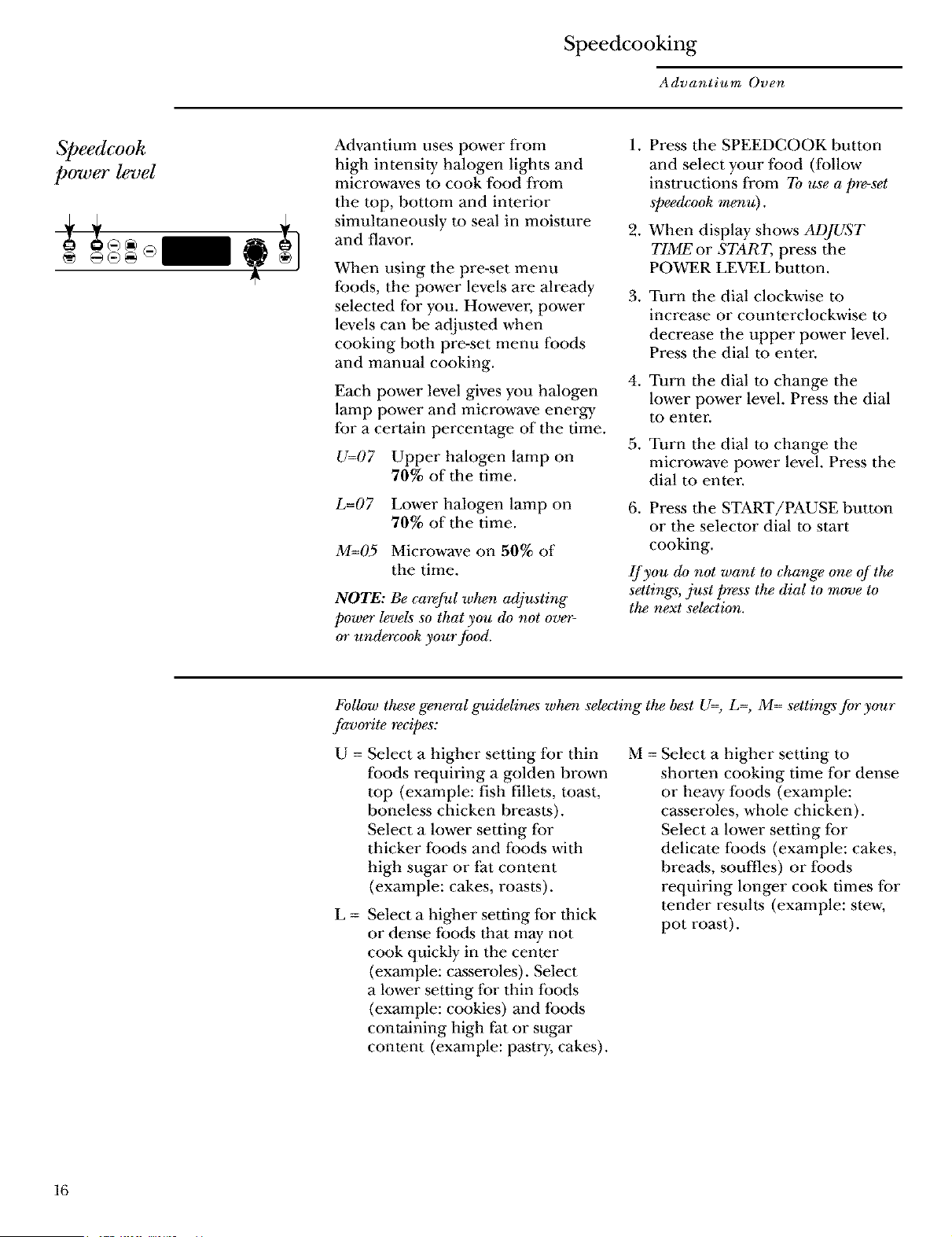
Press the SPEEDCOOK button
and select your food (follow
instructions from To use a ])re-set
speedcook menu).
When display shows ADJUST
TIME or START, press the
POWER LEVEL button.
Turn the dial clockwise to
incre_e or counterclockwise to
decre_e the upper power level.
Press the dial m enter.
Turn the dial to change the
lower power level. Press the dial
to enter.
Turn the dial to change the
microwave power level. Press the
dial to enter.
6. Press the START/PAUSE button
or the selector dial to start
cooking.
If you do not want to change one of the
settings, just press the dial to move to
the next selection.
FoUow these genial guidelines when selecting" the best U=, L=, M= settings for your
favorite recipes:
U = Select a higher setting for thin M
Ioods requiring a golden brown
top (example: fish fillets, toast,
boneless chicken bre_ts).
Select a lower setting Ibr
thicker Ioods and Ibods with
high sugar or fat content
(example: cakes, roasts).
g =
Select a higher setting for thick
or dense foods that may not
cook quickly in the center
(example: casseroles). Select
a lower setting for thin loods
(example: cookies) and foods
containing high fat or sugar
content (example: pastry, cakes).
= Select a higher setting to
shorten cooking time lor dense
or heavy loods (example:
c_seroles, whole chicken).
Select a lower setting lor
delicate loods (example: cakes,
breads, souffles) or loods
requiring longer cook times for
tender results (example: stew,
pot roast).
16
Speedcooking
Advantium Oven
Speedcook
cookwa_
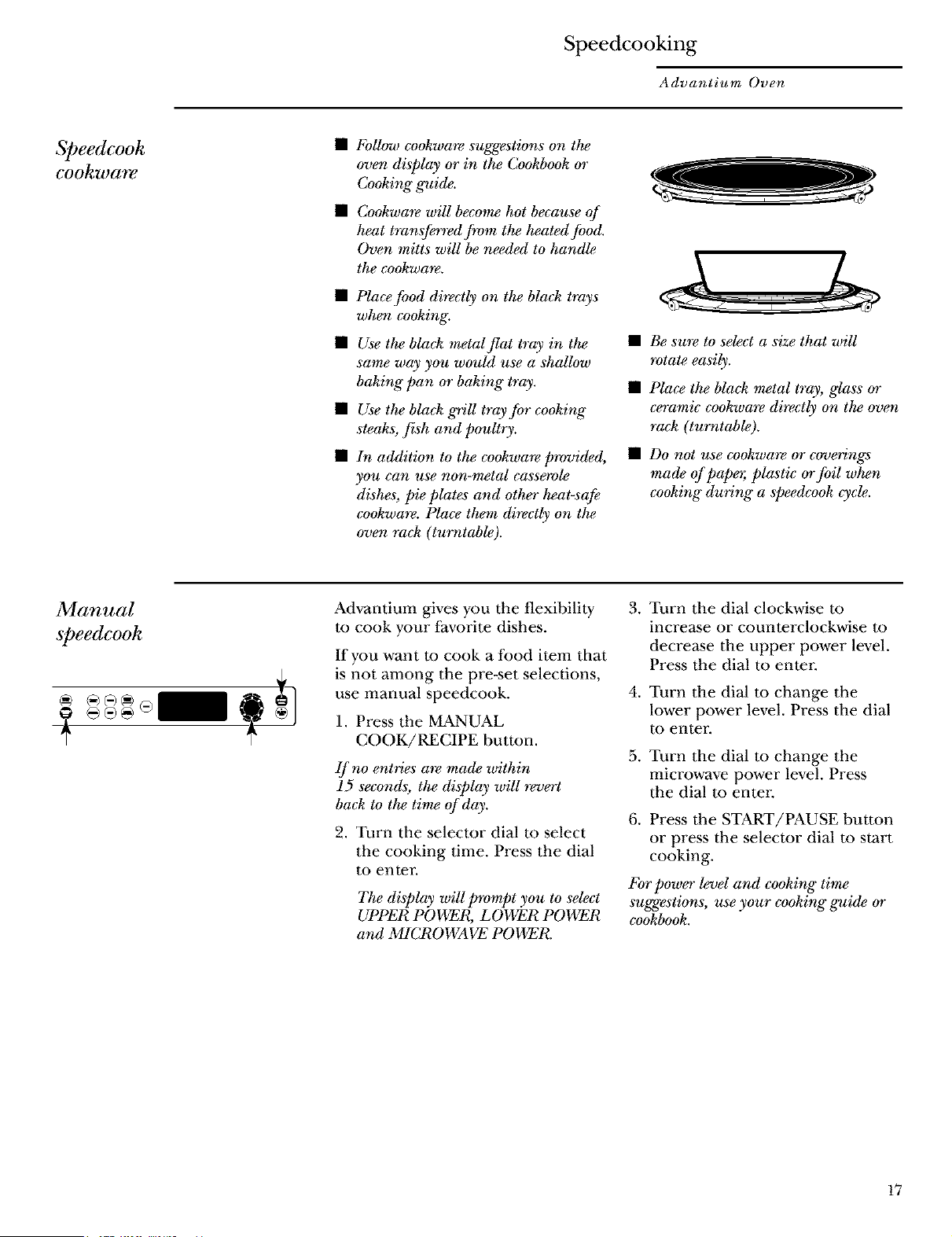
FoUow cookware suggestions on the
oven display or in the Cookbook or
Cooking" g_ide.
Cookwa_ will become hot because of
heat transferred from the heated food.
Oven mitts will be needed to handle
the co&ware.
Place food directly on the black trays
when cooking.
Use the bla& metal flat tray in the
same way you would use a shaUow
baking" pan or baking" tray.
Use the bla& grill tray for cooking"
steaks, fish and poultry.
b_ addition to the cookware provided,
you can use non-metal casserole
dishes, pie plates and other heat-safe
cookware. Place them directly on the
oven rack (turntable).
• Be su_ to select a size that wiU
rotate easily.
• Place the black metal tray, glass or
ceramic cookwa_ directly on the oven
ra& (tmv_table).
• Do not use co&ware or covering_
made of papo; plastic orfoil when
cooking" during a speedcook cycle.
Manual
speedcook
Advantium gives you the flexibility
m cook your favorite dishes.
If you want to cook a food item that
is not among the pre-set selections,
use manual speedcook.
1. Press the MANUAL
COOK/RECIPE button.
If no entries a*_ made within
15 seconds, the display will revert
back to the time of day.
2. Turn the selector dial to select
the cooking time. Press the dial
to enter.
The display will p_vmpt you to select
UPPER POWER, LOWER POWER
and MICROWAVE POWEI_
, Turn the dial clockwise m
increase or counterclockwise to
decrease the upper power level.
Press the dial to enter
4. Turn the dial m change the
lower power level. Press the dial
to enter.
5. Turn the dial m change the
microwave power level. Press
the dial to enter
6. Press the START/PAUSE button
or press the selector dial to start
cooking.
For power level and cooking" time
suggestions, use your cooking" guide or
cookbook.
17
Speedcooking
Advantium Oven
Speedcook
recipe--to
enter and
save
@
Create up to 30 of your own
Speedcook recipes, or customize
an existing custom recipe to suit
your tastes. Once it's done, your
food cooks just the way you want
it every time!
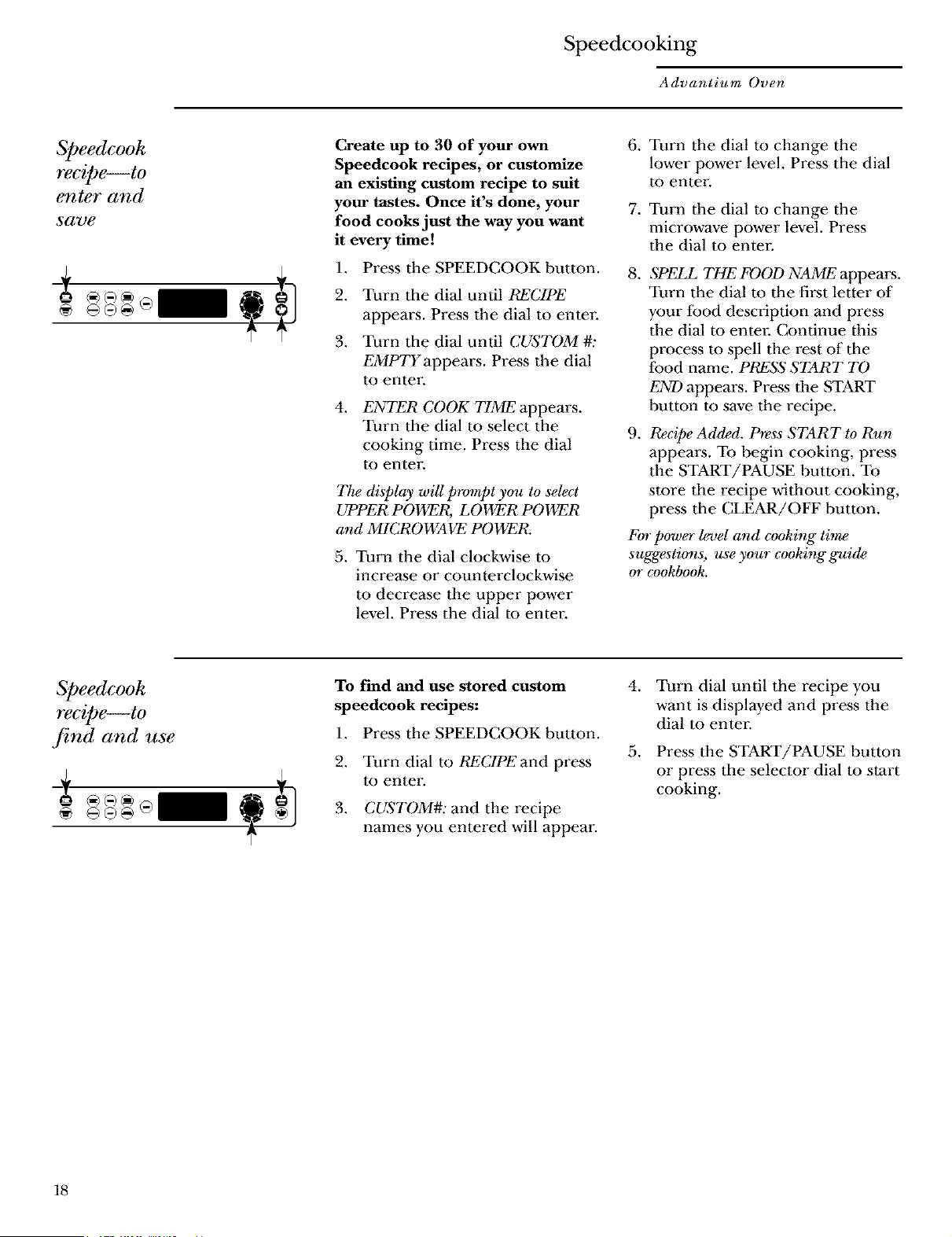
1. Press the SPEEDCOOKbutton.
2. Turn tile dial until RECIPE
appears. Press the dial to enter
3. Turn tile dial until CUSTOM #:
EMPTY appears. Press the dial
to enter
4.
ENTER COOK TIME appears.
Turn tim dial to select the
cooking time. Press the dial
to enter
The display wiU prompt you to select
UPPER POWER, LOWER POWER
and MICROWAVE POWER.
5. Turn the dial clockwise to
incre_e or counterclockwise
to decrease tile upper power
level. Press the dial to enter.
6. Turn the dial to change the
lower power level. Press the dial
to enter.
7. Turn the dial to change the
microwave power level. Press
the dial to enter.
.
.
SPELL THE FOOD NAME appears.
Turn the dial to the first letter of
your Ibod description and press
the dial m enter. Continue this
process m spell the rest of the
Ibod name. PRESS START TO
END appears. Press tile START
button to save the recipe.
Recipe Added. Press START to Run
appea_. To begin cooking, press
the START/PAUSE button. To
store tile recipe without cooking,
press tile CLEAR/OFF button.
For power l_el and cooking time
suggestions, use your cooking" guide
or cookbook.
Speedcook
recipe--to
,find and use
¢")@@@1
@ ÷
To find and use stored custom
speedcook recipes:
1. Press the SPEEDCOOKbutton.
2. Turn dial to RECIPE and press
to enter.
3. CUqTOM#: and the recipe
names you entered will appear.
4. Turn dial until the recipe you
want is displayed and press the
dial to enter.
5. Press the START/PAUSE button
or press the selector dial to start
cooking.
18
Speedcooking
Advantium Oven
Speedcook
Ye€ipe--to
adjust or
change
To adjust or change stored custom
speedcook recipes:
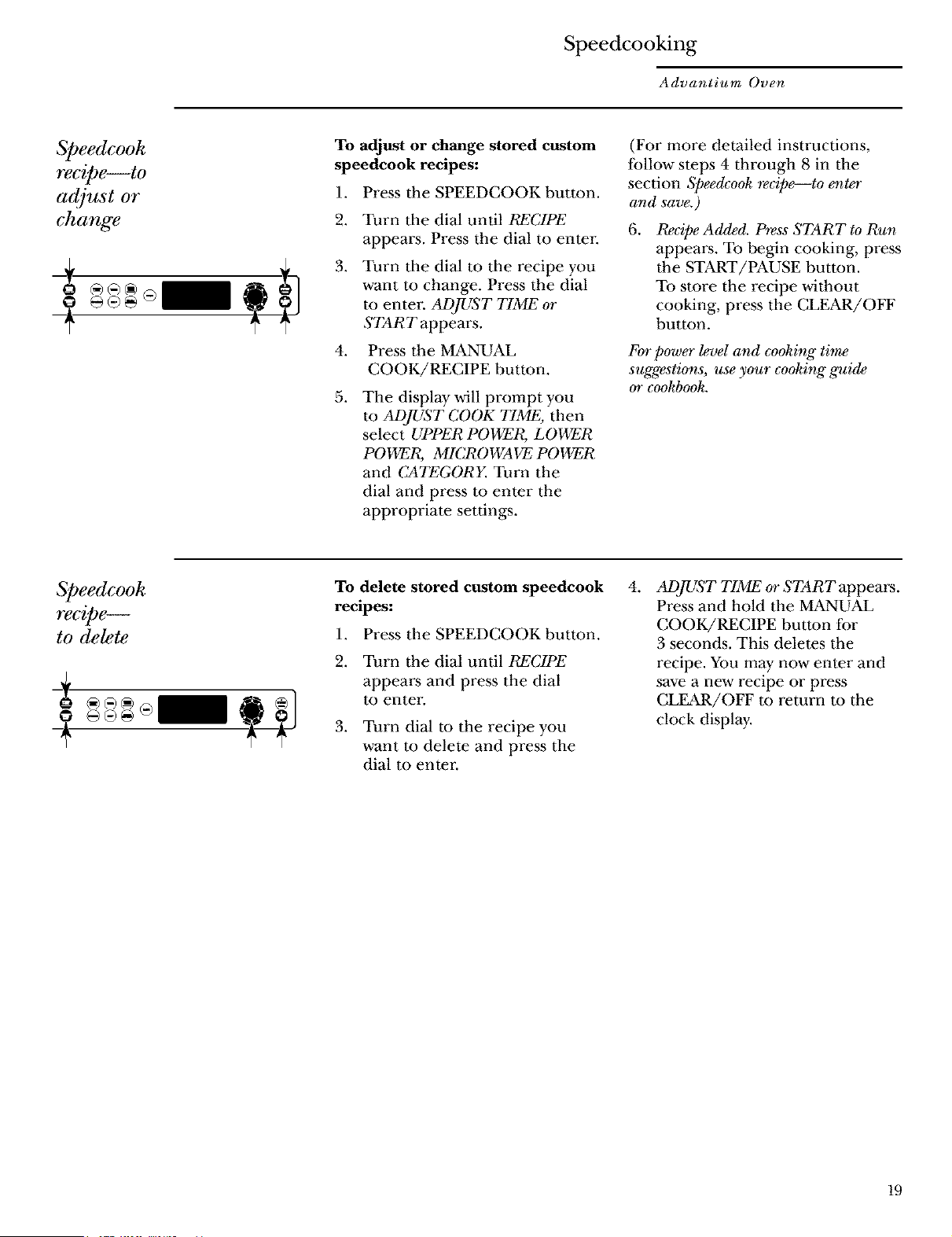
1. Press the SPEEDCOOKbutton.
.
3.
4.
Turn the dial until RECIPE
appears. Press the dial to enter
Turn the dial to the recipe you
want to change. Press the dial
to enter ADJUST TIME or
START appears.
Press the MANUAL
COOK/RECIPE button.
.
The display will prompt you
to ADJUST COOK TIME, then
select UPPER POWER, LOWER
POWER, MICROWAVE POWER
and CATEGORY. Turn the
dial and press m enter the
appropriate settings.
(For more detailed instructions,
lbllow steps 4 through 8 in the
section Speedcook _cipe--to enter
and save.)
6. P_cipe Added. Press START to Run
appears. To begin cooking, press
the START/PAUSE button.
To store the recipe without
cooking, press the CLEAR/OFF
button.
For power level and cooking time
suggestions, use your cooking" g_¢ide
or cookbook.
Speedcook
recipe--
to delete
To delete stored custom speedcook
recipes:
1. Press the SPEEDCOOKbutton.
2. Turn the dial until RECIPE
appears and press the dial
to enter.
3. Turn dial to the recipe you
want to delete and press the
dial to enter.
4.
Al)JUST TIME or START appear:s.
Press and hold the MANUAL
COOK/RECIPE button l:or
3 seconds. This deletes the
recipe. You may now enter and
save a new recipe or press
CLEAR/OFF m return m the
clock display.
19
Speedcooking
Advantium Oven
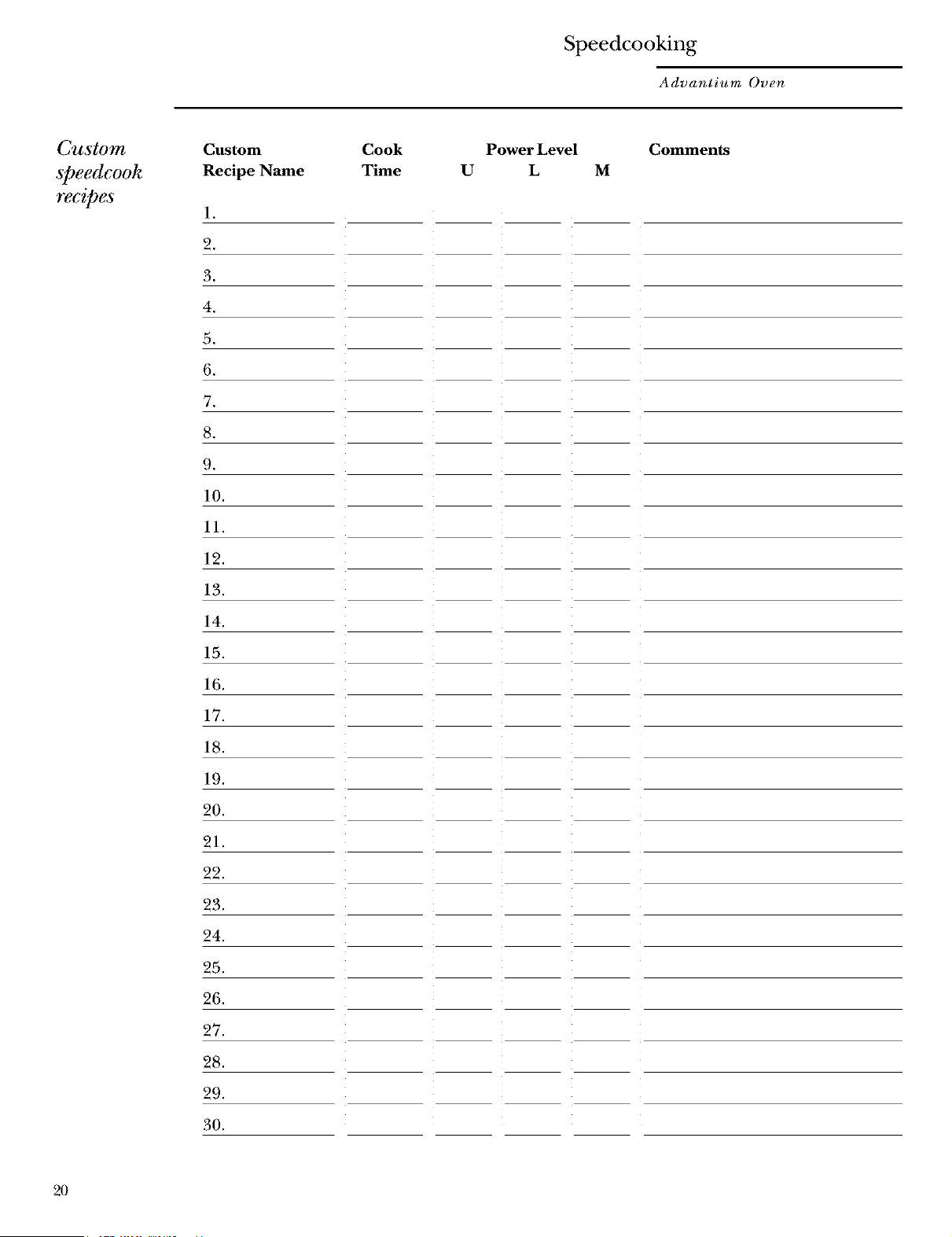
Custom
@eedcook
recipes
Custom
Recipe Name
1.
2.
3.
4.
5.
6.
7.
8.
9.
10.
11.
12.
13.
14.
15.
16.
17.
18.
19.
20.
21.
22.
23.
24.
25.
26.
27.
28.
29.
30.
Cook
Time
Power Level Comments
U L M
2O
Speedcooking
Advantium Oven
Things that
are no_ynal
Cooking Times
Oven Heat
• When speedcooking preprogrammed •
foods, you may see OPTIMIZING COOK
TIME in tile display several seconds •
after you press START. The oven
automatically senses the electrical
voltage level in your home and adjusts
the cooking time up or down for •
proper cooking.
Fan/Grille
• The ['an will be on during cooking.
At the end of cooking, the automatic
fan will continue m run for a short
time, and the display will read Oven is
Cooling. The fan will automatically shut
offwhen the internal parts of the oven
have cooled.
• The oven grille will emit warm air
while the oven is on.
L t,
• When the oven is on, light may be
visible around the door or outer case.
• The halogen lights will dim and cycle
on and off during a speedcook cycle,
sometimes even at full power levels.
This is normal. The oven senses tile
heat level and adjusts automatically.
No preheating time is required. The
oven begins cooking immediately.
The door and inside of tile oven will be
very hot. Use caution when opening the
door and removing lbod.
Do not use cookware or coverings made
of paper, plastic or foil when cooking
during a speedcook cycle.
When cooking lbr an extended period
of time, the oven may automatically
reduce the power levels to maintain the
appropriate level of oven heat.
Sounds
• Clicks and a fan blowing are normal
sounds during cooking. The relay board
is turning components on and off.
21
Microwaving
Advantium Oven
Using the
microwave
,features
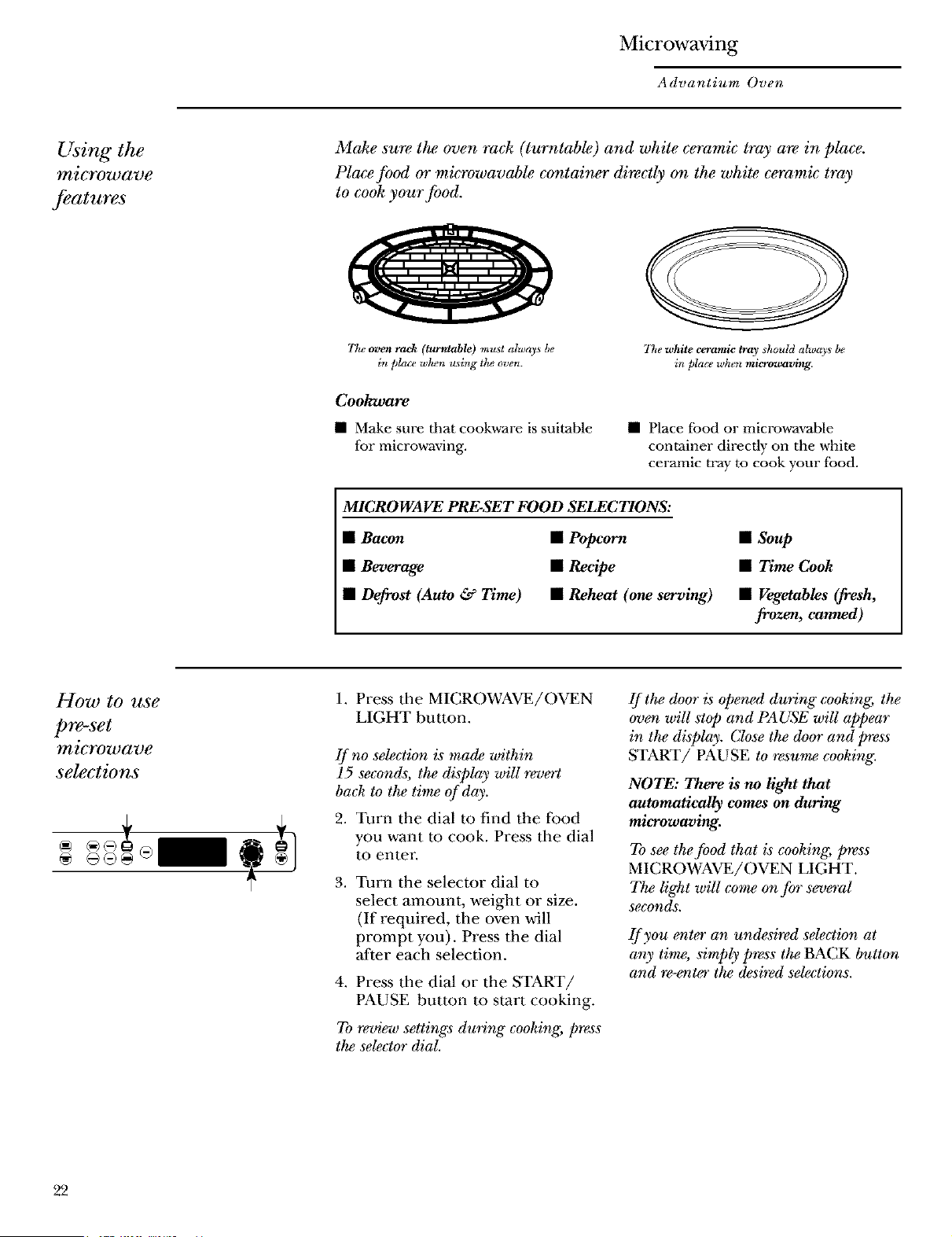
Make sure the oven rack (turntable) and white ceramic tray m_ in place.
Place food or microwavable container directly on the white ceramic tray
to cook your food.
77w oven rack (turntable) mu_vt always be
in place whe_z u_ing the oven.
7he white ceramic tray should alwa)s be
in pla_e wh_m microwaving.
Cookware
• Make sure tbat cookw-are is suitable
for microwaVmg.
• Place food or micro,a-avable
container directly on the white
ceramic tray to cook your food.
MICROWAVE PRESET FOOD SELECTIONS:
• Bacon
• Beverage
• Defrost (Auto & Time)
• Popcorn
• Recipe
• Reheat (one serving)
• Soup
• Time Cook
• Vegetables (fresh,
frozen, canned)
How to use
pre-set
microwave
selections
@
® ÷®@
1. Press the MICROWAVE/OVEN
LIGHT button.
If no se_ction is made within
15 seconds, the disph_y will revert
back to the time of day.
2. Turn the dial to find the food
you want to cook. Press the dial
to enter.
3. Turn the selector dial to
select amount, weight or size.
(If required, the oven will
prompt you). Press the dial
Mter each selection.
4. Press the dial or the START/
PAUSE button to start cooking.
To review settings during" cooking, pre_s
the selector dial.
If the door is opened during cooking, the
overt will stop and PAUSE wiU appear
in the display. Close the door and press
START/PAUSE to resume cooking.
NOTE: There is no light that
automatically comes on during
miovwaving.
To see the food that is cooking, press
MICROWAVE/OVEN LIGHT.
The liglzt will come on for several
seconds.
If you er_ter an undesired se_ction at
any time, simply press the BACK button
and re-enter the desired se_ctions.
22
Microwaving
Advantium Oven
71me Cook
@
Use Time Cook to microwave food that
is not in the recipe section.
• The power level is automatically
set at higln, but you can change it
lot more flexibility.
1. Press the MICROWAVE/OVEN
LIGHT button.
2. Turn the dial to TIME COOK
and press the dial to enter:
3. Turn the dial to set the time
and press the dial to enter-
4. To change the power level if you
don't want full power, press the
POWER LEVEL button. Turn
the dial to select. Press the dial
to enter.
5. Press the dial or the START/
PAUSE button to start cooking.
You may open the door during TIME
COOK to check the food. Close the door
and press START to resume cooking.
Micro
Exp, ss
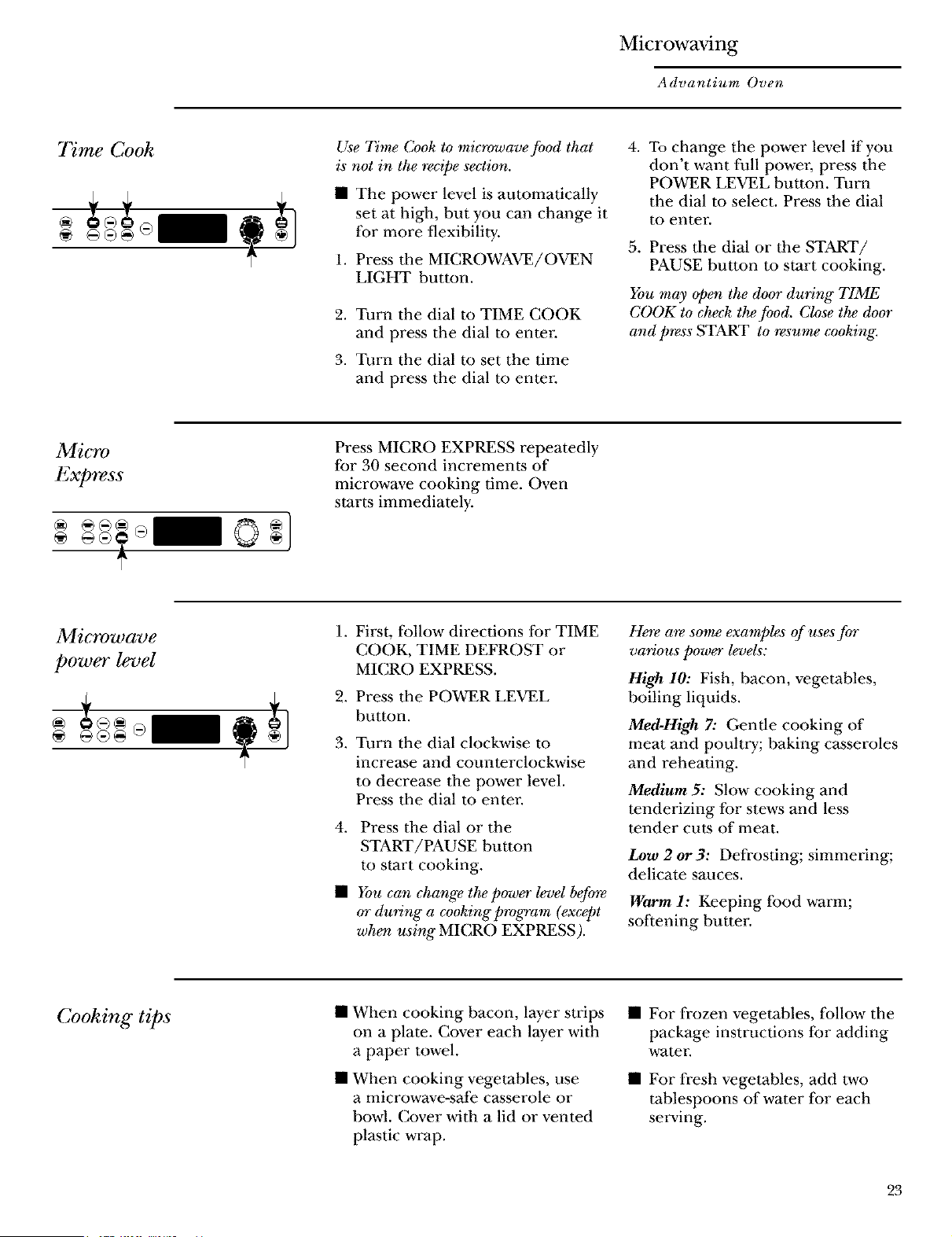
Press MICRO EXPRESS repeatedly
lbr 30 second increments of
microwave cooking time. Oven
starts immediately.
Microwave
power level
.
.
3.
First, follow directions for TIME
COOK, TIME DEFROST or
MICRO EXPRESS.
Press the POWER LEVEL
button.
Turn the dial clockwise to
incre_e and counterclockwise
m decrease tile power level.
Press tile dial m enter.
4. Press the dial or the
START/PAUSE button
to start cooking.
• You can change the power level befo_
or during a cooking program (except
wherz using" MICRO EXPRESS).
Here are some examples of uses for
various power levels:
High 10: Fish, bacon, vegetables,
boiling liquids.
Med-High 7: Gentle cooking of
meat and poultry; baking c_seroles
and reheating.
Medium 5: Slow cooking and
tenderizing for stews and less
tender cut,s of meat.
Low2or3: Defrosting; simmering;
delicate sauces.
Warm 1: Keeping lbod warm;
softening butter:
Cooking tips
• When cooking bacon, layer strips
on a plate. (;over each layer with
a paper towel.
• When cooking vegetables, use
a microwave-sMe c_serole or
bowl. (;over with a lid or vented
plastic wrap.
• For frozen vegetables, lollow the
package instructions lor adding
water,
• For fresh vegetables, add two
tablespoons of water lor each
stowing.
23
Microwaving
Advantium Oven
Microwave
recipe--
to enter
and save
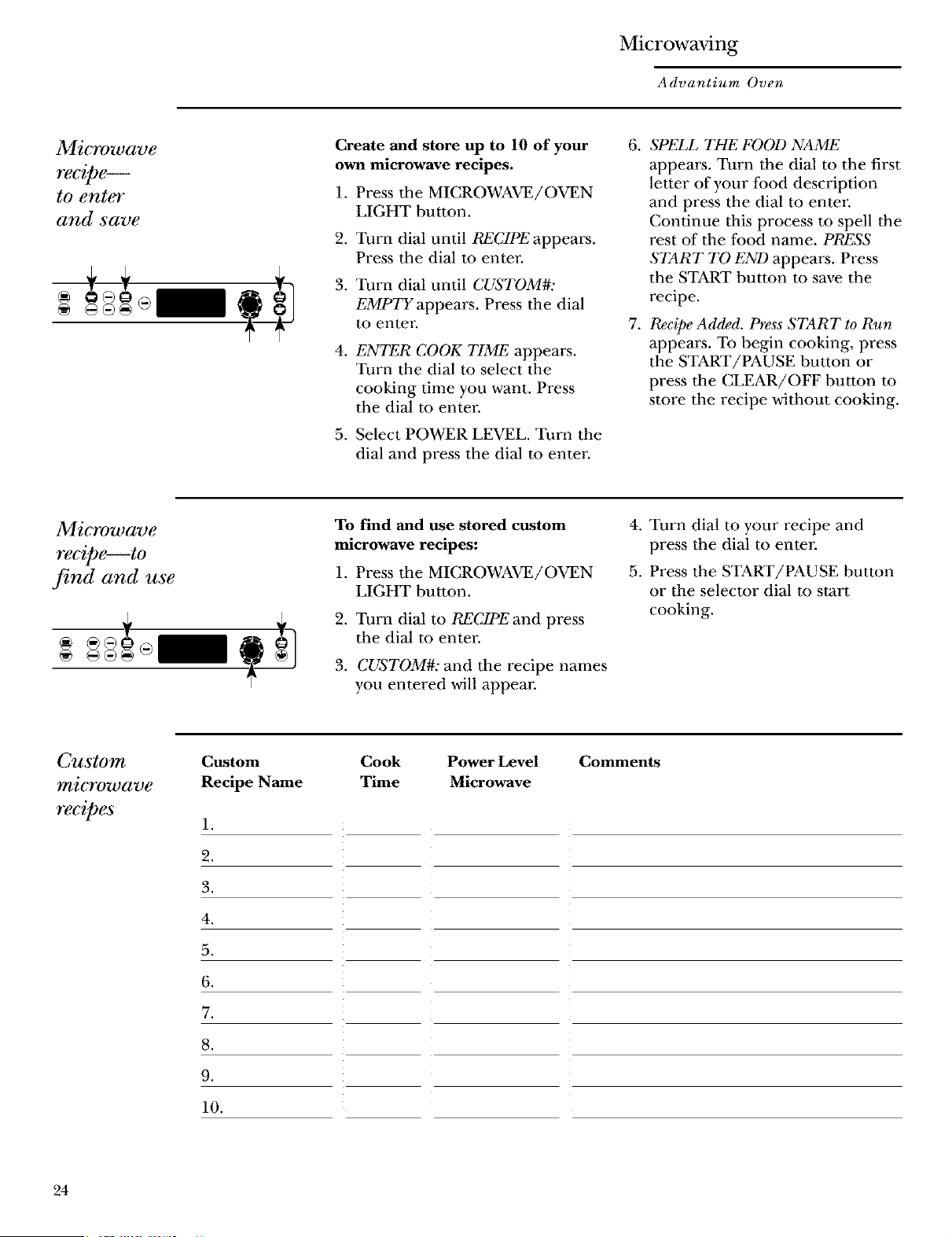
Create and store up to 10 of your
own microwave recipes.
1. Press tile MICROWAVE/OVEN
LIGHT button.
2. Turn dial until RECIPE appears.
Press tile dial to enter.
3. Turn dial until CUSTOM#:
EMPTY appears. Press tim dial
m enter.
4.
ENTER COOK TIME appears.
Turn the dial to select tile
cooking time you want. Press
the dial to enter.
5. Select POWER LEVEL. Turn the
dial and press the dial to enter-
.
.
SPELL THE FOOD NAME
appears. Turn the dial to the first
letter of your lood description
and press the dial to enter
Continue this process m spell the
rest of the food name. PRESS
START TO END appea_s. Press
the START button to save the
recipe.
Recipe Added. Press START to Run
appears. To begin cooking, press
the START/PAUSE button or
press tile CLEAR/OFF button to
store the recipe without cooking.
Microwave
recipe--to
,find and use
To find and use stored custom
microwave recipes:
1. Press tile MICROWAVE/OVEN
LIGHT button.
2. Turn dial to RECIPEand press
the dial to enter.
3. CUqTOM#: and tile recipe names
you entered will appear:
4. Turn dial m your recipe and
press the dial to enter
5. Press the START/PAUSE button
or the selector dial to start
cooking.
Custom
microwave
recipes
Custom
Recipe Name
1.
2.
3.
4.
5.
6.
7.
8.
9.
10.
Cook Power Level
Time Microwave
Comments
24
Microwaving
Advantium Oven
Microwave
recipe--
to adjust
or change
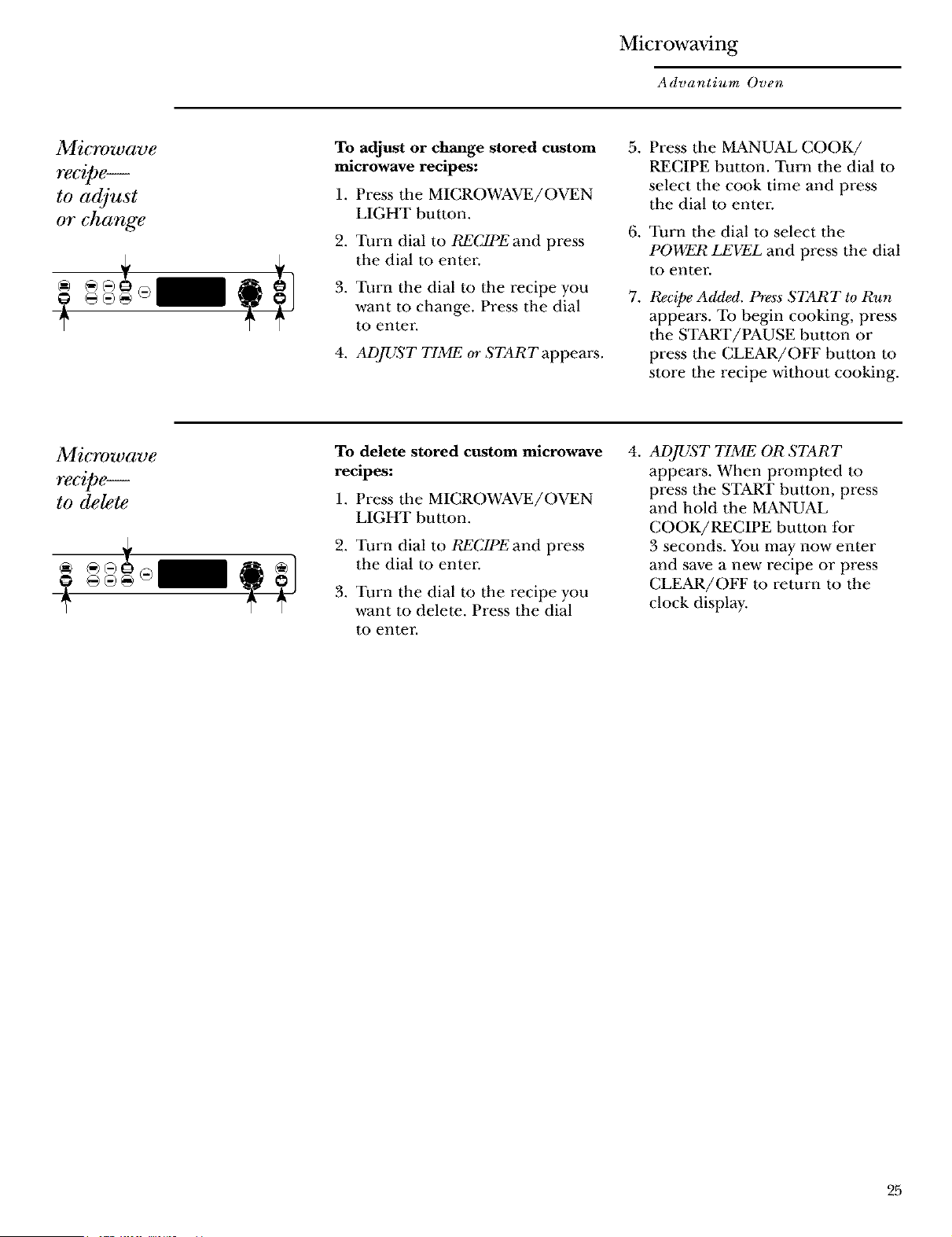
To adjust or change stored custom
microwave recipes:
1. Press the MICROWAVE/OVEN
LIGHT button.
2. Turn dial to RECIPEand press
the dial to enter.
3. Turn the dial to the recipe you
want to change. Press the dial
to enter.
4. ADJUST TIME or STARTappears.
.
.
.
Press tile MANUAL COOK/
RECIPE button. Turn the dial to
select the cook time and press
the dial to enter.
Turn the dial to select the
POWER LEVEL and press the dial
to enter.
Recipe Added. Press START to Run
appears. To begin cooking, press
the START/PAUSE button or
press tile CLEAR/OFF button to
store the recipe without cooking.
Microwave
recipe--
to delete
To delete stored custom microwave
recipes:
1. Press the MICROWAVE/OVEN
LIGHT button.
2. Turn dial to RECIPEand press
the dial to enter.
3. Turn the dial to the recipe you
want to delete. Press the dial
to enter.
4,
ADJUST TIME OR START
appears. When prompted m
press the START button, press
and hold the MANUAL
COOK/RECIPE button for
3 seconds. You may now enter
and save a new recipe or press
CLEAR/OFF m return to the
clock display.
25
Microwaving
Advantium Oven
Auto de!5"ost
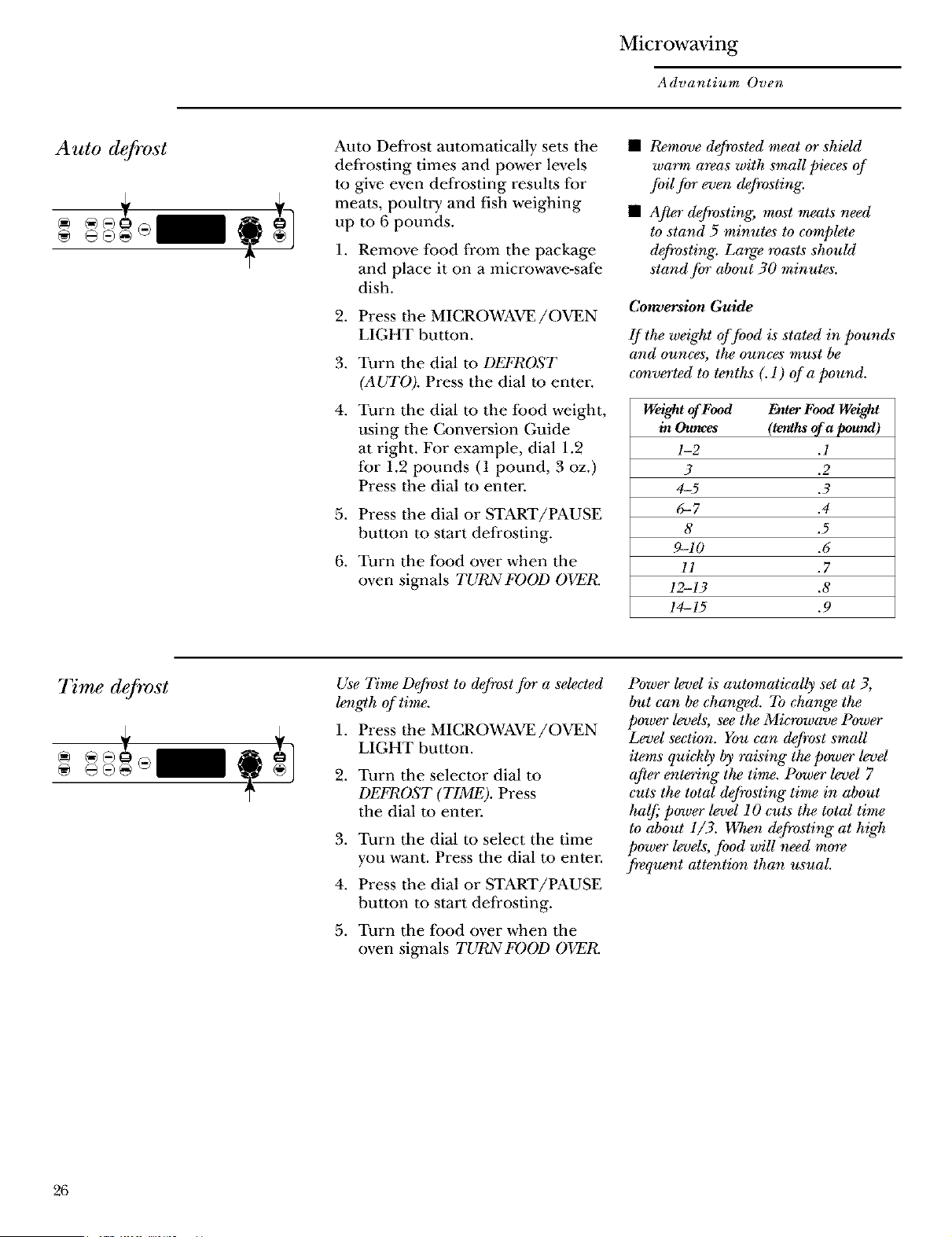
Auto Defrost automatically sets the
deli_osting times and power levels
to give even defrosting results for
meats, poulti T and fish weighing
up to 6 pounds.
1. Remove lbod from the package
and place it on a microwave-safe
dish.
2. Press the MICROWAVE/OVEN
LIGHT button.
3. Turn the dial m DEFROST
(AUTO). Press the dial m enter.
4.
Turn the dial m the lbod weight,
using the Conversion Guide
at right. For example, dial 1.2
for 1.2 pounds (1 pound, 3 oz.)
Press the dial to enter-
5. Press the dial or START/PAUSE
button to start deli_osdng.
6. Turn the ibod over when the
oven signals TURN FOOD OVEI_
• Remove defrosted meat or shMd
warm areas with small pieces of
foil for even defrosting.
• After d_rosting, most meats need
to stand 5 minutes to complete
d@vsting: Large roasts should
stand fort about 30 minutes.
Conversion Guide
If the weight of food is stated in pounds
and ounces, the ounces must be
co_verted to tenths (. 1) of a pound.
Weight of Food Enter Food Weight
in Ounces (tenths of a pound)
1-2 .1
3 .2
4-5 .3
6-7 .4
8 .5
9-10 .6
I1 .7
12-13 .8
14-15 .9
7Vme defrost
Use Time Defrost to defrost for a se_cted
length of time,
1. Press the MICROWAVE/OVEN
LIGHT button.
2. Turn tile selector dial m
DEFROST (TIME). Press
the dial to enter
3. Turn the dial to select the time
you want. Press the dial m enter.
4. Press the dial or START/PAUSE
button to start deli_osting.
5. Turn the lood over when the
oven signals TURN FOOD OVER.
Power level is automatically set at 3,
but can be changed. To change the
power levels, see the Microwave Power
Level section. You can defrost small
items quickly by raising the power levd
after entering" the time. Power level 7
cuts the total defrosting" time in about
half," power level 10 cuts the total time
to about 1/3. When defrosting" at h*g't_
power levels, food will need mo_
frequer_t attentio_ than usual.
26
Microwaving
Advantium Oven
Defrosting
tips
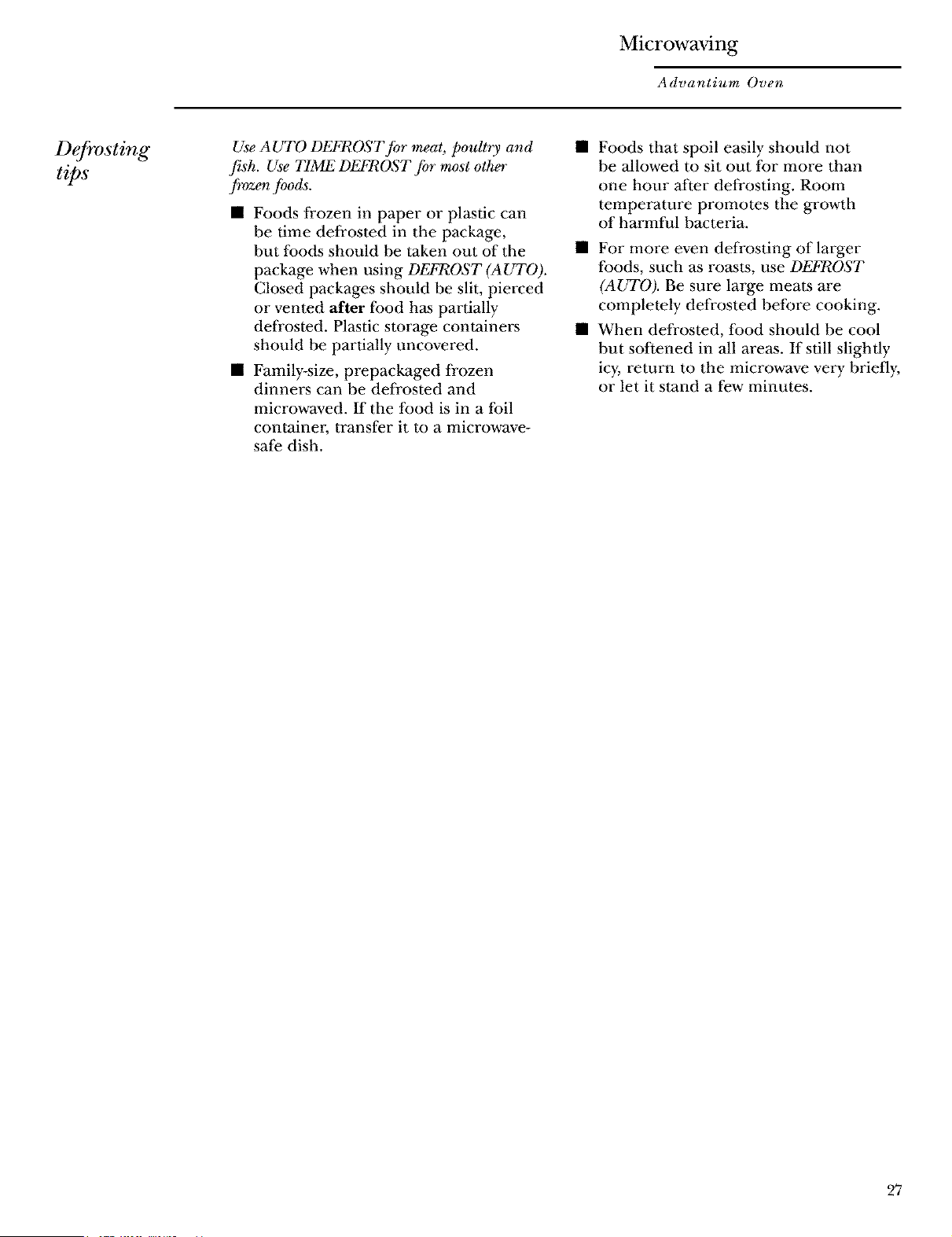
Use AUTO DEFROST for meat, poultry and
fish. Use TIME DEFROST for most other
frozen Jbods.
• Foods frozen in paper or plastic can
be time defrosted in the package,
but toods should be taken out of the
package when using DEFROST (AUTO).
Closed packages should be slit, pierced
or vented after lood has partially
defrosted. Plastic storage containers
should be partially uncovered.
• Family-size, prepackaged frozen
dinners can be defrosted and
microwaved. If the food is in a foil
container; transfer it to a microwave-
safe dish.
Foods that spoil easily should not
be allowed to sit out for more than
one hour Mter defrosting. Room
temperature promotes the growth
of harmful bacteria.
• For more even defrosting of larger
foods, such as ro_ts, use DEFROST
(AUTO). Be sure large meats are
completely defrosted before cooking.
• When defrosted, food should be cool
but softened in all areas. If still slightly
icy, return to the microwave very briefly,
or let it stand a few minutes.
27
Microwaving
Advantium Oven
Microwave
sensor
cooking
The sensor feature detects the increasing"
humidity _leased during cooking. The oven
automatically adjusts the cooking" time to
various types and amounts of food.
The proper containers and covers are essential
for best sensor cooking.
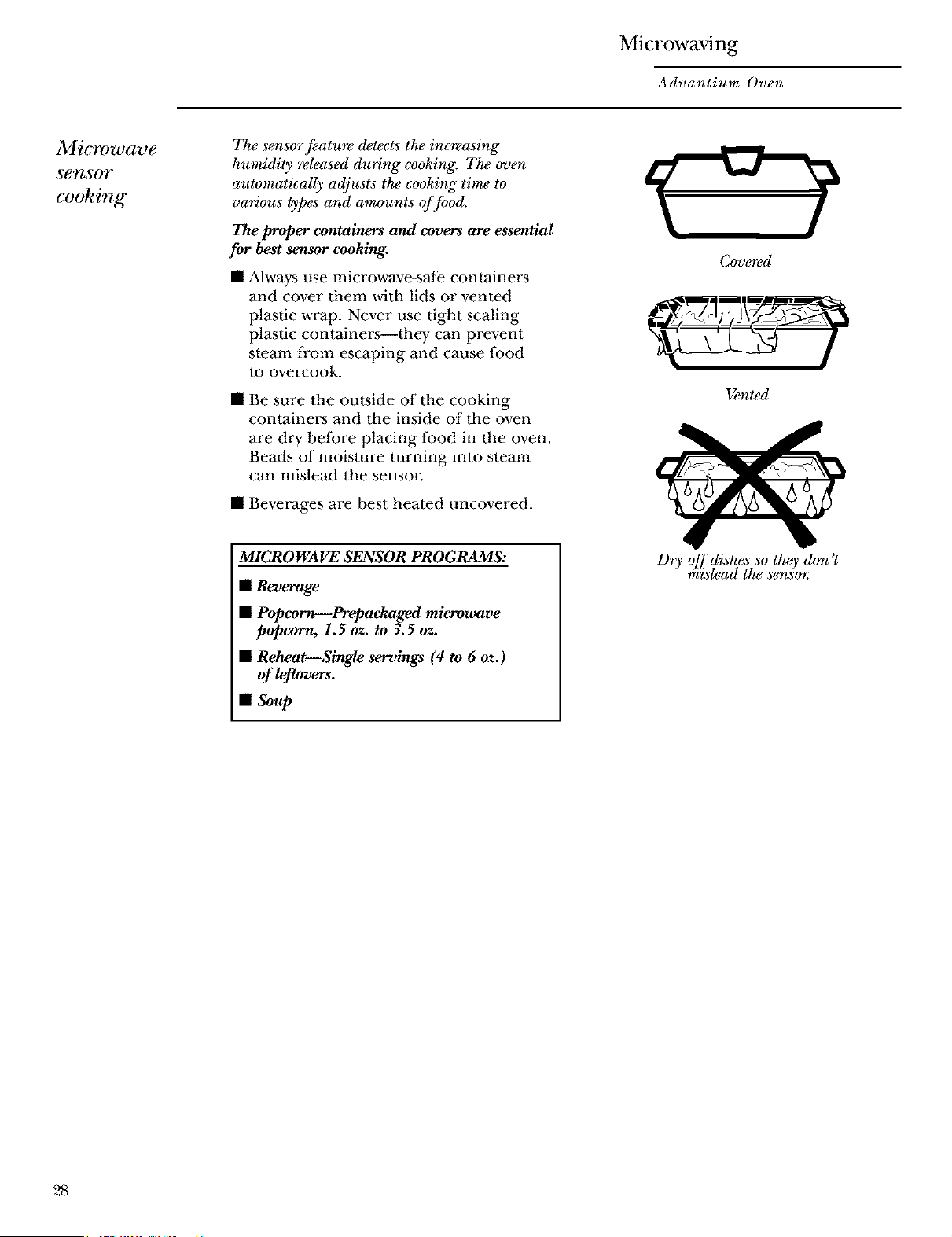
• Mways use microwave-s_e containers
and cover them with lids or vented
plastic wrap. Never use tight sealing
plastic containers--they can prevent
steam from escaping and cause food
to overcook.
Be sure the outside of the cooking
containers and the inside of the oven
are dry before placing food in the oven.
Beads of moisture turning into steam
can mislead the senson
• Beverages are best heated uncovered.
Covgred
Vented
MICROWAVE SENSOR PROGRAMS:
• Beverage
• Popcorn--Prepackaged microwave
popcorn, 1.5 oz. to 3.5 oz.
• Reheat--Single servings (4 to 6 oz.)
ofk tovers.
• Soup
Dry off dishes so they don't
mislead the sensm:
28
Microwaving
Advantium Oven
7"0 use all
SenSOY
programs"
Advantium _ microwave mode features
sensor cooking. The oven automatically
senses when food is done and shuts
itself off--eliminating the need to
program cooktimes and pow_ levels.
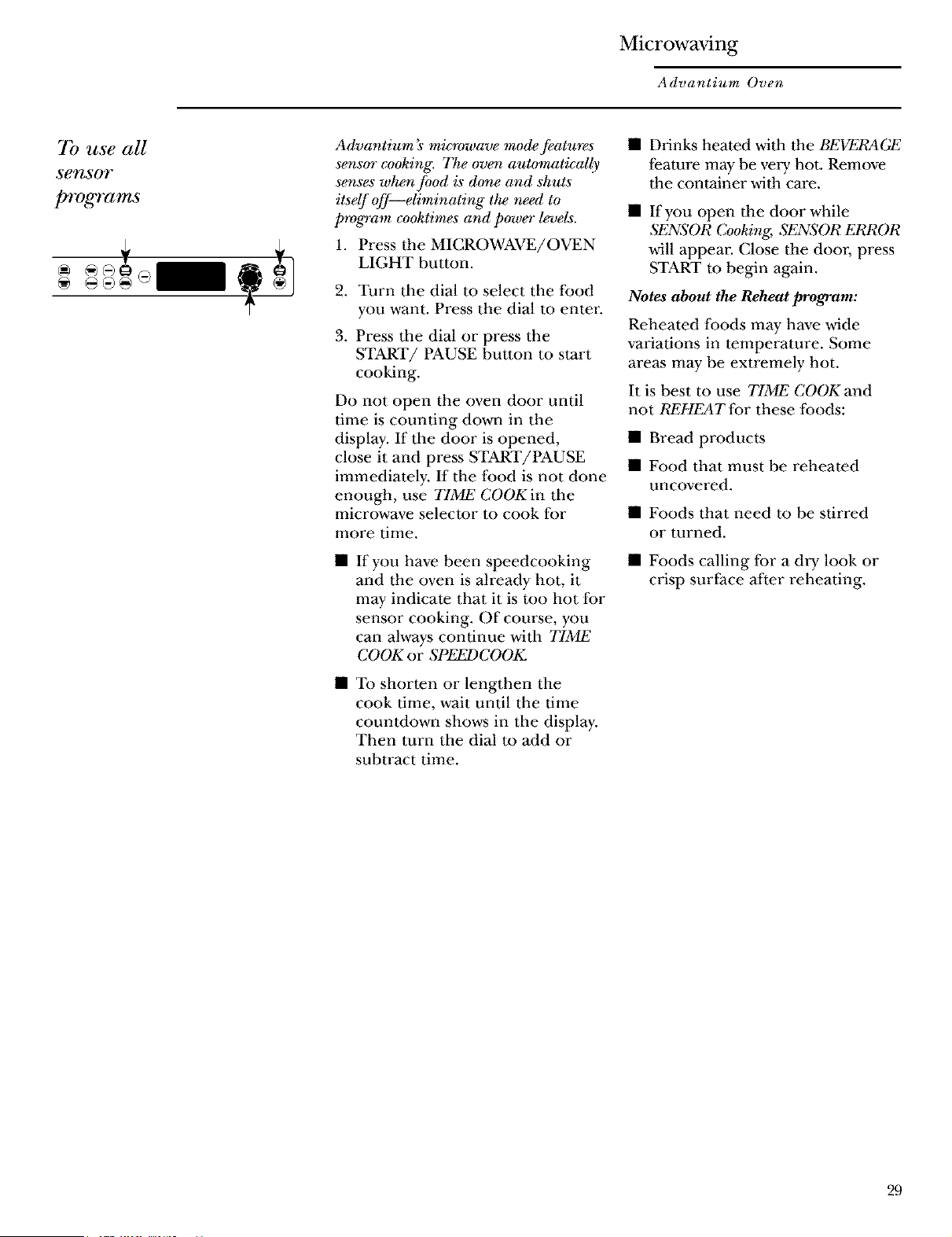
1. Press the MICROWAVE/OVEN
LIGHT button.
2. Turn tile dial to select the food
you want. Press the dial to enter.
3. Press the dial or press the
START/PAUSE button to start
cooking.
Do not open the oven door until
time is counting down in the
display. If the door is opened,
close it and press START/PAUSE
immediately. If the t:ood is not done
enough, use TIME COOK in tile
microwave selector to cook for
more time.
If you have been speedcooking
and the oven is already hot, it
may indicate that it is too hot for
sensor cooking. Of course, you
can always continue with TIME
COOK or SPEF3PCOOK.
• To shorten or lengthen the
cook time, wait until the time
countdown shows in the display.
Then turn the dial tu add or
subtract time.
• Drinks heated with the BEV'rM?AGE
l;eature may be veiT hot. Remove
the container with care.
• If you open tile door while
SENSOR Cooking, S_SOR ERROR
will appear. (;lose the door, press
START to begin again.
Notes about the Reheat program:
Reheated lbods may have wide
variations in temperature. Some
areas may be extremely hot.
It is best to use TIME COOK and
not REHEAT for these foods:
• Bread products
• Food that must be reheated
uncovered.
• Foods that need to be stirred
or turned.
• Foods calling for a dlT look or
crisp surface Mter reheating.
29
Microwaving
Advantium Oven
Things that
m_ normal
Interference
TV/radio interference might be
noticed while using tile microwave.
Similar m tile interference caused by
other small appliances, it does not
indicate a problem with the microwave.
Move the radio or TV as l_araway from
the microwave _ possible, or check the
position of the TV/radio antenna.
L t,
• The oven light will not come on
during a microwave cooking cycle.
To see the Iood that is cooking,
press MICROWAVE/OVEN LIGHT.
The light will come on and stay on
for the remainder of the microwave
cooking cycle.
Oven Heat
• Cookware may become hot because of
heat transferred li_om the heated food.
Oven mitts may be needed m handle
the cookware.
• Steam or vapor may escape li_om around
the door-
Sounds
• You may hear a dull thumping sound
while the oven is operating.
30

Microwaving
Advantium Oven
Notes and
comments
31
Other Advantium Features
Advantium Oven
"YOUR
FOOD IS
READY"
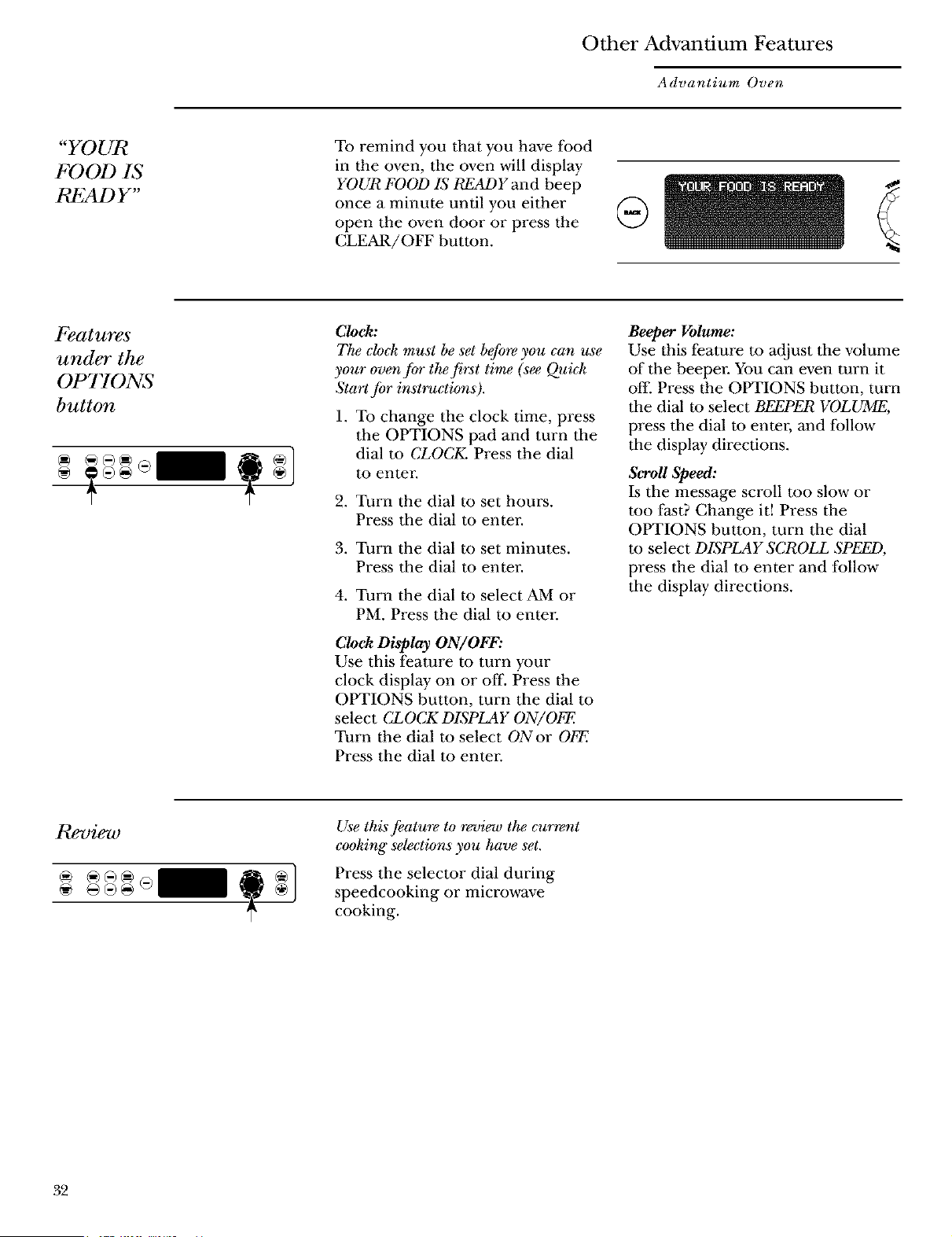
To remind you that you have Ibod
in the oven, the oven will display
YOUR FOOD Lq READYand beep
once a minute until you either
open the oven door or press the
CLEAR/OFF button.
Features
under the
OPTIONS
button
Clock:
The clock must be set b_o_ you can use
your oven fc_r the first time (se_ Quick
Start for instruction, s).
1. To change the clock time, press
the OPTIONS pad and turn the
dial m CLOCK. Press the dial
to enter.
2. Turn the dial to set hours.
Press the dial to enter.
3. Turn the dial to set minutes.
Press the dial m enter.
4. Turn the dial to select AM or
PM. Press the dial to enter
Clock Display ON/OFF:
Use this feature to turn your
clock display on or off. Press the
OPTIONS button, turn the dial m
select CLOCK DISPLAY ON/OFE
Turn the dial to select ONor OFE
Press the dial m enter.
Beeper Volume:
Use this feature to adjust the volume
of the beeper. You can even turn it
ol:l: Press the OPTIONS button, turn
the dial m select BEEPER VOLUME,
press the dial m enter, and lbllow
the display directions.
Scroll Speed:
Is the message scroll too slow or
too f_t? Change it! Press the
OPTIONS button, turn the dial
tu select DISPLAY SCROLL SPEED,
press the dial m enter and follow
the display directions.
Review
@ @@@@
Use this feature to revi_o the current
cooking" selections you have set.
Press the selector dial during
speedcooking or microwave
cooking.
.32
Other Advantium Features
Advantium Oven
Help
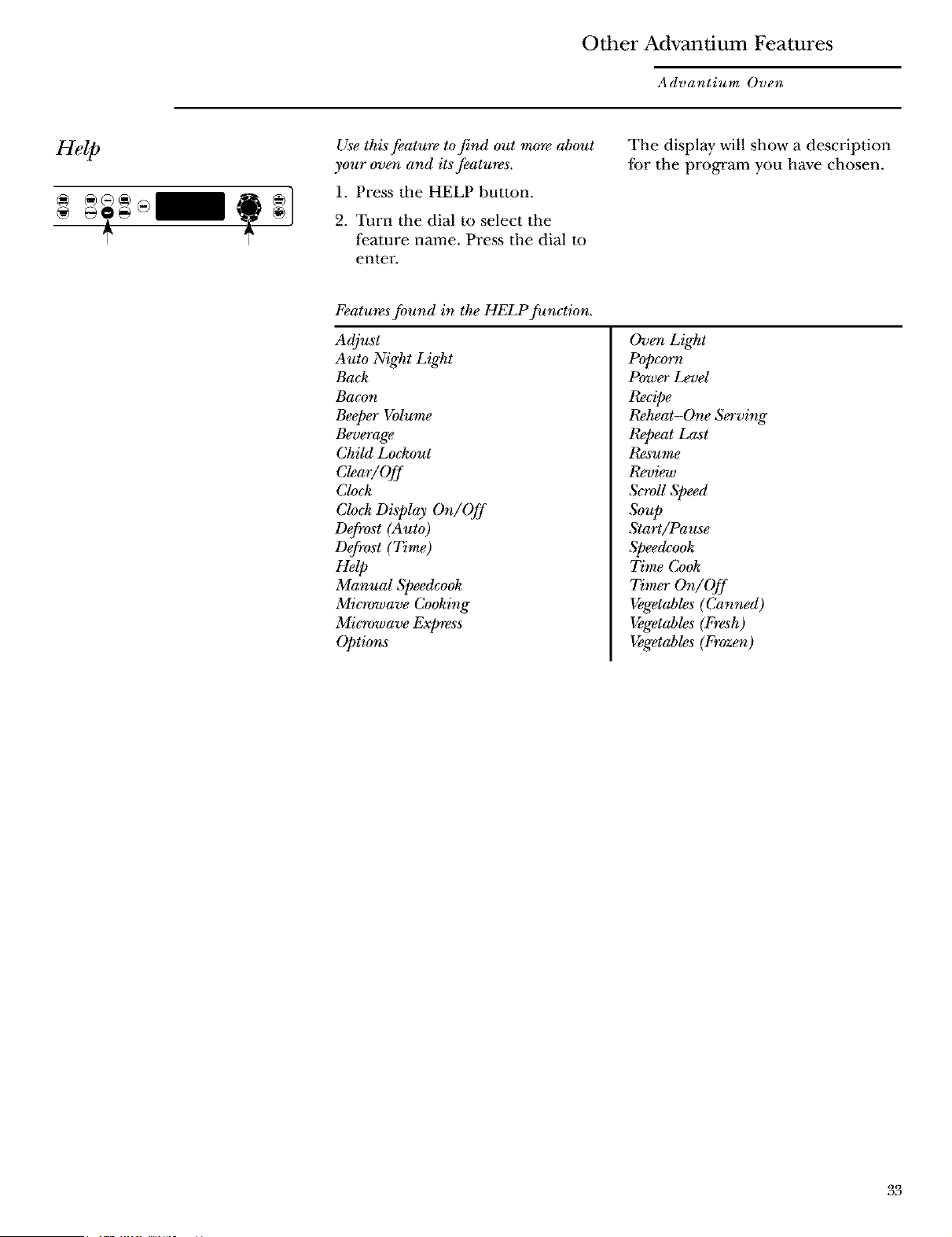
Use this feature tofind out mo_v about
your oven and its features.
1. Press the HELP button.
2. Turn the dial to select the
feature name. Press the dial to
enter.
The display will show a description
for the program you have chosen.
Features found in the HELP function,
Adjust
Auto Night Ligl_t
Back
Bacon
Beeper Volume
Beverage
Child Lockout
Clear/Off
Clock
Clock Display On/Off
Defrost (Auto)
Defrost (Time)
Help
Manual Speedcook
Microwave Cooking"
Microwave Express
Options
Oven Light
Popcorn
Power Level
Recipe
Reheat-One Serving
Repeat Last
Resume
Rev_v
ScroU Speed
Soup
Start/Pause
Speedcook
Time Cook
Timer On/Off
Vegetables (Canned)
Vegetables (Fresh)
Vegetables (Frozen)
33
Other Advantium Features
Advantium Oven
Child
lockout
You may lock the control pand to
prevent the oven from being acci_taUy
started or used by children.
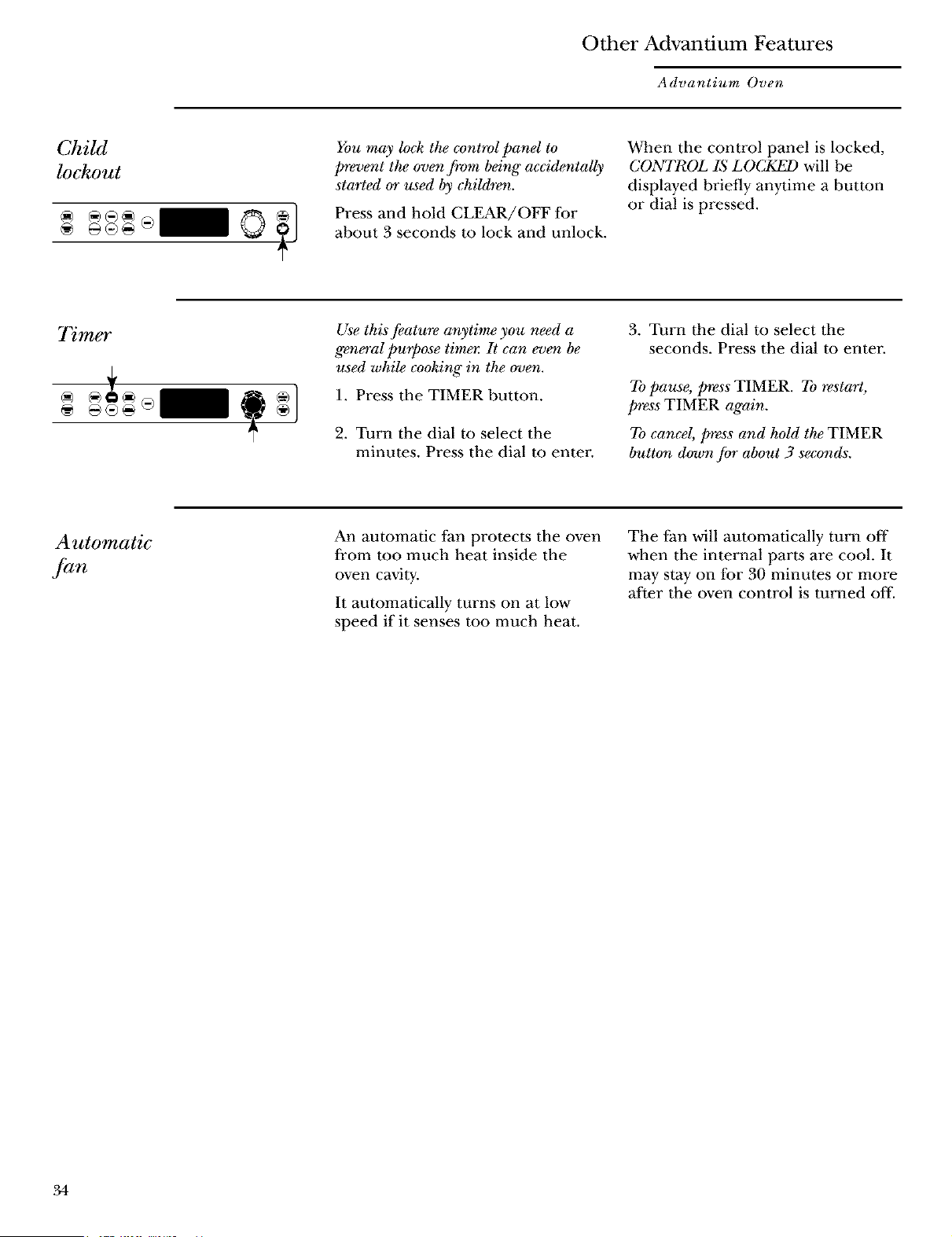
Press and hold CLEAR/OFF for
about 3 seconds m lock and unlock.
When the control panel is locked,
CONTROL IS LOCKF_ will be
displayed briefly anytime a button
or dial is pressed.
Timer
Use this feature anytime you need a
general purpose timet: It can even be
used while cooking" in the oven.
1. Press the TIMER button.
2. Turn the dial to select the
minutes. Press the dial to enter-
3. Turn the dial to select the
seconds. Press the dial to enter.
To pause, press TIMER. To restart,
press TIMER again.
To cancel, press and hold the TIMER
button down for about 3 seconds.
Automatic
,]-an
An automatic fan protects the oven
li_om too much heat inside the
oven cavity.
It automatically turns on at low
speed if it senses mo much heat.
The fan will automatically turn off
when the internal parts are cool. It
may stay on for 30 minutes or more
Mter the oven control is turned off.
34
Care and Cleaning
Advantium Oven
Helpful
hints
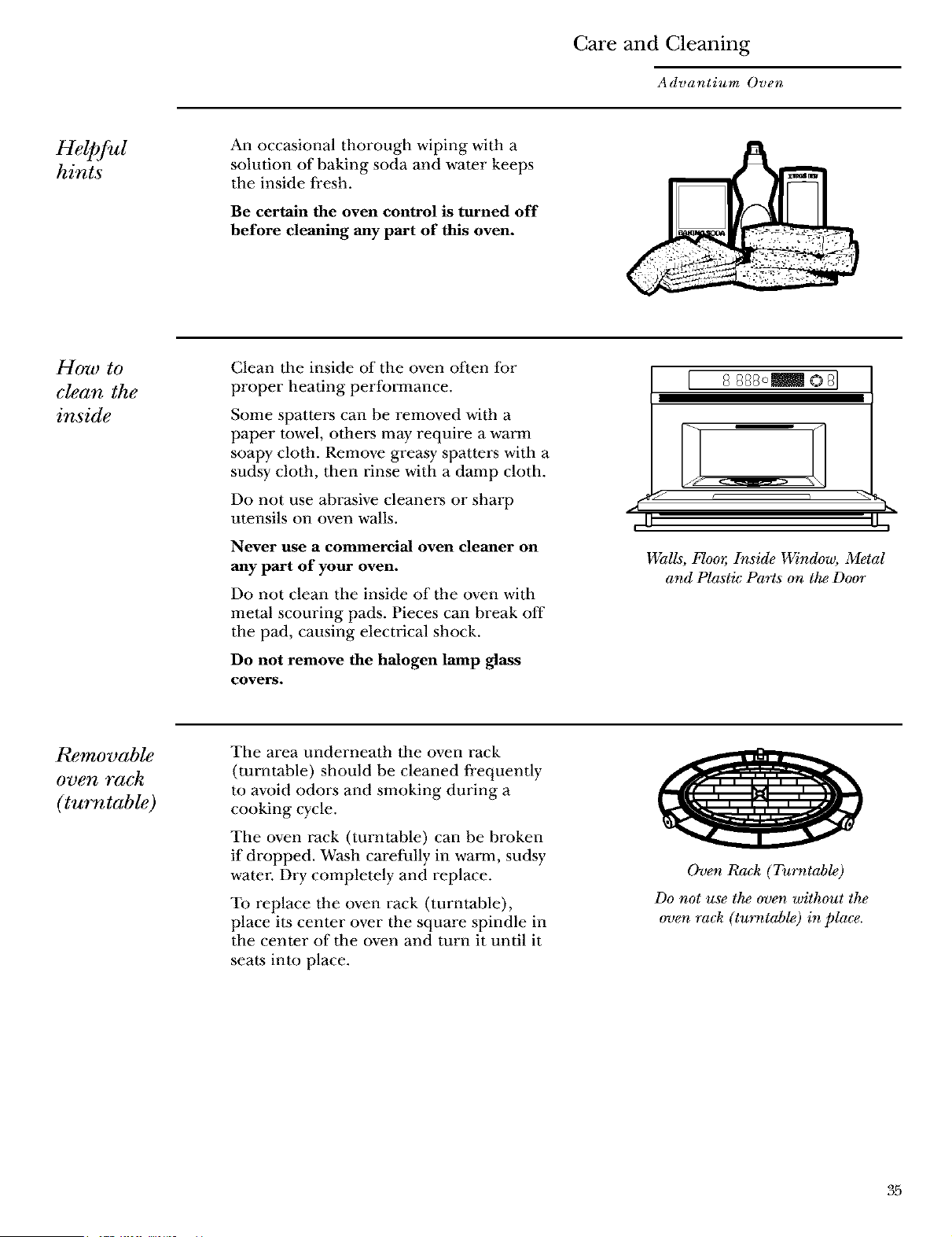
An occasional thorough wiping with a
solution of baking soda and water keeps
the inside li_esh.
Be certain the oven control is turned off
before cleaning any part of this oven.
How to
clean the
inside
Clean tile inside of the oven often Ior
proper heating performance.
Some spatte*_ can be removed with a
paper rowel, others may require a warm
soapy cloth. Remove greasy spatters with a
sudsy cloth, then rinse with a damp cloth.
Do not use abrasive cleaners or sharp
utensils on oven walls.
Never use a commercial oven cleaner on
any part of your oven.
Do not clean the inside of the oven with
metal scouring pads. Pieces can break off
the pad, causing electrical shock.
Do not remove the halogen lamp glass
covers.
[ 8 888o_ © 8]
11-,-
Walls, Floor; Inside Window, Metal
and Plastic Parts on the Door
Removable
oven rack
(turntable)
The area underneath the oven rack
(turntable) should be cleaned fi'equently
to avoid odors and smoking during a
cooking cycle.
The oven rack (turntable) can be broken
if dropped. Wash carelMly in warm, sudsy
water Dry completely and replace.
To replace the oven rack (turntable),
place its center over the square spindle in
the center of the oven and turn it until it
seats into place.
Oven Rack (Turntable)
Do not use the oven without the
oven rack (tu_v_table) in place.
35
Care and Cleaning
Advantium Oven
Baking
sheets
(cooking
trays)
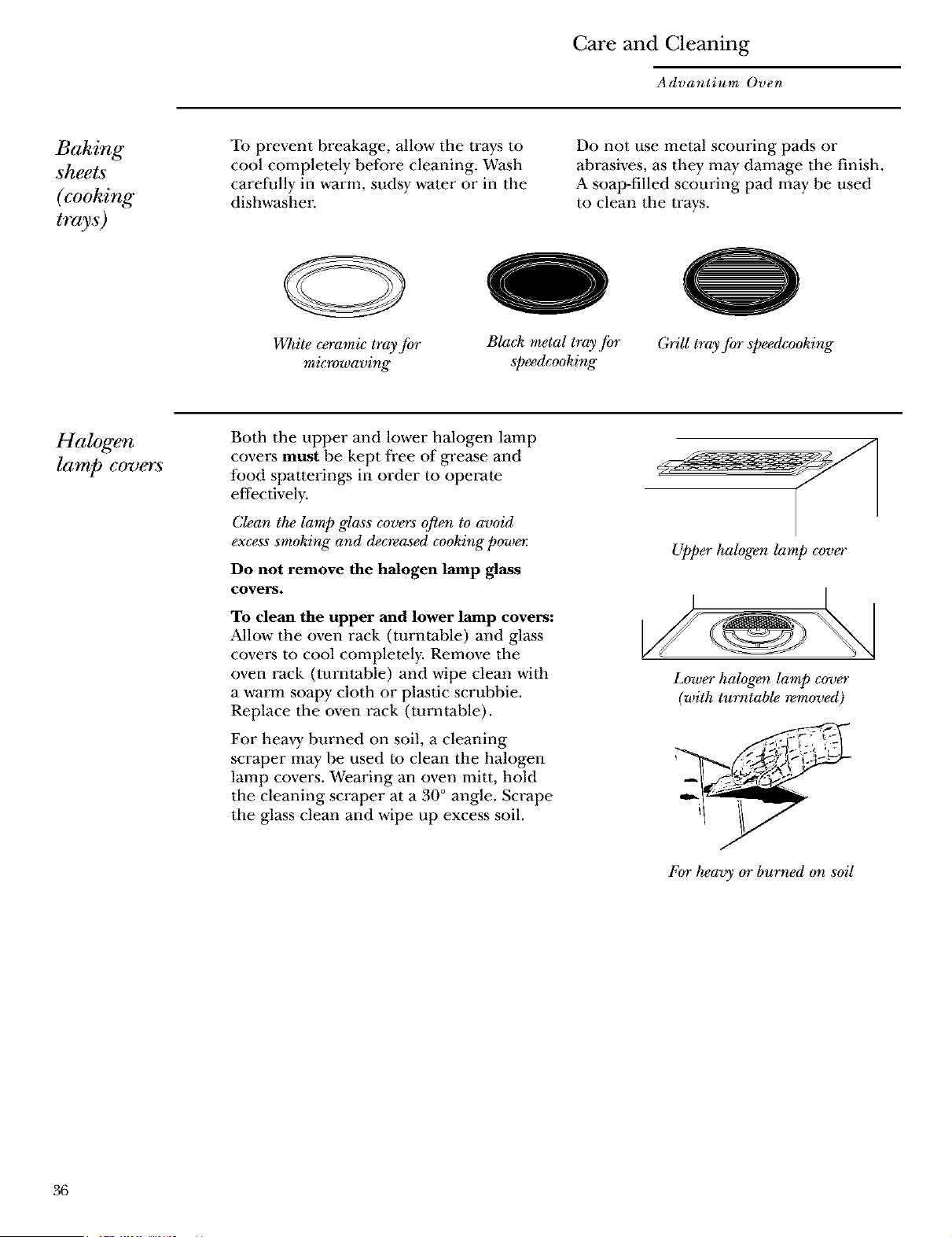
To prevent breakage, allow the trays m
cool completely before cleaning. Wash
carefully in warm, sudsy water or in the
dishwasher
Do not use metal scouring pads or
abrasives, as they may damage the finish.
A soap-filled scouring pad may be used
to clean the trays.
VcT_iteceramic tray for
micwwaving
0
Black metal tray for
speedcooking
Grill tray for speedcooking
Halogen
lamp covers
Both the upper and lower halogen lamp
cove_ must be kept free of grease and
food spatterings in order to operate
effectively.
Clean the lamp glass covers often to avoid
excess smoking" and decreased cooking" power:
Do not remove the halogen lamp glass
covers.
To dean the upper and lower lamp covers:
Allow the oven rack (turntable) and glass
cove_ to cool completely. Remove the
oven rack (turntable) and wipe clean with
a warm soapy cloth or pl_tic scrubbie.
Replace the oven rack (turntable).
For heavy burned on soil, a cleaning
scraper may be used m clean the halogen
lamp covers. Wearing an oven mitt, hold
the cleaning scraper at a 30 ° angle. Scrape
the glass clean and wipe up excess soil.
upper halogen lamp cover
Lower halogen lump covet"
(with turntable removed)
For _avy or burned o_ soil
36
Care and Cleaning
Advantium Oven
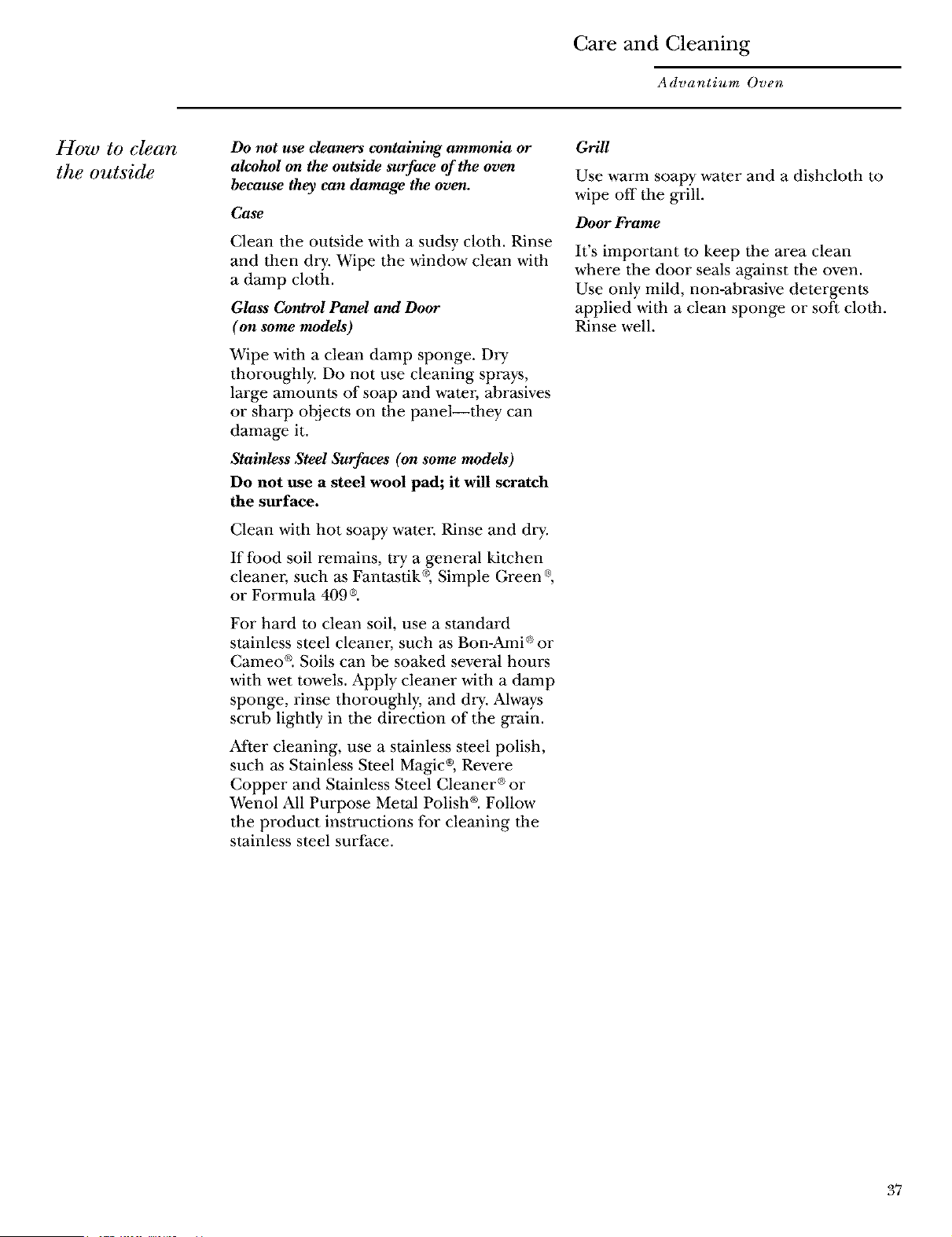
How to clean
the outside
Do not use cleaners containing ammonia or
alcohol on the outside surface of the oven
because they can damage the oven.
Cuse
Clean the outside with a sudsy cloth. Rinse
and then dry. Wipe the window clean with
a damp cloth.
Glass Control Panel and Door
(on some models)
Wipe with a clean damp sponge. Dry
thoroughly. Do not use cleaning sprays,
large amount,s of soap and water; abr_ives
or sharp objects on the panel--they can
damage it.
Stainless Steel Surfaces (on some models)
Do not use a steel wool pad; it will scratch
the surface.
Clean with hot soapy water Rinse and dry.
If food soil remains, try a general kitchen
cleaner, such as Fant_tik_ Simple Green ®,
or Formula 409 ®.
For hard to clean soil, use a standard
stainless steel cleaner; such as Bon-Ami ®or
Cameo ®. Soils can be soaked several hours
with wet towels. Apply cleaner with a damp
sponge, rinse thoroughly, and dry. Always
scrub lightly in the direction of the grain.
After cleaning, use a stainless steel polish,
such _ Stainless Steel Magic ®,Revere
Copper and Stainless Steel Cleaner ®or
Wenol All Purpose Metal Polish ®.Follow
the product instructions for cleaning the
stainless steel surface.
Grill
Use warm soapy water and a dishcloth to
wipe off the grill.
Door Frame
It's important to keep the area clean
where the door seals against the oven.
Use only mild, non-abrasive detergents
applied with a clean sponge or soft cloth.
Rinse well.
37
Troubleshooting
Advantium Oven
Questions ?
Use this
problem
solver
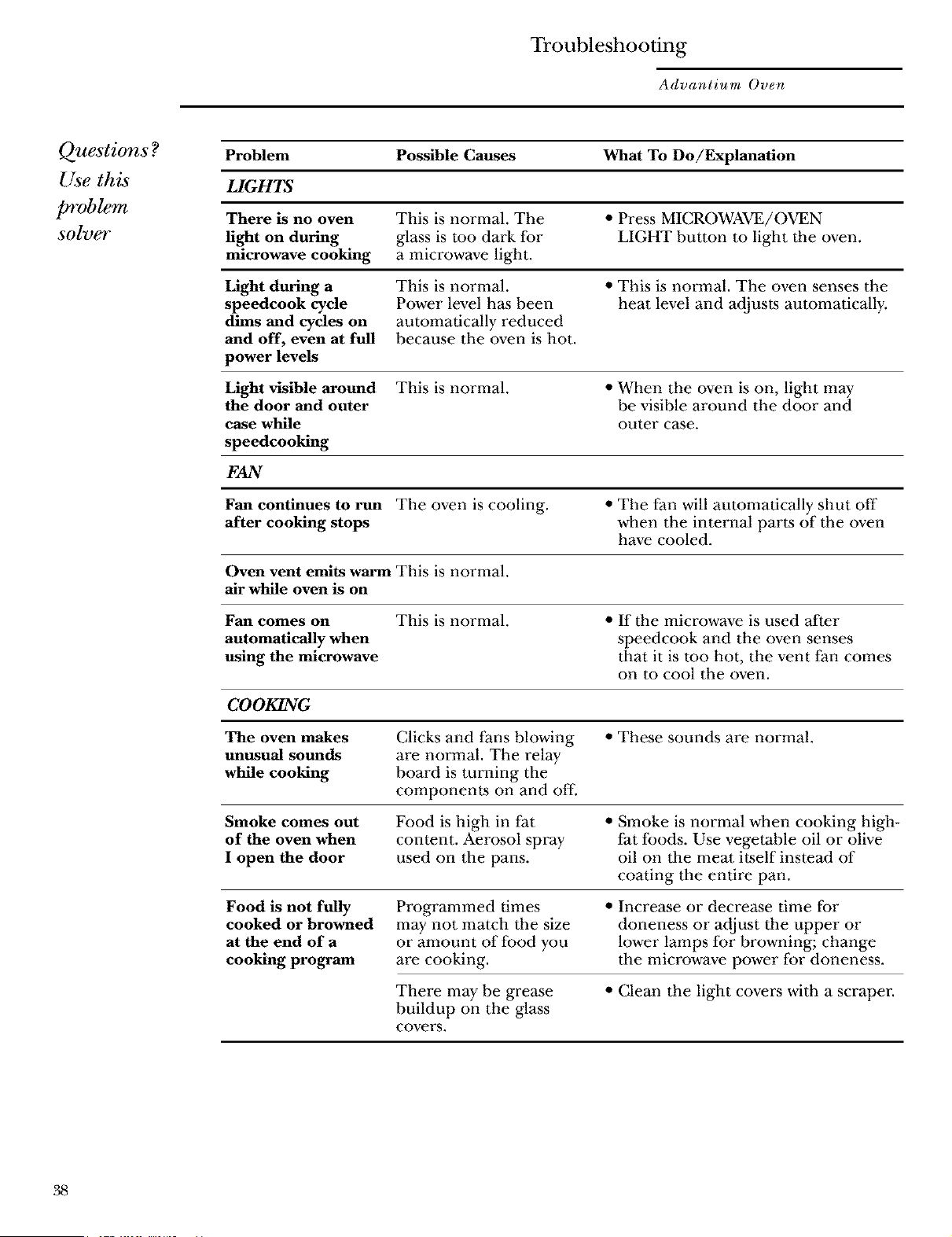
Problem Possible Causes What To Do/Explanation
LIGHTS
There is no oven This is normal. The • Press MICROWAVE/OVEN
light on during glass is too dark lbr LIGHT button to light the oven.
microwave cooking a microwave light.
Light during a This is normal. • This is normal. The oven senses the
speedcook cycle Power level h_ been heat level and adjusts automatically.
dims and cycles on automatically reduced
and off, even at full because the oven is hot.
power levels
Light visible around This is normal. • When the oven is on, light may
the door and outer be visible around the door and
case while outer case.
speedcooking
FAN
Fan continues to run The oven is cooling. • The fan will automatically shut off
after cooking stops when the internal parts of the oven
have cooled.
Oven vent emits warm This is normal.
air while oven is on
Fan comes on This is normal. • If the microwave is used after
automatically when speedcook and the oven senses
using the microwave that it is too hot, the vent fan comes
on to cool the oven.
COOKING
The oven makes Clicks and fans blowing • These sounds are normal.
unusual sounds are normal. The relay
while cooking board is turning the
components on and off.
Smoke comes out Food is high in fat • Smoke is normal when cooking high-
of the oven when content. Aerosol spray fat foods. Use vegetable oil or olive
I open the door used on the pans. oil on tile meat itself instead of
coating tile entire pan.
Food is not fully
cooked or browned
at the end of a
cooking program
Programmed times
may not match the size
or amount of food you
are cooking.
• Increase or decrease time for
doneness or adjust the upper or
lower lamps lbr browning; change
the microwave power lbr doneness.
There may be grease
buildup on the glass
covers.
• Clean the light covers with a scraper.
38
Troubleshooting
Advantium Oven
Questions ?
Use this
problem
solver
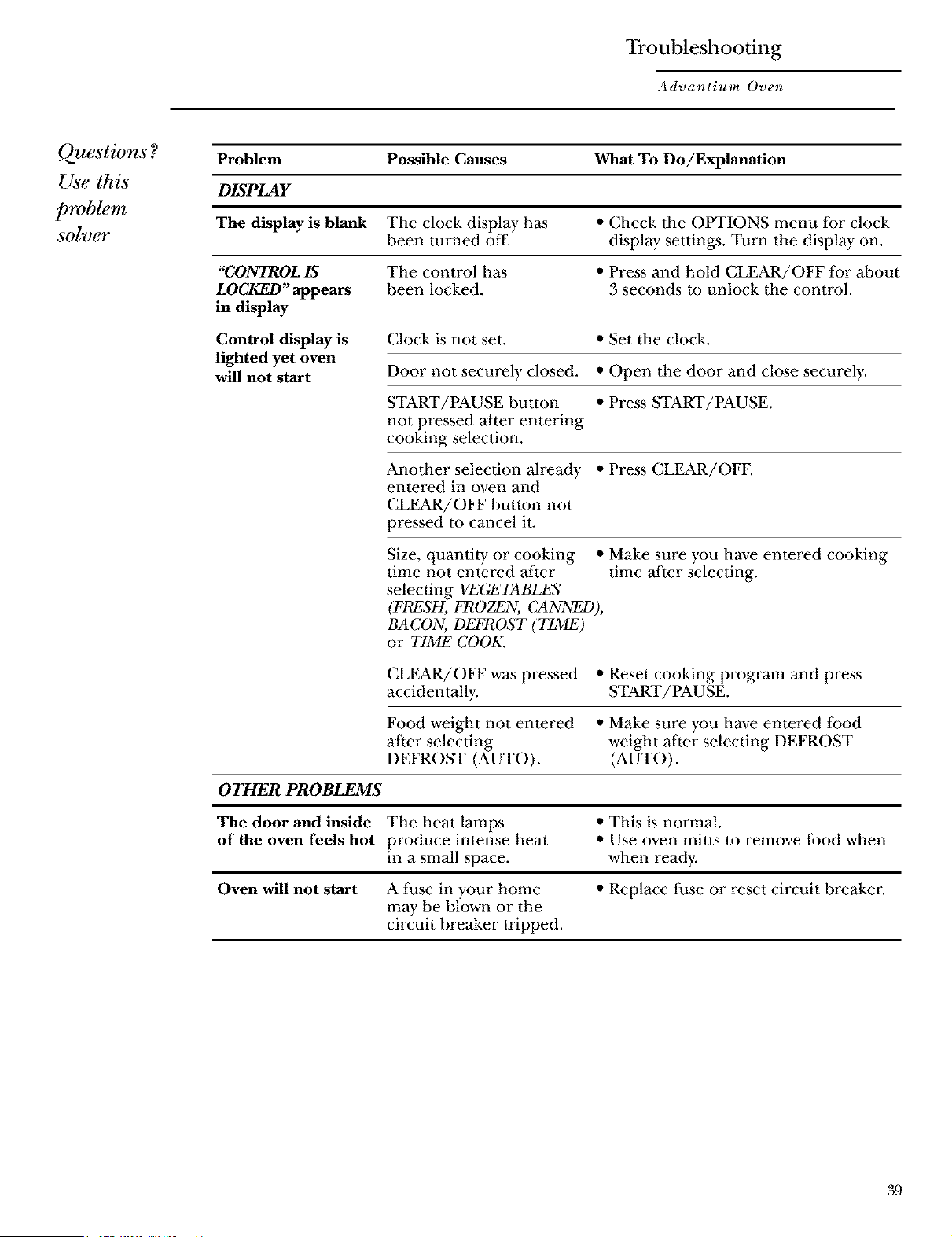
Problem Possible Causes What To Do/Explanation
DISPLAY
The display is blank The clock display has • Check tile OPTIONS menu lbr clock
been turned off. display settings. Turn the display on.
"CONTROLIS The control has • Press and hold CLEAR/OFF lbr about
LOCKED'appears been locked. 3 seconds to unlock the control.
in display
Control display is
lighted yet oven
will not start
Clock is not set. • Set the clock.
Door not securely closed. • Open the door and close securely.
START/PAUSE button • Press START/PAUSE.
not pressed after entering
cooking selection.
Another selection already • Press CLEAR/OFE
entered in oven and
CLEAR/OFF button not
pressed m cancel it.
Size, quantity or cooking • Make sure you have entered cooking
time not entered after time after selecting.
selecting VEGETABI_S
(FPugSH, FROZEN, CANNF_),
BACON, DEFROST (TIME)
or TIME COOK.
CLEAR/OFF w_ pressed • Reset cooking program and press
accidentally. START/PAUSE.
Food weight not entered • Make sure you have entered Ibod
after selecting weight after selecting DEFROST
DEFROST (AUTO). (AUTO).
OTHER PROBLEMS
The door and inside The heat lamps • This is normal.
of the oven feels hot produce intense heat • Use oven mitts to remove food when
in a small space, when ready.
Oven will not start A tiase in your home • Replace fuse or reset circuit breaker;
may be blown or the
circuit breaker tripped.
39

Notes
Advantium Oven
Notes and
comments
4O

X_po±[:.r_ _u_aodm I
uo.n_x_.__I d.[q_o_
J,3npoa d aottmsuo o
saoue!lddv39
IIIII Pl Ce
1st Class
Letter
Stamp
Here
General Electric Company
Warranty Registration Department
P.O. Box 32150
Louisville, KY 40232-2150
41
g
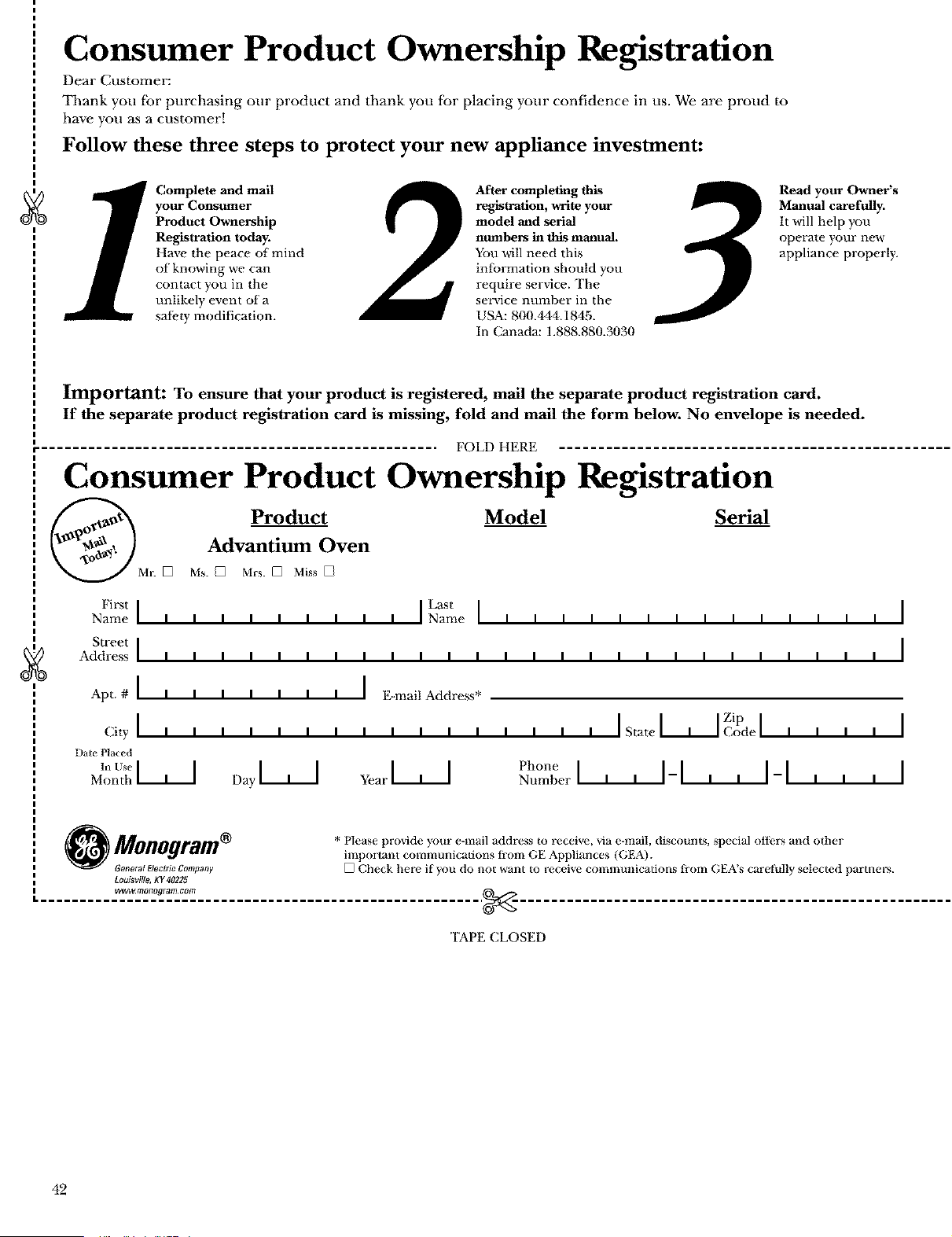
Consumer Product Ownership Registration
Dear Customer:
Thank you fbr purchasing our product and thank you for placing your confidence in us. We are proud to
have you as a customer!
Follow these three steps to protect your new appliance investment:
1
Complete and mail
your Consumer
Product Ownership
Registration today.
Have the peace of mind
of knowing we can
contact you in the
unlikely event of a
sat;cry modification.
2
After completing this
registration, write your
model and serial
numbers in this manual.
You will need this
information should you
require service. The
sen,ice number in the
USA: 800.444.1845.
In Canada: 1.888.880.3030
3
Read your Owner's
Manual carefully.
It will help you
operate your near
appliance properly.
Important: To ensure that your product is registered, mail the separate product registration card.
If the separate product registration card is missing, fold and mail the form below. No envelope is needed.
FOLD HERE
Consumer Product Ownership Registration
Product Model Serial
Advantium Oven
MIt [] MS. [] Mrs. [] Miss []
g
Fi_tI L+tI
Name I I I I I I I I I Name
Street I
Address _ _ _ _ _ _ _ _ _ _ _
Apt. # I I I I I I I I I E-mail Address*
City I , , , , , , , , , , , ,
Date Placed
M',;_t_ I--L--I Day _ Year I--L--I
lllllllllllllll
lllllllllllllll
, , , I I IZip I I
State I.--t--I (;ode I I I I I
ph°nel , , II , , II I
Number - - i i i
O Monogram + Please provide your e-nlail address to receive, via e-mail, discounts, special otters and other
i important comlrmnications from GE Appliances (GEA).
GooeralElectri¢CompanF [] Check here if you do not want to receive commutfications from GEA's caretk_ll) selected partners.
Louisville, Kg 40225
.......... _.+_2°._._ff:___..................................... _.___,
TAPE CLOSED
42
Z_WV. 71zoozo,_(zm. €OTIZ
Consumer Services
Advantium Oven
With the purchase of your new Monogram appliance, receive the
assurance that if you ever need information or assistance from GE,
we'll be there. All you have to do is call--toll-free!
GE Answer
Center ®
In the USA:
800. 626. 2000
Whatever your quesdon about any Monogram major appliance, GE Answer Center °
information service is available m help. Your call--and your question--will be answered
promptly and courteously. And you can call any time. GE Answer Center ® selMce is open
24 hours a day, 7 days a week.
In Canada, call 888.880.3030
In-Home Repair
Service
In the USA:
800. 444.1845
In Canada:
888.880.3030
A GE consumer service professional will prmdde expert repair service, scheduled at a time
that's convenient for you. Many GE Consumer Service company-operated locations offer
you service today or tomorrow, or at your convenience (7:00 a.m. to 7:00 p.m. weekdays,
9:00 a.m. to 2:00 p.m. Saturdays). Our factow-trained technicians know your appliance
inside and out--so most repairs can be handled in just one visit.
For Customers
With Special
Needs...
In the USA:
800. 626. 2000
m_
mm_
GE offers Braille controls tbr a variety of GE appliances, and a
brochure to assist in planning a barrier-free kitchen for persons
with limited mobility.
Consumers with impaired hearing or speech who have access to a
TDD or a conventional teletypewriter may call 800.TDD.GEAC
(800.833.4322) to request information or service.
Service Contracts
In the USA:
800. 626. 2224
In Canada:
888.880.3030
You can have the secure feeling that GE Consumer Service will still be there after your
warranty expires. Purchase a GE contract while your warranty is still in effect and you'll
receive a substantial discount. With a multiple-year contract, you're assured of future
service at today's prices.
Parts and
Accessories
In the USA:
800. 626. 2002
In Canada:
888.880.3030
Individuals qualified to service their own appliances can have parts or accessories sent
directly to their home. The GE parts system provides access to over 47,000 parts...and all
GE Genuine Rene_-al Parts are fully warranted. VISA, MasterCard and Discover cards are
accepted.
User maintenance instructions contained in this manual cover procedures intended to be
performed by any user. Other servicing generally should be referred to qualified service
personnel. Caution must be exercised, since improper servicing may cause unsafe operation.
43
Warranty for Customers in the USA
Advantium Oven
YOUR MONOGRAM ADVANTIUM OVEN WARRANTY
Staple sales slip or cancelled check here. Proof of original purchase
date is needed to obtain service under warranty.
WHAT IS
COVERED
From the Date
of the Original
Pmrhase
FULL ONE-YEAR WARRANTY
For one year from dale of original purchase, we will provide, free of charge, paris and service
labor in your home to repair or replace any part oj the ovevzthat fMls because of a defect ira materials
or workInanship.
FULL TEN-YEAR WARRANTY
For len years from date of original purchase, we will provide, free of charge, pans and service
labor ill your home to repair or replace the halogew speedcook lamps if they fail because of a defect
ira Inalerials or workmanship.
LIMITED TEN-YEAR WARRANTY
From the second through the lelllh year, we will prox4de, fl'ee of charge, parts m replace
the magmetrmz tube if it fMls because of a defect in materials or workmanship. You pay for
the serx4ce trip m your home and for service labor charges.
llll II llll lllll lllll lllill lllillllllllllllllllllllllllllllllllllllll m ill _ llll _
This warranty is exlended to the original purchaser and any succeeding owner for products
purchased for ordinary home use in the 48 maiIfiand states, Hawaii and Washington, D.C.
In Alaska the warranty is lhe same except lhat it is LIMITED because you must pay to ship
the product m die service shop or for lhe service technician's travel costs m your home.
All warranty ser_4ce will be prm4ded by our Factory Service Centers or by our authorized
Customer Care ®servicers during normal working hours.
Should your applim_ce need service, during warran/y period or beyond, in the U.S.A call
800.444.1845.
WHAT IS NOT
COVERED
• Serx4ce trips to your home to _each yon how
lo use the product.
• Replacement of house rinses or resetting of
circuit breakers.
• Damage m the product caused by accident,
fire, floods or acts of God.
• Failure of Ihe product if it is used tbr
olher than ils intended purpose or
used comInercially.
• hnproper installation.
• lI_cidenlal or consequential damage caused
by possible defects with this appliance.
Some stales do not allow the exclusion or liInitadon of incidental or consequential damages, so the
above limiladon or exclusion may not apply to you. This warranty gives you specific legal righls, and
you may also have olher rights which vary from slam to state. "Ib know what your legal rights are in
your stale, consult your local or state consuIner affairs office or your staie's Altorney General.
Warrantor: General Electric Company, Louisville, KY 40225
164D3370P233
49-40294
09-02JR
Printedin Ko_a
0
Monogram*.
Wa bringgoodVningsto life.
Gin_ral Elec_dc Company
LOUIswT_,AT4OZ_
Fla_hBake technol_L©" is u_ed by GE under license fi_m Quadlux, _nc.

