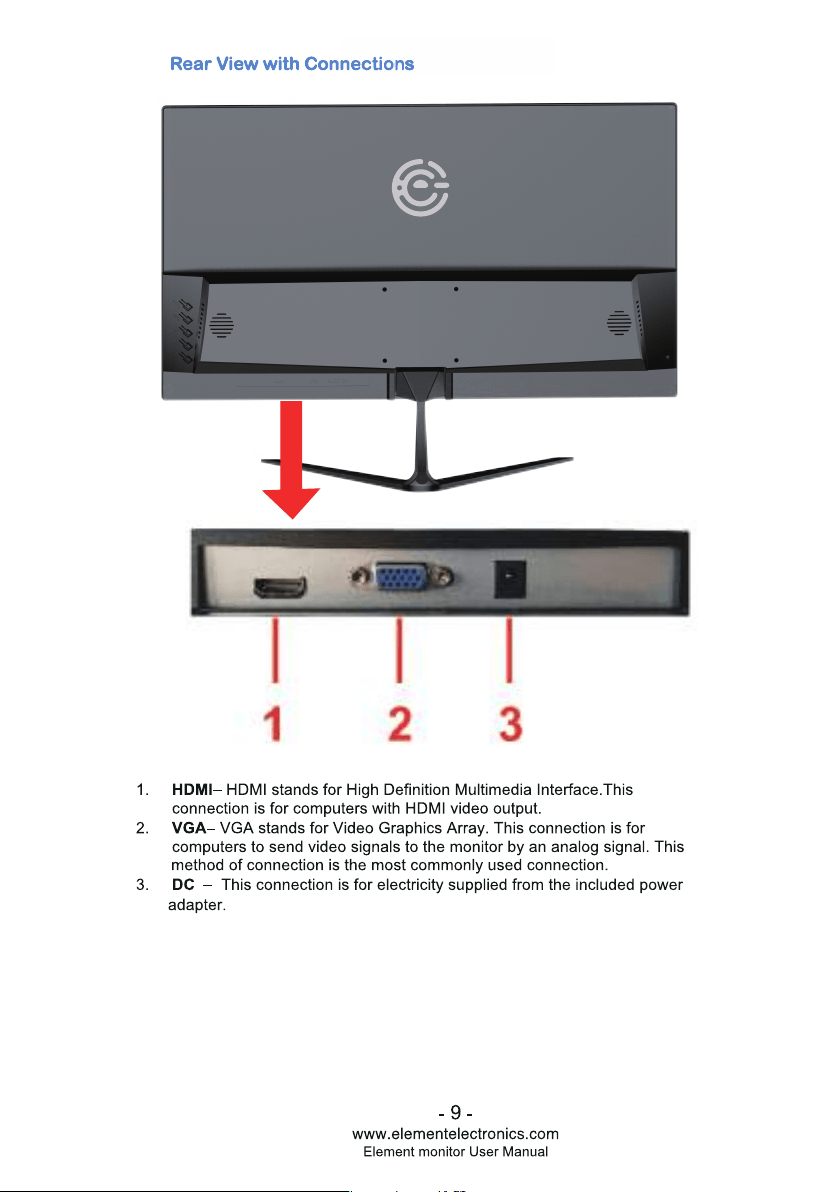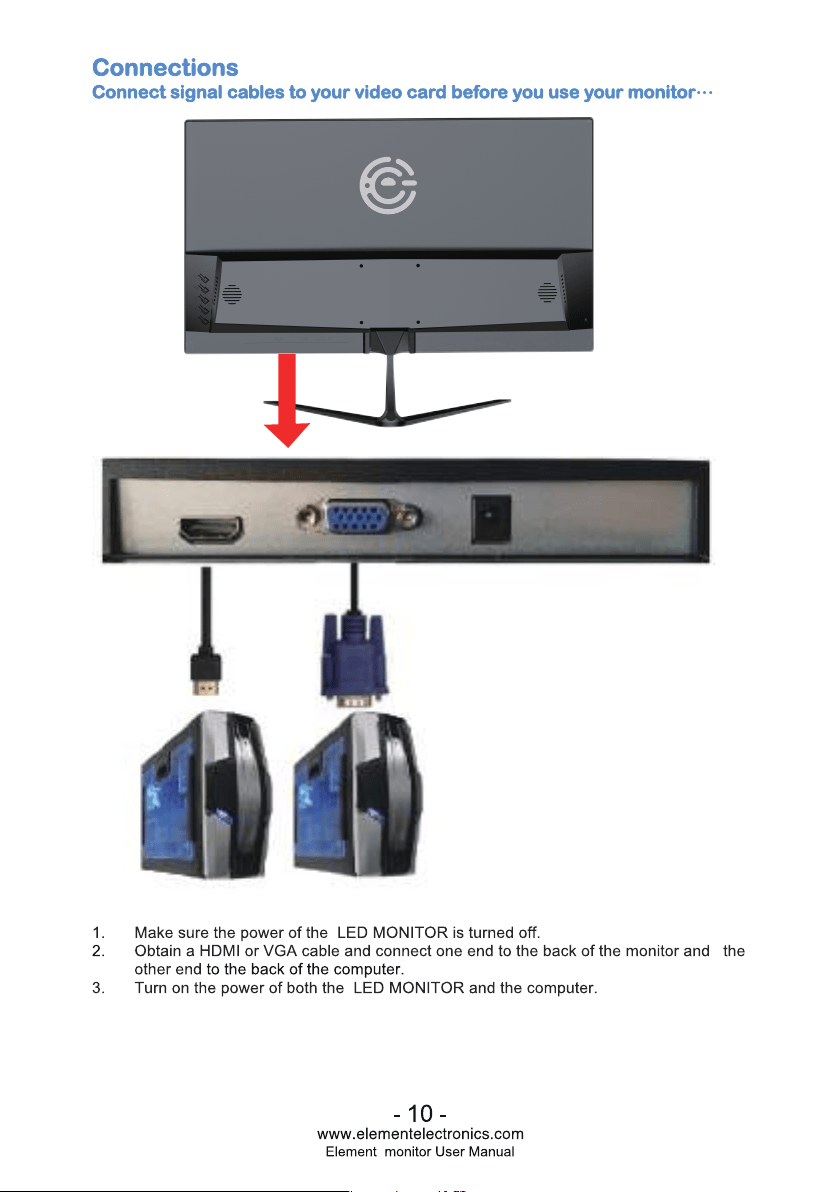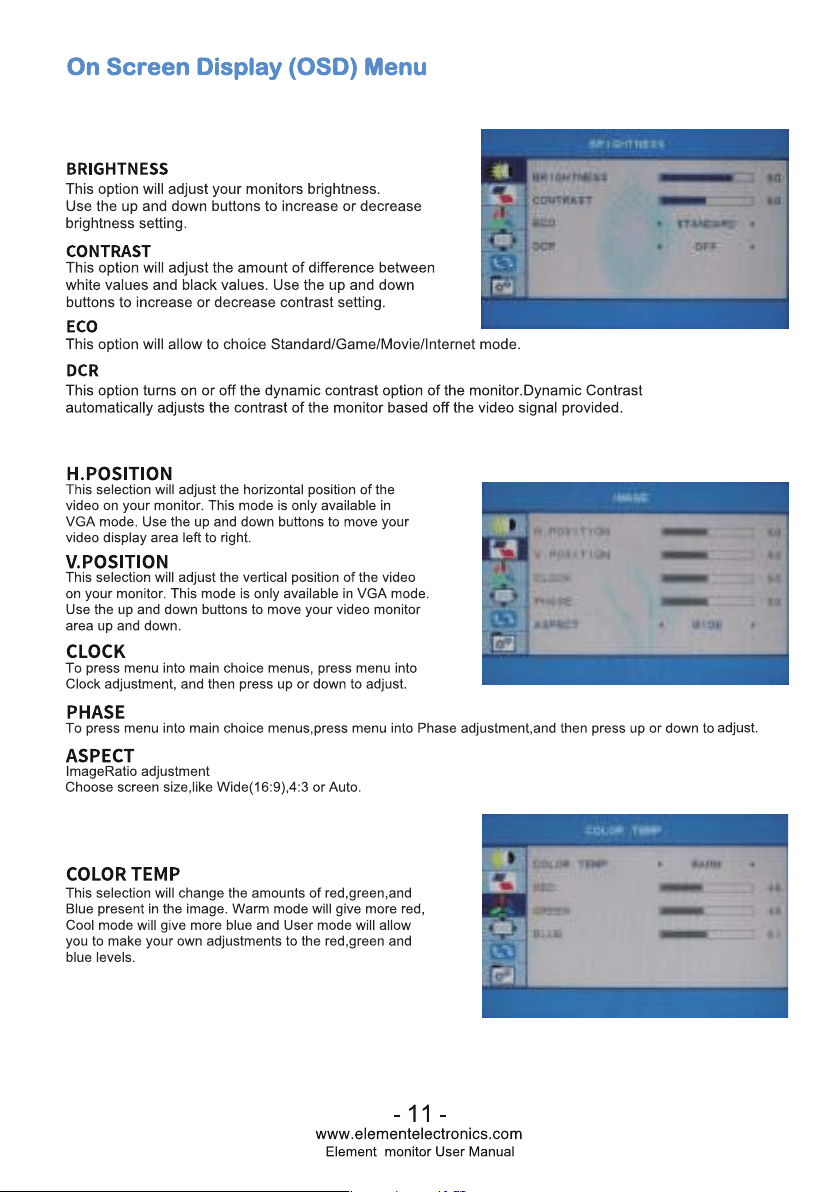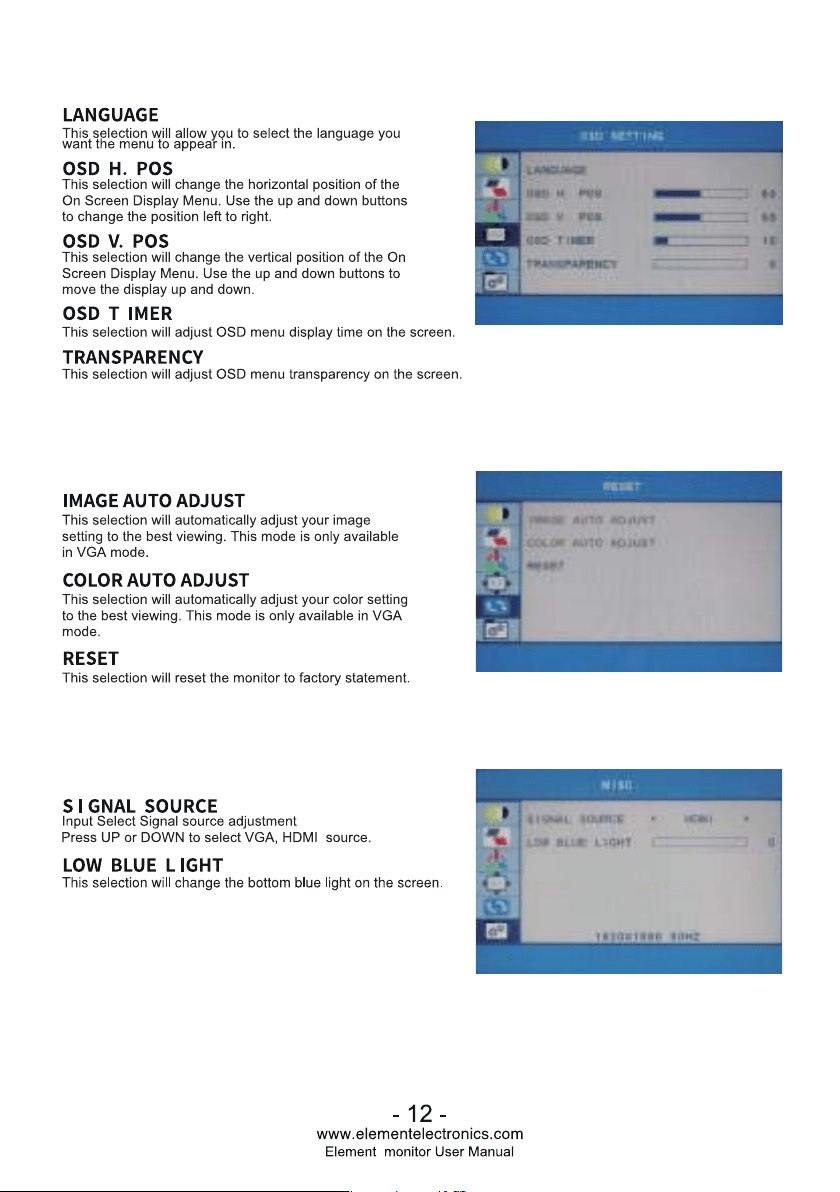
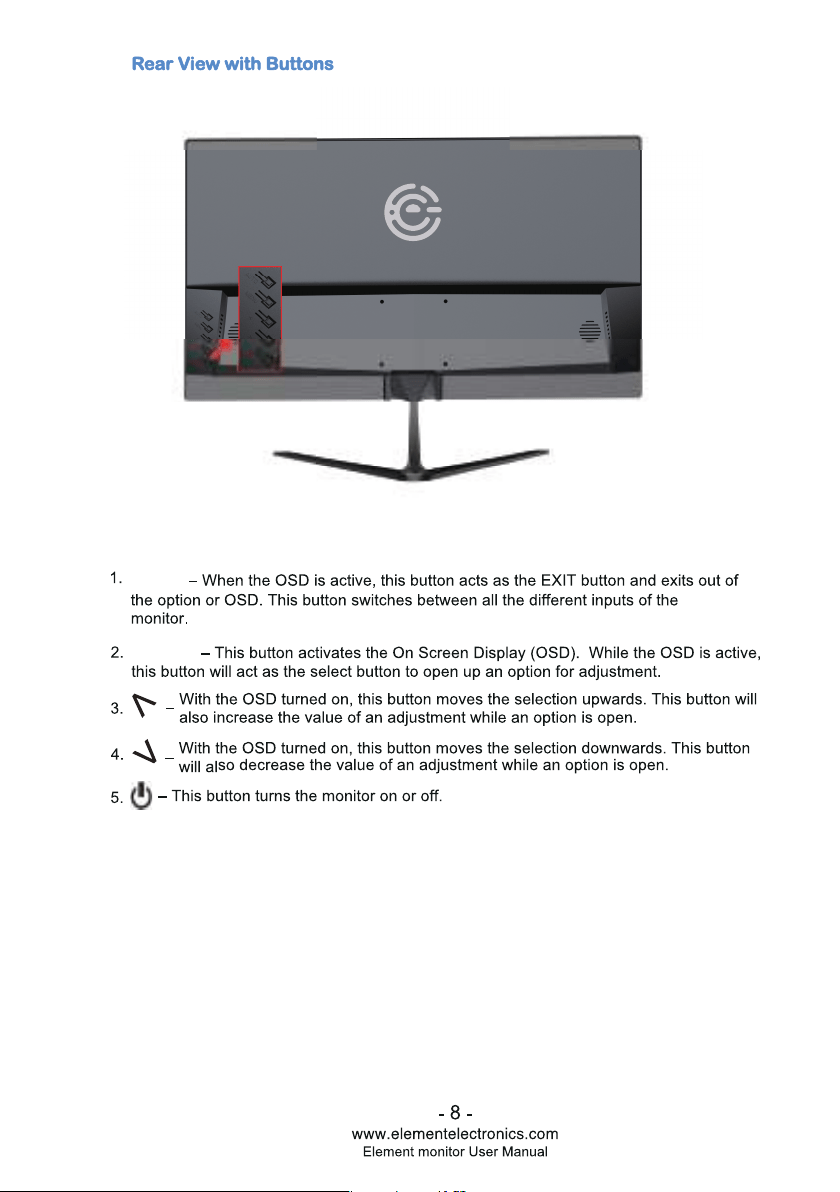
Rear View wi Buns
Buttons from right to le
1. M - This button activates the On Screen Display (OSD). While the OSD is active,
this button will act as the select button to open up an option for adjustment.
2. • - With the OSD turned on, this button moves the selection upwards. This
button will also increase the value of an adjustment while an option is open.
3. T - With the OSD turned on, this button moves the selection downwards. This
button will also decrease the value of an adjustment while an option is open.
4. E- When the OSD is active, this button acts as the EXIT button and exits out of
the option or OSD. This button switches between all the dierent inputs of the
monitor.
5. � - This button turns the monitor on or o.
- 8 -
www.elementelectronics.com
Element monitor User Manual