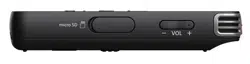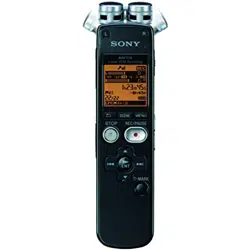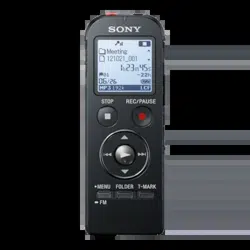
IC Recorder
Quick Start Guide
4-534-066-61(1)
© 2014 Sony Corporation Printed in China
ICD-PX440
ˎ IC Recorder (1)
ˎ LR03 (size AAA) alkaline battery
(2)
ˎ Quick Start Guide
ˎ Application Software, Sound
Organizer (Installer file stored in
the built‑in memory so that you
can install it to your computer.)
ˎ Help Guide (HTML file stored
in the built‑in memory so it
can easily be copied to your
computer.)
Check the supplied items.
ˎ Electret condenser microphone
ECM‑CS3
ˎ Rechargeable battery
NH‑AAA‑B2EN, NH‑AAA‑B2KN
ˎ USB AC adaptor AC‑U50AG
ˎ Compact charger & 2‑pcAAA
Multi‑Use Premium
batteries BCG‑34HS2KAN,
BCG‑34HW2KAN
Optional accessories
Welcome to your new Sony IC recorder!
This is the Quick Start Guide, which provides you with instructions on the basic operations of the IC recorder.
Please read it carefully. We hope you enjoy using your new Sony IC recorder.
Let’s try out your new IC recorder Utilizing Your Computer
Installing the help guide on your computer
By installing the help guide on your computer from the built‑in memory of the IC recorder, you can search for
detailed operations and possible solutions when a problem occurs.
Slide the USB slide lever on the back of the IC recorder, and insert the USB connector into the USB
port of a running computer.
In Windows: Click [Computer] (or [My Computer]), then double-click [IC RECORDER] [FOR
WINDOWS].
In Mac: Double-click [IC RECORDER] on the desktop.
Install the help guide.
In Windows: Double‑click [Help_Guide_Installer] (or [Help_Guide_Installer.exe]).
In Mac: Double‑click [Help_Guide_Installer_for_mac.app]. (v10.5.8 or higher)
Follow the instructions that appear on the screen to proceed with installation.
After the installation completes, double-click the [Help_Guide_icdp44_ce.htm] icon in the desktop
for Windows (or in Finder for Mac).
The help guide is displayed.
You can also view the help guide on the following Sony IC Recorder customer support home page:
http://rd1.sony.net/help/icd/p44/ce/
Copying files from the IC recorder to your computer
You can copy the files and folders from the IC recorder to your computer to store them.
Connect the IC recorder to your computer.
Copy files or folders you want to transfer to your computer.
Drag and drop the files or folders you want to copy from “IC RECORDER” or “MEMORY CARD” to the local
disk on your computer.
To copy a file or folder (Drag and drop)
IC RECORDER or
MEMORY CARD
Your computer
Click and hold,
drag,
and then drop.
Disconnect the IC recorder from your computer.
Installing Sound Organizer
Install Sound Organizer on your computer.
Note
Sound Organizer is compatible with the Windows PC only. It is not compatible with Mac.
¼ When installing Sound Organizer, log in to an account with administrator privileges.
Slide the USB slide lever on the back of the IC recorder, and insert the USB connector into the USB
port of a running computer.
If the IC recorder cannot be connected to a computer directly, a dedicated USB connection support cable
PC‑U004 is available as a repair part for a fee.
For more details, consult your nearest Sony dealer.
You can also use a self‑powered USB hub, provided it has a USB logo.
Make sure the IC recorder has been recognized properly.
While the IC recorder is connected to the computer, “Connecting” is displayed in the display window of the
IC recorder.
Go to the [Start] menu, click [Computer] (or [My Computer]), and then double-click [IC RECORDER]
[FOR WINDOWS].
Double-click [SoundOrganizerInstaller_V150] (or [SoundOrganizerInstaller_V150.exe]).
Follow the instructions that appear on the screen.
Make sure that you accept the terms of the license agreement, select [I accept the terms in the
license agreement], and then click [Next].
When the [Setup Type] window appears, select [Standard] or [Custom], and then click [Next].
Follow the instructions on the screen and set the installation settings when you select [Custom].
When the [Ready to Install the Program] window appears, click [Install].
The installation starts.
When the [Sound Organizer has been installed successfully.] window appears, check [Launch
Sound Organizer Now], and then click [Finish].
Note
You may need to restart your computer after installing Sound Organizer.
Note
If you format the built‑in memory, all data stored there will be erased. (The Help Guide and the Sound Organizer
software will also be erased.)
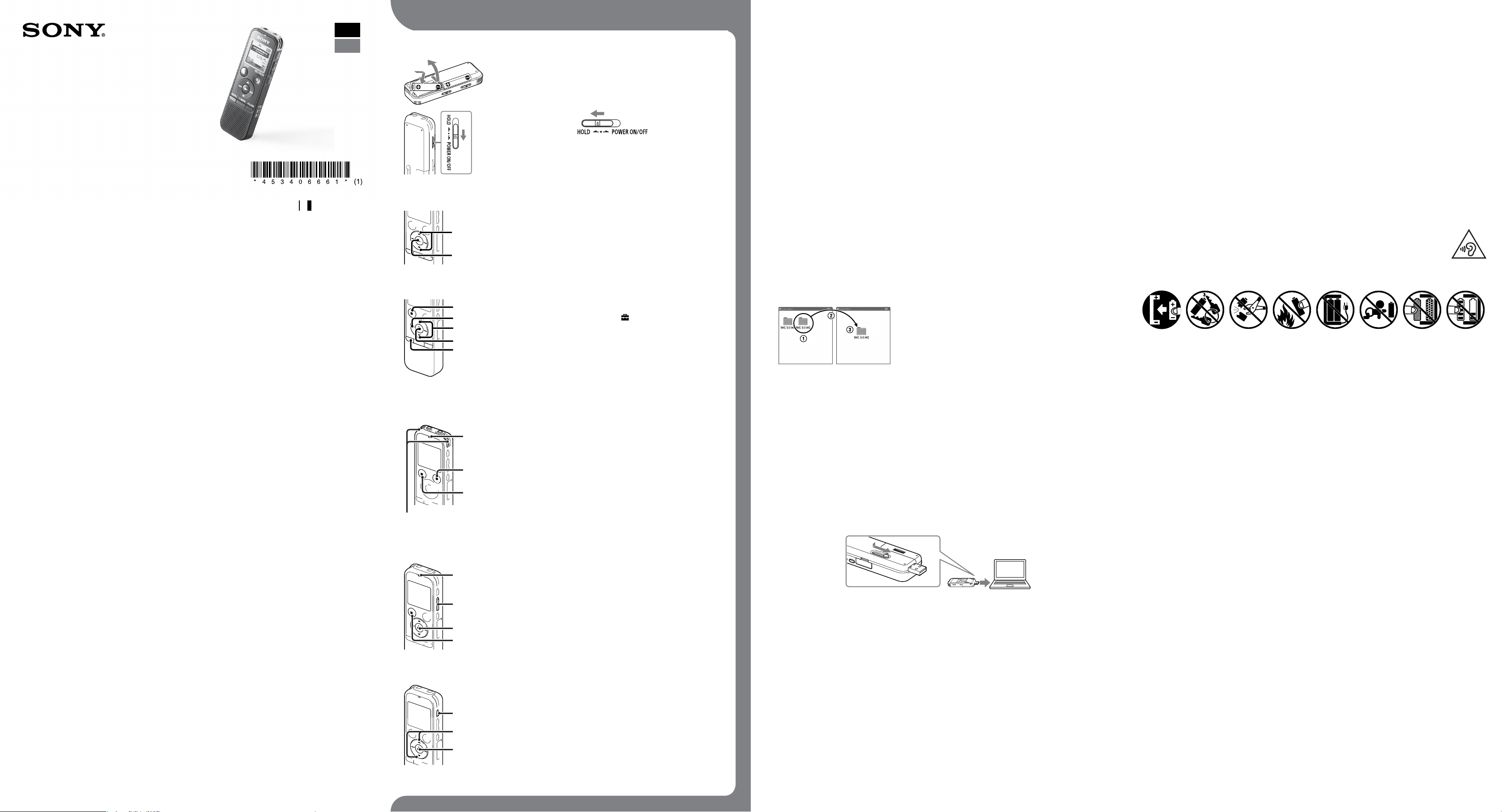
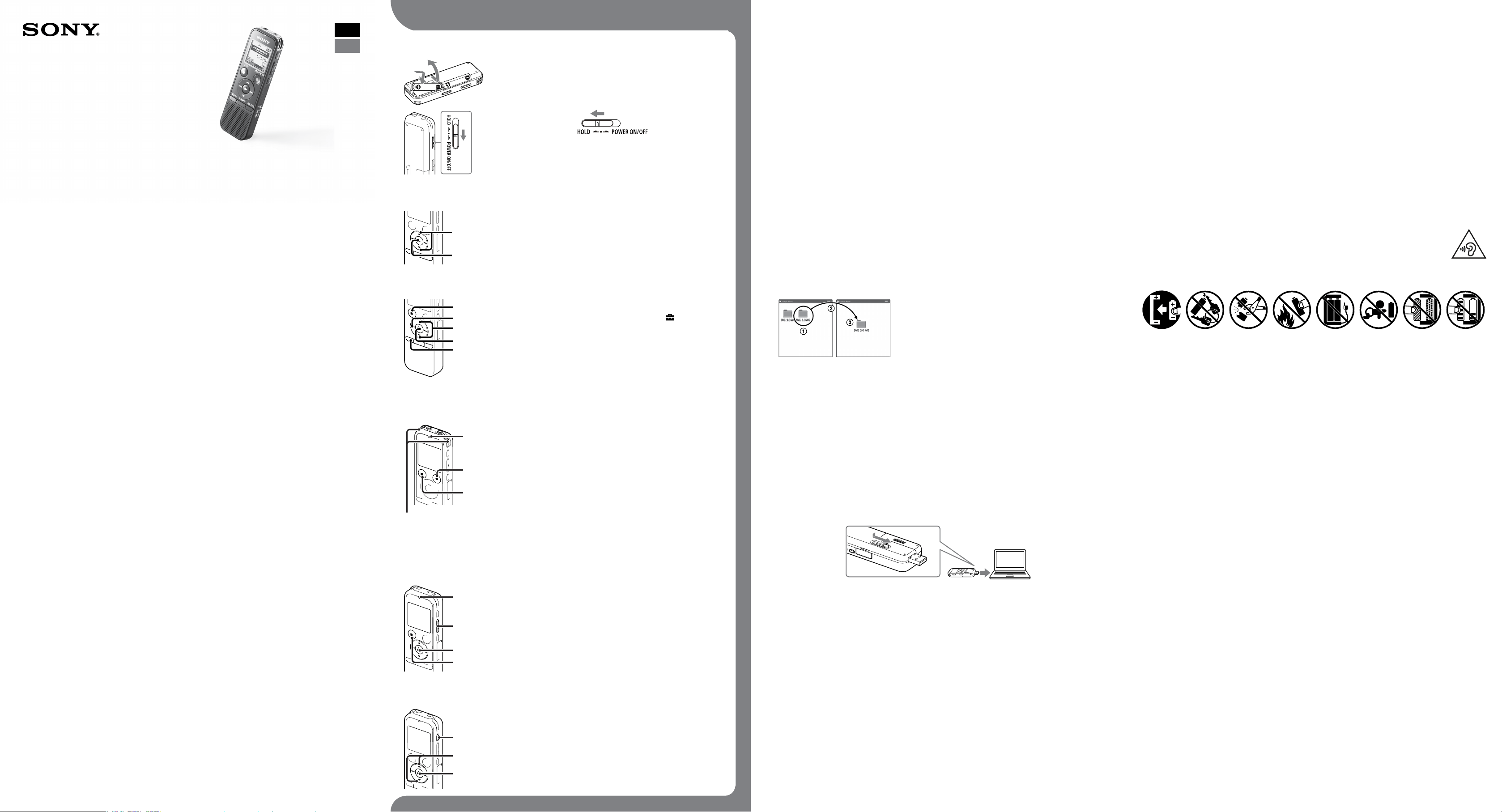
1. Power on.
Slide and lift the battery compartment lid, then insert LR03 (size
AAA) alkaline batteries with the correct polarity.
Turn the power on.
To prevent unintentional operations (HOLD)
2. Set the date and time.
Press or to set the year (the last two digits of the year), and
then press (play/enter). Repeat this procedure to set month,
day, hour, and minute in sequence.
¼ You can set the clock setting later. For details, refer to the Help Guide of
the IC recorder.
3. Select the menu language.
Press MENU.
Press , press or to select , and then press (play/
enter).
Press or to select “Language,” and then press (play/
enter).
Press or to select the language that you want to use in the
display window, and then press (play/enter).
Press STOP.
4. Record.
Operation
indicator
Built‑in microphones
¼ Before you start using the IC recorder, make sure that you slide the
HOLD•POWER ON/OFF switch towards the center to release the HOLD status.
Place the IC recorder so that the built-in microphones face the
direction of the source to be recorded.
Press REC/PAUSE.
Recording starts and the operation indicator lights in red.
¼ You can pause recording by pressing REC/PAUSE. Press REC/PAUSE
again to restart recording.
Press STOP to stop recording.
The “Accessing...” animation appears and the recording stops.
5. Listen.
Operation
indicator
¼ If you do not select a file, the file just recorded or played back most recently
will be played back.
For details of selecting a file, refer to the Help Guide of the IC recorder.
Press (play/enter).
Playback starts and the operation indicator lights in green.
Adjust the volume by pressing VOL –/+.
Press STOP to stop playback.
6. Erase.
Once a file is erased, you cannot restore it.
Press ERASE.
“Erase?” is displayed and the file to be erased is played back for
confirmation.
Select “Execute” using or , and then press (play/enter).
“Erasing…” is displayed while the selected file is being erased.
Additional features
Details of these additional features for recording, playback, and editing are included in the help guide.
ˎ Scene Selection
ˎ Recording Filter
ˎ Noise Cut
ˎ T‑MARK (Track mark)
ˎ DPC (Digital Pitch Control)
ˎ A‑B Repeat
ˎ VOR (Voice Operated Recording)
ˎ Easy Search
ˎ Divide
ˎ Sound Organizer editing software
Note
Depending on the country or region, some of the models or optional accessories are not available.
GB
ES
WARNING
Do not expose the batteries (battery pack or batteries installed) to excessive heat such as sunshine, fire or the like for a
long time.
CAUTION
Risk of explosion if battery is replaced by an incorrect type.
Dispose of used batteries according to the instructions.
Notice for the customers: the following information is only applicable to equipment sold in the countries
applying EU directives
Manufacturer: Sony Corporation, 1‑7‑1 Konan Minato‑ku Tokyo, 108‑0075 Japan
For EU product compliance: Sony Deutschland GmbH, Hedelfinger Strasse 61, 70327 Stuttgart, Germany
To prevent possible hearing damage, do not listen at high volume levels for long periods.
Caution
Battery
On power
Operate the IC recorder on 3.0V or 2.4V.
Use two LR03 (size AAA) alkaline batteries or
NH‑AAA rechargeable batteries.
On safety
Do not operate the IC recorder while driving, cycling
or operating any motorized vehicle.
On handling
ˎ Do not leave the IC recorder in a location near
heat sources, or in a place subject to direct
sunlight, excessive dust or mechanical shock.
ˎ Should any solid object or liquid fall into the IC
recorder, remove the battery and have the IC
recorder checked by qualified personnel before
operating it any further.
If you have any questions or problems concerning
your IC recorder, please consult your nearest Sony
dealer.
Precautions
Capacity (User available capacity*
1
*
2
)
4 GB (approx. 3.60 GB = 3,865,470,566 Byte)
*
1
A small amount of the built‑in memory is used for file management and therefore not available for user storage.
*
2
When the built‑in memory is formatted with the IC recorder.
Dimensions (w/h/d) (not incl. projecting parts and controls) (JEITA)*
3
Approx. 37.2 mm × 113.2 mm × 19.3 mm
Mass (JEITA)*
3
Approx. 75g including two LR03 (size AAA) alkaline batteries
*
3
Measured value by the standard of JEITA (Japan Electronics and Information Technology Industries Association)
IC Recorder
Guía de inicio rápido
ICD-PX440
ˎ Grabadora IC (1)
ˎ Pilas alcalinas LR03 (tamaño
AAA) (2)
ˎ Guía de inicio rápido
ˎ Software de la aplicación,
Sound Organizer (Archivo del
instalador almacenado en la
memoria interna para poder
instalarlo en el ordenador.)
ˎ Guía de ayuda (archivo HTML
almacenado en la memoria
interna para copiarlo fácilmente
al ordenador.)
Compruebe los componentes suministrados.
ˎ Micrófono de condensador de
electreto ECM-CS3
ˎ Pila recargable NH-AAA-B2EN,
NH-AAA-B2KN
ˎ Adaptador de ca USB
AC-U50AG
ˎ Cargador compacto y 2 pilas
AAA de primera calidad para
usos múltiples BCG-34HS2KAN,
BCG-34HW2KAN
Accesorios opcionales
¡Le damos la bienvenida a su nueva Grabadora IC
de Sony!
Esta es la Guía de inicio rápido en la cual se ofrecen instrucciones sobre las operaciones básicas de la
grabadora IC.
Léala detenidamente. Esperamos que disfrute utilizando su nueva grabadora IC de Sony.
Vamos a probar la nueva grabadora IC Utilización con el ordenador
Instalación de la guía de ayuda en el ordenador
La instalación de la guía de ayuda en el ordenador desde la memoria interna de la grabadora IC le permitirá
buscar detalles de las operaciones y encontrar soluciones para los problemas que puedan surgir.
Deslice la lengüeta deslizante USB de la parte trasera de la grabadora IC e inserte el conector USB
en el puerto USB de un ordenador que esté encendido.
En Windows: Haga clic en [Equipo] (o [Mi PC]) y, acto seguido, haga doble clic en [IC RECORDER]
[FOR WINDOWS].
En Mac: Haga doble clic en [IC RECORDER] en el escritorio.
Instale la guía de ayuda.
En Windows: Haga doble clic en [Help_Guide_Installer] (o [Help_Guide_Installer.exe]).
En Mac: Haga doble clic en [Help_Guide_Installer_for_mac.app]. (v10.5.8 o superior)
Para continuar con la instalación, siga las instrucciones que aparecen en pantalla.
Cuando haya finalizado la instalación, en Windows, haga doble clic en el icono [Help_Guide_
icdp44_ce.htm] del escritorio (o en el Finder para Mac).
La guía de ayuda se visualiza.
La guía de ayuda también puede consultarse en los siguientes sitios de atención al cliente de la grabadora
IC de Sony:
http://rd1.sony.net/help/icd/p44/ce/
Copia de archivos desde la grabadora IC al ordenador
Puede copiar los archivos y las carpetas desde la grabadora IC al ordenador para su almacenamiento.
Conecte la grabadora IC al ordenador.
Copie los archivos o carpetas que desee transferir al ordenador.
Arrastre y coloque los archivos o carpetas que desee copiar desde “IC RECORDER” o “MEMORY CARD” al
disco local del ordenador.
Para copiar un archivo o una carpeta (Arrastrar y colocar)
IC RECORDER o
MEMORY CARD
Ordenador
Haga clic y, sin soltar el ratón,
arrastre,
y luego coloque.
Desconecte la grabadora IC del ordenador.
Instalación de Sound Organizer
Instale Sound Organizer en su ordenador.
Nota
Sound Organizer solo es compatible con los PC de Windows. No es compatible con Mac.
¼ Al instalar Sound Organizer, inicie una sesión con una cuenta con privilegios de administrador.
Deslice la lengüeta deslizante USB de la parte trasera de la grabadora IC e inserte el conector USB
en el puerto USB de un ordenador que esté encendido.
Si no es posible conectar la grabadora IC directamente al ordenador, disponemos de un cable auxiliar
PC-U004 para la conexión USB dedicado como pieza de reparación de pago.
Para más información consulte con el distribuidor Sony más cercano.
Puede también utilizar un concentrador USB autoalimentado, siempre que tenga el logotipo USB.
Asegúrese de que la grabadora IC se reconoce correctamente.
Mientras la grabadora IC esté conectada al ordenador, aparecerá “Connecting” en el visor de la grabadora IC.
Vaya al menú [Inicio], haga clic en [Equipo] (o [Mi PC]) y, a continuación, haga doble clic en [IC
RECORDER] [FOR WINDOWS].
Haga doble clic en [SoundOrganizerInstaller_V150] (o [SoundOrganizerInstaller_V150.exe]).
Siga las instrucciones que aparecen en pantalla.
Asegúrese de aceptar los términos del acuerdo de licencia, seleccione [I accept the terms in the
license agreement] y, a continuación, pulse [Next].
Cuando aparezca la ventana [Setup Type], seleccione [Standard] o [Custom] y, a continuación,
pulse [Next].
Siga las instrucciones que aparecen en la pantalla o, si ha seleccionado [Custom], configure los ajustes de la
instalación.
Cuando aparezca la ventana [Ready to Install the Program], haga clic en [Install].
Comienza la instalación.
Cuando aparezca la ventana [Sound Organizer has been installed successfully.], marque la casilla
de verificación [Launch Sound Organizer Now] y haga clic en [Finish].
Nota
Después de instalar Sound Organizer, puede que tenga que reiniciar el ordenador.
Nota
Si formatea la memoria interna, todos los datos almacenados se borrarán. (También se borrarán la Guía de Ayuda y el
software Sound Organizer.)
1. Encender.
Deslice y levante la tapa del compartimento de las pilas e inserte
pilas alcalinas LR03 (tamaño AAA) con la polaridad correcta.
Encienda la grabadora.
Para evitar el funcionamiento no intencionado (HOLD)
2. Ajustar la fecha y la hora.
Pulse o para ajustar el año (los dos últimos dígitos del año)
y, a continuación, pulse (reproducción/entrar). Repita este
proceso para ajustar el mes, el día, la hora y los minutos en este
orden.
¼ Puede realizar el ajuste del reloj con posterioridad. Para obtener más
detalles, consulte la Guía de ayuda de la grabadora IC.
3. Seleccionar el idioma del menú.
Pulse MENU.
Pulse , pulse o pulse para seleccionar y, a
continuación, pulse (reproducción/entrar).
Pulse o pulse para seleccionar “Language” y, a continuación,
pulse (reproducción/entrar).
Pulse o para seleccionar el idioma que desea utilizar en el
visor y, a continuación, pulse (reproducción/entrar).
Pulse STOP.
4. Grabar.
Indicador de
funcionamiento
Micrófonos incorporados
¼ Antes de empezar a utilizar la grabadora IC, asegúrese de deslizar el
interruptor HOLD•POWER ON/OFF hacia el centro para desactivar el estado
HOLD.
Coloque la grabadora IC de forma que los micrófonos
incorporados estén orientados hacia la dirección de la fuente
que se va a grabar.
Pulse REC/PAUSE.
La grabación comienza y el indicador de funcionamiento se ilumina
en rojo.
¼ Puede poner en pausa la grabación pulsando REC/PAUSE. Pulse
REC/PAUSE de nuevo para volver a iniciar la grabación.
Pulse STOP para detener la grabación.
Aparece la animación “Accessing...” y la grabación se detiene.
5. Escuchar.
Indicador de
funcionamiento
¼ Si no selecciona un archivo, se reproducirá el archivo que se haya acabado
de grabar o el que se haya reproducido más recientemente.
Para obtener más detalles sobre la selección de un archivo, consulte la Guía
de ayuda de la grabadora IC.
Pulse (reproducción/entrar).
La reproducción comienza y el indicador de funcionamiento se ilumina
en verde.
Para ajustar el volumen, pulse VOL –/+.
Pulse STOP para detener la reproducción.
6. Borrar.
Una vez borrado un archivo, no es posible recuperarlo.
Pulse ERASE.
Aparece “Erase?” y el archivo que se va a borrar se reproduce para su
confirmación.
Seleccione “Execute” mediante o y, a continuación, pulse
(reproducción/entrar).
Aparece “Erasing…” mientras se está borrando el archivo seleccionado.
Características adicionales
La guía de ayuda contiene información sobre las funciones adicionales de grabación, reproducción y edición.
ˎ Selección de escenas
ˎ Recording Filter (Filtro de grabación)
ˎ Noise Cut (Corte de ruido)
ˎ T-MARK (Marca de pista)
ˎ DPC (Digital Pitch Control)
ˎ Repetición A-B
ˎ VOR (Voice Operated Recording)
ˎ Easy Search (Búsqueda Fácil)
ˎ División
ˎ Software de edición Sound Organizer
Nota
Dependiendo del país o la región, algunos de los modelos o accesorios opcionales podrían no estar disponibles.
ES
GB
Alimentación
Utilice la grabadora IC solo con cc de 3,0V o 2,4V
Utilice dos pilas alcalinas LR03 (tamaño AAA) o pilas
recargables NH-AAA.
Seguridad
No utilice la grabadora IC mientras conduce, va en
bicicleta o utiliza cualquier vehículo motorizado.
Manejo
ˎ No deje la grabadora IC cerca de fuentes de calor,
ni en lugares expuestos a la luz solar directa,
polvo excesivo o golpes mecánicos.
ˎ Si se introduce algún objeto sólido o líquido en
la grabadora IC, extraiga las pilas y haga revisar
la grabadora IC por personal cualificado antes de
seguir utilizándola.
Si tiene problemas o preguntas acerca de esta
grabadora IC, consulte al distribuidor Sony más
cercano.
Precauciones
Capacidad (capacidad disponible para el usuario*
1
*
2
)
4 GB (aprox. 3,60 GB = 3.865.470.566 Bytes)
*
1
Una pequeña parte de la memoria interna se utiliza para la gestión de archivos, por lo que no está disponible para
el almacenamiento.
*
2
Cuando la memoria interna se formatea con la grabadora IC.
Dimensiones (ancho/alto/largo) (sin incluir proyecciones ni controles) (JEITA)*
3
Aprox. 37,2 mm × 113,2 mm × 19,3 mm
Peso (JEITA)*
3
Aprox. 75 g incluyendo dos pilas alcalinas LR03 (tamaño AAA)
*
3
Valores de medición obtenidos según el estándar JEITA (Japan Electronics and Information Technology Industries
Association)
ADVERTENCIA
No exponga las pilas (el cartucho de pilas o las pilas instaladas) a un calor excesivo tal como la luz del sol, fuego o algo
similar durante un periodo largo de tiempo.
PRECAUCIÓN
Riesgo de explosión si la pila se sustituye por un tipo incorrecto.
Deseche las pilas usadas de acuerdo con las instrucciones.
Aviso para los clientes:la siguiente información sólo es pertinente para los equipos vendidos en países
que aplican las directivas de la UE.
Fabricante: Sony Corporation, 1-7-1 Konan Minato-ku Tokyo, 108-0075 Japón
Para la conformidad del producto en la UE: Sony Deutschland GmbH, Hedelfinger Strasse 61, 70327 Stuttgart, Alemania
Para evitar posibles daños auditivos, no escuche la unidad a volúmenes altos durante períodos prolongados.
Precaución
Pila