USER GUIDE
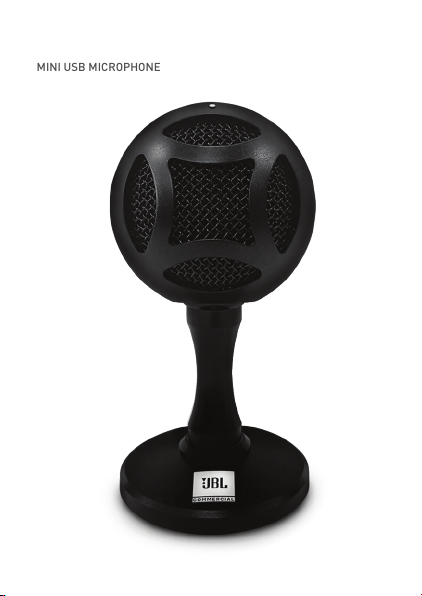
CSUM06
MINI USB MICROPHONE
CSUM06
MINI USB MICROPHONE
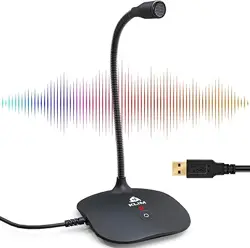
BOX INCLUDES
i. CSUM06 – Mini USB microphone
ii. USB cable
MICROPHONE CONTROLS
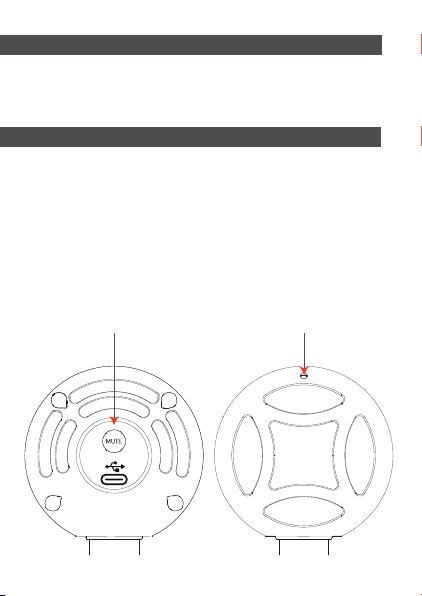
Mute Button
Back Front
LED Indicator
i. Mute button: Press to mute/unmute the
microphone. The LED in the front will indicate
the status.
ii. White LED: Microphone picks up sound normally.
iii. Red LED: The microphone is in a mute state.
CONNECTING THE MICROPHONE
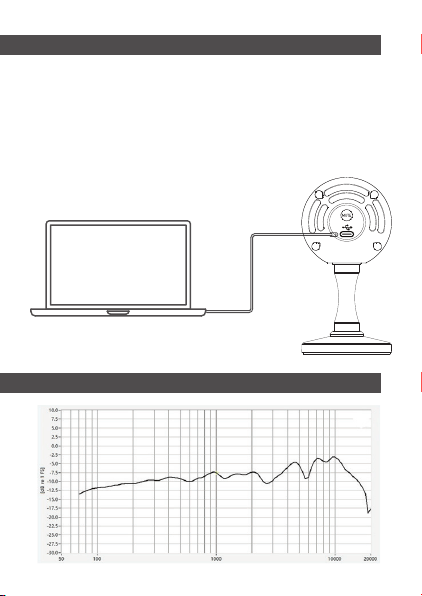
i. Connect the CSUM06 with a computer using the
given cable – and the LED on top of the microphone
will glow white, indicating that the microphone
is on.
ii. This microphone captures sound from the front &
not from the top.
FREQUENCY RESPONSE CURVE
USB cable

FEATURES
i. Compact & stylish design
ii. Cardioid pickup pattern
iii. USB plug-and-play operation
iv. Convenient mute switch
v. Robust & durable metal stand
SOFTWARE SETUP
Using CSUM06 with PC (Windows 7, 8.1, 10 or higher)
i. Connect to your PC using the supplied USB cable.
ii. Go to the start menu and select control panel.
iii. Click on the sound icon from the control panel.
iv. In the recording tab select JBL Commercial
CSUM06.
Using CSUM06 with Mac (Mac OS 10.10 or higher)
i. Connect to your Mac using the supplied
USB cable.
ii. Open system preferences and select the
sound icon.
iii. In the input tab select JBL Commercial CSUM06.

SPECIFICATIONS
Transfer protocol
Transducer
Frequency range
Bit depth
Sample rate
Maximum SPL
Power requirement
Height
Dia. including base
Weight
USB 2.0
14mm condenser capsule
50Hz – 18KHz
16 Bit
Up to 48KHz
120dB (THD ≤0.5% @1KHz)
5V USB/150mA
124mm
63mm
159 g
All product images shown are for illustration purpose only and
may not be an exact representation of the product. Actual
product may vary in colour, size and finishing. ©2021
HARMAN International Industries, Inc. All rights reserved.