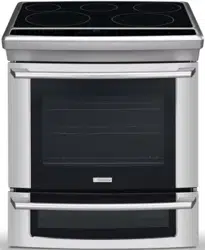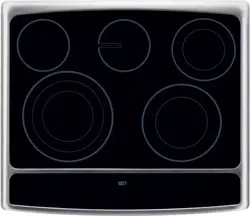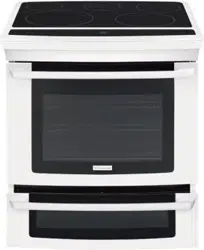
EN ELECTRIC SLIDE-IN RANGE USE AND CARE GUIDE
318205832 rev. B (13/04)
Finding Information
©2011 Electrolux Home Products, Inc. All rights reserved. Printed in Canada.
Table of contents
Thank you for choosing Electrolux, the new
premium brand in home appliances. This Use &
Care Guide is part of our commitment to customer
satisfaction and product quality throughout the
service life of your new appliance.
We view your purchase as the beginning of a
relationship. To ensure our ability to continue
serving you, please use this page to record
important product information.
Keep a record for quick
reference
Please read & save this guide
Questions?
Serial plate location
For toll-free telephone support in the U.S. and
Canada:
1-877-4ELECTROLUX (1-877-435-3287)
NOTE
Registering your product with Electrolux enhances
our ability to serve you. You can register online
at www.electroluxappliances.com or by dropping
your Product Registration Card in the mail.
Finding information ..............................................2
Important Safety Instructions .......................... 3-6
Features........................................................... 7-12
Getting Started .............................................. 13-14
Surface Cooking ........................................... 15-16
Setting Surface Controls ...................................17
Setting Oven Controls .................................. 18-39
• Rapidpreheat ................................................18
• Bake ...............................................................19
• Usingcooktime .............................................20
• Usingcooktimewithendtime .....................21
• BroilorConvectionbroil ........................... 22-23
• Convectionbake ............................................24
• Usingconvectionconvert ...............................25
• Convectionroast ...................................... 26-27
• Probe ....................................................... 28-29
• Keepwarm .....................................................30
• Slowcook .......................................................31
• PerfectTurkey™ ............................................32
• Defrost ...........................................................33
• Dehydrate ................................................ 33-34
• Breadproof ....................................................34
• Saving&recallingmyfavoriterecipes ...........35
• Multistagecooking .................................. 36-37
• SettingSabbathmode ............................. 38-39
Setting the Lower Oven .....................................40
Setting Your Preferences ............................. 41-44
• Settingclock ...................................................41
• Settingclockdisplay(CLO) ............................41
• Setting12or24hourmode(CLO) .................42
• ChangingbetweenFºorCº(F-C) ..................42
• Setting12hrenergysavingmode(ES) ..........43
• Settingaudiomode(AUD) .............................43
• Adjustingoventemperature(UPO) ................44
• Factorydefaultreset(RST) ............................44
Setting Self-Clean Cycle .............................. 45-46
Care & Cleaning ............................................ 47-51
• Cleaningrecommendations ...........................47
• Specialdoorcareinstructions ........................48
• Changingovenlights .....................................48
• TheovendoorwithLuxury-Hold™hinges .....49
• Cooktopcleaningandmaintenance ...............50
• Recommendationsforceramicglass ....... 50-51
• Broilerpancleaningtips .................................51
Solutions to Common Problems ................. 52-54
Warranty ..............................................................55
Purchase date
Electrolux model number
Electrolux serial number
For online support and Internet production information
visit http://www.electroluxappliances.com
2
What you need to know about safety instructions
Warning and Important Instructions appearing in this guide are not meant to cover all possible conditions
and situations that may occur. Common sense, caution and care must be exercised when installing,
maintaining or operating a microwave.
ALWAYS contact your dealer, distributor, service agent or manufacturer about problems or conditions
you do not understand.
WARNING — Hazards or unsafe practices
which COULD result in severe personal injury
or death.
CAUTION — Hazards or unsafe practices which
COULDresultinminorpersonalinjury.
Recognize Safety Symbols, Words, Labels
3
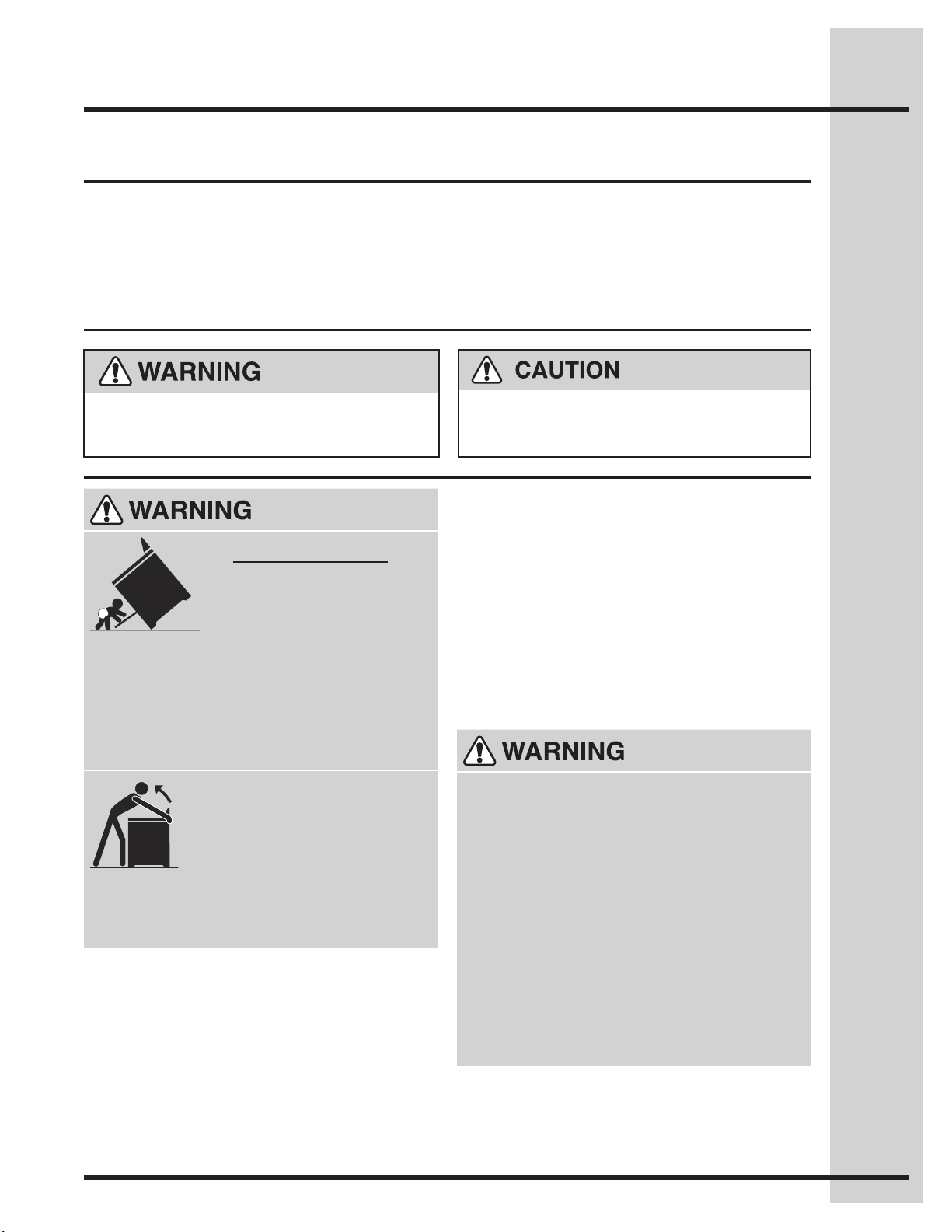
Tip Over Hazard
A child or adult can tip the •
range and be killed.
Verify the anti-tip device has •
beeninstalledtooororwall.
Ensuretheanti-tipdeviceisre-engagedtooor•
or wall when the range is moved.
Donotoperatetherangewithouttheanti-tip•
device in place and engaged.
Failure to follow these instructions can result in •
death or serious burns to children and adults.
To check if the anti-tip bracket is
installed properly, use both arms
and grasp the rear edge of range
back. Carefully attempt to tilt range
forward. When properly installed,
the range should not tilt forward.
Refer to the anti-tip bracket installation
instructions supplied with your range for proper
installation.
• Removealltapeandpackagingwrapbefore
using the appliance. Destroy the carton and
plastic bags after unpacking the appliance.
Never allow children to play with packaging
material.
• ProperInstallation-Besureyourappliance
is properly installed and grounded by a
qualiedtechnicianinaccordanceinUnited
States with the National Fuel Gas Code
ANSI Z223.1 latest edition, and National
Electrical Code ANSI/NFPA No. 70 latest
edition, and local code requirements, and in
Canada with Canadian Standards CAN/CGA
B149.1,andCAN/CGAB149.2andCanadian
Electrical Code, CSA C22.1 part 1, and local
requirements. Install only per installation
instructions provided in the literature package for
this range.
Askyourdealertorecommendaqualied
technician and an authorized repair service.
Knowhowtodisconnecttheelectricalpowerto
the range at the circuit breaker or fuse box in
case of an emergency.
• Stepping,leaningorsittingonthedoor
or drawer of this appliance can result
in serious injuries and may also cause
damage to the appliance. Donotallow
children to climb or play around the appliance.
The weight of a child on an open door may
cause the appliance to tip, resulting in serious
burnsorotherinjury.Anopendrawer,when
hot, may cause burns.
• Donotusetheovenorwarmerdrawer(if
equipped) for storage.
• NEVER use this appliance as a space
heater to heat or warm the room. Doingso
may result in carbon monoxide poisoning and
overheating of the oven.
Important Safety Instructions
4
• UserServicing—Donotrepairorreplace
anypartoftheapplianceunlessspecically
recommended in the manuals. All other
servicingshouldbedoneonlybyaqualied
techniciantoreducetheriskofpersonalinjury
and damage to the appliance.
• Nevermodifyoraltertheconstructionof
a range by removing leveling legs, panels,
wire covers, anti-tip brackets/screws, or any
other part of the product.
• WearProperApparel—Loose-ttingor
hanging garments should never be worn
while using the appliance. Donotletclothing
orotherammablematerialscontacthot
surfaces.
• StorageinoronAppliance—Flammable
materials should not be stored in an oven,
nearsurfaceunitsorinthedrawer(if
equipped). This includes paper, plastic and
cloth items, such as cookbooks, plasticware
andtowels,aswellasammableliquids.Donot
store explosives, such as aerosol cans, on or
near the appliance. Flammable materials may
explodeandresultinreorpropertydamage.
• Donotleavechildrenalone.Childrenshould
not be left alone or unattended in the area
where an appliance is in use. They should
never be allowed to sit or stand on any part of
the appliance.
• DONOTTOUCHSURFACEUNITS,AREAS
NEAR THESE UNITS, OVEN HEATING
ELEMENTS OR INTERIOR SURFACES OF
THEOVENSORWARMERDRAWER(if
equipped). Bothsurfaceunitsandovenheating
elements may be hot even though they are
dark in color. Areas near surface units may
becomehotenoughtocauseburns.Duringand
after use, do not touch, or let clothing or other
ammablematerialstouchtheseareasuntil
theyhavehadsufcienttimetocool.Among
these areas are the cooktop, surfaces facing the
cooktop, the oven vent openings and surfaces
near these openings, oven door and window.
to cool. Among these areas are the cooktop,
surfaces facing the cooktop, the oven vent
openings and surfaces near these openings,
oven door and window.
• Neveruseyourapplianceforwarmingor
heating the room.
•
Incaseofreorgasleak,besuretoturnoff
the main gas shutoff valve.
• DoNotUseWaterorFlouronGrease
Fires—Smothertherewithapanlid,oruse
baking soda, a dry chemical or foam-type
extinguisher.
• Whenheatingfatorgrease,watchitclosely.
Fatorgreasemaycatchreifallowedto
become too hot.
• UseOnlyDryPotholders—Moistordamp
potholders on hot surfaces may result in
burns from steam. Donotletthepotholders
touch hot heating surface units or interior oven
elements.Donotuseatowelorotherbulky
cloth instead of a potholder.
• DoNotHeatUnopenedFoodContainers—
Buildupofpressuremaycausethe
container to burst and result in injury.
• Remove the oven door from any unused
appliance if it is to be stored or discarded.
• Remove the oven door from any unused
appliance if it is to be stored or discarded.
• IMPORTANT—Donotattempttooperatethe
oven during a power failure. If the power
fails, always turn the oven off. If the oven
is not turned off and the power resumes, the
oven may begin to operate again. Food left
unattendedcouldcatchreorspoil.
Important Safety Instructions
Do not store items of interest to children in
the cabinets above the appliance. Children
climbing on the range to reach items could be
seriouslyinjured.
Electronic controllers can be damaged by cold
temperatures. When you use your appliance
forthersttime,orifithasnotbeenusedfora
long period of time, make sure that it has been
exposed to a temperature above 0°C/32°F for at
least 3 hours before connecting it to the power
supply.

5
IMPORTANT INSTRUCTIONS
FOR USING YOUR COOKTOP
• Knowwhichknobcontrolseachsurface
heating unit.
• UseProperPanSize—This appliance is
equipped with one or more surface units of
differentsizes.Selectutensilshavingat
bottoms large enough to cover the surface unit.
The use of undersized utensils will expose
a portion of the surface heating unit to direct
contact and may result in ignition of clothing.
Proper relationship of utensil to the surface unit
willalsoimproveefciency.
• UtensilHandlesShouldBeTurnedInward
and Should Not Extend Over Adjacent
Surface Units—To reduce the risk of burns,
ignitionofammablematerials,andspillage
due to unintentional contact with the utensil.
The handle of the utensil should be positioned
so that it is turned inward, and does not extend
overadjacentsurfaceunit.
• Never Leave Surface Units Unattended—
Boiloverscausesmokingandgreasyspillovers
that may ignite, or a pan that has boiled dry may
melt.
• Protectiveliners—Donotusealuminum
foil to line oven bottom or any other part of
the appliance. Only use aluminum foil as
recommended for baking if used as a cover
placed on the food. Any other used of protective
liners or aluminum foil may result in a risk of
electricshockorreorashortcircuit.
• GlazedCookingUtensils—Only certain types
of glass, glass/ceramic, ceramic, earthenware,
or other glazed utensils are suitable for
cooktop service without breaking due to the
sudden change in temperature. Check the
manufacturer’s recommendations for cooktop
use.
• DoNotUseDecorativeSurfaceElement
Covers— If an element is accidentally turned
on, the decorative cover will become hot and
possiblymelt.Burnswilloccurifthehotcovers
aretouched.Damagemayalsobedonetothe
cooktop.
• DoNotCleanorOperateaBrokenCooktop
—If cooktop should break, cleaning solutions
and spillovers may penetrate the broken
cooktop and create a risk of electric shock.
Contactaqualiedtechnicianimmediately.
• Avoidscratchingthecooktopglasswith
sharp objects.
IMPORTANT INSTRUCTIONS
FOR USING YOUR OVEN
• UseCareWhenOpeningDoororDrawer—
Stand to the side of the appliance when opening
the door of a hot oven. Let hot air or steam
escape before you remove or replace food in
the oven/warmer drawer.
• KeepOvenVentDuctsUnobstructed.The
oven is vented at the front above the oven door
or through the rear of cooktop. Touching the
surfaces in this area when the oven is operating
may cause severe burns. Also, do not place
plastic or heat-sensitive items on or near the
oven vent. These items could melt or ignite.
• PlacementofOven/WarmerDrawer(if
equipped) Racks. Always place oven racks in
desired location while oven/drawer (if equipped)
is cool. Remove all utensils from the rack
before removing rack. If rack must be moved
while oven is hot, use extreme caution. Use
potholders and grasp the rack with both hands
toreposition.Donotletpotholderscontactthe
hot oven element or interior of the oven/warmer
drawer (if equipped).
• Donotuseabroilerpanwithoutitsinsert.
The broiler pan and grid allow dripping fat to
drain and be kept away from the high heat of the
broiler.
• Do not cover your broiler or warmer drawer
(ifequipped)gridwithaluminumfoil.
Exposed fat and grease could ignite.
• Donottouchahotlightbulbwithadamp
cloth.Doingsocouldcausethebulbtobreak.
Disconnecttheapplianceorturnoffthepower
to the appliance before removing and replacing
light bulb.
Important Safety Instructions
6
IMPORTANT INSTRUCTIONS
FOR CLEANING YOUR
RANGE
• Cleantherangeregularlytokeepallparts
freeofgreasethatcouldcatchre.Exhaust
fanventilationhoodsandgreaselters
shouldbekeptclean.Donotallowgreaseto
accumulate. Greasy deposits in the fan could
catchre.Refertothehoodmanufacturer’s
instructions for cleaning.
• Cleaners/aerosols—Always follow the
manufacturer’s recommended directions for use.
Beawarethatexcessresiduefromcleaners
and aerosols may ignite causing damage and/or
injury.
SELF-CLEANING OVENS
• Cleanintheself-cleaningcycleonlythe
parts of the oven listed in this owner’s guide.
Beforeself-cleaningtheoven,removeallutensils
stored in the oven.
• Donotcleantheovendoorgasket.The door
gasket is essential for a good seal. Care should
be taken not to rub, damage or move the gasket.
• Donotuseovencleaners.No oven cleaner or
oven liner protective coating of any kind should
be used in or around any part of the oven.
• Removeovenracks.Oven racks will be
damaged if left in the oven during a self-cleaning
cycle.
Important safety notice
TheCaliforniaSafeDrinkingWaterandToxic
Enforcement Act requires the Governor of
California to publish a list of substances known to
the state to cause cancer, birth defects or other
reproductive harm, and requires businesses to
warn customers of potential exposure to such
substances.
SAVE THESE INSTRUCTIONS FOR
FUTURE REFERENCES
The health of some birds is extremely sensitive
to the fumes given off during the self-clean
cycle of any range. Move birds to another well
ventilated room.
Important Safety Instructions
7
Features
7
1
3
2
4
5 6
8 9 10 11
12
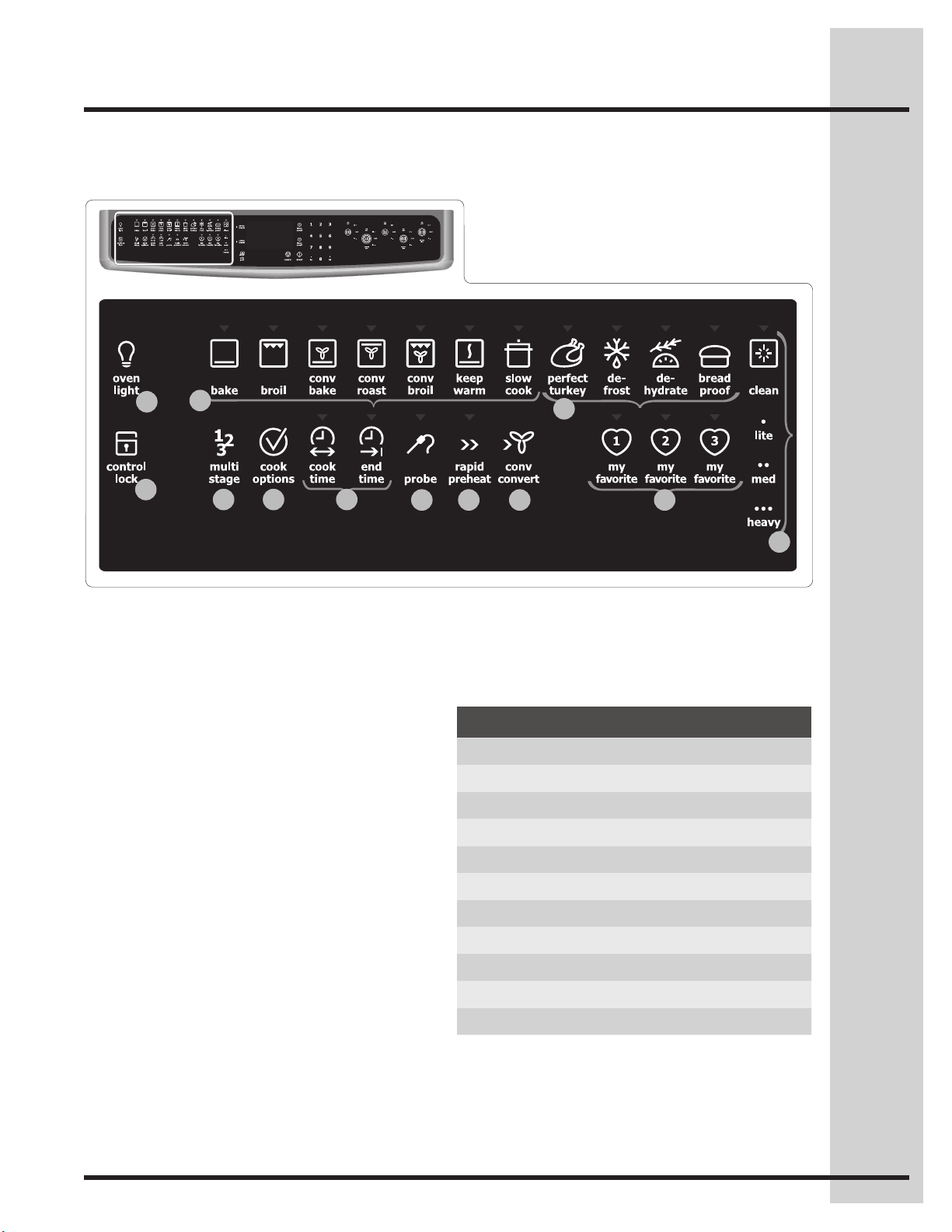
Wave-Touch™ oven features & options
Minimum & maximum control settings
Feature Min. temp Max. temp
Bake 170°F / 76°C 550°F / 288°C
BreadProof 85°F / 30°C 100°F / 38°C
Broil 300°F / 148°C 550°F / 288°C
ConvBake 170°F / 76°C 550°F / 288°C
Conv Roast 170°F / 76°C 550°F / 288°C
ConvBroil 300°F / 148°C 550°F / 288°C
KeepWarm 150°F/66°C 190°F/88°C
Slow Cook Lo (225°F /108°C) Hi (275°F / 135°C)
Dehydrate 100°F / 38°C 225°F / 108°C
Perfect Turkey 170°F / 76°C 550°F / 288°C
9. Rapid preheat
10. Convection convert
11. Favorite settings
12. Cleaning
1. Oven light
2. Control lock
3. Standard cooking
•Bake
•Broil
•Perfect-Convect
3
™convectionbake
•Perfect-Convect
3
™convectionroast
•Perfect-Convect
3
™convectionbroil
•Keepwarm
•Slowcook
4. Specialized cooking
•PerfectTurkey™
•Defrost
•Dehydrate
•Breadproof
5. PerfectProgram™multistagecooking
6. Cook options
7. Timed cooking
•Cooktime
•Endtime
8. Probe
8
13
15
14
16
18
17
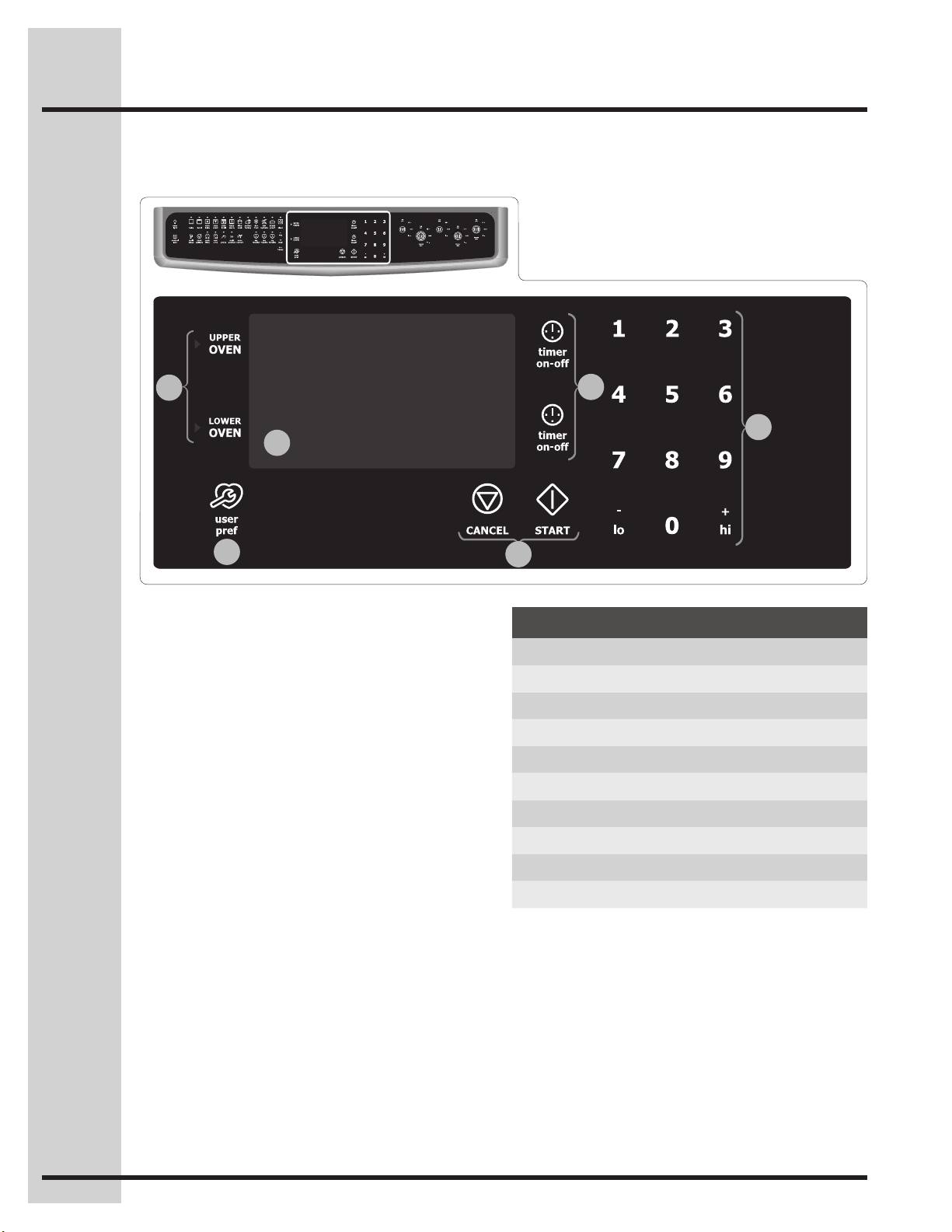
Wave-Touch™ control display & keys
13. Perfect-Pair™ovenkeypads
•Upperoven
•Loweroven
14. Oven display
15. User preferences
The following options are available under User
Preferences:
•Clocksetting
•Clockdisplaysetting
•12hr/24hr
•Fahrenheit/Celsius
•12Hrenergysavemodeon/off
•Audiomode
•Temperatureadjustment(UPOoffset)
•Factorydefaultreset
16.Cancel&Startkeypads
17. Timers
18. Numeric key pads
Minimum & maximum time settings
Feature Min. time Max. time
Timer 1 1 min 11 hr 59 min
Timer 2 1 min 11 hr 59 min
Clock 12 hr 1:00 hr 12 hr 59 min
Clock 24 hr 0:00 hr 23 hr 59 min
Cook time 12 hr 1 min 11 hr 59 min
Cook time 24 hr 1 min 11 hr 59 min
End time 12 hr 1:00 hr 12 hr 59 min
End time 24 hr 0:00 hr 23 hr 59 min
Clean duration Lite (2 hr) Heavy (4 hr)
Features
9
19
20
21
22
24
25
26
26
27
28
29
23
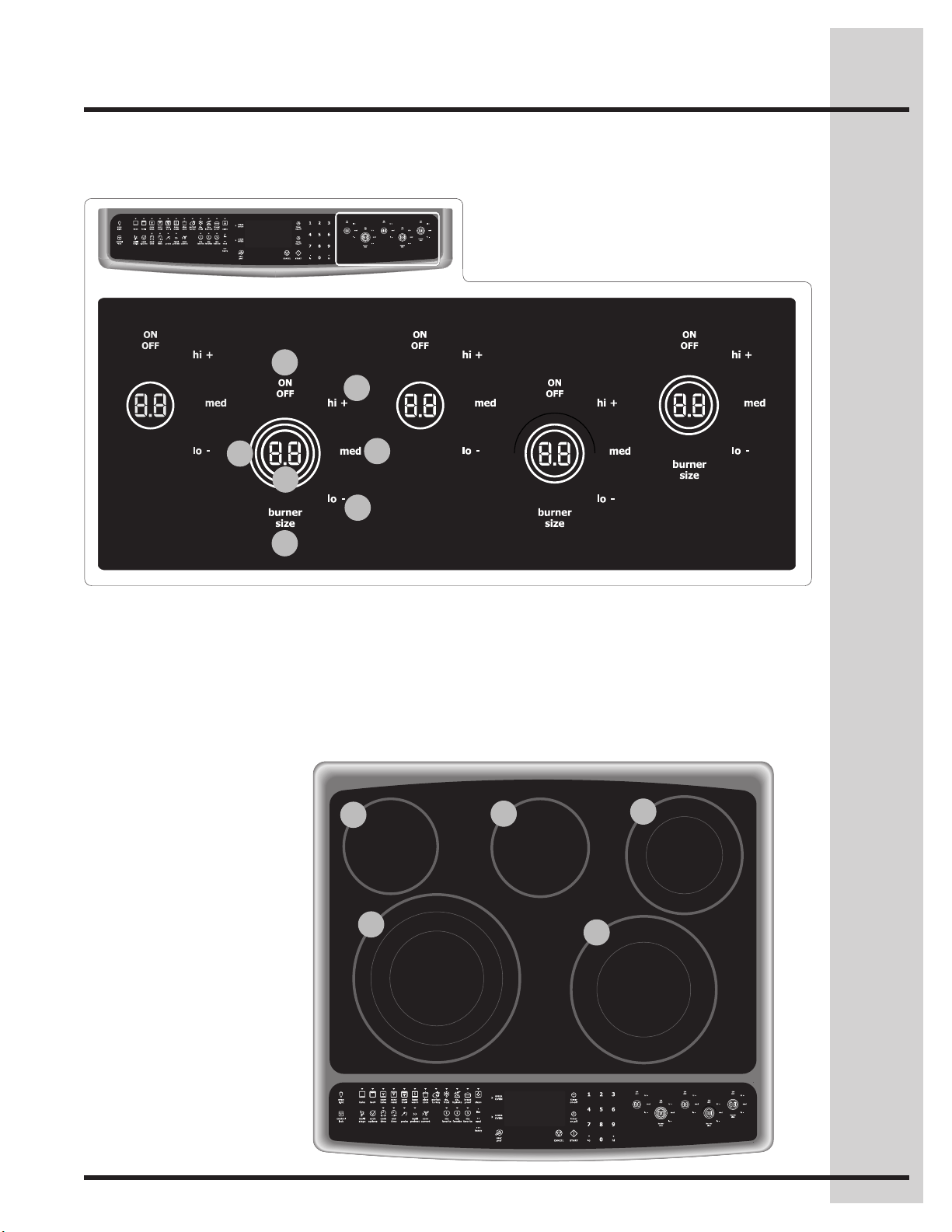
Wave-Touch™ control display & keys
Ceramic glass cooktop surface
19. Surface element ON/OFF pad
20. Surface element hi + power setting pad
21. Surface element burner size indicator rings
22. Surface element power indicator digits
26. Single surface element
6” 1200W
27.Dualsurfaceelement
5” 750W
7” 1800W
28. Triple surface element
6” 1000W
9” 2000W
12” 2700W
29.Dualsurfaceelement
6” 1600W
9” 3000W
Features
23. Surface element med setting pad
24. Surface element lo - power setting pad
25. Surface element burner size toggle pad
10
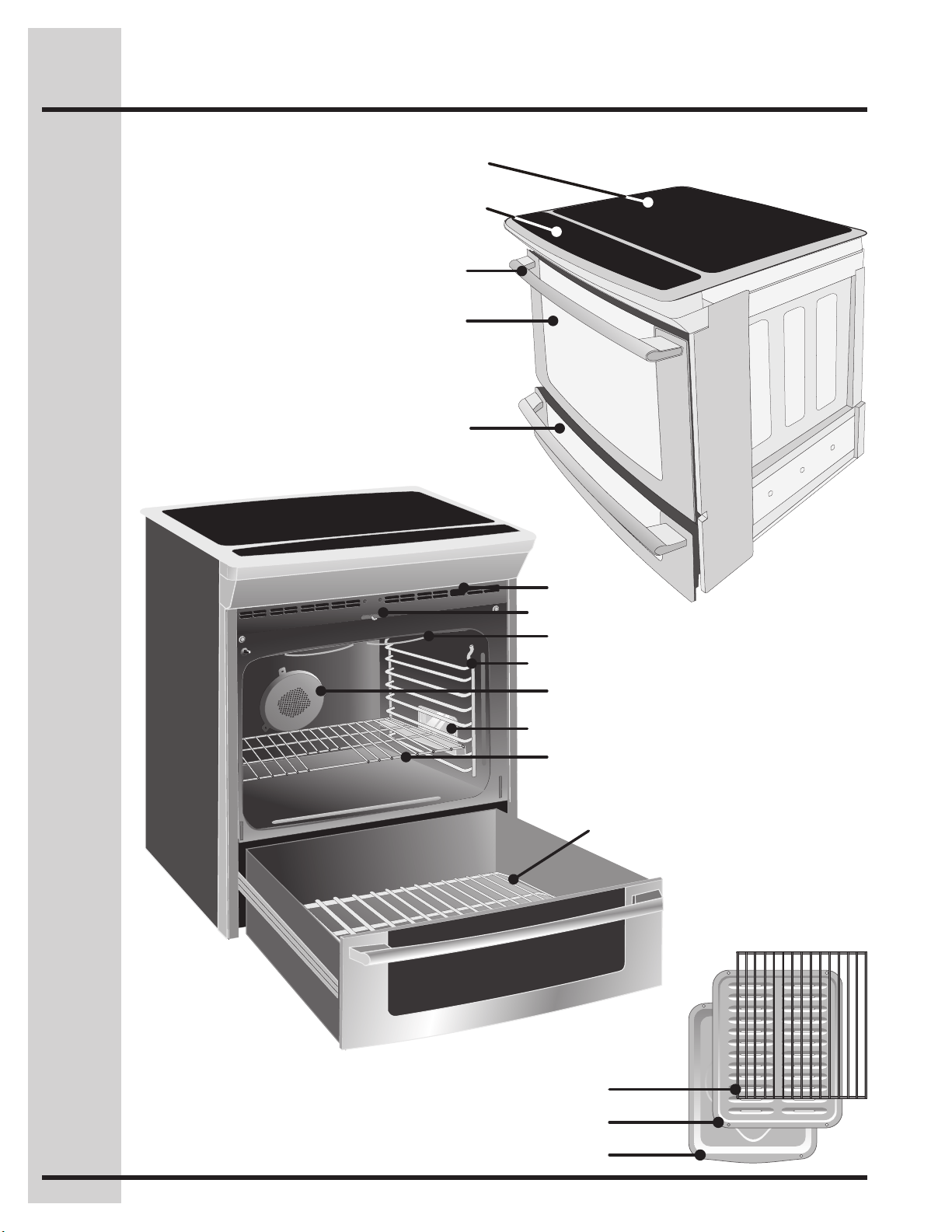
Broilerpan
Broilerpangrid
Convection roasting rack
Broilingelement
Oven rack support
Halogen oven light
Convection fan
Oven door latch
Slideable oven racks
Oven vent
Lower oven rack
Ceramic glass cooktop
Touch activated glass control panel
Large metal handle
Curved glass oven door
Lower oven door window glass
Features
11
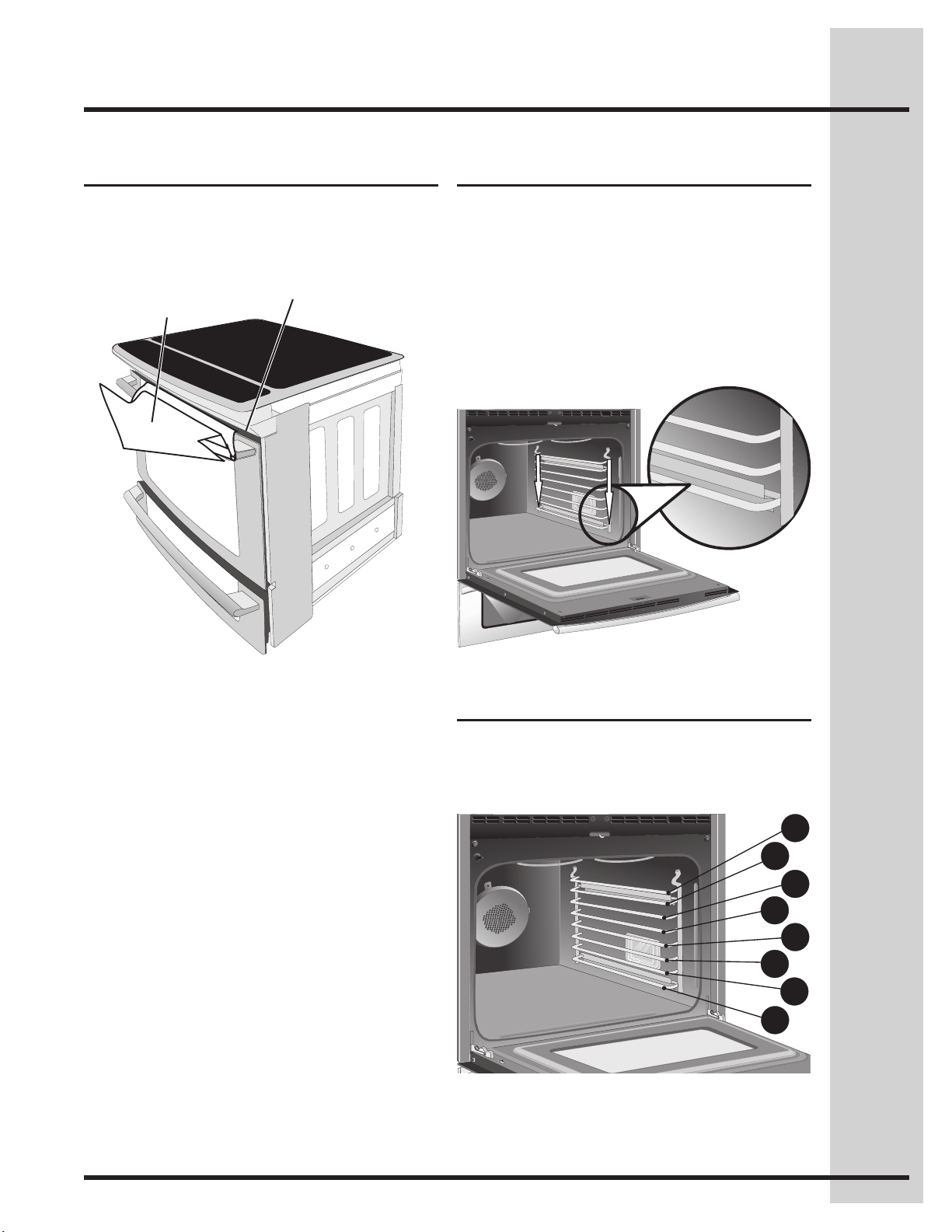
Rack positions
This oven is equipped with ladder rack supports with
8 positions to accommodate precisely every mode of
cooking.
*
Therstrackpositioncanonlyaccommodatea“non-
sliding rack”.
*
Oven vents location
Oven rack position
Installing oven rack supports
ALWAYS INSTALL OVEN RACK SUPPORT BEFORE
TURNING ON THE OVEN (WHEN THE OVEN IS
COOL).
To install oven rack support, insert the supports by
pushing them downward into the two brackets on each
side of the oven interior, as shown below.
To remove the oven rack support for a self-clean
cycle, pull up the support to disengage them from
the brackets. If the rack supports are not removed,
the self-clean cycle won’t start.
The oven is vented above each door. When the oven
is on, warm air is released through the vents. This
venting is necessary for proper air circulation in the
oven and good baking results.
Oven Vent
Warm Air
1
2
3
4
5
6
7
8
Features
12
Removing and replacing oven racks
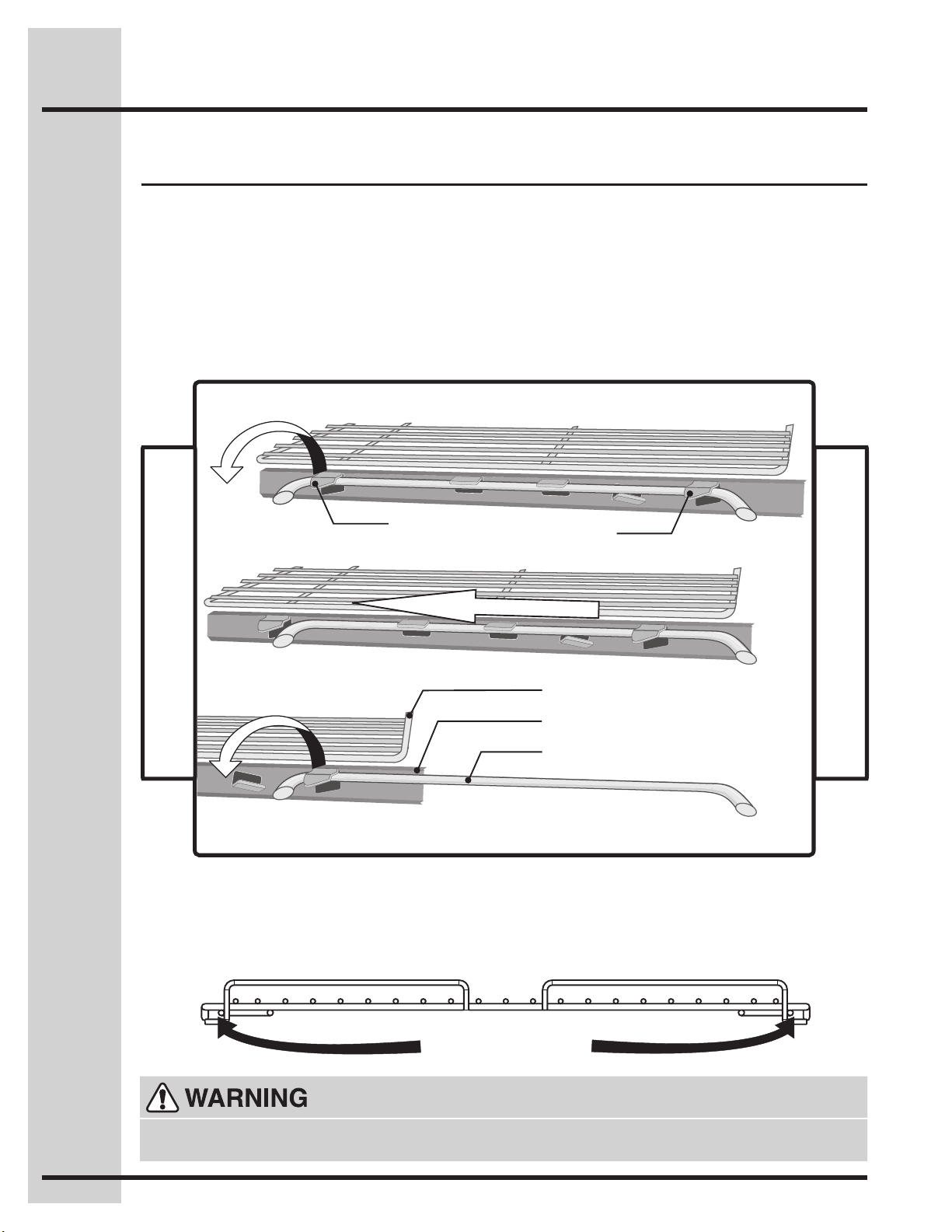
Removing Sliding Oven Racks
1. With the rack in its closed position; grasp the
rack and the sliders at once.
2. Slightly lift the rack and sliders and pull it to
cleartherstbracket.
3. Pull the rack and sliders until the second bracket
stops the rack.
4. Lift the rack and sliders and carefully remove
them from the oven.
Replacing Sliding Oven Racks
To replace the oven racks, follow the instructions
above in reverse order.
Refer to the care and cleaning section for directions
on how to clean the racks.
Oven Rack
Oven Rack Slider
Oven Rack Support
Toward front of oven
Toward back of oven
1stBracket
2ndBracket
Removing Non-Sliding Oven Rack
Simply pull the rack and slightly tilt it upward when
the rack hits its stop position.
Replacing Non-Sliding Oven Rack
Insert the rack into the oven rack supports by
inserting the rack openings into the rack supports.
Besuretherackisatthesamepositiononeach
oven rack support on both sides.
Insert the openings
into the rack support
Always arrange the oven racks when the oven is cool (prior to operating the oven). Always use oven
mitts when using the oven.
Features
13
Timers
Getting Started
Setting clock at power up
You will be prompted to enter the time of day in the
eventofapowerfailureorwhenyourstprovide
electric power to your appliance.
• Whenyourapplianceisrstpoweredup,12:00
willashinthedisplay.
• Enterthetimeofdayusingthenumerickeypads
and press START to set.
If an invalid time of day is entered, the control will
triple beep. Re-enter a valid time of day and press
START. If CANCEL is pressed your clock will start
with the time set for 12:00.
Select the user pref key to modify the time of day
during other situations such as day light savings.
See example below to set the timer for 5 minutes:
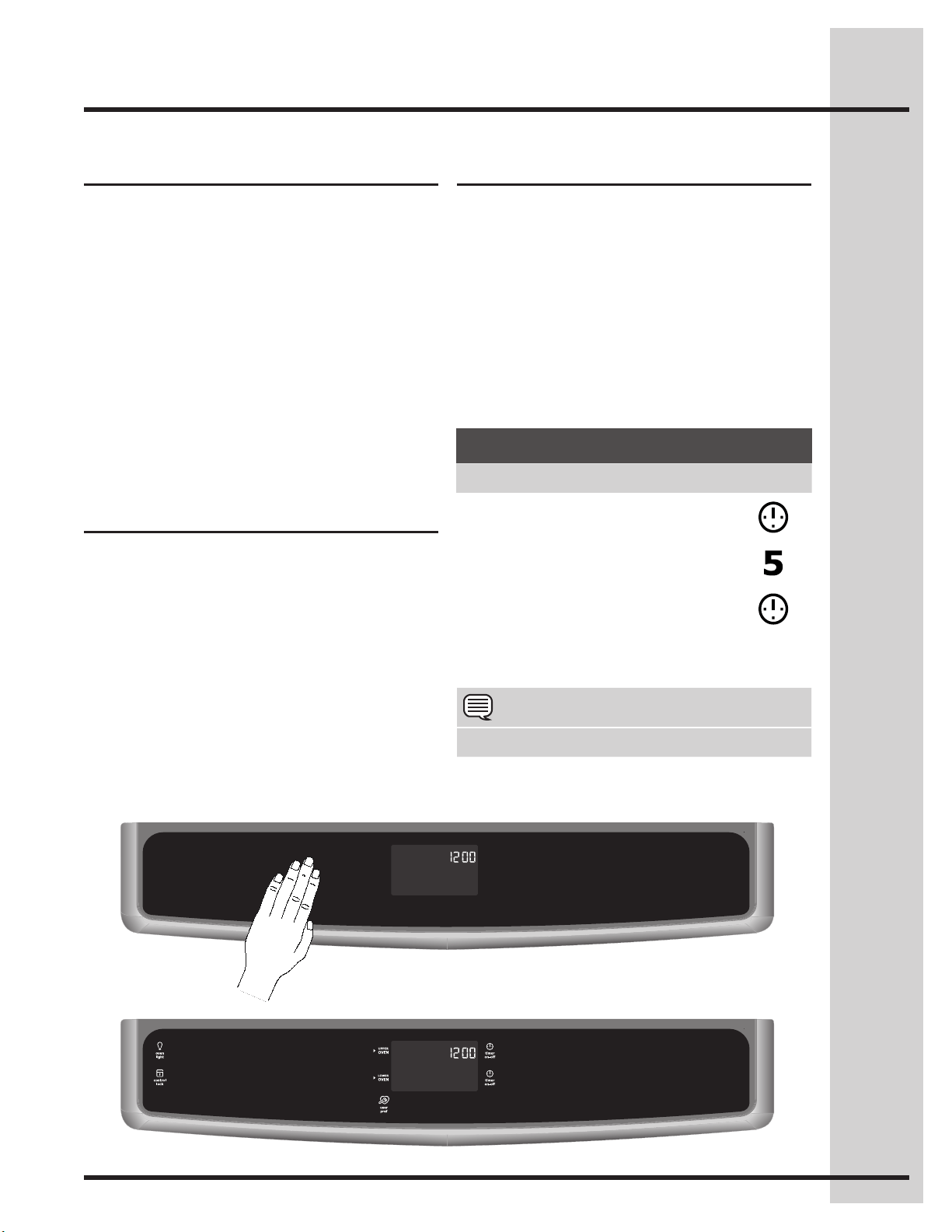
Sleep mode
Your control will remain in a sleep mode when not
in use. Only the clock will display during this mode.
You will need to wake the control to begin any
function - Fig. 1.
Awake mode
To awake the control touch within the display panel.
If the control panel is not touched again within 2
minutes, the control will return to the sleep mode.
To start cooking you must select either the upper
oven or the warmer oven. User preferences will be
available during the awake mode as well as timers,
oven light and the control lock - Fig. 2.
Sleep mode Fig.1
Awake mode Fig.2
The two timers provided with the oven control
serve as extra reminders in the kitchen. When a
timer reaches less than 1 hour, the display will start
to count down in minutes and seconds. When the
timerunsouttheactivetimerwillbeep,“0:00” will
ash.
The following time settings apply to the timers:
• Min.time:1minute
• Max.time:11hours59minutes
Tocancelaftersettingthetimer,presstheTIMER
key again.
Wave-Touch™ display modes
Example
Step Press
1. Press TIMER
2. Enter 5 minutes
3. Press TIMER
NOTE
The timer(s) will not affect the cooking process.
14
Temperature visual display
Getting Started
Your oven is equipped with a temperature visual
display for each oven. When a cooking mode is
set, the actual temperature will be shown in the
display and will rise as the unit preheat. When the
unit has reached its target temperature, a chime
will sound to remind you to place the food in the
oven. This feature will be active with some cooking
modes; bake, convection bake, convection roast
and perfect turkey. The cooking modes which does
not feature the temperature visual display will be
noted in their descriptions.
NOTE: The lowest temperature that can be
displayed is 100°F.
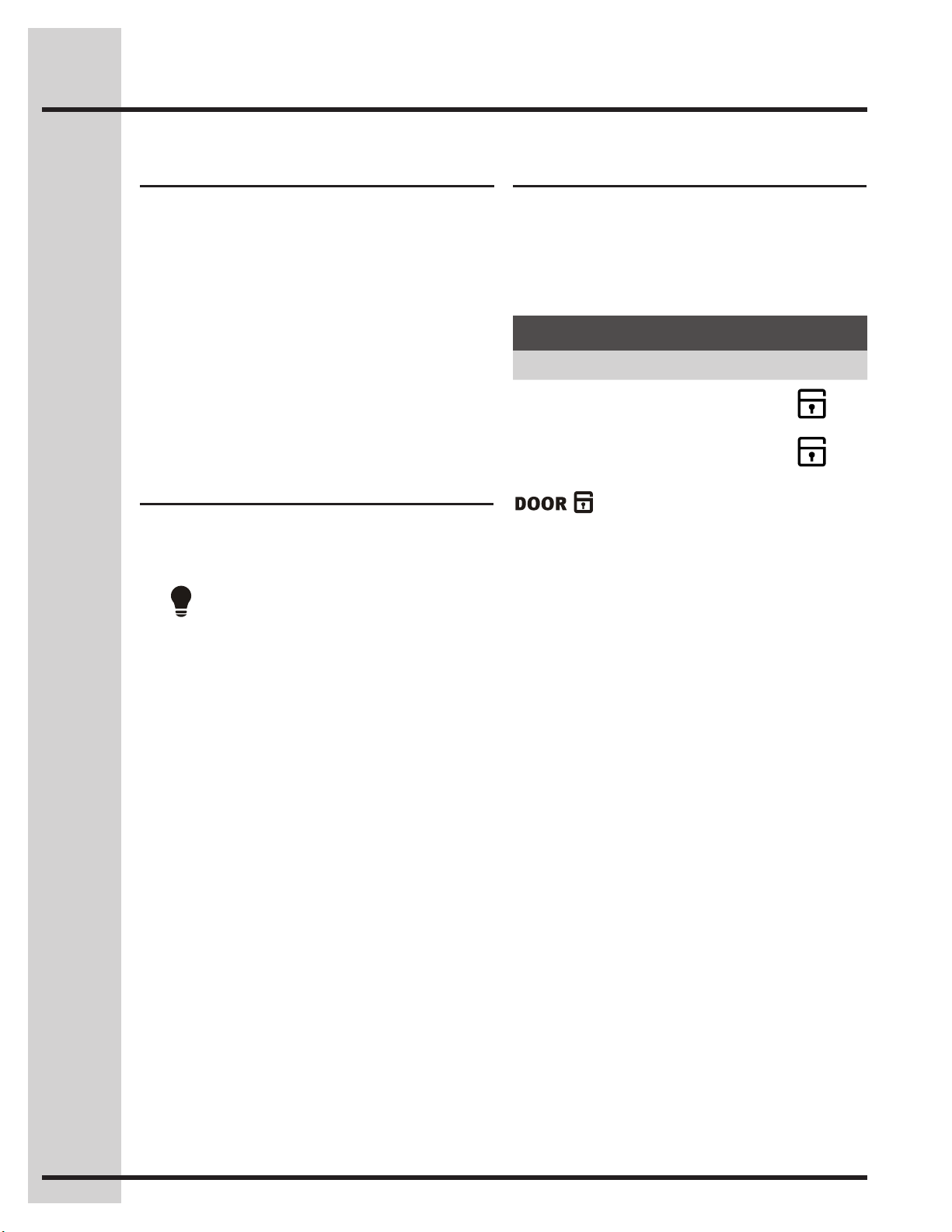
Control lock
The control lock will lock both oven controls and
the oven door.
Control lock is available only in the awake mode.
See example below to lock the ovens.
willashinthedisplayuntilthedoor
hasnishedlocking. Once the door has been
lockedthedoorlockindicatorwillturnon.LOCKED
will then display.
Donotattempttoopentheovendoorwhilethe
doorlockindicatorisashing.
Example
Step Press
To lock, press and hold CONTROL
LOCK for 3 seconds.
3sec
To unlock, press and hold CONTROL
LOCK for 3 seconds.
3sec
Interior Luxury-Lighting™
Your appliance includes interior oven Luxury-
Lighting™thatgraduallybrightensanddimsthe
lights for the oven.
The
key controls the interior oven lights.
This model includes 2 halogen lights in the oven.
The oven lights will automatically turn ON
whenever the oven door is opened. The lights will
remain on until the door has been shut.
To replace the over interior light bulbs see
“Changingtheovenlights”intheCareand
Cleaning section.
15
The ceramic cooktop has radiant surface elements
located below the surface of the glass. The design
of the ceramic cooktop outlines the area of the
surface element underneath. Make sure the
diameter of the pan matches the diameter of the
element outline on the cooktop. Heat is transferred
up through the surface of the cooktop to the
cookware.Onlyat-bottomcookwareshouldbe
used. The type and size of cookware, the number
of surface elements in use and the settings, are all
factors that will affect the amount of heat that will
spread to areas beyond the surface elements. The
areas surrounding the elements may become hot
enough to cause burns.
The element temperature rises gradually and
evenly. As the temperature rises, the element will
glow red. To maintain the selected setting, the
element will cycle on and off. The heating element
retains enough heat to provide a uniform and
consistentheatduringtheoffcycle.Forefcient
cooking, turn off the element several minutes
before cooking is complete. This will allow residual
heat to complete the cooking process.
Your range is equipped with radiant surface
burners with different wattage ratings. The ability to
heat food quicker and in larger volumes increases
as the element wattage increases.
Surface Cooking
About the ceramic glass
cooktop
About the radiant surface
elements
NOTE
Radiant elements have a limiter that allows the
element to cycle ON and OFF, even at the HI
setting. This helps to prevent damage to the
ceramic glass cooktop. Cycling at the HI setting is
normal and can also occur if the cookware is too
small for the radiant element or if the cookware
bottomisnotat.
Please read detailed instructions for ceramic
glass cooktop cleaning in the Care & Cleaning
section and Solutions to Common Problems
section of this Use and Care Guide.
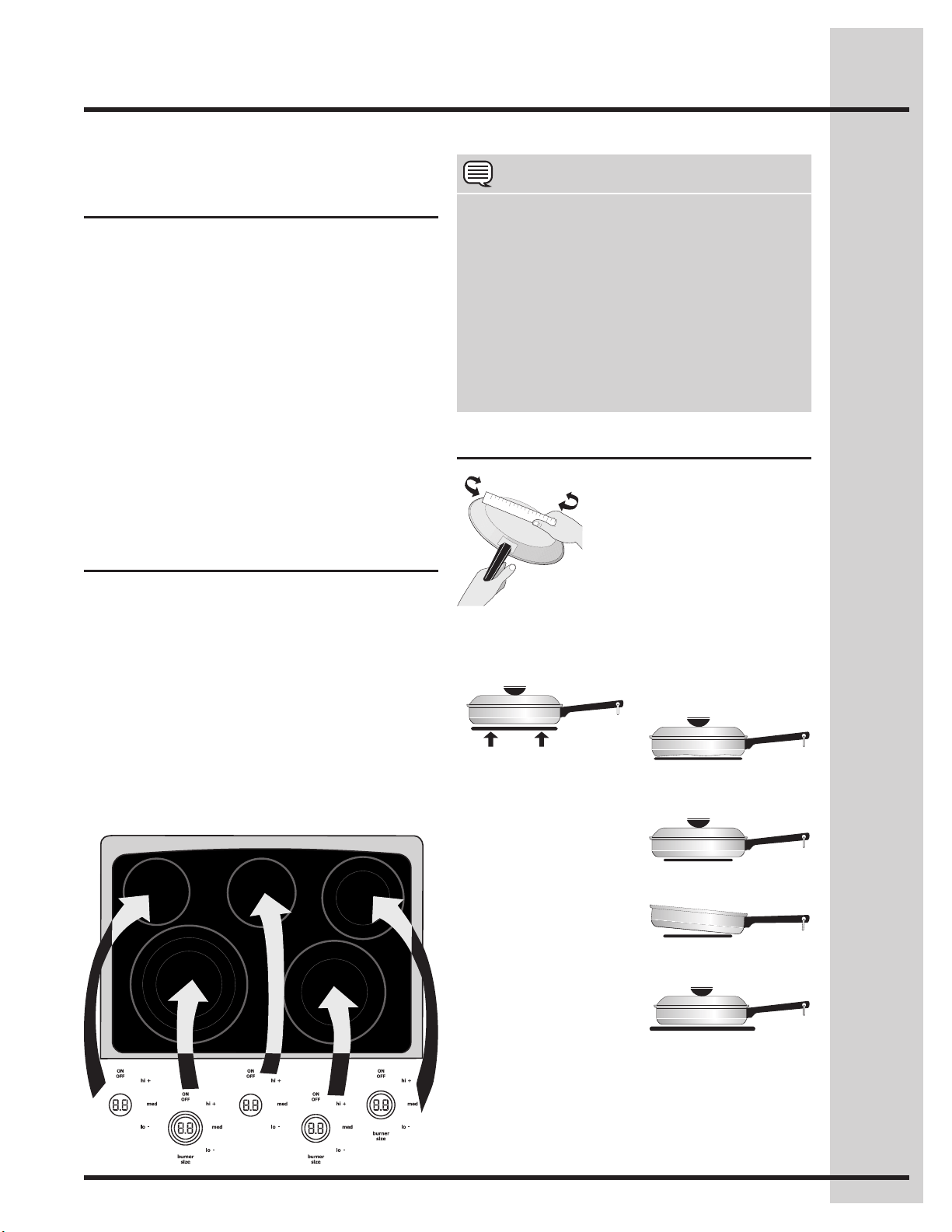
Surface cooking utensils
Note: Always use a utensil for its intended
purpose. Follow manufacturer’s instructions. Some
utensils were not made to be used in the oven or
on the cooktop.
*GOOD
• Flatbottom and
straight sides.
• Tightttinglids.
• Weightofhandledoes
not tilt pan. Pan is well
balanced.
• Pansizesmatchthe
amount of food to be
prepared and the size
of the surface element.
• Madeofmaterialthat
conducts heat well.
• Easytoclean.
• Alwaysmatchpot
diameter to element
surface diameter.
POOR
• Curved and warped
pan bottoms.
• Pan overhangs unit
by more than 2.5 cm
(1”).
• Heavy handle tilts
pan.
• Pan is smaller than
element.
Pansshouldhaveatbottoms.
Checkforatnessbyrotating
a ruler across the bottom.
There should be no gaps
between the pan and ruler.
* Specialty pans such as
lobster pots, griddles and
pressure cookers may be used but must conform to
the above recommended cookware requirements.
16
Surface Cooking
Cookware material types Setting the cooktop
Available cooktop settings
Element size indicators
The cookware material determines how evenly and
quickly heat is transferred from the surface element
to the pan bottom. The most popular materials
available are:
ALUMINUM - Excellent heat conductor. Some
types of food will cause it to darken (Anodized
aluminumcookwareresistsstaining&pitting).If
aluminum pans slide across the ceramic glass
cooktop, they may leave metal marks which
will resemble scratches. Remove these marks
immediately.
COPPER - Excellent heat conductor but discolors
easily.Mayleavemetalmarksonceramicglass
(see Aluminum above).
STAINLESS STEEL - Slow heat conductor with
uneven cooking results. Is durable, easy to clean
and resists staining.
CAST IRON - A poor heat conductor however will
retain heat very well. Cooks evenly once cooking
temperature is reached. Not recommended for use
on ceramic cooktops.
PORCELAIN-ENAMEL on METAL - Heating
characteristics will vary depending on base
material. Porcelain-enamel coating must be smooth
to avoid scratching ceramic cooktops.
GLASS - Slow heat conductor. Not recommended
for ceramic cooktop surfaces because it may
scratch the glass.
The cooktop control provides 5 digital display
windows to help set power levels for the heating
zones located on the cooktop. These settings work
the same way as normal knob settings except the
settingsaredisplayedinLCDstyledisplays.
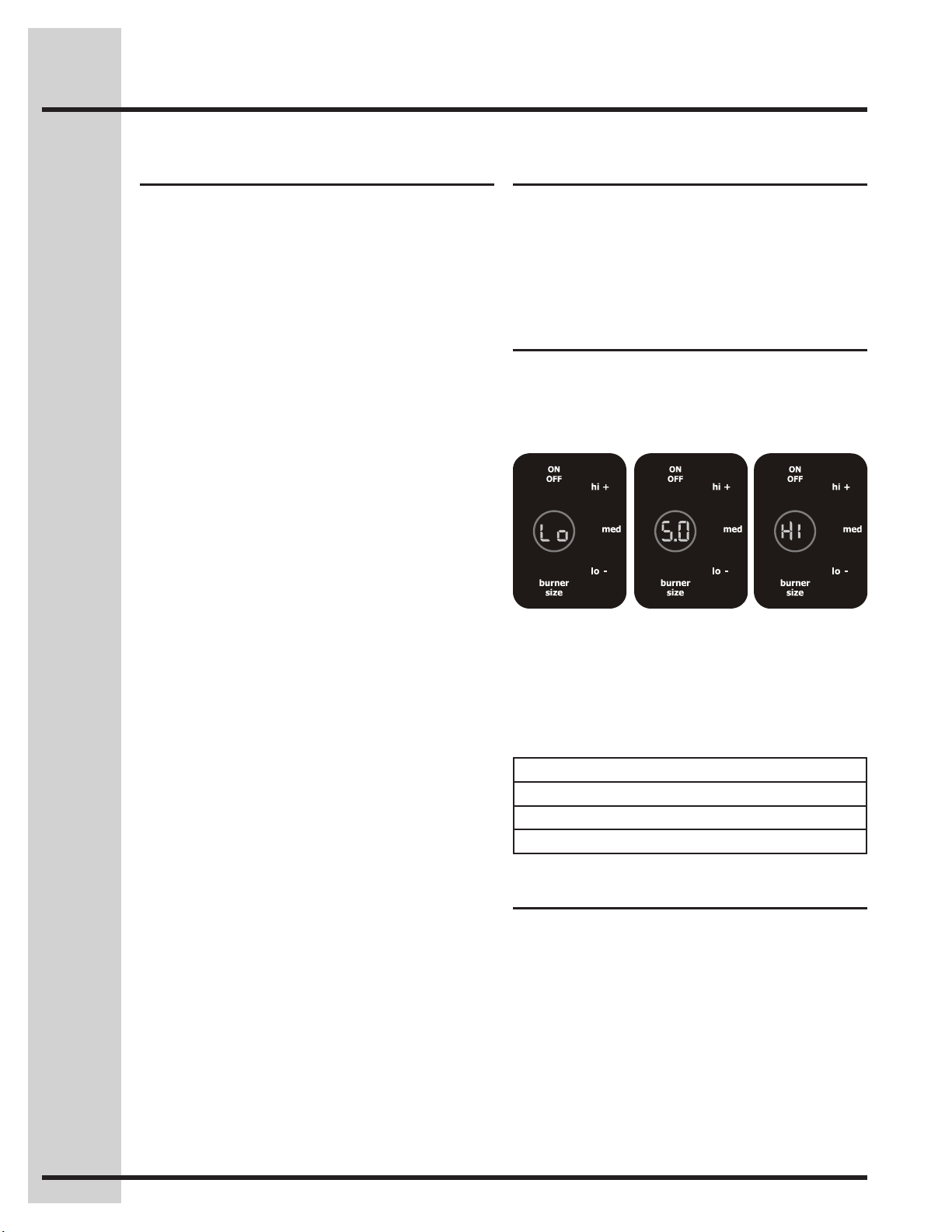
Your control provides 25 different settings for each
heating zone. Some of these power levels include
Lo (1%) Fig. 1, 5.0 (medium 50%) Fig. 2, Hi
(100%) Fig. 3.
Fig. 1 Fig. 2 Fig. 3
Some cooktop zone positions offer 2 or 3 different
element sizes. At these locations, you may choose
to use the single inner heating ring only or you may
add 1 or 2 more heating rings with each press of
the BURNERSIZE key.
The number of circles displayed at the element
zoneLCDrepresentsthenumberofheatingrings
available for that position.
The hi+ and lo- keys provide incremental
adjustmentsformoreprecisecontrolwhen
changing settings between the lower heat levels
(Lo to 3.0 power levels). Higher heat level setting
changes (between 3.0 to HI) will change much
faster.
Display Setting Changes
Setting / Power Incremental change
Lo to 3.0 (1-30%) 0.2
3.0 to HI (30-100%) 0.5
• 1circle=singleelement
• 2circles=doubleelement(somepositions)
• 3circles=tripleelement(leftfrontposition)
17
Setting Surface Controls
• Ifneeded,wakethecontrolpanel.
• Touchthe ON OFF key for the desired heating
zone.
• Iftheheatingzonehasmorethanoneburner
ring size available, press and continue to press
the BURNERSIZE key for the desired heating
zone to change the ring size.
• Pressthedesiredpowerlevelkey(hi+, med or
lo-) or for more precise level settings use the hi+
or lo-keystomakespeciclevelchanges.
Use the chart below to determine the suggested
setting for the type of food you are preparing when
using the cooktop.
Recommended surface setting chart
Setting Type of Cooking
High
(Hi)
Start most foods; bring water to a
boil and pan broiling.
Mediumhigh
(8 - 9.5)
Continue a rapid boil; frying, deep fat
frying.
Medium
(6)
Maintainaslowboil;thickensauces
and gravies; steaming vegetables.
MediumLow
(4 - 5)
Keepfoodscooking;poachingand
stewing.
Low (Lo - 3) Keepwarm,meltingandsimmering.
Setting cooktop elements Suggested cooktop power
settings
Hotelement(HE)message
After using any of the
radiant element positions
the ceramic cooktop will
become very hot. Even
after turning the control off,
the cooktop will remain hot
for some time.
The cooktop control
monitors the temperature
of the cooktop surface
and displays a message
“HE” (hot element) and
ashestheburnerrings
when the cooktop is still too hot to touch -Fig. 1-.
If the HEmessageremainsdisplayedintheLCD,
the heating zone may be set again and used for
cooking.
Fig. 1
Radiant surface elements may appear to have
cooled after they have been turned off. The
Hot Element Message Light will turn on and
will continue to glow until the glass cooktop
has cooled down to a moderate level. The
glass surface may still be hot and burns may
occur if the glass surface is touched before
the indicator light has turned OFF.
Do not place plastic items such as salt and
pepper shakers, spoon holders or plastic
wrappings on top of the range when it
is in use. These items could melt or ignite.
Potholders, towels or wooden spoons could catch
reifplacedtooclosetothesurfaceelements.
18
Setting Oven Controls
About rapid preheat
Use the rapid preheat option on single rack
baking to quickly bring the upper oven to baking
temperature.
The rapid preheat option may be set with the
following cooking features:
• Bake
• Convbake
The following temperature settings apply to the
rapid preheat feature:
• Auto-suggest(default)setting: 350°F/176°C
• Min.rapidpreheatsetting: 170°F / 76°C
• Max.rapidpreheatsetting: 550°F / 288°C
Setting rapid preheat
See example below to set a rapid preheat
with bake to start immediately using default
temperature.
When START is pressed the oven will preheat
quickly. The control will display PRE-HEATING
during this time. While PREHEATING the
Convection fan may operate.
After a few minutes a beep will sound and PRE-
HEATING will no longer display. Place prepared
food on a single oven rack. The oven will continue
to bake at the set temperature until bake is
canceled.
• Single oven rack cooking ONLY.
• Useinovenrackpositions2or3.
For best results
To add or change any cook settings after this
feature has started:
• SelecttheUPPERoven.Maketemperature
changes using the + or - keys. Each press of +
or -willadjustthetemperatureby5°F(or2°C).
• Ifchangingcookingtimes,selectthecook time
or end time keys needed to make the changes.
Example
Step Press
1. Press UPPER OVEN
UPPER
OVEN
2. Press BAKE
3. Press COOK OPTIONS
4. Press RAPID PREHEAT
5. Press START
NOTE
You may press CANCEL at any time when setting
the control or during the cooking process.
19
Setting Oven Controls
See example below to set a bake to start
immediately using the default temperature.
Once START is pressed the oven will begin heating.
The oven display shows PRE-HEATING. While
PREHEATING the Convection fan may operate.
After the oven reaches set temperature, PRE-
HEATING will turn off and a beep will indicate the
oven is ready. The oven will continue to maintain this
temperature until the cooking feature is canceled.
If your recipe requires a different baking
temperature than the auto-suggested (default)
temperature (example below shows lower oven
temperature set for 425°F/ 218°C ) :
Setting bake for upper oven
Use the bake feature to cook most food items that
require normal cooking temperatures.
Bakemaybesetwiththefollowingoptions:
• Rapidpreheat
• Cooktime
• Cooktimewithendtime
• Probe
The following temperature settings apply to the
bake feature:
• Auto-suggest(default)setting: 350°F/176°C
• Min.bakesetting: 170°F / 76°C
• Max.bakesetting: 550°F / 288°C
• Useonlyonerackatposition5andcenterthe
pans as much as possible.
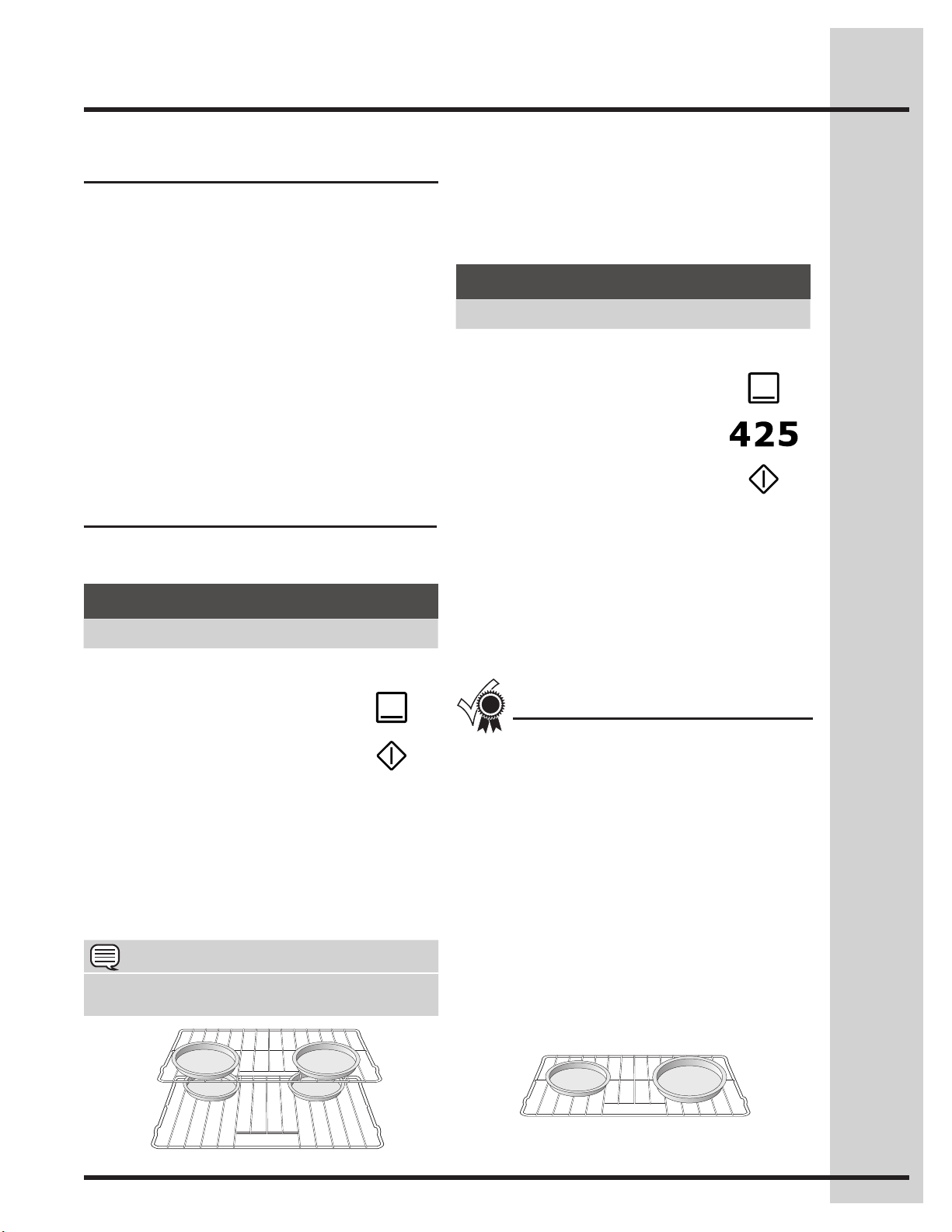
• Ifusingtworacks,placetheovenracksin
position 3 and 7.
• Whenplacingmultiplefooditemsintheoven
allow 2-4” (5-10cm) of space between the food
itemsforproperaircirculation(seeguresfor
more details).
• Darkordullpansabsorbmoreheatthanshiny
bakeware resulting in dark or overbrowning
of foods. It may be necessary to reduce the
oven temperature or cook time to prevent
overbrowningofsomefoods.Darkpans
are recommended for pies. Shiny pans are
recommendedforcakes,cookiesandmufns.
For best results
About baking in oven
To add or change any cook settings after this
feature has started:
• SelecttheUPPER OVEN.Maketemperature
changes using the + or - keys. Each press of +
or -willadjustthetemperatureby5°F(or2°C).
• Ifchangingcookingtimes,selectthecook time
or end time keys needed to make the changes.
Example
Step Press
1. Press UPPER OVEN
UPPER
OVEN
2. Press BAKE
3. Press START
Example
Step Press
1. Press UPPER OVEN
UPPER
OVEN
2. Press BAKE
3. Enter 425°F
4. Press START
Pan position for two rack baking.
Pan position for one rack baking.
NOTE
You may press CANCEL at any time when setting
the control or during the cooking process.
20
Setting Oven Controls
Using cook time
Addingacooktimewhenbakingisbenecialwhen
areciperequiresaspecictemperatureandperiod
of time to cook. Following the recipe cook time
helps insure the best possible results.
Cook time may be set with the following features:
• Bake
• Convbake
• Convroast
• Slowcook
• Defrost
• Dehydrate
• Breadproof
• Keepwarm
• Perfectturkey
See example below to set the oven for bake,
starting immediately with preheating to the auto-
suggest (default) setting of 350°F (176°C) and then
to automatically turn off after 30 minutes:
Once START is pressed the oven will cook and
after 30 minutes automatically shut-off.
Example
Step Press
Preheat the oven if necessary
1. Press UPPER OVEN
UPPER
OVEN
2. Press BAKE
3. Press START
4. Press COOK OPTIONS
5. Press COOK TIME
6. Enter 30 minutes
7. Press START
NOTE
You may press CANCEL at any time when setting
the control or during the cooking process.
21
Setting Oven Controls
Using cook time with end
time
Addingacooktimealongwithaspecicendtime
givesthesamebenetsasthecooktimeoption
in addition to controlling exactly when the cooking
process will begin and end.
Cook time and end time may be set with the
following features:
• Bake
• Convectionbake
• Convectionroast
• Slowcook
• Clean(delayedCleanusesendtimeonly)
• Defrost
• Dehydrate
• Breadproof
• Keepwarm
See example below to set the oven with preheating
for bake at 375°F (176°C) for 50 minutes and to
automatically shut-off at 5:30:
Once START is pressed, the oven will calculate the
start time at which the oven will begin heating.
The oven will continue to maintain this temperature
for the selected time or until the cooking feature is
canceled.
Example
Step Press
1. Press UPPER OVEN
UPPER
OVEN
2. Press BAKE
3. Enter 375°F
4. Press COOK OPTIONS
5. Press COOK TIME
6. Enter 50 minutes
7. Press START
8. Press END TIME
9. Enter 5:30
10. Press START
Use caution with the COOK TIME or END TIME features. Use the automatic timer when cooking cured
orfrozenmeatsandmostfruitsandvegetables.Foodsthatcaneasilyspoilsuchasmilk,eggs,sh,
meatorpoultry,shouldbechilledintherefrigeratorrst.Evenwhenchilled,theyshouldnotstandin
the oven for more than 1 hour before cooking begins, and should be removed promptly when cooking is
completed. Eating spoiled food can result in sickness from food poisoning
NOTE
• WhensettingtheENDTIMEoptionbesurethe
correct time of day is set.
• YoumaypressCANCELanytimewhensetting
the control or during the cooking process.
• YoumayalsochoosetouseCOOK TIME with
no END TIME.
22
Broilinginoven
See example below to set broil (or convection broil)
for the upper oven starting immediately with the
auto-suggest (default) setting:
Use the broil feature to cook meats that require
direct exposure to radiant heat for optimum
browning results.
Use the conv broil feature to cook thicker cuts
of meats that require direct exposure to radiant
heat and the convection fan for optimum browning
results.
The following temperature settings apply to the
broil feature:
• Auto-suggest(default)setting: 550°F / 288°C
• Min.broilsetting:300°F / 148°C
• Max.broilsetting:550°F / 288°C
Setting broil or Conv broil
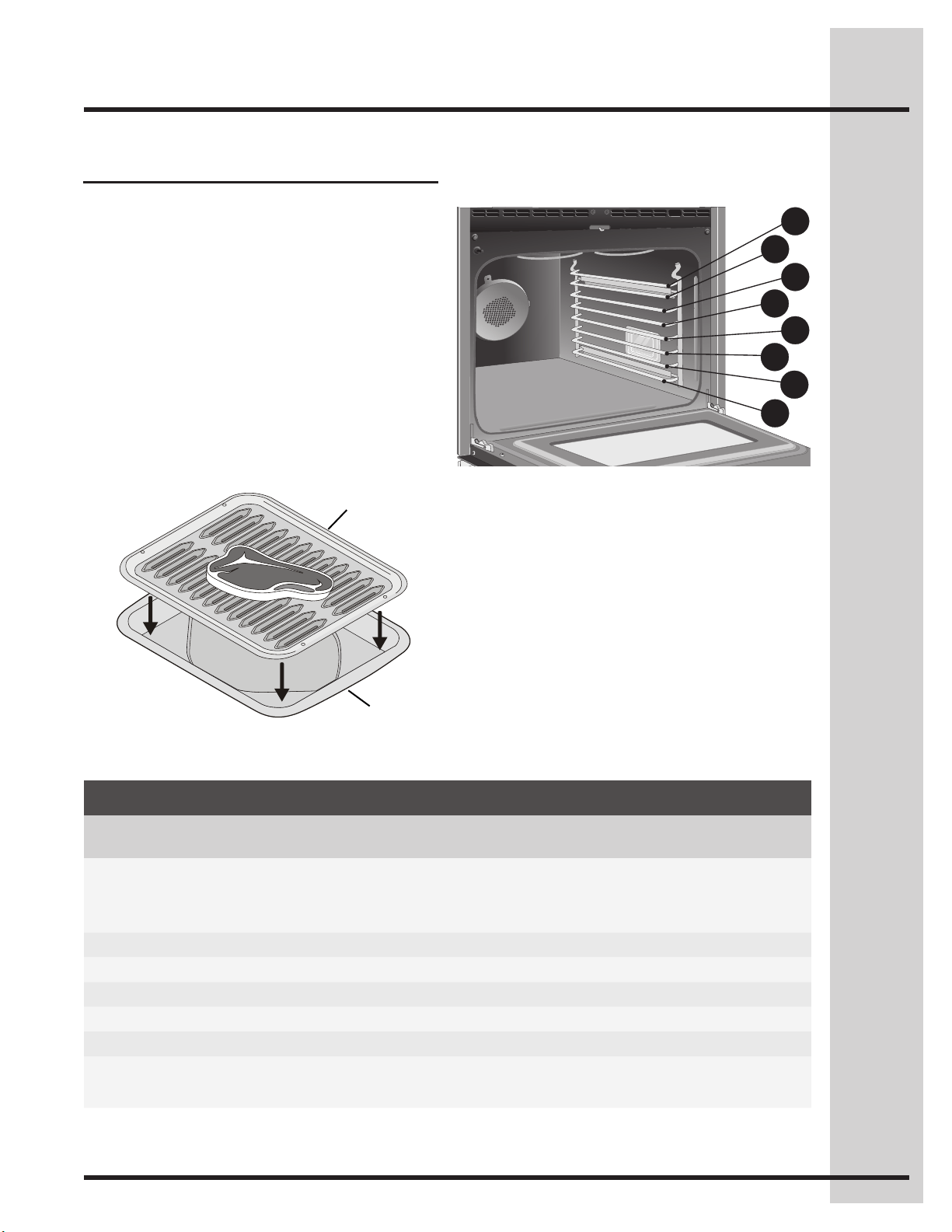
• Usetherecommendedpansandovenrack
positions for the type of meat being prepared
-Figs. 1 & 2-.
• Foroptimumbrowningresults,allowtheovento
preheat 5-6 minutes before placing the food in
the oven.
For best results
To add or change any cook settings after this
feature has started:
• Wakecontrolpanelfromthesleepmodeif
necessary.
• SelecttheUPPER.Maketemperaturechanges
using the + or - keys. Each press of + or - will
adjustthetemperatureby5°F(or2°C).
Example
Step Press
1. Place the broiler insert on the broiler pan,
then place the meat on the insert. Remember
to follow all warnings and cautions.
2. Arrange the interior oven rack to rack position
recommendations -Figs. 2 & 3-.Besureto
place the prepared food and pan directly
under broil element. Leave the oven door
closed.
3. Press UPPER OVEN
UPPER
OVEN
4. PressBROIL
orPressCONVBROIL
5. Press START
Setting Oven Controls
NOTE
You may press CANCEL at any time when setting
the control or during the cooking process.
Shouldanovenreoccur,closetheovendoor.
Iftherecontinues,throwbakingsodaonthe
reoruseareextinguisher.Do not put water
orouronthere.Flourmaybeexplosiveand
watercancauseagreaseretospreadand
causepersonalinjury.
• Do not use the broiler pan without the insert.
• Do not cover the broil pan/insert with
aluminum foil; the exposed grease could ignite.
• Topreventfoodfromcontactingthebroil
element and to prevent grease splattering, do
not use the roasting rack when broiling.
23
Setting broil or Conv broil
Recommended broiling times
Use the broiling table -Fig. 3- for approximate
recommended broiling times for the types of meats
listed. Increase or decrease broiling times, or move
the broiling pan to a different rack position to suit
for doneness.
If the food you are broiling is not listed in the table,
follow the instructions provided in your recipe and
watch the item closely.
The broil pan insert (if equipped) contains slots that
allows grease from the meat to drain into the broil
pan. Place prepared meat on broil pan insert and
then place onto broiler pan as shown -Fig. 1-.
Fig. 3
Fig. 1
Fig. 2
Insert
Broilpan
BroilingTable
Food Rack position Temp Cook time in minutes Doneness
1st side 2nd side
Steak 1” thick 7th 550°F 6 4 Rare
7th 550°F 7 5 Medium
7th 550°F 8 7 Well
Pork chops 3/4” thick 7th 550°F 8 6 Well
Chicken-bone in 5th 450°F 20 10 Well
Chicken-boneless 7th 450°F 8 6 Well
Fish 7th 500°F 13 0 Well
Shrimp 5th 550°F 5 0 Well
Hamburger 1” thick 7th 550°F 9 7 Medium
5th 550°F 10 8 Well
Setting Oven Controls
1
2
3
4
5
6
7
8
24
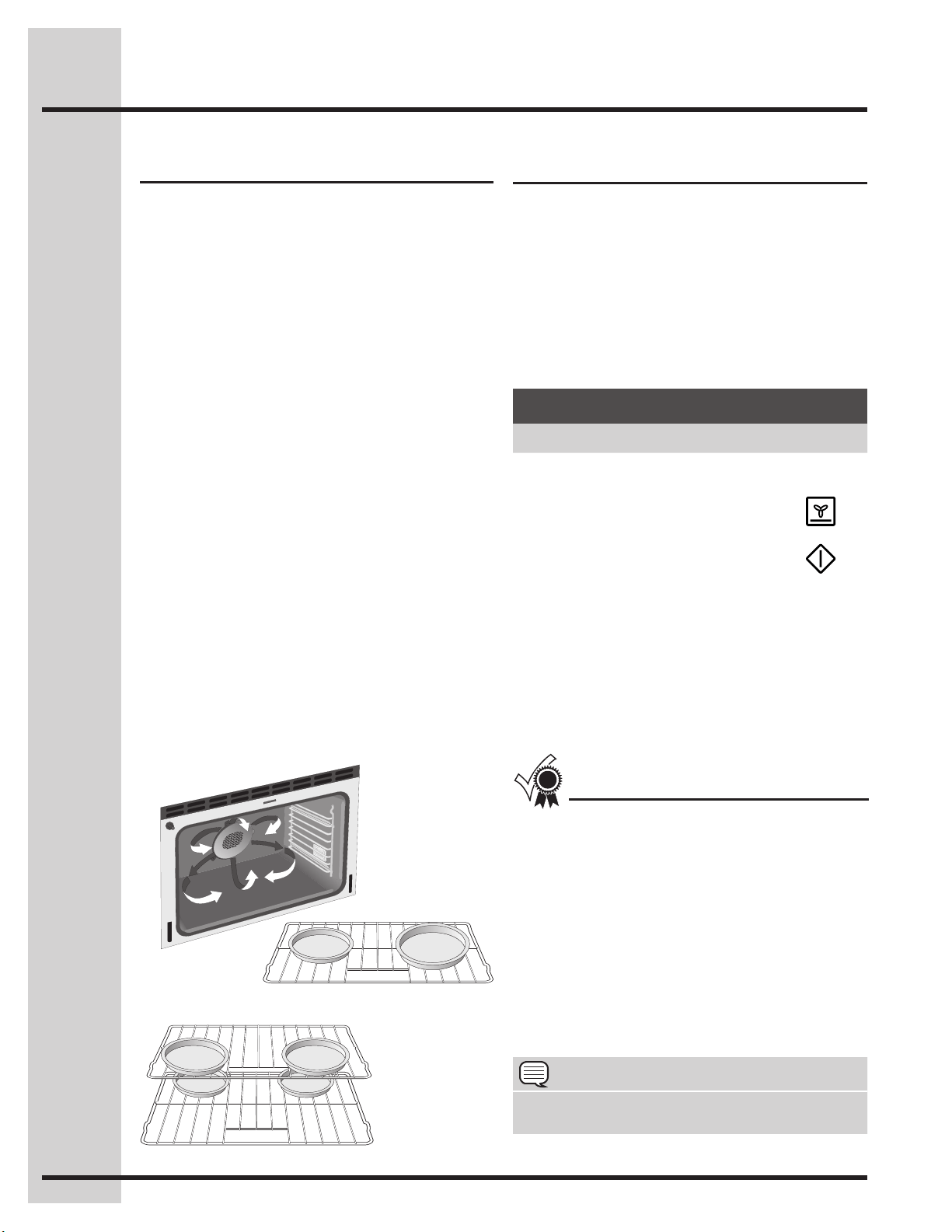
ConvectionbakeispartofthePerfect-Convect³™
system. Convection bake uses a fan to circulate
the oven heat evenly and continuously. The
improved heat distribution allows for even cooking
withexcellentresults.Multiplerackcookingmay
slightly increase cook times for some foods, but the
overall result is time saved.
About convection bake
Setting convection bake
Benetsofconvectionbake:
• Superiormultipleovenrackperformance.
• Somefoodscookup25to30%faster,saving
time and energy.
• Nospecialpansorbakewarerequired.
See the example below to set conv bake, starting
immediately with the auto-suggest (default) setting
of 350°F (176°C):
Once START is pressed the oven will begin heating.
The oven display shows PRE-HEATING during this
time.
After the oven reaches set temperature, PRE-
HEATING will turn off and a beep will indicate the
oven is ready. The oven will continue to maintain this
temperature until the cooking feature is canceled.
Conv bake may be set with the following options:
• Convconvert
• Cooktimeorcooktimewithendtime
• Probe
• Rapidpreheat
The following temperature settings apply to the
conv bake feature:
• Auto-suggest(default)setting: 350°F/176°C
• Min.bakesetting: 170°F / 76°C
• Max.bakesetting: 550°F / 288°C
• Whenbakingwithasinglerackuserack
positions 5. When using 2 racks use rack
positions3&7.Whenusing3racksuserack
positions2,5&8.
• Cookiesandbiscuitsshouldbebakedonpans
with no sides or very low side to allow heated air
to circulate around the food.
• Foodbakedonpanswithadarknishwillcook
faster.
• Whenplacingmultiplefooditemsintheoven
allow 2-4” (5-10cm) of space between the food
items for proper air circulation.
For best results
The conv bake feature should ONLY be used when
your recipe instructions have been written for use
with convection baking.
If your recipe instructions are for normal baking
and you wish to use convection bake, follow the
Convection Convert option instructions. The
convectionconvertoptionwillautomaticallyadjust
the oven temperature so that convection baking
may provide the best possible results.
Example
Step Press
1. Press UPPER OVEN
UPPER
OVEN
2. PressCONVBAKE
3. Press START
Setting Oven Controls
NOTE
You may press CANCEL at any time when setting
the control or during the cooking process.
Pan position for two rack baking.
Pan position for one rack baking.
25
Setting Oven Controls
• Whenbakingwithasinglerackuserack
positions 5. When using 2 racks use rack
positions3&7.Whenusing3racksuserack
positions2,5&8.
• Cookiesandbiscuitsshouldbebakedonpans
with no sides or very low side to allow heated air
to circulate around the food.
• Foodbakedonpanswithadarknishwillcook
faster.
• Whenplacingmultiplefooditemsintheoven
allow 2-4” (5-10cm) of space between the food
items for proper air circulation.
The conv convert option allows you to convert any
normal baking recipe using the convection bake
feature. The control uses the normal recipe settings
andadjuststoalowertemperatureforconvection
baking. Conv convert must be used with CONV
BAKEfeature.
Using convection convert
Setting convection convert
Benetsofconvbakeusingconv
convert option:
• Superiormultipleovenrackperformance.
• Somefoodscookup25to30%faster,saving
time and energy.
• Nospecialpansorbakewarerequired.
For best results
Once START is pressed the oven display shows
PRE-HEATING. After the oven reaches the
converted set temperature, PRE-HEATING will turn
off and a beep will indicate the oven is ready.
The added conv convert option will automatically
lower the set temperature you set from the bake
recipetoanadjustedconvbaketemperature.
Whenconvconvertisusedwithcooktime,“CF”
(Check Food) will display when the cook time is
75% complete. The control will also beep at regular
intervalsuntilbakinghasnished.
See the example below to set conv bake, starting
immediately with the auto-suggest (default) setting
of 350°F (176°C) and adding the conv convert
option.
To add or change any cook settings after this
feature has started:
• SelecttheUPPERoven.Maketemperature
changes using the + or - keys. Each press of +
or -willadjustthetemperatureby5°F(or2°C).
• Ifchangingcookingtimes,selectthecook time
or end time keys needed to make the changes.
Example
Step Press
1. Press UPPER OVEN
UPPER
OVEN
2. PressCONVBAKE
3. Press COOK OPTIONS
4. Press CONV CONVERT
5. Press START
NOTE
You may press CANCEL at any time when setting
the control or during the cooking process.
26
About convection roast Setting convection roast
How convection roast works
ConvectionroastispartofthePerfect-Convect³™
system. Convection roast combines a cook cycle
with the convection fan and element to rapidly roast
meats and poultry. Heated air circulates around the
meatfromallsides,sealinginjuicesandavors.
Meatscookedwiththisfeaturearecrispybrown
on the outside while staying moist on the inside.
In addition, there is no need to reduce the oven
temperature when using convection roast.
Convection roast may be set with the following
options:
• Probe
• Cooktimeorcooktimewithendtime
The following temperature settings apply to
convection roast:
• Factoryauto-startdefault:350°F/176°C
• Minimum: 170°F / 76°C
• Maximum: 550°F/ 288°C
Benetsofconvectionroast:
• Superiormultipleovenrackperformance.
• Somefoodscookup25to30%faster,saving
time and energy.
• Nospecialpansorbakewarerequired.
See example below to set convection roast to start
immediately with the auto-suggest (default) setting:
• Preheatingisnotnecessaryformostmeatsand
poultry.
• Placefooditemsusingtherecommendedrack
positions for the type of food being prepared.
• Whenplacingmultiplefooditemsintheoven
allow 2-4” (5-10cm) of space between the food
items for proper air circulation.
• Besuretocarefullyfollowyourrecipe’s
temperature and time recommendations or
refer to the convection roast chart for additional
information -p. 27, Fig. 2-.
For best results
Once START is pressed the oven will begin
heating.
To add or change any cook settings after this
feature has started:
• SelecttheUPPERoven.Maketemperature
changes using the + or - keys. Each press of +
or -willadjustthetemperatureby5°F(or2°C).
• Ifchangingcookingtimes,selectthecook time
or end time keys needed to make the changes.
Example
Step Press
1. Press UPPER OVEN
UPPER
OVEN
2. Press CONV ROAST
3. Press START
Setting Oven Controls
NOTE
You may press CANCEL at any time when setting
the control or during the cooking process.
27
* For beef: med rare 145°F, med 160°F, well done 170°F
** Stuffed turkey requires additional roasting time. Shield legs and breast with foil to
prevent overbrowning and drying of the skin.
Fig. 2
Roasting recommendations
Fig. 1
Roasting rack instructions
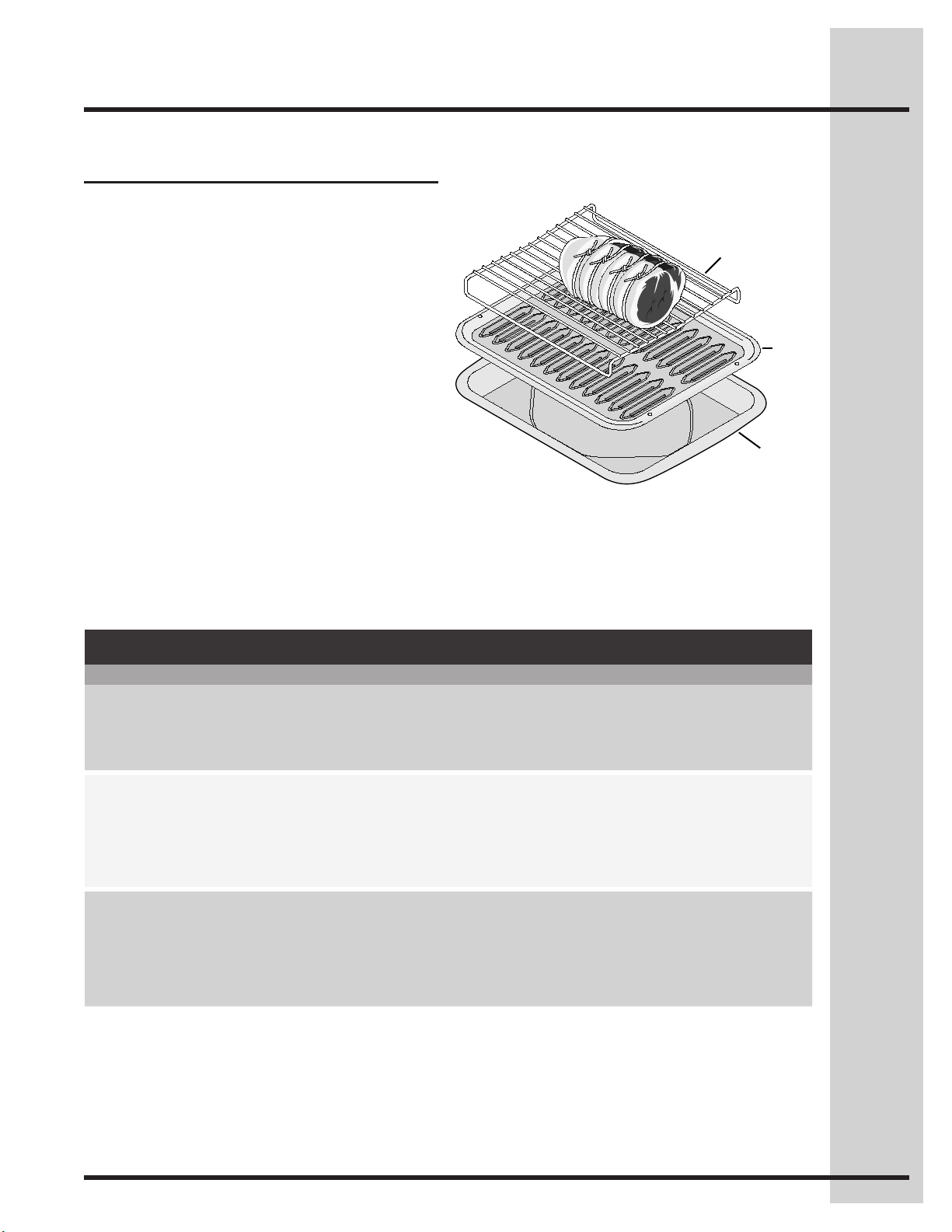
When preparing meats for convection roasting, you
may use the broiler pan, insert and the roasting
rack supplied with your appliance. The broiler pan
will catch grease spills and the insert will help
preventgreasesplatters.Theroastingracktson
top of the insert allowing the heated air to circulate
under the food for even cooking and helps to
increase browning on the underside.
1. Place oven rack on bottom or next to the
bottom oven rack position.
2. Place the insert on the broiler pan.
3. Makesuretheroastingrackissecurelyseated
on top of the insert. Do not use the broiler pan
without the insert. Do not cover the insert with
aluminum foil.
4. Position food (fat side up) on the roasting rack.
-Fig. 1-
5. Place prepared food on oven rack in the oven.
Roasting rack
Insert
Broilpan
Convection Roasting Chart
Meat Weight Oven temp Internal temp Minute per lb.
Beef
Standing rib roast 4 to 6 lbs. 350°F * 25-30
Rib eye roast 4 to 6 lbs. 350°F * 25-30
Tenderloin roast 2 to 3 lbs. 400°F * 15-25
Poultry
Turkey, whole** 12 to 16 lbs. 325°F 180°F 8-10
Turkey, whole** 16 to 20 lbs. 325°F 180°F 10-15
Turkey, whole** 20 to 24 lbs. 325°F 180°F 12-16
Chicken 3 to 4 lbs. 350°F - 375°F 180°F 12-16
Pork
Ham roast, fresh 4 to 6 lbs. 325°F 160°F 30-40
Shoulder blade roast 4 to 6 lbs. 325°F 160°F 20-30
Loin 3 to 4 lbs. 325°F 160°F 20-25
Pre-cooked ham 5 to 7 lbs. 325°F 160°F 30-40
Setting Oven Controls
28
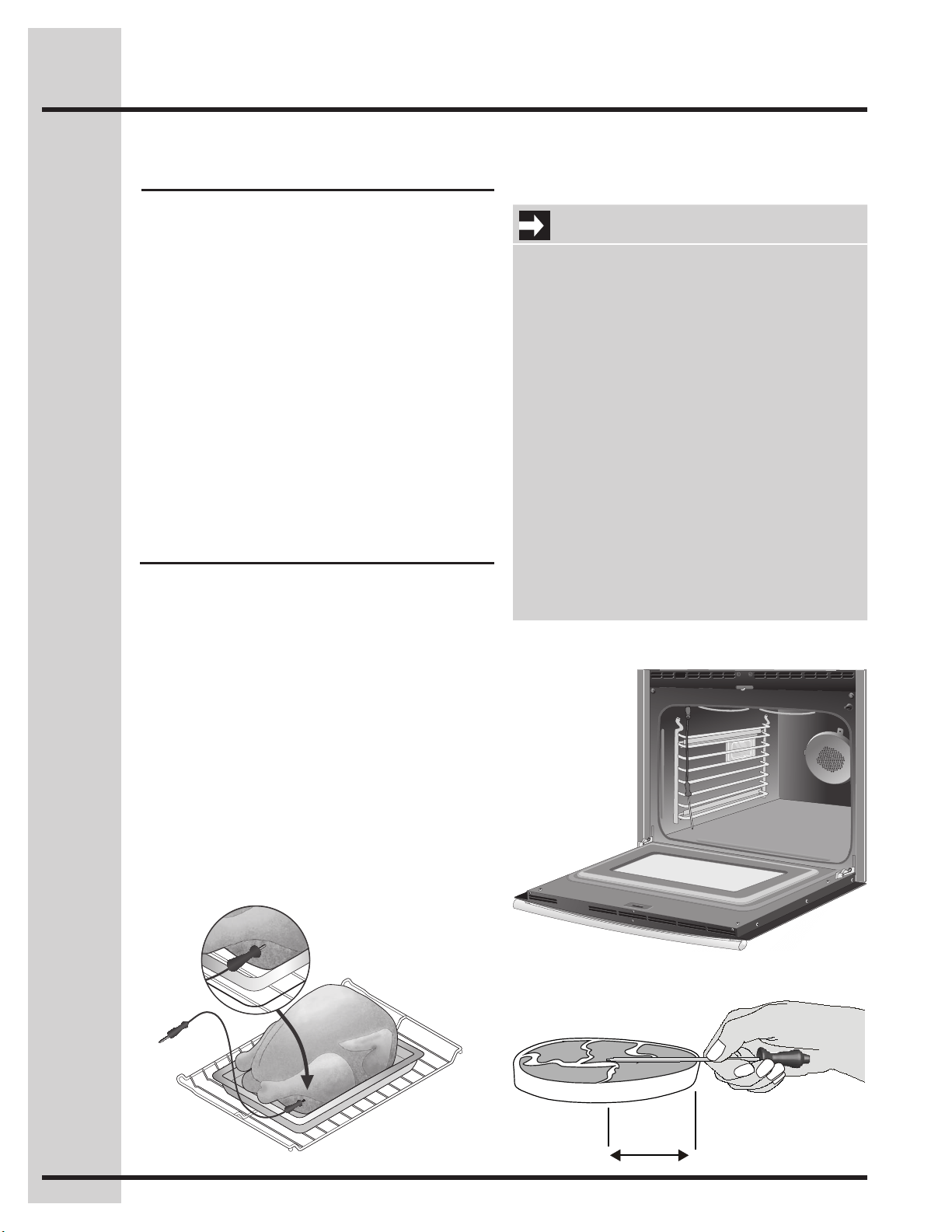
Proper probe placement
• Alwaysinserttheprobesothatthetiprestsin
thecenterofthethickestpartofthemeat.Do
not allow the probe to touch bone, fat, gristle or
the pan.
• Forbone-inhamorlamb,inserttheprobeinto
thecenterofthelowestlargemuscleorjoint.
For dishes such as meat loaf or casseroles,
insert the probe into the center of the food. To
ndthecenterofthefoodvisuallymeasurewith
the probe -Fig. 3-. Whencookingsh,insertthe
probejustabovethegill.
• Forwholepoultryorturkey,inserttheprobeinto
the thickest part of the inner thigh, below the leg
-Fig. 1-.
Checking the internal temperature of your food is
the most effective way of insuring that your food
has been properly cooked. When cooking meat
such as roasts, hams or poultry you can use the
probe to check the internal temperature without any
guesswork.
Your oven will automatically change from cooking
to keep warm once the probe has reached the set
temperature.
The following temperature settings apply to the
probe function:
• Default: 170°F/76°C
• Minimum: 130°F / 54°C
• Maximum: 210°F / 98°C
About the probe function
Fig. 1
Setting the probe
Fig. 2
Fig. 3
1/2
Setting Oven Controls
IMPORTANT
• Useonlytheprobesuppliedwithyour
appliance; any other may result in damage to
the probe or the appliance.
• Besuretheprobeisfully inserted into the
probe receptacle. The probe will not work
properly until correctly connected - Fig. 2.
• Handletheprobecarefullywheninsertingand
removing it from the food and the receptacle.
• Donotusetongstopullthecablewhen
inserting or removing it from the food or the
receptacle.
• Defrostyourfoodcompletelybeforeinserting
the probe to avoid damaging probe.
• Never leave or store the probe inside the
oven when not in use.
• Topreventthepossibilityofburns,carefully
unplug the probe using a pot holder.
29
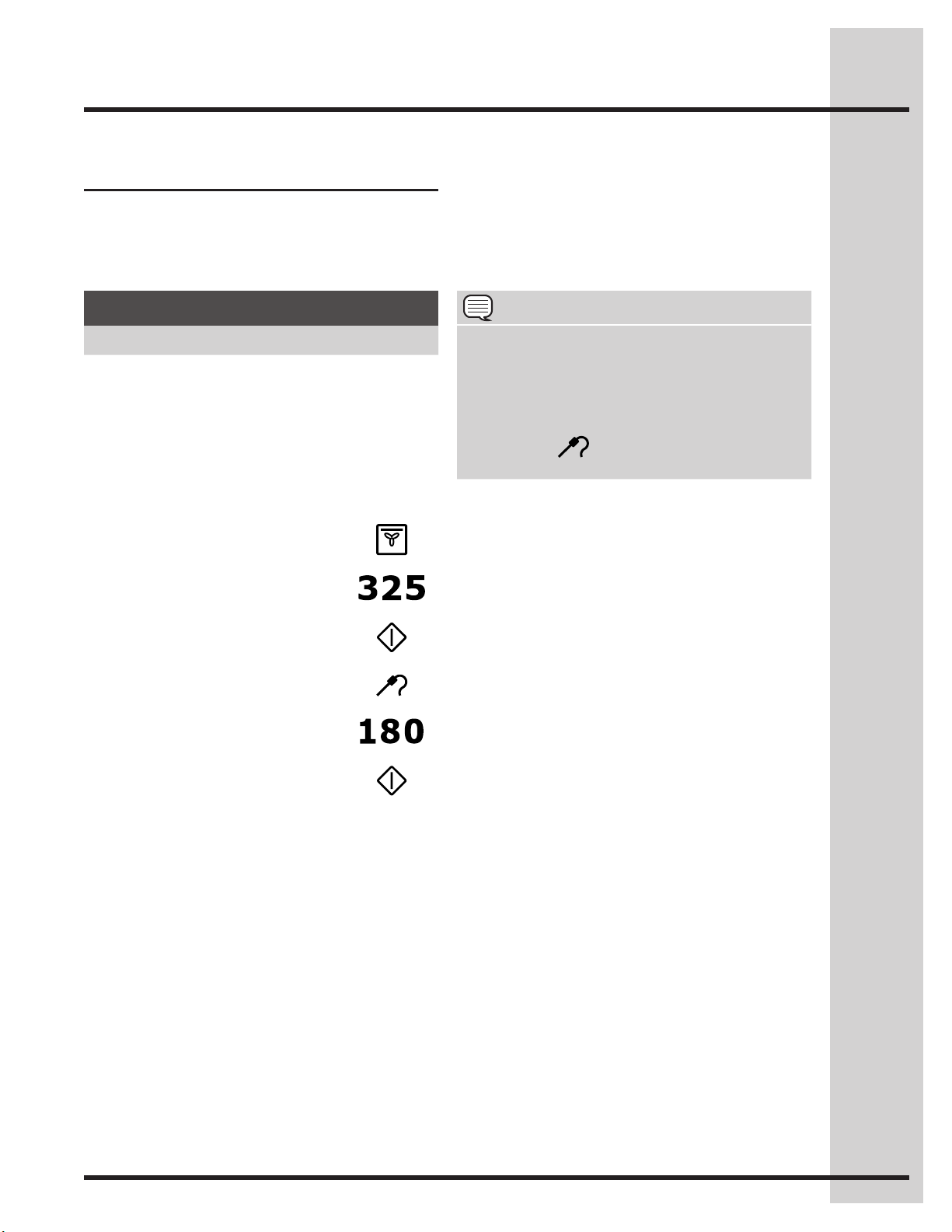
See the example below to set the probe target
temperature to 180°F/82°C when using the
convection roast feature with oven set temperature
for 325°F/162°C.
Setting the probe
* You may skip steps 7-9 if you choose to use the
default internal target temperature of 170°F for the
probe.
Bythedefault,yourovenwilladjusttothekeep
warm setting once the probe has reached the set
temperature.
Example
Step Press
1. Insert the probe into the food and place the
food into the oven -Fig. 1-.
2. Plug the probe COMPLETELY into the probe
receptacle inside the oven -Fig. 2-
and close
the oven door.
3. Press UPPER OVEN
UPPER
OVEN
4. Press CONV ROAST
5. Enter 325
6. Press START
7. PressPROBEtwice.
8. Enter 180
9. Press START
Setting Oven Controls
NOTE
When the meat probe is connected to the •
receptacle and a cooking function is started,
the display will show the current temperature
reported by the meat probe.
Any time during the cooking process you •
may press
to see or modify the target
temperature.
30
Setting Oven Controls
About keep warm Setting keep warm
Use the keep warm feature to keep hot foods
warm.Keepwarmmaybesetwiththefollowing
options:
• Cooktime
• Cooktimewithendtime
The following temperature settings apply to the
keep warm feature:
• Auto-suggest(default)setting: 170°F / 76°C
• Min.keepwarmsetting: 150°F / 66°C
• Max.keepwarmsetting: 190°F / 88°C
See example below to set keep warm for the upper
oven to start immediately with the auto-suggest
(default) setting.
To add or change any cook settings after this
feature has started:
• SelecttheUPPER OVEN.Maketemperature
changes using the + or - keys. Each press of +
or -willadjustthetemperatureby5°F(or2°C).
• Ifchangingwarmingtimes,selectthecook time
or end time keys needed to make the changes.
Example
Step Press
1. Press UPPER OVEN
UPPER
OVEN
2. Press KEEP WARM
3. Press START
NOTE
You may press CANCEL at any time when setting
the control or during the cooking process.
• FOOD POISONING HAZARD. Do not let
food sit for more than one hour before or
after cooking. Doing so may cause bacteria
to grow which can result in food poisoning
or sickness.
31
Setting Oven Controls
About slow cook
Setting slow cook
See the example below to set a slow cook on Lo.
The slow cook feature may be used to cook foods
more slowly at lower oven temperatures. The
cooking results will be like that of a Slow Cooker or
Crock-Pot. This feature is ideal for roasting beef,
pork&poultry.Slowcookingmeatsmayresultin
the exterior of meats becoming dark but not burnt;
this is normal.
Slow cook may be set with the following options:
• Cooktime
• Cooktimewithendtime
The following temperature settings apply to the
slow cook feature:
• HI:275°F/134°C(default)forcooking4to5hours
• Lo:225°F/108°Cforcooking8to9hours
• Completelythawallfrozenfoodsbeforecooking.
• Positionmultiplerackstoaccommodatesize
of cooking utensils when cooking multiple food
item.
• Addanycreamorcheesesaucesduringthelast
hour of cooking.
• Donotopentheovendooroftenorleavethe
door open when checking foods. The more heat
that is lost, the longer the food will need to cook.
• Coverthefoodstokeepthemmoistorusea
loose or vented type cover to allow foods to turn
crisp or brown.
• Roastsmaybeleftuncoveredsobrowningcan
occur. Cook times will vary depending on the
weight,fatcontent,bone&theshapeofthe
roast.
• Preheatingtheovenwillnotbenecessary.
For best results
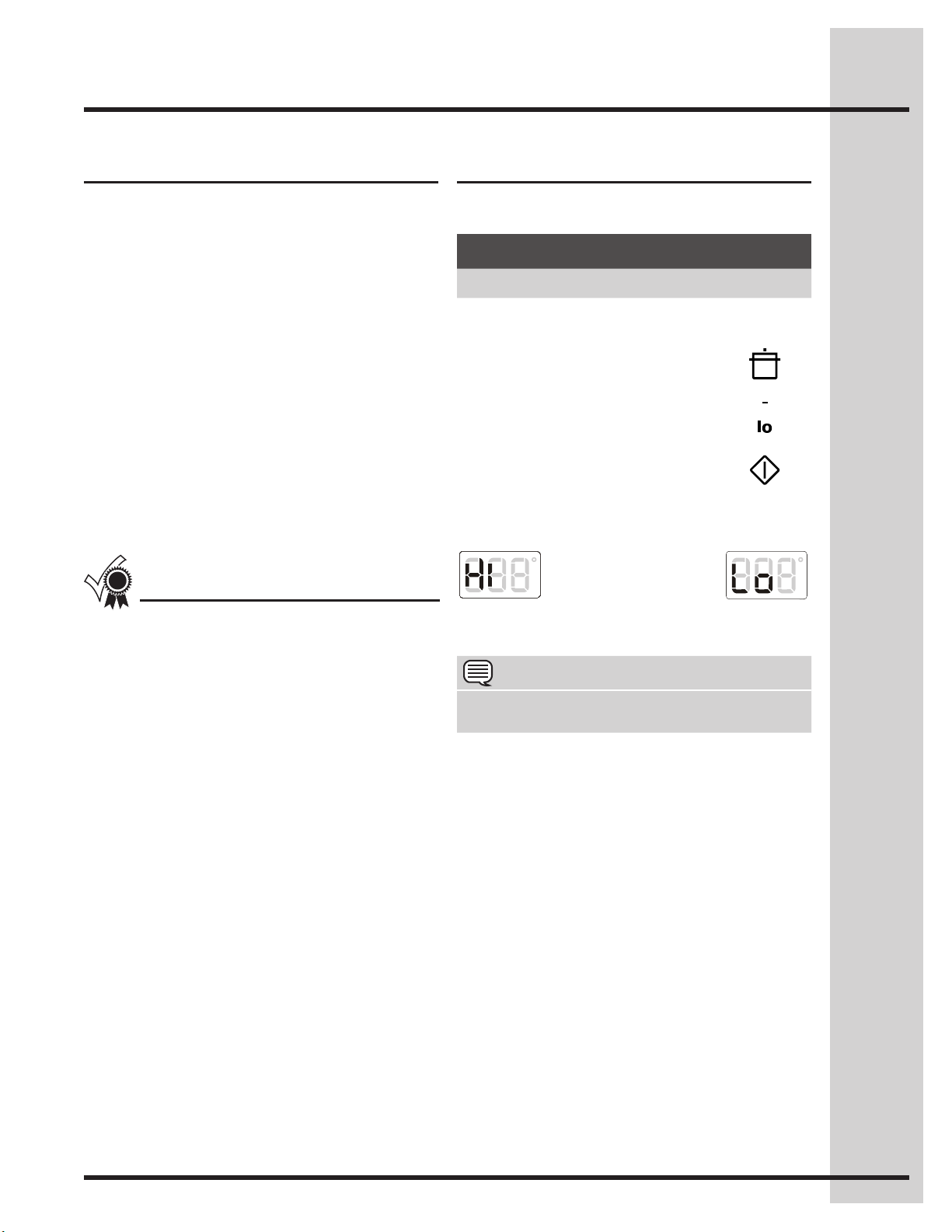
Fig.1 Fig. 2
*Press +hi to choose the Hi option -Fig. 1-.
To add or change any cook settings after this
feature has started:
• SelecttheUPPER oven. Toggle between the
high and low settings by using the + or - keys.
• Ifchangingcookingtimes,selectthecook time
or end time keys needed to make the changes.
Example
Step Press
1. Press UPPER OVEN
UPPER
OVEN
2. Press SLOW COOK
3. Press -lo to choose the Lo
option -Fig. 2-.*
4. Press START
NOTE
You may press CANCEL at any time when setting
the control or during the cooking process.
32
See the example below to use perfect turkey at the
default setting of 325°F and the probe at the default
setting of 180°F (82°C).
* Stuffed turkey requires additional roasting time. Shield legs and breast with foil to prevent overbrowning
and drying of the skin.
Heated air circulates around the turkey from all
sides,sealinginjuicesandavors.Poultrycooked
with this feature are crispy brown on the outside
while staying moist on the inside.
Perfect turkey combines a cook cycle with the
convection fan. The probe is used to monitor the
exact internal temperature of the turkey while
cooking. Once the turkey has reached the set
temperature, the oven will stop cooking and
change to keep warm.
Beforesettingtheperfectturkeyfeature,orifyou
would like to change the probe target temperature,
be sure to carefully read and follow setting the
probe instructions.
About Perfect Turkey™ Setting Perfect Turkey™
Example
Step Press
1. Insert the probe into the thickest part of the
meat and place the turkey in the oven -see
setting the probe section-
2. Plug the probe into the probe receptacle
inside the oven.
3. Press UPPER OVEN
UPPER
OVEN
4. Press PERFECT TURKEY
Probeindicatorwillashand
Perfect Turkey will not start
until the probe has been
plugged in.
5. Press START
Perfect Turkey Chart
Meat Weight Oven temp Internal temp Minute per lb.
Poultry
Turkey, whole** 12 to 16 lbs. 325°F 180°F 8-10
Turkey, whole** 16 to 20 lbs. 325°F 180°F 10-15
Turkey, whole** 20 to 24 lbs. 325°F 180°F 12-16
Chicken 3 to 4 lbs. 350°F - 375°F 180°F 12-16
Setting Oven Controls
NOTE
• YoumaypressCANCELanytimewhensetting
the control or during the cooking process.
• When the meat probe is connected to the
receptacle and perfect turkey is started, the
display will show the current temperature
reported by the meat probe.
• Any time during the cooking process you
may press
to see or modify the target
temperature.
• Itisnotrecommendedtomodifytheperfect
turkey settings once cooking has started.
Doingsomaynotprovidethebestresults.
33
Setting Oven Controls
About dehydrate
The dehydrate feature dries with heat from the
elements. The heat is circulated throughout the
oven by the convection fan. Use dehydrate to dry
and/or preserve foods such as fruits, vegetables,
herbs and very thin slices of meat. The Convection
fan may operate while dehydrating.
The following temperature settings apply to the
dehydrate feature:
• Auto-suggest(default)setting: 120°F / 48°C
• Min.dehydratesetting:100°F / 38°C
• Max.dehydratesetting:225°F / 108°C
Dehydratemaybesetwiththefollowingoptions:
• Cooktime
• Cooktimewithendtime
See the example below to set dehydrate at the
default temperature of 120°F.
To add or change any cook settings after this
feature has started:
• SelecttheUPPERoven.Maketemperature
changes using the + or - keys. Each press of +
or -willadjustthetemperatureby5°F(or2°C).
• Ifchangingcookingtimes,selectthecook time
or end time keys needed to make the changes.
About defrost
Setting defrost
Use the defrost feature to thaw small portions of
delicate items such as cream cakes, frozen cream
pies and cheesecake at room temperature. While
in the defrost mode, the convection fan will operate
to circulate room temperature air around the food
slowly, accelerating the natural defrosting of the
food without using heat.
Defrostmaybesetwiththefollowingoptions:
• Cooktime
• Cooktimewithendtime
See the example below to set defrost.
Setting dehydrate
Example
Step Press
1. Place food in oven and press
UPPER OVEN
UPPER
OVEN
2. Press DEFROST
3. Press START
Example
Step Press
1. Press UPPER OVEN
UPPER
OVEN
2. Press DEHYDRATE
3. Press START
NOTE
• YoumaypressCANCELanytimewhensetting
the control or during the cooking process.
• Thisfeatureisnotmeantforthawingfrozen
meats, poultry, seafood or other foods that
need to be cooked before serving. Follow
USDArecommendationsforthawingfoods.
Only frozen foods that can be defrosted and
served without cooking should be used with
this feature.
34
Setting bread proof
See example below to set bread proof for 85°F /
30°C.
For best results
• Drymostfruitsandvegetablesat140°F.Dry
herbs at 100°F.
• Dryingtimesvarydependingonthemoisture
and sugar content of the food, the size of the
pieces, the amount being dried and the humidity
in the air.
• Treatfruitswithantioxidantstoavoiddiscoloration.
• Tightlywovencoolingrackscanbeusedtoallow
the air to circulate around the food; or use drying
racks to allow the air to circulate around the food
(this type of oven rack is not supplied with this
appliance).
• Consultafoodpreservationbookorlibraryfor
information.
To add or change any cook settings after this
feature has started:
• SelecttheUPPERoven.Maketemperature
changes using the + or - keys. Each press of +
or -willadjustthetemperatureby5°F(or2°C).
• Ifchangingcookingtimes,selectthecook time
or end time keys needed to make the changes.
About bread proof
The bread proof feature maintains a warm
environment useful for rising yeast-leavened
products.
The following temperature settings apply to the
bread proof feature:
• Auto-suggest(default)setting: 100°F/38°C
• Min.breadproofsetting: 85°F/30°C
• Max.breadproofsetting: 100°F / 38°C
Breadproofmaybesetwiththefollowingoptions:
• Cooktime
• Cooktimewithendtime
For best results
• Lightlycoverthedough
• Placeabowlofhotwaterontherackbelow.
• Usetheovenlighttocheckprogress.Donot
open the oven door.
Settingdehydrate(continued)
Example
Step Press
1. Press UPPER OVEN
UPPER
OVEN
2. PressBREADPROOF
3. Enter 85.
4. Press START
Setting Oven Controls
NOTE
You may press CANCEL at any time when setting
the control or during the cooking process.
35
Setting Oven Controls
Saving my favorite instructions
You need to delete a favorite before saving
another. Choose one of the favorite keys you no
longer wish to keep and store the new cooking
instructions using the deleting instructions.
About my favorite
You may store up to 3 of your most frequently used
heat settings and cooking times, for the upper
oven. These keys will light in the display when they
are available for setting or recalling.
Each key will allow you to store a cooking feature,
oven set temperature and a cook time, for the
upper oven.
The example below shows how to save a favorite
cooking instruction.
The example below shows how to recall a favorite
cooking instruction.
The example below shows how to delete a favorite
cooking instruction.
You will hear a beep and a red light will display
above the selected favorite to indicate that your
favorite recipe has been stored.
*If you wish to store the cooking instructions but not
start the oven.
Recalling a favorite
Deleting a favorite
Example
Step Press
1. Press UPPER OVEN
UPPER
OVEN
2. Input the cooking instructions using the
control keypads and any additional options
you wish to save and later recall.
3. Press START
4. Press and hold the available
MY FAVORITE for 3 seconds.
5. Press CANCEL/off*
Example
Step Press
1. Press UPPER OVEN
UPPER
OVEN
2. Choose MY FAVORITE
3. Press START
Example
Step Press
1. Press UPPER OVEN
UPPER
OVEN
2. Press and hold the available
MY FAVORITE for 3 seconds.
The favorite key will disappear
from the control panel.
36
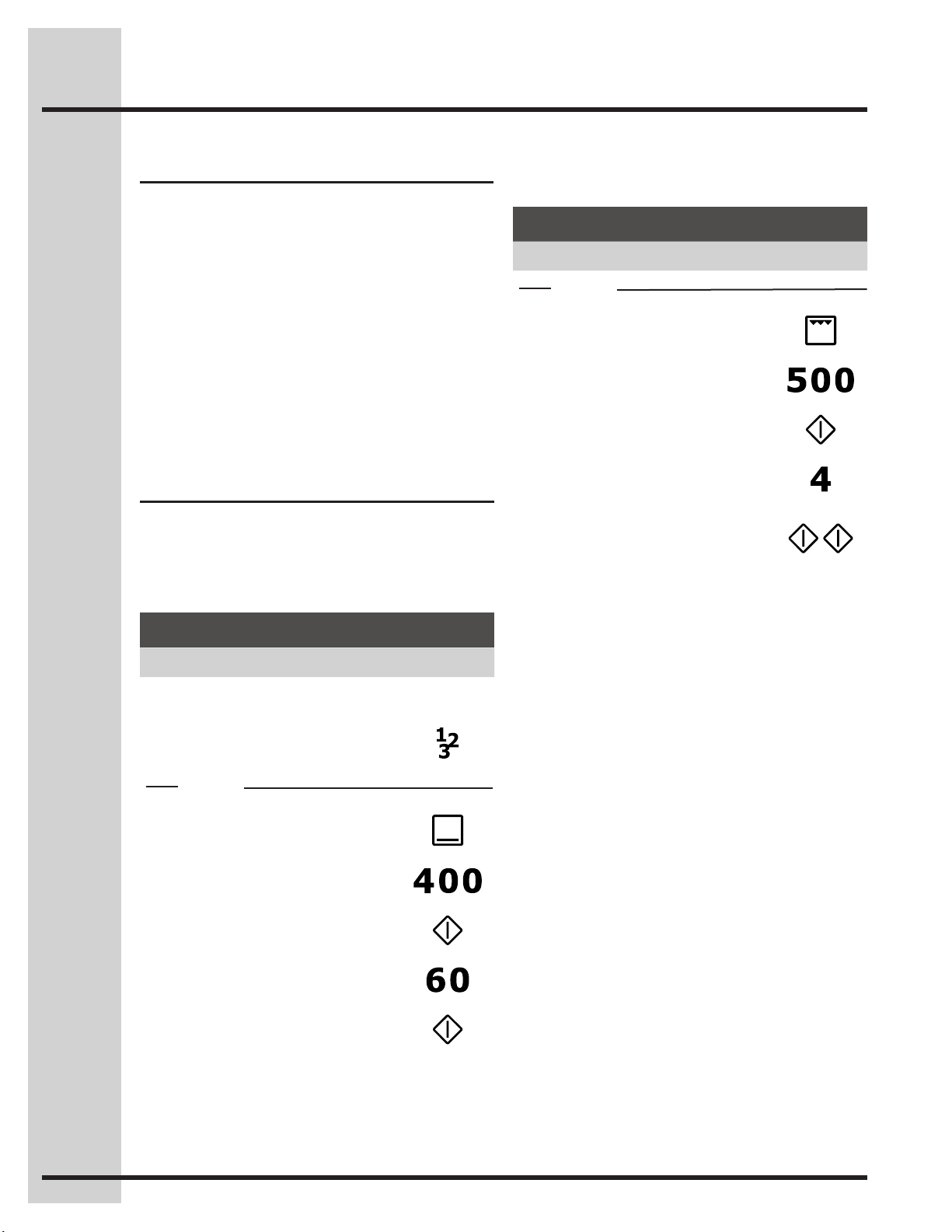
Multistagewillallowyoutoprogramupto3stages
of cooking. Each stage may be programmed with a
cooking feature, set temperature and a cook time.
Multistageisidealwhenyouwanttoaddakeep
warm after a cooking function.
The following functions may be set with multi stage:
• Bake/convbake
• Broil/convbroil(10minutesmax.)
• Convroast
• Keepwarm
Setting multi stage
See the example to program a multi stage feature
for a casserole. For stage 1, bake at 400°F for 1
hr. For stage 2, to brown, broil for at 500°F for 4
minutes.
Perfect Program™ multi stage
Example for 2 stages
Step Press
1. Press UPPER OVEN
UPPER
OVEN
2. Press MULTI STAGE
Stage 1
3. PressBAKE
4. Enter 400°F
5. Press START
6. Enter 60 minutes
7. Press START
Example for 2 stages
Step Press
Stage 2
8. PressBROIL
9. Enter 500°F
10. Press START
11. Enter 4 minutes
12. Press START/enter a total
of 2 times to program only 2
stages and begin cooking.
Setting Oven Controls
37
Setting Oven Controls
Setting multi stage
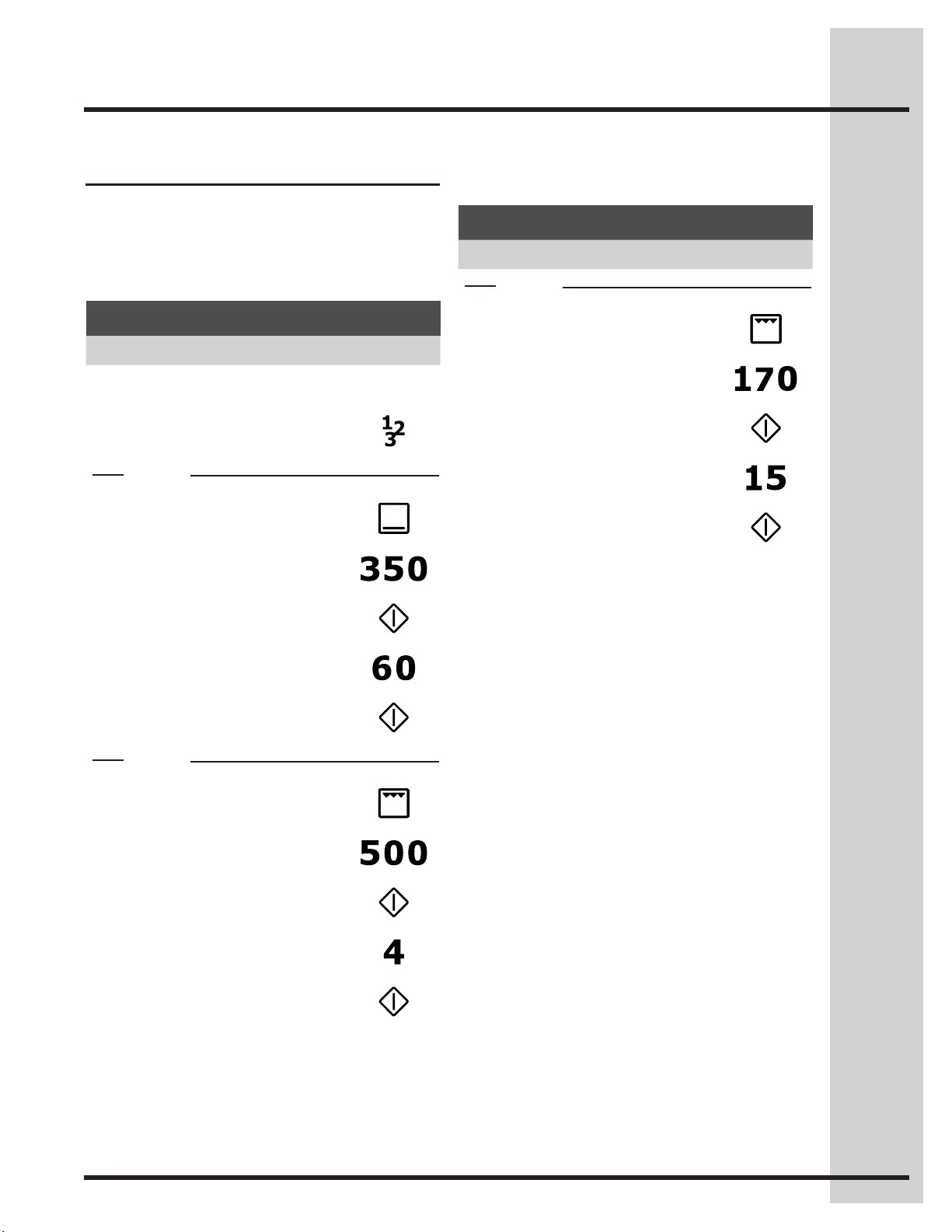
See the example to program a multi stage feature
for a casserole. For stage 1, bake at 350°F for 1
hr. For stage 2, to brown, broil for at 500°F for 4
minutes. For stage 3, keep warm for 15 minutes.
Example for 3 stages
Step Press
1. Press UPPER OVEN
UPPER
OVEN
2. Press MULTI STAGE
Stage 1
3. PressBAKE
4. Enter 350°F
5. Press START
6. Enter 60 minutes
7. Press START
Stage 2
8. PressBROIL
9. Enter 500°F
10. Press START
11. Enter 4 minutes
12. Press START
Example for 3 stages
Step Press
Stage 3
13. Press KEEP WARM
14. Enter 170°F
15. Press START
16. Enter 15 minutes
17. Press START

38
Setting Oven Controls
Sabbath mode
The ovens of this appliance provides special
settings for use when observing the Jewish
Sabbath/Holidays. This mode will turn off all
audible tones or visual display changes normally
provided by the oven control. BAKE is the only
cooking features available while in the Sabbath
mode.
YoumustrstsettheBAKE feature and
temperature(s) needed for the oven, the COOK
TIME option if needed before setting the Sabbath
mode. Any settings made prior to setting the
Sabbath mode will be visible in the displays.
The Sabbath mode will override the factory preset
12 Hour Energy Saving mode and the appliance
will stay on until the cooking features are cancelled.
If any of the cooking features are cancelled when
the appliance is in the Sabbath mode, no audible
or visual indicators will be available to verify the
cancellation.
If the oven interior lights are needed, be sure to
activate them prior to setting the Sabbath mode.
Once the oven light is turned ON and the Sabbath
mode is active, the oven light will remain on until
the Sabbath mode is turned off and the oven lights
are turned off. The oven door will not activate the
oven interior lights when the oven door is opened
or closed.
Should a power failure or interruption occur during
the Sabbath/Holidays, the appliance will shut OFF.
When power is restored the appliance will not turn
backonautomaticallytotheoriginalBAKEfeature
settings. SF will appear in all the control display
panels indicating a Sabbath mode failure. - Figs. 1-
For further assistance, guidelines for
proper usage and a complete list of
models with the Sabbath feature, please
visit the web at http:\\www.star-k.org.
Fig. 1
After a power failure, the food may be safely
removed from the oven while still in the Sabbath
mode.
Notes for the use of the cooktop in Sabbath
mode:
• When the Sabbath feature is enabled on
the oven control, it is also enabled on the
cooktop. To activate the Sabbath feature, it is
not necessary to have one burner ON, but it is
necessarytohaveaBakefunctionactiveinthe
oven.
• When the Sabbath feature is enabled, a surface
element can be turned ON by pressing the ON/
OFF pad. The element will turn ON 15 to 30
seconds after the ON/OFF pad was pressed.
Once a surface element is on, its display shows
"Sb".
• When the Sabbath feature is enabled, the power
level of an active element can be changed. The
change will take effect after a 15 to 30 seconds
delay. The element size (inner/outer) CANNOT
be changed.
39
Setting Oven Controls
Canceling Sabbath mode
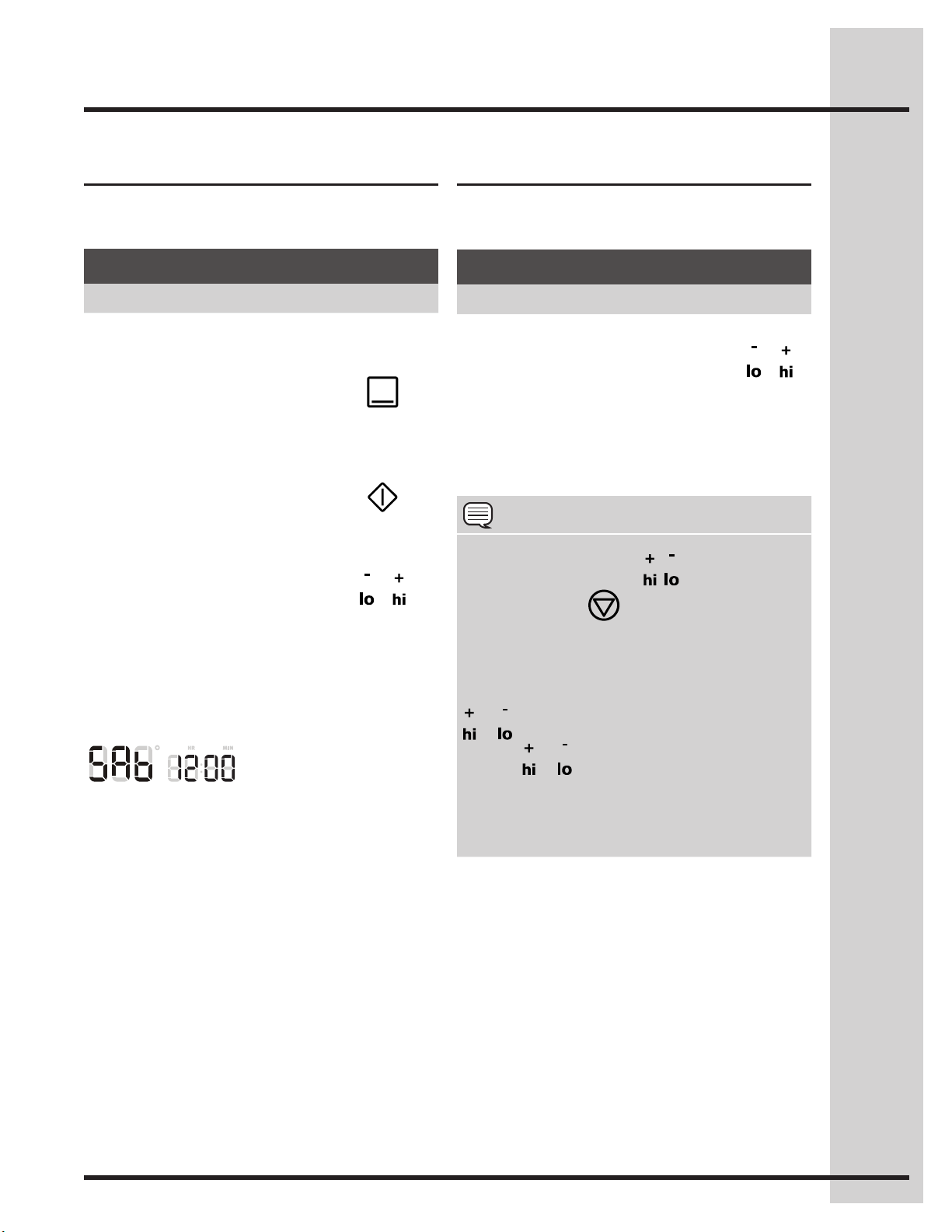
The example below shows how to cancel the
Sabbath mode.
Fig. 1
The example below shows setting the oven to
observe the Sabbath (and Jewish holidays).
Once properly set in Sabbath mode, SAb -Fig.
1- will show in the oven display until the Sabbath
mode is cancelled.
Setting Sabbath mode
Example
Step Press
1. Press UPPER OVEN or
LOWER OVEN.
UPPER
OVEN
or
LOWER
OVEN
2. PressBAKE.
Besuretomakeanyadditionalovensetting
changes before going to step 3
3. Press START
4. To enter Sabbath
mode, press and hold
simultaneously both the LO
and HI keys together for 3
seconds (a beep will sound)
and release.
&
Example
Step Press
1. Press and hold both the LO
and HI keys together for 3
seconds (a beep will sound)
and release.
&
2. All cooking features previously set will
automatically cancel once Sabbath mode has
ended.
NOTE
The only keys available once the appliance is set
for the Sabbath mode are
, , UPPER OVEN,
LOWER OVEN&
.
You may change the oven temperature and any
cooktop settings once baking has started (Jewish
holidays only). Select the oven by pressing
UPPER OVEN or LOWER OVEN, then use the
or keys to set the oven temperature. Each
press of
or willadjustthetemperatureby
5°F (or 2°C). Remember that the oven control
will no longer beep or display any further
changes once the oven is set in the Sabbath
mode.
40
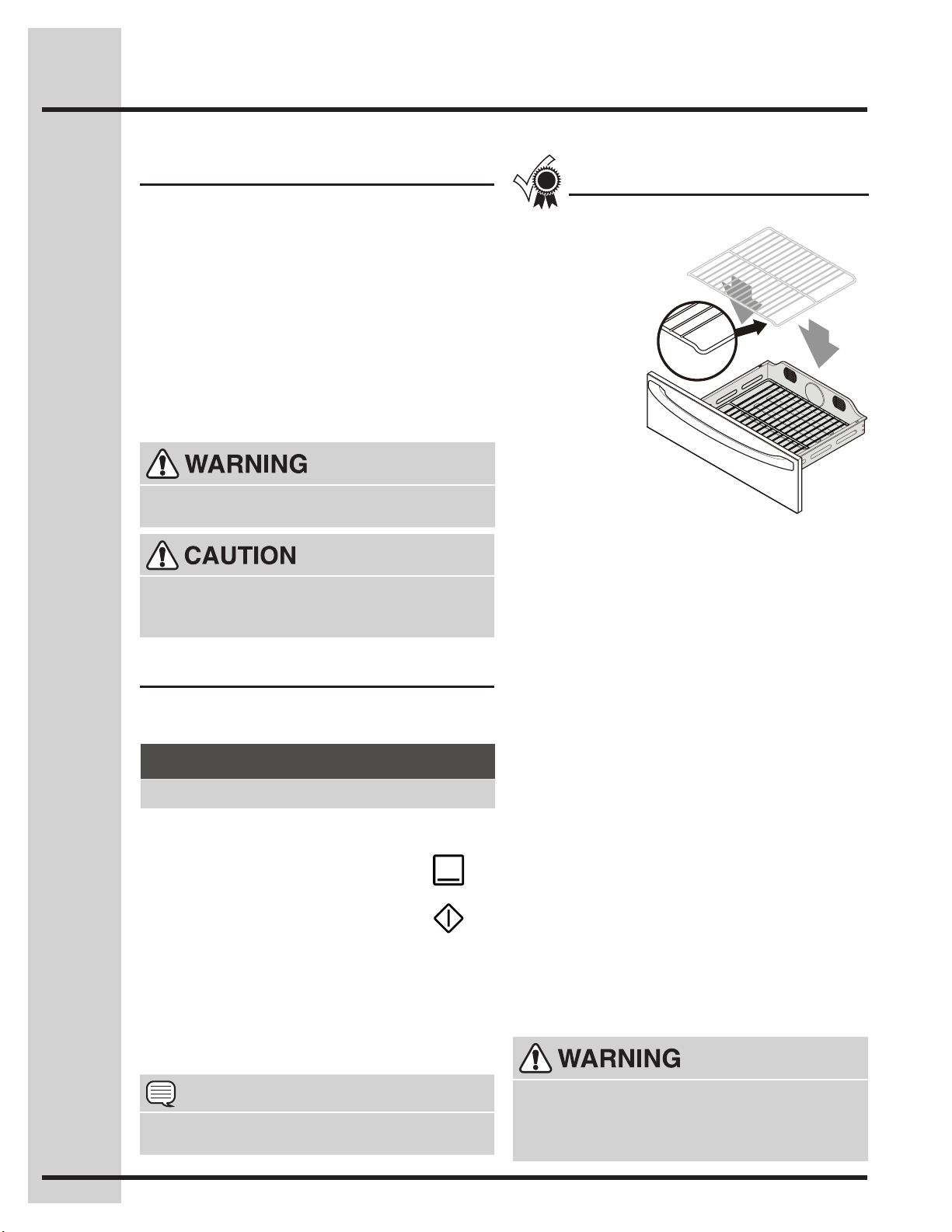
Setting the Lower Oven
About the lower oven
The lower oven is ideal for cooking foods such
as pizza, casseroles, baked potatoes and frozen
convenience foods. Use the keep warm feature to
keep hot cooked foods at serving temperature. The
lower oven can only be used with some cooking
modes; Bake, Slow Cook and Keep Warm (read
their sections for precise instructions).
Keep children away from the lower oven when
hot. Failure to do so can result in burns.
Shouldanovenreoccur,closethedrawerand
turnthelowerovenOFF.Iftherecontinues,use
areextinguisher.DO NOTputwaterorouron
there.Flourmaybeexplosive.
Always use oven mitts when removing food
from the lower oven. The lower oven rack,
compartment, cookware/plates may be hot.
See example below to set a bake to start
immediately using the default temperature.
Once START is pressed the oven will begin heating.
The oven display shows PRE-HEATING.
After the oven reaches set temperature, PRE-
HEATING will turn off and a beep will indicate the
oven is ready. The oven will continue to maintain this
temperature until the cooking feature is canceled.
Setting bake for lower oven
• Thelowerovenrackmust
always be in place
when cooking or
warming.Besure
that the rack is
placed with the
down turned
sides into the
drawer. This
will provide for
some air space
between the
drawer and the
food.
• Whenplacingfoodin
the lower oven always use a
baking sheet or pan with 4 raised
sides to prevent food from sliding off.
• DO NOT LINE THE OVEN DRAWER WITH
FOIL OR COVER THE OVEN RACK WITH
FOIL. This may result in damage to your oven.
• Themaximumheightoffoodsandutensils
that may be used in the lower oven is 4”. The
maximum width is 15”. Pay close attention to
foods that have potential to rise beyond the
recommended 4” maximum height.
• Usepansinthelowerovenlargeenoughto
containfoodandanyjuicescreatedfromthe
cooking process.
• Do not use plastic wrap to cover food. Plastic
may melt onto the drawer or surrounding
areasandbeverydifculttoclean.Use a
lid or aluminum foil instead. Use only utensils
and cookware in the oven drawer that are
recommended for oven use in the upper oven.
• Whenusingtheloweroven,limitthenumberof
times the drawer is opened; this will minimize
heat loss. Repeated opening of the drawer
during the cooking process may increase
cooking times and produce uneven cooking
results. The cooking times for the lower oven
may vary slightly from the upper oven.
For best results
Example
Step Press
1. Press LOWER OVEN
LOWER
OVEN
2. Press BAKE
3. Press START
NOTE
You may press CANCEL at any time when
setting the control or during the cooking process.
The following temperature settings apply to the
bake feature for the lower oven:
• Auto-suggest(default)setting: 350°F/176°C
• Min.bakesetting: 170°F / 76°C
• Max.bakesetting: 450°F / 232°C
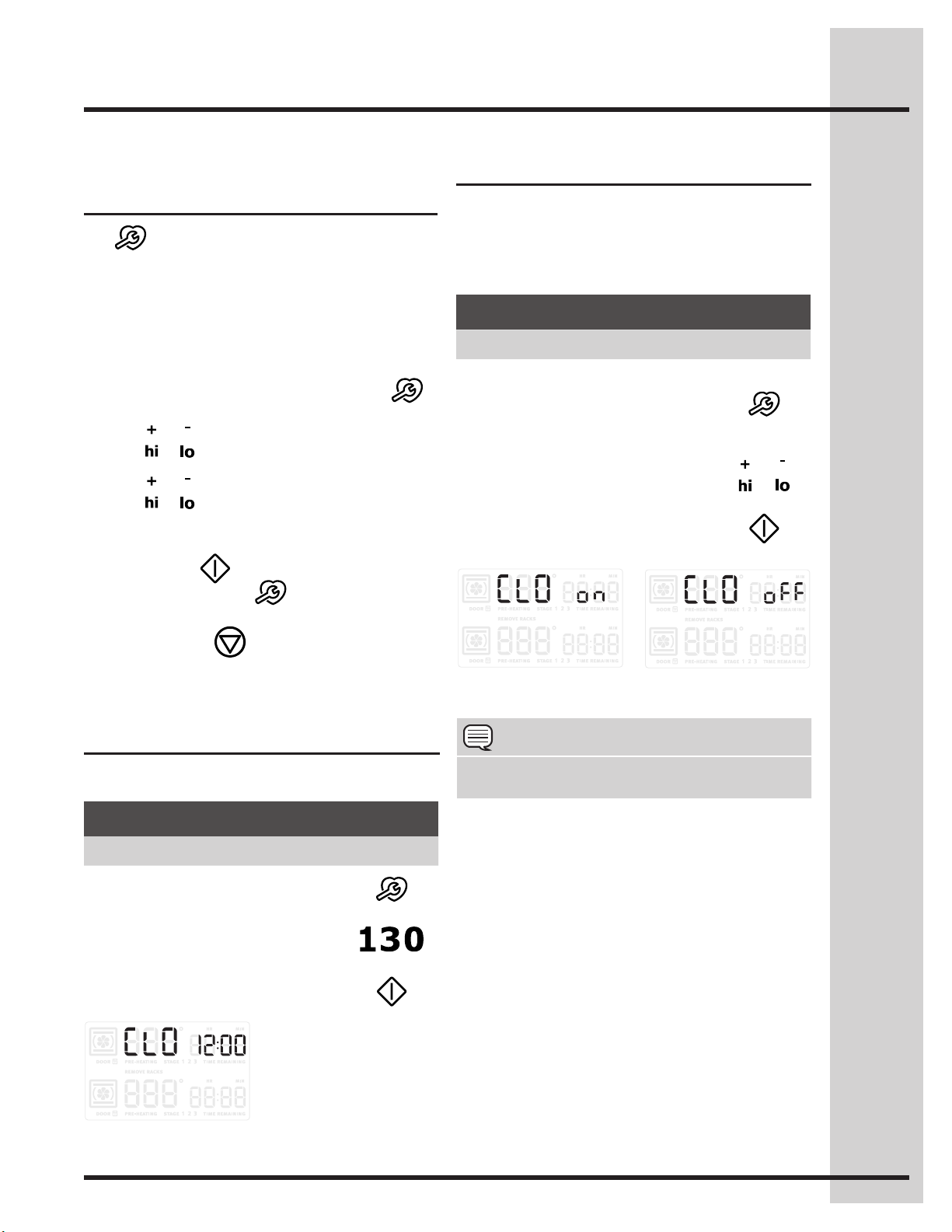
41
Setting clock display
Setting Your Preferences
Wave-Touch™ user
preferences
The key controls options for preferences. The
display will show a digital abbreviation and a value
for every preference each time a key is pressed
one at a time.
Please read the following instructions before
changing the user preferences functions:
• PressandcontinuetopressUSER PREF
to navigate through the preferences.
• Press or to toggle between options for each
preference.
• Press or to increase or decrease numeric
values. You may also use the numeric keys to
input precise values.
• PressSTART to accept a new option entry
or press USER PREF to advance to the
next preference.
• PressCANCEL to exit the preferences
mode.
Setting clock
See the example below to set the clock to 1:30.
The clock display mode allows you to turn the
clock display on or off.
See the example below to change the clock display
to OFF.
Fig. 2 Fig. 3
Fig. 1
Example
Step Press
1. Press USER PREF.
2. Enter 1:30 or use +hi/-lo to
advance to 1:30.
3. Press START to accept or
press CANCELtoreject.
Example
Step Press
1. Press and continue to press
USER PREF until you reach
the preset clock display
mode -Fig. 2-.
2. Use the +hi &-lo to toggle to
the CLO off option -Fig. 3-.
or
3. Press START to accept or
press CANCELtoreject.
NOTE
User preference options are not available while
cooking or when using the kitchen timer.
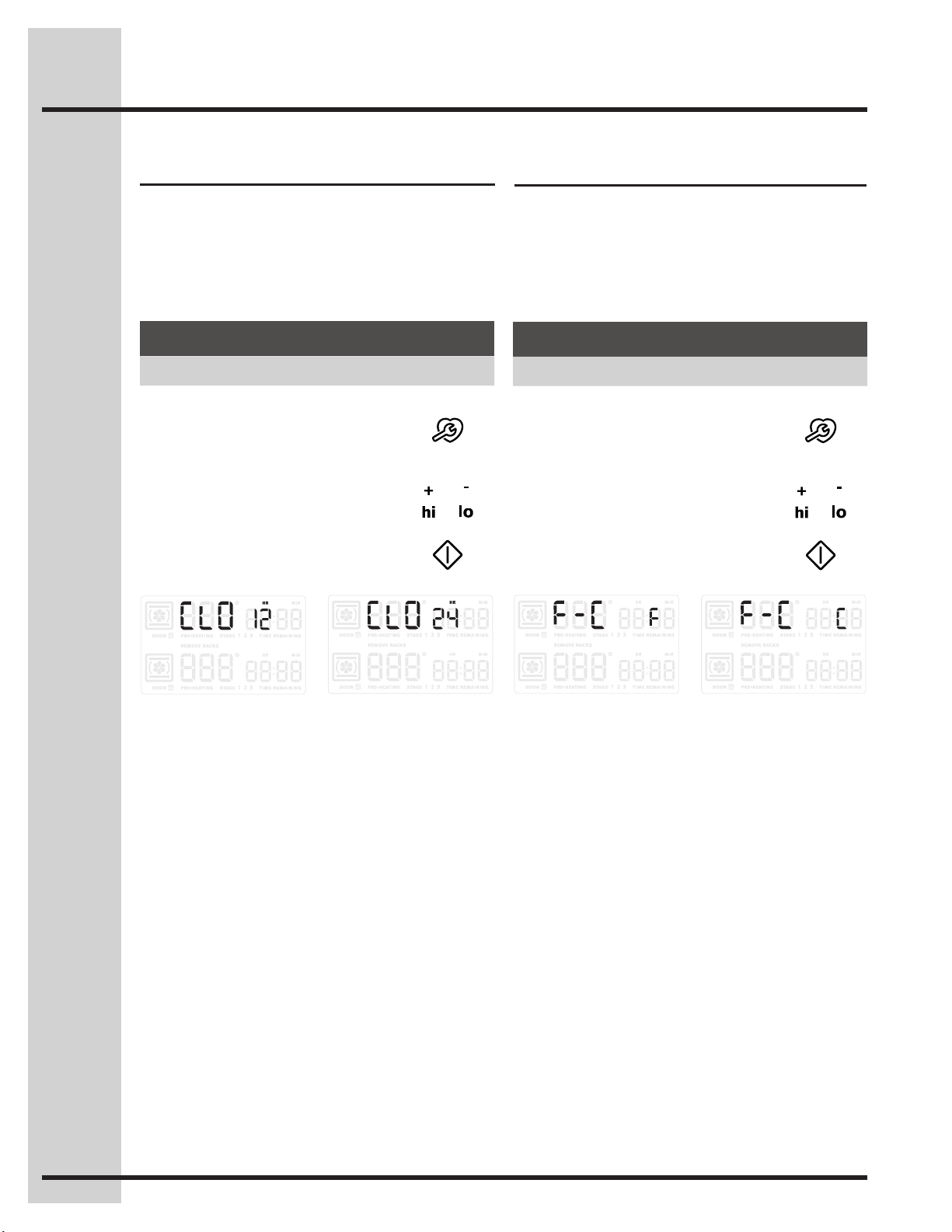
42
Setting Your Preferences
The clock display mode allows you to choose
between 12 and 24 hour mode. The factory preset
clock display mode is 12 hour.
See the example below to change the default
mode to 24 hour.
Setting 12 or 24 hour mode
Changing between °F or °C
Your control has the ability to display and set
Fahrenheit or Celsius temperatures. The factory
preset temperature display is Fahrenheit.
See the example below to change the default
temperature display to Celsius.
Example
Step Press
1. Press and continue to press
USER PREF until you reach
the preset clock display
mode -Fig. 1-.
2. Use the +hi &-lo to toggle to
the 24hr option. -Fig. 2-.
or
3. Press START to accept or
press CANCEL toreject.
Example
Step Press
1. Press and continue to press
USER PREF until you reach
the Fahrenheit/Celsius mode.
-Fig. 1-
2. Use the +hi or -lo to toggle to
the C option. -Fig. 2-
or
3. Press START to accept or
press CANCELtoreject.
Fig. 1 Fig. 2 Fig. 1 Fig. 2
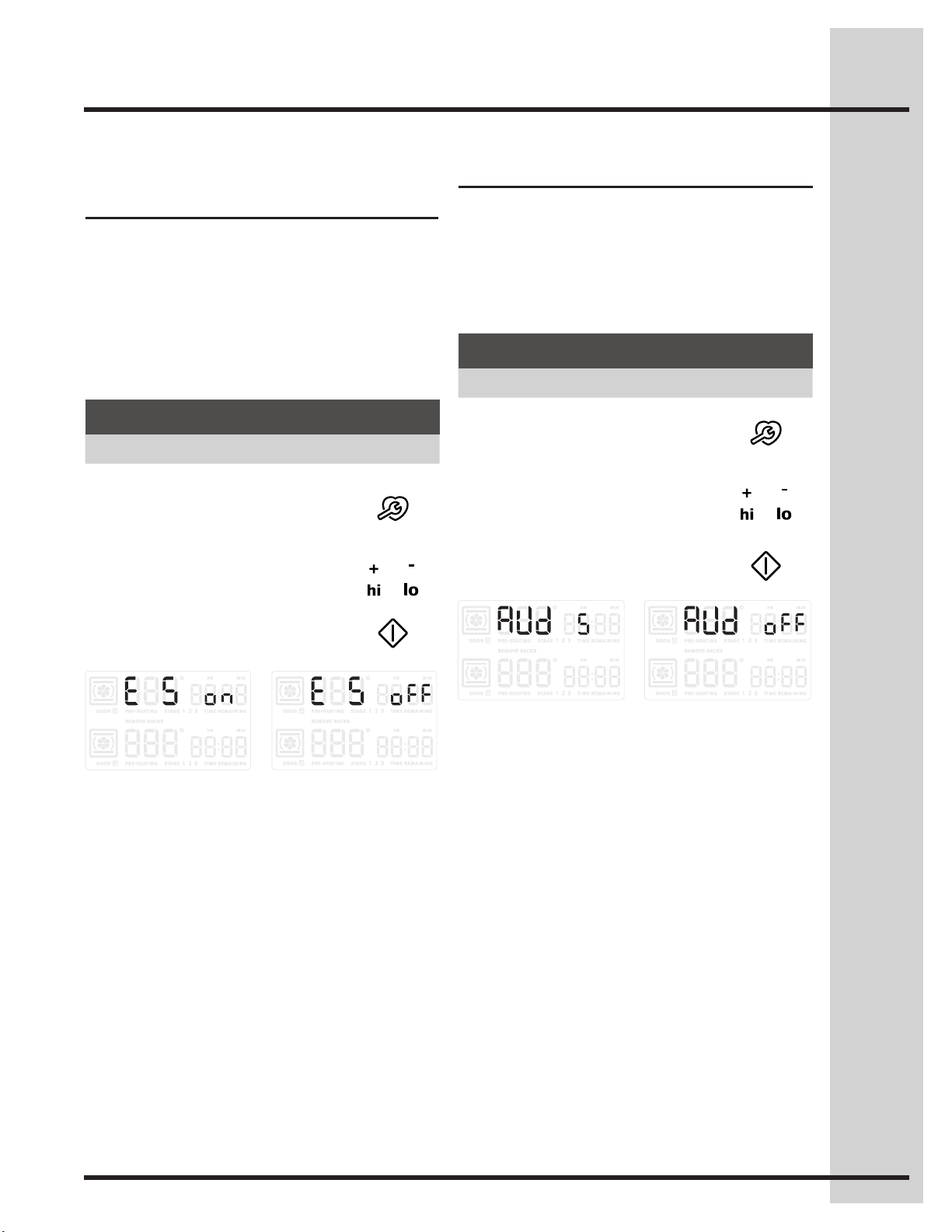
43
Setting Your Preferences
Setting 12hr energy saving
mode
The oven control has a factory preset built-in 12
hour energy saving feature that will shut off the
appliance if the oven has been heating for more
than 11 hours and 59 minutes. The oven can be
programmed to override this feature for continuous
baking.
See the example below to turn off 12 hour energy
saving mode.
Setting audio mode
The audio mode allows you to control the audio for
the oven control. You may turn the audio off and
later return to operating with all the normal audible
sounds and alerts.
See the example below when changing the audible
settings.
Example
Step Press
1. Press and continue to press
USER PREF until you reach
the preset 12hr energy
saving mode -Fig. 1-.
2. Use the +hi &-lo to toggle to
the off option -Fig. 2-.
or
3. Press START to accept or
press CANCEL toreject.
Example
Step Press
1. Press and continue to press
USER PREF until you reach
the pre-set audio mode.
2. Use the +hi or -lo to choose
the off option -Fig. 1- or the
on option -Fig. 2-.
or
3. Press START to accept or
press CANCELtoreject.
Fig. 1 Fig. 2
Fig. 1 Fig. 2
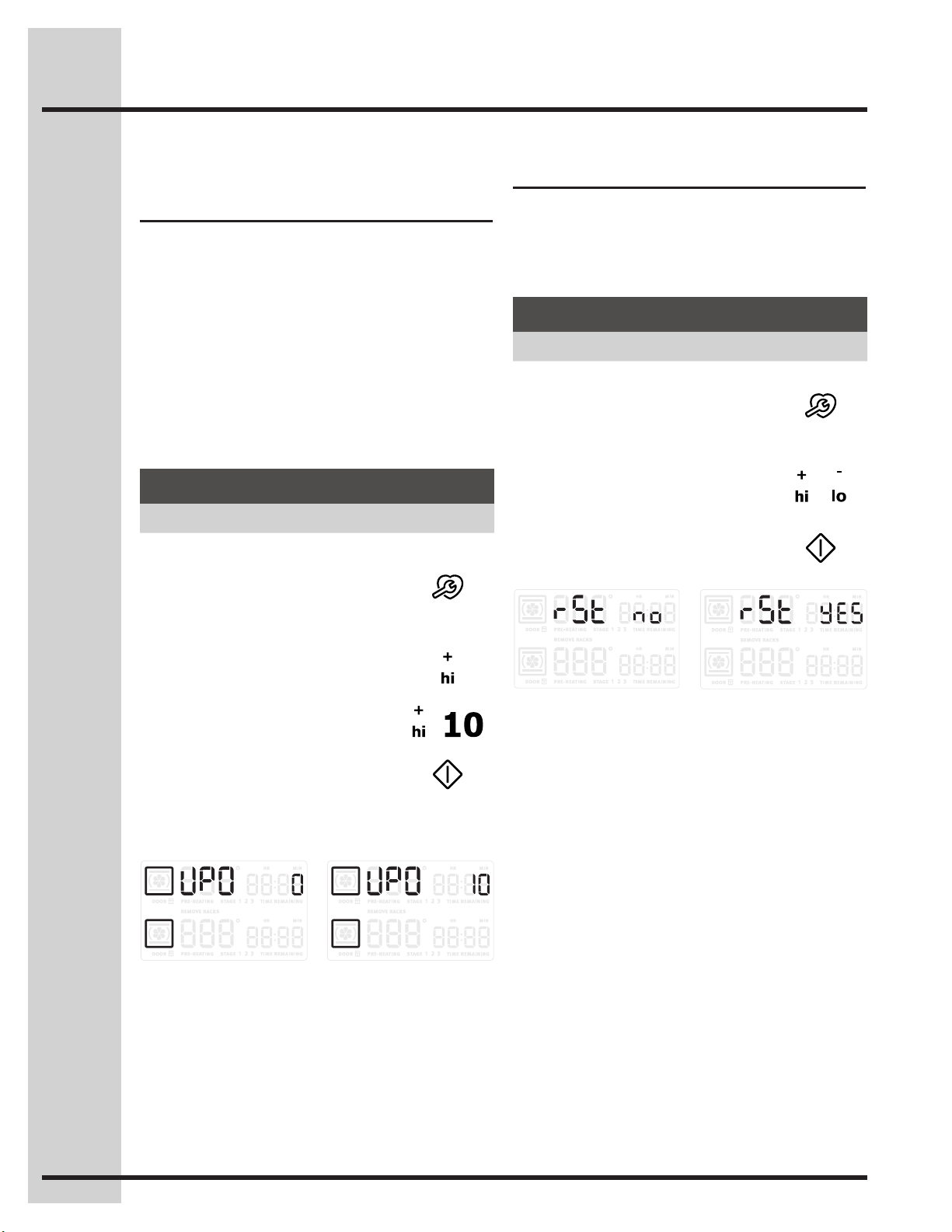
44
Setting Your Preferences
Adjusting oven temperature
User preference offset
Your appliance has been factory calibrated and
tested to ensure an accurate baking temperature.
Fortherstfewuses,followyourrecipetimesand
temperature recommendations carefully.
If you feel your oven is too hot or too cool from your
baking experience, the oven temperature may be
adjustedtoyourliking.Thetemperaturemaybe
increased up to +35°F (+19°C) or decreased down
to -35°F (-19°C) from normal.
See the example below to increase the
temperature in the upper oven.
To set the temperature lower
use the lo- key.
Example
Step Press
1. Press and continue to press
USER PREF until you reach
the user preference offset
mode
-Fig. 1-.
2. Press +hi toadjustthe
temperature higher. -Fig. 2-
3. Use +hi to advance to 10 -Fig.
2-.
or
4. Press START to accept or
press CANCEL toreject.
Factory default reset
You may choose to restore your factory settings.
This will erase all settings or favorites that you
have saved.
See the example below reset your control.
Fig. 1 Fig. 2
Example
Step Press
1. Press and continue to press
USER PREF until you reach
the factory default reset mode.
-Fig. 1-
2. Use the +hi or -lo to toggle to
the no -Fig. 1- or Yes -Fig. 2-
option to reset.
or
3. Press START to accept or
press CANCEL toreject.
Fig. 1 Fig. 2
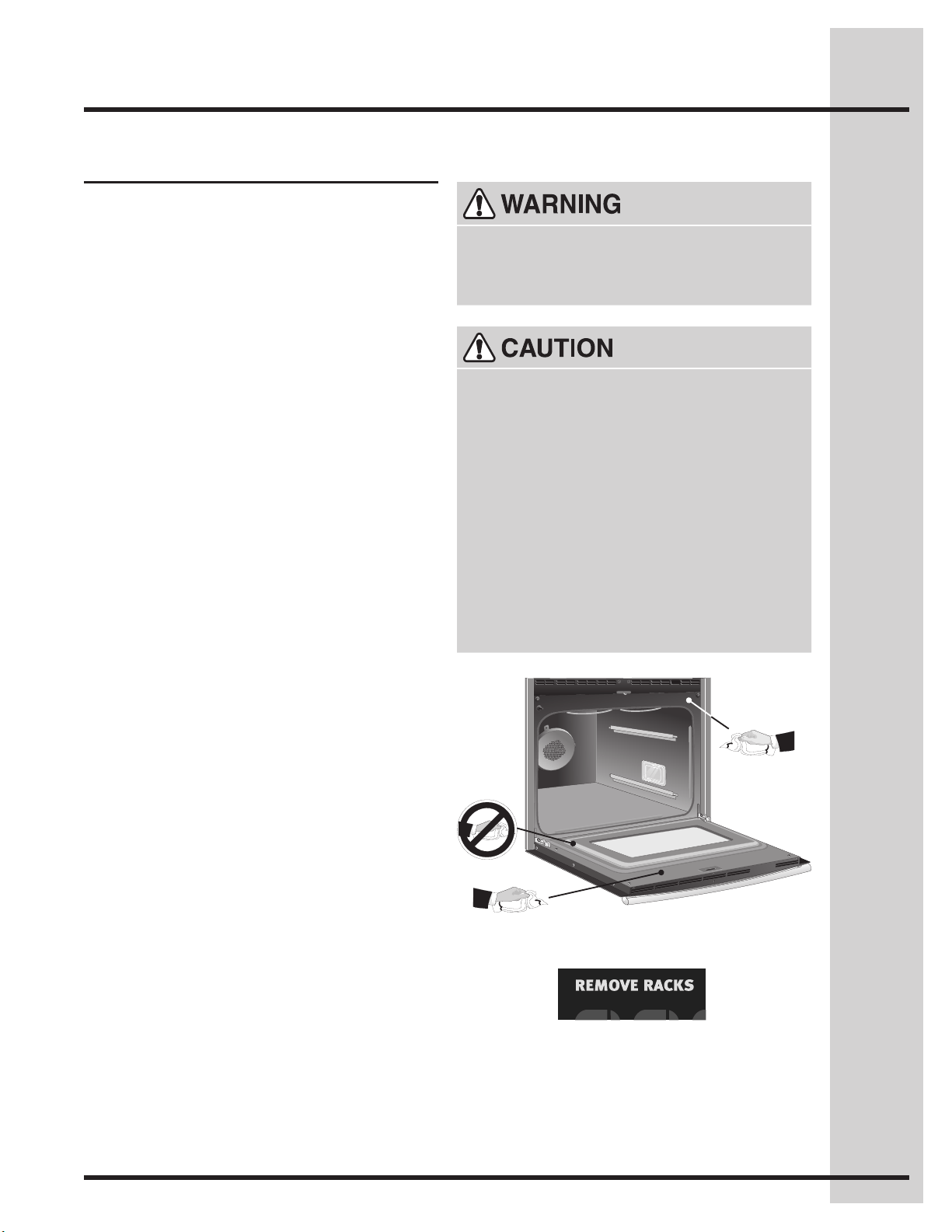
45
A self-cleaning oven automatically cleans with high
temperatures that are well above those used for
normal cooking. The self-clean feature eliminates
soilscompletelyorreducesthemtoane
powdered ash that you can later easily wipe away
with a damp cloth.
Adhere to the following precautions when
running the self-clean cycle:
• Do not use oven cleaners or protective coatings
in or around the oven interior.
• Do not clean the oven door gasket. The woven
material of the oven door gasket is essential for
a good seal. Care should be taken not to rub,
damage or remove the gasket. -Fig. 1-
• Do not use any cleaning materials on the door
gasket. Leaving chemical residue can damage
the door gasket.
• DO NOT force the oven door open. The
automatic door locking system can be damaged.
• Remove the broiler pan, insert, all utensils
and any aluminum foil. These items cannot
withstand high cleaning temperatures.
• AllovenracksandsupportsMUST be removed.
If they are left in while attempting to set a self-
clean cycle, the display will show REMOVE
RACKS -Fig. 2. The oven control will not start
aself-cleancyclewithoutrstremovingallthe
oven racks and supports.
• Remove any excessive spillovers in the oven
cavity before starting a self-clean cycle. To
clean, use hot, soapy water and a cloth. Large
spilloverscancauseheavysmokeorrewhen
subjectedtohightemperatures.
• Cleananysoilfromtheovenframe,thedoor
liner outside the oven door gasket and the small
area at the front center of the oven bottom with
soapandwater.Theseareasheatsufcientlyto
burn soil on.
• Do not allow food spills with a high sugar or acid
content (such as milk, tomatoes, sauerkraut, fruit
juicesorpielling)toremainontheporcelain
surface, they may leave a dull spot even after
cleaning.
Beforestartingself-clean
Fig. 1
Fig. 2
Setting Self-Clean Cycle
Duringtheself-cleancycle,theoutsideofthe
appliance can become very hot to the touch. DO
NOT leave small children unattended near the
appliance.
• DONOTlinetheovenwalls,ovenracks,
bottom or any other part of the range with
aluminumfoil.Doingsowillstopheat
distribution, produce poor baking results and
cause permanent damage to the oven interior
(aluminum foil will melt to the interior surface of
the oven).
• Usecautionwhenopeningthedoorafterthe
self-cleancycleisnished.Theovenmaystill
be VERY HOT.
• Thehealthofsomebirdsisextremelysensitive
to the fumes given off during the self-cleaning
cycleofanyrange.Movebirdstoanotherwell-
ventilated room.
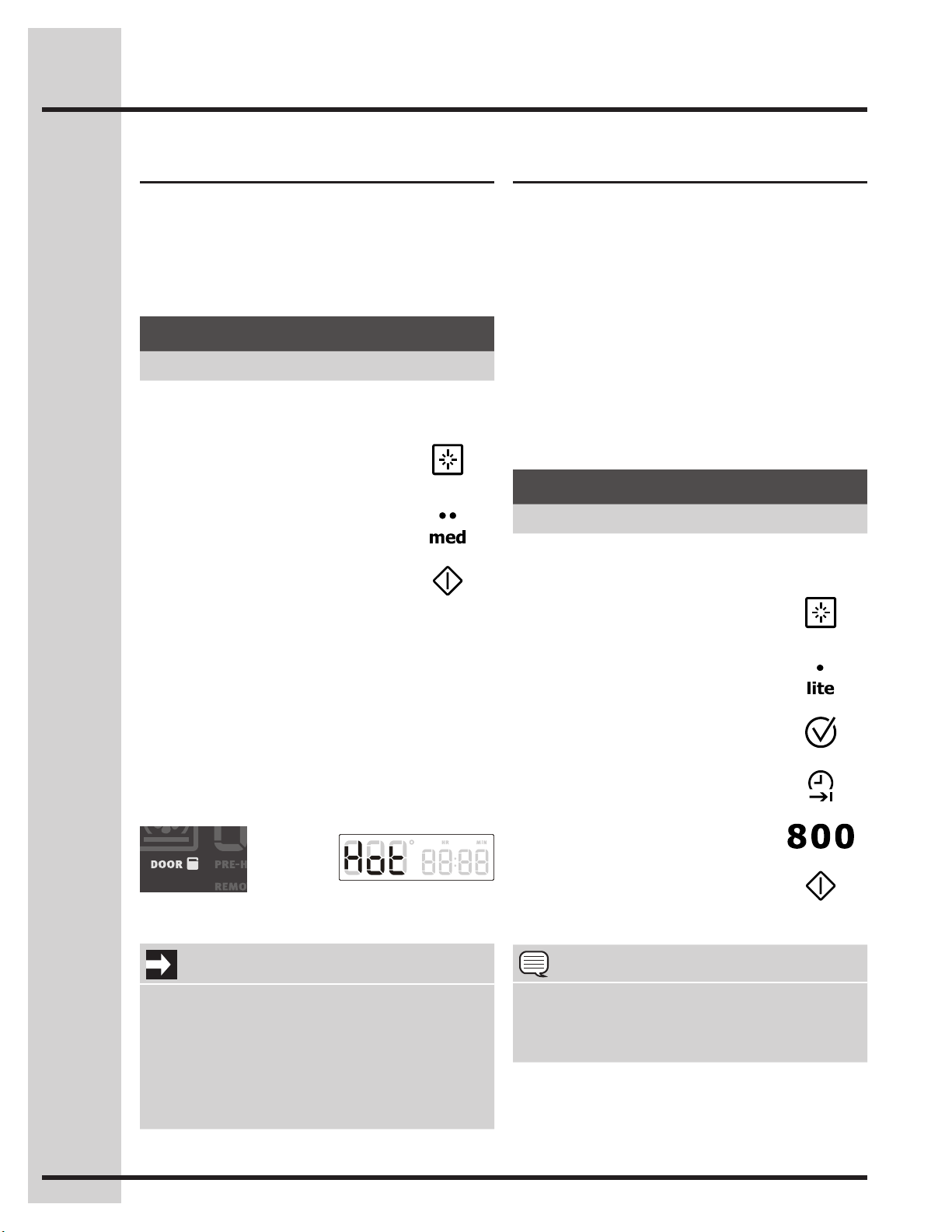
46
Setting self-clean
The clean feature provides 3 different choices for
self-cleaning the lower oven. Set the clean for lite
(2 hrs), med (3 hrs) or heavy soils (4 hrs). The
example below shows setting the lower oven for
self-clean to begin immediately using a medium (3
hour) setting:
Setting delayed self-clean
You may wish to set your appliance to perform a
self-clean cycle sometime later (up to 12 hours
later). The END TIME key will determine when the
cleaning will stop.
You will need to set the END TIME out far enough
to allow for the type of clean cycle you choose
(2-3-4 hours). Remember to add 30-40 additional
minutes for the oven to cool enough and the oven
door to unlock.
The example below shows setting the upper oven
for a lite (2 hour) self-clean cycle to end at 8:00
o’clock:
After pressing start, the motorized oven door latch
willautomaticallylockthedoor.TheDOORlock
iconwillash(Fig.1).Oncethedoorhaslocked
theDOORlockiconwillremainonthroughthe
entire self-clean cycle.
After self-clean, the oven may take about 30-40
minutes to cool and unlock. A Hot message (Fig.
2)willdisplayduringthisperiod.Duringcoolingthe
DOORlockiconwillashanddisappearindicating
that the door has unlocked.
Fig. 2Fig. 1
Example
Step Press
1. Remove racks and supports
and press UPPER OVEN
UPPER
OVEN
2. Press CLEAN
3. Select MED or
select lite or heavy
4. Press START
Example
Step Press
1. Remove racks and
press UPPER OVEN
UPPER
OVEN
2. Press CLEAN
3. Select LITE
4. Press COOK OPTIONS
5. Press END TIME
6. Enter 800
7. Press START
Setting Self-Clean Cycle
NOTE
You may press CANCEL any time during the
cleaning process. After cancelling the self-clean
cycle, do not attempt to open the oven door until
theDOORlockiconturnsoff.
IMPORTANT
• Aself-cleancyclewillnotstartiftheappliance
hastheCONTROLLOCKturnedon.
• Ifaself-cleancyclewasstartedbutdidnot
nishduetoapowerfailure,yourovenmay
not be completely cleaned. After power
has been restored and the oven door has
unlocked, set for another self-clean if needed.

47
Care and Cleaning
Cleaning Recommendations
Surface Type Cleaning Recommendation
• Aluminum(trimpieces)&
vinyl (some models)
Usehot,soapywaterandacloth.Drywithacleancloth.
• Painted and plastic
control knobs
• Bodyparts
• Painted decorative trim
For general cleaning, use hot, soapy water and a cloth. For more difcult
soils and built-up grease, apply a liquid detergent directly onto the soil.
Leave on soil for 30 to 60 minutes. Rinse with a damp cloth and dry. Do
not use abrasive cleaners on any of these materials; they can scratch.
Toremovecontrolknobs,turntotheOFFposition;grasprmlyandpull
straightofftheshaft.Toreplaceknobsaftercleaning,lineuptheat
sides of both the knob and the shaft; then push the knob into place.
• Control panel (some
models)
• Decorative trim (some
models)
• Stainless steel (some
models)
Before cleaning the control panel, turn all controls to OFF and remove
the control knobs. To remove, pull each knob straight off the shaft.
Clean using hot, soapy water and a dishcloth. Rinse with a clean water
usingadishcloth.Besuretosqueezeexcesswaterfromthecloth
before wiping the panel; especially when wiping around the controls.
Excess water in or around the controls may cause damage to the
appliance.Toreplaceknobsaftercleaning,lineuptheatsidesofboth
the knob and the shaft; then push the knob into place.
Stainless Steel (some models). Clean the stainless with warm soapy
water using a clean sponge or cloth. Rinse with clean water and dry
with a soft clean cloth. Do not use harsh scrubbing cleaners. Only use
kitchen cleaners that are especially made for cleaning Stainless Steel.
Always be sure to rinse the cleaners from the surface as bluish stains
may occur during heating that cannot be removed.
• Porcelain enamel
broiler pan and insert (if
equipped)
• Door liner & body parts
Gentle scouring with a soapy scouring pad will remove most spots.
Rinse with a 1:1 solution of clear water and ammonia. If necessary,
coverdifcultspotswithanammonia-soakedpapertowelfor30to
40 minutes. Rinse with clean water and a damp cloth, and then scrub
withasoap-lledscouringpad.Rinseandwipedrywithacleancloth.
Remove all cleaners or the porcelain may become damaged during
future heating. Do not use spray oven cleaners on the cooktop.
• Oven racks Oven racks must be removed. Clean by using a mild, abrasive cleaner
following manufacturer’s instructions. Rinse with clean water and dry.
• Oven door Usesoap&watertothoroughlycleanthetop,sidesandfrontofthe
oven door. Rinse well. You may use a glass cleaner on the outside
glass of the oven door. Do not immerse the door in water. Do not
spray or allow water or the glass cleaner to enter the door vents.
Donotuseovencleaners,cleaningpowdersoranyharshabrasive
cleaning materials on the outside of the oven door.
Do not clean the oven door gasket. The oven door gasket is made of a
woven material, on Self-Cleaning models, which is essential for a good
seal. Care should be taken not to rub, damage or remove this gasket.
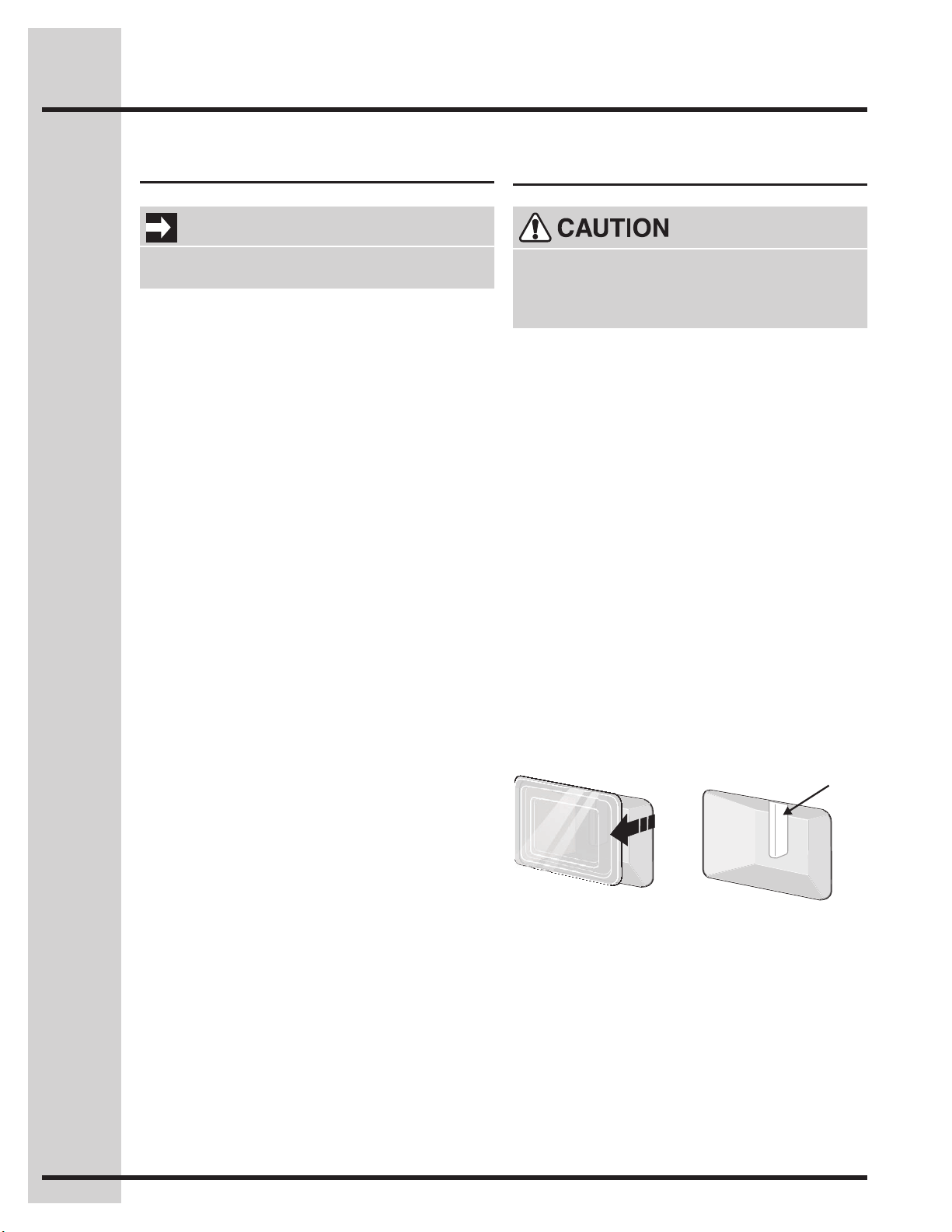
48
Care and Cleaning
• Do not close the oven door until all the interior
oven racks are fully inserted and retracted to
the back of the oven.
• Donothittheglasswithpots,pans,orany
otherobject.Theovendoorglassmaybreakor
even break at a later time unexpectedly.
• Scratching,hitting,jarringorstressingtheoven
door glass may weaken its structure causing
an increased risk of breakage at a later time.
• Youmayuseaglasscleanerontheoutside
of the oven door glass. Do not spray or allow
water or the cleaner to enter or drip down into
the oven door vents. Spray cleaner on cloth
rstandthenwipetheovendoorclean.
• Do not use strong oven cleaners, powders or
any harsh abrasive cleaning materials on the
outside of the oven door or glass.
• Never clean the oven door gasket. The oven
door gasket should always clean during the
Self-clean cycle.
Special door care instructions
Changing oven lights
The upper oven light bulbs are located on both
side of the oven cavity and both are covered with
a glass shield. The glass shield must be in place
whenever the oven is in use.
Replacing the lower oven interior light bulbs:
1. Turn electrical power off at the main source or
unplug the appliance.
2. Remove lower oven interior light shield as
illustrated below.
3. Replace bulb with a new T-4 type 40 Watt
Halogen appliance bulb. Please note: do not
allowyourngerstotouchthenewbulbwhen
replacing. This will shorten the life of the new
bulb. Use a paper towel to cover the new bulb
when installing.
4. Replace glass shield over bulb.
5. Turn power back on again at the main source
(or plug the appliance back in).
6. The clock will then need to be reset.
Lift backside
of glass shield
and remove it.
Halogen
LightBulb
Besuretherangeisunpluggedandallparts
are COOL before replacing oven light. Wear
a leather-faced glove for protection against
possible broken glass or burns.
IMPORTANT
Most oven doors contain glass that can break.
Read the following recommendations:
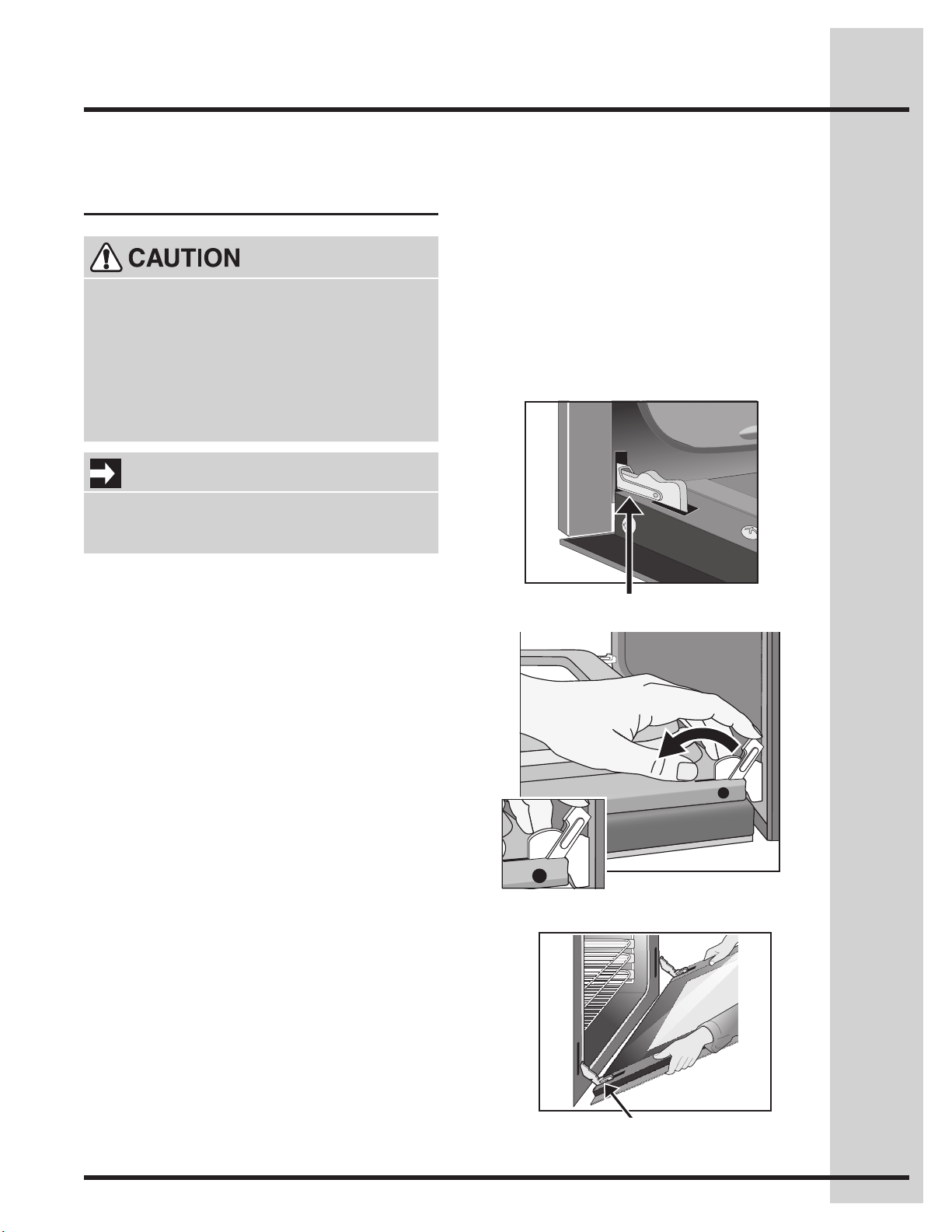
49
Care and Cleaning
1. Fully open the oven door.
2. Unlock both oven door hinge locks by pulling
them up and away from the oven frame until
they stop (unlocked position) -Fig. 2-. If needed
useasmallat-bladedscrewdrivertoassist
with loosening the door hinge locks.
3. Firmly grasp both sides of oven door -Fig. 3-.
4. Beforecompletingthisstep,beprepared
to hold the whole weight of the door while
grasping the sides of the oven door with both
hands. Hold midway down the oven door sides.
Close the oven door to about 4 inches and
continue closing beyond the door stop position.
The oven door should release from the frame
on its own. -Fig. 3-.
5. Carefully lift door away evenly, slightly up and
out until both hinge arms are clear of the hinge
slots in the oven frame -Fig. 3-. After door has
beenremoved,besuretolaythedooratwith
the inside of the door downward (never rest the
oven door with any weight on the door handle).
The oven door with Luxury-
Hold™ hinges
Fig. 1 - Lock in normal position
Fig. 2 - Lock engaged for door removal
Fig. 3 - HINGE SLOT - Door
removed from the appliance
• To prevent possible burns, do not attempt
to remove the oven door until the oven has
completely cooled.
To avoid possible injury to hands when •
removing or replacing the oven door, follow
the instructions below carefully and always
hold the oven door with hands positioned
awayfromthedoorhingearea(SeeFig.3).
IMPORTANT
Theovendoorisheavy.Becarefulwhen
removing and lifting the door. Do not lift the
oven door by the handle.
To replace the Lift-Off oven door
To remove the Lift-Off oven door
1. Firmly grasp the oven door along both sides
justbelowthedoorhandle.Whenpositioning
the door hinge arms with the door hinge slots in
the oven frame, you may wish to use your knee
to stabilize the door before attempting to insert
the door hinge arms in the hinge slots.
2. Position the angle of the door to the door
removal angle and carefully insert the door
hinge arms fully and evenly into the door
hinge slots. Carefully let the weight of the door
transfer from your hands so that the oven now
supports the oven door.
3. Open the oven door down to the fully open
position.
4. With the door in the fully open position, push
both oven door hinge locks toward the oven
frame until they both are locked.
5. Close the oven door.
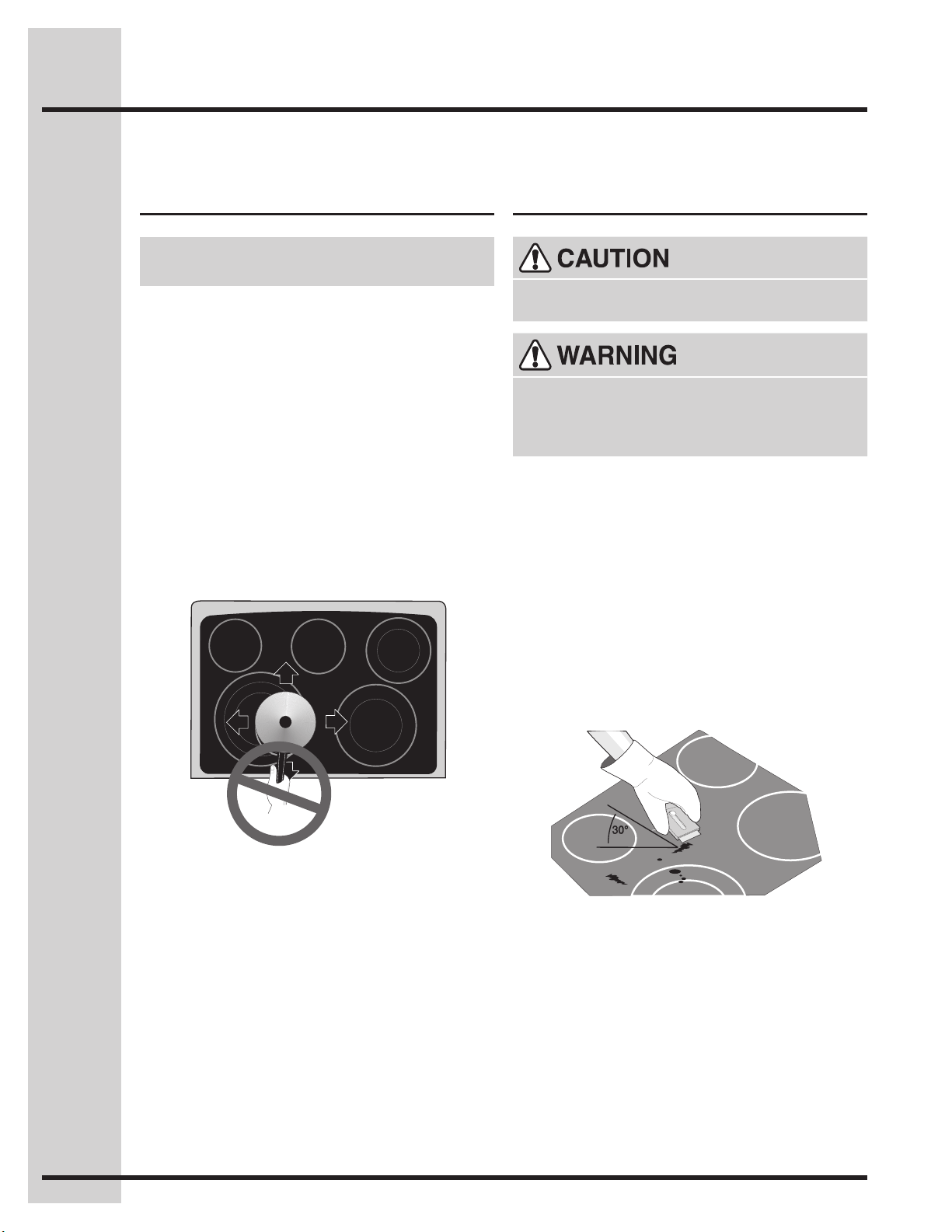
50
Care and Cleaning
Cooktop cleaning and
maintenance
Cleaning recommendations
for the ceramic glass cooktop
Consistent and proper cleaning is essential to
maintaining your ceramic glass cooktop
Priortousingyourcooktopforthersttime,
apply the recommended Cleaning Creme to the
ceramic surface. A sample of that cleaning creme
is supplied with your cooktop and it is available in
most hardware stores. Clean and buff with a paper
towel. This will make cleaning easier when soiled
from cooking. The special cooktop cleaning cream
leavesaprotectivenishontheglasstohelp
prevent scratches and abrasions.
Sliding aluminum or copper clad bottom pans on
the cooktop can cause metal markings on the
cooktop surface. These marks should be removed
immediately after the cooktop has cooled using
thecooktopcleaningcream.Metalmarkscan
become permanent if not removed prior to future
use.
Cookware (cast iron, metal, ceramic or glass) with
rough bottoms can mark or scratch the cooktop
surface. Do not slide anything metal or glass
across the cooktop. Do not use your cooktop as
a cutting board or work surface in the kitchen. Do
not cook foods directly on the cooktop surface
without a pan. Do notdropheavyorhardobjects
on the glass cooktop, they may cause it to crack or
break.
DO NOT use a cooktop cleaner on a hot
cooktop. The fumes can be hazardous to
your health, and can chemically damage the
ceramic-glass surface.
Beforecleaningthecooktop,besurethecontrols
are turned to OFF and the cooktop is COOL.
For light to moderate soil:
Apply a few drops of CookTop® Cleaning Creme
directly to the cooktop. Use a paper towel to clean
theentirecooktopsurface.Makesurethecooktop
iscleanedthoroughly,leavingnoresidue.Donot
use the towel you use to clean the cooktop for any
other purpose.
For heavy, burned on soil:
First, clean the surface as described above. Then,
if soils remain, carefully scrape soils with a metal
razor blade scraper, holding scraper at a 30 degree
angle to the surface. Remove loosened soils with
cooktop cleaning cream and buff surface clean.
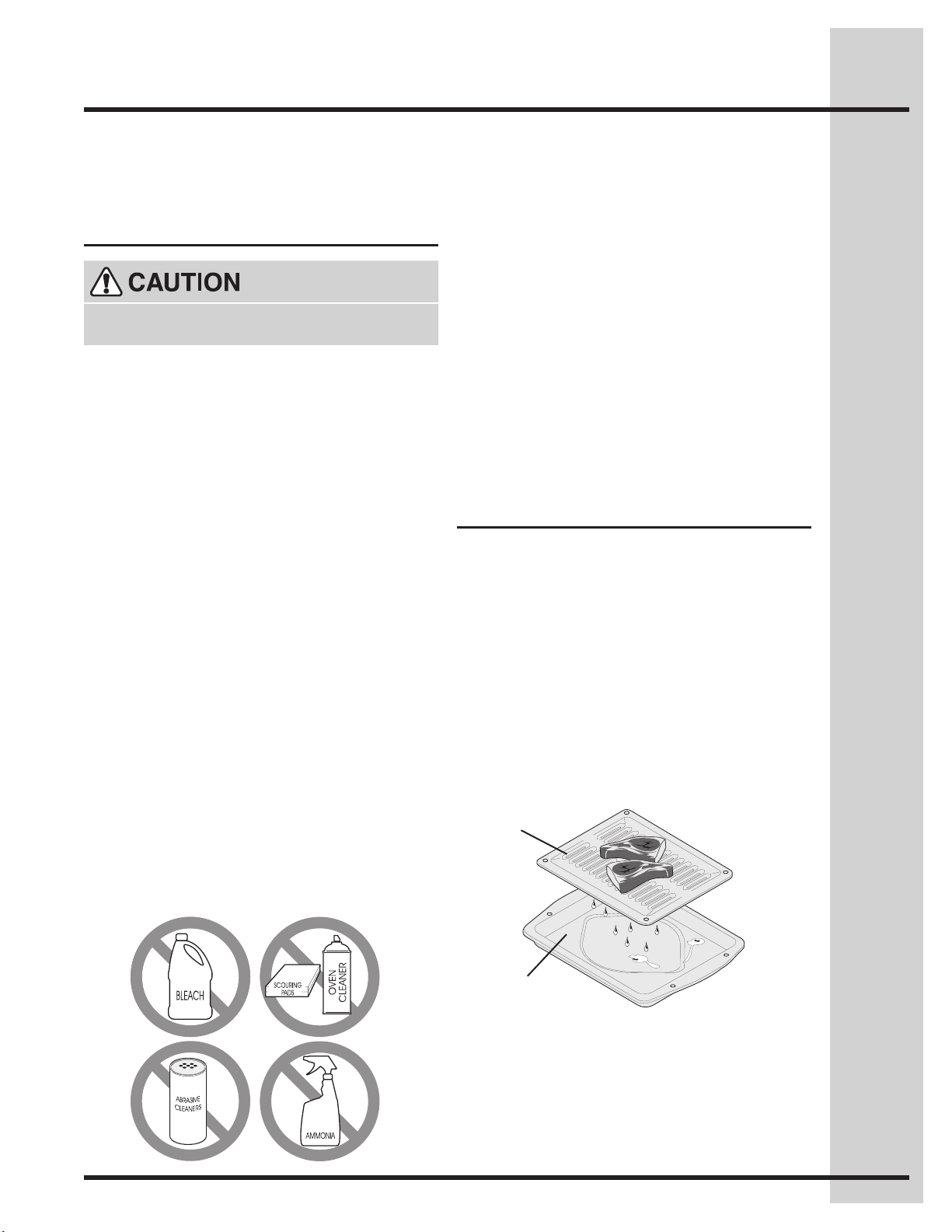
51
Cleaning recommendations
for the ceramic glass cooktop
(continued)
Care and Cleaning
Damage to the ceramic glass cooktop may occur
if you use scrub pad.
Plastic or foods with a high sugar content:
These types of soils must be removed immediately
if spilled or melted onto the ceramic cooktop
surface. Permanent damage (such as pitting of
the cooktop surface) may occur if not removed
immediately. After turning the surface elements
OFF, use a razor blade scraper or a metal spatula
with a mitt and scrape the soil from the hot surface
(as illustrated on previous page). Allow the cooktop
to cool, and use the same method for heavy or
burned on soils.
Do not use the following on the ceramic glass
cooktop:
Special Caution for Aluminum Foil and
Aluminum Cooking Utensils
• Aluminum foil - Use of aluminum foil will damage
thecooktop.Donotusethinaluminumcooking
utensils or allow foil to touch the ceramic cooktop
under ANY circumstances.
• Aluminum utensils - The melting point of
aluminum is much lower than that of other
metals. Care must be taken when aluminum pots
or pans are used on the cooktop. If allowed to
boil dry, not only will the utensil be destroyed, but
it may fuse to, break or mark the ceramic glass
surface, permanently damaging the cooktop
surface.
To make cleaning easier, line the bottom of the
broilerpanwithaluminumfoil.DONOTcoverthe
broiler grid with foil.
To prevent grease from baking on, remove the
broiler pan from the oven as soon as cooking is
completed. Use hot pads because the broiler pan
is extremely hot. Pour off grease. Soak the pan in
HOT, soapy water.
Clean the broiler pan as soon as possible after
eachuse.Ifnecessary,usesoap-lledsteelwool
pads. Heavy scouring may scratch the grid.
Grid
BroilerPan
Broilerpancleaningtips
• Donotuseabrasivecleanersandscouring
pads, such as metal and some nylon pads.
They may scratch the cooktop, making it
moredifculttoclean.
• Donotuseharshcleaners,suchaschlorine
bleach, ammonia or oven cleaners, as they
may etch or discolor the cooktop.
• Donotusedirtysponges,clothsorpaper
towels, as they can leave soil or lint on
the cooktop which can burn and cause
discoloration.

52
Solutions to common problems
Before you call for service,reviewthefollowinglist.Itmaysaveyoutime&expense.Thelistincludes
common occurrences that are not the result of defective workmanship or materials in this appliance.
Questions or for service call: 1-877-4ELECTROLUX(1-877-435-3287)
Beforeyoucall
Problem Solution
Oven control
beeps and
displays an F
error code.
• Electroniccontrolhasdetectedafaultcondition.PushCANCEL pad to clear
the display and stop the display from beeping. Reprogram the oven. If a fault
reoccurs, record the fault number, push the CANCEL pad and contact an
authorized servicer.
Installation • Placeovenrackincenterofoven.Placealevelontheovenrack.Contact
installingagentifrackandcabinetcutoutooringarenotlevel.
• Kitchencabinetmisalignmentmaymakerangeappeartobenotlevel.Besure
cabinets are square and level. Contact cabinet maker to correct problem.
Entire range does
not operate
• Whentherangeisrstpluggedin,orwhenthepowersupplytotheovenhasbeen
interrupted,thedisplaywillash.Therangecannotbeprogrammeduntiltheclock
is set.
• Besureelectricalcordissecurelyconnectedintotheelectricaljunctionbox.
• Cord/plug is not installed and/or connected. Cord is not supplied with range.
Contact your dealer, installing agent or authorized servicer.
• Servicewiringnotcomplete.Contactyourdealer,installingagentorauthorized
servicer.
• Poweroutage.Checkhouselightstobesure.Callyourlocalelectriccompany.
• Shortincord/plug.Replacecord/plug.
• Controlsarenotsetproperly.Seeinstructionstosetthecontrols.
• House fuse has blown or circuit breaker has tripped immediately following
installation.
• Housefusemaynotbefullyengaged.Checkfuseandscreworengagecircuit
breaker securely.
Oven light does
not work
• Burned-outorloosebulb.FollowtheinstructionsunderOven Light to replace
or tighten the bulb.
Self-cleaning
cycle does not
work
• Makesuretheovendoorisclosed.
• Makesureyouhaveremovedtheovenracksandtheovenracksupportsfrom
the oven.
• Controlsnotsetproperly.Followinstructionsunder“SettingSelf-Clean”.
Poor cooking
results
• Manyfactorsaffectbakingresults.Seebakingforhints,causeandcorrections.
SeeAdjustingOvenTemperature.
• Adjusttherecipe’srecommendedpowerlevelsorcookingtimes.
• Cookwareistoolightweightorwarped.Useheavierqualitycookwaresofoods
being prepared may cook more evenly.
Flames inside
oven or smoking
from oven vent
• Excessivespilloversinoven.Forexamplethiswillhappenforpiespilloversor
large amounts of grease left on the oven bottom. Wipe up excessive spillovers
beforestartingoven.Ifamesorexcessivesmokearepresentsee“About
broiling” in the Setting Oven Controls section.

53
Solutions to common problems
Questions or for service call: 1-877-4ELECTROLUX(1-877-435-3287)
Beforeyoucall
Problem Solution
Oven smoke
excessively
during broiling
• Meattooclosetothebroilerelement.Repositiontheracktoprovidemore
clearance between the meat and the broiler. Preheat broil element for quick
searing operation.
• Meatnotproperlyprepared.Removeexcessfatfrommeat.Cutremainingfatty
edges to prevent curling, but do not cut into the lean.
• Gridonbroilerpanwrongside-up.Greasedoesnotdrainintobroilerpan.Always
place the grid on the broiler pan with the ribs up and the slots down to allow grease
to drip into the pan.
• Broilerpanusedwithoutgridorgridcoverwithaluminumfoil. DO NOT use the
broiler pan without the grid or cover the grid with aluminum foil.
• Ovenneedstobecleaned.Greasehasbuiltuponovensurfaces.Regular
cleaning is necessary when broiling frequently. Grease or food spatters cause
excessive smoking.
Soil not
completely
removed after
self-cleaning
cycle is
completed
• Failure to clean bottom, from top of oven, frame of oven or door area outside
oven seal. These areas are not in the self-cleaning area, but get hot enough
to burn on residue. Clean these areas before the self-cleaning cycle is started.
Burnedonresiduecanbecleanedwithastiffnylonbrushandwateroranylon
scrubber.Becarefulnottodamagetheovengasket.
• Excessive spillovers in oven. Set the self-clean cycle for longer cleaning time.
Surface element
does not heat
• Nopowertoappliance.Check/resetbreakerorreplacefuse.Iftheproblemisa
circuit overload, or improper connection of the armored cable supplied with the
appliance,havethissituationcorrectedbyaqualiedelectrician.
• Toolowheatsetting.Turncontroltoaslightlyhighersettinguntilelementcomes
on.
• Incorrectcontrolison.Besuretousecorrectcontrolfortheelementneeded.
Surface element
too hot or not hot
enough
• Incorrectcontrolsetting.Raiseorlowersettinguntilproperamountofheatis
obtained.Dialmarkingsareanindicatorofrelativeheatsettingsandwillvary
slightly.
• Lightweightorwarpedpansbeingused.Useonlyat,evenlybalanced,medium
or heavyweight cookware.
• Voltageisincorrect.Besureapplianceisproperlyconnectedtothespecied
power source.
• Useonlyatbottom,evenlybalanced,mediumorheavyweightcookware.Pans
havingaatbottomheatbetterthanwarpedpans.Cookwarematerialaffects
heating.Heavyandmediumweightpansheatevenly.Becauselightweightpans
heat unevenly, foods may burn easily.
Food not heating
evenly
• Impropercookware.Selectat-bottomedcookwareofapropersizetot
element.
• Incorrectcontrolsetting.Raiseorlowersettinguntilproperamountofheatis
obtained.
Scratches or
abrasions on
ceramic glass
cooktop surface
• Coarseparticles(suchassaltorsand)arebetweencooktopandutensil.Besure
cooktop surface and bottom of utensils are clean before use. Small scratches do
not affect cooking and will become less visible with use.
• Cleaningmaterialsnotrecommendedforglassceramiccooktophavebeen
used. See Ceramic-Glass Cooktop section in this Owner’s Guide.
• Cookwarewithroughbottomhasbeenused.Useat-bottomed,smooth
utensils. See Selecting Surface Cooking Utensils in this Owner’s Guide.
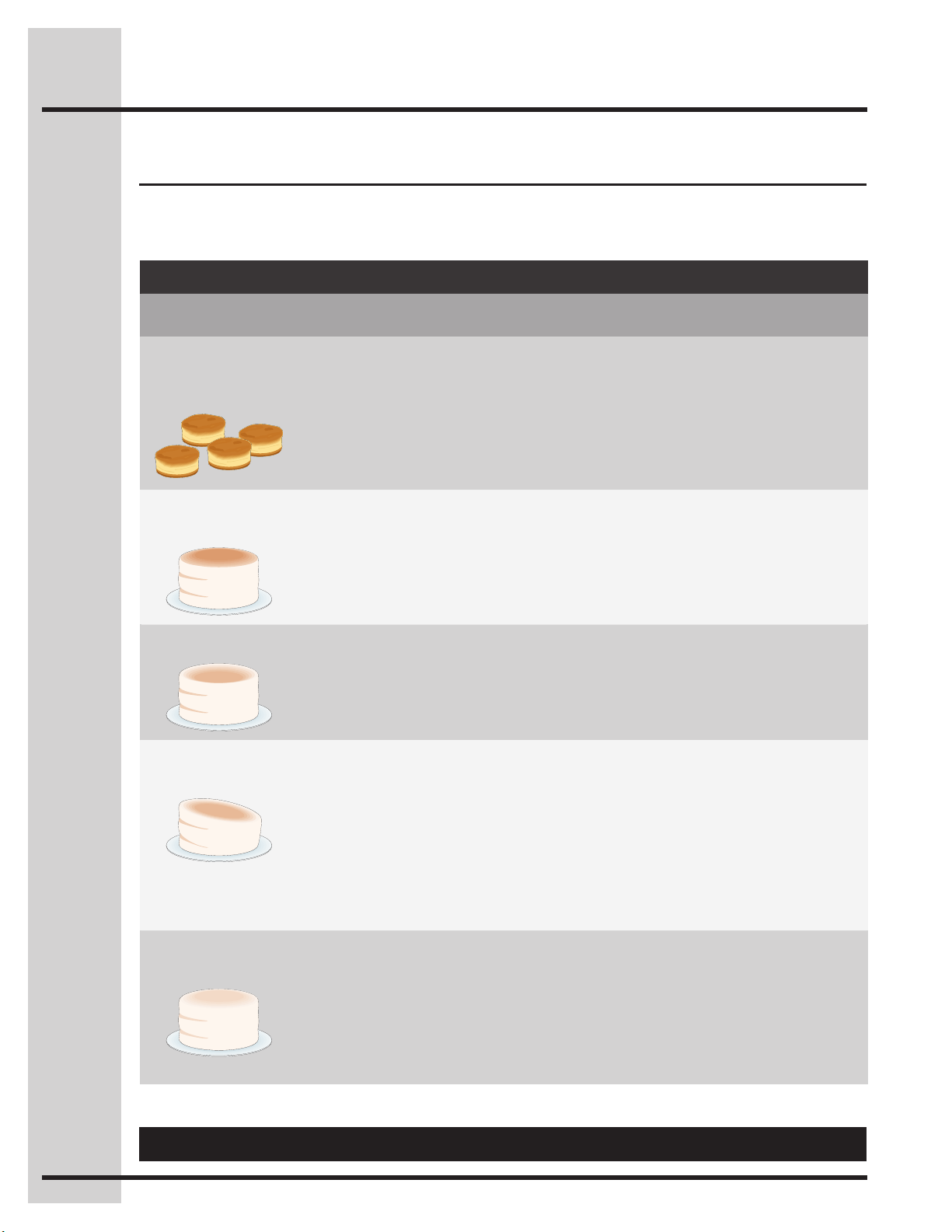
54
Solutions to common problems
Questions or for service call: 1-877-4ELECTROLUX(1-877-435-3287)
BakingProblemsandSolutionsChart
BAKING
PROBLEMS
CAUSES CORRECTIONS
Cookies and
biscuits burn on
the bottom.
• Cookiesandbiscuitsputinto
the oven before the preheating
time is completed.
• Ovenrackovercrowded.
• Darkpanabsorbsheattoofast.
• Allowoventopreheattotheselected
temperature before placing food in oven.
• Choosepansizesthatwillpermit5.1cm
to 10.2cm (2” to 4”) of air space on all
sides when placed in the oven.
• Useamedium-weightaluminumbaking
sheet.
Cakes too dark on
top or bottom.
• Cakesputintotheovenbefore
preheating time is completed.
• Rackpositiontoohighorlow.
• Oventoohot.
• Allowoventopreheattotheselected
temperature before placing food in the
oven.
• Useproperrackpositionforbaking
needs.
• Setoventemperature25°F/12°Clower
than recommended.
Cakes not done in
the center.
• Oventoohot.
• Incorrectpansize.
• Pannotcenteredinoven.
• Setoventemperature25°F/12°Clower
than recommended.
• Usepansizesuggestedinrecipe.
• Useproperrackpositionandplacepan
so there is 5.1cm to 10.2cm (2” to 4”) of
space on all sides of pan.
Cakes not level.
• Rangenotlevel.
• Pantooclosetoovenwallor
rack overcrowded.
• Panwarped.
• Placeamarkedglassmeasuringcup
lledwithwateronthecenteroftheoven
rack. If the water level is uneven, refer to
the installation instructions for leveling the
range.
• Besuretoallow5.1cmto10.2cm(2”to
4”) of clearance on all sides of each pan
in the oven.
• Donotusepansthataredentedor
warped.
Foods not done
when cooking time
is up.
• Oventoocool.
• Ovenovercrowded.
• Ovendooropenedtoo
frequently.
• Setoventemperature25°F/12°C
higher than suggested and bake for the
recommended time.
• Besuretoremoveallpansfromthe
oven except the ones to be used for
baking.
• Openovendooronlyaftershortest
recommended baking time.
Bakingproblems
For best cooking results pre-heat the oven when baking cookies, breads, cakes, pies or pastries, etc.
There is no need to preheat the oven for roasting meats or baking casseroles. The cooking times and
temperatures needed to bake a product may vary slightly from your previous appliance.

55
Warranty
Your appliance is covered by a one year limited warranty. For one year from your original date of purchase, Electrolux will
repair or replace any parts of this appliance that prove to be defective in materials or workmanship when such appliance is
installed, used, and maintained in accordance with the provided instructions. In addition, the glass cooktop or radiant surface
elementofyourappliance(excludingbuilt-inandfree-standingrangeappliances)iscoveredbyatwothroughveyear
limitedwarranty.Duringthe2ndthrough5thyearsfromyouroriginaldateofpurchase,Electroluxwillprovideareplacement
glass cooktop or radiant surface element for your appliance which has proven to be defective in materials or workmanship
when such appliance is installed, used, and maintained in accordance with the provided instructions.
Exclusions
This warranty does not cover the following:
1. Products with original serial numbers that have been removed, altered or cannot be readily determined.
2. Product that has been transferred from its original owner to another party or removed outside the USA or Canada.
3. Rust on the interior or exterior of the unit.
4. Productspurchased“as-is”arenotcoveredbythiswarranty.
5. Products used in a commercial setting.
6. Service calls which do not involve malfunction or defects in materials or workmanship, or for appliances not in
ordinary household use or used other than in accordance with the provided instructions.
7. Service calls to correct the installation of your appliance or to instruct you how to use your appliance.
8. Expenses for making the appliance accessible for servicing, such as removal of trim, cupboards, shelves, etc.,
which are not a part of the appliance when it is shipped from the factory.
9. Servicecallstorepairorreplaceappliancelightbulbs,airlters,waterlters,otherconsumables,orknobs,
handles, or other cosmetic parts.
10. Labororin-homeservicecostsduringtheadditionallimitedwarrantyperiodsbeyondtherstyearfromyour
original date of purchase.
11. Pickup and delivery costs; your appliance is designed to be repaired in the home.
12. Surcharges including, but not limited to, any after hour, weekend, or holiday service calls, tolls, ferry trip charges,
or mileage expense for service calls to remote areas, including the state of Alaska.
13. Damagestothenishofapplianceorhomeincurredduringtransportationorinstallation,includingbutnotlimited
tooors,cabinets,walls,etc.
14. Damagescausedby:servicesperformedbyunauthorizedservicecompanies;useofpartsotherthangenuine
Electrolux parts or parts obtained from persons other than authorized service companies; or external causes such
asabuse,misuse,inadequatepowersupply,accidents,res,oractsofGod.
DISCLAIMEROFIMPLIEDWARRANTIES;LIMITATIONOFREMEDIES
CUSTOMER’SSOLEANDEXCLUSIVEREMEDYUNDERTHISLIMITEDWARRANTYSHALLBEREPAIROR
REPLACEMENTASPROVIDEDHEREIN.CLAIMSBASEDONIMPLIEDWARRANTIES,INCLUDINGWARRANTIES
OFMERCHANTABILITYORFITNESSFORAPARTICULARPURPOSE,ARELIMITEDTOONEYEARORTHE
SHORTESTPERIODALLOWEDBYLAW,BUTNOTLESSTHANONEYEAR.ELECTROLUXSHALLNOTBELIABLE
FORCONSEQUENTIALORINCIDENTALDAMAGESSUCHASPROPERTYDAMAGEANDINCIDENTALEXPENSES
RESULTINGFROMANYBREACHOFTHISWRITTENLIMITEDWARRANTYORANYIMPLIEDWARRANTY.SOME
STATESANDPROVINCESDONOTALLOWTHEEXCLUSIONORLIMITATIONOFINCIDENTALORCONSEQUENTIAL
DAMAGES,ORLIMITATIONSONTHEDURATIONOFIMPLIEDWARRANTIES,SOTHESELIMITATIONSOR
EXCLUSIONSMAYNOTAPPLYTOYOU.THISWRITTENWARRANTYGIVESYOUSPECIFICLEGALRIGHTS.YOU
MAYALSOHAVEOTHERRIGHTSTHATVARYFROMSTATETOSTATE.
If You Need Service
Keepyourreceipt,deliveryslip,orsomeotherappropriatepaymentrecordtoestablishthewarrantyperiodshouldservice
be required. If service is performed, it is in your best interest to obtain and keep all receipts. Service under this warranty
must be obtained by contacting Electrolux at the addresses or phone numbers below.
This warranty only applies in the USA, Puerto Rico and Canada. In the USA and Puerto Rico, your appliance is warranted
byElectroluxMajorAppliancesNorthAmerica,adivisionofElectroluxHomeProducts,Inc.InCanada,yourappliance
is warranted by Electrolux Canada Corp. Electrolux authorizes no person to change or add to any obligations under this
warranty. Obligations for service and parts under this warranty must be performed by Electrolux or an authorized service
company.Productfeaturesorspecicationsasdescribedorillustratedaresubjecttochangewithoutnotice.
Canada
1-800-265-8352
Electrolux Canada Corp.
5855 Terry Fox Way
Mississauga,Ontario,CanadaL5V3E4
USA
1.800.944.9044
Electrolux Home Products, Inc.,
10200DavidTaylorDrive
Charlotte, NC 28262

www.electrolux-store.com