2

3

leave pans, dishes, or
accessories halfway out of the
rail, as they may tip over and
cause burns.
4

5
(TOP)
6
7
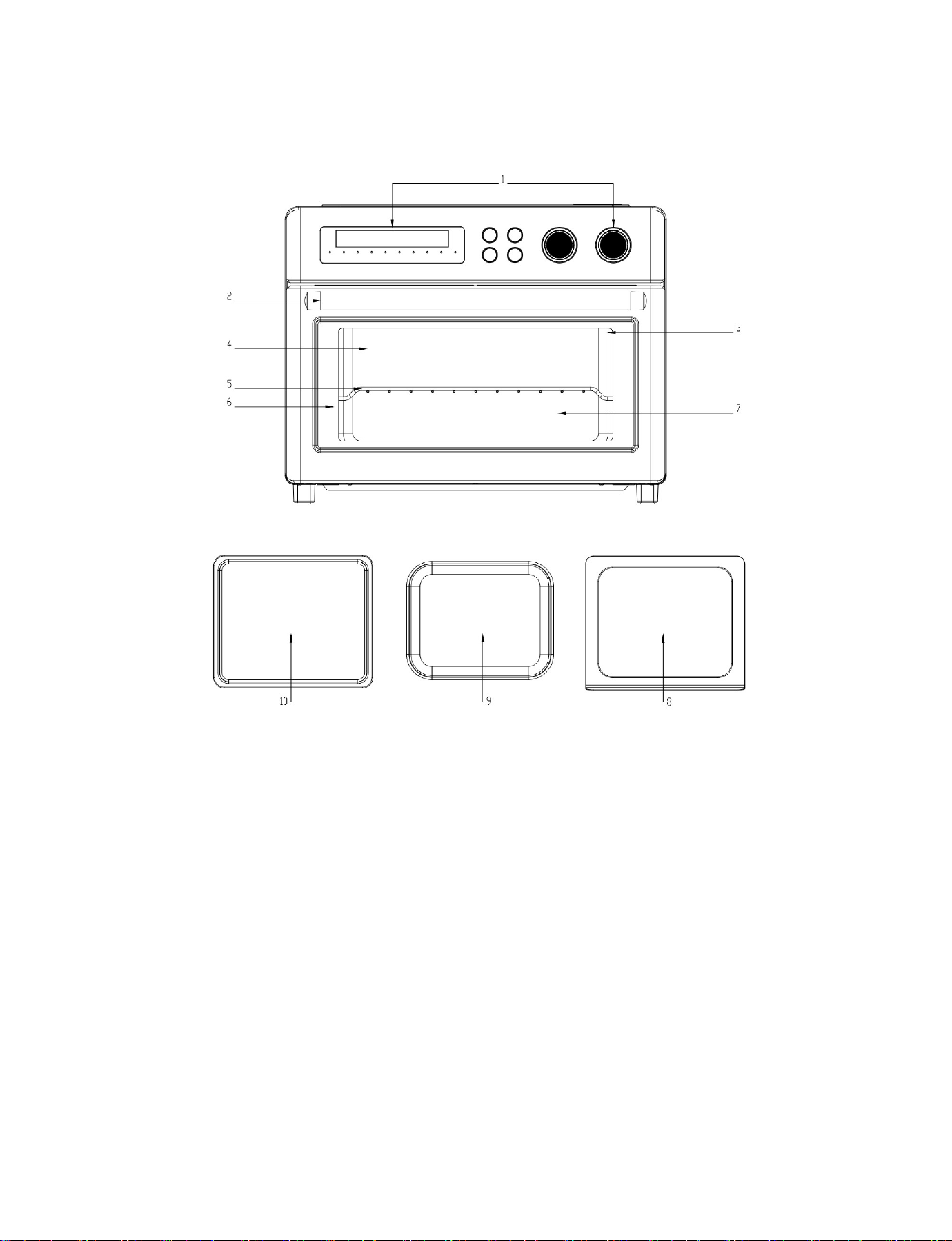
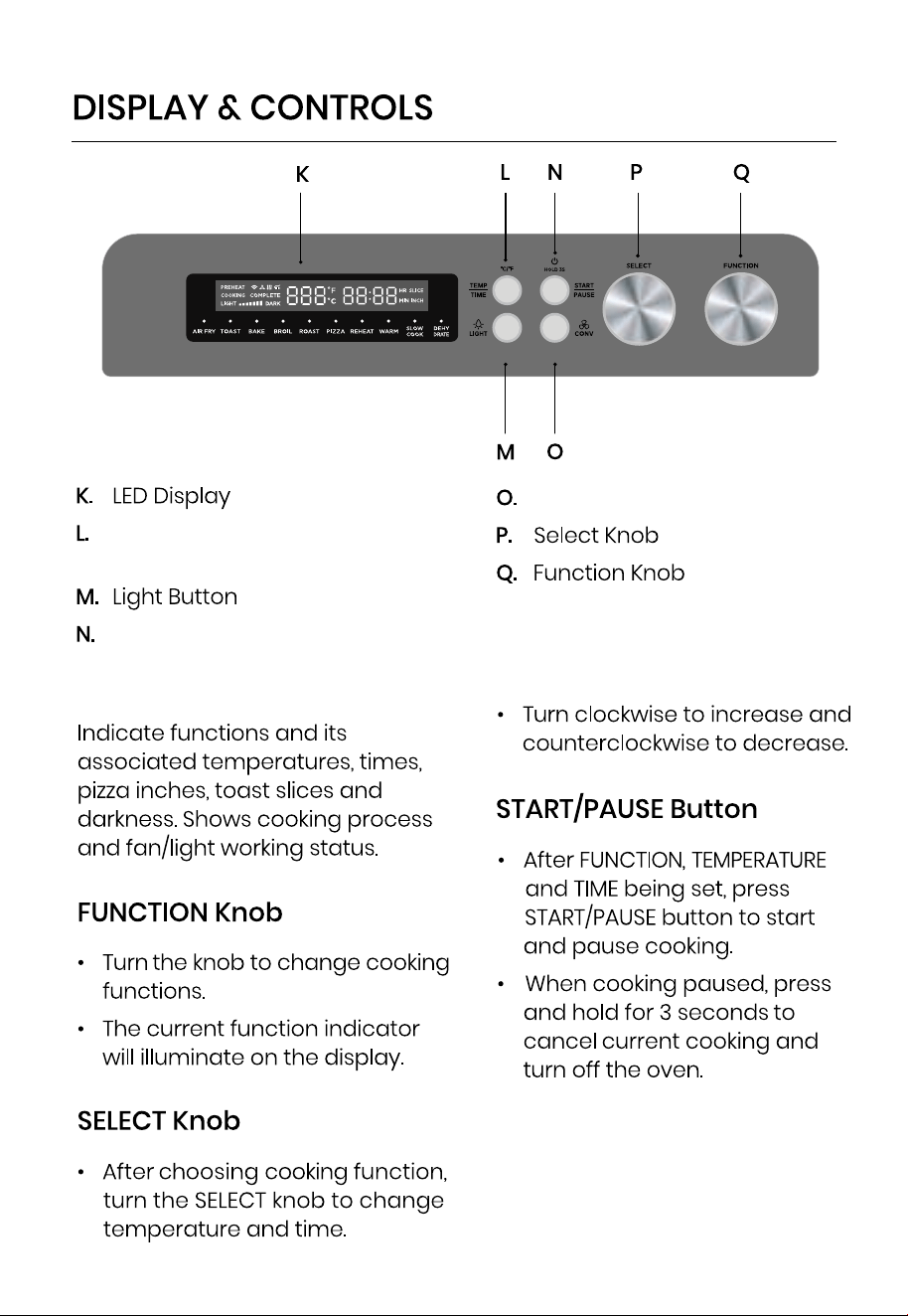
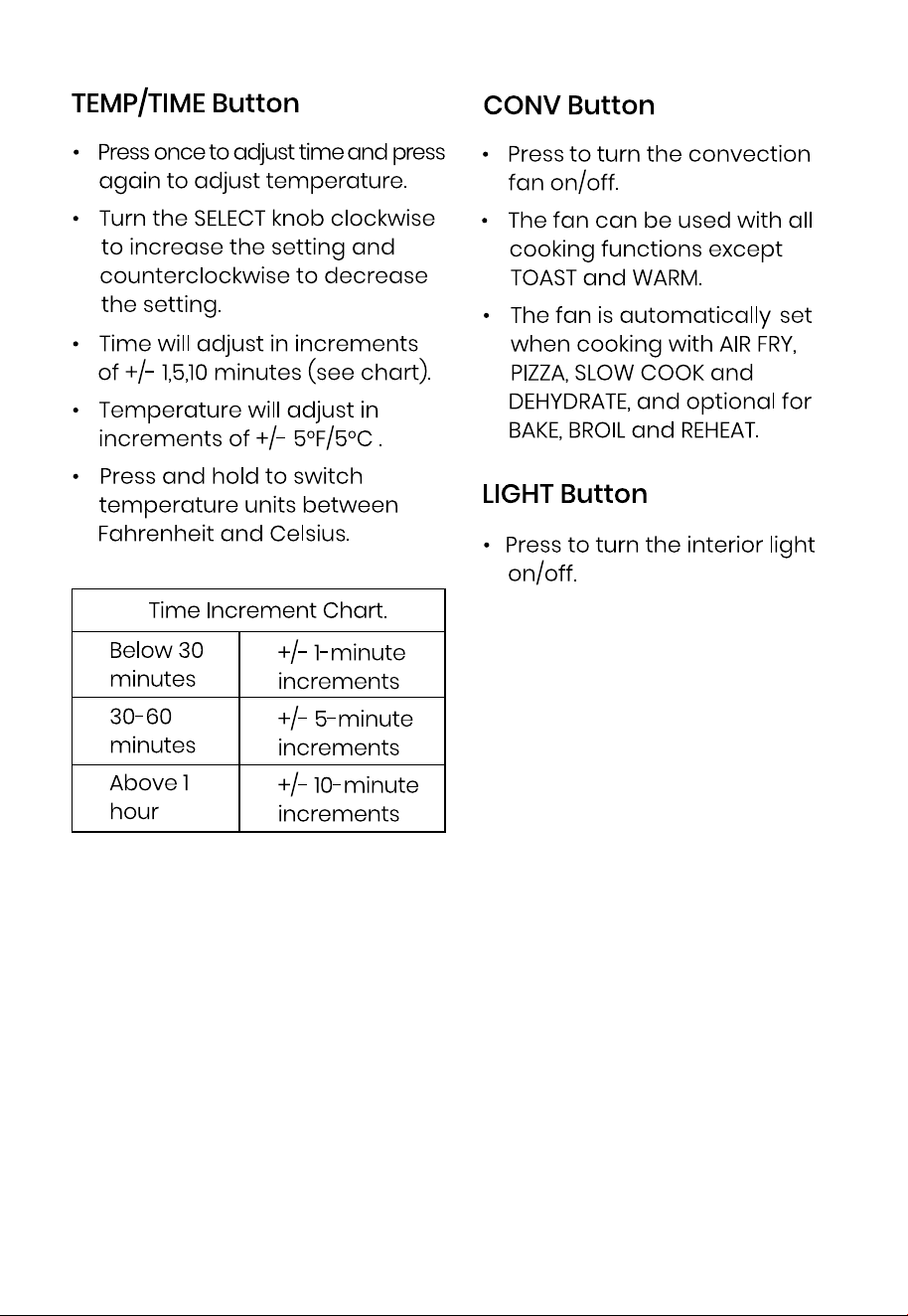
Temp/Time/Temp Unit
Switch Button
Convection Button
Start/Pause/Power Off Button
LED Display
8
9
BAKE AND ROAST.
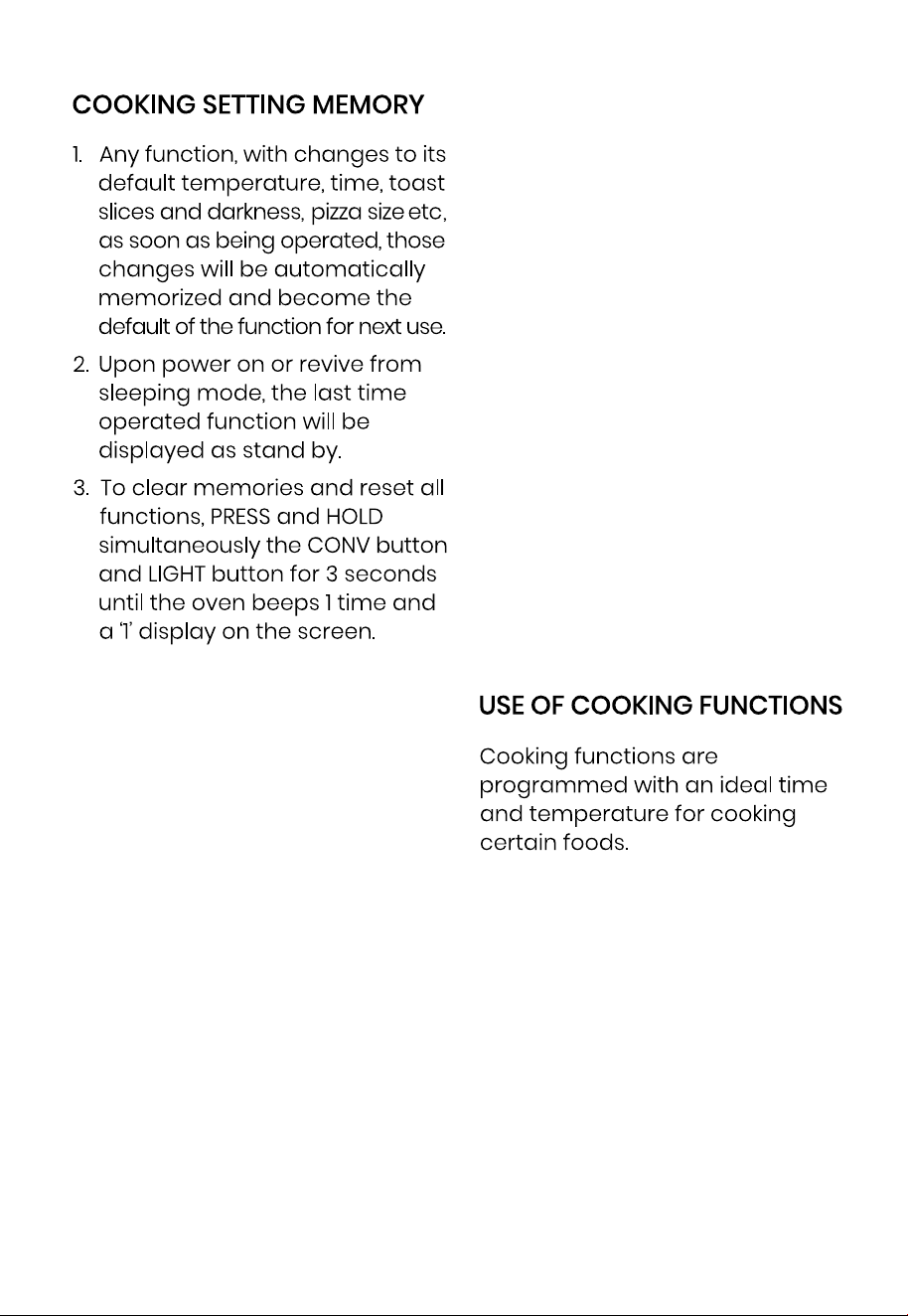
As an option for BAKE and ROAST,
the oven is equipped with the
option to select or cancel PREHEAT.
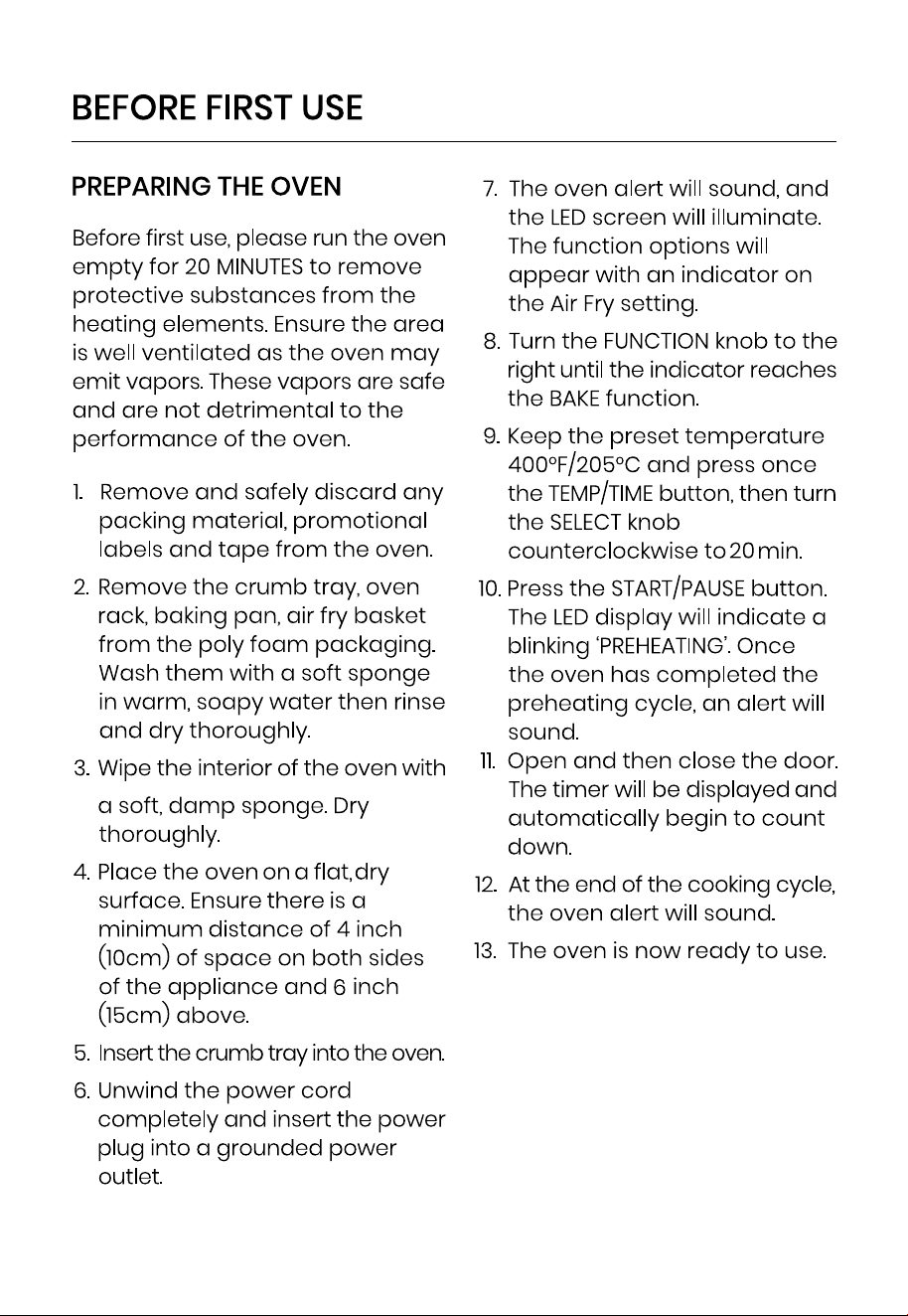
The TEMP/TIME button can be
toggled between three selections:
TEMPERATURE, TIME and PREHEAT. To
activate/cancel PREHEAT press the
TEMP/TIME button until PREHEAT
appears on the LED screen. Turn
the SELECT knob to activate or
cancel PREHEAT.
HOW TO BYPASS PREHEAT?
If PREHEAT is selected: The oven
temperature will increase to
selected temperature. LED Display
will flash PREHEAT. Once desired
temperature is reached, the oven
will beep several times and the
LED display will show COMPLETE.
Open door and introduce food.
Once door is closed, LED display
will show COOKING and oven will
start.
If PREHEAT is not selected intro-
duce food. Once door is closed,
LED display will show COOKING
and oven will start.
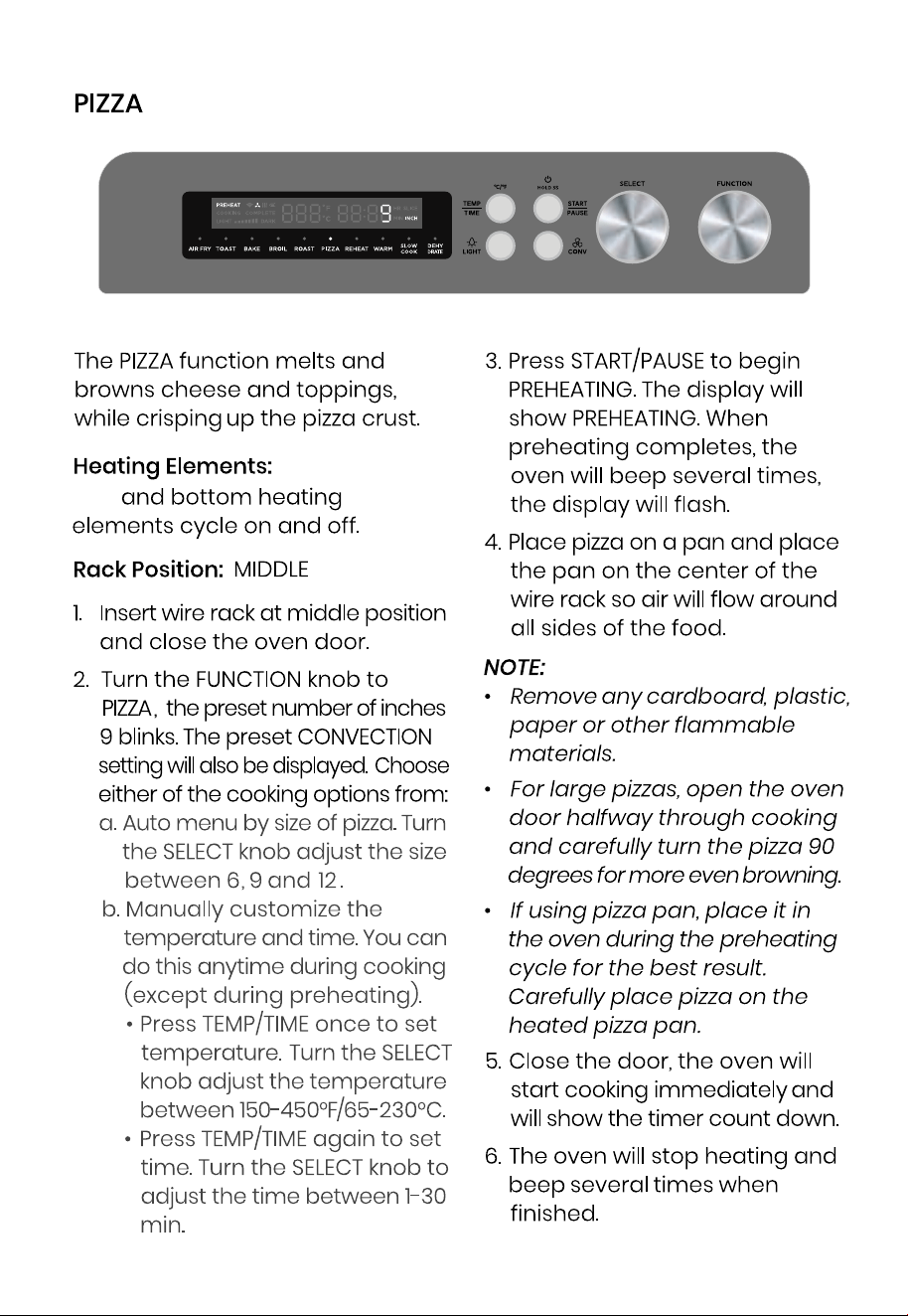
PIZZA.
Because pizza needs the oven to
be preheated, on the PIZZA func-
tion, PREHEAT is allways on.
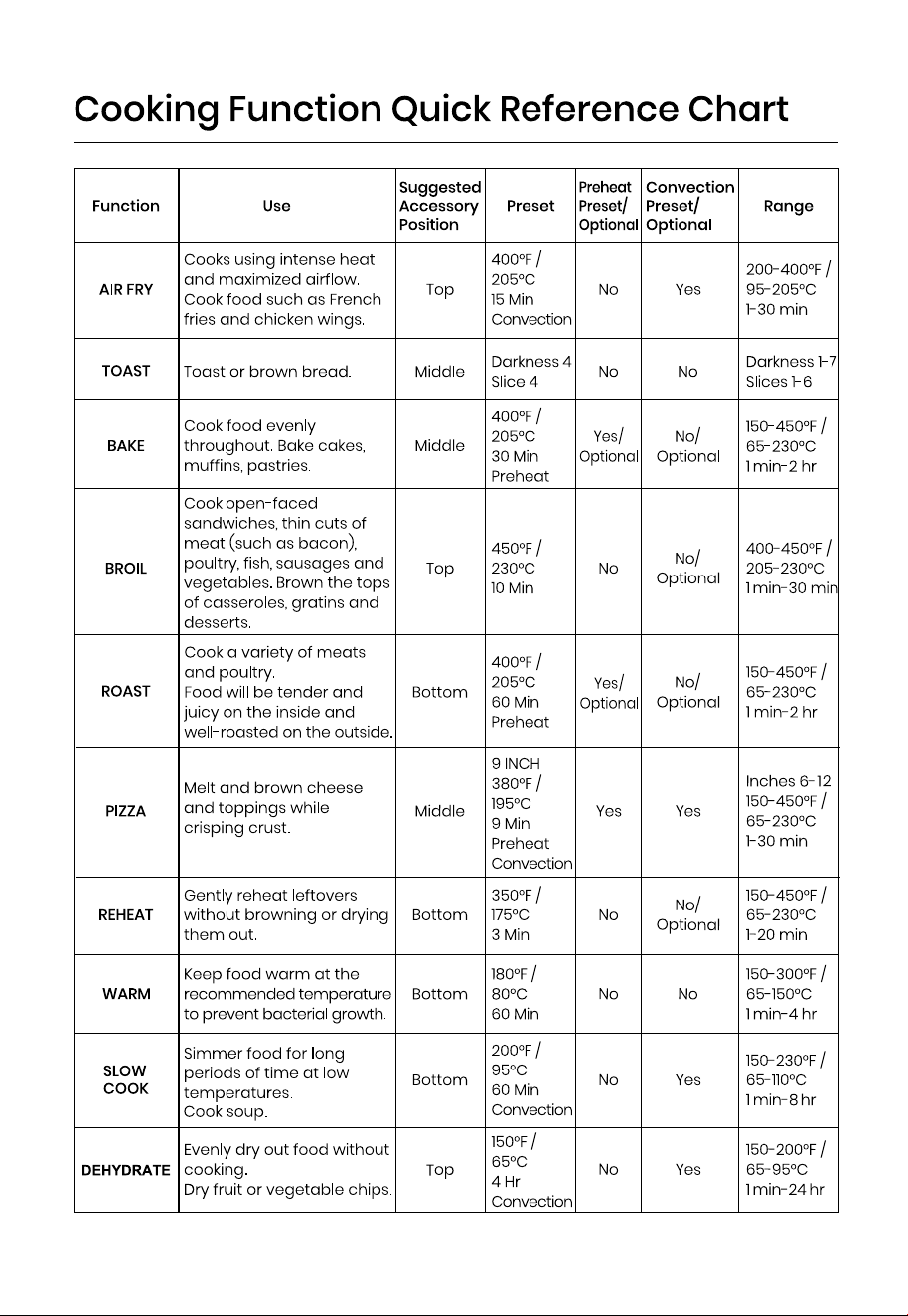
For more information on each
cooking function, see its individual
section, or the Cooking Function
Quick Reference Chart.
10
11
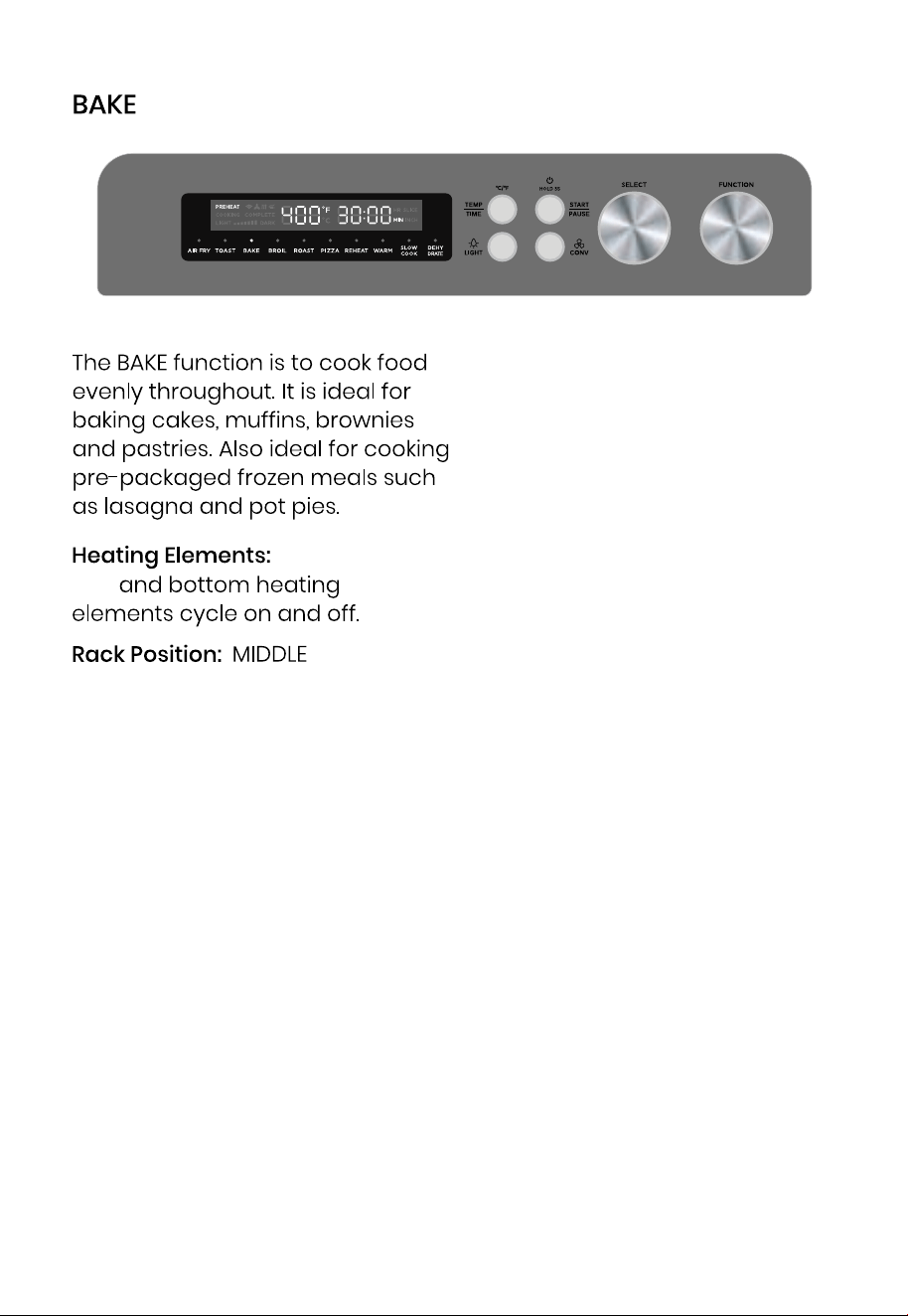
Top and bottom heating elements
cycle on and off.
12
Top
13
Top
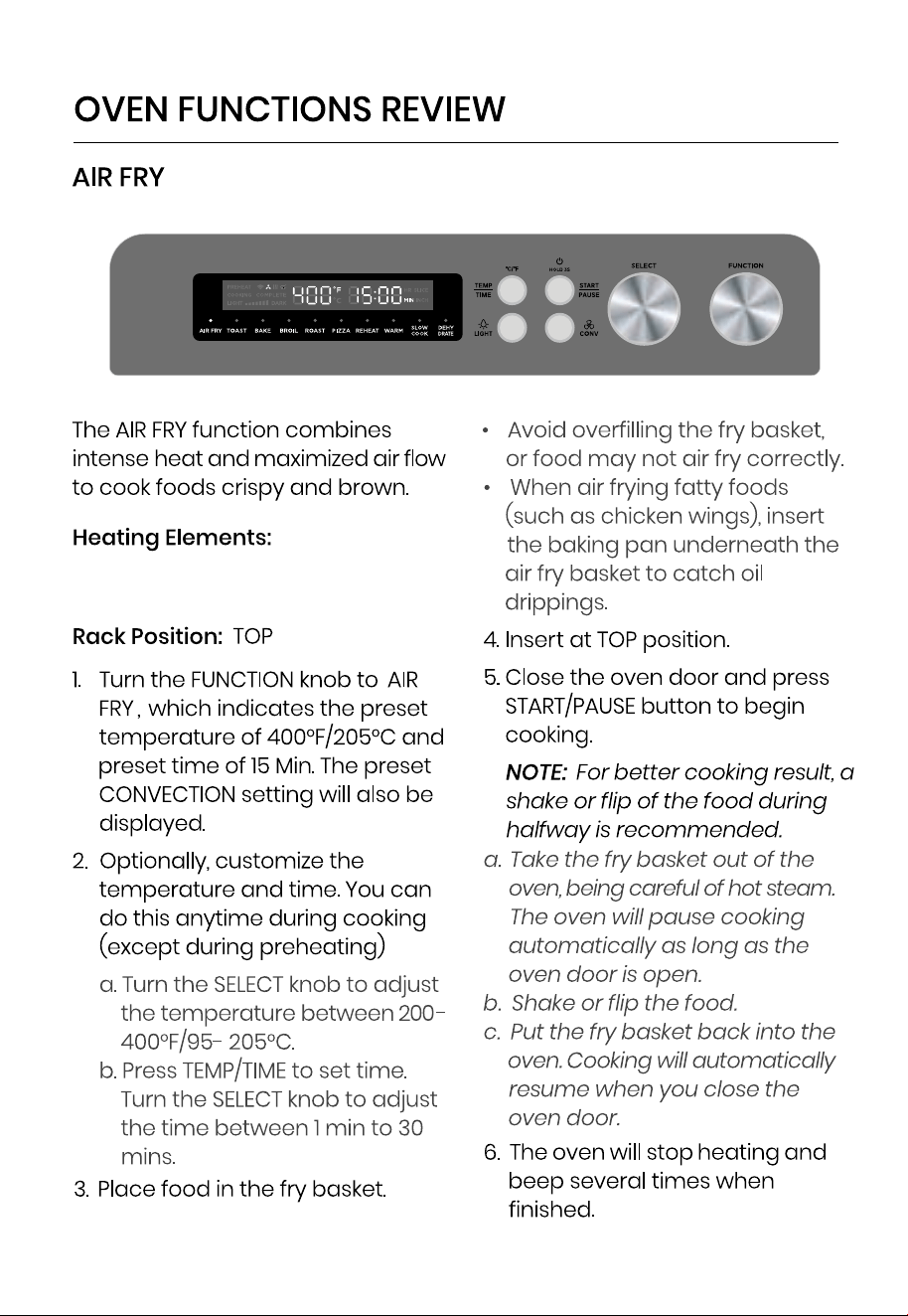
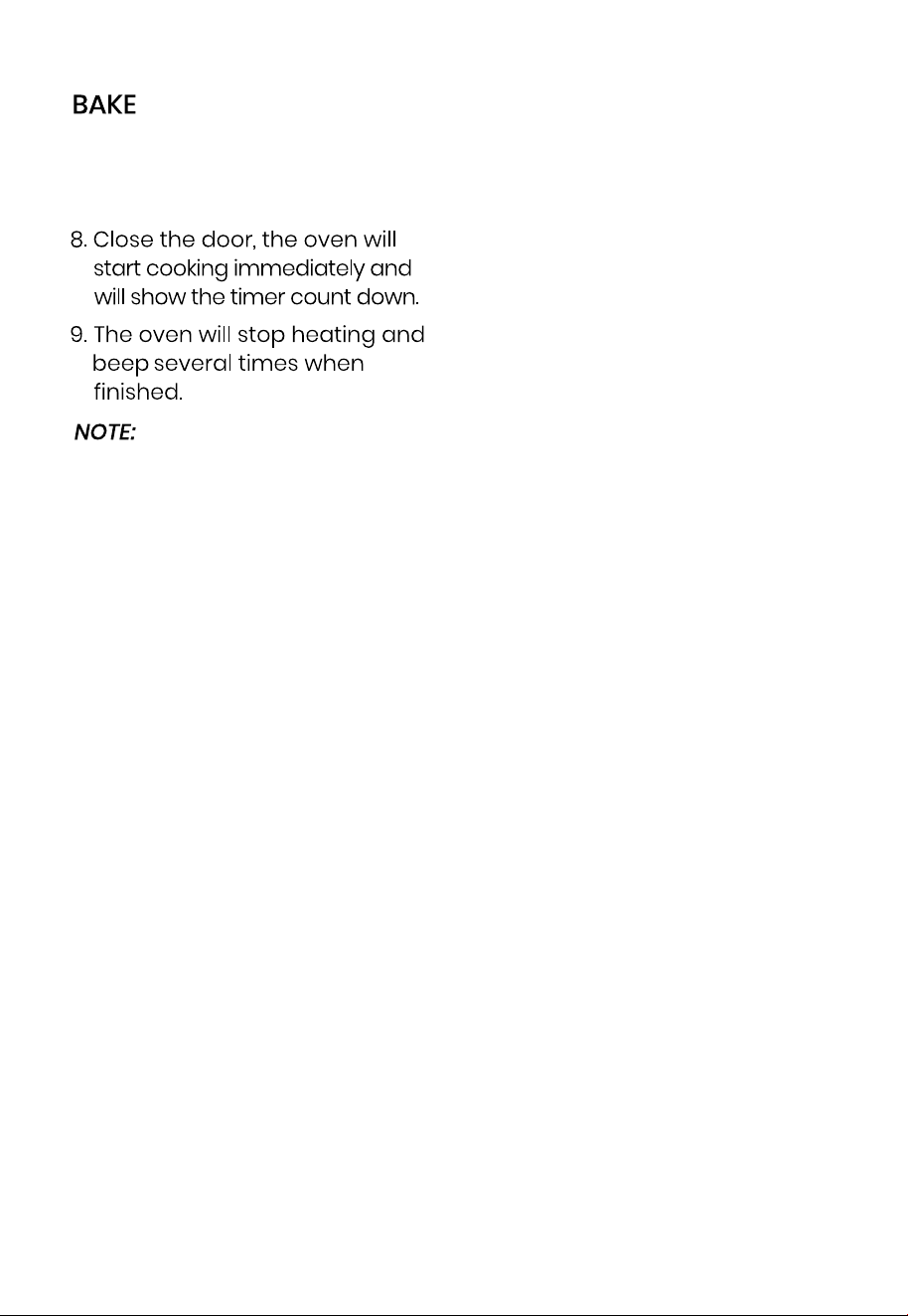
1. If using the baking pan, insert at
middle position and close the
oven door.
2. Turn the FUNCTION knob to BAKE.
The LED display will show a
preset temperature of
400°F/205°C and a preset time
of 30 Min.
3. Turn the SELECT knob to adjust
the temperature. The tempera-
ture can be adjusted between
150-450°F/65-230°C.
4. Press TEMP/TIME to toggle
between TIME, TEMPERATURE and
PREHEAT. When time is set, turn
the SELECT knob to adjust the
time. Time can be adjusted
between 1 min and 2 hours.
5. Press TEMP/TIME one more time
to adjust the PREHEAT function.
Turn the SELECT knob to acti-
vate or cancel PREHEAT.
NOTE: The temperature and time
can be adjusted anytime during
cooking (except during
preheating)
6. Press START/PAUSE to begin
cooking.
If PREHEAT is selected: The oven
temperature will increase to
selected temperature. LED
Display will flash PREHEAT. Once
desired temperature is
reached, the oven will beep
several times and the LED
display will show COMPLETE.
NOTE: If PREHEAT is not SELECTED
cooking will start once the door
is closed.
With caution, place food inside
the oven. Use the middle
position if using the baking
pan.
Once the door is closed, the
oven will start cooking and the
LED display will show the timer
and the word COOKING.
14
III.
II.
I.
• To prevent damaging to the
porcelain trays when baking
citric acid ingredients (oranges,
lemons), always line the trays
with foil or parchment. Use
extreme caution. Secure foil
and make sure it does not
touch the heating elements.
7. When the timer ends, there will
be several beeps and the oven
will stop heating.
15
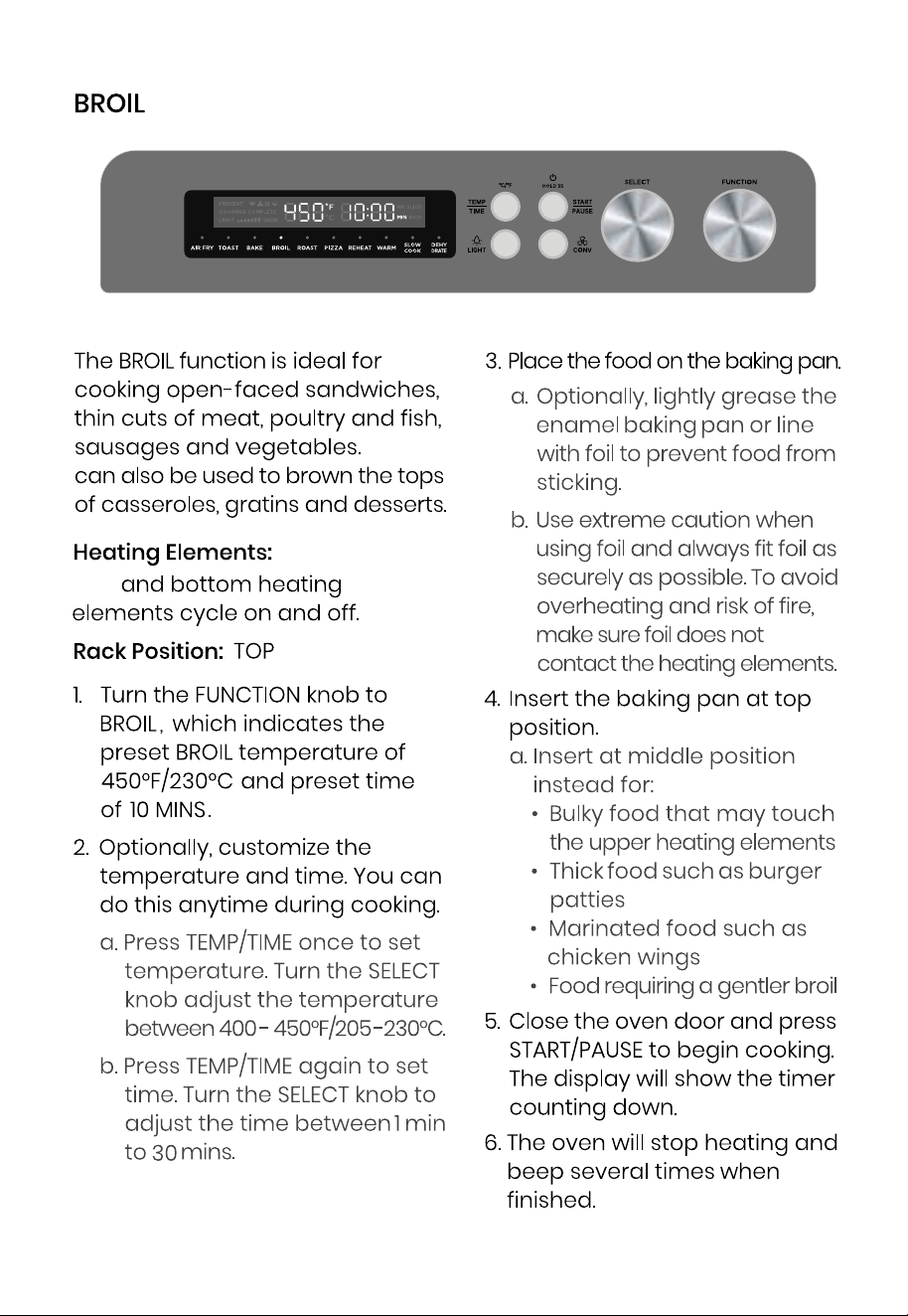
Broiling
Top
16
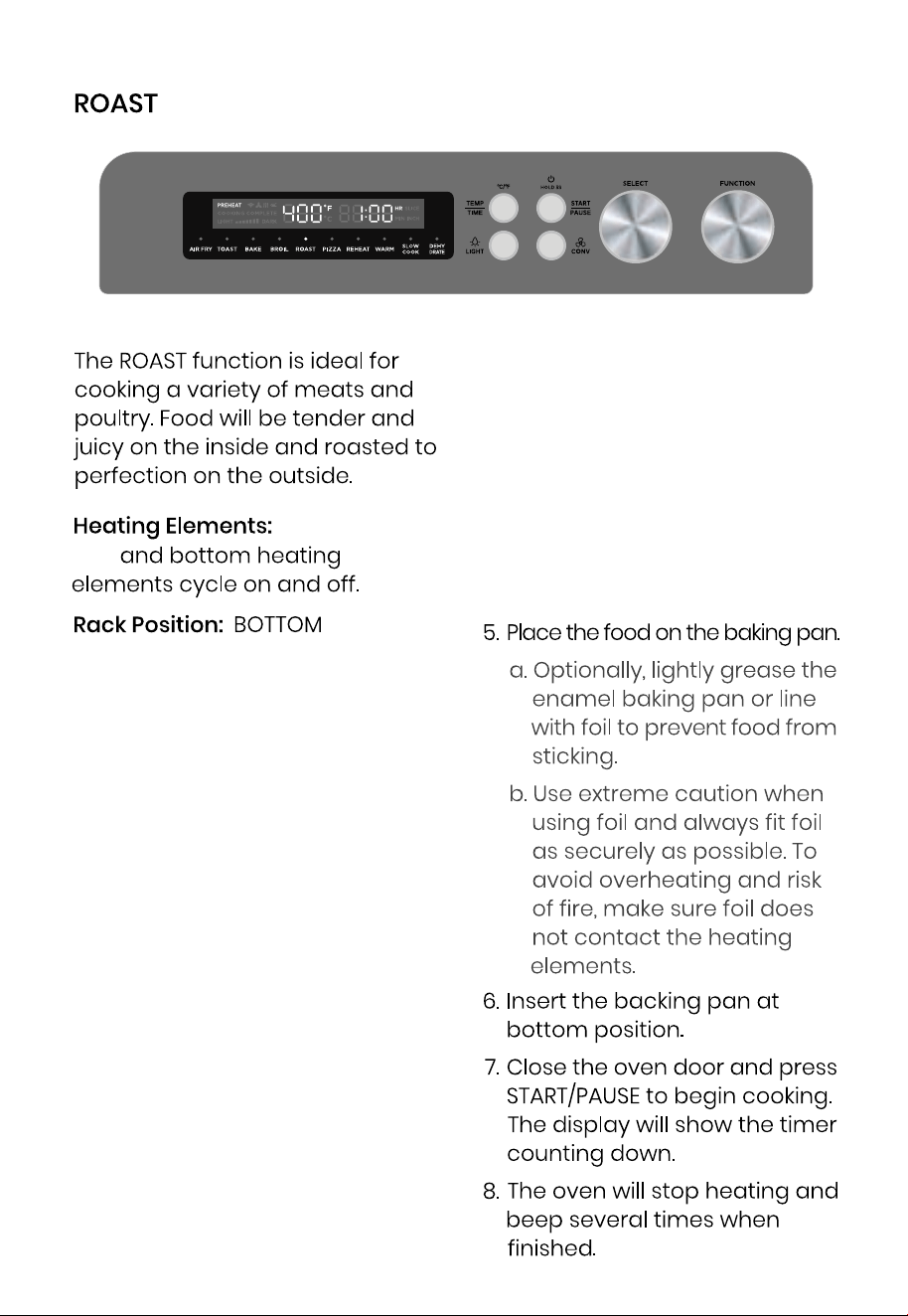
1. Turn the FUNCTION knob to BAKE.
The LED display will show a
preset temperature of
400°F/205°C and a preset time
of 1 HR.
2. Turn the SELECT knob to adjust
the temperature. The tempera-
ture can be adjusted between
150-450°F/65-230°C.
3. Press TEMP/TIME to toggle
between TIME, TEMPERATURE and
PREHEAT. When time is set, turn
the SELECT knob to adjust the
time. Time can be adjusted
between 1 min and 2 hours.
4. Press TEMP/TIME one more time
to adjust the PREHEAT function.
Turn the SELECT knob to activate
or cancel PREHEAT.
NOTE:
The temperature and time can be
adjusted anytime during cooking
(except during preheating). If
PREHEAT function is selected, wait
until the oven reaches the desired
temperature before introducing
food. Refer to HOW TO BYPASS
REHEAT? for more info.
Top
17
Top
18
Top
19
Top
20
Top
21
Top
22
23
24
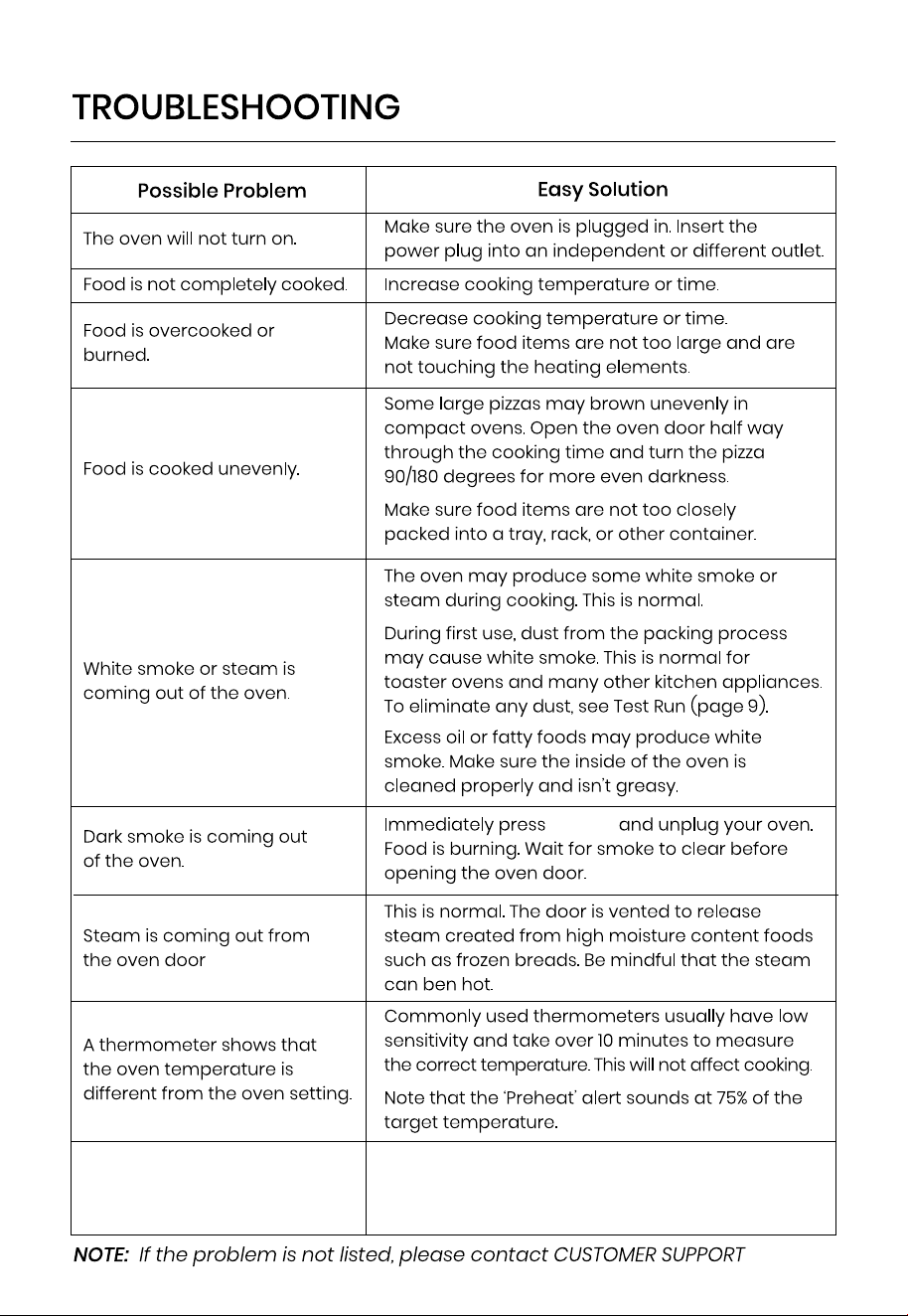
The fan continues to run after
the oven stops.
It is normal for the fan to continue once the oven
stops. The oven needs the fan running to lower the
temperature. This should not be a cause for
concern.
25
PAUSE

26
PN:16171000A18 850