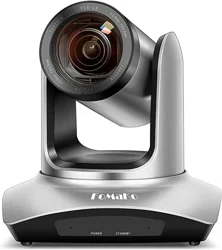
Co I or Video Conference Camera
USER MANUAL
FoMaKo
-
Upgrade your meeting experience www.fomako.net
E-mail: [email protected]
Website: www.fomako.net
Phone: 0086-18565635753
Address: 10F NiuLanQian Building,Minzhi,
longhua, shenzhen, China, 518000
FoMaKo
Please feel free to contact us if you have any questions.
Video conference cra overview
°
°
°
°
°
°
-l-
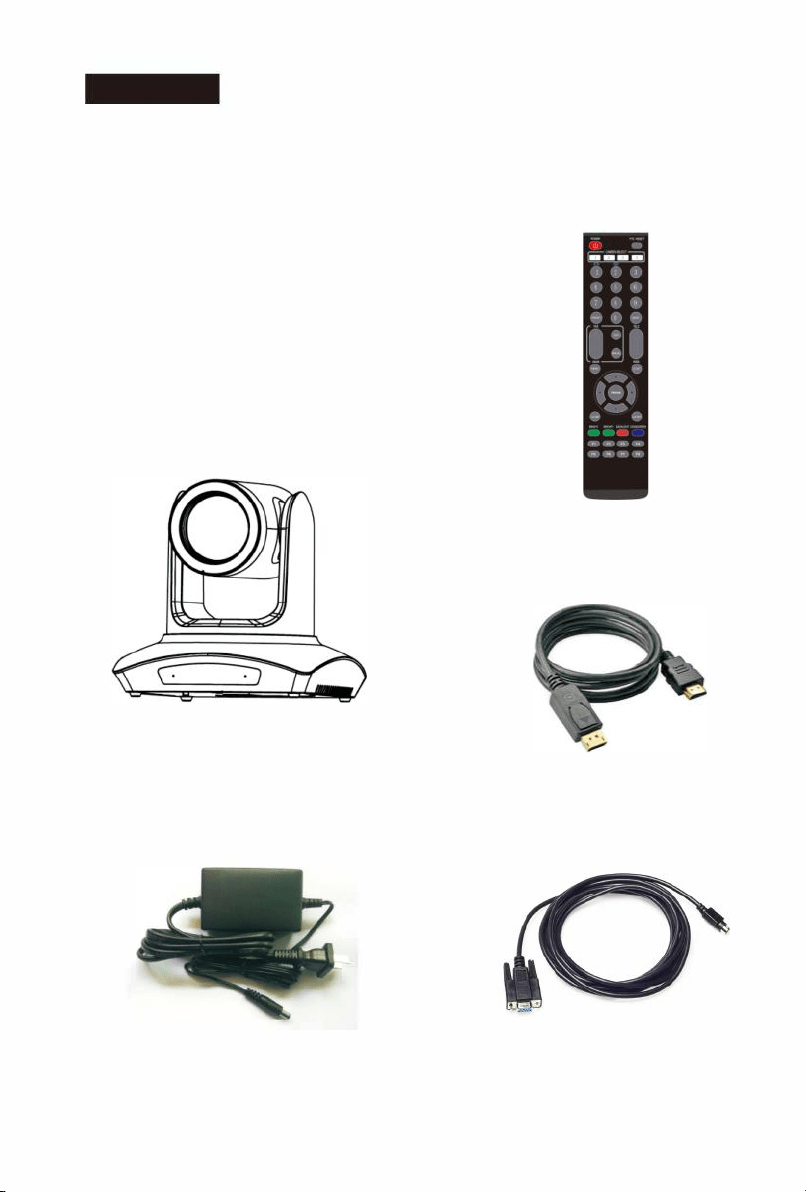
Packing list
Please
check up all devices inside while open package.
Video
camera----------------1
Power
adapter---------------1
Rs232
cable-----------------1
Remote
controller-----------1
HDMI
wire-------------------1
Ceiling bracket-------------1
Video camera (1)
Power adapter ( 1 )
-2-
Remote controller ( 1)
HDMI wire ( 1
)
RS232 cable ( 1)
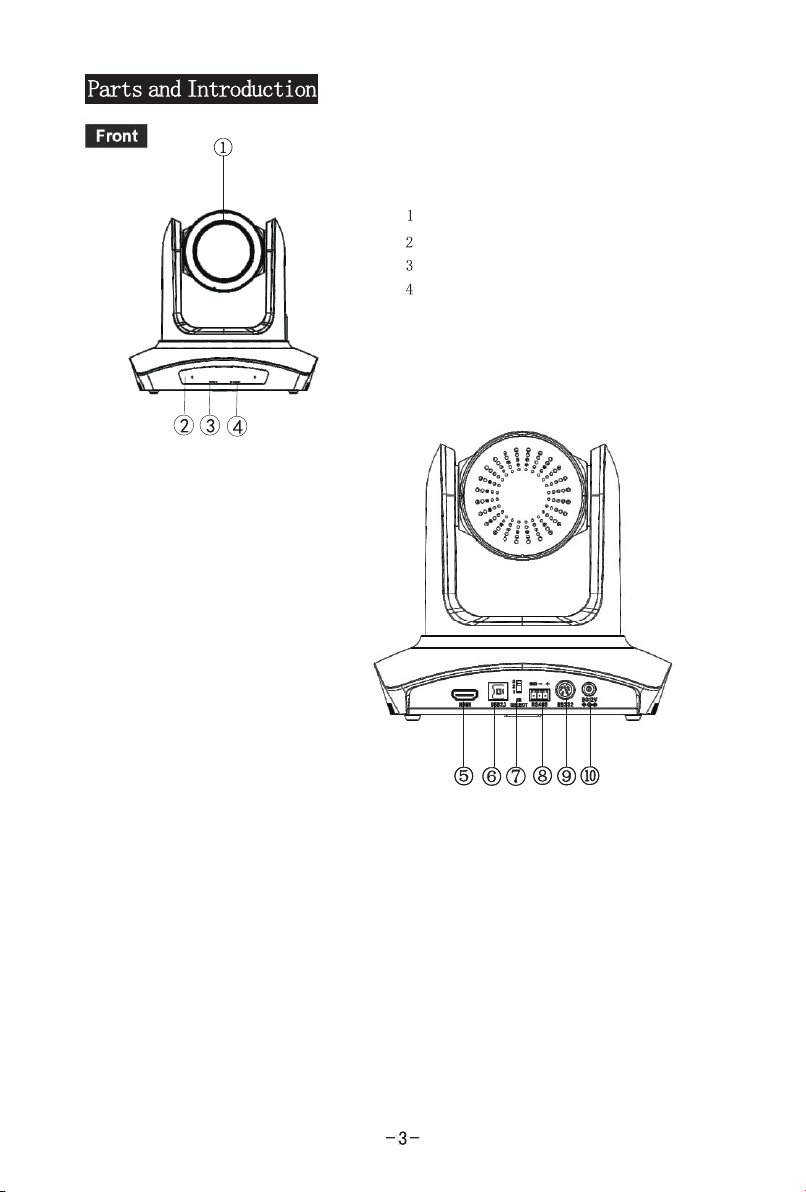
USB Video output
HDMI Video output
IR select switch
RS485
DC IN 12V input
RS-232/422
5.
6.
7.
8.
9.
10.
Lens
Sensor for the Remote Control
Power lamp
Standby lamp

ME N U
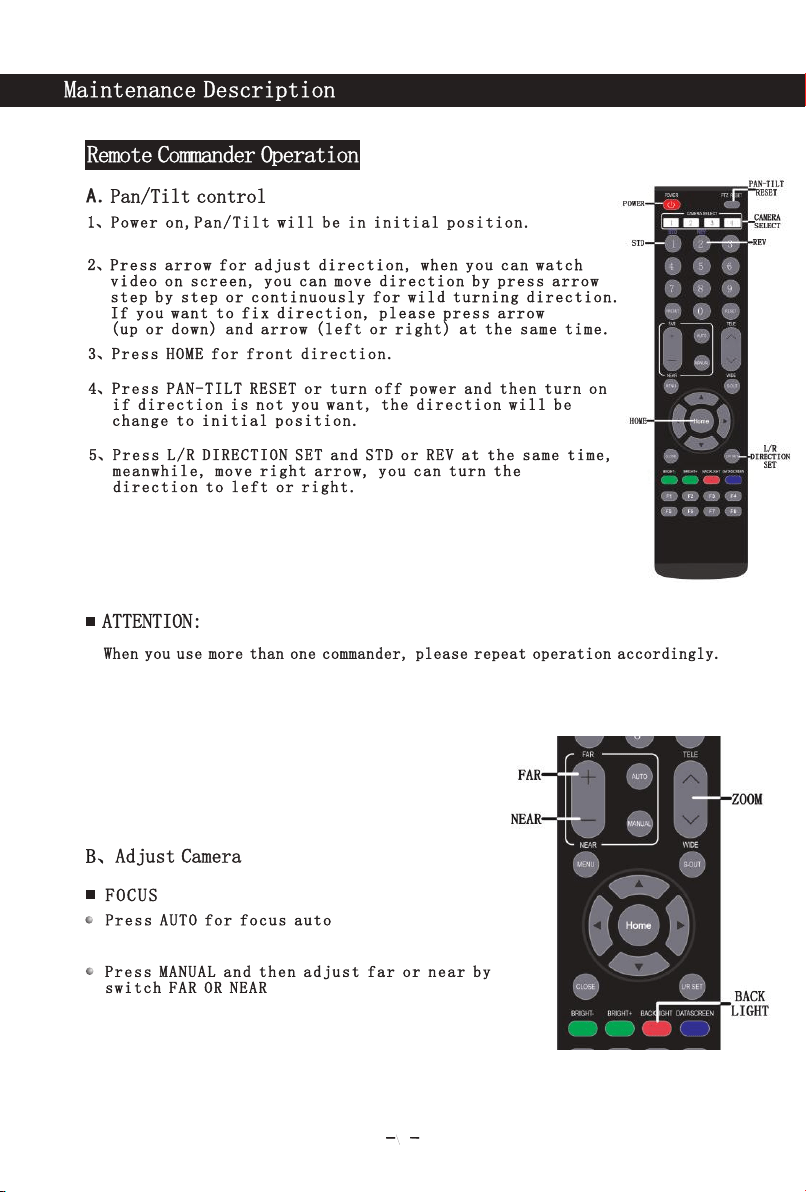
5
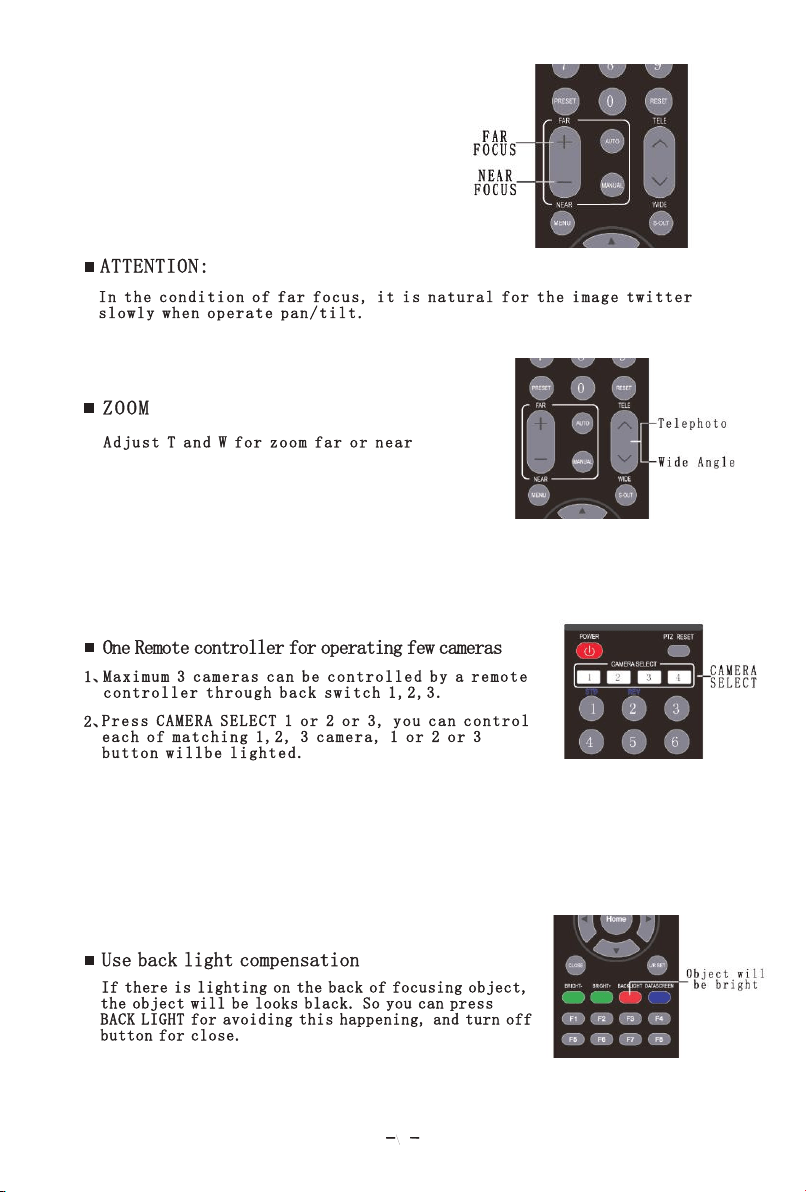
6
7
8
Du e t o pr o du c t it e ra t io n , th e p ro d uc t men u is su bje ct
to c h an g e wi t ho u t pr i or n o ti c e, s u bj ect t o the a ctu al ob je c t
9
10
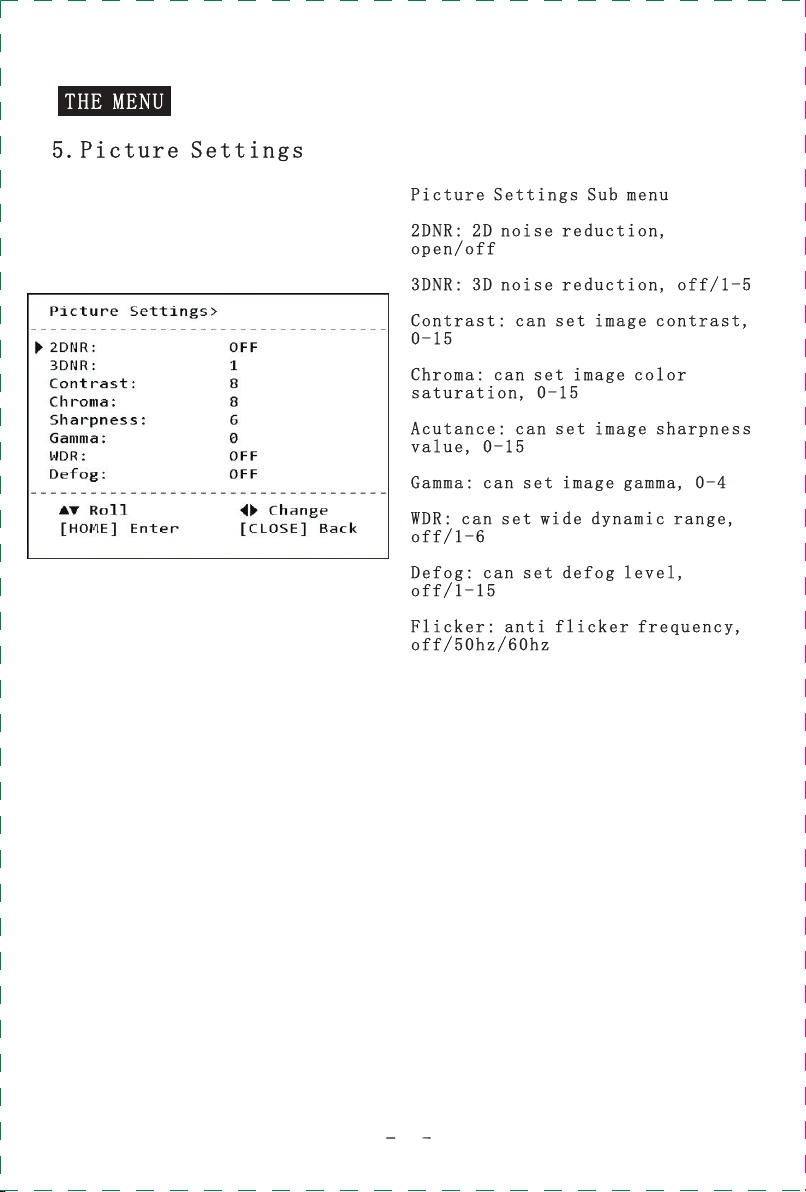
11

12
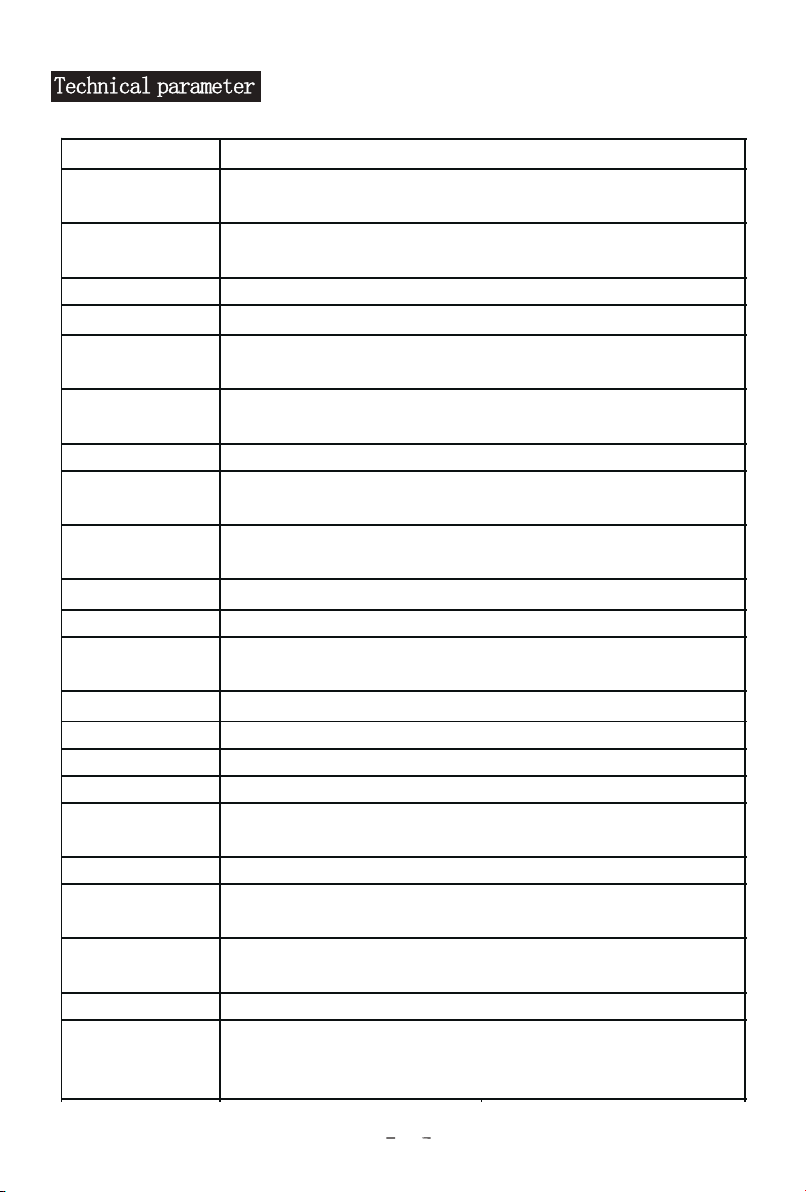
Image Sensor
Effective
Pixels
Resolution
HD
Signal
Lens
Foci
Horizontal
View Angle
Focus System
Minimum
Illumination
Exposure
Control
Shutter
Gain
White
Balance
Image Effect
S/N Ratio
Pan
Tilt
Video Output HD
Power
Control
protocol
Control Mode
Accessories
12V DC(10.8~13.0V DC)
SONY VISCA、
PELCO P/D
RS-232/RS485
DC 12V power adapter, IR Remote, Operation manual,HDMI
cable,
Ceiling bracket
Auto/Indoor/Outdoor/Manual
Full color/image flip
≥50db
355°(max.speed:80°/s)
-30°to +90°(max.speed:60°/s)
HDMI
72.5°(W)~7.4°(T)
Auto/Manual
0.1Lux
Auto/Manual
1/1~1/10000s
Auto/Manual
1/2.8" Progressive CMOS
3.1Megapixels
1080p60/50,1080p30/25,1080i60/50,720p60/50
Optional:1080p59.94,1080p29.97,1080i59.94
PAL/NTSC
12X optical zoom
f=3.9mm(W)~46.8 mm(T)
Due to the c o n t i n u o us iterati o n o f t h e p r o duct,
if there i s a n y p a r a m eter chang e , i t i s s u b j ect
to the act u a l p r o d u ct
13
USB
USB 2.0
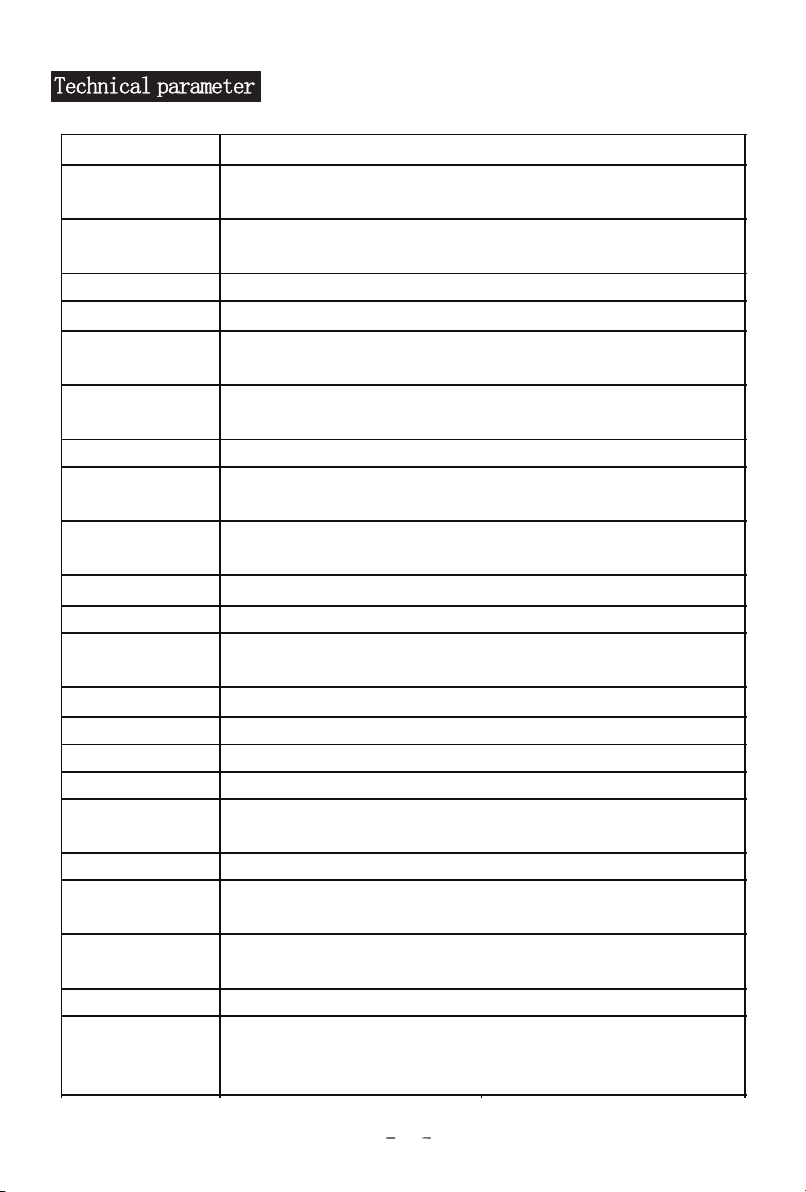
Image Sensor
Effective
Pixels
Resolution
HD
Signal
Lens
Foci
Horizontal
View Angle
Focus System
Minimum
Illumination
Exposure
Control
Shutter
Gain
White
Balance
Image Effect
S/N Ratio
Pan
Tilt
Video Output HD
Power
Control
protocol
Control Mode
Accessories
1/2.8" Progressive CMOS
3.5Megapixels
1080p60/50,1080p30/25,1080i60/50,720p60/50
Optional:1080p59.94,1080p29.97,1080i59.94
PAL/NTSC
20X optical zoom
f=4.7mm(W)~94.0 mm(T)
HDMI
58.7°(W)~3.2°(T)
Auto/Manual
0.1Lux
Auto/Manual
1/1~1/10000s
Auto/Manual
12V DC(10.8~13.0V DC)
SONY VISCA、PELCO P/D
RS-232/RS485
DC 12V power adapter, IR Remote, Operation manual, HDMI
cable,Ceiling bracket
Auto/Indoor/Outdoor/Manual
Full color/image flip
≥50db
355°(max.speed:80°/s)
-30°to +90°(max.speed:60°/s)
Due to the c o n t i n u o us iterati o n o f t h e p r o duct,
if there i s a n y p a r a m eter chang e , i t i s s u b j ect
to the act u a l p r o d u ct
14
USB
USB2.0
Display shows no image
Check if the power supply is connected,
if the voltage is normal, if the power indicator
light on
Repower on the camera to see if it can do
self-check normally.
Check if the cables between camera and
terminal equipment are correct.
1.
2.
3.
Sometimes there is no image
Check if the cables between camera and
terminal equipment are correct.
The camera can not be controlled by the
remote controller
Replace a new battery
Check if the camera is under normal working mode
Check if the IR select of remote controller match the camera
1.
2.
3.
Serial port can not be controlled
Check if the camera protocol, address, baud rate are same
Check if the control cable is connected normally
Check if the control driver is installed successfully when controling by USB
1、
2、
3、
■
■
■
■
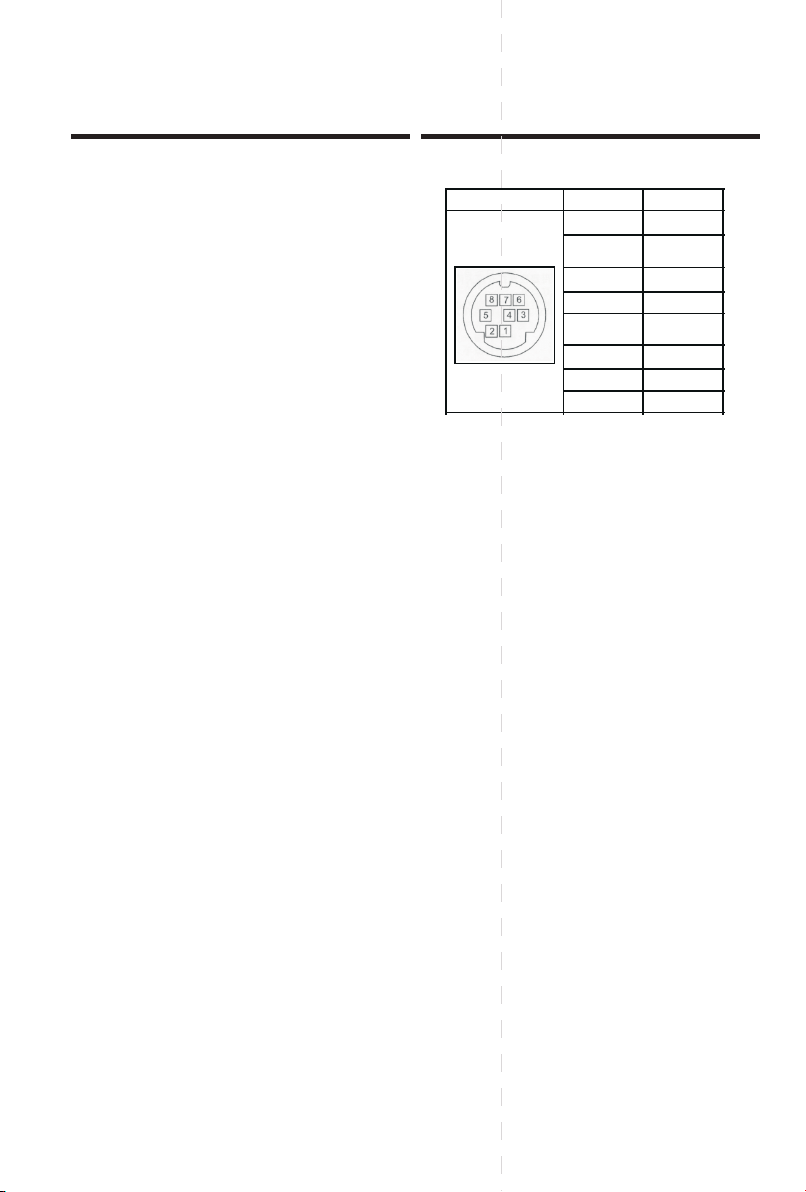
FAQ Handling RS- 232 Interface
1 DTR
2 DSR
3 TXD
4 GND
5 RXD
6 GND
7 NC
8 NC
1
-
15-
No.
Function
Interface diagram