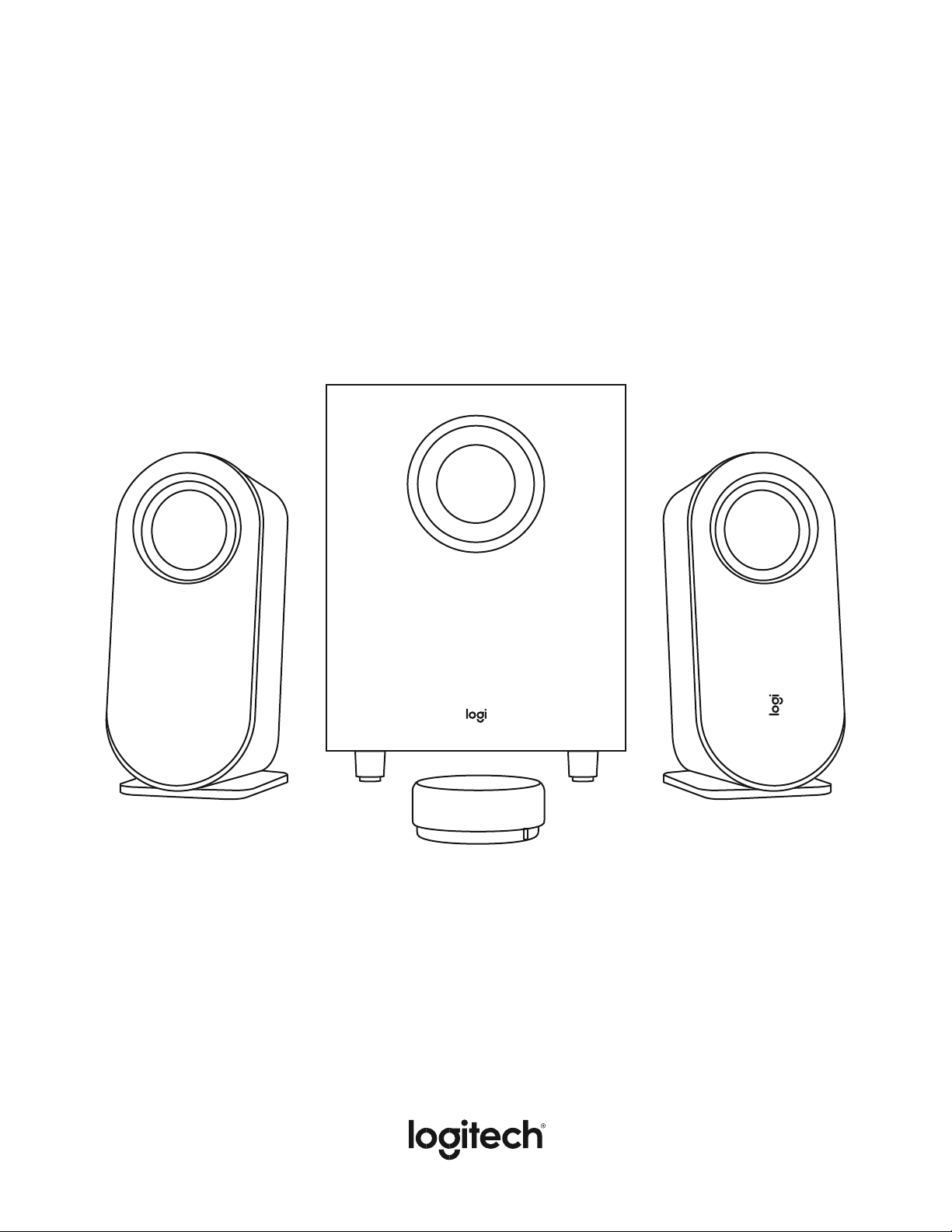
Z407 BLUETOOTH
®
COMPUTER SPEAKERS
WITH SUBWOOFER
Setup Guide
Magyar 115
2 English
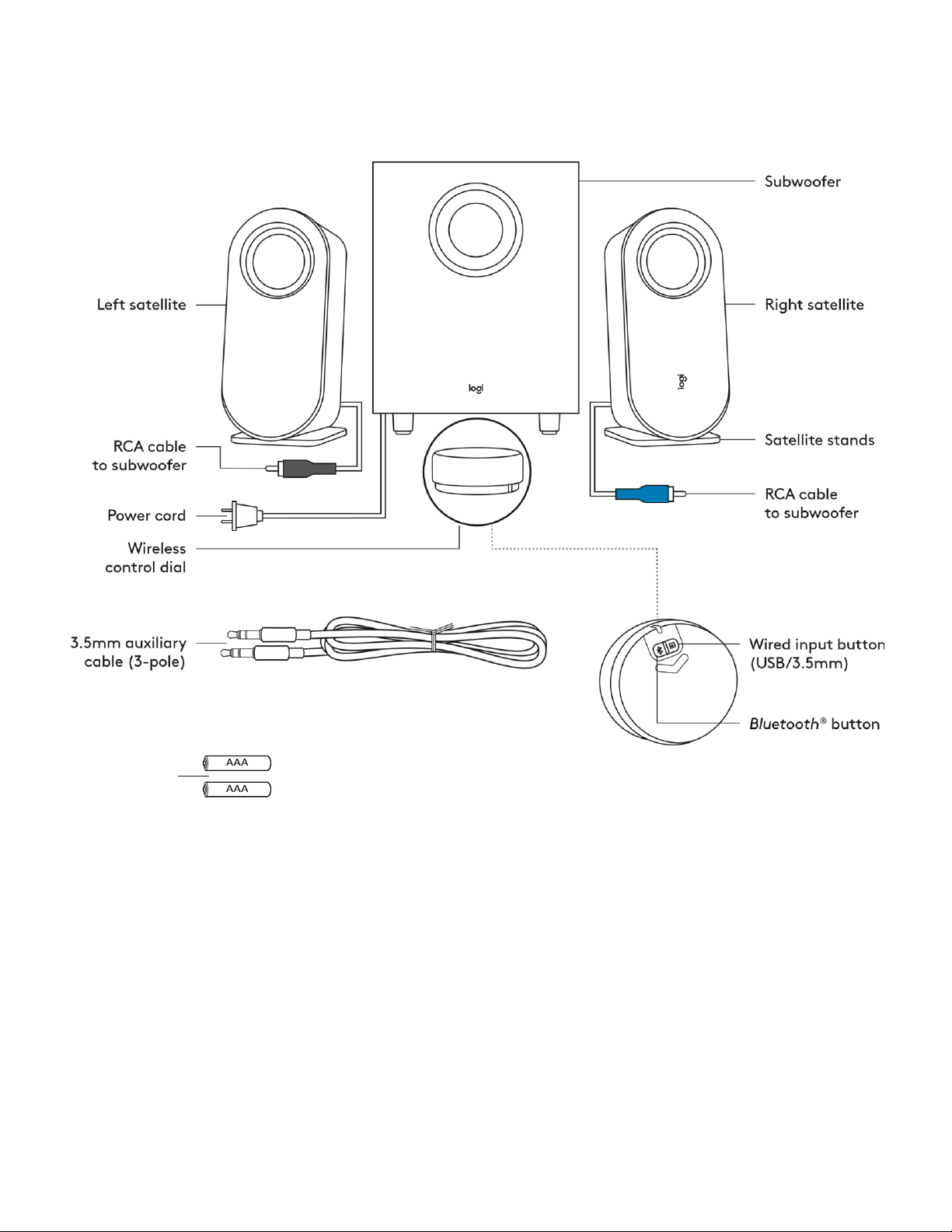
KNOW YOUR PRODUCT
AAA batteries
3 English
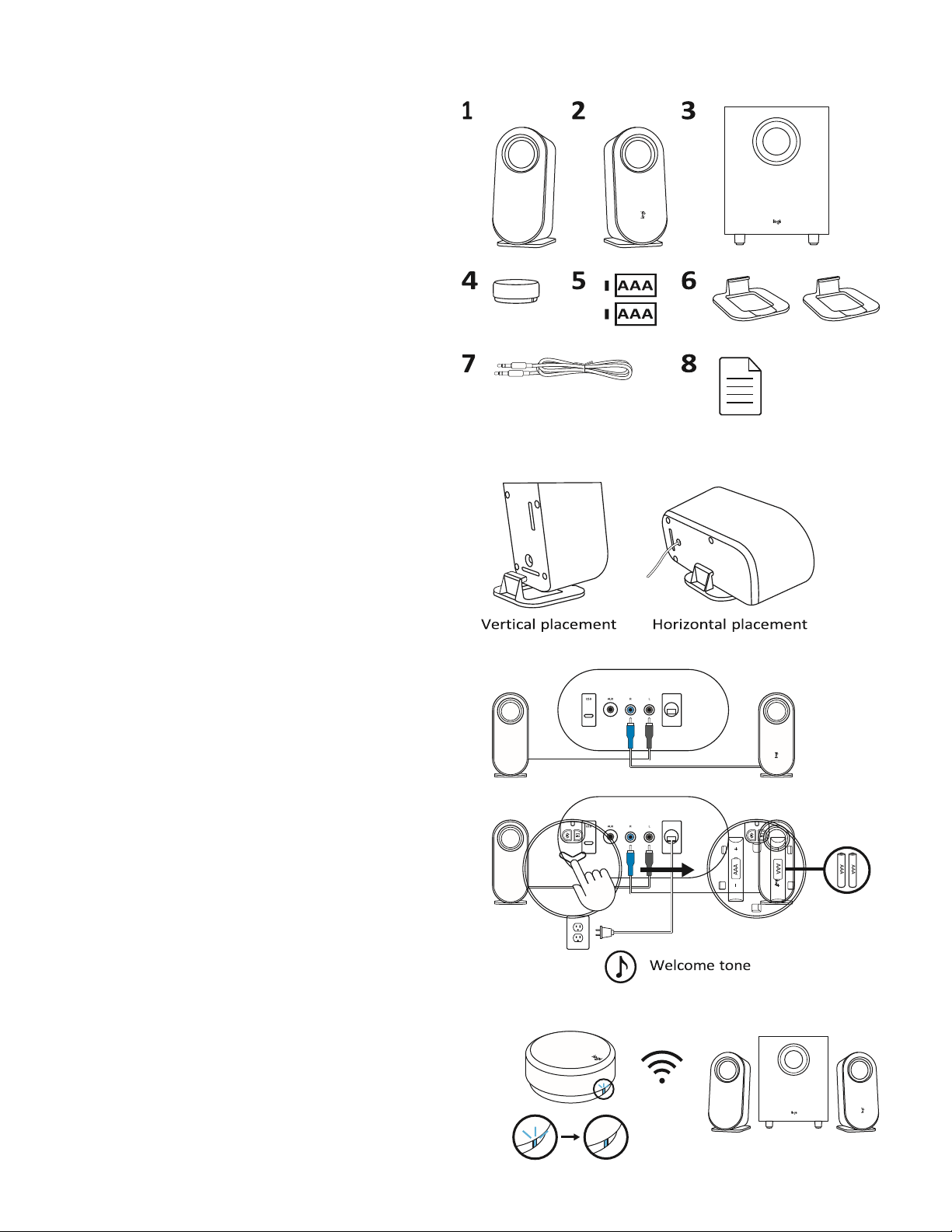
BOX CONTENT
1 Left satellite
2 Right satellite
3 Subwoofer
4 Wireless control dial
5 2 AAA batteries
6 Satellite stands
7 3 5 mm cable
8 User documentation
CONNECT THE SPEAKERS
Place the stands to each satellite separately Lay the speakers
vertically or horizontally as per your preference Make sure
that the stands fit tightly in the speakers
• Plug the right satellite cable into the blue subwoofer jack
• Plug the left satellite cable into the gray subwoofer jack
Plug the power cord into an electrical outlet
You will hear a welcome notification sound CONNECT THE
SPEAKERS (CONT’D)
Long press and push downwards to open the back lid, place two
AAA batteries to the corresponding space
Do not mix using akaline battery with rechargeable battery.
Do not mix using new and old batteries.
Do not leave the batteries unused in the product for extended periods.
The LED indicator will then start blinking in blue Once the wireless
control dial is successfully connected to the speaker, the LED will
turn into a steady blue light
4 English
CONNECT TO AUDIO SOURCE
The LED on the control dial will change correspondingly when
connected to different connectivity
• The LED will turn blue when connected via Bluetooth
• The LED will turn purple when connected via 3 5 mm
• The LED will turn white when connected via USB
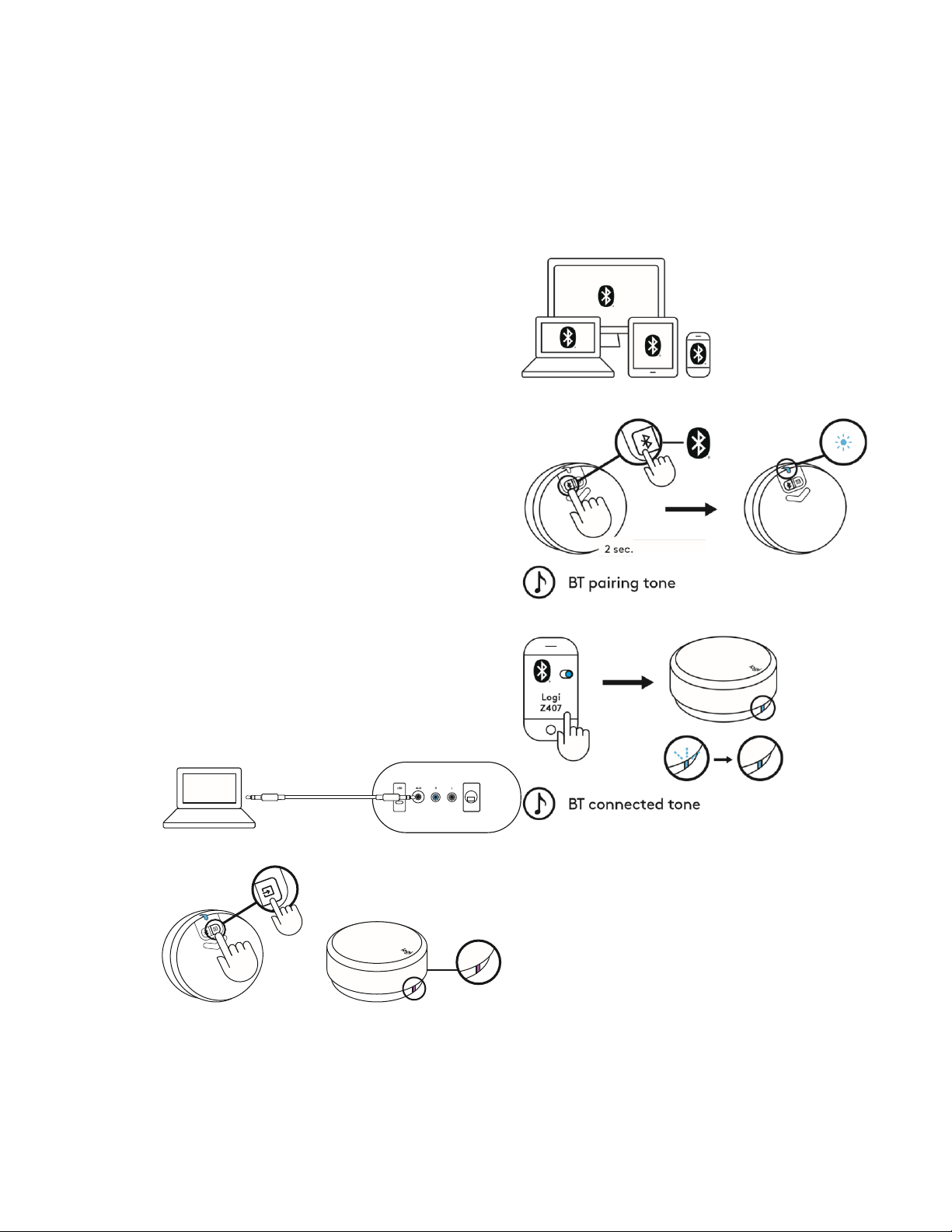
CONNECT VIA BLU ETOOTH
®
Make sure Bluetooth
®
is activated on the source device
• Press and hold (2sec ) the Bluetooth
®
button on the bottom of the
dial to activate pairing mode
• The LED indicator will blink quickly You will start to hear a pairing
sound notification
Select and connect to “Logi Z407” on your
Bluetooth
®
device list You will hear a connected tone
The LED will turn into a steady blue light
CONNECT VIA 3.5MM CABLE
Connect
one end of
the
provided 3
5 mm cable
to the
auxiliary
input on
the back of
the
subwoofer
Then
connect the
other end of the cable to the 3 5 mm audio jack on your device
The default connectivity is Bluetooth
®
To play through 3 5 mm
connectivity, press the wired input
button on the back of the dial
The LED light will turn purple
5 English
CONNECT VIA USB CABLE
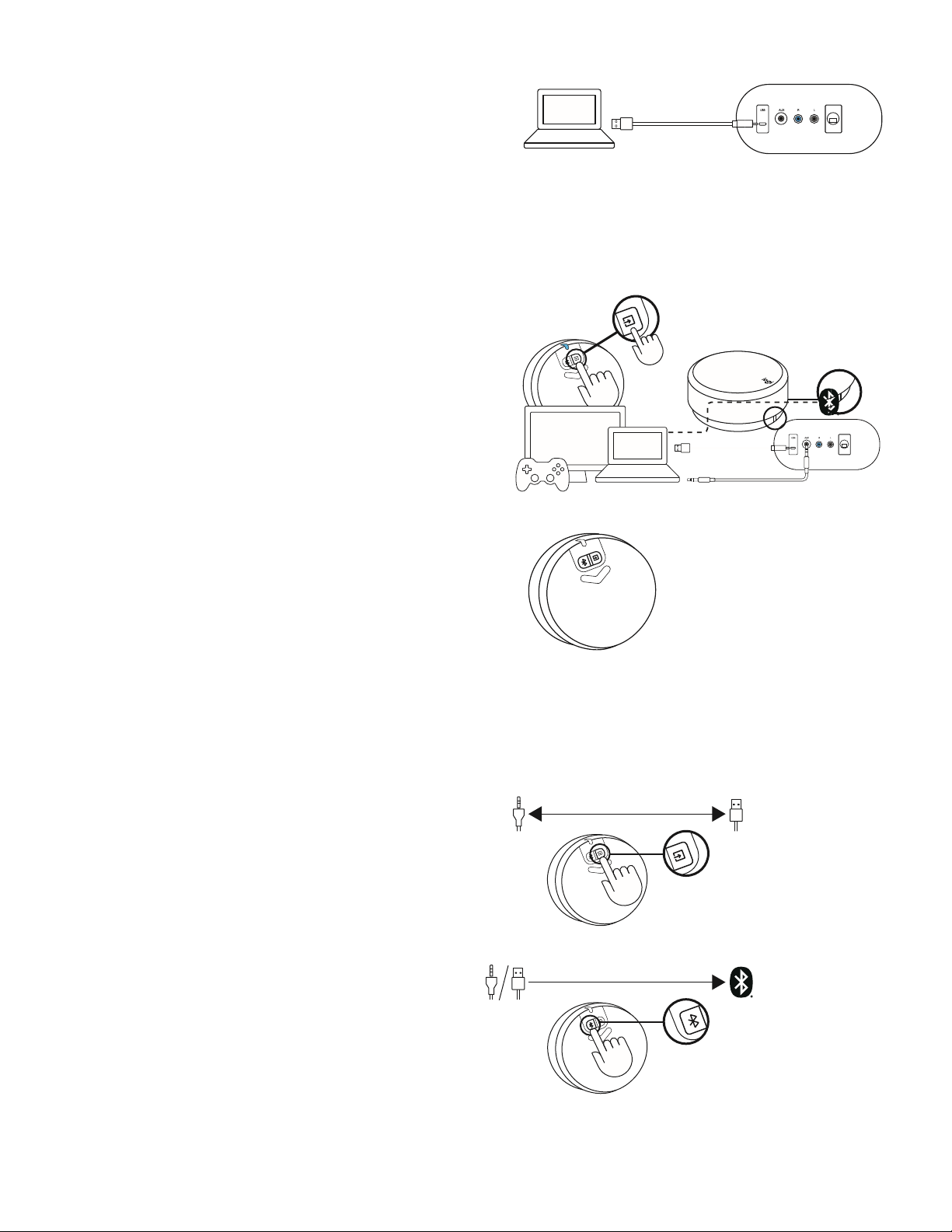
Connect one end of the USB cable to the micro
USB input on the back of the subwoofer Then connect the other end
of the cable to USB-A input on your device
NOTE: USB cable is not included in the box and must be purchased
separately
The default connectivity is Bluetooth
®
To play through USB
connectivity, press the wired input button on the back of the dial
The LED light will turn white
CONNECT TO THREE DEVICES SIMULTANEOUSLY Connect up to three
devices at the same time through the micro USB input, 3 5 mm input
on the back of the subwoofer, and Bluetooth
®
You can pair up to eight Bluetooth
®
source devices with your
speakers
To switch between wired and wireless audio sources, press the
Bluetooth
®
button and the wired input button on the back of the
wireless control dial
SWITCH BETWEEN DIFFERENT
AUDIO SOURCES
SWITCH BETWEEN TWO WIRED CONNECTIVITY
To switch between wired connection (3 5 mm and USB), press
wired input button on the bottom of the dial The LED color will
change correspondingly
SWITCH BETWEEN WIRED AND WIRELESS
CONNECTIVITY
To switch from wired connection to wireless connection
(Bluetooth
®
), press Bluetooth
®
button on the bottom of the dial
6 English
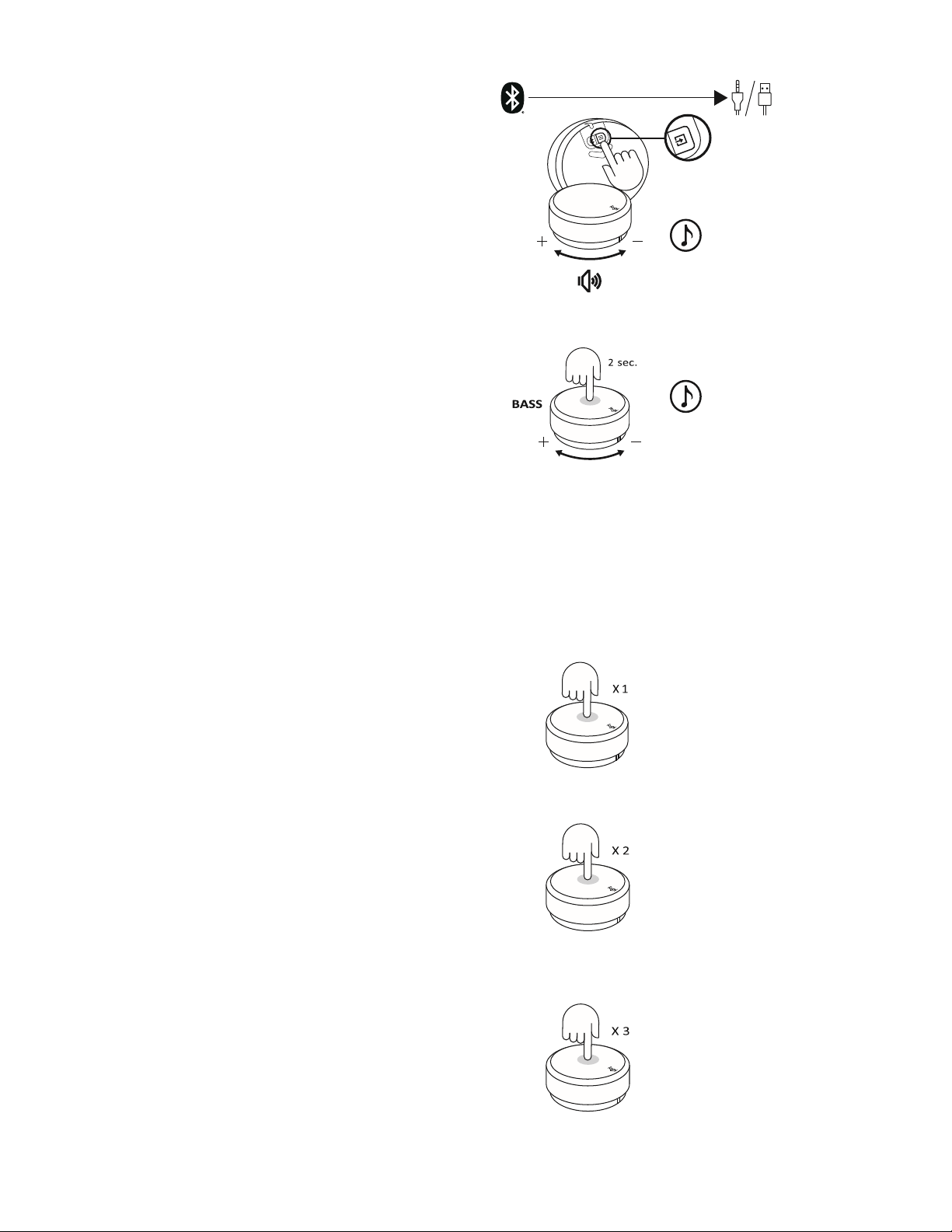
To switch from wireless connection to wired connection, press
wired input button on the bottom of the dial
CONTROL YOUR AUDIO CONTENT
ADJUST THE VOLUME
• To adjust the volume of the speaker, rotate the wireless dial
control clockwise
(counterclockwise) to increase Max volume
(decrease) the volume
• When reaching to MAX volume, you will hear a notification tone
ADJUST THE BASS
• To adjust the bass level, long press the dial Enter bass for 2 sec
and enter bass mode, you will
hear a notification sound Rotate clockwise Exit bass (counterclockwise)
to increase (decrease) Max bass volume the bass volume Min bass volume
• Long press 2 sec to exit bass mode, you will hear an exit
notification sound
• If you did not exit bass mode after adjusting the bass, the system will
automatically change back to volume mode after 15 seconds without
using
• You will hear a notification sound when you reach Max and Min bass
level
PLAY / PAUSE (MUTE/ UNMUTE)
• Press once on the dial to play / pause (mute/ unmute) your audio
content
• Play / pause (Mute/ unmute) will only be activated when the speaker
is connected via Bluetooth
®
or USB input (3 5 mm)
SKIP
• Press twice on the dial to skip your current track
• Skip will only be activated when the speaker is connected via
Bluetooth
®
or USB input
REWIND
• Triple press on the dial to replay the soundtrack
• Rewind will only be activated when the speaker is connected via
Bluetooth
®
or USB input
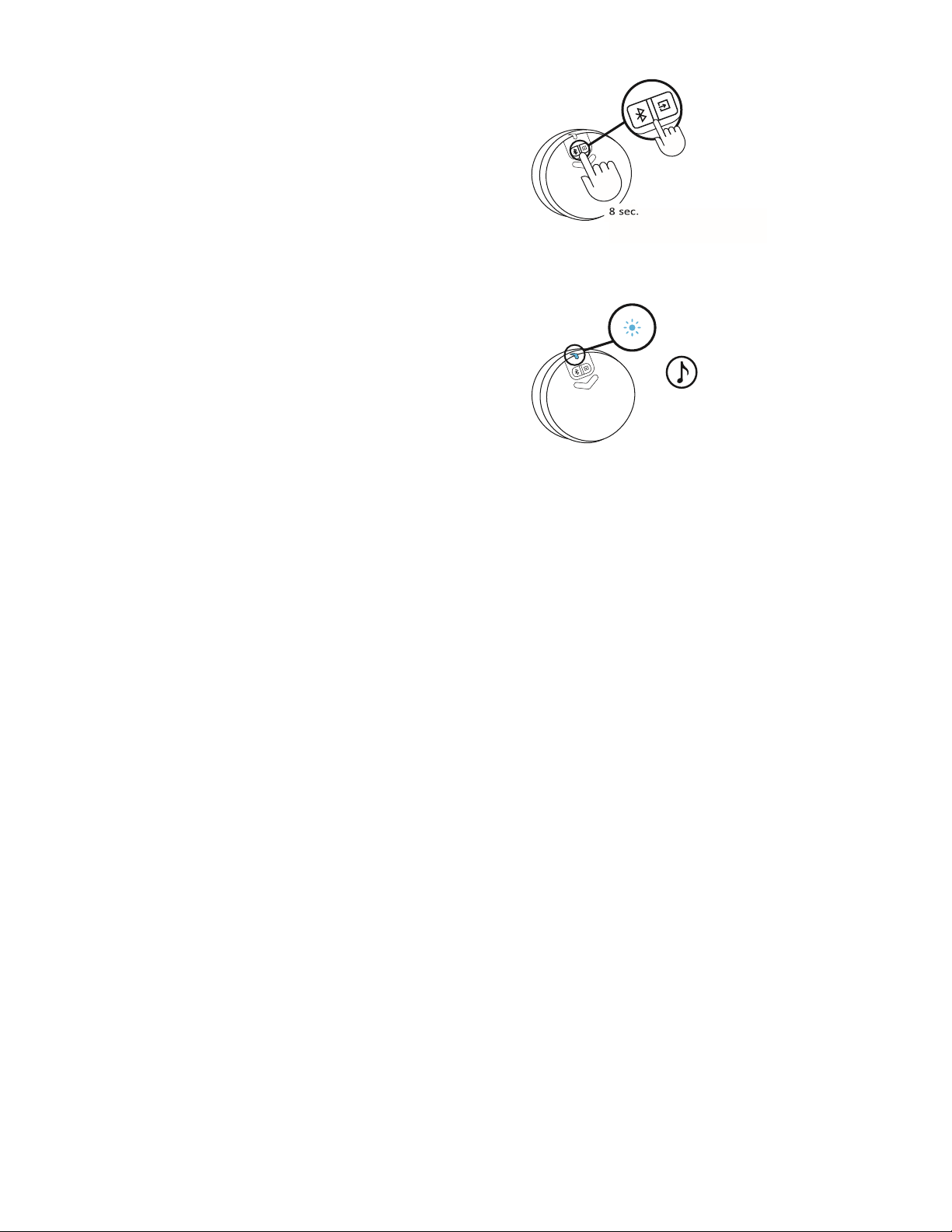
RESET ALL SETTINGS
7 English
Long press the Bluetooth
®
button and the wired input button at the
same time for 8 sec to reset the system
The LED will start to fast blink twice and then you will hear a reset
tone The LED will turn to solid blue after you successfully reset the
speaker
system Reset tone

8 English
CONTROL DIAL EXPERIENCE
Usage
Description
LED Status
LED Color
Sonification
Actions
1
Connection
(Dial - Speaker)
Default connected to the speaker
Solid
Blue
2
Waiting for connection to the
speaker
Slow blink
Blue
3
Dial link lost
Slow blink
White (USB) /
Blue (BT) /
Purple (AUX)
4
New dial connects to the speaker
Solid
Blue
V
5
Connected / Normal Operation
Solid
White (USB) /
Blue (BT) /
Purple (AUX)
6
Connection
(Speaker - Device)
Bluetooth pairing to device
Fast blinking
Blue
V
Long press Bluetooth button for
2 sec
7
Bluetooth connected
Solid
Blue
V
8
Bluetooth disconnected
Solid
Blue
V
9
Media controls
Play / Pause
White (USB) / Blue
(BT)
One press
10
Mute / Unmute
Purple (AUX)
One press
11
Track forward
Solid
White (USB) / Blue
(BT)
Double press
12
Rewind (Track backward)
White (USB) / Blue
(BT)
Triple press
13
Adjust the system volume
Solid
White (USB) /
Blue (BT) /
Purple (AUX)
Rotate the dial
14
Volume controls
Adjust the bass volume
Long press 2 sec to enter and
exit bass mode
15
Max volume
V
16
Max bass
V
17
System
Low Battery
Solid
Red
18
Extreme low battery
Fast blink
Red
19
Reset all settings
Fast blink →
Solid
Status color → Blue
V
Press & hold BT and wired input
button for 8 sec
www.logitech.com/support/Z407
© 2020 Logitech, Logi and the Logitech logo are trademarks or registered trademarks of Logitech Europe S A and/ or its affiliates
in the U S and other countries The Bluetooth
®
word mark and logos are registered trademarks owned by Bluetooth SIG, Inc and
any use of such marks by Logitech is under license All other trademarks are the property of their respective owners WEB-621-
001788 002

9 English