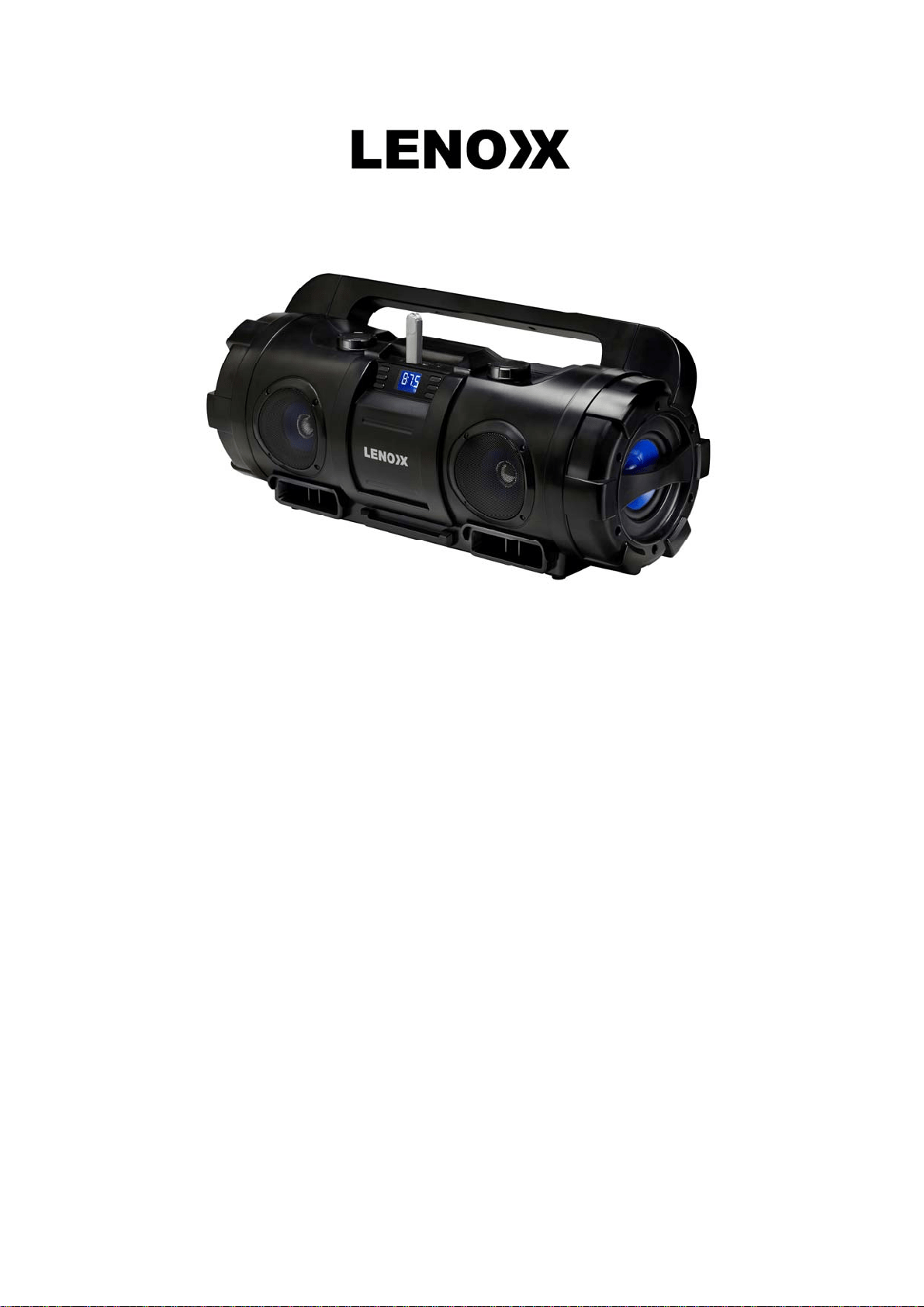
MODEL:BT9335
BLUETOOTHSUBWOODERMUSICSYSTEM
USBSTICKNOTINCLUDED
USERMANUAL
MAINFUNCTIONS:
USBPORT/SDCARDSLOT/AUX‐IN/EARPHONE
BLUETOOTH/FMWITHANTENNA
LCDDISPLAY
EQFUNCTION
SPECIFICATIONS:
TOTALPOWER:30W
DIMENSIONS:55CMx21CMx25CM
WEIGHT:2.9KG
VOLTAGE:100V‐240V
ACCESSORIES:
1xBOOMBOX
1xADAPTOR
1xUSERMANUAL
1
xWARRANTYCARD
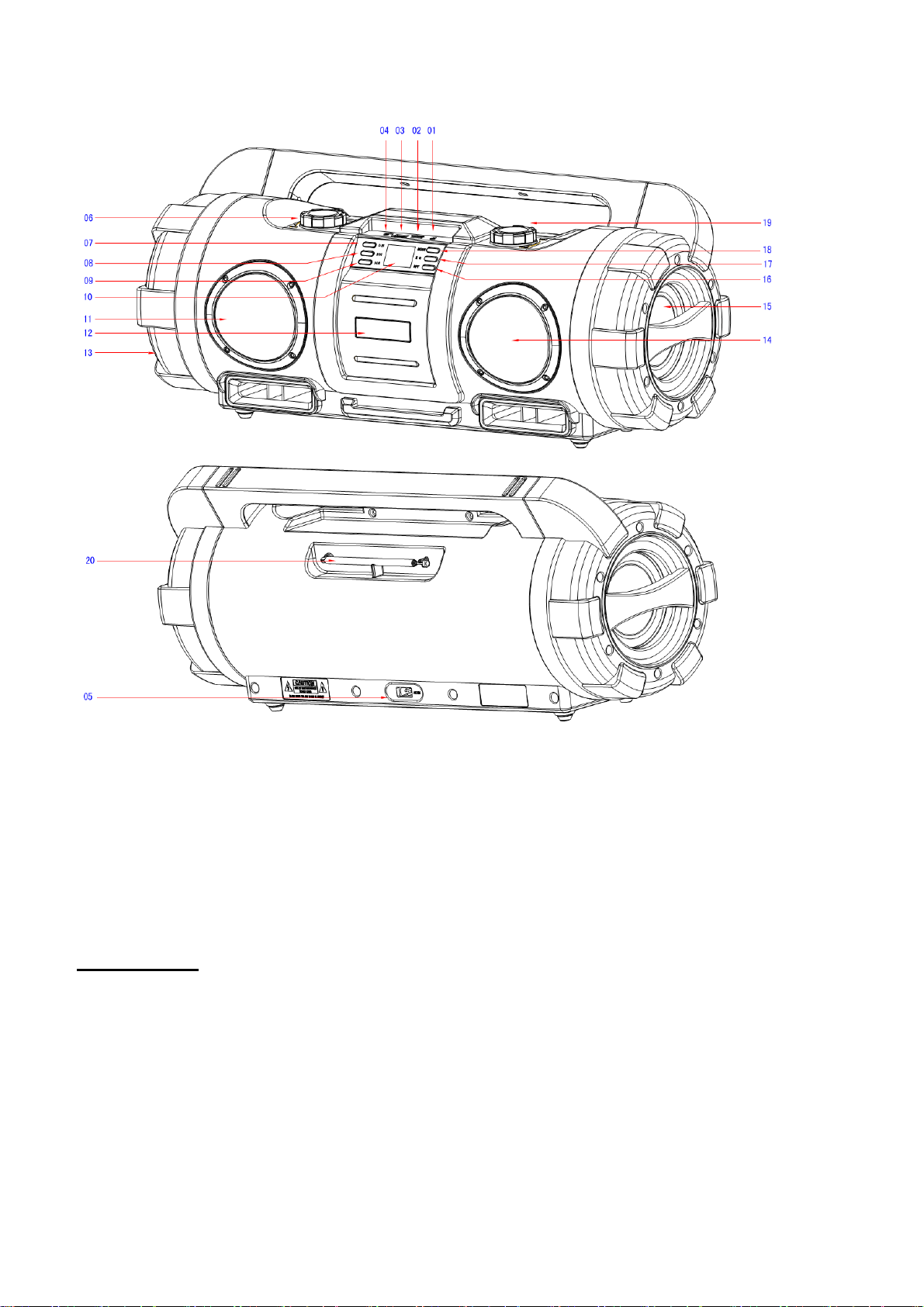
01EARPHONE
02MICROSDCARDSLOT
03USBPORT
04AUX‐IN
05DCPOWER
06POWER/VOLUME
BeforeUsing
● Pleasereadtheseinstructionscarefullybeforeusingandkeepthemforfuturereference.
● Usetheadaptortoconnecttheproductwithpoweroutlet.
07PLAY/PAUSE
08PREVIOUS
09NEXT
10DISPLAY
11TWEETERSPEAKER
12LOGO
13WOOFERSPEAKER
14TWEETERSPEAKER
15WOOFERSPEAKER
16REPEAT
17EQ
18MODE
19FMTUNNING
20ANTENNA

OPERATION:
1. ON/OFF:TurntheON/OFFswitch(06)toeitherONorOFF.
2. MODE BUTTON:Press the MODE BU TTON (18) to change the mode between
BT/FM/USB/MICROSDCARD/AUX‐IN.WhenyouinsertarelatedaccessorytotheMICROSDCARD
SLOT(02),USBPORT(03)orAUXINPORT(04),itwillswitchtotherelatedmodeautomatically.
3. VOLUMECONTROL:TurntheVOLUMECONTROL(06)tocontrolthevolume.
4. PLAY/PAUSE:When the unit is playing back from MICRO SD or USB STICK, press the
PLAY/PAUSEbutton(07)topauseandplay.
5. EARPHONES:When you insert earphonesto the EARPHONE JACK (01), the sound will begin to
playbackthroughtheconnectedearphonesautomatically.
6. BLUETOOTHFUNCTION: When theunitis in BT mode,openyour Bluetoothdeviceto scanand
connect.TheBluetoothnameofthisspeakerisBT9335LEN.Whenthedisplayscreenontheunit
shows:”b‐pl”,itisconnectedandcanplaythemusic.UsethePLAY/PAUSEbutton(07)topause
andplay,usethePREVIOUSbutton(08)andNEXTbutton(09)toselectoneprevious/nextmusic
track.
7. FM FUNCTION: When the unit is in FM mode, use the FM TUNING CONTROL (19) to manually
changetoadifferentradiostation.UsetheFMANTENNA(20)toincreasereception.
6.REPEAT MODE: Whenthe unit isplayingback fromMICROSD orUSB STICK, Press theREPEAT
BUTTON (16) to choose between the different repeat playing style. Choose from FOLD (repeat all
tracksina particularfolder),ONE(repeatthecurrentplayingtrack),RAN(playbackallmusic tracks
inrandomorder)orALL(repeatplayalltracks).
7.FF/REW: When the unit is playing back from MICRO SD or USB STICK, press the PREVIOUS
BUTTON (08) to go backwards to previous track playback. Press the NEXT BUTTON (09) to go
forwardstothenexttrackplayback.
8.EQBUTTON:WhentheunitisplayingbackfromMICROSDorUSBSTICK,presstheEQBU TTON
(17)tochoosebetweenthedifferentEQplaybackstyles:NORMAL/POP/ROCK/JAZZ/CLASSIC.
ImportantGuidelines
● Donotallowchildrentouseelectricalequipmentwithoutadults’supervision.Educatechildren
aboutthedangerandsafetyrulesassociatedwithoperatingelectricalequipment.
● Donotoperateanyappliancewithadamagedcordorplug,oraftertheappliance malfunctions
Customercare/servicecenter.