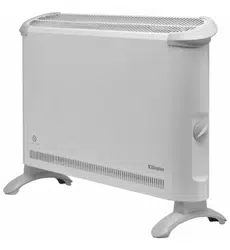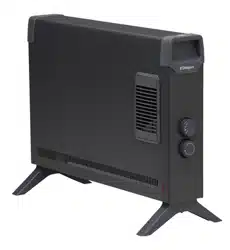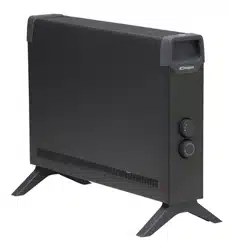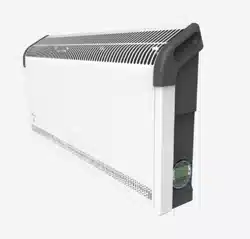
These products comply with all the required European and UK Product Safety, Electromagnetic Compatibility and Environmental Standards.
They are fully compliant with the LVD, EMC, RoHS and Eco Design Directives and Regulations.
08/54917/0 Issue 1
As with all portable heating appliances: This product is suitable only for well insulated spaces or occasional use.
Convector Heater
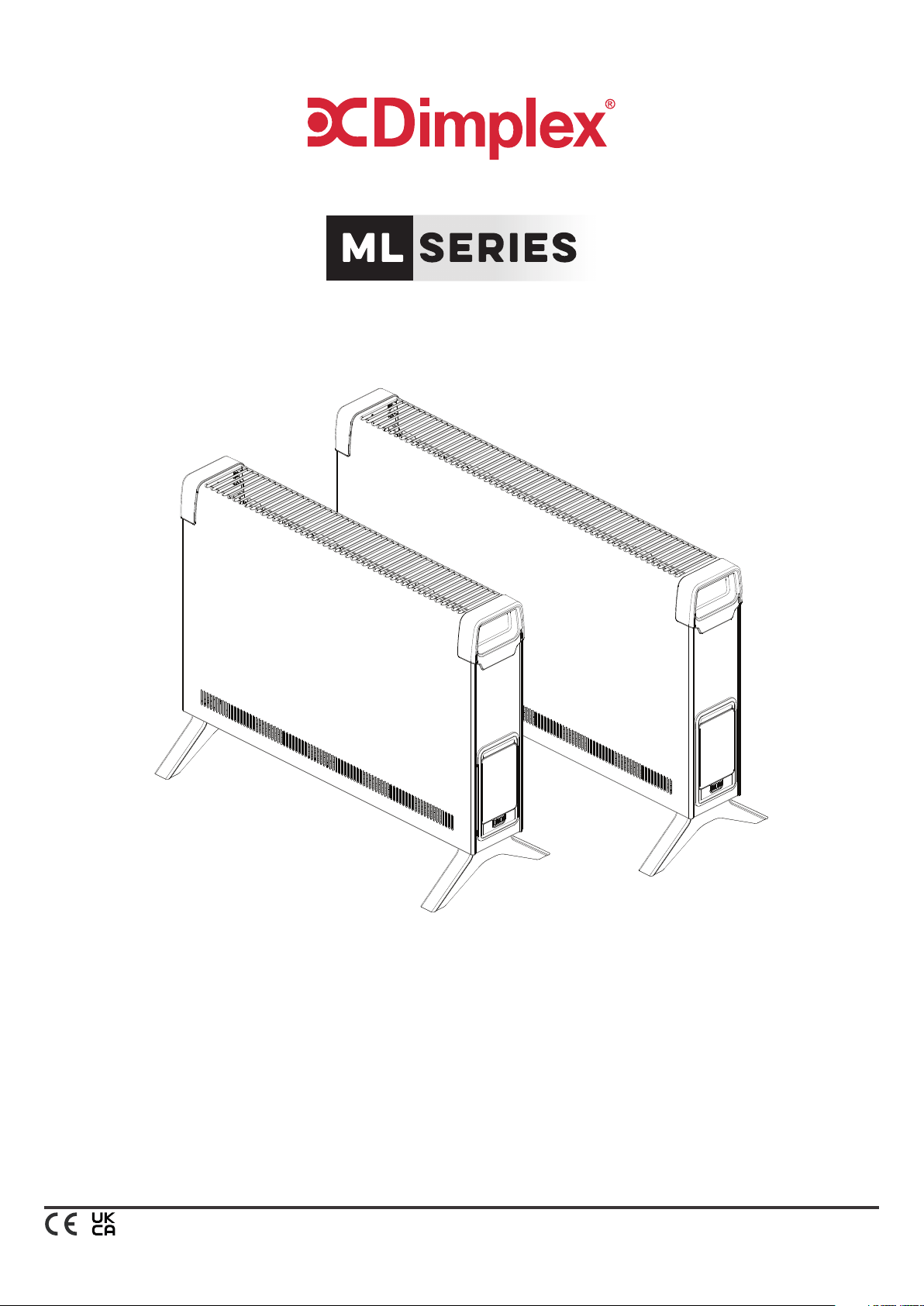
ML2CE & ML3CE
Designed to provide gentle background heating, to take the chill off a room. Ideally to be used with a principal
source of heating.
ML2CE
ML3CE

Installation and Operating Instructions
Children aged from 3 years and less than 8
years shall only switch on/off the appliance
provided that it has been placed or installed
in its intended normal operating position and
they have been given supervision or instruction
concerning the use of the appliance in a safe way
and understand the hazards involved. Children
aged from 3 years and less than 8 years shall
not plug in, regulate and clean the appliance or
perform user maintenance.
CAUTION: Some parts of this product can
become very hot and cause burns. Particular
attention has to be given where children and
vulnerable people are present.
DO NOT use this heater if it has been dropped.
DO NOT use if there are visible signs of damage
to the heater.
Use this heater on a horizontal and stable
surface with the feet securely fitted.
WARNING: To reduce risk of fire, keep textiles,
curtains, or any other flammable material a
minimum distance of 1m from the appliance.
WARNING: Risk of fire – Do not use this
appliance connected through an extension lead
or any external switching device such as a plug
in timer or remote control plug in adaptor. All
heating appliances draw high current through
the mains supply and any weakness in the
design, connections or components in these
devices can easily result in overheating of
the connection points resulting in melting,
distortion and even the risk of fire!
DO NOT use the heater on deep pile carpets or
the long hair type of rugs, or less than 750mm
(30”) away from any overhanging surface. Keep
combustible materials such as drapes and other
furnishings clear from the front, sides and rear
of the heater. Do not use heater to dry your
laundry.
DO NOT operate the heater with the mains lead
overhanging the outlet grill.
DO ENSURE that the mains lead cannot be
tripped over.
If the radiator is tipped over, unplug it and allow
it to cool before standing it back up.
IMPORTANT: The feet supplied with the
appliance must be used.
This instruction leaflet belongs to the appliance
and must be kept in a safe place. If changing
owners, the leaflet must be surrendered to the
new owner.
IMPORTANT: THESE INSTRUCTIONS SHOULD BE READ CAREFULLY BEFORE USE AND RETAINED FOR FUTURE REFERENCE
IMPORTANT SAFETY ADVICE
WARNING: To avoid danger of suffocation please
remove all packaging materials particularly
plastic and EPS and keep these away from
vulnerable people, children and babies.
WARNING: To avoid the risk of accidental
strangulation from the supply cord all children
and vulnerable people must be supervised
when in the vicinity of the product whether it is
working or not.
DO NOT pull, carry or move the appliance using
the power cable.
DO NOT use the heater in the immediate
surroundings of a bath, a shower or a swimming
pool.
DO NOT place the heater directly below a fixed
socket outlet.
The socket-outlet must be accessible at all times
to enable the mains plug to be disconnected as
quickly as possible.
WARNING: In order to avoid overheating, do
not cover the heater.
This heater carries the warning symbol
indicating that it must not be covered.
DO NOT cover or obstruct the air inlet and
outlet openings in any way.
DO NOT use this heater in small rooms when
they are occupied by persons not capable of
leaving the room on their own, unless constant
supervision is provided.
IMPORTANT: If the mains lead of this appliance
is damaged, it must be replaced by the
manufacturer or its service agent or a similarly
qualified person in order to avoid a hazard.
CAUTION: In order to avoid a hazard due to
inadvertent resetting of the thermal cut-out,
this appliance must not be supplied through an
external switching device, such as a timer, or
connected to a circuit that is regularly switched
on and off by the utility.
This appliance can be used by children aged from
8 years and above and persons with reduced
physical, sensory or mental capabilities or lack
of experience or knowledge if they have been
given supervision or instruction concerning
the use of the appliance in a safe way and
understand the hazards involved. Children shall
not play with the appliance. Cleaning and user
maintenance shall not be made by children
without supervision.
Children of less than 3 years should be kept
away unless continuously supervised.
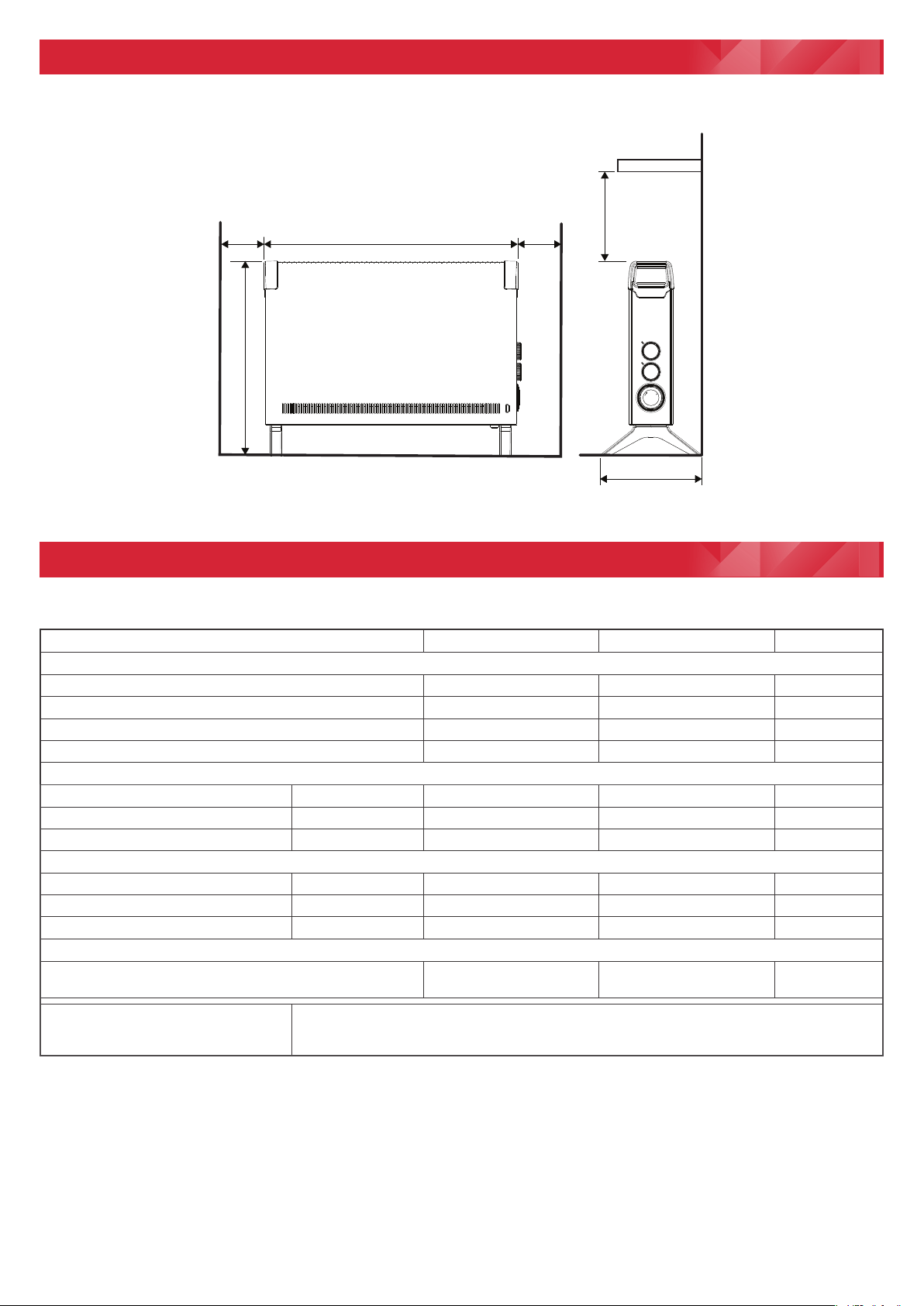
All Dimensions in millimetres
577 (ML2**)
705 (ML3**)
230
Min.
230
Min.
443
233
500
Min.
Fig. 1
Model Identier(s): ML2CE ML3CE
Specication
Electronic Time & temperature control Yes Yes
Heat Selection Yes Yes
Feet for portable use Yes Yes
Wall mountable No No
Heat output
Nominal heat output Pnom 2.0 3.0 kW
Minimum heat output (indicative) Pmin 1.2 2.0 kW
Maximum continuous heat output Pmax,c 2.0 3.0 kW
Auxiliary electricity Consumption
At nominal heat output elmax 0.0 0.0 kW
At minimum heat output elmin 0.0 0.0 kW
In standby mode elSB 0.0 0.0 kW
Type of heat output/ room temperature control
Electronic room temperature control with 12 hour runback
timer
Yes Yes
Contact details
UK: Glen Dimplex UK Ltd., Millbrook House, Grange Drive, Hedge End, Southampton SO30 2DF
ROI: Glen Dimplex Europe Limited, Airport Road, Cloghran, County Dublin, K67 VE08
Technical Data
Dimensions & Clearances
IMPORTANT - OBJECTS OR CLOTHING MUST NOT BE
PLACED ON THIS HEATER.
Before using the heater ensure that all warnings and
instructions have been carefully read.
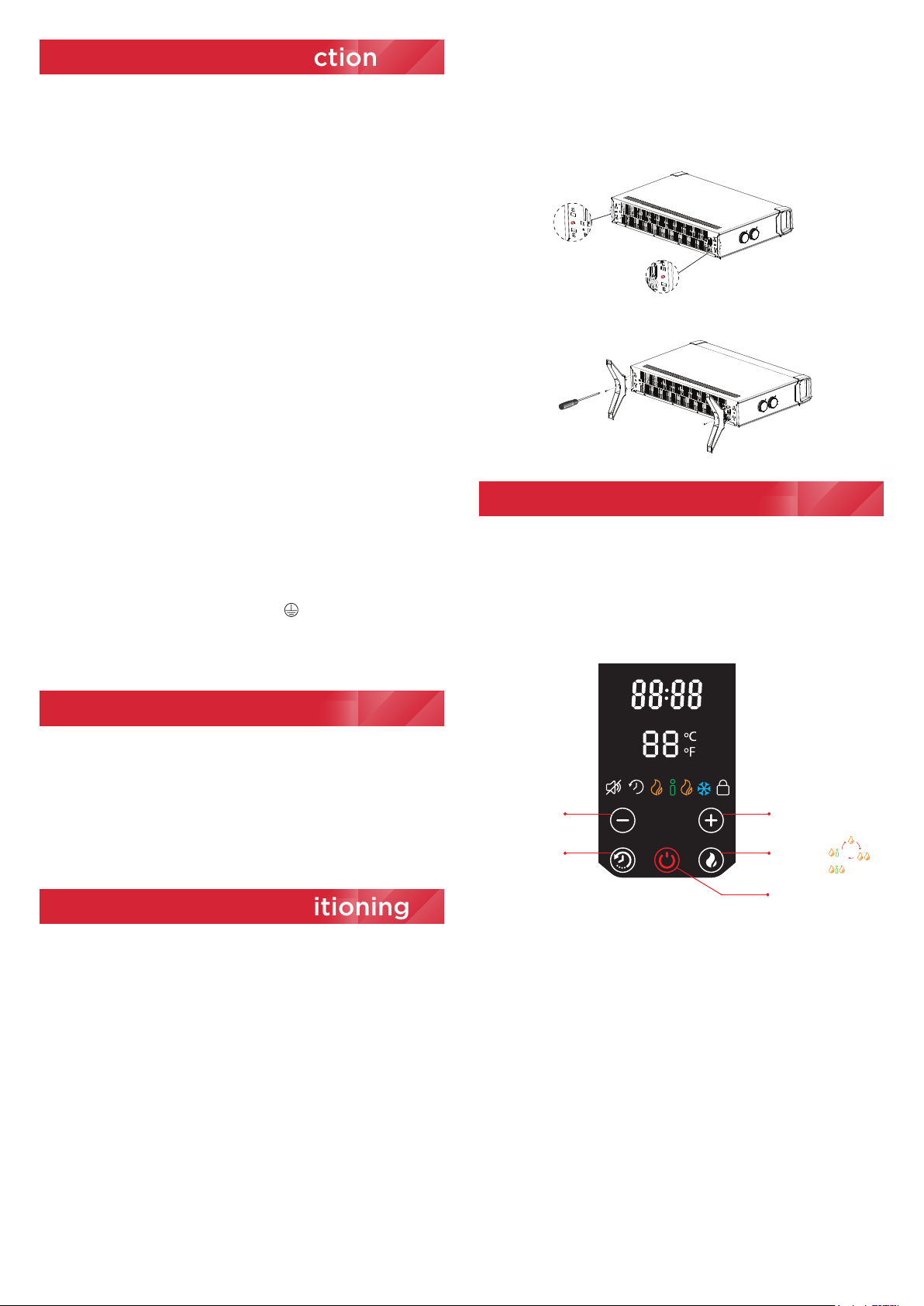
CONTROLS
Standby
Heating Mode
Runback Timer
or
Decrease Temperature
(Min 5ºC/43ºF)
Increase Temperature
(Max 30ºC/86ºF)
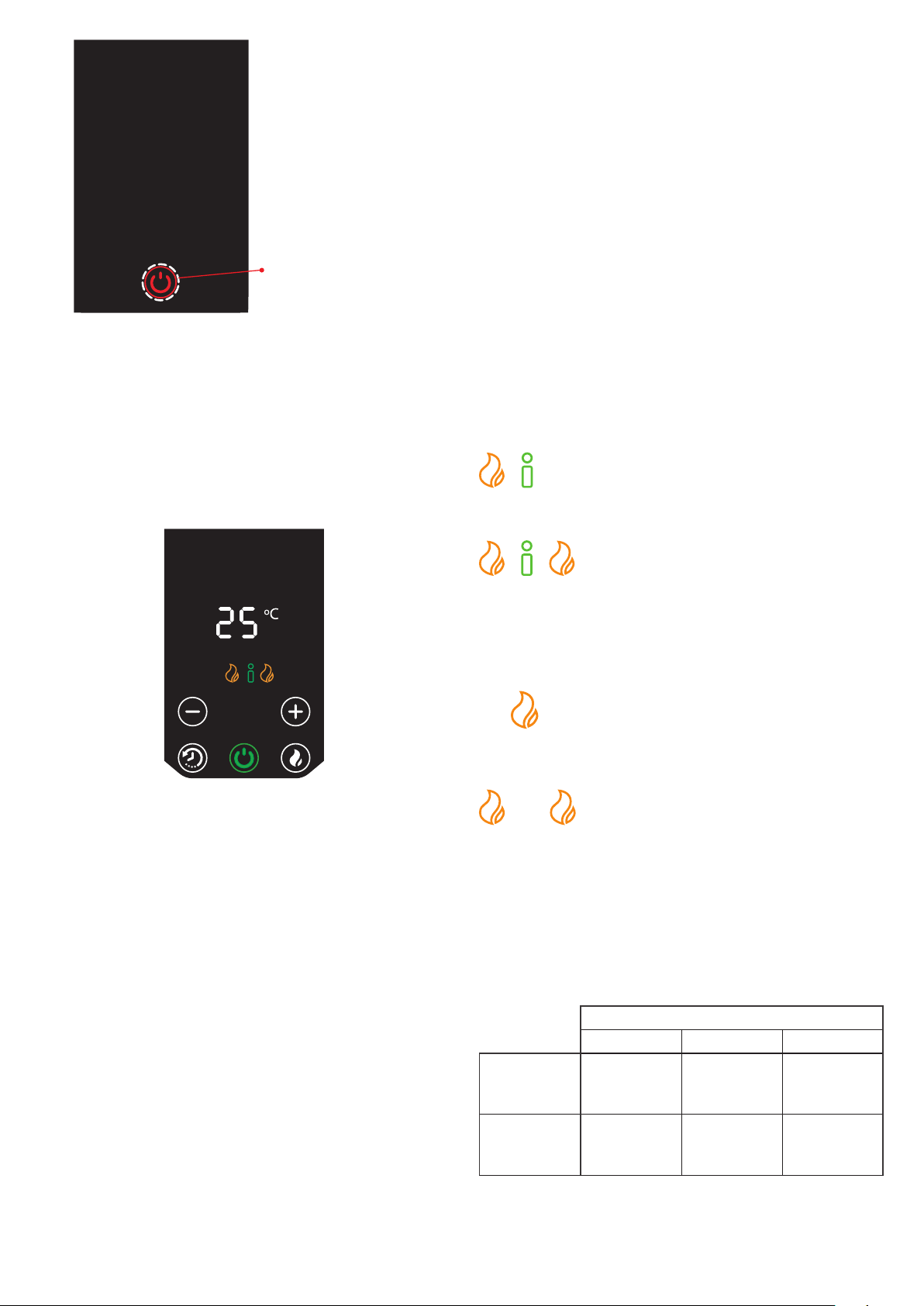
FIRST TIME STARTUP
To activate the heater, after assembly, simply plug it in.
You will hear an audible beep and the standby button will
illuminate. This indicates the appliance is energised and
ready for use.
Standby button/ indicator
(Red)
WARNING: THIS APPLIANCE MUST BE EARTHED
DO NOT use an extension lead or multi-plug adaptor when
connecting this product to the mains. Connection through
these devices could lead to risk of overloading, overheating
and even fire at the extension lead or adaptor due to
inadequate connection quality.
This heater must be used on an AC (~) supply only and
the voltage marked on the heater must correspond to the
supply voltage. This heater is fitted with a rewirable plug
incorporating a 10/13 amp fuse. In the event of replacing
the fuse in the plug supplied, an equivalent 10/13 amp fuse
approved by ASTA to BS 1362 must be used. If any other type
of plug is used, a 15 amp fuse must be fitted in the plug, the
adaptor, or at the distribution board.
IMPORTANT: If the plug is not suitable for your socket, the 13
amp plug should be removed. Before wiring the appropriate
plug, please note that the wires in this mains lead are coloured
in accordance with the following code:
GREEN AND YELLOW: EARTH
BLUE: NEUTRAL
BROWN: LIVE
Connect the GREEN AND YELLOW wire to the terminal
marked ‘E’ or by the earth symbol , or coloured GREEN
or GREEN AND YELLOW. Connect the BROWN wire to the
terminal marked ‘L’ or coloured RED. Connect the BLUE wire
to the terminal marked ‘N’ or coloured BLACK.
The heater is designed for operation on an AC electricity
supply, and is suitable for use in domestic dwellings and
similar indoor locations.
The heater is supplied with feet and handles for ease of
movement. An electronic control provides the ability to
choose an available heat output and control the room
temperature. It is supplied with a cord and plug and is
ready for use once the feet have been correctly fitted.
The ML Convector can only be used as a portable heater.
To install the feet, lay the heater on its back and remove
the two foot fixing screws, highlighted in Fig. 2. Assemble
the feet by pressing them firmly into the convector body
as indicated in Fig. 2, the foot should clip into position.
Secure using the foot fixing screw, Return the convector to
the upright position,
The appliance is now ready for use.
Always ensure that the heater is stood on a firm, level
base near to, but not directly underneath a suitable mains
supply socket.
Ensure that curtains and furniture are not positioned close
to the chosen position.
If young children, the aged or infirm are likely to be left
in the vicinity of the heater, we advise that the adequate
precautions should be taken. We recommend that a guard
be fitted to ensure contact with the heater is avoided and
objects cannot be inserted into the product.
WARNING: PLEASE ENSURE THE MINIMUM CLEARANCE
DIMENSIONS INDICATED IN Fig.1 ARE MAINTAINED
WARNING: The heater must only be operated with the feet
securely fitted and in the upright position.
Never use the heater as a portable appliance without the
feet securely fitted using the screws provided.
Fig. 2
Operation
Assembly and Positioning
General
Electrical Connection
Fig. 3
IMPORTANT - OBJECTS OR CLOTHING MUST NOT BE
PLACED ON THIS HEATER.
Before using the heater ensure that all warnings and
instructions have been carefully read.
CONTROLS
Standby
Heating Mode
Runback Timer
or
Decrease Temperature
(Min 5ºC/43ºF)
Increase Temperature
(Max 30ºC/86ºF)
FIRST TIME STARTUP
To activate the heater, after assembly, simply plug it in.
You will hear an audible beep and the standby button will
illuminate. This indicates the appliance is energised and
ready for use.
Standby button/ indicator
(Red)
Fig. 5
Fig. 4
Screen & Button sleep mode
If no buttons have been pressed for 20 seconds, the display
screen and buttons will enter sleep mode, all buttons except
the Standby will disappear and the brightness of the screen
icons will dim 50%. To reactivate buttons, place your hand
on the display.
The appliance will continue to function as set once the unit
is in sleep mode.
OPERATIONAL MODES
This appliance operates in manual mode only:
Manual mode is a continuous active heating mode. It
is possible to select a heat mode and a desired room
temperature and the appliance will continue to control
the room until the mode is changed or the appliance is
switched off.
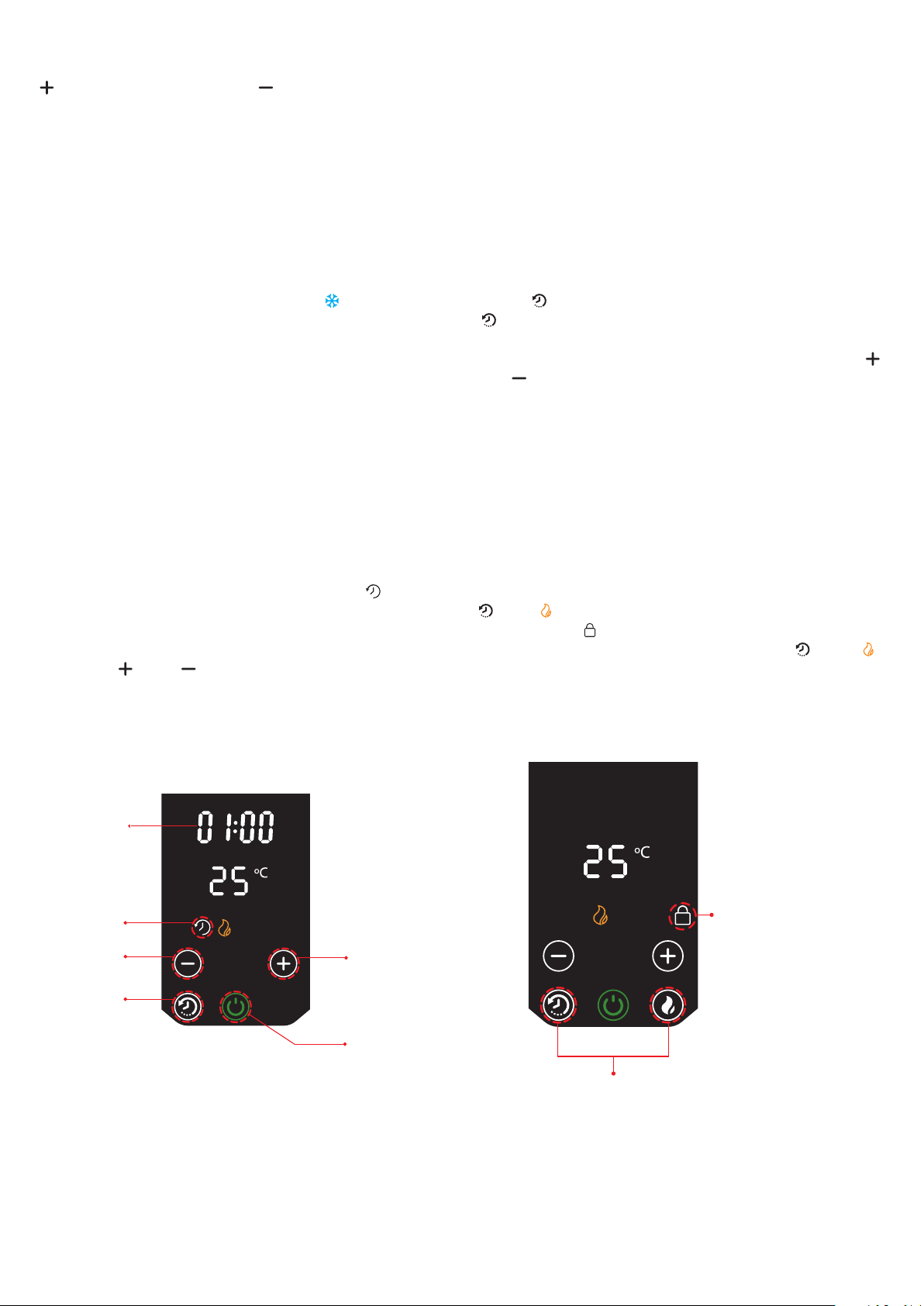
HEAT SELECTION
There are three heat modes to select from, these can be
selected during the Operational mode setup:
Intelligent (Eco) Heat: The product will
automatically regulate the output power
depending on requirements. In this mode
the product operates at full power, however
the output of the product is automatically
reduced and regulated as the room
temperature
approaches the desired level. This mode
optimises energy use by calculating the most efficient and
effective way to achieve the desired temperature setting.
The desired room temperature can be adjusted at any time
during operation by pressing the appropriate button.
Low Heat: In this mode, the appliance will
operate at a low heat setting, the appliance
will automatically cycle at this setting to
achieve and maintain the desired room temperature.
High Heat: In this mode, the appliance will
operate at a high heat setting, the appliance
will automatically cycle at this setting to
achieve and maintain the desired room temperature.
Note: If the temperature set is lower than the room
temperature then the product will shut off. The
temperature will be flashing to indicate this. The product
will stay in this state until the room temperature lowers
or the set temperature is increased higher than the room
temperature.
Heat settings
Low (w) High (w) Eco (w)
ML2CE 800 2000
2000 or
1200 or
800
ML3CE 1000 3000
3000 or
2000 or
1000
STANDBY MODE
Standby mode is an inactive mode where the appliance will
not emit any heat. In this mode the appliance is plugged
in ready for use. Power is going to the product but the
product is not turned ON. This mode is indicated by a red
standby button/indicator. The screen will be off and no
other buttons will be visible, see Fig. 4.
To activate the appliance press the Standby button. The
icon will change to green and the screen and buttons will
illuminate, see Fig. 5.
For first time startup, the product will start with default
settings of 25°C in ECO Mode and Manual operation.
If not the first time startup, and when the product is
subsequently turned on, the product will return to the last
used settings for Heat Mode, Temperature Setting, Sound
ON/OFF.
If the product is powered on and the standby button is
pressed, there is a countdown timer from 10 to 1 before
shutting down.
When disconnected from the power supply (plugged out/
power cut/tilt switch) then reconnected and turned back
on, the product will return to last used settings for Heat
Mode, Temperature setting, Sound ON/OFF.
Note: The element has been coated with a protective film
which will burn off during the first few minutes of use, this
may cause a small amount of fuming. This is quite normal –
the fumes are non-toxic and will quickly disappear.
We recommend that you open a window to ventilate the
room when using the heater for the first time.
OR
.
Cancelling Runback Timer:
To cancel the Runback Timer the user can go back into
Runback setting and change the Runback time to 0:00 or
press the Standby button while the setup mode is active.
DELAYED START TIMER
The heater is fitted with a Delayed Start Timer feature.
The Delayed Start Timer will ensure the appliance stays in
standby mode until the time has passed. After this time has
passed the appliance will activate the previous heat output
and setpoint settings. The Delayed Start Timer range is 1 to
12hours.
To set Delayed Start Timer press and hold the runback
button ‘ ’ for 2 seconds, see Fig. 3. The delayed start icon
‘ ’ will begin to flash on the screen and the default delayed
start duration of 1:00 (1 hour) will also appear and flash.
The delayed start duration can be adjusted using the ‘ ’
and ‘ ’ buttons. To accept and set the Delayed Start Timer
simply allow the setup mode to time out (approximately 6
seconds after the last button press). The delayed start icon
and time will stop flashing and be displayed solid on the
screen. To cancel the delayed start setup mode while the
icon is flashing press the standby button. The appliance will
enter standby mode. To cancel after accepting the Delayed
Start Timer press the standby button twice.
KEY LOCK
It is possible to lock the controls so that the settings cannot
be changed. To activate the key lock press and hold both ‘
’ and ‘ ’ buttons together for 2 seconds, see Fig. 7. The
Key Lock icon ‘ ’ will appear on the display. To unlock the
control repeat the action by pressing both ‘ ’ and ‘ ’
buttons for 2 seconds.
Note: The Standby button will still work when the Key Lock
is active. If the standby button is used again to re energise
the appliance then the last heat settings and key lock will
still be active.
Key Lock icon appears
on the display
Press and hold for 2 seconds
to activate the Key Lock mode
Fig. 7
SETTING THE ‘DESIRED’ ROOM TEMPERATURE
The temperature is set using the temperature increase ‘
’ and temperature decrease ‘ ’ buttons, see Fig.3. The
room temperature can be set in the range between 5°C to
30°C. Please note the temperature indicated on the display
represents the desired room temperature. It does not
display the actual room temperature.
FROST PROTECTION MODE
The appliance has a frost protection mode. This setting is
useful in areas such as garages to assist in the prevention
of frost damage.
To activate this mode set the temperature to its minimum
setting ‘5°C’, the frost protection symbol ( ) will illuminate.
When set, the heater will cycle ON and OFF to try to
maintain a temperature of approximately 5°C and help
protect against frost conditions.
Note: This appliance cannot guarantee total frost protection,
external factors such as room size, outside temperature,
room insulation properties, etc. will effect the reliability of
this mode.
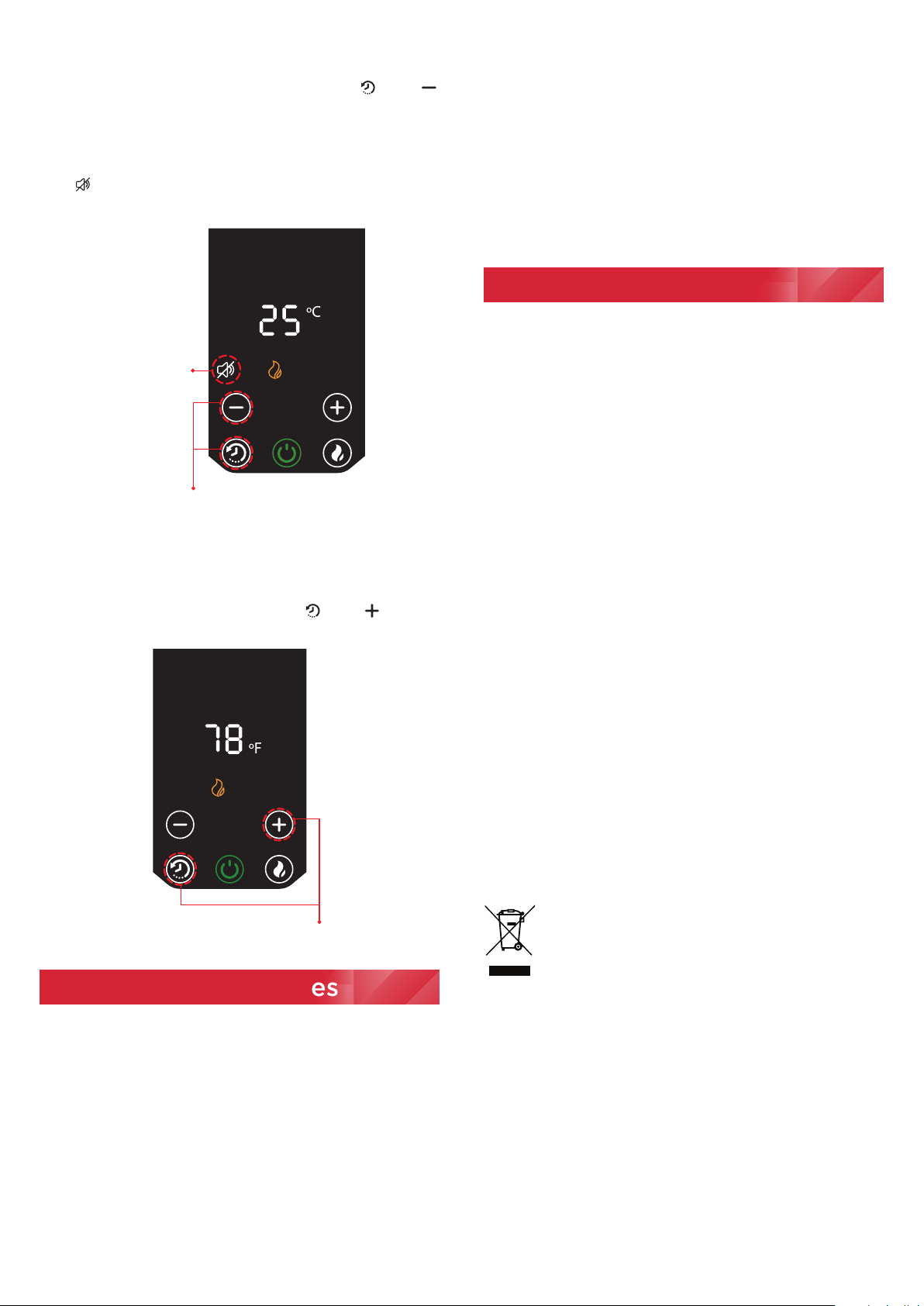
RUN BACK TIMER
The heater is fitted with a Runback Timer feature. The
Runback Timer will allow the appliance to run, from now,
for a pre-set time. After this time has expired the appliance
will enter Standby mode and the Runback timer will clear to
zero. The Runback Timer range is 1 to 12 hours.
To set Runback Timer press the runback button , see Fig.
3. The runback icon will begin to flash on the screen and
the default runback duration of 1:00 (1 hour) will also appear
and flash, see Fig. 6. The runback duration can be adjusted
using the ‘ ’ and ‘ ’ buttons. To accept and set the
runback timer simply allow the setup mode to time out
(approximately 6 seconds after the last button press). The
runback icon and time will stop flashing and be displayed
solid on the screen. To cancel the runback setup mode
press the standby button while the icon is blinking.
Cancel Runback
Increase Runback
time (stops at 12 hr)
Decrease Runback
time (stops at 0hr)
Runback button
Increase
Runback time
Runback duration
(blinking during setup)
(solid while set)
Runback icon
(blinking during setup)
(solid while set)
Current Runback Timer:
The remaining Runback time is displayed on the screen. The
Runback button can be pressed and the Runback Timer can
be edited or if left alone for 6 seconds will continue in its
runback and return to the main screen.
Fig. 6
SOUND ON/OFF
The heater creates the audible beeps when pressing the
buttons. To turn off the sound press and hold ‘ ’ and ‘ ’
buttons together for 2 seconds, see Fig. 8. To turn on the
sound you have to repeat the action.
Sound OFF - product will not ‘beep’ on button presses and
icon ‘ ’will illuminate.
Sound ON - product will ‘beep’ on button presses and icon
will be Off.
Press and hold for 2 seconds
to switch Sound On or O
Sound OFF icon
appears on
the display
Fig. 8
SWITCHING BETWEEN TEMPERATURE UNITS
To switch temperature from degrees Celsius to degrees
Fahrenheit and reverse press and hold ‘ ’ and ‘ ’ buttons
together for 2 seconds, see Fig. 9.
Press and hold for 2 seconds
to switch temperature
between °C and °F
This appliance incorporates a number of safety devices.
In addition to the ‘Important Safety Advice’ section your
attention is drawn to the following:
SAFETY OVERHEAT PROTECTION
The heater is fitted with a thermal cutout which will switch
off the heater should it overheat for any reason. If the
thermal cutout operates, unplug the unit immediately.
Allow the heater to cool down completely and remove the
cause of the over heating.
TILT SWITCH
The product is fitted with a safety tilt switch which will
prevent the heater from working if the heater is accidentally
tipped over in any direction.
If the heater is tipped over while it is hot, disconnect the
power and allow it to cool, then stand the heater back
upright. Reconnect the power - normal operation should
be resumed.
Note: The tilt switch mechanism makes a muted rattling
noise when the product is moved or tilted, this is not a
fault, this noise is normal.
IMPORTANT NOTES
Although this heater is manufactured to comply with the
relevant safety standards, certain types of carpets could
become discoloured by the temperatures under a portable
heater. If you are concerned about this, we recommend
that you contact the carpet manufacturer for guidance.
Alternatively, stand the heater on a suitable base to shield
the carpet – call our Helpline for further advice.
You may notice some parts of the element appearing to
be hotter from time to time because of the variable airflow
through the heater. This does not cause a safety hazard.
The heat outlet grille may become discoloured with use –
this is caused by airborne pollution and is not a fault.
STORAGE
If the radiator is not required for long periods, for example
during the summer, it should be stored in a dry place and
preferably covered to prevent the accumulation of dirt and
dust.
CLEANING
WARNING - ALWAYS DISCONNECT THE POWER SUPPLY
BEFORE CLEANING THE HEATER.
Do not use detergents, abrasive cleaning powder or polish
of any kind on the body of the heater.
Allow the heater to cool, then wipe with a dry cloth to
remove dust and a damp cloth (not wet) to clean off stains.
Be careful not to allow moisture in to the heater.
RECYCLING
For electrical products sold within the European
Community.
At the end of the electrical products useful life it
should not be disposed of with household waste.
Please recycle where facilities exist. Check with
your Local Authority or retailer for recycling advice in your
country.
If you don't intend to keep the packaging of this product
for later use or storage, please dispose of it in an eco-
friendly way, please dispose of it in your recycling bin or
nearest recycling facility, thank you.
Safety Features
Additional
Fig. 9

Guarantee
What does a Dimplex Guarantee cover?
Dimplex products deliver reliable service for normal, household use in domestic settings. All Dimplex products are individually
tested before leaving the factory.
If you are a consumer and you experience a problem with your Dimplex product, which is found to be defective due to faulty
materials or workmanship within the Guarantee Period, this Dimplex Guarantee will cover repair or - at the discretion of
Dimplex – replacement with a functionally equivalent Dimplex product.
Your product is under Guarantee for 1 year from the date of purchase or the date of delivery of the product, if later. The 1 year
Guarantee is extended for an additional 2 years when you register the product with Dimplex, within 28 days of purchase. If
you do not register the product with Dimplex within 28 days, your product will remain warrantied for 1 year only. To validate
your extended Guarantee register with us online at: http://register.dimplex.co.uk. N.B. Each qualifying product needs to be
registered with Dimplex individually. Please note that the extended Guarantee is only available in the UK and Ireland.
The Dimplex Guarantee is conditional upon you providing the original purchase receipt as proof of purchase. Please therefore
retain your receipt as proof of purchase.
If you do experience a problem with your Dimplex product please call the Helpline on +44 [0]344 879 3588 or visit https://
www.dimplex.co.uk/support. For ROI please email serviceireland@glendimplex.com or call +353(0)1 842 4833. We will need
details of your Dimplex product and a description of the fault which has occurred. Once we receive your information and
proof of purchase we will contact you to make the necessary arrangements. If your Dimplex product is not covered by this
Dimplex Guarantee there may be a charge to repair your product. However, we will contact you for agreement to any charges
before any chargeable service is carried out.
What is not covered by a Dimplex Guarantee?
The Dimplex Guarantee does not cover any of the following:
Any fault or damage to your Dimplex product due to faulty materials or workmanship occurring outside the Guarantee Period.
Normal wear and tear including parts that might wear out over time or consumables, such as filters.
Any fault or damage occurring to any pre-owned Dimplex product or to any other equipment or property.
Accidental damage to your Dimplex product or damage to your Dimplex product from external sources (for example, transit,
weather, electrical outages or power surges).
Fault or damage to your Dimplex product which is:
•Not due to faulty materials or workmanship or which is due to circumstances outside
Dimplex’s control.
•Caused by use of your Dimplex product for anything other than normal domestic household purposes in the country where it was
purchased.
•Caused by any misuse, abuse or negligent use of the Dimplex product, including but not limited to any failure to use it in accordance
with the Operating Instructions supplied with the product.
•Caused by any failure to assemble, install clean and maintain your Dimplex product in accordance with the Operating Instructions
supplied with the product unless this was carried out by Dimplex or its authorised dealers.
•Caused by repairs or alterations to your Dimplex product not carried out by Dimplex service personnel or its authorised dealer(s).
•Caused by use of any consumables or spare parts for your Dimplex product which are not Dimplex - specified.
Terms and Conditions
The Dimplex Guarantee is valid for 1 calendar year, plus 2 if registered, from the date of purchase of your Dimplex product from a
recognised retailer in the country of purchase and use, or the date of delivery of the product if later, always provided the original
receipt has been retained and is produced as proof of purchase.
You must provide to Dimplex or its authorised agents on request the original receipt as proof of purchase and - if required by
Dimplex - proof of delivery. If you are unable to provide this documentation, you will be required to pay for any repair work required.
Any repair work under the Dimplex Guarantee will be carried out by Dimplex or its authorised dealer(s) and any parts that are
replaced will become the property of Dimplex. Any repairs performed under the Dimplex Guarantee will not extend the Guarantee
Period.
The Dimplex Guarantee does not entitle you to recovery of any indirect or consequential loss or damage including but not limited
to loss or damage to any other property.
The Dimplex Guarantee is in addition to your statutory rights as a consumer and your statutory rights are not affected by this
Dimplex Guarantee.
Contact Dimplex A brand of the Glen Dimplex UK Limited, trading as Glen Dimplex Heating & Ventilation
If you have any questions about what the Dimplex Guarantee covers and does not cover or how to claim under the Dimplex Guarantee, please contact us:
Glen Dimplex Heating & Ventilation, Grange Drive, Hedge End, Southampton SO30 2DF
Telephone: 0344 879 3588
Visit: www.dimplex.co.uk
[c] Glen Dimplex
All rights reserved. Material contained in this publication may not be reproduced in whole or in part, without prior permission in writing of Glen Dimplex.
.