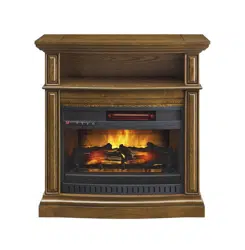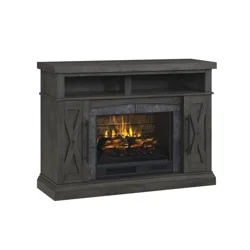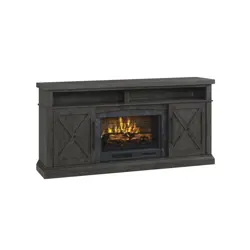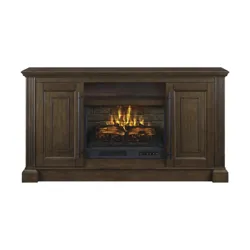
THIS INSTRUCTION BOOKLET CONTAINS IMPORTANT SAFETY INFORMATION.
PLEASE READ AND KEEP FOR FUTURE REFERENCE.
Date 2018-06-12 Rev. 0001-A Factory: GALFUR
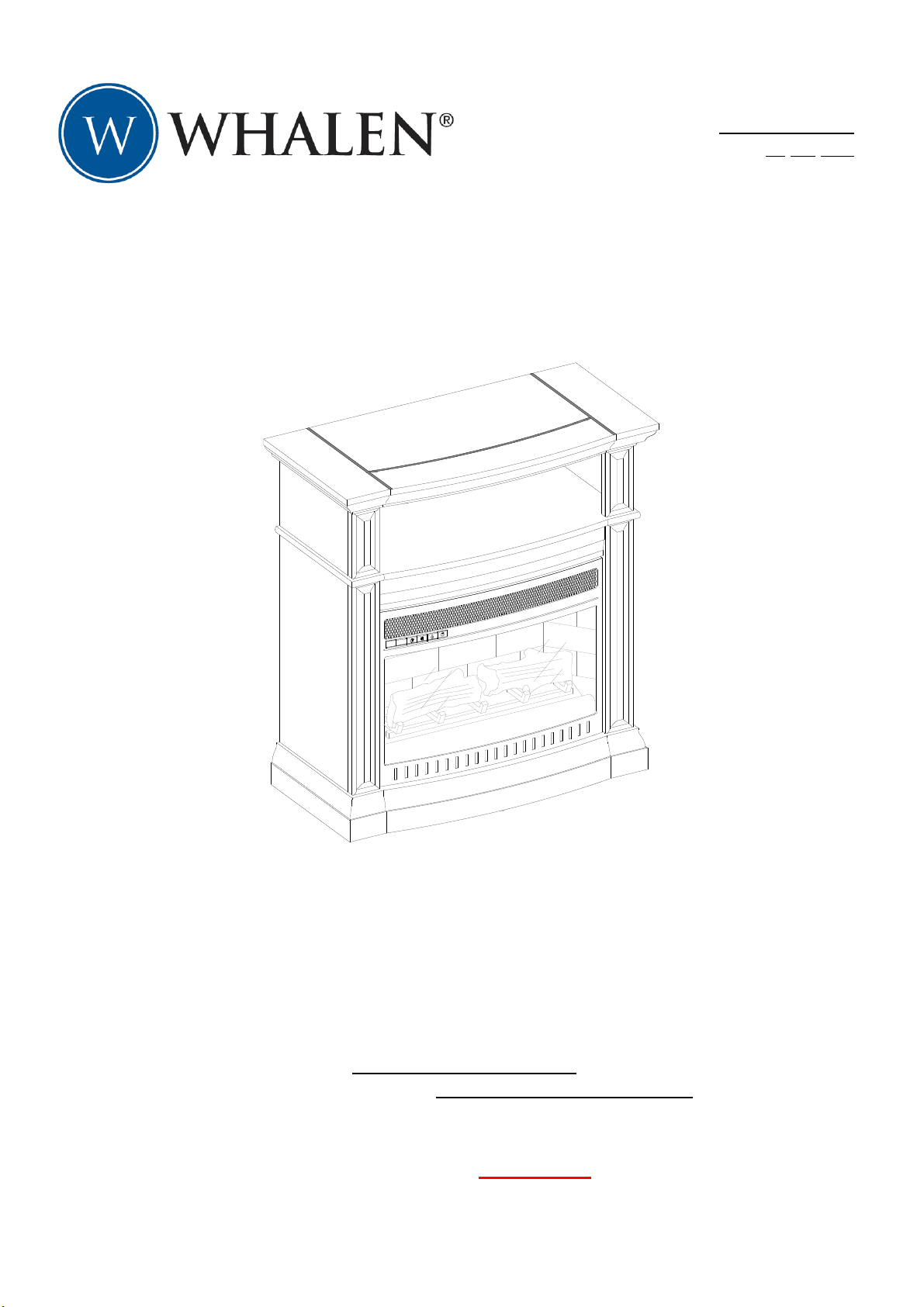
Middleton 32” Fireplace Console
Model # WSF32WV23-DB
# WSF32WV23-WA
ADULT ASSEMBLY REQUIRED
If you have any questions regarding assembly or if parts are missing, DO NOT return this item to the
store where it was purchased. Please call our toll-free customer service number and have your
instructions and parts list ready to provide the model name, part name or factory number:
1-866-942-5362
Pacific Standard Time: 8:30 a.m. - 4:30 p.m., Monday - Friday
Or visit our website 24 H a day, 7 days a week for product assistance at
www.whalenfurniture.com
Or e-mail your request to: parts@whalenfurniture.com
LOT NUMBER:
DATE PURCHASED: / /
2
MANUFACTURER: Whalen Furniture Manufacturing
CATALOG: Middleton 32” Fireplace Console
MODEL # WSF32WV23-DB / WSF32WV23-WA
MADE IN CHINA
SPECIAL NOTE
Please read the instruction sheets completely before assembly. Examine all packaging
material before discarding carton. Remove any remaining staples from the carton before
discarding. Remove all parts from carton and separate into groups as indicated on part
list. Please ensure all parts are included prior to assembly. Use of power tools to
complete assembly is not recommended.
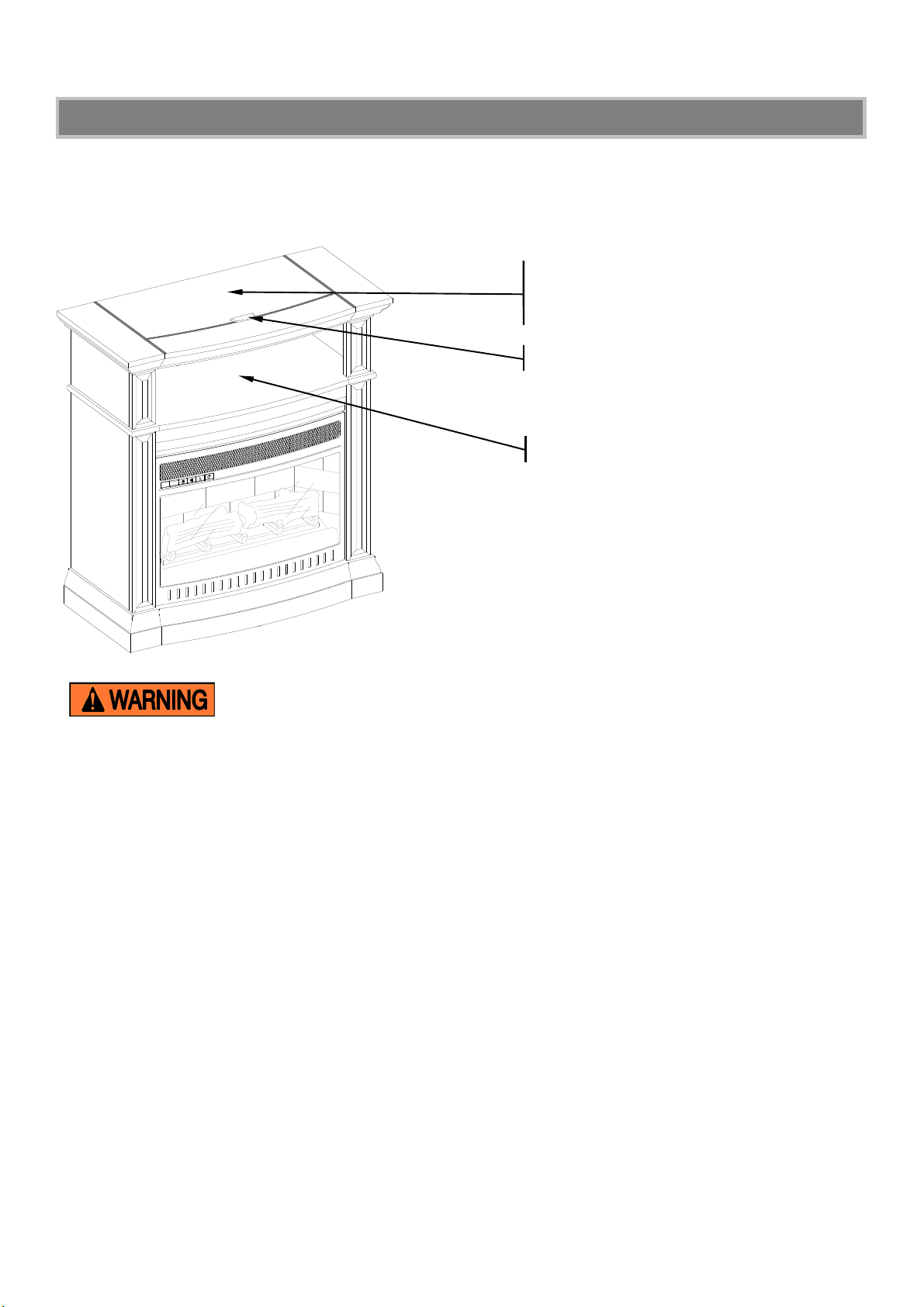
MAXIMUM RECOMMENDED WEIGHT LOADS
MAXIMUM LOAD 22.7 kg / 50 lb
PLACE TV BEHIND THE STOPPER
FITS UP TO MOST 99.06 cm / 39” FLAT
PANEL TVs
MAXIMUM LOAD 27 kg / 60 lb
THIS UNIT IS NOT INTENDED FOR USE WITH CRT TVS. USE ONLY WITH FLAT
PANEL TVS AND AUDIO/VIDEO EQUIPMENT MEETING RECOMMENDED SIZE AND WEIGHT
LIMITS. NEVER USE WITH LARGER/HEAVIER THAN RECOMMENDED FLAT PANEL TVS OR
EQUIPMENT. TO AVOID INSTABILITY, PLACE FLAT PANEL TV IN THE CENTER OF THE UNIT; THE
BASE OF THE TELEVISION MUST BE ABLE TO REST ON THE SUPPORTING SURFACE OF THE
UNIT WITHOUT OVER-HANGING THE EDGES. IMPROPERLY POSITIONED FLAT PANEL TVS, OR
FLAT PANEL TVS INCLUDING OTHER EQUIPMENT THAT EXCEED RECOMMENDED SIZE AND
WEIGHT LIMITS COULD FALL OFF OR BREAK THE UNIT
,
CAUSING POSSIBLE SERIOUS INJURY.
3
IMPORTANT
Before you begin: Open, identify and count all parts prior to assembly. Lay out parts on a flat and non-
abrasive surface. You will need the parts identified on page 4 and 5 of this instruction manual.
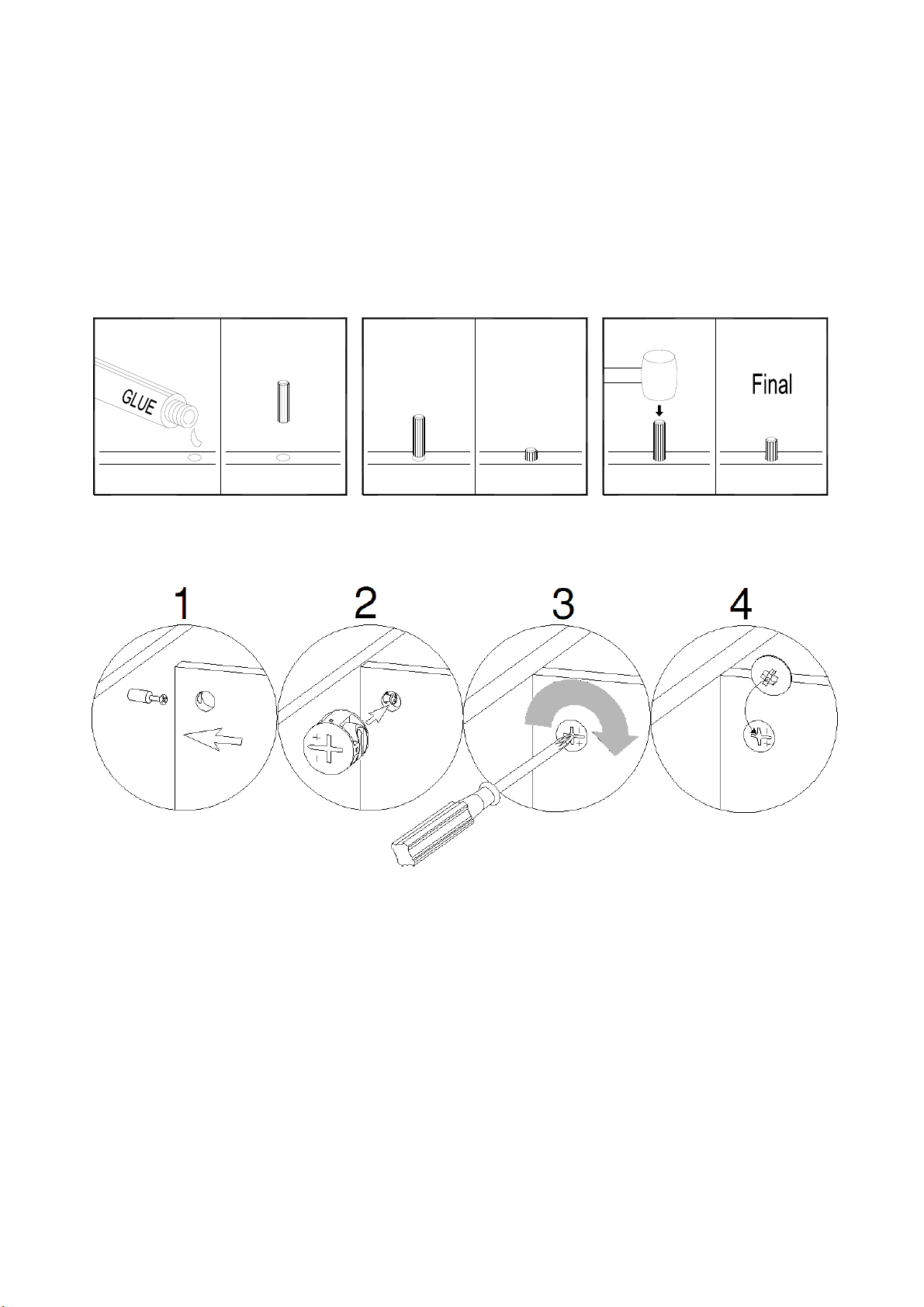
NOTE: IT IS VERY IMPORTANT TO USE GLUE WITH THE DOWELS. EXCESS GLUE CAN BE
WIPED OFF WITH A DAMP CLOTH.
Insert Dowel at least half way by tapping lightly with a rubber mallet (not included), IF NECESSARY.
CAM LOCK SYSTEM OPERATION
HOW THE KNOCK DOWN (KD) ASSEMBLY SYSTEM WORKS
1. Screw the Cam Bolt into the pre-drilled small holes on the panel. Connect both panels together; making sure
the Cam Bolt goes into the pre-drilled hole at the end of the panel with the Cam Lock.
2. Insert the Cam Lock into the pre-drilled large hole in the panel. Make sure the arrow on the Cam Lock is
pointed towards the Cam Bolt.
3. Once the Cam Bolt is connected inside the Cam Lock, take a Phillips screwdriver (not included) and
tighten the Cam Lock clockwise.
4. Plug the Cam Lock Cover into the cross slot of the Cam Locks to conceal the cam.
You are now ready to assemble the KD unit.
X
X
12 43
4
Parts and Hardware List
Please read completely through the instructions and verify that all listed parts and hardware are present
before beginning assembly.
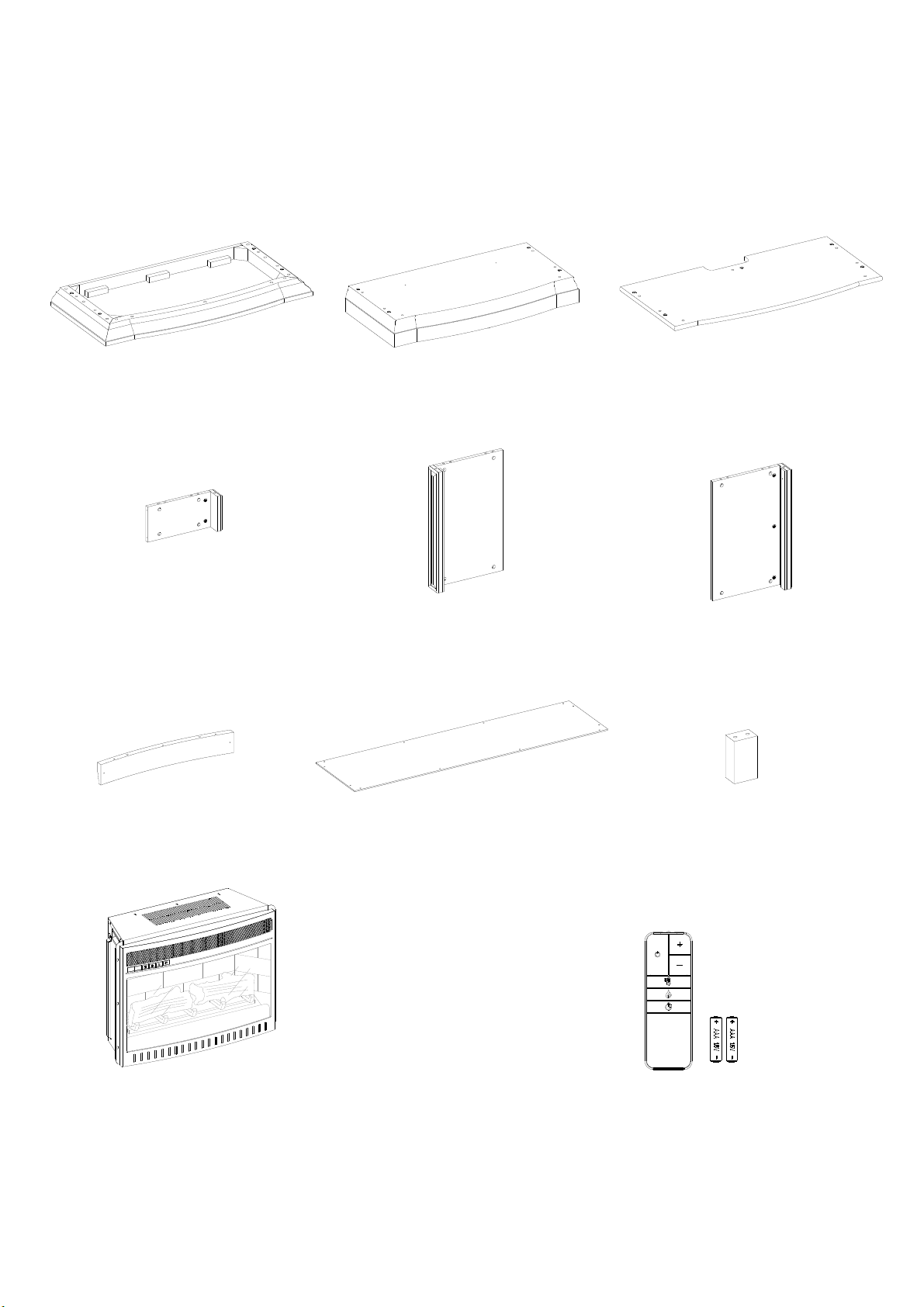
A- Top Panel (Qty. 1) B- Base (Qty. 1) C- Center Shelf (Qty. 1)
D- Upper Side Panel (Qty. 2) E- Lower Left Side Panel (Qty. 1) F- Lower Right Side Panel (Qty. 1)
G- Middle Crossbar (Qty. 1) H- Back Panel (Qty. 1) I- Firebox Support (Qty. 1)
Fireplace Insert (Qty. 1) Remote Control with Battery (Qty. 1)
5
Parts and Hardware List
Please read compl etely through the instructions and verify that all list ed parts and hardware are
present before beginning assembly.
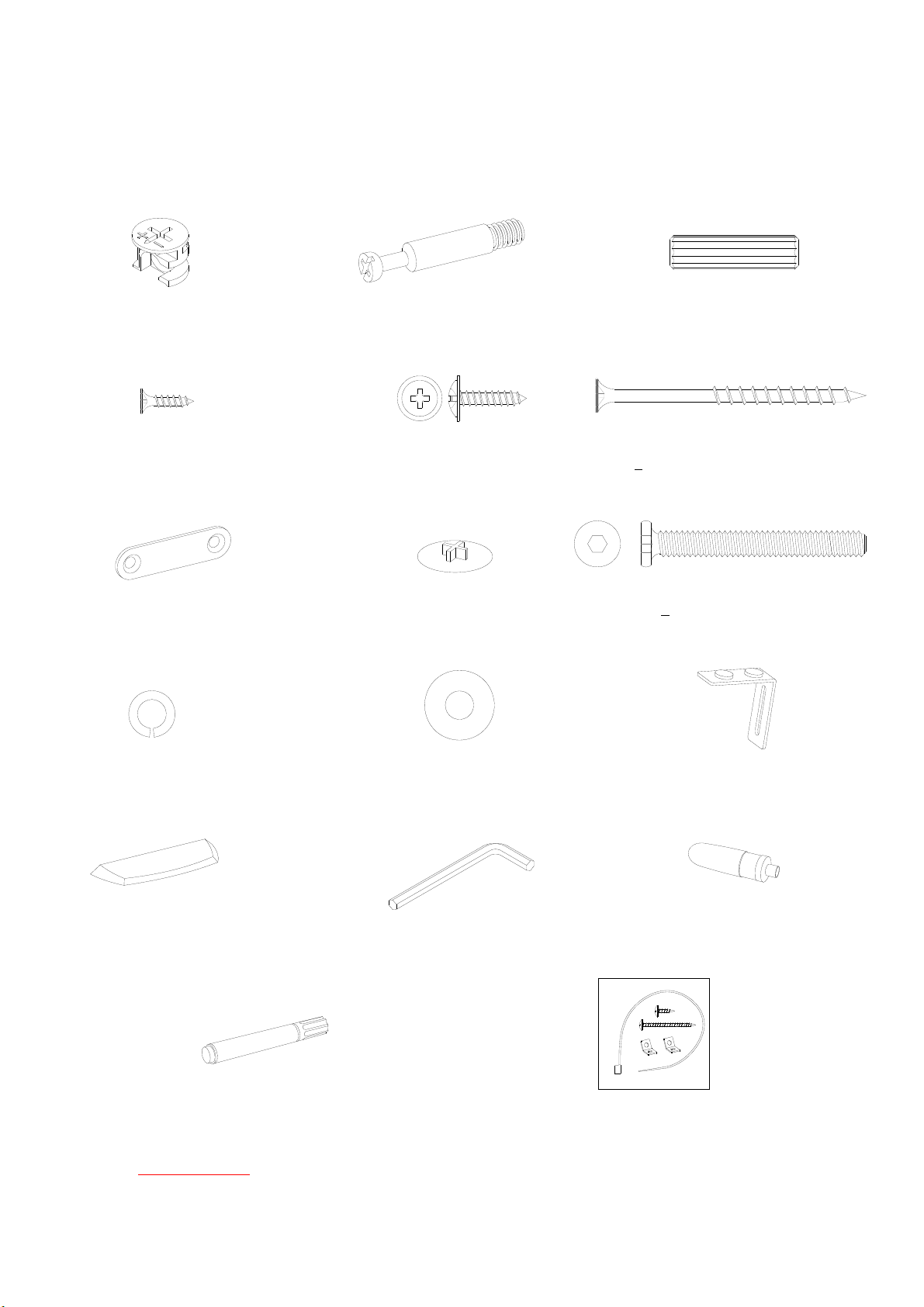
(1) Cam Lock (2) Cam Bolt (3) 8 mm x 30 mm Wood Dowel
(Qty. 16+1 extra) (Qty. 16+1 extra) (Qty. 27+1 extra)
(4) M3.5 x 12 mm Flat Head Screw (5) M3.5 x 15 mm Washer Head Screw (6) M4 x 64 mm Flat Head Screw
(Qty. 4+1 extra) (Qty. 14+1 extra) (Qty. 3+1 extra)
(7) Straight Metal Bracket (8) Cam Lock Cover (9) 1/4” x 50 mm Bolt
(Qty. 2) (Qty. 26+1 extra) (Qty. 1)
(10) Lock Washer (11) Flat Washer (12) L-Shaped Brace
(Qty. 1) (Qty. 1) (Qty. 2)
(13) Acrylic Stopper 4 mm Hex Wrench Glue
(Qty. 1) (Qty. 1) (Qty. 1)
Touch-up Pen Tipping Restraint Hardware Kit (Qty. 2)
(Qty. 1) (Included in plastic bag)
Tools required: Hex wrench (provided), Phillips screwdriver and hammer (not provided).
6
Assembly Instructions
1. Unpack the unit and confirm that you have all the hardware and required parts. Assemble the unit on a
carpeted floor or the empty carton to avoid any scratch.
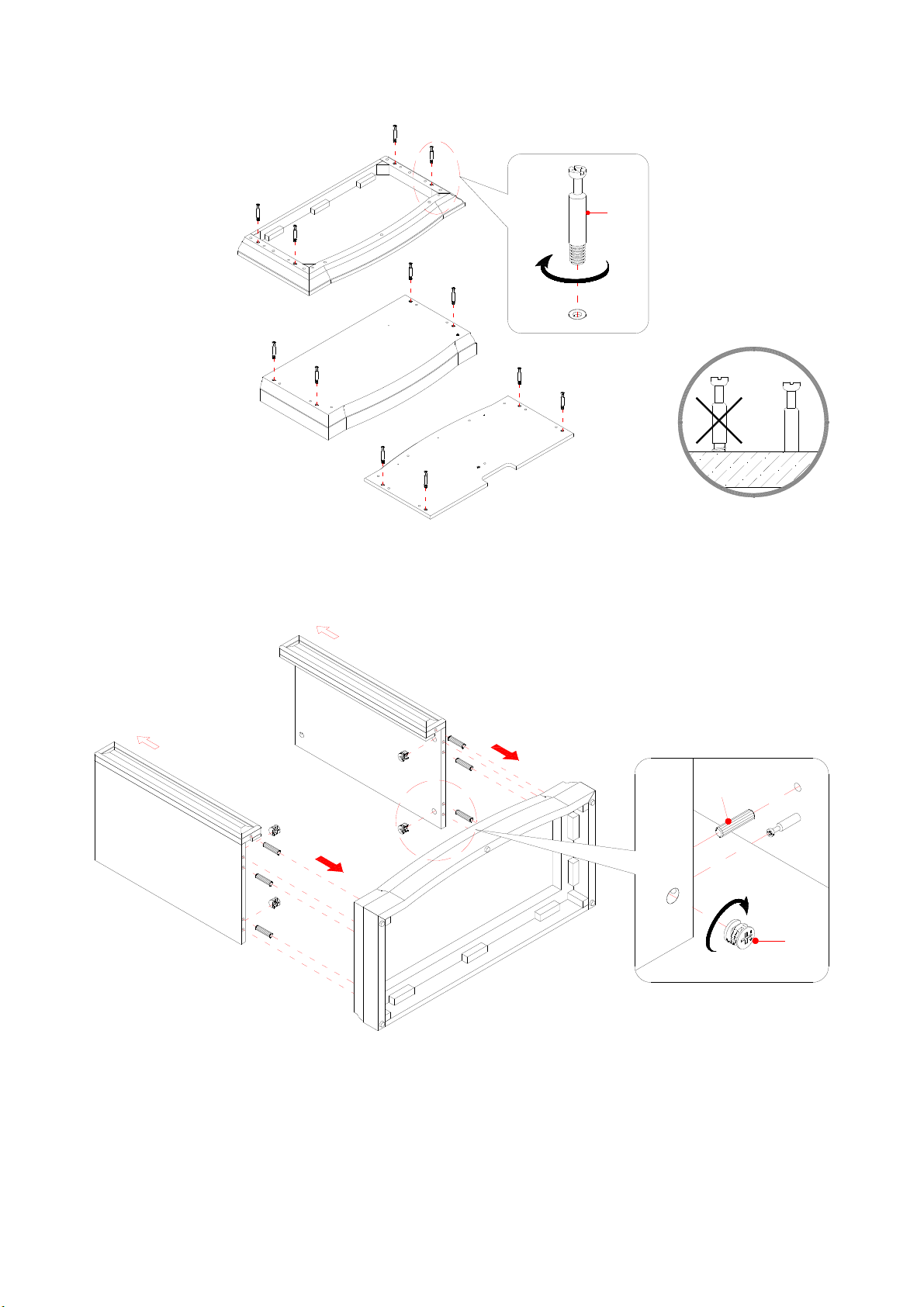
2. Securely screw the Cam Bolts (2) into the designated plastic bushings on the Top Panel (A), the Base
(B) and the Center Shelf (C) using a Phillips screwdriver.
3. Insert six Wood Dowels (3) into the bottom inner holes on the Lower Side Panels (E and F). Tap in with
a rubber mallet, if necessary. Make sure that you use a small amount of glue with both ends of all
dowels.
4. Align the drilled holes on the Base (B) with the inserted Wood Dowels (3) on the Lower Side Panels (E
and F), and then press them together. Attach the Lower Side Panels (E and F) in place by engaging four
cam locks (1). (Refer to page 3 on Cam Lock system operation supplement)
A
B
C
2
E
B
F
UP
UP
3
1
7
C
B
E
F
3
Assembly Instructions
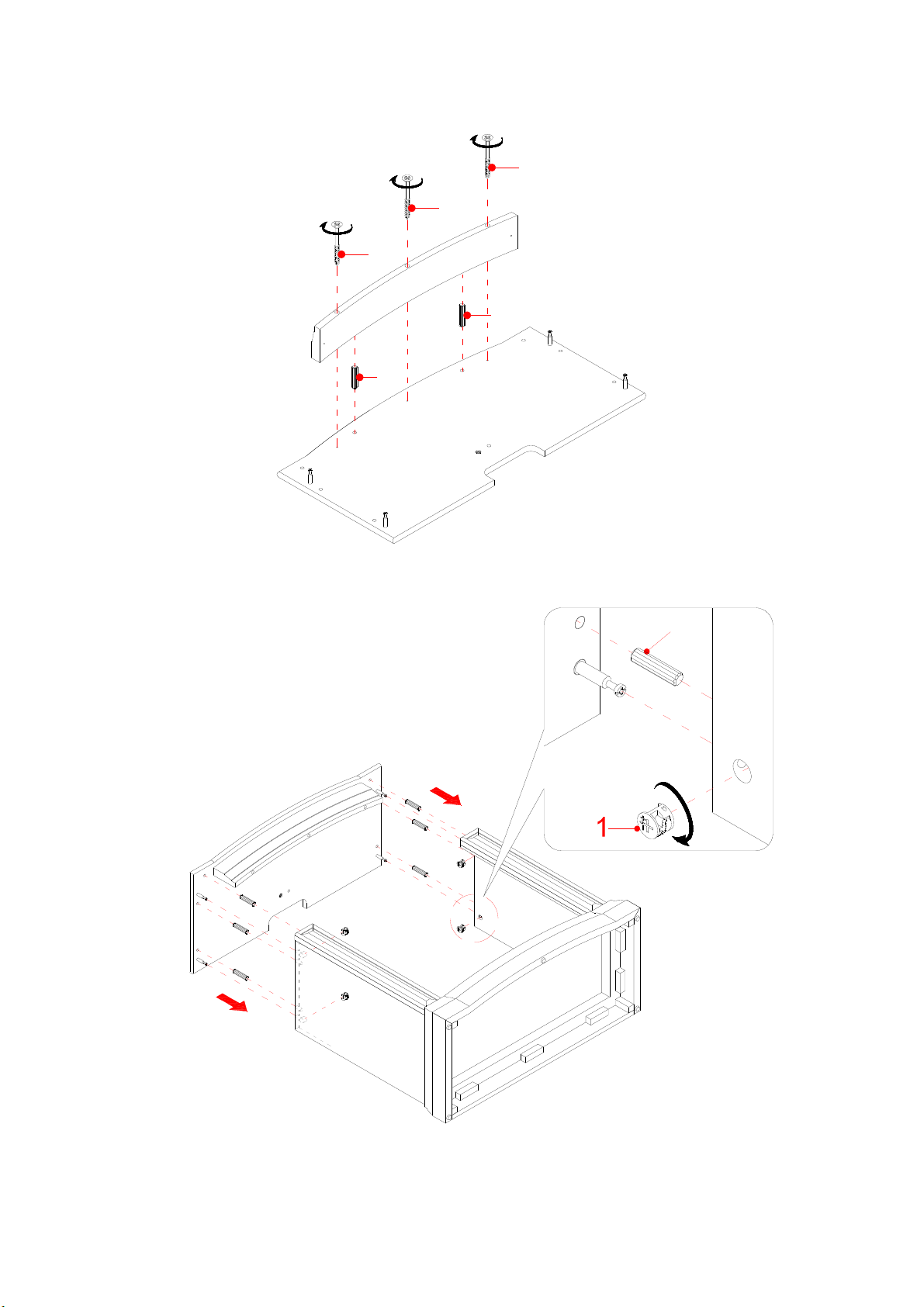
5. Glue two Wood Dowels (3) into the inner holes of the Middle Crossbar (G) and attach it to the front
edge of the Center Shelf (C) with three 63 mm Flat Head Screws (6).
6. Attach the previous assembly (C and G) to Lower Side Panels (E and F) with six Wood Dowels (3) and
four Cam Locks (1).
C
G
3
3
6
6
6
8
Assembly Instructions
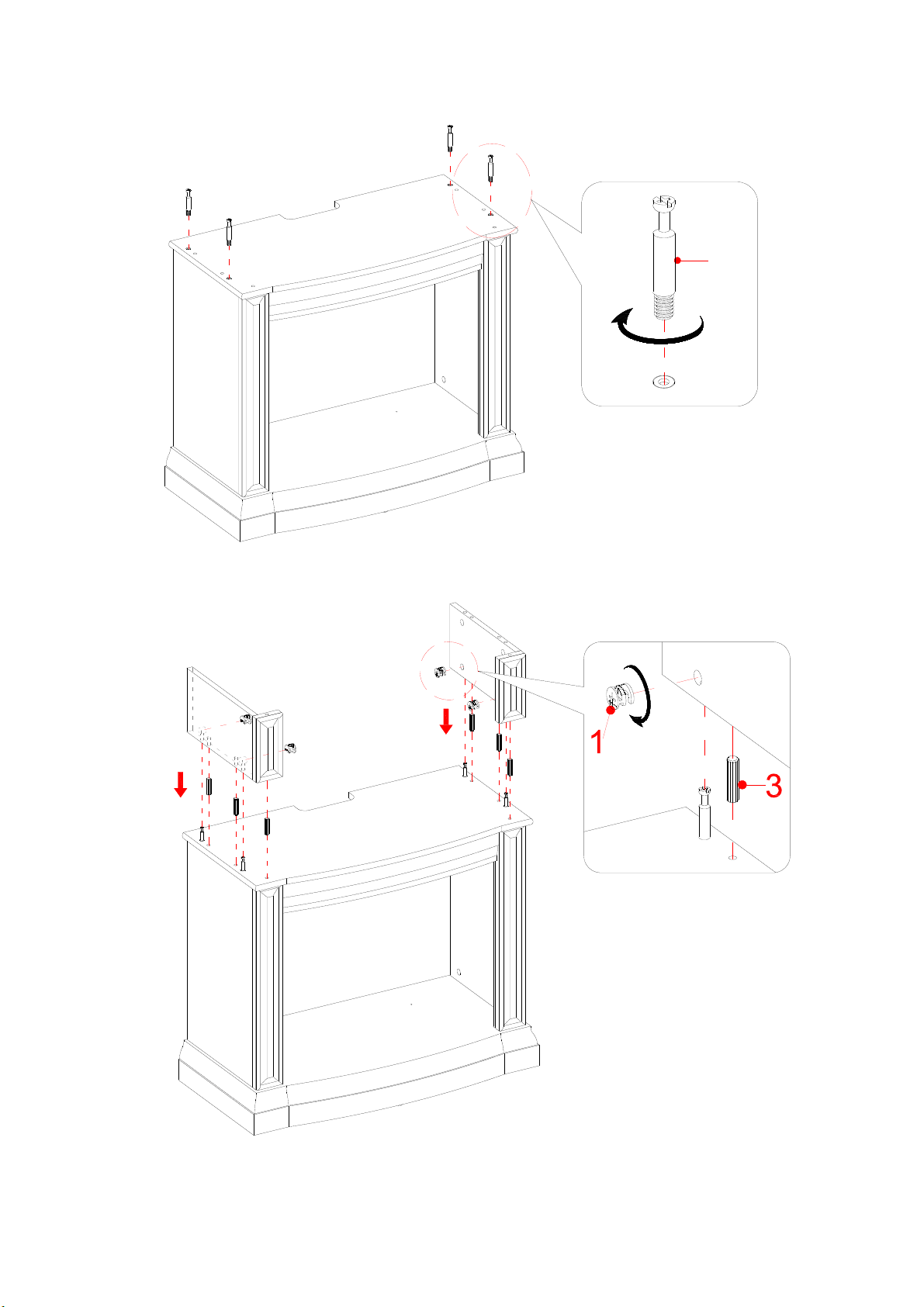
7. Ask for assistance to stand the unit upright. Securely screw four Cam Bolts (2) into the plastic bushings
on the Center Shelf (C).
8. Attach the Upper Side Panels (D) to the Center Shelf (C) with six Wood Dowels (3) and four Cam
Locks (1).
C
2
D
D
C
9
Assembly Instructions
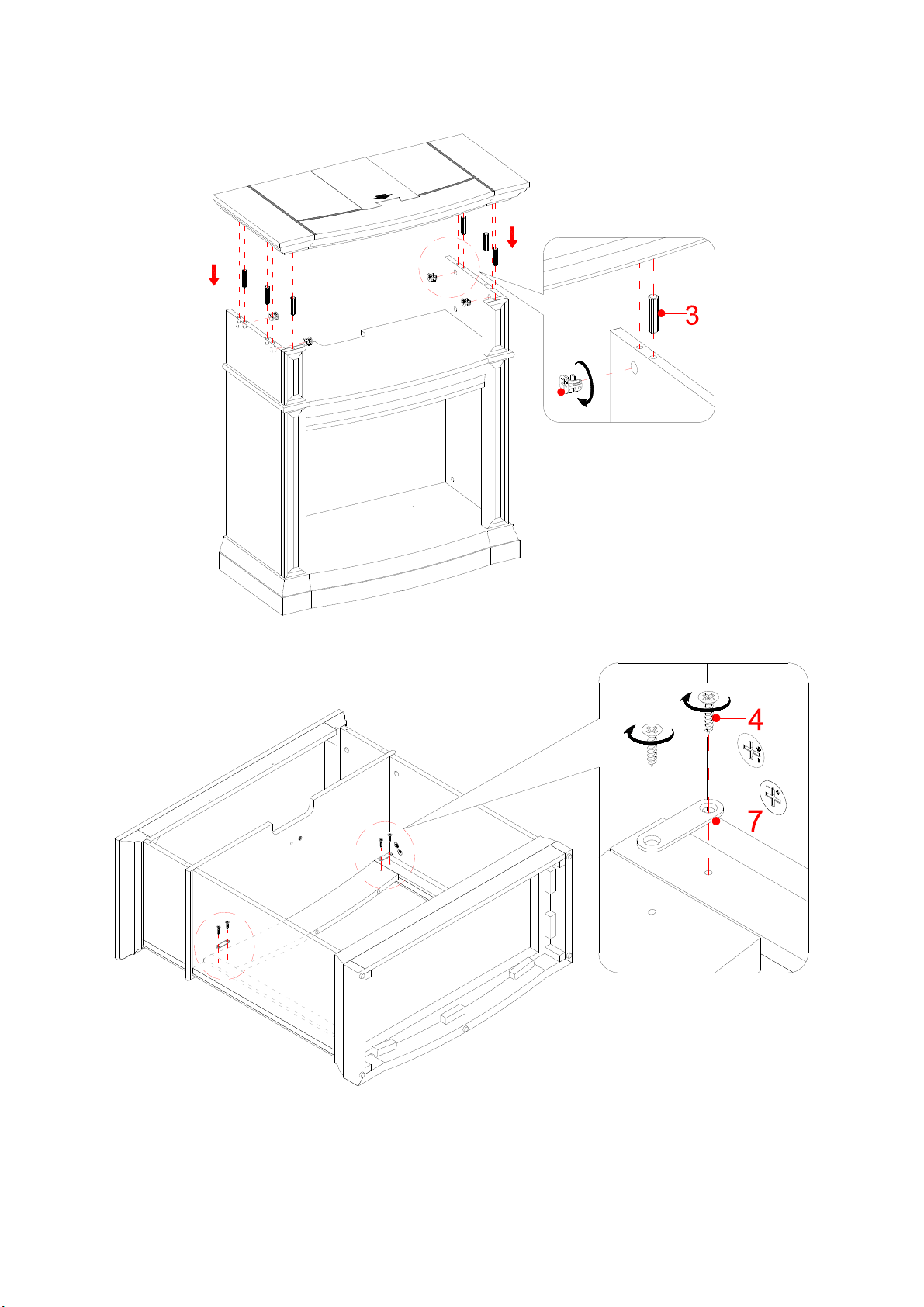
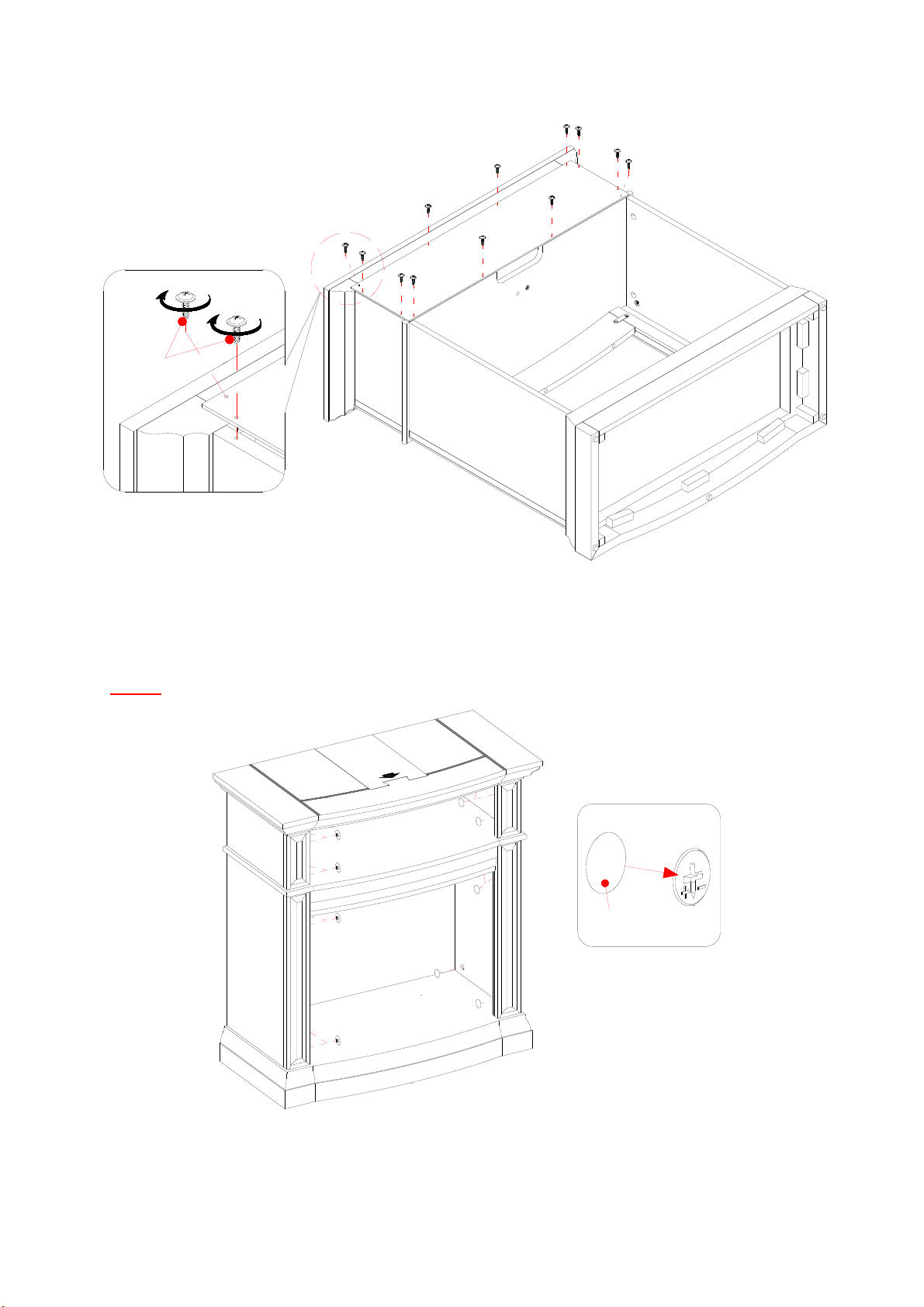
9. Attach Top Panel (A) to the Upper Side Panels (D) with six Wood Dowels (3) and four Cam Locks (1).
10. Turn the assembled unit at its front edges.
11. With the pilot holes as a guide, fasten two Straight Metal Brackets (7) at the joints where Middle
Crossbar (G) meets the Lower Side Panels (E and F), using two 12 mm Flat Head Screws (4) per bracket.
E
F
G
1
A
D
D
10
Assembly Instructions
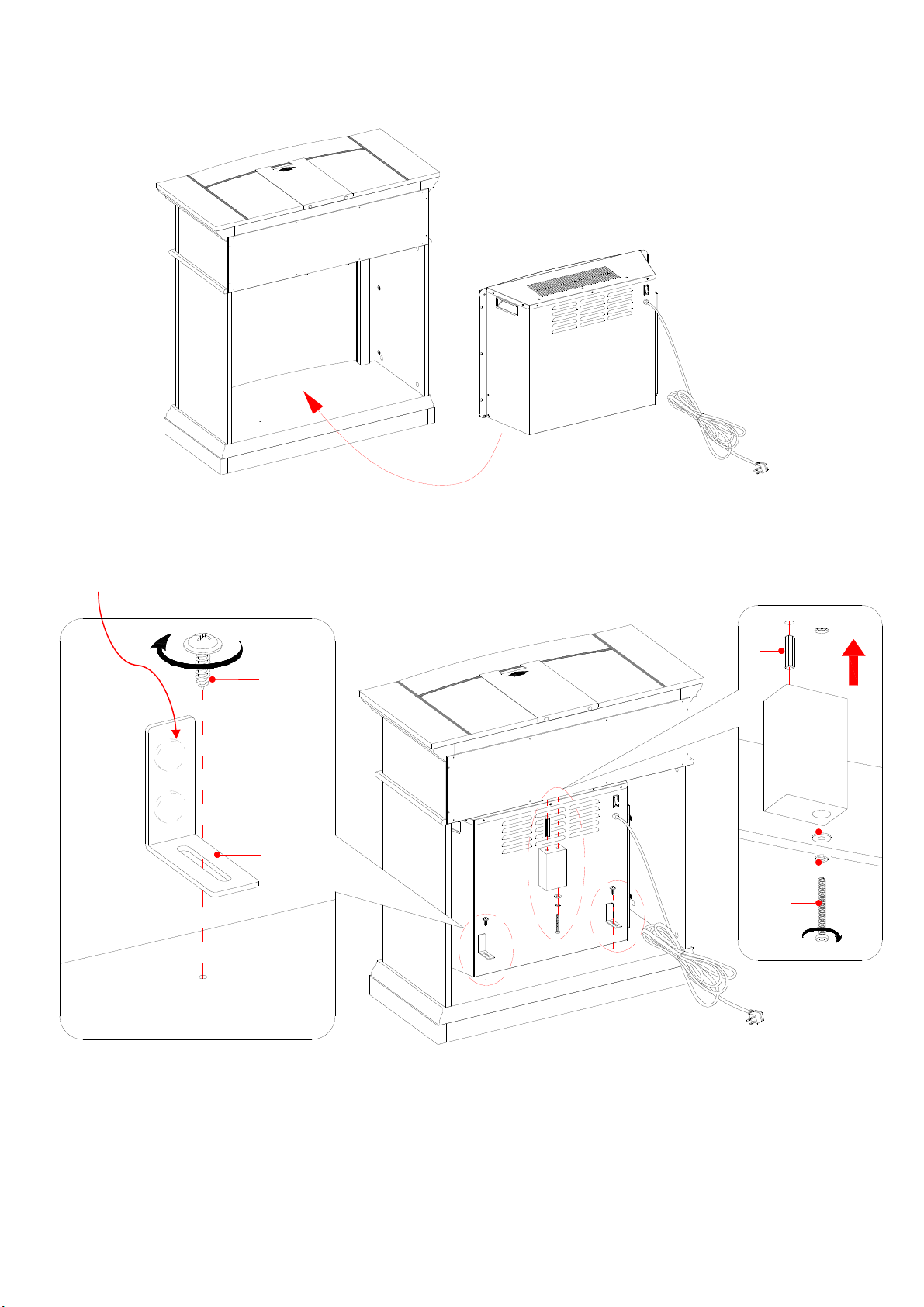
12. Now, go back and securely tighten all the Cam Locks and Wood Screws. Make sure all the parts are
tight and there are no gaps between the parts. This will help keep the unit square.
13. Pick up the Upper Back Panel (H) and align the drilled holes with pilot holes on the back stretcher of
the Top Panel (A). Secure it in place with the provided Washer Head Screws (5).
NOTE: We recommend attaching back panel with the screws at the corners first.
14. Stand the unit upright.
15. Plug the Cam Lock Covers (8) onto the visible Cams Locks to conceal the cams.
5
D
H
C
8
11
Assembly Instructions
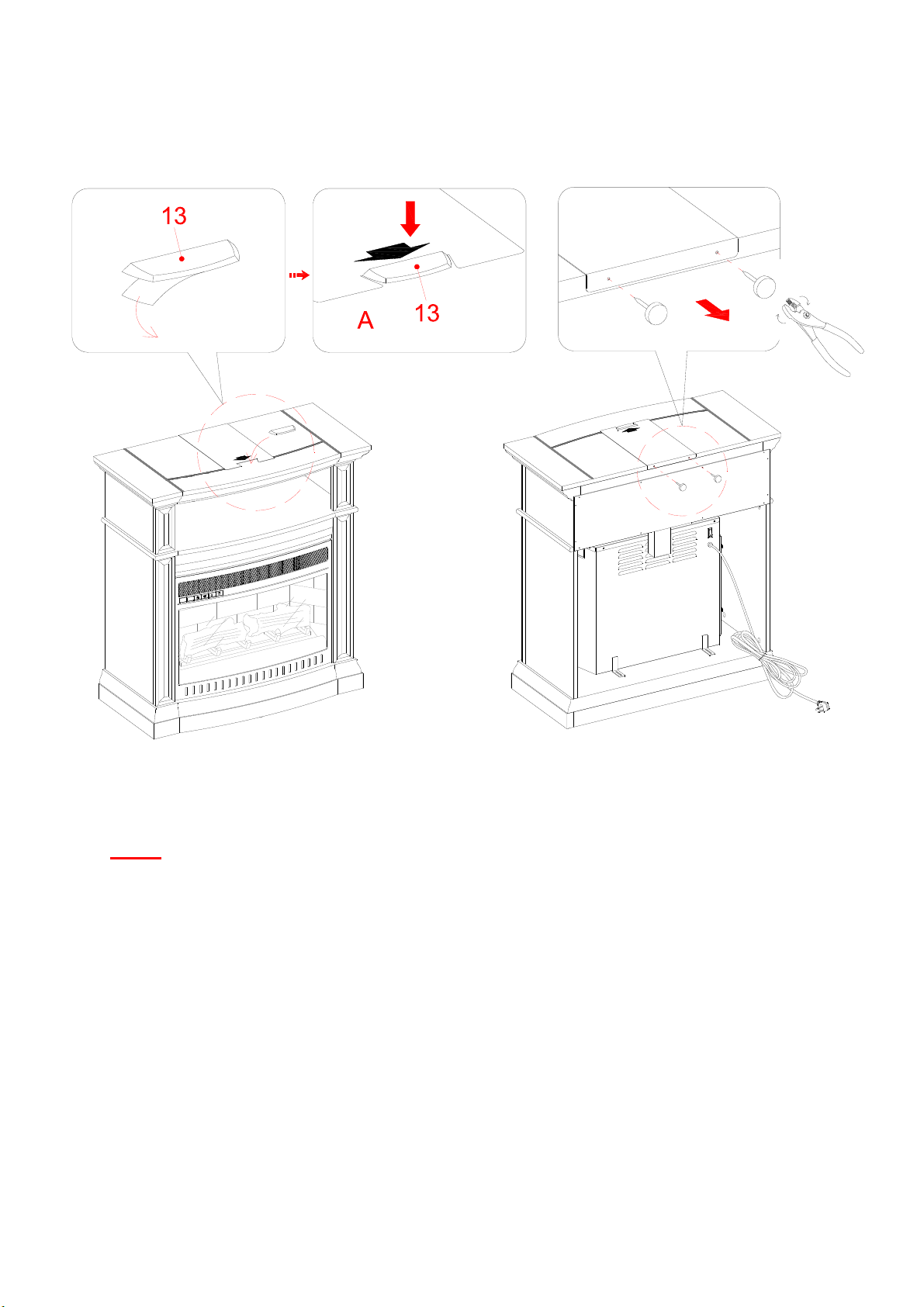
16. Lift the fireplace insert carefully into the back of the assembled mantel and center it in the opening. DO
NOT drag the insert across the Base (B) as it may scratch the unit.
17. Using the pilot holes as a guide, align and attach two L-shaped Metal Braces (12) to the Base (B) by
screwing one Washer Head Screw (5) in each.
18. Attach the Firebox Support (I) to the bottom of the Center Shelf (C) with one Wood Dowel (3), one 50
mm Bolt (9), one Lock Washer (10) and one Flat Washer (11). Tighten the bolt with the provided hex
wrench.
The rubber bumper is
against the firebox
B
5
12
B
9
10
11
I
3
12
Assembly Instructions
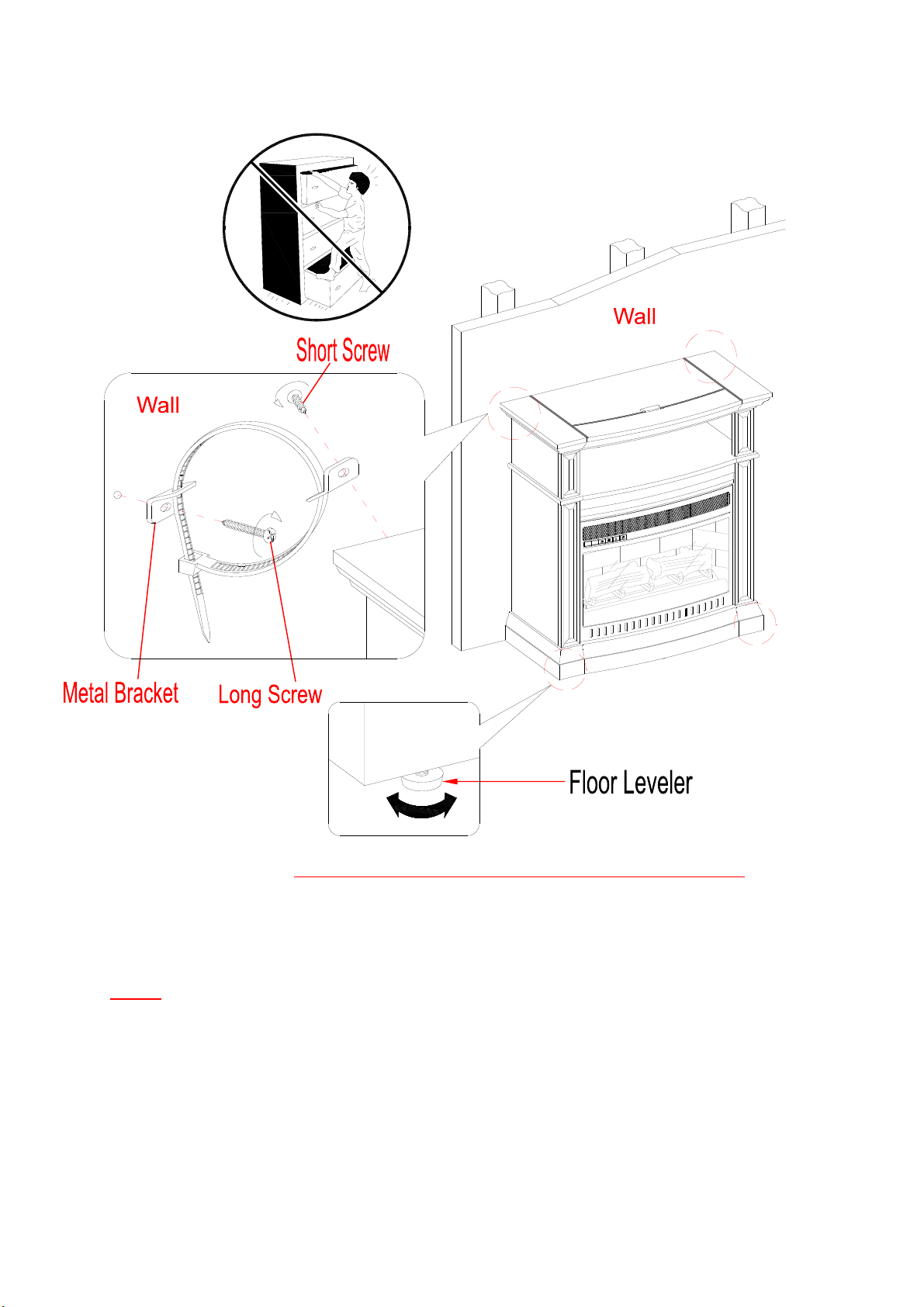
NOTE: To prevent your TV from tipping, you must follow these instructions if you place a TV on
top of your console. Otherwise, skip to “Step 20”.
19. Remove the paper backing from the Acrylic Stopper (13), then properly align the Acrylic Stopper into
the cut-out on the acrylic stopper template on the Top Panel (A). Press down on the acrylic stopper to
help adhesion.
20. At the back of Top Panel (A), grip the head of plastic tack with pliers, with twisting motion pull tack
loose to remove the acrylic stopper template.
13
Assembly Instructions
Tools required: Phillips screwdriver, stud finder, power drill and 1/8” drill bit.
21. Position the console at the desired location against a wall. If necessary, adjust the pre-attached floor
levelers until the unit is level.
22. Follow the instructions printed on the plastic bag containing the tipping restraint hardware to
attach the tip-over restraints to the unit and the wall.
NOTE: The tipping restraint hardware included is for wooden stud wall construction. It must be
attached to a wall stud. Depending upon your wall construction, different anchor hardware maybe
required. Please contact your local hardware store for assistance. Young children can be seriously
injured by tipping furniture. You must install the Tipping Restraint Hardware with the unit to
prevent the unit from tipping, causing any accidents or damage. The tipping restraints are intended only
as a deterrent, they are not a substitute for proper adult supervision. The tipping restraints are not
earthquake restraints. If you wish to add the extra security of earthquake restraints, they must be
purchased and installed separately.
23. The console is now ready for use. Connect the fireplace to the power transformer. Follow the operating
manual for the electric fireplace insert to control your fireplace.

14
Care and Maintenance
Use a soft, clean cloth that will not scratch the surface when dusting.
Use of furniture polishes is not necessary. Should you choose to use polishes, test first in an inconspicuous
area.
Using solvents of any kind on your furniture may damage the finish.
Never use water to clean your furniture as it may cause damage to the finish.
Always use coasters under beverage glasses and flowerpots.
Liquid spills should be removed immediately. Using a soft, clean cloth, blot the spill gently. Avoid rubbing.
Always use protective pads under hot dishes and plates. Heat can cause chemical changes that may create
spotting within the furniture finish.
In the event that your furniture is stained or otherwise damaged during use, we recommend that you call a
professional to repair your furniture.
Check bolts/screws periodically and tighten them if necessary.
Further Advice about Wood Furniture Care
It is best to keep your furniture in a climate-controlled environment. Extreme temperature and humidity
changes can cause fading, warping, shrinking and splitting of wood. It is advised to keep furniture away from
direct sunlight as sun may damage the finish.
Proper care and cleaning at home will extend the life of your purchase. Following these important and helpful
tips will enhance your furniture as it ages.
Cleaning Trim for Fireplace
Clean the metal trim using a soft cloth, slightly dampened with citrus oil based product and buff with a clean
soft cloth. DO NOT use brass polish or household cleaners as these products will damage the metal trim. Citrus
oil based products can be obtained at supermarkets or hardware stores.
A touch-up pen has been provided to minimize the small nicks or scratches that may occur during
assembly or shipping.
We hope you enjoy your purchase for many years.
Thank you for your purchase!
QUALITY GUARANTEE
We are confident that you will be delighted with your Whalen Furniture purchase.
Should this product be defective in workmanship or materials or fail under normal use, we will repair or
replace it for up to one (1) year from date of purchase. Every Whalen Furniture product is designed to meet
your highest expectations. We guarantee that you will immediately see the value of our fine furniture.
This warranty gives you specific legal rights and you may also have other rights which vary from State to State.
Customer Service: 1-866-942-5362
8:30 a.m. - 4:30 p.m
., PST, Monday to Friday
www.whalenfurniture.com