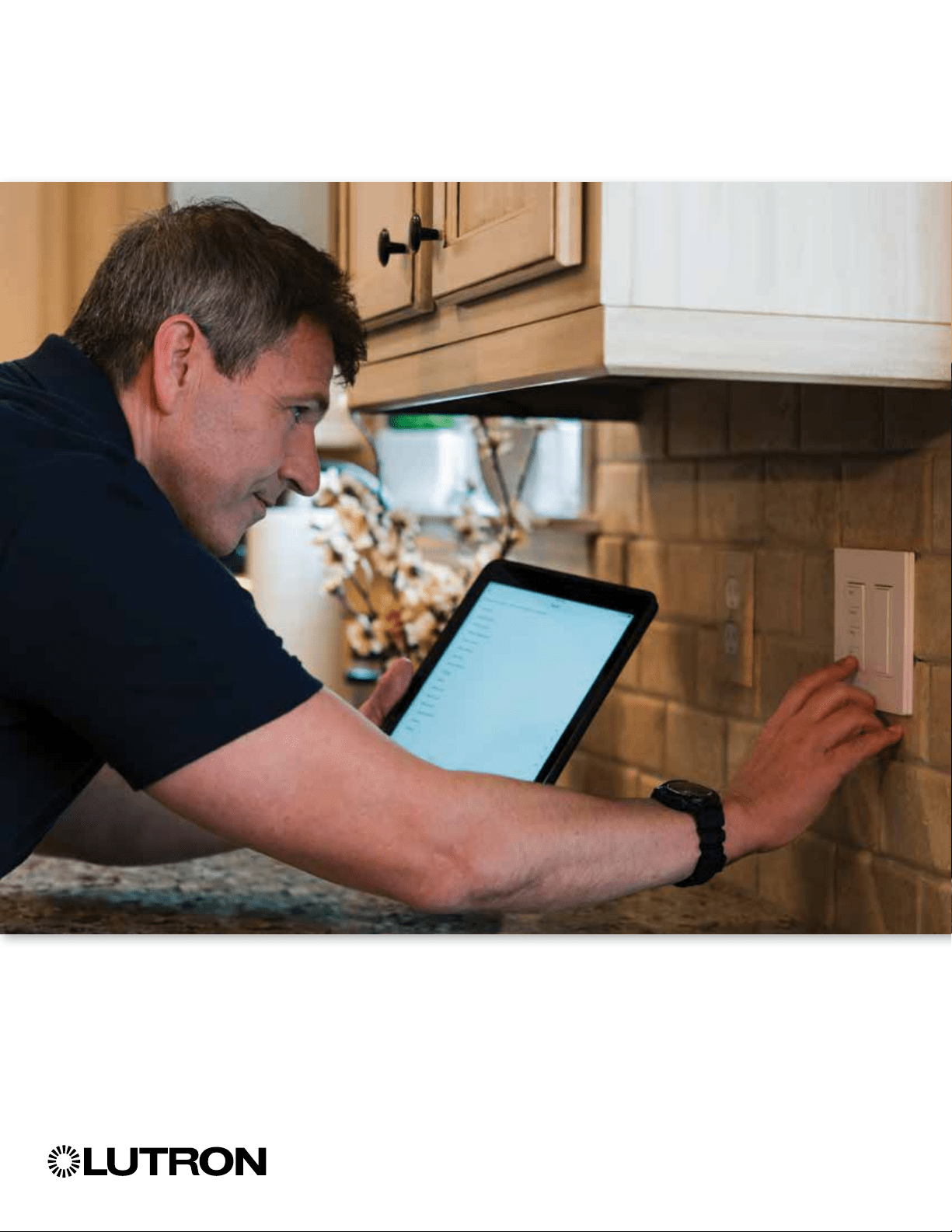
Unlock the power of Pico remote controls
Make your job easier, and give customers control
where they need it.
ii
What is a Pico?
in a few minutes
Multi-location control
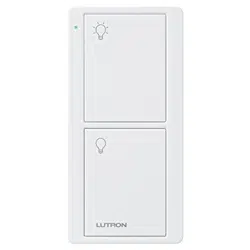
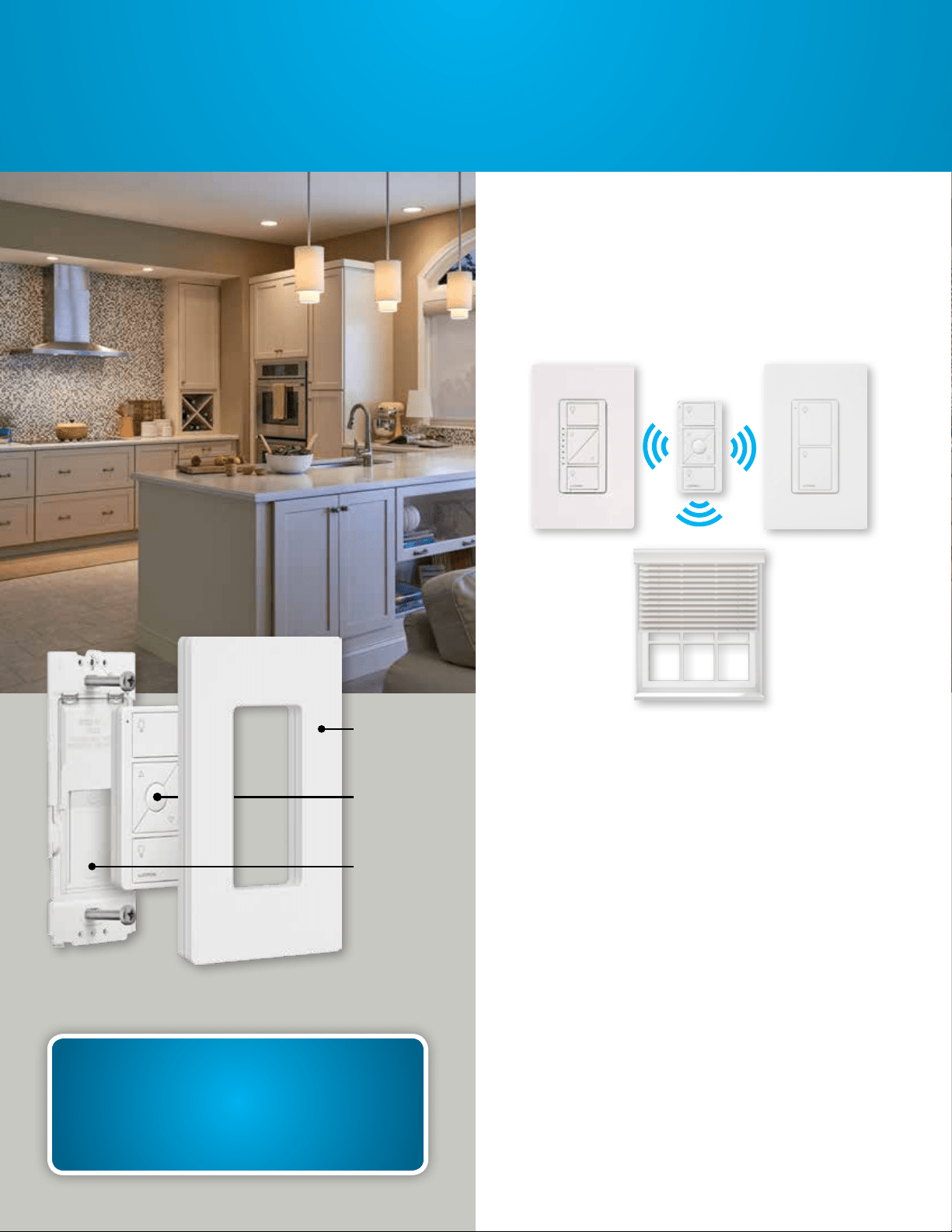
A Pico is a battery-powered, RF remote that
communicates with other Lutron wireless
devices, including dimmers, switches, and
shades, as well as with fans and audio
integrated into a Lutron system.
Adding a Pico to a dimmer, switch, shade,
fan, or Sonos Home Sound System provides
an additional point of control. And it only
takes a few minutes to do.
What can a Pico do for you?
•
You can add a Pico to any wall surface
without cutting holes, running wire, spackling,
and repainting.
•
You can easily add 3-way dimming or
switching control where your customer needs
it, in a fraction of the time and labor it takes
to install a wired 3-way.
•
You’ll avoid callbacks. The Pico is battery-
powered, with an industry-leading 10-year
battery life.
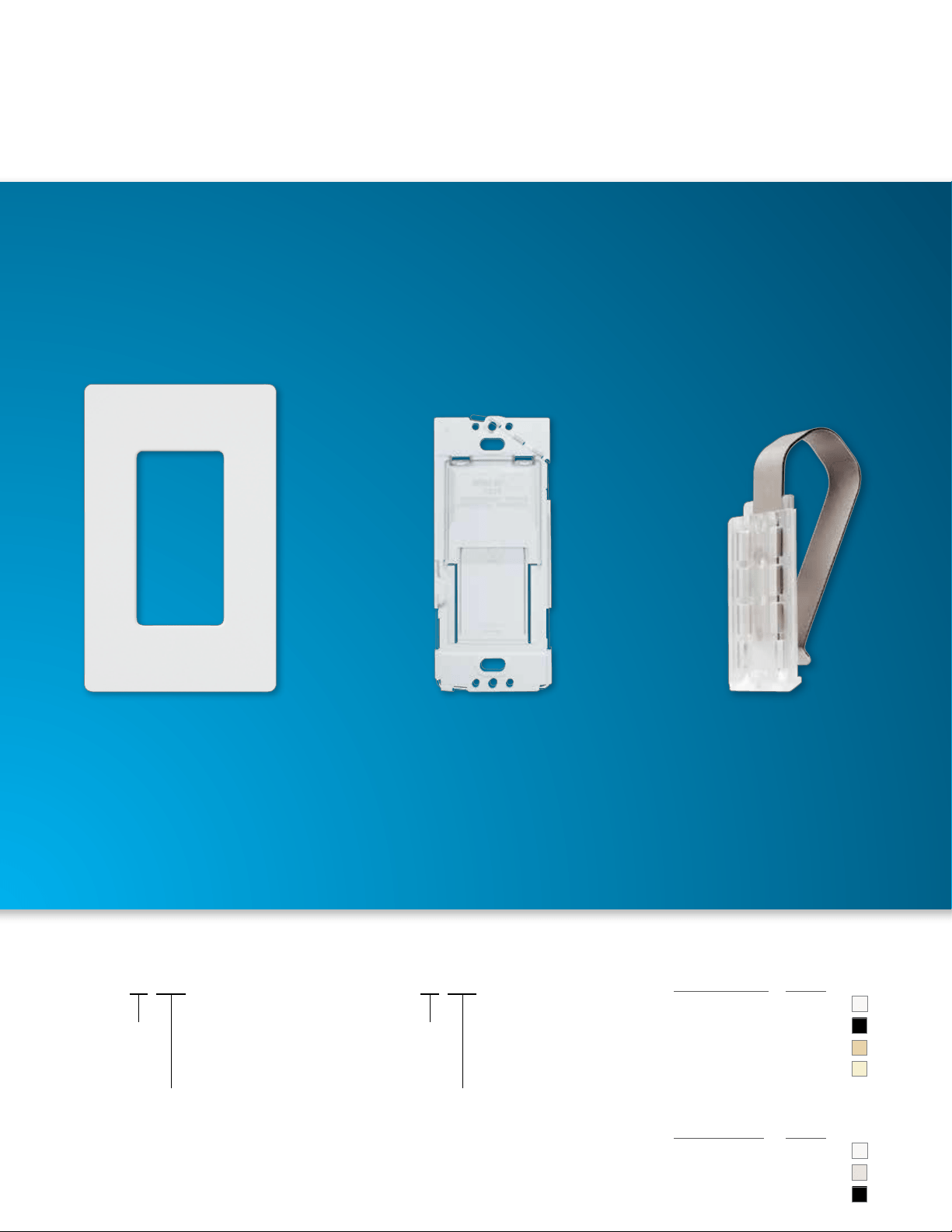
Pico remote wall-mounting kit (sold separately)
Wallplate
bracket
Claro
wallplate
Pico
remote
1
Your time is valuable
Adding a new control
location with a Pico
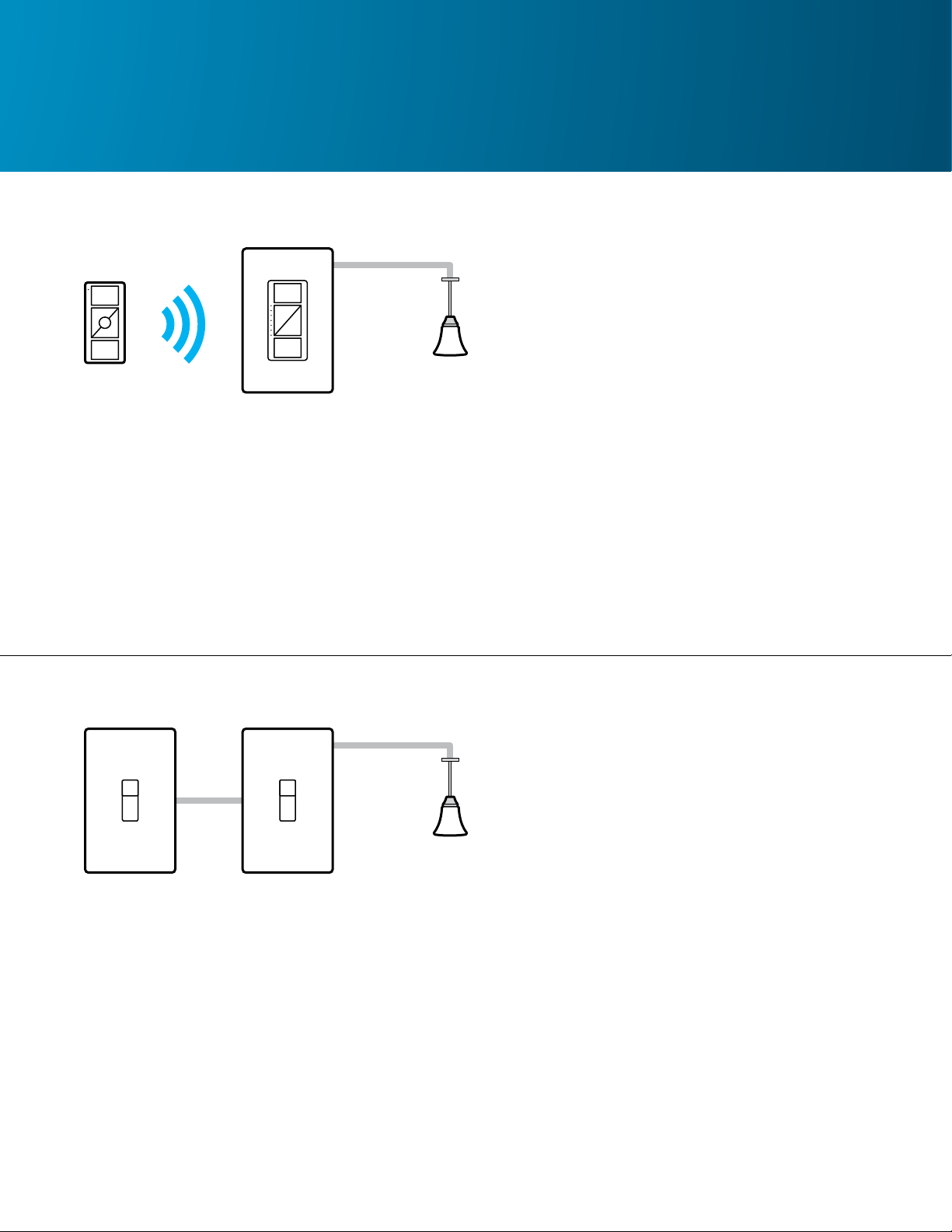
You can add a Pico in 3 easy steps:
1. Replace an existing switch with a
Lutron wireless dimmer or switch
2. Associate the Pico to the dimmer or
switch*
3. Attach the Pico to a wall, place it on a
pedestal, or use it with a car visor clip
Tools needed: screwdriver and pliers
15 minutes
2- 4 hours
Adding a new control
location with a 3-way switch
Installing a traditional switch
requires more time:
1. Run wire through a crawl space, attic,
or fish through a wall
2. Cut a hole in drywall and install the
wallbox
3. Wire the new control into the existing
circuit
4. Repair the wall and paint it
Tools needed: screwdriver, wire stripper,
drywall saw, fish tape, pliers
* You can also easily associate a Pico directly
to Lutron shades.
or less
2
With a Pico and just one touch, a
customer can:
•
Turn off all the lights in the house
•
Control multiple lights or shades at one time
•
Control audio (instead of opening an app on
a phone)
•
Control a ceiling fan
Control where your customer wants it
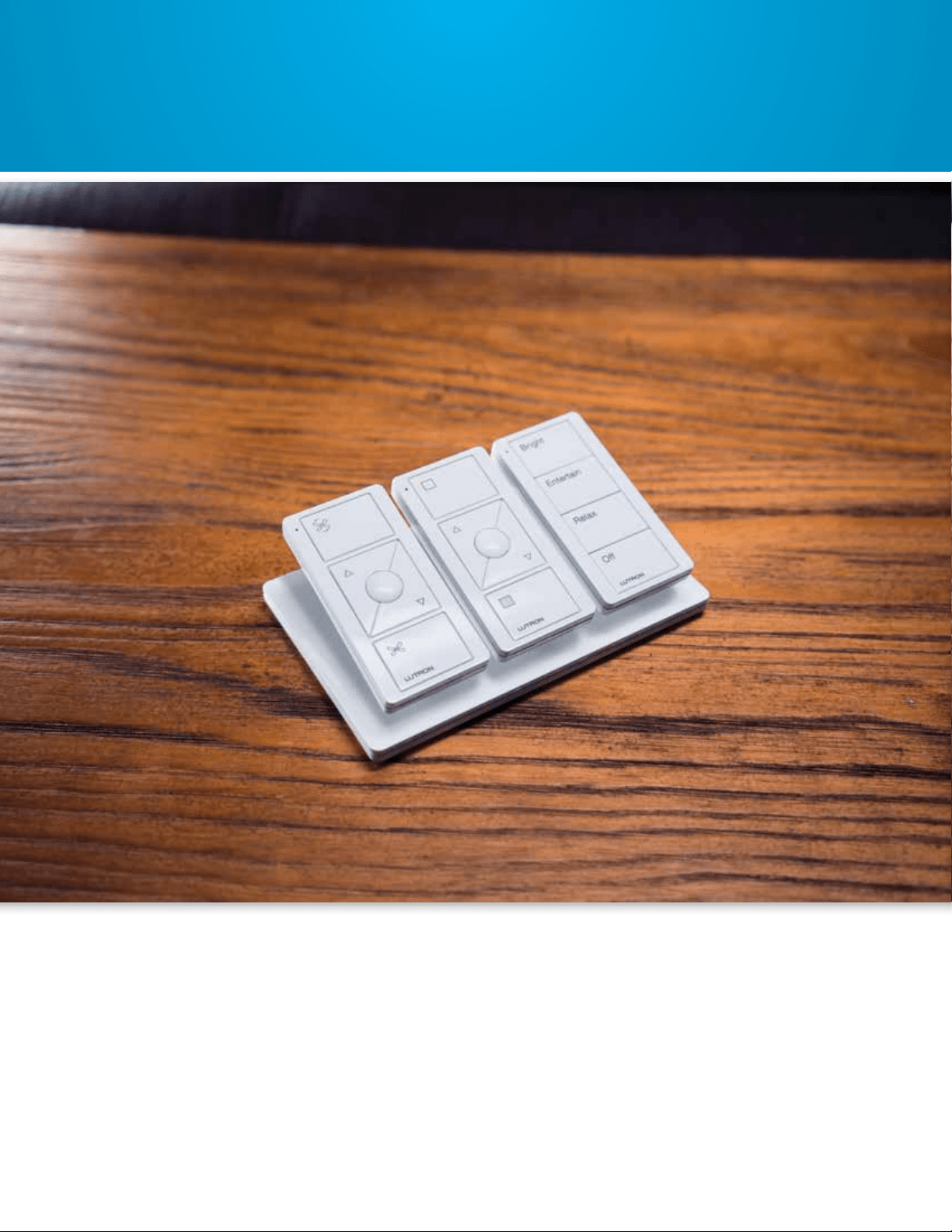
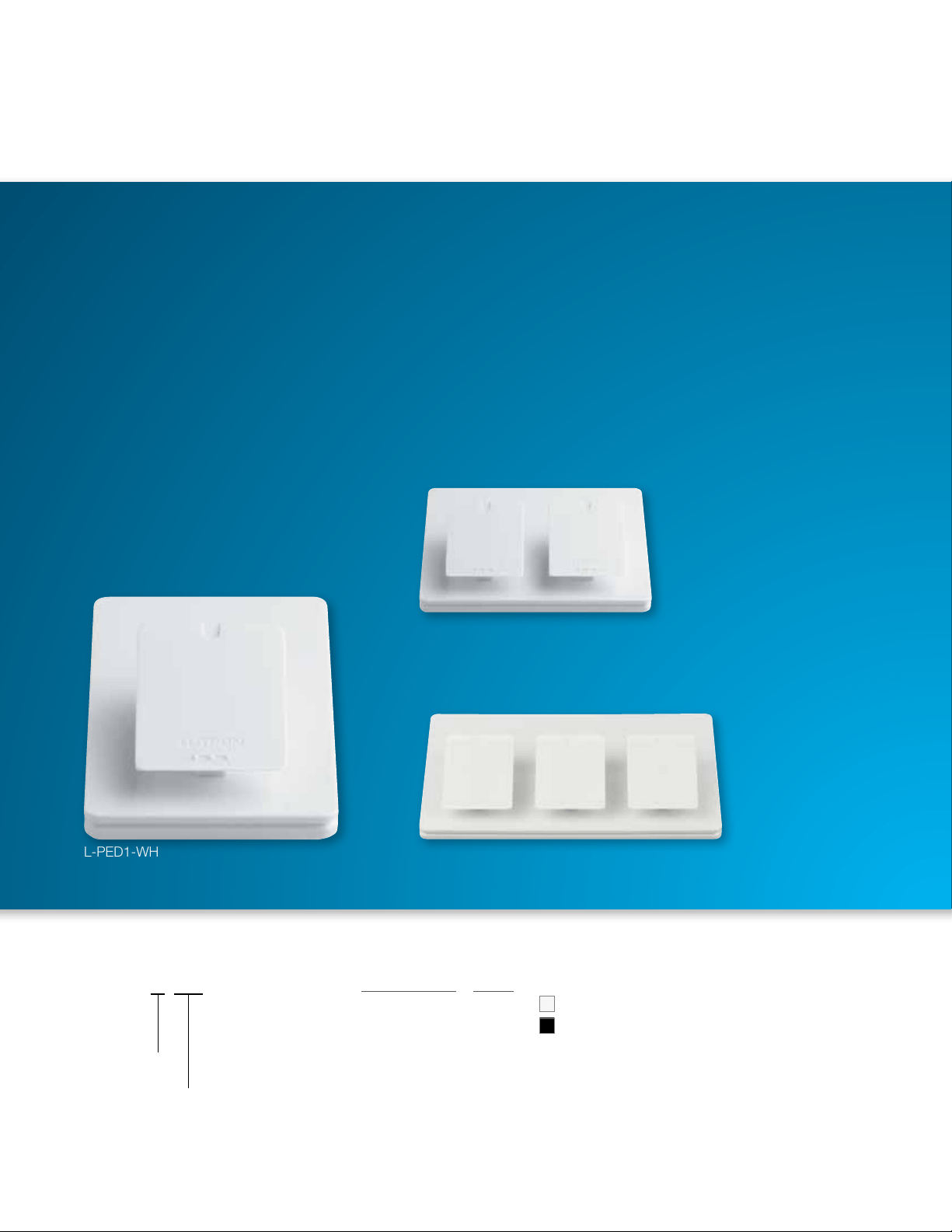
Mount a Pico on a tabletop pedestal. Tabletop
pedestals are available in single, double, and
triple configurations.
You can also mount a Pico on a wall.
What can a Pico do for your customers?
3
The Clear Connect wireless signal works
around corners/through walls and is ultra-
reliable, which equals no callbacks for you.
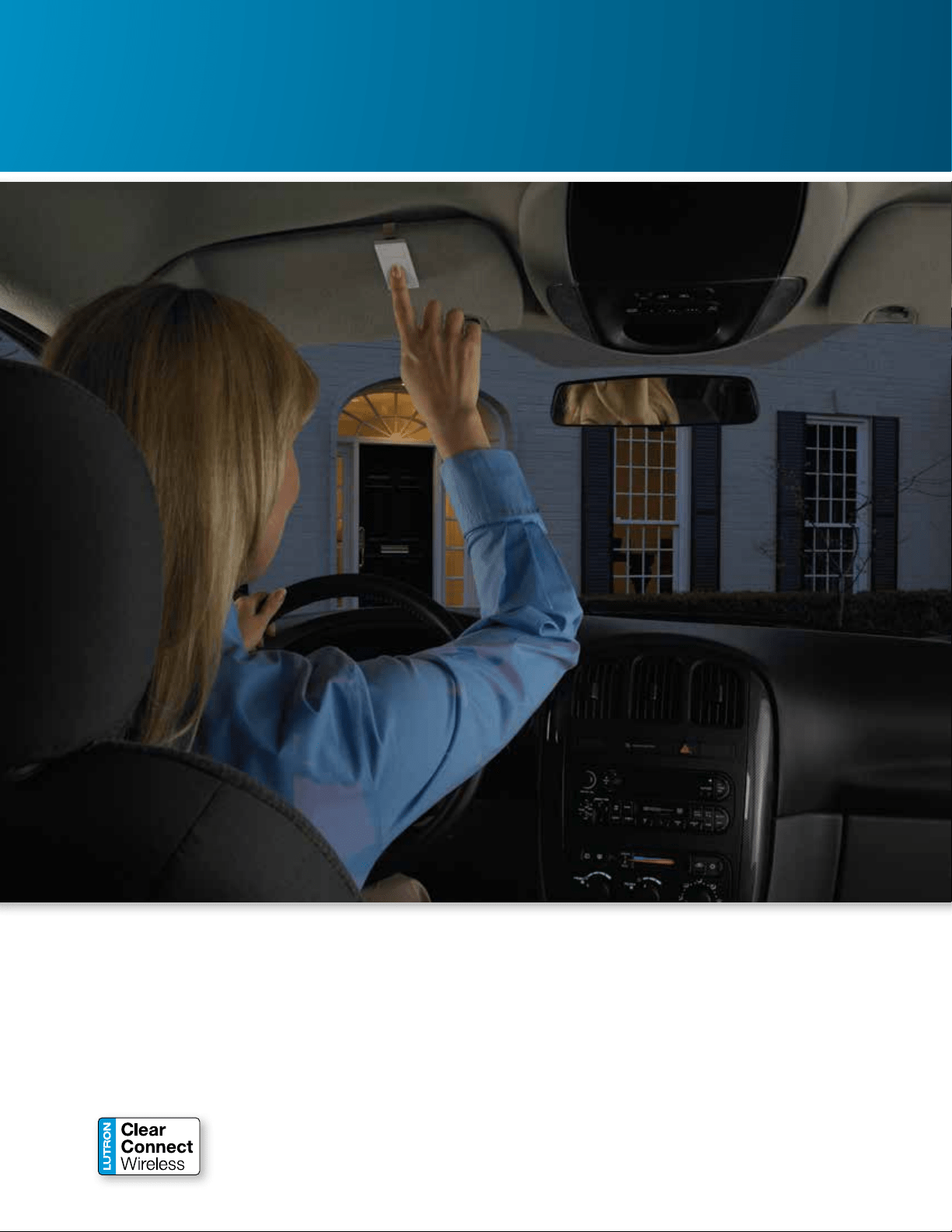
Use a Pico with a car visor clip to turn on
entry or foyer lights when coming home at
night, to create a path of light into the house.
Pico is also great problem solver —
for entry lights…
4
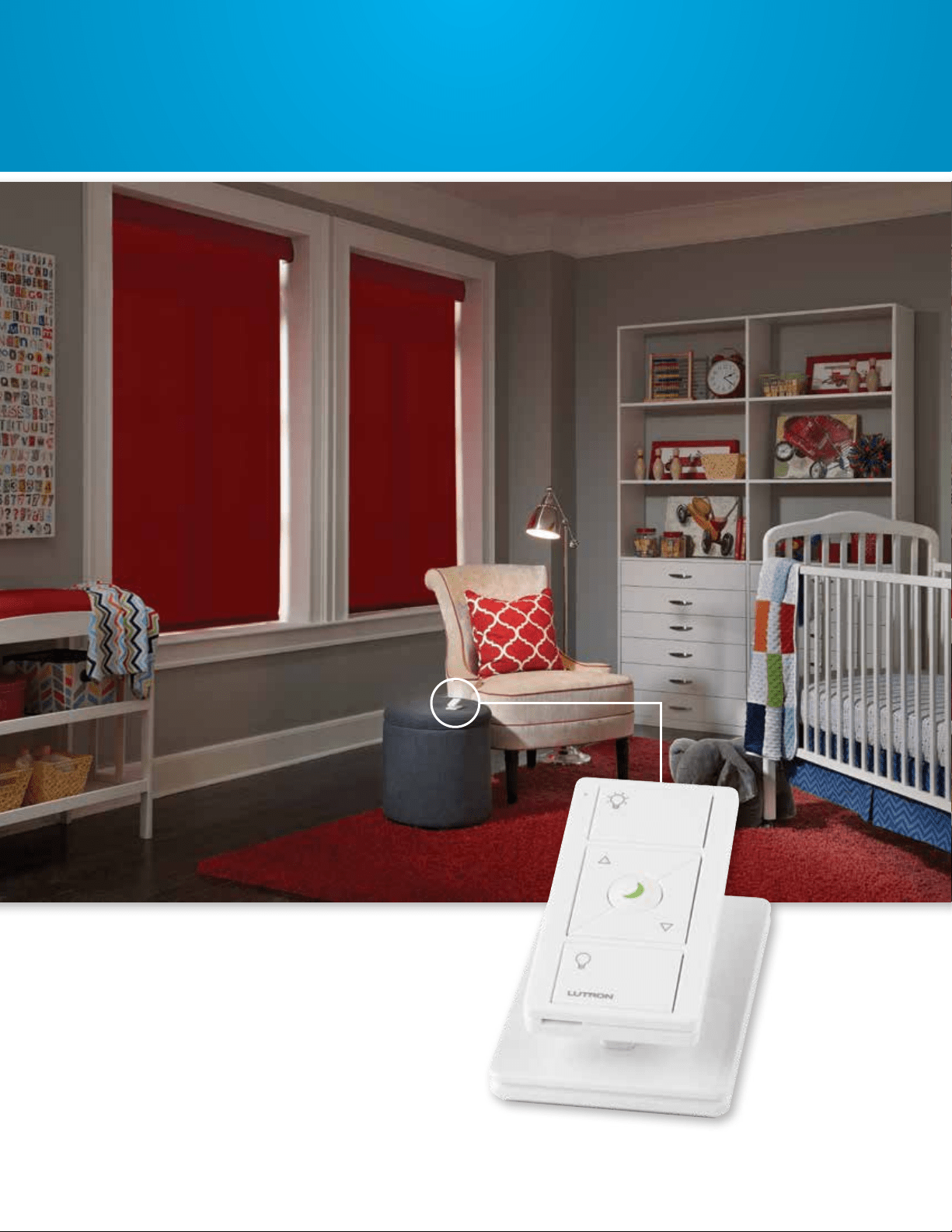
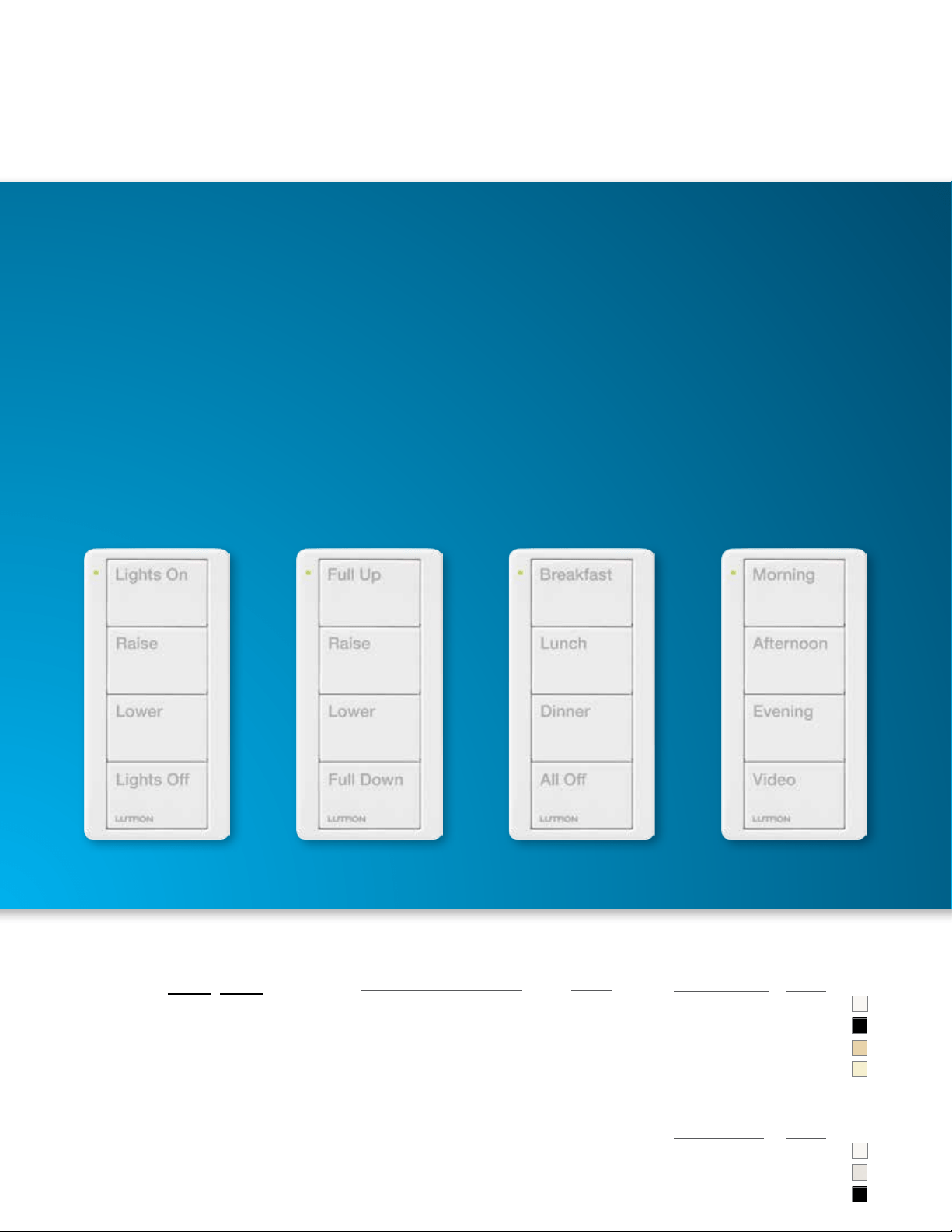
3-button Nightlight Pico with raise / lower buttons
* Moon LED shown brighter than it actually appears.
Keep one close at hand to dim lights without
getting up, when singing baby to sleep.
... and nurseries,
5
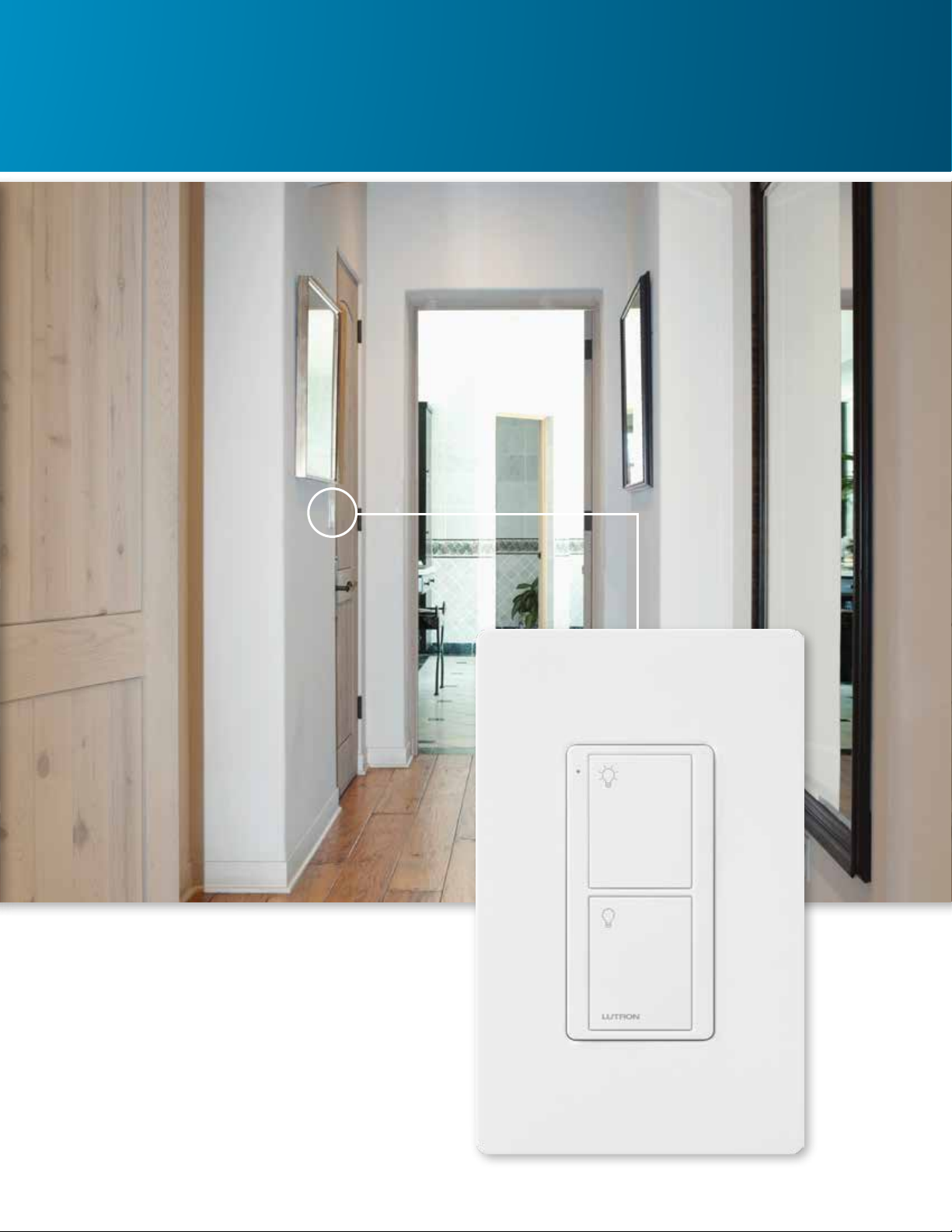
Add additional control to high traffic areas that
lack a convenient control location, such as a
long hallway.
2-button Lights Pico mounted in a wallplate
... as well as hallways.
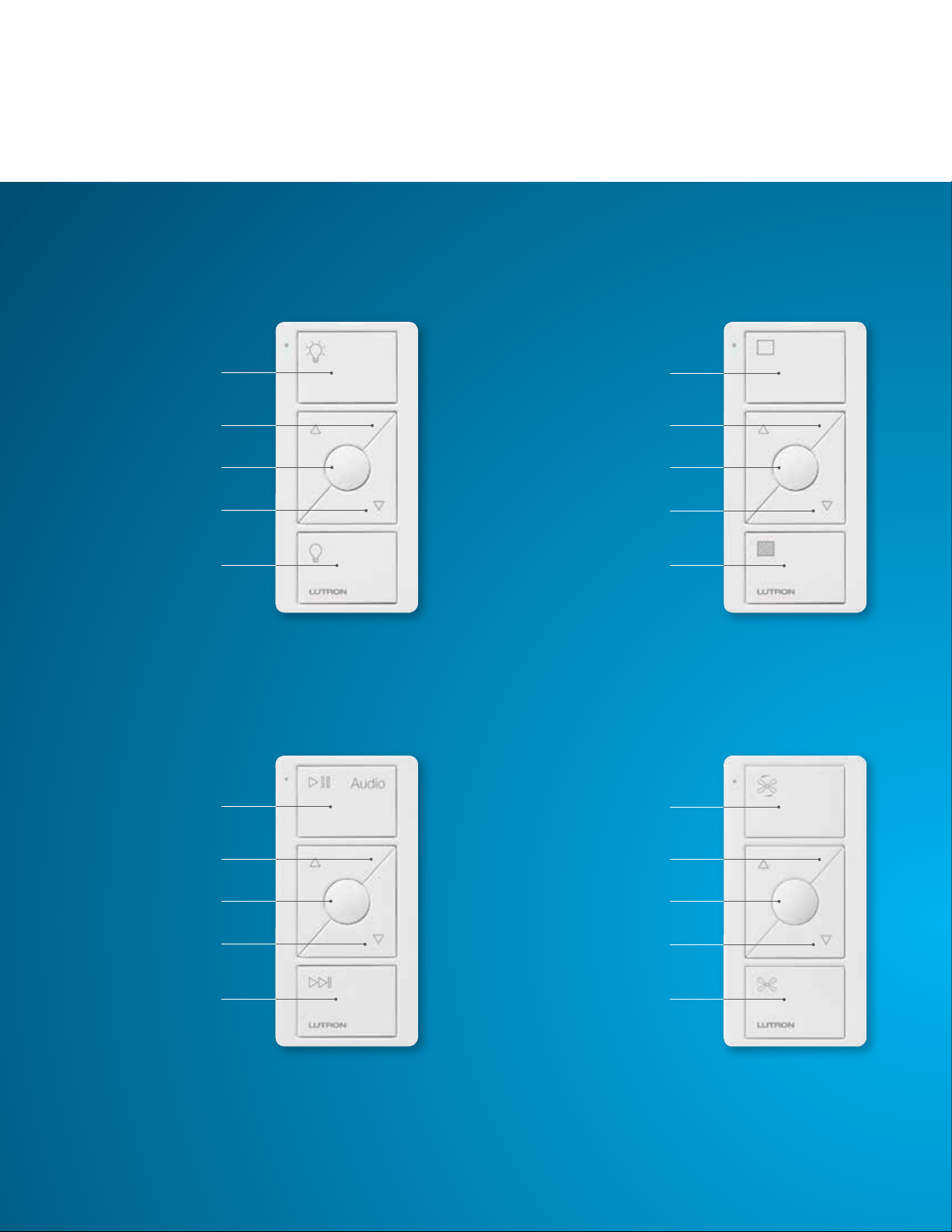
6
Turn lights on
Raise light level
Turn lights off
Lower light level
Favorite (preset)
button
Pico remote for shades
PJ2-3BRL-GWH-S01
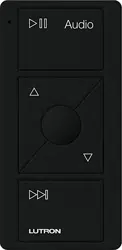
Pico remote for audio
PJ2-3BRL-GWH-A02
Pico remote for lights
PJ2-3BRL-GWH-L01
Play / pause
Raise volume
Next track
Lower volume
Cycle favorite
stations
Open shades
Raise shades
Close shades
Lower shades
Favorite (preset)
button
Pico remote control
Control lights, shades, audio, and ceiling fans. Users can create a frequently used setting, save it, and then
recall it with the “Favorite” button.
Pico remote for fans
PJ2-3BRL-GWH-F01
Turn fan on
Raise fan speed
Turn fan off
Lower fan speed
Favorite (preset)
button
Lighting control
Audio control Fan control
Shade control
6

7
Control multiple lights
or shades; operates
the same as a
3-button remote
with raise / lower,
but without a
“Favorite” button
Lights model
PJ2-4B-GWH-L31
Lights model
PJ2-4B-GWH-L21
Lights model
PJ2-4B-GWH-L01
Control two groups
of lights, two groups
of shades, or one
group of lights/one
group of shades.
Control lights or
shades to preset
levels; differs from a
Pico scene keypad
in that all devices
associated to the
top button will also
be associated to the
other three buttons.
Lights model
PJ2-4B-GWH-L41
Toggles four loads
on and off; designed
for HomeWorks QS
systems
Zone control
2-group control 4-group toggle
Scene control
4-button Pico remote control
Control zones, scenes, or groups of lights and /or shades.
7
8
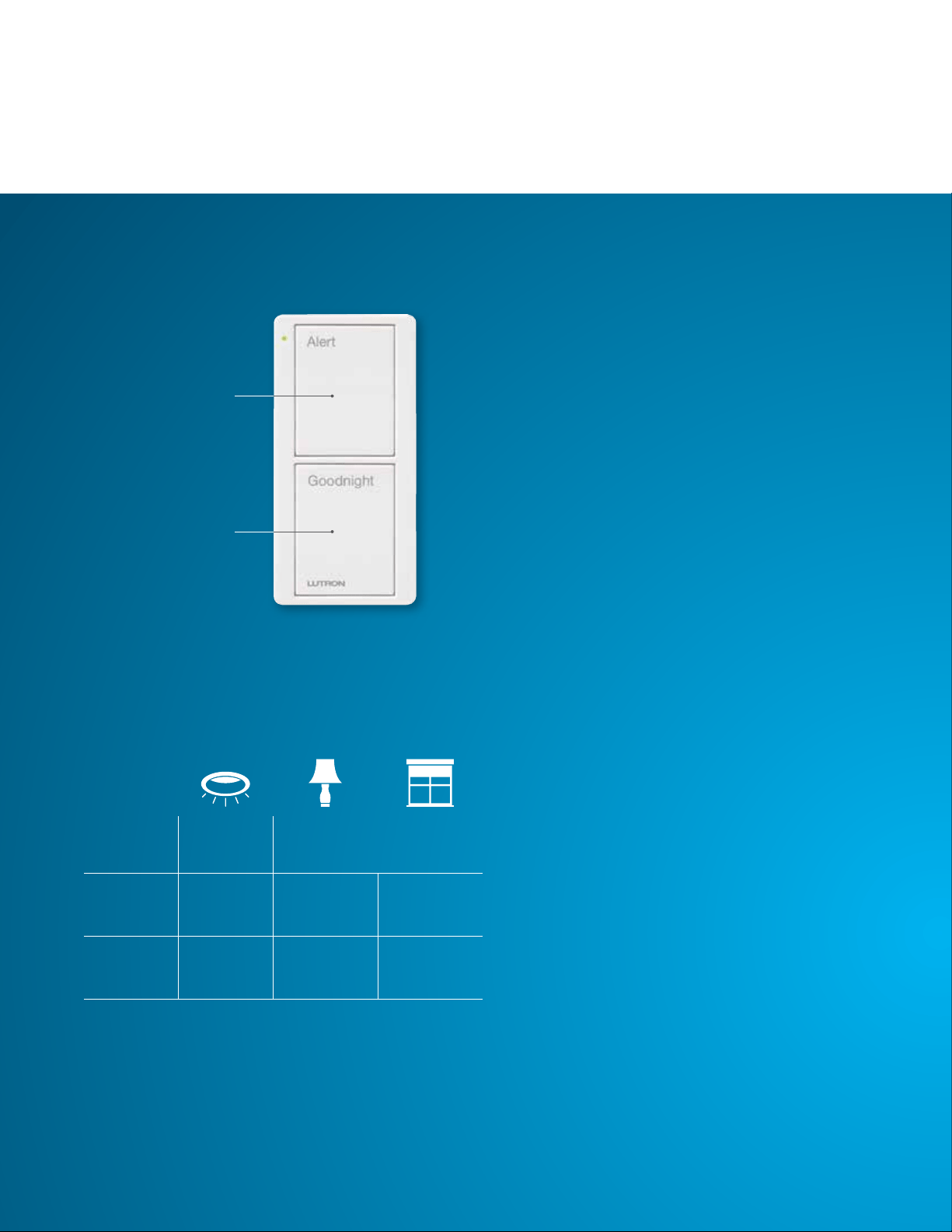
Turn lights off
Pico Bedside scene keypad
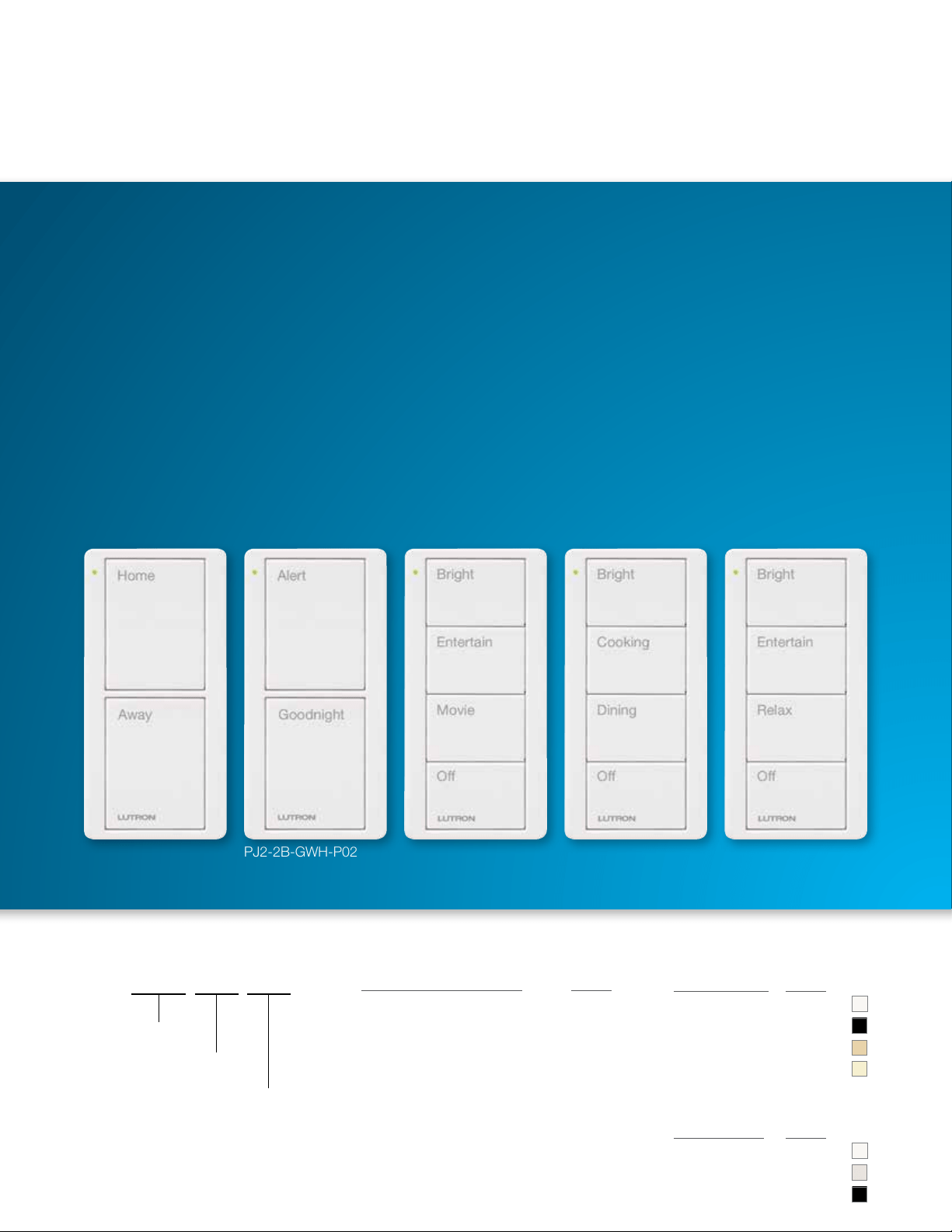
PJ2-2B-GWH-P02
Turn lights on to
programmed level
2-button Scene control
Pico scene keypads
Control lights, shades, and audio. These keypads are available pre-engraved with common scenes for
typical activities in a home. They autoconfigure in the Lutron App for Caséta and RA2 Select, saving you
time, and can be easily configured in the app to personalize for the homeowner.
Ceiling
lights
Table
lamp
Shades
Home 100% 50% Open
Away Off Off Closed
Use the “Goodnight”
button to turn lights off
and lower shades in other
rooms of the house and
the “Alert” button to turn
hallway lights on and raise
living room shades, all
without getting out of bed.
8
9
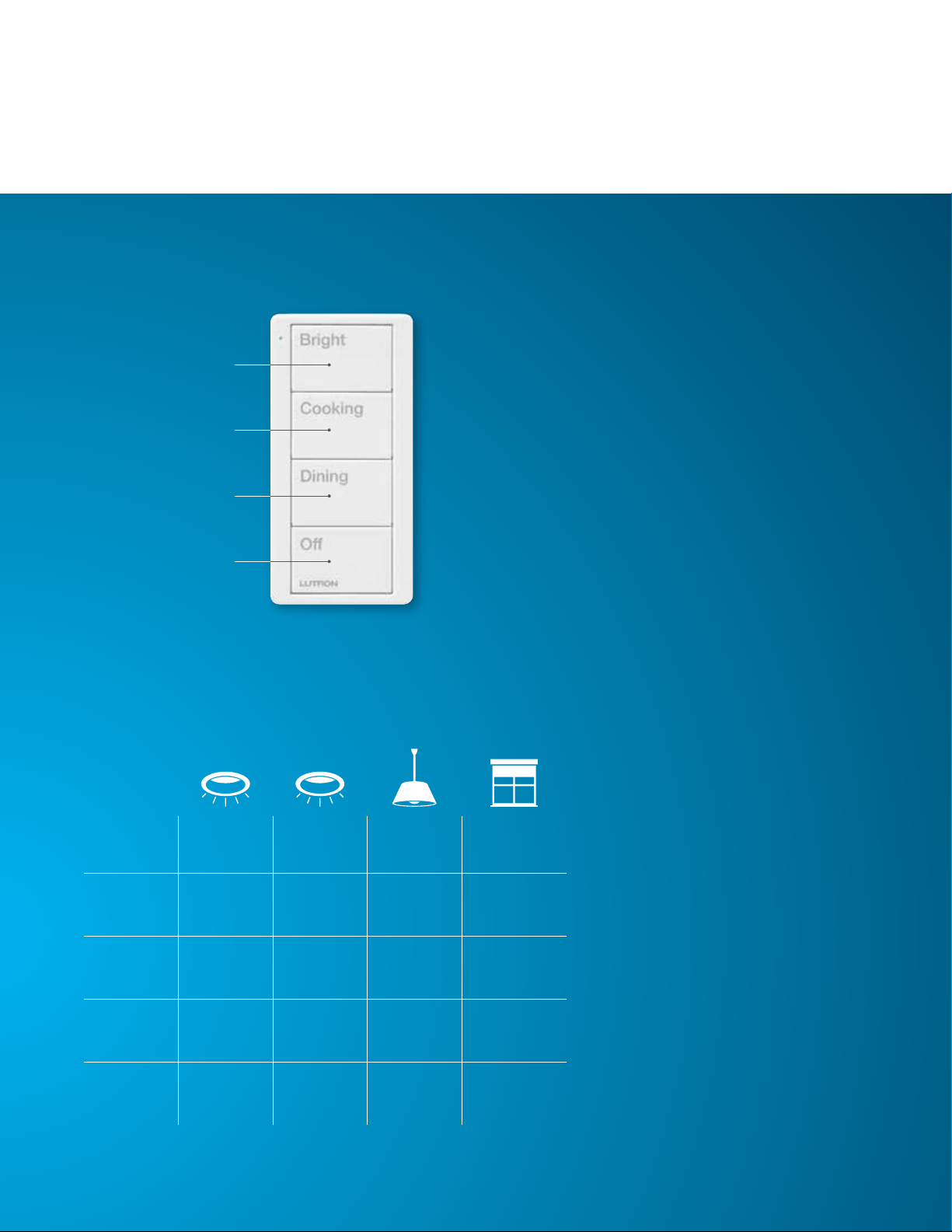
Turn lights on to
programmed level
Pico Kitchen scene keypad
PJ2-4B-GWH-P02
Turn lights on to
programmed level
Turn lights on to
programmed level
Turn lights off
4-button Scene control
Ceiling
lights
Island
lights
Pendant Shades
Bright 100% 100% 100% Open
Cooking 100% 100% 50% 75% Open
Dining 20% 65% 50% Half Open
Off Off Off Off Closed
Control all the kitchen lights
with a single button press.
9
10
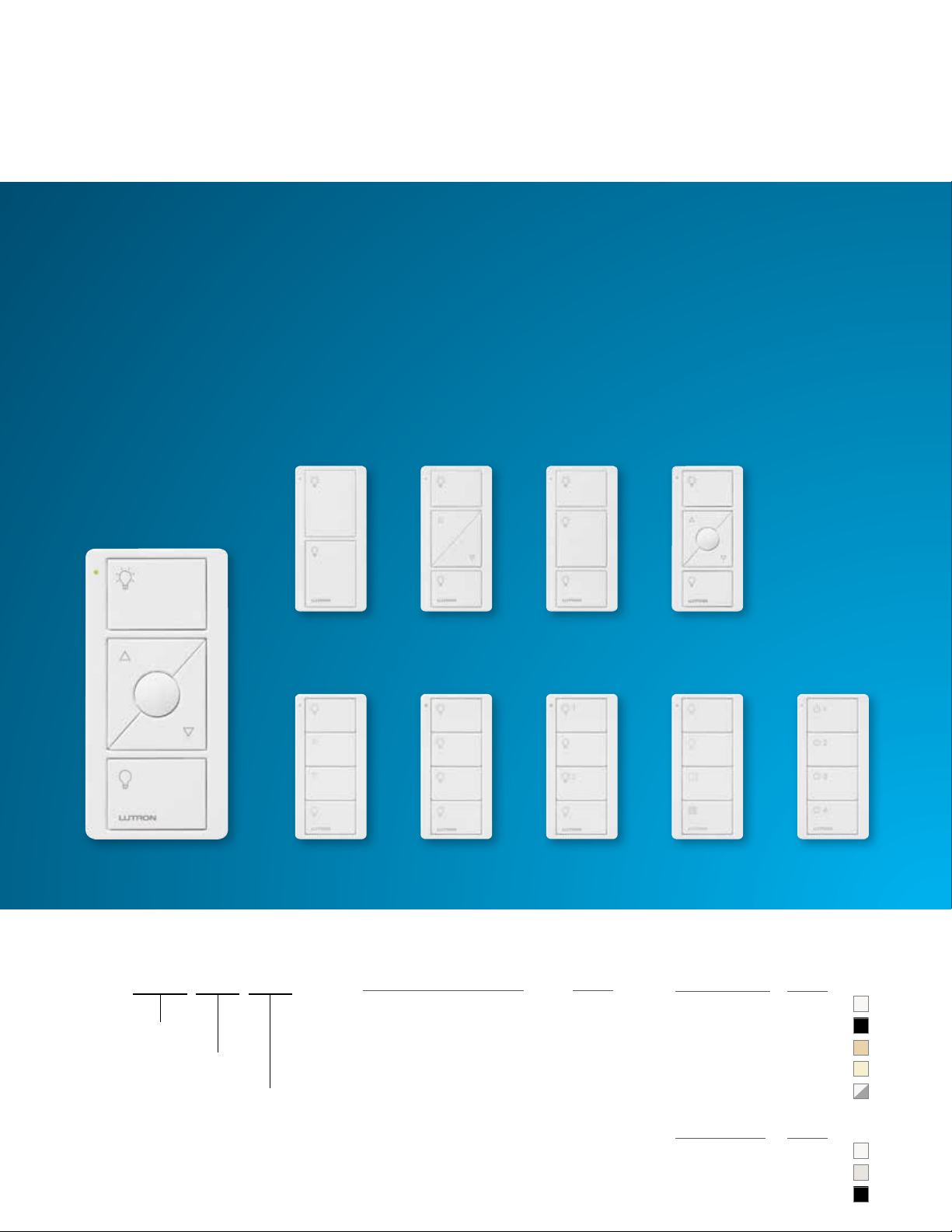
Pico remote controls for lighting
Ordering Information
Light
(L01)
Light /Blackout
(2-group)
(LS21)
4B**4B**4B**4B**
3BRL3B2BRL2B
4B**
Light
(4-group toggle)
(L41)
Light
(2-group)
(L21)
Light
(scene)
(L31)
Light
(L01)
Light
(L01)
Light
(L01)
Light
(L01)
PJ2-3BRL-GWH-L01
(actual size)
* On and Raise buttons are White; Preset, Lower, and Off buttons are Gray
Button Configuration Codes:
Button Configurations Code
2-button 2B
2-button with raise / lower 2BRL
3-button 3B
3-button with raise / lower 3BRL
4-button 4B
Color Codes:
Gloss Colors Code
White GWH
Black GBL
Ivory GIV
Light Almond GLA
White / Gray GWG*
Satin Colors Code
Snow TSW
Biscuit TBI
Midnight TMN
Build a Pico Model Number
PJ2- -XXX-XXX
Button
Marking
Code
Color
Code
Button
Configuration
Code
Button Marking Codes:
L01, L31, L21, LS21, L41
10

11
Pico remote controls for lighting with nightlight
Ordering Information
Button Configuration Codes:
Button Configurations Code
2-button 2B
3-button with raise / lower 3BRL
Color Codes:
Gloss Colors Code
White GWH
Black GBL
Ivory GIV
Light Almond GLA
Build a Pico Model Number
PJN- -XXX-L01
Color
Code
Button
Configuration
Code
* On and Raise buttons are White; Preset, Lower, and Off buttons are Gray
Button Marking Code:
L01
PJN-2B-GWH-L01
(actual size)
PJN-3BRL-GWH-L01
(actual size)
* Moon LED shown brighter than it actually appears.
11
12
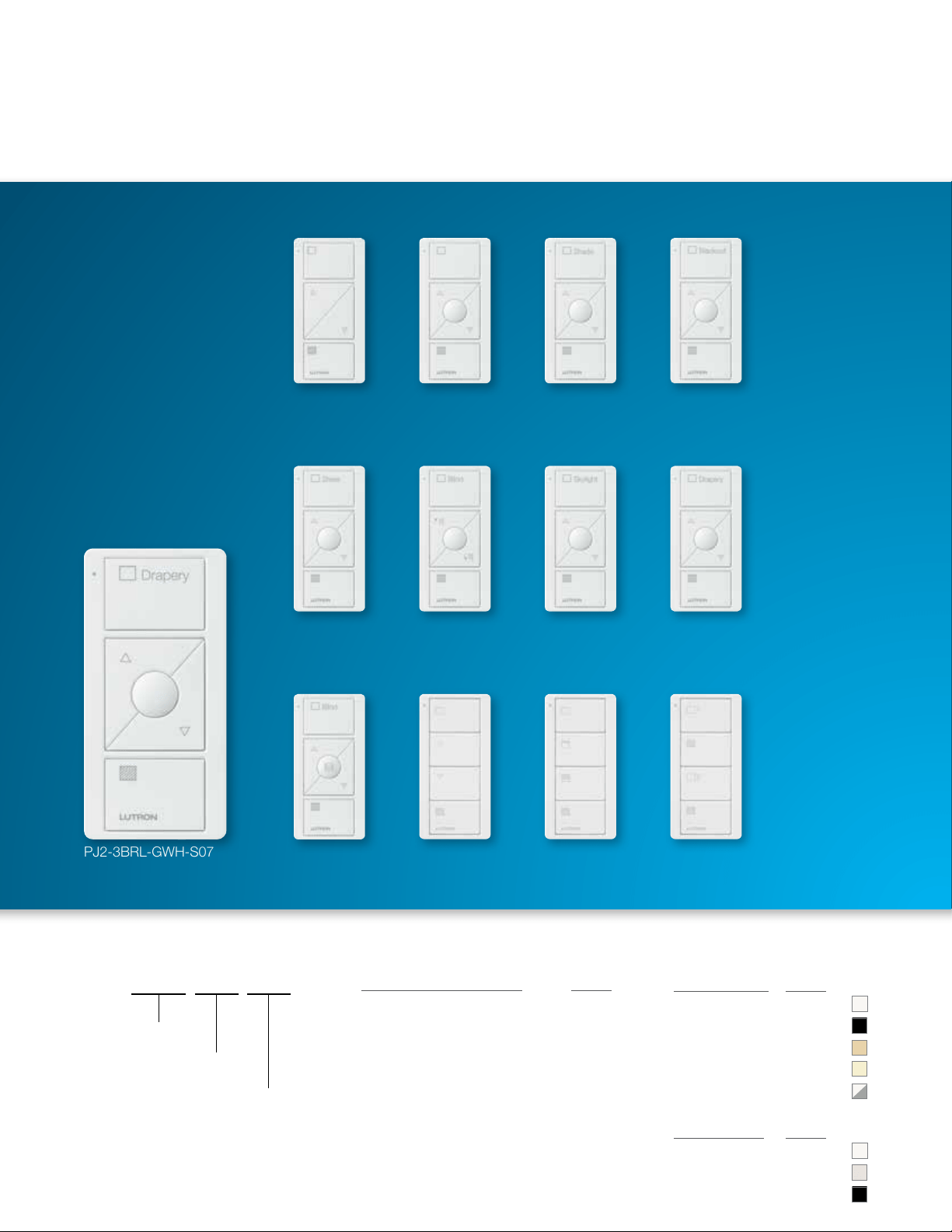
Pico remote controls for shades
Ordering Information
Blackout
(2-group)
(S21)
Blackout
(scene)
(S31)
Shade (icons)
(S01)
Horizontal
Sheer Blind
(S09)
Drapery
(S07)
Skylight
(S06)
Blind
(S05)
Sheer
(S04)
Blackout
(S03)
Shade (text)
(S02)
Shade (icons)
(S01)
Shade (icons)
(S01)
3BRL3BRL3BRL3BRL
4B**4B**4B**3BRL
3BRL3BRL3BRL2BRL
** Available in White, Black, Ivory and Light Almond colors only
Button Configuration Codes:
Button Configurations Code
2-button with raise / lower 2BRL
3-button with raise / lower 3BRL
4-button 4B
Color Codes:
Gloss Colors Code
White GWH
Black GBL
Ivory GIV
Light Almond GLA
White / Gray GWG*
Satin Colors Code
Snow TSW
Biscuit TBI
Midnight TMN
Build a Pico Model Number
PJ2- -XXX-XXX
Button
Marking
Code
Color
Code
Button
Configuration
Code
PJ2-3BRL-GWH-S07
(actual size)
Button Marking Codes:
S01, S02, S03, S04, S05, S06,
S07, S09, S31, S21
13
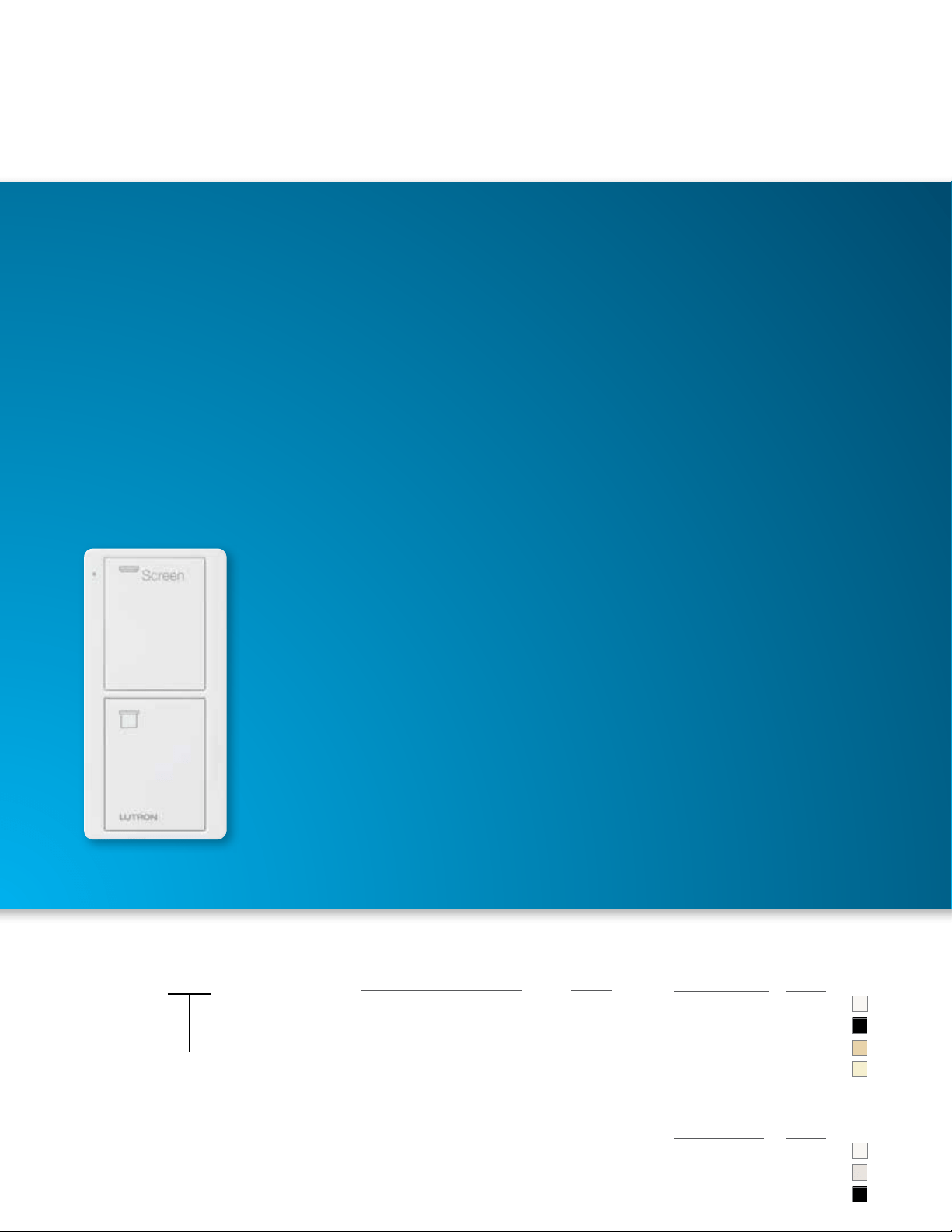
Pico remote control for video screens
Ordering Information
Button Configuration Codes:
Button Configurations Code
2-button 2B
Color Codes:
Gloss Colors Code
White GWH
Black GBL
Ivory GIV
Light Almond GLA
Satin Colors Code
Snow TSW
Biscuit TBI
Midnight TMN
Build a Pico Model Number
PJ2-2B-XXX-S08
Color
Code
PJ2-2B-GWH-S08
(actual size)
Button Marking Code:
S08
14
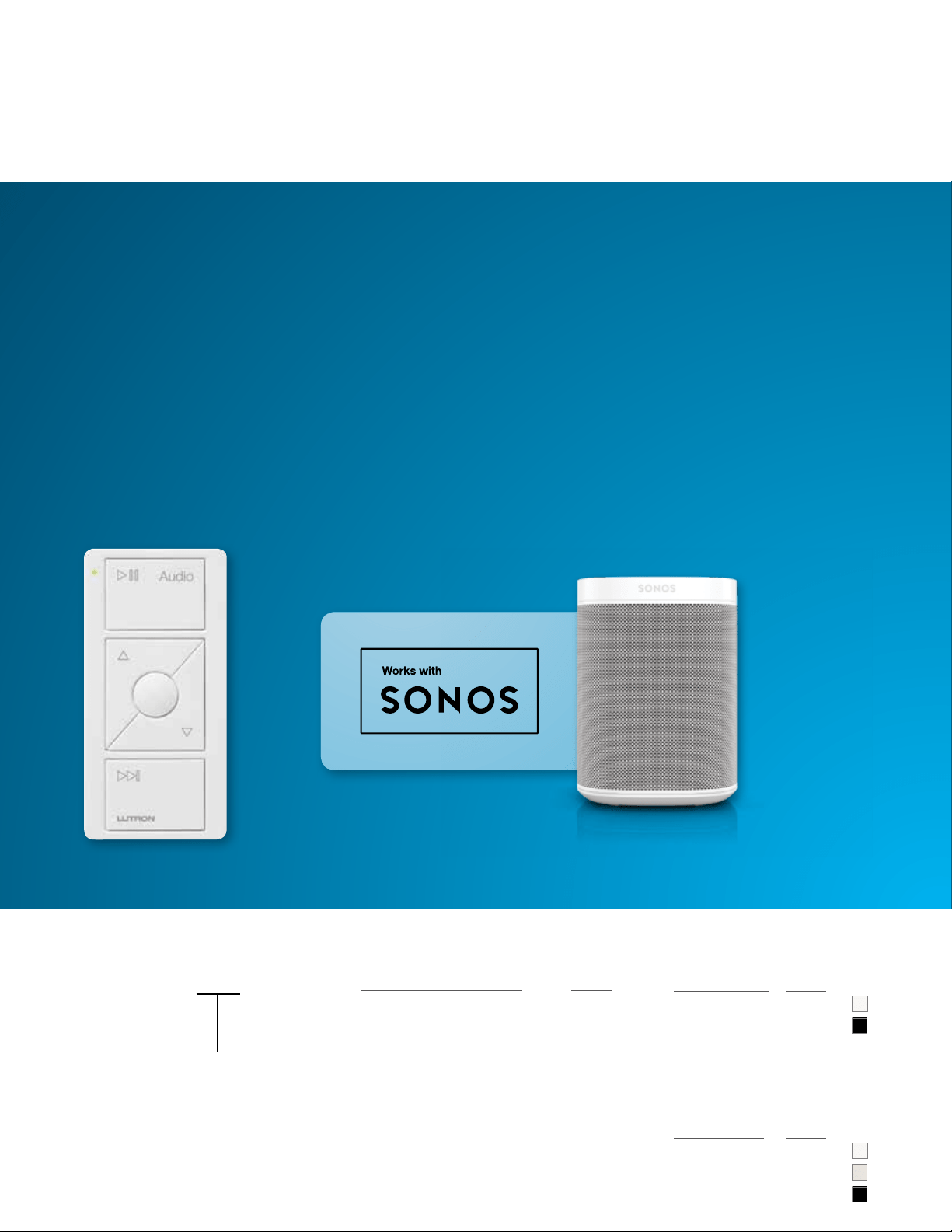
Pico remote control for audio
Ordering Information
Button Configuration Codes:
Button Configurations Code
3-button with raise / lower 3BRL
Color Codes:
Gloss Colors Code
White GWH
Black GBL
Build a Pico Model Number
PJ2-3BRL-GWH-A02
(actual size)
PJ2-3BRL-XXX-A02
Color
Code
Button Marking Code:
A02
Satin Colors Code
Snow TSW
Biscuit TBI
Midnight TMN
15
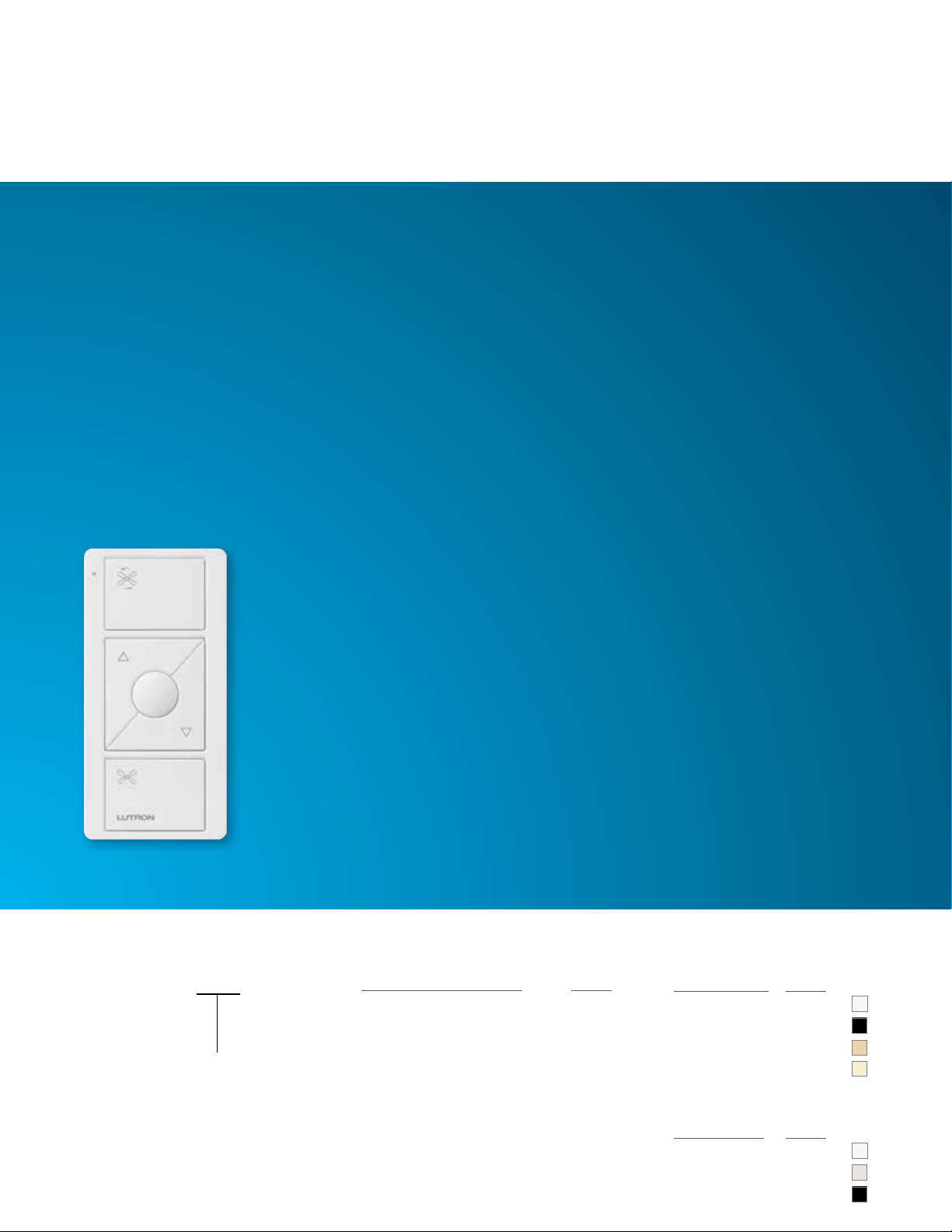
Pico remote control for fans
Ordering Information
Color Codes:
Gloss Colors Code
White GWH
Black GBL
Ivory GIV
Light Almond GLA
Satin Colors Code
Snow TSW
Biscuit TBI
Midnight TMN
PJ2-3BRL-GWH-F01
(actual size)
Button Configuration Codes:
Button Configurations Code
3-button with raise / lower 3BRL
Build a Pico Model Number
PJ2-3BRL-XXX-F01
Color
Code
Button Marking Code:
F01
16
Entry Bedside Any Room
Pico scene keypads
Ordering Information
Button Configuration Codes:
Button Configurations Code
2-button 2B
4-button 4B
Color Codes:
Gloss Colors Code
White GWH
Black GBL
Ivory GIV
Light Almond GLA
Satin Colors Code
Snow TSW
Biscuit TBI
Midnight TMN
Build a Pico Model Number
PJ2- -XXX-XXX
Button
Marking
Code
Color
Code
Button
Configuration
Code
PJ2-2B-GWH-P01
(actual size)
PJ2-2B-GWH-P02
(actual size)
Kitchen
PJ2-4B-GWH-P02
(actual size)
Family room
PJ2-4B-GWH-P01
(actual size)
PJ2-4B-GWH-P03
(actual size)
Button Marking Codes:
P01, P02, P03
17
Custom 4-button Pico remote controls
Ordering Information: lutron.com/custompico
Button Configuration Codes:
Button Configurations Code
4-button 4B
Color Codes:
Gloss Colors Code
White GWH
Black GBL
Ivory GIV
Light Almond GLA
Satin Colors Code
Snow TSW
Biscuit TBI
Midnight TMN
Build a Pico Model Number
PJ2-4B-XXX-XXX
Button
Marking
Code
Color
Code
PJ2-4B-GWH-EL1
(lights example)
Button Marking Codes:
EL1, EL2, ES1, ES2
PJ2-4B-GWH-ES2
(shades example)
Scene ControlsZone Controls
PJ2-4B-GWH-EL2
(lights example)
PJ2-4B-GWH-ES1
(shades example)
18
Pico remote controls — mounting accessories
Ordering Information
Color Codes:
Gloss Colors Code
White WH
Black BL
Pedestal Model Number
L-PEDX-XX
Color
Code
Capacity
Code
L-PED1-WH L-PED3-WH
L-PED2-WH
** Available in White and Black colors only
Single, double, and triple pedestals available
19
Wallplate Color Codes:
Gloss Colors Code
White WH
Black BL
Ivory IV
Light Almond LA
Satin Colors Code
Snow SW
Biscuit BI
Midnight MN
Gloss Wallplate Model Number
CW- -XX
Openings
Color
Code
Car visor clip
(PICO-CAR-CLIP)
•
Insert the Pico
into the clip for
convenient control
from your car
Claro wallplate
(CW-1-WH)
•
Provides a clean,
screwless look
•
Available in 1-6 openings
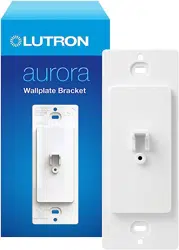
Wallplate bracket
(PICO-WBX-ADAPT)
•
Use to surface-mount
a Pico to a wall
•
Required when mounting
a Pico over a 120 V wallbox
Satin Wallplate Model Number
SC- -XX
Openings
Color
Code
20
Pico remote controls — flexibility
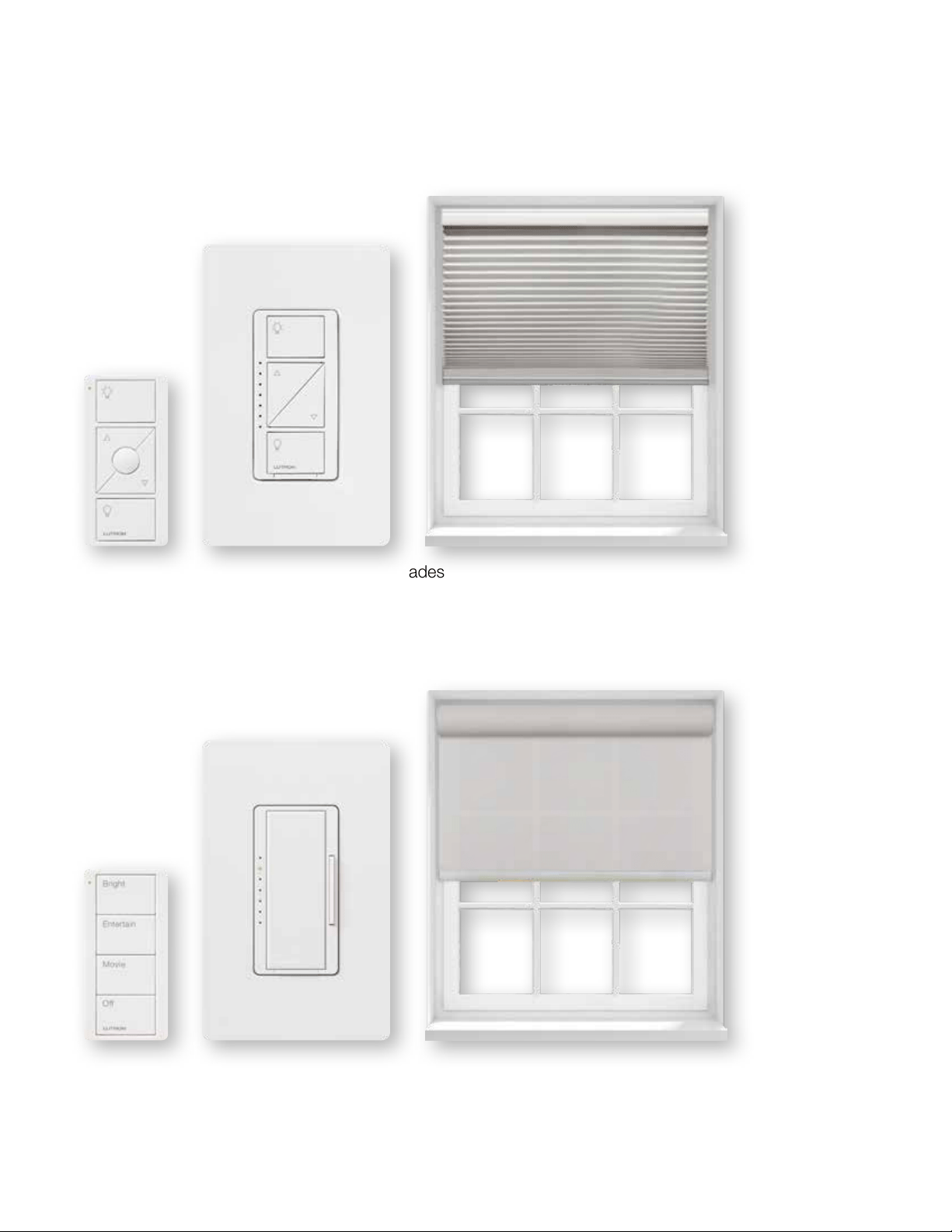
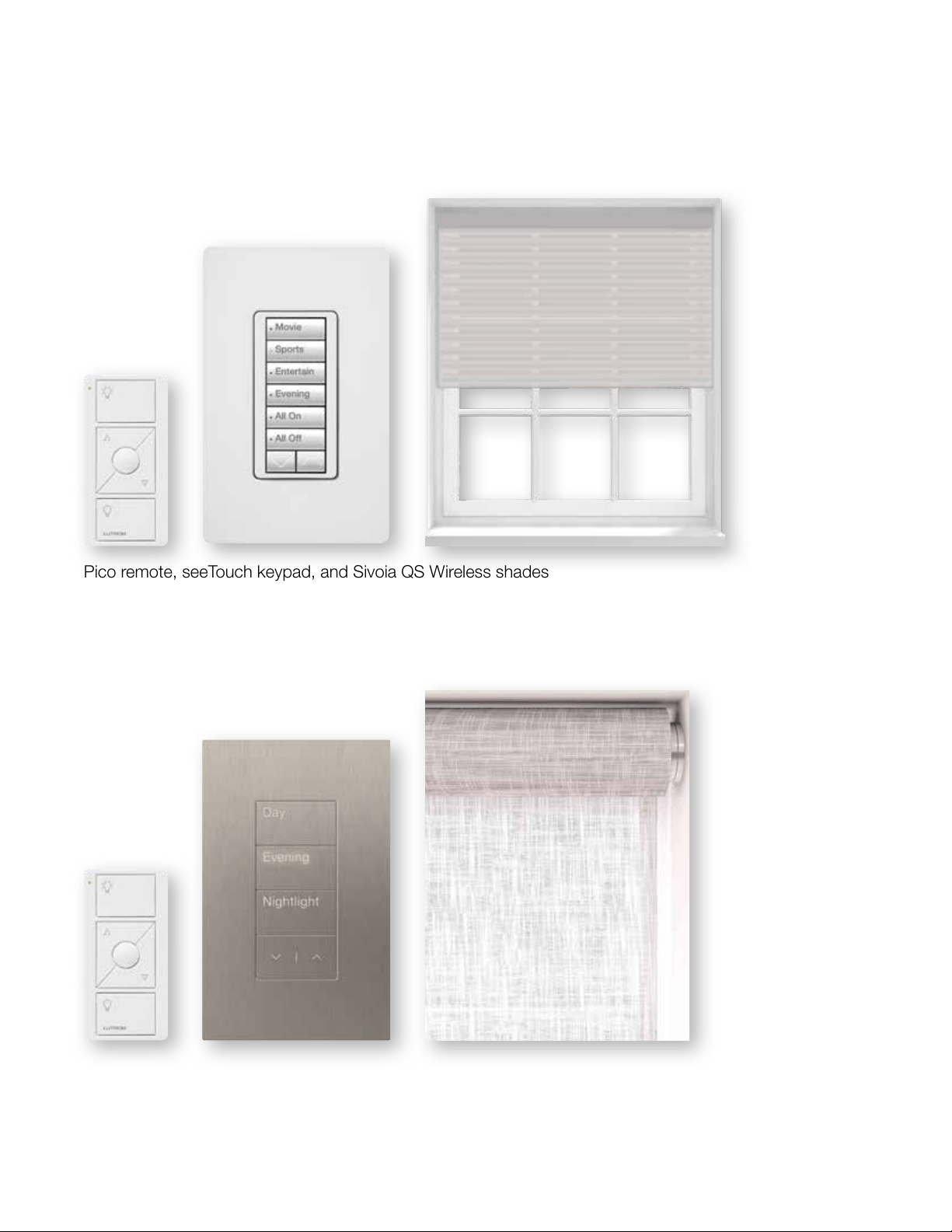
You can use a Pico with Lutron standalone dimmers and shades, as well as with the following Lutron systems
Caséta
Pico remote, Caséta dimmer, and Serena shades
RA2 Select
Pico scene keypad, Maestro dimmer, and Sivoia QS Triathlon shades
21
Pico remote, seeTouch keypad, and Sivoia QS Wireless shades
RadioRA 2
Pico remote, Palladiom keypad, and Palladiom shades
HomeWorks QS

lutron.com/pico
Lutron Electronics Co., Inc., 7200 Suter Road, Coopersburg, PA 18036-1299
Customer Assistance
Online: lutron.com/help | Email: support@lutron.com | Phone: 1.844.LUTRON1 (588.7661) — includes 24/7 technical support
© 04/2019 Lutron Electronics Co., Inc.
I
P/N 367-2821 REV B
The Lutron logo, Lutron, Caséta, Claro, Clear Connect, HomeWorks, Maestro, Palladiom, Pico, RadioRA 2, RA2 Select, Satin
Colors, seeTouch, Serena, Sivoia QS, and Triathlon are trademarks or registered trademarks of Lutron Electronics Co., Inc., in the
U.S. and/or other countries.
Sonos and Works with Sonos are trademarks or registered trademarks of Sonos, Inc.