
ENGLISH
Tarah
USER GUIDE

WELCOME
In The Box 2
Charging / Battery Status 3
Pairing 5
Finding Your Perfect Fit 7
Eargel Size 7
Speed Cinch & Shirt Clip 8
DETAILED INSTRUCTIONS
Button Functionality 9
The Jaybird App 12
Multipoint - Connection to multiple devices 13
Smartwatches 14
Troubleshooting 15
Specifications 16
Warranty, Warnings & Safety 17

WELCOME
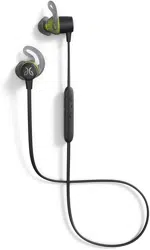
JAYBIRD TARAH
ESSENTIAL PERFORMANCE
RUN WIRELESS
For detailed video instructions please visit jaybirdsport.com/support/
Please refer to the safety warnings for important product safety information prior to installation or use of the product.
6 HOURS PLAYTIME
SWEAT & WATERPROOF (IPX7)
SPORT FIT - SECURE & COMFORTABLE
10 MIN = 1 HR OF PLAYTIME
SPEED CINCH
PREMIUM SOUND WITH CUSTOM EQ
MUSIC & CALLS
2
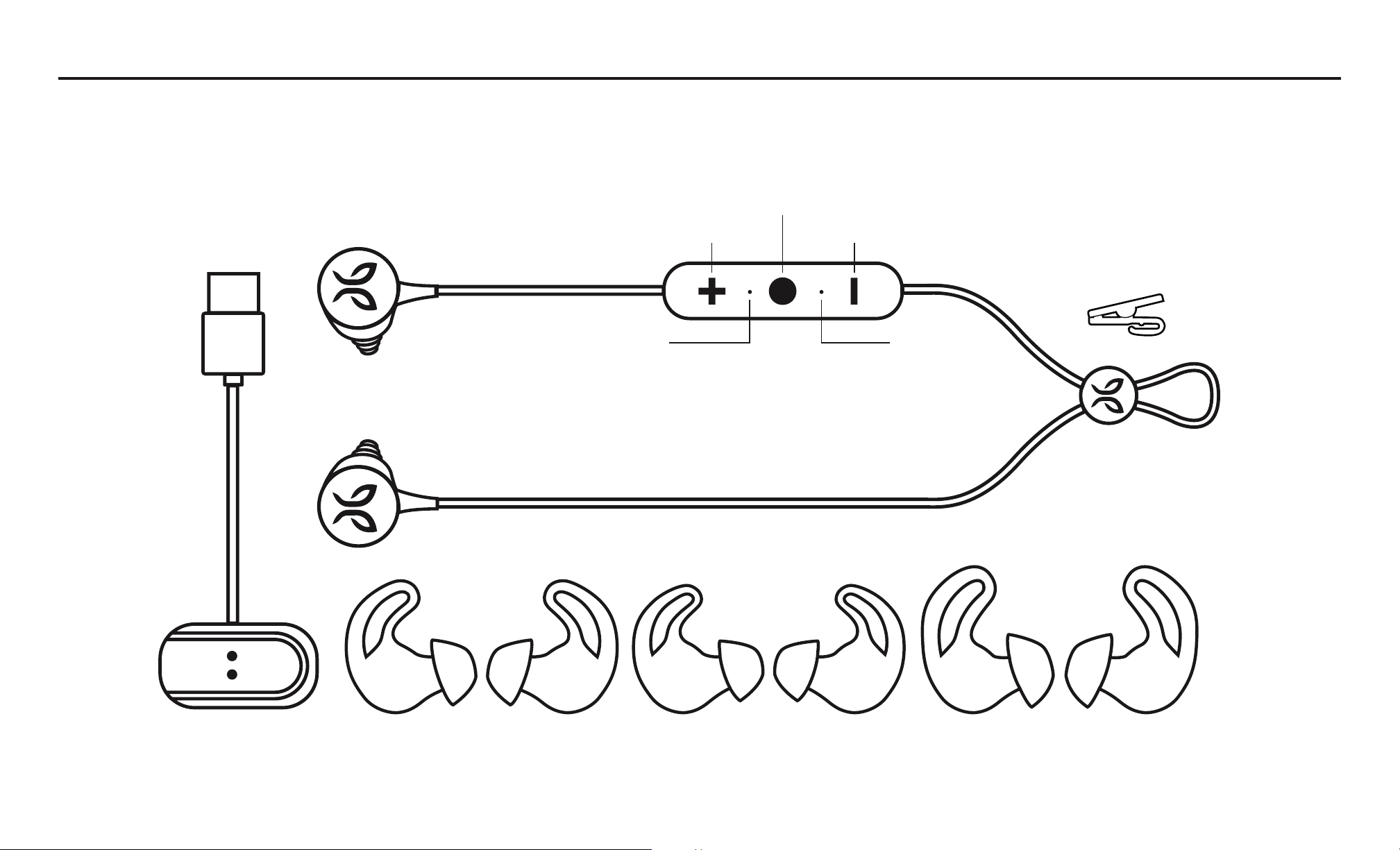
Integrated USB
Charging Cable
Shirt Clip
Speed Cinch
Silicone Eargels (Size 1 / 2 / 3)
Wireless Headphones
MicrophoneLED
IN THE BOX
Volume
+
Volume
–
Middle Button
R
R
R
L
L
L
3
CHARGING/BATTERY STATUS
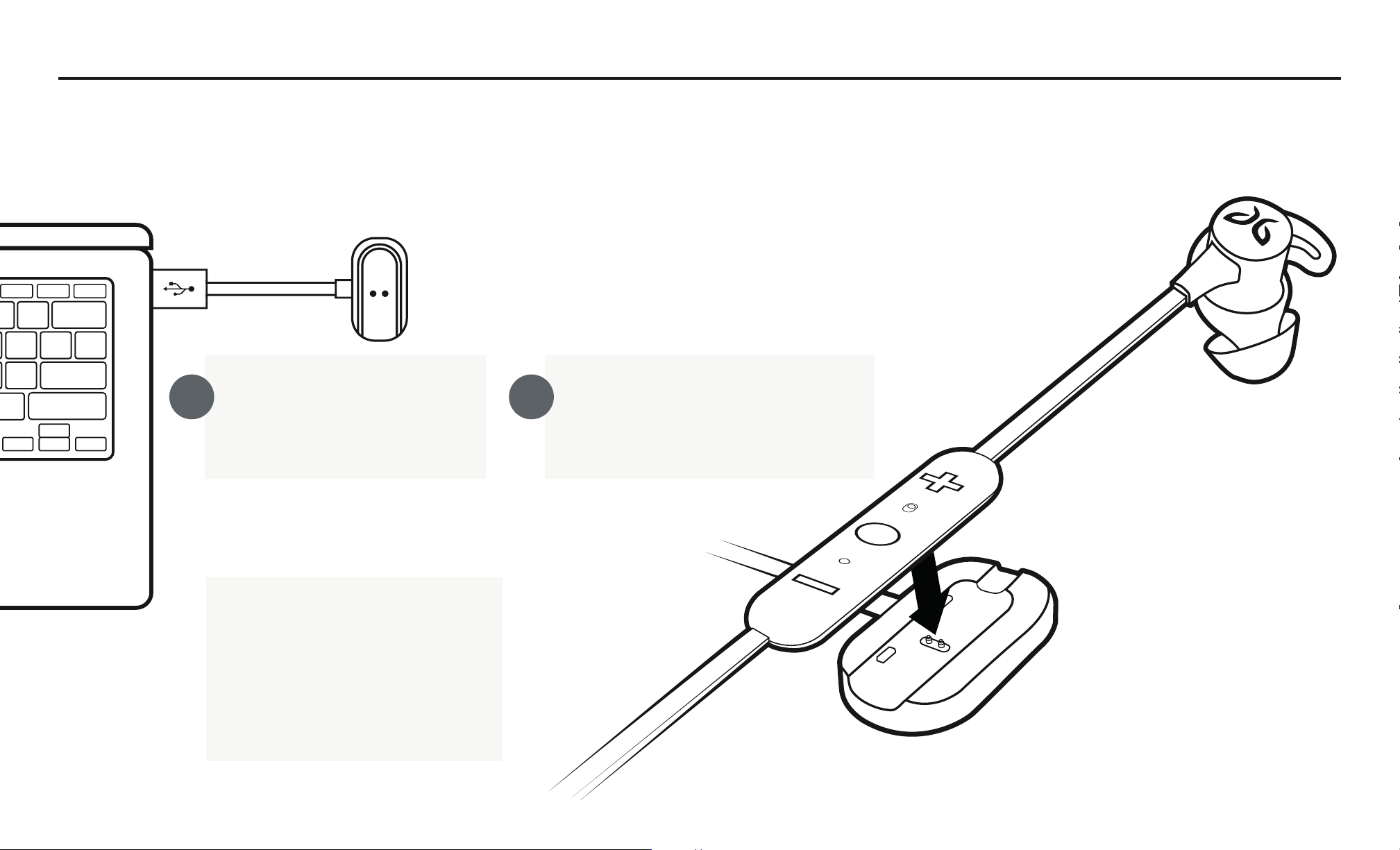
Take the included USB
charging cradle and plug it
into a USB power source.
The white LED will start pulsing
when charging, and will turn
solid white when fully charged.
We recommend you charge your earbuds using any 5V 500mA USB power source. Wall/car adapters/chargers
that supply more than 5.5 V may damage your Jaybird earbuds and should not be used.
2 hours charging gives
6 hours of playtime.
10 mins charging gives
1 hour playtime.
A B
4
+
CUSTOMIZE
JAYBIRD SIGNATURE
WARMTH
WARMTH
REMOVE SHARPNESS
JAYBIRD ENHANCED
EXTENDED LISTENING
R & B FREAK
Jaybird Tarah
87%
54%10:23 AM
CHARGING/BATTERY STATUS
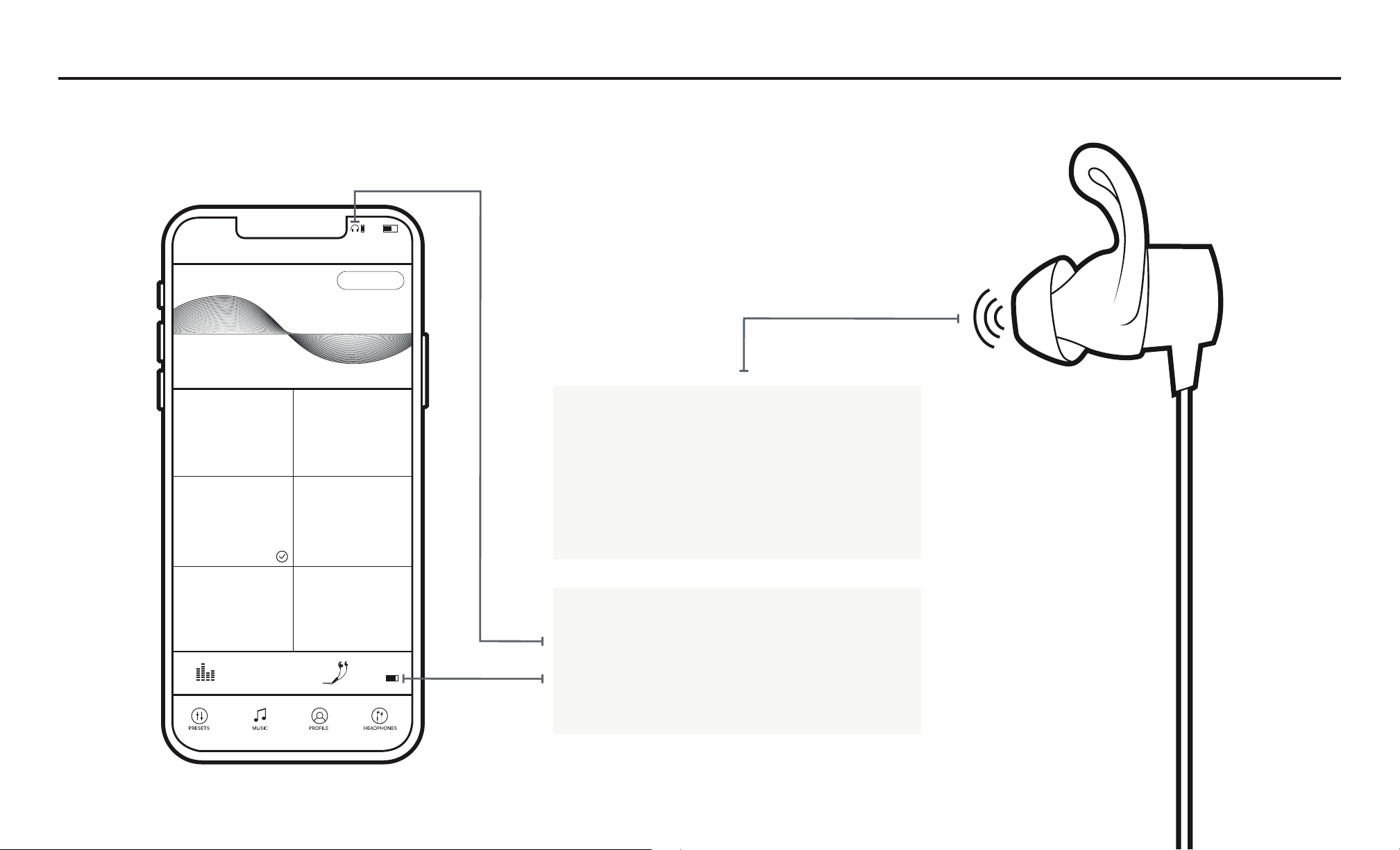
When you turn on your earbuds,
you will hear a battery level
announcement. The battery level
announcement is rounded to the
nearest 20%.
Your phone and the Jaybird app
will also indicate the battery level.
The Jaybird app will indicate the
battery level to within 1%.
R
5
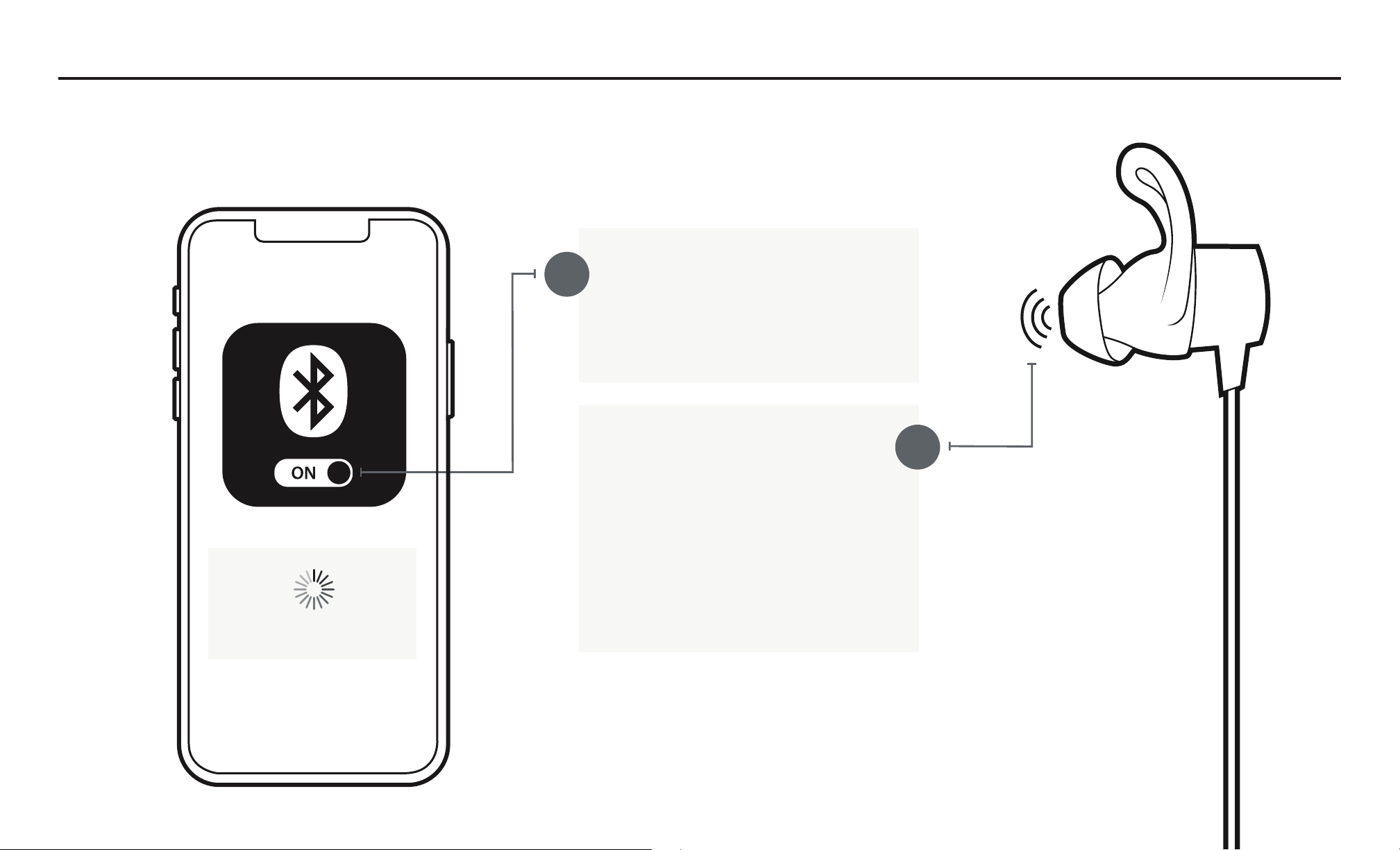
On your audio device, turn
Bluetooth
®
on and ensure it is
actively searching for Bluetooth
devices.
A
With your Tarah earbuds turned
off, press and hold the Middle
Button until you see the LED
blinking white. You will hear the
“READY TO PAIR. DOWNLOAD
THE JAYBIRD APP FOR AN
ASSISTED SETUP” voice
prompt.
Searching...
PAIRING
B
R
6
C
D
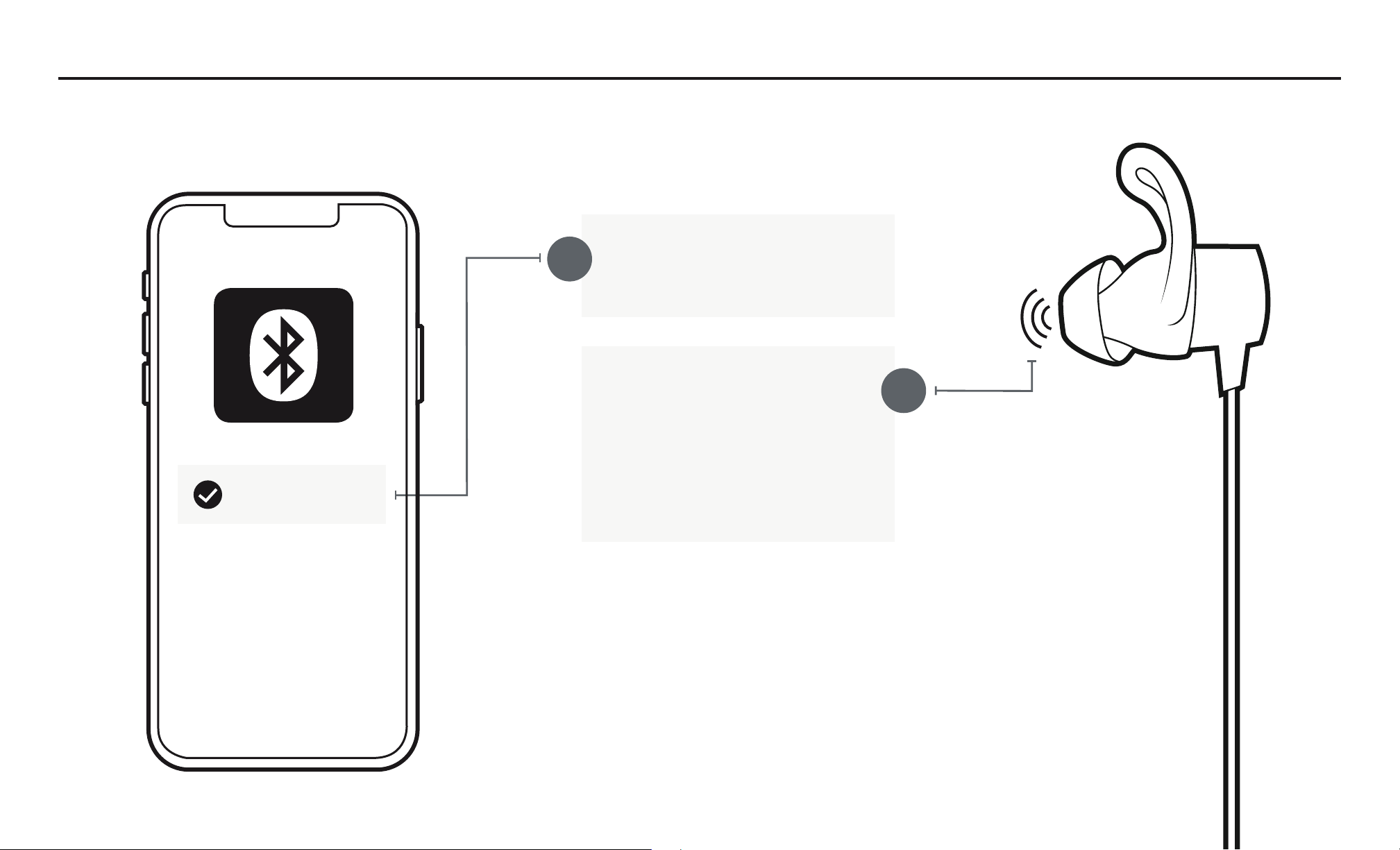
PAIRING
Select “Jaybird Tarah” in the
list of discovered devices.
Once your Tarah earbuds
have connected to your audio
device you will hear the
“Connected” voice prompt.
You are now ready to listen to
your music.
If the pairing is not successful, switch off your earbuds by pressing the
Middle Button until the red LED illuminates and you hear a descending
“Power off” tone. Once your earbuds have powered off repeat steps A-D.
NOTE: When you turn your Tarah earbuds on for the first time or after a
reset, they will be in pairing mode.
Jaybird Tarah
R
7
A
B
C
FINDING YOUR PERFECT FIT
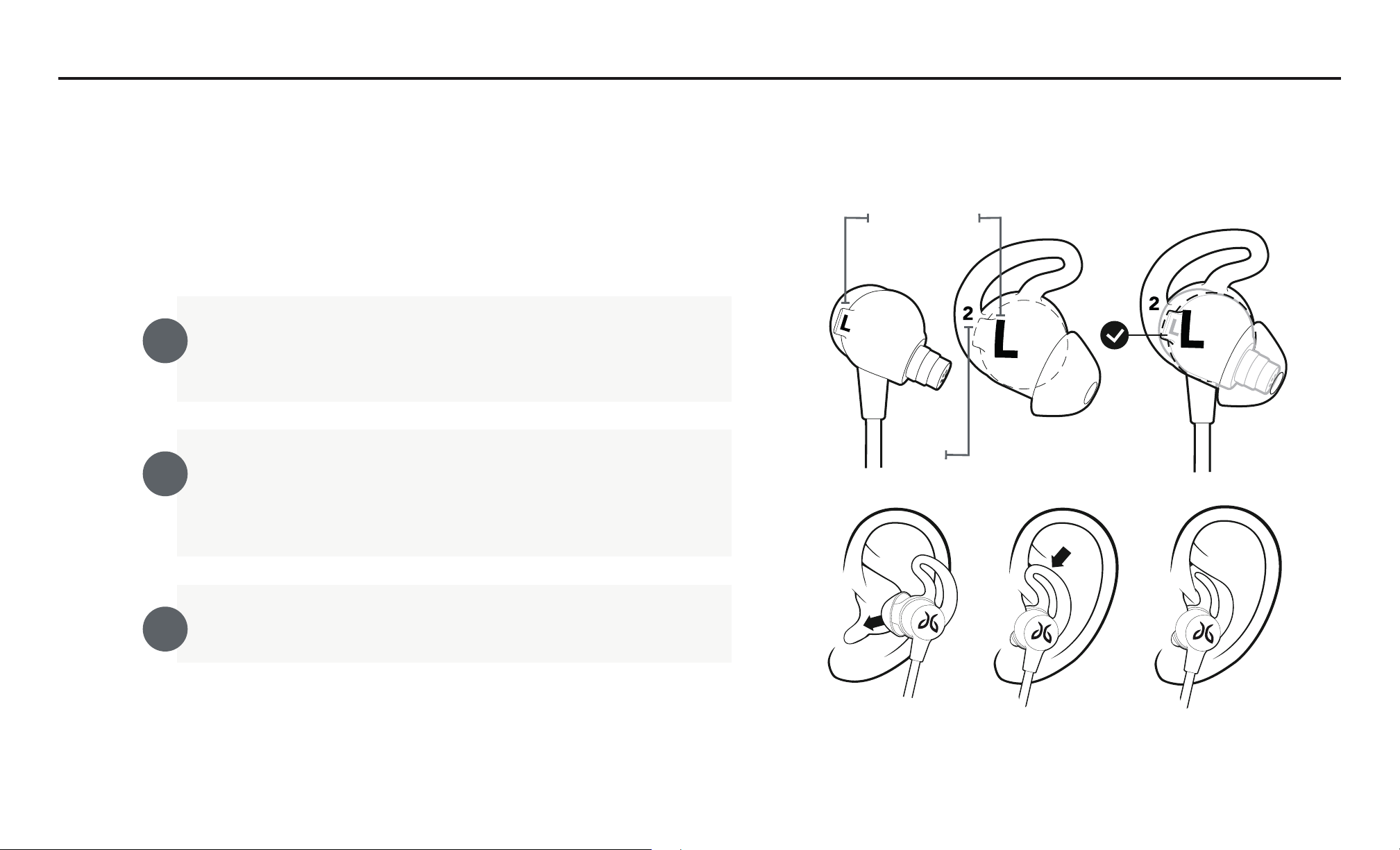
1. FINDING THE CORRECT EARGEL SIZE
Try with pre-installed size 2 eargels. Place these firmly
within your ears as shown in the illustration.
For an assisted fit set up, please download the Jaybird App or
visit www.jaybirdsport.com/support/tarah
ORIENTATION
SIZE
If your earbuds are not comfortable, or feel loose, or too
tight, try alternative sized eargels (size 1 or size 3).
Be patient, it may take some time to get the perfect fit.
Once you are happy with the fit, you are good to go.
Note: It is quite common to use
different sized eargels in each ear.
8
A
B
FINDING YOUR PERFECT FIT
2. SPEED CINCH & SHIRT CLIP
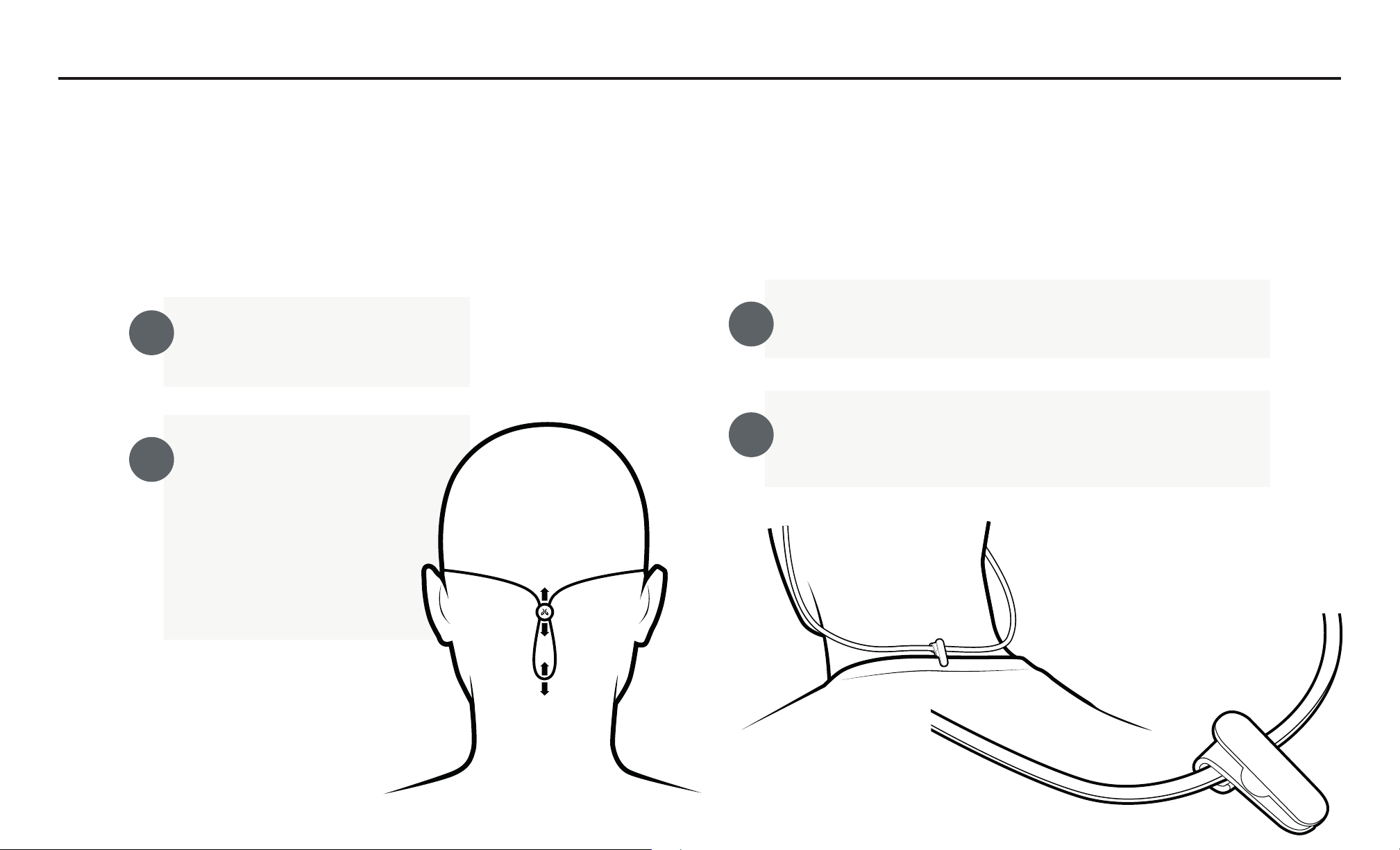
The speed cinch helps to keep the cord off your neck and
shoulders, which is ideal for sports use.
Place your Tarah earbuds in
your ears.
Grab the cord beneath the
cinch with one hand. With
your other hand adjust the
cinch up or down until you
find the right cord length
allowing a snug fit with
no excess slack.
Use the included shirt clip to secure your Tarah earbuds
to the back of your shirt.
A
B
Prior to using the shirt clip remove, the cinch.
Attach the shirt clip to your shirt as it shown in the
illustration below.
9
DETAILED INSTRUCTIONS
BUTTON FUNCTIONALITY
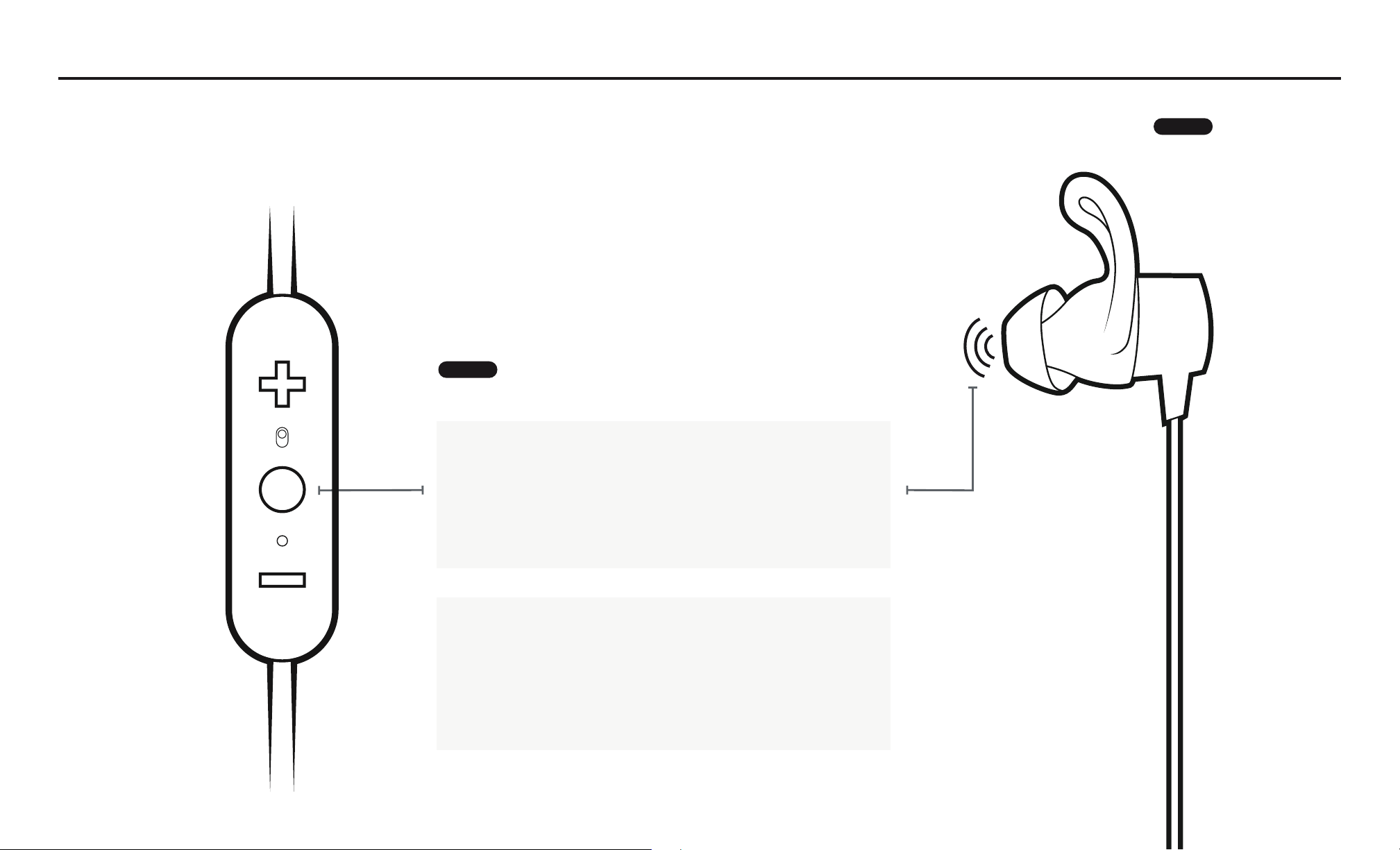
ONOFF
Turn your earbuds ON: press and hold the
Middle Button until you hear an ascending
“Power on” tone and the LED turns solid
white.
Turn your earbuds OFF: press and hold the
Middle Button until you hear a descending
“Power off” tone and the LED illuminates
red before turning off.
LONG PRESS
R
10
DETAILED INSTRUCTIONS
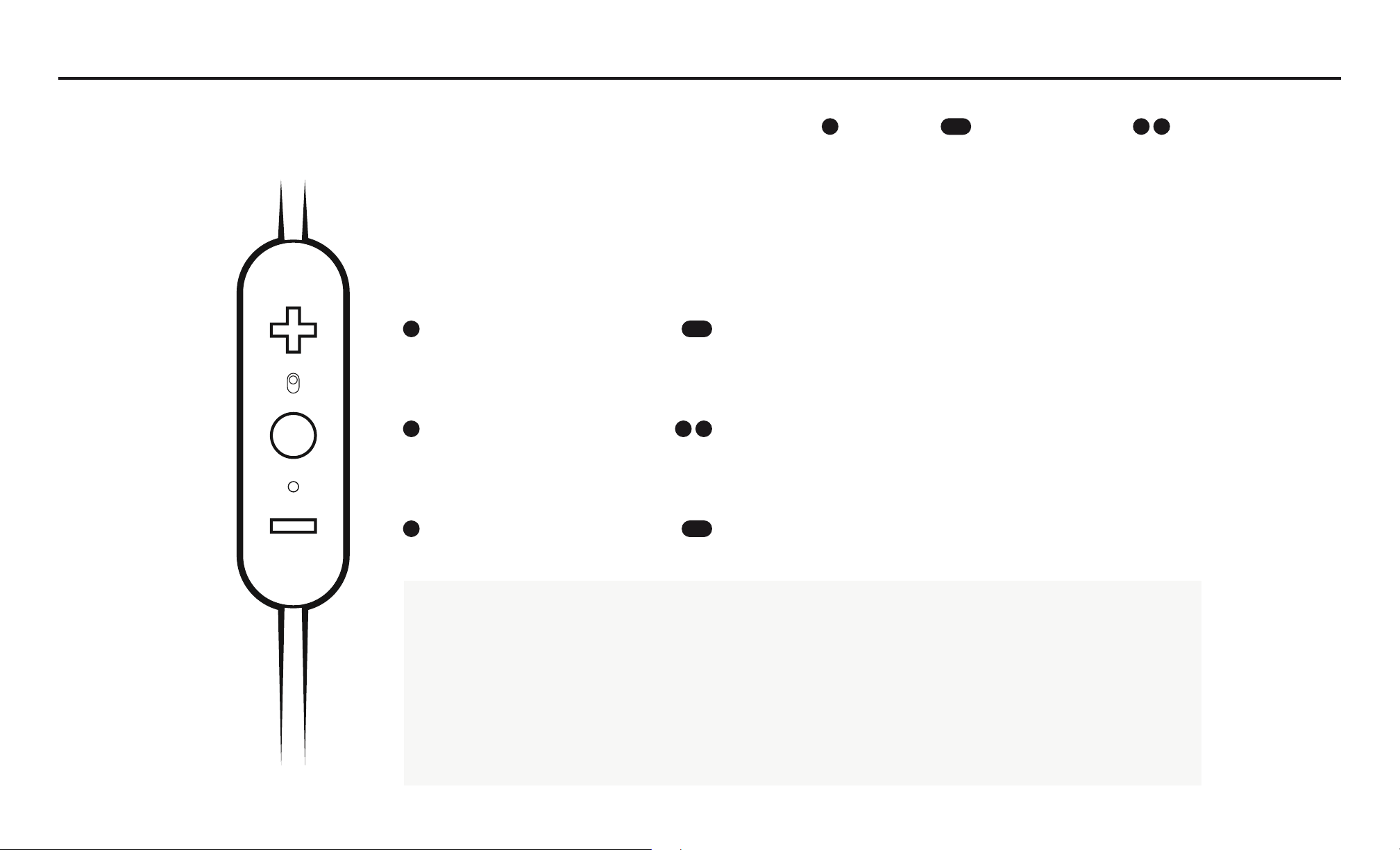
PLAYING MUSIC
Play or pause, a song or video with a single press and release of the Middle Button.
To skip a song, long press the Vol. + Button.
To go backwards, long press the Vol. – Button.
To change the volume + or –, press the Vol. + or Vol. – Button.
To activate voice assistant, (Siri or Google Now), double press the Middle Button.
VOLUME UP SKIP FORWARD
PLAY PAUSE
CUSTOM CONTROL
VOICE ASSISTANT
CUSTOM CONTROL
VOLUME DOWN SKIP BACKWARD
PRESS DOUBLE PRESSLONG PRESS
11
DETAILED INSTRUCTIONS
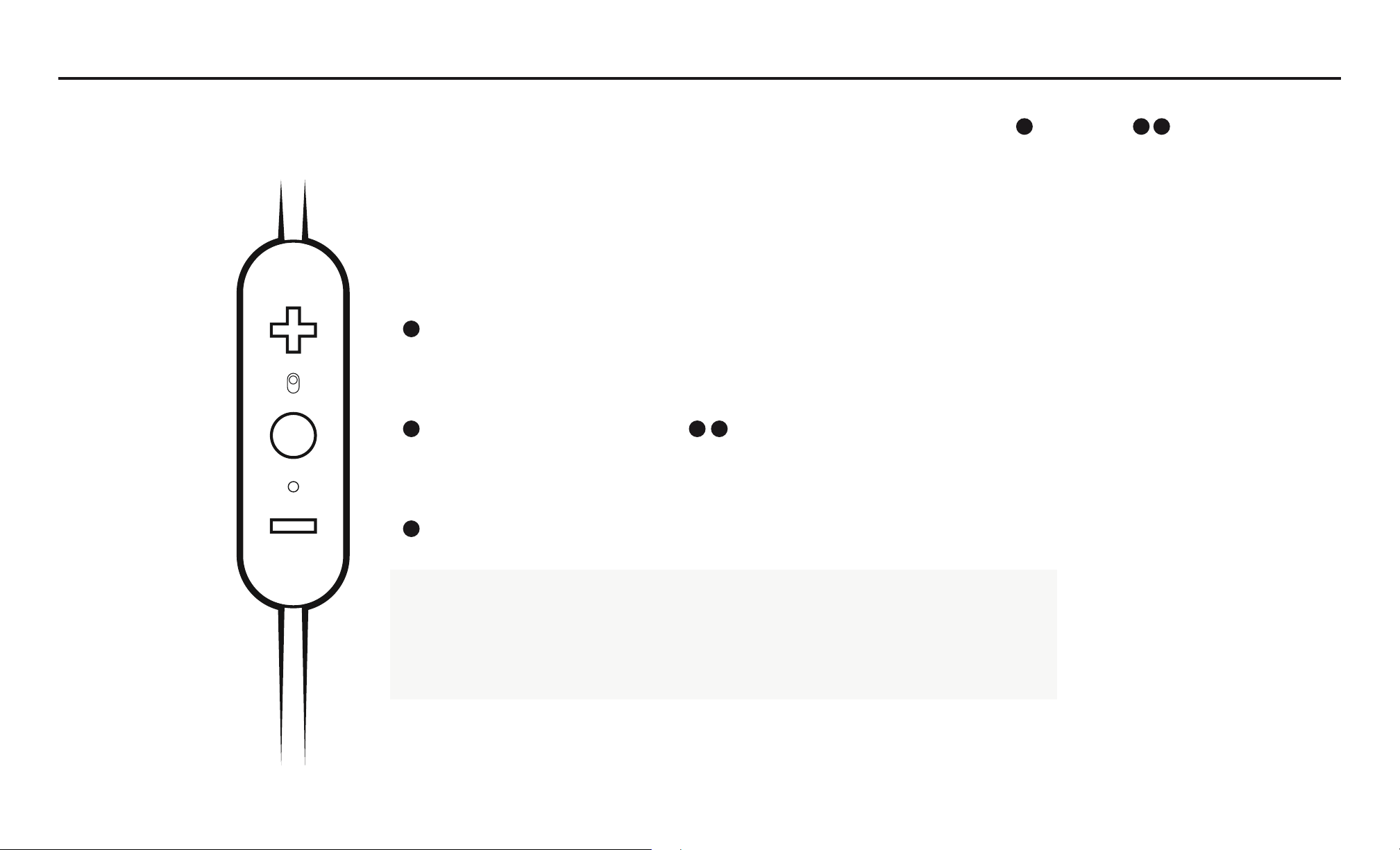
PHONE CALLS
Accept/End a phone call, press the Middle Button.
To decline a phone call, double press the Middle Button.
To change the volume + or –, single press the Vol. + or Vol. – Button.
VOLUME +
ACCEPT END A CALL DECLINE A CALL
VOLUME
PRESS DOUBLE PRESS
12
DETAILED INSTRUCTIONS
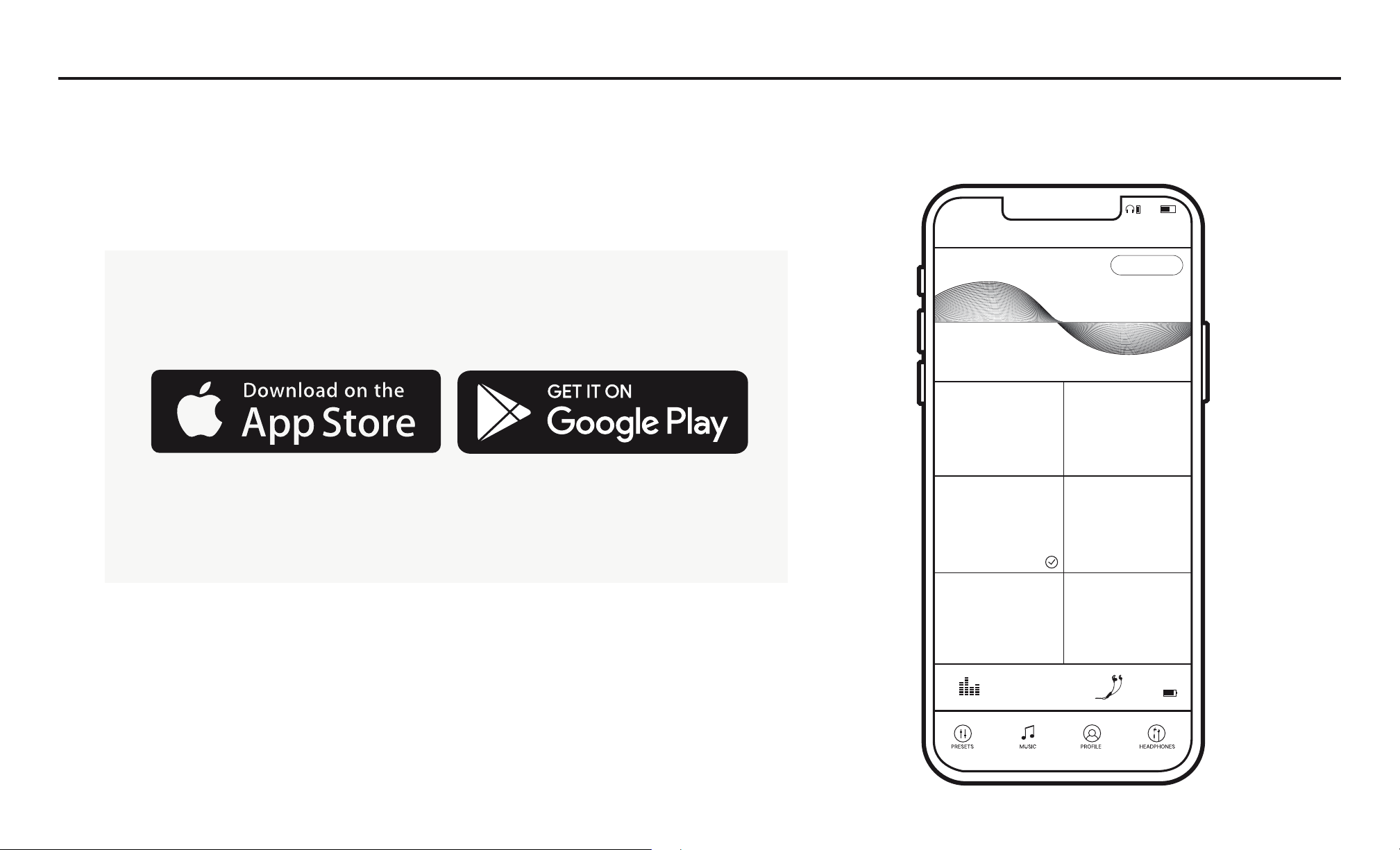
THE JAYBIRD APP
The Jaybird App lets you customize the sound profile of your Tarah earbuds.
You can also enable Find My Buds to track your earbuds if lost. Connect your
earbuds to the Jaybird App to see if a firmware update is available.
Your new sound settings are saved on your earbuds, so you can take
your custom sound with you no matter where you go with any device
you use.
+
CUSTOMIZE
JAYBIRD SIGNATURE
WARMTH
WARMTH
REMOVE SHARPNESS
JAYBIRD ENHANCED
EXTENDED LISTENING
R & B FREAK
Jaybird Tarah
87%
54%10:23 AM
13
1
2
3
DETAILED INSTRUCTIONS
MULTIPOINT CONNECTION TO MULTIPLE DEVICES
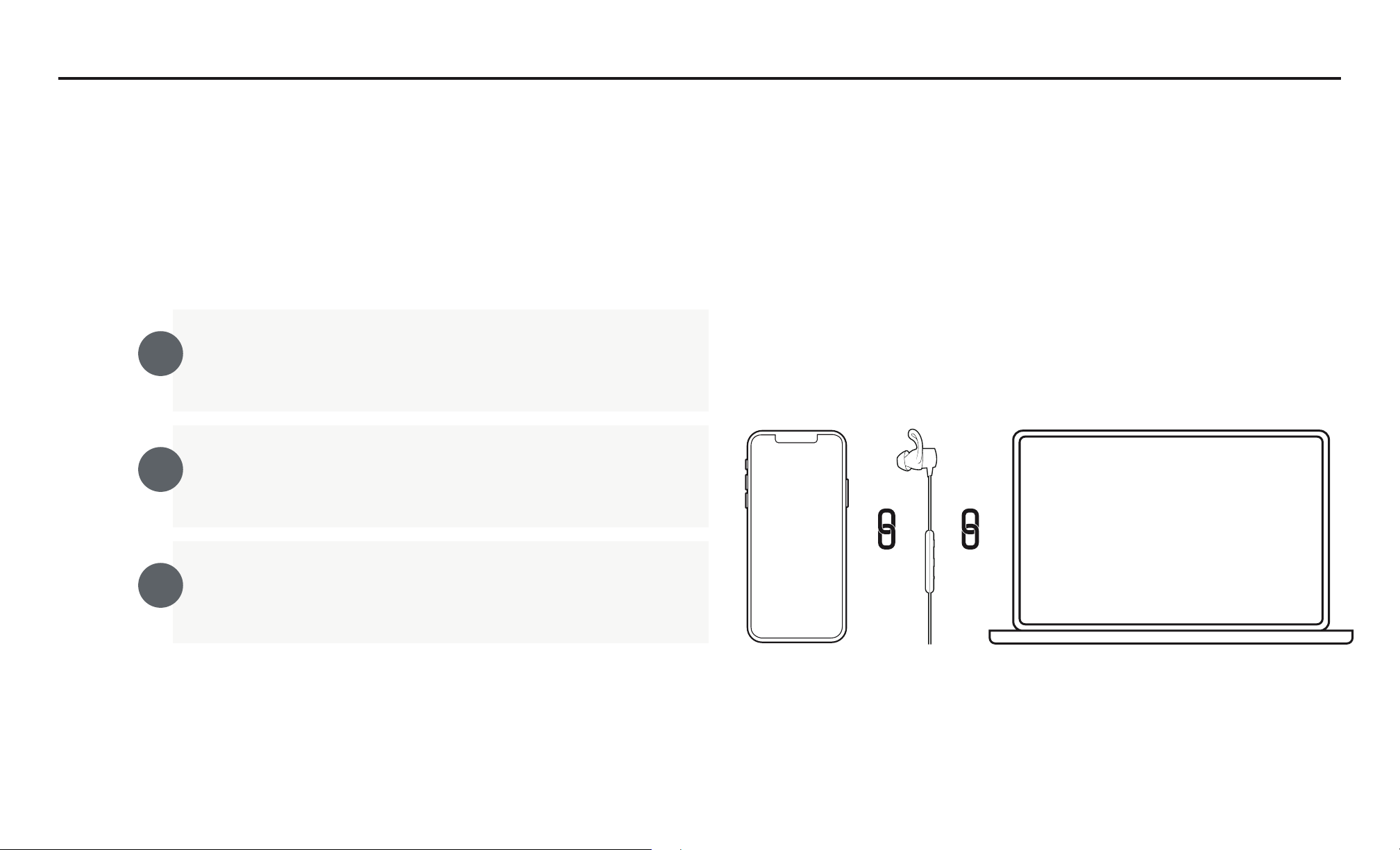
Multipoint allows you to be connected to two devices simultaneously. You can for instance
be connected to your laptop and your mobile phone. While listening to music on your laptop
you will be able to accept an incoming call on your phone.
Ensure your earbuds are up to date. Connect to the
Jaybird app to see if a firmware update is available.
Ensure your Tarah earbuds are paired and connected to
both devices. Follow pairing instructions on page 5-6.
Make sure that only the two devices you want to
connect to are turned on and in proximity
Your Tarah can remember up to eight paired Bluetooth®
devices and can be actively connected two devices at a time.
R
14
DETAILED INSTRUCTIONS
SMARTWATCHES
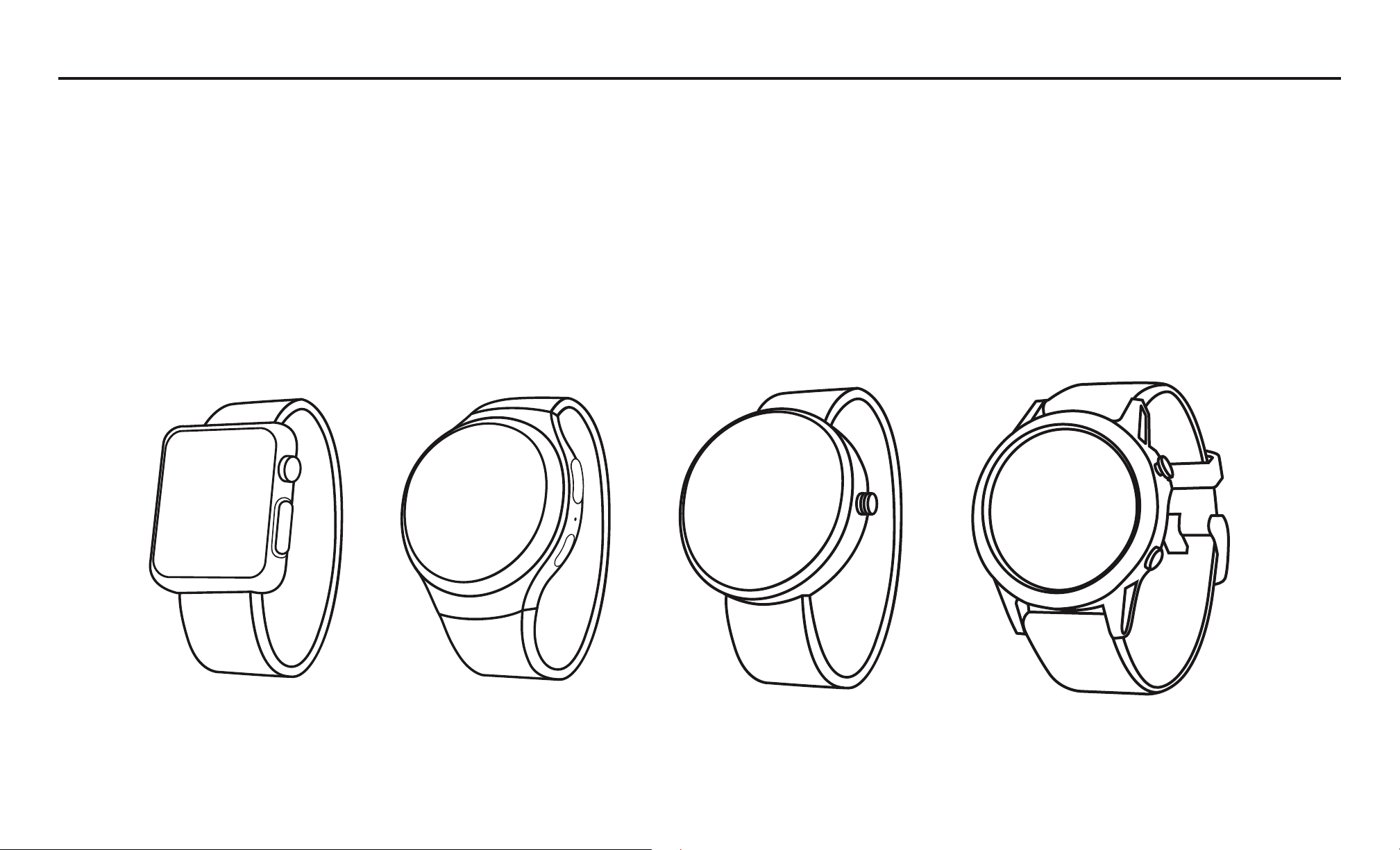
Apple WatchOS Android Wear GarminSamsung
With the right smartwatch you can leave your phone at home. Just sync music to your smartwatch and pair Tarah to your
smartwatch. Use your smartwatch user manual for instructions on how to pair a Bluetooth device.
15
1 2 3
TROUBLESHOOTING
Soft reset: If your earbuds are not responding, put your Tarah in the charger cradle and connect the USB charging cradle
to a power source. This will turn your earbuds off and perform a soft reset.
Factory reset: If this does not resolve your problem we recommend resetting your earbuds to their original factory
settings. Before starting this process please “FORGET” or “REMOVE” your Tarah device in your Bluetooth list of discovered
devices in your audio device.
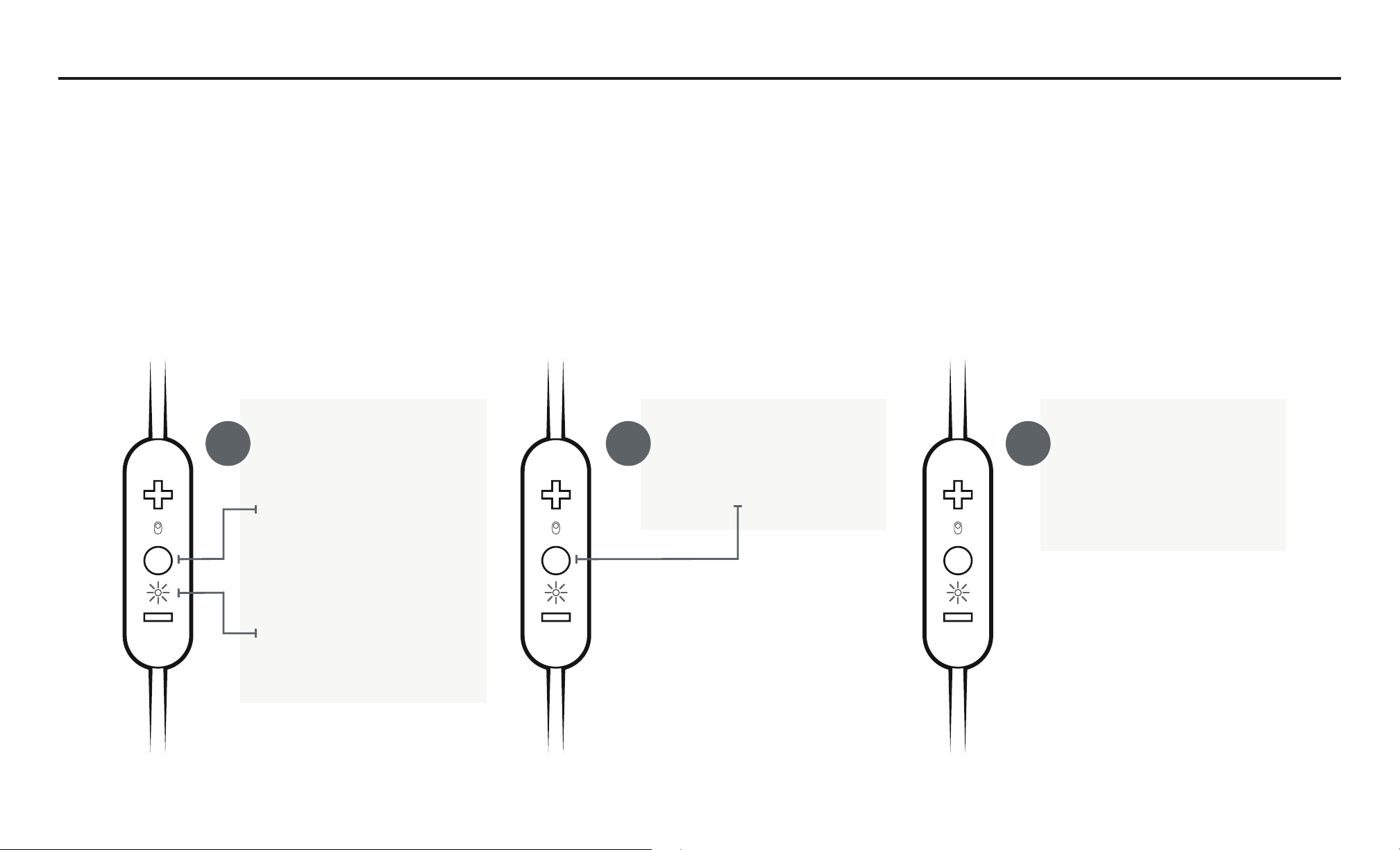
Put your earbuds
in to pairing mode.
Press and hold the
Middle Button until
the earbuds turn off.
Then press and hold
the Middle Button
for 5 seconds until
the white LED starts
blinking.
While the white LED
is blinking press the
Middle Button twice.
The red LED
illuminates briefly, and
then the white LED
starts blinking again.
Now your earbuds are
reset and ready to pair.
Go to your audio device’s
Bluetooth menu and select
Tarah to re-pair.

16
SPECIFICATIONS
Bluetooth Version 5.0, Multipoint
Codec SBC
Profile Handsfree, Headset, A2DP, AVCRP, SPP
Effective Range 10 meters (30 feet)
Play Time 6 Hrs*
Power Bluetooth headset: 5.0V
, 1A
Charging Time 2 Hrs
Quick Charge 10 Min = 1 Hr play time
Dimensions 13.25 x 23.6 mm earbud size, 490 mm cord length
Weight Approx 13.85 g (without eargels)
* Play time and standby time may vary due to usage conditions. Adding additional bass to your sound profile through the Jaybird app will reduce play time.

17
WARRANTY, WARNINGS & SAFETY
Full warranty, care & maintenance details at:
jaybirdsport.com/warranty +1.866.244.3399
WARNING: Due to the isolating characteristics of these headphones do not use while driving, riding a bike or where vehicular traffic is present, or in any other activity where failure to hear surrounding sounds could be
dangerous. Use of these headphones at excessive volumes may cause permanent hearing damage. Always turn the volume down before use. Take caution in regards to inserting objects into ear canal, use at own risk. Do not
wear the device while it is connected to a power source driven from main 110V or 220V lines.
Copyright 2018 Logitech. Logitech, Jaybird and the Jaybird logo are trademarks or registered trademarks of Logitech Europe S.A. and/or its affiliates in the US and other countries. The Bluetooth® word mark and logos
are registered trademarks owned by Bluetooth sig, inc. Google Play and the Google Play logo are trademarks of Google LLC. Apple, the Apple logo, iPhone, and iPad are trademarks of Apple, Inc. Other trademarks are the
property of their respective owners. Any use of such marks by Logitech is under license or with permission.
EARGEL CLEANING
Keeping your Jaybird earbuds eargels clean is essential for safe, hygienic use.
IMPORTANT: DO NOT attempt to clean the eartips without first removing them from the headphones.
1. Firmly grip the eargel with one hand and the earbud with the other. Carefully remove the eargel from the earbud.
2. Use warm water and mild soap on a damp cloth to remove dirt and earwax from the eargel. Do NOT use harsh cleaning agents.
3. Rinse and completely dry your eargel before placing them back on your earbuds.
4. Carefully push the eargel back onto the earbuds.
WATERPROOF
Your Jaybird Tarah earbuds feature an IPX7 waterproof rating. Tarah earbuds are designed to handle rain, mud and outdoor adventures.
Jaybird headphones are not designed for swimming, showering or exposure to pool or ocean water. In case of exposure to salted or chlorinated water, rinse the headphones gently with fresh water and air dry before use.
The charging cradle is not water resistant, so please ensure your headphones are completely dry before charging.

18
Video instructions at jaybirdsport.com
LISTEN RESPONSIBLY
Avoid excessive volume levels and prolonged periods of listening. Prolonged listening at excessive volume levels
may cause permanent hearing disability.
Do not use around road traffic.
CARE AND MAINTENANCE
Clean eargels regularly of dirt and wax buildup. To clean, remove eargels from earbuds, then gently wipe away
dust and oil with a dry cloth, and/or use warm water and mild soap to remove buildup. Rinse and completely dry
before reattaching.
Before charging, ensure earbuds are completely dry of sweat and water.