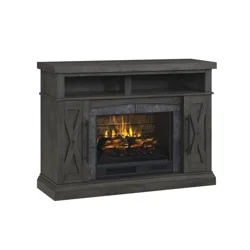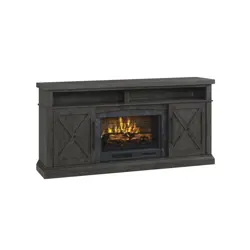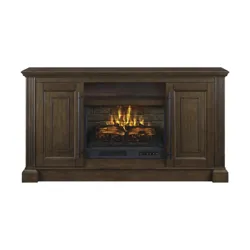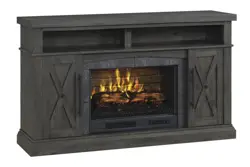
THANK YOU
We appreciate the trust and confidence you have placed in Whalen Furniture through the purchase of this electric fireplace/heater. We
strive to continually create quality products designed to enhance your home. Visit us online to see our full line of products available for
your home improvement needs. Thank you for choosing Whalen Furniture Manufacturing!
Date: 2019-03-11 Rev 0001-B
LOT NUMBER:
DATE PURCHASED: / /
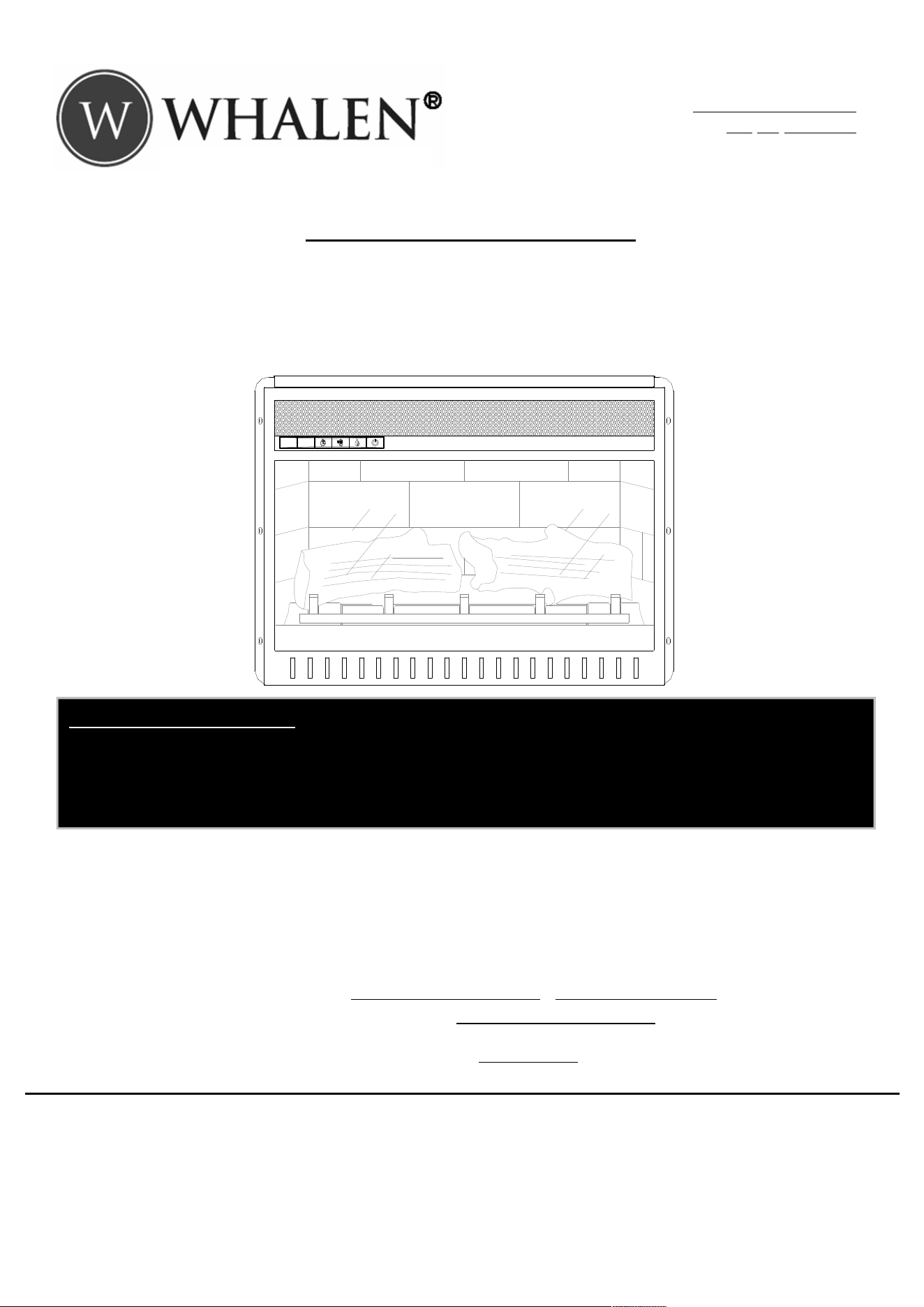
USE AND CARE GUIDE
COMBINATION ELECTRIC FIREPLACE/HEATER
US and International Patents Pending
Model # EF22-23C
# EF22-26C
If you have any questions regarding the use of this unit or find that your fireplace/heater unit needs service, please do not
return the unit to the store where you purchased it. Instead, please contact our Customer Service Department and have
your instructions and parts list ready to provide the model name, part name, or factory number.
Whalen Customer Service
1-866-942-5362
Pacific Standard Time: 8:30 a.m. - 4:30 p.m., Monday - Friday
Or visit our website
www.whalenfurniture.com / www.whalenstyle.com
Or e-mail your request to:
parts@whalenfurniture.com
THIS INSTRUCTION BOOKLET CONTAINS
IMPORTANT
SAFETY INFORMATION.
PLEASE READ AND KEEP FOR FUTURE REFERENCE.
HEATER DEFAULT SETTING:
The default factory setting for your thermostat is 72 degrees. If your room temperature is already 72 degrees
or above, then your heater will shut OFF after about 3 minutes. See thermostat directions for how to adjust
the temperature settings in order to keep your heater ON until your desired room temperature is reached.
2
Table of Contents
Table of Contents
............................................................ 2
Safety Information
.......................................................... 2
Important Safety Information .......................................... 2
Grounding Instructions .................................................... 3
Warranty
........................................................................
3
Pre-Operation
................................................................. 4
Electrical Specifications .................................................. 4
Package Contents ........................................................... 4
Operation
....................................................................... 5
Using the Remote Control
................................................ 7
Care and Maintenance
..................................................... 8
Troubleshooting
.............................................................. 9
Safety Information
IMPORTANT SAFETY INFORMATION
PLEASE READ ALL OF THE INFORMATION IN THIS OPERATING
MANUAL, INCLUDING ALL SAFETY, OPERATING, AND
MAINTENANCE INFORMATION. TO AVOID THE POTENTIAL RISK
OF FIRE, ELECTRIC SHOCK, OR INJURY TO PERSONS, USERS
SHOULD FOLLOW THE DIRECTIONS AND WARNINGS IN THIS
MANUAL.
1. Read all instructions before using this heater.
2. Do not use this heater outdoors.
3. This heater is not intended for use in bathrooms,
laundry areas and similar indoor locations. Never
locate the heater where it may fall into a bathtub or
other water container.
4. Do not run the power cord under carpeting. Do not
cover the power cord with throw rugs, runners, or the
like. Arrange the power cord away from traffic areas
and where it will not be tripped over.
5. To disconnect the heater, turn controls to off, then
remove the plug from the outlet.
6. Connect to properly grounded outlets only. Always plug
heaters directly into a wall outlet/receptacle. Never use
with an extension cord or relocatable power tap
(outlet/power strip).
7. To prevent a possible fire, do not block firebox air
intakes or the exhaust in any manner. Do not operate
the firebox on soft surfaces, like a bed, where openings
may become blocked.
8. There is a thermostat limiter inside the heater. When
the inner temperature over heats or abnormal heating
occurs, the thermostat protective device cuts off the
power supply to avoid fireplace damaged or risk of fire.
9. Use this heater only as described in this manual. Any
other use not recommended by the manufacturer may
cause fire, electrical shock, or injury to persons.
SAVE THESE INSTRUCTIONS
WARNING: There are no user serviceable parts inside
the fireplace/heater. If the unit appears to malfunction,
turn the unit off and unplug the unit from the wall
immediately, and contact Customer Service at 1-866-
942-5362.
WARNING: This heater is hot when in use. To avoid
burns, do not let bare skin touch hot surfaces. If
provided, use handles when moving this heater. Keep
combustible material, such as furniture, pillows,
bedding, papers, clothes and curtains at least 3 ft. (0.9
meters) from the front of the heater and keep them
away from the sides and rear.
WARNING: Extreme caution is necessary when any
heater is used by or near children or invalids and
whenever the heater is left operating and unattended.
WARNING: Always unplug the heater when not in use.
WARNING: Do not operate any heater with a damaged
cord or plug or after the heater malfunctions, has been
dropped or damaged in any manner. Return the heater
to an authorized service facility for examination,
electrical or mechanical adjustment, or repair.
WARNING: Do not insert or allow foreign objects to
enter any ventilation or exhaust openings as this may
cause an electric shock or fire, or damage the heater.
WARNING: A heater has hot and arching or sparking
parts inside. Do not use in areas where gasoline, paint,
or flammable liquids are used or stored.
CAUTION: While the heater is in use, the top center of
the fireplace can get hot to the touch, and may cause
serious injury or burns. Always supervise small
children around the fireplace/heater. Do not place any
cloth or decorations over the heater outlet of the
fireplace, or otherwise obstruct the heater outlet of the
fireplace, as this may cause a fire and serious injury
may result.
3
Safety Information (continued)
GROUNDING INSTRUCTIONS
DANGER: Improper connection of the equipment-
grounding conductor can result in a risk of electric
shock. Check with a qualified electrician or serviceman
if you are in doubt as to whether the product is properly
grounded. Do not modify the plug provided with the
product. If it will not fit the outlet, have a proper outlet
installed by qualified electrician.
This product must be grounded. If it should malfunction or
breakdown, grounding provides a path of least resistance
for electric current to reduce the risk of electric shock. This
product is equipped with a cord having an equipment-
grounding conductor and a grounding plug. The plug must
be plugged into an appropriate outlet that is properly
installed and grounded in accordance with all local codes
and ordinances.
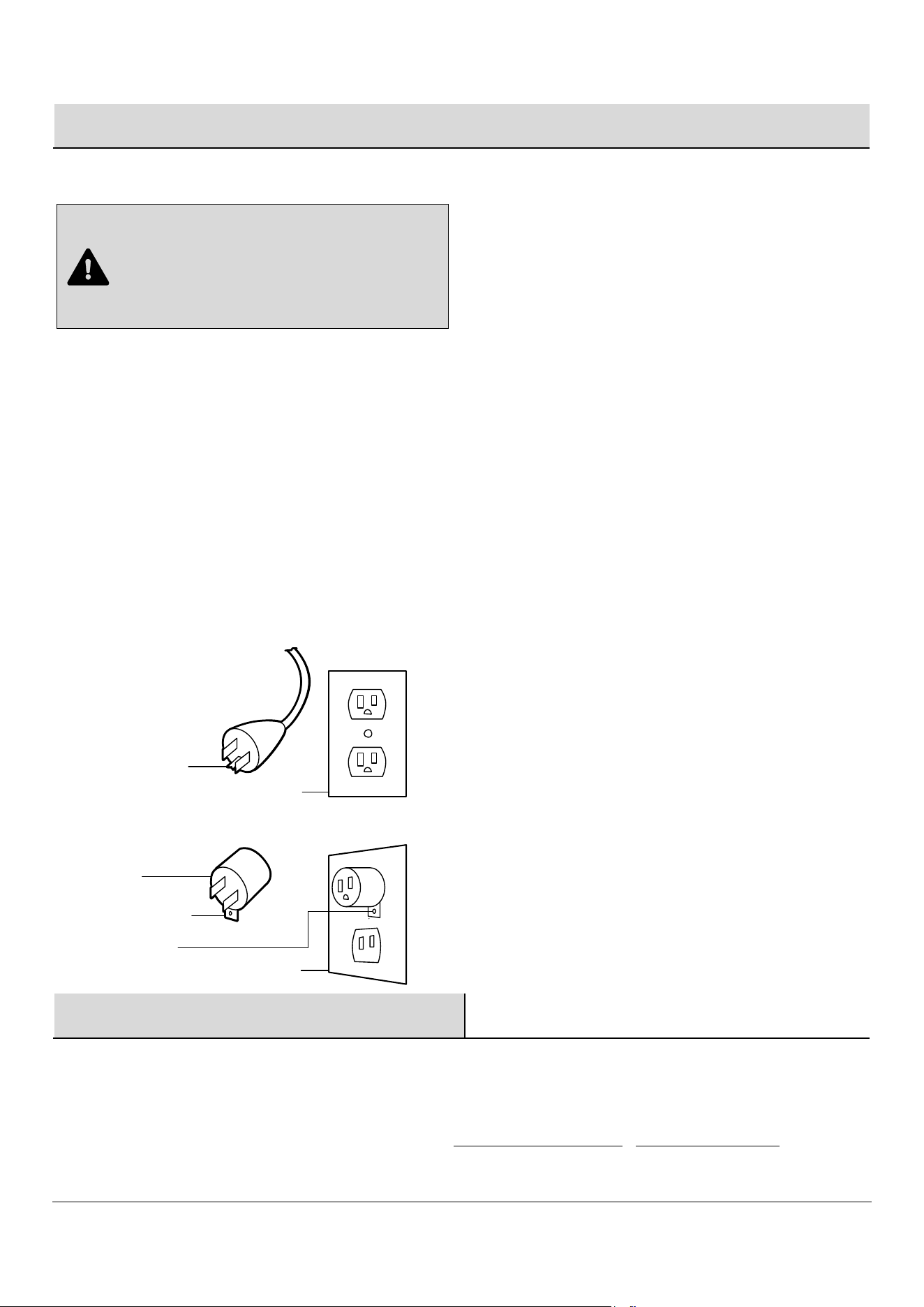
This heater is for use on 120 volt circuits and has a
grounded plug. An adapter is available from your local
electronics store or online supplier for connecting three-
blade grounding type plugs to two-slot receptacles. The
green grounding lug extending from the adapter must be
connected to a permanent ground such as a properly
grounded outlet box. The adapter should not be used if a
three-slot grounded receptacle is available.
Warranty
We are confident that you will be delighted with this purchase. Should this product be defective in workmanship or materials, or
fail under normal use, we will repair or replace it for a period of up to one (1) year from date of purchase.
This warranty gives you specific rights and you may also have other rights which vary from state to state.
Contact the Customer Service Team at 1-866-942-5362 or visit www.whalenfurniture.com / www.whalenstyle.com.
A
Grounding Pin
Adapter
Metal Screw
Cover of Grounded Outlet Box
Grounding Lug
Cover of Grounded Outlet Box
B
4
Pre-Operation
ELECTRICAL SPECIFICATIONS
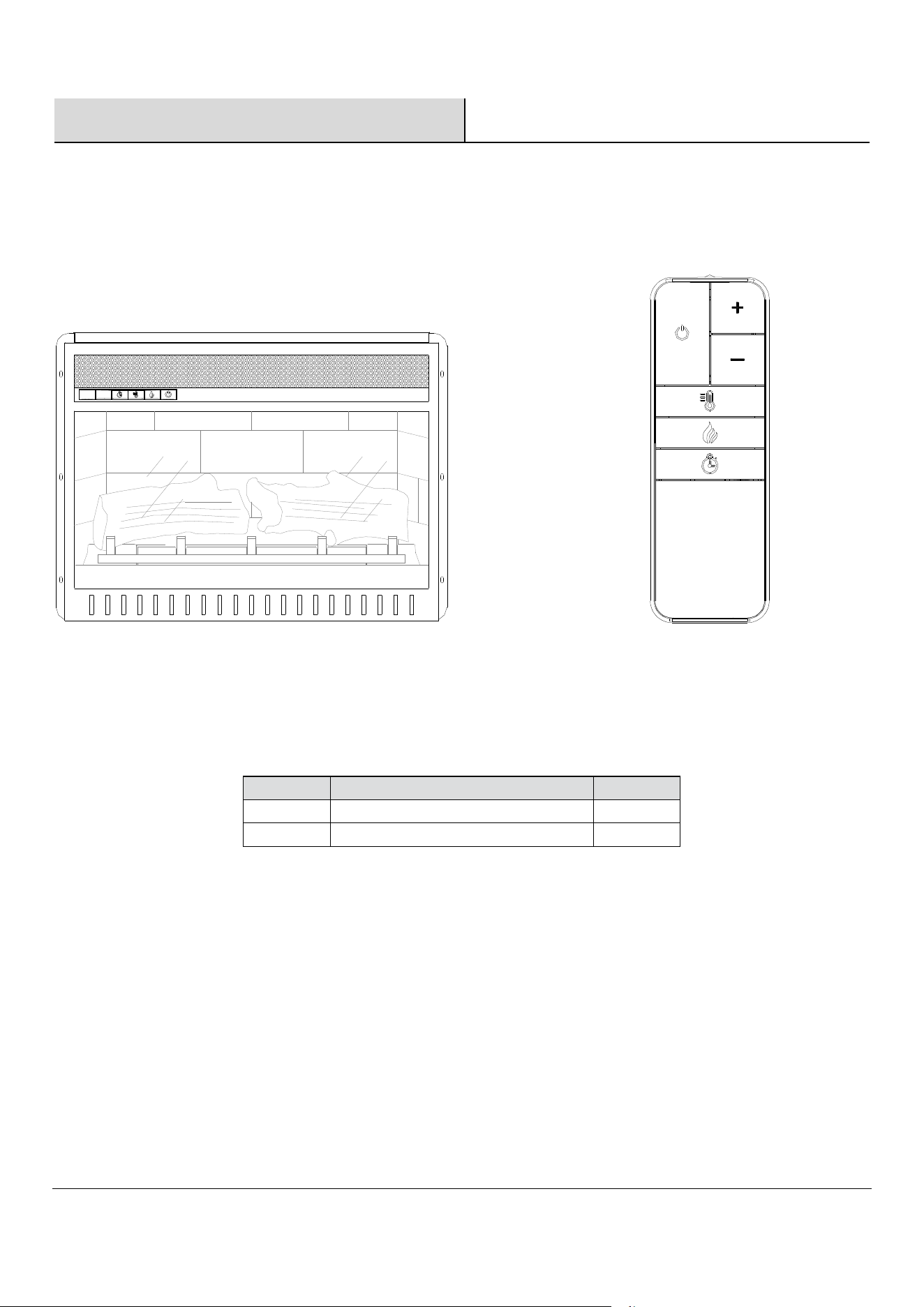
□ Voltage: 120 V AC, 60 Hz
PACKAGE CONTENTS
Part
Description
Quantity
A
Fireplace
1
B
Remote control
1
B
A
□ Watts:
1500
Watts
5
Operation
1
Identifying the control panel
2
Understanding the function indicator
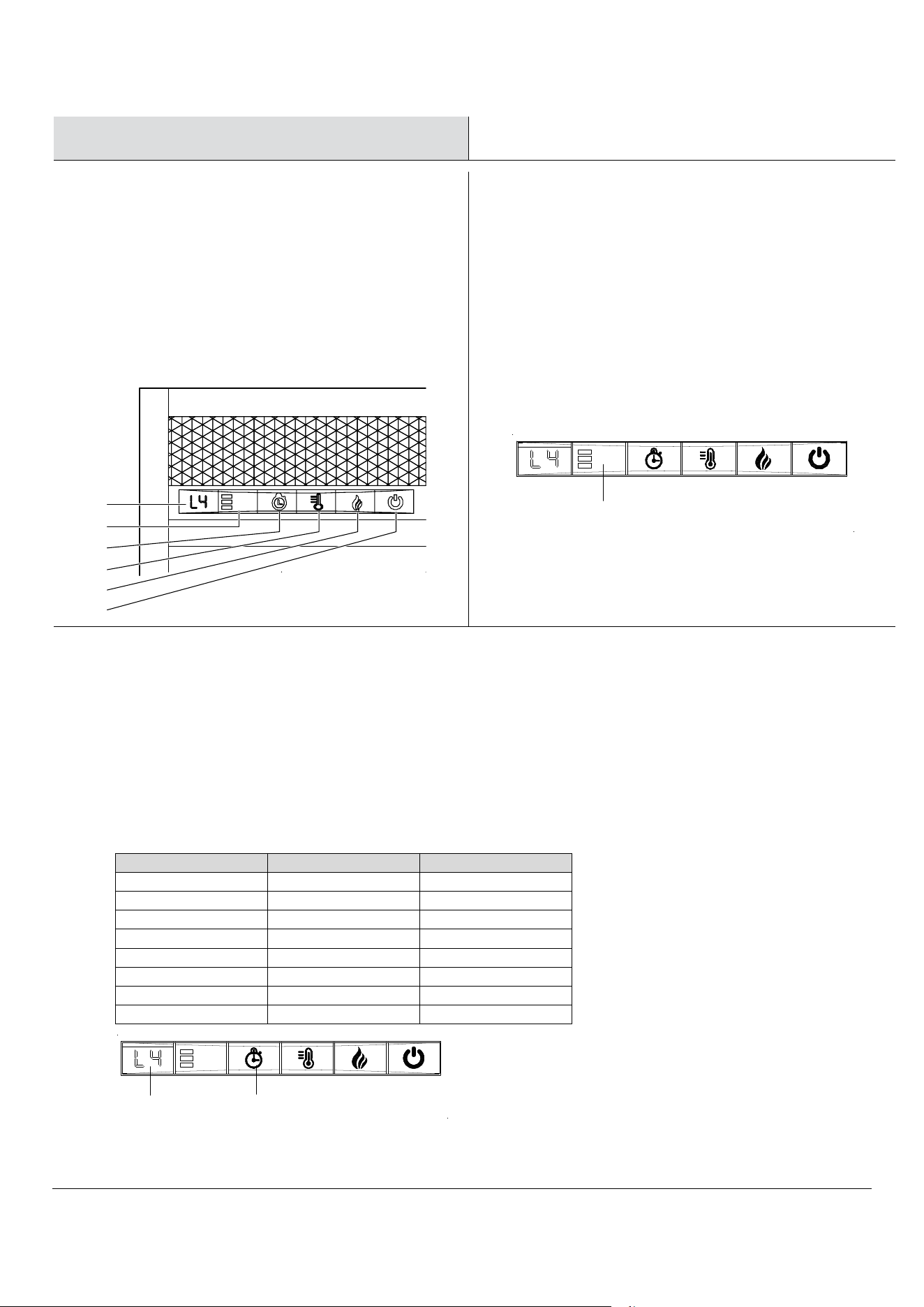
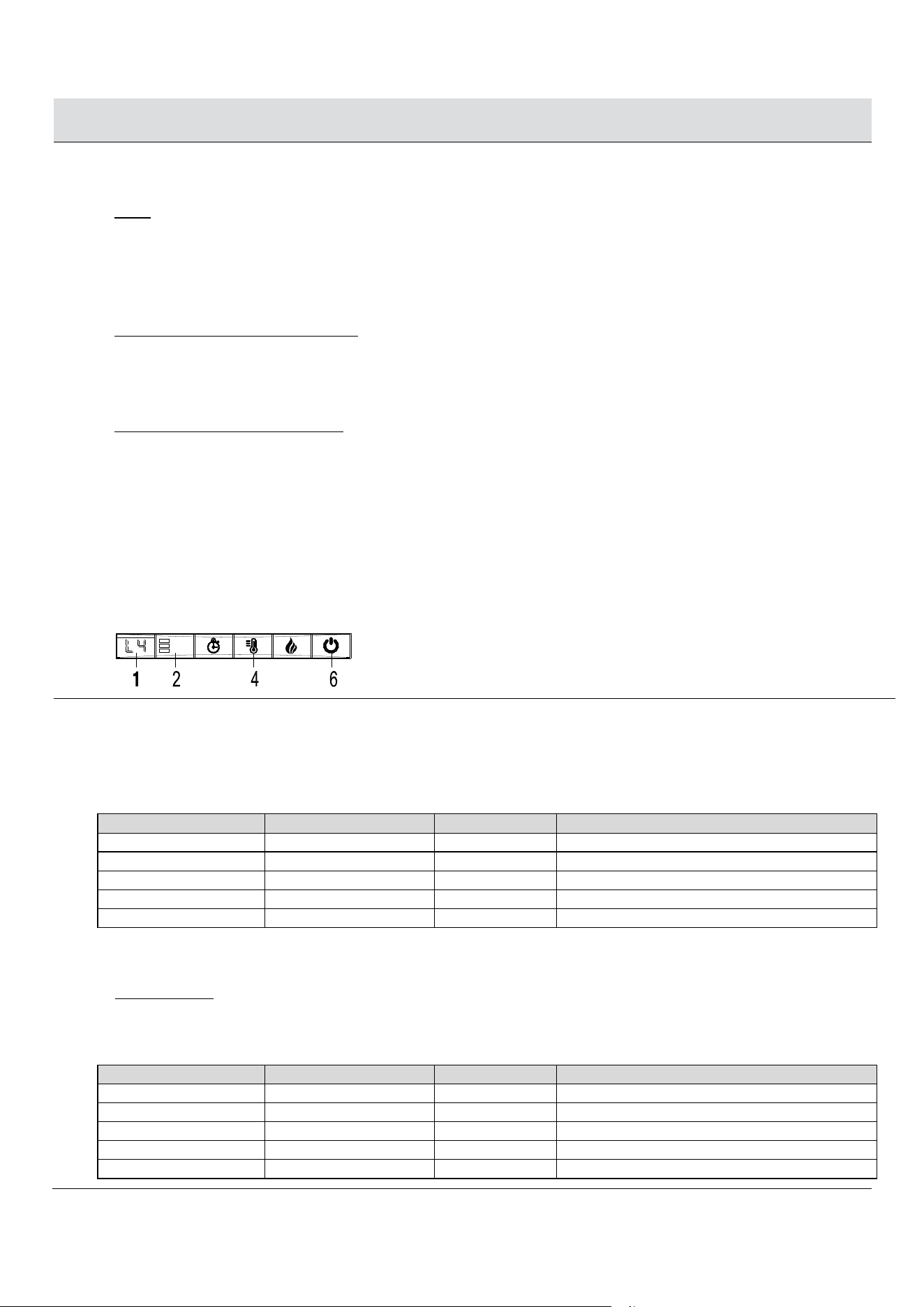
□ The control panel is located on the top left corner of
the fireplace/heater unit.
□ The control panel contains the display unit (1),
function indicator (2), timer function (3), heater
control (4), flames control (5), and main power (6).
□ The display unit (1) displays information about the
flame level, timer, and current temperature.
□ The function indicator (2) has three square LEDs – red,
green, and blue. The red LED indicates that the
Fahrenheit temperature heating function is running, the
green LED indicates that the Celsius temperature heating
function is running, and the blue LED indicates that the
timer function is engaged.
□ To the right of the three LEDs, is the infrared receiver
module which communicates with the remote control to
control the heater.
3
Using the timer function
□ The timer button (3) allows you to set the amount of time you want the fireplace/heater to run. The timer button (3)
operates both the flames and the heater function. If the heater is operating when the timer is set, then the heater is on
the timer. If the flames are operating, then the timer will control the flames. If both the heater and flames are operating
with the timer set, then the timer controls both the flames and the heater. Pressing the button in sequence will set the
timer for a set interval. This interval period is shown in the display (1), and the blue LED light turns on to show that the
timer function is engaged. The set intervals are displayed in this table. The timer starts after you select your preferred
interval and release the button; note that the display and blue light will turn off after a few seconds. There is no clock
function for turning the heater or flames on or off at a specific time.
Button Press
Timer Interval
Display
1st press
30 Minutes
30
2nd press
1 Hour
1h
3rd press 2 Hours 2h
4th press 3 Hours 3h
5th press
4 Hours
4h
6th press
5 Hours
5h
7th press 6 Hours 6h
8th press OFF None
1
2
3
4
5
6
2
1
3
6
Operation (continued)
4
Using the heater control
NOTE:
The heater default temperature is set to 72 degrees Fahrenheit. If your ambient room temperature is above 72
degrees, then your heater will automatically shut off after few minutes. Adjust your heater thermostat (see below) to a
higher temperature in order to keep your heater ON above 72 degrees.
□
Pressing the heater button (4) will turn on or off the heat function. There is no speed setting for the heater blower. If
you turn off the heater by the main power button (6), the unit will hold the temperature setting in the memory. When
the power is turned back on, the heater will turn on at the same setting.
□
To convert from Fahrenheit to Celsius: With the heater on, press and release the heater button (4) so that the display
(1) and LED function indicator (2) lights turn on (if they are not already on). Then gently press and hold the main power
button (6) for five seconds to enter temperature converting mode. The LED indicator flashes five times in red color then
changes to green. Green indicates Celsius mode, and Red indicates Fahrenheit mode. In this converting mode, the display
(1) flashes (interval is 0.5 second). Repeat the same process to convert Celsius temperature into Fahrenheit temperature.
□
To set the thermostat temperature: Turn on the heater, then press and hold the heater button (4) for five seconds to
enter temperature adjustment mode. The LED function indicator (2) is red if using Fahrenheit and green if using Celsius.
In adjustment mode, the display (1) flashes (interval is 0.5 second). The temperature setting range is between 62°F -
82°F - ON (17°C - 27°C - ON). Now in adjustment mode, press the heater button multiple times until you reach your
preferred temperature setting. After you release the heater button, your preferred temperature will be flashing. Once it
stops flashing, and the display goes dark, then the thermostat will be set at your preferred temperature (and kept in memory).
□
To lock the heating function in the OFF position, with the main power button on, press and hold the heater button (4)
for ten seconds. The log lights flash several times to indicate that the heater function is locked. In this mode, there is no heating
function but only glowing logs and normal flame control operation.
□
To unlock the heating function, press and hold the heater button (4) for ten seconds. The log lights flash several times
and then normal heating function mode is turned on.
5
Using the flame control
□
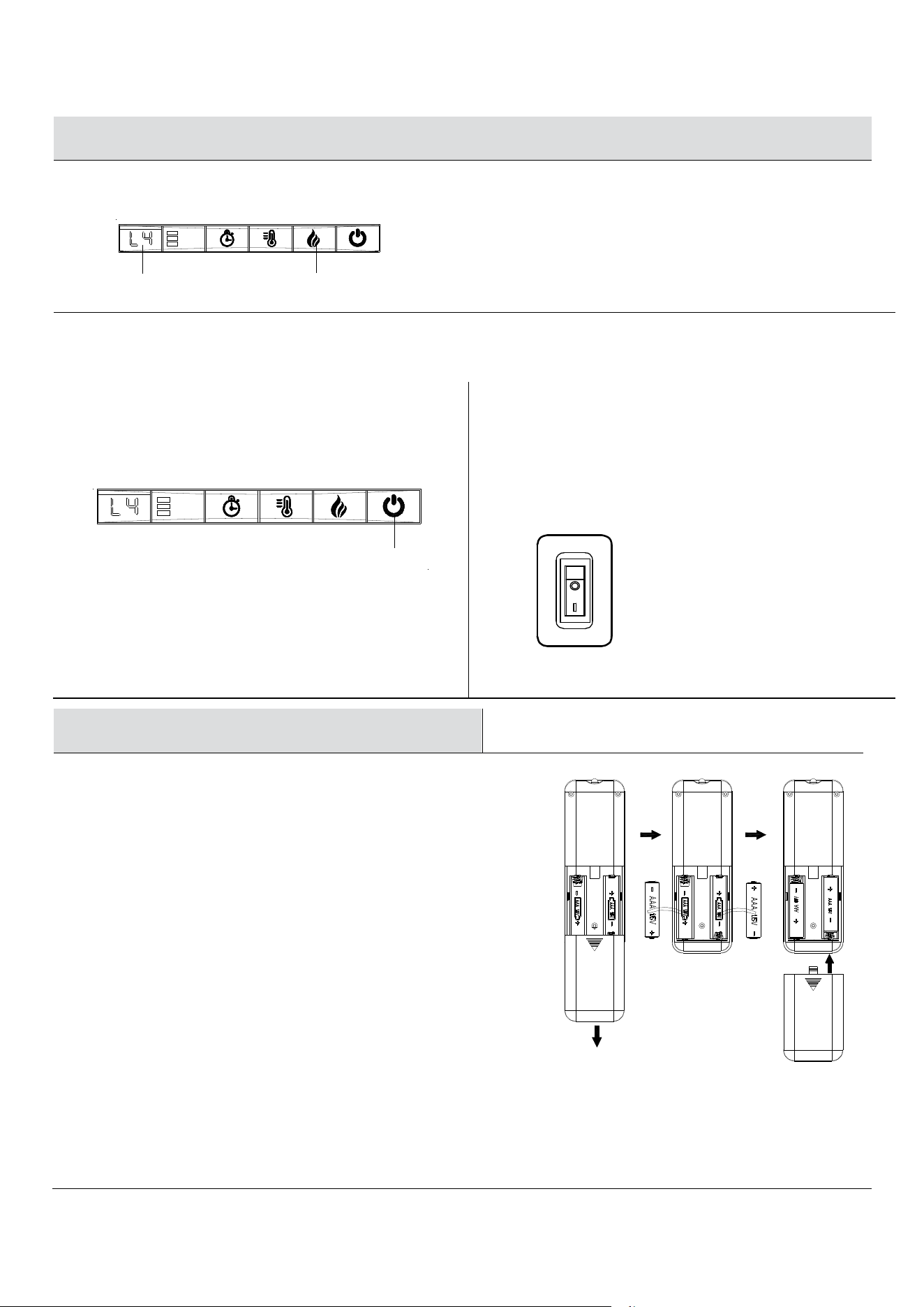
Press the flame button (5) to set the flames for different levels of flame brightness. These flame levels are shown in the
display (1). The flame settings are as follows:
Button Press Flame Level Display Value Fireplace Appearance
1st press
High
L4
Flames Highest, Logs Glow Highest
2nd press
Medium
L3
Flames Medium, Logs Glow Medium
3rd press Low L2 Flames Low, Logs Glow Low
4th press Flames Off L1 Flames Off, Logs Glow Highest
5th press All Off None Flames Off, Logs Off
□
Regardless of the previous flame setting, when powered off by the main power button, the flames will come on in L4
mode (High) when you turn the heater on.
□
Log Glow Mode: To lock the flame function in the OFF position, with the flame in L4 mode, press and hold the flame button
(5) for five seconds. The log lights flash several times to indicate that the flame function is locked. In this mode, there
are no flames but only glowing logs. Pressing the flame button in sequence will set the logs for different levels of log
brightness. The logs brightness levels are shown in the display (1). The logs settings are as follows:
Button Press Flame Level Display Value Fireplace Appearance
1st press High L4 Flames Highest, Logs Glow Highest
2nd press
Medium
L3
Flames Medium, Logs Glow Medium
3rd press Low L2 Flames Low, Logs Glow Low
4th press Flames Off L1 Flames Off, Logs Glow Highest
5th press All Off None Flames Off, Logs Off
7
Operation (continued)
□
To unlock the flame function, press and hold the flame button (5) for five seconds. The log lights flash several times and
then both flame lights and log lights turn on.
6
Using the main power button
7
Using the Demo Mode
□
Press the power button (6) to turn the fireplace/heater
unit on and off. Press the power button (6) once to
turn the unit on. Press again to turn the unit off.
□
For Use in Retail Store.
□
Locate the rocker switch (shown below) on the back of
the fireplace. Flip switch to "I" position to turn demo
mode on. Flip switch to "O" position to turn demo mode
off. Turn on demo mode to deactivate the heater and all
front control panel buttons except the flame control
button. This fireplace is shipped with demo mode turned
off for normal customer usage.
Using the Remote Control
1
Installing the battery
For replacement batteries, use AAA batteries.
□
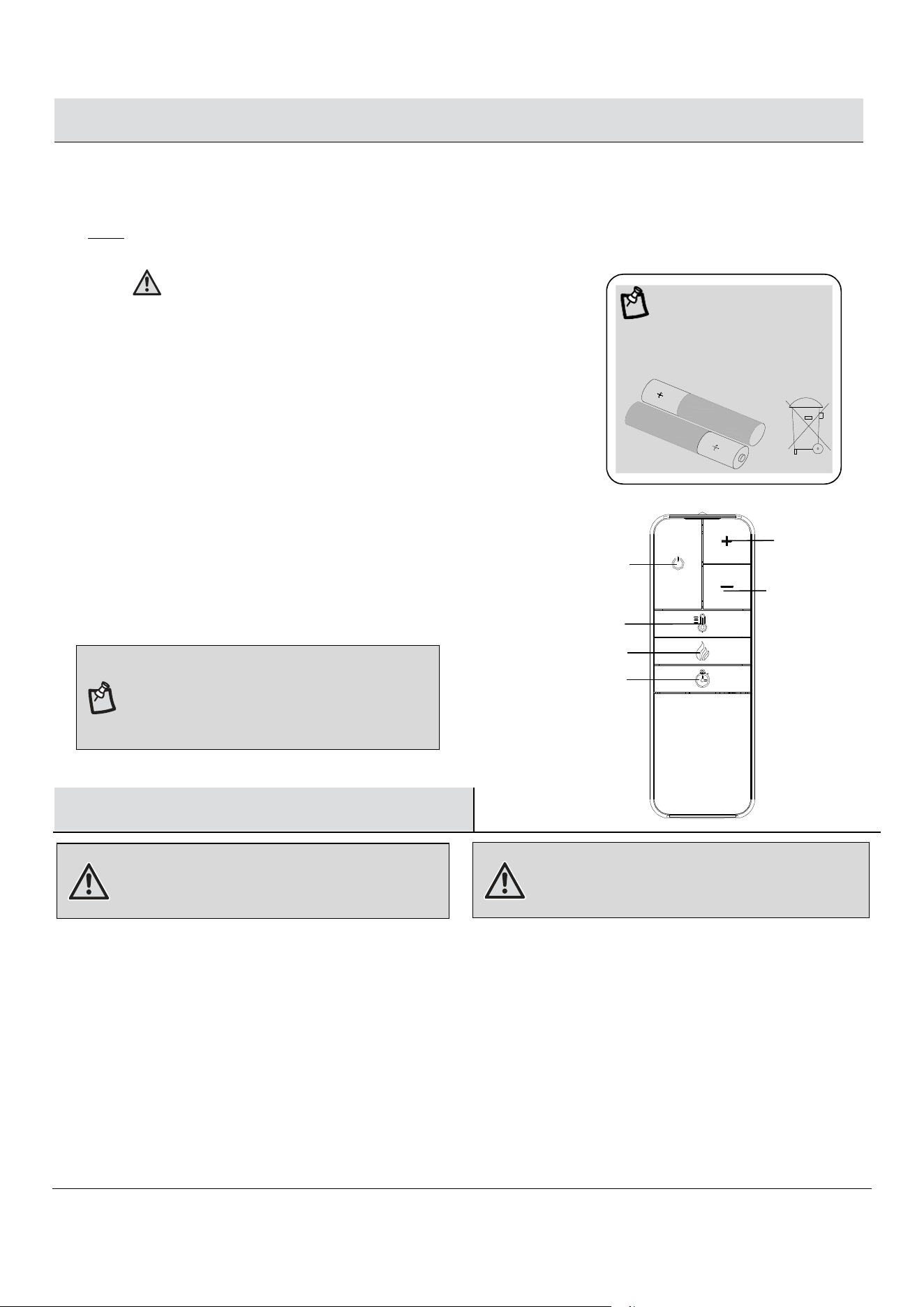
Press down and slide back cover off the battery compartment.
□
Insert two provided AAA batteries into the battery
compartment making sure that the ends of the
batteries with the negative (-) symbols are against
the springs in the battery compartment.
□
Replace the battery compartment cover, making
sure it snaps into position.
□
Turn the remote over and aim it towards the fireplace/heater unit.
□
Press the power button on the upper left, and see if the flames on the fireplace/heater turn on or off.
□
If nothing appears to happen, check to make sure the battery is installed correctly, and try again.
OPEN
CLOSE
6
1
5
8
Using the Remote Control
(continued)
NOTE:
Do not mix old and new batteries.
Do not mix alkaline, standard (carbon zinc), or rechargeable (nicad, nimh, etc.) batteries.
2
Battery Replacement
3
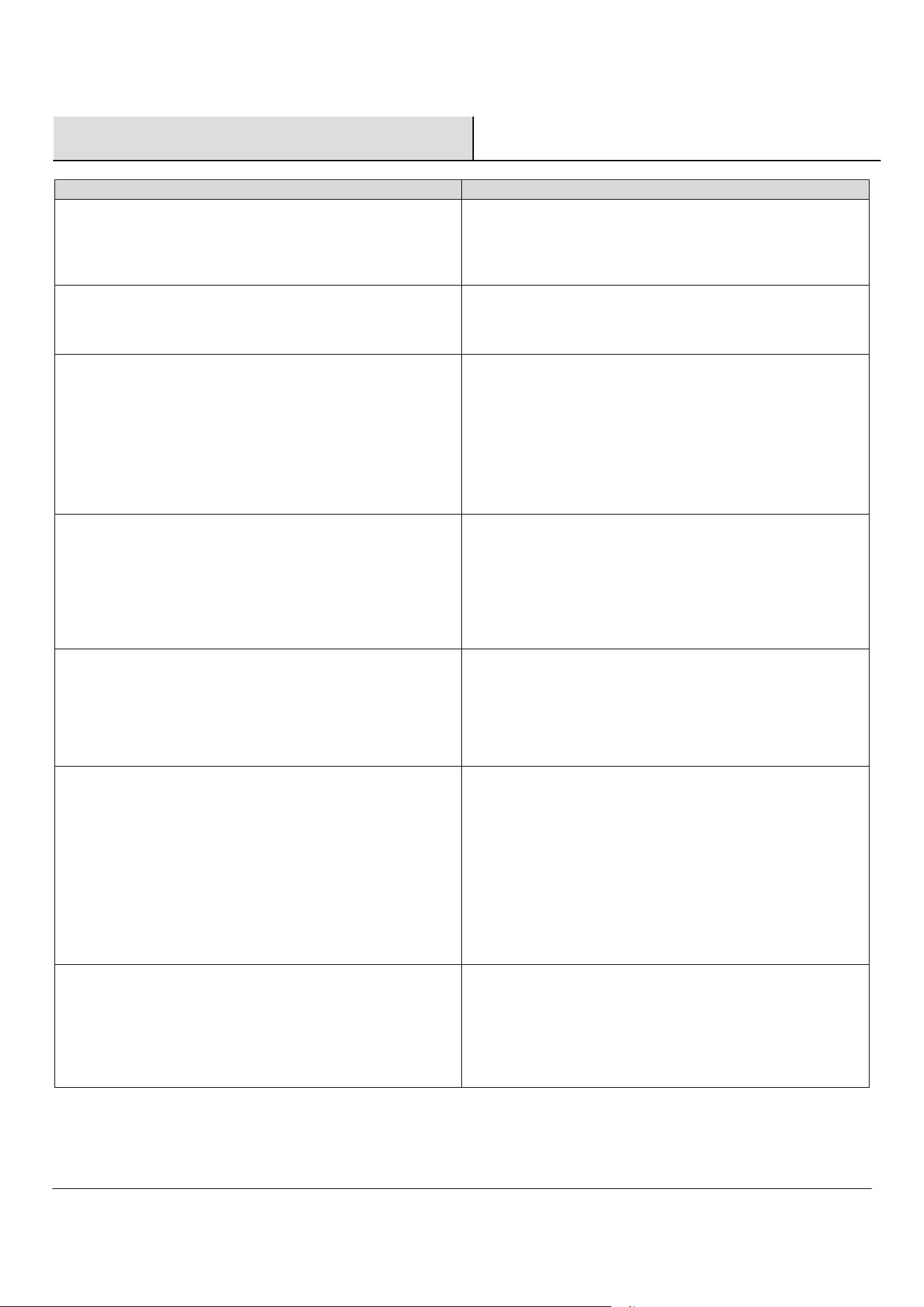
Using the remote control
□
The operation of the remote control buttons work the
same as the buttons on the front panel of the
fireplace/heater. Review the Operation section for more
information on the functionality of these buttons.
NOTE: The remote control cannot lock/unlock
the flame and heating function, and it cannot
switch between Fahrenheit and Celsius
.
Care and Maintenance
WARNING: Always disconnect from the power supply
before cleaning the heater. First turn off the main
power. Then remove the electrical plug from the wall
outlet.
The blower motor and flame motor are pre-lubricated for a durable using time and need no further lubrication or maintenance.
To remove any accumulation of dust or debris, the soft brush attachment of a vacuum cleaner should occasionally be used to
clean the outlet grille of the fan heater.
□
Use a soft, clean cloth that will not scratch the surface when dusting.
□
Use a clean soft cloth dampened with warm water to clean the fireplace surface. DO NOT use household or abrasive
cleaners, as these products may damage the surface.
□
When cleaning the glass viewing screen use a non-abrasive damp cloth with liquid cleaner or soft soap if necessary; DO
NOT use cleaning powders or any other substance with abrasives since these substances will scratch glass.
□
Under no circumstances should this product be operated with a broken or chipped glass panel.
□
Do not strike or slam the glass.
□
In the event that your appliance is stained or otherwise damaged during use, we recommend that you call a professional
to repair it.
□
When not in use please unplug the cord from the outlet to prevent any damage or accidents.
WARNING: Do not use this fireplace insert if any part of it
has been under water. Immediately call a qualified
service technician to inspect the firebox and replace any
part of the electrical system which has been under water.
Heater Up
Main Power
Heater Control
Flames Control
Timer Control
Heater Down
WARNING:
Do not ingest batteries.
1.
Non-rechargeable batteries are not to be recharged.
2.
Batteries are to be inserted with the correct polarity.
3.
Exhausted batteries are to be removed from the product.
4.
Always purchase the correct size and grade of battery most suitable
for the intended use.
5.
Replace all batteries of a set at the same time.
6.
Clean the battery contacts and also those of the device prior to battery
installation.
7.
Remove batteries from equipment when not used for an extended period
of time.
NOTE:
Battery disposal
Please always dispose of batteries
at a suitable recycling point.
9
Troubleshooting
Problem
Solution
The control panel display shows “00” when the power button,
timer button, or heater button is pressed, but no normal
functions occur. Only the flame control button is causing
normal functions.
□
Fireplace is in Demo Mode. Flip rocker switch to "O"
position to turn demo mode off.
The unit does not turn on.
□
Check that the unit is fully plugged into a standard 120V
outlet.
□
Press the power button on the control panel.
There is a visible flame effect, but the heater does not
continue to blow warm air after repeatedly turning on the
heater. The heater continues to automatically shut itself off
after a few minutes.
□
Note that the heater thermostat default temperature setting
is 72 degrees Fahrenheit. Confirm that your heater
temperature setting exceeds your ambient room
temperature. If your room temperature is above 72 degrees,
your heater will shut itself off, unless you adjust your
heater thermostat to a higher temperature setting.
□
Turn on/off the heater button several times to make sure it
is in the “ON” position.
The heater does not work, but the Power and Heater switches
are in the “ON” position and thermostat is set to “ON”.
□
Turn off fireplace and unplug the unit from the wall outlet
for 5 minutes. After 5 minutes plug the unit back into the
wall outlet, and operate as normal. Make sure that no
objects are blocking the air vents on the top and on the
front of your fireplace. Note that if your ambient room
temperature is very hot, the heater will automatically shut
off as a safety protocol
The display unit on the control panel shows “88” and the
function indicator is quick flashing, indicating it is in alarm
mode.
□
Unplug the unit from the wall outlet for 5 minutes. After 5
minutes plug the unit back into the wall outlet, and operate
as normal. Make sure that no objects are blocking the air
vents on the top and on the front of your fireplace. Note that
if your ambient room temperature is very hot, the heater
will automatically shut off as a safety protocol.
Remote control is not working.
□
Change the remote batteries.
□
Operate remote transmitter at a slow measured pace. Press
the remote control buttons with an even motion and gentle
pressure.
□
Repeatedly pressing buttons in rapid succession may cause
the transmitter to malfunction.
□
Stand closer to your fireplace.
□
Remove objects that may block your remote control’s
ability to communicate with your fireplace.
Pressing the heater button causes the logs to flash, and the
heater blower will not turn on and produce heat.
□
Your heater has been locked in the OFF position. To unlock,
turn on the main power, then press and hold the heater
button for 10 seconds, until you see the logs starting to
flash several times. The heater will now be unlocked and
can be turned ON using normal operation of the heater
button.

10