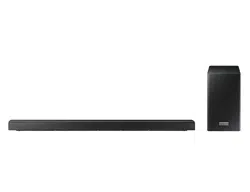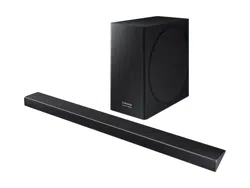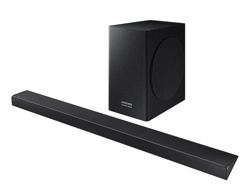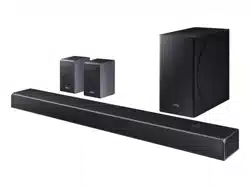
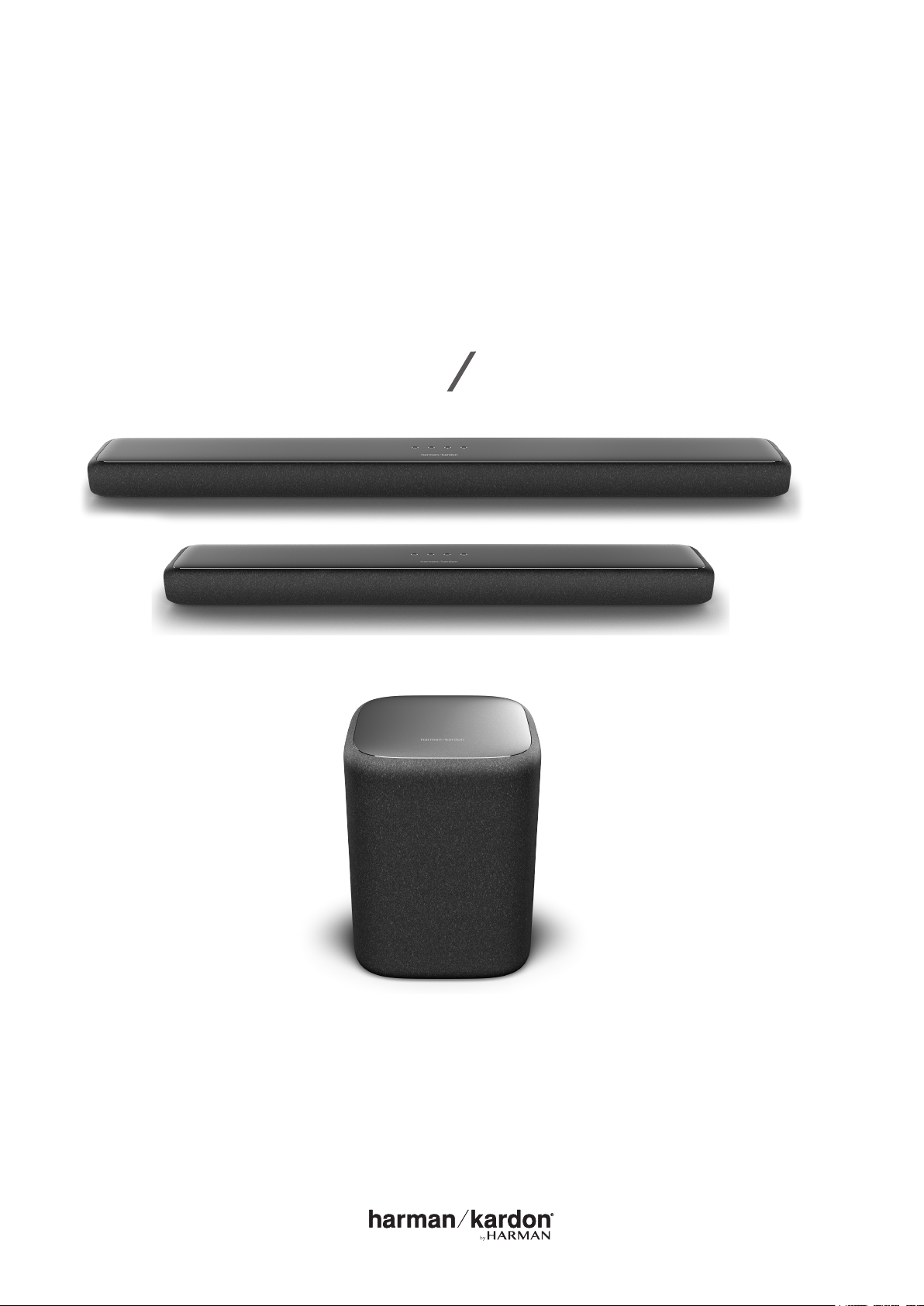
OWNER’S
MANUAL
ENCHANT 1300
ENCHANT 800
ENCHANT SUBWOOFER

2
/
IMPORTANT SAFETY
INSTRUCTIONS
Verify Line Voltage Before Use
The Enchant soundbars have been designed for use with 100-
240 volt, 50/60 Hz AC current. Connection to a line voltage
other than that for which your product is intended can create
selling dealer before plugging the unit in to a wall outlet.
Do Not Use Extension Cords
To avoid safety hazards, use only the power cord supplied
used with this product. As with all electrical devices, do not run
power cords under rugs or carpets, or place heavy objects on
Handle the AC Power Cord Gently
pull the plug; never pull the cord. If you do not intend to use
Do Not Open the Cabinet
center.

3
/
TABLE OF CONTENTS
/ IMPORTANT SAFETY INSTRUCTIONS ............................................. 2
/ ....................................................................................... 4
/ WHAT’S IN THE BOX ............................................................................... 5
/ .............................................................................7
/ INSTALL ATION ..........................................................................................15
/ ............................................................... 19
/ ...............................................21
/ CONNECTING TO POWER ................................................................23
/ .......................................................................27
/ ..................................................................28
/ SET TI N GS...................................................................................................32
/ .............................................................................35
/ SPECIFIC ATIONS .....................................................................................36
/ TROUBLESHOOTIN G ........................................................................... 40
/ OPEN SOURCE LICENSE NOTICE ...................................................42
/ LI C EN SE ......................................................................................................43

4
/
800 and Enchant Subwoofer. We encourage you to take a few
includes step-by-step instructions to help you set up and get
started. Read and understand all the safety instructions before
using your product.
This product may have an important software update
available. Please follow the instructions to connect the
product to Wi-Fi to ensure that your product has the most
recent software updates.
If you have any questions about these products, their
installation or their operation, please contact your
5
/
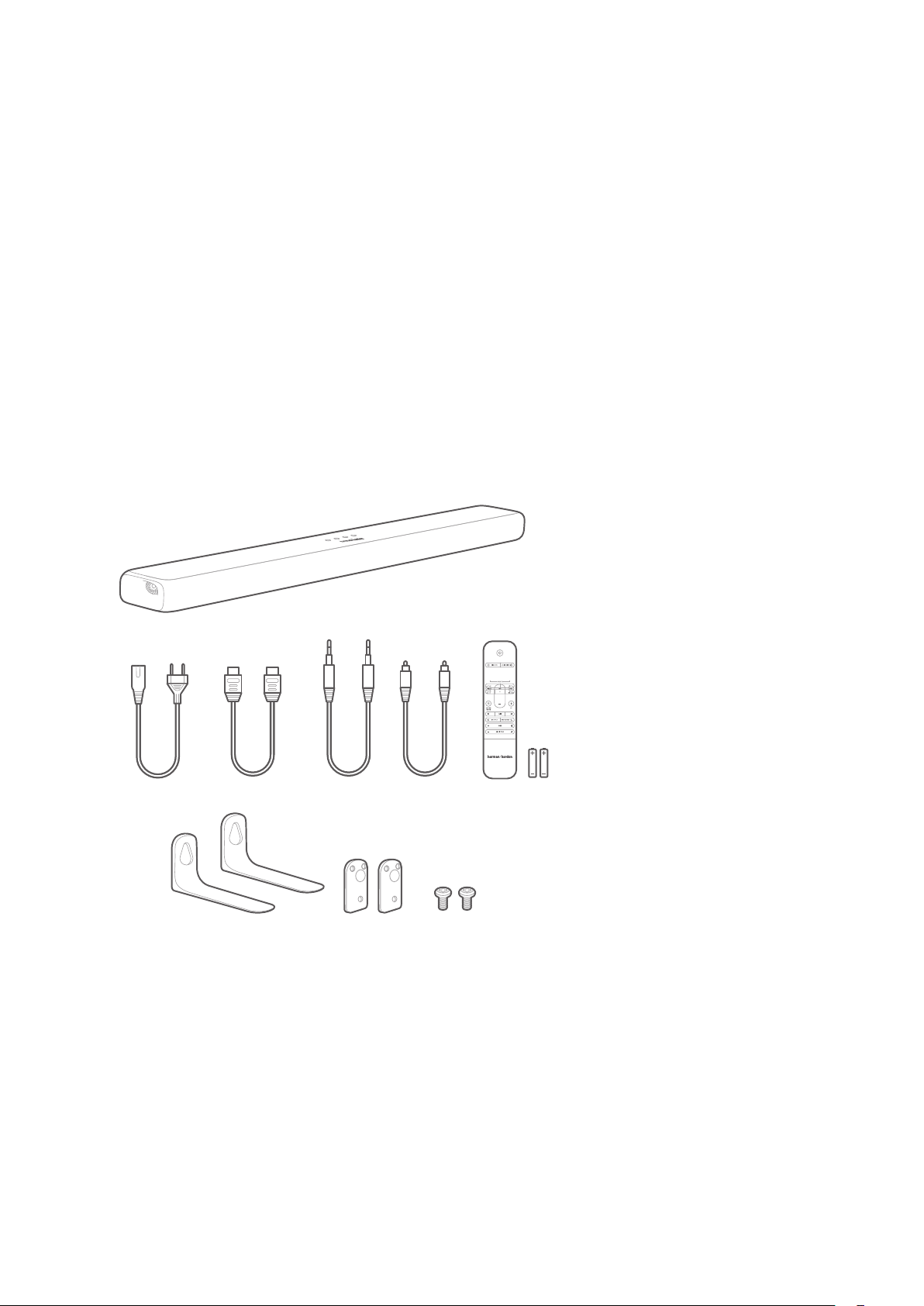
WHAT’S IN THE BOX
ENCHANT 1300 / ENCHANT 800
1. Main unit
2. Power cord*
3. HDMI cable
4. AUX cable
5. Optical cable
6. Remote control (with 2 AAA batteries)
7. Wall-mount brackets
* Power cord quantity and plug type vary by regions.
VOL
1
2 3 4 5 6
7
/ WHAT’S IN THE BOX
6
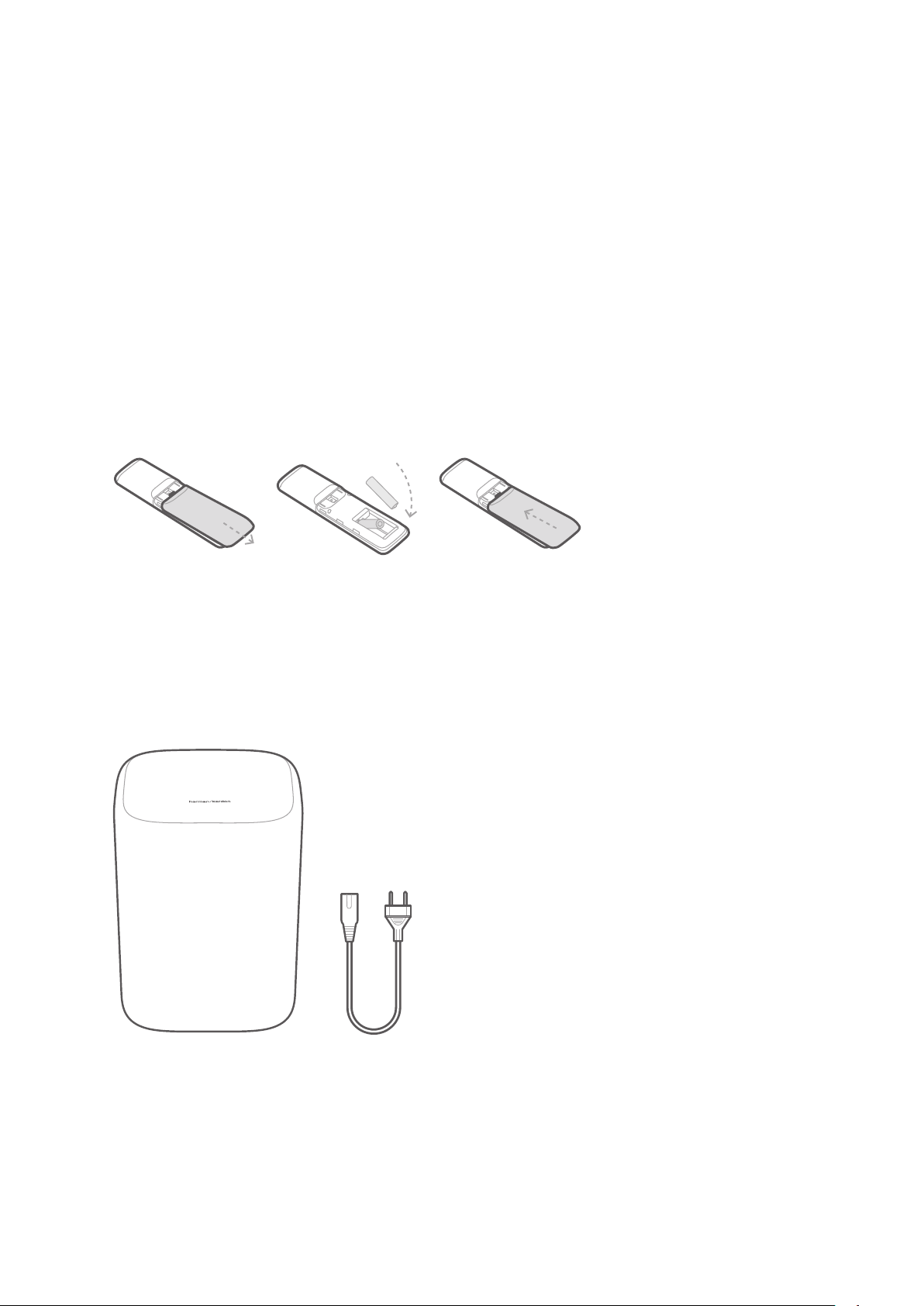
Inserting Batteries before using the Remote
Control (AAA batteries X 2)
Slide the battery cover in the direction of the arrow until it is
that their polarity is correct. Slide the battery cover back into
position.
ENCHANT SUBWOOFER (Optional)
1. Main unit
2. Power cord*
* Power cord quantity and plug type vary by regions.
1 2
7
/
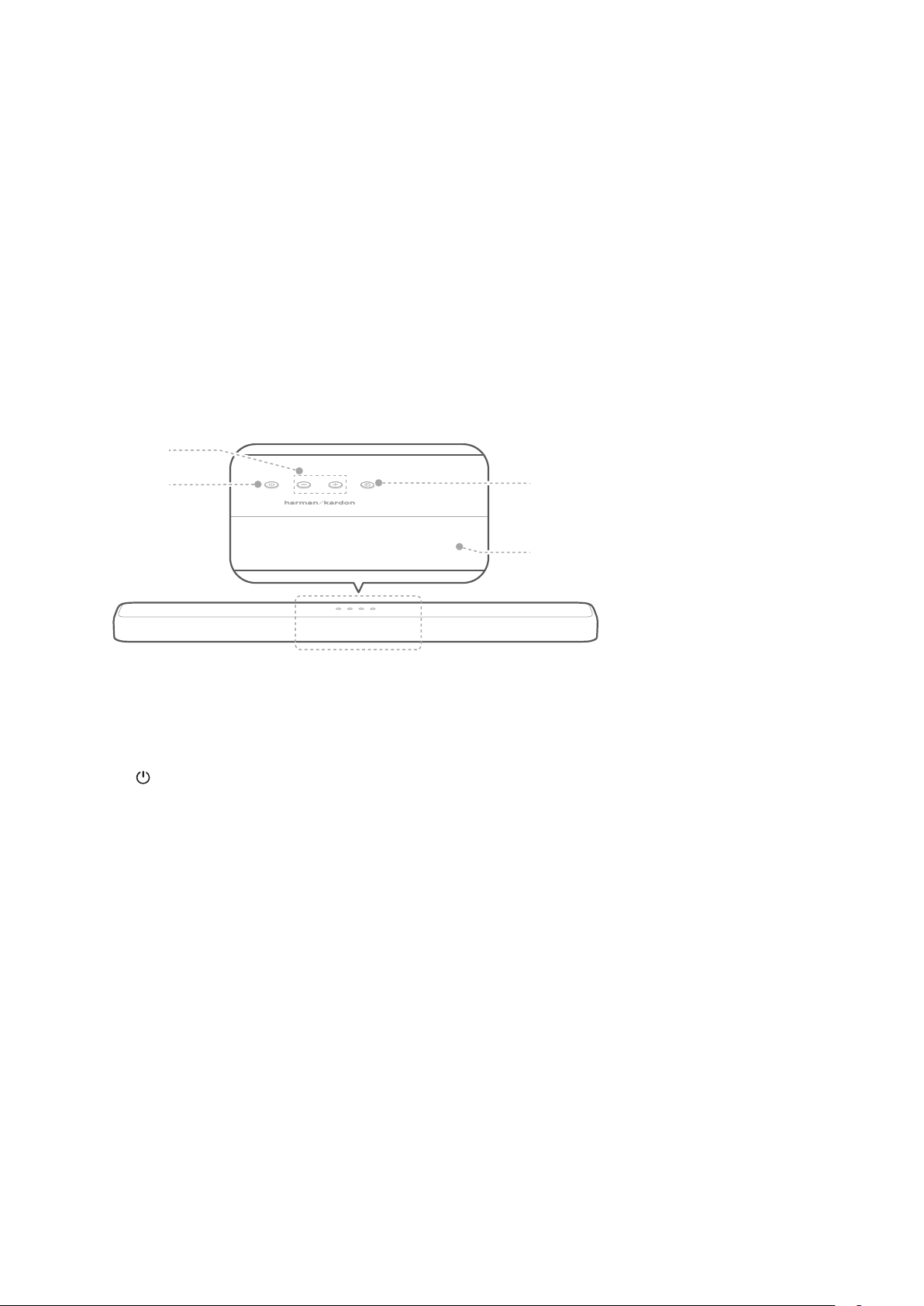
Front Panel & Top Panel of the Soundbar
1. + / - (Volume)
•
•
2. (Power)
• Turn the power on or to standby.
• Press and hold for 5 seconds to reset the soundbar
Wi-Fi settings.
3. Display panel
•
1
2
3
4

8
4. (Source)
•
Source Input Mode Display
Optical input OPT
AUX
Bluetooth input BT
USB input USB
* HDMI 2 and HDMI 3 are available on the Enchant 1300
only.

9
Back Panel of the Soundbar
ENCHANT 1300
ENCHANT 1300
1. AC IN
• Connect to the power cord, then connect the power
cord to a wall outlet.
2. AUX IN
•
device.
3. USB
•
1 3 52 4 6 7
1 2 5 3 47 6

10
4. OPTICAL
•
digital device.
5. SUBWOOFER PAIRING
•
• Press and hold to disconnect and re-enter the
6. HDMI 1 / HDMI 2* / HDMI 3*
•
•
7. HDMI OUT (TV ARC)
• Connect to the HDMI (ARC)
* HDMI 2 and HDMI 3 are available on the Enchant 1300 only.
11
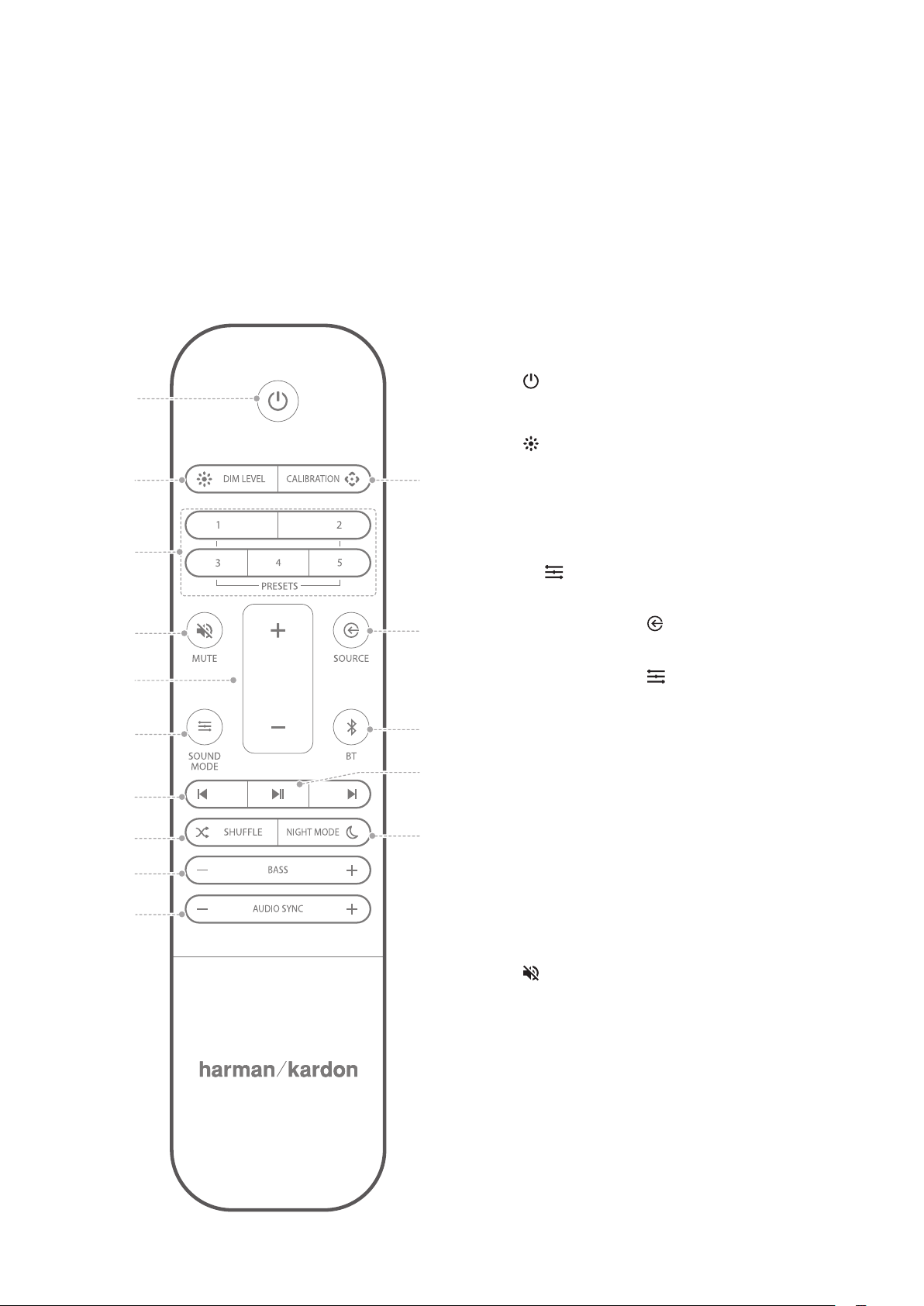
Back Panel of the Subwoofer
1. PAIRING
• Press to pair the subwoofer with the Enchant soundbar.
2. AC IN
• Connect to the power cord, then connect the power
cord to a wall outlet.
1
2
12
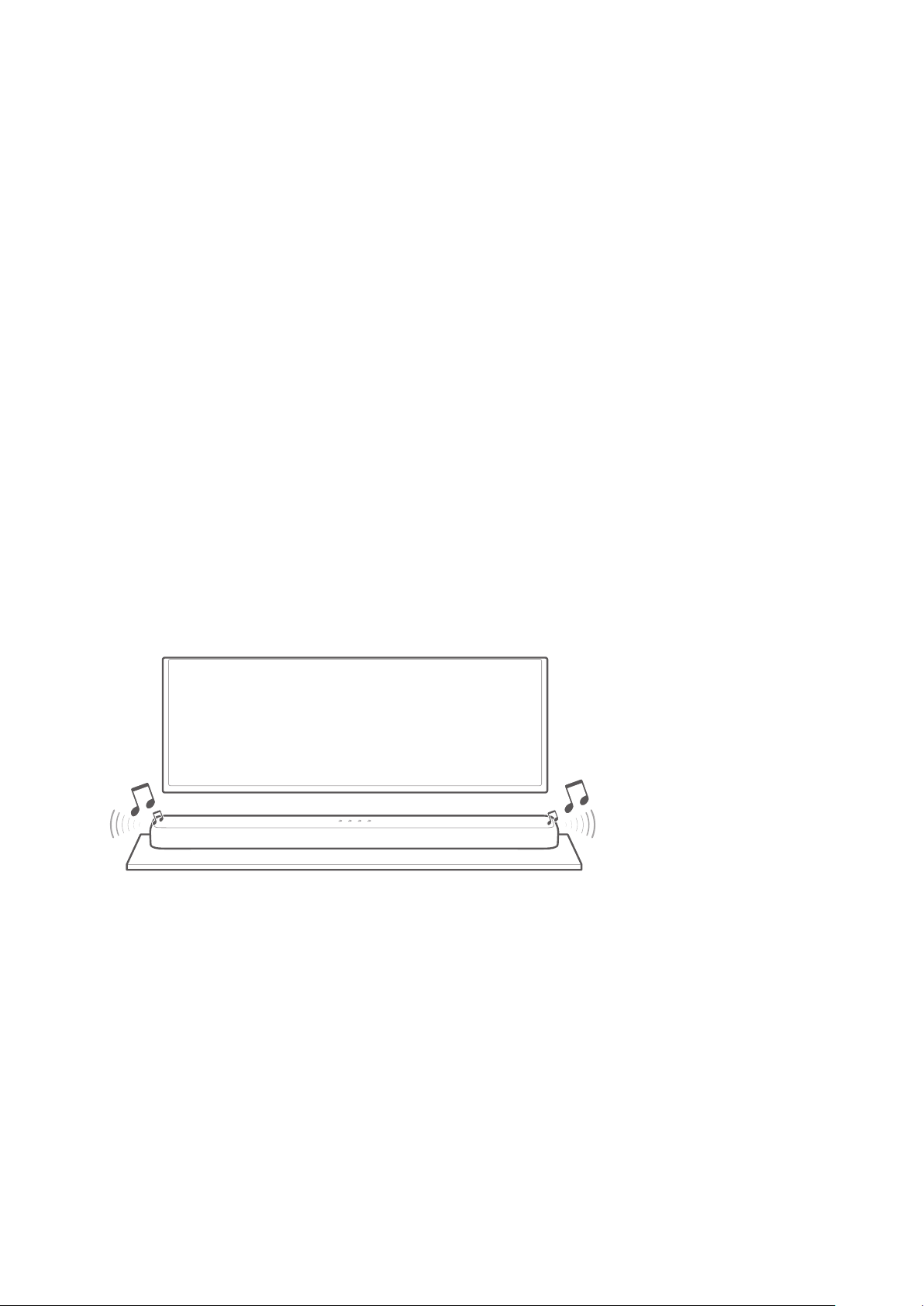
Remote Control
VOL
15
14
13
12
11
1
2
4
5
6
7
8
9
10
3
1. (Power)
• Power on or switch to standby.
2. DIM LEVEL
• Set the brightness of the display
panel.
3. PRESETS
• Recall preset audio settings and
SOUND MODE. To save a
• Press the SOURCE button
to select a source.
• Press the SOUND MODE
button to select a preferred
setting for that source.
• Adjust the VOLUME, BASS
and NIGHT MODE to your
preference.
• Press and hold any PRESET
button for 3 seconds to save
all soundbar settings as a
preset. Press any PRESET
button to recall all of the audio
settings.
4. MUTE
•
audio.
5. VOL + / -
•
level.

13
6. SOUND MODE
•
STANDARD / MUSIC / MOVIE /
VOICE / PERSONAL.
• Select the STANDARD
to enjoy the original sound with
• Select the MUSIC
• Select the MOVIE
Surround Sound.
• Select the VOICE
enhance dialogue with a light
• Select the PERSONAL
to enjoy the original sound with
bass setting can be changed to
a personal preference and saved
in the preset.
• Press and hold for 5 seconds to
reset the default audio settings.
7. /
•
USB playback.
8. SHUFFLE
•
9. BASS - / +
•
subwoofer once successfully
10. AUDIO SYNC - / +
•
delay if the video and audio
synchronization is not correct.
11. NIGHT MODE
•
12.
•
Bluetooth or USB playback.
13. BT
• Press to enter Bluetooth pairing
• Press and hold for 5 seconds to
connect with a new device.
14. SOURCE
• Select an input source for the
HDMI ARC/ HDMI 1
/ HDMI 2* / HDMI 3* / Optical /
AUX / USB / BT.

14
15. CALIBRATION
•
* HDMI 2 and HDMI 3 are available on the Enchant 1300 only.
15
/
INSTALL ATION
Place the Soundbar below your TV on the
Table
NOTES:
•
• To avoid wireless interference, keep other wireless devices 1-3 ft
• Make sure there is an AC outlet nearby.
Place the soundbar on its rubber feet on a stable and level
CAUTION:
•
•
TV
/ INSTALL ATION
16
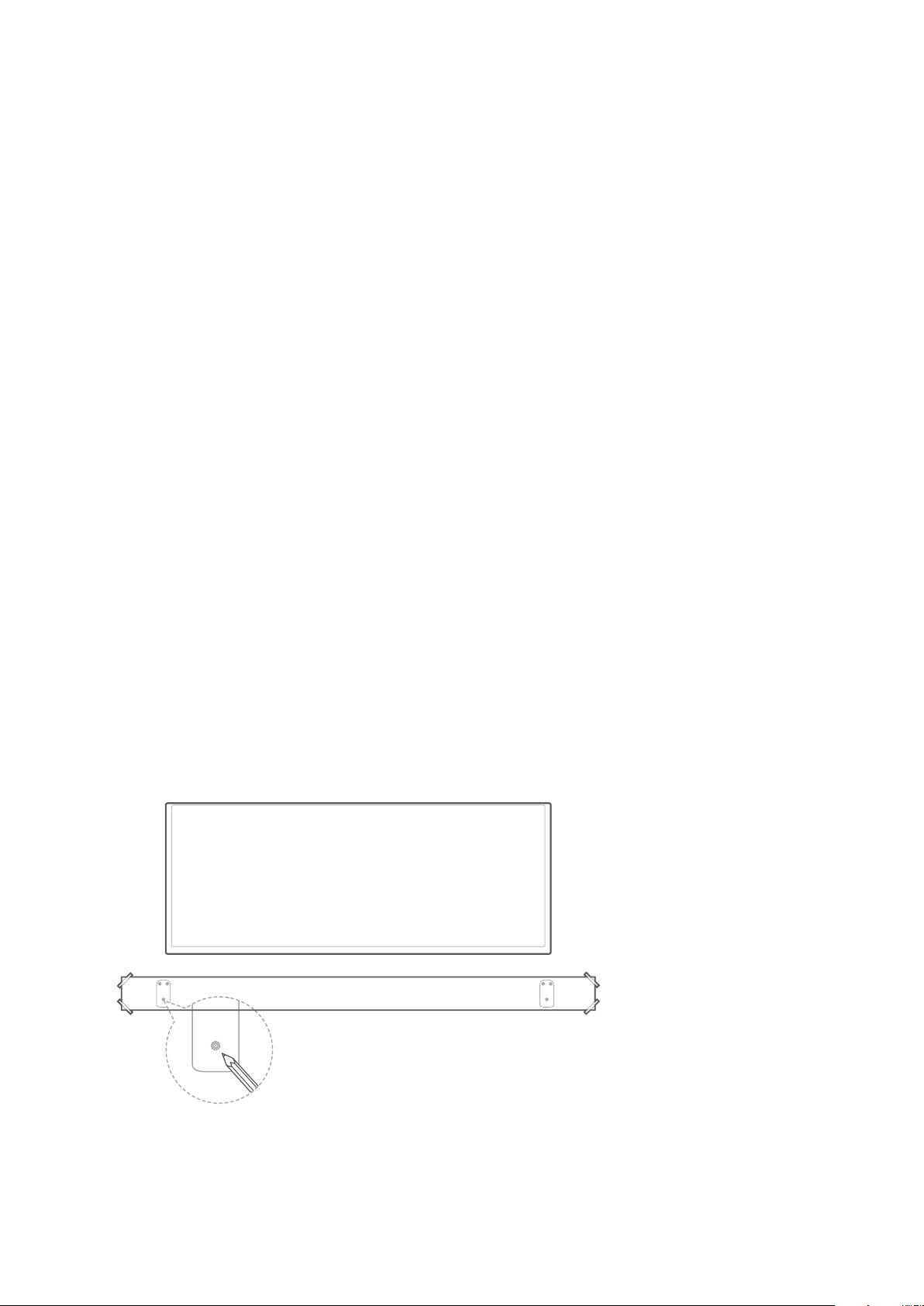
Wall-mount the Soundbar
CAUTION:
•
weight of this unit.
• Install on a vertical wall only.
•
•
on the wall.
•
•
TV
WALLMOUNTED PAPER GUIDE
/ INSTALL ATION
17
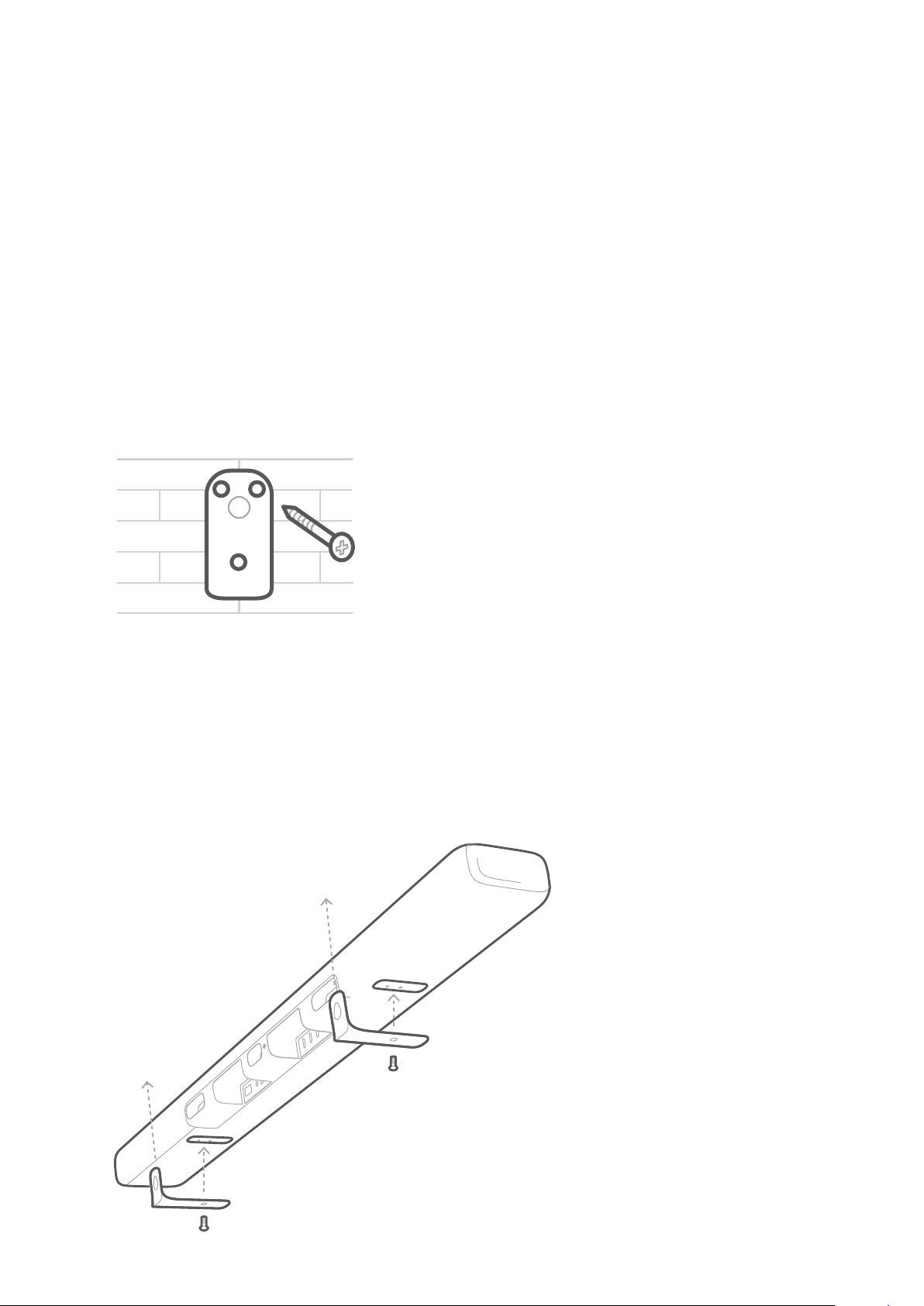
Use an appropriately sized drill bit, drill a hole in the wall at
x3
CAUTION:
•
you use.
/ INSTALL ATION
18
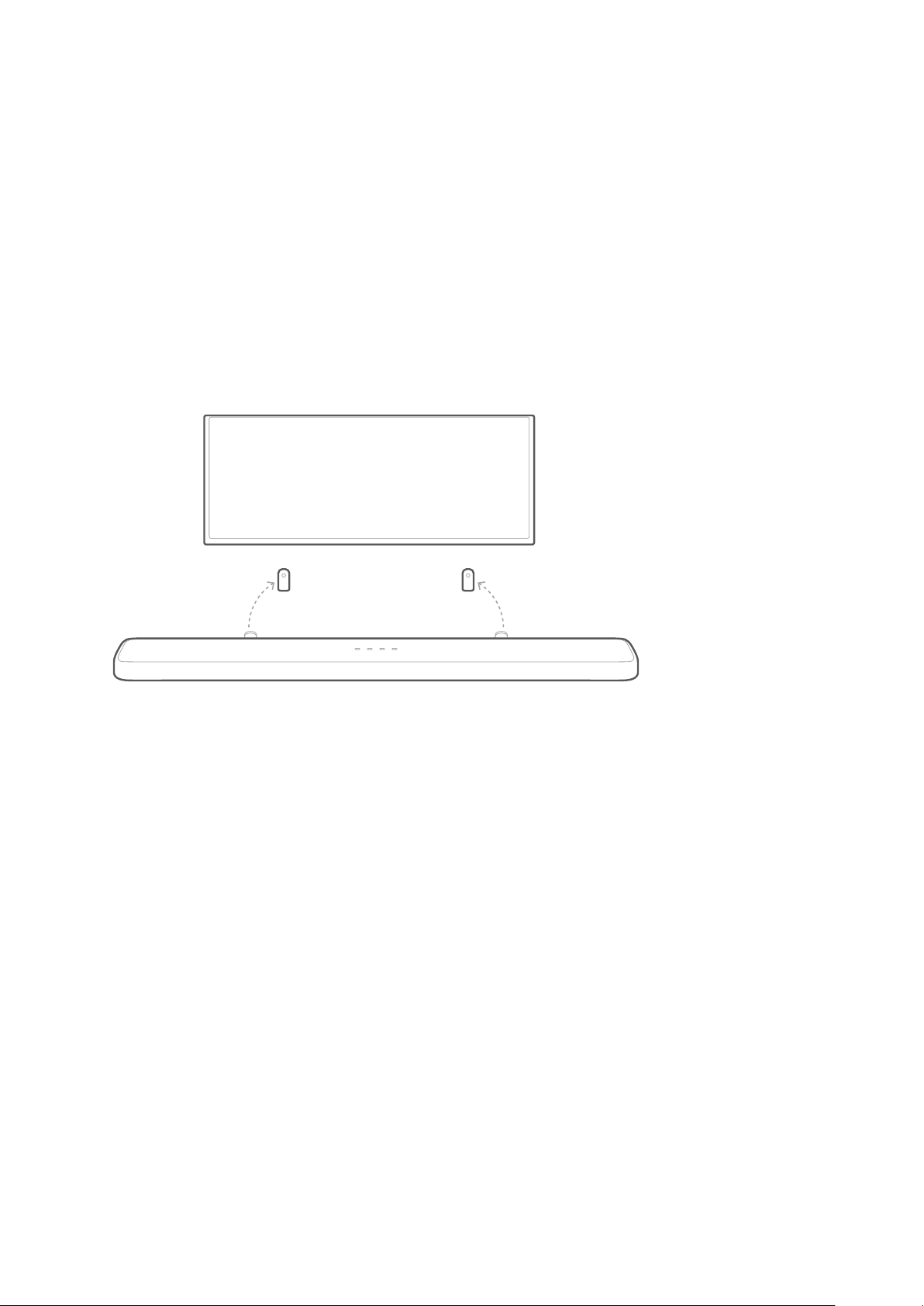
Hook the soundbar to the brackets attached to the wall.
CAUTION:
•
•
TV
19
/
CONNECTING TO
NOTES:
•
•
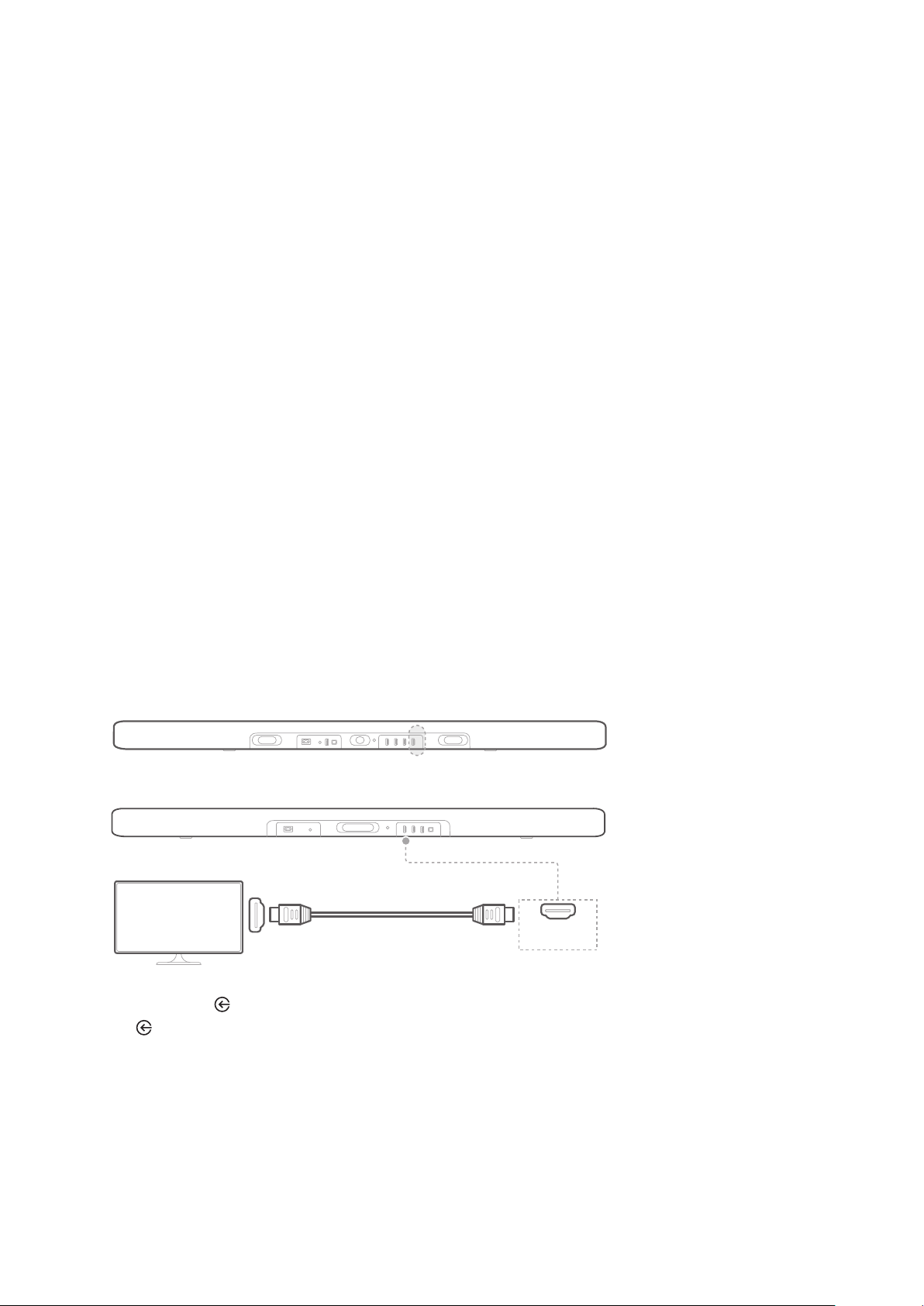
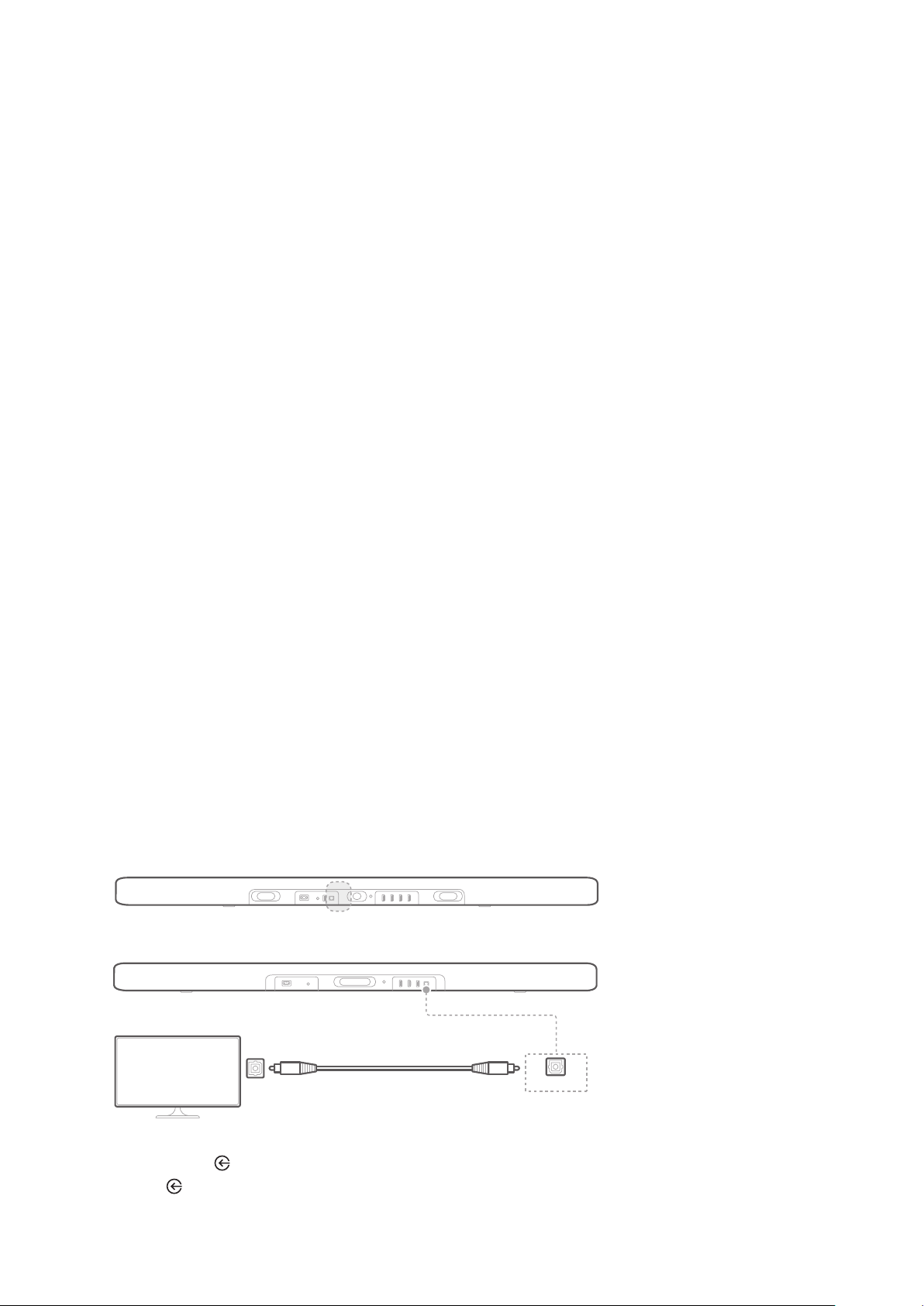
Connect to your TV with an HDMI Cable
(Preferred)
HDMI OUT (TV ARC) connector on the back of the
soundbar to the HDMI IN (ARC)
Press the button on the top panel of the soundbar or the
SOURCE
ENCHANT 1300
ENCHANT 800
HDMI (ARC)
HDMI OUT
(TV ARC)
TV
20
NOTES:
•
single connector. It is the best option to connect to your soundbar.
•
•
•
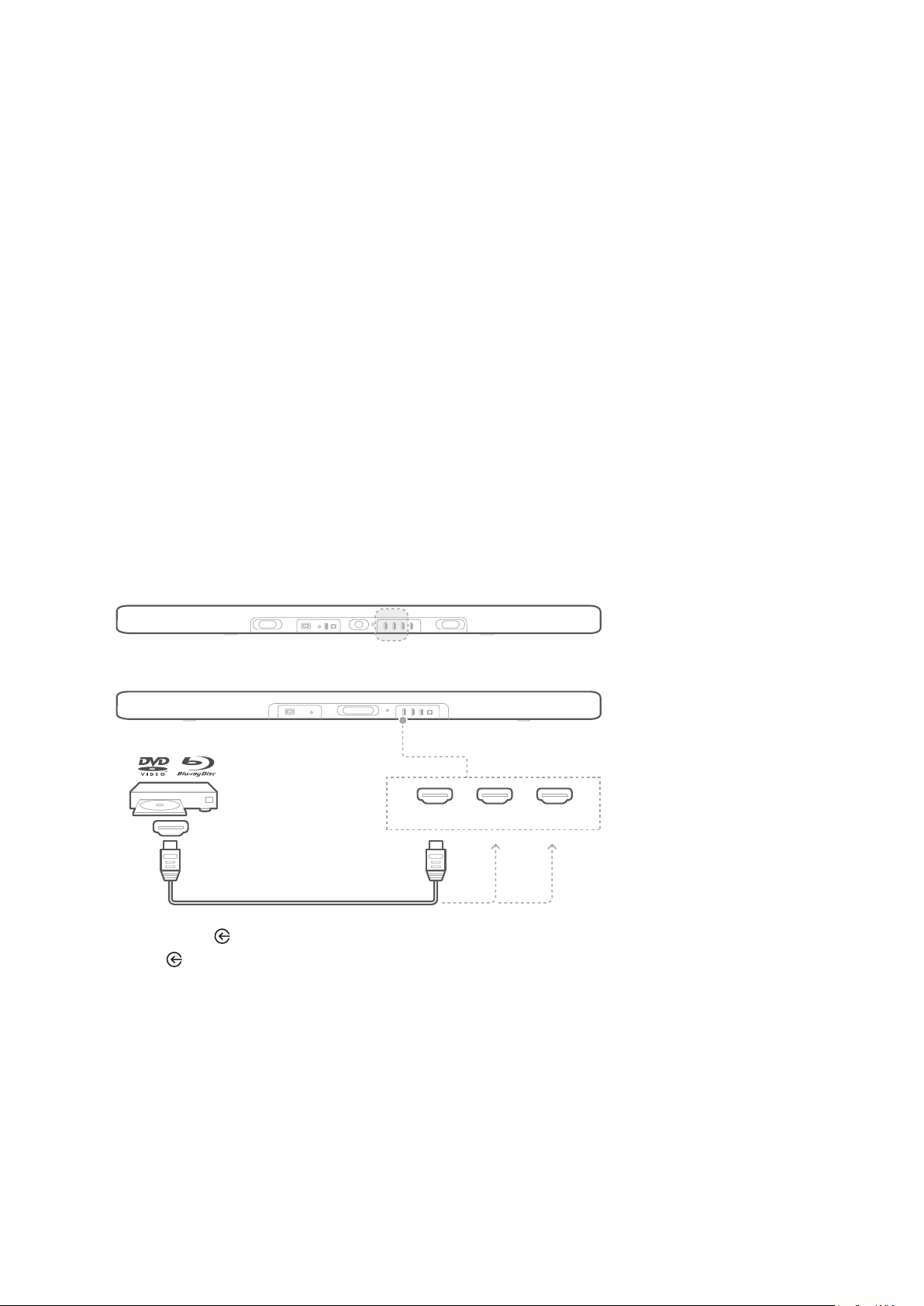
Connect to your TV with an Optical (Digital) Cable
NOTES:
•
of the optical cable.
Connect the OPTICAL IN connector on the soundbar to
the OPTICAL OUT
digital optical cable.
Press the button on the top panel of the soundbar or
the SOURCE
OPTICAL
ENCHANT 1300
ENCHANT 800
OPTICAL OUT
TV
OPTICAL IN
21
/
CONNECTING TO
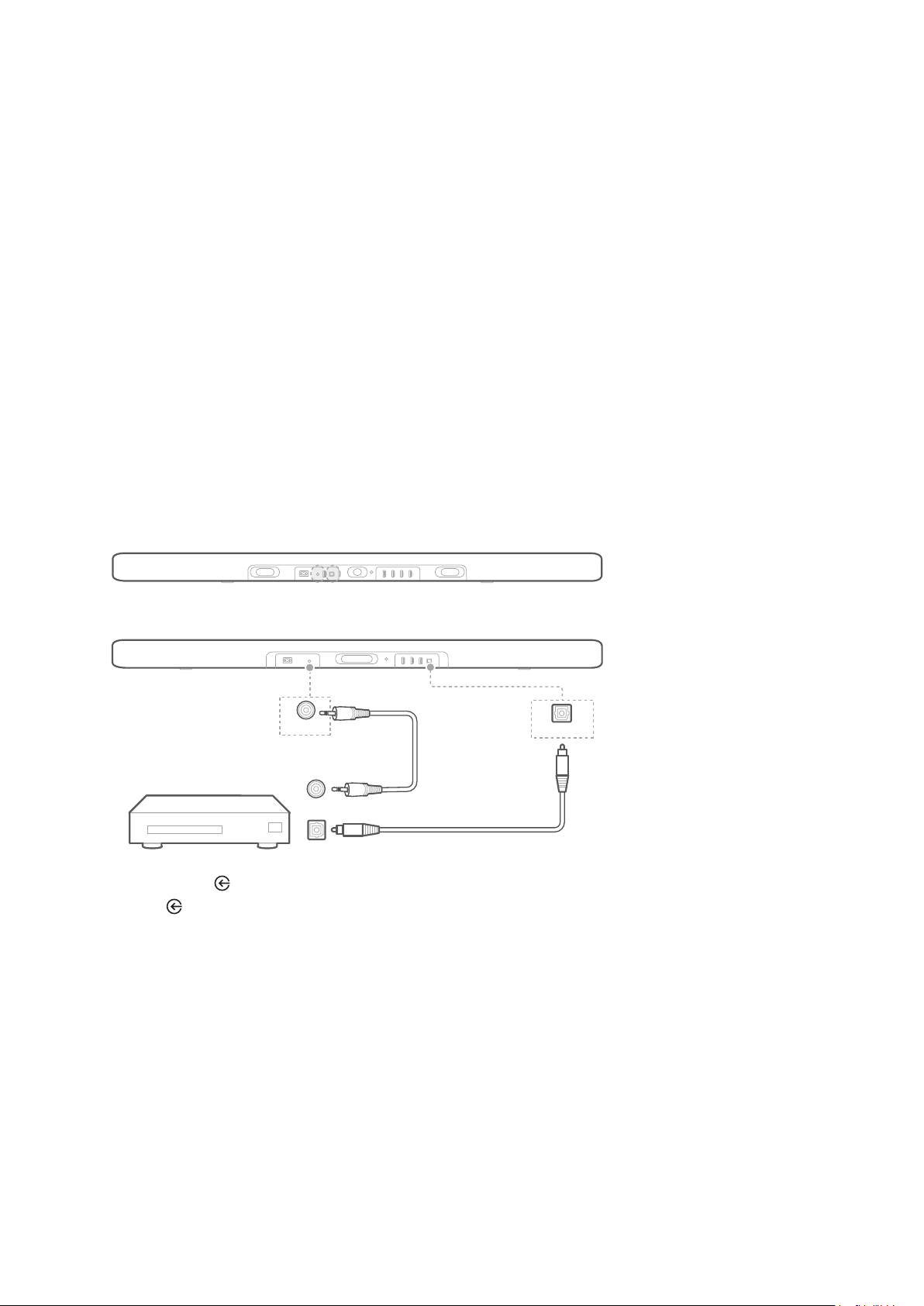
HDMI Cable (Preferred)
HDMI IN jack on the
back of the soundbar to the HDMI OUT jack on your digital
device.
Press the button on the top panel of the soundbar or
the SOURCE
HDMI
NOTES:
•
ENCHANT 1300
ENCHANT 800
HDMI OUT
HDMI 2HDMI 1 HDMI 3
22
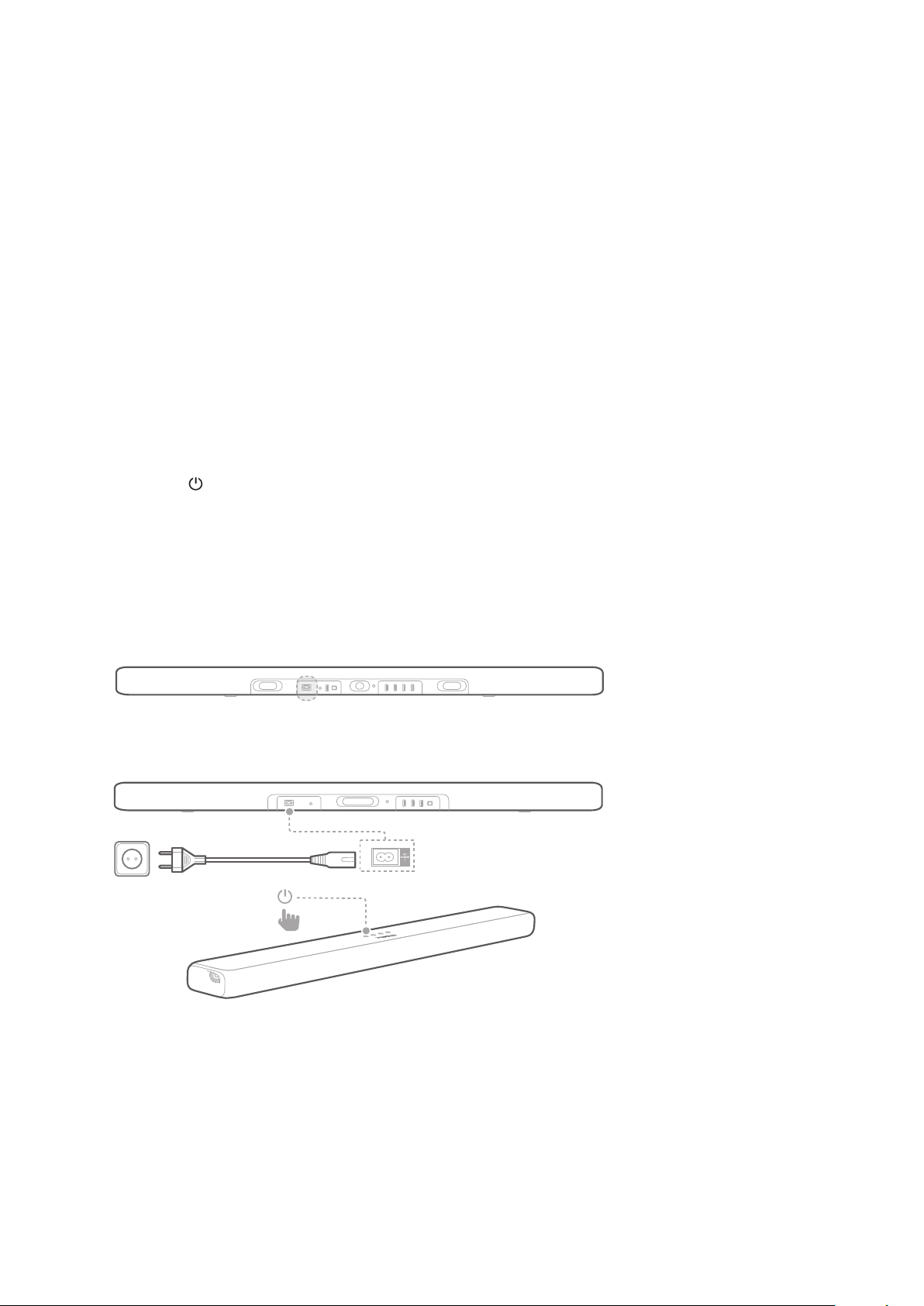
Optical or Analog Audio Cables
Connect the OPTICAL or AUX connector on the soundbar
to the OPTICAL OUT or AUDIO OUT jack of the source
cable.
Press the button on the top panel of the soundbar or
the SOURCE
OPTICAL IN
ENCHANT 1300
ENCHANT 800
AUX-IN
AUX-OUT
OPTICAL OUT
23
/
CONNECTING TO
POWER
Power On the Soundbar
NOTES:
•
• The (Power) button will begin working in 4 to 6 seconds after
plugging in the AC power cord.
• When you disconnect the power cord, always pull the plug, never
the cable.
•
Plug one end of the power cord into the AC IN connector
on the back of the soundbar.
ENCHANT 1300
ENCHANT 800
1
2
/ CONNECTING TO POWER
24
wall socket.
• “LOADING” scrolls on the display panel. The soundbar
will take about 30 seconds to load, then enter standby
with correct polarity orientation. Slide the cover back into
position.
Press (Power) to power on the soundbar.
• “ON” is displayed.
Power On the Subwoofer (Optional)
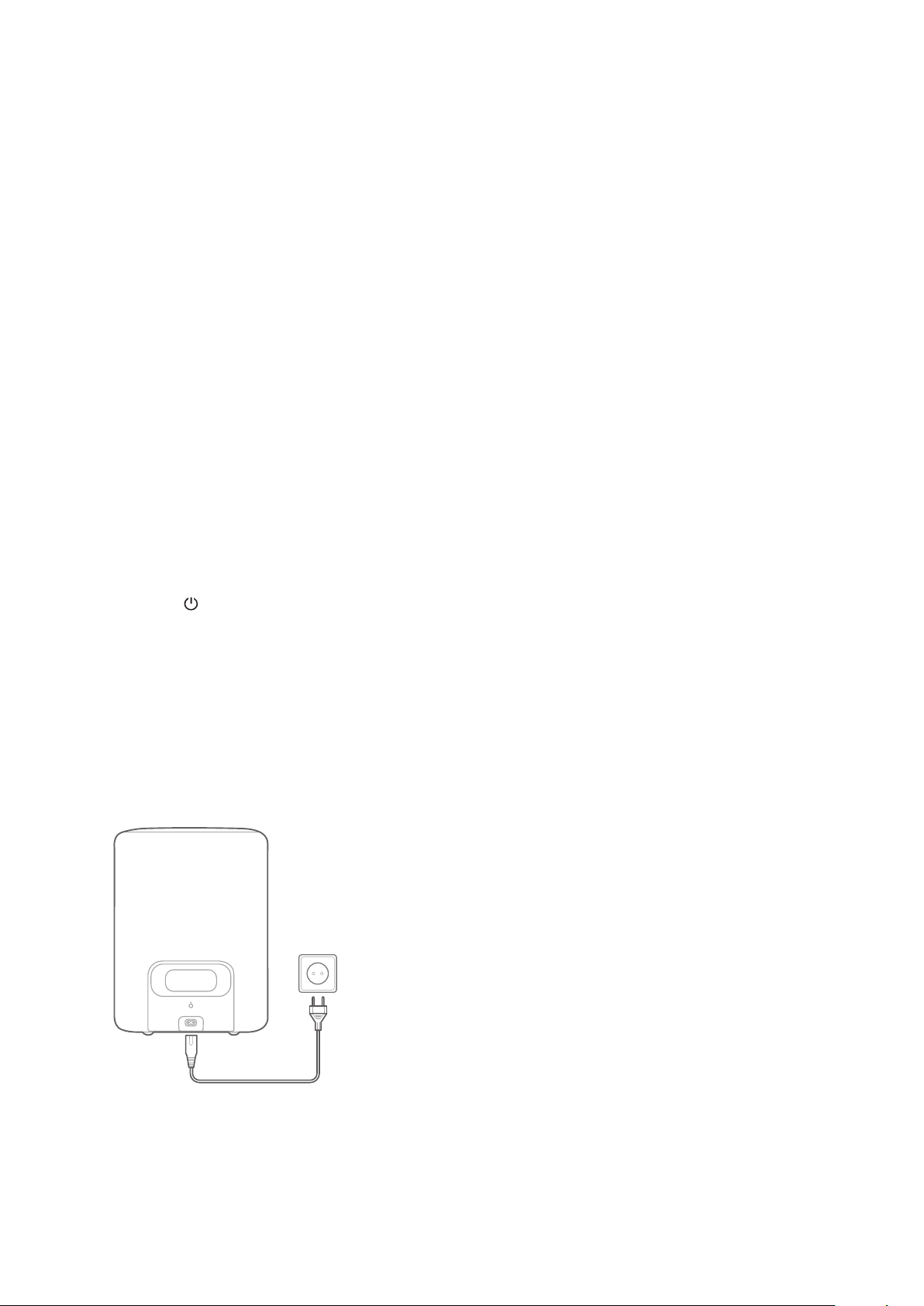
Plug one end of the power cord into the AC IN connector
on the back of the subwoofer.
outlet.
/ CONNECTING TO POWER
25
Connect the Subwoofer (Optional)
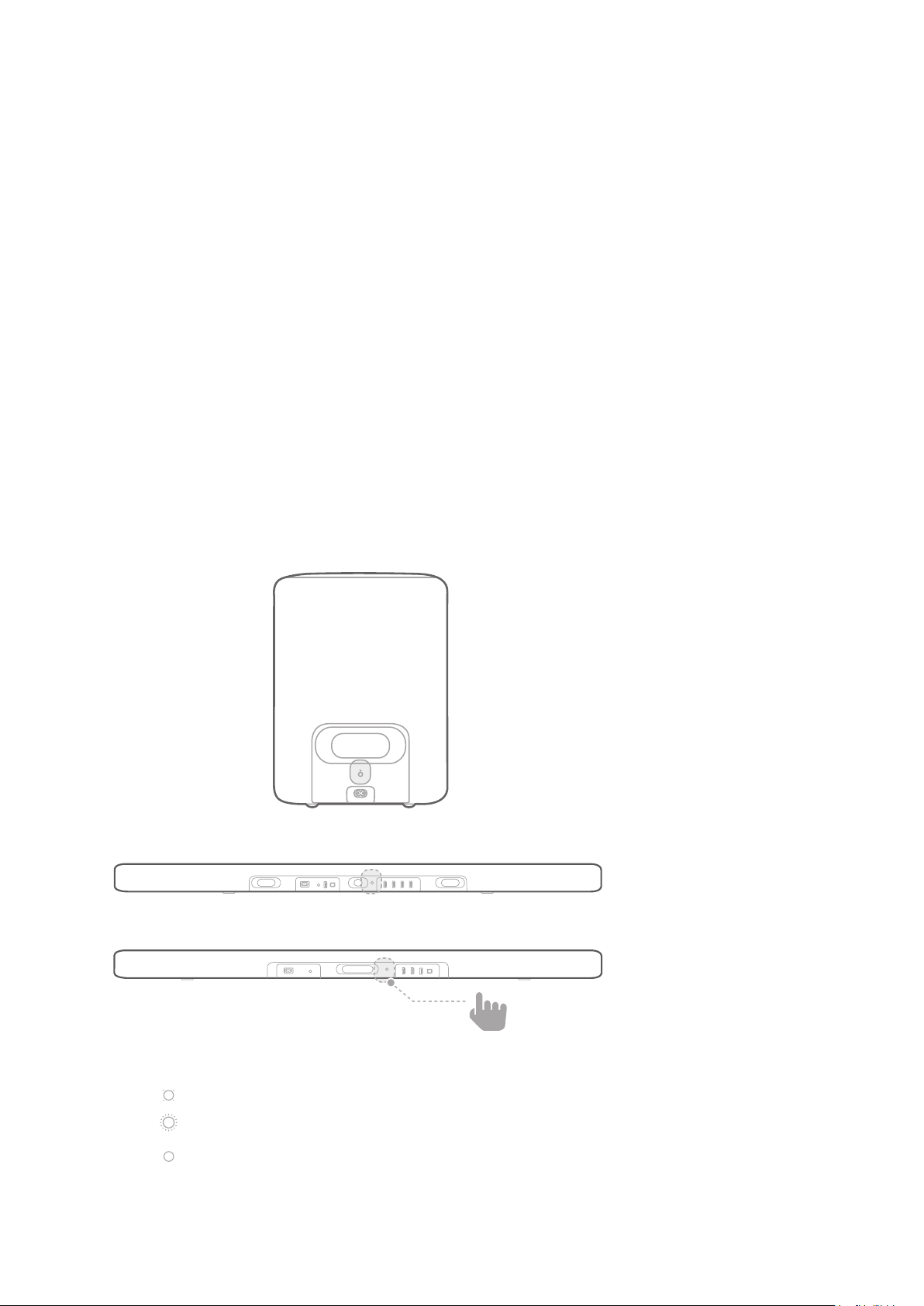
Power on both the soundbar and the subwoofer.
Press the SUBWOOFER PAIRING button on the soundbar
or PAIRING
• “SUB PAIRING” will be displayed. You will hear a pairing
SUB PAIRED” will be
displayed.
Subwoofer LED behavior
• White (Flashing slowly): Powered on
• White (Flashing fast): Pairing
• White (Solid): Paired
ENCHANT 1300
ENCHANT 800

/ CONNECTING TO POWER
26
NOTES:
•
•
sound interruption.
•
27
/
CONNECTING TO
WI-FI
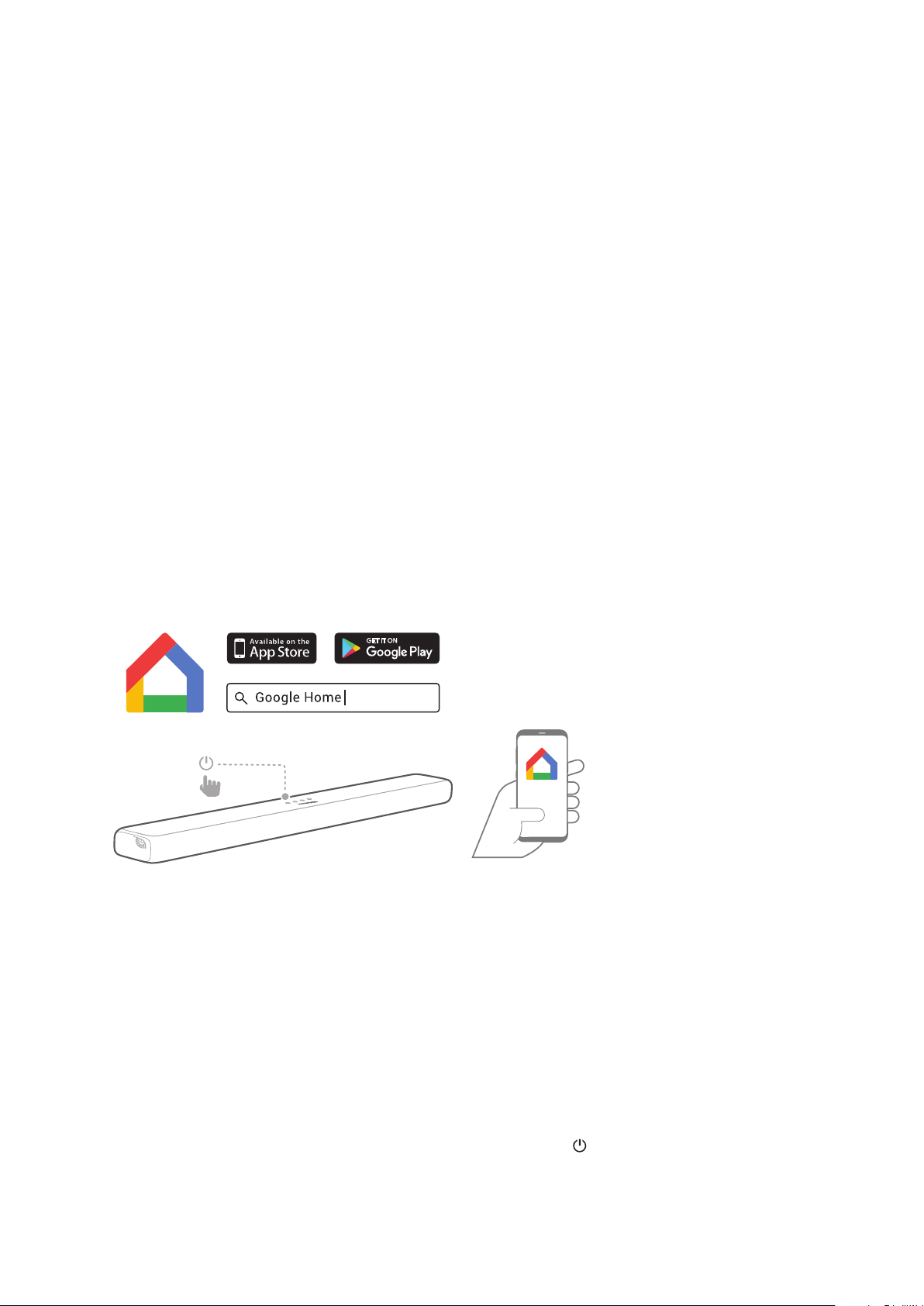
app.
Power on the soundbar.
instructed in the app. Always follow the instructions in the
Sign in with your Google account. If you do not have, create
a new one.
NOTES:
•
•
•
• Once the soundbar is connected to Wi-Fi, it will receive a periodic
•
button on the soundbar top panel for 5 seconds.
HK ENCHANT 1300
HK ENCHANT 800
1
2 3
28
/
USING YOUR
Play Music with Google Cast
Cast button.
or tablet.
Tap the icon on the app and select the Enchant
soundbar.
Press “Play” on the app.
NOTES:
•
•
•
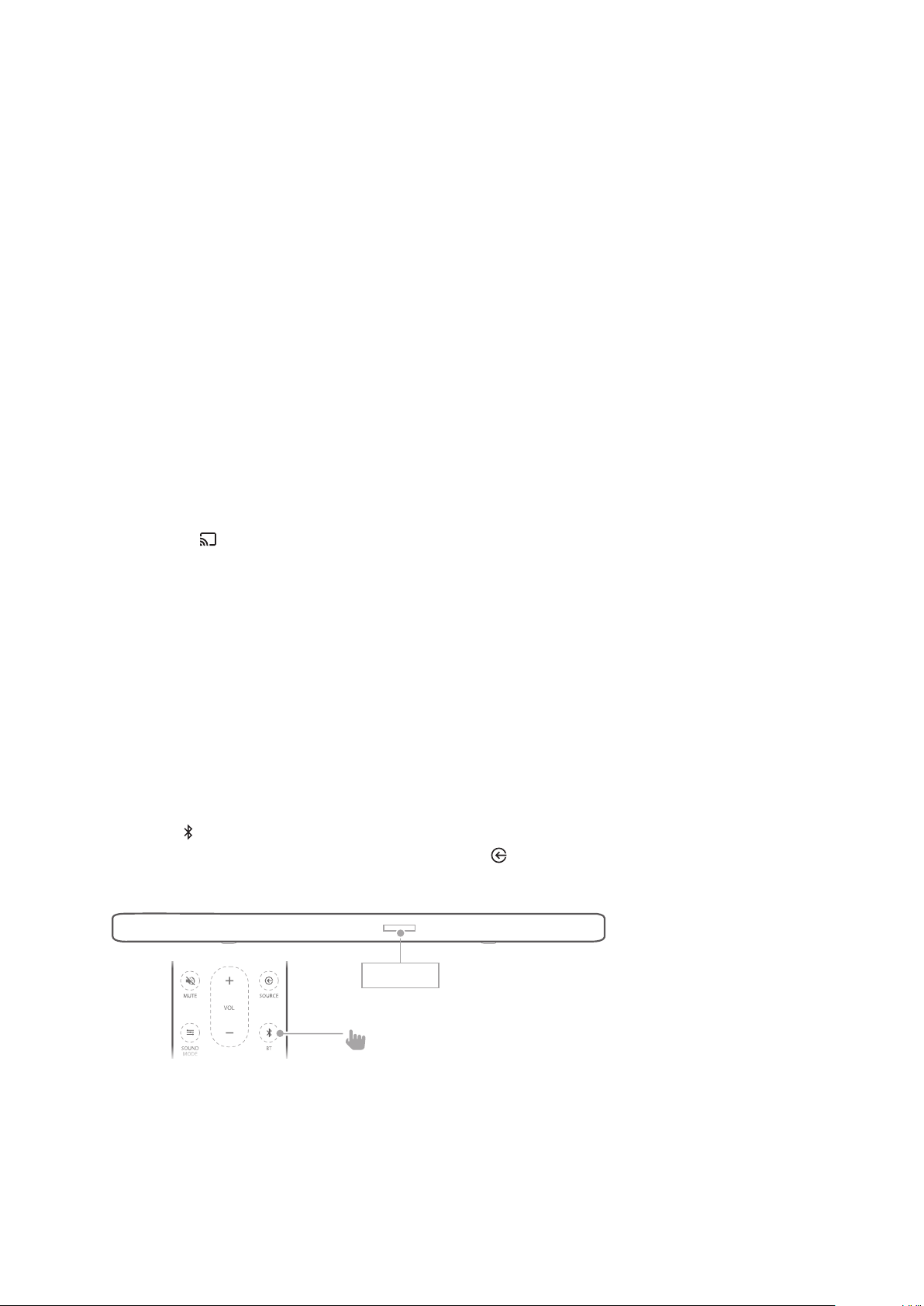
Play Music through Bluetooth
Press BT
SOURCE
until “BT” appears on the display panel.
VOL
PAIRING

29
Choose “HK ENCHANT 1300/800” to connect.
•
the song will scroll on the display panel.
NOTES:
• If you have already connected the soundbar to Wi-Fi and changed
• If asked for a PIN code when connecting a Bluetooth device, enter
“0000”.
•
• To disconnect and pair another device, press and hold BT on
•
•
•
your Bluetooth device to avoid disconnection.
Play Music from USB Storage Device
soundbar.
Plug your USB storage device into the USB socket of the
soundbar.
HK ENCHANT 1300
HK ENCHANT 800
CONNECTED

30
Press the button on the top panel of the soundbar or the
SOURCEUSB
• If USB is detected, “LOADING” will be displayed and
appear on the display panel. If no USB detected,
“PLUG IN USB” is displayed.
USB playback controls
•
• /
• SHUFFLE
• O (default): play songs in order.
• Shue:
• Repeat one: play a song repeatedly.
• Repeat all: play all songs repeatedly by order of the
folder logic.
Audio formats
Extension Codec Sample rate Bitrate
PCM <5Mbps
LPCM <5Mbps
<5Mbps
MPEG <5Mbps
MULAW <5Mbps

31
Extension Codec Sample rate Bitrate
MP3 MPEG1 layer1/2/3
MPEG2 layer1/2/3
MPEG2.5 layer3
AAC MPEG2 LC <576kbps
MPEG4 LC <576kbps
HE AAC <576kbps
Flac Flac <5Mbps
OGG <500kbps
NOTES:
•
•
supported.
•
•
•
•
and it cannot be used as a storage device.
•
•
Locked devices; Hard type USB devices; USB hub; Using USB
32
/
Settings
Calibrate the Soundbar with Automatic
MultiBeam™ Calibration (AMC)
soundbar sound settings for a better surround sound
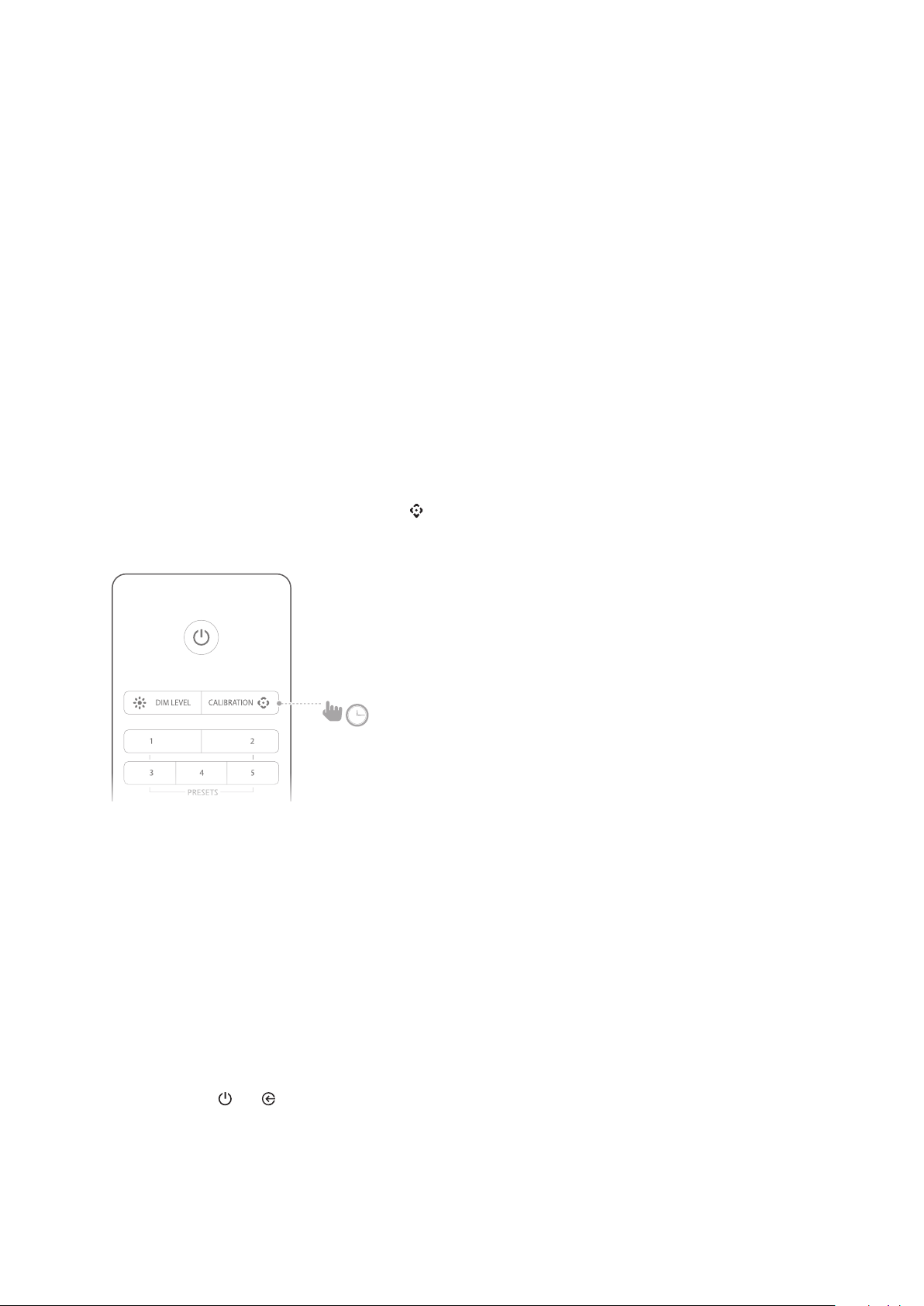
Press and hold the CALIBRATION button for 3 seconds.
• The calibration sequence will begin with a countdown.
The total calibration will last less than 60 seconds.
• “DONE” will be displayed once successfully calibrated,
while “FAIL” will be displayed if the calibration fails.
NOTES:
•
•
•
•
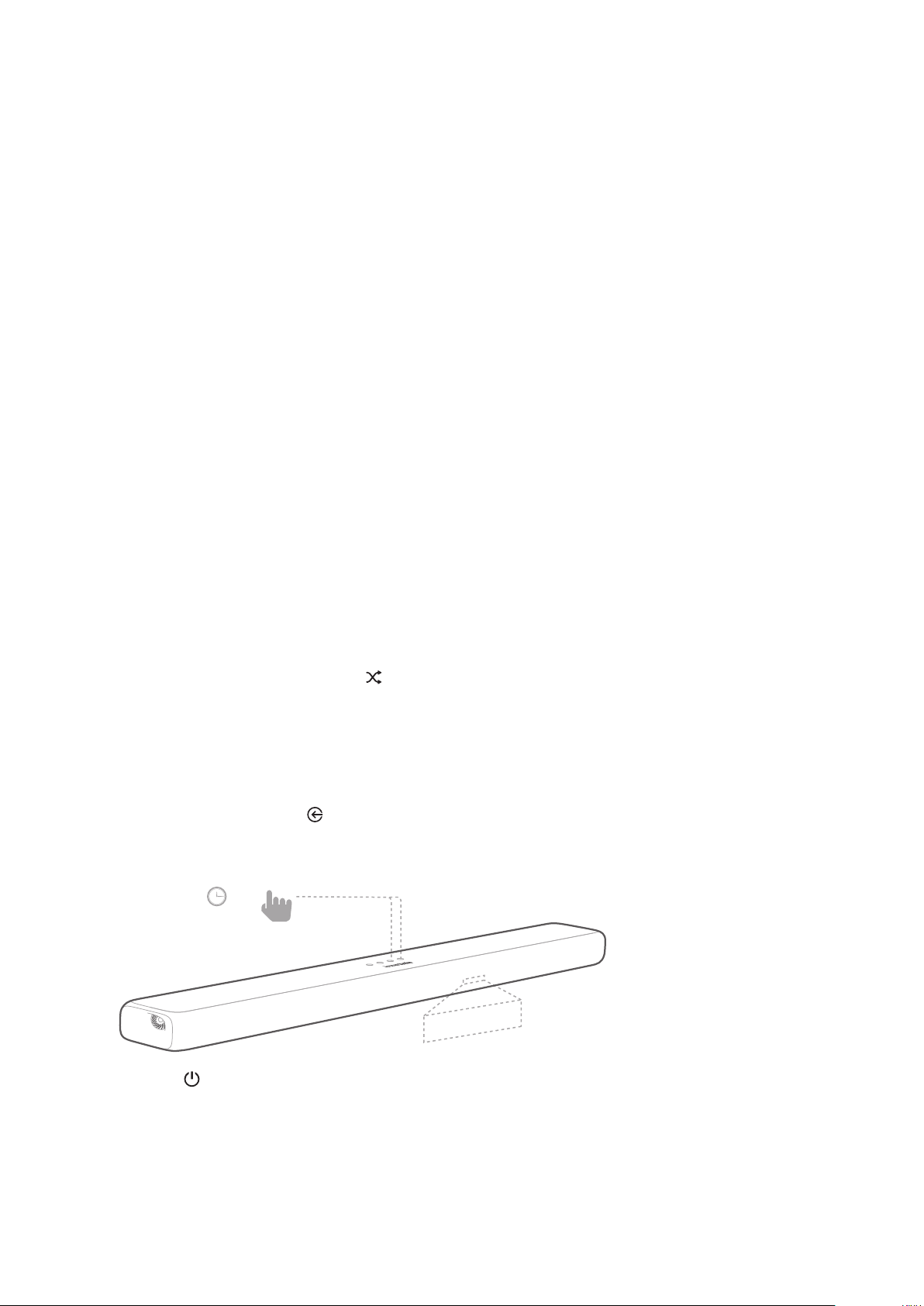
hold the and buttons on the soundbar.
>3 s
/ SETTINGS
33
Respond to TV Remote Control
HDMI CEC
Automatic TV Remote Control
this function, press and hold the SHUFFLE button on the
TV Remote Learning
Press and hold + and for 5 seconds to enter learning
Press button on the soundbar and press POWER on your
+ and - on the soundbar and press
MUTE
>5 s
LEARNING

/ SETTINGS
34
Press and hold + and on the soundbar again, now the
Auto Standby / Auto Wakeup
Apply Factory Settings
factory.
the and buttons on
top panel of the soundbar.
DONE

35
/
To get the best features and support, update the soundbar with
• Wi-Fi network.
•
•
Check the Current Version
To check the current version, press and hold DIM LEVEL for
3 seconds, then press SOUND MODE and NIGHT MODE
in sequence within 10 seconds.
Update the Software
The latest version of the software can be found when
connected to a network. “NEW UPDATE FOUND” scrolls
once on the display panel. The soundbar starts the update
process.
• Percentage and “UPDATING, KEEP INTERNET
CONNECTION” scrolls on the display panel.
and plug into the USB socket of the soundbar. Please visit
Press and hold the — and buttons on the soundbar to
trigger the software update.

36
/
SPECIFICATIONS
Enchant 800 Enchant 1300
Audio/Video
Audio Channels 8 13
180W 240W
RMS Power 90W 120W
1% 1%
Woofer Size
Tweeter Size
91db SPL 93dB SPL
Frequency Response 76Hz-20kHz 71Hz-20kHz
Audio inputs 1 Analog, 1 Optical,
Bluetooth, USB, Wi-Fi
1 Analog, 1 Optical,
Bluetooth, USB, Wi-Fi
1 3
1 1
2.2 2.2
Bluetooth
Bluetooth version 4.2 4.2
Bluetooth Frequency Range 2402MHz-2480MHz 2402MHz-2480MHz
power

/ SPECIFICATIONS
37
Enchant 800 Enchant 1300
Wi-Fi
IEEE 802.11b/g/n/ac
IEEE 802.11b/g/n/ac
2.4G Wi-Fi Frequency
Range
ISM Band, USA 11 Channels,
Europe and others 13
ISM Band, USA 11 Channels,
Europe and others 13
power
frequency range
2.4G short-range wireless
frequency range
2402 – 2478MHz 2402 – 2478MHz
2.4G short-range wireless
2.4G short-range wireless
USB
USB Class support
USB Mass Storage Class
USB Mass Storage Class

/ SPECIFICATIONS
38
Enchant 800 Enchant 1300
FAT16, FAT32 FAT16, FAT32
USB port 1A 1A
General
Power Supply
33 W 48 W
Standby Power
<2W <2W
0°C - 45°C 0°C - 45°C
Accessory Cable Length
Weight

/ SPECIFICATIONS
39
Enchant Subwoofer
Audio/Video
400W
RMS Power 200W
1%
Woofer Size
83db SPL
Frequency Response 35Hz-160kHz
Wireless
2.4G short-range wireless frequency range 2402 – 2478MHz
General
Power Supply
48 W
<0.5W
0°C - 45°C
Accessory Cable Length
Weight

40
/
TROUBLESHOOTING
Never try to repair the product yourself. If you have any
you request service.
Sound
No sound from the soundbar.
•
• Make sure to select the correct audio input source.
Strange sound.
• Press and hold SOUND MODE for 5 seconds to
reset the default audio setting.
No sound from the wireless subwoofer.
•
subwoofer and soundbar.
Distorted sound or echo.
•
Audio and video are not synchronized.
• Press AUDIO SYNC +/- to synchronize.
Error message is displayed on the display panel.
• When “ERROR” is displayed, it indicates that an input
• When “ERROR

/ TROUBLESHOOTING
41
Bluetooth
A device cannot connect with the soundbar.
• Check if you enable the Bluetooth function of the
device.
• The soundbar is already connected to another
Bluetooth device. Press and hold BT
control to disconnect and pair with a new device.
Poor audio quality from a connected Bluetooth device.
• The Bluetooth reception is poor. Move the device closer
device and the soundbar.
Wi-Fi
Enchant soundbar cannot connect to my Wi-Fi network.
• Check if your router works.
•

42
/
OPEN SOURCE
LICENSE NOTICE
This product contains open source software. For your
convenience, the source code and relevant build
instruction for software licensed under the GPL is

43
/
LICENSE
Bluetooth SIG, Inc. and any use of such
Incorporated is under license. Other
their respective owners.

44