How to connect up,
build-in, set up, use and
look after your
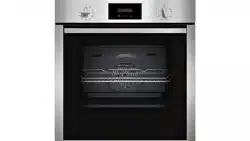
B1310 oven
NEFF (UK) Ltd

2
Table of Contents
Page
Important Information
❑ Notes on disposal 3
❑ Before connecting your
new appliance 3
❑ Appliance safety considerations 4
Introducing: Your New Oven
❑ Control panel overview 5
❑ Accessories 6
❑ Shelf positions 6
Before Using Your Appliance for the
First Time
❑ Setting the time of day 7
❑ Preliminary cleaning 7
❑ Initial burn-in 7
Electronic Timer
❑ Minute timer 8
❑ Automatic timer 9
Baking Roasting and Grilling
❑ Definition of Oven Features 10
❑ Switching the oven ON and OFF 11
❑ Baking 12
❑ Roasting 13
❑ Grilling 14
Cooking Tips and Helpful Hints 15
Defrosting and Cooking 16
Page
Cleaning and Care
❑ Important cleaning basics 17
❑ Enamel and glass 17
❑ Stainless steel front 17
❑ Oven interior 17
❑ Removing/installing the oven door 18
❑ Oven light 18
Service and Repair Information 19
Trouble-shooting Guide 20
Assembly Instructions
❑ For the installer and kitchen expert 22
❑ Installation of the built-in oven 23

3
Notes on disposal
❑ Old appliances still have some residual
value. An environment-friendly method
of disposal will ensure that valuable raw
materials can be recovered and used
again.
Before you dispose of your old
appliance, make sure that it has been
rendered inoperable.
❑ Your new appliance was protected by
suitable packaging while it was on its
way to you. All materials used for this
purpose are environment-friendly and
suitable for recycling. Please make a
contribution to protecting the
environment by disposing of the
packaging appropriately.
Up-to-date information concerning
options for disposing of your old
appliance and the packaging from the
new one can be obtained from your
retailer or local government office.
Before connecting your new
appliance
❑ Before using your new appliance, please
read these Instructions for use carefully.
They contain important information
concerning your personal safety as well
as on use and care of the appliance.
❑ The Instructions for Use apply to several
versions of this appliance. Accordingly,
you may find descriptions of individual
features that do not apply to your
specific appliance.
❑ Please keep the operating and
installation instructions in a safe place;
this important documentation may also
be of use to a possible subsequent
owner.
❑ Do not use the appliance if it is
damaged in any way.
❑ Installation and connection of the
appliance should be performed
according to the instructions and
connection diagram provided, and
should be entrusted to a competent
electrician. In the event of a damage
that occurs as a result of improper
connection, the warranty will be void.
❑ Our appliances meet the applicable
safety regulations for electrical
appliances. Repairs must only be
performed by service engineers trained
by the manufacturer. Repairs carried out
by incompetent service agents can
make the appliance unsafe.
Important Information

4
Important Information
Appliance safety
considerations
❑ The appliance should only be used for
the preparation of food.
❑ The surfaces of heating and cooking
appliances get hot during operation.
The interior oven walls and the heating
elements get extremely hot. Always
keep children away from the appliance.
❑ Never leave the appliance unattended
when cooking with fat or oil. They can
catch fire if overheated.
❑ Clean the oven regularly.
Fatty or oily remants could ignite when
the oven is switched on.
❑ Make sure that the power cord does not
get caught in the hot oven door. The
plastic insulation could melt.
❑ In the case of a defect, switch off (or
remove) the mains fuse in the building
electrical system.
❑ Do not store combustible items in the
oven. They could ignite if the oven is
switched on accidentally.
❑ Do not clean the oven with steam or
high-pressure cleaners.
❑ If using hot air v, do not place
greaseproof paper loosely in the oven
(e.g. when heating the oven).
The hot-air fan could draw in the paper
which may damage the heater and fan.
❑ Do not insert a baking sheet at the
bottom of the oven, or cover the base of
the oven with aluminium foil, as this
would result in heat build up. Roasting
and baking times would change, and
the enamel would be damaged.
❑ Never pour water directly into the hot
oven. Damage to the enamel could
result.
❑ Dripping juices may leave spots on the
oven lining. Always place a baking tray
below to prevent this from happening.
❑ Never stand or sit on the open oven
door.
❑ The oven door must close properly.
Keep the door seal surfaces clean.
00
5
Introducing: Your new Oven
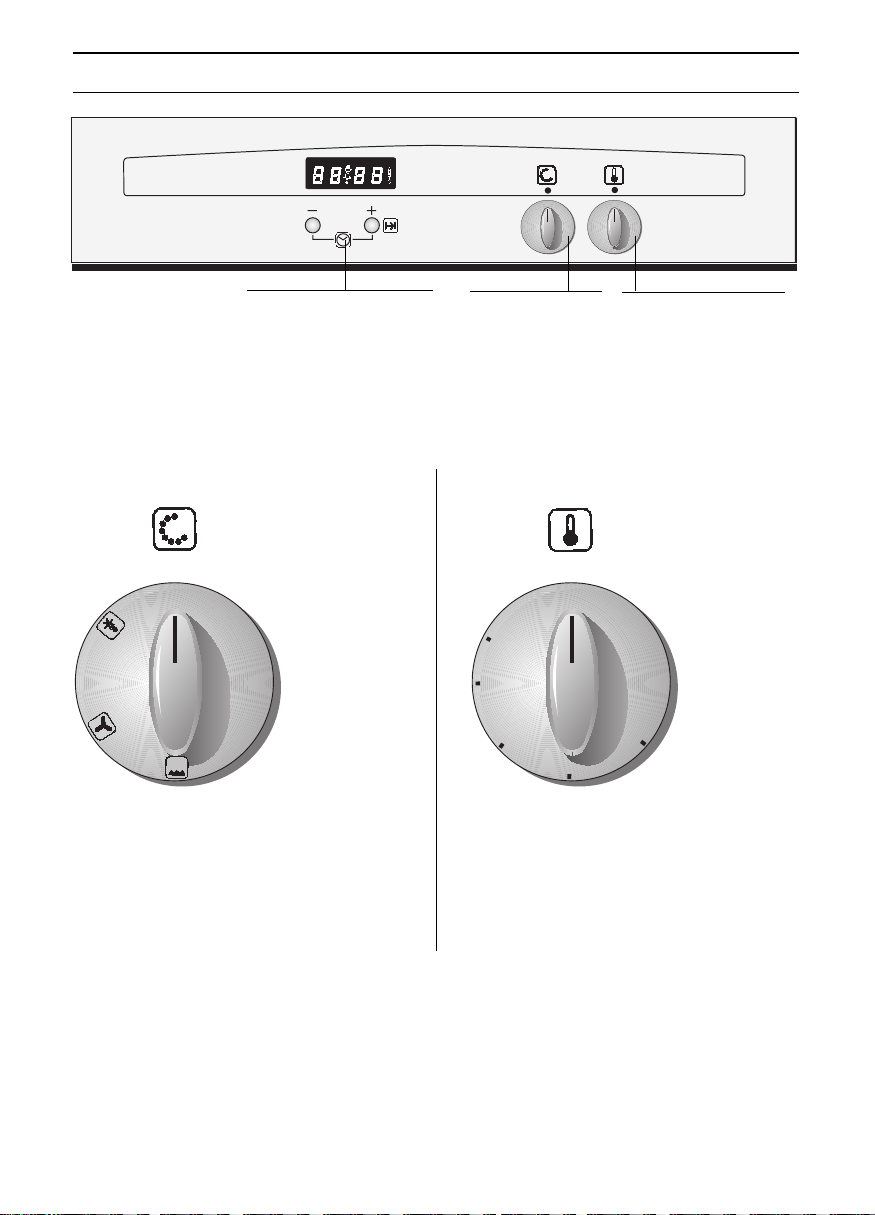
Setting:
k Defrosting position
v Circotherm
Z Radiant grill
Setting:
50–250 Temperature in ° C
L, M, H Temperature for radiant grill
0
● ●
50
100
150
200
250
●
●
●
●
●
●
●
●
●
●
●
●
●
●
●
●
●
L
M
H
Temperature selector
with control lamp
Function selector
Electronic timer controls
Function selector Temperature selector
6
Shelf positions
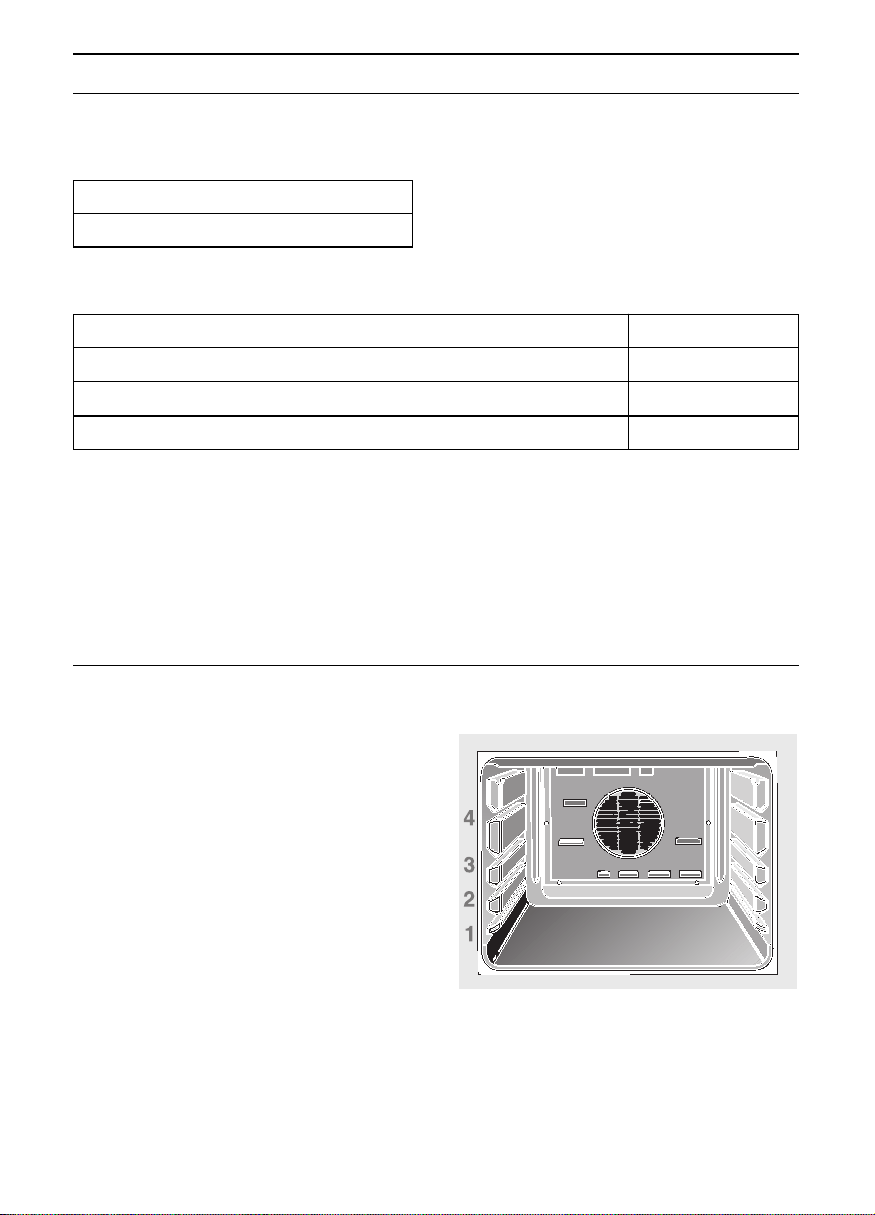
❑ Your oven features 4 shelf positions.
The shelf positions are counted from
bottom to top. The numbers are marked
in the oven.
When using circotherm, do not
use shelf position »2«, in order not to
block air circulation.
Introducing: Your new Cooker
Accessories
❑ Your appliance is supplied with:
Order no.
Deep roasting pan
Baking tray, aluminium
Baking tray, enamelled
Small grill-set
Z 1270 X2
Z 1330 X0
Z 1340 X2
Z 1240 X2
❑ The following accessories can be obtained from the supplier of your
oven:
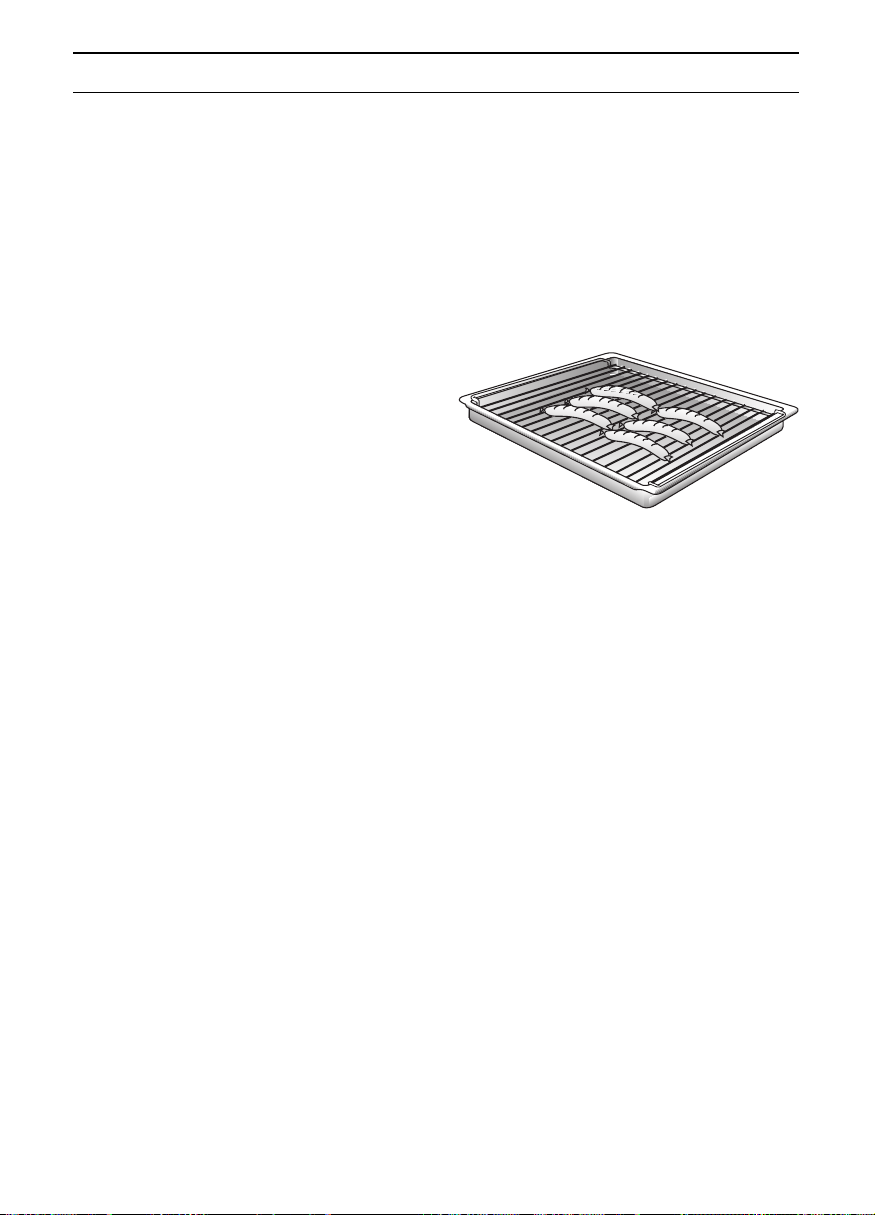
1 Wire shelves
1 Roasting/grill pan with grid
Note:
❑ The baking tray or roasting pan may
distort while the oven is operating. This
is caused by major temperature
differences on the utensil. These
differences may occur if only one part of
the utensil was covered or if deep-frozen
food, e. g. pizza, was placed on the
utensil.Note:
Note:
The distortion will already subside again
during baking, roasting or grilling.
7
Before using your appliance for the first time
Time of day
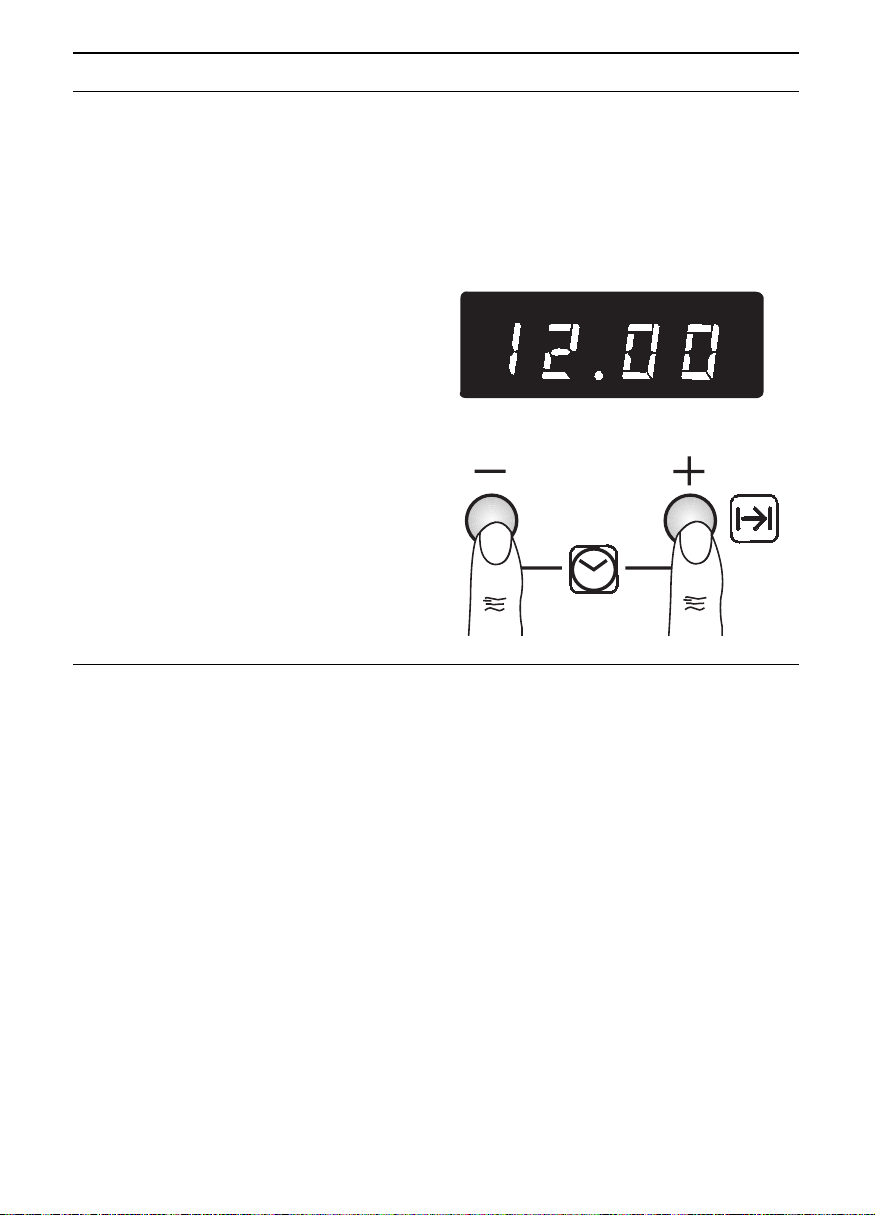
❑ Before using your appliance for the first
time, set the current time on the
electronic clock.
❑ After connecting the appliance to the
power supply or following a power
failure, 0.00 flashes, alternately with
AUTO.
Setting the time:
1. Briefly press the
– and + buttons
simultaneously.
2. Briefly press the
– or + button.
The preset time
|}.{{ is displayed.
You now have 4 seconds to set the
current time by pressing the
– or +
button.
Pressing a button for longer increases
the setting speed.
Note: The time of day cannot be set if a
switch-off function has been set (to cancel
see Electronic clock).
Initial burn-in
1. Preheat the empty oven for about
30 minutes.
Select top and bottom heat at a setting
of 240° C.
During the initial burn-in phase, please
open the kitchen windows to dissipate
unpleasant odours.
Preliminary cleaning:
1. Clean the appliance exterior with a soft
moistened cloth.
2. Clean the oven and the accessories with
a hot detergent solution.
8
Electronic timer
Minute timer
Do not use when the oven is in
operation.
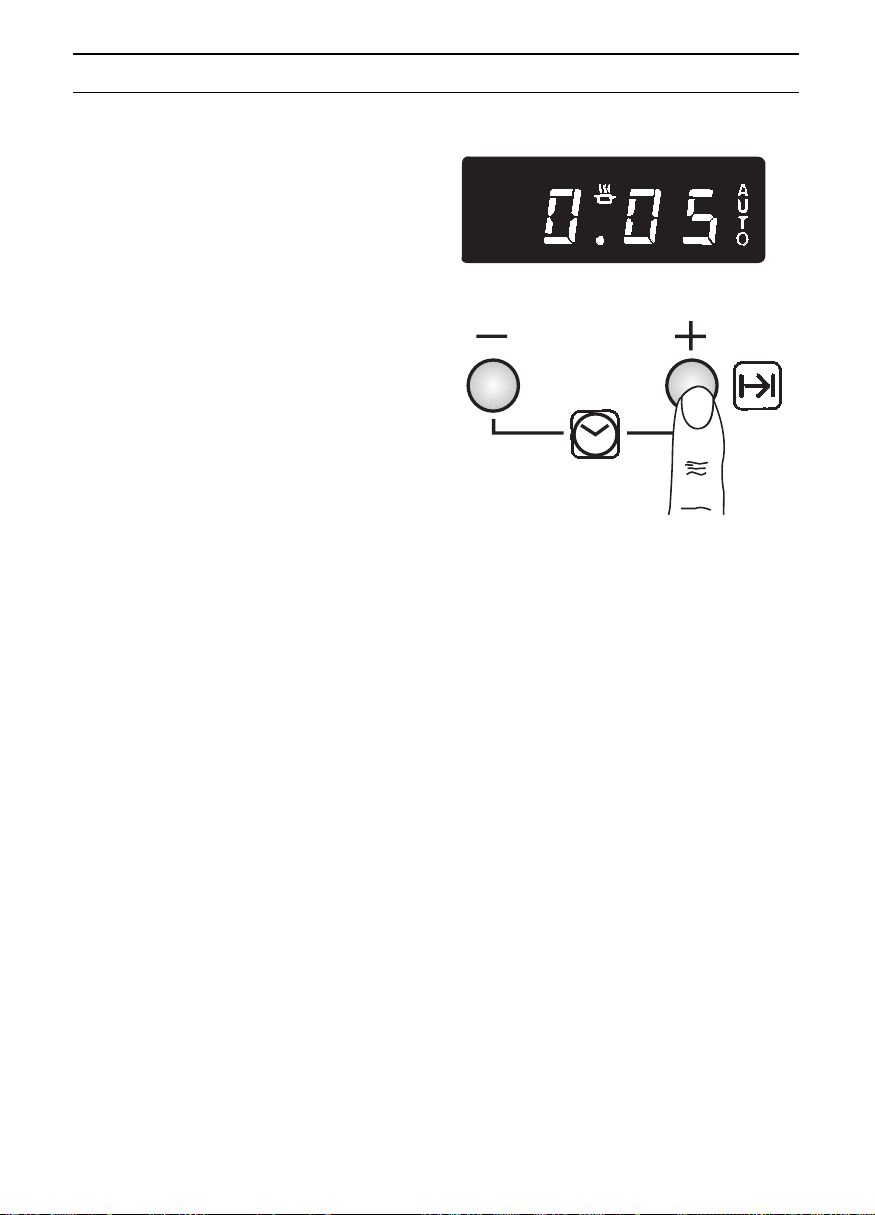
1. Briefly press the
– or + button.
{.{{
appears in the display.
2. You now have 4 seconds to set the
required time duration (e.g. 5 minutes)
by pressing the
+ button.
❑ When the time has elapsed, a signal is
emitted.
❑ Press the
– or + button briefly to switch
off the signal and to reactivate the time
of day.
Then re-press the button briefly once
more in order to delete the automatic
time switching.
❑ To cancel the preset time:
Briefly press the
– button, then press
and hold down this button until
{.{{
appears in the display.
Release the button and the time of day
is displayed approx. 4 seconds later.
9
Electronic timer
Automatic timer
❑ The oven can be switched off via the
electronic clock.
Switching off the oven automatically:
1. Select the heating system and the oven
temperature.
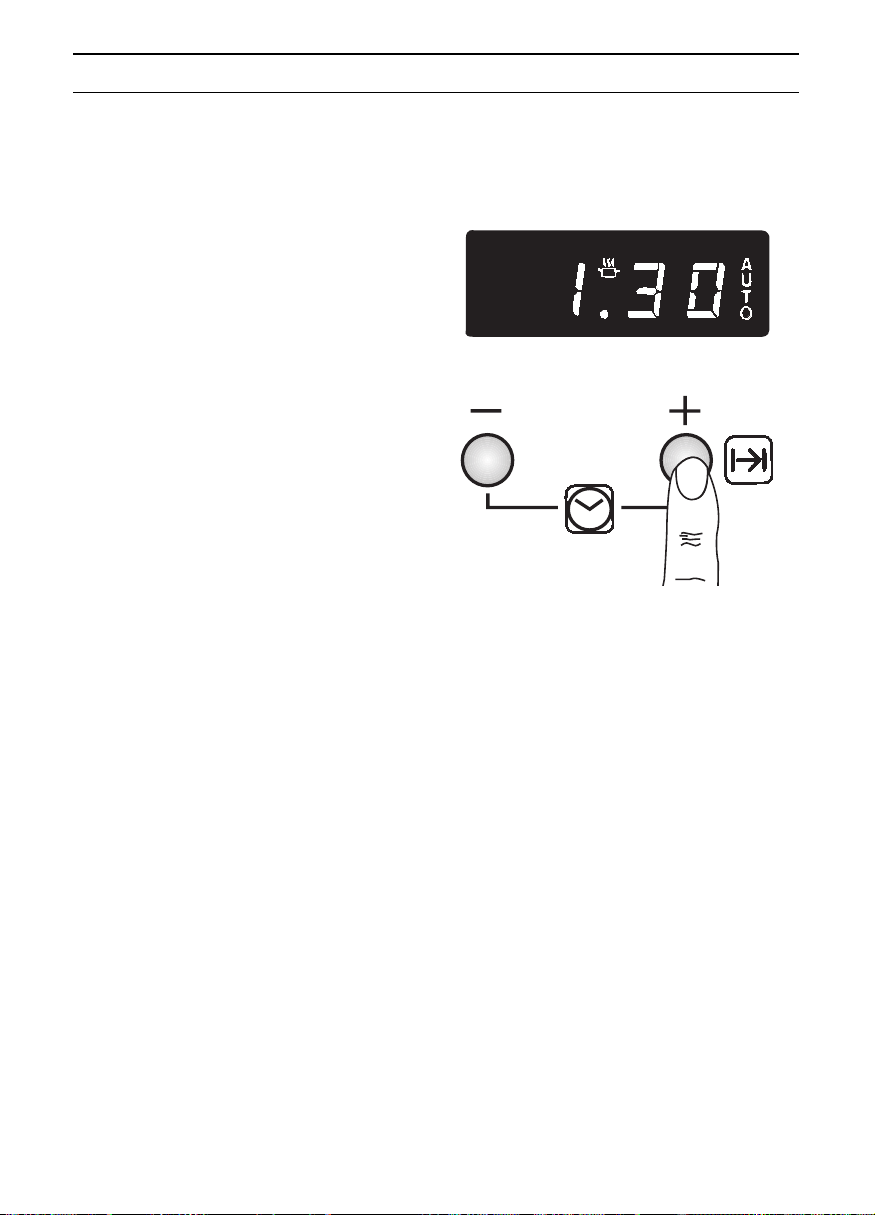
2. Briefly press the
– or +.
{.{{
is displayed.
You now have 4 seconds to set the
required ON time duration by pressing
the
+ button
(Example: 1 hour and 30 minutes).
❑ The oven is now on.
❑ When the cooking time has elapsed, a
signal is emitted and the oven switches
off automatically.
❑ To switch off the signal and again to
re-activate the time of day:
briefly press the
– or + button.
Then re-press the button briefly once
more in order to delete the automatic
time switching.
❑ To cancel the preset time:
Briefly press the
– button, then press
and hold down this button until
{.{{
appears in the display.
Release the button and the time of day
is displayed approx. 4 seconds later.
3. Switch the oven off.
Note: The autotimer is best used with
dishes which require little attention.
Setting the ON time duration:

10
Definition of Oven Features
Gentle defrosting
—————————
k
Circotherm
———————————
v
Circotherm grilling
————————
v
A system by which foods, that would
normally be grilled by direct heat from an
element, are cooked using Cirotherm.
Temperatures between 180 to 190 °C are
selected and the food is placed on the wire
shelf, roasting on the roasting/grill pan.
Radiant grill
———————————
Z
The food being cooked is exposed to heat
from the grill element at the top of the oven
cavity.
Advantages:
Recommended for delicate pastries only
(i.e., whipped-cream gateaus).
Advantages:
– low soiling of oven interior
– cooking on up to 3 shelf levels at once
is possible
– shorter preheating times
– low oven temperatures
–bread baking
Advantages:
– ideal for steaks, sausages, chicken
joints, fish, kebabs and chops
– no turning of food is required
–three shelves of ‘grilled’ food can be
prepared at one time
– very convenient
Advantages:
– particularly suitable for flat, small cuts of
meat, i.e., steaks and sausages, fish,
vegetables and toast.
11
Switching the Oven ON and OFF
Before switching on your oven, you should
decide which heating system you wish to
use.
Switching the oven ON:
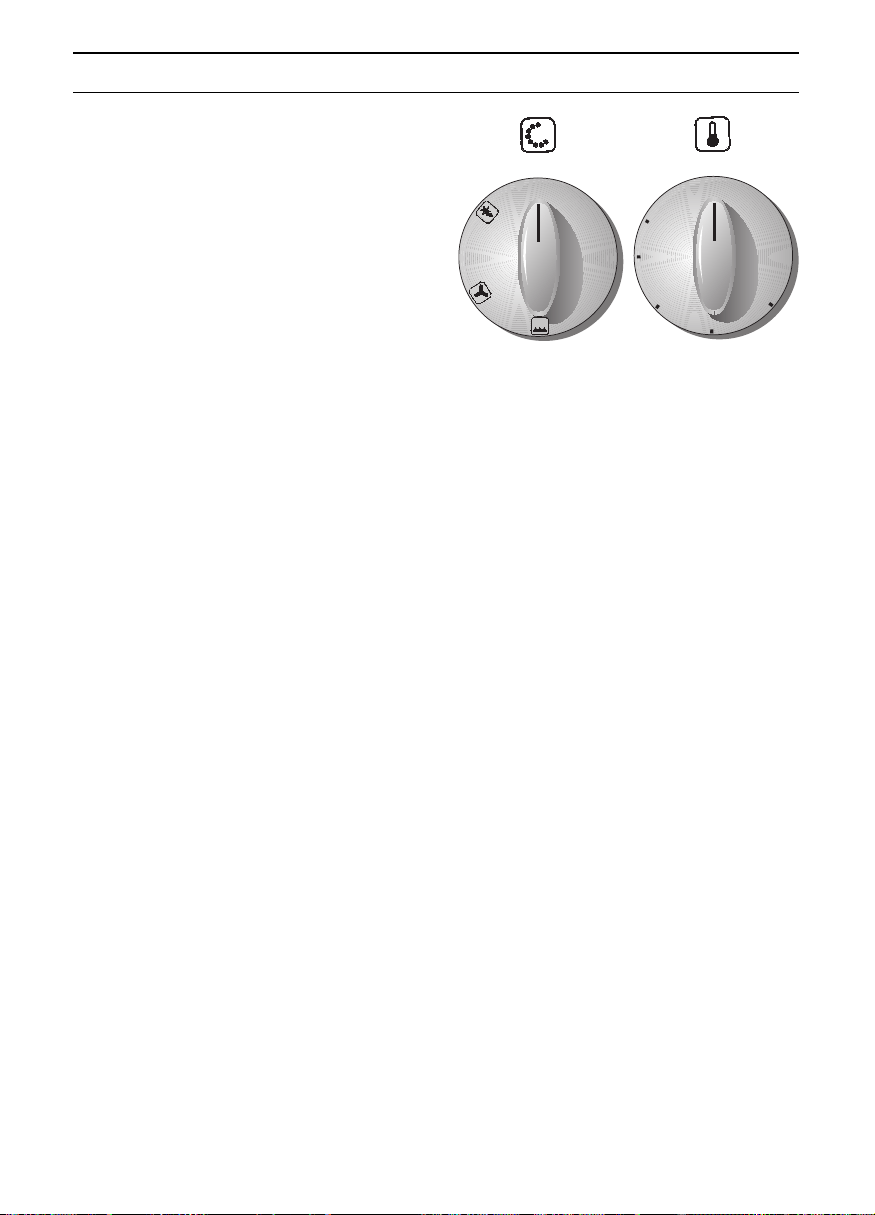
1. Use the function selector to determine
the desired system.
2. Set the temperature control knob to the
desired temperature.
❑ The selected temperature will be
controlled automatically.
❑ The red oven temperature control lamp
illuminates when the oven is first
switched on, and extinguishes when the
required temperature has been reached.
Switching the oven OFF:
To switch the oven OFF, turn both the
temperature selector and function selector
to the »0« position.
Note: After switching OFF the oven, the fan
may continue to run for a short time in
order to prevent heat build-up.
0
●
●
50
100
150
200
250
●
●
●
●
●
●
●
●
●
●
●
●
●
●
●
●
●
L
M
H
Function selector Temperature
selector
12
Baking
Using baking tins
v
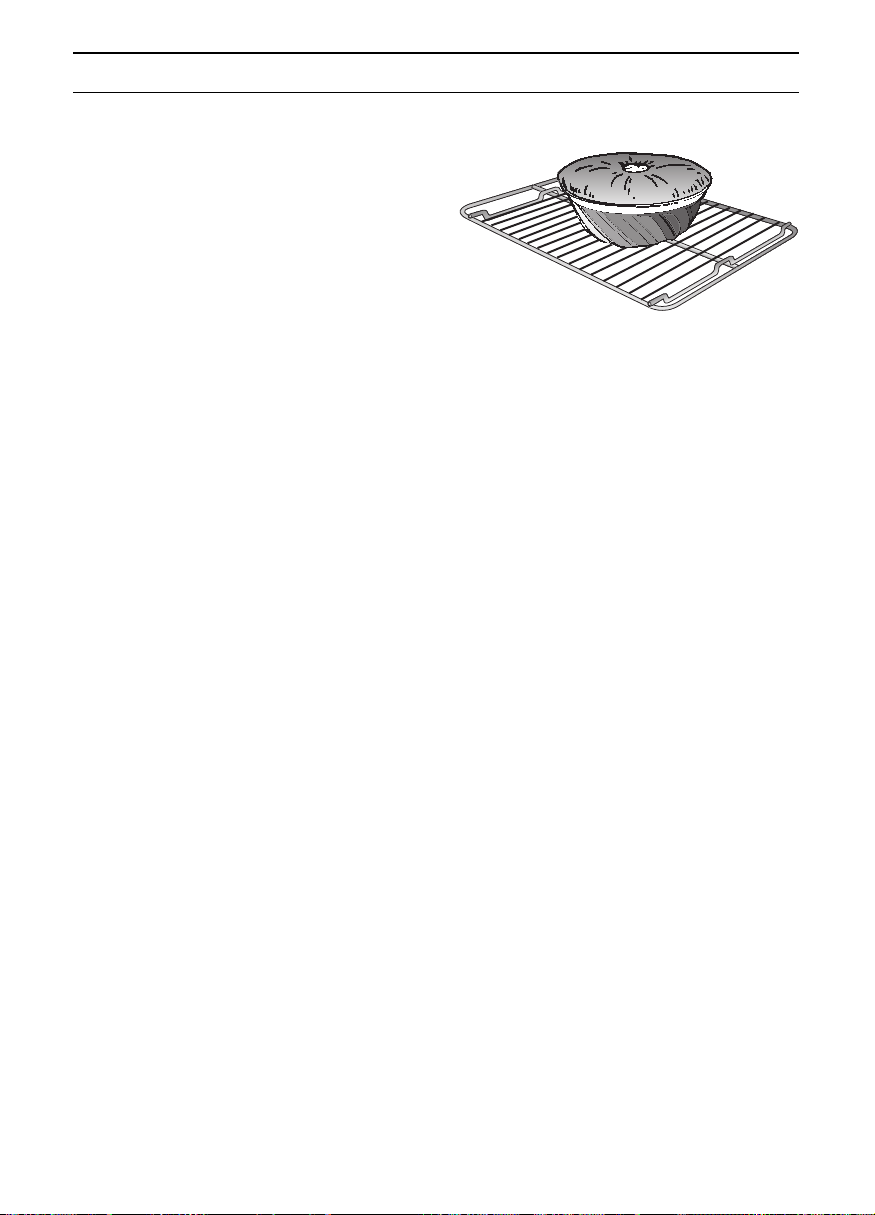
❑ Always place baking tins in the centre
of the wire shelf.
❑ The wire shelf may be turned upside
down to accommodate different size
tins.
❑ If the cake base gets too dark:
Check the shelf level. Reduce the
baking time, and possibly use a lower
baking temperature.
❑ If the cake base stays too light:
Check the shelf level. Increase the
baking time, select a lower temperature,
or use a dark metal baking tin.
❑ You can use baking tins of any material
and of any colour, as long as they are
oven-proof.
❑ Do not place baking tins or high cakes
too close to the rear oven wall.
Notes:
❑ You can influence the degree of
browning by changing the temperature
setting.
❑ If a cake collapses after removing it from
the oven, use less liquid on your next
attempt, consider using a longer baking
time, or use a slightly lower temperature
setting.
13
Roasting
Roasting with Circotherm v
Notes:
❑ Meat roasted using the Circotherm
system will brown on all sides and stay
moist without additional fat.
❑ Choose cuts of meat that weigh
150 grams (5oz) or more.
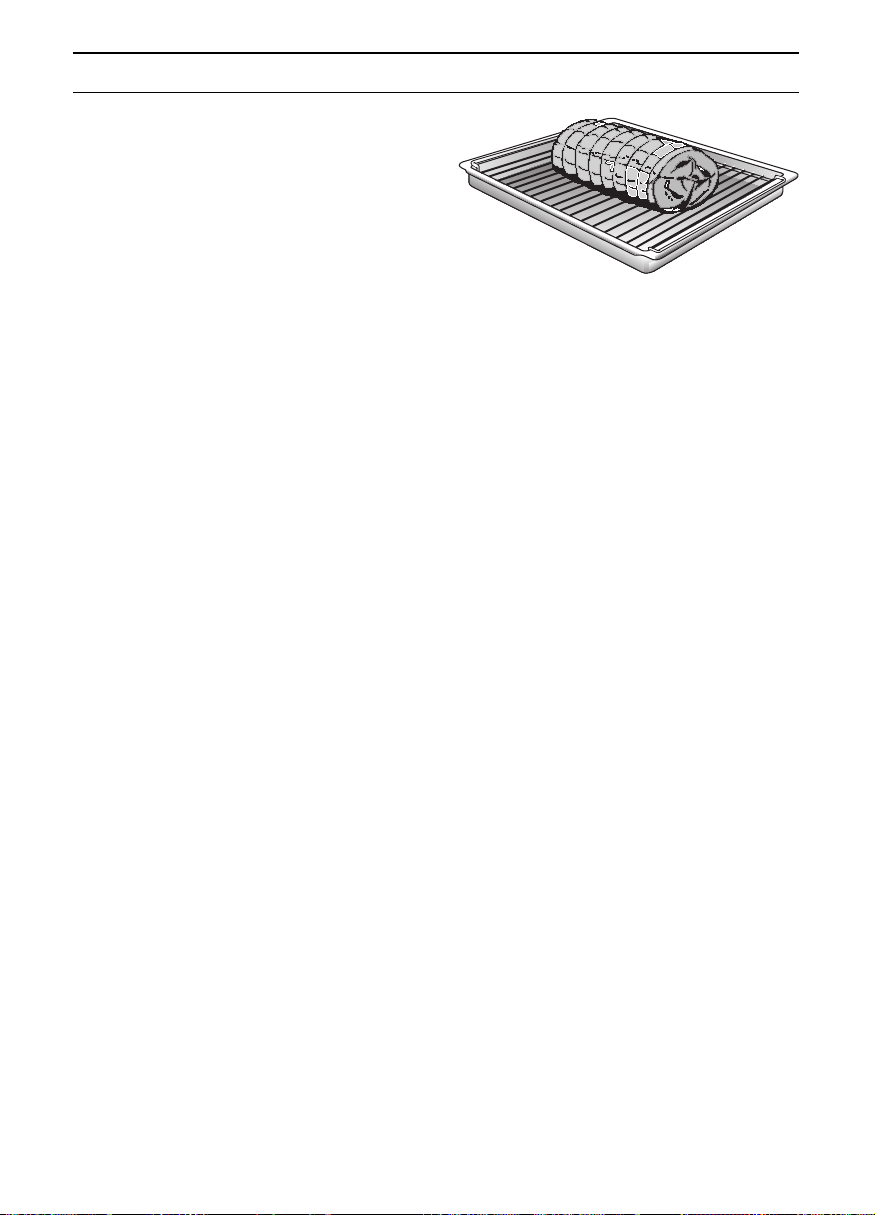
❑ Place the shelf on top of the roasting
pan.
❑ Place the meat on the shelf, season if
desired.
❑ Slide the pan and shelf into the oven on
the same shelf position.
❑ No pre-heating is required. Save energy
by putting the roast into the cold oven.
❑ Use a Circotherm temperature of 160 °C.
Circotherm grilling v
Use this method for small cuts of meat –
steaks, chops, sausages, bacon, chicken
joints and fish.
❑ Use the shelf and roasting pan together.
❑ Season meat as required.
❑ Place on shelf.
❑ Do not turn food over – the hot air will
circulate around the food cooking all
sides.
❑ Use a temperature of 180–190 °C.
Casseroling or pot-roasting in a covered
dish:
❑ Some meats should be prepared in
liquid in a covered casserole. This type
of cooking is suitable for less tender
cuts of meat.
❑ Place the casserole on the wire shelf on
a suitable shelf position.
Cooking tips:
❑ Only use ovenproof cookware.
❑ Extra large turkeys and joints can be
placed directly in the roasting pan and
not on the wire shelf.
❑
Cover large turkeys with foil during
cooking. Remove foil during the last hour.
14
Grilling
❑ Always place the food to be grilled in the
centre of the wire shelf.
❑ If the heating element switches off
automatically, the overheating protection
was activated. The element will be
reactivated after a short period of time.
Radiant grilling
Z
Used for small cuts of meat or poultry.
Exercise CAUTION when grilling.
! Always keep children away from
the oven when it is in use.
Notes on grilling:
❑ Always close the oven door when
grilling.
❑ The grilling temperatures are variable.
❑ Always use the grill and roasting pan
together.
❑ Turn the food after approx. two-thirds of
the grilling time has elapsed.
❑ Lightly brush the wire shelf with oil and
baste the food if desired.

15
Cooking Tips and Helpful Hints
To save energy:
❑ Preheat only if recommended by the
recipe.
❑ Dark baking tins have a higher degree of
heat absorption.
❑ Residual heat: In the case of longer
baking times, you can switch off the
oven 5–10 minutes before the full baking
time has elapsed.
When cooking with Circotherm:
❑ Cakes baked in a tin get too dark at the
back.
❑ Cakes remain doughy and collapse
when removed from the oven.
❑ Uneven browning of small cakes or
biscuits.
❑ With very moist foods steam develops
and condenses on the oven door and
drips onto the floor.
Avoid blocking the air vents at the rear wall
of the oven with the cake tins.
Reduce the temperature for deep cakes.
Bake for a longer period of time. Test with
a skewer before removing.
Avoid placing trays too close to the back
wall. Space food on the tray.
Several brief periods of opening the oven
door during baking (1 or 2 times, more
frequently with longer roasting times) will
aid in venting the steam in the oven and
reduce condensation.

16
Defrosting and Cooking
Defrosting and cooking using the Circotherm v
Important heating system information:
❑ For defrosting and cooking of frozen
foods, use circotherm.
❑ With all frozen foods, follow the food
manufacturers instructions on the
package.
❑ As a rule, defrosted frozen foods
(especially meats) require less cooking
time than fresh products, since freezing
has a pre-cooking effect.
❑ If frozen meat is placed in the oven, the
defrosting time must be added to the
required cooking time.
❑ Always defrost frozen poultry before
cooking because the giblets must be
removed.
❑ For cooking frozen fish, use the same
temperatures as for fresh fish.
❑ Frozen ready-to-eat meals in
aluminium dishes may be placed into
the oven several at a time.
❑ Frozen vegetables (i.e., when cooking
complete meals) should be cooked in a
covered pot together with the roast. Use
only approximately half of the liquid
specified in the recipe. Use fat only for
adding flavour.
Gentle defrosting:
k
Recommended for delicate pastries only
(i.e., whipped-cream gateaus).
❑ Turn the function selector switch to the
k
position. Dependent on size and type
of the baked goods, defrost 25 – 45
minutes, take out of the oven and allow
to stand 30 – 45 minutes.
❑ With smaller amounts (pastries), the
defrosting time is reduced to 15 – 20
minutes and the subsequent standing
time to 10 – 15 minutes.
Standard defrosting of various foods:
Shelf-in levels:
With 1 baking sheet: Slide-in level 3
With 2 baking sheets: Slide-in levels 1 and 3
❑ All stated times are approximate
guidelines that vary with the shape and
volume of frozen products.
❑ Raw frozen products or foods from a
freezer always defrost at 50° C.
Higher defrosting temperatures may
cause the food to dry out.
❑ Defrost frozen meals packed in
aluminium foil or closed aluminium
containers at a setting of 130 – 140° C.
❑ Place frozen meals packed in plastic
bags or plastic containers in a pot
filled with water. Cover the pot and
defrost of 130 – 140° C.
Attention: Pot handles must be oven-
proof.
❑ Defrost and warm up frozen baked
goods at 100 – 140° C. Brush bread,
rolls or yeast pastry lightly with egg to
make the crust more appealing.
❑ Defrost dry frozen yeast cakes at
160 – 170° C for 20 – 30 minutes.
❑ Defrost moist frozen yeast cakes (with
fruit topping) at 160 – 170° C for
30 – 50 minutes after wrapping in
aluminium foil to prevent cake from
drying out.
❑ Defrost and toast frozen toast (with
topping) at 160 – 170° C for about
20 minutes.
❑ Defrost and bake frozen pizzas at 180 –
190 °C for 15 – 25 minutes.
Place on wire grill covered with
greaseproof paper.
Please ensure that the greaseproof
paper is suitable for use at these
temperatures.

17
Cleaning and Care
Important cleaning basics:
❑ For cleaning, do not use abrasives, corrosive cleaners, aerosol cleaners or sharp objects.
❑ Do not scratch off burnt-on food residues, but soak off them with a damp cloth and
washing up liquid.
❑ Oven cleaners must not be used on aluminium or plastic parts.
Stainless steel front:
❑ When using commercially available
Stainless Steel cleaning agents, avoid
cleaning any lettering, as this can
become damaged!
❑ Do not use any scouring pads or
abrasive cleaners.
❑ Use commercially available detergents
applied with a soft, moistened cloth or a
chamois.
Enamel and glass:
❑ Use hot detergent suds for cleaning.
❑ Remove the oven door before cleaning
the enamel surface.
Oven interior:
❑ Clean the oven after each use,
especially after roasting or grilling.
Food remnants burn in when the oven is
reheated.
The baked in remnants are very difficult
to remove once burnt in.
❑ You can reduce the degree of soiling by
greater use of the circotherm.
Do not clean the warm oven with any
of the cleaning products specifically
designed for this purpose.
❑ When baking very moist cake (e.g. rich
fruit cake) that could drip over the top of
the tin, place on the roasting pan or
your own baking sheet.
❑ When roasting, ensure that the meat
juices do not splash on to the base of
the oven.
❑ Clean the oven before soiling becomes
too heavy. Wash out the oven cavity
with hot detergent suds. Leave the door
open until the interior has dried.
18
Cleaning and Care
Manual cleaning steps:
Note: To make cleaning more convenient,
the oven offers you the following options:
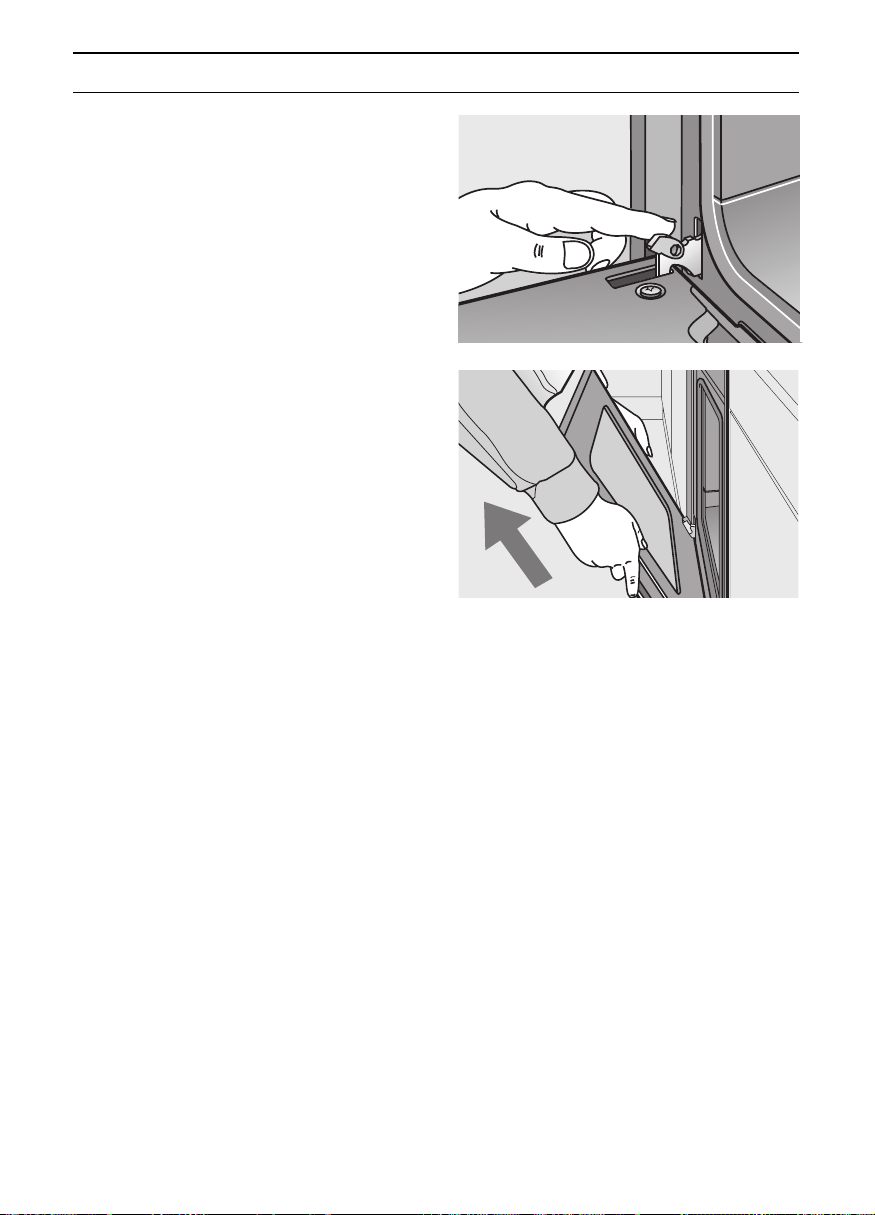
Removing the oven door:
1. Fully open the oven door.
2. Move the catch levers on the right and
left-hand sides to the fully open position.
3. Placing the door at an upward angle
toward you, grasp the door with both
hands and lift it out of the hinges toward
you.
Replacing the oven door:
1. Set both hinges into their respective
receptacles on the left and right, and
swing the oven door downward.
2. Close the catch levers on the left and
right.
3. Close the oven door.
Switch on the oven light:
❑ Set the function selector to a random
position.
19
In the event of problems or repairs that you
cannot solve yourself, our customer service
will be happy to help. Check the customer
service directory for an office facility in your
area.
Caution: Calling customer service because
of an operator error can be very costly! In
the event of a service request, please have
the following information handy:
You can find this information on the
appliance‘s nameplate. The nameplate is
located on the appliance, behind the oven
door, on the left bottom edge of the oven.
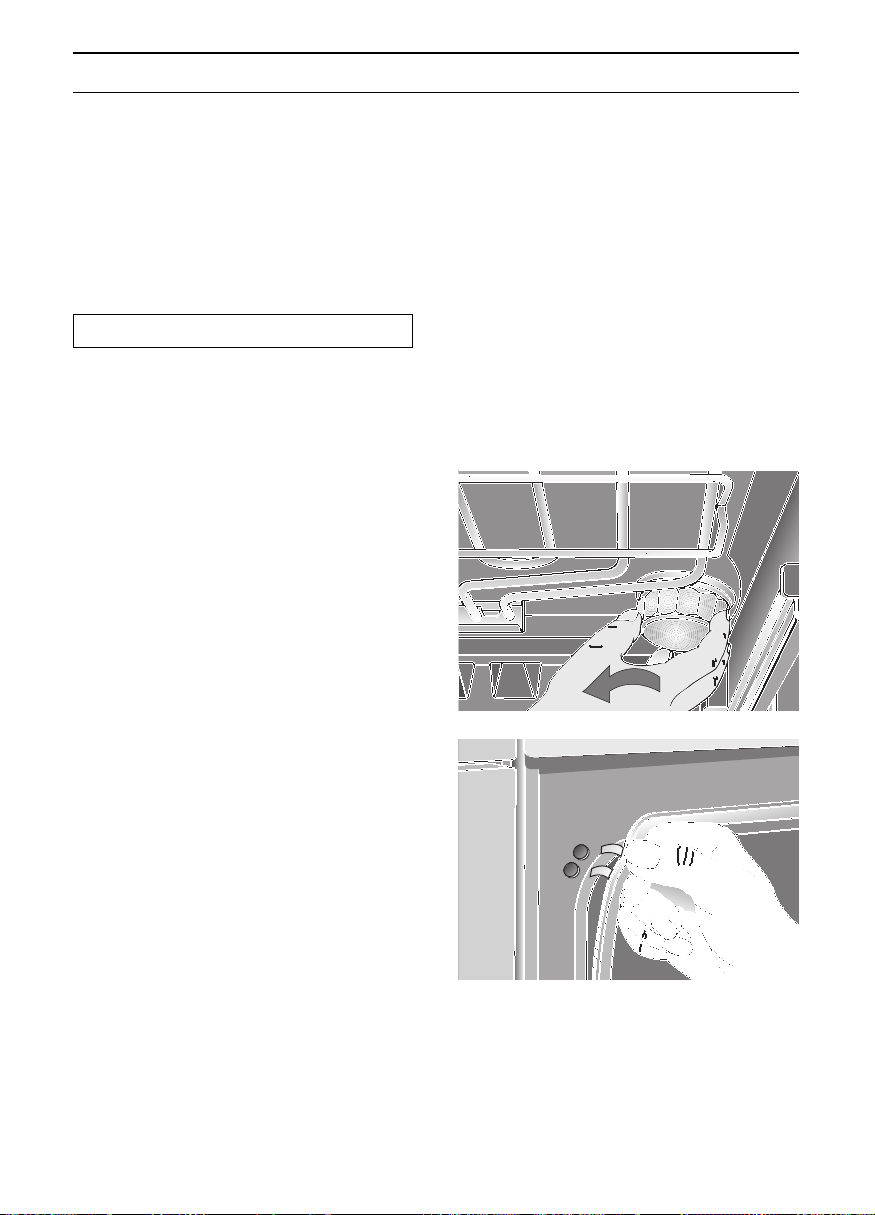
Replacing the oven light:
Caution: Disconnect the appliance or
remove the fuse!
1. To prevent damage, place a tea cloth
into the cold oven.
2. Unscrew the lamp cover by turning it
anti-clockwise.
3. Replace the lamp.
–Type: Incandescent bulb E 14, 220 –
240 V, 40 W, heat-resistant to 300 °C.
–You may obtain this bulb from our
spares department.
Replacing the oven door seal:
1. Remove the defective oven door seal by
simply unhooking it.
You may obtain the new oven door seal
from our spares department.
Service and Repair Information
E-Number FD
20
Trouble-shooting Guide
Calling the customer service is not always really necessary. In some cases, you can remedy the situation your-
self. The following table may contain some helpful tips.
Important general safety guidelines:
Service or repair work on the electronic components may only be performed by a qualified expert. Without exception, prior
to starting such repairs, the appliance must be disconnected from the mains. This may be accomplished by tripping the
automatic fuse or by removing the fuse from the fuse box that controls your flat or apartment.
Problem Possible cause Remedy
There is a general failure of all electri-
cal functions, i.e., the control lamps
have suddenly ceased to function.
Defective fuse. Check the fuse in the fuse box, and
replace if required.
Liquids or thin cake mixes are distri-
buted at a visibly uneven thickness.
The appliance has not been placed
or installed plumb-and-level.
Level the appliance using the level-
ling feet, or check the installation.
The electronic timer display sudden-
ly shows a blinking 0.00.
The power supply was briefly inter-
rupted.
Reset the time of day.
The oven suddenly stop functioning. The electronic timer is set to an auto-
matic timing cycle.
Set the timer for operation without
automatic timing.
The oven door window pane fogs
up.
This is a normal condition. It is cau-
sed by the occurrence of temperatu-
re differences.
Heat the oven at 100 °C for about 5
minutes.
A considerable amount of water
condensation occurs in the oven.
This condition is normal with moist
cakes or with very large roasts.
During baking or roasting, open the
oven briefly several times; wipe up
condensation after use.
After prolonged use, the oven
window panes are soiled from the
inside.
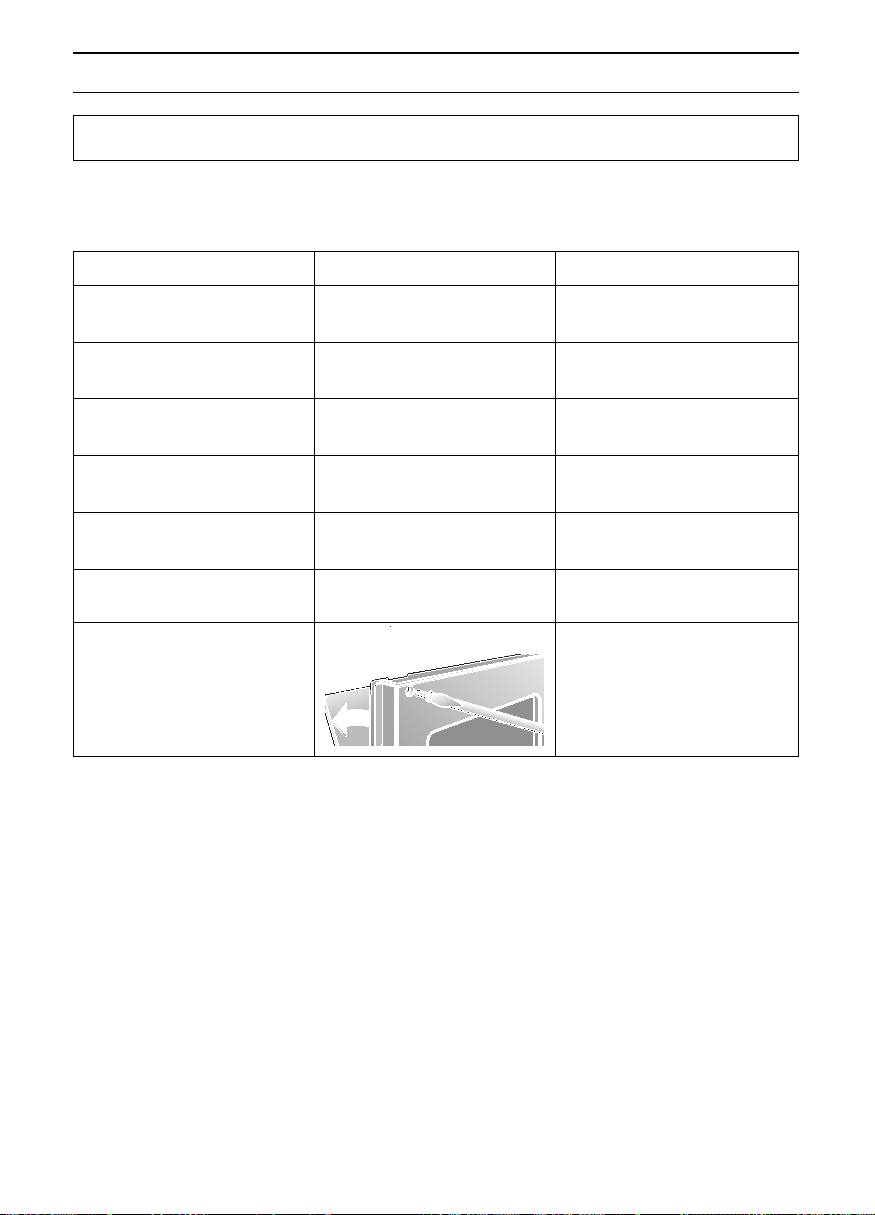
This kind of soiling is normal. Remove the oven door, and put
aside with the handle facing upward.
For cleaning, remove the two screws
at the door handle moulding with a
screwdriver.
Caution: During reassembly, install
both the door handle and the door
seal in their original positions.

21
Assembly
Instructions

22
For the installer and kitchen
expert!
Important installation notes:
❑ Properly dispose of packaging
materials.
❑ Do not use oven door handle for trans-
porting or handling the unit during
installation.
❑ WARNING: Connection and first start of
the appliance may only be performed by
an authorised specialist.
❑ Connection must be made using an
H05VV-F mains connection cable.
❑ Nominal connected loading, nominal
voltage and model number of the
appliance:
see the rating plate, located behind the
oven door, fixed to the lower left facing
edge of the oven.
❑ The unit's nameplate is located at on
the right sidewall of the unit.
❑ Electrical safety of the appliance can
be ensured only if the equipment earth
in the building installation has been
installed according to regulations.
❑ On the installation side a isolating device
shall be provided.
Any switch with a contact gap ex-
ceeding 3 mm may be considered
aseparating device.
Other examples are LS switches, fuses
and contactors.
❑ In the case of repairs interrupt all
power connections to the unit.
❑ Connection diagram
Kitchen furniture
Oven housing units from virtually all lines of
kitchen furniture are suitable for installing
the built-in oven. However, the veneers or
plastic laminates on the housing unit must
be applied with heat-resistant glue (90 °C).
If plastic laminate or glue are not sufficiently
heat-resistant, warping, bubbling or
detachment of the finish may result.
220-240V
~
L
N
Assembly Instructions
23
Installation of the built-in oven
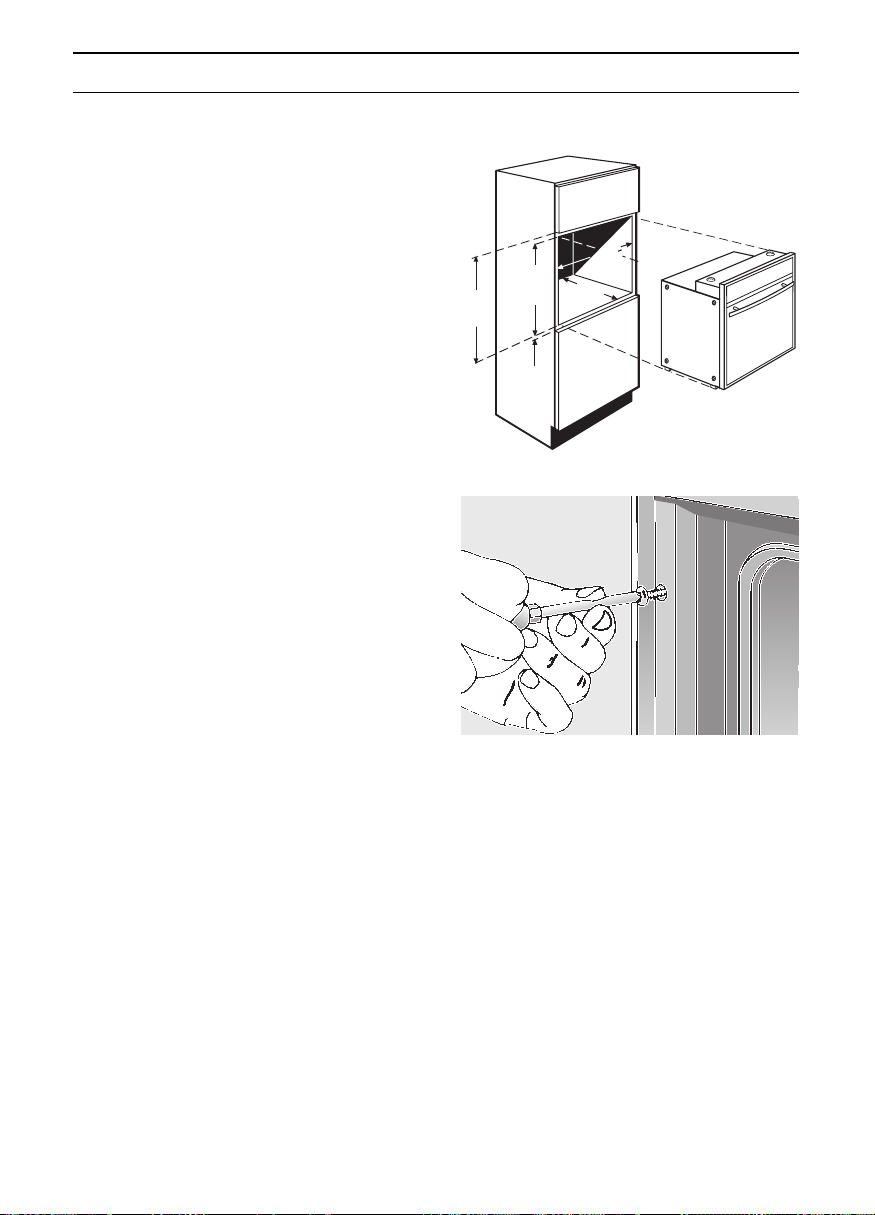
❑ To burn-in the insulation, heat up the
oven prior to installing the unit.
❑ Push the built-in oven into the housing
unit and align the unit until it is in a level
position.
❑ Open the oven door and, using one
screw on each side, fasten the built-in
oven to the side strips of the housing
unit (see illustration).
The two screws (supplied with the built-
in oven) must be started slightly
outward.
❑ Verify that the built-in oven is positioned
securely and in a level position, and
that the required installation dimensions
have been maintained.
❑ The properly installed appliance must be
covered on all sides in such a fashion
that not even components with rough
insulation are exposed to the touch. The
cover must be removable with tools
only.
Assembly Instructions
mind.
590
3
560
570
550
mind.
mind.
mind.
598

NEFF (UK) Ltd.
Grand Union House,
Old Wolverton Road,
Old Wolverton
Milton Keynes, MK12 5PT
Tel: 01908 328300
Fax: 01908 328399
5750 201 774
Printed in Germany 0703 Es.