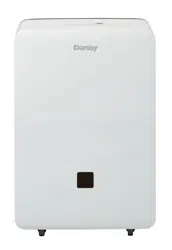
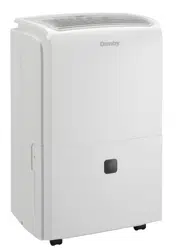
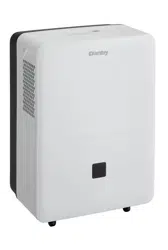
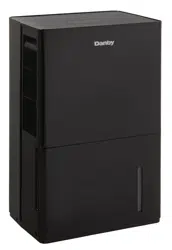
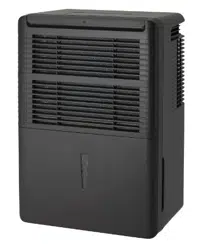
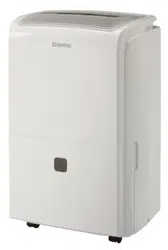
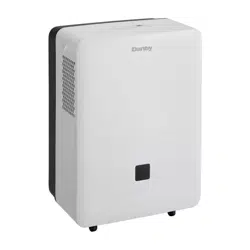
OWNER’S USE AND CARE GUIDE PORTABLE DEHUMIDIFIER
Installation Instructions
LOCATION
- Select a suitable location, making sure you have easy access to an electrical outlet (avoid the use of extension cords).
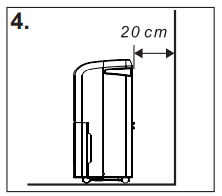
- Make sure there are no obstructions restricting airflow through the front air intake grill. Maintain a minimum clearance of at least 20 cm (8”) between adjacent walls and the back of the unit, to allow for proper air circulation and maximum efficiency. To achieve maximum operating efficiency from your dehumidifier, the recommended (room ambient) operating temperatures should be between 5°C (41°F) and 35°C (95°F).
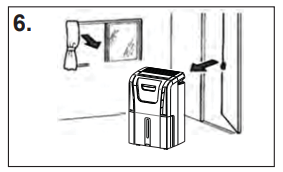
- It is important to remember the efficiency of a dehumidifier will be affected/influenced by the rate at which new humid air (moisture) is allowed to infiltrate the same space/area. To maintain efficiency, the dehumidifier must be operated in an enclosed area. Keep all doors and windows closed.
- Do not use this unit outdoors. This dehumidifier is intended for indoor residential applications only. This dehumidifier should not be used for commercial or industrial applications.
- Place the dehumidifier on a smooth, level floor strong enough to support the unit with a full bucket of water.
- Place the unit where it has access to an electrical outlet.
- This unit has 4 castors which can move freely. Do not force castors to move over carpet, and refrain from moving the unit with water in the bucket (the unit may tip over and spill water). Protect wood floors from possible spillage or scratches when moving unit.
- Remove accessory bag from bucket and store it in a safe place.
FEATURES
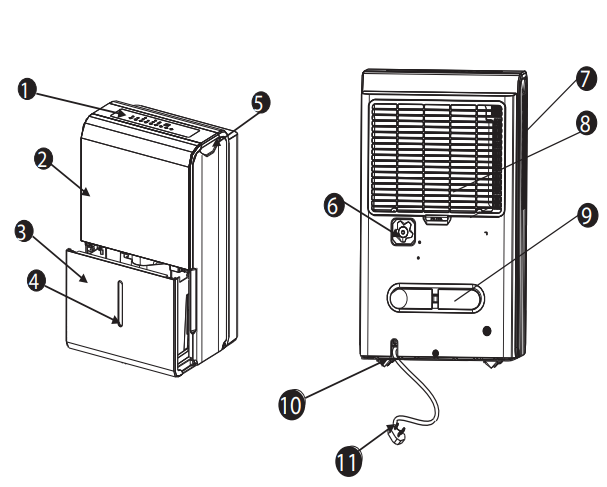
- Control Panel
- Front Panel
- Water Bucket
- Water Level Window
- Carrying Handle (both sides)
- Continuous Drain Hose Outlet
- Air Outlet Grill
- Air Filter
- Power Cord Buckle
- Caster
- Power Cord and Plug
Operating Instructions
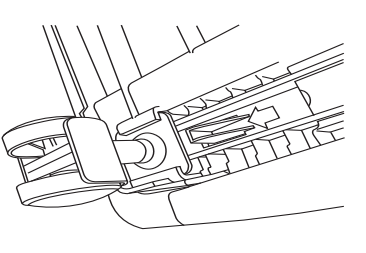
CASTOR INSTALLATION (some models)
Castor installation is recommended to avoid damage to floors.
- Remove the castors from the bucket of the dehumidifier er.
- Position the dehumidifier on its side.
- Locate the arrow on the bottom of the dehumidifier er and insert the castor according to the arrow direction.
- Slide the castor in as far as it will go. The castor will snap into place.
- Repeat steps 1 to 4 for the other 3 castors.
CONTROL PANEL INSTRUCTIONS
NOTE: The control panel of the unit you purchased may be slightly different depending on the model number.
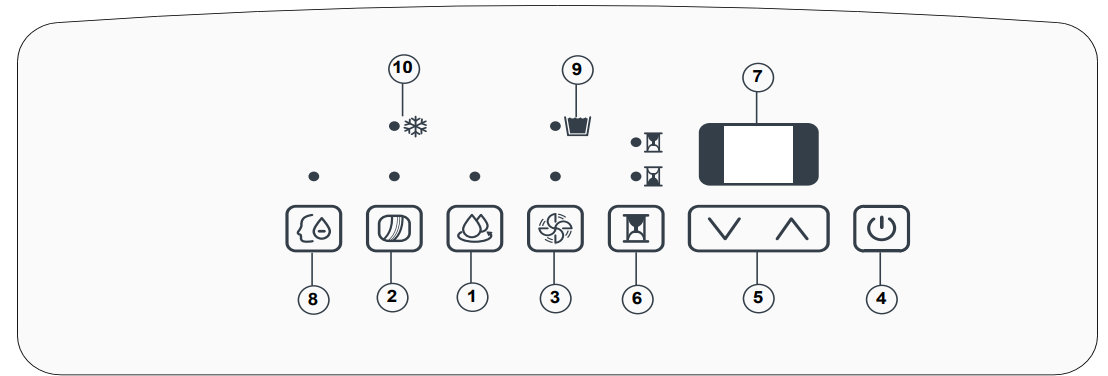
When you push the button to change operation modes, the unit will make a beeping sound to indicate that it is changing modes.
- Continue Button: Press to activate the continuous dehumidifying operation.
- Filter Button: This product has a check filter feature that is a reminder to clean the air filter for more efficient operation. The check filter light will illuminate after 250 hours of operation. To reset this function after cleaning the filter, press the reset filter button and the light will go off.
- Fan button: Controls the fan speed. Press to select either high (turbo) or normal fan speed. Set the fan control to high for maximum moisture removal. When the humidity has been reduced and quiet operation is perferred, set the fan control back to normal.
- Power Button: Press to turn the dehumidifier on or off.
- (
 /
/ ) Buttons: The humidity level can be set within a range of 35% RH (Relative Humidity) to 85% RH in 5% increments using these buttons. For drier air, press the () button and set to a lower percentage value (%). For more damp air, press the () button and set a higher percentage value (%).
- Timer Button: Press to initiate the auto-start and auto-stop features. Set a start or stop time from 0.0 to 24 hours using the () and () keys.
- Display: Shows the actual (± 5% accuracy) room humidity level in a range of 30% RH to 90% RH. Otherwise, displays selection when programming humidity or timer.
- Comfort: This function allows you to be comfortable by automatically adjusting the humidity level with the fluctuating room temperatures. The humidity level cannot be adjusted in this setting. Note: The fan does not shut off the moment you remove the bucket, the fan will shut off after 2-3 minutes.
- Bucket Full Indicator Light: When the bucket is full and/or incorrectly positioned inside the cabinet, the bucket full light will turn on and remain on until the bucket is emptied and/or correctly re-positioned. This condition will result in the immediate shutdown of the dehumidifying system (both compressor and fan motor operation are terminated). This is a safety feature. When the bucket is emptied and/or correctly re-positioned, the dehumidifier will resume operation automatically. NOTE: It may take several minutes before operating conditions resume.
- Auto-defrost: When frost builds on the evaporator coils, the compressor will cycle off and the fan will continue to run until the frost disappears.
NOTE:
Memory Setting: Each time the unit is disconnected / re-connected and/or in the event of a power failure, the electronic circuit board automatically defaults to the last program setting that was used. After the unit has stopped, it may take several minutes before operating conditions resume.
Auto-restart: If the unit shuts off unexpectedly due to a power outage, it will restart with the previous function settings automatically when the power resumes.
ERROR CODES
AS - Humidity sensor error
ES - Temperature sensor error
P2 (or Eb) - Bucket is full or the bucket is not in correct position
EC - Please ensure that the room ambient temperature matches the recommended operating temperature for the unit, 5°C (41°F) - 35°C (95°F). If the temperature is within this range, call for service.
E3 - Unit Malfunction, unplug the unit and plug it back in. If error repeats, call for service.
TIMER FUNCTIONS
Follow these steps to program the Auto-on or Auto-off feature using the control panel:
Auto-off:
- When the unit is on, and the TIMER button is pressed, the timer off indicator light illuminates to indicate that the autooff program is initiated.
- Press or hold the UP or DOWN button to change the ‘Auto’ time by 0.5 hour increments, up to 10 hours (then at 1 hour increments up to 24 hours). The unit control will count down the time remaining until start.
- Within 5 seconds of setting auto-off time, press the TIMER button again to complete the auto-off program.
Auto-on:
- When the unit is off, and the TIMER button is pressed, the auto-on program is initiated. Set the auto-on time as in step 2 above. Within 5 seconds of setting auto-on time, press the TIMER button again to complete the auto-on program.
NOTE: When the auto-on and auto-off times are set, within the same program sequence, TIMER ON OFF indicator lights illuminate indicating that both ON and OFF times are now programmed.
NOTE: Turning the unit ON or OFF at any time, changing the on/off timer setting to 0.0, and a P2 error code will cancel the Auto-on/off functions.
WATER TANK OPERATION
The water tank holds accumulated condensed water and, by means of a safety switch, controls both the water level and operation of the dehumidification process.
When the water tank is full and/or accidentally displaced inside the cabinet, the float switch actuator (inside the tank) breaks contact with the safety switch. This condition results in the immediate shutdown of the compressor and fan motor system, preventing moisture from being condensed.
Note: On some models, the fan will continue to run for approximately 2-3 minutes after the unit has stopped and the bucket has been removed. As a result, water may drip from the tray onto the base of the unit, and then onto the floor. Please ensure that you protect your wood and carpet from such leakage.
DEHUMIDIFYING
Dehumidifying is a means of removing moisture from the air. A dehumidifier will help to protect your home and valued possessions from damage due to swelling caused by moisture in the air. Essentially a dehumidifier removes moisture from air as moist air passes over a dehumidifying (evaporator) coil. Moisture is condensed on the evaporator coil, drained, and collected inside an internal (removable) water tank located at the front of the unit. The exhausted air being returned into the room environment is elevated several degrees causing the surrounding air temperature to increase (slightly). This process also contributes to lowering the relative humidity of the surrounding air.
Note: For optimal performance, ensure that the unit is set at least 10% lower than the relative humidity level. It is normal for the humidity to vary by 5% above or below the set humidity. It is recommended that in normal conditions, the humidity be set at 40-45%.
DEHUMIDIFYING MODE INSTRUCTIONS
When the unit is first connected to the electrical outlet, the power light will not light up until the “on/off” button is pressed. When the “on/off” button is pressed, the power light turns on and the dehumidifier automatically defaults to:
Display: Current ambient room humidity (RH%)
Humidity Setting: 40% RH
Fan Speed: High.
Note: Depending on humidity conditions of the surrounding environment, the dehumidifier may not start automatically under the default setting (this is an indication that the humidity level of the surrounding environment is lower than the “default” setting of 40% RH). Therefore, it may be necessary to scroll through each of the different dehumidifier settings 35%-55% until the “humidistat” (sensor) recognizes conditions that will allow the unit to operate.
Dehumidifying Mode Selection:
- The unit enters dehumidify mode when the ON/OFF button is pressed.
- Press the / buttons to select a desired RH operating value (35%-85%). OR
- Press the continuous button. When continuous mode is selected, the humidistat (sensor) will be by-passed and the compressor will operate non-stop regardless of humidity conditions.
Fan Speed Selection:
- You can choose a fan speed (normal/turbo) using the keypad. The speed you select is identified by the (illuminated) indicator light located directly above the selection made.
AIR FILTER
Note: All the pictures in the manual are for explanatory purposes only. The actual shape of the unit you purchased may be slightly different, but the operation and functions are the same.
Your dehumidifier features a removable Air Filter. This filter is located at the front of the unit (behind the air intake grill) directly above the water tank compartment. The air filter plays an important role in helping to reduce (minimize) dust/ dirt particles from the surrounding environment. A blocked/clogged air filter reduces air intake, impacting negatively on operating efficiency. To maintain maximum operating efficiency, the filter must be checked and cleaned regularly (every 2 weeks). More frequent cleaning may be required depending upon indoor air quality.
IMPORTANT: Never operate the unit without the air filter in place.
AIR FILTER REMOVAL:
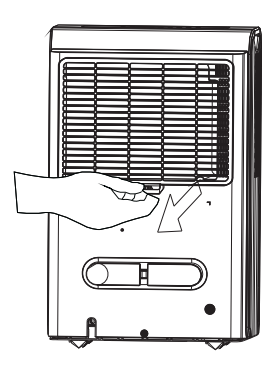
- Pull filter outwards.
- Clean the filter thoroughly using a vacuum cleaner or wash using lukewarm water and mild detergent. Dry thoroughly before re-installing.
- To re-install the air filter, slide the filter back inside the tracks
REMOVING COLLECTED WATER
There are two ways to remove collected water:
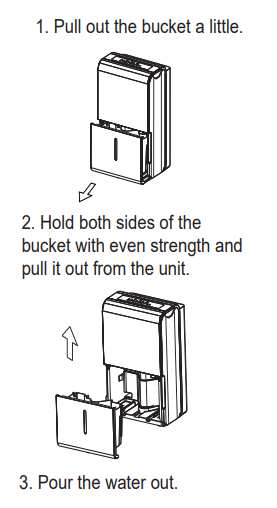
1. Use the bucket
When the unit is off and the bucket is full, the unit will beep 8 times, the bucket full indicator light will flash, and the digital display shows P2. When the unit is on and the bucket is full, the compressor turns off and the fan turns off after drying the water off the condenser for 30 seconds. The unit will then beep 8 times and the bucket full indicator light will flash, and the digital display shows P2.
To empty the full bucket, slowly pull out the bucket. Grip the left and right handles securely, and carefully pull it straight out so water does not spill. Do not put the tank on the floor because the bottom of the bucket is uneven. Otherwise, the bucket will fall and cause water to spill. Discard the water and return the bucket to the unit. The bucket must be placed and properly positioned for the dehumidifier to operate. The machine will restart when the bucket is restored in its correct position.
Note: When you remove the bucket, do not touch any parts inside of the unit. Doing so may damage the product. Be sure to push the bucket gently all the way into the unit. Banging the bucket against anything or failing to push it in securely may cause the unit not to operate. When you remove the bucket, if there is some water inside the unit you must dry it. The power button flashes when the bucket is not properly in place.
2. Continuous draining:
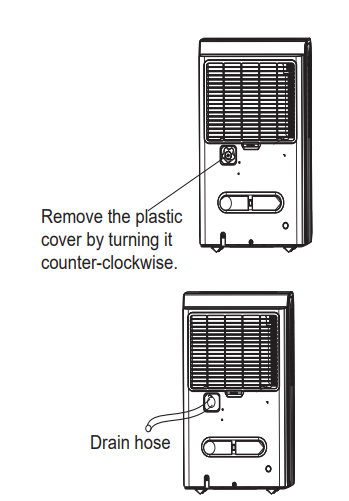
Water can be automatically emptied into a floor drain by attaching the unit to an ID ≥ 5/16” water hose with a ID:M=1 female threaded end (not included, a standard garden hose works well). Install the drain hose. Remove the plastic cover from the back drain outlet of the unit and set it aside.
Install the female threaded end of the water hose into the adaptor A (see B4), then lead the water hose to the floor drain or a suitable drainage facility. Make sure the hose is secure so there are no leaks. Direct the hose toward the drain, making sure that there are no kinks that will stop the water from flowing. Place the end of the hose into the drain and make sure the end of the hose is level or declining to let the water flow smoothly. Select the desired humidity setting and fan speed on the unit for continuous draining to start.
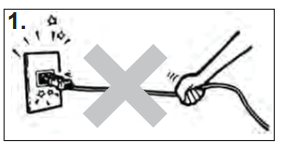
CAUTION
1. DO NOT pull on the power cord to avoid breakage, potential danger or injury.
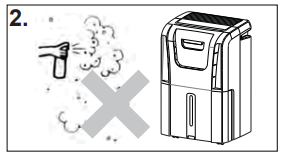
2. DO NOT use insecticide/ repellents, oil or paint/spray paint around the machine, these might cause damage to plastic parts or start a fire.
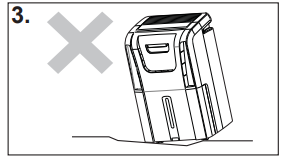
3. DO NOT place the unit on uneven ground to avoid shaking, noise and water leakage.
4. Always keep the unit 20 cm or more from the wall to dissipate heat properly.
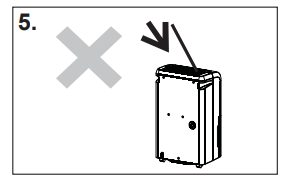
5. DO NOT drop anything into the machine.
6. Close all windows to allow for the maximum possible efficiency for removing moisture.
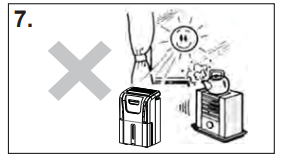
7. Keep the machine away from any type of heat source.
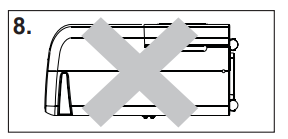
8. When moving or putting in storage, do not place the dehumidifier on its side or upside down.
Care and Maintenance
CLEANING
IMPORTANT
- Be sure to unplug the unit before cleaning or servicing.
- Do not use gasoline, paint thinner or other chemicals to clean the unit.
- Do not wash the unit directly under a tap or using a hose. It may cause electrical damage.
- If the power cord is damaged, contact the service depot immediately.
1. Clean the grill and case
Use water and a mild detergent. Do not use bleach or abrasives. Do not splash water directly onto the main unit. Doing so may cause an electric shock, cause the insulation to deteriorate, or cause the unit to rust. The air intake and outlet grills become dirty easily, so use a vacuum attachment or brush to clean.
2. Clean the bucket
Every few weeks, clean the bucket to prevent growth of mold, mildew and bacteria. Partially fill the bucket with clean water and add a small amount of mild detergent. Swish it around in the bucket, empty and rinse. Note: Do not use a dishwasher to clean the bucket. After cleaning, the bucket must be placed and properly positioned for the dehumidifier to operate.
3. Clean the air filter
Remove and clean the filter every two weeks based on normal operating conditions.
Caution: DO NOT operate the dehumidifier without a filter because dirt and lint will clog it and affect performance.
4. When not using the unit for long periods of time
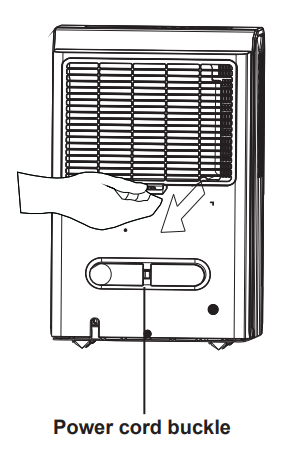
After turning the unit off, wait one day before emptying the bucket. Clean the main unit, water bucket and air filter. Cover the unit with a plastic bag. Wrap the cord around the power cord buckle. Store the unit upright in a dry, well ventilated place.
Troubleshooting
Dehumidifier does not start
- The dehumidifier is unplugged
- Make sure the plug is pushed completely into the outlet
- The fuse is blown/circuit breaker is tripped
- Check the house fuse/circuit breaker box and replace the fuse or reset the breaker
- Dehumidifier has reached its preset level or bucket is full
- The unit turns off automatically when either condition occurs. Change to a lower setting or empty the bucket and replace properly
- Bucket is not in the proper position
- The bucket must be in place and securely seated for the unit to operate.
- Power failure
- There is a protective time delay (up to 3 minutes) to prevent tripping of the compressor overload. For this reason, the unit may not start normally for 3 minutes after it is turned back on.
Dehumidifier does not dry the air as it should
- Did not allow enough time to remove the moisture
- When first installed, allow at least 24 hours to maintain the desired dryness
- Airflow is restricted
- Make sure there are no curtains, blinds or furniture blocking the front or back of the dehumidifier. See the “Location” section.
- Dirty filter
- See the “Air filter” section
- The humidity control may not be set low enough
- For drier air, press the ▼ button and set to a lower percent value (%)
- Doors and windows may not be closed tightly
- Check that all doors, windows and other openings are securely closed
- Clothes dryer may be blowing moisture-laden air into the room
- Install the dehumidifier away from the dryer. The dryer should be vented to the outside.
- Room temperature is too low
- Moisture removal is best at higher room temperatures. Lower room temperatures will reduce the moisture removal rate. Modes are designed to be operated at temperatures above 5°C (41°F)
Dehumidifier runs too much but does not collect water
- Need to reset controller
- Set to 40% RH. Allow bucket to fill and then empty bucket. Adjust controller to desired % RH.
Dehumidifer runs too much collects water
- Area to be dehumidifed is too large
- The capacity of your dehumidifier may not be adequate
- Doors and windows are open
- Close all doors and windows
Frost appears on the coils
- Unit has been recently turned on, or room temperature is below 5°C (41°F)
- This is normal. Frost will usually disappear within 60 minutes. See the “Defrost” section.
Controls cannot be set
- The compressor will turn off and the fan will automatically continue to run for approx. 3 minutes at a fixed setting
- This is normal. Wait approximately 3 minutes and set the fan as desired.
Fan noise
- Air is moving through the dehumidifier
Water on floor
- Hose connection may be loose
- Check the hose connection. See “Continuous Drain” section
- Bucket used to collect water, but the hose is attached
- Disconnect the hose if using the bucket to collect water, see “Continuous Drain” section.