User Manual Vacuun Cleaner
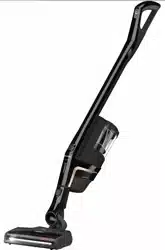
Appliance description
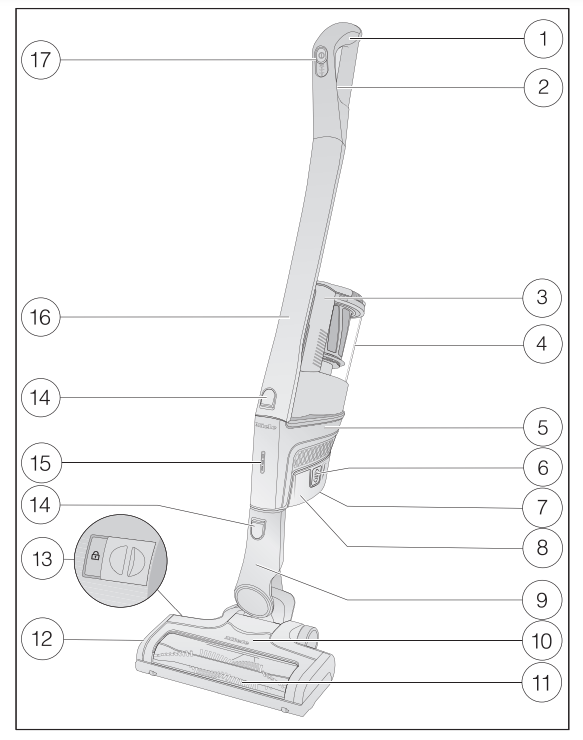
1 Comfort handle
2 Release catch for Comfort handle (on the back)
3 Dust container handle
4 Dust container with pre-filter, fine dust filter, and motor protection filter
5 PowerUnit with battery connection and connections for Comfort handle, suction wand, Electrobrush, and dust container
6 Release catches for battery (on both sides of the battery)
7 Charging socket (at the bottom of the battery)
8 AP01 lithium-ion battery
9 Connector
10 Multi Floor XXL Electrobrush (some models feature BrilliantLight lighting)
11 Removable roller brush
12 Flap
13 Release catch for removing the roller brush
14 Release buttons
15 Battery charging state indicator
16 Suction wand
17 On/Off switch with suction power selecto
References to illustrations
The illustrations referred to in the text are shown on the fold-out pages at the end of these Operating Instructions.
Installation and connection
Assembling the vacuum cleaner (Figs. 01 + 02)
You can assemble the vacuum cleaner in 2 different ways.
- You can place the suction wand either above or below the PowerUnit.
The advantages of placing the PowerUnit at the bottom of the vacuum cleaner are as follows:
- secure self-standing function possible (see “Use” – “Self-standing function for short pauses in vacuuming”)
- ergonomic (reduced strain on the wrist)
- convenient cleaning of large surfaces
The advantages of placing the PowerUnit at the top of the vacuum cleaner are as follows:
- convenient cleaning underneath furniture
- PowerUnit can be removed quickly
PowerUnit solo
The PowerUnit can be used on its own without the suction wand and Electrobrush as a quick way of vacuuming up crumbs and lint in specific areas.
Tip: This configuration is particularly suitable when using the three-piece accessory set (see “Using the accessories supplied”).
Connecting the Comfort handle (Figs. 03 + 04)
Depending on how your vacuum cleaner is configured, you can connect the Comfort handle to either the suction wand or the PowerUnit.
- Push the Comfort handle down on to the suction wand connection from above until it audibly clicks into place (left image detail).
- Slide the Comfort handle along the guide line on the dust container handle and down on to the PowerUnit connector from above until it audibly clicks into place (right image detail).
- Switch off the vacuum cleaner using the On/Off switch on the front of the Comfort handle if you want to separate the sections.
- Press the release catch and remove the Comfort handle by pulling upwards.
Connecting the PowerUnit and the suction wand (Figs. 05 + 06)
Depending on how your vacuum cleaner is configured, the suction wand is located either above or below the PowerUnit.
- Slide the suction wand along the guide line on the dust container handle and down on to the PowerUnit connector from above until it audibly clicks into place (left image detail).
- Push the PowerUnit connector down on to the suction wand from above until it audibly clicks into place (right image detail).
- Press the release catch to separate the individual sections from each other.
Inserting the battery (Figs. 07, 08 + 09)
- Remove the sticker from the battery.
- Push the battery along the guide lines until it audibly clicks into place in the PowerUnit.
- If you want to separate the sections again, press both release catches at the side of the battery to remove the battery
Connecting the Electrobrush (Fig. 10)
Depending on how your vacuum cleaner is configured, you can connect either the PowerUnit connector or the suction wand connector to the Electrobrush.
- Insert the connector down into the Electrobrush from above until it audibly clicks into place.
- To separate the individual sections from each other, press the release catch on the Electrobrush and pull the connector out of the Electrobrush (Fig. 06).
General battery information
The rechargeable battery is supplied not fully charged.
Charge the battery completely before using it for the first time. Allow approximately 4 hours for this.
It is essential to charge the battery for the first time in the PowerUnit in order to activate maximum power in the battery
Once the battery is fully charged, the battery charging state indicator switches off after 10 minutes to conserve energy.
You can use the vacuum cleaner for up to 14 minutes if you are using it in its fully assembled state at the maximum power level.
If, however, you are using the PowerUnit on its own and select the lowest power level, you can vacuum for up to 60 minutes.
Charging the battery (without wall mounting) (Fig. 11)
You can store the vacuum cleaner upright and charge the battery directly.
- Connect the PowerUnit to the Electrobrush to provide a secure base for the vacuum cleaner.
- Swing the vacuum cleaner forwards until the Electrobrush connector audibly clicks into place.
- Plug the supplied charging cable into the charging socket on the bottom of the battery.
- Plug the charger into an electrical outlet.
The charging process will start.
You can read more about this in “Battery charging state indicator”.
Charging the battery (with wall mounting) (Figs. 12 + 13)
There are 2 ways to store and charge the vacuum cleaner in the supplied wall bracket.
You will need a suitable location near a free electrical outlet for mounting the appliance on the wall.
Wall mounting (Figs. 14 + 15)
The supplied wall bracket has a mounting plate with a bag of screws attached to the back.
Attach the mounting plate to the point on the wall where you want the wall mounting to be.
- Remove the bag of screws.
- Press the release catch at the bottom of the wall bracket.
- Remove the mounting plate from the wall bracket by sliding it downwards.
Attaching the mounting plate (Figs. 16 + 17)
2 plugs and 2 T20 TORX screws are supplied for attaching the mounting plate to the wall.
You will also need an electric screwdriver or a drill (with a 1/4" drill bit).
Depending on how your vacuum cleaner is configured, select a distance of 17 3/4" or 38 1/2" (45 cm or 98 cm) between the bottom edge of the mounting plate and the floor.
Be careful not to damage any electrical in the wall.
- Attach the mounting plate to the wall.
Attaching the charging cable to the wall bracket (Figs. 18, 19 + 20)
A cable compartment is located on the underside of the wall bracket.
- Press both release catches on the underside of the wall bracket and remove the cable compartment cover.
- Plug the supplied charging cable into the opening from above.
- Lay the charging cable in its guide.
- Refit the cover and close the cable compartment.
Connecting the accessories holder (if required) (Fig. 21)
An accessories holder is supplied for storing the three-piece accessory set (see “Using the accessories supplied”).
- Push the accessories holder on to the wall bracket as far as it will go.
Connecting the wall bracket (Figs. 22 + 23)
- Slide the wall bracket down into the mounting plate from above until it audibly clicks into place.
- Slide the PowerUnit of the fully assembled vacuum cleaner, with the battery inserted, down into the wall bracket from above.
- Plug the charger into the power socket.
The charging process will start.
Battery charging state indicator (while charging) (Fig. 24)
The battery charging state is displayed on the PowerUnit.
Battery life and Display
- Approx. 0–34%
- Bottom light flashes slowly
- Approx. 35–69%
- Bottom light is lit up; middle light flashes slowly
- Approx. 70–90%
- Bottom and middle lights are lit up; top light flashes slowly
- Approx. 91–100%
- Bottom, middle, and top lights are lit up
Once the battery is fully charged, the battery charging state indicator switches off after 10 minutes to conserve energy.
You can display the charging state for 4 seconds at any time by pressing the On/Off switch on the Comfort handle.
If the battery has not been used for a long time and has run down, it will go into safe mode. As a result, the battery charging state indicator will only respond after approximately 30–60 minutes when charging in the PowerUnit.
Battery charging state indicator (while in use) (Fig. 24)
The battery charging state is displayed on the PowerUnit.
- Approx. 100–70%
- Top, middle, and bottom lights are lit up
- Approx. 69–35%
- Middle and bottom lights are lit up
- Approx. 34–11%
- Approx. 10–0%
- Bottom light flashes slowly
Using the accessories supplied (Fig. 25)
1 Upholstery nozzle
- Accessory for cleaning upholstery, mattresses, and cushions.
2 Crevice nozzle
- Accessory for cleaning in folds, crevices, or corners.
3 Dusting brush
- Accessory for vacuuming skirting boards, carved furniture, or ornaments.
- The head can be swiveled to adjust the angle.
4 Accessories holder
- For storing the three-piece accessory set.
Symbols on the holder show where to attach the different accessories. You can fit the accessories holder to the wall bracket (see “Installation and connection – Connecting the accessories holder”).
Electrobrush Multi Floor XXL (Fig. 26)
Follow the flooring manufacturer’s cleaning and care instructions.
The Electrobrush can be used for all normal cleaning of carpets, rugs, and hard flooring.
Tip: The suction wand is not the best option for cleaning carpeted stairs.
Miele offers a range of suitable accessories for many Special Modes (see “Optional accessories”).
Electro Compact handheld brush (Fig. 27)
(depending on model)
Follow the flooring manufacturer’s cleaning and care instructions.
The handheld brush is particularly suitable for intensive cleaning of upholstery and car seats.
Tip: The suction wand is not the best option for cleaning upholstery or car seats.
Additional battery and charger cradle (Fig. 28)
(depending on model)
Using the additional battery doubles the amount of time the vacuum cleaner can be used for.
Before charging for the first time, please note the information in “Installation and connection – General battery information”.
- Once the battery has been charged twice, push it into the charger cradle until it audibly clicks into place.
- Insert the plug into an electrical outlet.
The charging process will start. The battery charging state indicator flashes on the left.
You can find out more about the battery charging state indicator in “Installation and connection – Battery charging state indicator”.
If you place the run-down battery in the charger cradle straight after use, it will only start charging once the battery has cooled down.
The cooling process can take up to 60 minutes. The battery charging state indicator on the charger cradle will not respond during this time.
Use
Switching on and off
- Pull the charger out of the charging socket on the battery if you have charged the battery directly.
- If you have charged the battery in the wall bracket, take the vacuum cleaner out of the wall bracket.
- Press the On/Off switch on the Comfort handle
 .
.
Regulating the suction power
The suction power can be regulated to suit the type of flooring being cleaned. Reducing the suction power reduces the amount of effort required to maneuver the Electrobrush.
There are 3 power levels to choose from on the Comfort handle:
1 Lowest power level for light soiling
2 Medium power level for normal soiling
Max. Highest power level for heavy soiling
The floor covering detection function is activated in the medium and highest power levels.
The Electrobrush power output is automatically set to the optimum level based on the type of flooring – this can lead to a change in the operating noise.
Illuminating the work area
(depending on model)
The Electrobrush on your vacuum cleaner is equipped with BrilliantLight to illuminate the work area.
Self-standing function for short pauses in vacuuming
(For safety reasons, this function can only be used when the PowerUnit is fitted at the bottom of the vacuum cleaner)
If you are vacuuming with the PowerUnit fitted at the bottom of the vacuum cleaner, you can easily interrupt operation while the appliance is switched on.
- Swing the vacuum cleaner forwards until the Electrobrush connector audibly clicks into place.
The vacuum cleaner stays securely upright, the Electrobrush switches itself off and the battery is conserved.
If you then unlock the connector on the Electrobrush, the Electrobrush will switch on again.
Maintenance
Replacement parts are available from your Miele dealer or through Miele Service.
Emptying the dust container (Fig. 30–34)
Empty the dust container before the dust has reached the max marking on the dust container.
- Turn the lid of the dust container in the direction of the arrow as far as the first stop.
- Remove the dust container upward.
The contents of the dust compartment can be disposed of with the normal household trash, providing it contains general household dust only.
- Hold the dust container close to the trash can so that as little dust as possible excapes.
- Turn the lid of the dust container in the direction of the arrow as far as the next stop.
The flap at the bottom of the dust container will open and the dust will fall out.
- Turn the lid of the dust container back to its original position.
- Close the flap
- Slide the dust container handle along the guide line and down on to the PowerUnit connector from above until it audibly clicks into place.
Cleaning the fine dust filter (Fig. 35)
The fine dust filter is located in the dust container.
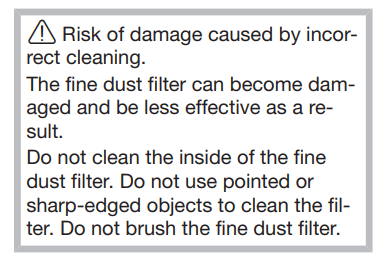
Clean the fine dust filter at least once a month.
- Remove the dust container.
- Lift the fine dust filter upwards to remove it
- Hold the fine dust filter over a bin.
- Carefully knock the fine dust filter with the rubberized lower edge.
- Turn the fine dust filter slightly while you do this to free the dirt from all of the crevices.
- Once it is clean, replace the fine dust filter in its position in the dust container.
- Replace the dust container on the PowerUnit connector.
Cleaning the pre-filter (Fig. 36–39)
The pre-filter is located in the dust container.
Clean the pre-filter when required
- Remove the dust container.
- Remove the fine dust filter (Fig. 35).
- Empty the dust container over a trash can and lift the pre-filter upwards to remove it.
- Unlock the motor protection filter by turning it counterclockwise and lift it upwards to remove it.
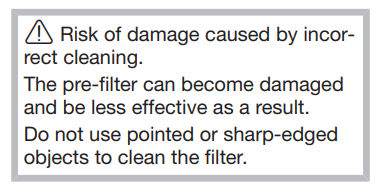
- Carefully knock the dust out of the pre-filter over a bin.
Tip: Use a tool like a fine cleaning brush to clean the inside of the pre-filter thoroughly. You do not need to clean the motor protection filter.
It can be removed so that the inside of the pre-filter is easier to reach.
- After cleaning the pre-filter, place the motor protection filter back into the pre-filter securely, making sure it is properly positioned.
- Lock the motor protection filter by turning it clockwise as far as it will go.
- Replace the pre-filter in the dust container
- To do this, line up the guide lines on the two sections and turn the dust container lid back to its original position.
- Close the cover at the bottom of the dust container, making sure it clicks into place.
- Replace the fine dust filter.
- Replace the dust container on the PowerUnit connector.
Cleaning the dust container
Clean the dust container as required.
- Remove the dust container.
- Empty the dust container over a trash can and lift the pre-filter upwards to remove it (Fig. 36).
- Clean the dust container using water and liquid dish soap.
- Dry the dust container carefully.
- Replace the pre-filter in the dust container.
- Replace the dust container on the PowerUnit connector (Figs. 38 + 39).
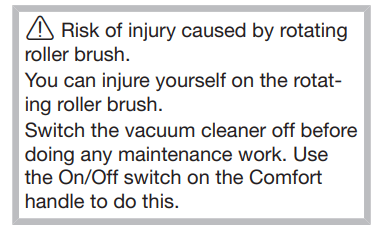
Cleaning the Electrobrush/handheld brush (Fig. 06)
(The availability of the handheld brush depends on the model)
- Separate the Electrobrush/handheld brush from the vacuum cleaner connection.
Removing threads and hairs (Fig. 40)
- Place the Electrobrush/handheld brush upside down on a level, clean surface.
- Use a pair of scissors to cut any threads or hairs that have wound themselves around the roller brush. To guide the scissors, move along the guide track on the roller brush.
Then run the vacuum cleaner to vacuum up the cut threads and hairs.
Removing the roller brush (Fig. 41)
(Not possible with the handheld brush)
You can take the roller brush out of the Electrobrush in order to remove stubborn soiling and clean the inside of the Electrobrush.
- Unlock the flap on the side of the Electrobrush so that the symbol becomes visible.
- Lift the flap up as far as it will go.
- Remove the roller brush.
- Clean the roller brush and remove any stubborn dirt inside the Electrobrush.
- Reassemble the Electrobrush in reverse order.
Replacing the rechargeable battery
An original Miele AP01 lithium-ion rechargeable battery (HX LA) is required.
Follow the instructions regarding the handling and disposal of rechargeable batteries found in the following sections: “IMPORTANT SAFETY INSTRUCTIONS”, “Caring for the environment”, and “Installation and connection” (“General battery information”).
Frequently Asked Questions
With the help of the following guide minor faults in the performance of the machine, some of which may result from incorrect operation, can be remedied without contacting the Service Department.
This guide may help you to find the reason for the fault, and how to correct it.
The cleaning performance is poor.
The dust container is full.
- Empty and clean the dust container.
The Electrobrush is dirty/blocked.
- Clean the roller brush and the inside of the Electrobrush (see “Maintenance – Cleaning the Electrobrush”).
Cleaning performance is reduced.
The fine dust filter is dirty.
- Clean the fine dust filter (see “Maintenance – Cleaning the fine dust filter”).
The pre-filter is dirty.
- Clean the pre-filter (see “Maintenance – Cleaning the pre-filter”).
The Electrobrush switches itself off.
The Electrobrush is overloaded – this can happen on surfaces like deep-pile carpet.
- Switch the vacuum cleaner off and switch it on again at a reduced suction power level. Use the On/Off switch on the Comfort handle to do this.
The operating noise is changing during vacuuming.
The floor covering detection function is activated in the medium and highest power levels. The Electrobrush power rating is automatically set to the optimum level based on the type of flooring.
- The noise is not unusual – the vacuum cleaner is functioning normally.
The vacuum cleaner does not start when it is switched on.
There is no battery inserted or the battery is inserted incorrectly.
- Insert the battery or check how the battery is positioned (see “Installation and connection – Inserting the battery”).
The rechargeable battery is not sufficiently charged.
- Charge the battery exactly as described in these operating instructions (see “Installation and connection – Charging the battery”).
An original Miele battery has not been inserted.
- Insert an original Miele AP01 lithium-ion rechargeable battery (HX LA).
The charger is still plugged in.
- Pull the plug out of the charging socket on the battery
Fault messages

Fault messages are displayed with a quick flashing light on the battery charging state indicator on the PowerUnit.
Bottom light flashes quickly
Internal system fault
- Remove the battery, wait for 10 seconds, reinsert it and charge it.
Bottom and middle lights flash quickly
“Battery overheating” error
- Wait for approximately 30 minutes before switching the vacuum cleaner back on again.
Middle and top lights flash quickly
“Battery not recognized” error
- Insert an original Miele AP01 lithium-ion rechargeable battery (HX LA).
Top light flashes quickly
“Comfort handle not recognized” error
- Remove the Comfort handle and reconnect it (see “Installation and connection – Connecting the Comfort handle”).
- Remove the battery, wait for 10 seconds, then reinsert it.
Cleaning and care
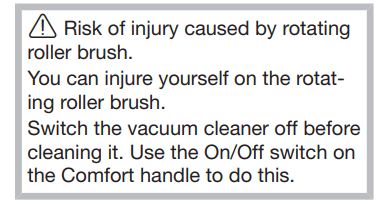
Vacuum cleaner and accessories
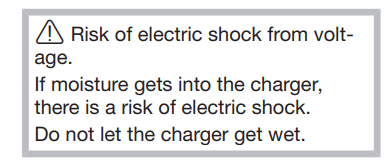
Follow the special cleaning instructions for the dust container in the “Maintenance” section.
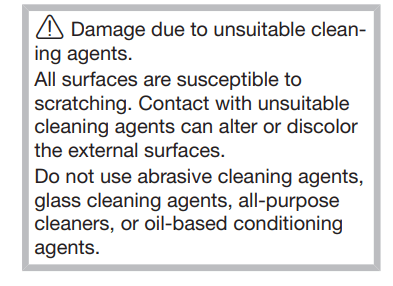
The vacuum cleaner and all plastic accessories can be cleaned with a commercially available cleaner suitable for plastic.
Customer Service
Contact in case of fault
In the event of a fault which you cannot remedy yourself, please contact your Miele dealer or Miele Service.
Contact information for Miele Service can be found at the end of this document.
Optional accessories
Follow the flooring manufacturer’s cleaning and care instructions.
We recommend using only genuine Miele accessories bearing the “ORIGINAL Miele” logo on the packaging. Only these will guarantee the optimum performance of your vacuum cleaner and the best possible cleaning results.
Please note that faults and damage caused by use of accessories which do not bear the “ORIGINAL Miele” logo are not covered by the vacuum cleaner warranty.
Purchasing accessories
Original Miele accessories are available from the Miele Webshop, Miele Service, and your Miele dealer.
Original Miele accessories are identified by the “ORIGINAL Miele” logo on the packaging.

Certain models are supplied as standard with one or more of the following accessories.
Electro Compact handheld brush (HX SEB)
For intensive cleaning of upholstery and car seats.
Radiator brush (SHB 30)
For dusting radiators, narrow shelves and crevices.
Mattress tool (SMD 10)
For vacuuming upholstery, mattresses, cushions, curtains, covers, etc.
Crevice nozzle, 12" (300 mm) (SFD 10)
Extra long crevice nozzle for cleaning in folds, crevices and corners.
Crevice nozzle, 22" (560 mm) (SFD 20)
Flexible crevice nozzle for vacuuming hard to reach places.
AP01 additional battery (HX LA)
For doubling the amount of time the vacuum cleaner can be used for.
LS03 (HX LS) charger cradle
For charging the additional battery independently of the appliance, i.e., while the appliance is in use.