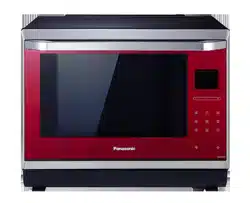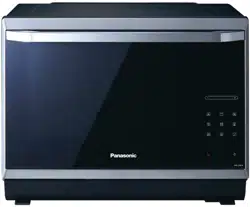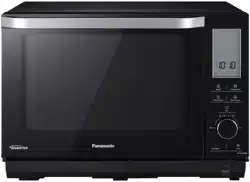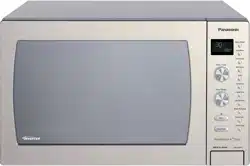
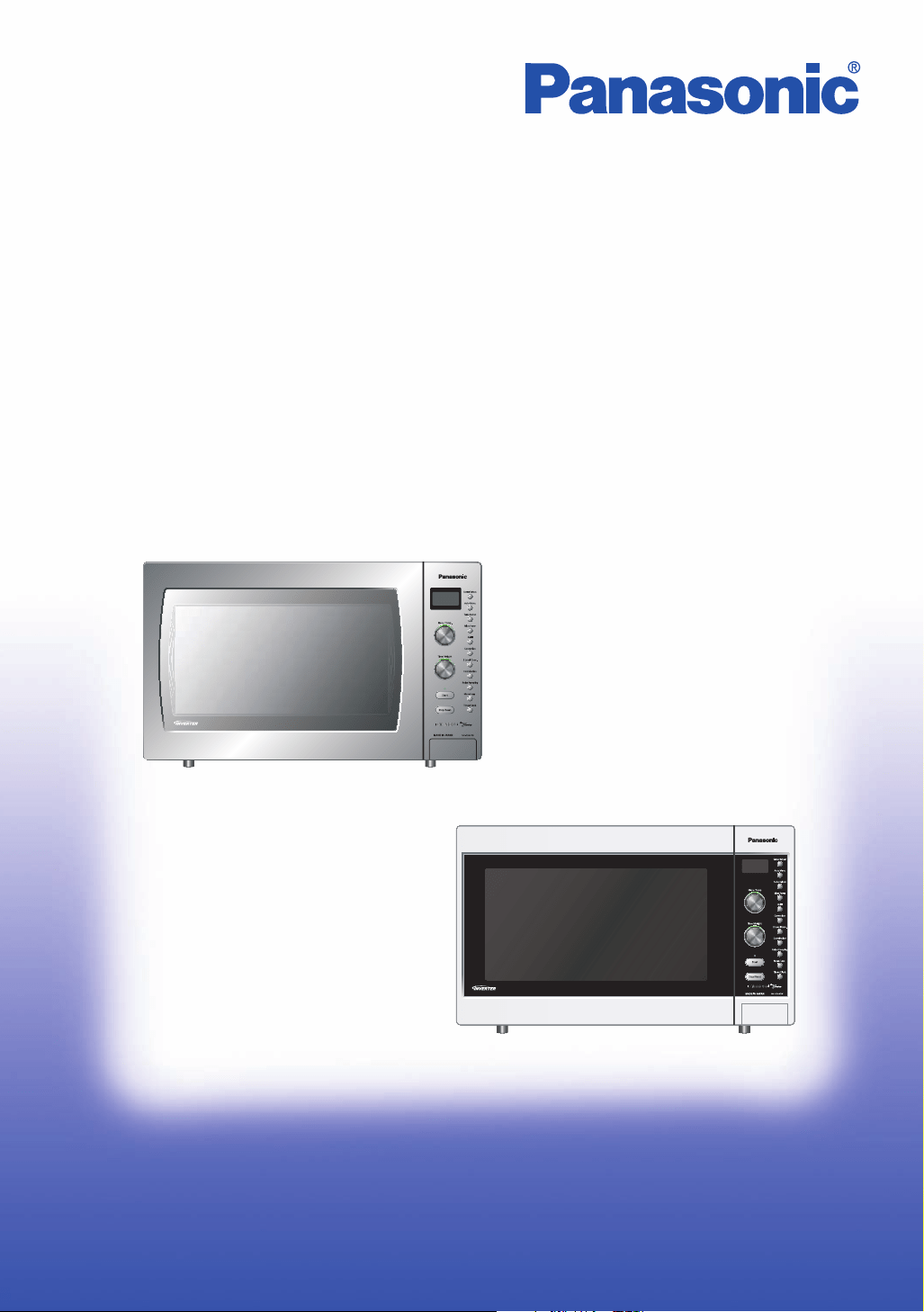
NN-CD997S
NN-CD987W
Operating Instructions
Microwave /
Convection Oven
Model No.
NN-CD997S
NN-CD987W
Please read these instructions completely before operating this oven and keep for future reference.
A00037F40QP
F0907-0
Printed in Japan
Cook Book
Microwave / Convection Oven
Model No.
NN-CD997S
NN-CD987W
Please read these instructions completely before operating this oven and keep for future reference.
A00037F40QP
F0907-0
Printed in Japan
We are glad you have chosen to purchase a PANASONIC Microwave/Convection
Oven.
Before operating this oven, please read these instructions completely.
If you have only used a Microwave oven for reheating and defrosting, with
Panasonic’s Inverter Technology, you can be reassured of excellent results when
cooking a variety of foods, as the ‘soft’ penetration of microwave energy to the
centre of food helps prevent overcooking on edges and surfaces. Foods can now
be gently simmered without the concern of boil over.
You also have the added advantage of cooking with either convection or grill to
achieve perfect browning and crisping of foods. Combination allows you to cook
with speed as well as browning at the same time.
After reading the introductory chapter, I am sure you will be able to master the
basic technique and thereby develop a firm understanding of your new oven.
This book includes recipes from starters to desserts.
Start experimenting now, and enjoy the first class results you will achieve by using
your new microwave/convection oven.
Consultant Home Economist
Fiona Campbell
Panasonic Australia Pty. Ltd.
P.O. Box 505
Frenchs Forest NSW 2086
Panasonic New Zealand
31 Carbine Road,
Mt Wellington, Auckland
Tel No: (09) 272-0100
Fax No:(09) 272-0137
The serial number of this product may be found on the MODEL NUMBER ______________________
rear panel of product. You should note the
model number and serial number of this oven in the SERIAL NUMBER ______________________
space provided and retain this book as a permanent
record of your purchase for future reference. DATE OF PURCHASE ___________________
Cooking Guide
Microwave Recipe Preparation and Techniques . . . . . . . . . . . . . . . . . . . . . . . . . . . . . . . . . . . . . . . . . 2 - 4
Everyday Basics . . . . . . . . . . . . . . . . . . . . . . . . . . . . . . . . . . . . . . . . . . . . . . . . . . . . . . . . . . . . . . . . . 5 - 7
Soups, Snacks and Starters . . . . . . . . . . . . . . . . . . . . . . . . . . . . . . . . . . . . . . . . . . . . . . . . . . . . . . . 8 - 14
Fish and Shellfish . . . . . . . . . . . . . . . . . . . . . . . . . . . . . . . . . . . . . . . . . . . . . . . . . . . . . . . . . . . . . . 15 - 19
Poultry . . . . . . . . . . . . . . . . . . . . . . . . . . . . . . . . . . . . . . . . . . . . . . . . . . . . . . . . . . . . . . . . . . . . . . 20 - 29
Main Fare Meats
. . . . . . . . . . . . . . . . . . . . . . . . . . . . . . . . . . . . . . . . . . . . . . . . . . . . . . . . . . . . . . . 30 - 40
Vegetable Varieties . . . . . . . . . . . . . . . . . . . . . . . . . . . . . . . . . . . . . . . . . . . . . . . . . . . . . . . . . . . . . 41 - 47
Rice, Pasta and Cereal . . . . . . . . . . . . . . . . . . . . . . . . . . . . . . . . . . . . . . . . . . . . . . . . . . . . . . . . . . 48 - 52
Cakes, Slices and Biscuits . . . . . . . . . . . . . . . . . . . . . . . . . . . . . . . . . . . . . . . . . . . . . . . . . . . . . . . 53 - 57
Desserts and Pastries . . . . . . . . . . . . . . . . . . . . . . . . . . . . . . . . . . . . . . . . . . . . . . . . . . . . . . . . . . . 58 - 63
Micro-Made Extras
. . . . . . . . . . . . . . . . . . . . . . . . . . . . . . . . . . . . . . . . . . . . . . . . . . . . . . . . . . . . . 64 - 67
Turn over for Operating Guide.
1
Table of Contents
Matsushita Electric Industrial Co., Ltd.
Microwave Oven Business Unit
800 Tsutsui-cho, Yamatokoriyama City,
Nara 639-1188, Japan
Web Site: http://panasonic.net
Before Operation
-1-
Operation & Hints Maintenance
Table of Contents
Before Operation
Safety Instructions . . . . . . . . . . . . . . . . . . . . . . . . . . . . . . . . . . . . . . . . . . . . . . . . . . . . . . . . . . . . . . . . 2, 3
Installation and Earthing Instructions. . . . . . . . . . . . . . . . . . . . . . . . . . . . . . . . . . . . . . . . . . . . . . . . . . 3, 4
General Instructions. . . . . . . . . . . . . . . . . . . . . . . . . . . . . . . . . . . . . . . . . . . . . . . . . . . . . . . . . . . . . . . 4, 5
Microwaves and How They Work. . . . . . . . . . . . . . . . . . . . . . . . . . . . . . . . . . . . . . . . . . . . . . . . . . . . . . . 5
Cookware and Utensil Guide. . . . . . . . . . . . . . . . . . . . . . . . . . . . . . . . . . . . . . . . . . . . . . . . . . . . . . . . 6, 7
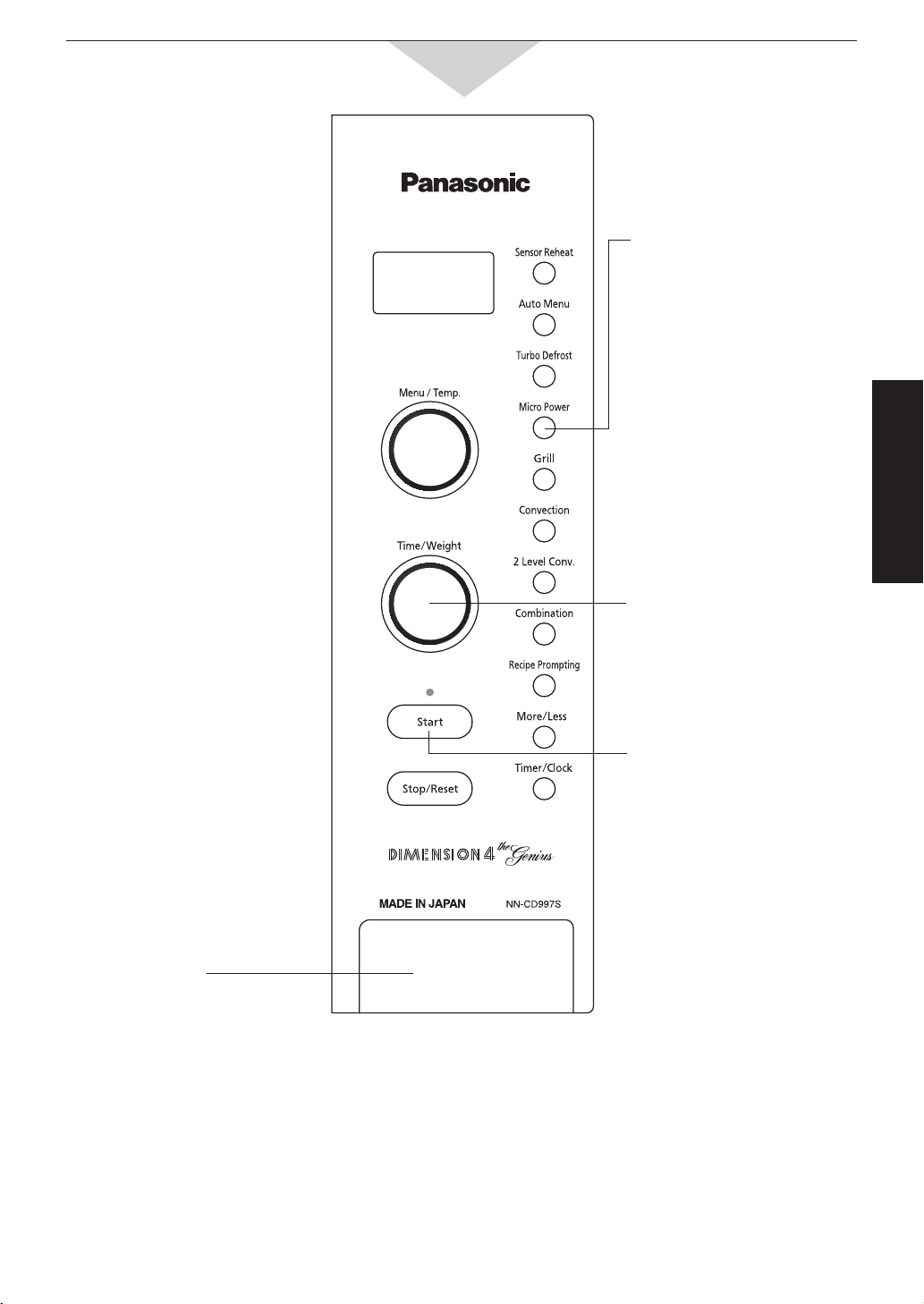
Feature Diagram . . . . . . . . . . . . . . . . . . . . . . . . . . . . . . . . . . . . . . . . . . . . . . . . . . . . . . . . . . . . . . . . . . . 8
Feature Diagram - Control Panel. . . . . . . . . . . . . . . . . . . . . . . . . . . . . . . . . . . . . . . . . . . . . . . . . . . . . . . 9
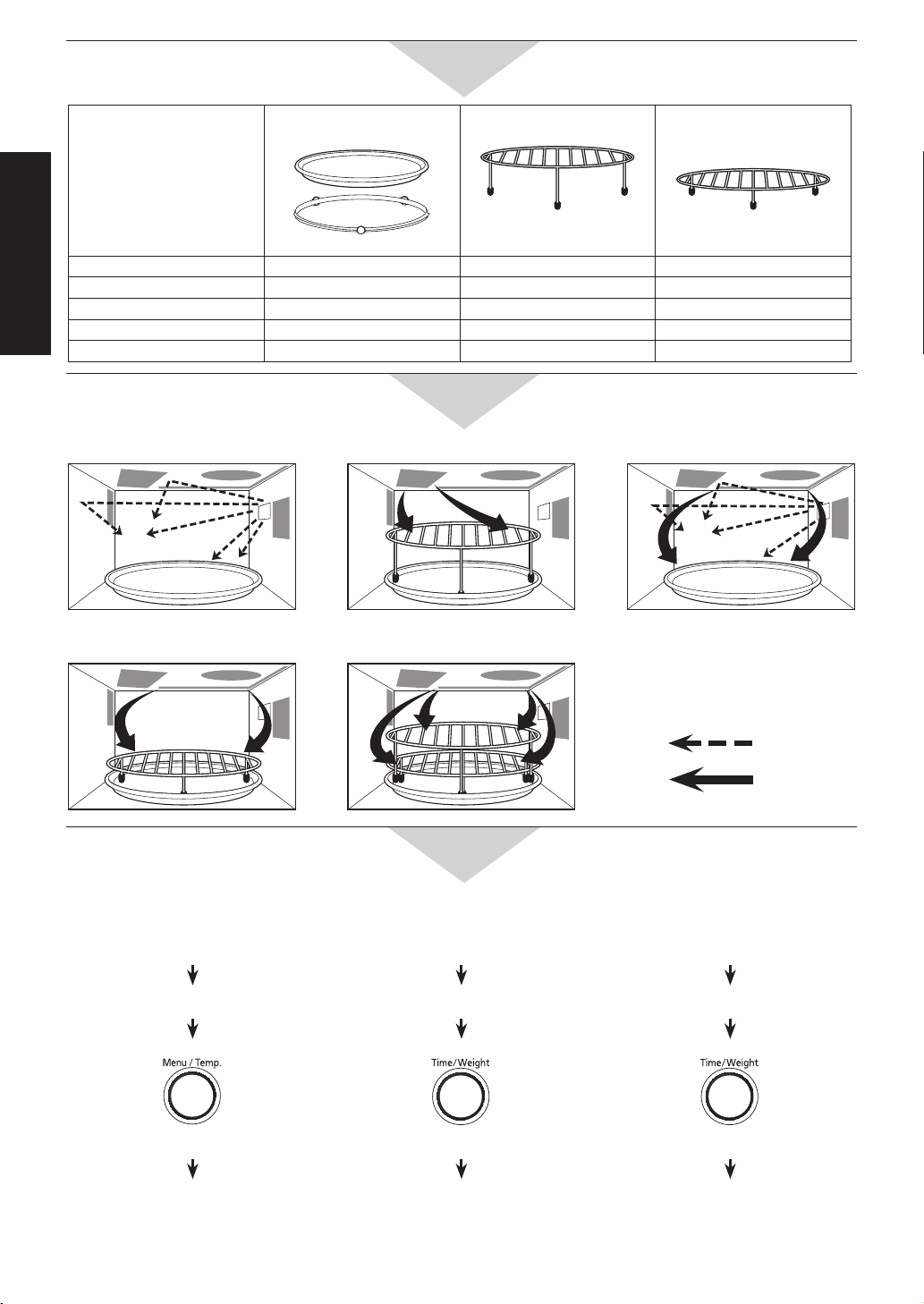
Oven Accessories . . . . . . . . . . . . . . . . . . . . . . . . . . . . . . . . . . . . . . . . . . . . . . . . . . . . . . . . . . . . . . . . . 10
Cooking Modes : Heating Source . . . . . . . . . . . . . . . . . . . . . . . . . . . . . . . . . . . . . . . . . . . . . . . . . . . . . 10
Cook Navigator/Prompting. . . . . . . . . . . . . . . . . . . . . . . . . . . . . . . . . . . . . . . . . . . . . . . . . . . . . . . . . . . 10
Operation & Hints
Let’s Start to Use Your Oven!. . . . . . . . . . . . . . . . . . . . . . . . . . . . . . . . . . . . . . . . . . . . . . . . . . . . . . . . . 11
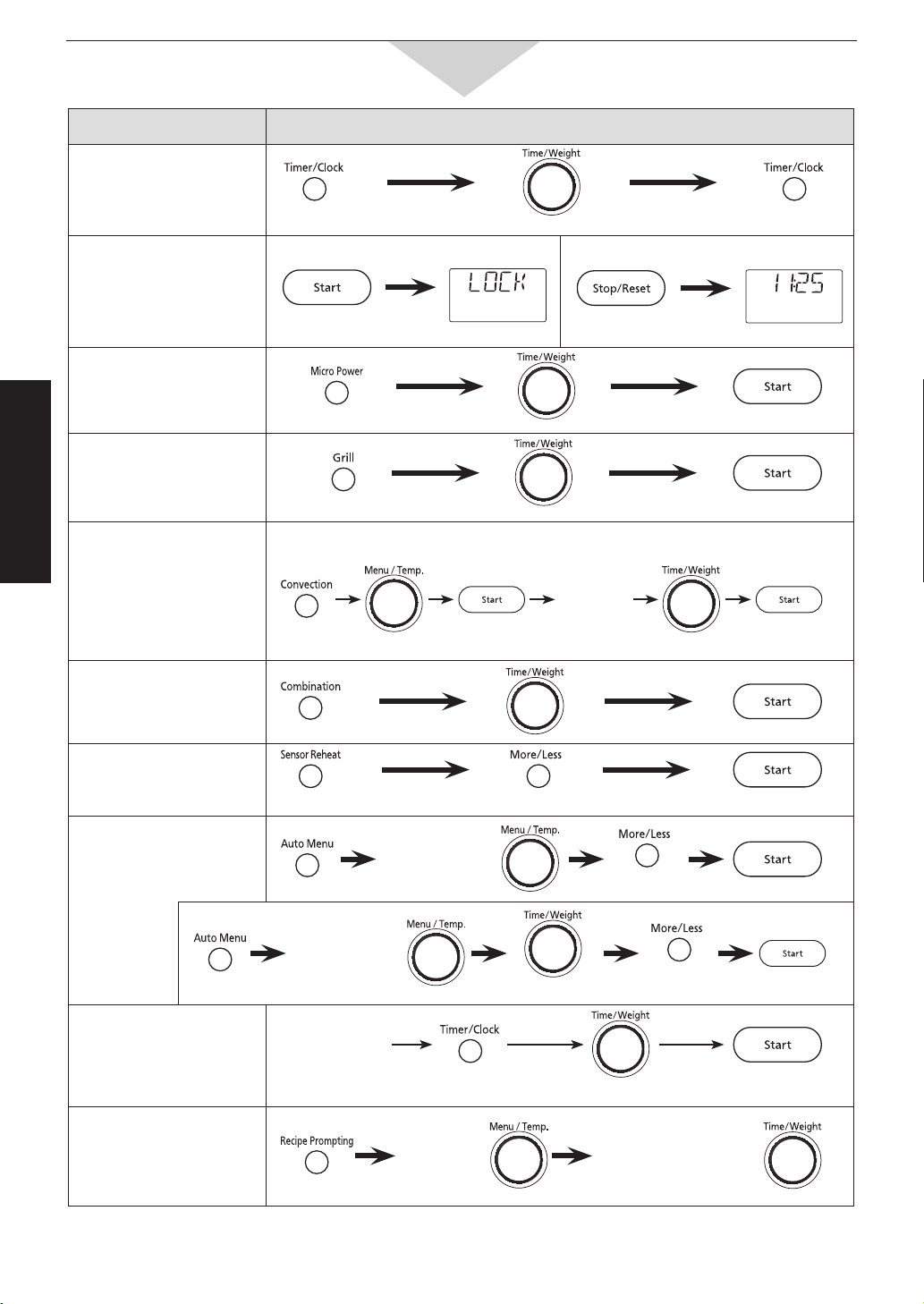
Quick Guide to Operation . . . . . . . . . . . . . . . . . . . . . . . . . . . . . . . . . . . . . . . . . . . . . . . . . . . . . . . . . . . 12
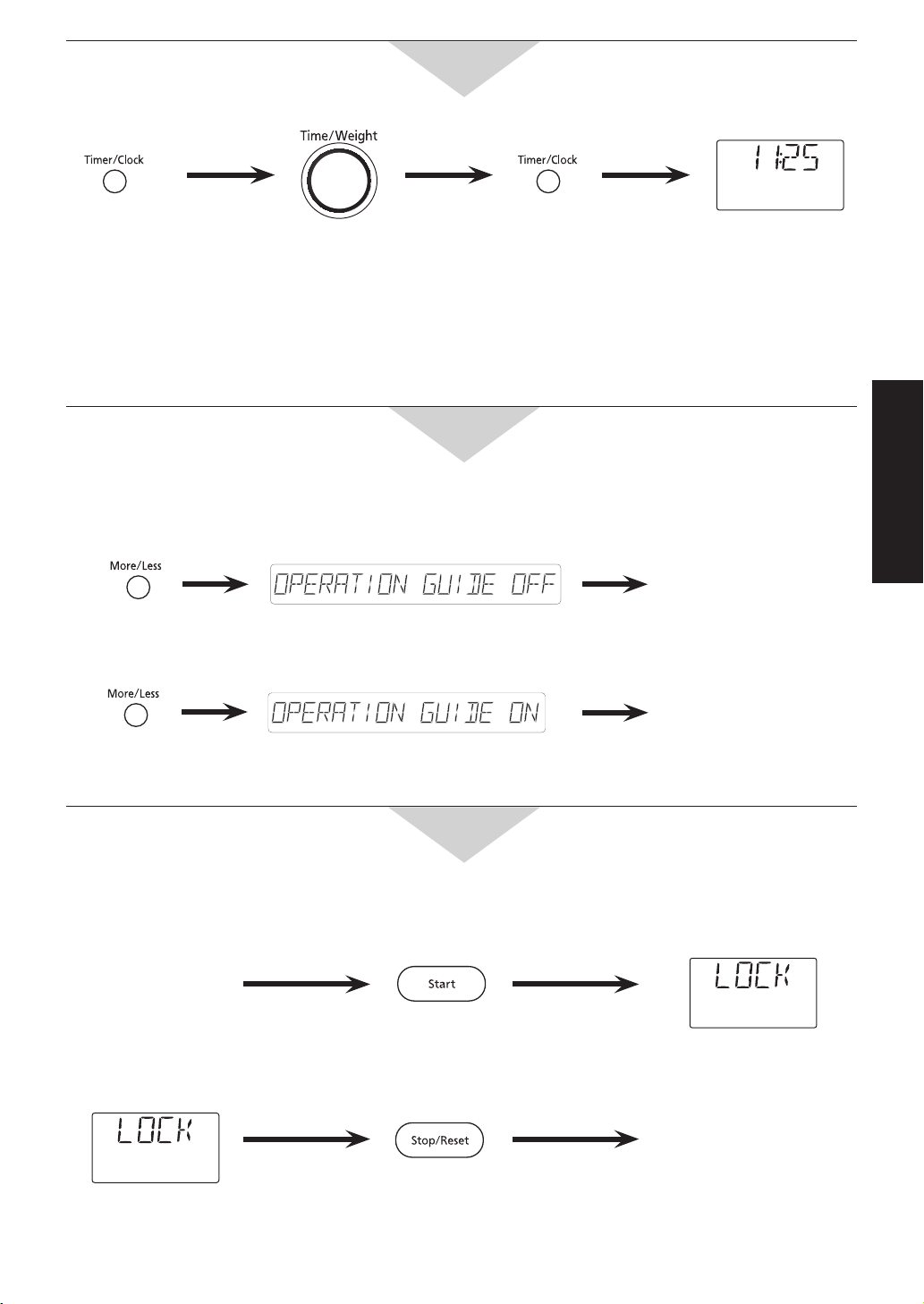
To Set Clock. . . . . . . . . . . . . . . . . . . . . . . . . . . . . . . . . . . . . . . . . . . . . . . . . . . . . . . . . . . . . . . . . . . . . . 13
Operation Guide on the Screen. . . . . . . . . . . . . . . . . . . . . . . . . . . . . . . . . . . . . . . . . . . . . . . . . . . . . . . 13
To Use Child Safety Lock. . . . . . . . . . . . . . . . . . . . . . . . . . . . . . . . . . . . . . . . . . . . . . . . . . . . . . . . . . . . 13
To Reheat/Defrost/Cook by Micro Power and Time. . . . . . . . . . . . . . . . . . . . . . . . . . . . . . . . . . . . .
14 - 16
To Cook using the Time/Weight Dial . . . . . . . . . . . . . . . . . . . . . . . . . . . . . . . . . . . . . . . . . . . . . . . . . . . 15
To Defrost by Turbo Defrost . . . . . . . . . . . . . . . . . . . . . . . . . . . . . . . . . . . . . . . . . . . . . . . . . . . . . . . . . . 17
To Cook on Convection/2 Level Convection . . . . . . . . . . . . . . . . . . . . . . . . . . . . . . . . . . . . . . . . . . 18, 19
To Set Standing Time. . . . . . . . . . . . . . . . . . . . . . . . . . . . . . . . . . . . . . . . . . . . . . . . . . . . . . . . . . . . . . . 19
To Cook on Grill . . . . . . . . . . . . . . . . . . . . . . . . . . . . . . . . . . . . . . . . . . . . . . . . . . . . . . . . . . . . . . . . . . . 20
To Cook on Combination . . . . . . . . . . . . . . . . . . . . . . . . . . . . . . . . . . . . . . . . . . . . . . . . . . . . . . . . . 21, 22
To Reheat by Sensor Reheat . . . . . . . . . . . . . . . . . . . . . . . . . . . . . . . . . . . . . . . . . . . . . . . . . . . . . . . . 23
To Cook by Auto Menu . . . . . . . . . . . . . . . . . . . . . . . . . . . . . . . . . . . . . . . . . . . . . . . . . . . . . . . . . .
24 - 28
To Use Recipe Prompting . . . . . . . . . . . . . . . . . . . . . . . . . . . . . . . . . . . . . . . . . . . . . . . . . . . . . . . . 29, 30
To Change the Cooking Time . . . . . . . . . . . . . . . . . . . . . . . . . . . . . . . . . . . . . . . . . . . . . . . . . . . . . . . . 30
Maintenance
Before Requesting Service . . . . . . . . . . . . . . . . . . . . . . . . . . . . . . . . . . . . . . . . . . . . . . . . . . . . . . . . . . 31
Care of Your Microwave Oven . . . . . . . . . . . . . . . . . . . . . . . . . . . . . . . . . . . . . . . . . . . . . . . . . . . . . . . . 32
Technical Specifications. . . . . . . . . . . . . . . . . . . . . . . . . . . . . . . . . . . . . . . . . . . . . . . . . . . . . . . . . . . . . 32
Panasonic Warranty . . . . . . . . . . . . . . . . . . . . . . . . . . . . . . . . . . . . . . . . . . . . . . . . . . . . . . . . . . . . . . . . 33
Turn over for Cook Book.
070823_A00037F40QP_OG.indd 1 2007/08/23 14:11:32

Before Operation
-2-
Safety Instructions
Precautions to be taken when
using Microwave Ovens for Heating
foodstuffs
INSPECTION FOR DAMAGE
A microwave oven should only be used if an
inspection confirms all of the following conditions:
1. The door grille is not damaged or broken.
2. The door fits squarely and securely and opens
and closes smoothly.
3. The door hinges are in good condition.
4. The metal plates of a metal seal on the door are
neither buckled nor deformed.
5. The door seals are neither covered with food nor
have large burn marks.
PRECAUTIONS
Microwave radiation from microwave ovens can
cause harmful effects if the following precautions are
not taken:
1. Never tamper with or deactivate the interlocking
devices on the door.
2. Never poke an object, particularly a metal object,
through a grille or between the door and the oven
while the oven is operating.
3. Never place saucepans, unopened cans or other
heavy metal objects in the oven.
4. Do not let other metallic articles, e.g. fast food foil
containers, touch the side of the oven.
5. Clean the oven cavity, the door and the seals with
water and a mild detergent at regular intervals.
Never use any form of abrasive cleaner that may
scratch or scour surfaces around the door.
6. Always use the oven with the trays or cookware
recommended by the manufacturer.
7. Never operate the oven without a load (i.e. an
absorbing material such as food or water) in the
oven cavity unless specifically allowed in the
manufacturer’s literature.
8. For horizontally hinged doors, never rest heavy
objects such as food containers on the door while
it is open.
9. Do not place sealed containers in microwave
ovens. Baby bottles fitted with a screw cap or a
teat are considered to be sealed containers.
PRACTICAL HINTS
Exterior oven surfaces, including air vents on the
cabinet and the oven door will get hot during
CONVECTION, COMBINATION and GRILL.
Use care when opening or closing door and when
inserting or removing food and accessories.
WE CERTIFY THAT THIS MICROWAVE OVEN
HAS BEEN INSPECTED AND COMPLIES WITH
THE REQUIREMENTS OF REGULATION 3,
SUBCLAUSE(2),OF THE MICROWAVE OVENS
REGULATIONS 1982.
MATSUSHITA ELECTRIC INDUSTRIAL CO., LTD.
(This statement applicable only to New Zealand.)
This appliance is not intended for use by young
children or infirm persons unless they have been
adequately supervised by a responsible person to
ensure that they can use the appliance safely.
Young children should be supervised to ensure that
they do not play with the appliance.
WARNING
a) If the door or door seals are damaged, the
appliance must not be opened until it has been
repaired by a competent person.
b) It is hazardous for anyone other than a
competent person to carry out any service or
repair operation that involves the removal of a
cover which gives protection against exposure
to microwave energy.
c) Liquids and other foods must not be heated
in sealed containers since they are liable to
explode.
d) Only allow children and persons with reduced
physical, sensory or mental capabilities, or lack
of experience and knowledge, to use the oven
without supervision when adequate instructions
have been given so that the child and such
person is able to use oven in a safe way and
understands the hazards of improper use.
Children should be supervised to ensure that
they do not play with the appliance.
e) Accessible parts may become hot during use.
Young children should be kept away.
f) If the supply cord of this appliance is damaged,
it must be replaced by the special cord available
only from the manufacture.
(continued on the following page.)
SAVE THESE INSTRUCTIONS
Before Operation
-3-
Safety Instructions
Important Instructions
WARNING -
To reduce the risk of burns, electric shock,
fire, injury to persons or excessive microwave energy:
1. Read all instructions before using microwave oven.
2. Some products such as whole eggs and sealed
containers - (for example, closed glass jars and
sealed baby bottles with a teat) - may explode
and should not be heated in a microwave oven.
3. Use this microwave oven only for its intended use
as described in this manual.
4. As with any appliance, close supervision is
necessary when used by children.
5. Do not operate this microwave oven, if it is not
working properly, or if it has been damaged or
dropped.
6. Do not store or use this appliance outdoors.
7. Do not immerse cord or plug in water.
8. Keep cord away from heated surfaces.
9. Do not let cord hang over edge of table or counter.
10.To reduce the risk of fire in the oven cavity:
a) Do not overcook food. Carefully attend
microwave oven if paper, plastic, or other
combustible materials are placed inside the
oven to facilitate cooking.
b) Remove wire twist-ties from bags before
placing bag in oven.
c) If materials inside the oven should ignite, keep
oven door closed, turn oven off at the wall
switch, or shut off power at the fuse or circuit
breaker panel.
11.Do not remove outer panel from oven.
Placement of Oven
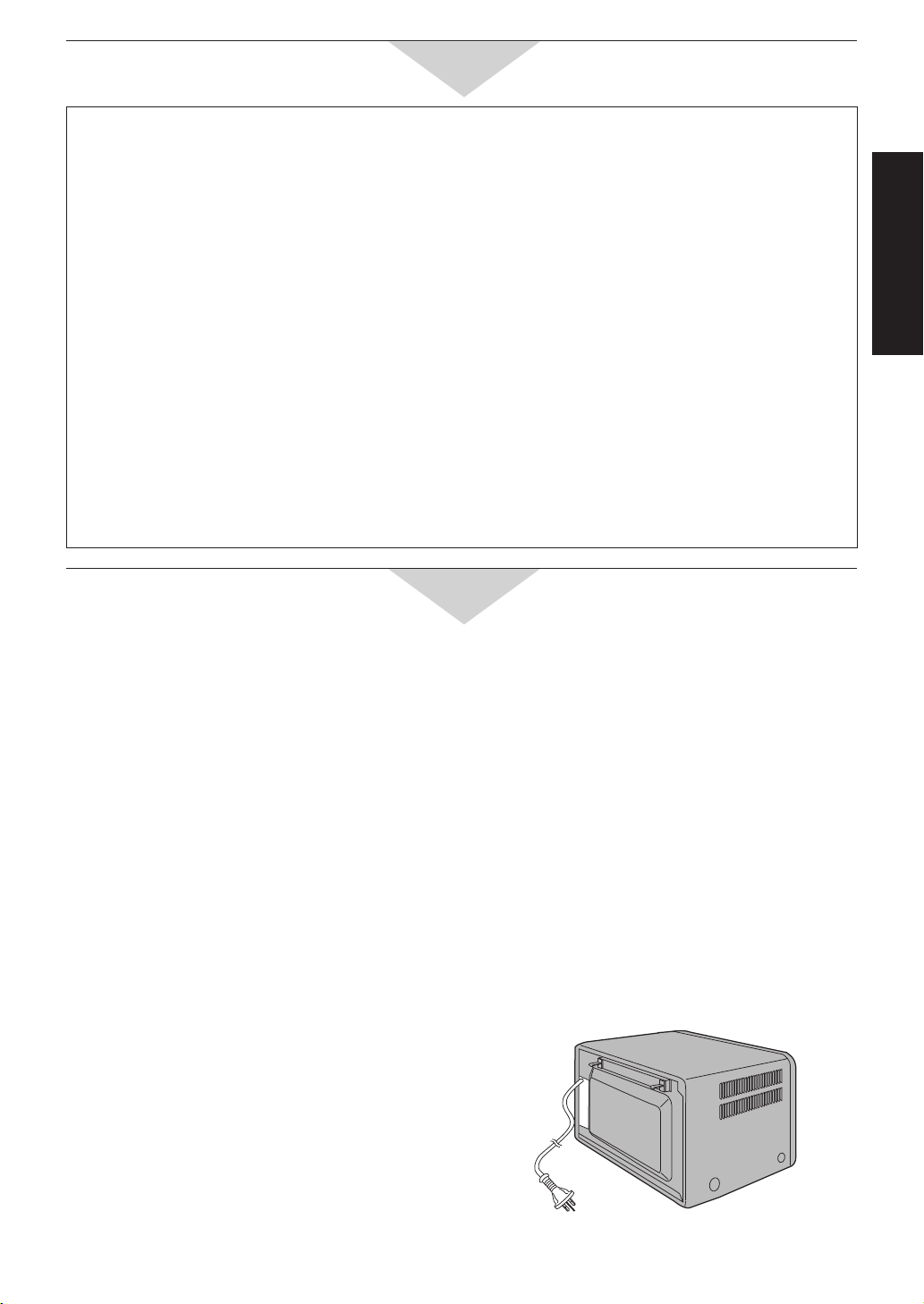
1. The oven must be placed on a flat, stable surface
more than 85 cm above the floor. For correct
operation, the oven must have sufficient air flow.
Allow 15 cm of space on the top of the oven,
10 cm at back and 5 cm on both sides. If one
side of the oven is placed flush to a wall, the
other side or top must not be blocked.
a) Do not block air vents. If they are blocked
during operation, the oven may overheat. If
the oven overheats, a thermal safety device
will turn the oven off. The oven will remain
inoperable until it has cooled.
b) Do not place oven near a hot or damp surface
such as a gas stove, electric range or sink etc.
c) Do not operate oven when room humidity is
too high.
2. The surfaces of top, back and left side of the oven
become hot during operation. Do not allow the
mains cable to come in contact with the surface
of the oven.
3. This oven was manufactured for household use
only.
WARNING (continuance)
g) Only use utensils that are suitable for use in
microwave ovens.
h) When heating food in plastic or paper containers,
keep an eye on the appliance due to the
possibility of ignition.
i) If smoke is observed, switch off or unplug the
appliance and keep the door closed in order to
stifle any flames.
j) When microwave heating liquids, overheating
the liquid beyond boiling point can occur without
evidence of bubbling. This could result in a
sudden boil over of hot liquid.
k) The contents of feeding bottles and baby
food jars must be stirred or shaken and the
temperature checked before consumption, in
order to avoid burns.
l) Eggs in their shell and hard-boiled eggs should
not be heated in microwave ovens since they
may explode, even after microwave heating has
ended.
m) The door seals and door seal areas should be
cleaned with a damp cloth.
n) The oven should be cleaned regularly and any
food deposits removed.
o)
Failure to maintain the oven in a clean condition
could lead to deterioration of the surface that
could adversely affect the life of the appliance
and possibly result in a hazardous situation.
p) During use the appliance becomes hot. Care
should be taken to avoid touching heating
elements inside the appliance.
q) A steam cleaner is not to be used.
Installation and Earthing Instructions
070823_A00037F40QP_OG.indd 3 2007/08/23 14:11:33

Before Operation
-4-
Installation and Earthing Instructions
(continuance)
General Use
1. In order to maintain high quality, do not operate
the oven when empty. The microwave energy will
reflect continuously throughout the oven if no food
or water is present to absorb energy.
2. Do not dry clothes, newspapers or other materials
in the oven. They may catch on fire.
3. Do not use recycled paper products, unless the
paper product is labelled as safe for microwave
oven use. Recycled paper products may contain
impurities which may cause sparks and/or fires
when used.
4. Do not use newspapers or paper bags for
cooking.
5. Do not hit or strike control panel. Damage to
controls may occur.
6. POT HOLDERS may be needed as heat from
food is transferred to the cooking container and
from the container to Ceramic Tray. The tray can
be very hot after removing the cooking container
from the oven.
7. Do not store flammable materials next to, on top
of, or in the oven. It could be a fire hazard.
8. Do not cook food directly on Ceramic Tray unless
indicated in recipes. (Food should be placed in a
suitable cooking utensil.)
9.
Do NOT use this oven to heat chemicals or other
non-food products.
Do NOT clean this oven with
any product that is labeled as containing corrosive
chemicals.
The heating of corrosive chemicals
in this oven may cause microwave radiation
leaks.
10.
When using the COMBINATION mode, never
place any aluminum or metal container directly
on the wire rack. Always insert a heatproof, glass
plate or dish between the wire rack and the
aluminum container. This will prevent sparking
that may damage the oven.
11.
It is recommended not to use the wire rack when
cooking in the MICROWAVE mode only.
General Instructions
Earthing Instructions
This microwave oven must be earthed. In the event
of an electrical short circuit, earthing reduces the
risk of electric shock by providing an escape wire for
the electric current. This microwave oven is equipped
with a cord having an earthing wire with an earthing
plug. The plug must be plugged into an outlet that is
properly installed and earthed.
WARNING - Improper use of the earthing plug can
result in a risk of electric shock.
Circuit
Your microwave oven should be operated on a
separate 10 A circuit from other appliances. Failure
to do this may cause the power board fuse to blow,
and/or food to cook slower. Do not insert higher
value fuse in the power board.
Fan Motor Operation
After using the oven, the fan rotates to cool the
electric components. Do not switch the electricity off
for 5 minutes after using the oven. This continuance
of fan operation is perfectly normal, and you can
take out the food from the oven while the fan
operates.
12.
If ceramic tray is hot, allow to cool before cleaning
or placing in water.
Food
1. Do not use your oven for home canning or the
heating of any closed jar. Pressure will build
up and the jar may explode. In addition, the
microwave oven cannot maintain the food at the
correct canning temperature. Improperly canned
food may spoil and be dangerous to consume.
2. Do not attempt to deep fat fry in your microwave oven.
3. Potatoes, apples, egg yolks, whole squash,
chicken wing and sausages are examples of
foods with non porous skins. This type of food
must be pierced before cooking, to prevent
bursting.
4. When heating liquids, e.g. soup, sauces and
beverages in your microwave oven, overheating
the liquid beyond boiling point can occur without
evidence of bubbling. This could result in a
sudden boil over of the hot liquid. To prevent this
possibility the following steps should be taken:
a) Avoid using straight-sided containers with
narrow necks.
b) Do not overheat.
c) Stir the liquid before placing the container in the
oven and again halfway through cooking time.
d) After heating, allow to stand in the oven for
a short time, stirring again before carefully
removing the container.
5.
DO NOT USE A CONVENTIONAL MEAT
THERMOMETER IN THE MICROWAVE OVEN.
To check the degree of cooking of roasts and
poultry use a MICROWAVE THERMOMETER.
Alternatively, a conventional meat thermometer
may be used after the food is removed from the
oven. If undercooked, return meat or poultry to
the oven and cook for a few more minutes at the
recommended power level. It is important to ensure
that meat and poultry are thoroughly cooked.

Before Operation
-5-
General Instructions
Microwaves are a form of high frequency radio
waves similar to those used by a radio, including
AM, FM and CB.
Electricity is converted into microwave energy by the
magnetron tube (which is the heart of the microwave
oven).
From the magnetron tube, microwave energy is
transmitted to the oven cavity. The microwaves are
converted to heat in the food. The microwaves enter
from the outside of the food and travel through the
food. Continued cooking to the centre occurs by
conduction.
Although pacemakers used to be affected by
microwaves (as well as by other radio waves), they
are now shielded and are not bothered by these
interferences. This allows people with pacemakers to
sit calmly by their radio or television and cook with
microwave ovens.
When the microwaves come in contact with a
substance, any one or a combination of three things
may occur. They can be:
1. REFLECTED
2. TRANSMITTED
3. ABSORBED
Reflection
Metal substances REFLECT microwave energy
because there is no absorption and there is no
heating. This is why the oven interior is either
stainless steel or paint-coated steel. This ensures
that the microwaves are kept inside the cavity and
evenly distributed throughout the food with the help
of the turntable.
Transmission
Such substances as paper, glass and plastic
TRANSMIT microwave energy and do not become
hot except from food. Because these substances
do not reflect or absorb microwave energy, they are
ideal materials for microwave cooking containers.
Absorption
Food contains moisture and will ABSORB
microwave energy, which causes the moisture
molecules within the food to vibrate at an incredible
rate (2,450,000,000 times per second). Friction,
created by vibration, produces heat energy which is
conducted throughout the food.
6. COOKING TIMES given in the cookbook
section are APPROXIMATE. Factors that may
affect cooking time are preferred degree of
cooking, moisture content, starting temperature,
altitude, volume, size, shape of food and utensils
used. As you become familiar with the oven, you
will be able to adjust for these factors.
7.
It is better to UNDERCOOK RATHER THAN
OVERCOOK foods. If food is undercooked, it
can always be returned to the oven for further
cooking. If food is overcooked, nothing can be
done. Always start with minimum cooking times
recommended.
8. Extreme care should be taken when cooking
popcorn. Cook for minimum time as recommended
by manufacturer. Use the directions suitable for
the wattage of your oven. NEVER leave oven
unattended when popping popcorn.
9. Take care when heating food in foil trays. Trays
should be no deeper than 2 cm and should not
touch the sides of the oven walls. If you are
unsure of the heating time, do not leave the oven
unattended.
Microwaves and How They Work

Before Operation
-6-
Cookware and Utensil Guide
Plastics
Plastic dishes, cups and some freezer containers
should be used with care in a microwave oven.
Choose plastic containers carefully, as some plastic
containers may become soft, melt and scorch.
The majority of plastic dishes, even those designed
for use in the microwave oven, are not suitable for
cooking foods with high fat or sugar content, or for
lengthy cooking time. Most microwave plastic dishes
should not be used for longer than 3 to 5 minutes
on HIGH power. These dishes, although not suitable
for extended cooking, may be successfully used for
defrosting or for use on lower power levels.
Cooking Bags designed to withstand boiling,
freezing, or conventional heating are microwave
safe. Prepare bags according to manufacturers'
directions. When cooking by microwave, DO NOT
use wire twist-ties to close bag. They can act as an
antenna and cause arcing (sparks).
DO NOT COOK IN PLASTIC FOOD STORAGE
BAGS.
Plastic Wrap such as GLAD WRAP® can be used
to cover dishes in most recipes. Over an extended
heating time, some disfiguration of the wrap may
occur. When removing plastic wrap "covers" as well
as any glass lid be careful to remove it away from
you to avoid steam burns.
Loosen plastic but let dish stand covered.
Browning Dishes
NOTE: Browning dishes are no longer available. This
information is supplied to assist people who already
own a browning dish.
Browning dishes are used to sear chops, meat
patties, steaks etc. A special coating on the bottom
of the dish absorbs the microwave energy and
becomes very hot. When foods are added to the
dish, the result is a seared effect. Preheat the dish
according to the manufacturers' directions. Add
food to be seared and heat according to recipe or
personal preference. Use pot holders to remove
the dish from the Microwave Oven. Do not use the
browning dish on or in a conventional stove.
Remember:
Food can be covered with a loose sheet of
absorbent towel to prevent splattering.
Do not attempt to deep fry in the browning dish
or microwave oven as you cannot control the
temperature of the oil.
It is important to use correct containers when
cooking in a microwave oven. The following will help
you to make the right selection.
How to Test a Container for Safe Microwave Oven
Use
Fill a 1-cup glass measure with water and place it in
the microwave oven along with the container to be
tested; heat one minute on HIGH. If the container is
microwave oven safe, it should remain comfortably
cool and the water should be hot. If the container
becomes very hot, it has absorbed some microwave
energy and should not be used. This test cannot be
used for plastic containers.
Paper Products and Freezer Wrap
Waxed paper, paper plates, cups and napkins
should not be used for heating or cooking food by
Convection, Combination and Grill. Freezer wrap
should not be used as it is not heat resistant and
may melt. Paper towels, greaseproof paper and bake
paper may be safely used for short periods of time
for covering or lining.
Glass, Ceramic and China
Heat-Resistant glass cookware is invaluable in
microwave cooking. Many of these items are readily
available in most homes: glass jugs, mixing bowls,
loaf dishes, covered casseroles, oblong baking
dishes, pie plates and round or square cake dishes.
Examples of this type of cookware are Pyrex® and
Corningware®.
Dinnerware can be used for microwave heating.
Many brands of dinnerware are microwave safe.
Check the care information for reference to
microwave use for dinnerware and serving pieces. If
dinnerware is marked ovenproof, it frequently is safe
to use in the microwave oven. However, to be sure,
check by conducting a microwave dish test.
Several types of glassware and dinnerware are
not recommended for use in the Microwave Oven.
Do not use dishes with metallic trim or containers
with metal parts. Do not use cups or mugs with
glued on handles, as they may fall off with continued
heating. Do not use delicate glassware. Although the
glassware may be transparent to microwave energy
the heat from the food may cause the glassware to
crack.
Before Operation
-7-
Cookware and Utensil Guide
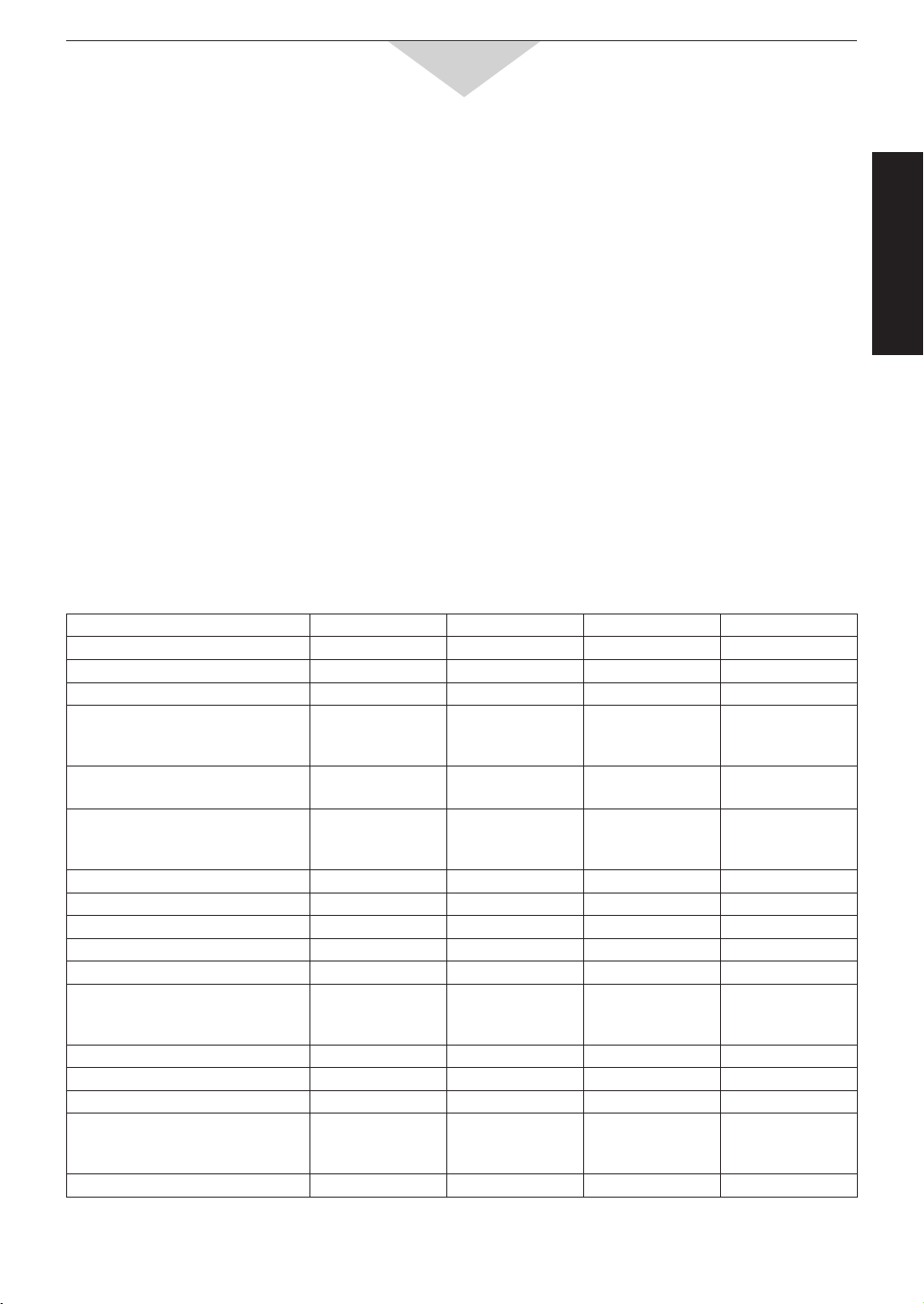
* Check manufacturers’ recommendation, must withstand heat.
** Follow recipe instructions.
NOTE: See page 10 for accessories included.
Microwave Grill Convection Combination
Aluminium foil for shielding yes yes for shielding
Browning dish yes no no no
Brown paper bags no no no no
Dinnerware
oven/microwave safe
non-oven, microwave safe
yes
yes
yes
no
yes
no
yes
no
Disposable polyester
paperboard dishes
yes*
no
yes*(up to 220˚C)
yes*(up to 220˚C)
Glassware
oven glassware & ceramic
non heat resistant
yes
no
yes
no
yes
no
yes
no
Metal cookware no yes yes yes**
Metal twist-ties no yes yes no
Oven cooking bag yes no yes* yes
Paper towels and napkins yes no no no
Plastic defrosting rack yes no no no
Plastic dishes
microwave safe
non microwave safe
yes
no
no
no
*
no
*
no
Plastic wrap yes no no no
Silicon Bakeware yes * * *
Straw, wicker, wood yes no no no
Thermometers
microwave safe
conventional
yes
no
no
yes
no
yes
no
no
Waxed paper yes no no no
Cookware and Utensil Guide
Metal
Metal cookware or utensils, and those with metallic trim,
should NOT be used on microwave. Since microwave
energy is reflected by metal, foods in metal containers will
not cook evenly. There is also the possibility of "arcing".
Although metal utensils must be avoided in microwave
cooking, some metal can be helpful when used correctly.
Aluminium foil can be used safely, if certain guidelines
are followed, to prevent overcooking. Small pieces of foil
are used to cover areas such as chicken wings, tips of
roasts, or other thin parts that cook before the rest of the
recipe is finished. Make sure foil is attached securely and
doesn't touch sides of oven; otherwise arcing may occur.
Foil lined containers, either cardboard or plastic, should
NOT be used in the microwave oven as arcing could
occur.
Metal twist-ties, either paper or plastic coated, should
NOT be used on Microwave or Combination.
Frozen dinner trays can be used on Microwave if the
container is no deeper than 2 cm and is filled with food.
They may be used on Convection.
Metal skewers can not be used on Microwave as arcing
may occur. Wooden skewers are readily available and
give the same result.
Shells: Scalloped baking shells are best used during
reheating and for short periods of cooking time only.
Thermometers are available for use in microwave
ovens. DO NOT USE CONVENTIONAL MERCURY
TYPE CANDY OR MEAT THERMOMETERS in
food while cooking in the microwave oven or on
Combination.
Jars and Bottles
Jars and Bottles can be used to warm food to
serving temperature, if the lid is removed first.
Cooking should not be done in these containers
since most are not heat resistant and during
extended heating times, heat from food would cause
cracking or breaking.
Straw, Wicker, and Wood
Straw and wicker baskets may be used in the
microwave oven for a short period of time to warm
rolls or bread. Large wooden utensils, such as bowls
or cutting boards should NOT be used for prolonged
heating as the microwave energy may cause the
wood to become dry and brittle.

Before Operation
-8-
Feature Diagram
Ceramic Tray
1. Do not operate the oven without Roller Ring and Ceramic Tray in place.
2. Only use Ceramic Tray specifically designed for this oven. Do not substitute any other Ceramic tray.
3. If Ceramic Tray is hot, allow to cool before cleaning or placing in water.
4. Do not cook directly on Ceramic Tray unless otherwise indicated. Always place food in a microwave-safe
dish, or on a rack set in a microwave-safe dish.
5. If food or utensils on Ceramic Tray touches the oven walls, causing the tray to stop moving, the tray will
automatically rotate in the opposite direction. This is normal.
6. Ceramic Tray can rotate in either direction.
Door
Door Safety
Lock System
Door Safety
Lock System
Roller Ring
1. Roller Ring and oven floor
should be cleaned frequently to
prevent excessive noise.
2. Roller Ring must always be
used together with Ceramic Tray
for cooking.
Identification Plate
The oven model number
and serial number are
recorded here. (back side)
Door Release Button
Press to open the door.
Opening the door during cooking will stop the
cooking process without cancelling the programme.
Cooking resumes as soon as the door is closed
and Start Pad is pressed. The oven light will stay on
or turn on whenever the door is opened. It is quite
safe to open the door at any time during a cooking
program and there is no risk of microwave exposure.
Control
Panel
Before Operation
-9-
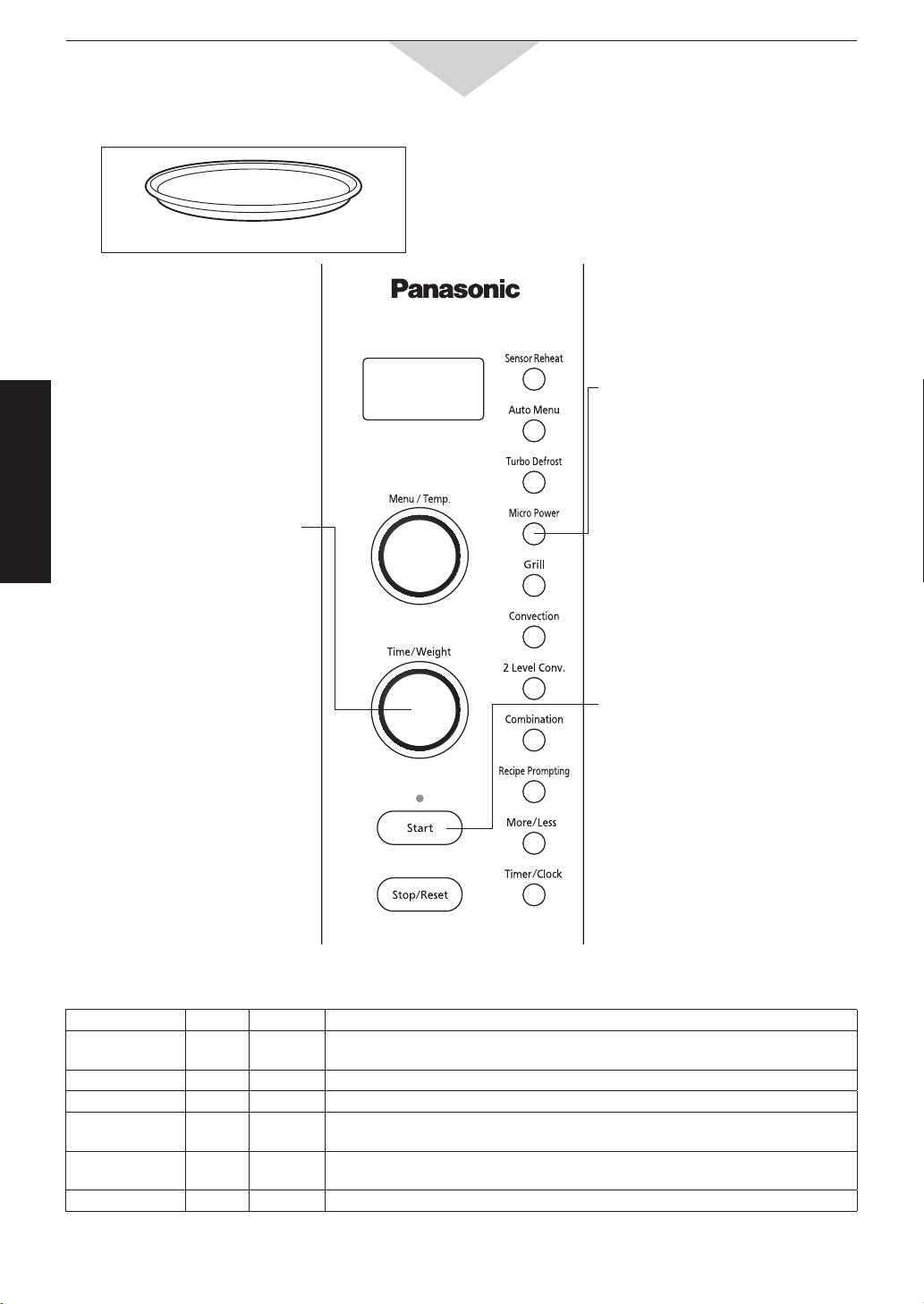
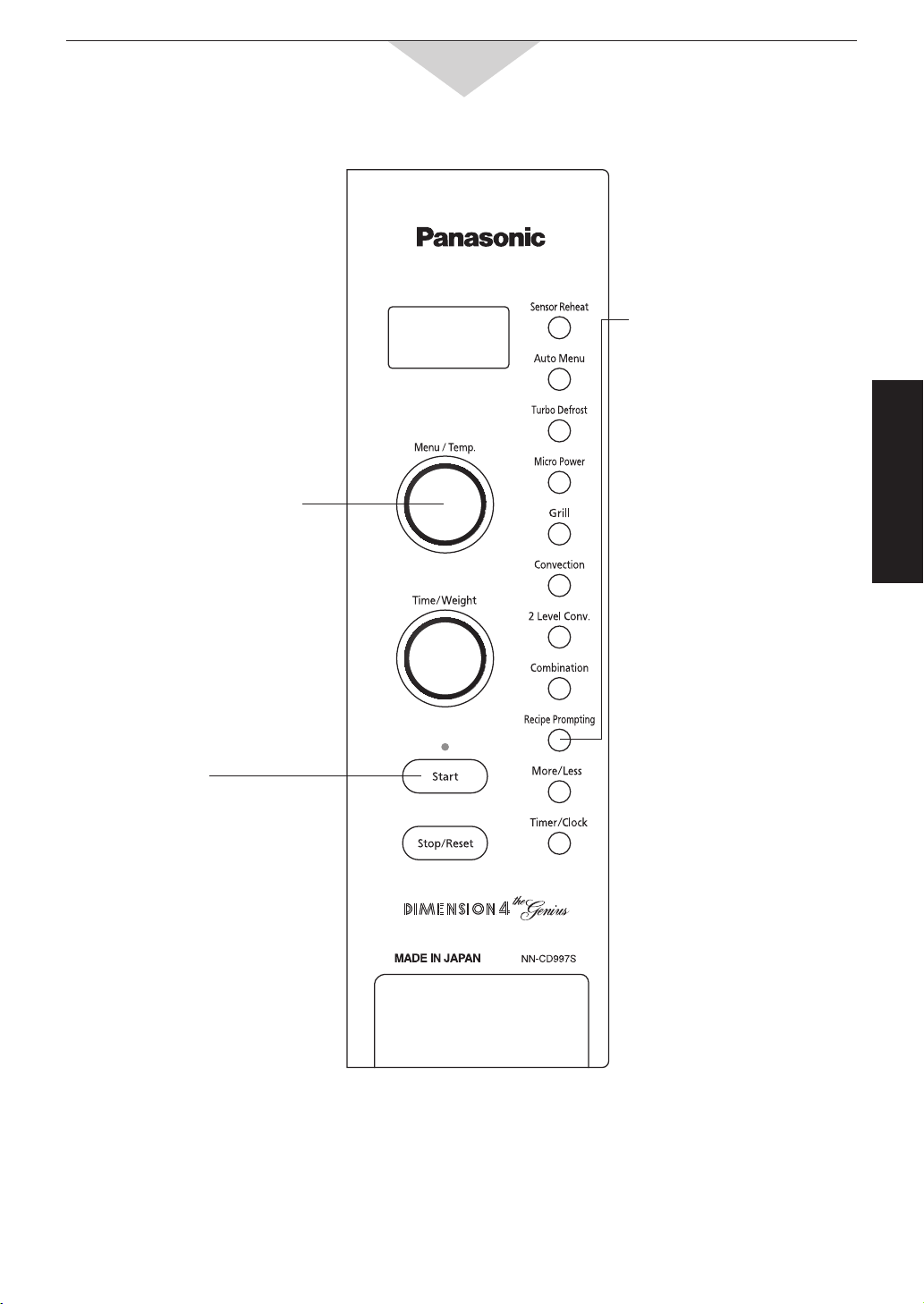
Feature Diagram - Control Panel
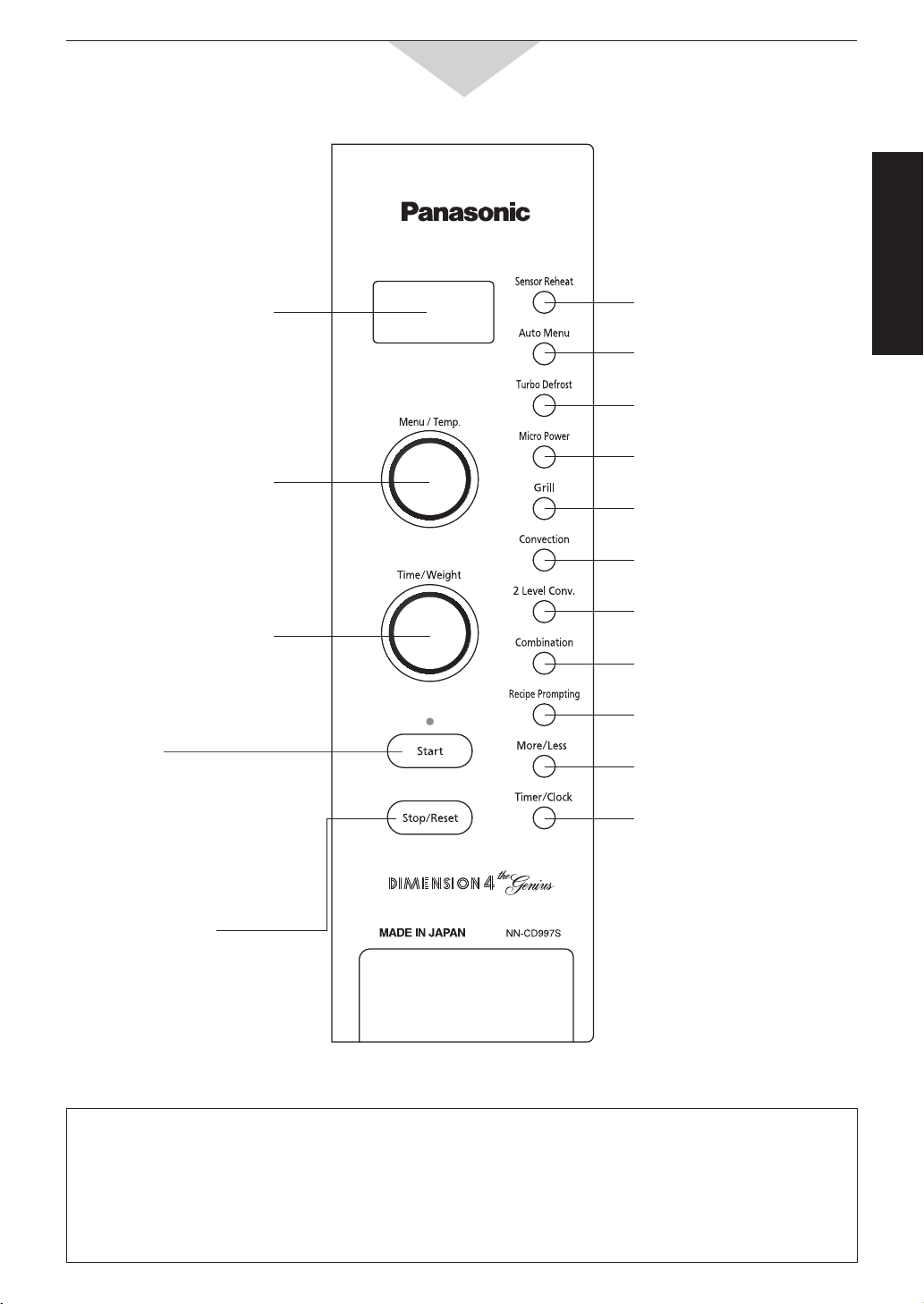
Prompters:
When a pad is pressed, a beep sound is heard and the corresponding letter or word(s) appear and roll
across the screen.
If a pad is pressed and no beep is heard, the unit does not or cannot accept the instruction. As each pad is
pressed the corresponding word(s) roll across the screen. Words will automatically appear to prompt user to
perform the next step. It is not necessary to wait for the words to appear before pressing pads for the next
step. A two beep sound is heard between stages. At the end of any complete program, the oven will beep
five times.
The control panel of NN-CD987W has the same key layout as NN-CD997S.
Display Window
Time / Weight Dial
Micro (Microwave)
Power Pad (page 14 - 16)
Grill Pad
(page 20)
Convection Pad
(page 18, 19)
Combination Pad
(page 21, 22)
Turbo Defrost Pad
(page 17)
Menu / Temp.
(Temperature)
Select Dial
Stop/Reset Pad
Before cooking:
One tap clears your instructions.
During cooking:
One tap temporarily stops the
cooking process. Another tap
cancels all your instructions and
time of day appears in display
window.
Start Pad
One tap allows oven to
begin functioning. If door is
opened or STOP/RESET
pad is tapped once during
oven operation, START pad
must again be pressed to
restart oven.
More / Less Pad
(page 23, 24)
2 Level Conv.
(convection) Pad (page 18, 19)
Timer/Clock Pad
(page 13)
Sensor Reheat Pad
(page 23)
Auto Menu Pad
(page 24 - 28)
Recipe Prompting Pad
(page 29, 30)
Before Operation
-10-
Ceramic Tray
with Roller Ring
Use always
High Rack
Low Rack
Microwave yes no no
Grill yes yes yes
Convection yes yes yes
2 Level Convection yes yes yes
Combination yes no yes
Oven Accessories
Microwave
Heat
Cook Navigator/Prompting
This feature allows you to be guided through the cooking process. Once a pad has been selected, the oven
will prompt you to the NEXT step until cooking starts.
e.g. 1
Press Convection Pad.
Display window will prompt you to
“SET TEMPERATURE”.
Turn to temperature required.
Display window will prompt you to
“PRESS START”.
Press Start Pad.
Cooking Modes: Heating Source
Microwave
Grill
Low Rack can be used
for Combination cooking.
Combination
Convection
2 Level Convection
NOTE:
This feature operations for all cooking modes. Operation guide can be turned off (refer page 13).
e.g. 2
Press Auto Menu Pad.
Display window will prompt you to
“1. FROZEN REHEAT” (category).
Turn to select menu required.
Display window will prompt you to
“PRESS START”.
Press Start Pad.
e.g. 3
Press Micro Power Pad.
Display window will prompt you to
“SET TIME”.
Turn to select cooking time.
Display window will prompt you to
“PRESS START”.
Press Start Pad.
-11-
Operation & Hints
Let’s Start to Use Your Oven!
1.
Plug In
Plug into a properly grounded
electrical outlet.
“PANASONIC MICROWAVE/
CONVECTION OVEN
WELCOME TO COOKING”
appears in the display window.
(This will immediately cease
when any pad is pressed.)
2.
Press
Open the door and place the
food on Ceramic Tray in the
oven. Then close the door.
4.
Set Time
Turn dial clockwise to increase
or anti-clockwise to decrease
cooking time.
5.
Press
Starts the cooking process.
3.
Select
Power Level
e.g. HIGH power –– Press once
(Continue pressing for other
power levels
–– page 14)
-12-
Operation & Hints
Feature How to Operate
To Set Clock
(page 13)
2 x press
Enter time of day.
(Max 12:59)
To Use
Child Safety Lock
(page 13)
To Set:
3 x press
Display
To Cancel:
3 x press
Display
Display returns to clock.
To Use Micro Power
and Time Setting
(page 14 - 16)
Select Power
To Cook on Grill
(page 20)
Select Grill 1 or 2
To Cook on Convection
/2 Level Convection
(page 18, 19)
e.g. 1 Level Convection
Place
food in
the oven.
For
preheating:
For
Cooking:
Select Temp.
Select Time
To Cook by Combination
(page 21, 22)
Select 1-6
To Reheat using “Sensor
Reheat” pad
(page 23)
Optional
To Cook using
“Auto Menu” pad
(1-20):
(page 24 - 28)
Optional
Select Desired
Food Category.
(Auto Menu:
1 - 9, 19, 20)
Optional
Select Desired
Food Category.
(Auto Menu:
10 - 18)
Set weight.
To Set
Stand Time
(page 19)
To Select Standing Time
Set Desired
Cooking
Programme.
To Use
Recipe Prompting
(page 29, 30)
Select
the Desired
Recipe.
Turn clockwise
for the next instruction.
Turn counterclockwise
for the previous
instruction.
Quick Guide to Operation
-13-
Operation & Hints
To Set Clock
To Use Child Safety Lock
NOTES:
1. To reset time of day, repeat the steps as above.
2. The clock will keep time of day as long as the oven is plugged in and electricity is supplied.
3. Max time available is 12:59. Clock is 12 hour only.
4. You can use the oven without setting the clock.
This feature allows you to prevent operation of the oven by a young child; however, the door will open.
You can set Child Lock when colon or time of day is displayed.
Operation Guide on the Screen
To assist you in programming your oven, the following operation will appear on the screen.
When you become familiar with your oven, the operation guide can be turned off.
Enter time of day
using the Time / Weight Dial.
Display
e.g. 11:25
Press twice.
Press.
To turn off:
Display
Press 3 times
Colon or time of
day appears on the
screen.
Press 3 times
Display
Colon or time of
day appears on the
screen.
To turn on:
Colon or time of day
is displayed.
Press 3 times.
To Set:
Display
Colon or time of day
will reappear.
Press 3 times.
To Cancel:
Display
-14-
Operation & Hints
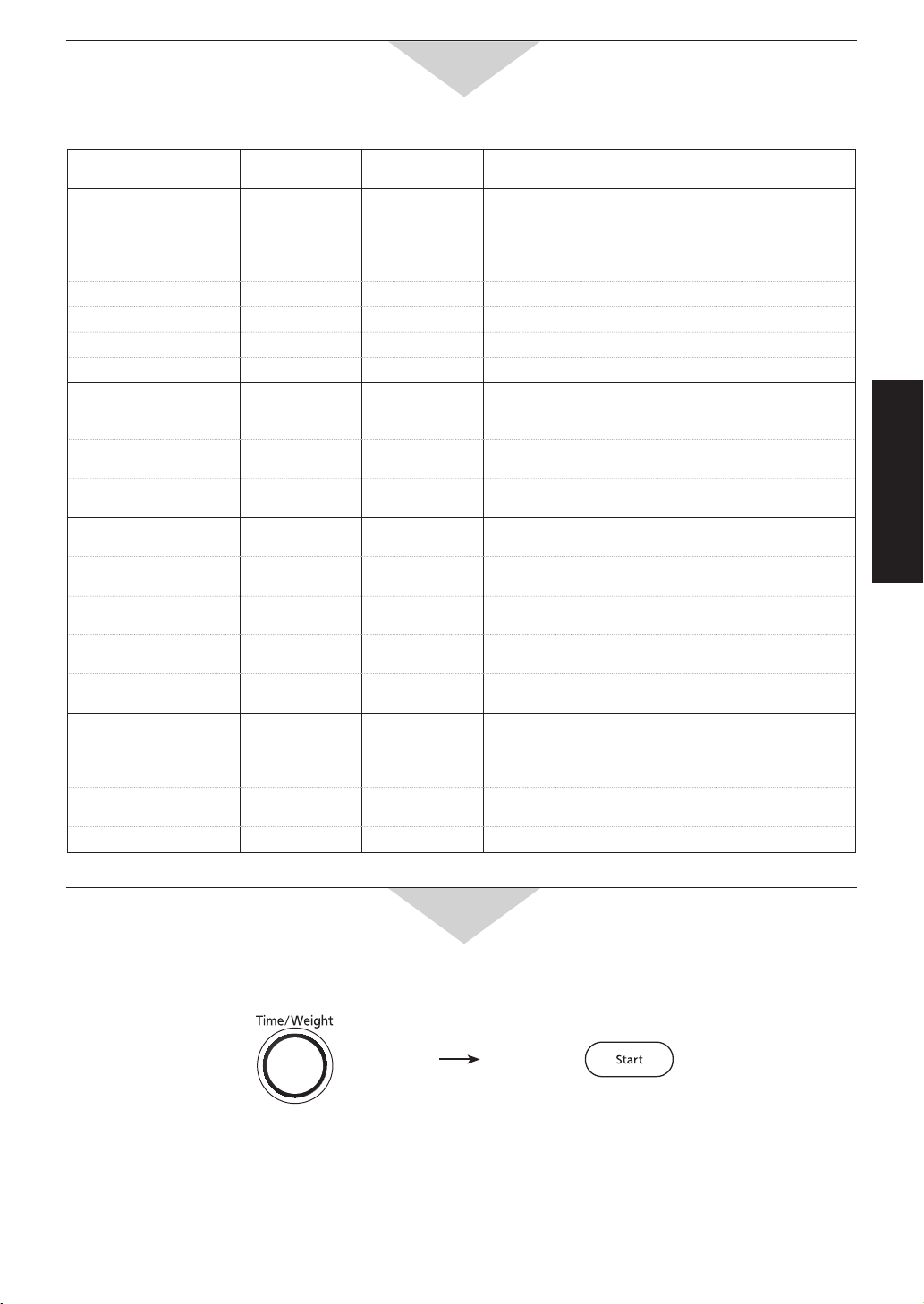
To Reheat / Defrost / Cook by Micro Power and Time
1.
Select
Micro Power
3.
Press
Cooking will start.
The time in the display window will
count down.
2 or 3 stage cooking:
Repeat steps 1 and 2 above then
press Start Pad, the oven will beep
twice between stages.
e.g. Casseroles - HIGH 10 minutes
to bring to the boil, then
MED LOW 30 mins to finish by
simmering.
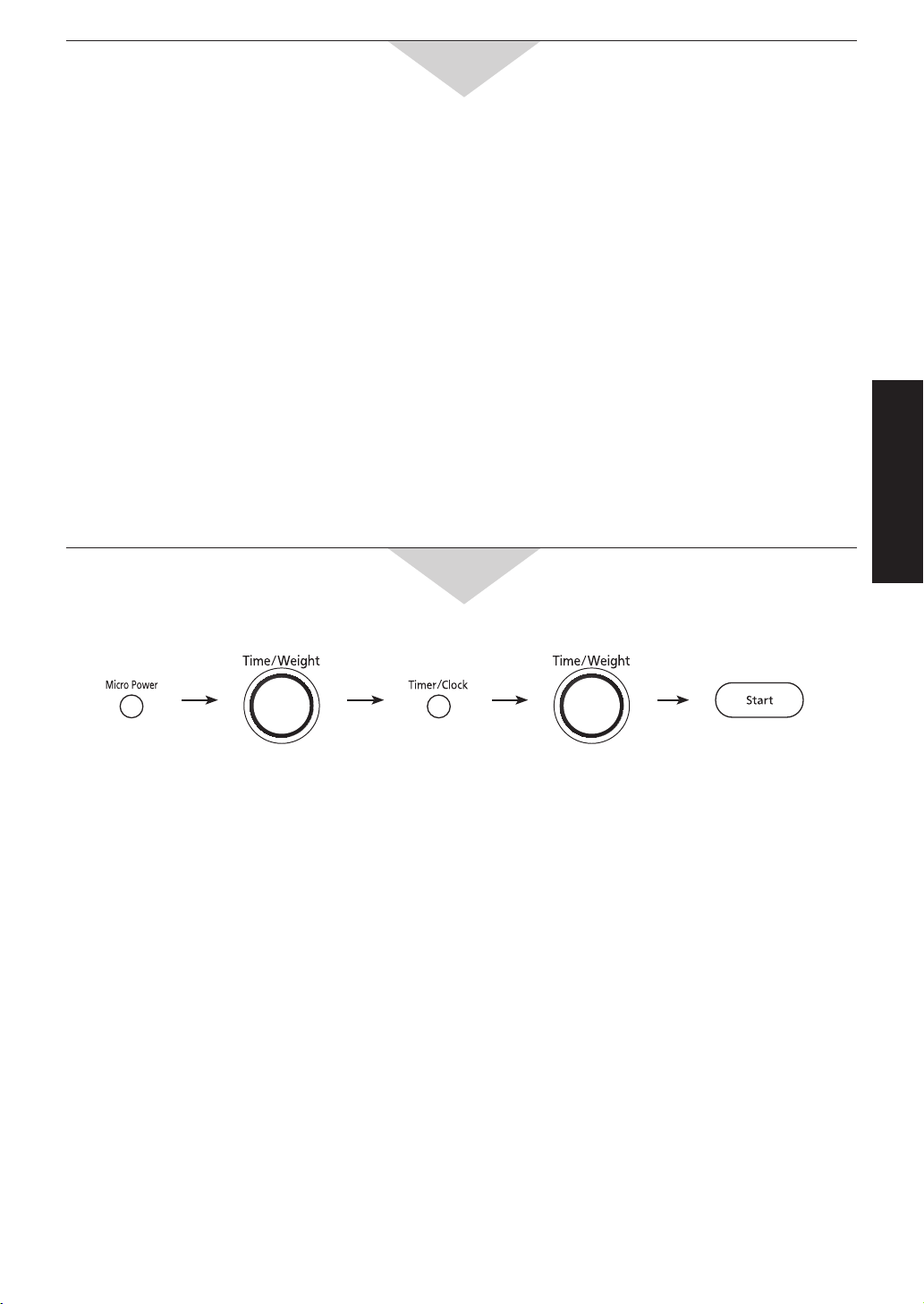
Micro Power:
You can select different power levels for cooking foods at different speeds, refer to the chart below.
2.
Set Cooking
Time
HIGH: up to 30 minutes
Others: up to 1
1
/
2
hours
Time can be entered in
10 second intervals up to
5 mins then 1 min intervals.
* Refer to page 16.
Power Level Power
No. of Taps
Example of Use
HIGH 1000 W 1 Boil water, cook fresh fruit, vegetables, rice and pasta.
Reheat soups, stews and casseroles.
DEFROST* 350 W 2 Thaw foods.
MED HIGH 700 W 3 Cook poultry, meat, cakes and desserts. Heat milk.
MEDIUM 550 W 4 Cook pot roasts, casseroles and meatloaves, melt chocolate. Cook eggs
and cheese. Cook fish.
MED LOW 350 W 5 Simmer soups, stews and casseroles (less tender cuts.) Soften butter
and cream cheese.
LOW 100 W 6 Keep cooked foods warm, simmer slowly.
Use of Accessory:
Ceramic Tray
-15-
Operation & Hints
Frozen Convenience Foods
Item Frozen
(pre-cooked)
Power
Approx. Time
(in minutes)
Instruction
BREAD & BAKED
PRODUCTS
Bread 1 slice
1 loaf (700 g)
6 rolls
MED HIGH
MED HIGH
MEDIUM
15 - 20 sec
2 - 3
2 - 3
Do not let bread get hot, or it will become rubbery
and dry out. Remove whole loaf from original
wrapper. Place on paper towel to absorb moisture.
Cheesecake (450 g) DEFROST 2 - 3 Remove from container. Defrost on plate.
Muffins – 4 (350 g) MED HIGH 2 - 3 Place onto paper towel lined plate.
Scones – 6 (400 g) MEDIUM 2 - 3 Defrost on paper lined plate. Stand 2 minutes.
Croissants – 4 (200 g) MEDIUM 1 - 2 Place onto paper towel lined plate.
PIES
Fruit Pie (500 g)
DEFROST
then
MED HIGH
5 - 7
5 - 7
Remove from foil container and place uncovered
into a pie dish.
Meat Pie (175 g) DEFROST then
MEDIUM
4 - 6
3 - 4
Place onto paper towel lined plate.
Pizza (350 g) HIGH 5 - 7 Remove from package and place onto paper
towel or follow manufacturers’ instructions.
FROZEN MEAL
Fish in Sauce (200 g) MEDIUM 6 - 7 Pierce corner of bag. Heat on a plate.
Instant Casserole
in Pouch (serves 2)
MEDIUM 6 - 7 Pierce pouch.
Lasagne (400 g) MEDIUM 14 - 16 Remove from foil container, place into serving
dish.
Plate Food /
TV style dinner (320 g)
MEDIUM
8 - 10
Remove foil cover and replace with plastic wrap.
Vegetables & Sauce
(in the bag) (500 g)
MEDIUM
8 - 10
Pierce corner of bag. Heat on a plate.
MISCELLANEOUS
Chicken Pieces
(500 g)
DEFROST
then
MED HIGH
5 - 7
6 - 8
Place onto paper towel lined plate.
Fish Fingers – 8
(200 g)
DEFROST then
HIGH
3 - 5
2 - 3
Place onto paper towel lined plate.
Sausage Rolls (250 g) MEDIUM 3 - 5 Place onto paper towel lined plate.
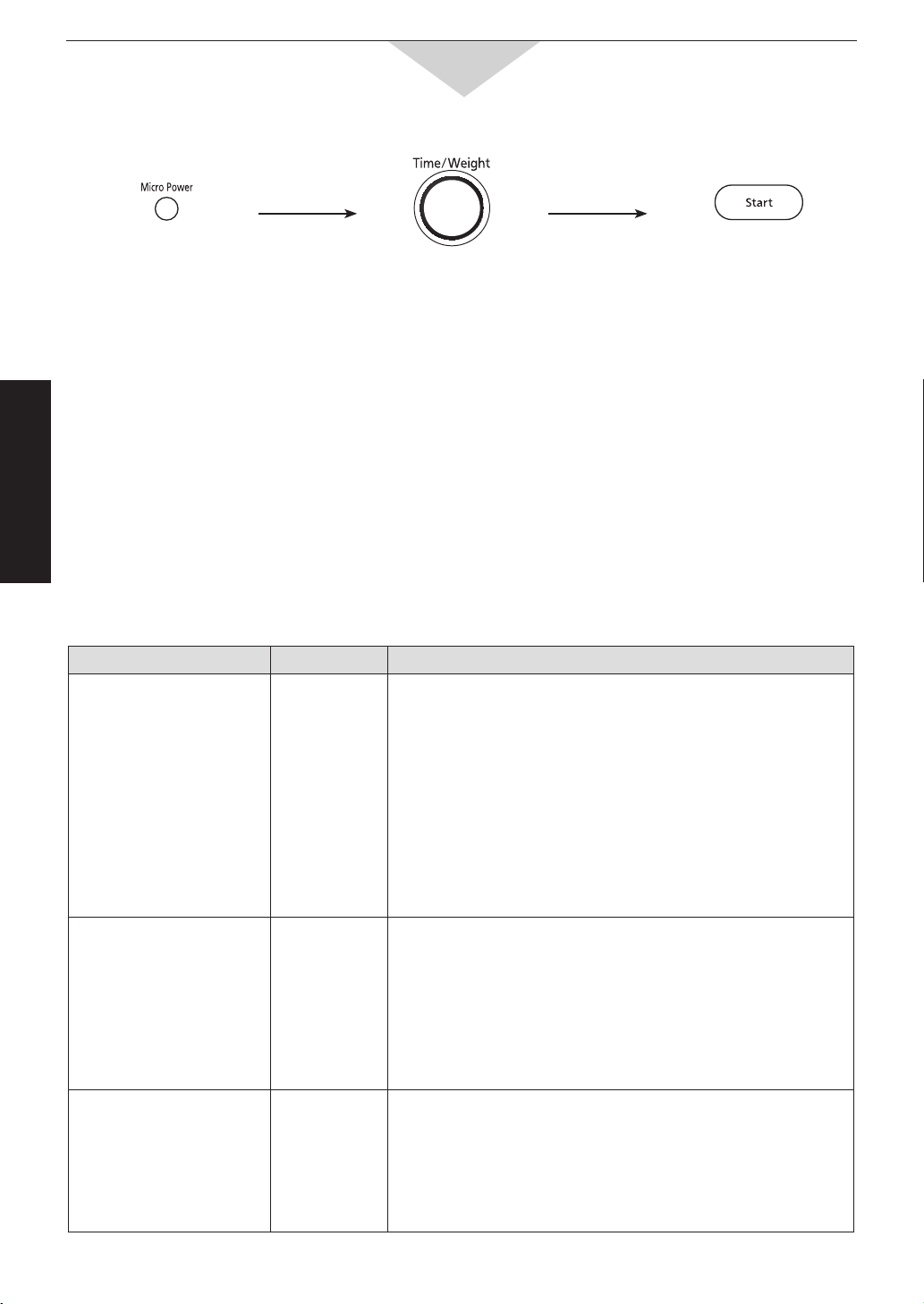
To Cook using the Time/Weight Dial
This feature allows you to set cooking times at micro power “HIGH” easily.
e.g. To cook at HIGH Power for 5 minutes.
Set cooking time.
(Up to 30 minutes)
Press.
Cooking starts.
NOTE: This feature is not available for 2 or 3 stage cooking.
To Reheat / Defrost / Cook by Micro Power and Time
-16-
Operation & Hints
Defrost by Setting Time
Preparation for Freezing:
1. Heavy-duty plastic wraps and bags, and freezer wraps are suitable.
2. Freeze meat, poultry and fish in packages with only 1 or 2 layers of food. To aid in separating layers, place
two pieces of wax paper between them.
3. Remove all air and seal securely.
4. Label package with type and cut of meat, date and weight.
5. Defrosting times given in the charts are for thoroughly frozen foods (i.e. at least 24 hours in freezer
maintained at -18°C or lower).
Defrosting Technique:
1. Remove from wrapper and set on a Plastic or Ceramic rack in a dish on Ceramic Tray.
2. After defrosting: Large roasts may still be icy in the centre. Allow to stand 15 to 30 minutes in refrigerator to
completely defrost.
Defrosting Chart (using Micro Power defrost and time):
To Reheat / Defrost / Cook by Micro Power and Time
Food Approx. Time Instruction
MEAT
Beef
minced beef
roast: topside
beef tenderloin
chuck or rump
sirloin, rolled
steak
miscellaneous
Pork/Lamb
roast
chops
ribs
per 500 g
8 - 11
12 - 15
12 - 15
10 - 13
11 - 14
8 - 10
8 - 12
9 - 12
8 - 11
8 - 12
Turn meat over two or three times during defrosting.
Halfway through the defrost cycle break apart minced beef,
separate chops and remove meat that is defrosted.
Shield edges and unevenly shaped ends of roasts halfway
through the defrost cycle.
Large roasts may still be icy in the centre. Allow to stand.
POULTRY
Chicken
whole
pieces
fillets
Duck
Turkey
9 - 12
8 - 11
8 - 10
10 - 12
10 - 13
Turn poultry over two to four times during defrosting.
Halfway through the defrost cycle shield end of drumstick,
wings, breast bones, and ends of poultry with foil.
Break apart chicken pieces and remove small pieces such as
wings, that may defrost before larger pieces.
Rinse poultry under cold water to remove ice crystals.
Allow to stand for 5 to 10 minutes before cooking.
FISH & SHELLFISH
Fish fillets
Whole fish
Crabmeat
Lobster tails
Sea scallops
Green prawns
9 - 11
9 - 12
8 - 10
8 - 10
8 - 10
10 - 12
Halfway through the defrost cycle, turn whole fish or blocks of
fillets over. Also, break apart prawns or scallops.
Remove any pieces that are defrosted.
Allow to stand 5 to 10 minutes before cooking.
Press twice. Set time. Press.
-17-
Operation & Hints
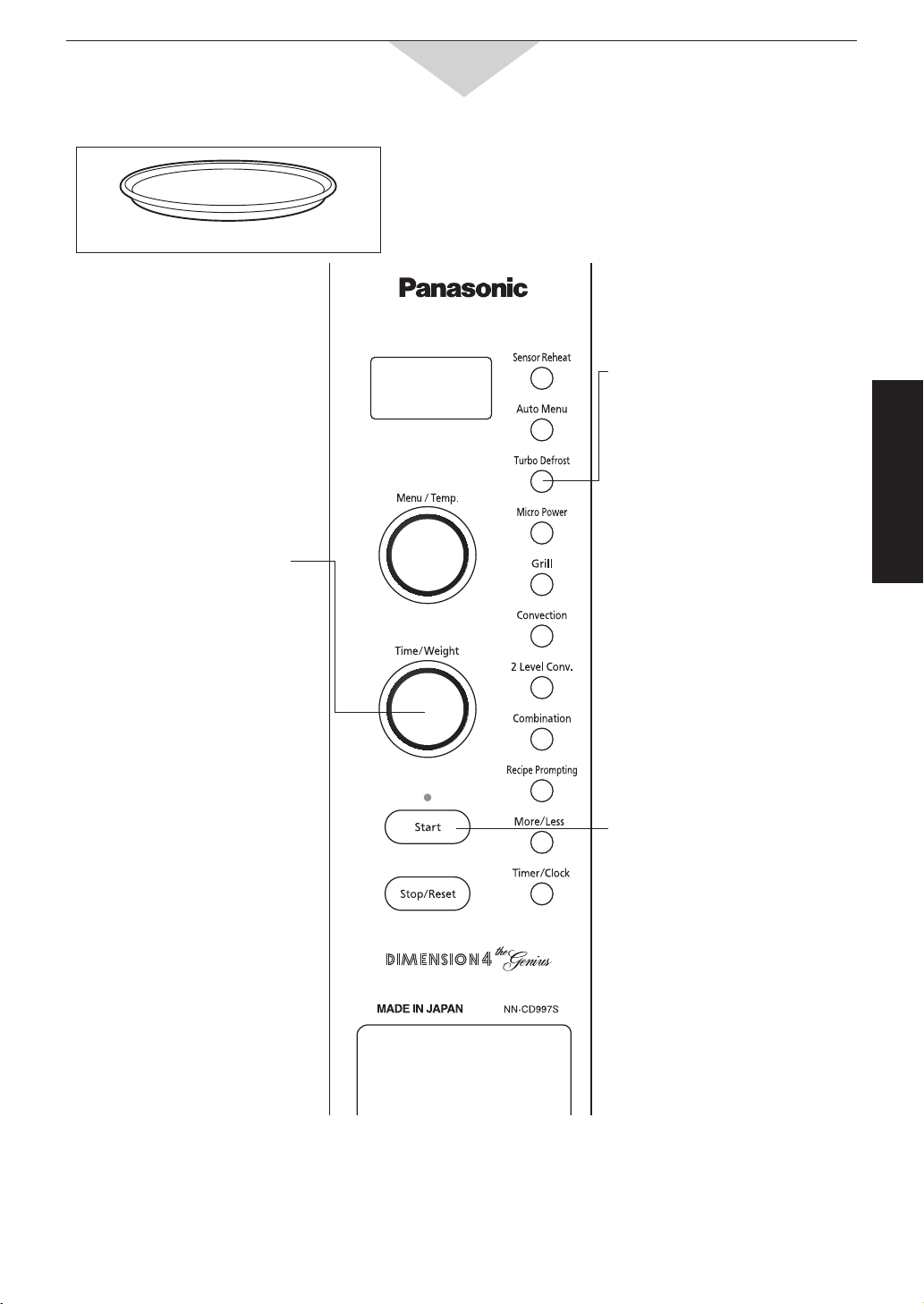
To Defrost by Turbo Defrost
2.
Set Weight
Max. weight 3 kg
Weight can be entered in 0.1 kg
intervals.
The shape and size of the food
will determine the maximum weight
the oven can accommodate.
3.
Press
Defrosting time appears in the
display window and begins to
count down.
Turbo Defrost
This feature allows you to defrost meat, poultry and
seafood by entering the weight.
1.
Press
NOTES:
1. Stand time or power level may be programmed after Turbo Defrost. (See pages 19)
2. During Turbo Defrost, the oven will beep.
At the beep: Turn over all meat, poultry, fish and shellfish. Break apart stewing meat, chicken pieces and
minced meat. Separate chops and hamburger patties. Remove defrosted minced meat, stewing meat,
poultry pieces or prawns etc. Shield thin ends, fat bones of roasts or poultry legs and wings with foil.
3. For further information on Defrost, refer to page 16.
Use of Accessory:
Ceramic Tray
-18-
Operation & Hints
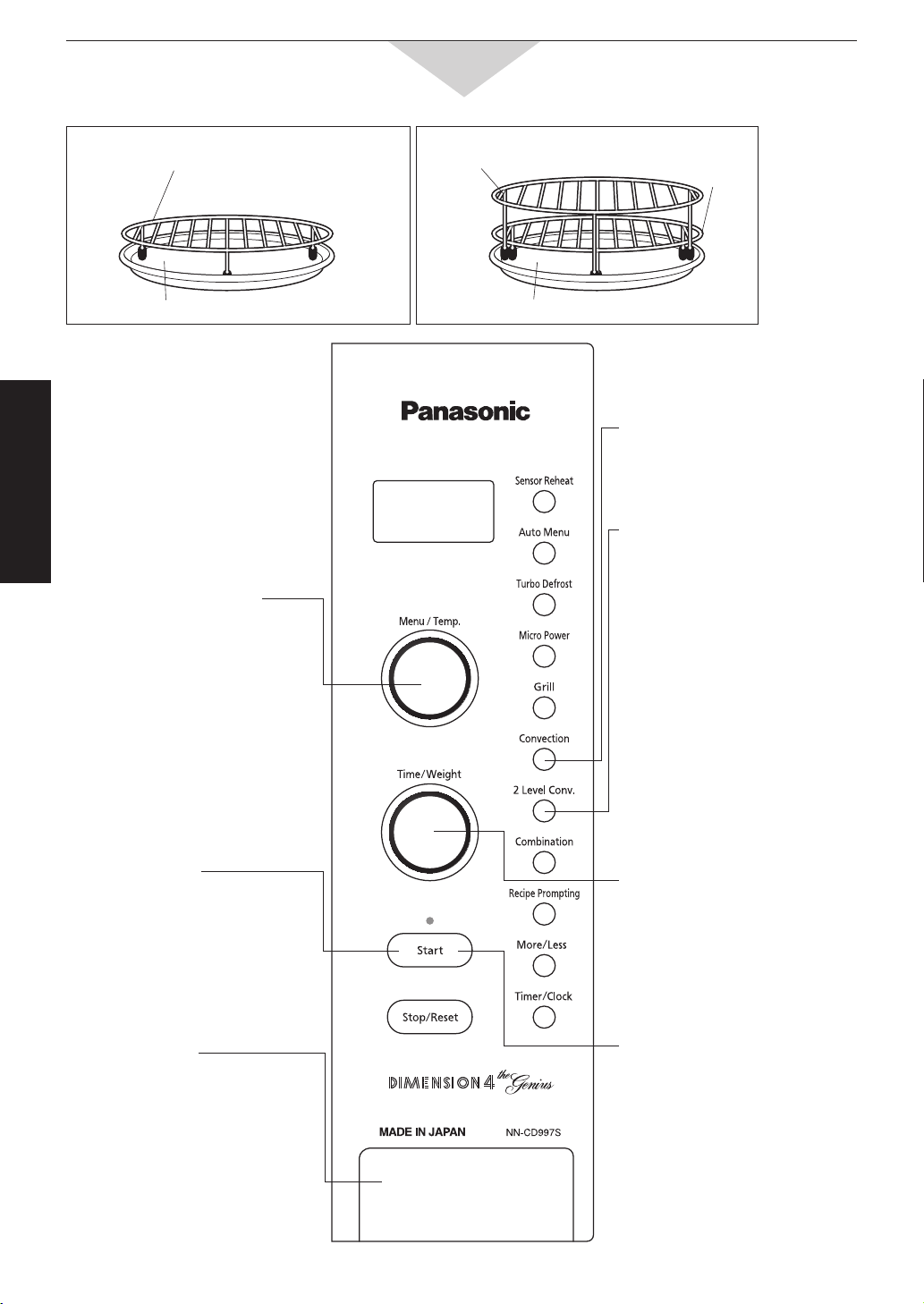
To Cook on Convection/2 Level Convection
Use of Accessory:
Ceramic Tray
Low Rack
Ceramic Tray
Low Rack
High Rack
1 Level Convection:
2 Level Convection:
2.
Select the
desired oven
temperature
100°C to 250°C.
40°C is temperature for
fermentation of yeast doughs.
6.
Press
Cooking will start.
1.
Press
(1 Level Convection)
1.
Press
(2 Level Convection)
5.
Set Cooking
Time
(Up to 9 hours)
Time can be entered 1 min
intervals.
3.
Press
The oven begins to preheat.
Do not open the door during
preheating.
4.
After
preheating,
place the
food into the
oven
After preheating 3 beeps will be
heard and “P” will blink in the
display.
-19-
Operation & Hints
Convection Cooking:
Just like a conventional oven, the convection oven has a heating element to give the dry heating needed to
produce crisp, browned exteriors. Convection cooking has the addition of a fan to produce conventional results
with a slightly reduced cooking time. Convection cooking temperatures range from 100˚C to 250˚C. Most
conventional recipes will be suitable for use. Follow the minimum suggested cooking times and add additional
time if required. Convection recipes are also available throughout the recipe section of this book.
2 Level Convection:
2 Level Convection is available for when you wish to cook a larger quantity of food. The entire oven cavity may
then be utilised. For example, cooking two trays of biscuits.
NOTES:
1. Place Ceramic Tray correctly in the oven before preheating.
2. If the oven door is not opened after the completion of preheating, the oven will maintain the selected
temperature for 30 minutes. After 30 minutes, the oven will shut off automatically and revert to the time of
day.
3. If preheating is not required for the food you are cooking, eliminate step 3.
4. When selected cooking time is less than one hour, the time counts down by minutes and seconds.
5. When selected cooking time is more than one hour, the time counts down by hours and minutes until only
“1H 00 (1 hour)” remains. Then the display then counts down by minutes and seconds.
6. 2 Level Convection is not available for 2 or 3 stage cooking.
To set Standing Time
Using the Timer Pad, you can program 1) a Stand Time after cooking is completed or 2) a minute timer.
NOTES:
1. Three stage cooking can be programmed including a Stand Time.
2. If the oven door is opened during the Stand Time, the time in the display window will continue to count
down.
3 This feature may also be used as a timer. In this case, eliminate first step.
To Cook on Convection/2 Level Convection
(continuance)
e.g. STEP 1:
STEP 2:
Select the
desired
cooking
program.
Press
Timer pad.
Set the desired
amount of time.
(up to 1
1
/
2
hours)
Press Start pad.
-20-
Operation & Hints
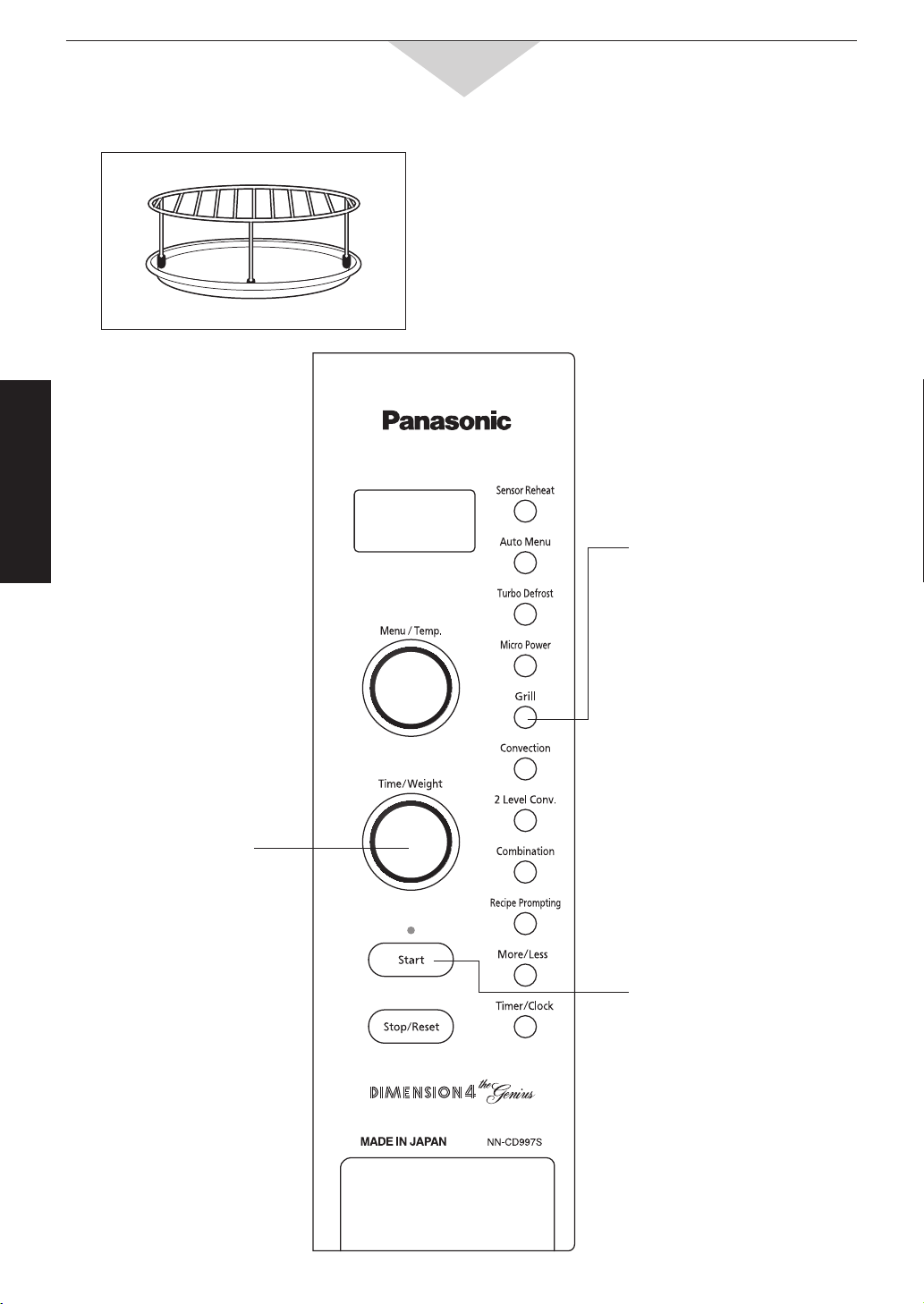
To Cook on Grill
Use of Accessory:
1.
Select Grill
Power
Grill 1 (High) or Grill 2 (Low)
can be selected.
Ceramic Tray
High Rack
There are two Grill settings available.
Grill 1(High) is ideal for grilling meat, chicken and fish
fillets.
Grill 2 (Low) is ideal for grilling whole fish and oven
baked chips and browning cheese and egg dishes.
Place a heatproof glass or ceramic dish under the rack
to catch any excess fat or meat juices.
2.
Set Time
(up to 1 hour 30 minutes)
Time can be entered 10 second
intervals up to 5 mins then
1 min intervals.
3.
Press
Cooking will start.
-21-
Operation & Hints
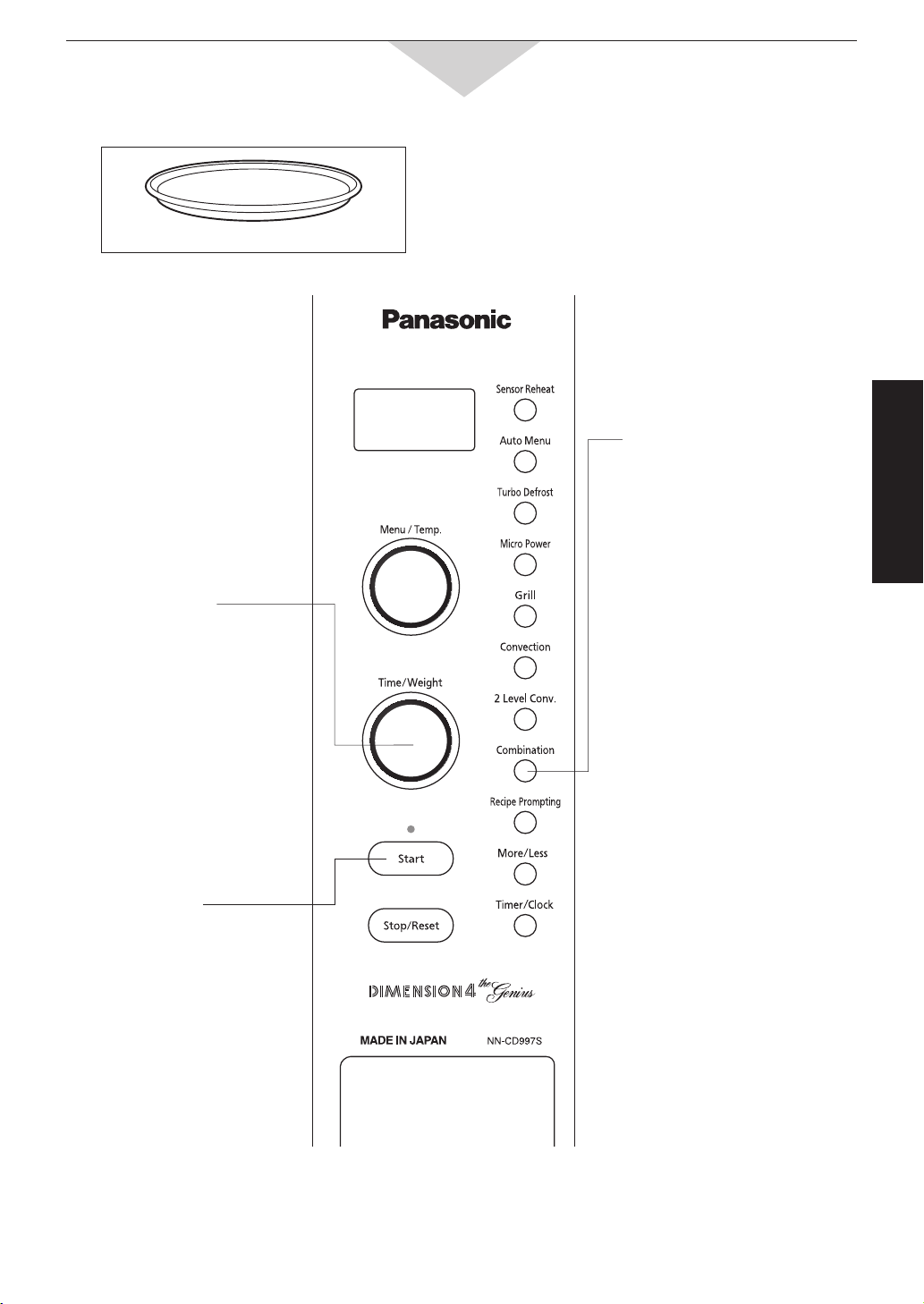
To Cook on Combination
1.
Select
Setting
COMB 1-6 and the program
temperature appears in the
display.
3.
Press
Cooking will start.
NOTES:
1. When selected cooking time is less than one hour, the time counts down by minutes and seconds.
2. When selected cooking time is more than one hour, the time counts down by hours and minutes until only
“1H 00 (1 hour)” remains. Then the display counts down by minutes and seconds.
There are 6 combination settings for
Convection/Microwave.
To select the correct program for particular foods,
refer to next page.
2.
Select
Cooking
Time
(up to 9 hours)
Low Rack can be used for Combination cooking.
Use of Accessory:
Ceramic Tray
(continued on the following page.)

-22-
Operation & Hints
Use of Accessory:
Cakes, slices, desserts, etc. may be cooked in metal
cookware. Do not place a small amount of food in a
large metallic dish as arcing may occur.
Combination cooking is ideal for roasting meats,
poultry and cooking cakes, pastries and slices.
Combination cooking automatically alternates
between Convection and Microwave heating.
The advantage of Combination cooking is that it
gives you the browning of Convection and often
shortens the conventional cooking time. Time is also
reduced as preheating is not required.
To calculate cooking time start by cooking for
approximately
2
/
3
of the conventional cooking time
and add additional time If required. For examples of
recipes and cooking times, consult recipes in the
recipe section.
Ovenproof cookware, including ceramic is suitable
for use when cooking on Combination. Cakes, slices,
desserts etc. may be cooked in metal cookware
providing there is suitable quantity of food to be
absorbed by the microwave heat. For example, do
not place a small amount of food in a large metallic
dish as arcing may occur.
When cooking by Combination, place dishes to be
cooked on the Ceramic Tray. When roasting meat,
the roasts may be placed directly on Low Rack.
Sausages and rissoles may also be cooked in this
way.
Place a heatproof glass or ceramic dish (less than
2 cm high) under the rack to catch any drips from
the roast. Alternately, elevate the roast on a roasting
rack in a baking dish and place directly on Ceramic
Tray.
Examples of Foods to Cook by Combination Mode
Combination
Setting
Foods Suitable
Oven
Temperature
Micro Power
Level
COMB 1
Casseroles, pot roasts, meat loaves, corned meat 150˚C LOW
COMB 2 Quiche, baked custards, rice pudding 160˚C LOW
COMB 3 Cakes, self saucing pudding, layered slices, apple pie 170˚C LOW
COMB 4 Single layer slice, light cakes, roast lamb 180˚C LOW
COMB 5
Roast pork, roast beef, jacket potato, turkey, duck, garlic
bread, chicken pieces casseroles, lasagne, reheating
sweet/savoury pies, reheating muffins
200˚C MED LOW
COMB 6
Pastries, bread, grilling sausages and rissoles, whole
chicken, chicken pieces, pizzas, reheating croissants
230˚C LOW
To Cook on Combination
-23-
Operation & Hints
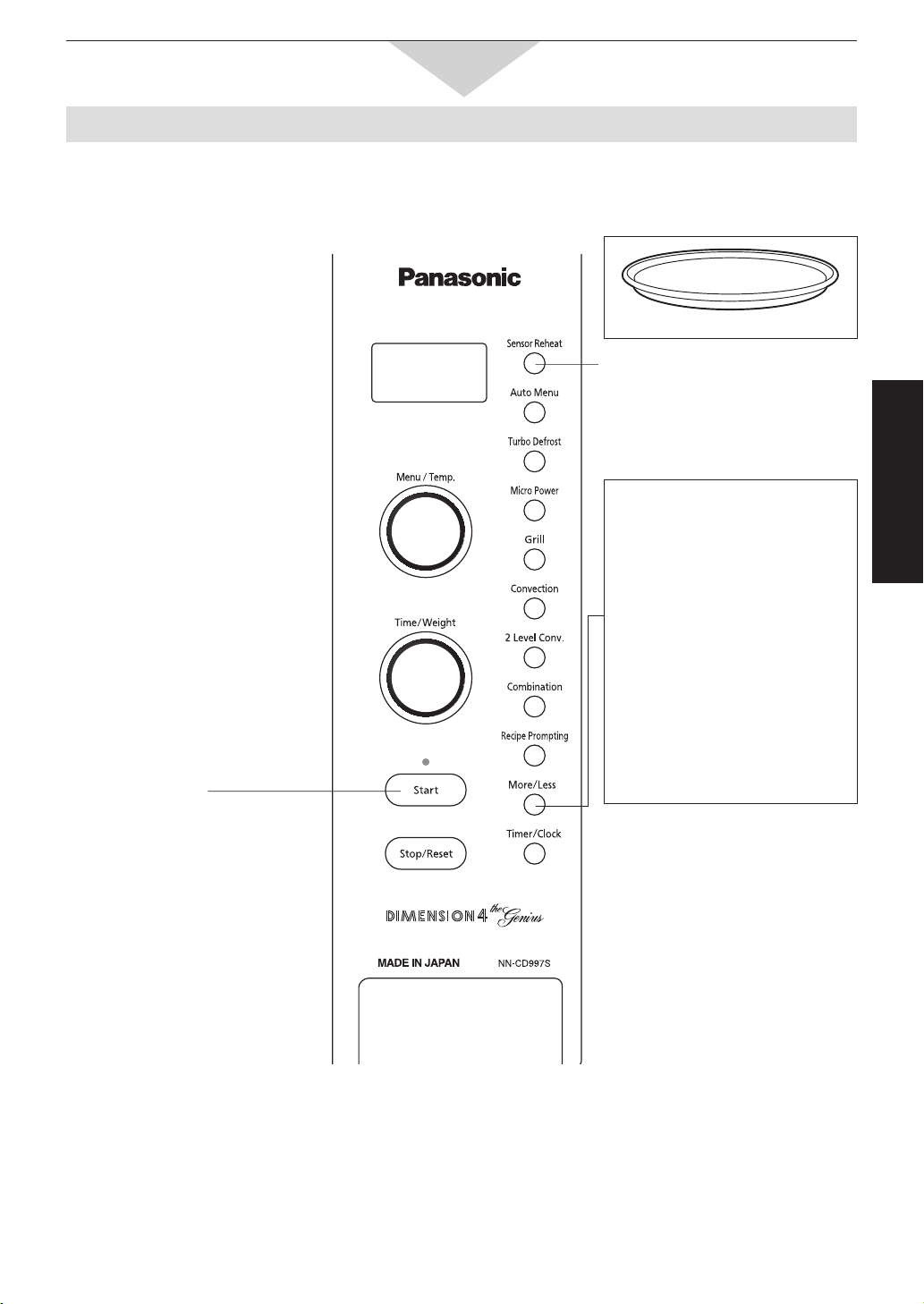
To Reheat by Sensor Reheat
This feature allows you to reheat most of your favourite foods without having to select cooking times and
power levels. The oven does it all automatically.
2.
Press
After the burst of steam is
detected by the SENSOR, the
remaining cooking time appears
in the display and begins to
count down.
Do not open the door until the
remaining cooking time appears in
the display window.
More/Less pad
Preferences for food doneness
vary with each individual. After
having used Sensor Reheat a
few times, you may decide you
would prefer your food cooked to
a different doneness.
By using the More/Less pads,
the programs can be adjusted
to cook food for a longer or
shorter time.
Press More/Less pads after
selecting category and before
pressing Start pad.
1 tap = More
2 taps = Less
3 taps = Original setting
For best results, follow these recommendations:
1. The Sensor Reheat work by detecting the amount of steam generated by the food being cooked.
From the generated steam, the oven then calculates the remaining cooking time.
2. The door should not be opened before the time appears in the display window.
3. If the oven has been previously used on CONVECTION, COMBINATION or GRILL, and it is too hot to be
used on a Sensor Program, a “HOT” will appear in the display window. The cooling fan will operate to cool
the oven rapidly. After the “HOT” disappears, the program may be used. If you are in a hurry, cook food
manually i.e. select Micro Power Level and cooking time yourself.
1.
Press
Sensor Reheat (200 g - 1.2 kg)
All foods must be pre-cooked.
Foods should be at room or
refrigerated temperatures.
Stirrable foods are
recommended.
Place in a suitably sized dish
(approximately
3
/
4
full).
Dish should be covered with
plastic wrap or a fitting lid that
does not snap seal.
Stir food after removal from oven.
Allow 2 to 3 minutes standing
time.
Do not reheat in foil or plastic
containers.
Use of Accessory:
Ceramic Tray
-24-
Operation & Hints
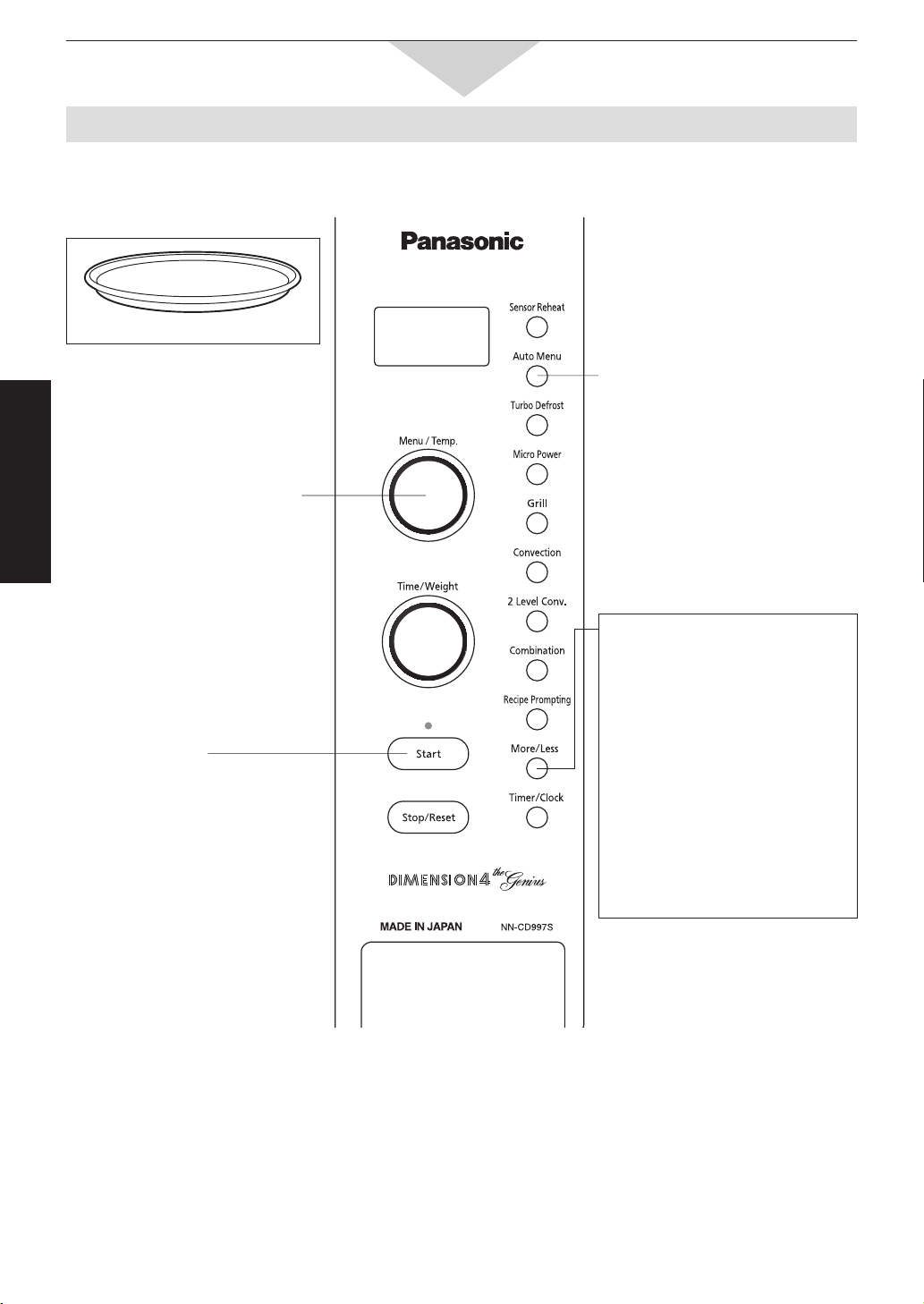
To Cook by Auto Menu
This feature allows you to cook most of your favourite foods without having to select cooking times and power
levels. The oven does it all automatically.
3.
Press
After the burst of steam is
detected by the SENSOR,
the remaining cooking time appears
in the display and begins to
count down.
Do not open the door until the
remaining cooking time appears in
the display window.
During cooking, the oven will beep
and scroll “STIR” or “REARRANGE”
(1 - 5, 7, 9) or “TURN OVER” or
“REARRANGE” (8) to signal that
the food needs to be stired or
rearranged or turned.
More/Less pad
Preferences for food doneness
vary with each individual. After
having used Sensor Cook a few
times, you may decide you would
prefer your food cooked to a
different doneness. By using the
More/Less pads, the programs
can be adjusted to cook food for
a longer or shorter time.
Press More/Less pads after
selecting category and before
pressing Start pad.
1 tap = More
2 taps = Less
3 taps = Original setting
1.
Press
2.
Select Menu
Category and “PRESS START”
appears in the display window.
For best results, follow these recommendations:
1.The Sensor Cook works by detecting the amount of steam generated by the food being
cooked. From the generated steam, the oven then calculates the remaining cooking time.
2.When an Auto Program has been selected, the category will appear in the display window.
3.The door should not be opened before the time appears in the display window.
4.When cooking time is longer than 60 minutes, the time will appear in hours and minutes.
5.Do not use plastic dishes as a secure seal cannot be achieved and inaccurate results may occur.
6.If the oven has been previously used on CONVECTION, COMBINATION or GRILL, and it is too hot to be
used on a Sensor Program, a “HOT” will appear in the display window. The cooling fan will operate to cool
the oven rapidly. After the “HOT” disappears, the program may be used. If you are in a hurry, cook food
manually i.e. select Micro Power Level and cooking time yourself.
Use of Accessory:
Ceramic Tray
Sensor Cook (Auto Menu 1 - 9)

-25-
Operation & Hints
1. FROZEN REHEAT (200 g - 1.2 kg)
Suitable for reheating pre-cooked soups, stews,
casseroles, roast dinners, pasta dishes (except
lasagne) and rice dishes from a frozen temperature.
This setting is not suitable for reheating frozen
bread or pastry products, raw or uncooked foods
or beverages.
Remove convenience foods from foil or plastic
packaging and place in an appropriate sized dish.
Cover dish with plastic wrap or a lid that does not
snap seal.
When a beep is heard during cooking, the oven
will prompt you to “STIR” or “REARRANGE” the
foods. At the end of the cooking time, stir and let
stand for 3-5 minutes.
2. VEGETABLES (125 g - 1.0 kg)
Place in a suitably sized dish and cover with
plastic wrap or a fitting lid that does not snap seal.
Larger vegetables should be placed in a single
layer in a shallow dish.
Add 1 tablespoon to
1
/
4
cup of water if vegetables
appear slightly dehydrated or a softer texture is
desired.
Do not add salt before cooking.
When a beep is heard during cooking, the oven
will prompt you to “STIR” or “REARRANGE” the
foods.
At the completion of cooking, stir larger quantities
and allow to stand for 2 to 3 minutes.
3. ROOT VEGETABLES (125 g - 1.0 kg)
Vegetables should be trimmed, prepared and cut
into even sized pieces.
Add 1 tablespoon to
1
/
4
cup of water if vegetables
appear slightly dehydrated or a softer texture is
desired.
Place in a suitably sized dish and cover dish with
plastic wrap or a fitting lid that does not snap seal.
If desired, butter, herbs, etc. may be added but do
not add salt until the completion of cooking.
When a beep is heard during cooking, the oven
will prompt you to “STIR” or “REARRANGE” the
foods.
4. FROZEN VEGETABLES (125 g - 1.0 kg)
See above 2 and 3.
5. FRUIT (125 g - 2.0 kg)
The addition of water and sugar is optional as
most fruit will yield juice as it cooks.
If liquid is required to produce a softer result, add
approximately
1
/
4
cup per 250 g.
A sugar syrup may be made by combining
1
/
4
cup
of caster sugar with
1
/
2
cup of water and cooking
on HIGH for 2 to 3 minutes, stirring once to dissolve.
Place prepared fruit to be cooked in an appropriately
sized dish with water or syrup if desired and cover
with plastic wrap or a fitting lid that does not snap
seal.
When a beep is heard during cooking, the oven
will prompt you to “STIR” the foods.
6. RICE (
1
/
2
cup - 3 cups)
Use a larger sized dish to prevent rice from
boiling over.
Use cold water at a ratio of:
1
/
2
cup rice / 1 cup water
1 cup rice / 1
1
/
2
cups water
2 cup rice / 3 cups water
Cover with plastic wrap or a fitting lid that does
not snap seal.
When a beep, the cooking time appears in the
display window. Stir and remove plastic wrap or lid.
At the completion of cooking, allow 5-10 minutes
standing time.
7. PASTA (125 g - 500 g)
Suitable for cooking dried pasta.
Place pasta and water in a large size dish to
prevent from boiling over.
Use boiling water at the ratio of,
125 g pasta / 3 cups water
250 g pasta / 4 cups water
375 g pasta / 6 cups water
400 g pasta / 7 cups water
500 g pasta / 8 cups water
add 1 teaspoon of oil, if desired, before cooking
to prevent the pasta from sticking together.
Cover with plastic wrap or a fitting lid that does
not snap seal.
When a beep is heard and the cooking time
appears in the display. Stir and remove the cover.
Stand for 5-10 minutes at the completion of
cooking time.
8. FISH (250 g - 1.0 kg)
Suitable for cooking whole fish, fish fillets and
cutlets.
Select fish suitable for microwave cooking and
place skin side down in a shallow dish.
Overlap thin ends of fillets to prevent overcooking.
Cover dish with plastic wrap or a fitting lid.
When a beep is heard during cooking, the
oven will prompt you to “TURN OVER” or
“REARRANGE” the foods.
Allow larger quantities of fish to stand for 3 to 5
minutes at the completion of cooking.
For dense pieces of fish, slightly extra cooking
time should be allowed by pressing More/Less
pad.
9. CASSEROLE (500 g - 2.5 kg)
Select less tender cuts of meat as these will
produce the best results.
Cut meat and vegetables into even sized pieces.
Place into a suitably sized dish (approx.
3
/
4
full).
Add approximately
1
/
2
to 1 cup of stock or soup
per 500 g meat.
Ensure that a casserole dish with a lid is used.
DO NOT USE PLASTIC WRAP, as the heater
could melt the wrap.
When a beep is heard during cooking, the oven
will prompt you to “STIR” the foods.
Stand for 10 minutes at the completion of cooking
time.
To Cook by Auto Menu
Sensor Cook (Auto Menu 1 - 9) continuance
-26-
Operation & Hints
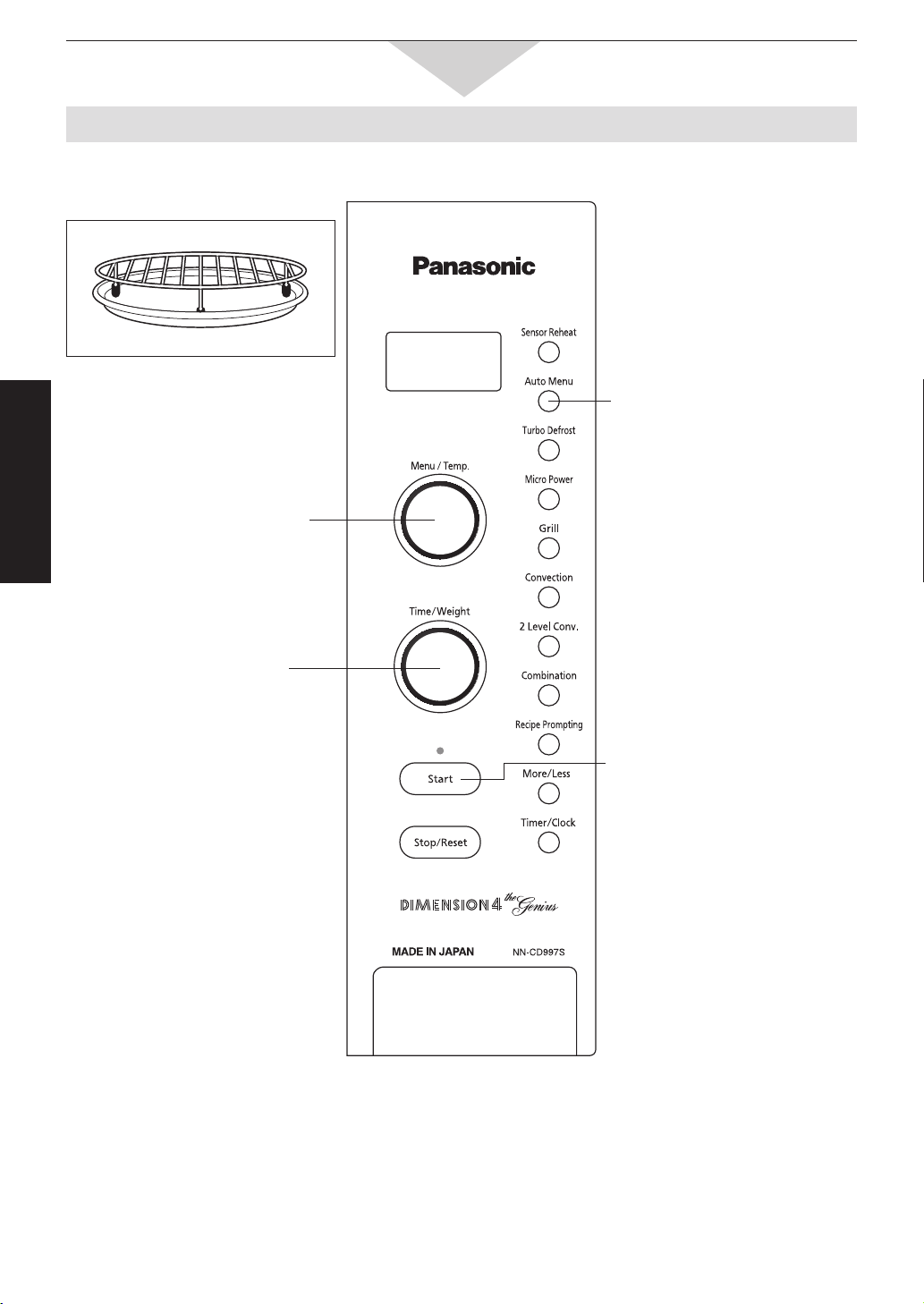
To Cook by Auto Menu
2.
Select Menu
Select category 10 - 18.
(see page 27 - 28.)
3.
Set Weight
Weight can be entered in 0.1 kg
intervals.
4.
Press
Cooking time appears in the
display window and begins to
count down.
During cooking, the oven will beep
and scroll “TURN OVER” (10, 11,
13, 17) or “TURN OVER / ADD
VEGETABLES” (12, 14, 18) or
“ADD VEGETABLES” (16) to signal
that the food needs to be turned or
vegetables added.
This feature allows you to cook most of your favourite foods on combination by setting the weight.
NOTE:
1. These settings are cooked by Combination (Convection and Microwave).
2. When the weight has been entered, the cooking times will be determined.
3. When using settings 12, 14, 16 and 18, enter the weight of the meat only.
If potatoes are not sufficiently crispened at the completion of cooking, remove roast from oven and leave
potatoes on Low Rack. Program Grill 1 for 10 minutes.
4. Roasts weighing above or below the recommended weights should be cooked by manual combination
(see page 21).
Use of Accessory:
1.
Press
Weight Cook (Auto Menu 10 - 18):
Ceramic Tray
Low Rack

-27-
Operation & Hints
15. PORK (0.7 - 3.0 kg)
Select roasts that are uniform in shape, if not, tie
roasts with string, to aid with even cooking.
Place the pork crackling side up on Low Rack
with a shallow dish (less than 2 cm high)
underneath to collect drips.
For crispy crackling, score rind, brush with oil and
sprinkle with salt.
There is no need to turn the pork during the
cooking time.
At the completion of cooking time, wrap the pork
in aluminium foil and allow to stand for
10-15 minutes before carving.
16. PORK AND BAKED
VEGETABLES
(0.7 - 3.0 kg (meat only))
Select roasts that are uniform in shape, as this
will produce the most evenly cooked result.
Place crackling side up on Low Rack with a large
shallow dish (less than 2 cm high) underneath to
collect the drips.
For crispy crackling, score rind, brush with oil and
sprinkle with salt.
Prepare vegetables and cut into even sized
pieces.
For roasts weighing more over 1.2 kg, place
potatoes around the outside of the rack. Brush
with melted butter or oil. Add softer vegetables
such as pumpkin and sweet potato after
1
/
3
of the
cooking.
There in no need to turn the meat or vegetables
during the cook time. Potatoes may require
additional basting halfway through cooking time.
17. CHICKEN (0.7 - 3.0 kg)
To keep chicken in shape during cooking, truss
or tie the legs of the bird together.
Place the chicken breast side down on Low
Rack, with a shallow dish (less than 2 cm high)
underneath to collect the drips.
If desired, brush the chicken with oil or melted
butter and sprinkle with herbs.
At the completion of cooking, wrap the chicken
in aluminium foil and allow to stand for
10-15 minutes before carving.
The oven will beep and scroll “TURN” when
1
/
2
of
the cooking time is complete.
10. BEEF RARE /
11. BEEF MEDIUM (0.7 - 3.0 kg)
Select roasts that are even in shape, if not, tie
roasts with string to aid with even cooking.
Place the beef fat side down on Low Rack, with a
shallow dish (less than 2 cm high) underneath to
collect drips.
Turn the beef approximately halfway through
cooking time.
At the completion of cooking, wrap in aluminium foil
and allow to stand for 10-15 minutes before carving.
12. BEEF MEDIUM AND BAKED
VEGETABLES
(0.7 - 3.0 kg (meat only))
Select roasts that are even in shape, if not, tie
roasts with string, to aid in even cooking.
Place beef fat side up on Low Rack with a
shallow dish (less than 2 cm high) underneath to
collect the drips.
Cut vegetables into even sized pieces.
For roasts weighing more than 1.1 kg, position
potatoes around the outside of the rack. Brush
with melted butter or oil.
The oven will beep and scroll “TURN OVER/
ADD VEGETABLES” when
1
/
3
of the cooking time
is complete.
ADD softer vegetables such as pumpkin and
sweet potato, and turn the meat.
At the completion of the cooking time, wrap the
beef in aluminium foil and allow to stand for
10-15 minutes before carving.
13. LAMB (0.7 - 3.0 kg)
Place the lamb fat side down on Low Rack.
with a shallow dish underneath to collect drips.
Turn the lamb over approximately halfway through
cooking time.
At the completion of the cooking time, wrap the
meat in aluminium foil and allow to stand for
10-15 minutes before carving.
Boneless roasts may require an additional
5-10 minutes cooking time on Micro Power
MEDIUM.
14. LAMB AND BAKED VEGETABLES
(0.7 - 3.0 kg (meat only))
Place lamb fat side down on Low Rack with a
shallow dish underneath to collect the drips.
Cut vegetables into even sized pieces.
For roasts weighing more than 1.4 kg place
potatoes around the outside of the rack. Brush
with melted butter or oil.
The oven will beep and scroll “TURN OVER/
ADD VEGETABLES” when
1
/
3
of the cooking time
is complete.
ADD softer vegetables such as pumpkin and
sweet potato, and turn the meat.
At the completion of the cooking time, wrap the
lamb in aluminium foil and allow to stand for
10 minutes before carving.
(continued on the following page.)
To Cook by Auto Menu
Weight Cook (Auto Menu 10 - 18): continuance
-28-
Operation & Hints
To Cook by Auto Menu
19. CAKE / SLICE
• This setting is designed for cooking single layer
slices and light cakes which are cooked at
a moderate temperature.
• Metal cookware may be used. Position dish to be
cooked on the Low Rack, placed on Ceramic Tray.
• Preheating is not required.
• Recipes can be found in Cookbook section.
20. CAKE / DESSERT
• This setting is designed for cooking layered
slices and heavier cakes such as Banana which
are cooked at a moderate temperature. It is also
suitable for cooking desserts such as apple pie
and self saucing puddings.
• Metal cookware may be used. Position the dish to
be cooked on Low Rack, placed on Ceramic Tray.
• Preheating is not required.
• Recipes can be found in Cookbook section.
18. CHICKEN AND BAKED VEGETABLES (0.7 - 3.0 kg (meat only))
• To keep poultry in shape during cooking , truss or tie the legs of the bird together. Brush with melted butter
and sprinkle with herbs if desired.
• Place the chicken breast side down on the Low Rack with a shallow dish (less than 2 cm high) underneath
to collect the drips.
• Prepare the vegetables into even sized pieces.
• For chicken weighing 1.1 kg or less, place all vegetables around the outside of the rack. Brush with melted
butter or oil.
• For chickens weighing more than 1.1kg, place potatoes around the outside of the rack.
Brush with melted butter or oil.
• At the completion of the cooking time, wrap the chicken in aluminium foil and allow to stand for 10-15
minutes before carving.
• The oven will beep and scroll “TURN OVER/ADD VEGETABLES” when
1
/
3
of the cooking time is complete.
ADD softer vegetables such as pumpkin and sweet potato, and turn the chicken.
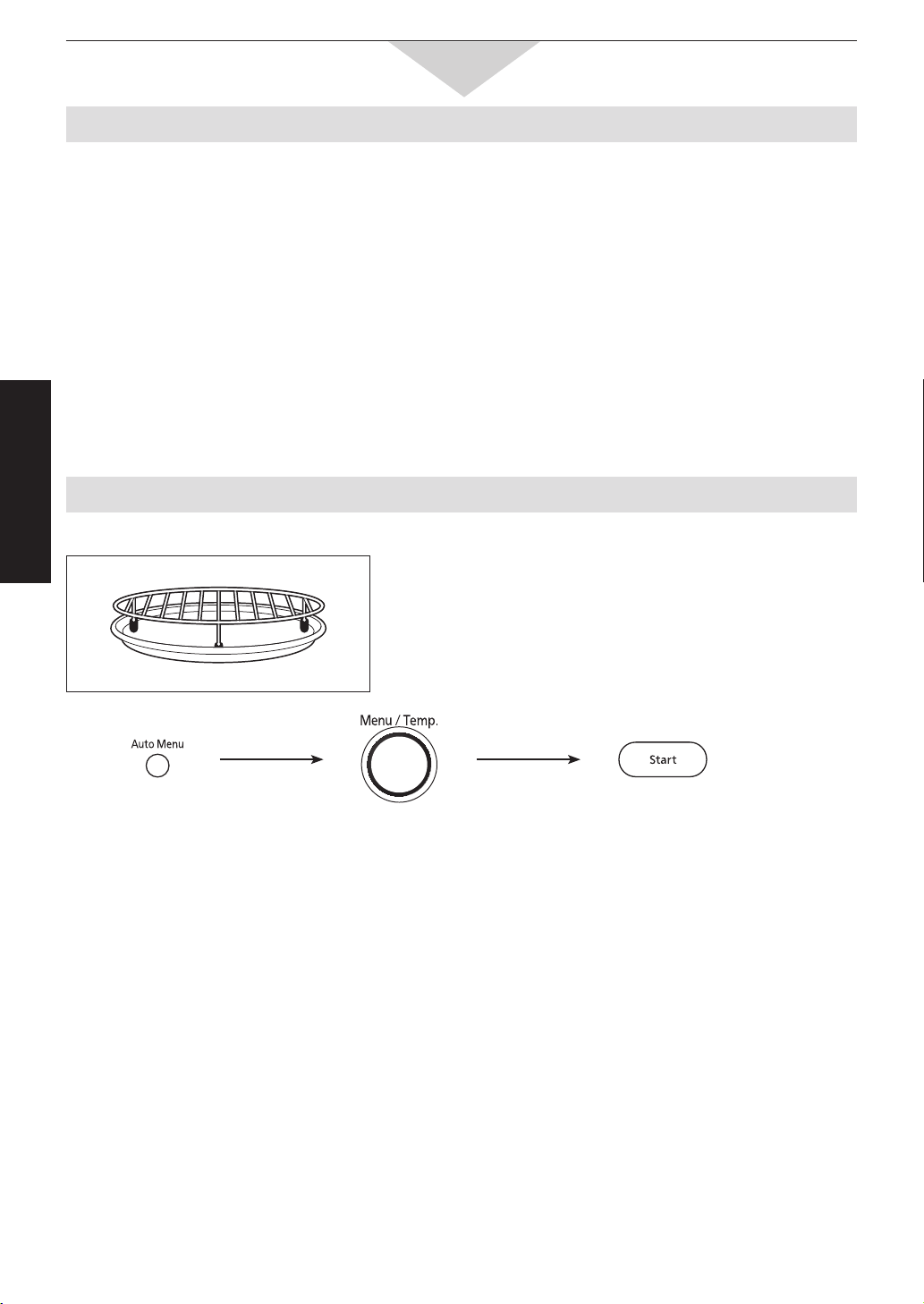
Auto Cook (Auto menu 19, 20):
Weight Cook (Auto menu 10 - 18): continuance
Use of Accessory:
Ceramic Tray
Low Rack
Select Menu
19 or 20.
press.
Time appears in the
display and begins
to count down.
press.
-29-
Operation & Hints
To Use Recipe Prompting
2.
Select Menu
until the desired recipe appears in
the display window.
Recipes are arranged alphabetically.
Recipe Prompting helps you to cook by following the recipe methods in the display window.
40 recipes are pre-programmed. (Refer to the next page.)
1.
Press
3.
Press
The first instruction will be scrolled
across the display window.
Turn clockwise for the next instruction.
Turn counterclockwise
for the previous instruction.
Instructions include operation of
microwave / convection oven. For
detailed information on operation,
please refer to page 14-22.
“ENJOY YOUR MEAL” will be scrolled
across the display window at the end
of each recipe.
(continued on the following page.)
-30-
Operation & Hints
To Use Recipe Prompting
NOTE:
Throughout Recipe Prompting, the oven will instruct you to set the cooking time and power level at each stage
of the recipe. Set the instructed power level and cooking time using the Micro Power pad and Time / Weight
Dial. These settings are a guide only. If you wish to change the timing the oven will accept a different power
level and cooking time.
For further information about cooking any of these recipes, refer to the cooking guide section.
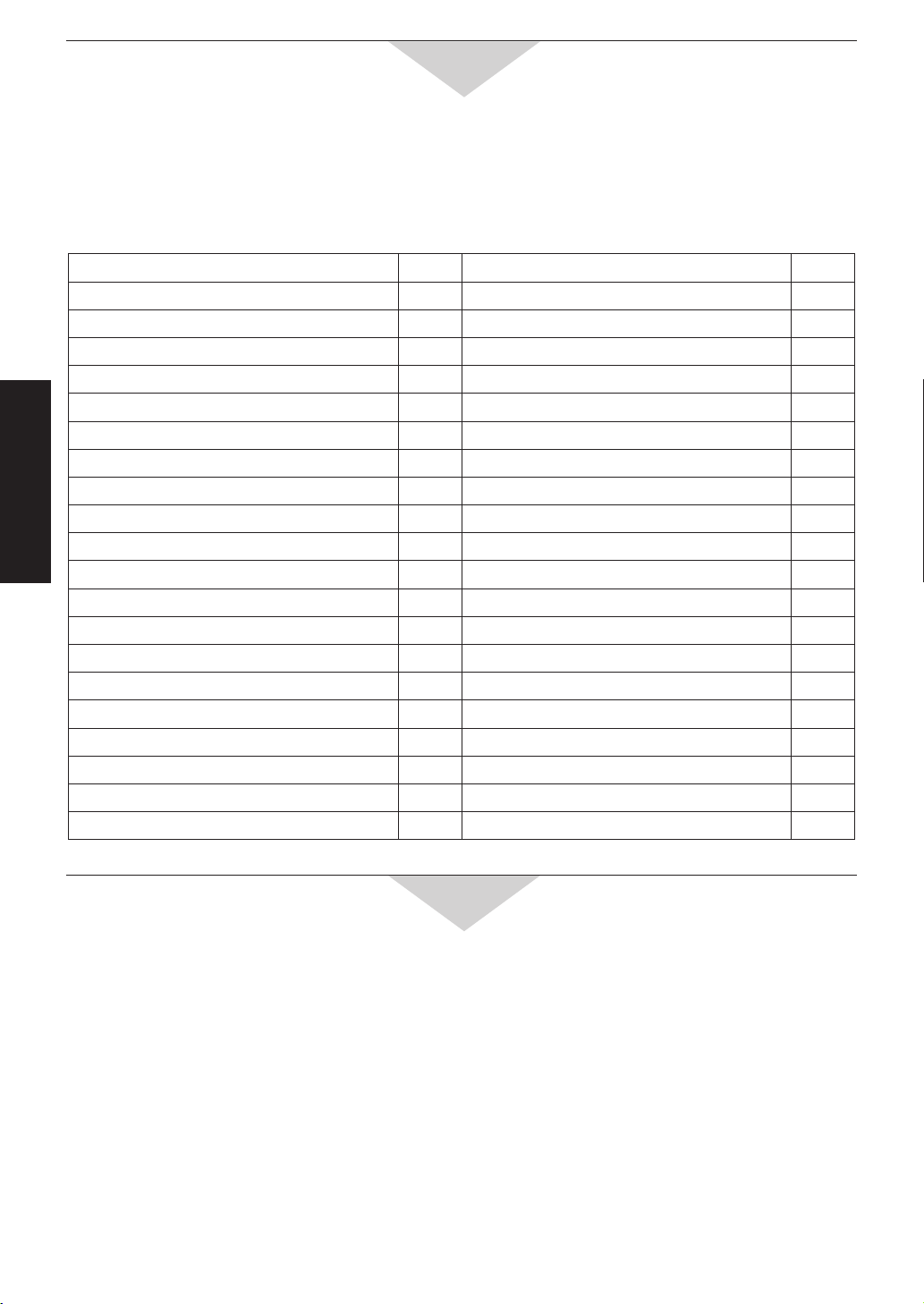
The following recipes are pre-programmed in Recipe Prompting:
To Change the Cooking Time
While operating, you can change the cooking time.
1. Press the Function Pad you set.
2. Change the cooking time to desired amount by using the Time / Weight Dial.
While the light of the Dial is turned on, changing the cooking time is possible. (The light turns off after 1 minute.)
When the light disappears, press the Function Pad you set again.
You can change the oven temperature for Convection cooking.
NOTE:
This feature is not available for Sensor Reheat or Auto Menu or Turbo Defrost.
Recipe Page Recipe Page
1. APRICOT HONEY SLICE
57 21. MALAY COCONUT FISH 17
2. APRICOT NECTAR CHICKEN
25 22. MINI BAKED POTATOES 45
3. BLUEBERRY MUFFINS
55 23. PARMESAN CRUSTED CHICKEN 23
4. CARAMEL SAUCE
64 24. PEACH CRUMBLE 63
5.
CHEESE AND HAM FILLED POTATOES
45 25. PEPPER POT BEEF 39
6. CHEESE SAUCE 68
26. POTATO CASSEROLE 46
7.
CHICKEN AND MUSHROOM PASTA SAUCE
52 27. POTATO WEDGES 45
8. CHICKEN CURRY
25 28. PUMPKIN SOUP
9
9. CHICKEN RISOTTO
50 29. RED COCONUT DHAL 46
10. CHILLI BEEF
36 30.
RHUBARB APPLE GINGER COMPOTE
63
11. CHINESE BEEF AND VEGETABLES
37 31. RICH CHOCOLATE SAUCE 68
12. CHOCOLATE BROWNIES 57 32. ROAST HERB CHICKEN 26
13. CHOCOLATE FUDGE
54 33. SEASONED RICE
50
14. CREAMY BACON SAUCE 51 34. SEASONED ROAST LAMB 34
15. FRAGRANT COCONUT RICE
49 35. SPAGHETTI MEAT SAUCE 51
16. FRENCH ONION BEEF CASSEROLE 40 36. SPEEDY CHOCOLATE BIT SLICE 57
17. GARLIC PRAWNS
19 37. SWEET BERRY SAUCE 64
18. GINGERED WHOLE FISH
19 38. TOMATO BACON SOUP 8
19. HERBED VEGETABLES 43 39. TOMATO VEGETABLE CASSEROLE 44
20. HONEY SESAME DRUMSTICKS
28 40. VEGETABLE CURRY 44
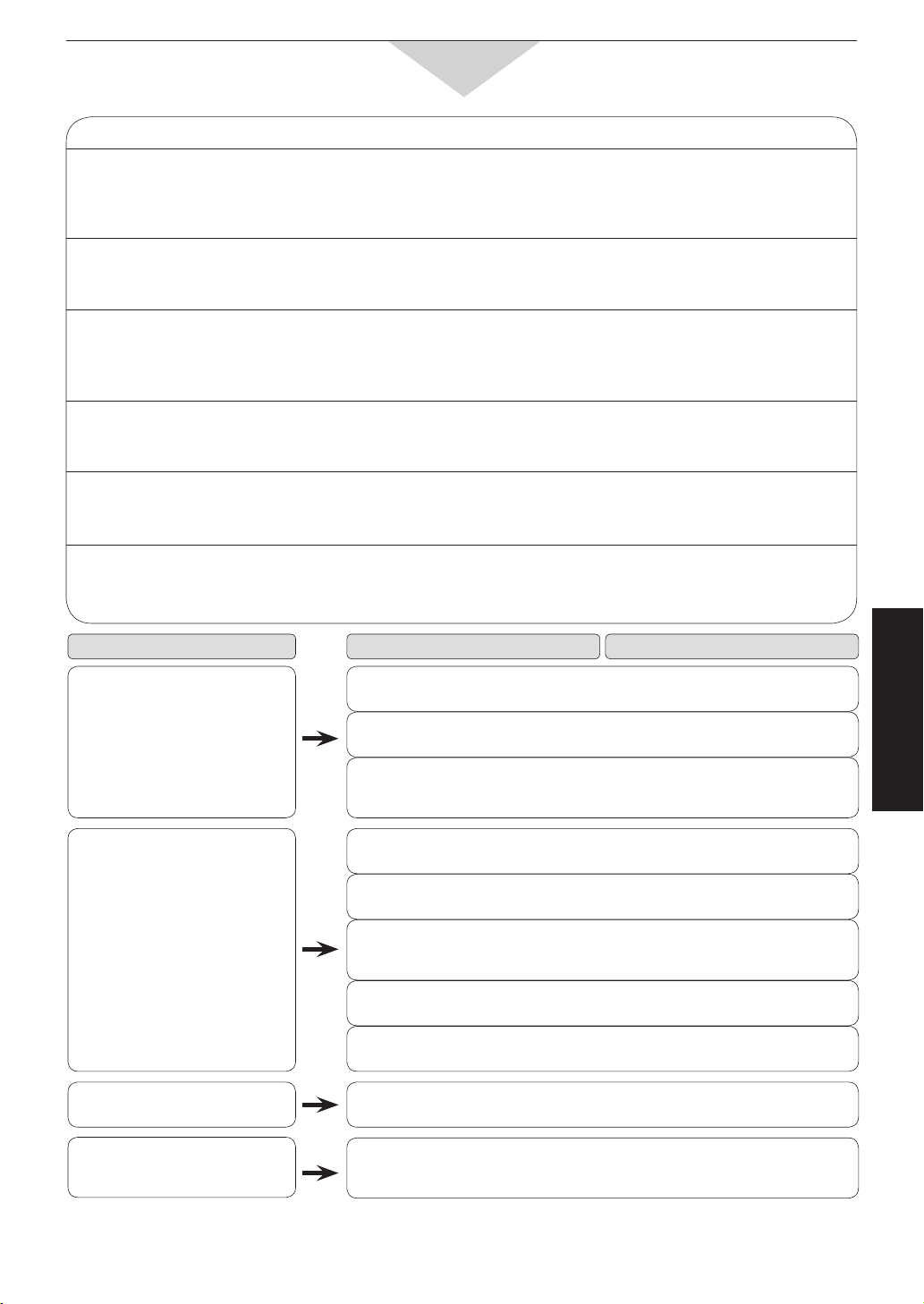
-31-
Maintenance
Before Requesting Service
ALL THESE THINGS ARE NORMAL:
The oven causes interference
with my TV.
The fan continues to operate
after using the oven & the
display shows “COOL”.
Steam accumulates on the
oven door and warm air comes
from the oven vents.
I accidentally ran my
microwave oven without any
food in it.
There are humming and
clicking noises from my oven
when I cook by Combination.
The oven has an odour and
generates smoke when using
the Convection, Combination
and Grill function.
Some radio and TV interference might occur when you cook with the
microwave oven. This interference is similar to the interference caused
by small appliances such as mixers, vacuums, hair dryer, etc. It does
not indicate a problem with your oven.
This is normal - the fan can continue to operate after cooking, this is
to cool the oven and the electronic components. It is safe to open the
door and remove the food.
During cooking, steam and warm air are given off from the food. Most
of the steam and warm air are removed from the oven by the air which
circulates in the oven cavity. However, some steam will condense on
cooler surfaces such as the oven door. This is normal.
Running the oven empty for a short time will not damage the oven.
However, we do not recommend this to be done.
These noises occur as the oven automatically switches from microwave
power to Convection/Grill, to create the Combination setting. This is
normal.
It is essential that your oven is wiped out regularly particularly after
cooking. Any fat and grease that builds up on the roof and walls of the
oven will begin to smoke if not cleaned.
PROBLEM
The oven is not plugged in
securely.
Remove plug from outlet, wait
10 seconds and re-insert.
Circuit breaker or fuse in your
home is tripped or blown.
Reset circuit breaker or replace
fuse in your home.
There is a problem with the
outlet.
Plug another appliance into the
outlet to check if the outlet is
working.
The door is not closed
completely.
Close the oven door securely.
Start pad was not pressed after
programming.
Press Start pad.
Another program has already
been entered into the oven.
Press Stop/Reset pad to cancel
the previous program and
program again.
The program has not been
entered correctly.
Program again according to the
Operating Instructions.
Stop/Reset pad has been
pressed accidentally.
Program oven again.
Clock pad has been pressed
three times.
Deactivate mode by pressing
Clock pad three times.
Roller Ring and oven bottom are
dirty.
Clean these parts according to
Care of Your Oven (see page
32).
POSSIBLE CAUSE
REMEDY
The words “DEMO MODE”*
appear on the screen.
When the oven is turning on,
there is noise coming from
Ceramic Tray.
Oven will not start cooking.
Oven will not turn on.
* DEMO MODE is designed for retail store display.
Cooking and other functions will not operate during demo mode.
If it seems there is a problem with the oven, contact an authorised Service Centre.
070823_A00037F40QP_OG.indd 31 2007/08/23 16:57:19
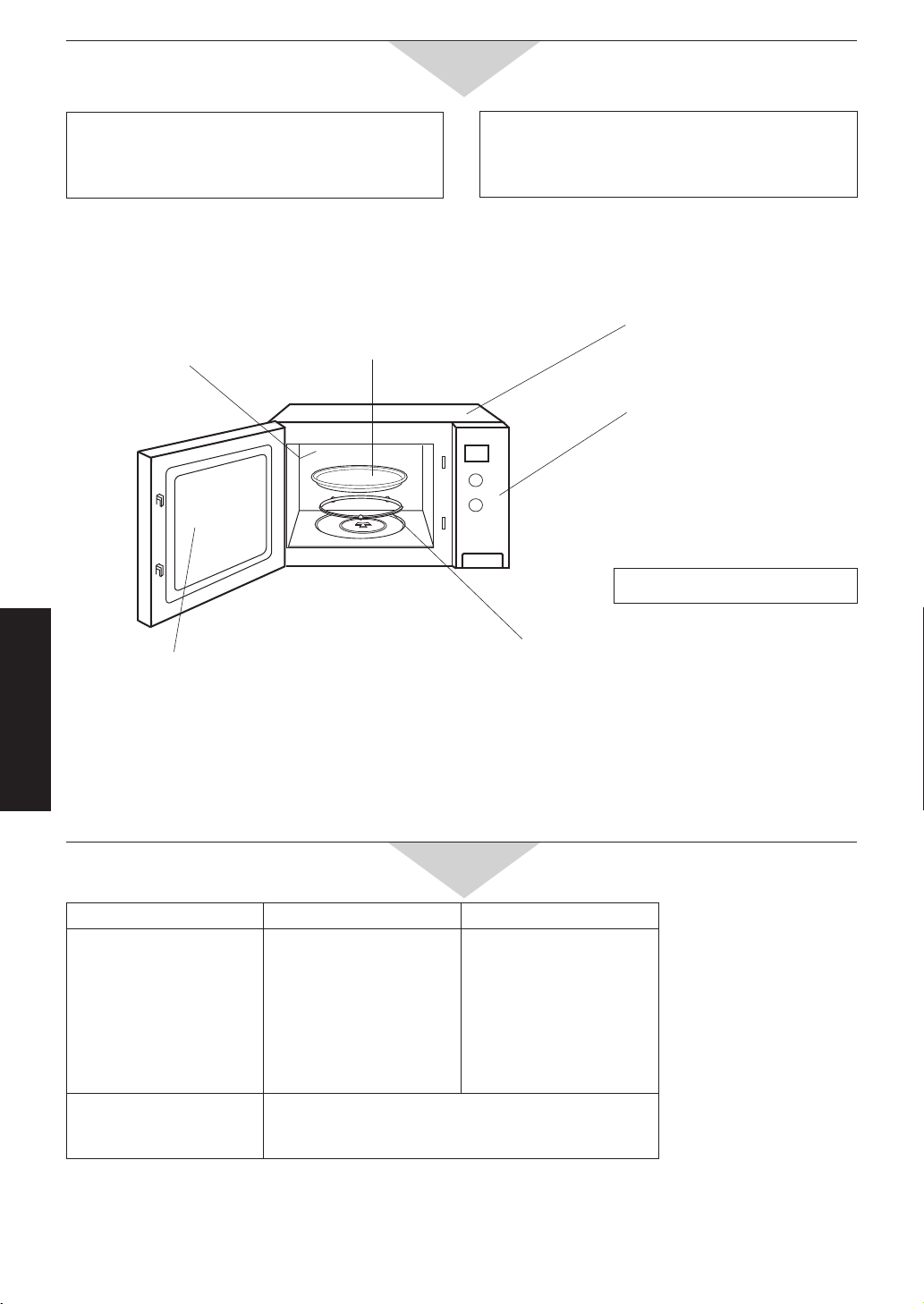
-32-
Maintenance
Oven Door:
Wipe with a soft cloth when steam accumulates
inside or around the outside of the oven door.
This may occur when the oven is operated under
high humidity conditions and in no way indicates a
malfunction of the unit or microwave leakage.
Control Panel:
If the control panel becomes
wet, clean with a soft, dry
cloth. Do not use harsh
detergents or abrasives on the
control panel.
Outside oven surfaces and
back vents:
Clean with a damp cloth. To
prevent from damage to the
operating parts inside the oven,
water should not be allowed to
seep into ventilation openings.
Inside of the oven:
Wipe with a damp cloth. Mild
detergent may be used if the
oven gets very dirty. The use of
harsh detergent or abrasives is
not recommended. Do not use
oven cleaners on the top of the
oven.
The roller ring and oven cavity floor:
Wipe the bottom surface of the oven with mild
detergent water or window cleaner and dry. The
roller ring may be washed in mild soapy water or in
the dishwasher. These areas should be kept clean to
avoid excessive noise.
Ceramic Tray:
Remove and wash in warm
soapy water or in a dishwasher.
If grease accumulates, clean
with a non-abrasive nylon mesh
scouring pad and nonabrasive
cleaners.
After GRILL or COMBINATION cooking, the oven should be cleaned with a soft cloth squeezed in soapy
water. If the oven is not cleaned occasionally to eliminate this grease, it can accumulate and cause the oven to
“SMOKE” during use. To avoid smoking, run the oven without food on GRILL 1 for 20 minutes.
AFTER CLEANING:
Be sure to replace Roller Ring and Ceramic Tray
in the proper position and press Stop/Reset Pad
to clear the display window.
For the voltage requirement, the production month, country and serial number, please refer to the identification
plate on the microwave oven.
*IEC Test procedure Specifications subject to change without notice.
BEFORE CLEANING:
Unplug at socket of the oven. If impossible, leave
oven door open to prevent oven from accidentally
turning on.
Care of Your Microwave Oven
Do not use a steam cleaner.
Technical Specifications
Power Source 240 V, 50 Hz 230 V, 50 Hz
Power Consumption
Microwave
Heater
Power Requiment
(Maximum)
Output
Microwave*
Heater
5.8 Amps, 1,250 W
7.5 Amps, 1,800 W
7.9 Amps, 1,890 W
1,000 W
Apprtox. 1,800 W
6.0 Amps, 1,230 W
7.8 Amps, 1,800 W
8.2 Amps, 1,890 W
1,000 W
Approx. 1,800 W
Outside Dimension
Oven Cavity Dimensions
Uncrated Weight
376 (H) x 626 (W) x 501 (D) mm
242 (H) x 412 (W) x 426 (D) mm
Approx. 22 kg
070823_A00037F40QP_OG.indd 32 2007/08/23 14:11:33

-33-
Panasonic Warranty
1. The product is warranted for 12 months from the date of purchase. Subject to the conditions of this warranty Panasonic
or it's Authorised Service Centre will perform necessary service on the product without charge for parts or labour if, in the
opinion of Panasonic, the product is found to be faulty within the warranty period.
2. This warranty only applies to Panasonic products purchased in Australia and sold by Panasonic Australia or its Authorised
Distributors or Dealers and only where the products are used and serviced within Australia or it's territories. Warranty
cover only applies to service carried out by a Panasonic Authorised Service Centre and only if valid proof of purchase is
presented when warranty service is requested.
3. This warranty only applies if the product has been installed and used in accordance with the manufacturer’s recommendations
(as noted in the operating instructions) under normal use and reasonable care (in the opinion of Panasonic). The warranty
covers normal domestic use only and does not cover damage, malfunction or failure resulting from use of incorrect voltages,
incorrect installation, accident, misuse, neglect, build-up of dirt or dust, abuse, maladjustment of customer controls, mains
supply problems, thunderstorm activity, infestation by insects or vermin, tampering or repair by unauthorised persons
(including unauthorised alterations), exposure to abnormally corrosive conditions or any foreign object or matter having
entered the product.
4. This warranty does not cover the following items unless the fault or defect existed at the time of purchase:
(a) Video or Audio Tapes
(b) Video or Audio Heads and Stylii resulting
from wear and tear in normal use
(c) Shaver Heads or Cutters
(d) Cabinet Parts
(e) User replaceable Batteries
(f) Thermal Paper, Toner/Ink Cartridges,
Drums, Developer, Film (Ink/Ribbon),
Film Cartridge, Printer Heads
(g) Microwave Oven cook plates.
(h) Kneader mounting shaft unit
(bread bakery)
5. If warranty service is required you should:
Telephone Panasonic’s Customer Care Centre on 132600 or visit our website and use the Service Centre Locator for the
name/address of the nearest Authorised Service Centre.
Send or bring the product to a Panasonic Authorised Service Centre together with your proof of purchase receipt as a
proof of purchase date. Please note that freight and insurance to and / or from your nearest Authorised Service Centre
must be arranged by you.
Note that home or pick-up/delivery service is available for the following products in the major metropolitan areas of
Australia or the normal operating areas of the nearest Authorised Service Centres:
(a) Picture tube (CRT) based Television Receivers (screen
sizes greater than 66cm); Rear Projection TV’s; Plasma/LCD
televisions / displays (screen size greater than 103 cm)
(b) Convection/Combination Microwave Ovens
(c) Whiteboard (except portable type)
6. The warranties hereby conferred do not extend to, and exclude, any costs associated with the installation, de-installation
or re-installation of a product, including costs related to the mounting, de-mounting or remounting of any screen, (and any
other ancillary activities), delivery, handling, freighting, transportation or insurance of the product or any part thereof or
replacement of and do not extend to, and exclude, any damage or loss occurring by reason of, during, associated with, or
related to such installation, de-installation, re-installation or transit.
Panasonic Authorised Service Centres are located in major metropolitan areas and most regional centres of Australia, however,
coverage will vary dependant on product. For advice on exact Authorised Service Centre locations for your product, please
telephone our Customer Care Centre on 132600 or visit our website and use the Service Centre Locator.
Unless otherwise specified to the consumer the benefits conferred by this express warranty are additional to all other conditions,
warranties, guarantees, rights and remedies expressed or implied by the Trade Practices Act 1974 and similar consumer
protection provisions contained in legislation of the States and Territories and all other obligations and liabilities on the part
of the manufacturer or supplier and nothing contained herein shall restrict or modify such rights, remedies, obligations or
liabilities. November 2005
THIS WARRANTY CARD AND THE PURCHASE DOCKET (OR SIMILAR PROOF OF PURCHASE)
SHOULD BE RETAINED BY THE CUSTOMER AT ALL TIMES
If you require assistance regarding warranty conditions or any other enquiries,
please visit the Panasonic Australia website
www.panasonic.com.au or by phone on 132 600
If phoning in, please ensure you have your operating instructions available.
Panasonic Australia Pty. Limited
ACN 001 592 187 ABN 83 001 592 187
Locked Bag 505, Frenchs Forest, NSW 2086
www.panasonic.com.au
PRO-031-F01 Issue: 3.0 23-11-2005
070823_A00037F40QP_OG.indd 33 2007/08/23 14:11:33