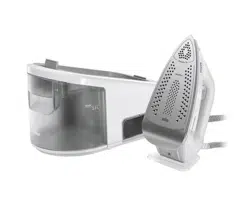
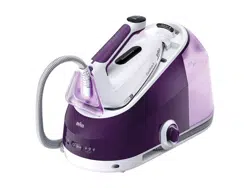
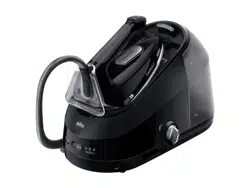
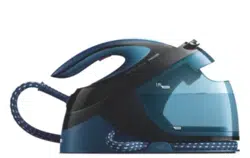
Model: 2801D | Color: Purple
Overview
The Martisan Digital Steam Generator Iron is a high-power steam station designed for fast and efficient wrinkle removal. It features a separate boiler unit that generates high-pressure steam, a large water tank, and a ceramic soleplate for smooth gliding.

Features and Components
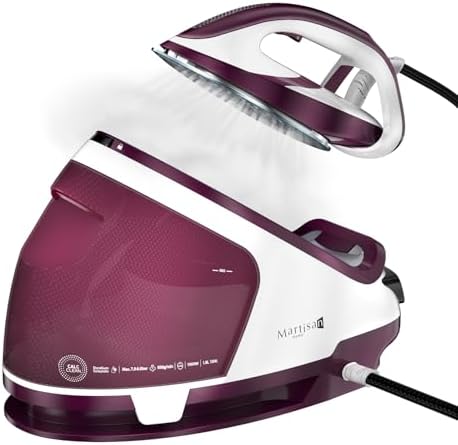
Main Unit (Base Station)
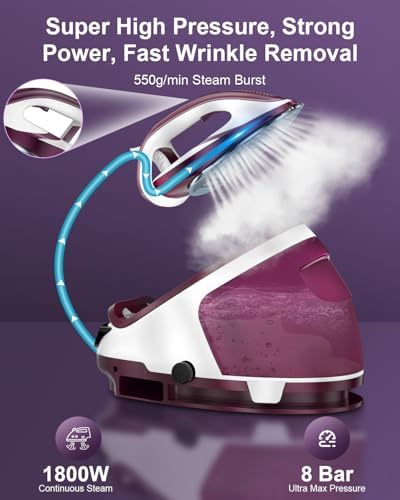
- Power Base/Boiler: Houses the heating element and generates steam at up to 8 bar pressure.
- Water Tank: Removable 1.9L (65 oz) transparent tank for extended ironing sessions.
- LED Touch Screen Control Panel: Digital interface for selecting settings.
- Power Cord & Plug: Connects to a standard electrical outlet.
Handheld Iron
- Ceramic Soleplate: Non-stick, scratch-resistant surface for smooth ironing.
- Steam Holes: Distributes steam across the soleplate.
- Steam Trigger/Button: Activates the steam burst function (550g/min).
- Handle & Controls: Ergonomically designed handle, may include temperature or steam controls.
- Hose: Flexible, heat-resistant hose connecting the iron to the base station.
Safety and Convenience Features
- Auto-Off: Automatically powers down after 10 minutes of inactivity.
- Anti-Drip System: Prevents water leakage at low temperatures.
- Anti-Calc Function: Helps reduce limescale buildup.
- Precise Thermostat: Adjustable temperature suitable for various fabrics (silk, wool, cotton, polyester, linen).
Use Guide

Initial Setup
- Unpack: Remove all components from the packaging.
- Fill the Water Tank:
- Detach the transparent water tank from the base station.
- Fill with clean tap water up to the MAX line. Do not overfill.
- Securely reattach the tank to the base.
- Position the Unit: Place the base station on a stable, flat, heat-resistant surface. Ensure the hose is not kinked.
- Connect to Power: Plug the power cord into a grounded electrical outlet.
Operating Instructions
- Power On: Press the power button on the base station's control panel. The LED display will illuminate.
- Select Settings: Use the touch screen to select the desired temperature setting based on your fabric type. The unit will begin heating.
- Wait for Ready Indicator: A light or icon on the control panel will indicate when the desired temperature and steam pressure are reached.
- Begin Ironing:
- Glide the iron over the fabric in smooth, steady motions.
- For stubborn wrinkles, press the steam burst button on the iron's handle.
- After Use:
- Turn off the unit using the power button.
- Unplug the power cord from the outlet.
- Empty any remaining water from the tank if storing for an extended period.
- Allow the iron and base to cool completely before storing.
Fabric Guide
Use the thermostat settings to match the fabric type:
- Low (•): Silk, Synthetic fibers
- Medium (••): Wool, Polyester
- High (•••): Cotton, Linen
Always check the garment's care label first. Test on an inconspicuous area if unsure.
Care and Maintenance
Cleaning the Soleplate
- Wipe the cooled ceramic soleplate with a soft, damp cloth to remove any residue. Do not use abrasive cleaners or scouring pads.
Descaling (Anti-Calc Maintenance)
To maintain performance and prevent limescale buildup:
- Regularly use the built-in anti-calc function as described in the product's quick-start guide.
- For manual descaling, follow the manufacturer's instructions using a recommended descaling solution. Do not use vinegar.
- Run several cycles of clean steam through the system after descaling to rinse.
Storage
- Store the unit in a cool, dry place.
- Wind the hose loosely; do not wrap it tightly around the base.
- Ensure the iron is placed securely on its heel rest or base to prevent tipping.
Troubleshooting
| Problem | Possible Cause | Solution |
|---|---|---|
| No steam or weak steam | Water tank is empty. Unit is not fully heated. Hose is kinked. | Refill tank. Wait for ready indicator. Straighten the hose. |
| Water dripping from soleplate | Temperature setting too low for steam function. | Increase the temperature setting. Ensure you are using the steam burst only when the unit is hot. |
| Unit does not power on | Not plugged in. Auto-off is engaged. | Check power connection. The unit may have auto-shut off; press the power button to restart. |
| White deposits on clothes or soleplate | Limescale (mineral) buildup from hard water. | Descale the unit following the maintenance instructions. |
Technical Specifications
- Model: 2801D
- Power: 1800W
- Max Steam Pressure: 8 Bar
- Steam Burst: 550g/min
- Water Tank Capacity: 1.9 Liters (65 oz)
- Soleplate: Ceramic
- Safety Features: Auto-off (10 min), Anti-drip, Anti-calc
- Certification: ETL Certified
- Warranty: 1 Year Limited Warranty
Safety Information
- Read all instructions before use.
- Use on a stable, heat-resistant surface.
- Do not leave the appliance unattended while plugged in.
- Keep the iron, hose, and base unit away from children and pets.
- The soleplate and emitted steam are very hot. Avoid contact with skin.
- Always unplug the unit and allow it to cool completely before cleaning, maintenance, or storage.
- Use only with the provided base station and hose. Do not immerse the base station, iron, or power cord in water.
- Fill only with water. Do not add fragrances, starch, or other chemicals to the water tank unless specified by the manufacturer.