1. Overview
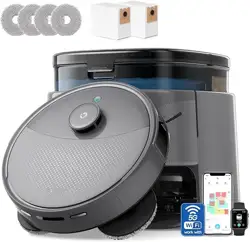
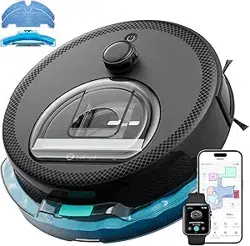
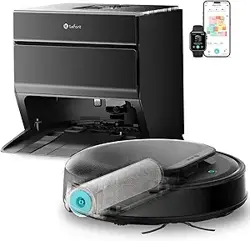
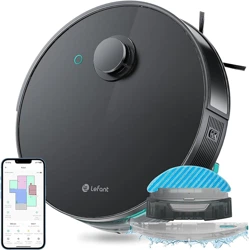
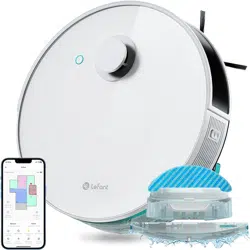
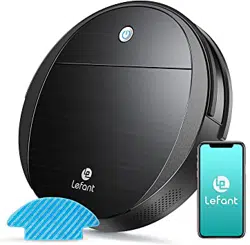
The Lefant M2L Plus is a robotic vacuum and mop combo designed for automated floor cleaning. It utilizes LiDAR navigation for mapping and path planning and includes a self-emptying base station.

Key components include the robot unit, the self-emptying base station, a charging adapter, side brushes, a disposable mop pad, dust bags, and dust box filters.
2. Features and Specifications
2.1 Navigation and Mapping
- LiDAR Navigation: Uses 360° rotating laser to scan and map the home environment.
- Multi-Floor Mapping: Can create and save separate maps for different floors.
- Obstacle Avoidance: Equipped with nine triangulation distance sensors and PSD technology with a 190° detection angle to avoid objects as close as 1.6 inches.

2.2 Cleaning Performance
- Suction Power: 6000 Pa maximum suction.
- 2-in-1 Function: Vacuum and mop combo. The 300ml water tank has 3-level adjustable water flow controlled via the app.
- Carpet Detection & Auto Boost: Detects carpets and avoids them when the mop attachment is installed. When the mop holder is removed, suction automatically increases for carpet cleaning.
- Pet-Friendly: Designed to pick up pet hair and avoid becoming stuck.

2.3 Self-Emptying Base Station
- Capacity: Holds up to 75 days of dust and debris before requiring emptying.
- Dust Bags: Uses sealed disposable dust bags (sold separately) to contain dust and odors.

2.4 Connectivity and Control
- Dual-Band WiFi: Supports both 2.4GHz and 5GHz networks with auto-switching.
- Control Methods: Lefant smartphone app, voice control via Amazon Alexa and Google Home, and manual touch controls on the robot.
- Smartwatch Support: Compatible with Apple iWatch (watch not included).

2.5 Battery and Runtime
- Battery Life: Up to 130-140 minutes of runtime on a single charge.
- Auto-Recharge: Returns to the base station to recharge when battery is low, then resumes cleaning if needed.
3. Use Guide
3.1 Initial Setup
- Place the self-emptying base station on a hard, level surface against a wall. Ensure there is at least 3 feet of clearance on each side and 5 feet in front.
- Install the side brushes onto the bottom of the robot.
- Charge the robot by docking it on the base station. The initial charge may take several hours.
- Download the "Lefant" app from your smartphone's app store.
- Power on the robot. Follow the in-app instructions to connect the robot to your WiFi network (2.4GHz or 5GHz).
3.2 Creating a Map
- Ensure floors are clear of loose cables, small objects, and excessive clutter.
- From the app, initiate a full cleaning cycle. The robot will explore your home to create an initial map.
- After the first complete run, the map will be saved in the app. You can then label rooms, set No-Go Zones, and create virtual boundaries.

3.3 Vacuuming and Mopping
Vacuuming Only:
- Ensure the mop holder and water tank are NOT attached to the robot.
- Select cleaning mode (Quiet, Standard, Strong, Max) in the app.
- Initiate cleaning for the whole home or selected rooms.
Vacuuming and Mopping:
- Fill the 300ml water tank with clean water. Do not exceed the "Max" line.
- Attach the disposable mop pad to the mop holder.
- Attach the mop holder and water tank to the rear of the robot.
- In the app, select the mopping function and set the desired water flow level (Low, Medium, High) for each room if desired.
- Start the cleaning cycle. The robot will avoid carpets when the mop is attached.
3.4 Customizing Cleaning
Using the Lefant App, you can:
- Schedule Cleaning: Set specific days and times for automatic cleaning.
- Selective Area Cleaning: Draw a rectangle on the map to clean a specific zone.
- Room-Specific Settings: Assign different suction powers or water flow levels to different rooms.
- No-Go Zones/Virtual Walls: Draw lines or zones on the map where the robot should not enter.
3.5 Maintenance
- Empty the Base Station: Replace the sealed dust bag when the station indicator alerts you (approximately every 75 days under normal use).
- Clean the Robot's Dustbin: Remove and empty the internal dustbin after each cleaning cycle if not using self-emptying mode. Wash the filter periodically.
- Clean Sensors and Charging Contacts: Wipe the LiDAR sensor window, cliff sensors, and charging contacts on the robot and base with a dry cloth.
- Check and Clean Brushes: Regularly remove the main roller brush and side brushes to clear tangled hair and debris.
- Care for the Mop: Remove and wash the mop pad after use. Rinse the water tank.
4. Troubleshooting
- Robot not starting: Ensure it is properly docked and charged. Check that the power switch on the side of the robot is turned on.
- Connection issues with app: Verify your phone is connected to the correct WiFi band (2.4GHz or 5GHz). Restart the robot and your router.
- Poor navigation or getting stuck: Ensure the home environment is well-lit and the LiDAR sensor is clean. Clear floors of loose wires, socks, or low-lying obstacles.
- Weak suction: Check and empty the robot's dustbin and the base station's dust bag. Clean the filters and check the main roller brush for blockages.
- Error alerts on app: Refer to the specific error code in the "Help" section of the Lefant app.
5. Safety Information
- Only use the provided charging adapter.
- Do not use the robot to pick up liquids, burning materials, or sharp, hard objects.
- Keep the robot away from open flames and heat sources.
- Do not place heavy objects on the robot or base station.
- This appliance is not intended for use by persons with reduced physical, sensory or mental capabilities, unless supervised.
- Unplug the base station before performing any maintenance.
6. Warranty and Support
Lefant provides a one-year limited warranty for the M2L Plus.
Customer Service: Professional customer service is available 24/7, Monday through Friday.