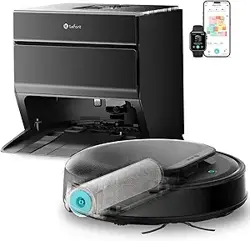
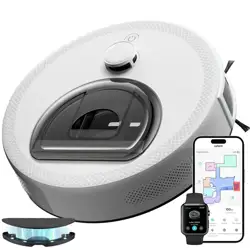
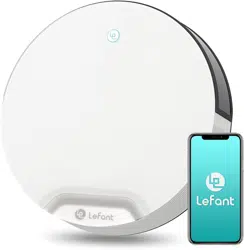
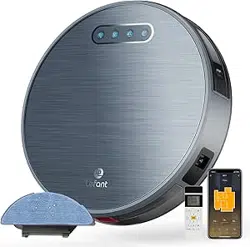
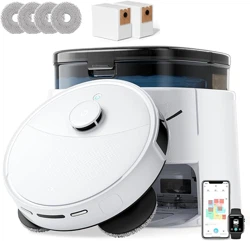
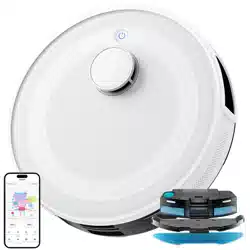
Lefant M5 PRO LiDAR Robot Vacuum and Mop, 18000Pa Suction, PSD 2.0 Smart Obstacle Avoidance

Product's Documents

Below are documents related to this product, you can read online or download:
M5 PRO photo

1. Overview

The Lefant M5 Pro is an all-in-one robotic vacuum and mop designed for automated floor cleaning. It integrates with a base station that handles self-emptying, mop washing, drying, and water refilling.

Lefant M5 Pro LiDAR Robot Vacuum and Mop, 18000Pa Suction, PSD 2.0 Smart Obstacle Avoidance, All-in-One Robot Vacuum 120 Day Self-Emptying, Auto Mop Washing, Drying&Refilling, Supports 2.4G/5G WiFi

Key components include the robot unit and the intelligent base station. The robot uses LiDAR for navigation and a PSD 2.0 system for obstacle avoidance.

2. Features and Specifications

2.1 Physical Specifications

  • Model Name: M5 Pro
  • Dimensions (Robot): 12.6" L x 12.6" W x 3.94" H
  • Color Options: Black, Silvery
  • Style Name: M5 Pro-Black

2.2 Cleaning Performance

  • Suction Power: 18,000Pa
  • Mop Type: Pressurized roller mop operating at 280 RPM.
  • Surface Compatibility: Hard Floor, Wood, Tile, Carpet.
  • Carpet Detection: Automatically increases suction and raises the mop by 0.3 inches (8mm) when a carpet is detected.
  • Obstacle Climbing: Can overcome obstacles up to 0.63 inches high.
Strong Roller Mop

2.3 Base Station Functions

  • Self-Emptying: Empties dust into a disposable bag with a 120-day capacity.
  • Mop Washing: Uses 167°F hot water to automatically clean the roller mop.
  • Mop Drying: Uses cold air drying. Drying time is selectable via the app.
  • Water Management: Automatically refills clean water and discharges wastewater.
Fully automatic quick cleaning mop

2.4 Navigation and Intelligence

  • Navigation: 360° LiDAR mapping for scanning home layouts and creating detailed maps.
  • Obstacle Avoidance: PSD 2.0 system with 190° ultra-wide-angle detection to recognize and bypass obstacles.
  • Multi-Floor Mapping: Supports creating and auto-switching between maps for different levels of a home.
PSD 2.0 Smart Obstacle Avoidance

2.5 Power and Connectivity

  • Battery Runtime: Up to 180 minutes.
  • Battery Type: Lithium Ion.
  • WiFi Support: Dual-band (2.4G/5G).
  • Control Methods: Lefant App, Physical Buttons, Voice Control (Alexa, Google Assistant).
  • Noise Level: 53 Decibels.

2.6 Maintenance Features

  • Zero-Tangle Design: V-shaped brush roll and double comb design to prevent hair tangling.
  • Filter Type: Hypa filter.
  • Included Components: Robot vacuum, Charging Adapter, Dirt Disposal Bag, Filter, Side Brush.

3. Setup and Installation

  1. Unpack: Remove the robot, base station, and all accessories from the packaging.
  2. Place the Base Station:
    • Position on a hard, level floor against a wall.
    • Ensure there is at least 1.5 meters (5 feet) of clear space in front and 0.5 meters (1.6 feet) on each side.
    • Keep the area free of loose wires, curtains, or other obstacles.
  3. Prepare the Base Station:
    • Install the disposable dust bag into its compartment.
    • Fill the clean water tank.
    • Ensure the wastewater tank is empty and correctly seated.
    • Connect the power adapter to the base station and plug it into a wall outlet.
  4. Prepare the Robot:
    • Install the side brush by pressing it onto the mount on the robot's underside.
    • Install the main brush (V-shaped brush roll).
    • If mopping is desired, attach the roller mop assembly and ensure the water tank on the robot is filled.
  5. Power On: Press the power button on the robot. Place the robot on the charging contacts of the base station for initial charging. A full charge is recommended before first use.
Note: A video titled "M5 Pro Robot Vacuum Cleaner and Mop Connecting App Tutorial" is available for setup guidance.

4. Use Guide

4.1 Initial Mapping Run

  1. Ensure the robot is fully charged and the area is clear of small obstacles like cables and socks.
  2. Start a cleaning cycle via the physical button on the robot or the Lefant app.
  3. The robot will leave the dock and use its LiDAR to scan and create a map of your home. Allow it to complete this process without interruption.

4.2 Using the Lefant App

Download the "Lefant" app from your device's app store and connect the robot to your WiFi network.

  • Map Management: View, edit, and save maps. Create multiple maps for different floors.
  • Zone Cleaning: Draw rectangles on the map to clean specific rooms or areas.
  • No-Go Zones: Draw lines or areas on the map where the robot should not enter.
  • Schedule Cleaning: Set daily or weekly cleaning schedules.
  • Cleaning Settings: Adjust suction power and water flow for mopping per room or for the entire job.
  • Base Station Controls: Initiate mop washing, drying, or self-emptying manually.
APP distribution network connection

4.3 Starting a Cleaning Session

You can start cleaning in several ways:

  • App: Tap the clean button in the Lefant app.
  • Voice: Use commands with Alexa or Google Assistant (e.g., "Alexa, ask Lefant to start cleaning").
  • Robot Button: Press the physical clean/power button on the robot.

4.4 Vacuum and Mop Modes

  • Vacuum Only: Use without attaching the mop module.
  • Vacuum & Mop: Attach the mop module. The robot will vacuum and mop simultaneously. It will automatically avoid carpets or raise the mop when carpet is detected.

4.5 During Operation

  • The robot will return to the base station to recharge if the battery is low during a job, then resume cleaning where it left off.
  • For mopping jobs, the robot may return to the base station automatically for mop washing and water refilling.
  • Monitor status and receive notifications through the app.

5. Maintenance and Care

5.1 Regular Maintenance Tasks

  • Empty the Dust Bag: The base station's dust bag holds 120 days of debris. Replace the disposable bag when full. An indicator in the app will notify you.
  • Clean the Wastewater Tank: Empty and rinse the wastewater tank from the base station regularly to prevent odors.
  • Clean the Robot's Brushes: Periodically remove the main brush and side brush to clear any wrapped hair or debris.
  • Clean the Sensors: Wipe the LiDAR sensor window on top and the cliff sensors on the underside with a dry, soft cloth.
  • Clean the Charging Contacts: Wipe the metal charging contacts on the robot and dock with a dry cloth.
  • Check and Clean the Filter: Remove and tap the Hypa filter to remove fine dust. Do not wash it. Replace as needed.
  • Care for the Mop: The base station automatically washes and dries the roller mop. Inspect it periodically for wear and replace if necessary.
Self cleaning drum

5.2 Troubleshooting

  • Robot Not Starting: Ensure it is charged. Check if the power switch on the side is on.
  • Robot Not Docking: Ensure the base station is powered and the area in front is clear. Reposition the base station if necessary.
  • Poor Navigation or Bumping: Clean all sensors. Ensure the LiDAR turret rotates freely.
  • Connection Issues with App: Ensure your phone is connected to the correct WiFi band (2.4GHz or 5GHz) as configured during setup. Restart the robot and your router.
  • Suction Power Seems Low: Check and empty the dust bag in the base station. Clear any blockages in the robot's air path, main brush, or filter.
  • Mop Not Wetting Floor: Ensure the robot's water tank is filled and the mop module is correctly attached. Check for clogs in the water outlet.

6. Safety Information

  • This appliance is for indoor, household use only.
  • Do not use the robot on wet floors or to clean up liquids.
  • Keep the robot and base station away from open flames, heat sources, and direct sunlight.
  • Do not place heavy objects on the robot or base station.
  • Before cleaning or maintenance, turn off the robot and disconnect the base station from the power outlet.
  • Keep hair, loose clothing, fingers, and body parts away from moving parts and brush rolls.
  • This appliance is not a toy. Supervise children and pets when the robot is operating.
  • Use only the provided power adapter with the correct voltage.
  • Do not use a damaged power cord or plug.

7. Product Information

Brand: Lefant

Model Number: M5 Pro

ASIN: B0G4RK6QZX

Manufacture Year: 2026

Included Components: Robot vacuum, Charging Adapter, Dirt Disposal Bag, Filter, Side Brush.

Reference file: Lefant M5 PRO LiDAR Robot Vacuum and Mop, 18000Pa Suction, PSD 2.0 Smart Obstacle Avoidance

Specifications

Lefant M5 PRO Questions and Answers