Overview

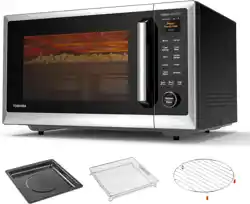
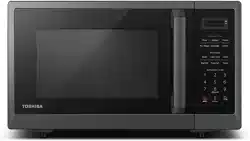
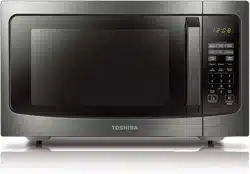
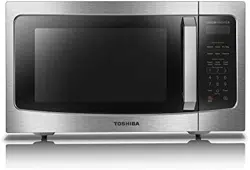
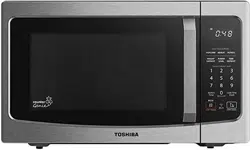
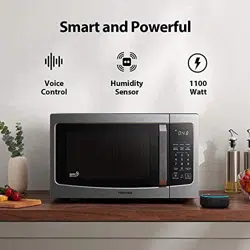
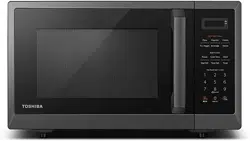
The TOSHIBA OptiChef ML2-STC13SAIT(SS) is a countertop microwave oven that combines microwave, air fryer, convection, broil, and defrost functions in a single unit. It features a 2.4-inch color screen, Origin Inverter Technology, a smart humidity sensor, and smart connectivity via the TSmartLife app and Alexa voice control. The oven has a 1.3 cubic foot capacity and delivers 1100W of output power.
This appliance is designed for residential countertop installation. It includes a microwave rack and a 13.6-inch turntable. The interior is finished with ceramic enamel, and the exterior is stainless steel and glass.
Features
2.4-Inch Color Screen and User Interface

The oven is equipped with a 2.4-inch colorful TFT ChefView screen. The interface is touch-responsive and provides visual feedback for cooking progress, menu selection, and settings.
Origin Inverter Technology

The Origin Inverter provides precise, variable power control instead of simple on/off cycling. This results in:
- Even cooking and heating
- Precise temperature control
- Better food textures and juicier meats
- Reduced cooking time and energy consumption
- Quieter operation
ChefFry Plus (Air Fryer Function)

A top fan and heating element replicate the effect of an air fryer oven, allowing for healthier cooking with less oil while achieving crispy results.
Intuitive Humidity Sensor

The built-in humidity sensor automatically detects moisture levels during cooking and adjusts time and power accordingly. This helps prevent overcooking and retains natural moisture in food.
Chef Defrost Function
The Chef Defrost function uses the inverter technology to defrost food up to 40% faster than traditional methods while preserving the original texture and flavor.
Smart Connectivity

The microwave oven is compatible with:
- TSmartLife App: Allows remote operation, recipe access, and monitoring from a smartphone.
- Alexa Voice Control: Enables hands-free operation using voice commands.
AI-Chef Smart Cooking
The oven supports cloud recipe updates, AI-optimized sensor cooking, and over-the-air (OTA) firmware upgrades to provide an evolving cooking experience.
Preset Programs and Cooking Modes

The oven offers 25 preset programs and multiple cooking modes including:
- Air Fry
- Convection Bake
- Microwave
- Broil
- Defrost
- Reheat
- Soften
- Combi (combination cooking)
- Sensor Cook
- Express Cook
Additional Features
- Child Safety Lock: Prevents unintended operation.
- Eco Mode: Reduces standby power consumption.
- Mute Function: Allows disabling of audible alerts.
- Keyboard Back Light: Illuminated control panel for easy use in low light.
- 10 Power Levels: Adjustable microwave power for different cooking needs.
Specifications
| Brand |
TOSHIBA |
| Model |
ML2-STC13SAIT(SS) |
| Color |
Silver |
| Product Dimensions (W x D x H) |
21.8 x 19.4 x 12.8 inches |
| Cavity Dimensions (W x D x H) |
14.5 x 16.4 x 9.3 inches |
| Capacity |
1.3 Cubic Feet |
| Output Power |
1100 Watts |
| Input Power |
1250 Watts |
| Voltage |
120 Volts (AC) |
| Turntable Diameter |
13.6 Inches |
| Material |
Ceramic (interior), Glass, Stainless Steel |
| Controller Type |
Touchscreen |
| Number of Power Levels |
10 |
| Number of Programs |
25 |
| Heating Method |
Convection, Microwave, Air Fry, Broil |
| Defrost System Type |
Quick Defrost (Chef Defrost) |
| Included Components |
Microwave Rack |
| Installation Type |
Countertop |
| Recommended Use |
Residential |
| Special Features |
Child Safety Lock, Defrost, Eco Mode, Express Cook, One Touch Button |
Use Guide
Before First Use
- Remove all packaging materials and accessories from the oven cavity.
- Place the oven on a flat, stable countertop with at least 3 inches of clearance on all sides for ventilation.
- Plug the oven into a standard 120V AC outlet.
- Wipe the interior with a damp cloth and dry thoroughly.
- Run a test cycle with a cup of water for 1 minute to ensure proper operation.
Control Panel and Screen Elements

The main interface consists of:
- 2.4-inch Color Screen: Displays cooking mode, time, power level, and menu options.
- Touch Controls: Used to navigate menus and select settings.
- One-Touch Buttons: Quick access to common functions (e.g., Popcorn, Pizza, Reheat).
- Start/Stop Button: Begins or cancels cooking.
- Door Release: Opens the oven door.
Basic Microwave Operation
- Place food in a microwave-safe container on the turntable.
- Close the door securely.
- Press the Micro. button or select the microwave mode from the screen.
- Set the desired cooking time using the number pad or touch controls.
- Adjust power level if needed (default is High/100%).
- Press Start to begin cooking.
Air Fryer Operation
- Place food on the microwave rack or in an air fryer-safe basket.
- Close the door.
- Select the Air Fry mode from the screen or preset menu.
- Choose the desired preset (e.g., Fries, Chicken, Onion Rings) or set time and temperature manually.
- Press Start to begin.
- For best results, shake or turn food halfway through the cooking cycle.
Using Preset Programs

The oven includes 25 preset programs for common foods. To use a preset:
- Press the Auto Menu button.
- Scroll through the list using the touch screen or arrow buttons.
- Select the desired food type (e.g., Popcorn, Pizza, Meat, Onion Rings).
- Follow any on-screen prompts to enter weight or quantity.
- Press Start to begin the automatic cooking cycle.
Sensor Cooking
The humidity sensor automatically detects when food is cooked. To use sensor cooking:
- Select Sensor Reheat button from the menu.
- Choose the food category.
- Press Start. The oven will automatically adjust time and power based on detected moisture.
Defrosting
- Select Chef Defrost button.
- Enter the weight of the food.
- Press Start. The oven will calculate and apply the optimal defrost cycle.
Using the Smart Features
TSmartLife App
- Download the TSmartLife app from your device's app store.
- Create an account and follow the in-app instructions to pair the microwave oven with your home Wi-Fi network.
- Once paired, you can start, stop, and monitor cooking remotely, access cloud recipes, and receive notifications.
Alexa Voice Control
- Ensure the microwave is connected to the TSmartLife app.
- Enable the TSmartLife skill in the Alexa app.
- Link your TSmartLife account to Alexa.
- Use voice commands such as "Alexa, ask TSmartLife to start the microwave for 2 minutes."
Child Safety Lock
To activate the child lock, press and hold the Child Lock button for 3 seconds. The screen will display a lock icon. Repeat the same action to unlock.
Eco Mode
Access the Settings menu, then press and hold the Eco button for 3 seconds to enable or disable Eco Mode. When active, the display will dim and standby power consumption is reduced.
Mute Function
To mute or unmute the audible alerts, press and hold the 0 button for 3 seconds.
Cleaning
With good care and cleaning, your appliance will retain its appearance and remain fully functioning for a long time to come. We will explain below how you should correctly care for and clean your appliance.
WARNING
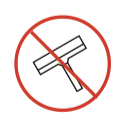
- Scratched glass in the appliance door may develop into a crack. Do not use a glass scraper, sharp or abrasive cleaning aids or detergents.
- The surface of the appliance may become damaged if it is not cleaned properly. Microwave energy may escape. Clean the appliance on a regular basis, and remove any food remnants immediately.
- Do not immerse the appliance in water or clean under a jet of water.
Cleaning agent
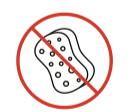
To ensure that the different surfaces are not damaged by using the wrong cleaning agent, observe the information below. Wash new sponge cloths thoroughly before use.
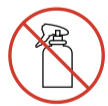
Do not use:
APPLIANCE FRONT
Hot soapy water:
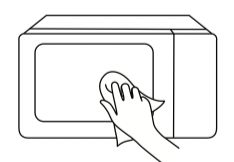
Clean using a dish cloth and then dry with a soft cloth. Do not use metal or glass scrapers for cleaning.
APPLIANCE FRONT WITH STAINLESS STEEL
Hot soapy water:
Clean using a dish cloth and then dry with a soft cloth. Remove splashes and patches of limescale, grease, starch and albumin immediately. Corrosion can form under these patches or splashes. Do not use glass cleaners or metal or glass scrapers for cleaning.
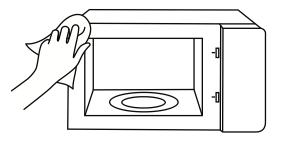
COOKING COMPARTMENT MADE OF STAINLESS STEEL
Hot soapy water or vinegar solution:
Clean using a dish cloth and then dry with a soft cloth. Do not use oven spray or any other aggressive oven cleaners or abrasive materials. Scouring pads, rough sponges and pan cleaners are also unsuitable. These items scratch the surface. Allow the interior surfaces to dry completely.
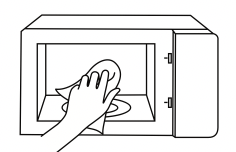
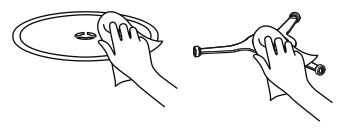
TURNTABLE AND ROLLER RING
Hot soapy water:
When placing the turntable back into position, the glass must engage into the turntable shaft assembly properly.
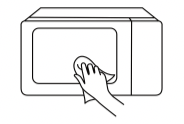
DOOR PANEL
Glass cleaner:
Clean with a dish cloth. Do not use glass scrapers.
Ventilation
Ensure the ventilation openings on the sides and back of the oven are not blocked. Keep at least 3 inches of clearance around the unit.
Troubleshooting
| Issue |
Possible Cause |
Solution |
| Oven does not start |
Door not fully closed; power cord unplugged; child lock activated |
Close door securely; plug into outlet; deactivate child lock |
| Screen is blank |
Eco Mode active; power outage |
Press any button to wake; check power supply |
| Food not heating evenly |
Turntable not rotating; incorrect power level |
Ensure turntable is properly seated; adjust power level |
| Air fry results not crispy |
Food too crowded; insufficient cooking time |
Arrange food in a single layer; increase time or temperature |
| Oven makes unusual noise |
Turntable misaligned; foreign object in cavity |
Check turntable alignment; remove any objects |
| Cannot connect to Wi-Fi |
Router out of range; incorrect password |
Move router closer; verify Wi-Fi credentials; restart app |
|
Arcing or sparking
|
a. Materials to be avoided in microwave oven were used.
b. The oven is operated when empty.
c. Spilled food remains in the cavity.
|
a. Use microwave-safe cookware only.
b. Do not operate with oven empty.
c. Clean cavity with wet towel.
|
|
Unevenly cooked foods
|
a. Materials to be avoided in microwave oven were used.
b. Food is not defrosted completely.
c. Cooking time, power level is not suitable.
d. Food is not turned or stirred.
|
a. Use microwave-safe cookware only.
b. Completely defrost food.
c. Use correct cooking time, power level.
d. Turn or stir food.
|
|
Overcooked foods
|
Cooking time, power level is not suitable.
|
Use correct cooking time, power level.
|
|
Undercooked foods
|
a. Materials to be avoided in microwave oven were used.
b. Food is not defrosted completely.
c. Oven ventilation ports are restricted.
d. Cooking time, power level is not suitable.
|
a. Use microwave-safe cookware only.
b. Completely defrost food.
c. Check to see that oven venti- lation ports are not restricted.
d. Use correct cooking time, power level
|
|
Improper defrosting
|
a. Materials to be avoided in microwave oven were used.
b. Cooking time, power level is not suitable.
c. Food is not turned or stirred.
|
a. Use microwave-safe cookware only.
b. Use correct cooking time, power level.
c. Turn or stir food.
|
Important Safety Instructions
WARNING: To reduce the risk of burns, electric shock, fire, injury to persons or exposure to excessive microwave energy. When using electrical appliances, basic safety precautions should be followed, including the following.
- Read all instructions before using the appliance.
- This appliance must be grounded. Connect only to a properly grounded outlet. See "GROUNDING INSTRUCTIONS".
- Install or locate this appliance only in accordance with the provided installation instructions.
- As with any appliance, close supervision is necessary when used by children.
- When cleaning surfaces of door and oven that comes together on closing the door, use only mild, nonabrasive soaps, or detergent applied with a sponge or soft cloth.
- Keep cord away from heated surface.
- Liquids, such as water, coffee, or tea are able to overheat beyond the boiling point without appearing to be boiling. Visible bubbling or boiling when the container is removed from the microwave oven is not always present.
- THIS COULD RESULT IN VERY HOT LIQUID SUDDENLY BOILING OVER WHEN THE CONTAINER IS DISTURBED OR A UTENSIL IS INSERTED INTO THE LIQUID. To reduce the risk of injury to persons:
- Do not overheat the liquid.
- Stir the liquid both before and halfway through heating it.
- Do not use straightsided containers with narrow necks.
- After heating, allow the container to stand in the microwave oven for a short time before removing the container.
- Use extreme care when inserting a spoon or other utensil into the container.
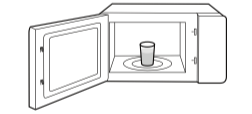
- This appliance should be serviced only by qualified service personnel. Contact nearest authorized service facility for examination, repair, or adjustment.
- To reduce the risk of fire in the oven cavity:
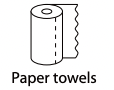
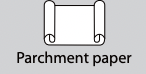
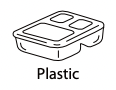
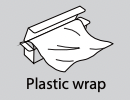
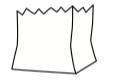
- Do not overcook food. Carefully attend appliance when paper, plastic, or other combustible materials are placed inside the oven to facilitate cooking.
- Remove wire twist-ties from paper or plastic bag before placing bag in oven.
- If material inside of the oven ignite, keep oven door closed, turn oven off, and disconnect the power cord, or shut off power at the fuse or circuit breaker panel.
- Do not use the cavity for storage purposes. Do not leave paper products, cooking utensils, or food in the cavity when not in use.
- Oversized food or oversized metal utensils should not be inserted in a microwave/toaster oven as they may create a fire or risk of electric shock.
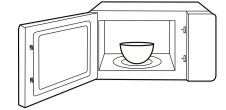
- Some products such as whole eggs and sealed containers, for example, closed glass jars are able to explode and should not be heated in this oven.
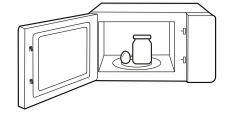
- Do not store this appliance outdoors. Do not use this product near water including near a kitchen sink, in a wet basement, near a swimming pool, or similar location.
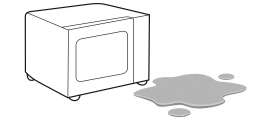
- Do not immerse cord or plug in water or any other liquid.
- Use this appliance only for its intended use as described in the manual. Do not use corrosive chemicals or vapors in this appliance. This type of oven is specifically designed to heat, cook or dry food.
- It is not designed for industrial or laboratory use.
- Do not operate this appliance if it has a damaged cord or plug, if it is not working properly, or if it has been damaged or dropped.
- Do not cover or block any openings on the appliance.
- Do not clean with metal scouring pads. Pieces can burn off the pad and touch electrical parts involving a risk of electric shock.
- Do not let the cord hang over edge of table or counter.
- Do not use paper products when appliance is operated in the toaster mode.
- Do not store any materials, other than manufacturer's recommended accessories, in this oven when not in use.
- Do not cover racks or any other part of the oven with metal foil. This will cause over-heating of the oven.
GROUNDING INSTRUCTIONS
This appliance must be grounded. In the event of an electrical short circuit, grounding reduces the risk of electric shock by providing an escape wire for the electric current. This appliance is equipped with a cord having a grounding wire with a grounding plug. The plug must be plugged into an outlet that is properly installed and grounded.
WARNING - Improper use of the grounding can result in a risk of electric shock. Consult a qualified electrician or serviceman if the grounding instructions are not completely understood, or if doubt exists as to whether the appliance is properly grounded. If it is necessary to use an extension cord, use only a 3-wire extension cord that has a 3-blade grounded plug, and 3-slot receptacle that will accept the plug on the appliance. The marked rating of the extension cord shall be equal to or greater than the electrical rating of the appliance.
DANGER Electric Shock Hazard:
Touching some of the internal components can cause serious personal injury or death. Do not disassemble this appliance.
WARNING Electric Shock Hazard:
Improper use of the grounding can result in electric shock. Do not plug into an outlet until appliance is properly installed and grounded.
- A short power-supply cord is provided to reduce the risks resulting from becoming entangled in or tripping over a longer cord.
- Longer cord sets or extension cords are available and may be used if care is exercised in their use.
- If a long cord or extension cord is used:
- The marked electrical rating of the cord set or extension cord should be at least as great as the electrical rating of the appliance.
- The extension cord must be a grounding-type 3-wire cord.
- The longer cord should be arranged so that it will not drape over the counter top or tabletop where it can be pulled on by children or tripped over unintentionally.
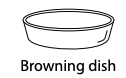
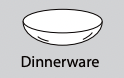
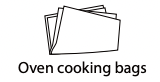
MATERIALS YOU CAN USE IN MICROWAVE OVEN
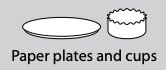
MATERIALS CAN NOT BE USED IN MICROWAVE OVEN
| UTENSILS |
REMARKS |
|
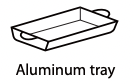 |
May cause arcing. Transfer food into microwave-safe dish. |
 |
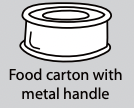 |
May cause arcing. Transfer food into microwave-safe dish. |
|
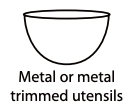 |
Metal shields the food from microwave energy. Metal trim may cause arcing. |
|
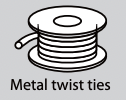 |
May cause arcing and could cause a fire in the oven. |
|
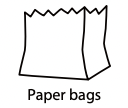 |
May cause a fire in the oven. |
|
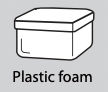 |
Plastic foam may melt or contaminate the liquid inside when exposed to high temperature. |
|
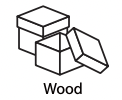 |
Wood will dry out when used in the microwave oven and may split or crack. |
|
Warranty
This product is covered by a 1 Year Limited Warranty from the manufacturer. For warranty service, contact TOSHIBA customer support through the TSmartLife app or the contact information provided in the product packaging. Retain your proof of purchase for warranty claims.