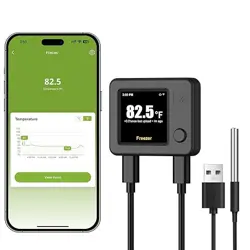
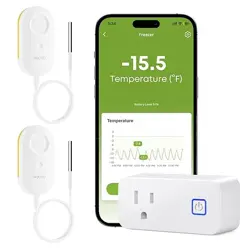
1. Overview
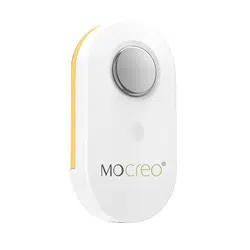
The MOCREO LS1 is a long-range, wireless temperature sensor designed for remote monitoring. It is part of a system that requires a separate H5Pro LoRa Hub to function. The sensor is IP66 waterproof, making it suitable for humid environments like refrigerators, freezers, greenhouses, and animal houses.

Primary Function: To measure and report temperature data wirelessly to a central hub, which can then be accessed via a smartphone app. The system provides alerts if temperatures go outside preset ranges.
2. Features and Specifications
2.1 Key Features
- Long-Range Communication: Open-air range of up to 1,640 feet (1/3 mile) when paired with the H5Pro Hub.
- IP66 Waterproof Rating: The entire sensor unit is protected against dust and powerful water jets, ideal for humid or wet conditions.
- Multiple Alert Methods: Sends notifications via the MOCREO Smart App, email, and triggers an 80dB audible alarm on the H5Pro Hub.
- Extended Battery Life: Powered by three AAA batteries with an expected lifespan of up to 2 years.
- Data Logging & Export: Stores 2 years of temperature data. Data can be viewed in charts within the app and exported in CSV format for analysis. No subscription is required.
- Smart App Settings: Includes features like low battery alerts and anti-false alarm settings to enhance monitoring reliability.
2.2 Technical Specifications
| Specification |
Detail |
| Temperature Range |
-4°F to 131°F (-20°C to 55°C) |
| Temperature Accuracy |
±0.9°F (±0.5°C) |
| Power Source |
3 x AAA Batteries (included) |
| Battery Life |
Up to 2 years |
| Ingress Protection |
IP66 (Waterproof and Dustproof) |
| Communication Technology |
LoRa (Long Range), requires H5Pro Hub |
| Hub Alarm Volume |
80 Decibels |
| Control Method |
MOCREO Smart App |
| Data Export Format |
CSV |
| Color |
White |
Important Compatibility Note: The LS1 sensor must be used with the H5Pro LoRa Hub (ASIN: B0DRHQT24P). It is not compatible with the H5Lite, H1B, or H2 hubs. The hub is sold separately.
3. What's in the Box
- 1 x MOCREO LS1 Wireless Temperature Sensor
- 3 x AAA Batteries (pre-installed)
Note: The H5Pro LoRa Hub and any mounting hardware are not included.
4. Use Guide
4.1 System Setup
The LS1 sensor works as part of a system with the H5Pro Hub. Follow these steps to set up the complete monitoring system.
- Acquire the H5Pro Hub: Purchase the H5Pro LoRa Hub separately (ASIN: B0DRHQT24P).
- Set Up the Hub:
- Connect the H5Pro Hub to power and your home Wi-Fi network according to its manual.
- Download and install the MOCREO Smart App on your iOS or Android smartphone.
- Create an account and add the Hub to your app following the in-app instructions.
- Prepare the LS1 Sensor:
- Ensure the three AAA batteries are correctly installed in the sensor. The battery compartment is located on the back of the unit.
- The sensor will power on automatically.
- Pair the Sensor with the Hub:
- In the MOCREO Smart App, navigate to the option to add a new device/sensor.
- Select the sensor type (LS1 Thermometer). The app will guide you through the pairing process, which typically involves putting the hub into pairing mode and waiting for it to discover the sensor.
- Once paired, you can name the sensor (e.g., "Kitchen Fridge," "Greenhouse").
4.2 Placement and Mounting
- Place the LS1 sensor in the location you wish to monitor (e.g., inside a refrigerator, on a shelf in a greenhouse).
- Ensure the location is within the 1640 ft open-air range of the H5Pro Hub. Walls, metal, and other obstructions will reduce this range.
- The sensor can be placed on a flat surface (tabletop) or mounted using adhesive or screws (mounting hardware not included).
- For refrigerators or freezers, place the sensor inside, away from direct contact with cooling elements.
4.3 Using the MOCREO Smart App
The app is your primary interface for monitoring and controlling the system.
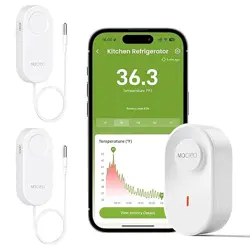
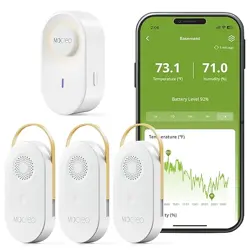
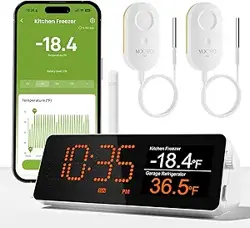
- Real-Time Monitoring: View the current temperature for each paired sensor on the main screen.
- Historical Data: Tap on a sensor to view temperature charts and trends over time (supports 2 years of data logging).
- Setting Alerts:
- Navigate to the settings for your LS1 sensor.
- Set high and low temperature thresholds. The system will trigger alerts if the temperature goes above or below these limits.
- Configure which alert methods you want to enable: App Push Notification, Email Alert, and/or Hub Audible Alarm (80dB).
- Data Export: Within the sensor's history view, look for an option to export data. You can typically select a date range and export the temperature logs as a CSV file for use in spreadsheet applications.
- Low Battery Alert: The app will notify you when the sensor's battery is running low. You can also check the battery status for each sensor within the app.
4.4 Understanding Alerts
When a temperature threshold is breached, the system can trigger up to three types of alerts simultaneously:
- App Push Notification: A message will appear on your smartphone.
- Email Alert: An email will be sent to the address associated with your MOCREO account.
- Hub Audible Alarm: The H5Pro Hub will sound an 80dB beep to alert anyone nearby.
To acknowledge and silence an alarm, you must address the temperature condition and/or use the MOCREO Smart App to acknowledge the alert.
5. Maintenance and Troubleshooting
5.1 Battery Replacement
- When the low battery alert appears, plan to replace the batteries promptly to avoid data gaps.
- Open the battery compartment on the back of the LS1 sensor.
- Replace all three AAA batteries with new ones, ensuring correct polarity (+/-).
- Close the compartment. The sensor will reconnect to the hub automatically.
5.2 Common Issues
- Sensor Not Connecting to Hub:
- Ensure the H5Pro Hub is powered on and connected to Wi-Fi.
- Check that the sensor is within range. Move it closer to the hub during initial pairing.
- Verify the sensor batteries are installed correctly and are not depleted.
- Restart the pairing process in the MOCREO Smart App.
- No Alerts Received:
- Check that alert thresholds are set correctly in the app.
- Verify that your smartphone's notification permissions are enabled for the MOCREO app.
- Check your email spam folder for email alerts.
- Ensure the hub's volume is not muted if expecting an audible alarm.
- Inaccurate Temperature Reading:
- Allow time for the sensor to acclimate to a new environment (approx. 30 minutes).
- Ensure the sensor is not in direct sunlight, near a heat source, or pressed against a cold surface, as this can affect the reading.
6. Safety and Compliance
- This device is for indoor and outdoor use in dry and damp locations as per its IP66 rating. It is not designed for submersion in water.
- Keep the sensor and batteries away from extreme heat or open flame.
- Dispose of used batteries according to local regulations.
- The device contains electronic components that must be recycled or disposed of separately from household waste.