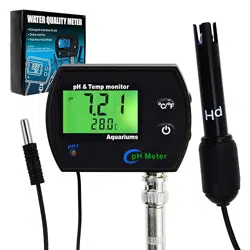
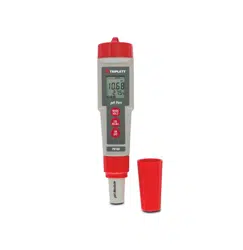
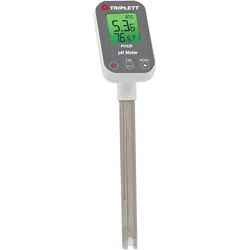
UIUZMAR PH METER for Water Hydroponics Supplies pH Up and Down Tester Digital PPM Meter EC Meter

Product's Documents

Below are documents related to this product, you can read online or download:
PH METER photo

1. Overview

The UIUZMAR 4-in-1 Meter is a digital testing instrument designed for monitoring water quality in hydroponic systems, indoor gardens, and other aqueous environments. It measures four key parameters: pH, Electrical Conductivity (EC), Total Dissolved Solids (TDS), and Temperature.

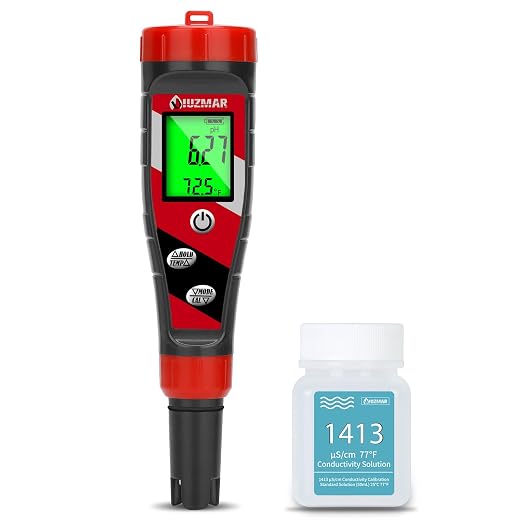
UIUZMAR pH Meter main product image showing the handheld device with a digital display and probe.

The device features a digital display with backlight, an upgraded probe for stable readings, and automatic temperature compensation (ATC). It is intended to help users maintain optimal nutrient solution conditions for plant health.

2. Features and Specifications

Close-up image of the UIUZMAR meter's display and control buttons.

2.1 Key Features

  • 4-in-1 Multifunction: Simultaneously measures pH, EC, TDS, and temperature.
  • Upgraded Probe: Designed for reliable and stable readings in nutrient solutions.
  • Digital Display with Backlight: Clear readout of all measured values.
  • Automatic Temperature Compensation (ATC): Compensates for temperature variations between 32°F and 122°F (0°C and 50°C).
  • Simple Calibration: Supports calibration for pH and EC/TDS modes.

2.2 Technical Specifications

  • pH Range: 0.00 - 14.00 pH
  • EC Range: 0-9999 µS/cm; 10.1-19.99 mS/cm
  • TDS Range: Derived from EC measurement.
  • Temperature Range: 32°F - 122°F (0°C - 50°C)
  • ATC: Yes (Automatic Temperature Compensation)
  • Calibration: pH calibration points include 4.00, 7.00, and 10.01. EC calibration at 1413 µS/cm.
  • Power: Typically powered by batteries (included).
  • Dimensions: 8.9 x 2.9 x 1.9 inches
  • Weight: 12.3 ounces

3. Components and Indicators

Familiarize yourself with the parts of your meter.

  • Main Unit/Housing: Contains the electronics and display.
  • Digital Display: Shows the measured values for pH, EC/TDS, and temperature. The backlight illuminates the screen.
  • Control Buttons: Buttons for power (ON/OFF), mode selection (pH, EC, TDS), calibration, and backlight.
  • Probe: The attached sensor cap that is immersed in the liquid for measurement. It contains the pH electrode and conductivity cell.
  • Battery Compartment: Located on the back of the unit.

4. Use Guide

Infographic showing the meter being used to test water in a hydroponic reservoir.

4.1 Initial Setup

  1. Remove the protective cap from the probe if present.
  2. Install the required batteries into the compartment.
  3. Press the power button to turn on the device.

4.2 Taking a Measurement

  1. Ensure the probe is clean. Rinse with clean water if necessary.
  2. Select the desired measurement mode (pH, EC, or TDS) using the mode button.
  3. Immerse the probe into the solution you wish to test. Ensure the sensor windows are fully submerged.
  4. Gently stir the probe in the solution to ensure a homogeneous reading.
  5. Wait for the reading on the display to stabilize. This may take 30-60 seconds.
  6. Record the value. The temperature is typically displayed alongside the primary measurement.
  7. After use, rinse the probe with clean water and replace the protective cap for storage.

4.3 Calibration

For accurate readings, periodic calibration is required.

pH Calibration:

  1. Enter pH calibration mode as per the device instructions.
  2. Immerse the probe in a pH 7.00 calibration solution.
  3. Confirm the reading stabilizes at 7.00 and confirm the calibration.
  4. For higher accuracy, repeat with pH 4.00 or pH 10.01 solutions.
  5. Rinse the probe with clean water after calibration.

EC/TDS Calibration:

  1. Enter EC calibration mode.
  2. Immerse the probe in the provided 1413 µS/cm calibration solution.
  3. Confirm the reading and complete the calibration.
  4. Rinse the probe thoroughly.

Note: Always use fresh calibration solutions. Do not reuse solutions.

5. Applications

Image depicting various uses including hydroponic lettuce, indoor herb garden, and aquarium testing.

This meter is suitable for testing water quality in various settings:

  • Hydroponics & Indoor Growing: Monitoring nutrient solution pH and EC/TDS in systems like Deep Water Culture (DWC), aeroponics, or grow tents.
  • General Water Testing: Checking filtered water, well water, reverse osmosis (RO) water, or bottled water.
  • Gardening: Testing the pH of water used for watering vegetables, herbs, or flowers.
  • Aquariums & Pools: Basic water quality monitoring (ensure probe is rinsed after use in chlorinated or salt water).

Optimal Hydroponic Ranges: For most plants, a pH range of 5.3-6.5 and an appropriate EC range for the growth stage are ideal. Consult your nutrient solution guidelines.

6. Care and Maintenance

Illustration showing proper cleaning of the probe with water and storage with a protective cap.
  • Cleaning: Always rinse the probe with clean, distilled, or deionized water after each use. Gently blot dry with a soft cloth. Do not rub the sensor.
  • Storage: Store the device with the protective cap moistened with a few drops of pH electrode storage solution or pH 4.0/7.0 buffer. Never let the probe dry out.
  • Probe Care: Avoid touching the sensor glass. Do not use the meter in very hot water (above 122°F/50°C). Avoid abrasive materials or solvents.
  • Batteries: Replace batteries when the display becomes dim or the low battery indicator appears.

7. Troubleshooting

ProblemPossible CauseSolution
Display is blankDead batteries; device not turned on.Replace batteries; press and hold power button.
Readings are unstable or erraticDirty probe; air bubbles on sensor; low batteries.Clean and rinse probe; gently tap to dislodge bubbles; replace batteries.
Inaccurate pH readingsProbe needs calibration; probe is dry or damaged.Recalibrate using fresh buffer solutions. Ensure storage cap is moist.
EC/TDS reading is zero in a known solutionIncorrect mode; probe not submerged; calibration needed.Select EC/TDS mode; submerge probe fully; recalibrate EC.
Error code on displayOut of range measurement; sensor fault.Ensure measurement is within specified ranges. Contact support if persistent.

8. What's in the Box

  • UIUZMAR 4-in-1 pH/EC/TDS/Temperature Meter
  • Protective cap for probe
  • Calibration solutions (pH and EC as per product style purchased)
  • Batteries
  • User manual (this guide)

Note: Contents may vary slightly depending on the specific product style (e.g., "4 in 1 meter with calibration" includes calibration solutions).

Reference file: UIUZMAR PH METER for Water Hydroponics Supplies pH Up and Down Tester Digital PPM Meter EC Meter

Specifications

UIUZMAR PH METER Questions and Answers

  • Total questions: 1
  • Questions unAnswered : 1

Q: What can be done to correct my problem of not calibrating in fresh calibration solution seven reads 10.1, four when recalibrated reach 10.1, and 10.1 calibration solution it reads calibrates at 10.1. What’s the problem help Reply